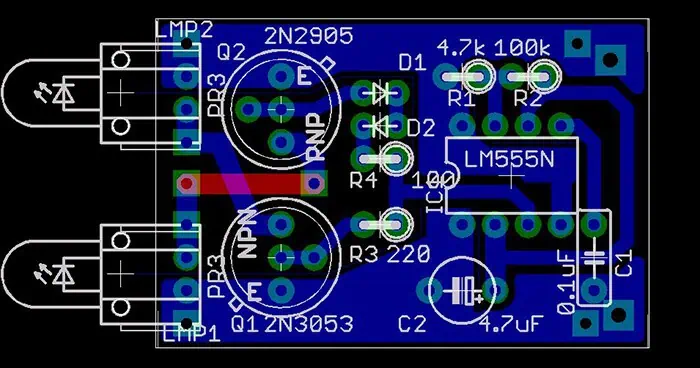
How are Circuit Boards Made ?

pcb manufacturing machines

Introduction

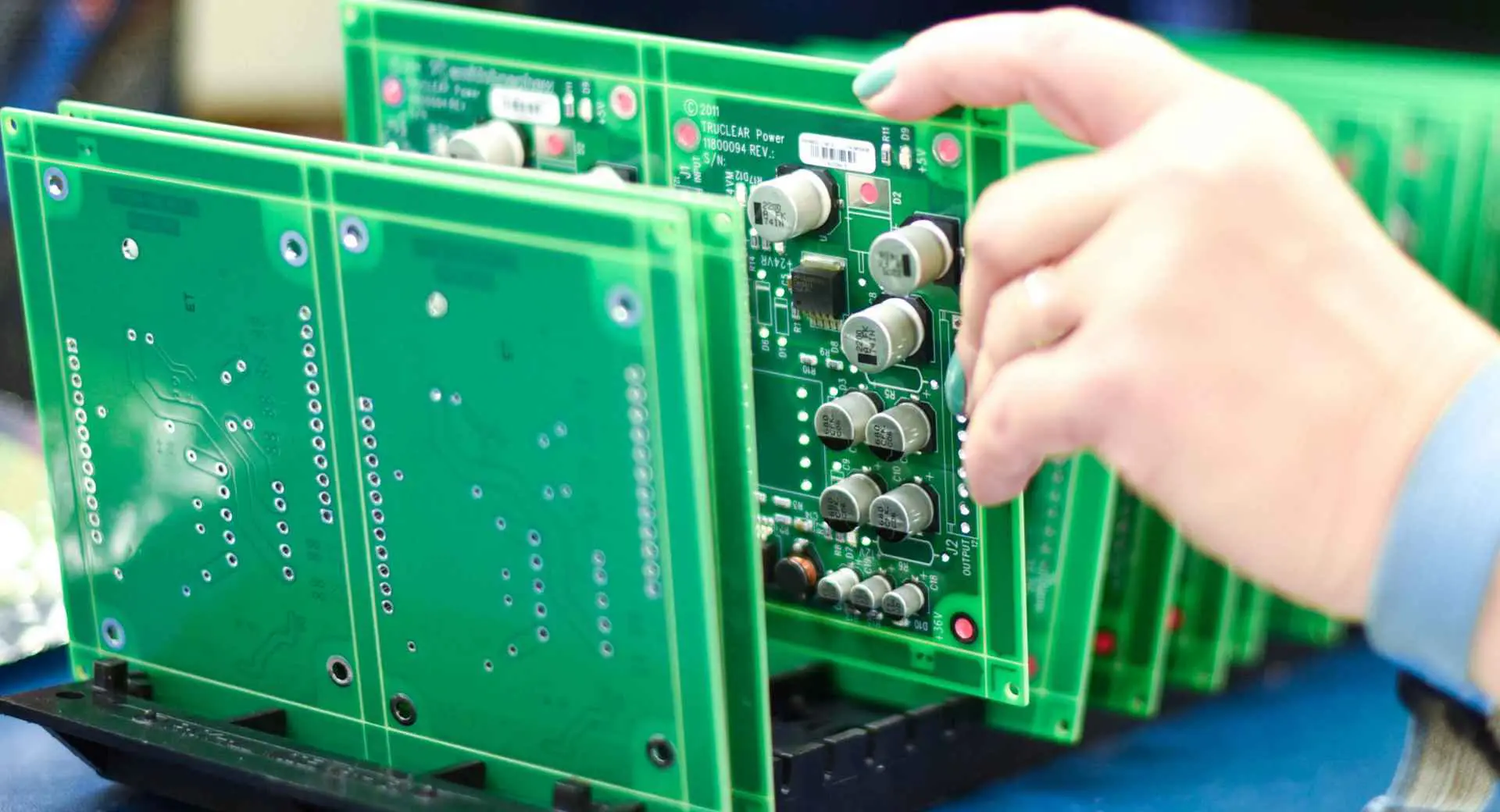
Printed circuit boards (PCBs) form the foundation of electronics, providing the mechanical structure and electrical connections for components. The manufacturing process to transform raw materials into completed circuit boards is complex, requiring dozens of steps with specialized equipment.

This article provides a comprehensive overview of PCB fabrication including:

  • Raw PCB materials like laminates, prepregs, foils and coatings
  • Major fabrication steps for double-sided and multilayer boards
  • Drilling processes for through holes and vias
  • Conductive plating operations
  • Imaging and etching of circuit traces
  • Layer alignment and lamination methods
  • Final finishing processes
  • PCB assembly and population with components
  • Quality inspection and test procedures
  • Recent advances in fabrication technologies
  • Comparison between prototype, low volume and mass production
  • Examples of real-world PCBs and their construction

By understanding the sequences and options for manufacturing, electrical engineers can design optimized boards and collaborate effectively with fabrication partners.

Raw Materials for Constructing PCBs

circuit board manufacturing

A typical PCB comprises various specialized raw materials:

Substrate – The core dielectric material forms the main board layers. Common options:

  • Woven fiberglass reinforced epoxy resin (FR-4)
  • Ceramic-filled PTFE composites for high frequencies (Rogers RO3003)
  • Cyanate ester or polyimide for high temperature (Panasonic TR-77)

Prepreg – Fiberglass fabric impregnated with partially cured epoxy. Bonds layers together under heat and pressure.

Metal Foil – Thin copper foil that is patterned into conductive traces and pads. Standard thicknesses range from 0.5 oz (17 ฮผm) to 3 oz (105 ฮผm).

Coatings – Protective layers such as solder mask, silkscreen, and plating finishes.

Bonding Film – Adhesives used in multilayer press lamination processes.

Via Fill – Plating resins or conductive pastes to plug vias in high density interconnect boards.

These raw PCB materials are fabricated together using specialized equipment and processes.

PCB Fabrication Process Overview

PCB manufacturing involves three main phases:

1. Circuit Imaging

  • The conductive pattern of traces, pads and features are formed on each individual board layer

2. Layer Alignment and Lamination

  • Individual layers are precisely aligned and bonded together into a multilayer board

3. Final Finishing

  • Protective coatings are applied and the board edges finished

Dozens of individual steps are required within each phase during PCB fabrication. These generally fall into several broad categories:

  • Imaging – transferring the circuit layout onto each layer
  • Etching – selectively removing copper to form the circuit traces
  • Drilling – creating holes for electrical connectivity between layers
  • Plating – electroplating boards to build up conductive traces
  • Bonding – laminating together the stack of circuitized layers
  • Coatings – applying solder mask, legend, markings
  • Finishing – trimming, beveling, testing finished boards

We will now examine each of these operations in greater detail.

Imaging the Circuit Layout onto Layers

The first step in fabricating a circuit board is transferring the layout artwork onto each individual layer. This is accomplished using photographic imaging processes.

Photoresist Application

  • Photosensitive epoxy coating spread across copper surfaces
  • Adheres where cured, rinsed away where exposed

Imaging

  • Mask or direct laser light transfers layout pattern
  • Light either cures or degrades photoresist

Developing

  • Uncured photoresist rinsed off with developer chemical
  • Leaving behind circuit trace pattern in cured photoresist

Repeating this imaging process transfers the layout onto the copper layers. Next, etching forms the conductors.

Etching to Form Circuit Traces

Strip film etching line

With the photoresist imaging complete, the exposed copper is chemically etched away to form the conductive circuit traces and features.

Etchant Chemicals

  • Usually cupric chloride or ammonium persulfate solutions
  • Dissolve exposed copper but do not attack cured photoresist or substrate

Etching Process

  • Boards submerged in etchant baths or sprayed
  • Solution dissolves away exposed copper not protected by resist
  • Leaves behind circuit pattern where resist remains

Photoresist Stripping

  • Once etching completes, leftover photoresist is removed
  • Usually washed off with hot caustic stripper solution

Etching therefore converts the imaging step into the physical conductive copper traces that form the circuitry.

Drilling Holes for Interlayer Connectivity

Holes drilled through the PCB layers provide electrical connectivity between traces on different layers. These are known as through holes or vias.

Mechanical Drilling

  • Computer numerical control (CNC) drill machines
  • High spindle speeds with small diameter drill bits
  • Achieves moderate throughput on standard boards

Laser Drilling

  • Pulsed UV lasers vapourize material in precise locations
  • Allows high density microvias down to 0.005โ€ diameter or less
  • Used on complex multilayer boards

Plasma Etching

  • Ionized gas plasma ablates material in circuit boards
  • Enables extremely small microvia diameters down to 0.002โ€
  • Reserved for most advanced HDI boards

The density of interconnections depends on the drilling and via formation capabilities.

Conductive Plating Processes

To form a continuous electrical connection through drilled holes and form durable conductive traces, boards are plated with copper and other metals.

Electroless Plating

  • Auto-catalytic chemical deposition process
  • Coats surfaces uniformly without electric current
  • Provides initial thin copper layer (~0.1 mil)

Electrolytic Plating

  • Thicker copper plated on top of electroless layer
  • Uses electrical current to deposit up to 2 oz copper in holes/traces

Surface Finishing

  • Coatings like ENIG (electroless nickel immersion gold)
  • Provide solderability, corrosion resistance, contact surfaces

Plating deposits the conductive metal that carries signals across the finished boards.

Layer Alignment and Lamination

multilayer pcb stackup

To produce multilayer boards, individual internal and external circuitized layers are precisely aligned and fused together into the final board stackup.

Layer Alignment

  • Optical recognition systems align layers
  • Target registration accuracy under 0.003โ€
  • Minimizes misalignment between layers

Lamination

  • Aligned stack pressed under heat and pressure
  • Melts dielectric prepreg materials to fuse together
  • Bonds layers into solid multilayer board

Via Hole Plugging

  • Prepregs flow to fill via holes during lamination
  • Forms pad on each layer interconnected through hole

Careful alignment and lamination ensures reliable interconnections between the many layers.

Final PCB Finishing Steps

To complete board fabrication, various finishing operations are performed:

Solder Mask Application

  • Liquid photoimageable coatings cover surface
  • Provides solder bridges prevention and insulation

Silkscreen Legending

  • Prints markings for components, logos, identifiers
  • Improves appearance and aids manufacturing

Surface Finishes

  • Coatings like ENIG, immersion tin or silver provides solderability
  • OSP (organic solderability preservative) protects during storage

Edge Trimming

  • Routers cut boards from panel edges
  • High tolerance dimensional trimming

Electrical Testing

  • In-circuit test (ICT) fixtures validate board assembly
  • Confirms functioning before population

These finishing steps conclude the bare board fabrication process.

PCB Assembly and Component Population

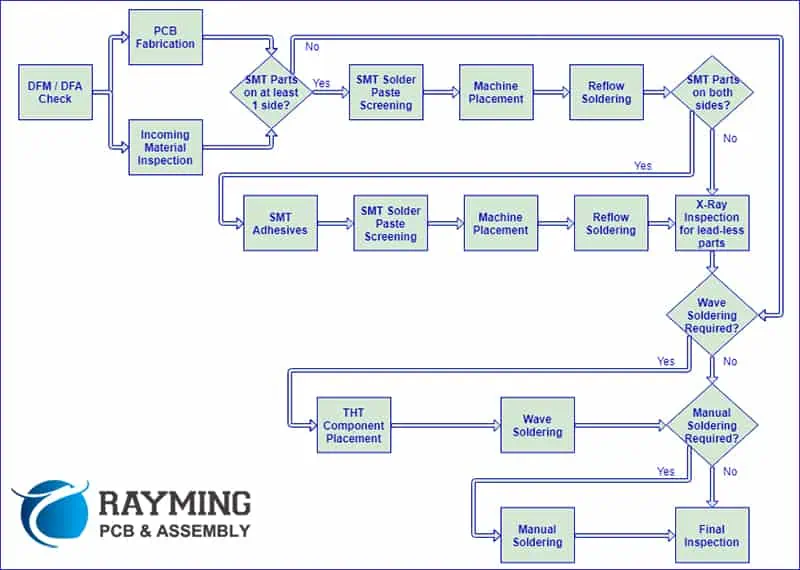
To form a functional printed circuit board assembly (PCBA), electronic components must be added to the bare board through insertion and soldering:

Screen Printing Solder Paste

  • Solder paste deposited on pad areas
  • Forms temporary adhesive to hold components

Pick and Place Assembly

  • Robotic placement systems position components precisely onto paste
  • Accurately orients parts with great speed and repeatability

Reflow Soldering

  • Heat melts solder paste to form permanent solder joints
  • Stationary or conveyor ovens with heat profiles
  • Alternative soldering methods exist (e.g. wave, drag)

Inspection and Test

  • Optical and x-ray inspection of assemblies
  • ICT fixtures confirm component placement and solder joints
  • Validates part correctness and orientation
  • Functionally tests populated board

This transforms the bare PCB into a functional electronic circuit assembly.

PCB Prototype vs. Production Comparison
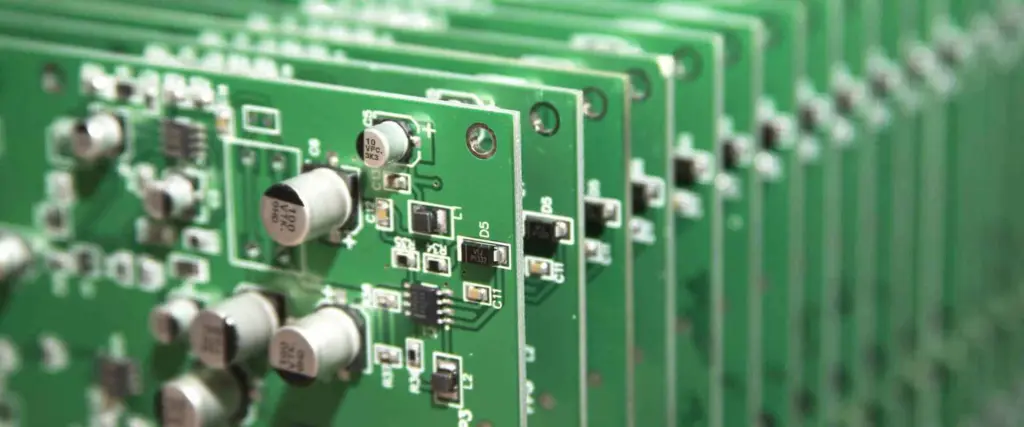
PCB prototype assembly suppliers

Fabricating one-off prototypes differs substantially from volume production:

MetricPrototype PCBVolume Production PCB
ProcessLow volume linesDedicated mass production
MaterialsSmall sheetsLarge panel sizes
EquipmentLower throughputFaster, automated
TestingBasic electricalFull ICT and functional test
AccuracyLooser tolerancesTighter tolerances
Lead Time5-10 days4+ weeks
Cost per boardHighLow

In summary, prototypes prioritize fast turnaround while volume production maximizes efficiency and consistency.

Recent Advances in PCB Fabrication

Ongoing advances provide more capabilities:

HDI Technology

  • Laser drilled microvias combined with thin dielectrics and trace widths enable further miniaturization

3D Printing

  • Additive processes fabricate multilayer boards from liquid Polymers and inks
  • Enables greater design freedom

Embedded Components

  • Passive components inserted into inner layers
  • Saves space and simplifies assembly

Flex/Rigid Flex

  • Combines flexible polyimide films with standard laminate layers
  • Foldable and shapeable boards

Board on Chip

  • Entire PCBs fabricated directly onto silicon through semiconductor processes
  • Ultimate space savings

Real-World PCB Fabrication Examples

Here are some examples highlighting the manufacturing processes:

6-Layer Server Motherboard

  • Glass-epoxy FR-4 laminate multilayer
  • ~0.062โ€ thick
  • Mechanical through-hole drilling
  • Plated copper traces and barrel-plated through holes
  • LPI solder mask and silkscreen
  • Lead-free HASL surface finish
  • Wave soldering for mass assembly

16-Layer HDI Telecom Switch PCB

  • High frequency PTFE-ceramic composite material
  • Complex layer stackup with >150 um line widths/spaces
  • Blinds and buried vias ablated by UV laser
  • Copper electroplating to fill microvias and traces
  • Stencil printed solder paste and SMT assembly
  • Functional test and boundary scan

Flexible Wearable Health Tracker

  • Flex-rigid construction combining polyimide and FR-4
  • Flex section bends to contour body
  • Adhesiveless lamination for flex layer bonding
  • Plasma etching forms microvias in flex layers
  • LDS laser activation for polymer plating
  • Inkjet solder mask deposition
  • ENIG finish, 01005 passives, micro-BGA packages

These case studies showcase the broad range of PCB manufacturing techniques tailored to meet diverse product needs.

Frequently Asked Questions

Here are some common questions surrounding PCB fabrication:

Q: What are the key differences between double-sided vs multilayer PCB construction?

Double-sided boards involve only a single substrate laminated on both sides with copper foil. Multilayer boards fuse together several laminate and prepreg layers for interlayer connectivity.

Q: How many drill bits are used to drill the holes in multilayer PCBs?

A large multilayer board might utilize 50-100 or more progressively larger bit sizes to sequentially increase each hole diameter from the starting drill through to the final size.

Q: What are common defects found during post-etch inspection?

Potential defects include underetching, overetching, nicks, scoring, pinholes, presence of debris, incomplete curing, and photoresist adhesion problems.

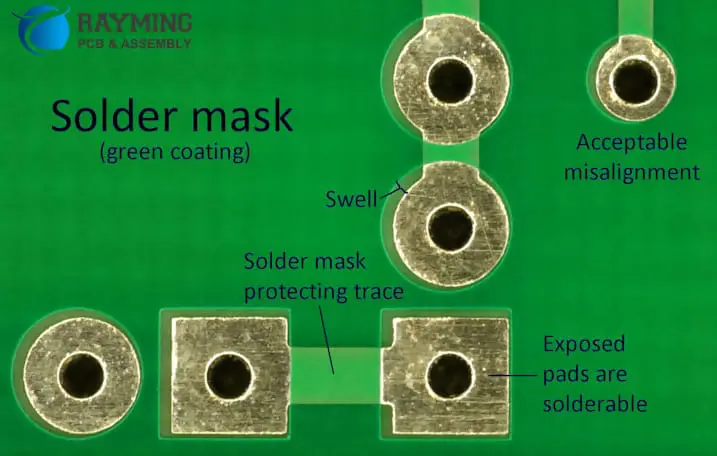
Q: What is the function of solder mask on the surface of PCBs?

Solder mask serves as a protective coating preventing solder bridges, providing insulation, and guarding against environmental corrosion and dendrite growth during operation.

Q: How accurate is layer-to-layer alignment in multilayer boards?

Alignment accuracy during lamination is generally around 0.003โ€ for standard density boards. Even greater precision below 0.001โ€ is achievable with advanced processes.

Conclusion

Printed circuit board manufacturing integrates an enormous range of chemical, mechanical and electrical processes spanning fabrication, assembly and test. By understanding the sequences required to transform raw materials into fully functional PCBs populated with components, engineers can optimally design boards for these manufacturing processes. A strong comprehension of PCB fabrication technologies enables effective collaboration throughout the electronics product development cycle.
What is the Difference Between Small and Large Capacitors?

Introduction

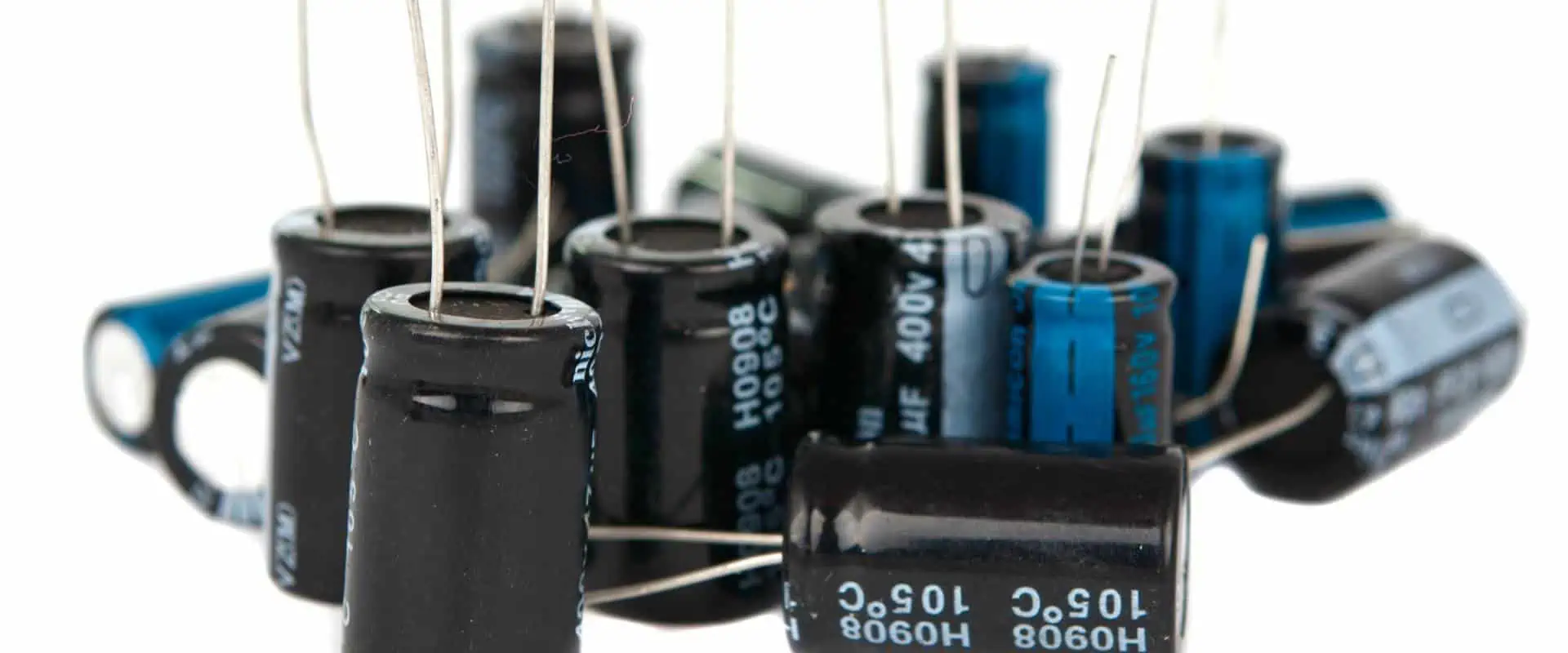
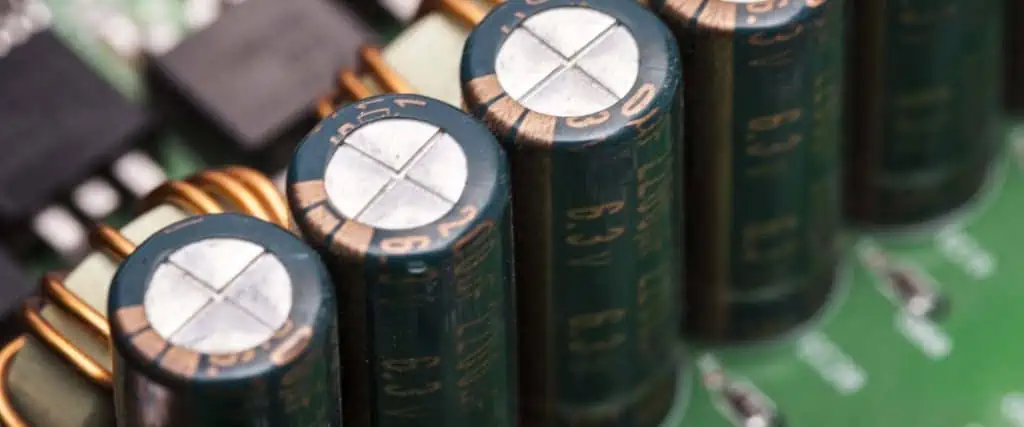
Capacitors are a fundamental component used in virtually every electronic circuit. They come in an enormous range of sizes from tiny surface mount chips just 0.2mm across to massive canisters larger than a human hand. The scale of capacitive components spans over six orders of magnitude.

But what really differs between physically small and large capacitors? This article explores in depth the key distinctions including:

  • How capacitance values and applications correlate to size
  • Underlying materials, construction and properties
  • Performance differences like frequency response, ESR, ripple current
  • Packaging and termination variations
  • Cost comparisons and usage tradeoffs
  • Behavior, failure modes and lifespan differences
  • Comparison tables summarizing differentiating characteristics
  • Real world application examples of small vs large caps
  • Guidelines for selecting the optimal size capacitor

Read on to gain valuable insights into the significant differences between capacitors at opposite ends of the size spectrum.

Correlation of Size to Capacitance Value

Flux Capacitor
Flux Capacitor

One obvious difference between small and large capacitors is the capacitance value range:

Tiny Capacitors

  • Surface mount chips below 0805 case size (2mm x 1.25mm)
  • Values from low picofarads up to around 100nF

Moderate Capacitors

  • Through hole axial and radial leaded caps
  • Surface mounts up to 2220 case size
  • Typical values from 1nF to 10uF

Large Capacitors

  • Can or box styles above 25mm length
  • Massive sizes over 50mm
  • Range from 10uF up to thousands of farads

Higher capacitance requires larger physical size to store more charge. But it’s not all about just energy storage – construction and performance also diverge between capacitor scales.

Materials and Construction

The materials and assembly process vary significantly between differently sized capacitors:

Tiny Surface Mount Capacitors

  • Multilayer ceramic capacitors (MLCC) most common
  • Stacked alternating dielectric and electrode layers
  • Materials like X7R, X5R, or NP0 ceramic
  • Smaller case sizes are 01005 and 0201

Larger Leaded Capacitors

  • Wider range of dielectric films
  • Plastic films like polyester, polypropylene
  • Metalized paper and oil impregnated paper
  • Stacked wound or folded layers
  • Aluminum can electrolytic capacitors

Massive Can Capacitors

  • Aluminum electrolytic capacitors predominant
  • Aluminum foil anode covered in liquid electrolyte or polymer
  • Huge rolled surface area for enormous capacitance
  • Sturdy cylindrical metal case for housing

Construction diverges between tiny surface mount devices up to industrial scale capacitors.

Key Performance Differences

Beyond just size and capacitance, electrical performance also differs:

Breakdown Voltage

  • Tiny MLCCs: 25V to 100V common
  • Leaded film caps: 250V to 630V typical
  • Large can electrolytics: 450V to 550V

Maximum Ripple Current

  • MLCCs: Up to around 5-10A
  • Larger leaded caps: 10s to 100s of amps
  • Massive can caps: Up to 500A

Frequency Response

  • MLCCs effective into microwave frequencies
  • Leaded caps handle RF to kHz ranges
  • Electrolytics target 50/60Hz to kHz operation

Equivalent Series Resistance

  • MLCCs below 100 milliohms
  • Leaded caps in milliohm to ohm range
  • Electrolytics from fractional to several ohms

Lifetime

  • Ceramics and films over 10 years
  • Electrolytics as low as 1000 hours (dependent on conditions)

Electrical performance profiles diverge based on target applications.

Packaging and Termination Styles

The wide range of capacitor sizes necessitates very different packaging approaches:

Surface Mount Multilayer Ceramic Capacitors

  • Extremely compact case sizes, as small as 01005 (0.4mm x 0.2mm)
  • Rectangular cuboid SMD packages solder directly to PCB
  • Nickel barrier layer terminations or nickel barrier with tin or silver outer layer
  • High density installation but manual rework challenging

Leaded Capacitors

  • Axial cylinders with leads from both ends
  • Radial caps with leads from one side
  • Rigid metal tabs allow mounting holes
  • Wire terminations solder into boards or connect to other components
  • Manual assembly and repair

Large Can Electrolytics

  • Aluminum cylindrical canister case
  • Insulating plastic header seals open end
  • Multiple axial wire leads connect to terminals
  • Mount via brackets or straps
  • Readily hand assembled but bulky footprint

Package style correlates strongly with target production volume and application environment.

Cost Scaling

In most cases, larger capacitors carry a disproportionately higher cost:

Capacitor ClassCapacitance RangeTypical Component Cost
0402 MLCC1nF to 1uF$0.01 to $0.10
1206 MLCC1nF to 10uF$0.05 to $0.30
Radial film0.1uF to 1uF$0.15 to $0.75
Radial electrolytic1uF to 100uF$0.20 to $2
Large can electrolytic1000uF to 1F$1 to $20

This reflects the fact that larger case sizes require more robust packaging and tolerances. However, very small 0201 and 01005 MLCCs can carry sizeable cost premiums.

Lifetime and Failure Differences

Expected usable lifetime also diverges according to capacitor size:

Tiny MLCCs

  • Extremely long life of up to 200,000 hours at rated temperature
  • Gradual capacitance decrease over time
  • Subject to mechanical cracking and breaks

Leaded Film Caps

  • Typical lifetime around 50,000 hours
  • Parameter decline as materials degrade
  • Drying out mechanisms in older designs

Large Electrolytic Caps

  • Lifetime as low as 1000 hours at full ratings
  • End of life often catastrophic short circuit
  • Evaporation and drying out primary aging mechanisms

Applications determine necessary lifespan – from short term consumer devices to long duration industrial systems.

Comparison of Characteristics

Here is a summary table contrasting attributes between capacitor size classes:

ParameterSurface Mount MLCCLeaded Film CapLarge Can Electrolytic
Capacitance Range1pF to 0.1uF0.1uF to 10uF10uF to 10,000s uF
Voltage Range25V to 100V250V to 1kV450V to 550V
Temperature Range-55ยฐC to 125ยฐC-55ยฐC to 125ยฐC-40ยฐC to 85ยฐC
ESR<100 milliohm0.1 to 10 ohm0.1 to 1 ohm
Tolerance+/- 1% to +/-20%+/- 1% to +/-20%+/- 20% to +/- 80%
Frequency RangeUp to GHzUp to MHzUp to kHz
Failure ModeCrackingDegradationDry out, short
LifetimeUp to 200 khrsUp to 50 khrs1khours to 10 khrs
CostLowModerateHigh

This summarizes the typical traits differentiating the classes of capacitors. Next we look at some example applications.

Application Examples

Real world scenarios help reveal appropriate size selection:

Decoupling MLCCs on CPU

The tiny 100nF decoupling capacitors must filter high frequency noise, necessitating an MLCC right at the power pins.

Snubber on Inductive Load

Snubber circuits often utilize leaded film capacitors in the nF to uF range to suppress arcs and spikes.

Power Factor Correction

Large 1000uF to 1F electrolytic capacitors are required for pole-mounted power factor correction due to their high capacitance density.

Tuned Filter Circuits

Often a combination is required – small MLCCs for bypassing and moderate leaded caps for tuning capacitance.

The application ultimately determines the performance requirements that guide capacitor size selection.

Selecting the Best Size Capacitor

Here are some principles useful in choosing the optimal size:

  • Match physical size to application constraints
  • Consider capacitance range needed
  • Determine required voltage, current, ESR ratings
  • Assess necessary frequency response
  • Evaluate expected lifetime and reliability
  • Weigh soldering and production constraints
  • Account for vibration resistance needs
  • Plan for maintenance, inspection and repair
  • Analyze application cost constraints
  • Select ratings with safety margin

Finding the intersection between electrical requirements, mechanical needs, manufacturing methods and cost objectives leads to an optimized capacitor sizing selection.

Frequently Asked Questions

Here are some common FAQs regarding capacitor size selection:

Q: What are pros and cons of large can electrolytic capacitors versus small MLCCs?

Electrolytics provide huge capacitance but with lower lifetime. MLCCs have superior frequency response and lifetime but much less capacitance density.

Q: What is the largest capacitance range for surface mount MLCC?

0201 and 01005 case sizes top out below 10nF but 1812 and 2220 sizes reach 0.1 to 1uF.

Q: What are key benefits of leaded capacitors?

Ease of hand assembly, measureable leads enables broader tolerance ranges, and meets high voltage requirements above SMT parts.

Q: What determines the maximum voltage ratings for capacitors?

Dielectric breakdown voltage and minimum spacing between plates sets voltage limits. Multilayer ceramic capacitors are typically <100V while film caps extend beyond 1kV.

Q: Do capacitors suffer from derating at higher temperatures?

Yes, voltage ratings are often significantly reduced at maximum rated temperatures. Always consult manufacturer datasheets.

Conclusion

While a capacitor’s fundamental purpose remains the same across all sizes, optimized construction, materials, packaging and properties for diverse applications result in major performance differences between capacitors of vastly different scales. Leveraging the detailed size comparisons presented in this article will help engineers select the optimal capacitor to fulfill the specific needs of any system.

The Difference and Role of PCB Paste Mask and Solder Mask

PCB hot air solder leveling

Introduction

Printed circuit boards integrate a wide array of materials and coatings beyond just traces and laminates. Two of the most important additional PCB layers are paste mask and solder mask. While their names sound similar, these materials serve distinct roles in the PCB fabrication and assembly processes.

This article provides an in-depth look at PCB paste mask and solder mask including:

  • The composition and properties of each material type
  • Key differences between paste mask and solder mask
  • The roles and purposes they serve in PCB manufacturing
  • Typical application and patterning methods
  • New developments in these materials
  • Examples illustrating paste mask and solder mask usage
  • Guidelines for designing and applying these layers
  • Common defects to avoid
  • FAQs about these critical PCB coatings

Developing a strong understanding of paste mask and solder mask enables electrical engineers to apply them optimally during design and production to improve manufacturing yields, long-term reliability and product quality.

PCB Paste Mask Overview

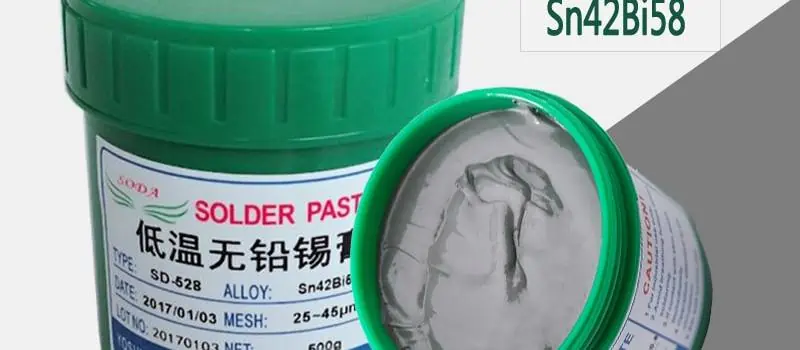
Low Temperature Solder Paste

Paste mask, also referred to as solder paste mask or solder resist, is a temporary coating used during the SMT assembly process to facilitate solder paste application. Key properties include:

Composition

  • Polymer materials like epoxy or acrylic resins
  • Solvent carriers for deposition
  • Filler particles for rheology

Key Characteristics

  • Excellent solder paste release and wetting
  • Solder bleed resistance during reflow
  • Easy stripping and cleaning after soldering

Patterning Methods

  • Liquid photoimageable mask exposed via lithography
  • Laser direct imaging of dry film masks
  • Screen printing of liquid masks

Paste masks provide a low-cost, processing-friendly material optimized for the demands of high-yield SMT manufacturing.

Solder Mask Overview

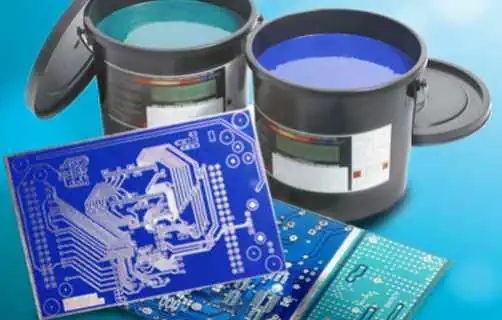
Solder mask serves as a permanent protective coating on PCBs. Typical properties:

Composition

  • Epoxy or acrylic polymers for adhesion, toughness
  • Solvents carriers to enable coating
  • Fillers like silica for rheological properties

Key Characteristics

  • Electrical insulation and corrosion resistance
  • Repairability and chemical compatibility
  • Soldering heat resistance
  • Color options from green to black to white

Patterning Methods

  • Liquid photoimageable solder mask is dominant
  • Also dry film laminates and screen printed masks

Solder masks safeguard PCBs throughout long-term use across demanding operating environments.

Key Differences Between Paste Mask and Solder Mask

Solder paste stencil frame

While both materials facilitate soldering, there are significant differences:

ParameterPaste MaskSolder Mask
PurposeDefine solder paste regionsLong-term protective coating
LocationsOnly on pads/landsAcross conductors and board surface
Typical MaterialsWater soluble epoxiesSolvent resistant epoxies
Deposition MethodLamination, screen printingLiquid coating, curtain coating
Patterning ProcessPhoto, laser imagingPhotoimaging
Soldering Process RoleConfine pasteProtect underlying features
After SolderingRemoved by cleaningRemains as permanent coating
Reliability ConsiderationsMinimize solder ballsWithstand environment; prevent corrosion and dendrites

These distinct roles mandate different material properties and processes for optimal results.

The Role and Purpose of PCB Paste Mask

Paste masks provide several key functions:

Defines Solder Paste Regions

  • Mask openings expose pads for paste printing
  • Eliminates solder beads between pads

Facilitates Consistent Paste Deposit

  • Apertures act as stencil for uniform paste release
  • First article inspection confirms coverage

Confines Paste During Reflow

  • Prevents solder spreading across board
  • Reduces bridging and solder balls

Enables Solder Paste Recovery

  • Easily wipe and clean after reflow
  • Retrieving unused paste minimizes waste

Protects Board During Soldering

  • Mask prevents solder adhering where unwanted
  • Guards against pad etching or lifting during reflow process

Thoughtful paste mask design is crucial for defect-free SMT assembly.

Solder Mask Key Roles and Functions

Conversely, solder masks provide long-term protection:

Electrical Insulation

  • Isolates conductors from unintended connections
  • Prevents short circuits across board surface

Corrosion Resistance

  • Barrier against environmental contaminants
  • Guards against tin whiskers, dendritic growth

Mechanical Protection

  • Cushions board against impacts
  • Stabilizes conductors against vibration loads

Soldering Heat Resistance

  • Withstands repeated soldering and desoldering
  • Prevents pad lifting or separation

Marking

  • Mask color contrasts with metal
  • Allows component designators and identifiers

Aesthetics

  • Color coats board
  • Branding or camouflage options

Robust solder masks are integral for PCB durability across product lifetimes.

Typical Paste Mask Application and Patterning

Applying paste mask requires compatible processes:

Liquid Photoimageable Mask

  • Mask deposited by curtain coating
  • Dried then exposed through lithography artwork
  • Developed to reveal solder paste regions

Laser Direct Imaging (LDI)

  • Dry film laminate applied
  • Laser scans image directly based on CAD
  • Etchant dissolves exposed mask

Screen Printing

  • Screens transfer mask material
  • Print, dry, clean, inspect steps
  • Well-suited for high volume

Tenting Vias

  • Mask coats over vias
  • Prevents solder wicking into holes

Automated optical inspection after patterning validates paste mask registration and expected openings.

Typical Solder Mask Application and Patterning

Solder mask requires similar steps:

Liquid Photoimageable Mask

  • Deposited by curtain coating
  • Dried then exposed through artwork
  • Developed then cured at elevated temperature

Laser Direct Imaging (LDI)

  • Same dry film process but with different dedicated material
  • Laser defined openings based on CAD data

Screen Printing

  • Screens transfer solder mask ink
  • Used for high volume or simple boards

Covering Copper

  • Mask coats over remaining exposed copper
  • Windows opened over connectors, testpoints etc.

The solder mask process is refined for smooth, complete coverage and adhesion.

Recent Advances in Paste Masks and Solder Masks

Developments in materials and processing aim to enhance performance:

Laser Ablatable Solder Masks

  • Excimer laser removes mask in precise locations
  • No additional coating/imaging steps

Flexible Solder Masks

  • Withstand repeated bending and flexing motions
  • Enable flexible PCBs

Reworkable Masks

  • Designed for selective removal
  • Replace components without full mask strip

Thermally Conductive Masks

  • Filled epoxies dissipate heat
  • Aid thermal management

Hydrophobic Masks

  • Repel water, moisture and fluids
  • Improve reliability

High Aspect Ratio Masks

  • Allow coating high topography and cavities
  • Protect complex surface mount parts

Electrically Insulating Anisotropic Pastes

  • Prevent solder bridging
  • Redirects current flow from paste

Innovation continues expanding capabilities.

Paste Mask Design Guidelines

To maximize manufacturing yield and quality solder joints, engineers should:

  • Provide sufficient registration margins between paste mask and pads
  • Account for potential mask misalignment and smearing
  • Surround pads with mask to limit solder spreading
  • Tent vias to prevent solder wicking
  • Include generous fillets spacing pads
  • Keep openings large enough for even paste release
  • Follow manufacturer design rules for minimum apertures
  • Verify adequate paste opening coverage through inspection
  • Test stripability to avoid pad lifting

Thoughtful paste mask layout prevents defects for optimized SMT assembly.

Solder Mask Design Guidelines

For robust solder mask performance:

  • Maintain adequate overlap over traces and spacing from pads
  • Account for misalignment margins in design rules
  • Include generous fillets spacing between traces
  • Surround exposed copper with mask to prevent oxidation
  • Cover all unused board surface area
  • Mask bottom side if components mounted on both sides
  • Leave openings only where required like connectors
  • Follow minimum trace/space rules for coating coverage
  • Test final adhesion, hardness, and dielectric strength

Careful solder mask design ensures complete insulation and protection.

Common Paste Mask Defects

Some potential paste mask flaws to avoid:

Misalignment

  • Apertures shift from pads
  • Causes missing or blocked solder paste deposition

Undersized Openings

Smearing

  • Mask material partially covers pads
  • Hinders solder wetting and adhesion

Delamination

  • Mask lifts from board during soldering
  • Allows solder leaching under mask

Poor Strippability

  • Mask leaves residue after cleaning
  • Contaminates pads prior to next process steps

Following design guidelines and inspection helps prevent defects.

Common Solder Mask Defects

And some potential solder mask flaws:

Insufficient Overlap

  • Exposes copper traces to corrosion and contamination

Excessive Spacing

  • Allows solder to bridge between features
  • Reduces insulation resistance

Misalignment

  • Opens up keepout regions to solder leaching

Voids

  • Creates uncoated regions without insulation
  • Allows traces to lift during soldering

Cracking or Peeling

  • Permits moisture ingress degrading insulation

Discoloration

  • Aesthetic issue suggesting material degradation

Proper process controlsCoupled with design rule checks minimizes defects.

Paste Mask and Solder Mask Example Applications

Here are some examples highlighting use cases:

Sensors Product

  • Epoxy-based black solder mask provides electrical insulation and water resistance for reliability
  • Acrylic paste mask on pads prevents solder bridging between fine pitch leads

Automotive Control Module

  • High temperature solder mask withstands heat cycling in engine bay
  • LPI paste printing on top side opens pads for component placement

HDI Telecom PCB

  • Photoimageable solder mask coats 6 mil traces spacing microvias
  • Tented vias prevent solder wicking into holes

Large LED Video Display

  • Screen printed solder mask quickly coats boards in high volume
  • matching black paste mask provides cosmetic surface

Medical Diagnostic Kit

  • Flexible, biocompatible solder mask enables repeated bending
  • Water-soluble paste mask simplifies post-reflow cleaning

Proper selection and integration secures performance.

Frequently Asked Questions

Here are some common questions regarding solder mask and paste mask:

Q: What are some typical minimum clearance gaps for paste mask apertures?

A minimum 2-3 mil overlap onto pads or clearance between openings is typical. High tolerance processes allow smaller 1-2 mil gaps.

Q: How do you determine the right solder mask overlap over traces?

The overlap margin is dictated by design rules, with 3-5 mils typical. Mask misalignment tolerance must also be considered.

Q: What are key parameters used to specify solder mask properties?

Adhesion strength, dielectric breakdown voltage, surface insulation resistance, thermal conductivity, and flammability are typical specifications.

Q: What are some methods to improve solder mask adhesion?

Surface treatments, cleanliness, proper curing, thermal cycling testing, choosing compatible mask and substrate materials, and roughening surfaces help adhesion.

Q: How does solder mask color impact manufacturing?

Light backgrounds like white make inspection easier. Dark masks can require longer exposure times and risks lower cure depth.

Conclusion

Although their names sound similar, paste mask and solder mask provide distinct capabilities essential to PCB fabrication and reliability. Leveraging the in-depth overview provided in this article, PCB designers can apply these materials optimally to secure manufacturing yields while enhancing circuit protection, insulation and product lifetimes.

How Are Double Sided SMD Boards Assembled? Full Process and Comparison

pcb vs pcba

turkey PCBA

We make thousands of boards every week, we know whatโ€™s involved in the prototype pcb assembly of all types of boards. So if youโ€™re considering a board for your projects, we thought weโ€™d share an overview of the production process and considerations with you in advance.

YouTube video

If youโ€™re unsure about any particular part of the process then certainly get in touch with us. Otherwise, we hope the following outline helps improve your understanding of how double sided SMD boards are assembled.

How are double sided SMD boards assembled? Itโ€™s very simple. First, assemble and solder one side and then, flip it over to do the other side. When the solder paste is applied to the other side the melting point needs to be a bit lower. So it doesnโ€™t affect the flip side. Then it needs to be run through pick-n-place and vapour phase soldering again.
The Difference Between Single and Double Sided Assembly Boards?

Both these PCBs are widely used in different types of electronics. Starting with computers, smartphones, radio controls to other everyday consumer electronics, PCBs are an integral part of the electronic equipment we use in our everyday lives. However, single and double-sided PCBs have different uses and are manufactured a bit differently as well.

Single side PCB are part of many different types of electronics while double-sided PCBs are generally used in more advanced technologies. Depending on the need, output and cost, manufacturers choose the type of PCB.

Single-sided PCBs usually has conductive metal and components mounted on only one side of the board. Conductive wiring, generally of copper, is used to connect through the other side. Double-sided PCBs are a bit more complex. They have electronic components mounted on two sides and the wiring crosses over both sides. It is difficult to produce but its uses outweigh the cons and the labour-intensive process.

double side PCBA

PCB Assembly and Manufacturing Process

There are various stages that form part of the assembly and pcb manufacturing process. The solder paste needs to be applied, then the components will be placed onto the board, then soldering, review and testing. All these steps are carefully performed to ensure the best possible quality in the final product. Hereโ€™s more information on what each step entails:

Solder Paste

This is the first step of the pcb assembly process. This paste needs to be applied to those sections of the board which will be soldered. Generally, these are the component pads. The solder paste is a mixture of small grains of solder and flux. This can be deposited into a particular location using a process similar to the printing process.

Then a solder screen is used to place it directly on the board and at the correct position. A runner pushes across the screen ejaculating small amounts of paste on to the board. Since the screen is generated from the PCB files, it has holes in exactly the same locations as the component pads on the boards.

Pick and Place

Next, is the pick and place. It is referred to as a machine that helps put the components together with the board. Once the board with the solder paste is ready, it is run through the machine. The machine already has the components loaded into it. It will use dispensers to position the components in their respective area on the board.

The components will be held together due to the tension of the solder paste. In some assembly process, small dots of glue are also used. However, that is a practice usually reserved for wave soldered boards. Practicality suggests that using glue makes any kind of repair work difficult. However, some glues are made to degrade during the soldering process.

Soldering

Now that the paste is added and components have been placed on the board, itโ€™s time to get them soldered. This is done by passing them through the soldering machine. Some boards are also passed through a wave soldering machine in this part of the process, but that is not widely used in surface mount assembly. The solder paste is given a miss when wave pcb soldering is used. Reflow soldering is more common than wave soldering in contemporary manufacturing.

Review

This step is also known as inspection. After the boards have been soldered, they are inspected. For surface mounted assemblies, it is not possible to perform a manual inspection. The automatic optical inspection is more practical in this regard. Machines generally inspect the boards to detect joints, component placements and if the right components have been placed.

Testing

After the inspection, the boards are tested to ensure that theyโ€™re in proper working condition. As a result, theyโ€™re tested in numerous ways. Thereโ€™s a wide range of instruments used to test the boards including an analogue multimeter, oscilloscope, digital multimeter (DMM), frequency counter, pulse generator, etc.

Feedback

Finally, to ensure that the entire process remains true, the feedback from the current batch is reinstituted into the process. This helps keep the process and the components on track to ensure an efficient process.

The process is inspected to find errors and any failures detected during these steps are reinvestigated. The inspection stage is the ideal time for finding issues. As a result, defects can be detected rapidly and corrections reincorporated.

pcb-assembly-process-1

Manufacturing Difficulties and Risks

PCBs form the main backbone for the electronics that theyโ€™re incorporated in. As a result, when the board malfunctions, it affects the entire device. Thatโ€™s why weโ€™re constantly checking our production process to ensure we minimize any of the difficulties that many other PCB manufacturers struggle with.

Errors can also be due to regular wear and tear or manufacturing defects. But in the case of manufacturing defects – predominantly produced by less reputable sources, companies should be identifying the errors or gaps and address them. Here are a few of the most common issues faced in production if you don’t have the kind of quality control systems installed that we do.

Burnt Circuit Board

During the manufacturing and assembly process, the board is exposed to varying degrees of temperature. Some are very high. So high, that they can burn the board. Each component of the board has its own durability and breaking point. As a result, if thereโ€™s not enough space on the board, it might burn the board.

Poor Component Manufacturing Quality

Poor manufacturing quality is referred to as a variety of quality issues that happen during the assembly. Generally, issues such as connection troubles, bad solder or loose components.

Another risk if the proper care isnโ€™t taken during soldering is if thereโ€™s residual flux. Flux is used during soldering and can damage components if itโ€™s left behind on the board. When selecting a PCB manufacturer to work with you need to ensure they have quality control processes in place to mitigate against these issues, if in doubt, get in touch with us to ensure a quality checked board every time.

Effect on Costs

This has always been a question when it comes to manufacturing PCBs. Do we go with single sided or double sided boards? Which one costs less? However, answering that is easy. But the main question should be which one costs less for you.

Single sided boards pcb cost less invariably simply because thereโ€™s less to do. Double-sided boards fit more components and thereโ€™s two sides fitted with components and then soldered. As a result, itโ€™s obvious that double-sided boards will be more expensive.

However, what do you do when your needs are more acute towards a double-sided board and a single sided board just wonโ€™t do? Thatโ€™s why you need to consider which one costs less in your case. Cost management is an essential part of ensuring an efficient process. More errors or defects mean more wastage and more costs, especially since double-sided assembly is more tricky.

Cost Comparison

Itโ€™s difficult to compare the actual cost of the two boards without knowing the exact setup, so itโ€™s worth contacting us for a quote.

Both the boards are made up of the same material, same insulator and conductor. The main difference between the two is the conductor placement and thru-holes on each board.

However, there are three main categories which decide the costing – Primary, Secondary and Overhead. Hereโ€™s an overview of what components fall in each category:

Primary or Fixed Production CostsSecondary or Dependent CostsOverhead Costs
Board SizeToolingFacility
Number of PCBs produced in a production runLayout โ€“ trace design, hole size, and hole countLabor โ€“ salaries and benefits
Number of layers beyond double-sidedLaminationEquipment
Lead timeChange needed from mechanical drill type to laser drill typeRaw materials
Hose size and countQuality assuranceChemical processes
Material type and thicknessVia fillWastewater treatment
LayoutFabricationRegulatory permits
 FinishCost of delays due to design or fabrication changes

Advantages of Double Sided SMD Boards

There are two main advantages that a double-sided SMD board provides over a single sided board:

1. Since the board has two sides to mount components, there is a higher density of components. This means that the board can carry more components but without congesting the space since there are two sides. As a result, this makes the process of laying tracks easier.

2. The second advantage is that thereโ€™s increased heat dissipation due to the added layer of copper. During the etching process, the copper is removed to create tracks but then reinserted instead of leaving it out completely.


Common Uses for Double-Sided SMD Boards

Single-sided PCBs are generally used in a wide variety of electronics and applications, including camera systems, printers, radio equipment, calculators, and much more.

Similarly, double-sided PCB is also used in a wide spectrum of electronic products including lighting systems, vending machines, amplifiers, car dashboards, and many more.

PCB Assembly

Conclusion

In conclusion, both single sided and double sided are important – but in different applications. Their uses are different since both boards are built in different manners. Similarly, their costing is different due to the same reason. Based on the application, cost and other factors, a manufacturer can decide on a single sided or double sided board.

If youโ€™re not sure which board you need, then get in touch with us here at RayPCB and weโ€™ll be happy to talk through your requirements, provide the best method for your needs and ensure you get quality manufactured PCB boards.

How to Design a PCB for High Frequency?

Radio Frequency PCB

Introduction

As electronic devices push to faster switching speeds and higher frequencies, PCB designers face greater challenges. Printed circuit boards serving RF, microwave and high-speed digital applications require specialized design practices to ensure signal integrity and avoid unintended radiation.

This article provides an in-depth guide to PCB design for high frequency applications covering:

  • PCB materials selection criteria for high frequency
  • Component selection and layout considerations
  • Routing techniques for high frequency signals
  • Smart component placement guidelines
  • Critical high speed layout strategies
  • Stackup design for high frequency boards
  • Modeling and simulation best practices
  • Example multi-GHz PCB design walkthrough
  • Prototyping and design validation recommendations
  • Guidelines for designing testability
  • Common high frequency design pitfalls to avoid

By mastering these PCB design principles, electrical engineers can fulfill the exacting demands of cutting-edge wireless, telecom, defense and digital systems operating above GHz frequencies.

PCB Material Selection Considerations

Selecting the optimal PCB substrate is the foundation of any high frequency layout. Key material selection criteria include:

Low Dielectric Constant

  • Permits faster signal propagation speed
  • Reduces cross-talk between tightly routed traces

Controlled Dielectric Thickness

  • Consistent thickness avoids electrical discontinuities
  • Thinner dielectrics improve impedance control

Low Loss Tangent

  • Reduces signal loss and distortion
  • Select materials tested through mmWave frequencies

Tighter Dielectric Tolerances

  • Minimizes impedance variability from material variations
  • ยฑ5% to ยฑ10% dielectric tolerance common

Thermal Stability

  • Maintains stable electrical properties over temperature
  • Reduces impedance shifts during operation

Moisture Resistance

  • Prevents electrical performance degradation
  • Requires materials with low moisture absorption

Advanced PCB materials like Rogers or Taconic RF laminates offer the essential properties needed for designing high frequency PCBs.

Component Selection and Layout

The first step in any successful high frequency PCB layout is component selection and placement planning:

Select Components Rated for High Frequency

  • Review datasheets to confirm HF suitability
  • Beware of marginal components not fully characterized

Choose Component Packages with Low Inductance and Parasitics

  • Avoid long leads
  • Favor low-profile SMT packages
  • Be mindful of parasitic capacitance

Position Noise-Sensitive Components Judiciously

  • Keep away from high-speed lines and interfaces
  • Provide shielding if needed

Locate Components for Short Routing

  • Place components with high-speed interactions nearby
  • Minimize overall trace lengths

Getting the right components in the right locations from the start enables optimum routing.

High Frequency Routing Techniques

With components placed, connecting them demands precision routing:

Impedance Control

  • Use impedance calculators to set trace width/spacing
  • Account for reference plane proximity
  • Maintain consistency across matching nets

Minimize Vias

  • Each via adds inductance degrading high frequency response
  • Route critical traces on same layer if possible

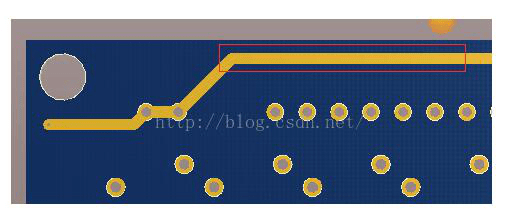
Eliminate Right Angles

  • Use 45ยฐ beveled corners instead
  • Reduces reflections and ringing

Symmetric Routing

  • Match routing for differential pairs
  • Controls skew within pair

Shielding

  • Enclose critical signals between ground planes
  • Adds ground guard traces to isolate noise

Bypass Capacitors

  • Sprinkle bypass caps near components
  • Suppress noise and transients

Strict adherence to sound routing practices prevents signal degradation.

Component Placement Guidelines

Meticulous component placement is mandatory:

Bypass Capacitors

  • Place immediately adjacent to power pins
  • Use multiple capacitors for wide frequency range

Decoupling Capacitors

  • Surround ICs with interspersed capacitors
  • Different values target various frequencies

Voltage Regulators

  • Position adjacent to power-hungry ICs
  • Minimizes IR drops through board

Crystals and Oscillators

  • Locate near IC with short traces
  • Adds ground guard traces for isolation

Connectors and Interfaces

  • Place at board edge with clear routing paths
  • Avoid antennas, sensitive components

EMI Filters

  • Insert strategically to dampen emissions
  • Often place ahead of connectors

Every component on a high frequency PCB influences signal integrity and must be scrutinized.

Critical High Speed Layout Strategies

PCB Antenna Layout
PCB Antenna Layout

In addition to individual routing practices, overarching layout strategies are mandatory:

Partitioning

  • Segregate board into zones
  • Digital, analog, RF, antenna, high speed areas

Symmetrical Architecture

  • Match component placement
  • Maintain uniform shape and routing

Short Interconnections

  • Keep overall routing compact
  • Eliminate excess stubs

Termination

  • Strategically terminate lines
  • absorbs incident wavefronts

Ground Fill Connectivity

  • Maximize ground pour connectivity
  • Avoid ground islands

Layer Usage

  • Use layers judiciously based on needs
  • Transition across layers intelligently

Test Points

  • Include coaxial test points
  • Facilitate validation and troubleshooting

Every layout technique applied should serve the singular goal of signal integrity.

PCB Stackup Design

For high frequency boards, the layer stackup itself requires special attention:

Thinner Dielectrics

  • Enables fine features and lines
  • Tighter spacing and impedance control

More Layers

  • Permits enclosure of critical nets
  • Dedicated power and ground layers
  • Low impedance returns beneath traces

Buried and Blind Vias

  • Provides isolation between layers
  • Avoids stubs from unused vias

Dielectric Selection

  • Use consistent dielectric material throughout
  • Important for homogenous properties

Differential Routing

  • Cores with thicker dielectrics
  • Thinner dielectrics above and below
  • Centers differential lines for consistency

Embedded Passives

  • Integrate capacitance within layers
  • Provides localized decoupling

The cross-section design choices ultimately dictate attainable miniaturization and performance.

Modeling and Simulation

Applying modeling and simulation techniques prevents surprises:

** Material Property Simulation**

  • Model dielectric constant, loss tangent and characteristics

** Transmission Line Analysis**

  • Evaluate losses, reflections, terminations
  • Ensure impedance tolerances

** Signal Integrity Modeling**

  • Perform circuit, IBIS and 3D EM analysis
  • Verify timing, noise margins, eye diagrams

Power Integrity Modeling

  • Simulate ground bounce, rail collapse, resonances
  • Check voltage levels during transients

EMI/EMC Analysis

  • Model emissions and susceptibility
  • Assess shielding and external interference

Accurate modeling provides confidence prior to hardware.

Example Multi-GHz PCB Design Walkthrough

Consider a dual channel 10Gbps serial link PCB operating at 6.25 GHz:

Stackup

  • 8 layer board with thick cores, thin prepregs
  • Differential microstrip lines routed on inner layers

Partitioning

  • High-speed digital, power, analog, clocking, power
  • Clear separation between zones

Materials

  • Low-loss laminate: Rogers RO4350B, ฮตr=3.48
  • Low-loss prepreg: Rogers RO4450F, ฮตr=3.23

Routing

  • Matched 100 ohm diff pairs + ground traces
  • Minimal vias, 45ยฐ corners, shielding ground traces

Bypassing

  • 100nF caps near each IC power pin
  • Smaller high freq. caps interspersed

Termination

  • AC-coupled single-ended interconnect
  • Source/load termination resistors

Validation

  • Time/frequency domain modeling
  • Verify eye diagrams, jitter, stability

This example shows how a variety of techniques combine to address high frequency design needs.

Prototyping Recommendations

Antenna Design and RF Layout
PCB Anten

Given the greater likelihood of issues, prototyping takes on heightened importance:

  • Build multiple incremental prototypes
  • Incorporate board instrumentation like test points
  • Perform careful impedance measurements
  • Execute signal integrity testing beyond compliance
  • Thermally cycle boards while monitoring performance
  • Verify EMI/EMC including radiated emissions
  • Be prepared to modify layout based on results
  • Allow sufficient time and budget

Thorough prototyping and validation provides confidence prior to release.

Designing for Testability

Special considerations are required to test high frequency designs:

Coaxial Connectors

  • Small form factor connectors like SMP or SMA
  • Facilitate attaching lab equipment

Test Points

  • strategically placed vias or pads
  • 0201 package size resistors limit loading

Probe Pads

  • Provide access for high frequency probes
  • Include ground pads in close proximity

Boundary Scan

  • Include test features on ICs
  • Verify connectivity and basic function

Built-In Instrumentation

  • On-board oscillators, PLLs, counters
  • Add monitor nodes and output signals

By planning testability up front in the design process, characterization and troubleshooting is straightforward.

Common High Frequency Design Pitfalls

Despite best efforts, even experienced designers must remain vigilant against some common missteps:

  • Selection of inadequate PCB materials
  • Failure to provide shielding for sensitive devices
  • Incomplete isolation between circuit zones
  • Allowing impedance discontinuities
  • Poor stackup choices that jeopardize SI
  • Excessive vias without impedance control
  • Lack of terminating transmission line stubs
  • Insufficient decoupling capacitors
  • Inadequate consideration of grounding needs
  • Forgetting EMI mitigation strategies
  • Attempting to route before placement planning

Forewarned is forearmed against these potential pitfalls.

Frequently Asked Questions

Here are some common high frequency PCB design questions:

Q: What are some good stackup guidelines for data rates above 5Gbps?

Use at least 6 layers. Route critical nets on inner layers with thick cores and thin dielectrics. Enclose nets between ground planes. Include 10-20% blank margin border.

Q: How can I estimate appropriate line impedance values?

Use calculators or equations to determine single-ended or differential pair impedances based on dielectric constant, trace dimensions, and reference planes.

Q: What PCB finishes provide the best high frequency signal integrity?

Immersion silver and annealed copper (oxidation resistant) offer minimal skin effect losses at high frequencies.

Q: What are some techniques to reduce crosstalk on densely routed boards?

Shielding ground traces, ground vias near traces, routing orthogonally, wider spacing, lower dielectric constant materials.

Q: When should I avoid vias on a high frequency design?

Minimize vias on clock nets or matched-length nets. Use same-layer jogs instead if possible.

Conclusion

Designing PCBs for multi-GHz applications requires adopting specialized layout practices tailored to the unique needs and challenges. By combining sound high frequency design principles, engineers gain the ability to successfully implement designs operating at the limists of speed and frequency – enabling cutting-edge RF, microwave and high-speed digital systems across countless end applications.

10 Ways for High Frequency PCB Layout

If the frequency of the digital logic circuit reaches or exceeds 45 MHz to 50 MHz, and the circuit operating above this frequency already accounts for a certain amount (for example, 1/3) of the entire electronic system, it is usually called a high frequency circuit. High-frequency circuit design is a very complex design process, and its wiring is critical to the overall design! Master the following ten methods, you will be less detours in high-frequency circuit design.

YouTube video
10 Ways for High Frequency PCB Layout

1. Multi-layer board wiring

High-frequency circuits board tend to have high integration and high wiring density. The use of multi-layer pcb boards is both necessary for wiring and an effective means to reduce interference. In the PCB Layout stage, a reasonable selection of the printed board size of a certain number of layers can make full use of the intermediate layer to set the shielding, better achieve the near grounding, and effectively reduce the parasitic inductance and shorten the transmission length of the signal, and at the same time All of these methods are advantageous for the reliability of high-frequency circuits by reducing the crosstalk of signals and the like.

According to the data, the four-layer board is 20dB lower than the noise of the double-panel. However, there is also a problem. The higher the PCB half-layer number, the more complicated the pcb manufacturing process and the higher the unit cost. This requires us to select the appropriate number of PCB boards for PCB layout. Proper component layout planning and proper routing rules to complete the design.

2. The less the lead bend between the high-speed electronic device pins, the better.

The lead wire of the high-frequency circuit wiring is preferably a full line, which needs to be turned, and can be folded at a 45-degree line or a circular arc. This requirement is only used to improve the fixing strength of the copper foil in the low-frequency circuit, and in the high-frequency circuit, the content is satisfied. One requirement is to reduce the external transmission and mutual coupling of high frequency signals.

3. The shorter the lead between the pins of the high-frequency circuit device, the better.

The radiant intensity of the signal is proportional to the length of the trace of the signal line. The longer the high-frequency signal lead, the easier it is to couple to the component close to it, so for data such as signal clock, crystal, DDR, High-frequency signal lines such as LVDS lines, USB lines, and HDMI lines are required to be as short as possible.

4. The less alternating between the lead layers between the pins of the high-frequency circuit device, the better.

The so-called โ€œthe least alternating between the layers of the leads is betterโ€ means that the fewer vias (Via) used in the component connection process, the better. According to the side, a via can bring about a distributed capacitance of about 0.5pF, and reducing the number of vias can significantly increase the speed and reduce the possibility of data errors.

 the least alternating between the layers of the leads is better

5. Pay attention to the โ€œcrosstalkโ€ introduced by the parallel lines of the signal lines.

High-frequency circuit wiring should pay attention to the โ€œcrosstalkโ€ introduced by the parallel lines of the signal lines. Crosstalk refers to the coupling phenomenon between signal lines that are not directly connected. Since the high-frequency signal is transmitted along the transmission line in the form of electromagnetic waves, the signal line acts as an antenna, and the energy of the electromagnetic field is emitted around the transmission line, and an undesired noise signal generated between the signals due to the mutual coupling of the electromagnetic fields Called Crosstalk.

The parameters of the PCB layer, the spacing of the signal lines, the electrical characteristics of the driver and receiver, and the termination of the signal line all have a certain impact on crosstalk. Therefore, in order to reduce the crosstalk of high-frequency signals, it is required to do the following as much as possible during wiring:

Inserting a ground or ground plane between two lines with severe crosstalk can allow isolation and reduce crosstalk under the conditions allowed by the wiring space.

When there is a time-varying electromagnetic field in the space around the signal line, if parallel distribution cannot be avoided, a large area โ€œgroundโ€ can be placed on the reverse side of the parallel signal line to greatly reduce the interference.

Under the premise of wiring space permission, increase the spacing between adjacent signal lines, reduce the parallel length of the signal lines, and the clock lines should be perpendicular to the key signal lines and not parallel.

If the parallel traces in the same layer are almost unavoidable, in the adjacent two layers, the direction of the traces must be perpendicular to each other.

In digital circuits, the usual clock signals are signals with fast edge changes, and the external crosstalk is large. Therefore, in the PCB design, the clock line should be surrounded by ground lines and more ground holes to reduce the distributed capacitance, thus reducing crosstalk.

For the high-frequency signal clock, try to use the low-voltage differential clock signal and cover the ground. You need to pay attention to the integrity of the package.

Do not leave the unused input terminal, but ground it or connect it to the power supply (the power supply is also ground in the high-frequency signal loop). Because the suspended line may be equivalent to the transmitting antenna, grounding can suppress the emission. Practice has proved that using this method to eliminate crosstalk can sometimes be effective immediately.

6. The power supply pin of the integrated circuit block increases the high frequency decoupling capacitor

A high frequency untwisting capacitor is added to the power supply pin of each integrated circuit block. Increasing the high frequency decoupling capacitor of the power supply pin can effectively suppress the high frequency harmonics on the power supply pin to form interference.

7. Ground wire of high frequency digital signal and ground of analog signal are isolated

When analog ground lines, digital ground lines, etc. are connected to the common ground line, high-frequency turbulent magnetic beads should be used to connect or directly isolate and select a suitable place for single-point interconnection. The ground potential of the ground of the high-frequency digital signal is generally inconsistent, and there is often a certain voltage difference between the two directly. Moreover, the ground of the high-frequency digital signal often has a very rich harmonic component of the high-frequency signal. When the digital signal ground and the analog signal ground are directly connected, the harmonics of the high-frequency signal interfere with the analog signal by means of ground-line coupling.

Therefore, in general, the ground of the high-frequency digital signal and the ground of the analog signal are to be isolated, and the method of single-point interconnection at a suitable position or the interconnection of high-frequency turbulent magnetic beads can be adopted.

8. Avoid loops formed by traces

Do not form a loop as much as possible for all types of high-frequency signal traces. If it is unavoidable, make the loop area as small as possible.

9. Must ensure good signal impedance matching

During the transmission of the signal, when the impedance does not match, the signal will reflect in the transmission channel, and the reflection will overshoot the synthesized signal, causing the signal to fluctuate around the logic threshold.

The fundamental way to eliminate the reflection is to make the impedance of the transmitted signal match well. Since the difference between the load impedance and the characteristic impedance of the transmission line is larger, the reflection is also larger. Therefore, the characteristic impedance of the signal transmission line should be equal to the load impedance as much as possible. At the same time, it should be noted that the transmission line on the PCB should not be abrupt or corner, try to keep the impedance of each point of the transmission line continuous, otherwise there will be reflection between the segments of the transmission line. This requires the following wiring rules to be observed when performing high-speed PCB routing:

USB Wiring Rules: USB signal differential routing is required. The line width is 10 mils, the line spacing is 6 mils, and the ground and signal lines are 6 mils apart.

HDMI cabling rules: HDMI signal differential routing is required, linewidth is 10mil, line spacing is 6mil, and the spacing between each pair of HDMI differential signal pairs exceeds 20mil.

The LVDS routing rules require LVDS signal differential traces with a linewidth of 7 mils and a line pitch of 6 mils. The purpose is to control the HDMI differential signal pair impedance to 100+-15% ohm DDR routing rules. The DDR1 routing requires that the signal should not pass through the hole as much as possible. The signal line is equal in width and the line is equidistant from the line. The line must meet the 2W principle to reduce crosstalk between signals. For high-speed devices with DDR2 and above, high-frequency data is required. The lines are equal in length to ensure impedance matching of the signals.

10. Maintain the integrity of signal transmission

Maintain the integrity of signal transmission and prevent โ€œground bounceโ€ caused by ground segmentation.

Optimizing Heat Dissipation in PCB Design: Materials and Techniques

fr4 thermal conductivity

As a printed circuit board (PCB) operates, power dissipation in active components raises their junction temperature, transferring heat into conductors and the substrate. Since most PCB materials have low thermal conductivity, this can lead to thermal issues such as hot spots and elevated temperatures. To ensure components remain within their safe operating limits, effective heat dissipation techniques are essential for directing heat away from critical areas.

Thermal management strategies can be categorized as passive or active, both aiming to remove heat from components and disperse itโ€”either into the surrounding air or to cooler regions of the board.

  • Passive coolingย relies on natural heat transfer mechanisms, such as conduction, convection, and radiation, without requiring additional energy input.
  • Active coolingย employs more aggressive methods, such as fans, liquid cooling, or thermoelectric coolers, to forcibly dissipate heat.

In many high-power or densely packed PCB designs, a combination of passive and active techniques provides optimal thermal performance. By integrating both approaches, designers can achieve efficient heat dissipation while maintaining reliability.

YouTube video

The Heat Challenge in PCB Design

Heat generation is an inevitable byproduct of electrical current flowing through components on a PCB. While some heat is normal, excessive thermal buildup can lead to numerous problems, including:

  1. Reduced component lifespan
  2. Decreased overall system reliability
  3. Potential circuit malfunctions
  4. Thermal stress and physical damage to the PCB

Understanding the impact of heat on PCBs is the first step in developing effective strategies for thermal management.

Innovative Heat Dissipation Strategies for PCBs

To combat the challenges posed by heat in PCB design, engineers and designers have developed a variety of innovative techniques. Let’s explore some of the most effective methods for optimizing heat dissipation in PCBs.

1. Implementing Active Cooling Solutions

One of the most direct approaches to managing heat in PCBs is through the use of active cooling solutions. These methods involve the addition of components specifically designed to remove heat from the system.

Integrating Cooling Fans

Cooling fans are a popular choice for active heat dissipation in PCB designs. They work by creating airflow across the board, which helps to carry away heat generated by components. When implementing cooling fans:

  • Consider the placement carefully to maximize airflow across hot spots
  • Choose fans with appropriate CFM (cubic feet per minute) ratings for your specific heat load
  • Ensure proper mounting to minimize vibration and noise

Incorporating Heat Sinks

Heat sinks are passive components that increase the surface area available for heat dissipation. They are typically made of materials with high thermal conductivity, such as aluminum or copper. To effectively use heat sinks:

  • Select heat sinks with appropriate fin designs for your space constraints
  • Use high-quality thermal interface materials to ensure good contact with hot components
  • Consider combining heat sinks with fans for enhanced cooling performance

2. Optimizing PCB Copper Usage

Copper plays a crucial role in heat dissipation within PCBs due to its excellent thermal conductivity. By strategically utilizing copper in your PCB design, you can significantly improve heat management.

Leveraging Thick Copper Traces

Increasing the thickness of copper traces can enhance their ability to conduct heat away from components. Consider the following when implementing thick copper traces:

  • Use wider traces for power and ground connections
  • Increase copper weight in areas with high heat generation
  • Balance trace thickness with manufacturing constraints and cost considerations

Implementing Copper Planes

Copper planes provide large areas for heat dissipation and can help distribute heat more evenly across the board. To effectively use copper planes:

  • Dedicate entire layers to power and ground planes when possible
  • Use thermal relief connections to prevent excessive heat sinking during soldering
  • Consider split planes to isolate noisy digital circuits from sensitive analog sections

Read more about:

3. Exploring Advanced Cooling Technologies

As PCB designs become more complex, advanced cooling technologies are being developed to meet the growing demands of heat dissipation.

Utilizing Heat Pipes

Heat pipes are sealed tubes containing a working fluid that efficiently transfers heat from one location to another. They can be particularly useful in designs where space is limited. When considering heat pipes:

  • Evaluate the orientation and length requirements for optimal performance
  • Choose appropriate working fluids based on your operating temperature range
  • Combine heat pipes with heat sinks or spreaders for enhanced cooling

Implementing Liquid Cooling Systems

For high-power applications, liquid cooling systems can offer superior heat dissipation compared to air-based methods. While more complex to implement, they can provide significant thermal management benefits:

  • Consider closed-loop systems for easier maintenance and reduced risk of leaks
  • Select appropriate coolants based on thermal properties and compatibility with materials
  • Design the system to minimize the risk of electrical shorts in case of leaks

Material Selection for Enhanced Thermal Management

The choice of materials used in PCB construction plays a critical role in heat dissipation. By selecting the right materials, you can significantly improve the thermal performance of your PCB design.

Substrate Materials: Balancing Performance and Cost

The substrate material forms the foundation of the PCB and greatly influences its thermal characteristics. Common options include:

  1. FR-4: Standard and cost-effective, but with limited thermal conductivity
  2. Aluminum PCBs: Excellent thermal conductivity, ideal for LED applications
  3. Ceramic substrates: High thermal conductivity, suitable for high-frequency applications
  4. Polyimide: Good for flexible PCBs with moderate thermal requirements

When selecting substrate materials, consider:

  • The thermal conductivity required for your application
  • Cost constraints and production volume
  • Electrical properties such as dielectric constant and loss tangent
  • Mechanical properties like flexibility and dimensional stability

Thermal Interface Materials: Bridging the Gap

Thermal interface materials (TIMs) are crucial for ensuring efficient heat transfer between components and heat sinks or other cooling solutions. Popular TIMs include:

  • Thermal greases
  • Phase change materials
  • Thermal pads
  • Thermally conductive adhesives

When choosing TIMs, consider factors such as:

  • Thermal conductivity
  • Ease of application and rework
  • Long-term stability and reliability
  • Compatibility with your assembly process

Powered By EmbedPress

Thermal Management Techniques for Compact PCB Designs

As electronic devices continue to shrink in size, managing heat dissipation in compact PCB designs becomes increasingly challenging. Here are some strategies to improve thermal performance in space-constrained designs:

Optimizing Component Placement

Careful component placement can significantly impact heat distribution across the board:

  • Group high-heat components together and place them near the board’s edges
  • Use thermal simulations to identify and address potential hot spots
  • Consider the impact of component placement on airflow patterns

Leveraging Thermal Via Arrays

Thermal vias are plated through-holes that help conduct heat between PCB layers. To effectively use thermal via arrays:

  • Place them directly under or around hot components
  • Use a grid pattern to maximize heat transfer
  • Fill vias with thermally conductive materials for enhanced performance

Implementing Copper Coin Technology

Copper coins are thick pieces of copper inserted into the PCB to provide localized heat spreading. This technique can be particularly effective for managing heat from high-power components in compact designs:

  • Use copper coins under components with high thermal output
  • Ensure proper integration with the PCB manufacturing process
  • Consider combining copper coins with other cooling techniques for optimal results

Heat Dissipation in Flexible PCB Designs

Flexible PCBs present unique challenges for heat dissipation due to their thin and bendable nature. However, several strategies can be employed to manage thermal issues in flex circuits:

Material Selection for Flex PCBs

Choose materials that balance flexibility with thermal performance:

  • Polyimide-based substrates offer good thermal stability
  • Consider hybrid designs with rigid sections for improved heat dissipation
  • Use thermally conductive adhesives for bonding layers

Implementing Copper Patterns

Strategic use of copper can enhance heat dissipation in flex circuits:

  • Utilize copper planes where possible, especially in areas with high heat generation
  • Consider hatched ground planes to maintain flexibility while improving thermal performance
  • Use thicker copper weights in critical areas, balancing thermal needs with flexibility requirements

Incorporating Thermal Management Layers

For applications with higher thermal demands, consider adding dedicated thermal management layers:

  • Integrate heat-spreading materials like graphite or aluminum
  • Use thermally conductive but electrically insulating materials to maintain signal integrity
  • Design thermal layers to work in conjunction with the circuit’s bending requirements

Conclusion: A Holistic Approach to PCB Heat Dissipation

Effective heat dissipation in PCB design requires a comprehensive approach that considers various factors, including:

  1. Component selection and placement
  2. Material choices for substrates and thermal interfaces
  3. Implementation of active and passive cooling solutions
  4. Optimization of copper usage and layout design
  5. Utilization of advanced thermal management techniques

By carefully considering these aspects and implementing appropriate strategies, designers can create PCBs that effectively manage heat, ensuring optimal performance and longevity of electronic devices. As technology continues to advance, staying informed about the latest developments in thermal management techniques and materials will be crucial for creating efficient and reliable PCB designs.

Remember, the key to successful heat dissipation in PCB design lies in finding the right balance between thermal performance, cost-effectiveness, and manufacturing feasibility. By adopting a holistic approach and leveraging the techniques discussed in this article, you can optimize your PCB designs for superior heat dissipation and overall performance.

What is the difference between a decoupling capacitor and a bypass capacitor?

Introduction

Decoupling and bypass capacitors are two of the most ubiquitous and important passive components used on printed circuit boards. They serve crucial functions in providing stable voltage regulation, filtering noise, and ensuring proper device operation.

While the terms “decoupling capacitor” and “bypass capacitor” are sometimes used interchangeably, there are in fact important distinctions between the two. Understanding the differences allows engineers to make informed design decisions when selecting and placing these capacitors.

This article provides an in-depth look at decoupling and bypass caps including:

  • The functions and purposes of each type
  • Key differences in behavior and characteristics
  • Guidelines for selecting the proper capacitance and type
  • Optimal placement considerations
  • Modeling and simulating decoupling performance
  • Mitigating decoupling issues like parallel and series resonance
  • Real-world decoupling design examples
  • Summary comparison of decoupling versus bypass caps

Read on to learn how proper utilization of decoupling and bypass capacitors can optimize circuit performance and prevent difficult-to-diagnose stability issues.

Functions of a Decoupling Capacitor

Decoupling capacitors, also known as bypass capacitors, serve several vital functions:

1. Maintain Steady Voltage to ICs

  • During operation, ICs can draw current in abrupt spikes and surges
  • This leads to fluctuations and noise on the DC power supply rails
  • Decoupling caps maintain a stable voltage by supplying current to the IC during demand spikes
  • They recharge quickly between spikes to remain ready for the next demand

2. Filter Noise

  • Switching noise is generated on power rails due to digital logic transitions
  • High frequency noise can impair circuit operation
  • Decoupling caps filter noise through low impedance across a wide frequency spectrum

3. Reduce Ground Bounce

  • Sudden current draw can cause ground potential to bounce or skew
  • Capacitors between ground pins dampen bounce and skew
  • This maintains signal integrity and noise margins

4. Control Impedances

  • Decoupling caps help control impedances along power distribution network
  • This avoids impedance discontinuities which reflect noise
  • Proper impedance helps signals propagate without distortion

In essence, decoupling capacitors act like small localized energy reservoirs to supply current, filter noise, and maintain stable voltage to enable proper functioning of nearby ICs and devices. Next, we’ll see how bypass capacitors serve some similar but also differing functions.

Functions of a Bypass Capacitor

While bypass capacitors provide some similar functions as decoupling caps, key differences include:

1. Differential Noise Rejection

  • Unlike decoupling caps directly from VDD to ground, bypass caps are placed in series from signal to ground
  • This attenuates common-mode noise while allowing the signal to pass
  • Useful for signals prone to picking up external interference

2. Band-Selective Filtering

  • Proper bypass cap selection targets filtering of specific noise frequencies
  • Values are chosen based on the frequency content to be rejected
  • Provides more selective filtering compared to broadband decoupling caps

3. Cross-Talk Reduction

  • In sensitive high-speed data links, capacitance between signal pairs reduces coupling
  • Prevents signals from influencing one another
  • Helps meet tighter timing margins at high data rates

4. Impedance Tuning

  • Unlike decoupling caps from VDD to ground, bypass caps are in series with signals
  • Can help fine tune characteristic impedance in transmission lines
  • Allows better impedance matching through the signal chain

In summary, while decoupling caps focus primarily on power integrity, bypass capacitors address signal integrity objectives. With the functions covered, let’s compare some key characteristics.

Key Characteristic Differences Between Decoupling and Bypass Caps

While there is some overlap in functions, several key characteristic differences help distinguish decoupling and bypass capacitors:

CharacteristicDecoupling CapacitorBypass Capacitor
LocationClose proximity between power and ground pinsIn series between signal and ground
PurposeMaintain steady voltage and filter power rail noiseAttenuate noise on signals and reduce cross-talk
CapacitanceHigh capacitance, small case sizesLower capacitance based on frequency response needs
PerformanceLow ESR and impedance over wide frequency rangeTargeted frequency response characteristics
TypesCeramic, polymer, tantalum, niobiumCeramic, film, mica, polystyrene
PackagingSurface mount chips, leaded disksSurface mount monolithic and stacked chips

Some key points:

  • Decoupling caps are placed close to IC power pins with short connections
  • Bypass caps are placed along signal paths, often near terminals
  • Decoupling caps need high capacitance in small sizes
  • Bypass caps focus on targeted frequency performance

Now let’s look at selecting appropriate capacitance values for the different applications.

Selecting Capacitance Value

The target capacitance value depends greatly on whether the capacitor will serve a decoupling or bypass function:

Decoupling Capacitors

  • Higher capacitance provides greater charge storage and noise filtering
  • Target mounting inductance limits useable capacitance
  • Typical sizes from 100nF to 10uF
  • 0.1uF, 0.47uF and 1uF most common

Bypass Capacitors

  • Chosen based on frequency response needed
  • Lower values for higher frequencies, higher for lower frequencies
  • 10nF to 100nF common for high speed serial links
  • 0.001uF to 0.1uF typical for operational amplifier power pins

Here are some guidelines for selecting decoupling capacitance:

1. Determine Charge Requirements

  • Estimate instantaneous charge needed during voltage spikes
  • Factors: chip size, power draw, activity level
  • More decoupling capacitance required for larger, more active ICs

2. Consider Distance to Power Supply

  • Further distance to power source requires more local charge reservoir
  • Increase decoupling caps for boards with single centralized regulator

3. Analyze Transient Loading

  • Circuits with larger instantaneous current spikes need bigger decoupling caps
  • Examine current draw waveform to determine worst-case transients

4. Factor in Inductance

  • Total inductance to capacitor limits high frequency performance
  • More capacitance can help compensate for higher inductance

With bypass capacitors, it is more important to select the proper capacitor technology for the desired frequency response. We’ll look more at passive component technologies later on.

Placement Considerations

Optimal placement is critical to maximize decoupling and bypass capacitor effectiveness.

Decoupling Capacitors

  • Place immediately adjacent to power pins to minimize loop inductance
  • Often locate multiple decoupling caps in parallel
  • Position between IC and next decoupling cap in the distribution network

Bypass Capacitors

  • Mount as close to the signal entry/exit point as possible
  • Minimize distance between bypass cap and signal plane
  • Place between signal source and noisy nodes

Some high performance PCB layout techniques include:

  • Embedded decoupling caps within the inner layers
  • Interdigitated capacitor arrays surrounding the IC
  • 3D capacitor stacks combining multiple height values
  • Periodic distribution of decoupling caps in grid patterns

Careful placement is key to realizing the full performance of both decoupling and bypass capacitors in the circuit.

Modeling and Simulating Decoupling

To analyze decoupling effectiveness, models are needed to simulate the PDN impedance behavior. Some approaches include:

IC Model

  • Simple model: Current source, resistor, and inductor
  • More complex: Resistor-capacitor (RC) network models IC and package
  • Determines current load used to stress the PDN

PDN Model

  • Capacitors, mounting inductance, plane impedance
  • Vias, power and ground planes, interconnects
  • Capture frequency-dependent impedance

Simulation Approaches

  • SPICE circuit simulations
  • Electromagnetic solvers for planes and components
  • Specialized PDN impedance solvers
  • IBM Power Delivery Network Analysis (PDNA) methodology

Simulations help predict resonances, identify insufficient decoupling, and determine impacts of board changes prior to a PCB layout. This enables proactive optimization of the decoupling network.

Mitigating PDN Impedances Issues

Decoupling capacitors help control PDN impedances, but potential issues must be addressed:

Parallel Resonance

  • Caused by capacitors and voltage plane inductance
  • Leads to unintended impedance peaks
  • Mitigate by reducing loop inductance and/or increasing capacitance

Series Resonance

  • Caused by capacitors and voltage plane capacitance
  • Causes unwanted impedance nulls
  • Mitigate by reducing plane capacitance and/or inductance

Spreading Inductance

  • Currents spread non-uniformly in planes causing varying inductance
  • Manage by proper decoupling placement, via distribution, and ground pours

Insufficient Decoupling

  • Too little capacitance fails to supply transient current loads
  • Add more decoupling caps near problem area
  • Increase capacitance and reduce mounting inductance

Thorough PDN planning, simulation, and design reviews help identify and resolve decoupling issues before manufacturing the PCB.

Real-World Decoupling Capacitor Design Examples

Here are some examples highlighting decoupling design and optimization for different applications:

1. High-Speed Memory Interface

  • DDR5 interface with memory controller IC
  • High transient currents and noise at >5GHz speeds
  • Target impedance below 0.5 ohm up to 5GHz
  • Employed Pi-filter decoupling with two parallel 100nF MLCC caps and ferrite bead
  • Used interdigitated capacitors adjacent to IC with ground vias in grid pattern

2. Automotive RADAR PCB

  • 24 GHz MMIC (monolithic microwave IC) RF transceiver
  • Extremely low supply noise required for phase coherence
  • Leveraged embedded distributed capacitance below ICs
  • Surrounded MMIC with multi-density stack of capacitors: 4x10nF, 2x100nF, 10uF tantalum
  • Extensive power plane copper fills to reduce spreading inductance

3. High Power GPU

  • High current transient loads up to 150A
  • Target impedance below 5mohm up to 100MHz
  • Employed land-side capacitors with bottom-side ground vias
  • Grid of 4x1000uF POSCAP tantalum bulk capacitors
  • 20x10uF ceramic capacitors distributed around processor

These examples showcase real-world applications of effective decoupling design techniques tailored to the specific requirements.

Comparison Summary: Decoupling vs. Bypass Capacitors

Here is a summary overview of the key differences between decoupling and bypass capacitors:

ParameterDecoupling CapacitorBypass Capacitor
LocationNear IC power pinsAlong signal path
PurposeStable voltage, filter noiseAttenuate signal interference
Capacitance ValueHigher, depends on IC current demandLower, based on frequency response
PerformanceLow impedance over wide frequency bandTargeted filtering for noise frequencies
TypesCeramic, polymer, electrolyticCeramic, film, mica
PackagingSurface mount, through-holeMonolithic and stacked surface mount
ResonancesMitigate parallel and series resonanceLess susceptible
ModelingPDN impedance, IC transient loadsSource and load termination

This summarizes some of the key differences in a concise comparison table. Both capacitor types are critical PCB components but address distinct requirements.

Frequently Asked Questions

Here are some common FAQs regarding decoupling and bypass capacitors:

Q: Can a bypass capacitor be used for decoupling and vice versa?

In some cases yes, but performance may be compromised compared to using the optimal type. The distinguishing factors are location relative to power vs. signal pins and wide-band vs. selective frequency response characteristics.

Q: How are bypass/decoupling capacitors modeled in circuit simulation?

Decoupling caps are modeled as part of the full PDN with emphasis on equivalent series inductance. Bypass caps can be modeled as simple capacitive sources with appropriate frequency-dependent impedance characteristics.

Q: What testing is done to characterize decoupling capacitor performance?

Parameters like equivalent series resistance/inductance and impedance versus frequency may be tested to characterize decoupling effectiveness across operating frequency ranges.

Q: How can I calculate the target impedance for my PDN?

Factors like anticipated load transient current, switching noise tolerance, and voltage margin are used to estimate the maximum allowable PDN impedance based on voltage deviation limits.

Q: What construction techniques help reduce inductance?

Shorter traces, interdigitated capacitors, embedded capacitance, and vias in tight grid patterns all help minimize mounting loop inductance.

Conclusion

Decoupling and bypass capacitors address unique but equally vital functions in maintaining proper circuit operation. As PCBs continue advancing to faster speeds and lower voltages, utilizing the appropriate capacitor technologies and design techniques is imperative. Understanding the key distinctions between decoupling and bypass caps will enable engineers to make informed design decisions.

The detailed comparisons and examples in this article equip PCB designers with deep knowledge to deploy decoupling and bypass capacitors effectively. By leveraging the right capacitor solutions tailored to each application’s specific needs, robust performance and stability can be achieved.

What Circuits are Used to Generate Clock Signals?

Introduction

Clock signals are essential timing references used to synchronize and coordinate the operation of digital logic circuits in integrated circuits and electronics systems. A clock waveform oscillates between a high and low logic level at a regular frequency. The transition edges trigger sequential logic state changes and digital computations. Clock signals must exhibit precise frequencies with low jitter and high spectral purity for reliable circuit operation.

Various clock generation circuits are available to produce different frequencies using crystal, relaxation, ring, and phase-locked loop oscillators along with frequency multipliers and dividers. Selecting the right approach depends on frequency stability, jitter, power and tuning range requirements. This article provides an overview of commonly used clock generation circuits highlighting their operating principles, characteristics, and applications.

Clock Signal Properties

Classic Circuit Analysis--Clock Circuit
Classic Circuit Analysis–Clock Circuit

Desirable attributes of stable clock signals are:

  • Accurate oscillation frequency matching system specifications
  • Low cycle-to-cycle jitter to precisely trigger logic
  • High spectral purity with minimal harmonics
  • Square waveform with fast rise and fall times
  • Constant peak-to-peak voltage amplitude
  • Low duty cycle distortion
  • High signal integrity over chip/board distribution

Crystal Oscillator

This uses the mechanical resonance of a vibrating crystal to generate a sinusoidal signal at a precise natural frequency determined by the crystal cut and dimensions. Feedback amplifiers sustain the oscillations applying bias voltages and limiting gain to overcome losses. Output buffers provide squared CMOS/TTL compatible clock outputs.

Characteristics

  • Excellent frequency stability and accuracy
  • Low jitter (<100 ps)
  • High spectral purity
  • Frequency range from kHz to MHz

Applications

  • Primary system reference clocks
  • Real-time clocks
  • RF systems
  • Instrumentation

Relaxation Oscillator

Here an RC network is repetitively charged and discharged between two voltage thresholds to produce a timing clock signal. Comparators switch the output state when the RC voltage crosses the thresholds.

Characteristics

  • No external components
  • Moderate accuracy and stability
  • Higher jitter
  • High power consumption

Applications

  • Embedded microcontroller clocks
  • Timer circuits
  • Low-frequency clock generation

Ring Oscillator

This consists of an odd number of inverting logic gates connected in a circular chain. The output of the last gate is fed back to the input of the first, causing oscillations at a frequency determined by the gate delays. Buffers provide synchronized outputs.

Characteristics

  • Completely on-chip integration
  • Tunable frequency by control voltage
  • Moderate jitter
  • Noisy output requiring filtering

Applications

  • On-chip clock generation
  • Analog-to-digital converters
  • Frequency synthesis in PLLs
  • Random number generation

Phase Locked Loop (PLL)

Classic Circuit Analysis--Clock Circuit
Classic Circuit Analysis–Clock Circuit

A PLL synchronizes its oscillator output to match either an external reference clock or crystal oscillator using a feedback control loop. The phase detector generates error voltages proportional to phase differences driving the oscillator frequency toward zero phase error.

Characteristics

  • Excellent frequency stability when locked
  • Very low jitter

-Tunable frequency multiplication/division

  • Integrated implementations

Applications

  • Microprocessor/communication IC clocks
  • Frequency synthesis of various clock rates
  • Clock recovery from data communications
  • Frequency modulation/demodulation

Clock Conditioning Circuits

Supplementary circuits help provide final clock signals with desired characteristics:

Frequency Multipliers

Use analog or digital techniques to generate harmonic multiples of an input reference frequency. Popular for sub-clock generation.

Dividers

Divide input clock frequencies down digitally to lower clock rates using ripple counters or synchronous counters.

Buffers

Provide periodic clock signal refreshment, fanning-out, and amplitude limiting to safely drive large clock distribution loads.

Filters

Remove noise and harmonics to improve spectral purity using LC and RC low-pass filters.

Clock Distribution

The generated clock is distributed to various logic blocks using balanced trees and grid networks overlaid on chip or board along with careful impedance control, termination and buffering to control reflections and skew.

Choosing Clock Generation Circuits

The table below summarizes the key selection criteria:

ParameterCrystal OscillatorRC OscillatorRing OscillatorPLL
Frequency StabilityExcellentPoorModerateExcellent (with reference)
Frequency TunabilityFixedLimitedExcellentExcellent
JitterVery lowHighModerateVery low
Spectral PurityExcellentModeratePoor (spurs)Excellent
Integration LevelExternalMediumHighHigh
Power ConsumptionLowHighMediumMedium

Conclusion

A wide variety of clock generation circuits provide multiple options to engineers designing digital systems, based on requirements like operating frequency, jitter tolerance, tunability, cost and power constraints. Proper selection coupled with robust distribution network design delivers stable synchronized timing signals vital for reliable functioning of synchronous logic circuits. Given their criticality, clocking circuits and techniques continue to be an area of innovation to support advancing chip technologies and faster computing systems.

Frequently Asked Questions (FQA)

Q1: Why is using a crystal oscillator better than an LC tank oscillator for clock generation?

A1: The precise resonant frequency of quartz crystals gives extremely stable and accurate clock signals in comparison to LC tank circuits which are susceptible to drift with temperature and component variations.

Q2: What techniques can be used to reduce clock jitter from oscillators?

A2: Using higher Q-factor crystals/LC tanks, providing sufficient loop gain in oscillator feedback paths, maintaining well-regulated bias voltages, filtering noise sources, and buffering clock signals before distribution help minimize jitter.

Q3: How does a phase-locked loop provide tunable clock generation?

A3: The voltage-controlled oscillator inside the PLL allows its output clock frequency to be tuned across a range determined by the VCO transfer characteristic. The PLL locks the VCO to an accurate reference input clock.

Q4: Why is clock signal integrity important in digital systems?

A4: Clean clocks with balanced rise/fall times, constant amplitude and shape are critical for synchronous digital logic. Noise, reflections, jitter degrade switching performance and computation reliability.

Q5: How can multiple clock frequencies be generated from a single reference source?

A5: Using a frequency divider produces integer sub-multiples of the source frequency. Frequency multipliers and mixers generate harmonic multiples. PLLs allow both integer scaling and arbitrary frequency synthesis.

What is the opening shave for soldermask?

Introduction

Soldermask or solder resist is the protective layer of polymer coating applied over the copper traces on printed circuit boards (PCBs) to control solder spreading and prevent bridging between pads during component assembly. Openings in the soldermask selectively expose the underlying copper pads that need soldered connections. The width of these openings relative to the pad size is known as the opening shave.

This article provides a detailed overview of soldermask opening shave including its purpose, typical values, how it is designed, considerations for different pad shapes, and effects on manufacturability and soldering defects. Guidelines are provided for calculating appropriate opening shave widths based on pad geometries and solder flow needs.

Purpose of Opening Shave

The main objectives of providing additional open area around pads include:

  • Exposes the surface of pad for sufficient solder wetting.
  • Accommodates registration tolerances of soldermask alignment.
  • Allows a channel for outflow of excess solder away from the pad.
  • Improves manufacturability by reducing probability of mask openings shrinking smaller than pads.
  • Lowers risks of solder bridging between neighboring pads.

Typical Opening Shave Values

Industry standard IPC-7351 specifies a minimum annular ring of 3 mils (75 ฮผm) of open pad area extending beyond the soldermask on all sides. However, common design values are:

  • Low density through-hole pads: 5 to 8 mils
  • High density surface mount pads: 4 to 6 mils
  • Fine pitch components: 3 to 4 mils

Higher opening shaves up to 10 mils may be used in vibration environments where soldermask separation risks are higher.

Design Factors for Opening Shave

solder mask bridge
solder mask bridge

Key considerations while designing opening shave include:

  • Registration tolerance between pads and soldermask image
  • Pad shape and orientation – square pads need larger shave
  • Pad density – higher density needs tighter shave to avoid bridging
  • Soldermask expansion space from pad for outflow
  • Copper pad thickness – thicker copper allows slightly smaller shave
  • Soldermask material – photoimageable masks hold registration better
  • Vibration levels – shave increased at vibration prone regions
  • Rework considerations – sufficient space for rework and solder cleanup

Opening Shave for Different Pad Shapes

Rectangular Pads

A symmetrical shave of 4-6 mils on all sides is typical. The long edge shave may be 1 mil higher if length exceeds 1.5 times width.

Square Pads

Require at least 4 mils additional opening on all four sides due to higher bridging risks along diagonals.

Rounded Pads

Here adjusted shave widths compensate for shorter distance along curved edges:

Rounded pad soldermask opening (Image Credit: PCB Square)

Effects of Inadequate Opening Shave

Insufficient shave exposing the pad can lead to:

  • Dry solder joints or incomplete wetting if mask overlaps pad area
  • Solder masking separation under thermal stresses, closing the designed openings
  • Solder spread into narrow openings increasing bridging tendency
  • Voids and trapped fluxes due to lack of outflow clearance
  • Inability to clean undermask areas during rework

Solder Defects Related to Opening Shave

Various soldering defects can be caused or exacerbated by improper control of soldermask opening shave:

Solder Bridging

Pulling in of solder between adjacent pads when clearance space is inadequate.

Solder Balling

Fluid solder gathering into spheres instead of wetting pad surfaces when openings are mismatched.

PCB Delamination

Soldermask separation from pad edges under vibration or thermal stresses exposes more copper area.

Solder Beading

Ring-shaped solder bead formation along pad periphery when mask overlaps pad.

Solder Mask Slivers

Sliver-like leftovers of soldermask inside openings interfering with wetting.

Guidelines for Calculating Opening Shave

1. Determine pad size and shape

  • Measure length, width for rectangular pads
  • Define diameter for rounded pads

2. Account for soldermask registration tolerance

  • Typically around 4 mils (100 ฮผm)

3. Add minimum annular ring width

  • IPC-7351 recommends 3 mils (75 ฮผm)

4. Provide expansion clearance

  • 2 mils for most pads
  • 4 mils for large pads > 40 mil sides

5. Round shave dimensions up to nearest 0.5 or 1 mil grid

  • Simplifies manufacturing tolerances

6. Increase shave for vibration exposure

  • Add 2-4 mils for vibration prone regions

7. Verify shave against IPC or manufacturerโ€™s guidelines

  • Reshape pad if needed to allocate sufficient shave

Conclusion

The soldermask opening shave is a small but vital PCB design parameter that prevents defects and rework in assembly by properly exposing pads for clean soldering while limiting bridging risks. Applying appropriate shave margins based on pad sizes, shapes and density allows high soldering yield. As PCB fabrication precision improves, opening shaves continue to shrink permitting further miniaturization.

Frequently Asked Questions (FQA)

solder mask
solder mask

Q1: How is the registration tolerance between pads and soldermask openings reduced?

A1: Using photosensitive soldermasks exposed with the same PCB pad image minimizes image translation errors. Laser direct imaging can further improve alignment precision.

Q2: Which pad shape typically requires largest opening shave?

A2: Square pads need relatively larger shave margins along the pad diagonals to avoid bridging compared to rectangular pads. Rounded pads allow tightest shave due to reduced meniscus formation along curved edges.

Q3: How does soldermask thickness impact the opening shave?

A3: Thicker masks impart greater stress on pads risking delamination and separation. This may necessitate slightly higher shave values. Typical mask thickness is around 3-5 mils.

Q4: When is a larger than normal opening shave warranted?

A4: In vibration prone environments, where differential expansion might gradually expose more pad area. Also, where anticipation of numerous rework cycles requires extra clearance for cleaning undermasks.

Q5: How is opening shave optimized for fine pitch components?

A5: Reducing shave close to the minimum recommended values allows tighter packing while preventing bridging between adjoining pads. This requires high precision imaging and registration process capabilities.

How to design pcb soldermask opening

This article mainly introduces the opening of pcb. Firstly, it introduces opening and bright copper in PCB design. Secondly, it introduces how to realize the tinning of PCB wiring. Finally, it explains the steps of how to set the opeining.

YouTube video

What is the pcb soldermask opening?

The circuit on the PCB are covered with soldermask to prevent short circuits and damage the device. The so-called solder mask opening is to remove the paint layer on the circuit, so that the circuit can be exposed to tin.

gold pcb pad

As shown in the above picture, it is the opening. PCB opening is not uncommon. The most common one is probably the memory stick. The students who have removed the computer know that the memory stick has a gold finger, as shown below:

gold finger

The golden finger here is to opeing, plug and play.

There is also a very common function of opening the opening, which is to increase the thickness of the copper foil in the later period, which is convenient for excessive current, which is more common in the power board and the motor control board.

opening and bright copper in PCB design

In the design, customers often ask for opening and bright copper. Because the customer is also ignorant or we are not too clear about this process, it is very troublesome to communicate. In our design, we often encounter customers who need to add shields, partial bright copper on the board side, through-hole open-resistance soldering, copper on the back side of the IC heat sink, and scratch pad. According to the actual situation, letโ€™s take a look at several sets of pictures to explain.

1, shield

If the customer needs to add a shield, then all we have to do is add a Soldmask with a width of at least 1mm. If you need to add a stencil, you need to confirm with the customer. At the same time as adding the Soldmask, we need to spread the network copper in the add mask area, and we must cover the Soldmask plane, otherwise the pcb substrate (FR4, etc.) will be exposed. Other non-local networks should not pass through the Soldmask. Adding a loosemask area to the pcb effect reveals a yellow copper. Solder mask coverage is provided for areas that are not added.

IC gold pad

2, solder mask opening hole

In the design, we often hear the whole plate plug hole or partial plug hole. When adding the hole, we pay attention to the fact that the plug hole company name generally refuels the BGA, and vice versa. ). In general, a company that has a specification of more than 12 mils must use a solder mask opening.

pcb layout

3, IC thermal pad

Generally, a solder-proof PAD is added on the back of the IC heat-dissipation pad (adding a shoulder mask larger than the surface layer or equal to the surface of the surface pad) and a ground hole, and a copper-clad solder mask is placed on the back surface to better pass the heat of the surface layer. The hole in the hole is transmitted to the back of the copper skin to disperse better.

pcb layout

4,The Pad tin touched

In wave soldering, in order to solve the problem of tin bonding caused by the tight pitch of the pads, we will use the shape of the scratch pad. Note that it is necessary to add copper bumps of the same size as the solder mask while adding the solder mask.

pcb Pad

How to realize PCB trace opening

In the circuit vias, it is necessary to drive 8 relays. When the multi-channel relays are turned on, the current is greatly increased. To ensure the actual effect, while widening the current line, it is desirable to remove the solder mask on the current โ€“ the green oil layer, and the board is made. In the future, you can add tin to the top, thicken the line, and pass more current.

The actual results are as follows:

pcb circuit line

The implementation method is as follows:

Draw this line in the layer of the top PCB layer (or bottom layer depends on the layer where the preset line is located), and then draw the line that coincides with this in the top solder (or bottom solder) layer.

How to set the circuit to open

The PCB design can be used to set the opening on the TOP/BOTTOM SOLDER layer.

TOP/BOTTOM SOLDER (top/bottom solder mask green oil layer): The top/bottom layer is coated with solder resist green oil to prevent tin on the copper foil and keep it insulated.

A solder resist green soldermask opening can be placed on the pads, vias, and non-electric traces of this layer.

  1. The pad will open by default in the PCB design (OVERRIDE: 0.1016mm), that is, the pad exposed copper foil, the outer expansion is 0.1016mm, and the wave soldering will be tinned. It is recommended not to make design changes to ensure solderability;

2, the via hole in the PCB design will open by default (OVERRIDE: 0.1016mm), that is, the through hole exposed copper foil, the external expansion 0.1016mm, the wave soldering will be tin. If it is designed to prevent tinning on the vias and do not expose copper, you must tick the PENTING option in the additional properties of the vias SOLDER MASK to close the vias.

  1. In addition, this layer can also be used for non-electrical routing, and the green soldering resistance should be opened accordingly. If it is on the copper foil trace, it is used to enhance the overcurrent capability of the trace. When soldering, it can be tinned. If it is on the non-copper foil trace, it is generally designed for marking and special character silk screen, which can save production. Character silkscreen.

What is SMT Footprint?

pcb footprint

Introduction

Surface mount technology (SMT) has become the predominant method of electronics assembly and component packaging, replacing older through-hole technology. In SMT, components are directly mounted onto the surface of printed circuit boards (PCBs) without passing leads through holes. The land pattern or pads on the PCB that connects the component is known as its โ€œfootprintโ€.

This article provides a comprehensive overview of SMT footprints encompassing pad geometries, sizes, mask openings, orientations, specialty pads and how footprint design accommodates components packaging and joining methods. Guidelines for optimizing and standardizing footprints are also discussed. By understanding SMT footprint design, PCB engineers can layout robust and manufacturable boards.

SMT Footprint Elements

A typical rectangular surface mount component is soldered onto the PCB through metallized terminals or leads on the underside. The corresponding SMT footprint consists of the following elements:

  • Pads: Copper pads connect each component terminal to a conductive trace on the board.
  • Soldermask openings: Expose the copper pads while covering other traces for solder control.
  • Silkscreen outline: Indicates component placement and orientation for assembly.
  • Text markings: Identify component designation, polarity etc.
  • Fiducials: Alignment markers for pick and place machines.

Pad Geometries

Footprint in PCB

Pads come in different shapes with dimensional attributes tailored to component needs:

  • Rectangular: Most common pad shape suited for perimeter leads.
  • Rounded rectangular: Rounded pad corners reduce stress concentration.
  • ** Oval**: Accommodates pitches down to 0201 sizes while allowing sufficient solder volume.
  • Square: Used for area-array packages like BGAs, CSPs etc.
  • Donut: Ring pad for shielding cans to allow visual solder inspection.

Key pad dimensions include length, width, corner radii, and finished copper thickness. Typical length/width ratios are 1:1 to 1:1.5. Rounded corners use 20-25 mil radii. Pad thickness aims for 1-2 oz finished copper.

Pad Sizes

Pad sizes primarily depend on three factors:

  1. Lead dimensions: Pad size should match component lead width and provide sufficient overlap for wetting and adhesion. Excessive extension beyond the lead is avoided.
  2. Solder volume: The pad must accommodate adequate solder to form a reliable joint. IPC-7351 guidelines provide minimum volumes based on lead sizes.
  3. Solder mask openings: Pads sizes account for registration tolerances by exceeding mask openings to avoid open circuits. A 25-50 ฮผm annular ring is typical.

High density components may use smaller pad sizes passing minimal solder current to maintain soldering yield across adjoining pads.

Soldermask Openings

The soldermask opening dimensions relative to pads control solder flow and bridging:

  • Width/Length: 25-100 ฮผm greater than pad ensures alignment tolerance. Too large increases bridging risk.
  • Shape: Match pad shape but enlarged evenly on all sides for uniform wetting.
  • Expansion: Can enlarge openings in high vibration areas prone to solder masking separation from pads.
  • Clearance: Minimum 50 ฮผm spacing from adjacent pads, or proportional to voltage difference.
  • Corners: Right-angled corners simplify masking process capability over rounded.

Orientation Markers

Footprints visually indicate component placement and orientation on the board using:

  • Silkscreen outline: Indicates footprint edges and aligns component body.
  • Polarity marker: Rectangles or triangles denote orientation of polarized components.
  • Text markings: Component designators and values marked adjacent to placement.
  • Fiducials: Crosshairs or circles designate pick-and-place locations.

Specialty Pad Types

Unique pad configurations are designed to accommodate different packages:

  • Castellated: Edge pad extensions bond to castellated leads of MEMS and LED packages.
  • Thermal: Exposed thermal pads provide enhanced thermal dissipation path from packages.
  • Metal core: Directly bonds components onto exposed metal core PCBs.
  • Compliant interface: Provides stress relief between rigid components like connectors and PCBs.
  • Gull wing: Formed pad recesses allow flush bonding of protruding gull wing leads.
  • Press fit: Plated through holes accept press fit pins for mounting connectors.

Standardized Footprints

elegantly arrange PCB silkscreen

PCB software libraries contain vast collections of manufacturer approved footprints for common components and packages. Standardized footprints enable:

  • Correct dimensions: Meets component requirements for reliable assembly.
  • Interchangeability: Allows substituting components from different vendors.
  • Design reuse: Eliminates reinventing footprints for repeated components.
  • Manufacturing compatibility: Provides compatible known-good footprints for fabrication.

However, non-standard custom footprints may still be needed for innovative package designs.

Footprint Design Guidelines

Strategies for optimizing SMT footprints include:

  • Match pad sizes to lead dimensions with sufficient tolerances. Avoid overly large pads.
  • Incorporate appropriate rounded corners and radii to reduce solder voiding.
  • Utilize polarized markers, fiducials and text for clear component orientation.
  • Expand solder mask openings beyond pads for solder release and bridging prevention.
  • Increase pad spacing in vibration-prone regions.
  • Thermally connect large pads to inner plane layers for heat dissipation.
  • Allow for rework and repair access in placement and routing.
  • Verify footprints against manufacturer recommendations and PCB standards.

Conclusion

Designing suitable SMT footprints requires expertise in combining pad geometries, soldermask openings, thermal considerations and assembly practices into an optimal layout matching the component. Standardization using verified footprints saves time while avoiding field issues. SMT will continue to evolve with components getting smaller, pads becoming denser and higher assembly precision requiring even better understanding of good footprint design principles by engineers.

Frequently Asked Questions (FQA)

Q1: What is the typical copper thickness used for surface mount pads?

A1: 1 oz (35 ฮผm) is suitable for most SMT pads. Higher current pads may use 2 oz (70 ฮผm) thickness. Electroless nickel-immersion gold (ENIG) plating provides solderability.

Q2: How are soldermask openings aligned to pads in actual PCB fabrication?

A2: Soldermasks are photo-imaged using the same copper pad images on the PCB layers to achieve self-aligned openings. This removes need for precise registration of separate soldermask layers.

Q3: Why should thermal pads be connected to inner plane layers?

A3: Connecting exposed thermal pads directly to internal ground or power planes allows heat conduction from components through vias into the planes for effective spreading and cooling.

Q4: What is the typical clearance between copper pads and neighboring soldermask openings?

A4: A minimum 50 ฮผm clearance is typical to avoid solder bridging between adjacent traces. Higher voltage differences require larger spacing proportional to voltage.

Q5: How does footprint design accommodate densely packed fine pitch ICs and components?

A5: Miniaturized pads, tighter spacing and pitch matching, smaller rounded corners, and thin soldermask expansion gaps enable mounting fine-pitch components. Laser direct imaging improves resolution.