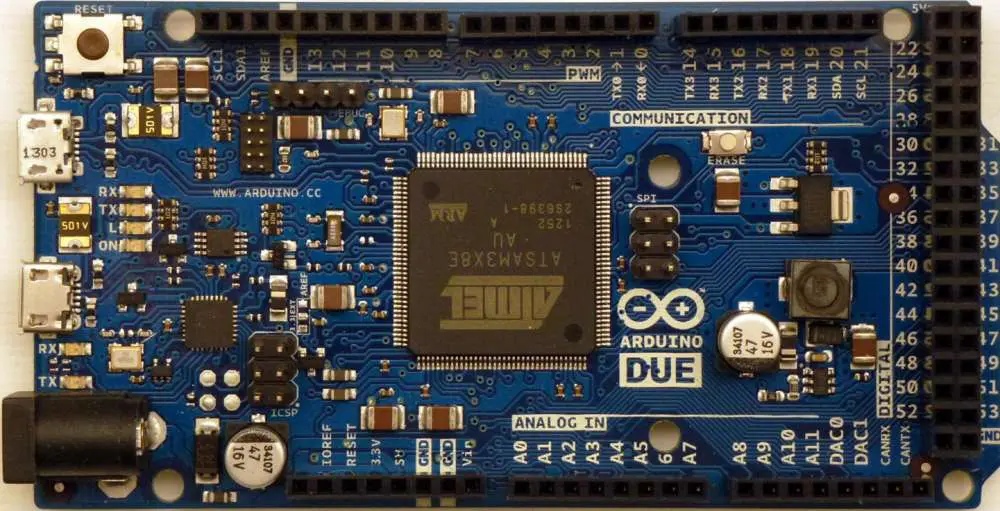
Eurocard PCBs can be described as the European standard for PCBs, as you could have guessed from its name. They are totally interchangeable and may be connected to form a single chassis or subrack thanks to their standardization, which eliminates the need to considerably upgrade, replace, or alter the mounting system as a whole to make room for new hardware.
The word “Eurocards” should only be used to describe a mechanical mounting and slotting method. It should not be used to describe the exact connector that will be utilized to transmit output signals out of the PCBs to the subsequent components (nor, signal types assigned to the connector contacts).
In this article, we’ll examine in greater detail what Eurocards are, what sizes and types are currently available for purchase, as well as some of the various uses of Eurocards that are deployed in hardware networks throughout a substantial number of the modern businesses and sectors.
The word “Eurocard” refers to PCBs which may be plugged in a rack mount or chassis and are of a common format and size. As a result, there is a lot of interchangeability and flexibility between different equipment sets and mounting configurations.
Due to this, a wide range of industrial machines, panels, as well as equipment nodes will benefit from these increased cost-effectiveness due to the single universal mount solution for typical PCB layouts and sizes, without the need to place investments in pricey sector- or hardware that are application-specific solutions on case by case basis.
So, a regular Eurocard PCB can be plugged into any subrack, PCB enclosure, and chassis that is acceptable. Those rack mounts typically have several slotted card guide on the bottom and top of their interior panels.
Next, Eurocards then slide to the guides, and they are held firmly in place while standing whether in neither horizontally nor (more frequently) on end. Inside this fashion, Eurocards are essentially filed neatly aside in a housing subrack, similar to how files slide in the filing cabinet.
As each PCB is placed, connections present on the subrack’s rear panel clicks in place with corresponding connectors present on the circuit boards, allowing the output signal of the PCB to continue as needed over the network.
As previously mentioned such connectors really aren’t technically ubiquitous or standardized the way Eurocards are.
The Eurocard PCB format is extremely useful to engineers, technicians, and installers because of a few commonly used versions that typically dominate the markets and promote the general trend toward interchangeability.
What Sizes and Types of Eurocards are Available?
In actuality, the word “Eurocard” refers to a single PCB with a 100 x 160 mm standard size and having a 1.6mm thickness value. This describes the standard or “single” variety of Eurocard, while there are also two additional compatible and widely used versions that are essentially the same size like their names would imply.
All three varieties/sizes of the Eurocard PCB, which also include the typical single version, that the majority of producers and suppliers sell today are highlighted below:
Single Eurocard, popularly called 3U Eurocard, measures 100 mm by 160 mm by 1.6 mm.
Double Eurocard, often known as 6U Eurocard (measures: 233.4mm by 160 mm by 1.6mm).
Eurocard in half-size (measures: 100mm by 80mm by 1.6mm)
Take note that the letter “U” sometimes used in descriptions of or measurements for Eurocards refers to the “units,” having 1U measuring 44.45mm tall—equivalent to the height of a rack unit of 19-inches.
Why the 3U subrack can hold the 3U Eurocard that is 100mm tall because it is 133.35mm (or about 5.25″) high.
6U subrack is also going to have a height of 266.70 mm to accommodate double-size Eurocards, which measure 233.35mm.
Later in this tutorial, we’ll go into a little more detail on the rack dimensions.
The traditional DIN 41612 connector is among those connector systems which are most frequently linked with Eurocard architectures (that are also standardized like the IEC 60603.2). There seem to be two more sizes of your Eurocard present on the marketplace in addition to the single size that is most widely used.
In the rack based electrical system, DIN 41612 connectors were frequently used, especially as Circuit board connectors as well as for motherboards, whereby their main advantage is in offering trustworthy board-to-board linkups. Such connectors typically have a working voltage of 500V as well as a 2A for every pin capacity for carrying current. (These values may vary depending on the hardware needed, operational safety, as well as environmental factors, on a application-specific, case-by-case basis.)
Eurocard Applications and Accessories
As mentioned above, Eurocards were extensively interchangeable and flexible in regards of standardized sizes as well as rack-mounting options, which contribute to their extensive application in every manner of computing, electrical, industrial, as well as manufacturing applications.
In almost all industries, this significantly reduces the cost of designing and connecting systems and networks. It significantly reduces the necessity of expensive workarounds, like custom-built enclosures, in addition to making it quicker and simpler for system builders and engineers across all market types to find widely compatible components and parts, together with suitable housing chassis and connectors and housing chassis.
This Eurocard PCB format is so widely utilized in a variety of markets and industries, such as:
Production and factory environment equipment, particularly in power relays of the factory.
Base stations as well as office/home telecoms equipment
Industrial controls, particularly in the DCS systems
Aerospace applications as well as high-speed trains
Laboratory and medical machinery
What More Do I Need Besides Eurocards?
The expensive and ineffective issue of having to create custom brackets, enclosures, and chassis for various networking nodes and in various applications or industries is addressed by the standardized configuration of the Eurocard PCB.
Although this is obviously very helpful to engineers as a whole, this format for Eurocard PCB really shines when combined with some other widely used parts and accessories which combine in other to create a whole self-contained network unit or hub.
If you’ve opted for a Eurocard arrangement, the two primary other component and hardware types that you’ll have to be looking for are chassis racks or mounts and DIN connectors.
DIN 41612 Connector
This connector type utilized will be the key element that varies based on the intended use of the Eurocard PCB. As was already said, DIN 41612 connections are the most widely used standard for usage with Eurocards. Such connectors are offered in a variety of configurations, including:
Ribbon cable to board
board-to-board
high-current connectors
wire-to-board
When selecting and purchasing the DIN 41612 connector to use with the Eurocard board, other considerations to bear in mind include:
The varying amount of contacts
Its numerous varieties of enclosure or housing material present on the marketplace, including numerous different types of plastic and metal.
The presence of female and male connector sockets
The presence of both straight and angled connector variants
Rack-fitting enclosures as well as chassis mounts were specialized installation tools used to protect and house PCBs which are inserted as well as supported through a number of slots. They’re made for attaching PCBs as well as a variety of common 19″ rack mount equipment, such as
Servers
Power supplies
Routers
UPS systems
Network hubs or switches
Audio/video equipment
Subracks, rack mounts, as well as enclosures must be considered extremely modular solutions for the storage and defense of valuable or sensitive hardware. The word 1U is employed to describe one rack height unit in electronic device racks that are standardized.
Most reputable UK providers will have a variety of specified enclosure, cabinet, as well as component sizes for sale; most of the compatible items will be advertised as 4U, 3U, 2U, or 1U. In each instance, this either refers to the component’s height or that height that is accessible for the component installation.
In order to make it simple for installers to install hardware and components in accordance with industry standards, the Eurocard rack boxes’ front panels are often pre-drilled. To aid in keeping electronics cool while under load, devices frequently have ventilation slots integrated into the design, normally at the bottom and top but occasionally on any of the sides. Moreover, screws will be included with the cases as well as enclosures to stop the electronics from moving around the rack.
Rack fitting enclosures and cases are installed inside the rack mounts to help in securing equipment, conserve space, keep the place organized, and make them easily accessible for fast repositioning or maintenance.
Conclusion
If you have any questions about purchasing and installing the Eurocard PCB, the DIN 41612 connector, or the Eurocard-compatible enclosures, subracks, or chassis mount, please contact us at any time. You can get in touch with our reliable customer support staff at any time if you have any more questions regarding the hardware, the mounting options, or component products that you have, to finish the installation of your network nodes.
PCB trace antenna design is very complex. The target bandwidth frequencies determine this antenna size. PCB trace antennas offer some benefits which include low cost and great performance. This antenna is usually embedded in a circuit board.
The size of this PCB antenna is very small for frequencies above 900 MHz. Therefore, when used for low frequencies, it is crucial to increase the size of this antenna to keep the integrity of the signal to resonance frequency.
What is a PCB Trace Antenna?
A PCB trace antenna functions as a wireless communication method. It comprises trace directly drawn on a printed circuit board. Also, during PCB manufacturing, it is important to laminate the trace on the PCB surface. However, PCB traces usually cover several layers, particularly in multi-layer circuit boards.
A PCB trace antenna is difficult to design, tune, and integrate. The target bandwidth frequencies determine the antenna’s size. PCB Trace antennas have their own benefits. These low cost antennas perform well. Also, they are usually embedded in the circuit board during manufacturing. However, the size of this antenna is very small for frequencies that are above 900 MHz. Designers will need to increase the size of the antenna to ensure the signal integrity has resonance frequency.
PCB Trace antennas have some drawbacks which don’t make them a suitable choice in some cases. The design process of these antennas is very complex especially at very low frequencies. Also, PCB Trace antennas occupy more space which increases the general cost of design. Nearby components impact the performance of these antennas as they are prone to environmental disruptions.
These antennas are usually embedded into the circuit board. Therefore, the circuit board will need a redesign if there is any change in the antenna design. A PCB trace antenna is a crucial component of a wireless system. Unfortunately, some designers see them as an afterthought in their design. Planning for a PCB trace antenna design will help in achieving product performance.
More so, there will be no need for reproductions and delays in the later phases.
When designing a PCB trace antenna, there are certain factors which must be considered. The PCB trace antenna design process is a complex one and as such, there is a need to pay attention to some crucial factors. When good decisions are made about these factors, you will achieve a successful PCB trace antenna design.
PCB construction
The construction of the circuit board is an ideal consideration when designing a PCb trace antenna. The resonant frequency of a PCB is determined by the length of the copper PCB trace. The trace becomes shorter when the frequency is higher. Furthermore, every antenna requires an area around the trace without copper traces. Wide traces enable a wide bandwidth. The material of the substrate, its thickness, and dielectric constant will determine the electrical signal performance of the antenna.
Add matching components
The RF link budget and range performance can be minimized by mismatched antennas. In order to prevent any mismatch losses, it is advisable to position a pi-network at the feed point of the antenna.
Asides from placing matching components, make sure the source impedance and the antenna match. You can as well maintain a return loss ≤ -10dB.
Ground plane
Ground planes are very crucial in PCB antennas. The impedance and performance of the antenna will depend greatly on the shape and size of the ground plane. Therefore, ensure the ground plane has vias along the keep-out area of the antenna.
Antenna’s environment
The environment of the PCB trace antenna is a crucial consideration during design. Metal components can have an effect on the radiation tuning and pattern. Therefore, designers should keep the PCB trace antenna far from metallic enclosures or metal objects.
2D structure
When PCB trace antennas are embedded in the circuit board, their 2D structures feature the same plane as a ground plane. Therefore, this restricts the antenna’s volume. If there is a limited surface area for the antenna, PCB trace antenna would have less performance due to the lack of 3rd dimension.
Pros and Cons of a PCB Trace Antenna
PCB trace antennas have their benefits and limitations. Some people have argued that these antennas are usually difficult to create, tune, and apply. Furthermore, the size of these antennas depends on the bandwidth frequencies. Here are some benefits of a PCB trace antenna.
The cost of producing these antennas is very low. This is because the trace must be integrated in your PCB manufacturing process.
Furthermore, this antenna can give room to a wide bandwidth when it is maximally tuned.
The structure of a PCB trace antenna is very simple. The structure profile is because the antenna is placed on the surface.
It offers more strength capacities and improved network reliability.
It is very easy to insert this antenna in a circuit board during production.
Cons
This antenna is difficult to create, especially at low frequencies.
Also, a PCB trace antenna is vulnerable to modifications performed in a PCB-layout modifications.
This antenna requires enough space at low frequencies.
The cost of PCB trace antenna design increases due to the need for more board space.
A PCB trace antenna design is vulnerable to environmental and human factors.
Challenges Associated with the Integration of PCB Trace Antenna
The integration of a PCB trace antenna in devices can be a challenge, especially in compact devices. Therefore, it is crucial to understand some risks associated with this trace antenna.
These antennas are known to be very complex in terms of performance, particularly when there is a need for multiple frequency bands. Since wireless performance has become a major factor of SMART devices function, you should look into the implications of choosing a trace antenna over a chip.
Design Flexibility
PCB trace antenna designed is known for inflexibility. The operating environment determines the performance of these antennas. Therefore, designers need to consider a number of factors when integrating a wireless antenna. However, a PCB trace antenna reduces the flexibility designers have to integrate wireless antenna.
Furthermore, trace antennas are 2D in structure and as such, they occupy more space than a chip antenna. Any attempt to minimize a trace antenna’s footprint will affect its performance. Chip antennas perform within a small footprint.
In addition, trace antenna’s performance can be influenced by changes between the planned design and the first manufactured designs. Technical catastrophe is associated with the integration of trace antenna. This is because this antenna has sensitivity to even the slightest changes.
Once PCB trace antennas are produced, it is impossible to tweak them since they are embedded on a circuit board. Dysfunctional PCBs with a trace antenna can’t be repaired or fixed since it is less easy to manipulate the tuning of this kind of antenna. This is because of the PCB materials tolerances’ composition.
Operating Environments
Although PCB trace antennas are affordable to manufacture, they cannot offer high levels of performance in some operating environments. External operating environments and internal operating environments can possibly cause some RF issues. Instability in the operating environment will result in more drastic issues for a PCB trace antenna.
A PCB trace antenna poses some risks especially when the distance or quality of a radio frequency signal is crucial. Therefore, this antenna isn’t an ideal option in such cases.
Detuning Effects
PCB trace antennas are prone to detuning effects. The host printed circuit board will integrate low cost FR4 materials in most typical devices. But, these materials feature high levels of loss and can’t be tightly controlled as regards their ER. The dielectric constant (dK) will as well change over frequency. This occurrence will affect final performance in manufacture.
Moreso, human operators and components can detune an antenna to a certain degree. This shift in frequency can result in degraded functioning or make the device malfunction. The performance of trace antennas is limited as a result of this. For instance, handheld devices are vulnerable to degraded performance, particularly when integrating a trace antenna.
Noise
PCB trace antennas have more susceptibility to noise than chip antennas since they are being used as part of the host PCB. One of the causes of the issues experienced when integrating a PCB antenna is interferences. This makes several devices to malfunction at the first attempt at design. A chip antenna may perform much better where there is a high noise. This is possible due to a chip antenna’s 3D structure. The 3D structure reduces the noise effects of components that are close. The antenna chip is. tuned to meet a device’s requirements.
What is the Difference between a Chip Antenna and a PCB Trace Antenna?
One of the factors that affect the performance of an antenna is the PCB layout. Therefore, it is important for designers to tune the antenna to get the maximum system performance. Proper electrical resistance matching helps in achieving all-out frequency transmission.
The PCB trace antenna design is embedded in the board design, this makes it difficult to perform tuning and achieve maximum performance. Asides from that, minimal dielectric PCB permittivity makes the antenna susceptible to tolerance variants and design alterations. In situations like this, the circuit board needs to be re-spinned to achieve excellent antenna performance.
The return loss reveals how the antenna matches to a transmission line with an impedance of 50Ω. 50Ω is the impedance value of the transmission line; however, it is possible to have other values. A commercial antenna’s resistance is 50Ω. Therefore, it is advisable to use this value.
Also, the return loss shows the amount of incident power the antenna reflects as a result of the mismatch. A suitable antenna will discharge all the power with no reflections.
Bandwidth
Bandwidth describes the antenna’s frequency response. It reveals the relationship between the antenna and the 50Ω transmission line in the whole frequency band integrated.
Radiation pattern
A PCB antenna’s radiation pattern is the direction of radiation. It reveals the direction at which the radiation is higher and the direction at which the radiation is lower. Therefore, this helps in identifying the antenna’s direction in the application.
Non-directional antennas are capable of transmitting equally in all directions. However, the majority of antennas can’t achieve this performance.
Antenna gain
This is a parameter that offers the necessary information for the comparison of the radiation of the direction with an isotropic antenna. dBi represents the antenna gain unit. This refers to radiated field strength.
Radiation efficiency
Radiation efficiency reveals that the antenna consumes part of the non-reflective power as heat. The conductor loss in the copper wire and the dielectric loss in the substrate is responsible for the heat produced. The whole non-reflective power is discharged when radiation efficiency amounts to 100 percent. The heat loss is very low for small board form factors.
Design Guide for PCB Trace Antenna
PCB trace antennas offer improved performance, while step providing repeatability and low cost. These antennas are very easy to tune.
Sizing the Feedline
The feed line is the trace which links the antenna to the matching circuitry’s output. You need to design this to be 50 Ohms. The trace width determines the impedance.
Impedance Matching
Impedance matching when designing a PCB trace antenna is a big rule engineers must adhere to it. There are chips that transmit a signal and there is a need to transform electrical signal into a wireless one. There are characteristics that define the impedance of the antenna and chip. If there is equal impedance, much power is being put on the wireless signal. If there is no perfect impedance matching, there will be some loss of power.
Conclusion
PCB trace antenna design is one of the most common problems experienced in circuit boards and electronics. It has become a challenge for designers to keep the board size small without having an impact on the performance of the antenna. Therefore, it is crucial to consider PCB trace antenna design early in the development stages to prevent delays as a result of changes in design.
Have you previously attempted to monitor your wireless activity? By enabling devices to be able to connect to standardized matching networks, Bluetooth PCBantenna design has spread the Bluetooth electronics worldwide. For example, I am using wireless headphones to stream music through my phone.
Later, I’ll get into my car then use the hands-free system to answer calls. When I arrive home, I can communicate with my house assistants so they can inform me about the weather, schedule a time for supper, take off the shoes, and provide me with a massage. Ah, I see now that I said it too soon.
Applications for Bluetooth-enabled devices are numerous and include healthcare, entertainment, IoT, entertainment, as well as virtual reality. Creative designers seems to have a variety of applications where PCB bluetooth antenna is very useful
What is a PCB Bluetooth Antenna?
For sharing data across small distances, Bluetooth can be described as a unique wireless communication technique or technology. 2.4GHz devices can utilize the PCB bluetooth antenna. RP-SMA, U.FL, as well as SMA connectors are used in sizes ranging from tiny to the sub-miniature connections.
Depending on whatever connection is used, different types and sizes of cables are utilized. The majority of Bluetooth antennas remain omnidirectional, however 2.4GHz directional antennas are also available. Through-hole, wall, surface, and pole mounting options are all available.
Antenna compatibility varies amongst Bluetooth devices. Checking connection compatibility as well as frequency rating is done to match the appropriate antenna to the appropriate device. Depending on the brand of antenna, gain and range might vary. Whenever the antenna and device have different connections, connector adapters may additionally be employed.
Important Elements to Consider While Defining The PCB Bluetooth Antenna Needs
First and foremost, is the product wearable?
Antenna selection and design are particularly difficult for the wearable devices. For the majority of Bluetooth wearables, omnidirectional coverage seems to be a fiction. Every antenna radiation which reaches a mammal’s (or human’s) body at 2.4GHz would be taken in by our bodies. Another Bluetooth gadget on the body’s other side won’t be able to receive it.
While a good number of product developers would claim that a wearable requires omnidirectional coverage, the truth is that whenever a gadget is close to the body, it loses all of its energy towards the body regardless.
The real use case should also be taken into account. If the product is put on within the ear, whatever radiation it emits inside the body would not be effective for any signal transmission.
A broad view field can be helpful since cellphones can function even when not actively held close close to the body. Nevertheless, when the smartphone is held close to the head, any energy that would have been radiated through the body for the signal purposes becomes lost. Because of this, extending the antenna farther from the hand or head enhances its communication capabilities with neighboring devices. Because of this, extending any antenna farther from the head or hand enhances its communication capabilities with neighboring devices. T hat BluFlux range extending smartphone case patent is based on the idea.
Compared to an earphone inside the ear or a telephone held close to the head, as well as the smart watch worn on a wrist has very little adjacent human tissue. There will be a distinct design constraints for each use case and device.
The fundamental idea is that the Bluetooth antenna cannot emit through close human tissue.
Would your product be mounted or enclosed in metal?
Solid metal inside the route of transmission would completely block the E-M waves from your antenna. If the product is completely contained in metal, you must install your antenna externally and it must radiate outward from its enclosure rather than into it. This limits your options to the types of directional antenna such as a PIFA (planar-inverted-f-antenna) or patch .
If the metal coverage of your enclosure is just partial, proper antenna placement remains essential, and depending upon that precise geometry, it could still be necessary for the antenna to be an external one.
A smart meter installed on a metal or sheet metal wall won’t be able to transmit radiation via sheet metals, thus it will additionally require the directional antenna to provide the greatest field of vision.
What’s the bluetooth range?
Your target range of the product is the next query. Avoid using a bluetooth chip antenna that is smaller than 20mm if you need a stable Bluetooth connection across distances that are higher than what Bluetooth was intended for (50m to 100m).
As previously learned above, the dielectrics (as well as highly permeable materials) have been put into micro antennas to enable their operation in electrically small regimes.
PCB Real Estate – Does your antenna, RF components, as well as ground plane fit inside a 40 mm by 40 mm space on your Circuit board?
The efficiency, installation impedance match, as well as patterns of the antenna will be impacted by this minimum Circuit board area requirement. The PCB is needed as “counterpoise” when employing the Bluetooth chip antenna, almost always. The PCB and the actual chip structure are both components of an antenna.
What are the Requirements for the Clearance Area and Circuit Board Ground Plane?
To create an efficient 12 wave antenna, the quarter wavelength antenna has to be paired with a long enough ground plane. Moreover, the omnidirectional antenna needs space to transmit without being interfered by a ground plane
Also, you’ll really have to reserve some room for coordinating parts that will adjust the operating band of the antenna so that it coincides with ISM bands for your specific PCB layout as well as supporting parts.
Because these PCB design components are essential for such antenna to function properly for Bluetooth, the majority of manufacturers of chip antenna would give layout recommendations that take them into consideration.
Any layout principles worth employing should at the very least adhere to the rule of quarter wave, which states that such ground plane must be at least one quarter wavelength length in the direction of polarization.
This seems to be 31 mm for Bluetooth, although longer is usually preferable (for instance, Johanson’s layout requirements recommend 40 mm for its 2.4GHz antennas‘ ground plane lengths). This required orientation and position of an antenna with regard to this ground plane are determined by an antenna’s directivity.
You require an omnidirectional or directional antenna depending on the materials around you and the purpose. The use case as well as materials of your product will affect the amount of directivity you require from the antenna, as explained below.
We would like a ground plane that’s about least 31 mm in length and ideally the same width for such IFA antenna or omnidirectional monopole fed against by the narrow edge of the PCB.
Choosing the Appropriate Type of Bluetooth Antenna for Your Circuit Board Design
You must acquire the ability to reason like the RF designer even if you’ve got no prior knowledge in the field.
Narrowly defining the functional specifications of your product serves as the initial step in selecting a suitable Bluetooth antenna to work with your PCB. Consider the following inquiries
Is the product wearable or flexible?
What form factor restrictions have you?
Is the product packed in packaged or mounted in metal?
What antenna gain and communication range are necessary?
You will be a bit closer to selecting the ideal Bluetooth antenna to suit your device after you’ve more precisely defined your needs according to your responses to such questions.
A chip antenna or microstrip is preferred if the product gets wearable because it most likely has limited space. Metal plate antennas could be the ideal option in achieving better antenna gain whenever long-range communication is your most crucial need.
You may choose the optimum antenna for the device by optimizing the functional design needs within the aforementioned framework.
Antennas using Ceramic Chips
Pre-packaged ceramic chip antennas have a relatively compact form factor but a low efficiency and gain. They might not be the ideal choice for applications including location-tracking or ranging because of their limited bandwidth and high cost. Such chips are ideal for stiff wearable technology, which frequently uses low-range applications.
Several chip antennas were produced by a variety of manufacturers. It allows designers a lot of leeway when choosing the appropriate gain, bandwidth, as well as form factor to aid the devices that are bluetooth-enabled.
Antennas made of metal plate
Large quantities of power may be handled by the metal plate antenna, which have good efficiency, low bandwidth, as well as linear gain.
In applications that need small form factors, they might not have been the best option due to their high cost and large footprint. These antennas may be made as a inverted-F, monopole, or dipole antenna and work with linear polarized radiation.
These antennas, as their name suggests, are made from metal plates with a particular pattern etched into it. This PCB also isn’t directly attached with the metal plate antennas. Instead, the antenna is located above the circuit board with the right-angle bracket which connects it to other components. Power planes, g rounding planes, as well as other components should not be present in the area underneath the antenna.
Microstrip Antennas
You could choose to mount the microstrip antenna on the PCB if the form factor cannot support the plate antenna when costs become a major consideration. These antennas outperform chip antennas with respect to the linear efficiency and gain. These may be printed onto the Circuit board, making them easier to fabricate and having a better bandwidth than the plate antenna.
While designing the microstrip antenna, precise configuration is necessary. Little variations in the microstrip’s size can alter the antenna’s resonant frequency, which lowers linear efficiency and gain at 2.4 GHz with greater resonance shifts. The range of communication will also be reduced as a result of this. Your product’s maker has to comply with the antenna’s tight tolerances.
PCB Bluetooth Antenna Design Options and Varieties
Bluetooth PCB Board
PCB Bluetooth antenna designs using an inverted F antenna
When utilizing dielectric materials having high value of dielectric constant, the inverted-F antenna’s body can be sheet-like or linear, and the bluetooth antenna’s size can also be decreased. The inverted F antenna, among the most popular in the practical applications, has a cheap design cost however raises the certain volume when used as the on-board antenna.
Typically, the antenna gets mounted on the PCB’s top layer. Its floor is often situated close to the antenna on the upper layer. The antenna should not, however, be positioned near the antenna. This area ought to be clear.
PCB Bluetooth antenna design with curved-flow
It is more challenging to estimate the meandering antenna’s length. The topological geometric space as well as deposited area dictates its length, which is typically somewhat longer compared to the quarter wavelength. This meander antenna frequently comes in a PCB package, or an integrated antenna. This antenna, similar to that inverted F type, is often mounted on the PCB’s top layer. Its ground is often positioned on the upper layer, close to the antenna.
Relevant PCB Bluetooth Antenna Design Considerations
The antenna’s signal (frequency more than 400 MHz) becomes readily attenuated, thus the distance present between this antenna as well as the neighboring ground would be at least thrice its line width.
This characteristic impedance of strip and microstrip lines depends on the slab’s thickness, line width, the vias, as well as the dielectric constant.
This parasitic inductance produced by the through hole will significantly attenuate high-frequency signals. As a result, avoid having a through in the RF lines.
Conclusion
To cohabit with the complete zoo of devices which use its 2.4 GHz ISM bands, such as various WLAN technologies as well as microwave ovens, Bluetooth devices hops between the frequency channels. Although Bluetooth Low Energy offers less channels (40) compared to the normal Bluetooth (79), there is no difference from the antenna’s standpoint because the entire frequency range is used.
In electronics, we frequently undervalue the significance of electrical load design. Electronic load design, however, is a crucial component of ensuring that power supplies, batteries, and DC-DC converters operate correctly and to the desired specification for those who comprehend its significance. How else could you test the power source of your medical device or your electric car’s battery without using an electronic load design? It’s a meaningful (yet frequently disregarded) component of the electronic universe. We’ll go over the fundamentals of designing an ideal electronic load in this article, including the significance of the process and the factors you must consider. Then, let’s begin our exploration of the fascinating world of electrical load design!
Electronic Load Design: Definition
Electronic load design is building a device that can simulate an electrical load for testing and characterizing electronic circuits and components. Typically, you must interface the electronic gear with a power source to evaluate the equipment’s functionality, such as power supplies, batteries, and DC-DC converters.
Electronic load design is essential in many applications where assessing and characterizing electronic circuits and components is needful. It requires designing a device that can simulate an electrical load, usually used with a power supply, to assess the performance of gadgets like power supplies, batteries, and DC-DC converters. The following are the top five benefits of electrical load design:
1. Creating power supply circuits:
Electronic load design is crucial to create power supply circuits that can satisfy the planned application’s demands. Designers can test the performance of the power supply under various circumstances by simulating the anticipated load of the power supply with an electronic load. This action makes it possible for engineers to optimize the design of the power supply circuit, ensuring that it can efficiently and dependably give the necessary power to the load.
2. Testing power supplies:
Electronic loads can help test power supplies to ensure they are working correctly and comply with the specifications. An electronic load can verify that the power supply can deliver the required power and voltage levels without overheating or harming the device by simulating the anticipated load on the power supply. This step is crucial when power sources are essential, like in medical devices, where an inadequate power supply could have disastrous effects.
3. Characterizing power supply performance:
We can easily describe a power supply’s efficacy using an electronic load, which enables designers to pinpoint problems like voltage ripple, noise, and transient response. In addition, an electronic load can assist designers in determining the power supply’s efficiency, stability, and accuracy, ensuring that it can meet the necessary specifications by simulating the anticipated power supply load.
4. Handling high currents:
Electronic load design is crucial when handling high currents, such as in the power supplies for electric cars or industrial machinery. Manufacturers can rigorously test the power supply performance using an electronic load that can withstand high currents without overheating or breaking.
Transient response is essential in power supply design, especially for uses that call for quick load changes, like high-performance computing or telecommunications equipment. An electronic load can provide the fast and precise load changes needed to satisfy the demanding transient-response specifications of these uses. By doing this, you can guarantee that the power supply will comfortably give the necessary power and voltage levels without voltage droops or overshoots, ensuring reliable operation at all times.
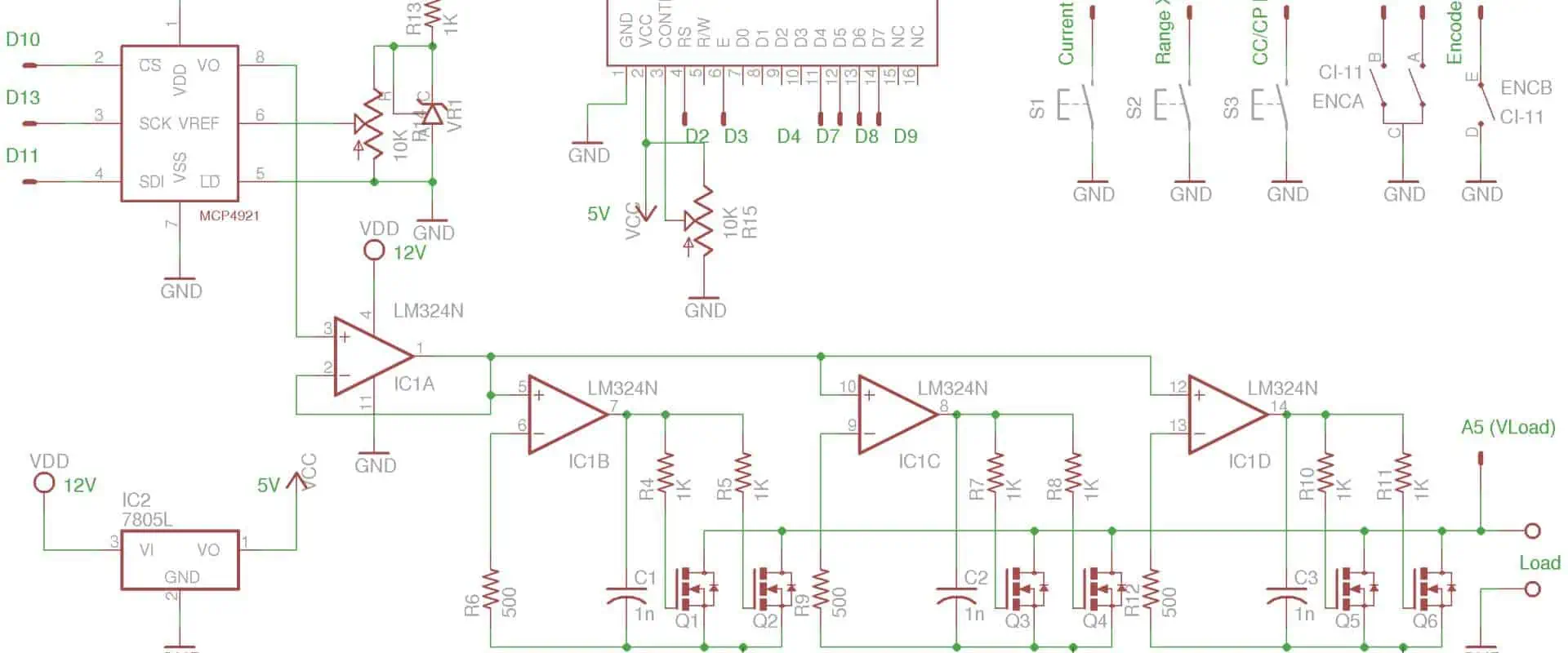
Designing an electronic load requires careful consideration of various factors, including operational amplifier selection, MOSFET selection, and board layout. Each of these factors plays a critical role in determining the overall performance of the electronic load. The following are the key considerations that designers must take into account when designing an optimal electronic load:
1. Operational Amplifier Selection
Op-amps, or operational amplifiers, are crucial parts of an electrical load. They amplify the voltage signal from the input and use it to operate the MOSFETs that supply the load to the test device. As a result, the selected op-amp can significantly impact the electronic load’s accuracy, stability, and noise qualities.
When choosing an op-amp for an electronic load
, designers must consider the required bandwidth, input voltage range, output voltage range, and noise characteristics. In addition, the gain bandwidth product, slew rate, and input offset voltage are additional factors to consider. Let’s examine each of these elements in more detail:
Ø Bandwidth:
The bandwidth refers to the range of frequencies the op-amp can work efficiently. For an electronic load, the op-amp must reliably amplify signals over a broad frequency range, from DC to several kHz. This requirement is crucial when checking power supplies or other gadgets that might contain a lot of ripple or noise.
Ø Input Voltage Range:
The input voltage range of an op-amp describes the highest and lowest voltages it can withstand without overheating or damaging. The input voltage range of an electronic load must be large enough to handle the range of anticipated input voltages from the test device.
Ø Output Voltage Range:
The output voltage range of an op-amp refers to the highest and lowest volts it can produce at the output. The output voltage range of an electronic load must be adequate to operate the MOSFETs and supply the required load to the test device.
Ø Noise Characteristics:
Noise characteristics refer to the quantity of unwanted electrical noise an op-amp introduces into a system. Low noise is necessary for an electronic load to operate steadily and with precise measurements.
Ø Gain Bandwidth Product:
Combining an op-amp’s gain and bandwidth forms its gain bandwidth product (GBP). Typically, a higher GBP indicates a better performance because the op-amp can sustain a high gain over a broader frequency range.
Ø Slew Rate:
An op-amp’s slew rate is the fastest rate at which its output can shift. Like GBP, a higher slew rate indicates a better performance since it means the op-amp can react to changes in the input signal more rapidly.
Ø Input Offset Voltage:
An op-amp’s input offset voltage is the voltage that you must apply at its inputs to cancel out the output voltage without an input signal. A lower input offset voltage typically suggests better performance because it allows the op-amp to produce more accurate output voltages.
2. MOSFET Choice:
MOSFET is the primary switching component in electrical loads. They must handle high currents and voltages while keeping low on-resistance and quick switching speeds because they act as the load for the tested device. When choosing MOSFETs for an electronic load, designers must consider several factors, including voltage rating, current rating, on-resistance, and switching speed.
Voltage Rating: The maximum voltage that a MOSFET can endure without malfunctioning is the MOSFET’s voltage rating.
Current Rating: The MOSFET’s current rating indicates the highest current that a MOSFET can manage without overheating or suffering damage. The MOSFETs in an electronic load should handle the maximum current the test device will likely draw.
On-Resistance: The channel’s resistance between the source and drain terminals when you switch the MOSFET on is its on-resistance. Better performance is typically possible with a reduced on-resistance because you can apply a more accurate load to the device you are testing with the MOSFET.
Switching Speed: The MOSFET’s switching speed describes how quickly it can flip on and off. Since the MOSFET can react rapidly to changes in the input signal, a faster switching speed typically suggests better performance.
Thermal considerations: To avoid overheating and harm, designers must ensure that MOSFETs undergo proper cooling while operating. It might be necessary to use heat traps or other cooling systems for this.
3. Board Design:
The board layout is crucial for an electronic load to work at its best. Unwanted noise, interference, parasitic capacitance, and inductance can all result from a poorly planned board layout, harming the load’s performance. Therefore, designers must consider several variables, such as component placement, ground layout, and thermal management, when creating the board plan for an electronic load.
Placement of Components: How you organize your components on a board can significantly affect how well a load works. To improve the precision and stability of the load, you should minimize the parasitic capacitance and inductance when placing components. Because the op-amp and MOSFETs are in charge of amplifying and controlling the load, their location is crucial.
Ground Layout: The board’s ground plan is essential for reducing interference and noise. A well-planned ground structure can lessen the effect of stray capacitance, inductance, and ground loops. To avoid ground loops and guarantee proper grounding, it’s crucial to ensure the ground plane has a secure attachment to the chassis or other ground points.
Thermal Management: Thermal management is essential because MOSFETs produce heat while operating, so designers must ensure they have a proper cooling system to avoid overheating and harm. It might be necessary to use heat traps or other cooling systems for this. In addition, the board architecture must efficiently transfer the MOSFETs and other heat-generating components away from the board.
The following are the various applications of electronic load design in different industries:
1. Automotive:
Electronic loads in the car sector help test battery management systems, charging systems, and DC-DC converters. In addition, electronic loads help model the electrical loads of different vehicle components, such as lighting systems, power windows, and other electronic devices, in automotive applications. This capability aids in ensuring that the electrical system of the car is in good working order and can support the load demands put on it.
In addition, the testing of electric and hybrid cars also employs electronic loads. The battery management system (BMS) is essential to these vehicles. It controls the battery pack’s state of charge, monitors it, and ensures the battery is working within safe parameters. The BMS can precisely track the battery’s performance by simulating the weights on the battery pack using electronic loads.
2. Computing:
The computing industry also employs electronic load designs in testing power supply circuitry used in servers, workstations, laptops, and other electronic devices. Moreover, they also simulate the different loads that a computer system might encounter, such as the CPU, hard drive, and graphics cards. This step aids in ensuring that the power supply is safe to use and can support the demands put on it.
Electronic loads can also evaluate the thermal performance of computer systems in addition to power supply circuits. Electronic loads can assist in identifying parts of the system that may be prone to overheating by simulating the heat produced by different components.
3. Aerospace:
In aerospace, electronic load designs help test power supply circuits and electrical parts used in aircraft and spacecraft. In addition, these designs help simulate electrical loads of different components, including avionics, navigation, and communication systems. This action makes it easier to verify that the electrical system is reliable and capable of supporting the demands made on it.
Additionally, electronic loads are helpful when evaluating satellite power systems. Solar cells that turn sunlight into energy power satellites. To correctly model the performance of the electricity system, engineers simulate the loads on the solar panels using electronic loads.
4. Telecommunications:
Electronic loads are frequently applicable in the telecommunications sector for testing power supply lines and backup power systems used in cell towers, data centers, and other communication infrastructures. Additionally, they simulate electrical loads of different components, including routers, switches, and servers. This action aids in ensuring that the power supply is safe to use and can support the demands put on it.
Electronic loads can evaluate the thermal efficiency of communication infrastructure and test power supply circuits. In addition, electronic loads can aid in locating parts of the infrastructure that might be vulnerable to overheating by simulating the heat produced by different components.
5. Electronics
Testing power supplies, batteries, and renewable energy systems are just a few of the many electronic uses that employ electronic loads. In addition, electronic loads help model the various loads these systems might encounter, allowing engineers to precisely modify the system’s performance.
The testing of LED illumination systems also employs electronic loads. A steady current source is necessary for LED lighting devices to operate correctly. Engineers can precisely predict the system’s performance by simulating the loads on the LED illumination system with electronic loads.
Conclusion
The proper operation of different electrical components and circuits depends on electronic load design. Electronic load design can help you optimize the performance of your system and ensure that it can handle the required load, whether you’re looking at power sources, batteries, or LED illumination systems. From the automotive to the aerospace sectors, electronic load design is an essential tool for any engineer or technician looking to evaluate the performance of their electrical components. Therefore, remember to include an electronic load design in your toolkit when testing and characterizing an electronic circuit or component. You’ll be happy you did.
From the growing Internet of Things to the arrival of artificial intelligence, field-programmable gate arrays are steadily making their way into the future of electronics. Field-programmable gate array development is getting increasingly popular across various sectors and applications due to its versatility and constantly declining cost. However, as gadgets grow smaller and more linked, some may be difficult to use, making development impractical. On the other hand, field-programmable gate arrays are frequently helpful in developing devices, so using a link to control the device from a distance might be advantageous.
FPGAs are ICs programmed to carry out a predetermined set of tasks. Because they are programmable, we can modify FPGAs to suit the unique requirements of various applications. On the other hand, Arduino is a microcontroller board created for quick and interactive electronics prototyping. Its open-source infrastructure accommodates a variety of initiatives.
FPGAs
A digital circuit known as an FPGA can carry out any logical operation. PLBs, or programmable logic blocks, are the building blocks of FPGAs and we can combine them to form any digital circuit. The PLB can produce a variety of logical functions, including AND, OR, XOR, and NOT gates. Furthermore, the PLBs can be suitable for maths operations and other tasks like memory storage.
The advantages of FPGAs over conventional digital circuits are numerous. Secondly, FPGAs are flexible and adaptable to various applications because we can reprogram the. Second, because FPGAs can carry out many tasks, they can take the role of various digital circuits. Third, complicated digital circuits that are not feasible with conventional digital circuits can consist of FPGAs.
Arduino
A microcontroller board called Arduino is ideal for quick and interactive electronics prototyping. Arduino software programs the microprocessor at the heart of Arduino boards. The libraries and tools included with the Arduino software make it simple to write and upload code to the microcontroller. In addition, the input and output pins of Arduino boards can connect to sensors, actuators, and other electronic devices.
Anyone without an electronics background can easily develop their projects with Arduino hardware and software. Moreover, because of their low cost and simplicity of use, Arduino boards are also well-liked among students and hobbyists.
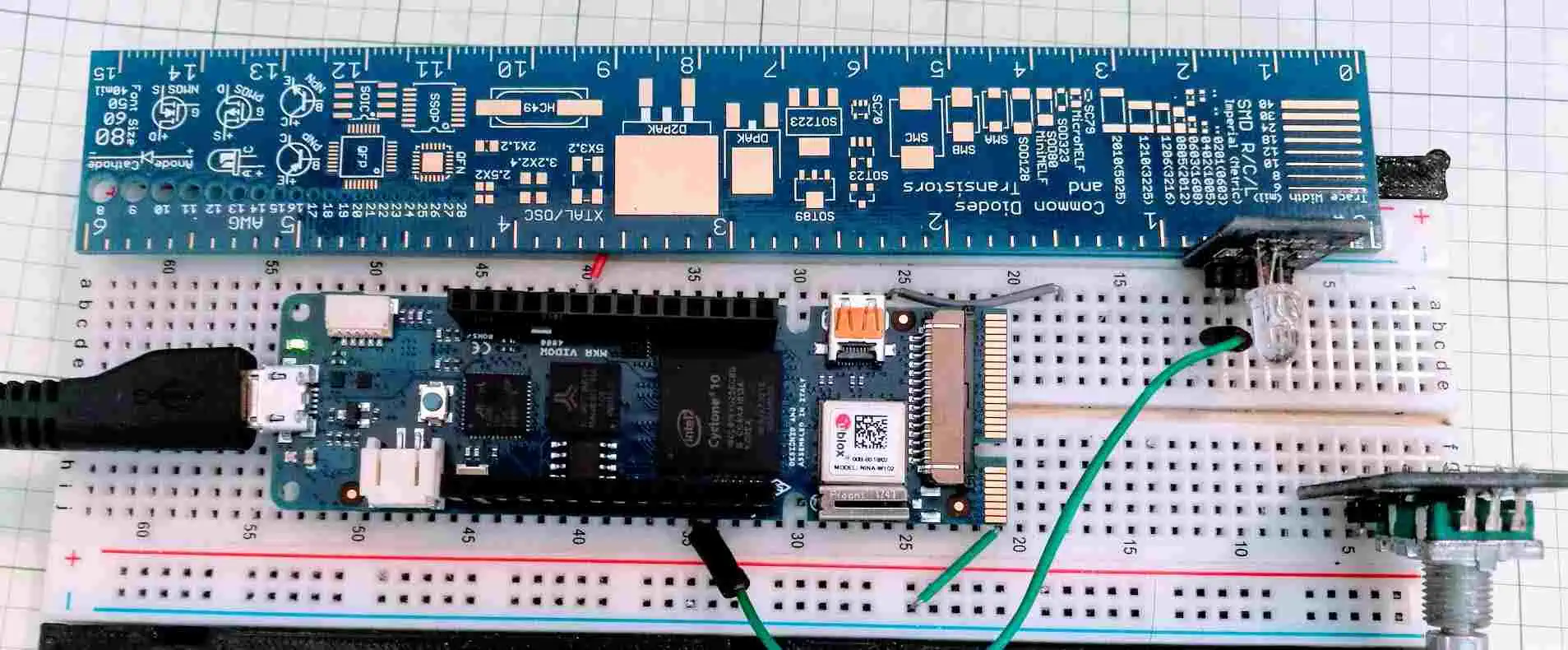
Connecting the two parts is the first step in using an FPGA with an Arduino. The connection technique will vary depending on the specific FPGA and Arduino boards utilized. There are typically two ways to link an FPGA to an Arduino:
GPIO Pins: Using the General Purpose Input/Output (GPIO) pins on the Arduino board is the simplest method for connecting an FPGA to an Arduino. Several GPIO pins on most Arduino boards can interface with external electronics. First, determine the precise pins on both the Arduino and the FPGA that will be helpful for communication if you want to link an FPGA to an Arduino utilizing GPIO pins. Once you’ve located these pins, you can link them with pins or a unique PCB.
Shields: Using a shield is another way to link an FPGA to an Arduino. The capability of the Arduino board can increase by attaching Arduino shields, which are pre-built modules. A variety of FPGA shields are available for use in securing an FPGA to an Arduino. The ports on these shields often enable direct connection of the FPGA to the Arduino board.
Steps of programming Arduino FPGA
The Arduino FPGA is a versatile platform for designing and programmatically manipulating unique hardware circuits. You may create intricate digital systems with an FPGA that carry out particular operations, such as data processing, signal filtering, and control logic.
By utilizing a hardware description language (HDL) to create a hardware design, synthesizing the design into a bitstream, and uploading the bitstream to the FPGA chip, you can program an Arduino FPGA. Below is a thorough breakdown of each action.
Step 1: Install the Necessary Software and Hardware
Setting up your development environment is necessary before you can begin writing code for an Arduino FPGA. This entails connecting the Arduino FPGA board to your computer and installing the required software programs, such as an HDL compiler, synthesis tool, and FPGA programmer.
The Xilinx Vivado development suite, used for FPGA design and synthesis, is included in the thorough instructions on setting up your environment and installing the software available on the Arduino website. The next step can be after you have connected your Arduino FPGA board and installed the software.
Install the Arduino IDE after downloading it: You will develop and upload your code to the FPGA board using the Arduino Integrated Development Environment. You can download the most recent version of the Arduino IDE at the official Arduino website.
After installing the Arduino IDE, you must install the FPGA board support package. This package contains the files and libraries required for programming the FPGA board. By selecting “Board” from the Arduino IDE’s “Tools” menu, followed by “Boards Manager,” you can install the board support package. Find the FPGA board you’re using in the Boards Manager, then select “Install.”
Connecting Your PC to the FPGA Board: Use a USB cord to link the FPGA board to your PC. Your computer ought to recognize the board right away.
Step 2: Create a Hardware Design
The following stage is to develop an FPGA hardware design using an HDL, such as Verilog or VHDL. To build and simulate complicated digital systems using software tools, HDL describes the behavior and topology of digital circuits textually.
A text editor or an integrated development environment (IDE) that supports HDLs, such as Xilinx Vivado or Quartus II, can generate a hardware design. The circuit’s inputs, outputs, and functionality, as well as the connections and logic gates that carry it out, are defined throughout the design process.
After creating your hardware design, save it as a Verilog or VHDL file for the next stage.
Step 3: Write and Compile the Code
You can begin writing the code after designing and simulating the circuit. To create your code in the C++ programming language, utilize the Arduino IDE. The code should contain all the essential commands to control the various elements in your circuit, such as turning on and off LEDs or adjusting a motor’s speed.
You must compile the code after writing it to ensure no problems. A built-in compiler in the Arduino IDE verifies the code for syntax errors and other problems. Before going on to the next step, you must correct any mistakes.
Step 4: Upload the Program to the FPGA
You can upload the program to the FPGA after compiling it. The steps listed below will assist you in uploading the program:
Join the FPGA board and the J-Link programmer.
Use a USB cable to link the FPGA board to your PC.
In the Arduino IDE, select Sketch > Upload Using Programmer.
Hold off till the upload procedure is complete.
Remove the USB cord and J-Link programmer from the FPGA board.
Step 5: Test the Program on the FPGA
Testing the software after uploading it to the FPGA is crucial to ensure everything is operating as it should. To test the program on the FPGA, perform these steps:
Attach the input and output devices to the FPGA board: Sensors, motors, LEDs, and any other components the program interacts with can serve as input and output devices. Attach these gadgets to the proper FPGA board pins.
The FPGA board is powered by: Use a USB cable or an external power supply to attach the FPGA board to a power source.
Check the output on the linked devices: After connecting the input devices and turning on the FPGA, check the output on the connected devices to ensure the program is operating as intended. Confirm if the motor is spinning in the right direction and speed, for instance, if the program is to control a motor. Ensure the accuracy of the readings if the program is to read data from a sensor.
Make any alterations required: Go over the code to find any problems if the program is not functioning as it should. You might need to make changes to the code to correct any errors or improve performance.
Test the program using numerous inputs and scenarios: To completely test the software, use various inputs and scenarios to ensure it functions appropriately in various situations. For instance, test the program with various temperatures to manage a temperature sensor to ensure data reads correctly.
Iterate and enhance: After testing the program, make any necessary adjustments to enhance its functionality or performance. Then, keep testing and iterating until the programme satisfies all requirements and functions as intended.
The Arduino programming language, a simplified version of C++ designed for beginners, is commonly used to create applications for the Arduino platform. For example, writing code for microcontrollers like the ATmega328P found in the Arduino Uno board is made simple with this language.
As opposed to this, FPGAs (Field Programmable Gate Arrays) are often programmed using HDLs like VHDL or Verilog. With these languages, you can describe hardware circuit behavior in a manner akin to how you would describe a software algorithm.
Yet some FPGAs also support high-level programming in C or C++, which we subsequently convert by a compiler into the low-level hardware description language. For people who are more accustomed to software programming, this method, commonly called high-level synthesis (HLS), can make it simpler to design FPGA applications.
While Verilog and VHDL are used to describe the behavior of digital circuits, their syntax and semantics are dissimilar. A brief description of each language is below:
Verilog:
In the 1980s, Prabhu Goel and Phil Moorby created Verilog, a high-level HDL. It is frequently helpful for digital design and verification. It has a syntax comparable to C. Modules, which are similar to the components of digital circuits, and are the building blocks of Verilog code. Complex digital systems can be built by instantiating and connecting these modules: many FPGA vendors and the semiconductor industry support Verilog.
VHDL:
The US Department of Defense created VHDL, also known as VHSIC Hardware Description Language, in the 1980s. We describe digital circuits and systems using this high-level HDL. One can create and couple the modules of VHDL code together to form intricate digital systems. Although VHDL’s syntax is more complicated than Verilog’s, it is more capable and expressive. As a result, most FPGA vendors support it, which is frequently helpful in safety-critical applications.
Because they enable you to describe digital circuits and systems abstractly, Verilog and VHDL are both utilized for FPGA programming. This makes designing and debugging digital circuits simpler, especially for intricate systems. Moreover, most FPGA suppliers offer Verilog and VHDL, and both have sizable toolchains and libraries available.
Examples of projects that use an FPGA with an Arduino
While Arduinos are microcontrollers created to offer a simple platform for creating interactive projects, FPGAs are strong devices that may help to implement specialized digital logic circuits. A powerful system that combines the programmability and flexibility of an FPGA with the usability and accessibility of an Arduino can come about by combining an FPGA with an Arduino.
FPGA-based audio processing
Practicing FPGAs for real-time digital signal processing (DSP) algorithms to handle audio signals is common. This is known as FPGA-based audio processing. The FPGA can perform filtering, equalization, compression, and many more tasks. The fundamental actions involved in FPGA-based audio processing are listed below:
Audio signal input: The FPGA may receive the audio signal by utilizing an ADC to collect it. The ADC can connect to the FPGA via a serial interface like SPI or I2C.
Algorithms for processing: The FPGA can run different DSP algorithms on the audio signal input. Hardware description languages such as VHDL or Verilog can help implement these algorithms.
Memory: The FPGA can have internal or external memory to hold the edited audio samples.
Export audio signal: A digital-to-analog converter can output the processed audio signal (DAC). The DAC can link to the FPGA via a serial interface like SPI or I2C.
Control interface: A user interface for controlling the audio processing algorithms can use an Arduino or another microcontroller. Other devices like sensors, buttons, and displays can receive input and output from the Arduino.
FPGA-based video processing:
Although technically possible, FPGA-based video processing with Arduino is not simple. Field programmable gate arrays, sometimes FPGAs, are extremely flexible integrated circuits that may carry out particular tasks. Because of their quick processing times and low power requirements, they are frequently helpful in video processing applications.
A popular microcontroller platform for do-it-yourself electronics projects is Arduino. It can be helpful to manage an FPGA handling video processing even if it is unsuitable for high-speed video processing.
You would need to:
Choose an FPGA board compatible with the Arduino to implement FPGA-based video processing using an Arduino. Various FPGA boards, like the Papilio DUO and the Mojo V3, may be controlled by an Arduino.
Create code in Verilog or VHDL to instruct the FPGA to perform the appropriate video processing task. For example, this might involve video compression, color grading, or image scaling.
Employ a communication standard like SPI or I2C to communicate data and commands from the Arduino to the FPGA. The FPGA can receive inputs from the Arduino through visual data or control signals.
Attach the FPGA board to the video input source and output display. The video data will be real-time processed by the FPGA, and the output will go to the display device.
A complex project requiring a thorough knowledge of digital circuit design, programming, and video processing algorithms, it is essential to keep in mind that implementing FPGA-based video processing using an Arduino. Nonetheless, it can be a fruitful endeavour that yields a high-performance video processing system with the correct knowledge and tools.
FPGA-based data acquisition
A high-speed data acquisition system that can sample analog signals with high precision and store the data in memory can happen using an FPGA. The Arduino can link with sensors and other devices to control the data collecting process and send inputs to the FPGA. You can adhere to the general steps listed below:
Use a hardware description language (HDL), such as Verilog or VHDL, to design the FPGA-based data acquisition system. Creating the proper input/output ports and building the logic circuits that will interface with the sensors or other data sources you wish to collect is required.
Use an FPGA development board, such as a Digilent Nexys or Basys board, to implement the FPGA design. To compile and program the FPGA, you must use a software toolchain like Xilinx ISE or Vivado.
Connect the Arduino and FPGA using an I2C or SPI communication mechanism. By doing this, the Arduino can interface with the FPGA and access the data the FPGA is capturing.
Create an Arduino program to show or save the data the FPGA collects. The Arduino has built-in libraries and routines that can help to show data on an LCD screen, save it to an SD card, or send it wirelessly over Bluetooth or Wi-Fi.
Generally, FPGA-based data acquisition systems can be more flexible and performant than conventional microcontroller-based systems, but they also need more design and implementation resources and technical know-how. If you’ve never programmed an FPGA, you might wish to start with easier projects and gradually advance your abilities.
Implications of Arduino FPGA for future projects and research
Integrating Field-Programmable Gate Arrays (FPGAs) with Arduino microcontrollers has several consequences for upcoming projects and research. For example, digital circuits known as FPGAs may carry out particular jobs or operations. Furthermore, for creating projects using sensors, actuators, and other electrical components, Arduino is a popular open-source electronics platform.
Increased Processing Power
Increased processing power is one of Arduino FPGA’s most important effects. FPGAs can process data in parallel and execute complicated operations in real-time. When paired with Arduino microcontrollers, the resultant system can do more sophisticated tasks that would be challenging or impossible for a microcontroller alone. Application areas for FPGAs include machine learning, audio processing, and image processing. Developers may build systems capable of performing intricate computations and making real-time choices by integrating an FPGA with an Arduino board.
Customizability
The customizable nature of Arduino FPGA is another result. FPGAs offer incredible customizability and we may program it to carry out particular actions or operations. This implies that the final system may change to meet the unique requirements of the project or research. For instance, an FPGA might help to create a unique encryption technique or to carry out quick data compression. Developers may design systems optimized for their unique requirements by employing an FPGA.
Real-Time Processing
FPGAs’ real-time data processing capabilities make them particularly advantageous for applications like robotics, automation, and signal processing. For instance, a robot’s motors may use an FPGA, and sensor data could process in real time. In addition, developers may build systems that can react to information in real time and make decisions based on that input by attaching an FPGA to an Arduino board.
Low Latency
By combining Arduino with FPGA, low-latency systems that process data in real-time and react swiftly to input can be created. For instance, a developer may utilise an FPGA to construct a bespoke digital filter to reduce noise from a sensor signal. The system created by combining an FPGA with an Arduino board can react fast to changes in the sensor signal and deliver a low-latency output.
Education
There may be educational ramifications to the FPGA and Arduino connection. For example, students may get knowledge of digital logic and programming and hands-on experience with digital circuit applications by utilizing an FPGA. In addition, students may also access various instructional materials, like tutorials, sample projects, and reference designs, thanks to the open-source nature of both Arduino and FPGAs.
Powerful digital devices known as FPGAs (Field-Programmable Gate Arrays) may be helpful for various functions. Conversely, Arduino is a microcontroller board frequently essential for DIY projects and quick prototyping. However, there are several restrictions to take into account, even if utilizing an FPGA with an Arduino can be a wonderful method to combine the processing power of the FPGA with the adaptability and simplicity of the Arduino:
FPGAs are more complicated than microcontrollers like Arduino in terms of complexity. FPGAs need expertise in digital design, and specific hardware and software are necessary to program them. Due to its intricacy, it may be difficult for novices to utilize an FPGA with an Arduino.
Power: Compared to microcontrollers, FPGAs consume more power. This means a more complex power supply may be necessary for an FPGA with an Arduino than an Arduino acting alone.
FPGAs are larger than microcontrollers in terms of size. If space is a limitation, as it often is with tiny projects or wearables, this can be a problem.
Cost: Compared to microcontrollers, FPGAs are often more costly. This can be a problem if your budget is minimal.
Not all FPGAs are suitable for use with Arduino boards. Ensure the FPGA you select is compatible with the Arduino board you intend to use.
Learning curve: FPGA programming requires a distinct set of skills than microcontroller programming. Learning the skills necessary to program an FPGA can be time-consuming, and some people may have a high learning curve.
Combining an FPGA with an Arduino can be effective, but doing so requires more work and expertise than utilizing an Arduino alone. However, you can use an FPGA’s flexibility and power if you’re ready to invest the time and money needed to learn how to use it.
Heat can be produced on a circuit board due to certain components as well as the resistance inside the lines. If somehow PCB thermal resistance becomes large, such high temperatures might harm the board. Heat sinks and fans are options, but they are insufficient. Fans raise power consumption, and they also add weight to the PCB.
The best course of action is to create a thermal management strategy that takes thermal resistance as well as conductivity into account. To ensure that components function properly, this method should maintain the circuit board’s peak temperature nearer to the surrounding air temperature. Here, we’ve discussed PCB thermal resistance as well as how to optimize your designs for maximum heat dissipation.
Why Is PCB Thermal Resistance Significant and What Does It Mean?
Circuit board thermal conductivity is inversely proportional to PCB thermal resistance. It specifies how quickly or slowly the Circuit board materials let heat to dissipate from the source. It displays the pace at which heat moves from hot to cool areas of the PCB.
Thermal pads and thermal vias are two connections towards the copper planes, affect thermal resistance.
What Affects Your PCB Substrate’s Thermal Resistance?
The PCB’s copper components and the material properties of the substrate together define the heat resistance. Those two ought to help when establishing the board design’s thermal management approach.
The plan should demonstrate the following and aim to lower heat resistance:
The ideal arrangement of electrical components
Which components require cooling sinks or fans
Position thermal vias optimally close to hot components
Techniques for Testing PCB Thermal Resistance
Thermal resistance may be determined in three different methods.
Thermal Conductivity Measurement
Utilizing thermal conductivity is the most common way to measure thermal resistance. Resistance would be the opposite of conductivity, making it simple to calculate heat conductivity.
Guarded Hot Plate Technique
It is quicker and simpler to test the heat resistance of a fully constructed yet unassembled board to use this approach since the circuit board substrates were two-dimensional.
When heat flows from the hot locations to cooler areas, the two Circuit board sides are measured to determine their respective temperatures. It is a straightforward method for determining thermal conductance, that can be utilized later to determine resistance and thermal conductivity.
Design to Reduce PCB Thermal Resistance
The three methods for reducing thermal resistance are as follows.
Employ High Thermal Conductivity Materials
Using materials that have high thermal conductivity is the most efficient technique to lower PCB thermal resistance. Hence, copper in the plane layers should be used on boards containing hot components to create quick-heat, low-resistance flow channels.
Instead, for high-speed or high-frequency boards, employ the internal power or ground plane layers. They will serve many functions as they additionally help with isolation and offer EMI shielding from the outside.
Place the copper pads beneath hot components
Copper pads placed beneath hot components help deflect heat out of the upper layer. Their internal ground planes, which is often linked to these pads by vias, protects the components.
For optimal heat transmission, solder the parts into the thermal pads if the component has a thermal paddle that is die-attached. It is important to remember, nevertheless, that too large or many vias might make it possible for the solder to flow through it during the board assembly.
Copper traces that are thicker or heavier may carry greater currents with little resistance. If the pcb must operate at high power, thicker copper would keep temperatures low since resistance raises temperature.
Alternate Substrate Materials to Boost Heat Dissipation
Using different substrate materials is another efficient method of lowering heat resistance. FR4 is a common type of substrate material. It has a conductivity of around 1.0 W/m-K, which is far lower than that of ceramic and metal.
This figure is comparable to the conductance of other laminates that are compatible with high frequencies, such as Rogers and Isola.
The increased thermal conductivity of ceramic and metal substrates, however, makes them more desirable for thermal control.
Ceramic
Ceramic materials have thermal conductivities ranging from 20 to 300 W/m (m-K). It is therefore perfect for positioning underneath or next to hot electronic systems. It may also do away with the requirement for large heat sinks or fans.
Ceramics also have the benefit of having a thermal expansion coefficient that is more similar to copper than the FR4. Consequently, it decreases stress on the thin copper vias and traces. Unfortunately, the substance is brittle and rapidly fractures.
Metal Cores
A typical aluminum metal substrate for metal-core PCBs has a thermal conductivity of 239 W/(m-K). You can attach this sheet to nearby ground planes to generate a second EFI shielding surface. This metal core offers greater mechanical durability and adaptability than ceramic, adding to superior conductivity. Metal-core PCBs are typically used in high-power LED systems since the diodes produce a lot of heat.
Suggestions for Managing PCB Thermal Resistance for Manufacturing
While choosing PCB substrates and components, take temperature coefficient into consideration
The trace and component thermal resistance is determined by the material characteristics and components of the board, as was previously mentioned. As a result, you should pick PCB substrates as well as components with good resistance and temperature specifications. For rapid heat transmission from LEDs, aluminum serves as a better material compared to FR4, for instance.
Provide High Power Component with Enough Room
Sparingly place the heat-generating parts on the circuit board. This allocation ought to reduce any hot spots that could lead to problems during the assembly reflow process.
Employ Thermal Vias to Improve Heat Dissipation
To dissipate heat from the components, most especially the high-power SMD components, use many vias. Since they transmit heat away from the board surface, heat source, as well as components more quickly than buried, blind, or micro vias, through-hole vias were preferable to those.
The Thermal Management Plan You Have
One crucial component of designing a board is to have improved efficient thermal conductivity is defining the stackup. The overall PCB thermal resistance as well as subsequent rate of heat transfer in the board will be influenced by the materials utilized in the stackup. Heat from the components which create a lot of heat can be transported using the placement of the copper conductors as well as the usage of heavier copper.
Several design decisions may need to be made according to the setting where the board would be deployed.
Ensure the necessary components don’t cause too much noise in surrounding circuits while using active cooling techniques.
Heat will be transported throughout the circuit board more efficiently with the careful placement of the via thermal resistance calculator, the use of active cooling mechanisms like fans, as well as the proper arrangement of the components. By positioning active components from the board’s edge and avoiding grouping them inside one area on the circuit board with a lot of them, you can assist avoid hot spots.
The temperature distribution ought to improve even while operating when employed with the via thermal resistance calculator as well as planes within internal layers.
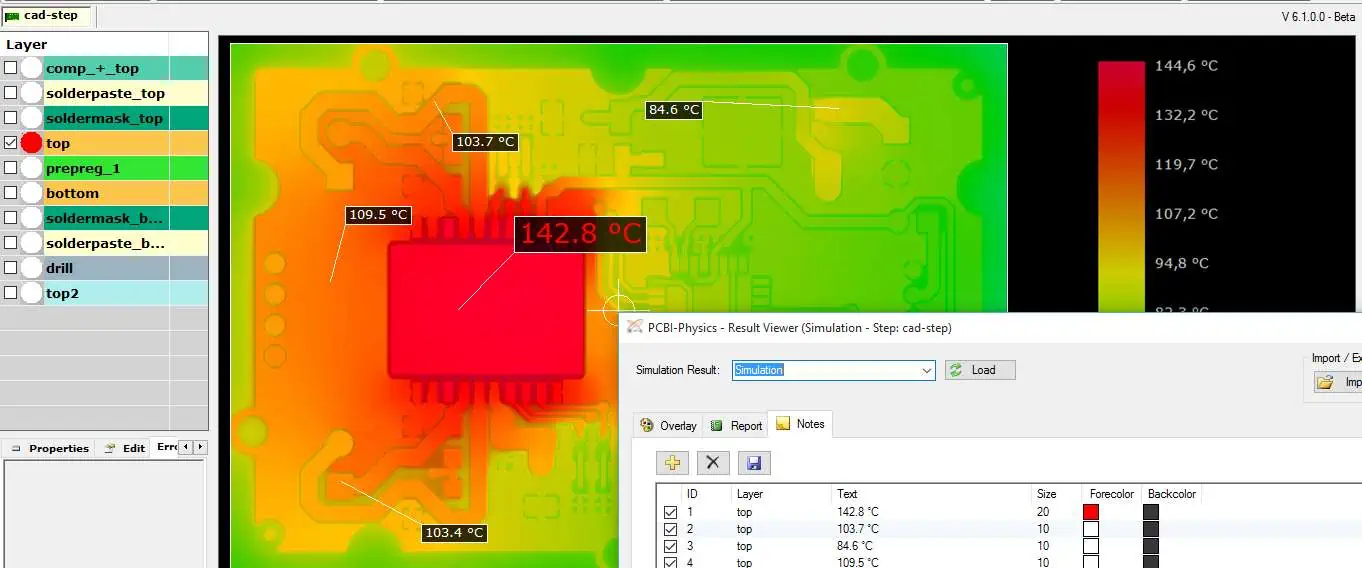
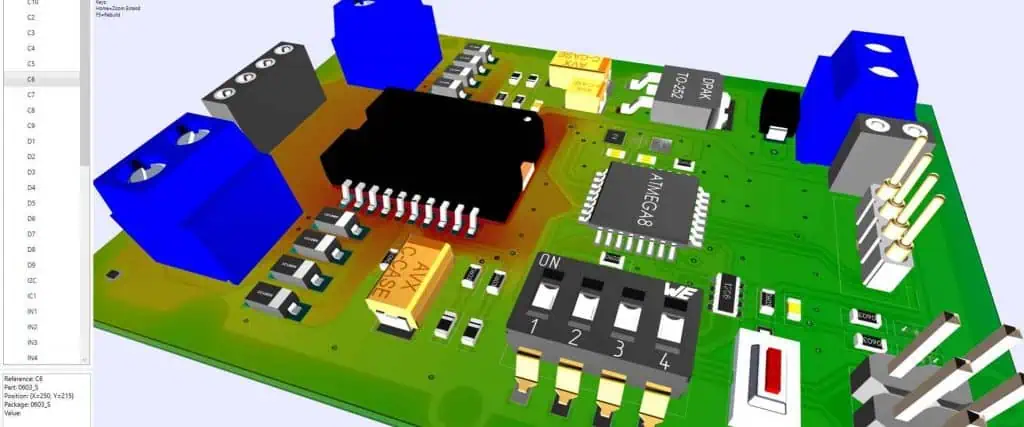
The ideal thermal management plan for your Circuit board can be determined with the use of a thermal simulation program. Tracking power loss across your PCB might help you understand how the PDN behaves as heat source. You may get a picture as to how heat would move across your board as well as the ultimate temperature distribution by using this information combined with power ratings of each component values plus the measurements for the PCB thermal resistance.
Enhancing FR4 Thermal Resistance
The most popular PCB materials are called FR4 and are characterized by the epoxy laminate. This FR4 has a very poor thermal conductivity as a result of this fabrication approach.
Thermal vias are among the low-cost methods designers can increase FR4 thermal resistance. The two conducting layers are connected via plated through holes.
Designers are able to increase the FR4 thermal resistance by inserting PTH vias in the right places. When the source of heat is immediately normal to a thermal via and has a diameter of 0.6 mm, it has a PCB thermal resistance standing at 96.8 °C/W. The FR4 thermal resistance is significantly improved when the amount of thermal via is increased. For instance, the initial 270-mm2 board will have its thermal resistance drop to 12 °C/W, which is a significant improvement of approximately 60% from the initial value.
Since this area normal to a heat source shrinks for open vias, the thermal resistance produced by the former is higher than that from the filled vias.
Makers of metal-core PCBs produce their boards in various ways. Solder mask, copper circuit surface, thermally-conductive dielectric layer, as well as a metal core layer—typically an aluminum substrate—are all visible when a one-layer MCPCB is examined.
Conclusion
You can design the thermal management plan which can help in controlling heat transfer in the board by selecting the appropriate pcb substrate material as well as component options. The thermal management approach can shift heat away out of each source of heat and lower the temperature of the printed circuit board by strategically placing copper components, elements, as well as interior plane layers.
Voltage control is a crucial component of power engineering and electronics. For our gadgets to continue working as intended, it is imperative that such voltage magnitude in-between the transmitting and receiving ends of the component stay consistent. Voltage regulation involves the idea of delivering a nearly constant voltage under various load circumstances.
This can relate to active interventions made by the voltage regulating circuit or passive characteristics like the drop in voltage along a distribution and transmission line. We’ll examine voltage control across transmission lines in more detail and go through several active voltage control techniques.
What Does a Voltage Regulator Circuit Mean?
The voltage regulator PCB design work to keep the output voltage constant. This happens despite changes in the load conditions or input voltage. The voltage regulator is often attached to power supply with variable output voltage. Connected to a regulator’s output, more delicate components like digital components, microprocessors, as well as other loads can rely on it to deliver a set voltage.
Also, voltage regulators have been most frequently utilized for the DC to DC conversion. While some also include AC to AC and AC to DC conversion capabilities. Switching and linear voltage regulators are really the two most common types.
An amplifier is used to regulate linear regulators, which employ a FET or BJT to maintain their supply voltage. Also, the amplifier modifies the transistor so as to maintain its consistent output voltage. This is achieved by comparing the regulator’s output voltage to a precise reference.
Output voltage of linear regulators is always reduced. The low dropout regulator can be described as a linear regulator having low drop-out voltages.
Since there isn’t any switching involved, the regulators produce less noise and work best for powering delicate circuits. Switching regulators, on the other hand, are intrinsically noisy since they switch often to maintain their output voltage.
The linear regulators could function with relatively low quiescent currents whenever they are appropriately constructed. Switching regulators employ intricate feedback mechanisms and ultimately consume more quiescent power. Such regulators may exhibit exceptionally high efficiency (90%) when acting as LDOs. Linear regulators have become less expensive and simple to incorporate to any layout. They don’t need a lot of parts or filters.
To assist in controlling its output voltage, the capacitor is typically installed throughout the output volt.
Switching Regulators
Using the power BJT or MOSFET switch, the switching regulator transforms an input Voltage level to a very more steady Dc output. Throughout order to lower switching noise upon that output voltage, every output out of the switching regulator often is filtered. Switch regulators come in three different flavors: These include boost or step-up, buck or step-down, as well as buck-boost (could provide step-down or step-up.
These switching regulators are often more effective since they may operate in either an on or off mode. Also, they can offer 90% or more efficiency, that is very challenging for most linear regulator to achieve unless they have been specifically made to function as LDOs.
This is very helpful when a high voltage is needed for the short time frame (for example, a camera’s backlight).
Because linear regulators become less effective, they typically generate more heat and require a heat sink. Heat sinks are often not required for switching regulators.
Your PCB would require constant DC voltage for functioning effectively unless you are dealing with an entirely AC system. Regardless of whether the input voltages (line) and output currents (load) fluctuates, the voltage regulator PCB design delivers the required DC voltage having a constant magnitude. Certain power lines were louder than others, and some circuits seem to be more susceptible to electrical changes than others.
Each designer need to be able to select the appropriate voltage regulator of their board. Let us just examine the various DC regulator types and discuss a few things to bear in mind while choosing a voltage regulator PCB Design.
Key Factors to Consider while Selecting Voltage Regulators
How to select the voltage regulators for various applications is a topic I frequently encounter on forums. There isn’t one answer to the query. While searching for the voltage regulator, users should think about the following qualities; be aware that both linear as well as switching regulators fall under these categories:
Output voltage
You must utilize the switching regulators in boost mode if you require a step-up regulator. One regulator is generally employed for every supply when utilizing systems with several suppliers.
Regulators typically provide a constant output voltage, yet there are certain regulators on the marketplace that you can are using some customizable parameters.
Noise versus efficiency
While switching regulators produce more noise compared to linear regulators, they are more efficient. Whenever the regulator delivers a large current, unnecessary electrical noise might disrupt other circuits. It might be more challenging to obtain EMC certification if you wish your products to go on sale. It is preferable to use a linear regulator if other printed circuits on the board require a lot of power, such as components that are solely analog.
Choosing a regulator having excessive power losses might make achieving efficiency targets nearly difficult. Linear regulators are much less loud, but they are highly inefficient (apart from LDO), which means some power gets converted into heat.
Install heat sinks mostly on board whenever your regulator would operate at high currents. The switching regulators could be a preferable choice if there isn’t space on the circuit board for the heat sinks or when power dissipation becomes an issue.
Transient Response
There is a brief spike inside the output whenever the output current fluctuates fast. Before returning to the same voltage, this voltage regulator requires a while. This is referred to as a transitory reaction. Typically, its output capacitance as well as loads current determines its transient response. Its quick transient reaction guarantees that a regulator can supply the necessary power. Search for the required bypass capacitor on the output of the regulator in the component data sheet.
Layout Out Every Circuit Block
Since we can view the complete system architecture, humans can better understand how to arrange every circuit block inside the switching supply of power coupled with the system generally to guarantee safety and low EMI. While designing a circuit board layout, keep in mind the whole block diagram:
Sectional organization: Try to set out the board’s power supply in portions, just like you would other boards having several functional blocks. This is acceptable to carry out this process linearly, moving from either the input into the output throughout their block diagram.
Layout considering feedback: There will occasionally be feedback across sections, like in a precise high current regulator. To fill this ground gap present between each component, use optocouplers.
Follow ground paths for return: “Follow the ground return paths” is arguably the only rule in Circuit board which applies to all designs. Regarding power supplies, it’s crucial for locating potential hot spots for common-mode currents and maintaining low-loop inductance for every supply segment.
Pay close attention to the high voltage and current rails: High voltage as well as high current design are sometimes combined. The minimum distance between both conductors is determined by the greatest potential difference in-between them (see IPC-2221), and the minimum width necessary to maintain low temperature is determined by the current that the conductor carries (check IPC-2152 for the external or internal layers).
What are the Limitations of the Voltage Regulator Circuits?
Voltage regulators have the following drawbacks. Among the primary drawbacks of a voltage regulator PCB design deals with the fact that it is inefficient in certain applications since it dissipates a significant amount of current.
This IC’s voltage drop resembles the voltage drop of resistors. That voltage drop between both terminals, for instance, is 2V whenever the input of the voltage regulator is 5V and its output is 3V. As the regulator’s efficiency may be limited to 3V as well as 5V, such regulators can be used with lesser Vin/Vout differentials.
The projected power dissipation meant for the regulator must be taken into account in every application since high input voltages may result in high power dissipation, which can cause harm to different components due to overheating.
Another drawback is that, in comparison to switching kinds, they can only do buck conversion since these regulators offer both conversion and buck.
Although switching type regulators are very efficient, they have certain disadvantages, including being less cost-effective than linear type regulators, being more complicated, being larger in size, and being more noisy if its outside components are not carefully chosen.
Parameters of Voltage regulator PCB
Output Voltage and Input Voltage
Preferably, you are aware of a range of input voltages as well as the necessary output voltage for the task at hand. Each chip in a voltage regulator is intended to be utilized with a certain output voltage
Dropout Voltage
A dropout can be described as the smallest buffer in-between the input and output voltages. The least 2V dropout would be required, for instance, if you’ve got a 7V input as well as need 5V output. You require a smaller dropout when you think your 7V input would go below 7V.
Every voltage regulator chip’s output voltage and dropout are given. For instance, a variety of dropouts are accessible in the 5V voltage regulator. The low dropout voltage regulators and even the ultra low voltage regulators would be necessary for circuits having a slight difference in between input voltage and the output voltage.
Device Sensitivity
A particular regulator may be needed to limit noise in very sensitive electronics like cellphones, wireless gadgets, and medical equipment that are battery-powered.
Response Time
The specialty voltage regulator with quick reaction times are accessible for applications like graphics cards, TVs, computers, printers, as well as embedded devices.
Power Draw
By utilizing linear voltage regulators, the differences between the output and input voltages is wasted by being converted to heat. Heat generation is probably not a problem when power use is modest.
Any electronic or electrical device that keeps a power source’s voltage within reasonable bounds is known as a voltage regulator. This voltage regulator is required to maintain voltages inside the permitted range that electrical equipment employing that voltage can tolerate.
What signs might point to a malfunctioning voltage regulator?
Signs of a Malfunctioning or Defective Instrument Voltage Regulators include flickering or dim gauges. Flickering or dim gauges are among the initial signs of a voltage regulator problem. Another is irregular or inaccurate readings. Inaccurate or irregular voltage regulator readings and an inoperative instrument cluster are further signs of a voltage regulator problem.
What occurs if a voltage regulator malfunctions?
Even the engine of your automobile might be impacted by a poor voltage regulator. For instance, if this auto component stops functioning correctly, you could notice that the car’s engine occasionally stalls or sputters. While you drive, it can also have problems accelerating.
Do you require voltage regulator PCB designs?
Among the most widely used electrical components, the voltage regulators are probably required in over 90% of devices. The voltage regulator is necessary unless you can power everything directly from battery power or from an external DC/AC adaptor.
Conclusion
If voltage has to be adjusted, voltage regulator boards are often present. For instance, an AC converter in wireless phones might reduce 120 VAC power to 8 VAC. The voltage regulator is then located inside the phone’s base, supplying the necessary DC voltage into the base’s electronics. There may be a DC to DC adapter built inside the phone. This makes use of the voltage regulator in supplying the right voltage for electronics. In summary, we can say that voltage control is a crucial component of power engineering and electronics. For our gadgets to continue working as intended, it is imperative that such voltage magnitude in-between the transmitting and receiving ends of the component stay consistent
Component soldering becomes more and more complex as electronic gadgets get smaller. This also works with the circuit boards getting more compact. The built board has a number of difficulties and flaws as a result of this intricacy. This solder mask bridge is a frequent problem when assembling these components.
The phrase “bridge” typically refers to a passageway or connecting two previously inaccessible locations. In the context of wireless communications, the provision of internet connections in-between both wired networks via a Wi-Fi connection is referred to as “bridging”. In this scenario, the wireless bridge performs the role of a client. It achieves this by connecting to the router and sharing Internet connectivity with the connected devices.
Yet, the word “bridging” inside the PCBA field refers to a completely other process when used in tandem with soldering. One form of problem that might happen while soldering is called solder bridging. It is a problem that could have an effect on production, call for reworks. This could possibly lead to irregular functioning in this field. It is important to know how to avoid solder bridging for the best board fabrication and performance. Therefore let’s examine solder bridging’s root causes in further detail and suggest ways to prevent it.
Let’s examine a solder mask bridge in more detail, along with its causes, the prevention, as well as its remedies.
How your PCB is impacted by the solder masking process
After delving into the process of solder mask, let’s look at how it impacts your PCB. This solder mask affects PCB assembly as well as board quality, as was previously mentioned. The most noteworthy effects of the solder mask are explained below, please let’s explain them below.
Prevents solder mask bridges: Creates the solder dam in-between the solder joints as well as other areas of your board that are conductive, which could cause board damage or short circuits.
Reduced solder paste consumption: Makes it possible to utilize fewer solder paste during the soldering operation. Serves like an insulator in-between the board components, providing additional isolation of the PCB’s components.
Safeguarding the PCB: This prevents the introduction of pollutants that could be caused by handling this board. Resists oxidation, which could reduce the device’s operational lifetime.
Raising its breakdown voltage: may improve the value of breakdown voltage that the dielectric material of the board holds and offer further protection against corona or arcs that are frequently found on high voltage (over 1 kV) boards.
Preventing the development of the metal whiskers: aid in avoiding the development of tin whiskers, which are typically linked to lead-free solder and tin plating for different electronic components.
It goes without saying that the procedure for the solder mask has a significant impact on how easily your board may be manufactured and how it will perform in use. However, there are some circumstances in which a solder mask might not be feasible or desirable, such as with small parts as well as fine pitches present on the BGAs (ball grid array). It is advisable to consult your CM in order to make sure there won’t be any negative consequences on the performance or dependability.
What does a PCB solder mask bridge represent?
Two points are joined by a bridge. The solder mask bridge forms on circuit boards whenever extra solder links at least two pads that ought to be separated above your solder mask.
Because of this problem, electrical shorts are created that, depending on how the bridging points are used, might result in various types of harm.
Causes of Solder Bridging
Solder bridging can occur under various circumstances. These can be defective machinery, subpar manufacturing techniques, or bad designs. The most common causes include:
Using too much solder on the SMT pads because the stencil specifications were wrong;
Defective seals in-between the stencil and bare board during printing;
Relatively large designs for solder pad compared to that gap present between the pads;
Incorrect component placement;
Relatively small component lead sizes in comparison to pad size; insufficient solder resistant layers found between the pads.
The fact that the liquid solder usually wicks toward heated metal or melted solder must be remembered (a large part of this PCB assembly procedure relies heavily on that factor).
This phenomena happens due to the fact that reflowing solder features strong surface tension, thus it remains balled up wherever it ought to be when holding items in it. Bridging can be brought on by anything that alters the system’s normal behavior.
Molten solder deciding to leave exposed copper on its pad is referred to as non-wetting. This problem typically arises when brass components have not yet been adequately plated or when the flux needs to be changed. On the contrary, dewetting indicates that molten solder covers a pad, then retreats, leaving the solder mound.
Pin Holes and Blow Holes
Both of these holes arise when the board has either poor plating of copper or an excessive amount of moisture.
Lifted Pads
Whenever the soldered component is removed from the joints with a worn-out soldering surface or one having an uneven layer of copper plating, lifted pads may appear.
Whenever the component is lifted all through wave soldering, it creates the tombstone problem and looks like one. Component lifting can be caused by using parts having different measurements for solderability or using leads of the wrong length.
Excess Solder
High solder accumulation could arise due to the improper lead size compared to the pad ratio. Additionally, it might be because of the conveyor belt’s rapid movement.
What You Must Do To Avoid Solder Mask Bridges?
While it’s not possible to ensure that there won’t be any solder mask bridges, one can avoid the problem by taking these precautions.
Verify the design of the circuit board again
Make sure that the design of the boards meets the best levels of producibility for the surface mount and through hole components. Also, you may work with the standards for the IPC industry for both the design as well as assembly of the PCB, which defines the A level as the best level for general productivity. In general, the most effective practice involves avoiding the tiny spacings or parts.
Asides that, check the design rules of the mask relief for areas which do not require the applications of the solder mask. We advice setting the relief to between 0.003 to 0.008 inches in the SMT components. However, you may need to adjust the value when the pads get extremely close together. Also, the color of the solder mask affects the relief.
Alter its Reflow Profile
By lengthening the period just above your liquid solder, the pads as well as component leads will have enough time to reach that same temperature. The solder would wet both once it reaches the desired temperature and moves there.
Leave Solder Mask Dams Between Pads
The solder mask dams are needed between the SMT pads due to the fact that it serves as the isolation wall, which prevents spillovers.In general, the minimum size of the dam should be about 0.004 inches.
For through-hole components, use the appropriate lead lengths.
The board’s thickness and size, the mass and size of the components, and the soldering type all affects the proper lead length.
This PCB manufacturer must assist you in determining the exact length needed for that application because long leads could result in bridging.
Minimize the Volume of the Solder Paste
One reason for solder mask bridges is the overuse of solder paste. Therefore, significantly less bridging can be achieved by reducing the volume of the solder paste or altering the stencil in order to change the location of the application.
Employ Solder Mask Specified Pads for the Tight Regions
You can choose the solder-mask-defined pad for protecting the surface for soldering if there isn’t enough space available for barrier and mask relief and you do not require the solder mask dams.
Use the Proper Pad Diameter and Hole Size
A solder mask bridge is more likely to form when there are big copper pads or through holes between the adjacent surfaces for soldering.
Apply the Solder Masking Properly
Any areas of the PCB which do not require soldering have a solder mask placed as its top layer. Molten solder won’t stick to epoxy, which is a common type of mask material. Therefore, you have to apply that mask in-between the component pins so as to stop the solder from forming the solder mask bridge.
Utilize Fiducials on the PCB
The fiducials are the markets placed on the circuit board design, which allows the automated machine to locate your PCB, and then align it properly. It will also place these components perfectly. The misplaced parts would also increase the solder mask bridges chances and then the marks will aid in the elimination of the problem.
Team up with a well-known PCB Manufacturer
Once you are done sending the files for the design to your manufacturer, then you have no control over the processes of fabrication, as well as assembly.
Before you can solve the solder mask bridge issue, you must have a solder flask, solder wick, as well as a soldering iron that is heat adjustable. Having all these, you can get rid of the problem using the steps below.
Monitor Its Temperature
The tip of the soldering iron must transfer the required heat for your solder wick to be able to melt as well as absorb that solder. Therefore, there’s a need to keep monitoring the temperature as well as ensure that it surpasses the temperature for soldering by some degrees. Take for instance, soldering at 250°C, increase your temperature to about 270°C. The higher temperature would cover for the heat absorption of the wick from its solder joint.
Make use of Surface Tension
The surface tension of molten solder can be used to detach the bridge with no need for a wick. Make use of a soldering iron having a clear top, but take care not to overheat the ICs or pads.
Make use of the Solder Wick
To absorb this melted bridge, we suggest utilizing solder wick. Add solder flux, position the wick well over bridge, and carefully heat with an iron. To transfer heat, lightly press your iron over that wick. Remember to replace the wick when it gets clogged.
It is essential to prevent overheating the PCB or the components. Additionally, removing this bridge may result in the removal of the solder joint; if this occurs, apply additional flux then solder that part neatly back to the board.
Frequently Asked Questions
What exactly are Solder mask bridge Jumpers?
Solder mask bridge jumpers are pairs of pads on the trace of a circuit board that can be bridged by a solder balls. To make the bridge, you may additionally utilize the 0-ohm resistor. Certain bridges, however, do not require soldering or joining and should stay open for various uses.
As previously indicated, you may bridge the solder pads with the solder ball or the 0-ohm resistor.
What does a faulty solder junction imply?
A poor solder joint indicates one with insufficient solder. Inadequate solder makes that joint weak, increasing the likelihood of cracking and failure. This flaw can be corrected by warming the junction and applying extra solder. This strengthens the joint sufficiently.
What exactly are disturbed joints?
Disturbed joints are usually caused by movement even during the alloy solidification. The final joint appears frosted and has a ripple structure on its surface. The movement might be manual or automatic. You can fix this issue by reheating these joints and allowing them to cool properly.
Conclusion
In summary, solder mask bridges could be harmful to the circuit boards owing to shorting. Therefore, you ought to take the precautions outlined above to prevent them. Nonetheless, if they do develop, a quick solution is possible.
Integrated circuits are usually packaged differently. IC packages encase and protect the circuit material from physical damage and corrosion. These packages are available in different types. Also, there are different ways to classify these packages.
The most common materials used in packaging integrated circuits are ceramics or plastics since they feature improved electrical conductivity. Our main topic focuses on the TQFP package, a type of IC package.
What is a TQFP Package?
A TQFP package is a type of IC package which refers to tin quad flat package. This IC Package has a smaller footprint. As the full name of TQFP suggests, this IC package is a thin variant of the quad flat package. TQFP package has gull wings which extend from all the sides of the package. This package is available in various body size ranging from 5m square to 20 mm square.
The TQFP package features the same footprint as the LQFP. This indicates that these two IC packages have the same size. Also, there are a variant of the quad flat packages. Despite their similarities, the leads of TQFP are shorter than that of LQFP. TQFP has proved to be very useful when reducing the overall PCB thickness.
It is a perfect option when you need to make a printed circuit board more compact. The gull wings present in TQFP package extends from all the four sides. This package is one of the thinnest IC package in the market. The pin counts of this IC package starts from 32 to about 256 pins. Its body sizes also ranges from 7 x 7, 14 x 14, and 10 x 10.
TQFP packaging process requires the use of a low loop wire bonding process and a good package control. The IC packaging process integrated in TQFP packaging is the flatpack package. When Quad Flat Package (QFP) gained popularity, this package was commonly used in Europe. However, the QFP became popular across other countries like the United States.
Presently, the US’ military standard for surface mount components packaging in circuit boards is the flatpack package. The TQFP package is ideal for electronic projects that need cost-effective, reliable packages.
TQFP is a reliable IC package widely integrated in printed circuit boards. This type of IC package has helped to provide solutions to some common problems in the industry. TQFP package solves problems associated with PCB designs. Below are some of the problems solved by this package
Die shrinking
TQFP package provides a long lasting solution to die shrinking. Die shrinking occurs when the design chip contents i.e the geometries for he layout of the die shrinks down to a smaller node to help in minimizing the footprint’s size in a package. TQFP package makes die shrinking less noticeable below where it is positioned.
TQFP package prevents die shrinking through the enhanced thickness of the die wire.
IC package portability
Some IC packages are not portable. With TQFP packages, it is possible to get the portability needed. This is because of the thinness of its quad flat package.
Benefits of TQFP IC Package
There are several advantages of using the TQFP package in printed circuit boards. These advantages give them edge over other type of QFP packages.
Suitable for smaller electronic devices
Due to the thin profile of the TQFP, this package is ideal for use in smaller electronic devices. They help PCB manufacturers to fabricate smaller circuit boards which are used in smaller electronics.
Environmentally friendly
TQFP package comprises green materials. The materials used in the production of this IC package are lead-free and as such it is environmentally friendly. Also, this makes TQFP package RoHS compliant and as well standardized.
Smaller package form factor
This is another advantage of TQFP. The TQFP package has a smaller package which makes it ideal for high frequency applications. Also, its reduced parasitic parameter is a big advantage of this IC package.
Package reliability
An IC package should offer the necessary reliability needed for its utilization in certain applications. TQFP package has several pin counts which makes it a reliable option. The numerous pin counts help this IC package perform better in several applications.
TQFP keeps providing benefits for engineers and designers. This cost-effective package delivers mechanical and thermal stability.
Despite the benefits of this IC package, it has got its won limitations. Therefore, PCB manufacturers need to expect some design challenges when integrating this package on their PCB projects. Some of the limitations of TQFP package include:
Solder bridges problem
For a TQFP package, the spaces need to be decreased form more pins. In as much as this sounds as a good idea, there are some problems associated with this. Decreasing the spaces for more pins has placed more demands on soldering. Therefore, PCB manufacturers are more likely to experience solder bridges when using the TFQP package.
Minimized spacing
Another disadvantage of using the TFQP package is decrease spacing. Amongst the quad flat package types, TQFP has the smallest spacing. This is because of the reduction of spaces available. The available spaces have been reduced from 50 mil to 20 mil and 12 mil. The reduction in spacing helped to provide more spaces to add more pins. However, this has posed some problems.
Possible Challenges Associated with Working with TQFP
Designers and engineers can encounter some possible challenges when working with the TQFP package. Due to these challenges, TQFP isn’t straightforward. Therefore, you will need to pay attention to some of these problems while working with this package.
Avoid mishandling the pins
The pins on TQFP are small and have little spacing. The little spacing and small pin size can cause damages, especially when the pins are mishandled in the packaging process. Therefore, it is crucial to keep the pins in a safe position. You can make use of the pick and place machines for the whole packaging process. These machines reduce errors by eliminating human inputs in most aspects of the design. Also, these machine perform their functions without damage.
Another way to avoid mishandling the pins is careful storage. It is advisable to store the pins in a safe place. You can request for proper storage as this keeps the pins protected from any form of damage.
Be careful with the TQFP pins
TQFP packages have more pins which helps in increasing the density of this package. However, it can result in some possible issues. For instance, you want to maintain proper spacing between one pin and the next pin. Doing this will help in preventing any overlap in the performance of the pin.
Benefits of SMT Integration in TQFP
Surface mount technology (SMT) is a packaging type for TQFP. The integration of SMT in TQFP offers these benefits:
EMC also referred to as electromagnetic compatibility refers to the capability of electronic devices and components to perform well despite their proximity.
Automated methods
Surface mount technology integrates automation to place components on a PCB. This automation minimizes human inputs and as such, saves costs.
Applications of TQFP
TFQP is the thinnest quad flat package. It offers a wide range of benefits and as such, it is widely used in various applications like
Semiconductor applications like gate arrays and microcontrollers
Computing applications
Communications boards such as integrated service digital network and Ethernet
The TQFP package features the same footprint as the LQFP. This indicates that these two IC packages have the same size.. Despite their similarities, the leads of TQFP are shorter than that of LQFP. While TQFP stands for Thin Quad Flat Package, LQFP stands for low-profile flat package. Also, there are a variant of the quad flat packages. TQFP has proved to be very useful when reducing the overall PCB thickness.
LQFP is easier to mount due to its longer leads. The lead count range of TQFP is between 32 to 176 while that of LQFP is between 32 to 208. TQFP is usually compared to LQFP due to their similarities. However, the main difference between these two IC packages is in their height. LQFP has a height that is about 1.7mm while the height of TQFP is less than 1.2mm.
How does TFQP Integrate Limited Spacing With More Pin Counts?
The thin quad flat package features limited spacing, however, this package type makes up for this weakness by using more pins. TQFP can use certain gate arrays like the Pin Grid Array and Ball Grid Array packages. This integration helps in minimizing the challenges that comes with spacing the leads. Also, it enables smooth connections around the package and as well as improve the pin count of smaller IC packages.
Conclusion
TQFP is a good IC package option that has proved to be effective. As a variant of the quad flat package, it features a very small footprint. This IC package has its advantages and disadvantages. We have explained how TQFP works and its use cases in this article.
Antenna-printed circuit boards are generally gadgets that technicians utilize to transmit and receive signals. Hence, these gadgets are heavily used in the telecommunication industry. Moreover, with the emergence of the 5G network, more and more electrical and electronic devices will bear antenna-printed circuit boards to communicate effectively. Moreover, printed circuit board antennas will also help technicians achieve full integration of home gadgets via the Internet of Things (IoT), which connects communicating devices.
However, to achieve all these, technicians must first overcome the barrier of designing the printed circuit board antennas. And when it comes to designing printed circuit board antennas, the 433mhz tops the list in terms of the trickiest PCB antennas to design. That is because these antennas have multiple constraints, which make them challenging to design and get right in terms of high performance and reliability. So how can you design 433mhz PCB antennas that are not just functional but also reliable? And are there shortcomings that come with dealing with 433 PCB antennas?
Understanding Antennas Printed Circuit Boards
We are in an era that is slowly moving towards wireless tech. Currently, most, if not all, electronic gadgets are relying on wireless tech heavily. For instance, major electronic gadgets we utilize to achieve our daily tasks, such as pads, laptops, and smartphones, rely heavily on this technology. That is because antennas printed circuit boards are crucial elements that allow effective reception and transmission of EM (electromagnetic) radiation under unrestricted spaces.
Printed circuit board antennas are the most popular variation of antennas in printed circuit boards. Generally, these antennas are printed onto a bare board that bears copper ink. Moreover, the bare board that holds the antennas tends to have electrical connections to other electronic components, for example, resistors or connectors. It then utilizes these connections to receive or transmit EM waves.
Antenna-printed circuit boards are wireless gadgets that receive or transmit signals. These components have multiple applications in the communication (telecommunication) industry.
FPC antennas represent exposed conductors. And conductors transform into antennas when they gain a specific ratio. They also turn into antennas when they become an element of a wavelength signal. The conditions that turn conductors into antennas are known as resonance because the electrical energy that is fed by the antennas is generally released into the atmosphere.
The geometry of an antenna possesses two crucial aspects in the following areas:
The antenna feed
The antenna length
In printed circuit boards, antennas achieve similar levels of performance to dipole antennas. They operate by having the ground located slightly beneath the conductor. Placing the ground at this level generates a unique image of a pretty similar length. Generally, the legs operate as dipole antennas, which experts call wave monopoles.
Therefore, when generating a printed circuit board design, you should significantly consider the following factors:
There are there man antenna categories, and they are:
Chip Antenna
PCB Antennas
Wire Antennas
Wire Antennas
Generally, this category encompasses antennas that have wires extending from the PCB and into the environment. However, the length of this antenna matches around a quarter length over the G-plane designation. Moreover, this antenna feeds off a 50 Ω four TL (transmission line).
These types of antennas offer the best performance and RF range due to their attributable dimensions and three-dimensional exposure. In addition, these wires can deliver a helix, a straight, or a loop.
Printed Circuit Board Antennas
PCB antennas also go by the name PCB Trace Antennas since they involve drawing a trace on a printed circuit board. Moreover, these antennas can come in varying traces shapes which might include:
Wiggly curve
Inverted F-type trace
Circular trace
Straight trace meandered trace
These shape variations come due to antenna and shape constraints. Moreover, PCBs become 2D structures which makes them similar to standard printed circuit boards in terms of appearance. However, you must follow specific guidelines when bringing three-dimensional antennas and transitioning them to two-dimensional printed circuit board traces.
Chip Antennas
Chips antennas come as small (minuscule) form-factor IC (integrated circuits) which possess an antenna. These antennae are pretty useful when gadgets don’t have sufficient space to hold printed circuit board antennas. Moreover, these gadgets also support three-dimensional wire antennas, which makes them pretty efficient.
Materials Used to Generate Printed Circuit Board Antennas
For a component to qualify as an antenna printed circuit board material, it has to bear a high frequency. That’s because normal components can’t perform well when used in antenna-printed circuit boards. Here is a list of common materials that you can utilize to generate your antenna printed circuit board:
These materials are available in the market, and you can access them easily using the internet. Moreover, you can also contact a PCB antenna manufacturing company to purchase these components from them.
Significant Antenna Types PCBs
The Antenna printed circuit board designing and fabrication process involves experts first understanding the many variations of antenna PCB that exist and their unique applications. Generally, you can’t produce or design something you know nothing about or its specific application. As seen earlier, there are three significant categories of antenna-printed circuit boards. However, you can transcend this classification to get multiple types of antenna printed circuit board variations.
The significant types of antenna PCBs include:
Printed Circuit Board Antennas
The printed circuit board wifi antennas offer customers reliable and easy-to-drop solutions for simple yet efficient wifi communication integration. Moreover, these antennas are customizable, which means you can manipulate them based on your cable length and connector type specifications.
The printed circuit board wifi antenna provides 4G and 5G ranges beside bearing an effective IPEX connector for impeccable connectivity.
Attributes of the Printed Circuit Board WiFi Antenna
The printed circuit board wifi antenna comes bearing the following attributes:
Adhesive backing
PCB or FPC
10 N of pull force
50ohm impedance
The PCB Bluetooth Antenna
The printed circuit board Bluetooth antenna is an efficient instrumental component that allows various functionalities, which include:
Bluetooth connection
Bluetooth pairing
Moreover, these antennas come connected to various gadgets, for example, laptops and smartphone, and it has proven to be flexible and robust. Furthermore, this antenna has over 70% efficiency across various bands, on-ground and off-ground.
Attributes of the PCB Bluetooth Antenna
The printed circuit board Bluetooth antenna comes bearing the following attributes:
A rugged, cost-effective design that allows for a reel, SMT, pick and place, and tape packaging
It is an off-the-shelf electronic product
Extensive application support
Design collateral
The off-ground and on-ground solutions
High performance even though it is an embedded solution
It is a printed circuit board embedded structure that comes with complete ground clearance. Moreover, it also has small form factor needs.
The 433 MHz Printed Circuit Board Antenna
The 433 MHz printed circuit board antenna, which is the main focus of this article, is among the major types of printed circuit board antennas. These antennas come with single-chip radio frequency transceivers that feature FSK modulation and demodulation capabilities.
These 433 MHz printed circuit board mostly find their primary application in various UHF radio gadgets as compliance requirements, especially by the ETSI specifications. Moreover, these antennas also apply in the following:
Wireless communication
Telemetry
Alarm and security systems
Toys
Automotive
Remote controls
Attributes of the 433 MHz Printed Circuit Board Antenna
The 433 MHz printed circuit board antenna bears the following unique attributes:
Generally, antenna designs tend to play a vital role when it comes to achieving successful short-range and low-power transceiver communication between various systems. Experts use the target operating frequency’s wavelength to effectively determine the size of the patch during the PCB antenna design process.
Moreover, when it comes to generating a 433 PCB antenna design, you should be ready to do some calculations since you will deal with multiple variables.
Calculating 433 MHz PCB Antenna Parameters
Before calculating the antenna parameters, you must choose the perfect substrate materials to use on the PCB. Moreover, you also have to select the ideal width and length of the materials needed along the antenna’s operating frequency. Note that when you are dealing with the 433 MHz printed circuit board antenna, you should utilize FR4 material since it has a permeability of 4.4 and a relatively high dielectric strength.
When it comes to broadening the antenna, you should highly consider the substrates height. Actually, it would help if you kept the substrate’s height constant throughout your design process.
If you go with materials such as Bakelite and Glass epoxy, you should maintain the substrate’s height at around 1.5 mm.
As per traces, you should design and calculate the impedance traces, power traces, and signal traces carefully and with much precision because an improper trace width can generate an excellent signal reflection. Moreover, you should note that the minimum TW (trace width) should be 0.625mm or six mils. But if you are aiming for high tolerance, then you should keep the trace width at the following ranges:
0.254 – 0.3 mm
10 – 12 mil
Moreover, when carrying out trace calculations, you should remember that trace resistance tends to go higher as the board’s trace gets narrower or longer. Therefore, you should keep traces carrying relatively higher current short to maintain high performance.
Antennas are pretty sensitive to the environment. Therefore, when you embed them on a printed circuit board, you have to consider various constraints and requirements highly. That is because these requirements significantly impact the reliability and performance of your 433 MHz printed circuit board antenna.
Therefore, when generating a design for a 433 MHz PCB antenna, you have to keep the following in mind:
Positions the Antenna
Different antennas have varying modes of operation. Moreover, depending on the radiation levels of an antenna, you might have to position it in a specific area on the printed circuit board. In our case, you can place the antennas in the following positions:
The long side of your printed circuit board
The corner of the printed circuit board
Or lastly, the short side of the printed circuit board
Keep Out Areas
When designing the areas to hold the components, ensure you place them away from the antenna area. That is because positioning components near the antenna might lead to signal interference, ultimately leading to your gadget performing poorly.
Moreover, note that the section around the board’s antenna should be away from any metallic object, including mounting screws.
Ground Planes
Regarding the ground plane, you should significantly consider various factors, including the size of the GP (ground plane). That is because any cables you use for communication between multiple batteries and devices might alter the normal functioning of the device if you don’t design them correctly. Therefore, you must ensure you pick the perfect size for the GP.
Proximity
When designing the 433 MHz PCB antenna, you should ensure you keep the antenna away from electronic components in the circuit board. That is because the electronic components can potentially interfere with the antenna’s radiation. Moreover, you should keep in mind that the gap between various components and antennas varies according to the width and height of the component.
Conclusion
We are living in an era that is full of wirelessly communicating devices, and part of the reason why this is made possible is due to printed circuit board antennas. However, printed circuit board antennas come in many different variations, and each variation requires unique design guidelines. The 433MHz PCB antenna is part of the major types of printed circuit board antennas, and it requires great attention to get right in terms of design. Therefore we hope this article will help you generate an efficient and high-performance 433MHz printed circuit board design.