Solidworks PCB vs Altium Designer: What’s the Difference?

solidworks PCB

Introduction

Printed circuit boards (PCBs) are essential components in nearly all modern electronic devices. As such, PCB design software is a critical tool for electrical engineers and hardware developers. Two of the most popular PCB design programs are Solidworks PCB and Altium Designer. But what exactly sets these two platforms apart?

In this in-depth comparison guide, we’ll examine the key differences between Solidworks PCB and Altium when it comes to features, interface, pricing, and more. Whether you’re looking to choose between the two for a new project or simply want to learn about their respective capabilities, read on for a detailed look at how these rival PCB design solutions stack up.

Overview of Solidworks PCB and Altium Designer
Hardware Layout
Hardware Layout

Before diving into a feature-by-feature comparison, let’s briefly introduce both Solidworks PCB and Altium Designer.

Solidworks PCB

Solidworks PCB is a printed circuit board design software offered under the Solidworks brand, which is owned by Dassault Systรจmes. It is tightly integrated with the Solidworks 3D mechanical CAD program, allowing users to design electronics and enclosures together in one unified workspace.

Solidworks PCB offers tools for schematic capture, PCB layout, component placement, design rule checking, and more. It generates manufacturing-ready outputs including Gerber files, NC drill files, assembly drawings, and IPC netlists.

As its name implies, Solidworks PCB is primarily marketed to existing Solidworks users. However, it can also be purchased as a standalone electronics design package.

Altium Designer

Altium Designer is a feature-rich PCB design tool developed by Altium Limited. It provides a unified environment for schematic capture, PCB layout, component management, signal integrity analysis, documentation generation, and FPGA design.

Altium Designer has a long history dating back to the mid-1980s. Over three decades of development, it has evolved into one of the most fully-featured and capable PCB design platforms available.

Whereas Solidworks PCB mainly targets mechanical engineers, Altium Designer is used by a wide range of professionals including electrical engineers, PCB designers, and embedded systems developers. It is an industry-standard electronics design solution.

Now that we’ve introduced both tools, let’s look at how they differ across some key categories.

Feature Comparison

The most significant differences between Solidworks PCB and Altium Designer come down to their respective features and functionality. Let’s compare them across some major areas:

PCB Layout Tools

When it comes to PCB layout, Altium Designer provides more specialized and advanced capabilities versus Solidworks PCB.

Key advantages of Altium include:

  • More customizable and automated routing options
  • Interactive length tuning and matching for signals
  • Extensive high-speed and differential pair routing tools
  • Blind/buried via support and via stitching
  • Sophisticated functionality for power planes and polygons
  • Better support for rigid-flex PCB capabilities

Solidworks PCB has simplified routing that gets the job done for basic layouts. But Altium gives engineers finer-grained control and supports more complex PCB design challenges.

Library and Component Management

Both tools allow you to build custom component libraries and access integrated vendor libraries. However, Altium Designer has a clear edge when it comes to features and flexibility around part management.

Advantages of Altium include:

  • Larger collection of ready-made manufacturer parts
  • Ability to index external component databases
  • Parametric components with full lifecycle support
  • Part choice locking and revision tracking
  • Parts for various design domains including FPGA, embedded, and multi-board

Solidworks PCB has sufficient components for common tasks. But Altium makes it easier to customize, organize, and reuse components across large enterprises and diverse design teams.

Design Reuse and PLM Integration

Altium also excels when it comes to supporting design data reuse and integration with product lifecycle management (PLM) systems.

Benefits include:

  • Native integration with platforms like SVN, Git, and Teamcenter PLM
  • Automatic linkage between schematics, layouts, and documentation
  • Re-use of templates, macros, components, and sub-circuits
  • Design variant and version management
  • Support for manufacturing-ready data packages and handoff

By comparison, Solidworks PCB has lighter PLM capabilities focused mainly on integration with Solidworks CAD tools. The focus is more on managing individual PCB documents rather than enterprise-level design data.

Simulation and Analysis

Both platforms include tools for simulation and analysis to verify circuit behavior and PCB performance before manufacturing.

Altium Designer offers a wider array of options such as:

  • SPICE, IBIS, and mixed-signal circuit simulation
  • Power plane analysis for voltage drop and decoupling
  • DFM analysis for manufacturability
  • Signal integrity analysis for crosstalk and reflection
  • 3D field solving for electrical and electromagnetic performance

Solidworks PCB covers the basics for simulation but once again has fewer advanced capabilities tailored to complex analysis.

Documentation and Outputs

Documentation is a key part of the design process. Both Solidworks PCB and Altium Designer can generate detailed drawings, schematics, BOMs, fabrication files, and other outputs.

Altium provides stronger documentation capabilities through features like:

  • Customizable manufacturing documentation assemblies
  • Automated BOM generation with supply chain linkage
  • Automated PDF generation and report creation
  • Scripting support for mass document production
  • 3D PDF export for interactive visualization

As a CAD-integrated tool, Solidworks PCB excels at creating traditional engineering drawings. But Altium offers more flexibility for manufacturing files, BOMs, and intelligent documentation.

Design Rule Checking

Design rule checking (DRC) is an essential function that validates PCB layouts against fabrication constraints. It is used to avoid costly manufacturing errors.

Both Solidworks PCB and Altium Designer have robust DRC engines. Altium provides additional capabilities like:

  • Rules can be customized using VBScript or JavaScript
  • Supports length tuning rules for high-speed signals
  • Per-net and per-differential pair rule settings
  • Real-time and batch DRC checking modes
  • Detailed reports to waive and document violations

Solidworks PCB has the basics covered for DRC. But Altium makes it easier to define detailed and advanced checking for complex boards.

Pricing Comparison
Altium vs Cadence

Another major difference between Solidworks PCB and Altium Designer is how they are licensed and priced.

Solidworks PCB pricing includes:

  • Bundled with Solidworks CAD seat ($4,295 base price)
  • Standalone license around $7,000 per seat
  • Lower cost options for educational licenses

Altium Designer pricing includes:

  • Subscription from $2,205/year to $7,900/year
  • Perpetual license from $9,720 to $21,500
  • Volume discounts available for teams
  • Free limited functionality option

Solidworks PCB is very reasonably priced when bundled with Solidworks CAD tools. But as a standalone PCB solution, Altium Designer offers more flexibility including subscription options.

For large teams and enterprise customers, Altium Designer tends to provide greater value through volume discounts. But Solidworks PCB can make sense for smaller groups already bought into the Solidworks ecosystem.

User Interface Comparison

In addition to features and pricing, the user interface of each platform is worth considering.

Altium Designer uses a unified interface for schematic capture, PCB layout, library management, and other functions. Some benefits include:

  • Consistent user experience across modules
  • Live connectivity between schematics and PCB
  • Highly customizable UI with dockable/tabbed panels
  • Keyboard-driven workflow for speed and efficiency

Solidworks PCB has separate modes for schematic versus PCB editing. The interface will be familiar to Solidworks CAD users. Pros include:

  • Integrates into Solidworks look-and-feel
  • Clean, simple UI focused on core tools
  • Easy transition for mechanical engineers
  • 3D view link between electronics and enclosure

For electrical engineers doing heavy PCB work, Altium often provides a quicker and more tailored workflow. Solidworks offers a simpler interface targeting mechanical users.

Strengths and Weaknesses Summary

Based on the detailed comparison above, here is a high-level summary of the strengths and weaknesses of each platform:

Solidworks PCB

Strengths:

  • Tight integration with Solidworks CAD
  • Easy to learn for mechanical engineers
  • Lower cost when bundled with Solidworks
  • Sufficient for basic PCB layout needs

Weaknesses:

  • Limited advanced functionality for complex designs
  • Weaker library/component management
  • Less flexibility around licensing models
  • Less capable for large enterprises and teams

Altium Designer

Strengths:

  • Very robust, full-featured PCB design environment
  • Advanced tools for high-speed, RF, FPGA, flex, etc.
  • Strong part creation/management capabilities
  • Great for complex documentation and reporting
  • Flexible licensing models to suit different needs

Weaknesses:

  • Steeper learning curve than Solidworks PCB
  • Overkill for simple or hobbyist PCB projects
  • Can be more expensive as a standalone tool

As shown above, Altium Designer is the superior solution for advanced PCB work, but has a steeper price and learning curve. Solidworks PCB is a more basic tool, but benefits from tight CAD integration and bundle pricing.

Which Should You Choose?

With this exhaustive feature and capability comparison complete, should you choose Solidworks PCB or Altium Designer for your next project?

Here are some guidelines:

  • If you already use Solidworks CAD, stick with Solidworks PCB for simplicity and bundle value. It can handle basic PCB needs when mechanical integration is a priority.
  • For advanced electrical engineering work on high-speed or complex boards, Altium Designer is likely the better choice. It provides deeper functionality and tools tailored to the practicing PCB expert.
  • If you’re part of a small team starting out, Solidworks PCB has a gentler learning curve and lower cost. Altium Designer scales better for large enterprises.
  • For flexibility, Altium’s licensing model with subscription and perpetual pricing provides more options. Solidworks PCB access is tied to Solidworks bundles.
  • Altium Designer has a steeper initial learning investment but can pay dividends on complex projects. Solidworks PCB is quicker to pick up but less capable for extensive designs.

The best option depends heavily on your specific needs. But this guide should help reveal the detailed pros and cons of each platform and guide your purchasing decision. Both Solidworks PCB and Altium Design offer compelling optionsโ€”understanding their respective strengths is key to determining which solution makes the most sense for your next PCB project.

Frequently Asked Questions

What are the key differences between Solidworks PCB and Altium Designer?

The main differences are:

  • Altium provides more advanced PCB layout tools while Solidworks PCB focuses on basics
  • Altium has superior library/component management capabilities
  • Altium integrates better with enterprise PLM/version control systems
  • Altium offers more advanced simulation/analysis functionality
  • Solidworks PCB pricing can be lower when bundled with CAD
  • Altium provides more licensing flexibility including subscription
  • Altium has a steeper learning curve but more powerful long-term capabilities

Which is better for mechanical engineers doing PCB design?

For mechanical engineers new to PCB design, Solidworks PCB is likely the better choice. It will feel familiar from using Solidworks CAD, and the integration between mechanical and electrical design makes collaboration easy. Altium Designer has a steeper learning curve for those without an ECAD background.

When does it make sense to choose Altium over Solidworks PCB?

Altium Designer makes more sense when you need advanced functionality like high-speed routing, differential pairs, RF design, or analysis features that Solidworks PCB lacks. The robust toolset of Altium is also preferred for complex or enterprise-level PCB work. When basic layout capabilities are sufficient, Solidworks PCB is a fine choice.

How does the pricing compare for small teams?

For smaller teams, Solidworks PCB can provide better value when purchased alongside Solidworks CAD tools. The bundle pricing is cost-effective for groups already using Solidworks. Altium Designer is price-competitive with Solidworks on a standalone basis through subscription licensing, but generally more expensive upfront on a perpetual license.

Can Solidworks PCB and Altium Designer work together?

While the tools have different native file formats, it is possible to convert files between Solidworks PCB and Altium Designer. There are reference guides available for moving PCB designs and libraries between the platforms. This allows some interoperability, though it’s best to pick one tool as the primary design environment.

Conclusion

Solidworks PCB and Altium Designer both provide capable PCB design environments with distinct strengths and target use cases. Solidworks PCB is simple to adopt for mechanical users and integrates smoothly with CAD. Altium Designer is the superior solution for advanced functionality and enterprise-level design teams, albeit with a steeper initial learning curve.

By understanding the in-depth comparison presented here between features, interfaces, pricing models, and intended users, both electrical and mechanical engineering professionals can make an informed choice between these leading PCB design platforms.

What is Solidworks PCB ?

SOLIDWORKS PCB delivers the needed productivity to quickly design PCBs. This is ensured with a unique partnership formed between 3D mechanical and electrical design teams. This provides a clear benefit where the ECAD-MCAD partnership is very important for the general success of the design of electronic products.

This PCB design system is easy to use. Also, it delivers a strong and effective set of design tools that help in developing some electronic products. This was designed to suit those that are new or not used to electronics design systems. SOLIDWORKS PCB 2020 provides a unique and refined design environment. Asides from this, they offer advanced features to ensure bidirectional interaction with the MCAD process.

By experimenting with the SOLIDWORKS PCB software, you can easily explore its features and interface.

The Environment of SOLIDWORKS PCB

SOLIDWORKS PCB integrates a lot of PCB design tools, which features an easy-to-use and modern design interface. It has a user interface feature, which supports a workflow that is smooth and intuitive. This can be seen in the PCB design solidworks, schematic, and even in the design release stage. These features include:

  • A refined menu system of ribbon-style
  • Multi-tab, flexible, design editor windows
  • User configuration preferences
  • Dockable panels, which helps when working with design documents
  • A complete set of command shortcut keys
  • web-based and context-sensitive help reference

While moving between tasks in the design workflow of SOLIDWORKS PCB, its system responds to the present requirements. It does this by opening the ribbon menu set, panels, and design editors, which you may need for the current task. The design environment maintains a consistent feel and look, and changes dynamically to present the right windows and tools as you design. The elements of the user interface are nevertheless consistent when it comes to function, positioning, and style.

  • You can open multiple documents for editing, with each giving you a separate Document Tab, which can be found on top of the workspace.
  • While switching between different documents, for example from a PCB design to a schematic sheet, the tool options, and ribbon menu will change automatically.
  • The commands seen in the File tab of the ribbon remain unchanged, regardless of the type of document.
  • Workspace controls like panels can be docked along any of the workspaceโ€™s edges, at the side, or float on top of the application.

Ribbon Command System

The ribbon-style menu of the SOLIDWORKS PCB offers a highly visual and dynamic control system. With this feature, you can quickly find the commands needed.

The arrangement of the menus and commands buttons are done in groups under some series of tabs, which will all change to work with the current task. What results is a command interface that is easy to use and efficient. This makes the best use of the screen space available.

Making use of the ribbon menu is just as easy as choosing the right tab, or flicking through them quickly to locate some commands suitable for your present needs.

To gain access to editing commands and common files easily, the ribbon menu includes a Quick Access Bar area which can be found above the ribbon tabs. It provides buttons to open as well as save a document directly. You can also use the redo and undo buttons for the edits you made last. The leftmost icon button of the SOLIDWORKS PCB offers window controls like Close, Minimize, Maximize, etc.

Start page

The start page of the SOLIDWORKS PCB is opened when you install the software for the first time. This offers a central location where you can access several system configuration options and system tasks.

The page is specially designed to provide a direct and simple way to gain access to the softwareโ€™s routinely used areas

  • To manage the software license of the SOLIDWORKS PCB, Select My Account. This will also help you to sign in and out, as well as change your Account Preferences.
  • If you want to begin a new project (blank), or make use of one from the supplied templates list, click on Start a new PCB Project.
  • To load a library or PCB project you have already started working on, click Open Project
  • From the shortcut list of your recent projects, you can choose a project you have previously opened. You can then open it using SOLIDWORKS PCB.
  • From the shortcut list of your Reference Projects, you can choose one of the reference projects. You can then open it using SOLIDWORKS PCB.
  • To see your currently active project documentsโ€™ graphical preview, just click Project Documents. Then to open a document in SOLIDWORKS PCB, just click a preview twice.
  • To install and access extension modules, which add to the functionality of the SOLIDWORKS PCB and software updates of the system core, click โ€œExtension and Updates.โ€

Document Windows

When a document is opened in the major design window of the SOLIDWORKS PCB, it is now the active document seen in the associated editor.

You can open multiple documents simultaneously. Each of these documents has a selection tap, which can be seen on top of the design window.

The whole workspace can be occupied with documents. Also, you can share the workspace between many open documents through Split commands, which can be seen in the Window menu. You can then drag these documents from any split region to the other.

Reasons why you should choose SOLIDWORKS PCB

solidworks pcb design

Rigid-Flex Design

You can define the rigid-flex layer with angles and bend lines and validation with component clearance checking and 3D folding to ensure the correctness of the layout.

Data and Design Management

With the SOLIDWORKS PDM-based design, SOLIDWORKS PCB-PDM Connector, and the data management workflow, you can design files, manage projects, and make proper documentation.  

You can also index and store and design data securely for quick retrieval. You donโ€™t have to worry about data loss and version control. Also, it is possible to collaborate on design data from more than one location.

ECAD-MCAD Design Collaboration

The collaboration and integration of the ECAD-MCAD with SOLIDWORKS is unmatched. This unifies design data and enforces changes to both sides of the design project.

PCB Design Engine

It features an Altium-based, industry-proven design engine. This helps in the routing and layout of PCBs – printed circuit boards.

Modern Schematic Entry

The Altium solidworks has a schematic capture tool that has great and extensive electrical rules, libraries, and drafting capabilities.

Its Interface is Streamlined

It has an easy-to-use and intuitive interface. Asides from this, it has a use-model and consistent editor between the board layout and schematic capture.

The ECAD-MCAD Engineering Change Order (ECO) process is managed

A managed ECO process handles changes in design. This includes cutouts, mounting holes, component placement, and board shape. This ensures that designs are kept in sync.

3D Clearance Checking

Using components present in the mechanical composure, you can visualize the PCB. This is to help in reducing expensive prototypes by making sure that the board, as well as its components, is perfect for the mechanical enclosures with 3D clearance checking.

SPICE 3f5 Simulator (Mixed-Mode)

You can analyze and simulate mixed and analog-signal circuits from inside the schematic editor. This will help in preventing unnecessary design revisions and making design trade-offs by carrying out a functional validation on the designs before manufacturing or layout.

Supplier Links

Here, you can search online supplier links and databases or fix parametric data to the components of your design. This will help you match pricing, real-time device parameters, and availability. Asides from this, this equips you with updated information all through the whole design process.

By having this information, you will be able to make quick decisions to meet deadlines, budget, and electrical requirements.

Version Control

Compare and manage all the changes made and history to design files and gain higher control over the changes that have been made to your design. By this, you will know exactly what type of changes was made and who made them.

Component Database Support

From a corporate database, you can place the parametric data of the component directly. This keeps the components that have been utilized in your design synchronized with the databaseโ€™s stored data.

Great File Support

With the 3D file support of SOLIDWORKS, you can be assured knowing the intentions of your mechanical designer. This offers a very pure and precise version of component enclosures and models. This makes sure that your check process offers a very good picture on board fit.

Revision Management and Design Commenting

Here, you can take total control of the process your design passes through and understand the changes made to the board design and the time it was made. Comprehensive design revision comments will let you see the history of changes made and with the ability to reject or accept the changes.

Conclusion

The SOLIDWORKS PCB design system is easy to use. It delivers a strong and effective set of design tools that help in developing some electronic products. Also, it provides a unique and refined design environment.
What’s Xilinx XC7K70T-2FBG676C FPGA Price

Xilinx XC7K70T-2FBG676C

Xilinx is one of the core manufacturers of Field Programmable Gate Arrays (FPGAs). One of the reasons why the brand is trusted and patronized by thousands of engineers is because of the wide range of gate arrays they manufacture.

Xilinx ideally categorizes the FPGAs into different families or classes. Each of those Xilinx FPGA classes or families is designed to accommodate different needs for Field Programmable Gate Arrays (FPGAs). One of those Xilinx categories is Kintex-7.

Kintex-7 is one of the FPGA classes under the Xilinx brand. These categories of FPGAs are designed to provide high-end performance without attracting much cost.

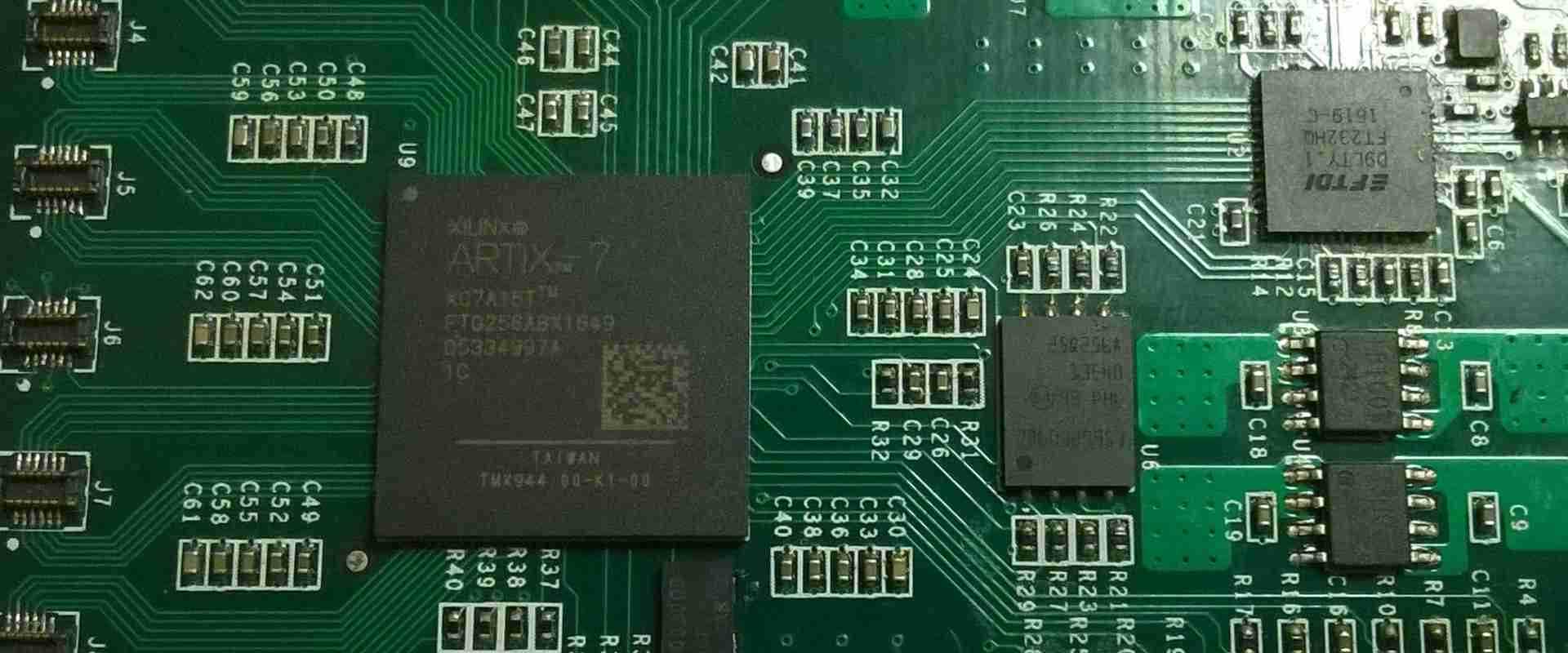
The XC7K70T-2FBG676C is one of the Field Programmable Gate Arrays (FPGAs) under the Xilinx Kintex-7 family.

This article explains most of the components of the XC7K70T-2FBG676C, as well as the properties or features the gate array inherits from the primary family โ€“ Kintex-7.

What is XC7K70T-2FBG676C FPGA?

As explained earlier, XC7K70T-2FBG676C is a Field Programmable Gate Array (FPGA) categorized under the Xilinx Kintex-7 series.

One of the features that set this FPGA apart from the others is the multiple product categories. It can double as a Field Programmable Gate Array (FPGA), as well as a Programmable Logic. Either way, rest assured that you can use the gate array to facilitate the configuration and or reconfiguration of circuits.

Technical Components

The XC7K70T-2FBG676C FPGA has some technical components or specifications that we would like you to know.

Here are some of the technical components of the XC7K70T-2FBG676C FPGA:

1. Technology

The technology used in designing or reconfiguring a circuit board. This is because the technology used can either improve the aesthetics of the board or reduce the same.

In the case of the XC7K70T-2FBG676C FPGA, the technology used in designing the IC is very impressive. The semiconductor IC was designed with Surface Mount Technology.

It is understandable if you are wondering why the Surface Mount Technology (SMT) would be used instead of the Through Hole Technology (THT) that is commonly used.

There are many reasons why the Surface Mount Technology is better than the Through Hole Technology. However, we would like to explain more about the SMT so you can understand how it works.

The Surface Mount Technology (SMT) is an electronic manufacturing and assembly process whereby the components to be used for the assembly are mounted on top of the semiconductor IC.

This is both efficient and cost-saving because you do not need to use wire leads. That way, the components would be mounted or placed faster on top of the semiconductor IC, while the costs would be reduced since you wouldn’t need to purchase wire leads or the other associated materials.

2. Style of the Package

Surface Mount Components (SMT) are used in different ways. The method of placement may vary, but the results are the same.

Likewise, there are different styles of packages used for different types of SMT components. It is pertinent to note that each of those package styles works in unique ways.

That is the Xilinx Kintex-7 XC7K70T-2FBG676C FPGA was designed with Grid Array. The full name is Ball Grid Array (BGA) and it is the fourth in the hierarchy of Surface Mount Technology (SMT) components. That notwithstanding, the package style is very effective.

The Ball Grid Array (BGA) works by mounting the components underneath the IC instead of on the side of the package.

The connection pads used alongside the Grid Array package style also come with balls of solder that are melted during the soldering process.

The reason for the balls of solder is to mechanically attach the solder to the board for durability, as well as to improve the sturdiness of the board.

Moreover, the underneath placement of the SMT components in the XC7K70T-2FBG676C FPGA goes a long way to widen the pitch of the connections.

3. MSL Level

The Moisture Sensitivity Level (MSL) of the XC7K70T-2FBG676C Field Programmable Gate Array (FPGA) is one of the outstanding features of this semiconductor IC.

It has an MSL Level of 4 to 72 hours.

Now, we will tell you why the MSL Level is important both on the XC7K70T-2FBG676C or any other FPGA.

What is MSL?

MSL means Moisture Sensitivity Level. It is used to describe the handling and packaging precautions that must be in place to strengthen the durability of the semiconductor.

It also doubles as an electronic standard used for measuring or determining the time it would likely take before the moisture-sensitive device can be exposed to ambient room conditions.

Importance of MSL Level on the XC7K70T-2FBG676C FPGA

The importance or relevance of the MSL 4 to 72 Hours to the XC7K70T-2FBG676C FPGA cannot be undermined. The primary importance is that the components mounted on the XC7K70T-2FBG676C FPGA must be mounted and reflowed within 72 hours.

Doing that goes a long way to prevent the expansion of trapped moisture inside those components. The trapped moisture, would over time, trigger the delamination or internal separation of the plastic. When that happens, internal cracks, separation of the plastic from the lead-frame as well as wire bond damage are more likely to occur.

Therefore, the Moisture Sensitivity Level 4-72 hours on the XC7K70T-2FBG676C FPGA provides the needed atmosphere to quell inordinate expansion, bulging, or popping of the board.

4. Reprogramming Support

Field Programmable Gate Arrays (FPGAs) are designed to bolster or facilitate the improvement, changing, or reprogramming of the electrical components/functionalities on the board.

However, the XC7K70T-2FBG676C FPGA went the extra mile to include support for reprogramming.

This reprogramming support would go a long way to help the design engineer to make important changes in the electrical functionalities inside the device.

Besides, the reprogramming support allows the designer to make the needed changes or modifications either during the assembly process or after the device must have been packaged and shipped to the consumers.

5. High-Performance Logic

Last but not least โ€“ the XC7K70T-2FBG676C FPGA performs much more than you expect.

The high-performance of the board is because of the advanced high-performance FPGA logic that is based on real 6-input Lookup Table (LTU) technology.

Conclusion

The XC7K70T-2FBG676C FPGA reeks of high-performance, reduced costs, and lower power. With this device, you can be confident that the electrical device where it is applied will function better.

What is BGA Chip ?

BGA Chip

BGA (Ball Grid Array) is a technology for surface mounting ICs using small balls on the underside of the chip package instead of pins. BGA is sometimes referred to as CSP (Chip Size Package). The term BGA is most commonly used when talking about packages that are 4, 6, or 8 balls in diameter.

Distinguishing features:

The distinguishing features of a BGA are:

Very small package size (about 1/20th the area of a comparable pin-based package).

All contacts are on the bottom surface of the chip.

YouTube video

Each contact is made with a solder ball, not a wire.

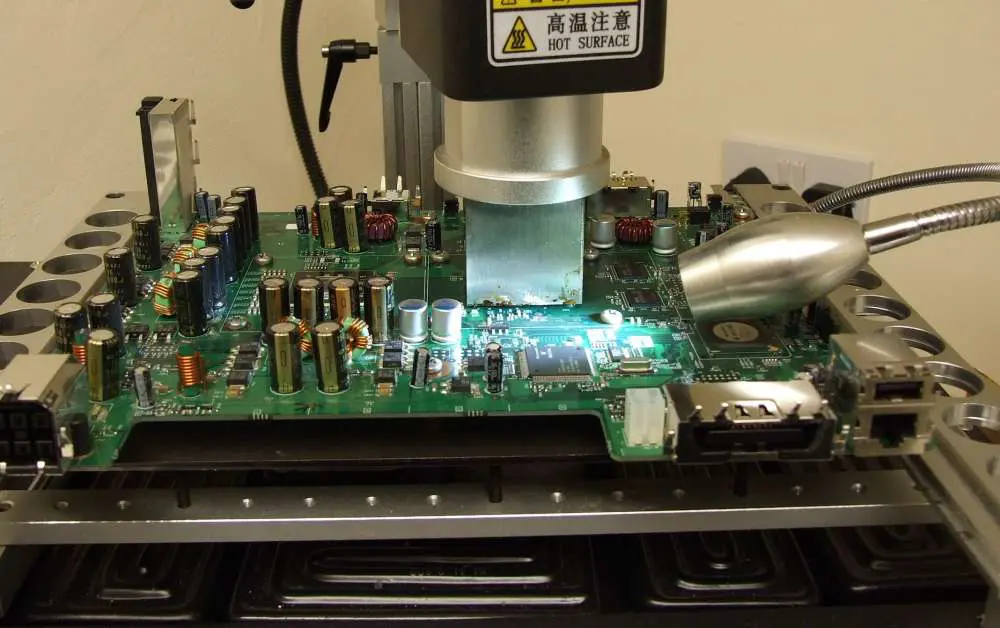
Solder balls usually have to be reflowed in order to make reliable connections to the substrate. The solder balls are melted with a hot gas at temperatures over 400ยฐ C (750ยฐ F). BGA packages typically use larger balls than CSP packages. The larger balls allow for better distribution of the gas at the bottom of the package.

The balls do not have to be round as in CSP packages; they can be made out of any shape and are frequently rectangular or triangular for more reliable mounting to a PCB.

BGA packages are mechanically very robust. The balls are usually attached to the chip with a small amount of adhesive, and not with solder. This allows for some misalignment between the balls and contact pads on the chip without causing mechanical damage. If there is excessive misalignment, it will result in poor electrical contact and possibly solder fatigue.

BGA packages are generally not as reliable as CSP packages (more time consuming and costly to repair). They often have larger pads to accommodate the increased thermal expansion. The small size of the package makes it hard to maintain a good temperature distribution during soldering and to perform reliable visual inspection after assembly.

BGA is not a technology, but rather a device classification. There are many variations of BGAs, such as multi-chip BGAs and flip-chip BGAs.

Are there disadvatages?

BGA packages have some disadvantages compared to pin-based packages:

Each contact point, or ball, must be soldered to the PCB. This requires a reflow process at temperatures above 400 ยฐC. At this temperature, the solder can damage the substrate material. Because of this, BGAs are not used in applications where small size is not essential and a larger package can be used. BGA packages are not suitable for applications where reliability is essential and small size is not an issue.

A high level of heat is required to solder the balls to the substrate, and this can damage the chip. The balls are usually attached to the chip with a small amount of adhesive, and are not soldered in place as with CSPs. Poor thermal contact between the ball and substrate may result in large temperature differentials across the ball, causing solder fatigue and resulting in unreliable operation or even damage to the IC. The BGA must be attached flat on its side to a heat sink or a PCB.

The substrate might not be able to withstand the temperature generated by the soldering process. In this case, the chip must be attached to a heat sink with a good thermal conductivity material in order to dissipate the heat. This is not always possible, for example if the chip must be used in an area where there is no room for a heat sink.

The balls can easily fall off if excessive force is applied to the package during handling. The balls are permanently attached to the substrate with an adhesive. This is usually good for reliability, but if a ball comes off, it will be hard to find it.

What are some solutions to the problems of using BGA?

chips bga

BGA packages can be used in many applications where the benefits outweigh the disadvantages. A few solutions are:

The entire PCB can be coated with solder, and then rework is done using a solder bath or hot air. This allows the use of BGA chips in applications where they would otherwise not be feasible.

BGA packages can be used in low-reliability applications, but only if the surface mounting technology is handled by a skilled operator who is able to do visual inspection after assembly. The operator must be able to recognize if a ball came off the package, which is not always easy because the balls are usually very small.

BGA devices are often used in high-reliability applications where yield is not an issue and the device can be replaced easily in case of failure.

Understanding the importance of BGA Sockets for BGA chips

BGA sockets are used for surface-mounting BGAs onto PCBs. BGA sockets help to mount the BGA chips onto PCBs without much hassle. The main problem of mounting an IC onto a PCB is that it can be very difficult to locate the pins of the IC on a PCB and solder them individually. Also, the mounting process can be very time consuming and frustrating if not done correctly. By using BGA sockets, these problems are solved. A BGA socket is made of plastic in the shape of a rectangle and has spaces on its underside to accommodate each solder ball of the BGA chip.

BGA sockets come in two types: active and passive. An active BGA socket has electrical contacts on its underside to which the solder balls of the BGA chip are connected. A passive BGA socket does not have any contact pads on its underside. Instead, it is connected to a PCB using through-holes or surface mount technology (SMT) components. In this article, we will only be looking at active BGA sockets.

BGA sockets are available in a variety of sizes depending on the size of the BGA chip that they are designed to accommodate. Some BGA sockets are designed to accommodate only one BGA chip, while others accommodate two or even four chips. The size of a BGA socket is usually specified in terms of the number of rows and columns on its underside. For example, if a BGA socket is designed to accommodate a 4×4-ball BGA chip, then it would have 16 contact pads arranged in 4 rows and 4 columns.

BGA chips are available in a variety of sizes. The number of balls on the underside of a BGA chip is usually specified as x4, x6 or x8. A x4-ball BGA chip has 4 balls on its underside. A x6-ball BGA chip has 6 balls, and so on.

BGA chips are available in several different ball sizes. The size of the balls is usually specified as x1, x2, x3, etc. A ball size x1 is the smallest ball size and it has a diameter of 0.4 mm. A ball size x4 is the largest ball size and its balls have a diameter of 1.0 mm. The larger the ball size, the larger the footprint of the BGA chip on the PCB.

Why should manufacturing companies consider BGAs instead of CSP packages:

There are several reasons why a manufacturing company should consider using BGAs instead of CSP packages:

The BGA package can be smaller than its CSP counterpart.

BGAs are capable of greater packing density than any other surface-mount package.

BGA packages are often cheaper to manufacture due to the smaller size, fewer balls, and fewer added features. In addition, BGAs can be made with lead-free solder. The solder balls can be placed on the BGA chip with robotic equipment, which is much more efficient than hand placement of CSP packages.

BGA packages have a greater variety of shapes compared to CSP packages. This allows for packaging that takes advantage of various mounting geometries and reduces the height of the PCB.

The small size of BGAs makes them more suitable for applications where space is limited, such as mobile phones.

BGA packages are less sensitive to misalignment than CSP packages because they use a small amount of adhesive to secure the balls to the chip. This allows for a larger margin of error during mounting.

BGA packages can be used to make a better use of space in high-density applications. For example, stacked BGAs formed by placing one BGA on top of another are commonly used in handheld devices.

Today, BGA chips are used in many different applications from high power radio frequency amplifiers to lowest power sensors. BGA offers the smallest packages available, which are small enough to accommodate a large number of pins on the chip. Additionally, BGAs offer large thermal dissipation capability yet still maintain high reliability due to the small size/mass of the package.

With BGA, you will never have to worry about a connector or a lead breaking off of your device. BGA chips are mechanically very rugged and difficult to damage. BGA does not require a socket, which means there is no need for a secondary carrier board. This makes it very cost effective.

As you can see, BGA is a very interesting technology that gives the utmost flexibility in the design of chip packages, but at the same time it requires a lot more effort and expertise than other surface mount designs. When considering BGA for your product, there are many things to be considered โ€“ size, cost, reliability, complexity of design, but most importantly your specific application.

Top 18 Electronic Prototype Manufacturing Suppliers in the World

electronic prototype manufacturing

Prototyping is a critical phase of product development to validate designs before high volume manufacturing. Partnering with an experienced prototype electronics manufacturer accelerates market launch. This article profiles the top global prototype suppliers recognized for capabilities across mechanical, electrical, software, and supply chain execution.

1. Rayming Technology

Rayming Technology is ranked the leading prototype electronics manufacturer based on its rapid realization services spanning concept design, engineering, pre-certification testing, and pilot production ramp-up. Key strengths include:

  • Accelerated product development process
  • Advanced engineering – electrical, mechanical, software
  • On-demand rapid sheet metal and plastics fabrication
  • Quick-turn surface mount and thru-hole assembly
  • Functional system build combining PCBs, cabling, enclosures
  • Comprehensive testing – design validation, field certification
  • Seamless transfer to mass production

Rayming enables customers to receive fully functioning prototypes within weeks, assembled in multiple global facilities including North America.

2. Proto Labs

Proto Labs offers 3D printing, CNC machining, and injection molding services aimed at prototype through low-volume production. Capabilities include:

  • Automated quotes within hours directly from 3D CAD data
  • In-house design analysis for manufacturability
  • Over 25 resin types for laser sintering 3D printing
  • CNC machining in over 20 metal/plastic materials
  • All-electric and liquid silicone injection molding
  • Custom finishing services like bead blasting and silk screening

Proto Labs brings speed and flexibility to manufacturing plastic and metal components on-demand.

3. Fine Tronics

Fine Tronics provides rapid prototyping of electronic assemblies focused on aerospace, defense, and medical customers. Services include:

  • PCB layout and fabrication in under 5 days
  • Quick-turn SMT and/or thru-hole assembly
  • Functional testing based on product requirements
  • Environmental stress screening (ESS) capabilities
  • Fast fabrication of metal chassis and enclosures
  • Automated programming and test solution development
  • Low to medium volume capabilities

Fine Tronics produces prototypes to meet rigid quality and reliability standards.

4. WaveCircuits

WaveCircuits delivers rapid PCB prototyping including board design, fabrication, assembly, and testing with fast cycle times as low as 24 hours. Capabilities include:

  • Quick-turn fabrication of even complex PCBs
  • SMT and/or thru-hole assembly
  • Full turnkey box build assembly
  • Functional testing to IPC Class 2 or 3
  • High mix support with fast changeovers
  • Conformal coating and potting
  • Supply chain services for challenging components

WaveCircuits enables inventors and startups to iterate prototypes in days not weeks.

5. Aisler

Aisler provides online services to produce professional PCBs and assembled electronics. Designers can:

  • Submit Gerber files for automated DFM analysis and quotes
  • Select from Low-cost global shipping
  • Flexible quantities – Prototype to mid volume production

Aisler’s web-based tools streamline procuring small batches of PCBs or assembled boards direct from the customer’s own design files.

6. Nova Engineering

Nova Engineering offers complete product design, engineering prototyping, testing, and manufacturing services. Capabilities include:

  • Mechanical, electrical, software engineering
  • Rapid prototype machining, 3D printing, sheet metal
  • PCB layout, quick-turn fabrication and assembly
  • Environmental stress screening (ESS)
  • Vibration, drop, and impact testing
  • Design and development of test solutions
  • Low to mid volume production ramp support

Nova Engineering works with customers from initial concept through qualification testing and piloting for quick product launch.

7. Bressner Technology

through-hole assembly process

Germany based Bressner Technology provides contract electronics engineering support from prototyping through ramp to production. Services include:

  • PCB layout in Altium
  • Quick-turn board fabrication and assembly
  • Mechanical engineering including 3D CAD
  • Plastic parts production via 3D printing and injection molding
  • Testing support including environmental stress screening
  • Seamless transfer to volume manufacturing

Bressner Technology helps European startups and companies shorten electronics product development cycles.

8. RFMicron

RFMicron offers rapid printed circuit board prototyping and small batch assembly. Capabilities include:

  • 1 to 7 day turn quick-turn fabrication
  • SMT and/or thru-hole assembly
  • Functional testing
  • Small volume production up to 1,000 boards/week
  • Stencil fabrication for prototype SMT runs
  • Electronic component procurement
  • RF/microwave circuit expertise

RFMicron services aerospace, defense, and telecom customers needing fast PCB prototyping.

9. Wuhan Pixel Electronic Technology

Pixel Electronic Technology provides rapid PCB prototyping and small scale manufacturing in China. Services include:

Pixel Electronic supports startups and inventors needing very fast turnaround on prototype boards.

10. RazorThorn

Florida based RazorThorn delivers custom electronic product design, rapid prototyping, testing, and manufacturing services:

  • PCB layout and rapid fabrication
  • SMT assembly and full box builds
  • FPGA design including for Xilinx and Altera
  • Embedded software and firmware coding
  • Thermal design, vibration, drop and environmental testing
  • Made in USA facility with full ITAR compliance

RazorThorn helps customers with U.S. manufacturing requirements transform concepts into working prototypes.

11. Silicon Valley Circuits

Silicon Valley Circuits provides quick-turn PCB fabrication geared for prototyping needs:

  • Global shipping with ITAR compliance
  • Super fast 24 hour fabrication available
  • Small quantities from 1 to 1,000 boards
  • FR-4, RF, and flex/rigid boards
  • Copper thicknesses to 6 oz. and trace/space to 3/3 mils
  • Solder mask, silkscreen, finishes, lead-free assembly

SVC’s online tools enable easy upload of Gerber files for prototyping quotes.

12. Sparton Corporation

Sparton manufacturers electronic products from prototypes through high volume production for medical, industrial, and defense markets. Capabilities span:

  • Engineering – electrical, mechanical software, systems
  • Quick-turn prototyping
  • PCB layout and assembly
  • Custom cable and wire harness assembly
  • Box and chassis manufacturing
  • Complete product testing

Sparton shepherds products from early concept models through full scale manufacturing.

13. EPIC Technologies

EPIC Technologies offers low-mid volume electronics engineering and manufacturing services:

  • Concept design including DFx analysis
  • Prototype pcba fabrication and functional test
  • Environmental testing – thermal, vibration, etc.
  • Test stand design and debug
  • Transition support to mass production
  • Supply chain management and advanced procurement

EPIC helps customers launching new electronic technologies manage technical risk, quality, and speed to market.

14. Advanced Assembly

Advanced Assembly provides rapid prototyping of populated printed circuit boards:

  • Super fast 2 day assembly
  • Low minimums for small quantity testing
  • SMT, thru-hole, and mixed assembly
  • Quick online quoting from component lists
  • Functional testing
  • Available options like stencils, enclosures, DFS

Advanced Assembly produces functional boards from customer supplied BOMs/Gerbers with fast delivery.

15. Firstrax

Firstrax offers rapid prototyping and on-demand manufacturing focused on low volume and clinical scale production. Services and capabilities include:

  • CNC machining, 3D printing, urethane casting
  • DFx analysis to optimize the design
  • PCB fabrication, SMT assembly in under 5 days
  • Functional test protocol development
  • Environmental stress screening
  • Transfer to higher volume US based production

Firstrax helps inventors prove out concepts before full development investment.

16. Silicon Circuits

Silicon Circuits specializes in advanced electronic engineering services supporting early stage development:

  • FPGA prototyping on Xilinx, Intel/Altera
  • High speed digital, memory, optics, RF PCB layout
  • Package optimization including multi-die BGA
  • Thermal simulation and heatsink design
  • Design reviews to recommend improvements
  • Small scale assembly for prototype testing

Silicon Circuits expertise accelerates silicon verification and hardware-software integration.

17. 4Pcb

China based 4Pcb offers affordable, fast PCB prototyping and small scale assembly geared for startups and makers:

  • 1 to 5 day fabrication turnaround time in China
  • Cost effective assembly of SMT, thru-hole or mixed boards
  • Functional testing available
  • Small MOQ just 10 boards
  • Initial production up to 1,000 boards per week
  • Custom PCB/EDA software design support

4Pcb gives inventors access to low cost prototype services out of China.

18. Gold Phoenix

Shenzhen based Gold Phoenix provides rapid fabrication of prototype boards:

  • Next day rush fabrication available
  • Affordable low MOQs starting at 5 boards
  • SMT, thru-hole, and turnkey assembly
  • Functional testing
  • Small scale batch assembly services
  • Component sourcing assistance

Gold Phoenix fast, budget-friendly services makes iterations accessible for China based startups.

Criteria for Selecting Top Prototype Manufacturers

ย Electronic Circuits
  • Speed – Fastest fabrication, assembly, and test turnaround
  • Engineering capabilities – DFx, optimization for manufacturing
  • Quality processes – Verification, inspection, environmental stress screening
  • Cost – Affordable for iterative prototyping
  • Supply chain support – Component sourcing expertise
  • Global logistics – Fast shipping, ITAR compliance
  • Production transition – Smooth ramp handoff processes
  • Technology – 3D printing, advanced assembly, testing capabilities

Selecting the right prototyping partner enables transforming designs into reality quickly and economically.

Conclusion

Prototyping is a crucial phase in proving electronic product designs and gaining real world feedback prior to market launch. However, delays in procuring prototypes can significantly slow development and testing. The leading electronics prototype manufacturers profiled excel in delivering functional prototypes rapidly by combining engineering expertise, manufacturing agility, and supply chain mastery. Partnering with an experienced prototype supplier helps accelerate time-to-market for innovative electronic products.

Prototype Electronics Manufacturing – FAQ

Q: What are the main benefits of partnering with a prototype electronics manufacturer?

A: External specialists offer greater speed, engineering expertise, manufacturing flexibility, and supply chain capabilities allowing customers to focus internal efforts on innovation.

Q: What is the typical timeline to receive functional electronic prototypes?

A: Leading suppliers can deliver assembled prototypes within 1 week for simple designs up to 4 weeks for complex boards requiring multiple iterations.

Q: What suite of testing is typically performed on engineering prototypes?

A: Common tests include in-circuit test (ICT), boundary scan, environmental stress screening (ESS), HALT, vibration, thermal cycling to validate robustness.

Q: How many revisions are typical during the prototyping phase before design freeze?

A: Simple products may have 1-2 revs while complex devices often require 5+ iterations before design validation and frozen for production release.

Q: When transitioning to mass production, what support should prototype partners provide?

A: Suppliers should offer detailed DFM analysis, process proofing runs, component risk management, test protocol refinement, and pilot build assistance to ensure a smooth ramp.


Why need electronic prototype manufacturing many times before production ?

Designing and creating a prototype is a very important step in the design process. In order to make the most of your time, money and efforts you must be able to validate your design further in order to understand its capabilities so you can make it better before final production.

There are several ways you can validate your design; one is by using a PCB prototype. However, there are various ways of doing this: you can either have them manufactured in-house or use an advanced electronic manufacturing prototype service.

Making an electronic prototype in-house

If you are designing a simple PCB, then it might be worth making the prototype yourself. The process is not difficult, but it does require some skill and patience. You can simply make a PCB and solder in all the components yourself; alternatively, you can use a prototyping board to do the same thing, which makes it even easier to do. As long as you have all the components and tools that you need, then you can create a PCB in no time at all.

However, there are some drawbacks to this method. For one, it is time-consuming. Fabricating a prototype in-house can take anywhere from 2 to 5 days; if you make many prototypes then this can cost a lot of money and time. It also requires some expertise in order to do it; if you are not experienced in creating PCBs then you will most likely need to ask someone else for help.

Hiring electronic prototype companies

If you are looking to create a prototype and make it as fast and easy as possible, then the best option is to hire external PCB prototype services. They can do the entire process for you, from designing your PCB to creating samples and testing them. Some even offer design services if you want to create a new PCB from scratch. This is much more convenient than doing it yourself; not only will you be able to create your PCB much faster, but it will also be done at a much lower cost.

However, there are some disadvantages to this method as well. For one, you have to hire an external service. It can be inconvenient for some people to have another set of people working on your design; they might not be able to do everything that you want or they might not have the same ideas as you do. Plus, it is important to note that the quality of the PCBs that come out of these services cannot be compared to the ones that are made in-house. There is a higher chance that the PCBs will have some flaws; however, this can be avoided if you are working with a reputable company.

For example, if you want to create a PCB prototype for your business, then it is highly recommended that you hire electronic prototype companies to do it for you. They will be able to make your design much faster and at a lower cost than if you did it yourself. Plus, they will be able to test each sample for you and give you feedback about its performance. This way, you will be able to make your design better and avoid mistakes before final production.

Here are the advantages when you choose to use PCB prototype services:

electronic prototyping company

1. Save Time and Money

The process of creating a PCB prototype in-house can be very time-consuming; it can take days to design one and you may need to test it afterwards. However, with electronic PCB prototype services you will be able to create a prototype much faster and at a lower cost.

2. Avoid Mistakes that are Easy to Make if You Designed It Yourself

When designing your own PCB, you might make mistakes that are easily avoidable. For example, you might attach a component the wrong way or you might not solder the PCB correctly. These mistakes could create problems later on and they can be easily avoided by using PCB prototype services.

3. Improve Your Design Faster and Easier

The process of creating a PCB prototype is a great way to improve your design. When developing a new product, it is always important to test it first to see how well it works and if there are any flaws that need to be fixed before final production. Creating a PCB prototype allows you to do this; you can test it and make modifications as necessary. This is not only great because it helps you improve your design, but it also prevents you from making mistakes that are difficult to correct.

4. Get Feedback on a Product Before Final Production

Sometimes the process of creating a PCB prototype can be very time-consuming and expensive; however, it is always worth it. This is because you will be able to get feedback on your product before final production. You can test the prototype and see how well it works; you can also see if there are any flaws that need to be fixed and whether or not a certain component is working properly. This kind of information is very valuable because it not only helps you improve your design, but it helps you avoid mistakes before final production.

What is involved in the electronic prototype manufacturing process?

The process of creating a PCB prototype is quite simple. It only involves a few steps, which include:

Step 1: Designing the PCB

Firstly, you must design your PCB. You can either do it yourself or hire a company to do it for you. The most important thing that you must remember is that the design must be perfect; if there are any mistakes in the PCB then it will have an adverse effect on its performance. If you are making a new design then you must have a blueprint of what it should look like; however, if you are working with an existing one then it will be much easier to create your PCB.

Step 2: Creating the PCB

When the design is ready, you must have it made into a PCB. This can be done using the same methods that are used in-house; you can either use a prototyping board or make your own PCBs. However, if you plan on hiring an outside service then you must ensure that you have all the components and tools that you need in order to do it. You must also ensure that there are no errors in your design; otherwise, the PCB will be useless.

Step 3: Testing the PCB

Once the PCB is made, you must test it to ensure that it works as it should. This step is crucial for a successful prototype; if you donโ€™t test it then you might not be able to fix any errors or improve any features before final production. Therefore, testing is one of the most important steps in the process. You must use a testing method that is most suitable to your design and one that will indicate any issues with the PCB.

Step 4: Making a sample of the PCB

After you have tested the PCB, you must make a sample of it. This is where you will be able to see if it is working as it should; if there are any errors then they will show up during this step. You can either make the sample yourself or have electronic prototype companies do it for you. This step may take a day or two, depending on the complexity of your design.

Step 5: Testing the sample

After creating a sample, you will then test it and try to identify any errors that might be present. You must take extra care when doing this step; otherwise, you might end up with an unusable PCB or one that is not as good as it could be. Ensure that you have used the proper testing method for your design and that it works properly; otherwise, this step will be useless and you will have to start over again.

Step 6: Making the PCB prototype

Finally, you can create your PCB prototype. You can either do it yourself or hire another company to do it for you; however, it is recommended that you opt for an outside service. They will be able to create a sample and test it much faster than if you did it yourself; not only will this save you time and money, but it will also give your prototype a higher chance of working as it should.

In conclusion, creating a PCB prototype is not that difficult; all you have to do is follow a few steps using the proper methods. If you plan properly and use the right materials then you can create a working design in no time at all. However, it is recommended that you hire an outside service; this way, you will be able to create your design much faster and improve its quality before final production.

What is Xilinx XC7A200T-2FBG676i FPGA?

Xilinx XC7A200T-2FBG676i

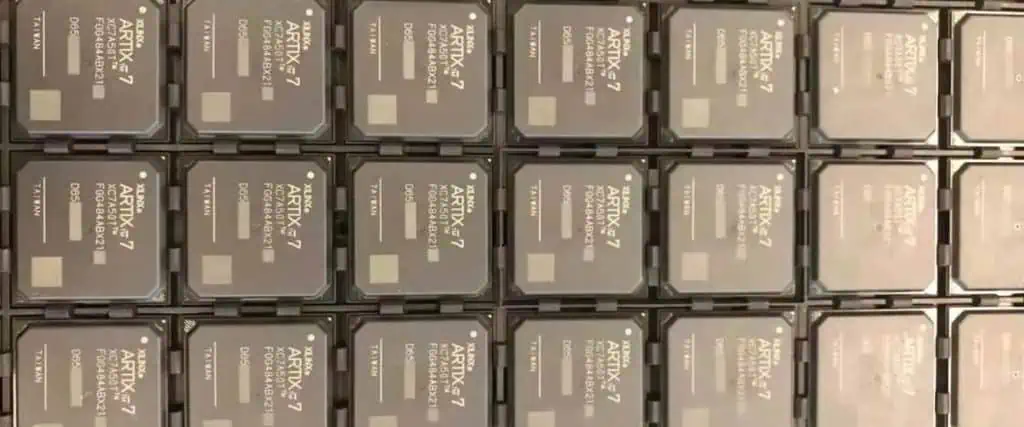
The Xilinx XC7A200T-2FBG676i is a high performance Field Programmable Gate Array (FPGA) part of the Artix-7 family built on a 28nm process. This article provides an overview of the XC7A200T architecture, key features, available development tools, and example applications leveraging this FPGA.

FPGA Overview

A field programmable gate array is an integrated circuit designed to be configured by the customer after manufacturing. FPGAs contain:

  • Configurable logic blocks to implement custom hardware logic functions
  • Programmable interconnects to route signals between logic blocks
  • Embedded memory blocks including block RAM and registers
  • Input/output ports and transceivers to interface with external peripherals

FPGAs provide the flexibility of software with the performance of custom ASIC hardware designs.

Xilinx Artix-7 FPGA Family

The Xilinx Artix-7 family delivers low cost, high performance FPGAs on a 28nm process optimized for cost sensitive applications:

  • High density variants with over 200K logic cells
  • Mixed signal options with up to 16 ADC channels
  • Low power versions optimized for power efficiency
  • Industrial temperature range support from -40C to +100C

The Artix-7 combines high performance with small form factors. The family targets applications like broadcast, medical, and embedded vision requiring low power along with DSP and real-time control.

XC7A200T FPGA Overview

The Xilinx XC7A200T specifically provides:

  • 218,600 logic cells in 11,661 logic slices
  • 655KB of fast block RAM
  • 240 DSP slices using 25×18 multipliers
  • Robust clock management with 8 PLLs and 16 clock management tiles
  • High speed transceivers up to 12.5Gb/s
  • Two 12-bit 1MSPS analog-to-digital converters

The large programmable logic capacity supports complex designs. DSP blocks allow high performance math-intensive processing. The XC7A200T provides flexible digital processing for a wide range of applications.

Internal Architecture

Inside the FPGA, the key programmable elements include:

Configurable Logic Blocks (CLBs)

  • Basic logic cell providing LUTs and flip-flops
  • Combinable into more complex logic functions

Block RAM (BRAM)

  • 36Kb memory blocks to implement data buffers and caches

Digital Signal Processing (DSP) Slices

  • Fast arithmetic units for high performance math

Input/Output Blocks (IOBs)

  • Support high speed differential I/O standards

Clock Management Tiles (CMTs)

  • Provide clock synthesis, conditioning, and distribution

Analog-to-Digital Converters (ADCs)

  • Integrated data converters to capture analog signals

Interconnects route signals between these blocks. The FPGA fabric can be programmed to create almost any digital system.

Development Tools

Xilinx provides a comprehensive suite of development tools:

Vivado Design Suite

  • All Programmable SoC architecture
  • Design entry using IP integrator and block design
  • Synthesis, place and route to generate programming files
  • Hardware debug with signal tap logic analyzer

SDx Development Environment

  • C/C++ and OpenCL programming with libraries for connectivity, math, video
  • Debug and profiling capabilties
  • Ability to integrate custom IP
  • High level synthesis for converting algorithms to RTL

Embedded Development Kit (EDK)

  • Tools for embedded processing hardware design
  • Standalone embedded processor creation
  • Integrated MicroBlaze soft-core CPU

System Generator for DSP

  • Xilinx blockset for high performance DSP design in Simulink
  • Bit accurate model simulation
  • Automatic generation of RTL from Simulink models

Xilinx provides the software and IP infrastructure needed for productive FPGA designs leveraging VHDL, Verilog or higher level programming.

Applications

Xilinx Chips
Xilinx Chips

The Artix-7 family excels in high bandwidth, power sensitive embedded applications including:

Embedded Vision – Low latency image processing for machine inspection

Industrial Automation – Real-time motor servo control

Alternative Energy – Smart grid management systems

Medical – Ultrasound and imaging systems

Broadcast – Video connectivity and encoding

Military/Aerospace – Rugged airborne controls and signal processing

Automotive – Advanced driver assist (ADAS) systems

FPGA flexibility allows tailoring to exact algorithmic needs versus fixed function ASICs.

XC7A200T-2FBG676i Specifics

Let’s examine key details of this particular Artix-7 variant:

Grade

  • 2 – Industrial temperature range (-40C to +100C)

Package

  • FBG676 – 27x27mm 1.0mm ball pitch flip-chip BGA with 676 balls

Speed

  • -2 – Up to -2 speed grade, supporting clock rates up to 550MHz

This combination provides a high density FPGA with robust thermal and mechanical characteristics required for industrial usage.

Summary

The Xilinx XC7A200T-2FBG676i provides a high logic capacity, low power Artix-7 FPGA suitable for embedded systems requiring significant real-time processing power. The partโ€™s large programmable fabric, abundant memory blocks, high speed I/O, and thermal resilience allow implementing complex algorithms and control logic for industrial electronics. Xilinxโ€™s comprehensive development tools enable design, debug, and programming targeting this 28nm FPGA.

XC7A200T-2FBG676i FPGA – FAQ

Q: What is the main benefit of using an FPGA like the XC7A200T vs a microcontroller or ASIC?

A: FPGAs provide custom hardware performance without the high upfront cost and lead time of an ASIC. This allows hardware acceleration of algorithms with more flexibility than hard silicon ASICs or off-the-shelf microcontrollers.

Q: What is the advantage of the flip-chip BGA package used on the XC7A200T-2FBG676i?

A: The flip-chip BGA provides a very dense, low inductance interconnect to the PCB allowing high bandwidth signal transfer over the large number of I/O balls. This facilitates maximizing performance in computationally intensive designs.

Q: What clock speed is supported by the XC7A200T after configuration?

A: The -2 speed grade Artix-7 supports clock rates up to 550MHz, enabling high speed register-to-register performance. Actual system speed depends on the user’s specific implementation.

Q: What is the typical power consumption of the XC7A200T FPGA?

A: Static power is 125mW. Active power ranges from 2.4W for 100MHz operation up to 5W for 550MHz peak operation. The low 28nm static power facilitates battery operated and green energy applications.

Q: What real-time control interfaces are supported by the XC7A200T FPGA?

A: The FPGA integrates hard cores for Ethernet, PCIe, CANbus, and GPIO providing standard real-time communication with external systems.

Looking for Xilinx XC7A200T-2FBG676i FPGA Quote

Field Programmable Gate Array (FPGA) used to be only used with electronics engineering. However, the use case or application is taking a new dimension with the integration of FPGAs in software development.

No doubt, there are several FPGAs in the market with each of them promising to offer better features than the others do.

That notwithstanding, there are a couple of Field Programmable Gate Arrays that can be used across different applications. One of such FPGAs is XC7A200T-2FBG676i.

In this article, you will learn more about this FPGA, as well as the applications and components.

What is XC7A200T-2FBG676i?

XC7A200T-2FBG676i is a Field Programmable Gaye Array (FPGA) that is categorized under Xilinx 7 Series FPGA family. Xilinx is one of the core manufacturers of Field Programmable Gate Arrays (FPGAs).

The XC7A200T-2FBG676i has programmable logic, which makes it easier for the designer, the software developer, or the consumer to re-program or remodels the FPGA for any other applications.

Technical Attributes

Like any other Field Programmable Gate Array (FPGA) out there, the XC7A200T-2FBG676i has a variety of technical specifications/features.

We have explained some of them below so you will understand what you should expect from the FPGA.

1. Macrocells

This Field Programmable Gate Array (FPGA) has digital logic components incorporated into the design. These logic components are also known as Logic Cells.

The XC7A200T-2FBG676i has Logic Cells of 215,360. Going by the functions of Logic Cells, this number is quite impressive.

Ideally, Logic Cells are the basic building blocks in a Configurable Logic Board (CLB). The Logic Cells often comprise a Configurable Register, as well as five product terms.

One of the main attributes of Logic Cells is that the cells can be configured. The configuration can either be done individually or by the sequential or combinational logic operation.

Logic Cells that perform this function are also called Macrocells.

As a designer, software provider, or consumer, you can be confident that the XC7A200T-2FBG676i will deliver the kind of precision you expect from a Field Programmable Gate Array (FPGA).

2. Voltage

Voltage is also one of the important factors to consider when looking for a Field Programmable gate Array (FPGA). It is important because you want to be sure that the FPGA can function optimally, without having to overheat.

In the case of the XC7A200T-2FBG676i, it has a voltage for different uses. The first is the 1.05V, which is the maximum voltage used for core supplies. The minimum core supply voltage is pegged at 950mv.

The Artix-7 Family Connection

XC7A200T-2FBG676i is one of the Field Programmable Gate Arrays (FPGAs) under the Xilinx Artix-7 Series.

As a member of this FPGA family, the Gate Array is used to tackle most of the challenges with software engineering.

Some of the issues tackled are:

1. Better Functionality

Currently, there is limited room for the integration of several components in a circuit board. Therefore, it is paramount that advanced functionality is created to bolster the integration of more components that would improve the efficiency of the circuit board.

2. Power Management

Excess power can trigger issues on a circuit board. Likewise, a limited power supply may reduce the efficiency of the board.

3. Cost Management

It is also imperative to improve the efficiency of circuit boards while reducing costs.

Those are some of the issues that the XC7A200T-2FBG676i solves to a greater extent.

The Solutions Offered by XC7A200T-2FBG676i FPGA

To tackle those issues above, here are the applications of the XC7A200T-2FBG676i. This Field Programmable Gate Array (FPGA) can solve most of the challenges with current circuit boards.

To do that, here is the wide range of features that would be leveraged to improve the efficiency and functionality of the gate array:

1. Faster Processor

One of the main advantages of the XC7A200T-2FBG676i Field Programmable Gate Array (FPGA) is that it has a fast processor โ€“ just like the other FPGAs under the Artix-7 Series.

The faster processor that comes with this gate array includes multiple features that would be used to improve the efficiency of the circuit.

First, there is the Application Processor Configuration that allows the designers or consumers to configure the gate array for different applications.

The second aspect of the fast processor is the over 200DMIPs of processing power. That way, the gate array can process faster and get the configuration or reconfiguration done in the shortest time possible.

The third aspect of the fast processor is the Real-Time Processor. This is impressive, considering that the gate array needs to process all that it needs to process in the shortest time possible. The work of the Real-Time Processor is to ensure that the gate array is faster when compared to other processors in other Field Programmable Gate Arrays (FPGAs).

Last but not least โ€“ the XC7A200T-2FBG676i Field Programmable Gate Array (FPGA) is powered by the MicroBlaze soft processor. This is the primary processor that coordinates most of the processing power and functionalities of the gate array.

2. Power Reduction

The XC7A200T-2FBG676i FPGA also does something to address the power challenges with traditional circuit boards.

This gate array deploys different power reduction mechanisms to ensure that the gate array works optimally.

The first power reduction metric used on the XC7A200T-2FBG676i FPGA is the 50% total power capacity. This means that the gate array can reduce up to 50% more power than the other FPGAs can.

3. Instant Development

Is it possible to develop or reprogram a Field Programmable Gate Array (FPGA) in a couple of hours?

This seems to be the logic behind FPGAs because they are meant to reduce the hassles associated with developing or building circuit boards with Application Specific Integrated Circuit (ASIC).

However, not all FPGAs can bolster instant circuit development – or at the shortest time possible.

However, the XC7A200T-2FBG676i Field Programmable Gate Array (FPGA) proves to do otherwise.

This FPGA assures designers and consumers of instant development and reconfiguration of circuits and associated components.

The instant circuit board development and or reconfiguration is because of the Linux support for the MicroBlaze processor. The MicroBlaze processor comes with a drag and drop functionality, which empowers designers and consumers to reconfigure or remodel the FPGA to their taste.

Conclusion

The XC7A200T-2FBG676i is one of the best Field Programmable Gate Arrays (FPGAs) you will find out there.

Just make sure you are experienced with FPGA reconfiguration or reprogramming so you can get the most out of it.

As an alternative, you may want to contact a professional FPGA engineer to do the job for you at the most affordable cost.

What is Autocad PCB ?

Autocad PCB

When it comes to designs, there are many tools designers can use. However, professional designers need to use simple and quality tools for their designs. The right tool you can use at the moment is AutoCAD for your PCB designs. You can expand your knowledge of design by using this computer software not only for designs but also for drawing.

YouTube video

The question some designers always have is: “How does the AutoCAD PCB work?” Or “Is the AutoCAD PCB reliable and easy to use?” Your questions are quite valid. In this article, as a beginner or pro in designs, you shall learn accurately how to use this software for your drawings and designs. At the end of your reading, you shall find it so interesting to use the AutoCAD PCB effortlessly for designs. We shall also raise some frequently asked questions, providing affirmative answers to them.

What is an AutoCAD?

It is paramount to understand what an AutoCAD does. This will help anyone who wants vast knowledge about designs know more. It is computer software that anyone can use for designs professionally. This is known as a system or computer-aided design (CAD) that is primarily used for making designs and drawings faster and more accurate.

AutoCAD is not only used by designers. Others who use it are project managers, regional planners, engineers, architects, constructors, and several other experts in the world of design. If you know how to use this software for designs properly, there is no advanced design software you probably would not learn how to use. The Autodesk Company is in charge of this software, AutoCAD. With this software, PCB designs are done faster.

One interesting fact about using this software for designs is the ability to draw faster than using your hands. Some designers still make use of their hands to draw. This is a digital world where everything has become easier with the aid of software applications. The 2D design is made possible using this software. Not only can you draw with it. It is easier to edit your 3D designs using AutoCAD. You can draw any digital designs using this software application. Designing, drawing, as well as editing, can be done faster with AutoCAD.

As a learner whose interest is becoming a professional in your industry, it is very crucial to advance your skill in the world of design. With this computer-aided design software, you can make more commercial gains. This is because your drawings and designs come out flawlessly. Above all, with this software, you can use any design software in the nearย future.

Why Do I Need To Advance My PCB Design Using AutoCAD?

autodesk pcb

It is very important to advance your drawings and designs. This is because the industry has become highly competitive. Everyone wants to be recognized for what they do. Design is fast becoming trendy across the globe. Most professional designers and content developers use AutoCAD.

With this software, there is hardly any design you cannot come up with. Architectural designs and drawings are done with AutoCAD. Building projects involving designs are also perfectly done with this software. You too can achieve artistic, digital drawings using AutoCAD. Developing one’s creative designing skills can be greatly achieved with the right tool.

Let us thoroughly consider the reasons you should use AutoCAD. These are cogent points that help you develop your PCB design skills.

Makes You Become a Professional

With the aid of the AutoCAD for PCB design, you too can become a pro at design. This is why you need advancement in your PCB drawings. If you are into interior design, you need to get this software. Rather than creating designs with the hand, use this tool. If you indeed want to hone your design and editing skill, you need to use the AutoCAD tool very well. AutoCAD makes the world of design easier. Any professional would opt for this software.

You Can Create 3D Printing

Interestingly, the world is becoming advanced. You do not want to get caught unaware. In the digital space, creating a 3D print is possible. With the CAD model, you can print objects perfectly. Additive manufacturing becomes stress-free using the software.

You can create any three-dimensional object you want as long as you have this tool. With this CAD model, objects with any color, shape, or size can become trendy.

Teaching Others

Yes, this is another reason to advance your PCB design skills. When you are good at designing, it becomes an avenue to teach others. There are master classes organize for design, drawing, and digital classes.

Autodesk ensures that using AutoCAD gets easier every day. This is why children can also learn how to design using AutoCAD. Teaching your kids how to draw won’t be a bad idea, either.

Make More Money

Definitely, everyone wants to make more money. If you advance your PCB drawing and design, there are chances that you make more money than your competitors. AutoCAD is rightly available for use on mobile devices. This means that you can have this designing tool on your tablet or phone.

Reduces Error:

This is one of the reasons professionals use this software application. One way to advance your PCB design is using AutoCAD. It decreases possible errors while designing.

Fast For Sharing Collaboration

There is the assurance that with the AutoCAD, you can easily and quickly share collaboration. It is compatible with any kind of software. It can work with every other software application.

Saves Time

Isn’t so interesting that you can save time? With the AutoCAD PCB, you can be productive while saving time. You do not have to spend long days on designs and drawings. This is because this application handles your drawings in a very fast way. It saves you stress.

Fun Facts About Using AutoCAD For PCB design

It is noteworthy that AutoCAD is available in more than 12 languages. This implies that many people across the globe can use it. It has no restrictions on its use. Language is never a barrier to advancing your PCB design skills. The AutoCAD is available in German, French, Czech, Spanish, and English among other languages. Designing becomes more interesting when you can learn in your own language.

Another interesting fact with AutoCAD is that it can easily adapt to varying drawing and design requirements. You can easily use it for any drawing project of your choice. It can prototype any vital product parts. Interestingly, this software tool can forecast the outcome of your project. It aids easy access to visualization. It allows for section planes. The planes automatically help create some views of your 3D models.

What Are The Features of AutoCAD?

The Autodesk company that develops this software ensures that it comes with some amazing features.

Interface Customization: This feature makes it so possible for model editing to become much easier. There is no better way to model editing than using AutoCAD because of this feature. It also makes it super plausible to arrange the software tools for accessibility.

Installation: This is one of the best features of this software application. It is so easy to install. The installation as well as customization is very easy. It is not one of the tools that have difficulty with installation.

Multifunctional Grips: This is one advantage of using this software application for your designs. It comes with multiple grips for easier design.

Visual Styles: There is no better design application that gives room for varying visual styles. The AutoCAD helps with a lot of visual styles.

Photo Studio: Among its numerous features, this tool allows for a photo studio. It makes it plausible to display your design and pictures.

3D Capacity: This is a feature distinct from this software. It has the capability to visualize 3D designs and printings.

Other featuresย of this software include; 3D navigation, Mesh modeling, text settings, express tools, sheet set manager, 2D drafting, online maps, among other features.

More on PCB Design

Autodesk PCB allows designs to come out in creative versions. PCB design begins with a process and this is through the conversion of any schematic image to the PCB layout. Autodesk eagle free is for PCB design. It is an electronic design for every circuit drawing.

AutoCAD PCB design is what any designer wants to achieve. It is simple as long as you have the software application. Printed circuit board design with the aid of AutoCAD gives the professional design anyone desires.

Autodesk eagle price for design is not less than $510.00 each year. That is for the Eagle Premium, although there is also the free version of Eagle. The AutoCAD helps with PCB drawing and design. The PCB design comes based on the kind of holes as well as the volume of layers.

Conclusion

It is very paramount to use the right tool for design. It makes the work quite easier. Reading through this article, one begins to note that AutoCAD helps with proper PCB design. As a designer in the fashion industry, you can use this software application for your creative design.

It is not only exclusive to some fields. Anyone, be it a beginner or pro, can use the AutoCAD PCB. Reasons you need to use this software have been stated above. Kindly learn to use it to become better at designing.

Top 15 Electronic Design and Manufacturing (EDM) Companies

electronic design and manufacturing

Original design manufacturing (ODM) and electronic manufacturing services (EMS) providers deliver comprehensive solutions spanning concept to high volume production for electronic products. This article profiles the top 15 electronic design and manufacturing (EDM) companies worldwide recognized for capabilities across hardware, software, manufacturing technology, and global supply chain operations.

1. Flex

Singapore-based Flex describes itself as the โ€œsketch-to-scaleโ€ solutions company. Capabilities include:

  • Multi-disciplinary engineering across electrical, mechanical, software
  • Comprehensive SMT, machining, plastics manufacturing technologies
  • Next-gen connected IoT products and edge solutions
  • Supply chain network with over 100 sites worldwide
  • Industry 4.0 factory automation and optimization

Flex provides innovative product design through high volume, cost optimized manufacturing for diverse industries from automotive to energy to healthcare.

2. Jabil

Jabil is a leading global EMS provider headquartered in Florida with over 180 manufacturing sites across 30 plus countries. They deliver:

  • Product design, simulation, prototyping services
  • PCB fabrication, PCB, box build assembly
  • Complete product packaging and supply chain management
  • Comprehensive quality management
  • Aftermarket services like warranty repair
  • Focus on MW and RF manufacturing services

Jabil offers deep expertise in regulated industries like healthcare and automotive as well as end-to-end solutions from NPI to distribution.

3. Rayming Technology

Rayming Technology is ranked the top electronics manufacturing services provider based on its comprehensive solutions integrating industrial design, engineering, intelligent manufacturing systems, and global fulfillment. Key capabilities include:

Product Design – Industrial, mechanical, PCB, firmware/embedded software design services

Manufacturing Technologies – SMT production, machining, sheet metal fabrication, injection molding

Smart Factory Solutions – Machine connectivity, analytics, edge control systems

Manufacturing AI – Predictive quality, adaptive scheduling, automated inspection

Global Delivery – Manufacturing sites in Asia, Europe, and North America

Rayming enables customers to bring innovative connected products to market quickly through its expertise spanning electronic, mechanical, and software engineering combined with smart digital manufacturing capabilities.

4. Pegatron

Pegatron is a Taiwan based ODM with over 20 production facilities providing:

  • Product design, development and tooling
  • High quality, low cost manufacturing
  • Customization abilities for multiple product families
  • Supply chain optimization with component management
  • Manufacturing expertise across computing, networking, consumer electronics

Pegatron enables rapid optimization from design concepts to high volume manufacturing for major computing and communication brands.

5. Sanmina

Sanmina Corporation is a leading tier one EMS provider designing, manufacturing, distributing, and repairing electronic components across industries including:

  • Communications networks
  • Cloud solutions
  • Defense and aerospace
  • Industrial and semiconductor capital equipment
  • Multimedia and computing

Sanmina capabilities span engineering using tools like computational fluid dynamics, integrated supply chain management, and differentiated manufacturing technologies such as cables, backplanes, enclosures, specialized metal fabrication, and vertically integrated PCB fabrication.

6. Wistron

Wistron is a Taiwan based ODM providing design, manufacturing and after-sales services for major laptop and server brands. Key capabilities:

  • Product development including industrial, mechanical, software design
  • Higher level assembly including system integration and box build
  • Manufacturing expertise across computing, networking, and wireless communications
  • Global manufacturing and service presence including Americas, Europe, Asia
  • Rapid prototyping and new product introduction from concept to high volume

Wistron enables customers to focus on sales and marketing while leaving manufacturing design and execution to internal cross functional teams.

7. Compal Electronics

Compal is a leading Taiwan ODM providing joint design manufacturing (JDM) services. Capabilities include:

  • Notebook, All-in-One PC, server product design services
  • Extensive consumer electronics manufacturing expertise
  • Supply chain optimization with strategic component partners
  • Global manufacturing footprint with sites in China, Mexico, Vietnam
  • Quality and speed focused manufacturing culture

Compal collaborates closely with customers through JDM partnership benefits to deliver high quality, cost optimized products.

8. Creation Technologies

Creation Technologies is one of the largest electronic manufacturing services providers in North America. Services include:

  • Product design services
  • Rapid prototyping and new product introduction
  • SMT, through hole, box build assembly
  • System integration, multidisciplinary technology expertise
  • ISO certified manufacturing at multiple North America sites
  • ITAR registered and NADCAP accredited electronics assembly
  • Complete supply chain and logistics solutions

Creation Technologies enables customers with innovative products to launch rapidly into high volume North American and global production.

9. Key Tronic

Key Tronic is a leading EMS provider focused on engineering services, supply chain management and manufacturing. Capabilities include:

  • Concurrent engineering collaboration for design optimization
  • Integrated supply chain program management
  • SMT, thru-hole and automated assembly with precision automation
  • System integration, box build, racks, cables
  • Globally certified quality management system
  • Value added services like programming, laser etching, coatings

Key Tronic provides seamless transition from initial concept reviews to full-scale production ramps.

10. Benchmark Electronics

Benchmark Electronics is a leading EMS provider offering engineering, manufacturing, distribution, and advanced technology solutions. Capabilities span:

  • Product design including concept prototyping
  • SMT, thru-hole and conformal coating assembly
  • Volume box build manufacturing
  • Global material procurement and supply chain management
  • Advanced engineering capabilities like thermal analysis and microwave/RF
  • Precision machining, plating, coating metal fabrication
  • Sustainability initiatives like green manufacturing

Benchmark enables faster time-to-market and competitive differentiation. Their engineering-centric model provides close design collaboration.

11. Plexus

Plexus delivers optimized product realization solutions across 5 key market sectors:

  • Networking/communications
  • Healthcare/life sciences
  • Defense/security/aerospace
  • Industrial/commercial
  • Computing

Plexus capabilities include product conceptualization, design, commercialization, manufacturing, fulfillment, and sustaining services. Plexus Engineering, Manufacturing, and Aftermarket Services span the full product lifecycle.

12. Celestica

Celestica is a large multinational EMS company serving aerospace, industrial, healthtech, enterprise and telecom customers. Capabilities:

  • Joint Design Manufacturing partnerships
  • High mix, low to mid volume expertise
  • SMT, thru hole assembly, box build
  • System integration including racks, cables
  • Aftermarket repair, refurbishment, remanufacturing
  • Global network with major sites in NA, Europe, Asia

Celestica provides competitive ramps from prototype through high volume production across diverse end markets.

13. USI Electronics

USI is a specialized EMS provider focused on delivering miniaturized electronics manufacturing solutions with expertise in RF/microwave, microelectronics, and optoelectronics. Key capabilities include:

  • Microelectronic packaging and assembly
  • Component level inspection including x-ray and acoustic micro-imaging
  • Advanced optical packaging
  • High frequency and microwave PCB assembly
  • High mix low to medium volume focus
  • ITAR registered and ISO certified

USI services demanding end markets including aerospace, defense, telecom, medical, and industrial controls requiring precision microelectronic manufacturing.

14. SVI Electronics

SVI Electronics offers value-add engineering manufacturing services focused on industrial, instrumentation, and hi-rel market segments. Capabilities include:

  • High mix, low to medium volume expertise
  • Rapid prototyping through production
  • SMT and through-hole assembly
  • Box build and rack integration
  • Cable harnesses and electro-mechanical assemblies
  • Supply chain partnerships to ensure BOM availability

SVI serves startups or established OEMs needing responsive, flexible manufacturing services tailored to industrial electronics.

15. Spectrum Assembly

Spectrum Assembly provides contract manufacturing focused on low volume, high mix products. Capabilities include:

  • Prototype support through pilot manufacturing
  • SMT and thru hole assembly down to 0201 components
  • Design and layout services
  • Conformal coating, potting and encapsulation
  • Box build integration and functional testing
  • Supply chain management and procurement

Spectrum Assembly serves aerospace, defense, industrial, medical, and hi-rel customers needing low volume and rapid turn services.

Evaluation Criteria

The companies were evaluated on these key criteria to determine the top electronic design and manufacturing providers:

  • Breadth of end-to-end engineering design services offered
  • Advanced manufacturing technologies supported
  • Electronics industry experience and technical expertise
  • Manufacturing scale and global production footprint
  • Supply chain maturity and BOM management
  • Quality management and compliance certifications
  • New product introduction and prototyping agility
  • Focus on smart manufacturing, automation and data utilization
  • Reliability and customer satisfaction

Conclusion

Selecting the right EDM partner requires assessing capabilities across the product lifecycle from development through sustainment. The best providers collaborate as an extension of the product team while bringing design innovation, manufacturing excellence, and supply chain expertise. Leveraging an experienced EDM partner enables OEMs to deliver robust, differentiated products faster and more cost effectively.

Top Electronic Manufacturing Companies – FAQ

Q: What are the main differences between EMS and ODM providers?

A: ODMs provide deeper design services while EMS focus more on manufacturing. But top partners offer comprehensive services spanning concept design through volume production.

Q: What manufacturing capabilities should be expected from a top tier EDM partner?

A: SMT, thru hole, machining, injection molding, stamping, system integration, test development, automation, model shop rapid prototyping, and more.

Q: How do EDM companies help manage obsolescence and part shortages?

A: They leverage approved vendor lists, alternate part recommendation expertise, and inventory buffer stock strategies to prevent production line stops.

Q: What core competencies should an EDM partner have beyond manufacturing?

A: Strong program management, supply chain mastery, new product introduction processes, quality culture, data utilization, and continuous improvement focus.

Q: Why partner with an external EDM instead of building internal captive capabilities?

A: Faster launch speed, leverage manufacturing scale and expertise, labor cost arbitrage, focus internal resources on core differentiators.

Important things to consider before designing a PCB

  1. Your PCB producer necessities. Ensure you read the rules about file naming, power isolation, trances size, and pacing before you begin planning.

Data you should give to the PCB producer:

  • Gerber file
  • Copper Weight (0.5 oz (18 um), 2 oz (70 um),1 oz (35 um))
  • Surface Finish OSP (Organic Solderability Preservatives), DIG (Direct Immersion Gold), (ENIG (Electroless Nickel/Immersion Gold)
  • Color (Green, Black, Red)
  • Thickness
  • Material (FR-4 (woven glass and epoxy), FR-3 (cotton paper and epoxy), FR-2 (phenolic cotton paper))
  • Number of Layers
  •  PCB layers: The more layers, the more unpredictable the assembling of the PCB will be.  
  • Two layers normally for straight forward toy items
  • Four layers, usually for IoT related items
  • 6 to 8 layers typically for Smartwatch and phone.
  • PCB size โ€” this relies upon your item size (or walled-in area size). Item size is characterized during electronic product design and development.

PCB design process

electronic product design and development

Circuit design

The first step to designing a circuit is to come up with a schematic. It is a record, like an outline, that portrays how segments identify with one another and cooperate. To make a schematic record, you will require a product device. We like Quadcept, as it is upgraded for planning PCBs for assembling (for instance, you can trade your Bill of Materials (BoM) straight forwardly from the device) and, being cloud-based, it tends to be advantageously utilized anyplace.

After choosing the apparatus introduced, you need to get part determinations for every one of your chose segments. They are typically accessible on your merchants’ sites. The model records will assist you in drawing the schematic. When you transfer the model to the product apparatus, the part will be accessible in the data set. Then, you should follow the information sheet to connect the lines to each stick out of the parts.  

Every schematic image needs to have a related PCB impression that characterizes the fundamental elements of the segments and arrangement of the copper padding or through-hole on the PCB.

A decent schematic is genuinely significant. It will fill in as a kind of perspective record when you debug. It is an extraordinary, specialized device with a different electronic product designer. Likewise, electronic prototype companies can test the gadget by test focuses on this record.

PCB design and Gerber file

When creating a Gerber file and designing a PCB layout, one can use tools such as DipTrace, ORCAD, PADs, Cadence Allegro, KiCad, Upverter, ExpressPCB, and Altium. In contrast to the schematic, the PCB format dispenses the real segments to the specific area on the PCB and shows the follow to join every part together between the PCB layers. The higher the number of layers you have, the more unpredictable assembling it will need, and it will be even more expensive.

Separate the PCB into legitimate areas as indicated by the usefulness. Then, at that point, try to bunch the segments of each segment in a similar region.

UI is additionally something you need to remember when during electronic design manufacturing. Areas of the segments like sound jacks, connectors, LEDs, and so forth should be adapted to the best client experience conceivable.

At the point when you finish the format plan, you produce a Gerber record. Your PCBA producer will utilize this record.

Positioning of components on the PCB is vital. A few parts may meddle with one another and cause surprising practices. For instance, if you have Wi-Fi and Bluetooth modules, they have a similar 2.4 GHz transmission capacity and can meddle with one another if not set effectively.

PCB manufacturing

Any PCB manufacturer can design and print out an exemplary circuit board according to your specification if you give them your Gerber file. It is the fundamental step to starting and advancing in adding additional components.

Material preparation

Now in your EE plan, you should choose segments. You can either request that your PCBA producer request the necessary parts for you or do it without anyone’s help if you have sellers chosen. Things to remember:

  • Losses: Order ten percent more to cover up for any loses
  • Minimum Order Quantity: If you are not purchasing exactly the base, ensure the chosen parts are available. For small amounts, you can arrange online from DigiKey or Mouser. For more substantial amounts, ask your producer for proposals.
  • Packaging: request parts in reels for SMT machine auto-pick up, not in isolated bundles
  • Lead time: as these parts come from various sellers, remember the lead time. It very well may be up to 8 four months for certain segments.

Mounting the Components on the PCB

There are two principle techniques for putting parts on the PCB surface:

  • SMT (Surface Mount Technology) strategy is the most generally utilized in mass assembling. It is finished by quick and exact SMT machines that save you time, cash, and stay away from a human mistake.
  • Through-hole: A manual strategy for fitting segments with wire leads to openings on the PCB surface. It is additionally regularly called Dual In-line Package or DIP process.

Things to keep in mind:

  • Any segments that you should add physically with through opening strategy will add to the assembling cost.
    • Some greater parts cannot be mounted by the machine and still need manual through opening work. In this manner, both advances can be utilized on a similar board.
    • Check what impression cushion measures your producer upholds. In any case, the SMT machine will not mount the parts effectively.
    • Optimize and solidify your segments to have only one SMT run.
    • Your part type number ought not to surpass the quantity of reels the SMT machines of your maker can uphold.

Reflow

We refer to the procedure of making the segments “stick” to the PCB as reflow soldering. The PCBA goes through a reflow heater or an infrared light that warms up the board until the weld liquefies, for all time interfacing the board and the different components.

The exciting part here is not damaging the components or overheating since each bundle has different heat profiles. A dependable PCBA producer will deal with this interaction, and all you need is to give the segment determinations to them.

Other soldering techniques:

  • Iron soldering can be utilized in explicit cases, however not ordinarily in mass assembling.
  • Wave soldering is generally utilized for the segments added physically, utilizing the through opening technique. In these cases, your PCBA will initially go through a reflow stove, and afterward, in the wake of adding different parts physically, it will go through a wave fastening machine.

Testing and QA

In this progression, an example of PCBAs will be tried to guarantee quality. Basic missteps are disjointed components, skewed parts, and shorts that interface segments of the circuit that should not be associated. Most basic tests:

  1. X-beam: The PCBA producers will utilize X-beam to check the soldering conditions for BGA (Ball Grid Array) segments.
  2. AOI (Automatic Optical Inspection). The makers use “brilliant example” โ€” a reference PCBA to contrast and others. For this test, the equipment makers should give the particulars and resistance to the producer to set the boundaries.
  3. ICT (In-circuit Test): When you plan the PCB, you regularly will save some test focuses for troubleshooting, programming, and different purposes. The ICT machine will utilize these tests focuses on doing the open/short test. It will check if the upsides of the latent parts (capacitors, inductors, resistors) are in inside determinations.

Electronic design and manufacturing Trends You Should Know in 2023

Here is a gander at the moving strategies that top PCB makers utilize to improve their electronic system design and manufacturing and improve execution.

The IoT is spreading all over, and we have come to understand that each gadget should be shrewd in the computerized time. A similar direction is occurring with PCBs. It then pushes an electronic product designer to make orchestrated and adjusted forms of their plans. Nowadays, we see multi-facet and an assortment of low-volume PCBs.

PCBA is getting difficult for individuals who do not utilize the most recent PCB-producing patterns. At first, you may require a low-volume PCB get-together to test the PCB-based item before moving onto large-scale manufacturing.

As the PCB business grows to satisfy IoT needs, it is likewise encountering increasing expenses. Thus, more makers are going to the most recent PCB configuration patterns.

High-Power Boards in High Demand

Innovation now permits makers to assemble high-power PCBs that can oversee voltage over 48 V. It opens a way for high-power board establishment into a more extensive territory for gadgets.

The justification for expanding the power of PCBs is that they can work with multiple components. With an upgraded battery bundle, the PCB can work longer. In addition, PCBs are turning out to be more slender and more lightweight, improving their productivity, heat retention capacity, and solidness.

PCB Autoplacers

Today, PCB producers remember autoplacers for their electronic design manufacturing. As a result, this computerization cycle has gotten substantially more proficient and helps smooth electronic-gadget activity.

Computerization measures for building autorouters are big life hacks. Thus, these autoplacer measures are helping improved operational quality and speed time-to-advertise.

Notwithstanding the more noteworthy speed, producers are hoping to coordinate CAD frameworks into the interaction. Because of autoplacers and adaptable plan programming, PCB fabricating, particularly multi-facet PCBs, is a lot smoother and simpler.

Biodegradable PCBs

Electronic waste administration issues have become a worldwide concern. To help balance those issues, biodegradable PCBs are ascending in notoriety.

The disposal of PCBs, commonly the biggest segment of electronic gadgets, was destructive to the climate because of the synthetic substances utilized in them. The biodegradable forms dispense with those issues. Moreover, some businesses support extricating metals from E-squander, including palladium, silver, gold, gallium, and tantalum, which they can reuse through refining.

Adaptable PCBs

A PCB’s adaptability is vital because it permits a solitary board to deal with a few capacities. Low-volume PCB gathering requires the adaptability to put a few parts on a solitary board.

It should not shock anyone that adaptable PCBs are now getting better than their unbending PCB partners because of the capacity to deal with mode stress and bowing properties. However, it is not sure whether it will convert into deals development. However, adaptable PCBs are regardless mainstream among clients.

Conclusion

The life of a PCB goes from plan to model. Then, the development of low-volume PCBA, lastly, large-scale manufacturing. Innovation keeps on clearing a smoother way on the assembling front, so expect many more PCB innovation changes to arise in the impending years.

An Introduction About IC Reball

ic reball

IC Reball is a kind of rework technique, which is used to repair faulty circuit board components such as ICs, resistors, capacitors etc. It also can be used to diagnose and repair PCBs.

YouTube video

Reballing is mainly used for BGA and PGA chips with BGA balls cracked or missing that are unrepairable by other means. It can be used to repair ICs, resistors, capacitors on circuit boards with damaged or missing solder pads that are not repairable by other means.

The IC Reballing process is a very time consuming, labor intensive process. If you have a circuit board that has been damaged to the point where the components are no longer repairable, then Reballing may be an option to consider in order to save the PCB from being scrapped.

There are many steps involved in Reballing and it’s a process that takes time and knowledge to complete successfully.

IC Reballing is a process that uses solder paste and a dedicated stencil printer to place solder paste onto all of the pads on the circuit board. The ICs, resistors, capacitors or diodes are then removed from the old PCB and placed on top of the new solder paste using tweezers or forceps. The new component is placed on the solder paste covered pad and pressed down firmly onto it. This is repeated until all of the pads have been replaced with new components. Power is applied to the circuit board and then the resistors, capacitors and diodes are tested. If everything checks out then the board is returned to the user for use.

Rebalancing is a process that is used to repair BGA balls that have cracked or been missing for some time. BGA balls are typically used on motherboards and in place of solder pads on IC sockets. They are designed to be hot-soldered into place but over time they may become loosened or damaged. This can result in instability and intermittent operation of the socket so it needs to be repaired as soon as possible.

How to Reball a circuit board:

The first step in reballing is to remove the defective component from the circuit board. This can be done using a soldering iron, tweezers or forceps. The old solder is then removed using a desoldering braid or wick. A new BGA reballing station is used to place the new BGA component on the circuit board using a solder paste stencil and laser head. The new BGA component is then soldered onto the circuit board. The new component is tested and then the circuit board is returned to the customer.

What is the process of reballing BGA chip?

BGA chips have solder balls on the underside of the chip which transfer power and data to the PCB. The ICs, resistors, capacitors and diodes need to be replaced with new components with new solder balls since the old solder balls have cracked or been missing for some time.

The process of reballing BGA chip is as follows:

1) First remove all of the old ICs, resistors, capacitors and diodes from the PCB.

2) Clean the PCB with Acetone or Isopropyl Alcohol and allow it to dry.

3) Reball the ICs, resistors, capacitors and diodes by placing them on a BGA Reballing Station. Press down firmly onto the solder balls with your fingers and apply power. The ICs, resistors, capacitors or diodes should be tested for operation and then returned to the PCB.

4) Using tweezers or forceps, place the new BGA ICs, resistors, capacitors or diodes onto the solder balls. The BGA chips are placed directly onto the solder balls or on top of a new substrate. Once in place they should be pressed down firmly and then power applied again.

5) Wipe away any excess solder paste with a sponge using Acetone or Isopropyl Alcohol. Remove any excess liquid with a cloth and allow to dry.

6) Using a magnifying glass, check the solder balls for solder bridges. If you find any then they should be removed with a solder wick.

7) The final step is to use a multimeter to test all of the new components and make sure that they are functioning properly.

What is a BGA Reballing Station:

bga reballing station

A BGA Reballing Station is used to Reball ICs, resistors and capacitors. It is a dedicated station that will allow you to replace the damaged BGA components on circuit boards with the same type of components.

A standard BGA reball station is made up of an X-Axis,Y-Axis,Z-Axis and a laser head that can be rotated 360 degrees for reballing of different types of boards. It will have a heated PCB bed which allows for better soldering quality and a stencil printer that will allow you to print the reballing stencils.

Reballing PCBs can be very time consuming and labor intensive, especially when you have multiple boards to restencil in one day. A BGA Reballing Station will allow you to quickly and accurately reball your circuit boards.

What is an IC Reballing Stencil?

A Reballing Stencil is a piece of paper that has a pattern printed on it and contains all of the information that you need to Reball your circuit board.

The stencil is printed on paper with a conductive ink so that it can be used to apply solder paste to the circuit board when you are reballing. The stencil also contains the pattern for the ICs, resistors and capacitors that you will be replacing.

IC Reballing Stencils are available with different types of patterns.

Must you use an IC Reballing Stencil?

If you have never worked with Reballing before, it is suggested that you use a stencil to start. Not only will the stencil make your first Reballing project easier to complete, but it will also ensure that all of your solder paste is applied evenly to the pads on the PCB. You may get away without using a stencil for your first few Reballing projects, but it is highly recommended that you use one as you gain more experience in the process.

However, after you get good at reballing, you may not need to use one. It depends on the BGA chips or process of reballing PCBs that are used. If you like to learn how reballing ic without stencil is done, weโ€™re covering it in the next section.

There are methods to effectively Reballing ic without stencil.

There are some reballing techniques that don’t use a stencil or a PCB with solder paste already on it. Instead, you may have to use a paste dispenser to apply the solder paste to each of the areas where you will be replacing components. This is not an easy thing to do and takes a lot of practice so that you can become proficient in this process.

The best Reballing without stencil method is as follows.

When you don’t use a stencil, you have to do more steps.

Step 1: Clean the old solder paste from ball pads.

Firstly, you will need to clean the old solder paste from the ball pads. You might need to use some chemicals to remove old solder paste.

Step 2: Apply new solder paste on ball pads.

After all old solder paste is removed, you need to apply new solder paste on the ball pads. Use a paste dispenser for this step.

Step 3: Remove ICs, resistors and capacitors from the old PCB board.

You can remove ICs, resistors and capacitors from the old PCB board by using tweezers.

Step 4: Place ICs, resistors and capacitors on the new solder paste.

After all ICs, resistors and capacitors are removed from the old PCB boards, you can place them on the new solder paste.

Step 5: Place ICs, resistors and capacitors on ball pads.

After all components are placed on the new solder paste, you can place them on the ball pads.

Step 6: Remove ICs, resistors and capacitors from the new solder paste.

Then you will need to remove ICs, resistors and capacitors from the new solder paste. Use tweezers for this step.

Step 7: Reball the PCB board.

After all ICs, resistors and capacitors are removed from the new solder paste, you can reball the PCB board. Power is applied to the PCB board and then all components are tested. If all components work, you can return the PCB board to the users.

Almost every circuit board repair service today has IC Reballing as part of their services. The ability to repair a circuit board that would otherwise be scrapped because it is beyond repair by other means is what makes IC Reballing such an important service for PCB assembly companies and end users alike.

IC Reballing is a very time consuming process that requires a lot of patience and practice to master. It is not a process that can be learned in a few days or a week. It takes time to learn and master this process and it is a skill that requires constant practice to keep sharp.

How to Perform BGA Inspection โ€“ Methods, Challenges & Solutions

bga inspection

In today’s rapidly evolving electronics industry, ensuring the quality and reliability of complex components is paramount. One crucial aspect of this quality assurance process is BGA inspection. As Ball Grid Array (BGA) components become increasingly prevalent in modern electronic devices, mastering the art of BGA inspection has become essential for manufacturers and quality control professionals alike.

This comprehensive guide will delve into the intricacies of BGA inspection, exploring various methods, addressing common challenges, and providing practical solutions to ensure optimal results. Whether you’re new to the field or looking to refine your inspection techniques, this article will equip you with the knowledge and insights needed to excel in BGA inspection.

What is BGA Inspection?

Before we dive into the specifics of inspection methods and challenges, it’s crucial to understand what BGA inspection entails and why it’s so important in the electronics manufacturing process.

Defining BGA Inspection

BGA inspection refers to the process of examining and evaluating Ball Grid Array components to ensure proper installation, soldering quality, and overall integrity. BGAs are a type of surface-mount packaging used for integrated circuits, characterized by a grid of solder balls on the underside of the component that connect it to the printed circuit board (PCB).

The Challenge of Hidden Solder Joints

What makes BGA inspection particularly challenging is the nature of these connections. Unlike traditional through-hole or surface-mount components with visible leads, BGA solder joints are hidden beneath the component body. This concealment makes visual inspection difficult and necessitates specialized techniques and equipment for thorough evaluation.

The Critical Role of Inspection in Quality Assurance

BGA inspection plays a vital role in ensuring the reliability and performance of electronic devices. By identifying defects such as solder joint issues, misalignments, or internal damage, inspection helps prevent potential failures in the field. This process is essential for maintaining product quality, reducing warranty claims, and upholding a manufacturer’s reputation in the competitive electronics market.

YouTube video

Common Methods for BGA Inspection

To overcome the challenges posed by hidden solder joints, the industry has developed several inspection methods. Each technique offers unique advantages and limitations, often complementing one another in a comprehensive inspection strategy.

Visual Inspection

Overview of Manual Inspection Techniques

Visual inspection is the most basic and accessible method for BGA evaluation. It involves examining the component and surrounding area with the naked eye or using magnification tools such as loupes or microscopes.

Limitations for BGA Packages

While visual inspection can detect obvious issues like misalignment or excess solder, it’s severely limited when it comes to BGAs. The hidden nature of the solder joints means that many potential defects remain invisible to even the most trained eye.

X-Ray Inspection

X-ray inspection has emerged as one of the most powerful tools for BGA evaluation, offering a non-destructive way to examine hidden solder joints.

How X-ray Machines Work for BGA Inspection

X-ray systems use high-energy electromagnetic radiation to penetrate the BGA package and PCB, creating a detailed image of the internal structures. Two main types of X-ray inspection are used:

  1. 2D X-ray: Provides a top-down view of the BGA, useful for detecting issues like bridging or missing solder balls.
  2. 3D Computed Tomography (CT): Offers a three-dimensional reconstruction of the BGA, allowing for more detailed analysis of solder joint shape and internal defects.

Advantages of X-ray Inspection

  • Non-destructive: Allows for thorough inspection without damaging the component or PCB.
  • Internal view: Provides clear images of hidden solder joints and internal structures.
  • Versatility: Can detect a wide range of defects, from voids to misalignments.

Disadvantages of X-ray Inspection

  • Cost: High-quality X-ray systems can be expensive, especially 3D CT machines.
  • Skill requirement: Interpreting X-ray images accurately requires specialized training and experience.
  • Time-consuming: Detailed analysis of complex BGAs can be time-intensive.

Automated Optical Inspection (AOI)

Automated Optical Inspection systems use high-resolution cameras and sophisticated algorithms to detect defects in electronic assemblies.

When and How AOI is Used for BGAs

AOI is primarily used for inspecting the visible aspects of BGA installation, such as:

  • Component placement and alignment
  • Solder paste deposition before reflow
  • Post-reflow inspection of solder balls on the BGA perimeter

Limitations Due to Hidden Joints

While AOI is fast and efficient for many inspection tasks, its effectiveness for BGAs is limited by the inability to see beneath the component. It cannot directly inspect the critical solder joint connections, making it necessary to combine AOI with other inspection methods for comprehensive BGA evaluation.

Electrical Testing

Electrical testing methods provide a functional verification of BGA connections, complementing visual and X-ray inspection techniques.

Boundary Scan Testing (JTAG)

Joint Test Action Group (JTAG) boundary scan testing is a widely used method for verifying BGA connections electrically. This technique uses special circuitry built into the BGA and other components to test the integrity of connections without physical probing.

Pros and Cons for BGA Inspection

Pros:

  • Can detect functional issues that may not be visible through other inspection methods
  • Allows for testing of assembled PCBs without direct access to solder joints
  • Automation-friendly, enabling high-volume testing

Cons:

  • Requires BGAs and other components to be JTAG-compatible
  • Cannot provide detailed information about the physical characteristics of solder joints
  • May not detect all types of defects, such as minor voids or incipient cracks

Acoustic Microscopy

Acoustic microscopy is a specialized technique that uses high-frequency sound waves to examine the internal structure of BGAs and their solder joints.

Detecting Voids and Delamination in BGAs

By analyzing the reflection and transmission of sound waves through the BGA package and solder joints, acoustic microscopy can detect:

  • Voids within solder joints
  • Delamination between the BGA and PCB
  • Cracks in the package or solder connections

This method is particularly useful for identifying defects that may not be visible through X-ray inspection, making it a valuable complementary technique in comprehensive BGA inspection strategies.

Microsectioning (Destructive Testing)

While non-destructive methods are preferred, there are instances where microsectioning becomes necessary for in-depth analysis of BGA solder joints.

When It’s Necessary and How It’s Performed

Microsectioning involves:

  1. Cutting through the BGA and PCB at specific points of interest
  2. Polishing the exposed cross-section
  3. Examining the solder joint structure under a microscope

This method is typically used:

  • During failure analysis to determine the root cause of a defect
  • For process validation and optimization
  • In research and development of new BGA technologies

While destructive, microsectioning provides unparalleled detail about solder joint quality and can reveal issues that other inspection methods might miss.

Challenges in BGA Inspection

Despite the array of inspection methods available, BGA inspection remains a complex and challenging task. Understanding these challenges is crucial for developing effective inspection strategies.

Hidden Solder Joints

The fundamental challenge of BGA inspection lies in the hidden nature of the solder joints. This concealment makes it difficult to:

  • Visually confirm proper soldering
  • Detect subtle defects like partial connections or minor voids
  • Assess the overall quality of the solder joint formation

Detecting Internal Defects

Identifying internal defects such as voids, cracks, and cold solder joints presents a significant challenge. These issues can seriously impact the reliability of the BGA connection but may not be immediately apparent through surface-level inspection.

Cost of Advanced Inspection Equipment

High-quality inspection equipment, particularly advanced X-ray and CT systems, represents a significant investment. This cost can be prohibitive for smaller manufacturers or those with lower production volumes, potentially limiting their ability to perform thorough BGA inspections.

Interpreting Complex Data

The sophisticated inspection methods used for BGAs often generate complex data sets. Interpreting this data accurately requires:

  • Specialized training and experience
  • Understanding of BGA manufacturing processes and potential defect types
  • Ability to distinguish between true defects and benign anomalies

False Positives and Negatives

The complexity of BGA structures and the limitations of inspection methods can lead to:

  • False positives: Incorrectly identifying a good joint as defective
  • False negatives: Failing to detect an actual defect

Both scenarios can have significant consequences, either leading to unnecessary rework or allowing defective products to reach the market.

Read more about:

Solutions and Best Practices

Addressing the challenges of BGA inspection requires a multi-faceted approach combining technology, training, and strategic planning.

Investing in the Right Inspection Technology

Choosing appropriate inspection equipment is crucial. Consider:

  • Production volume and complexity of BGAs used
  • Types of defects most commonly encountered
  • Budget constraints and return on investment

A mix of technologies (e.g., X-ray, AOI, and electrical testing) often provides the most comprehensive coverage.

Combining Multiple Inspection Methods

No single inspection method can detect all potential BGA defects. Implement a multi-stage inspection process that might include:

  1. AOI for initial alignment and visible defect check
  2. X-ray inspection for internal solder joint evaluation
  3. Electrical testing for functional verification
  4. Acoustic microscopy or destructive testing for in-depth analysis when necessary

Skilled Technician Training

Invest in comprehensive training programs for inspection personnel, covering:

  • Principles of BGA technology and common defect types
  • Operation of inspection equipment
  • Interpretation of inspection data and images
  • Understanding of manufacturing processes to identify root causes of defects

Design for Testability (DFT) in PCB Layout

Incorporate Design for Testability principles in PCB layout to facilitate easier and more effective BGA inspection:

  • Include test points for electrical testing where possible
  • Consider X-ray opacity when selecting PCB materials and components
  • Optimize component placement for accessibility during inspection

Regular Calibration and Maintenance of Inspection Tools

Ensure the accuracy and reliability of inspection results by:

  • Following manufacturer-recommended calibration schedules
  • Performing regular maintenance on all inspection equipment
  • Validating inspection processes periodically using known good and defective samples

Establishing Standard Inspection Protocols

Develop and implement standardized inspection procedures that:

  • Define inspection criteria and acceptable quality levels
  • Outline the sequence of inspection methods to be used
  • Provide guidelines for interpreting and acting on inspection results
  • Ensure consistency across different operators and production runs

Choosing the Right BGA Inspection Method for Your Needs

Selecting the most appropriate inspection methods depends on various factors specific to your manufacturing environment and product requirements.

Factors to Consider

When determining your BGA inspection strategy, evaluate:

  • Production volume: High-volume production may require more automated solutions
  • BGA complexity: More complex BGAs with finer pitch may need advanced inspection techniques
  • Quality standards: Industry-specific or customer requirements may dictate inspection methods
  • Budget constraints: Balance the cost of inspection equipment against the potential cost of field failures
  • Typical defect types: Focus on methods that best detect your most common issues

Comparative Table: Method vs. Cost vs. Accuracy vs. Application

MethodCostAccuracyBest Application
Visual InspectionLowLowQuick checks, obvious defects
X-ray (2D)Medium-HighHighSolder joint integrity, voids
X-ray (3D CT)Very HighVery HighComplex BGAs, detailed analysis
AOIMediumMediumComponent placement, visible defects
Electrical TestingMediumMedium-HighFunctional verification
Acoustic MicroscopyHighHighVoids, delamination detection
MicrosectioningMediumVery HighFailure analysis, process validation

Conclusion

BGA inspection remains a critical aspect of electronics manufacturing, ensuring the reliability and performance of complex components in an increasingly miniaturized world. While the hidden nature of BGA solder joints presents significant challenges, a combination of advanced technologies, skilled personnel, and strategic methodologies can overcome these obstacles.

Remember that no single inspection method is perfect for all scenarios. The most effective approach often involves a carefully chosen combination of techniques, tailored to your specific manufacturing needs and quality requirements. By investing in the right tools, training your team effectively, and establishing robust inspection protocols, you can master the art of BGA inspection and maintain the highest standards of quality in your electronic products.

Continue to stay informed about advancements in BGA technology and inspection methods, as this field is constantly evolving. With dedication to continuous improvement and a commitment to quality, you can turn the challenge of BGA inspection into a competitive advantage in the electronics manufacturing industry.

FAQs About BGA Inspection

  1. What is the best method for BGA inspection? There is no single “best” method, as each technique has its strengths and limitations. A combination of methods, typically including X-ray inspection and electrical testing, often provides the most comprehensive results.
  2. How can I inspect BGA solder joints without damaging them? Non-destructive methods like X-ray inspection, acoustic microscopy, and electrical testing allow for thorough evaluation of BGA solder joints without causing damage.
  3. **What are common defects found during B

What is PCB Shield ?

PCB Shield

PCB Shielding is the mechanical method of using conductive, magnetic or both materials to prevent EMI in the system. Mechanical shields are closed, conductive containers, connected to the ground of the PCB. They effectively decrease loop antenna sizes, and absorb and/or reflect some of the radiation.

Undesired Electromagnetic Emissions in Printed Circuit Boards

Any product with contains wires or traces and operating at high-frequency emits radio waves. As Printed Circuited Boards – PCBs become smaller and faster, one drawback of this emergent technology is severe Electromagnetic Compatibility (EMC) problems. Electronic systems consists of printed circuit boards (PCBs), interconnect, integrated chips, and I/O cables. Based on the current carried by the conductors, and the length of interconnects, these interconnects imitate antennas when working at high frequencies, sending out EMI.

YouTube video

Electromagnetic Compatibility – EMC

EMC determines if a device is compatible with its electromagnetic environment, and does not cause interference. If it does not emit levels of EM energy that causes electromagnetic interference (EMI) in other devices in the vicinity, it is said to be Electromagnetically Compatible. There are international standards that specify the level of emissions. Thus, manufacturers must monitor and measure electromagnetic radiation to control them. Lack of compatibility can cause narrow and broad band interference to other electronic equipment in close range, as well as data leakage.

Effects of EMI

EMI shield PCB

Energy causing EMI can be in the form of conducted, radiated, and electrostatic discharge (ESD). EMI may even physically damage operational equipment, hence undesired electromagnetic (EM) emissions represent one of the most critical issues to be accounted for in electronic system design. EMC makes sure that systems perform as intended under the defined safety measures. The EMC process monitors testing requirements, and interference between the equipment placed in close proximity to each other on the PCB. Although it can occur in any frequency range, it usually occurs above 50MHz, in such cases, grounding, EMI shielding and focusing on trace spacing and layout during design phase.

Designing PCBs with EMC

There are certain simple PCB design guidelines for electromagnetic compatibility that save time and costs.

  • All high-speed signals on a PCB should be referenced to a solid plane. A model return path for such signals on the circuit board is a large area of metal (ground copper polygon placed in adjacent layers to the differential pair signal), or a plane layer. This becomes the reference plane.
  • Current flow in any trace on a PCB must complete the entire circuit loop and come back to the source through the reference plane. Current in a performing PCB flows from the power supply or from outputs to further downstream components.
  • Return current should always choose the path of least โ€œimpedanceโ€ and will form the smallest loop with respect to the incident current path to minimize loop inductance.

One way of handling unwanted EMI is through PCB shielding.

Arduino Circuit Boards

Arduino circuit boards are produced as ready to use, and contain all required operational circuitry. Its core contains a compacted Atmega328 chip microcontroller/computer. The Arduino platform contains LEDs, connections, microcontrollers, and more. Arduino circuit boards power themselves through current supply through USB port using a USB cable. AC-to-DC power adapters can be used for external power supply.

Types of Arduino Circuit Boards

Arduino circuit boards are open source. This makes it easy for users to tailor-make projects and instruments. There are several Arduino boards available including:

  • Arduino UNO,
  • Red Board,
  • LilyPad Arduino,
  • Arduino Leonardo,
  • Arduino Mega.

Each of the above are different in specifications, features and uses, and how they are used in different electronics projects. For the purpose of this article, we will focus on the Arduino Mega boards and Arduino Mega Protoshield.

Reflection and Absorption

EMI/EMC shielding can be used to encase a part of the system or the whole system. This protects the signal transmission from external noise and prevents information loss. Shielding has two chief purposes:

  • Reflection (R) occurs when energy from an electromagnetic wave runs into the shield and is reflected back. and
  • Absorption (A) takes place when any residual energy from the electromagnetic wave that is not reflected is absorbed in the shield, and the residual energy exits from the other side.

How to Shield a PCB

Metal shields or cans are added to shield a circuit board from EMI, in order to contain critical areas on the PCB. Shielding covering four sides and the top is soldered down to the ground plane under the components. This type of shielding is called a Faraday cage. Ideally the shield should completely enclose components to block off all emissions. However, shield openings are required for thermal cooling, seams, adjustments, and solder points to the board.

Types of PCB Shielding

PCB RF Shielding

Electromagnetic Interference shielding or EMI shielding that impedes radio frequencies and electromagnetic radiation is called RF shielding. This type of shielding reduces the coupling of radio waves, electromagnetic fields and electrostatic. A conductive enclosure used to block electrostatic fields is also known as a Faraday cage.

Arduino Shielding

The Arduino EMI PCB shield is a board that can be mounted on top of the Arduino board. Its shield pins are inserted into the sockets located down both sides of the Arduino board. Arduino has a large, range of shields designed for prototyping.

Why Are Arduino Shields Better than Others?

Arduino is an Open Source Hardware Design with a great variety of low cost shields from multiple suppliers. These shields are boards plugged on top of the Arduino PCB to enhance its capabilities. Shields are easy to mount, and cheap to produce.

Arduino Shields Are Simple to Use.

Arduino Shields have an extensive sample library that makes them easy to learn and use. The library includes sample code that users can customize for tailoring assembly.

Arduino Shields Are Inexpensive.

The standard Arduino Uno is very good on the pocket, similarly most shields are also inexpensive and provide great functionality.

Arduino Shields Are Stackable

Multiple shields can be stacked on top of each other to combine their features, since there is no specific number of “slots” on the Arduino. To connect the shields, shield pins are inserted into the sockets located down both sides of the Arduino board. Stacking Arduino Mega Proto Shields together creates an entire system.

Why are Arduino Shields Stackable?

Arduino shields allow the PCB to be multi-purposed. They are stackable to combine different functionalities and package the electronics for that circuit in the same footprint as an Arduino. Arduino shields must use the pins of the Arduino board itself, so stacked shields, must use the same pins and/or GND pins, because any communication by your Arduino and another device needs a common GND.

Use of Arduino Shields

The Arduino shields placed on top of Arduino boards enhance board capabilities for the following purposes:

  • Connecting to internet networks,
  • Motor control,
  • LCD control and
  • Establishing wireless communication.

Shields may be simple or complex based on their purpose, and are sold as kits or preassembled. Kits give the flexibility of purpose building/assembling the Arduino shield as per specific needs. Some kits require you to assemble the circuitry of the boards, although more complex shields may already be largely assembled, needing only header pins.

Types of Arduino Shields

The different shields available for the use. Arduino shields are pre-built circuit boards that connect with other Arduino boards and increase compatibility between Arduino boards. Arduino Shields include:

  • Wireless Shields,
  • Ethernet Shield,
  • GSM shield, and
  • Proto Shield.

For the purpose of this article, we will focus on the Arduino Mega boards and Arduino Mega Protoshield.

Arduino Mega Shield Specifications

The Arduino Mega Proto Shield has 54 input pins and output pins. 4 of these pins are for the hardware port, 14 pins are for PWM output, and 16 pins are used as analog inputs. The Mega also has an ICSP header, power jack, one USB connection, and one REST pin.

Arduino Mega boards can be connected to computers through USB connections and is powered by using battery or AC – DC adapter.

What is a Protoshield?

The ProtoShield is one of many Arduino shields. A Prototyping Shield is made to facilitate prototyping, it simplifies designing custom circuits. You can custom your project by soldering parts to the prototyping area. You can also use solderless breadboards to test circuit ideas prior to soldering. The ProtoShield creates easy connections between a breadboard and an Arduino.

Arduino Mega ProtoShield

The Arduino MEGA 2560 is used for projects that need extensive RAM, I/O lines, and sketch memory. Its recommended use is 3D printers and robotics projects as it has 54 digital I/O pins, 16 analog inputs and a larger space for your sketch. The Arduino Mega Proto Shield is an extra-large proto-shield, specifically designed to protect the Arduino Mega from potential damage or scratches from a new device.

The Arduino Mega Proto Shield casing placed on the Arduino Mega Circuit Board makes it easy to connect and control motors or for more complicated operation such as turning the PCB into a complex electronic device. The Arduino Mega Protoshield components are 2 buttons and a full set of extra-long, female stacking headers.

The Arduino Mega Proto Shield has extra connections for all of the Arduino MEGA I/O pins. It also has space to mount surface mount integrated and through-hole circuits, allowing you to turn your custom Arduino circuit into a single module.

Arduino Eagle Mega ProtoShield

Using AUTOCAD EAGLE design software you can custom your Arduino Mega Proto Shield easily and effectively.

What is EAGLE?

EAGLE is electronic design automation (EDA) software. It allows printed circuit board (PCB) designers connect PCB routing, component placement, and schematic diagrams. EAGLE has a comprehensive library content making it very easy for PCB designers to use. It only supports 64-bit operating systems, a minimum graphics resolution of 1024×768 pixels and a 3-button wheel mouse. Autodesk EAGLE works well with the following operating systems:

  • Microsoftยฎ Windowsยฎ 7 or newer is required.
  • Linuxยฎ based on kernel 2.6 for Intel computers, X11 with a minimum color depth of 8 bpp, the following runtime libraries: libssl.so.1.0.0, libcrypto.so.1.0.0, and CUPS for printing.
  • Appleยฎ Mac OSยฎ X version 10.10 or above for Intel computers.

Using AUTOCAD EAGLE for Arduino Mega Shield

The Arduino library has 12 variants, including the mega. Converting any design into the EAGLE Arduino Mega Shield library is not difficult. The following steps should help. While creating the design the first thing you may need to do is remove everything except for the board outline and connectors. Using a Designblock may seem easier, but creating a library is always better.

  • Load the schematic from the EAGLE schematic editor.  
  • Select on File/Export/Libraries and choose the option of โ€œmerge into one libraryโ€ to customize the library with all your components.  
  • Using design blocks saves the complete schematic and the board layout into the library.
  • Choose File/Save as Design Block from the schematic editor to select the entire schematic and board file as a Block.  
  • Upload your project and click on Add a Design Block to display a list of blocks you can choose from.
  • Click on the block you created a few minutes ago from the Arduino Shield.

You may have to draw in the pads at the correct locations for the board, and create a symbol for the board template and map as a device. This allows you to include the template in the schematic and design your shield or cape around that. By default EAGLEย Arduino Mega Shieldย design program has a standard set of layers for diverse purposes and these should not be removed in the general case. Since the Arduino mega is a two layer board, the AUTOCAD Eagle template will appear as such.

Remember Arduino shields translate hardware complexity and simplify it into an easy to use interface.  In doing so, you are able to design and implement your idea fast. The Arduino shield programming libraries easily integrate hardware features available on the shield. This should help you design your EAGLE Arduino Mega ProtoType Shield. All the best.