A standard printed circuit board (PCB) typically uses a fiberglass base layer, which performs well under normal conditions but is prone to damage in high-power applications. Metal core circuit boards, such as copper core PCBs, provide the durability and thermal conductivity required for high-temperature environments.
At RAYMING, we specialize in crafting copper core PCBs tailored to your project, ensuring exceptional performance and reliability at a competitive cost.
What is a Copper Core PCB?
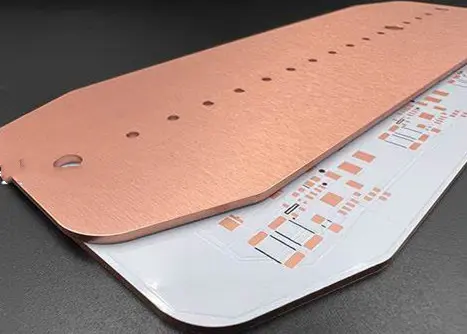
A copper core PCB, or copper core printed circuit board, is a specialized type of PCB that incorporates a thick copper layer at its core. This copper core serves as an efficient heat spreader, dramatically improving the board’s thermal management capabilities. Unlike traditional PCBs that rely solely on copper traces and thermal vias for heat dissipation, copper core PCBs leverage the excellent thermal conductivity of copper to quickly and effectively distribute heat across the entire board.
The copper core is typically sandwiched between layers of dielectric material and outer copper layers, creating a multi-layer structure that combines thermal efficiency with electrical functionality. This unique construction allows copper core PCBs to handle higher power densities and operate at cooler temperatures compared to standard PCBs, making them ideal for applications that generate significant heat.
The world of copper core PCBs is diverse, with several variations designed to meet different thermal and electrical requirements. Let’s explore the main types:
1. Standard Stack-up Copper Core PCB
The standard stack-up copper core PCB is the most common type, featuring a thermal conductivity of up to 12 W/m.K. This configuration typically consists of:
A thick copper core (ranging from 0.5mm to 3mm)
Dielectric layers on both sides of the core
Outer copper layers for circuit traces
This structure provides a good balance between thermal management and circuit design flexibility, making it suitable for a wide range of applications.
2. COB Copper PCB (Chip on Board Copper PCB)
COB Copper PCBs take thermal management a step further by directly mounting semiconductor chips onto the copper core. This approach:
Allows for higher power density and improved performance
COB Copper PCBs are particularly beneficial for high-power LED applications and other heat-intensive semiconductor devices.
3. Direct Thermal Path Copper PCB
This variant of copper core PCB features no dielectric layer under the thermal path pad. By removing the insulating layer beneath critical components, it creates a direct thermal connection to the copper core. Benefits include:
Significantly reduced thermal resistance
Faster heat dissipation from heat-generating components
Improved overall thermal performance
This design is ideal for applications where rapid heat transfer is crucial, such as power electronics and high-frequency RF circuits.
4. Aluminum-Copper Hybrid PCB with Direct Thermal Path
This innovative design combines the benefits of copper and aluminum to create a cost-effective thermal management solution. It features:
A copper core for superior heat spreading
An aluminum base for additional heat sinking
No dielectric layer in the thermal path
This hybrid approach offers excellent thermal performance at a lower cost compared to all-copper designs, making it an attractive option for cost-sensitive applications that still require robust thermal management.
5. Embedded Copper Core PCB
Embedded copper core PCBs take thermal management to the next level by integrating the copper core directly into the PCB structure. This design:
Allows for thinner overall board thickness
Provides superior thermal performance
Enables more complex circuit designs
Embedded copper core PCBs are particularly useful in applications where space is at a premium, such as mobile devices and aerospace electronics.
6. Hybrid Copper Core PCB
Hybrid copper core PCBs combine multiple PCB technologies to meet specific performance requirements. For example, a hybrid design might include:
A copper core PCB base
Additional layers of high-frequency material (e.g., Rogers 4350B)
Controlled depth milling and drilling for precise impedance control
This type of PCB is ideal for applications that require both excellent thermal management and high-frequency performance, such as advanced telecommunications equipment and radar systems.
Copper Core PCB Design Guide
Designing with copper core PCBs requires careful consideration of several factors to maximize their thermal and electrical performance. Here are some key guidelines to follow:
Thermal Management Considerations
Component Placement: Place high-power components directly over the copper core for optimal heat dissipation.
Thermal Vias: Use an array of thermal vias to create efficient heat paths from the surface to the copper core.
Copper Thickness: Choose an appropriate copper core thickness based on your thermal requirements.
Thermal Simulations: Conduct thermal simulations to optimize heat spreading and identify potential hotspots.
Electrical Design Considerations
Impedance Control: Account for the copper core’s impact on impedance when designing high-speed signals.
EMI Shielding: Utilize the copper core as an EMI shield by properly connecting it to ground.
Power Distribution: Leverage the copper core for power distribution to reduce resistance and improve current handling.
Manufacturing Considerations
Material Selection: Choose appropriate dielectric materials that can withstand the higher processing temperatures of copper core PCBs.
Layer Stack-up: Work closely with your PCB manufacturer to design an optimal layer stack-up that balances thermal and electrical performance.
Surface Finish: Select a surface finish that complements the thermal properties of the copper core PCB.
By following these guidelines, designers can fully leverage the advantages of copper core PCBs while mitigating potential challenges.
Aluminum vs Copper Core PCB
While both aluminum and copper core PCBs offer improved thermal management compared to standard FR-4 boards, they have distinct characteristics that make them suitable for different applications.
Thermal Conductivity
Copper: ~400 W/m.K
Aluminum: ~200 W/m.K
Copper’s superior thermal conductivity makes it the preferred choice for applications requiring the highest level of heat dissipation.
Cost
Aluminum core PCBs are generally less expensive than copper core PCBs, making them a popular choice for cost-sensitive applications that still require improved thermal management.
Weight
Aluminum is lighter than copper, which can be an advantage in applications where weight is a critical factor, such as aerospace and portable electronics.
CTE (Coefficient of Thermal Expansion)
Copper has a lower CTE than aluminum, which can lead to better reliability in applications that experience significant temperature fluctuations.
Electrical Conductivity
Copper offers better electrical conductivity than aluminum, which can be beneficial in designs that use the core for power distribution or grounding.
The choice between aluminum and copper core PCBs ultimately depends on the specific requirements of the application, balancing factors such as thermal performance, cost, weight, and reliability.
Applications of Copper Core PCBs
Copper core PCBs find use in a wide range of applications where efficient thermal management is crucial. Some key areas include:
1. LED Lighting
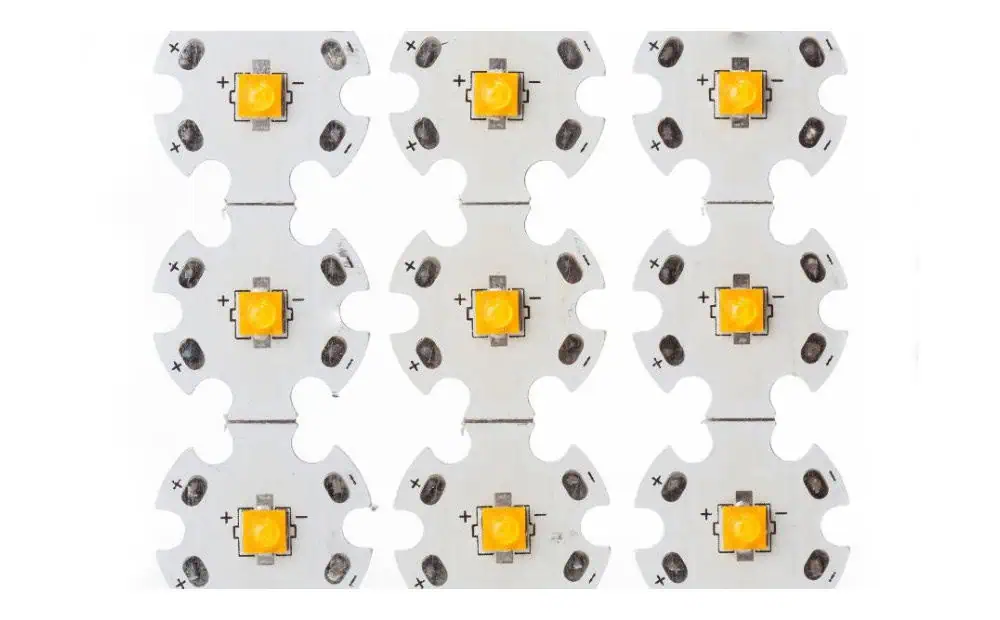
High-power LED applications, such as automotive headlights and industrial lighting, benefit greatly from copper core PCBs’ ability to efficiently dissipate heat and maintain optimal LED performance.
2. Power Electronics
Devices like motor controllers, inverters, and power supplies utilize copper core PCBs to manage the high heat generated by power semiconductor components.
3. RF and Microwave Circuits
The excellent thermal and electrical properties of copper core PCBs make them ideal for high-frequency applications in telecommunications and radar systems.
4. Automotive Electronics
As vehicles incorporate more electronic systems, copper core PCBs help manage the increased heat generation in engine control units, infotainment systems, and advanced driver assistance systems (ADAS).
5. Industrial Control Systems
Copper core PCBs enhance the reliability and performance of industrial control equipment operating in harsh environments with high temperatures.
6. Medical Devices
Certain medical imaging equipment and diagnostic devices benefit from the thermal management capabilities of copper core PCBs, ensuring accurate and reliable operation.
7. Aerospace and Defense
The combination of high thermal performance and potential weight savings makes copper core PCBs attractive for various aerospace and defense applications.
Conclusion
Copper core PCBs represent a significant advancement in thermal management for printed circuit boards. By offering high thermal conductivity at a competitive cost, they enable designers to push the boundaries of electronic performance and reliability. From standard stack-ups to innovative hybrid designs, the variety of copper core PCB options allows for tailored solutions to meet specific application requirements.
As electronic devices continue to evolve, becoming more powerful and compact, the importance of efficient thermal management will only grow. Copper core PCBs, with their superior heat dissipation capabilities, are well-positioned to play a crucial role in shaping the future of electronics across various industries.
By understanding the types, design considerations, and applications of copper core PCBs, engineers and product designers can make informed decisions about incorporating this technology into their projects. As the demand for high-performance, thermally efficient electronic systems continues to rise, copper core PCBs will undoubtedly remain at the forefront of thermal management solutions in the PCB industry.
Monopole antennas have been a cornerstone of wireless communication technology for decades. These simple yet versatile antennas are found in a wide range of applications, from radio broadcasting to modern mobile devices. In this comprehensive guide, we’ll explore the intricacies of monopole antenna design, delving into various types and their applications, with a particular focus on quarter-wave, planar, and ultra-wideband (UWB) configurations.
Understanding Monopole Antennas
What is a Monopole Antenna?
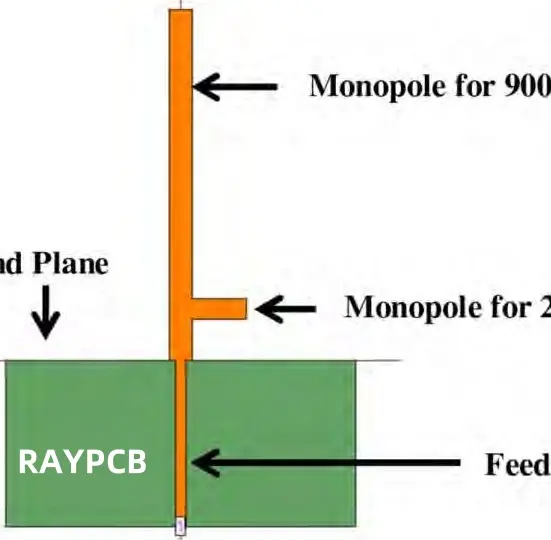
A monopole antenna is a type of radio antenna consisting of a straight rod-shaped conductor, often mounted perpendicularly to a ground plane. It is essentially one half of a dipole antenna, with the ground plane serving as a mirror for the missing half. This design makes monopole antennas compact and easy to integrate into various devices.
Basic Principles of Operation
Monopole antennas operate by converting electrical signals into electromagnetic waves and vice versa. The conductor element oscillates with the applied alternating current, creating an electromagnetic field that radiates outward. The ground plane plays a crucial role in shaping the radiation pattern and improving the antenna’s efficiency.
Advantages of Monopole Antennas
Simplicity: Monopole antennas are straightforward in design and easy to construct.
Compact size: They require less space compared to full dipole antennas.
Omnidirectional radiation pattern: Ideal for applications requiring 360-degree coverage.
Cost-effective: Simple design translates to lower manufacturing costs.
Versatility: Suitable for a wide range of frequencies and applications.
Quarter-Wave Monopole Antenna Design
Principles of Quarter-Wave Antennas
The quarter-wave monopole is one of the most common and efficient monopole antenna designs. As the name suggests, its length is approximately one-quarter of the wavelength of the operating frequency. This design creates a standing wave pattern that results in efficient radiation.
Calculating Antenna Length
To calculate the length of a quarter-wave monopole antenna, use the following formula:
L = (c / f) * 0.25
Where:
L is the length of the antenna
c is the speed of light (approximately 3 x 10^8 m/s)
f is the frequency of operation
Impedance Matching
Quarter-wave monopoles typically have an impedance of around 36.5 ohms when used with a perfect ground plane. To match this to standard 50-ohm systems, techniques such as:
Using a matching network
Adjusting the antenna’s thickness
Employing a folded monopole design
can be implemented to achieve optimal performance.
Ground Plane Considerations
The size and shape of the ground plane significantly affect the antenna’s performance. A larger ground plane generally improves efficiency and radiation pattern symmetry. In practice, a ground plane with a radius of at least one-quarter wavelength is often recommended.
Planar monopole antennas are a modern variation of the traditional monopole design. They consist of a flat, often rectangular or circular, conductive element mounted perpendicular to a ground plane. These antennas offer several advantages, including:
Low profile
Easy integration into printed circuit boards (PCBs)
Potential for wide bandwidth operation
Design Considerations
When designing planar monopole antennas, several factors need to be considered:
Shape of the planar element
Feed point location
Ground plane size and shape
Substrate material and thickness (for PCB-integrated designs)
Common Shapes and Their Characteristics
Rectangular Planar Monopole:
Simple to design and fabricate
Bandwidth can be enhanced by beveling or smoothing corners
Circular Planar Monopole:
Offers wider bandwidth compared to rectangular designs
More uniform radiation pattern
Elliptical Planar Monopole:
Provides a good compromise between rectangular and circular designs
Allows for some control over bandwidth and radiation characteristics
Feeding Techniques
Several feeding techniques can be employed for planar monopole antennas:
Ultra-wideband technology operates across a wide range of frequencies, typically from 3.1 GHz to 10.6 GHz. UWB systems require antennas capable of maintaining consistent performance across this broad spectrum.
Challenges in UWB Antenna Design
Designing UWB monopole antennas presents several challenges:
Maintaining consistent impedance matching across the entire bandwidth
Achieving stable radiation patterns over the frequency range
Miniaturization while preserving performance
Managing group delay variations
UWB Monopole Antenna Configurations
Several monopole configurations have been developed to meet UWB requirements:
Effective for antenna array design and pattern synthesis
Neural Networks:
Machine learning approach to antenna design
Can predict performance and assist in rapid prototyping
Measurement and Characterization
Accurate measurement and characterization are crucial for validating monopole antenna designs:
Vector Network Analyzer (VNA):
Measures S-parameters for impedance matching and bandwidth analysis
Anechoic Chamber:
Provides a controlled environment for radiation pattern measurements
Near-field Scanning:
Allows for high-resolution characterization of antenna performance
Future Trends in Monopole Antenna Design
Miniaturization and Integration
As devices continue to shrink, monopole antenna designs are evolving to meet size constraints:
Chip Antennas:
Extremely compact designs for integration into small IoT devices
3D-Printed Antennas:
Allows for complex geometries and customization
Textile-Integrated Antennas:
Flexible monopole designs for wearable technology
Multi-band and Reconfigurable Antennas
Future monopole designs are focusing on adaptability:
Frequency-Reconfigurable Monopoles:
Antennas that can switch between different frequency bands
Pattern-Reconfigurable Antennas:
Ability to adjust radiation patterns for optimal performance
Cognitive Radio Antennas:
Monopoles capable of adapting to dynamic spectrum usage
Advanced Materials
Emerging materials are opening new possibilities for monopole antenna design:
Graphene-based Antennas:
Extremely thin and flexible designs with unique properties
Liquid Metal Antennas:
Reconfigurable antennas using fluid conductors
Metamaterial-Inspired Designs:
Engineered structures for enhanced performance and miniaturization
Conclusion
Monopole antennas have come a long way from their simple quarter-wave origins. Today, they encompass a wide range of designs, from planar structures to ultra-wideband configurations. As we’ve explored in this comprehensive guide, monopole antennas continue to play a crucial role in modern wireless communication systems, IoT devices, and emerging technologies.
The versatility and simplicity of monopole antennas ensure their relevance in an ever-evolving technological landscape. From the basic principles of quarter-wave designs to the cutting-edge developments in UWB and reconfigurable antennas, the field of monopole antenna design remains dynamic and full of innovation.
As we look to the future, monopole antennas will undoubtedly continue to adapt and evolve, meeting the challenges of miniaturization, integration, and multi-functionality. Whether it’s in the next generation of mobile devices, advanced IoT ecosystems, or yet-to-be-imagined applications, monopole antennas will remain at the forefront of wireless technology, connecting our world in increasingly sophisticated ways.
In the ever-evolving landscape of wireless communication, antennas play a pivotal role in enabling seamless connectivity across a myriad of devices. From smartphones and laptops to IoT sensors and wearable technology, the demand for compact, efficient, and versatile antennas has never been greater. Enter the Inverted-F Antenna (IFA) and its planar cousin, the Planar Inverted-F Antenna (PIFA) – two designs that have revolutionized the world of compact wireless devices.
The Inverted-F Antenna, aptly named for its “F” shaped profile, has become a cornerstone in modern wireless design. Its low-profile structure, ease of integration, and impressive performance characteristics make it an ideal choice for engineers and designers working on space-constrained devices. The PIFA, an evolution of the IFA, takes these advantages further by offering even greater flexibility in terms of size and bandwidth potential.
As we dive into the world of Inverted-F Antenna designs, we’ll explore their fundamental principles, design strategies, and practical applications. This comprehensive guide is crafted to equip you with the knowledge and tools necessary to harness the full potential of IFA and PIFA designs in your projects. Whether you’re working on a 2.4 GHz Wi-Fi device, a dual-band mobile phone antenna, or an embedded IoT solution, this article will serve as your roadmap to success.
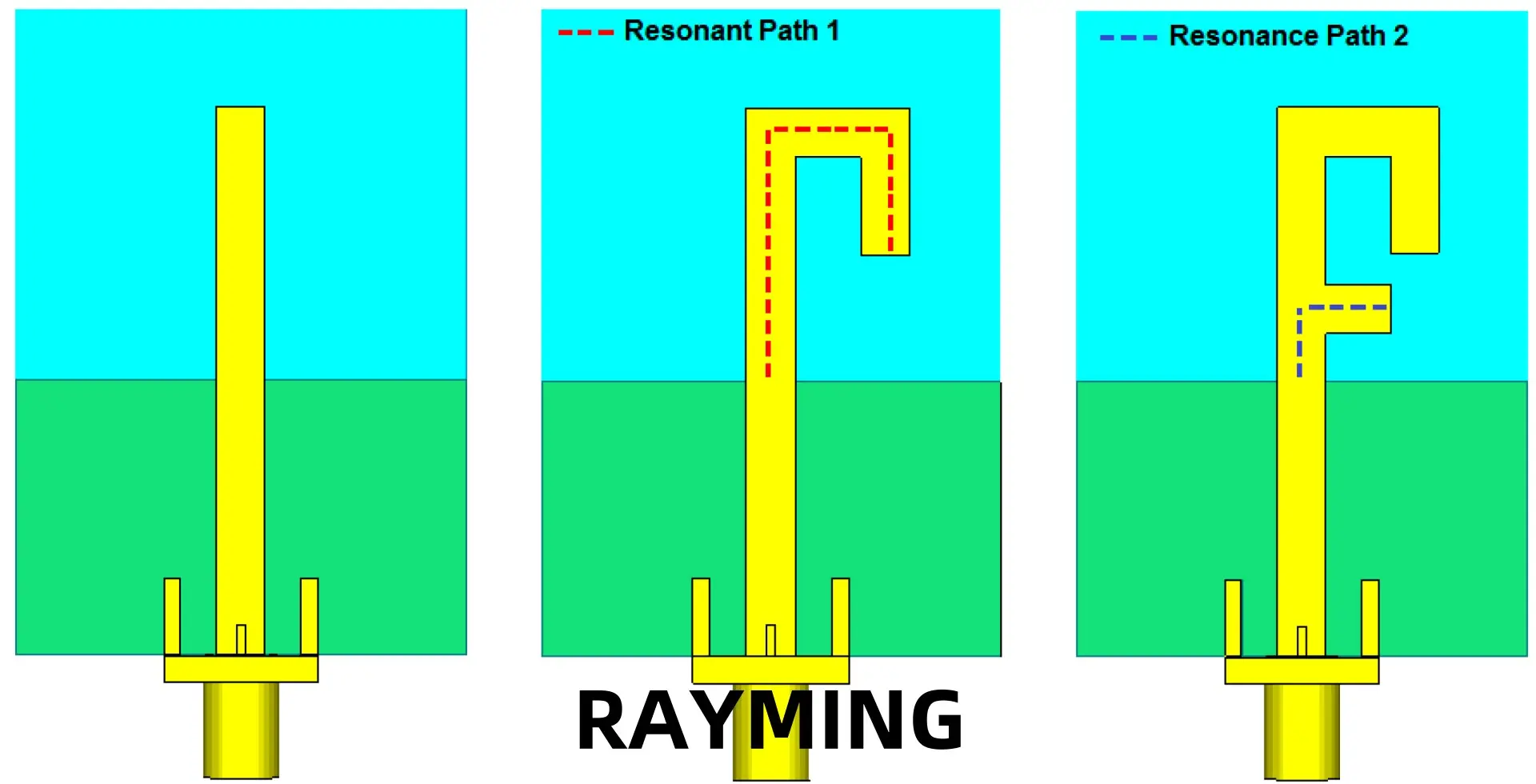
The Inverted-F Antenna (IFA) is a type of internal antenna commonly used in wireless communication devices. It derives its name from its shape, which resembles an inverted letter “F” when viewed from the side. The IFA evolved from the Inverted-L Antenna (ILA) design, with the addition of a short-circuit stub to improve impedance matching and bandwidth.
Originating in the early days of mobile phone technology, the IFA quickly gained popularity due to its compact size and ability to be easily integrated into handheld devices. As wireless technology progressed, so did the IFA design, leading to variations like the Planar Inverted-F Antenna (PIFA).
Basic Structure and Working Principle
The basic structure of an Inverted-F Antenna consists of three main parts:
Radiating element: A horizontal arm that is typically a quarter-wavelength long at the operating frequency.
Short-circuit stub: A vertical element connecting one end of the radiating element to the ground plane.
Feed point: The point where the antenna is excited, usually located between the short-circuit stub and the open end of the radiating element.
The working principle of the IFA is based on the quarter-wave resonator concept. The short-circuit stub creates a virtual ground point, allowing the horizontal arm to act as a quarter-wavelength resonator. This configuration enables the antenna to resonate at a lower frequency than its physical size would typically allow, making it ideal for compact devices.
Differences Between IFA and PIFA
While the IFA and PIFA share many similarities, there are key differences:
Structure:
IFA: Uses a wire or narrow strip for the radiating element.
PIFA: Employs a planar element, often a rectangular patch.
Bandwidth:
IFA: Generally has a narrower bandwidth.
PIFA: Offers wider bandwidth potential due to its planar structure.
Size:
IFA: Can be made very compact but may protrude from the device.
PIFA: Typically flatter and more easily integrated into slim devices.
Radiation pattern:
IFA: Often more directional.
PIFA: Generally provides more omnidirectional coverage.
Key Advantages: Low Profile, Ease of Integration, Wide Bandwidth Potential
Inverted-F Antennas, particularly PIFAs, offer several advantages that make them popular in modern wireless devices:
Low profile: The compact design allows for easy integration into slim devices without significant protrusion.
Ease of integration: IFAs and PIFAs can be directly etched onto PCBs or implemented as surface-mount components.
Wide bandwidth potential: Especially with PIFAs, achieving multi-band or wideband operation is possible through various design techniques.
Good performance: Despite their small size, these antennas can provide efficient radiation and good gain characteristics.
Versatility: The design can be easily modified to suit different frequency bands and applications.
Cost-effective: IFAs and PIFAs can be manufactured using standard PCB processes, making them economical for mass production.
These advantages have made Inverted-F Antennas the go-to choice for many mobile, IoT, and compact wireless applications, driving innovation in antenna design and integration techniques.
2. Fundamental Concepts Behind Inverted-F Antenna Design
Understanding the core principles that govern Inverted-F Antenna behavior is crucial for effective design. Let’s delve into the key concepts that form the foundation of IFA and PIFA design.
Resonance Principles and Quarter-Wavelength Operation
The Inverted-F Antenna operates on the principle of quarter-wavelength resonance. Here’s how it works:
Quarter-wave resonator: The main radiating element is approximately a quarter-wavelength long at the desired operating frequency.
Virtual ground: The short-circuit stub creates a virtual ground point, allowing the antenna to resonate at a lower frequency than its physical length would suggest.
Resonance frequency: The fundamental resonance frequency (f) is approximately given by:f = c / (4 * L)Where c is the speed of light, and L is the effective length of the radiating element.
Higher-order modes: IFAs and PIFAs can also operate at odd multiples of the fundamental frequency, enabling multi-band operation.
Impedance Matching and Tuning Methods
Proper impedance matching is critical for efficient power transfer between the antenna and the transceiver. Key aspects include:
Feed point location: The position of the feed point along the radiating element significantly affects the input impedance. Moving it closer to the short-circuit stub lowers the impedance.
Short-circuit stub width: Adjusting the width of the short-circuit stub can fine-tune the impedance.
Matching networks: External components like capacitors and inductors can be used to achieve better impedance matching across a wider bandwidth.
Slotting and meandering: Introducing slots or meandering in the radiating element can alter its electrical length and impedance characteristics.
Importance of Ground Plane Design
The ground plane plays a crucial role in the performance of Inverted-F Antennas:
Size effects: A larger ground plane generally improves antenna efficiency and bandwidth but may not always be practical in compact devices.
Edge effects: The edges of the ground plane contribute significantly to radiation. Optimizing the antenna’s position relative to the ground plane edges can enhance performance.
Current distribution: The ground plane carries induced currents that contribute to the overall radiation pattern. Understanding and managing these currents is key to optimizing antenna performance.
Clearance area: Maintaining a clear area around the antenna on the ground plane is essential for proper operation.
Radiation Patterns Typical for IFA and PIFA
The radiation patterns of Inverted-F Antennas are influenced by their structure and the ground plane:
IFA radiation pattern:
Generally more directional
Maximum radiation often perpendicular to the ground plane
Pattern can be shaped by adjusting the antenna’s position relative to the ground plane edges
PIFA radiation pattern:
More omnidirectional compared to IFA
Tends to provide better coverage in multiple directions
Can be optimized for specific applications by modifying the patch shape and feed position
Understanding these fundamental concepts provides the foundation for effective Inverted-F Antenna design. In the following sections, we’ll explore how to apply these principles to create antennas for specific applications and frequencies.
3. Designing an Inverted-F Antenna for 2.4 GHz Applications
The 2.4 GHz band is a cornerstone of modern wireless communication, hosting popular protocols like Wi-Fi, Bluetooth, and Zigbee. Designing an Inverted-F Antenna for this frequency requires careful consideration of various factors. Let’s walk through the process step-by-step.
Key 2.4 GHz Applications
Before diving into the design process, it’s important to understand the primary applications for 2.4 GHz antennas:
Wi-Fi (IEEE 802.11b/g/n): Requires good bandwidth coverage from 2.4 GHz to 2.4835 GHz.
Bluetooth: Operates in the 2.4 GHz to 2.4835 GHz range.
Zigbee: Uses channels within the 2.4 GHz to 2.4835 GHz band.
IoT devices: Many IoT protocols operate in this band due to its global availability.
Step-by-Step Design Guide
1. Determining Dimensions Based on the Target Frequency
To design an IFA for 2.4 GHz:
a) Calculate the quarter-wavelength at 2.4 GHz: λ/4 = c / (4 * f) = (3 * 10^8) / (4 * 2.4 * 10^9) ≈ 31.25 mm
b) Adjust for the effective dielectric constant of your PCB material. For FR-4 (εr ≈ 4.4), the length will be approximately: L ≈ 31.25 mm / √εr ≈ 14.9 mm
c) The width of the radiating element typically ranges from 1-3 mm for PCB implementations.
d) The height of the short-circuit stub affects bandwidth and can be optimized, but typically starts at about 3-5 mm.
2. Material and PCB Substrate Choices
Common materials for 2.4 GHz IFAs include:
FR-4: Cost-effective and widely available, suitable for many applications.
RogersRO4350B: Offers better performance but at a higher cost.
Taconic RF-35: Another high-performance option for demanding applications.
Consider factors like dielectric constant, loss tangent, and thermal stability when choosing your substrate.
3. Optimizing Feed Point Location for Impedance Matching
The feed point location is crucial for achieving good impedance matching:
a) Start with the feed point at about 30% of the total length from the short-circuit stub. b) Use simulation tools or a vector network analyzer to fine-tune the position for best VSWR or return loss at 2.4 GHz. c) Aim for an input impedance close to 50 ohms to match common RF systems.
4. Ground Plane Considerations
For optimal performance at 2.4 GHz:
a) Aim for a ground plane at least λ/4 in length and width (about 31.25 mm at 2.4 GHz). b) Keep a clearance area of at least 5-10 mm around the antenna on the ground plane. c) Consider the effects of nearby components and device housing on the effective ground plane size.
Common Pitfalls When Designing for 2.4 GHz
Ignoring environmental factors: The presence of a plastic case or nearby components can detune the antenna.
Insufficient bandwidth: Ensure your design covers the entire 2.4 GHz to 2.4835 GHz range for protocols like Wi-Fi and Bluetooth.
Poor impedance matching: Neglecting proper feed point optimization can result in high VSWR and poor efficiency.
Overlooking manufacturing tolerances: Small variations in PCB etching can significantly affect performance at 2.4 GHz.
Inadequate ground plane: A too-small ground plane can severely impact antenna performance.
By following this guide and being aware of common issues, you can design an effective Inverted-F Antenna for 2.4 GHz applications. Remember that simulation and real-world testing are crucial steps in the design process, which we’ll cover in later sections.
4. Dual-Band Inverted-F Antenna Design Strategies
As wireless devices increasingly support multiple frequency bands, the ability to design dual-band antennas becomes crucial. Inverted-F Antennas, particularly PIFAs, are well-suited for multi-band operation with proper design techniques. Let’s explore strategies for creating effective dual-band IFA and PIFA designs.
Why Dual-Band is Important
Dual-band antennas offer several advantages:
Multi-protocol support: e.g., Wi-Fi 2.4 GHz and 5 GHz in a single antenna.
Cellular coverage: Supporting multiple LTE bands with one antenna.
Space efficiency: Combining multiple frequency bands in a single antenna saves valuable space in compact devices.
Cost-effectiveness: One dual-band antenna can replace two single-band antennas, potentially reducing production costs.
Techniques for Achieving Dual-Band Performance
1. Multiple Feed Points
Concept: Use two separate feed points, each optimized for a different frequency band.
Implementation: a) Design two radiating elements of different lengths on the same structure. b) Feed each element separately, often requiring a diplexer or switch.
Advantages: Good isolation between bands, easier to tune independently.
Challenges: More complex feeding network, potentially larger size.
2. Slotted Designs
Concept: Introduce slots in the radiating element to create additional resonant paths.
Implementation: a) Add a U-shaped or L-shaped slot to a PIFA patch. b) Carefully tune the slot dimensions to achieve resonance at the desired higher frequency.
Advantages: Compact design, single feed point.
Challenges: Bandwidth at each frequency may be limited, careful tuning required.
3. Adding Parasitic Elements
Concept: Use a parasitic element to introduce a second resonance.
Implementation: a) Design the main radiating element for the lower frequency. b) Add a parasitic element near the main element, sized for the higher frequency. c) Adjust coupling between elements to fine-tune performance.
Advantages: Can achieve good bandwidth at both frequencies.
Challenges: Requires more space, coupling effects can be complex to manage.
4. Meandering and Branching Techniques
Concept: Create multiple resonant paths within a single structure.
Implementation: a) Design a meandering path for the lower frequency. b) Add branches or extensions tuned to the higher frequency.
Advantages: Compact design, single feed point.
Challenges: Can be sensitive to manufacturing tolerances.
Practical Examples of Dual-Band PIFA Structures
Wi-Fi Dual-Band PIFA (2.4 GHz and 5 GHz)
Main patch resonating at 2.4 GHz
U-shaped slot tuned for 5 GHz band
Single feed point for both bands
LTE Dual-Band PIFA (800 MHz and 1800 MHz)
Meandering main element for 800 MHz
Parasitic element or branch for 1800 MHz
Careful optimization of ground plane size for low-band efficiency
IoT Dual-Band PIFA (915 MHz and 2.4 GHz)
Main radiating element designed for 915 MHz (ISM band)
Slotted design or parasitic element for 2.4 GHz (Wi-Fi/Bluetooth)
Compact design suitable for small IoT devices
When designing dual-band Inverted-F Antennas, it’s crucial to consider the interaction between the two frequency bands. Simulation tools are invaluable for optimizing these complex structures and ensuring good performance across both bands.
5. Inverted-F Antennas in Mobile and Embedded Applications
The compact nature and versatile performance of Inverted-F Antennas make them ideal for mobile phones, IoT devices, and wearable technology. Let’s explore why these antennas are so well-suited for these applications and the unique design considerations they entail.
Why Inverted-F Antennas are Ideal for Mobile Phones, IoT, and Wearable Devices
Low profile: IFAs and PIFAs can be made very thin, fitting easily into slim smartphones and wearables.
Multiband operation: Capable of covering multiple frequency bands required for modern mobile communications.
Good performance in proximity to human body: PIFAs tend to be less affected by the presence of the user’s hand or head compared to some other antenna types.
Flexibility in design: Can be shaped to conform to device contours, especially important for wearables.
PCB integration: Can be directly etched onto the main PCB, saving space and reducing cost.
Examples of Smartphone Antenna Integration
Modern smartphones often use multiple Inverted-F Antennas to cover various bands and improve performance:
Main cellular antenna: Typically a PIFA design covering multiple LTE bands.
Diversity/MIMO antenna: Secondary PIFA for improved reception and data rates.
Wi-Fi/Bluetooth antenna: Often a separate IFA or PIFA optimized for 2.4 GHz and 5 GHz.
GPS antenna: A specialized PIFA design for GNSS frequencies.
Smartphone manufacturers often use clever techniques to hide antennas, such as:
Integrating antennas into the metal frame of the device
Using the back cover as part of the antenna structure
Implementing transparent antennas in the display area
Design Considerations for Embedded Antennas
Space Constraints
Miniaturization techniques: Use of meandering, folding, and 3D structures to reduce antenna size.
Co-design with device housing: Utilizing device chassis as part of the antenna system.
Ground plane optimization: Careful design of ground plane shape and size to maximize performance in limited space.
Nearby Component Effects
Detuning: Proximity of components can shift the antenna’s resonant frequency.
Isolation: Ensuring sufficient separation or shielding from noise sources like processors.
Coupling: Managing intentional and unintentional coupling with other antennas or components.
Human Body Interaction (Wearable Devices)
Body effect modeling: Simulating antenna performance when worn on different body parts.
SAR (Specific Absorption Rate) considerations: Designing to minimize RF energy absorption by the body.
Impedance stability: Ensuring the antenna remains well-matched when in contact with the body.
6. Simulation and Testing of Inverted-F Antennas
Proper simulation and testing are crucial for developing effective Inverted-F Antennas. This process helps optimize designs before physical prototyping and ensures that manufactured antennas meet performance specifications.
Introduction to Antenna Simulation Tools
Popular electromagnetic simulation software for antenna design includes:
Industry-standard for 3D electromagnetic field simulation
Excellent for complex antenna structures and environments
CST Microwave Studio:
Versatile tool with multiple solver technologies
Good for time-domain and frequency-domain analysis
FEKO (FEldberechnung für Körper mit beliebiger Oberfläche):
Specializes in Method of Moments (MoM) and hybrid techniques
Efficient for large structure simulations like antennas on vehicles
COMSOL Multiphysics:
Allows coupling of electromagnetic simulations with other physics (thermal, mechanical)
Useful for multiphysics problems in antenna design
Common Simulation Parameters to Analyze
When simulating Inverted-F Antennas, key parameters to focus on include:
S11 (Return Loss):
Indicates how well the antenna is matched to the feed line
Aim for S11 < -10 dB in the frequency band of interest
VSWR (Voltage Standing Wave Ratio):
Another measure of impedance matching
Target VSWR < 2:1 for good performance
Gain and Efficiency:
Analyze 3D radiation patterns and peak gain
Look at antenna efficiency across the operating band
Current Distribution:
Helps understand how the antenna is radiating
Useful for identifying potential improvements in the design
Near-field Distribution:
Important for assessing SAR and interaction with nearby components
Real-World Testing Methods
While simulation is valuable, real-world testing is essential to validate antenna performance:
Anechoic Chamber Measurements
Purpose: Provides a controlled environment for accurate antenna measurements
Measurements:
Far-field radiation patterns
Gain measurements
Efficiency testing
Return Loss and Impedance Testing
Equipment: Vector Network Analyzer (VNA)
Measurements:
S11 parameters
Input impedance across frequency
Bandwidth verification
Radiation Pattern Verification
Methods:
Far-field range testing
Near-field to far-field transformation techniques
Importance: Verifies the antenna’s directional characteristics and gain
Over-the-Air (OTA) Performance Testing
Purpose: Evaluates antenna performance in realistic usage scenarios
Measurements:
Total Radiated Power (TRP)
Total Isotropic Sensitivity (TIS)
Specific Absorption Rate (SAR) for body-worn devices
7. Common Challenges in Inverted-F Antenna Designs
Despite their many advantages, Inverted-F Antennas come with their own set of challenges. Understanding these issues is crucial for successful implementation.
Narrow Bandwidth Limitations
Issue: Basic IFA designs often have limited bandwidth, which can be problematic for wideband applications.
Solutions:
Use of broadbanding techniques like capacitive loading
Implementing slotted PIFA designs for increased bandwidth
Careful optimization of feed point and short-circuit stub placement
Tuning Issues During PCB Integration
Challenge: Antenna performance can change significantly when integrated into a complete PCB design.
Approaches:
Simulating the antenna with surrounding PCB components
Designing with tuning elements (e.g., capacitors) for post-integration adjustment
Maintaining proper clearance around the antenna area
Interference from Nearby Components
Problem: Proximity to other electronic components can detune the antenna or create unwanted coupling.
Mitigation strategies:
Proper placement and orientation of the antenna on the PCB
Use of ground planes or shielding to isolate the antenna
Careful routing of high-speed digital signals away from the antenna
De-tuning Caused by Environmental Changes
Issue: Factors like the user’s hand, device casing, or nearby objects can shift the antenna’s resonant frequency.
Solutions:
Designing for a slightly wider bandwidth to accommodate detuning
Implementing adaptive matching networks for dynamic tuning
Careful placement of the antenna within the device to minimize human body effects
8. Optimization Tips for High-Performance Inverted-F Antennas
To achieve the best possible performance from Inverted-F Antennas, consider these advanced optimization techniques:
Techniques for Maximizing Bandwidth
Parasitic elements: Adding nearby parasitic patches or strips can create additional resonances, widening the overall bandwidth.
Slotted designs: Carefully placed slots in PIFA structures can significantly increase bandwidth.
Thick substrates: Using a thicker PCB substrate can improve bandwidth, especially for PIFAs.
Tapered matching: Implementing a tapered feed section can provide better wideband matching.
Ground Plane Size and Shape Optimization
Edge tapering: Tapering the edges of the ground plane can smooth out resonances and improve bandwidth.
Slot cutting: Strategic slots in the ground plane can enhance radiation characteristics.
Size considerations: Optimizing the ground plane size relative to the operating wavelength can significantly impact performance.
Advanced Tuning Methods
Capacitive loading: Adding capacitance at the open end of the IFA can lower its resonant frequency without increasing size.
Inductive shorting: Replacing the shorting pin with an inductor can provide additional tuning flexibility.
Distributed matching networks: Implementing matching elements along the length of the antenna for improved wideband performance.
Balancing Size, Efficiency, and Frequency Stability
Miniaturization techniques: Use of meandering and 3D structures to reduce size while maintaining performance.
Material selection: Choosing high-quality, low-loss materials to maintain efficiency in compact designs.
Robust design practices: Implementing designs that are less sensitive to manufacturing tolerances and environmental changes.
9. Real-World Case Studies
Case Study 1: Designing a 2.4 GHz IFA for a Smart Sensor
Challenge: Create a compact, efficient antenna for a battery-powered IoT sensor operating at 2.4 GHz.
Solution:
Implemented a meandered IFA design to reduce overall size.
Optimized ground plane size to balance performance and compactness.
Used simulation to fine-tune feed point for best matching at 2.4 GHz.
Results:
Achieved -15 dB return loss across the entire 2.4 GHz ISM band.
Antenna efficiency of 75% in free space.
Successful integration into a compact 30mm x 30mm PCB.
Case Study 2: Dual-band PIFA for a Mobile Phone Application
Challenge: Design a single antenna to cover LTE Band 5 (850 MHz) and Band 3 (1800 MHz) for a slim smartphone.
Solution:
Implemented a slotted PIFA design with main resonance at 850 MHz.
Added a carefully tuned slot to create a second resonance at 1800 MHz.
Utilized the phone’s metal frame as part of the ground plane.
Results:
Achieved -10 dB bandwidth covering both required LTE bands.
Maintained performance with minimal detuning from hand effect.
Successfully integrated into a 7mm thick smartphone design.
Conclusion
Inverted-F Antennas, including their planar variants (PIFAs), represent a versatile and powerful solution for modern wireless communication challenges. Their ability to provide efficient, compact, and adaptable designs makes them indispensable in a world increasingly dominated by mobile and IoT devices.
Throughout this guide, we’ve explored the fundamental principles behind IFA and PIFA designs, delved into practical design strategies for single and dual-band applications, and addressed the unique challenges posed by mobile and embedded implementations. We’ve also covered essential aspects of simulation, testing, and optimization to ensure your antenna designs meet the demanding requirements of today’s wireless devices.
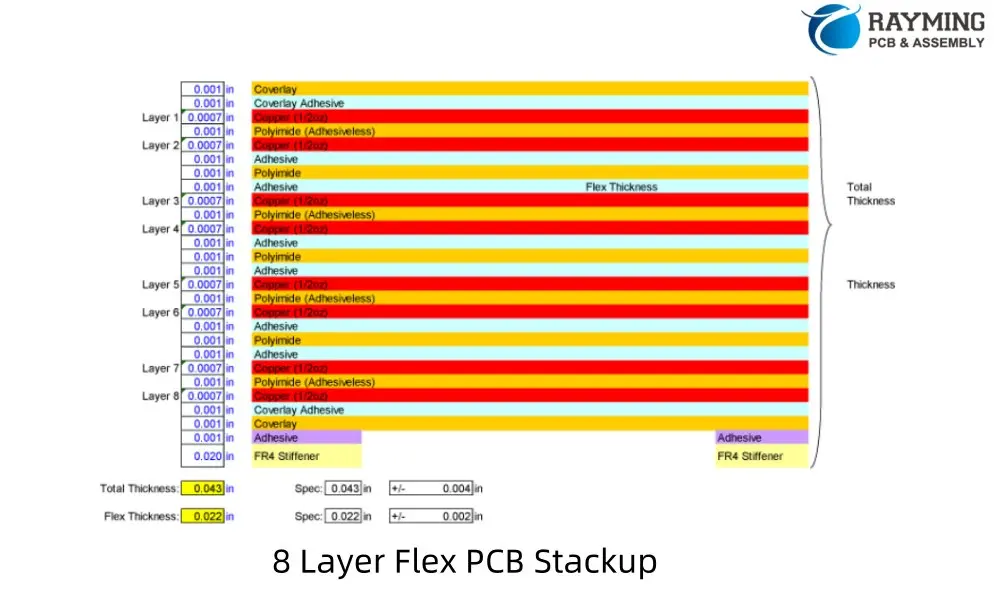
In the rapidly evolving world of electronics, the demand for more complex and compact circuitry continues to grow. Enter the 8 layer flexible PCB, a sophisticated solution that combines the benefits of multi-layer design with the versatility of flexible substrates. This article delves into the intricacies of 8 layer flexible PCB, covering their design, manufacturing process, cost considerations, and applications.
What is 8 Layer Flexible PCB?
An 8 layer flexible PCB is an advanced type of flexible printed circuit board that incorporates eight conductive layers separated by insulating materials. These boards represent the cutting edge of flexible circuit technology, offering unprecedented complexity and functionality in a pliable form factor.
Key Characteristics of 8 Layer Flexible PCBs:
High Complexity: Allows for intricate circuit designs with extensive routing options
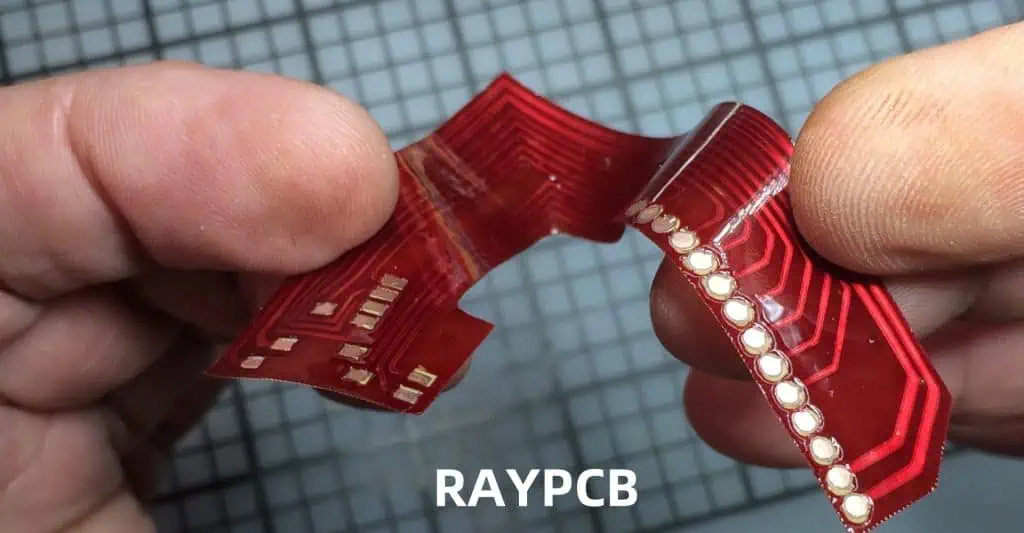
Flexibility: Can bend, twist, or fold to fit into tight spaces
Density: Enables high component density and feature-rich designs
Signal Integrity: Multiple layers provide options for improved signal isolation and power distribution
Weight Reduction: Lighter than equivalent rigid PCBs, crucial for weight-sensitive applications
Durability: Resistant to vibration and repeated flexing, ideal for dynamic environments
The versatility and high-performance capabilities of 8 layer flexible PCBs make them ideal for applications requiring complex circuitry in a compact, flexible form factor. As technology continues to advance, the demand for these sophisticated flexible circuits is expected to grow across various industries, pushing the boundaries of electronic design and enabling new innovations in product development.
In conclusion, 8 layer flexible PCBs represent the pinnacle of flexible circuit technology, offering unparalleled complexity and performance in a pliable package. While they present unique challenges in terms of design and manufacturing, their benefits in terms of functionality, space-saving, and adaptability make them an invaluable option for cutting-edge electronic applications. As the electronics industry continues to evolve, 8 layer flexible PCBs will undoubtedly play a crucial role in shaping the future of technology across multiple sectors.
Rigid-Flex PCBs (Printed Circuit Boards) have revolutionized the electronics industry by combining the best features of both rigid and flexible circuits. These innovative boards offer a unique solution for complex electronic designs, providing flexibility and durability in a single package. In this comprehensive guide, we’ll explore the intricate manufacturing processes behind Rigid-Flex PCBs, their characteristics, applications, and common design mistakes to avoid.
What Are Rigid-Flex PCBs?
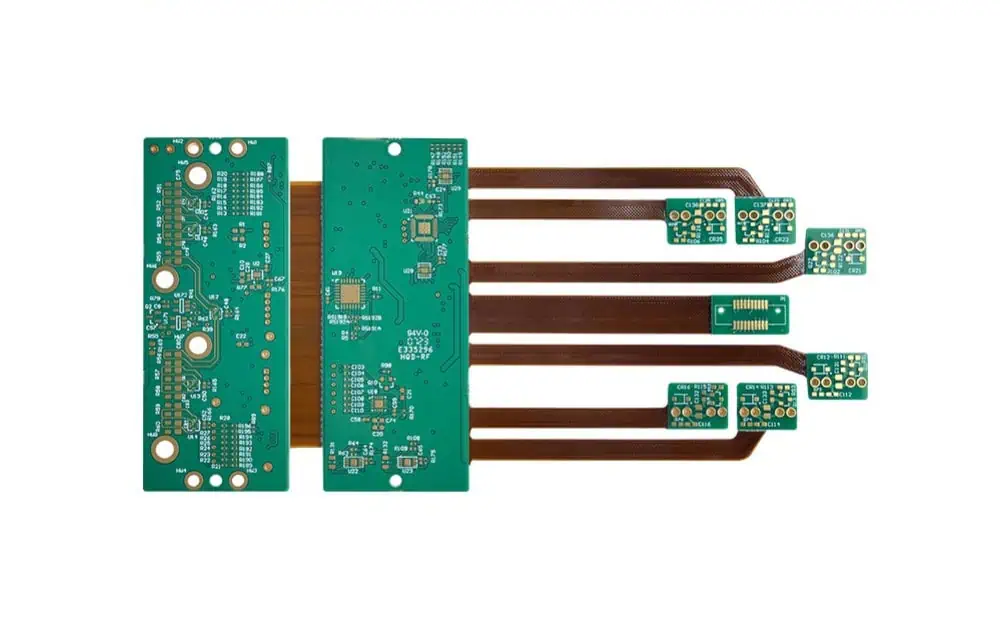
Imagine a circuit board that can bend and twist without breaking. That’s a Rigid-Flex PCB! It’s like having a regular circuit board (the rigid part) connected to a flexible, bendable circuit (the flex part) all in one piece.
Key Features of Rigid-Flex PCBs:
Flexibility: They can bend and fold to fit tight spaces
Durability: Less likely to break under stress
Space-Saving: No need for bulky connectors between board sections
Weight Reduction: Lighter than traditional PCB setups
Where Are They Used?
Rigid-Flex PCBs are the unsung heroes in many devices we use daily. You’ll find them in:
Using precise laser cutting, we trim away excess material around the flex sections. This defines where the board can bend and where it stays rigid.
12. Testing, Testing, 1-2-3
Finally, we put the board through rigorous testing:
Checking all connections
Testing the overall function of the circuit
Making sure it bends where it should without breaking
Rigid-Flex PCB Designs: Shapes and Styles
Rigid-Flex PCBs come in various designs to suit different needs:
Flex to Install: Shipped flat, bends for installation
Flex to Flex: Multiple flex circuits connecting rigid sections
Rigid-Flex: A mix of rigid and flex layers in one board
Sculptured Flex: Varying thickness in different areas
Bookbinder: Rigid sections connected by a flexible “spine”
Top 10 Design Mistakes to Avoid
When creating Rigid-Flex PCBs, watch out for these common pitfalls:
Poor Layer Planning: Can lead to a board that falls apart
Bending Too Much: Overly tight bends can break circuits
Misaligned Layers: Causes connection failures
Skimping on Copper: Too little copper in flex areas leads to tears
Forgetting About Heat: Overlooking thermal management causes performance issues
Misplaced Vias: Putting connection points in the wrong spots reduces reliability
Using the Wrong Materials: Some materials don’t flex well long-term
Incorrect Trace Routing: Traces in the wrong direction can break when flexed
Too Much Rigidity: Defeats the purpose of a flex design
Overly Complex Designs: Can be difficult or impossible to manufacture
Wrapping Up
Rigid-Flex PCBs are marvels of modern electronics. They allow us to create smaller, lighter, and more durable devices than ever before. From the initial material selection to the final testing, each step in the manufacturing process is crucial in creating these versatile circuit boards.
As technology continues to advance, Rigid-Flex PCBs will play an increasingly important role. They’re pushing the boundaries of what’s possible in electronics, finding their way into ever more compact and complex devices.
Understanding how these boards are made not only gives us appreciation for the devices we use daily but also inspires future innovations. Who knows? The next groundbreaking electronic device might just be made possible by a cleverly designed Rigid-Flex PCB!
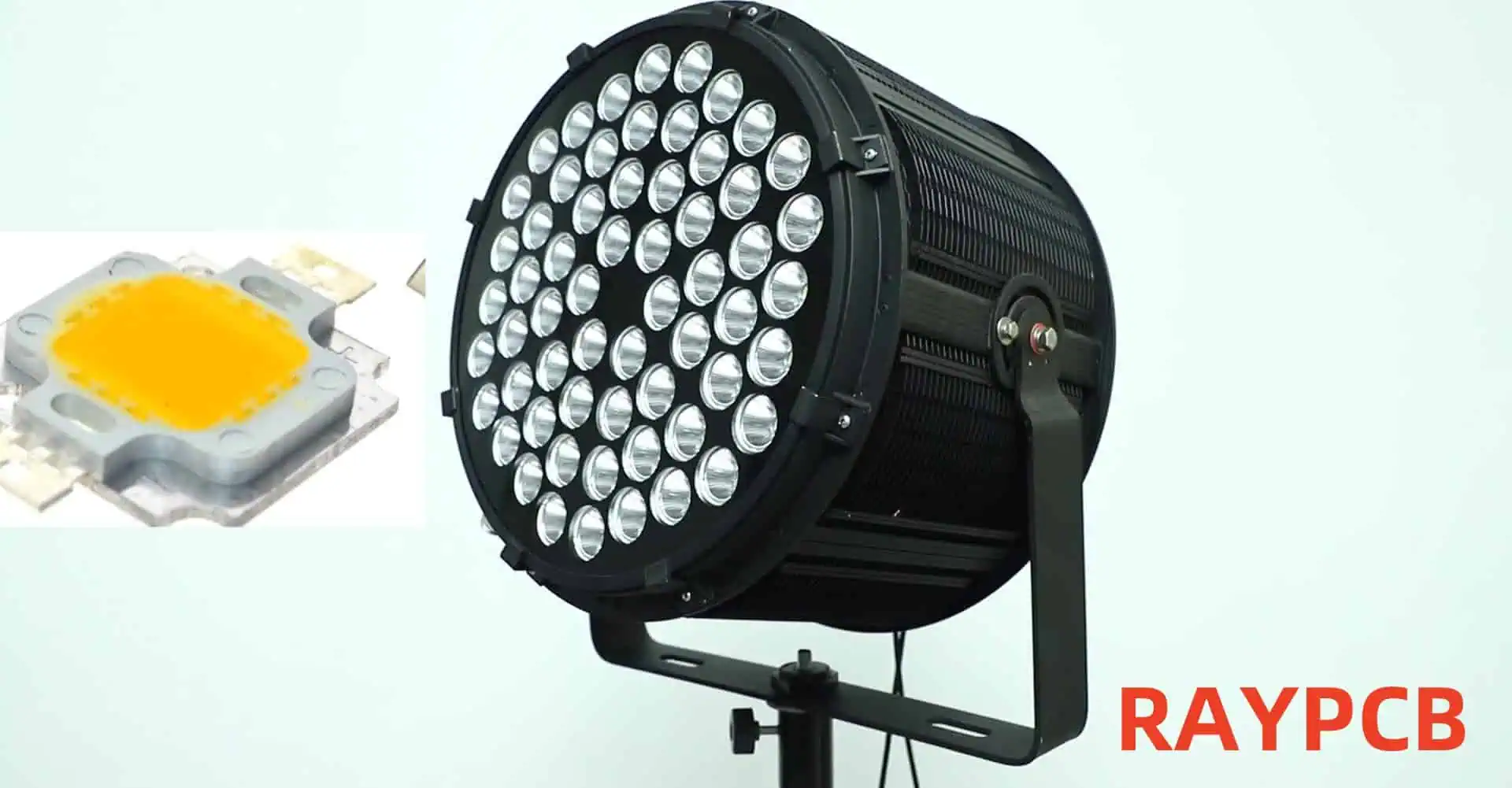
High power LED lights have revolutionized the lighting industry, offering unprecedented levels of brightness, energy efficiency, and durability. As technology advances, we’re seeing more powerful LEDs hitting the market, with 100W, 200W, and even higher wattage options becoming increasingly common. This article will explore the world of high powerLED lights, their applications, benefits, challenges, and future prospects.
Understanding High Power LED Lights
What Are High Power LED Lights?
High power LED lights are lighting solutions that use light-emitting diodes (LEDs) capable of producing extremely high levels of illumination. These LEDs are designed to handle significantly more electrical power than standard LEDs, resulting in much higher light output.
Key Characteristics of High Power LEDs
High Lumen Output: Capable of producing thousands of lumens per LED package.
Improved Efficacy: Higher lumens per watt compared to traditional lighting sources.
Longevity: Long lifespan, often rated for 50,000 hours or more.
Compact Size: High light output from a relatively small form factor.
Applications of High Power LED Lights
Industrial Lighting
Warehouses: High bay lighting for large storage facilities.
Manufacturing Plants: Bright, uniform lighting for production lines and work areas.
Mining: Durable, high-intensity lighting for underground and surface operations.
Outdoor Lighting
Street Lighting: Energy-efficient illumination for roads and highways.
Sports Facilities: High-intensity lighting for stadiums and outdoor courts.
Architectural Lighting: Dramatic illumination of buildings and landscapes.
Commercial Lighting
Retail Spaces: Bright, attractive lighting for showrooms and display areas.
Convention Centers: Flexible, high-output lighting for various events.
Theaters and Studios: Powerful, controllable lighting for stage and film production.
Specialty Applications
Horticulture: High-intensity grow lights for indoor farming.
Automotive: High-power headlights and auxiliary lighting.
Marine: Durable, high-output lighting for ships and offshore structures.
Comparison of 100W, 200W, and Higher Power LED Lights
Parameter
100W LED
200W LED
300W+ LED
Lumen Output (approx.)
10,000-15,000 lm
20,000-30,000 lm
30,000-45,000+ lm
Efficacy (lm/W)
100-150
100-150
100-150
Heat Generation
Moderate
High
Very High
Typical Applications
Small warehouses, Street lighting
Large warehouses, Sports lighting
Stadiums, Large outdoor areas
Initial Cost
Moderate
High
Very High
Energy Savings vs. HID
60-70%
60-70%
60-70%
Lifespan (hours)
50,000-100,000
50,000-100,000
50,000-100,000
Color Rendering Index
70-95+
70-95+
70-95+
Beam Angle Options
60°-120°
60°-120°
60°-120°
Technology Behind High Power LED Lights
LED Chip Design
Chip-on-Board (COB) Technology: Multiple LED chips are packaged together to form a single, high-output light source.
Multi-Die Arrays: Several high-power LED dies are combined in a single package.
Advanced Semiconductor Materials: Use of materials like Gallium Nitride (GaN) for improved efficiency and heat tolerance.
Thermal Management
Heat Sinks: Large, often finned aluminum structures to dissipate heat.
Active Cooling: Fans or liquid cooling systems for extremely high-power applications.
Thermal Interface Materials: Specialized materials to improve heat transfer from LED to heat sink.
Power Supply and Drivers
Constant Current Drivers: Ensure stable current supply to maintain consistent light output and protect LEDs.
High Efficiency Power Supplies: Minimize energy loss in power conversion.
Intelligent Control Systems: Allow for dimming, color tuning, and integration with smart lighting systems.
Optics and Light Distribution
Reflectors: Shaped reflective surfaces to control beam angle and light distribution.
Lenses: Precision-engineered lenses to focus or diffuse light as needed.
Total Internal Reflection (TIR) Optics: Advanced optical systems for precise light control.
Benefits of High Power LED Lights
Energy Efficiency
High power LED lights offer significant energy savings compared to traditional high-intensity discharge (HID) lamps. They can provide the same or higher light output while consuming up to 70% less energy.
Long Lifespan
With proper thermal management, high power LEDs can last 50,000 to 100,000 hours or more, significantly reducing maintenance and replacement costs.
Improved Light Quality
Modern high power LEDs offer excellent color rendering (CRI 70-95+) and a wide range of color temperatures, providing high-quality light for various applications.
Instant On/Off
Unlike HID lamps, high power LEDs reach full brightness instantly and can be switched on and off rapidly without affecting lifespan.
Directional Light Output
LEDs emit light in a specific direction, reducing the need for reflectors and diffusers, which can trap light.
Environmental Benefits
LED lights contain no mercury and produce less waste due to their long lifespan, making them a more environmentally friendly option.
Challenges and Considerations
Heat Management
As LED power increases, managing heat becomes increasingly critical. Proper thermal design is essential to maintain performance and longevity.
Initial Cost
High power LED lights often have a higher upfront cost compared to traditional lighting solutions, although this is often offset by long-term energy savings and reduced maintenance.
Light Distribution
Achieving uniform light distribution over large areas can be challenging with very high-power LEDs and may require careful optical design.
Power Supply Reliability
The performance and lifespan of high power LED systems are heavily dependent on the quality and reliability of their power supplies and drivers.
Glare and Light Pollution
The intense brightness of high power LEDs can cause glare issues if not properly managed, potentially contributing to light pollution in outdoor applications.
Future Trends in High Power LED Lighting
Increased Efficiency
Ongoing research aims to push LED efficacy even higher, potentially reaching 200 lumens per watt or more in commercial products.
Advanced Materials
Development of new semiconductor materials and phosphors to improve performance and expand the range of available spectra.
Smart Integration
Integration of high power LEDs with advanced control systems, sensors, and IoT technologies for improved energy management and customization.
Miniaturization
Efforts to reduce the size of high power LED packages while maintaining or improving output and thermal performance.
Specialized Spectra
Development of LEDs with spectra tailored for specific applications, such as horticulture, human-centric lighting, and wildlife-friendly outdoor lighting.
Choosing the Right High Power LED Light
Factors to Consider
Application Requirements: Determine the required light output, distribution pattern, and color characteristics.
Environmental Conditions: Consider temperature, humidity, and potential exposure to dust or water.
Energy Efficiency Goals: Calculate potential energy savings and return on investment.
Maintenance Considerations: Evaluate accessibility and frequency of required maintenance.
Control Requirements: Assess needs for dimming, color tuning, or integration with building management systems.
Regulatory Compliance: Ensure the chosen solution meets relevant safety and performance standards.
Comparison of High Power LED Fixtures for Industrial Applications
Feature
100W Fixture
200W Fixture
300W Fixture
Lumen Output
13,000 lm
26,000 lm
39,000 lm
Efficacy
130 lm/W
130 lm/W
130 lm/W
Color Temperature Options
3000K, 4000K, 5000K
3000K, 4000K, 5000K
3000K, 4000K, 5000K
Beam Angle Options
60°, 90°, 120°
60°, 90°, 120°
60°, 90°, 120°
Weight
3.5 kg
5.2 kg
7.8 kg
Dimensions (LxWxH)
300x250x100 mm
400x300x120 mm
500x350x140 mm
IP Rating
IP65
IP65
IP65
Lifespan (L70)
100,000 hours
100,000 hours
100,000 hours
Warranty
5 years
5 years
5 years
Typical Mounting Height
4-6 m
6-9 m
9-12 m
Recommended Coverage Area
100-150 m²
200-300 m²
300-450 m²
Installation and Maintenance Best Practices
Installation Tips
Proper Mounting: Ensure fixtures are securely mounted and properly aligned.
Adequate Ventilation: Allow for sufficient airflow around fixtures to aid heat dissipation.
Correct Wiring: Use appropriate gauge wires and ensure all connections are secure and properly insulated.
Surge Protection: Install surge protection devices to guard against voltage spikes.
Proper Aiming: Adjust fixture angles to minimize glare and optimize light distribution.
Maintenance Recommendations
Regular Cleaning: Keep fixtures clean to maintain optimal light output and heat dissipation.
Inspection Schedule: Regularly inspect fixtures for signs of damage or degradation.
Driver Maintenance: Monitor and replace drivers as needed, as they often have a shorter lifespan than the LEDs themselves.
Thermal Management Check: Periodically inspect heat sinks and cooling systems for proper operation.
Light Level Monitoring: Use light meters to track output over time and plan for replacements.
Conclusion
High power LED lights with 100W, 200W, and higher wattages represent the cutting edge of lighting technology. They offer unprecedented levels of brightness, efficiency, and versatility, making them suitable for a wide range of demanding applications. While challenges such as heat management and initial cost remain, ongoing technological advancements continue to improve performance and reduce barriers to adoption. As the technology matures, we can expect to see even more powerful and efficient LED lighting solutions, further transforming how we illuminate our world.
Frequently Asked Questions (FAQ)
1. How do high power LED lights compare to traditional HID lamps in terms of energy efficiency?
High power LED lights are significantly more energy-efficient than traditional HID (High-Intensity Discharge) lamps. On average, LED lights can provide the same or higher light output while consuming 60-70% less energy. This efficiency translates to substantial energy savings over the lifetime of the fixture. For example, a 200W LED light might replace a 400W or 600W HID lamp, depending on the specific application and light requirements.
The higher efficiency of LEDs is due to several factors:
LEDs convert a higher percentage of electrical energy directly into light, with less energy lost as heat.
LED light is more directional, reducing the need for reflectors that can trap light.
LED efficacy (lumens per watt) continues to improve with technological advancements.
It’s important to note that the exact energy savings can vary depending on the specific products being compared and the application requirements.
2. What are the main challenges in thermal management for high power LED lights?
Thermal management is one of the most critical challenges in high power LED lighting. As the power of LEDs increases, so does the amount of heat generated. Effective heat dissipation is crucial for maintaining LED performance and longevity. The main challenges include:
Heat Concentration: High power LEDs produce a lot of heat in a small area, which can lead to hotspots.
Temperature Sensitivity: LED performance and lifespan decrease as temperature increases.
Limited Space: Many applications require compact designs, limiting options for heat sinks and cooling systems.
Environmental Factors: Ambient temperature and airflow can significantly affect cooling efficiency.
Material Limitations: Finding materials with high thermal conductivity that are also cost-effective and suitable for manufacturing.
To address these challenges, manufacturers employ various strategies:
Advanced heat sink designs with increased surface area
Use of high thermal conductivity materials like aluminum and copper
Integration of active cooling systems (fans or liquid cooling) for very high-power applications
Use of thermally conductive interface materials to improve heat transfer from the LED to the heat sink
Proper thermal management is essential to ensure that high power LED lights achieve their rated lifespan and maintain consistent performance over time.
3. How long can I expect a high power LED light to last?
The lifespan of high power LED lights is typically much longer than traditional lighting sources. Most high-quality LED fixtures are rated for 50,000 to 100,000 hours of operation. However, it’s important to understand what this rating means:
LED lifespan is usually quoted as L70, which is the time it takes for the light output to decrease to 70% of its initial value.
This doesn’t mean the LED will completely fail at this point, but rather that its output has diminished to a level considered the end of its useful life for most applications.
Factors affecting LED lifespan include:
Operating Temperature: Higher temperatures can significantly reduce lifespan.
Drive Current: Running LEDs at higher currents can decrease lifespan.
Thermal Management: Proper heat dissipation is crucial for longevity.
Environmental Conditions: Exposure to humidity, vibration, and temperature fluctuations can impact lifespan.
Quality of Components: The driver and other electronic components can fail before the LED itself.
In real-world applications, a high power LED light operated for 12 hours per day could potentially last over 11 years before reaching its L70 point. However, it’s important to note that other components in the fixture, particularly the driver, may need replacement before the LEDs themselves reach end-of-life.
Regular maintenance and proper installation in accordance with manufacturer specifications can help ensure that high power LED lights achieve or even exceed their rated lifespan.
4. Are high power LED lights suitable for outdoor use in extreme weather conditions?
Yes, high power LED lights can be designed for outdoor use in extreme weather conditions, but it’s crucial to choose fixtures specifically engineered for such environments. When selecting LED lights for challenging outdoor applications, consider the following factors:
IP Rating: Look for fixtures with appropriate Ingress Protection (IP) ratings. For most outdoor applications, a minimum of IP65 is recommended, which provides protection against dust and water jets. For more extreme conditions, higher ratings like IP66 or IP67 may be necessary.
Operating Temperature Range: Check the fixture’s specified operating temperature range. High-quality outdoor LED lights can often operate in temperatures from -40°C to +50°C or even wider ranges.
Corrosion Resistance: For coastal or industrial areas, choose fixtures with corrosion-resistant materials and finishes, such as marine-grade aluminum or stainless steel.
Wind Load Resistance: In areas prone to high winds, ensure the fixture and mounting system are designed to withstand expected wind loads.
Thermal Management: Look for designs with effective passive cooling systems that can operate reliably without fans or other moving parts.
Surge Protection: Outdoor fixtures should have robust surge protection to guard against lightning strikes and other electrical surges.
UV Resistance: Ensure all external materials, including lenses and gaskets, are UV-resistant to prevent degradation from sun exposure.
Vibration Resistance: For applications in areas with high vibration (e.g., bridges, industrial facilities), choose fixtures tested for vibration resistance.
Many manufacturers offer high power LED lights specifically designed for extreme environments, such as arctic regions, tropical climates, offshore installations, and high-altitude locations. These specialized fixtures often undergo rigorous testing to ensure reliability in challenging conditions.
In the world of electrical engineering and electronics, resistors play a crucial role in controlling the flow of electric current within circuits. While resistors may seem like simple components, they come in various types, each with unique characteristics and applications. Two fundamental categories of resistors are linear and nonlinear resistors. Understanding the differences between these two types is essential for anyone working with electronic circuits or studying electrical engineering.
Introduction to Resistors
Before delving into the specifics of linear and nonlinear resistors, let’s briefly review what a resistor is and its primary function in electrical circuits.
What is a Resistor?
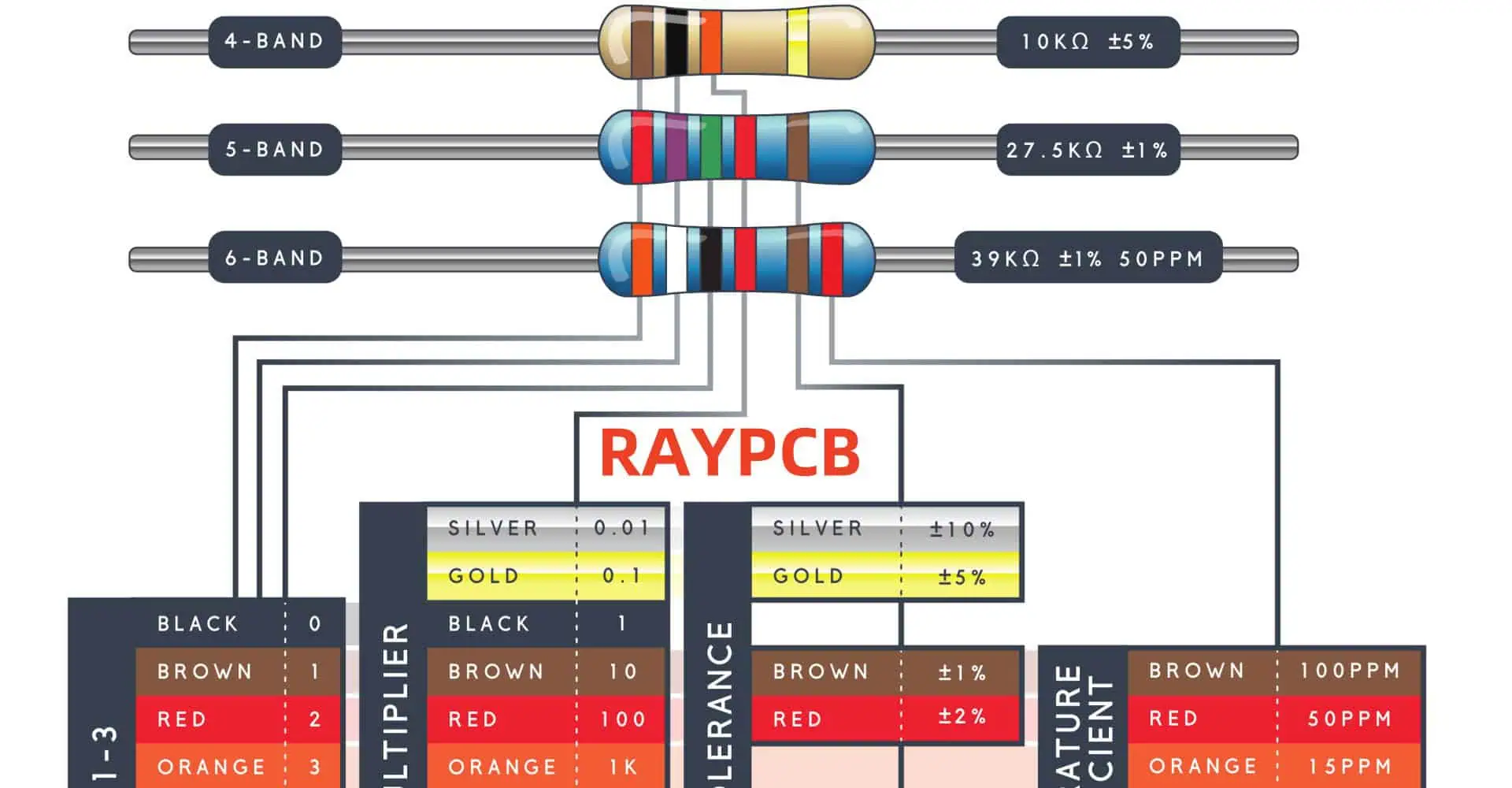
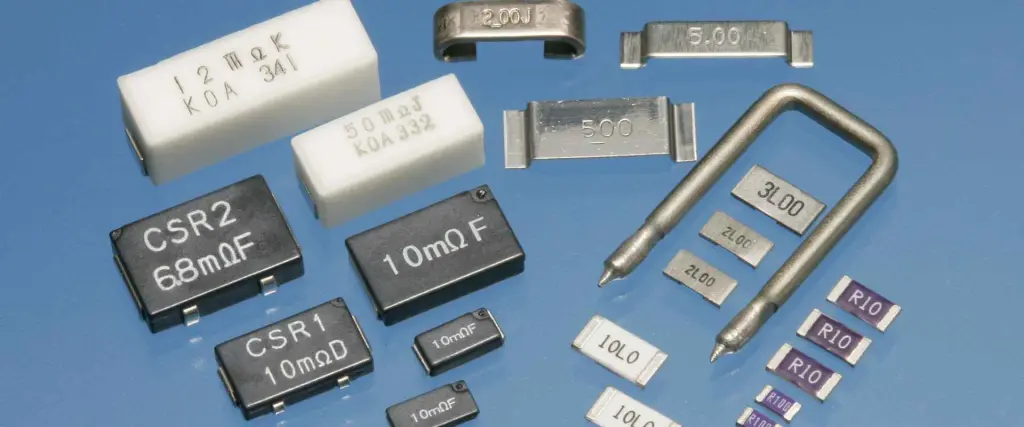
A resistor is a passive two-terminal electrical component that implements electrical resistance as a circuit element. Its primary purpose is to reduce current flow, adjust signal levels, divide voltages, and terminate transmission lines, among other uses. Resistors are characterized by their resistance value, typically measured in ohms (Ω).
Linear Resistors
Linear resistors are the most common type of resistors used in electronic circuits. They are characterized by their adherence to Ohm’s Law, which establishes a linear relationship between voltage and current.
Characteristics of Linear Resistors
Ohm’s Law Compliance: Linear resistors follow Ohm’s Law (V = IR) precisely. This means that the voltage across the resistor is directly proportional to the current flowing through it, with resistance being the constant of proportionality.
Constant Resistance: The resistance value of a linear resistor remains constant regardless of the applied voltage or current.
Temperature Stability: Ideal linear resistors maintain their resistance value regardless of temperature changes. However, real-world linear resistors may exhibit slight variations due to temperature coefficients.
Symmetrical Behavior: Linear resistors behave identically regardless of the direction of current flow.
Types of Linear Resistors
There are several types of linear resistors, each with its own construction method and specific applications:
Carbon Composition Resistors: Made from a mixture of carbon and ceramic, these resistors are inexpensive but less precise.
Metal Film Resistors: Constructed with a thin metal film deposited on a ceramic substrate, offering better precision and stability.
Wire Wound Resistors: Made by winding a metal wire around a ceramic core, these resistors can handle high power and offer high precision.
Foil Resistors: Utilize metal foil on a ceramic substrate, providing exceptional precision and stability.
Applications of Linear Resistors
Linear resistors find applications in various electronic circuits and systems:
Nonlinear resistors, as the name suggests, do not adhere to Ohm’s Law. Their resistance varies based on factors such as applied voltage, current, or temperature.
Characteristics of Nonlinear Resistors
Non-Ohmic Behavior: The relationship between voltage and current is not linear, meaning Ohm’s Law does not apply consistently.
Variable Resistance: The resistance of nonlinear resistors changes with variations in voltage, current, or other factors like temperature or light.
Specialized Applications: Nonlinear resistors are often used for specific purposes such as voltage regulation, current limiting, or sensing environmental changes.
Asymmetrical Behavior: Some nonlinear resistors may behave differently depending on the direction of current flow or polarity of applied voltage.
Types of Nonlinear Resistors
Nonlinear resistors come in various forms, each designed for specific applications:
Varistors: Voltage-dependent resistors that protect circuits against voltage spikes.
Thermistors: Temperature-dependent resistors used for temperature sensing and compensation.
Light-Dependent Resistors (LDRs): Also known as photoresistors, these components change resistance based on light intensity.
Magnetic Field Dependent Resistors: Their resistance changes in response to magnetic fields.
Applications of Nonlinear Resistors
Nonlinear resistors have specialized applications in various electronic systems:
Voltage regulation and protection
Temperature sensing and compensation
Light sensing in automatic lighting systems
Magnetic field sensing in position detectors
Current limiting in power supplies
Comparison between Linear and Nonlinear Resistors
To better understand the differences between linear and nonlinear resistors, let’s compare their key characteristics:
Characteristic
Linear Resistors
Nonlinear Resistors
Ohm’s Law
Follows
Does not follow
Resistance
Constant
Variable
V-I Curve
Straight line
Non-linear curve
Temperature
Minimal effect
Can be significant
Applications
General purpose
Specialized
Behavior
Predictable
Context-dependent
Precision
High
Varies
Cost
Generally lower
Often higher
V-I Characteristics
The voltage-current (V-I) characteristics of linear and nonlinear resistors provide a visual representation of their behavior. Let’s examine these characteristics:
Linear Resistor V-I Curve
For a linear resistor, the V-I curve is a straight line passing through the origin. The slope of this line represents the resistance value.
Voltage (V)
Current (mA)
0
0
1
1
2
2
3
3
4
4
5
5
Nonlinear Resistor V-I Curve
The V-I curve for a nonlinear resistor is not a straight line. It can take various shapes depending on the type of nonlinear resistor. For example, a varistor might have a curve like this:
Voltage (V)
Current (mA)
0
0
1
0.1
2
0.5
3
2
4
10
5
50
Advantages and Disadvantages
Both linear and nonlinear resistors have their own sets of advantages and disadvantages. Understanding these can help in choosing the right type for a specific application.
Linear Resistors
Advantages
Disadvantages
Predictable behavior
Limited functionality
Easy to use in circuit design
Not suitable for all applications
Wide range of resistance values
Can be affected by temperature
Generally lower cost
May require additional components
High precision options available
Limited power handling in some types
Nonlinear Resistors
Advantages
Disadvantages
Specialized functionality
More complex to use in designs
Can simplify circuit designs
Often more expensive
Self-regulating in some applications
May require calibration
Can respond to environmental changes
Less predictable behavior
Unique properties for specific uses
Limited resistance range
Choosing Between Linear and Nonlinear Resistors
When deciding whether to use a linear or nonlinear resistor in a circuit, consider the following factors:
Application Requirements: Determine if you need a constant resistance or a variable one that responds to specific conditions.
Circuit Complexity: Linear resistors are simpler to integrate into most circuits, while nonlinear resistors may require additional components or considerations.
Environmental Factors: If your circuit needs to respond to temperature, light, or voltage changes, a nonlinear resistor might be more suitable.
Precision Requirements: For high-precision applications, certain types of linear resistors might be the best choice.
Power Handling: Consider the power requirements of your circuit and choose a resistor that can handle the necessary current and voltage.
Cost Considerations: Linear resistors are generally less expensive, but the added functionality of nonlinear resistors might justify their higher cost in certain applications.
Space Constraints: Nonlinear resistors might allow for simpler circuits in some cases, potentially reducing overall component count and circuit size.
Future Trends and Developments
As technology continues to advance, we can expect to see developments in both linear and nonlinear resistor technologies:
Miniaturization: Both types of resistors are likely to become smaller, allowing for more compact circuit designs.
Improved Materials: New materials may lead to more stable linear resistors and more responsive nonlinear resistors.
Integration: We may see more integrated solutions that combine the properties of both linear and nonlinear resistors in single components.
Smart Resistors: The development of “smart” resistors that can dynamically adjust their properties based on circuit conditions.
Nanoscale Resistors: Advancements in nanotechnology may lead to new types of resistors with unique properties at the nanoscale.
Conclusion
Understanding the difference between linear and nonlinear resistors is crucial for anyone working with electronic circuits. While linear resistors offer predictable behavior and are suitable for a wide range of general applications, nonlinear resistors provide specialized functionality that can be invaluable in certain contexts.
Linear resistors, with their constant resistance and adherence to Ohm’s Law, form the backbone of many electronic circuits. They are easy to use, cost-effective, and available in a wide range of precise values. On the other hand, nonlinear resistors, with their variable resistance properties, open up possibilities for creating responsive and adaptive circuits that can react to changes in voltage, temperature, light, or other factors.
The choice between linear and nonlinear resistors ultimately depends on the specific requirements of the application at hand. By understanding the characteristics, advantages, and limitations of each type, engineers and hobbyists can make informed decisions to optimize their circuit designs and achieve the desired functionality.
As technology continues to evolve, we can expect to see further innovations in resistor technology, potentially blurring the lines between linear and nonlinear resistors and opening up new possibilities in electronic design. Regardless of these advancements, the fundamental understanding of resistor behavior will remain a crucial skill for anyone working in the field of electronics.
Frequently Asked Questions (FAQ)
Q: Can a linear resistor ever behave nonlinearly? A: While linear resistors are designed to maintain a constant resistance, real-world factors such as extreme temperatures or very high voltages can cause them to deviate from their linear behavior. However, under normal operating conditions, a linear resistor should maintain its linearity.
Q: Are nonlinear resistors less reliable than linear resistors? A: Not necessarily. Nonlinear resistors are designed to change their resistance under specific conditions, which is a reliable and predictable behavior for their intended applications. However, they may require more careful consideration in circuit design to ensure they operate within their specified parameters.
Q: Can I replace a nonlinear resistor with a combination of linear resistors? A: In some cases, you can approximate the behavior of a nonlinear resistor using a network of linear resistors and other components. However, this often results in a more complex circuit and may not fully replicate the nonlinear resistor’s behavior, especially in dynamic situations.
Q: How do I identify whether a resistor is linear or nonlinear? A: Linear resistors typically have color bands or printed values indicating a fixed resistance. Nonlinear resistors often have distinct appearances (e.g., disc-shaped varistors) and are usually labeled with their type (e.g., NTC for negative temperature coefficient thermistors). When in doubt, consult the component’s datasheet.
Q: Are there any situations where both linear and nonlinear resistors are used together? A: Yes, many circuits use both types of resistors. For example, a temperature-compensated voltage divider might use a linear resistor in series with a thermistor (a nonlinear resistor) to achieve stable output over a range of temperatures.
At RAYMING, efficiency and customer satisfaction are at the heart of everything we do. That’s why we take every step necessary to ensure your PCB project is executed flawlessly from the very first attempt. Beyond our extensive range of testing methods—including Electrical Netlist Testing, multi-stage Visual Inspection, X-Ray Inspection, AOI (Automated Optical Inspection), ICT (In-Circuit Testing), and FCT (Functional Circuit Testing)—we also offer independent verification at the outset of the PCB assembly process. This critical step, known as the DFA (Design for Assembly) Check, ensures that your design is optimized for seamless assembly.
This article provides a brief overview of the purpose and general procedure of the DFA Check. Our goal is to empower our clients with greater control over their project’s efficiency by maintaining rigorous standards during the design phase. For a detailed explanation of the DFA Check process, along with all relevant tolerances and guidelines, please refer to our comprehensive DFA Guidelines document.
What is Design for Manufacture and Design for Assembly?
Design for Manufacture (DFM) and Design for Assembly (DFA) are two closely related concepts in the field of product development and manufacturing. While often used together, they focus on different aspects of the production process.
Design for Manufacture (DFM)
DFM is the practice of designing products with manufacturing processes and limitations in mind. The goal is to create designs that can be easily and cost-effectively manufactured at scale. In the context of PCBs, DFM considerations include:
DFA, on the other hand, focuses on optimizing the product design to make the assembly process easier, faster, and more cost-effective. For PCBs, DFA considerations include:
Both DFM and DFA are crucial for creating PCBs that are not only functional but also efficient to produce and assemble.
DFA during PCB Prototype Assembly
During the prototyping phase, DFA principles are particularly important as they can significantly impact the ease of assembly and testing. Key considerations include:
Component placement: Ensure components are placed logically and with adequate spacing for easy manual assembly.
Test point accessibility: Include test points for critical signals to facilitate debugging and testing.
Connector placement: Position connectors for easy access and to minimize interference with other components.
Thermal considerations: Place heat-generating components strategically to allow for proper cooling.
Component orientation: Maintain consistent orientation for similar components to reduce assembly errors.
Fiducial marks: Include fiducial marks to aid in automated assembly, even for prototypes.
By implementing these DFA principles during prototyping, you can identify and resolve assembly issues early in the development process, saving time and resources in later stages.
When moving from prototype PCB Assembly to production, DFA becomes even more critical. Production assembly often involves automated processes, which have their own set of requirements. Key considerations for production DFA include:
Component selection: Choose components that are compatible with automated assembly equipment.
Panelization: Design the PCB layout with panelization in mind to optimize for pick-and-place machines.
Component spacing: Ensure adequate spacing between components for automated placement and soldering.
Reflow profile compatibility: Ensure all components are compatible with the planned reflow soldering profile.
Testability: Design for in-circuit testing (ICT) and functional testing, including test pads and programming interfaces.
Traceability: Include space for marking and labeling to enable component and board traceability.
By focusing on these aspects, you can create PCB designs that are well-suited for high-volume, automated production assembly.
How is DFA Important in PCB Design and Development?
Design for Assembly is crucial in PCB design and development for several reasons:
Cost reduction: By optimizing the design for easy assembly, you can reduce labor costs and assembly time.
Improved quality: DFA principles help minimize assembly errors, leading to higher quality products.
Faster time-to-market: Efficient assembly processes result in quicker production cycles and faster product launches.
Enhanced reliability: Proper component placement and orientation can improve the long-term reliability of the PCB.
Easier maintenance and repair: DFA considerations can make PCBs easier to service and repair in the field.
Scalability: Designs optimized for assembly are better suited for scaling up to high-volume production.
Reduced waste: By minimizing assembly errors, DFA helps reduce material waste and rework.
Implementing DFA principles throughout the design and development process can lead to significant improvements in both product quality and manufacturing efficiency.
15 PCB Assembly Design (DFA) Tips
To help you implement effective Design for Assembly in your PCB projects, here are 15 essential tips:
1. Pay Attention to Part-to-Part Spacing
Adequate spacing between components is crucial for both manual and automated assembly. Consider the following:
Leave enough room for pick-and-place machines to operate efficiently
Ensure sufficient space for soldering and rework
Account for component tolerances and potential movement during reflow
Recommended minimum spacing:
50 mils (1.27 mm) between small components
100 mils (2.54 mm) between larger components
2. Choose Components During the Design Phase
Selecting components early in the design process allows you to:
Optimize the PCB layout for specific component packages
Ensure component availability and manage lead times
Consider cost implications of component choices
Verify compatibility with assembly processes
Involve your procurement team early to avoid last-minute component substitutions that could impact DFA.
3. Separate Non-Lead-Free from Lead-Free Components
Mixing lead and lead-free components can complicate the assembly process:
Different soldering temperatures may be required
Risk of contamination between lead and lead-free solder
Potential reliability issues due to mixed solder types
Whenever possible, stick to one solder type (preferably lead-free) for the entire PCB.
4. Evenly Place Your Large Components
Distribute large components evenly across the PCB to:
Balance the board’s weight for easier handling
Improve thermal management
Reduce the risk of warpage during reflow soldering
Consider using both sides of the PCB for large component placement when appropriate.
5. Avoid Mixing Technologies
Stick to a single assembly technology when possible:
Through-hole technology (THT)
Surface-mount technology (SMT)
Mixing technologies can complicate the assembly process and increase costs. If mixed technology is necessary:
Group THT components together
Minimize the number of assembly steps required
6. Pick the Appropriate Package Size
Choose component packages that balance performance, cost, and assembly requirements:
Larger packages are generally easier to assemble but take up more board space
Smaller packages allow for higher density but may require more advanced assembly equipment
Consider the capabilities of your assembly partner when selecting package sizes
7. Look for Long-Lead-Time Components
Identify components with long lead times early in the design process:
Work with your procurement team to manage lead times
Consider alternative components or sources for critical parts
Design with component availability in mind to avoid delays
8. Keep Your BOM Up to Date While Designing
Maintain an accurate and up-to-date Bill of Materials (BOM) throughout the design process:
Include detailed component specifications
Note any special assembly requirements
Keep track of component costs and lead times
Regularly review and update the BOM with your team
9. Carefully Inspect Your Footprint Development
Accurate component footprints are crucial for successful assembly:
Use manufacturer-recommended footprints when available
Consider thermal relief for large pads or ground planes
Verify footprints with physical components when possible
10. Be Sure All Indicators Are Present
Include clear indicators on the PCB to aid in assembly:
Pin 1 indicators for ICs and other multi-pin components
Polarity markings for polarized components (e.g., electrolytic capacitors, diodes)
Reference designators for all components
Fiducial marks for automated assembly
11. One Pad for One Connection
Avoid connecting multiple component leads to a single pad:
Each lead should have its own dedicated pad
Improves solderability and reduces the risk of solder bridges
Facilitates easier rework and repair
If space is limited, consider using a different component package or adjusting the PCB layout.
12. Ease CAM Setup
Design your PCB with computer-aided manufacturing (CAM) in mind:
Use standard drill sizes whenever possible
Maintain consistent trace widths and spacings
Avoid unnecessarily complex routing
Include clear layer stackup information in the design files
13. Address Your Component Delivery
Consider how components will be delivered to the assembly line:
Design for compatibility with tape and reel packaging for SMT components
Account for component orientation in the tape when designing the PCB layout
Consider using trays or tubes for larger components
Coordinate with your assembly partner to ensure compatibility with their equipment and processes.
14. Component Orientation With Polarity Markings
Maintain consistent orientation for similar components:
Align polarized components (e.g., diodes, electrolytic capacitors) in the same direction
Orient ICs consistently, preferably with pin 1 in the same corner for all chips
Ensure polarity markings on the PCB match component orientations
Consistent orientation reduces the risk of assembly errors and simplifies visual inspection.
15. Part-to-Hole Spacing
For through-hole components, maintain adequate spacing between parts and holes:
Ensure sufficient clearance for component leads and bodies
Account for component tolerances and potential misalignment
Consider the space needed for soldering and rework tools
Typical minimum part-to-hole spacing:
100 mils (2.54 mm) for small components
200 mils (5.08 mm) for larger components
By implementing these 15 PCB Assembly Design tips, you can significantly improve the manufacturability and assembly efficiency of your PCB designs. Remember that Design for Assembly is an ongoing process that should be considered throughout the entire product development lifecycle, from initial concept to final production.
In conclusion, PCB Design for Assembly (DFA) is a critical aspect of creating efficient, cost-effective, and high-quality electronic products. By incorporating DFA principles early in the design process and following best practices throughout development, you can optimize your PCBs for both automated and manual assembly processes. This attention to DFA not only reduces manufacturing costs and time-to-market but also improves the overall quality and reliability of your electronic designs.
In the world of DIY electronics and rapid prototyping, the ability to produce custom Printed Circuit Boards (PCBs) quickly and cost-effectively is invaluable. One innovative approach that has gained popularity among hobbyists and small-scale manufacturers is modding an inkjet printer for PCB production. This article will explore the process, benefits, and challenges of converting a standard inkjet printer into a PCB manufacturing tool.
Understanding the Basics
What is PCB Production?
PCB production is the process of creating circuit boards that mechanically support and electrically connect electronic components using conductive tracks, pads, and other features etched from copper sheets laminated onto a non-conductive substrate.
The inkjet PCB production method involves using a modified inkjet printer to directly print resist patterns onto copper-clad boards, which are then etched to create the final PCB.
Why Mod an Inkjet for PCB Production?
Advantages
Cost-effective for small-scale production
Rapid prototyping capabilities
Accessibility for hobbyists and small businesses
Customization potential
Environmentally friendly (less waste)
Limitations
Limited resolution compared to professional methods
Size constraints based on printer dimensions
Not suitable for high-volume production
Potential for inconsistent results
Choosing the Right Inkjet Printer
Printer Selection Criteria
When selecting an inkjet printer for PCB production, consider the following factors:
Print resolution
Ink type compatibility
Paper feed mechanism
Printer age and availability of parts
Cost
Recommended Printer Models
Printer Model
Resolution (dpi)
Ink Compatibility
Paper Feed
Estimated Cost ($)
Epson Stylus C88
5760 x 1440
Pigment
Rear
150-200
Canon PIXMA iP7220
9600 x 2400
Dye/Pigment
Rear/Front
100-150
HP Deskjet 1000
1200 x 1200
Dye
Rear
50-100
Brother MFC-J470DW
6000 x 1200
Dye/Pigment
Rear/Front
80-130
The Modding Process
Step 1: Disassembling the Printer
Remove the outer casing
Identify key components (print head, ink cartridges, paper feed mechanism)
Document the disassembly process for reassembly
Step 2: Modifying the Paper Feed Mechanism
Remove or adjust paper sensors
Modify the paper tray to accommodate PCB substrates
Adjust roller tension for thicker materials
Step 3: Adapting the Print Head
Clean the print head thoroughly
Modify ink channels for conductive ink (if necessary)
Modding an inkjet printer for PCB production offers an accessible and cost-effective solution for hobbyists and small-scale manufacturers. While it has limitations compared to professional methods, the ability to rapidly prototype and produce custom PCBs in-house can be invaluable. As technology continues to advance, we can expect to see further improvements in this DIY approach to PCB manufacturing.
Frequently Asked Questions (FAQ)
1. Is modding an inkjet printer for PCB production legal?
Modding your own inkjet printer for personal use is generally legal. However, it’s important to note that this modification may void the printer’s warranty. If you plan to use the modded printer for commercial purposes, be sure to check local regulations and obtain any necessary certifications.
2. What type of ink should I use for PCB production?
For PCB production, you’ll need either conductive ink or etchant resist ink, depending on your preferred method. Conductive inks typically contain silver or copper nanoparticles, while etchant resist inks are often UV-curable or solvent-resistant. It’s crucial to choose an ink that’s compatible with your printer and substrate material.
3. How does the resolution of a modded inkjet printer compare to professional PCB production methods?
A modded inkjet printer typically achieves resolutions between 0.1mm and 0.3mm, which is suitable for many hobbyist and prototype projects. Professional PCB production methods, such as photolithography, can achieve resolutions below 0.1mm. While a modded inkjet may not match professional-grade equipment, it can produce functional PCBs for many applications.
4. Can I produce multi-layer PCBs with a modded inkjet printer?
Yes, it is possible to produce multi-layer PCBs with a modded inkjet printer, but it requires additional steps and precision. You’ll need to print each layer separately, carefully align them using registration marks, and use techniques like via-plating to connect the layers. While more challenging than single-layer boards, multi-layer production is achievable with practice and patience.
5. What are the main challenges in modding an inkjet printer for PCB production?
The main challenges include:
Modifying the paper feed mechanism to handle rigid PCB substrates
Adapting the ink system for conductive or resist inks
Achieving consistent print quality and resolution
Maintaining proper alignment for multi-layer boards
Dealing with potential clogging issues due to specialized inks
Overcoming these challenges requires patience, experimentation, and a willingness to troubleshoot and refine your setup.
In the world of Printed Circuit Board (PCB) design and manufacturing, the ability to convert various file formats is crucial. One particularly challenging conversion is from PDF (Portable Document Format) to Gerber files, which are the standard format used in PCB fabrication. This article will explore the process, challenges, and best practices for converting PDF files to Gerber format for PCB layout.
Understanding PDF and Gerber Formats
PDF Format
PDF (Portable Document Format) is a file format developed by Adobe to present documents consistently across different platforms and devices. While PDFs are excellent for sharing and viewing documents, they are not inherently designed for PCB manufacturing.
Key characteristics of PDF:
Vector and raster graphics support
Text embedding
Platform-independent
Widely used for document sharing
Gerber Format
Gerber format is the de facto standard for describing PCB images in the electronics industry. It’s used to communicate PCB design information to manufacturing equipment.
Key characteristics of Gerber:
Vector format
Describes individual PCB layers
Contains information about tracks, pads, and other PCB elements
Used directly by PCB manufacturing equipment
The Challenge of PDF to Gerber Conversion
Converting from PDF to Gerber is not a straightforward process due to fundamental differences in the file formats’ purposes and structures. PDFs are designed for visual representation, while Gerber files contain specific PCB manufacturing data.
Main Challenges:
Loss of layer information
Lack of PCB-specific metadata
Potential loss of precision
Inability to directly interpret PCB design elements
Step-by-Step Process for PDF to Gerber Conversion
1. PDF Analysis
Begin by analyzing the PDF file to understand its content and structure.
Key aspects to consider:
Number of pages (each may represent a different PCB layer)
Presence of vector graphics
Text elements that may represent component designators or values
2. PDF to Vector Graphic Conversion
Convert the PDF to a vector graphic format, typically DXF or SVG.
Recommended tools:
Adobe Illustrator
Inkscape (open-source alternative)
Online PDF to DXF converters
3. Vector Cleanup
Clean up the vector file to ensure it only contains relevant PCB information.
Cleanup tasks:
Remove text elements
Separate layers (if multiple layers are present in a single file)
Ensure closed paths for PCB elements
4. Import to PCB Design Software
Import the cleaned vector file into PCB design software capable of Gerber output.
As the electronics industry evolves, new file formats and conversion techniques are emerging:
IPC-2581: A comprehensive, open standard for PCB design data exchange
ODB++: A proprietary format gaining popularity for its comprehensiveness
AI-assisted conversion tools for improved accuracy and efficiency
Cloud-based conversion services for easier accessibility
Conclusion
Converting PDF files to Gerber format for PCB layout is a complex but necessary process in many scenarios. While it presents challenges, following a structured approach and using the right tools can yield accurate results. As the industry moves towards more standardized and comprehensive file formats, the need for such conversions may decrease, but the skills and understanding gained from this process will remain valuable for PCB designers and manufacturers.
Frequently Asked Questions (FAQ)
1. Why would I need to convert a PDF to Gerber format?
You might need to convert a PDF to Gerber format if you receive PCB design information in PDF form but need to manufacture the board. This can happen when working with older designs, dealing with clients who don’t have access to PCB design software, or when recovering lost original design files. Gerber files are the standard format used by PCB manufacturers, so conversion is necessary to proceed with fabrication.
2. Can I directly convert a PDF to Gerber format?
There is no direct, one-step conversion from PDF to Gerber format due to the fundamental differences between these file types. PDF is a general-purpose document format, while Gerber is specific to PCB manufacturing. The conversion process typically involves multiple steps, including converting the PDF to a vector format, importing it into PCB design software, defining PCB elements, and then generating Gerber files.
3. What are the main challenges in converting PDF to Gerber?
The main challenges include:
Loss of layer information in the PDF
Lack of PCB-specific metadata
Potential loss of precision during conversion
Difficulty in interpreting certain PCB design elements from a PDF
Ensuring the scale and dimensions are accurately preserved
Correctly identifying and converting text elements, such as component labels
4. What software do I need for PDF to Gerber conversion?
You typically need a combination of software tools:
Vector graphics software (e.g., Adobe Illustrator, Inkscape) for initial PDF conversion and cleanup
PCB design software (e.g., Altium Designer, Eagle, KiCad) for creating the PCB layout and generating Gerber files
Gerber viewer software (e.g., GerbView, CAM350) for verifying the final Gerber files
The choice of software depends on your specific needs, budget, and the complexity of the designs you’re working with.
5. How accurate is the PDF to Gerber conversion process?
The accuracy of the conversion process can vary depending on the quality of the original PDF, the methods and tools used, and the complexity of the PCB design. With high-quality vector PDFs and careful attention to detail during the conversion process, it’s possible to achieve very accurate results. However, it’s crucial to thoroughly verify the converted design, including running Design Rule Checks (DRC) and visually inspecting the Gerber files, to ensure accuracy before proceeding to manufacturing.