Basic PCB Terminology List You Should Know

Printed circuit boards (PCBs) are essential components in all types of electronic devices and equipment. Designing, manufacturing, assembling, and testing PCBs involves a host of specialized terminology spanning electrical engineering, materials science, fabrication processes, and quality control.

This article provides an overview of common PCB terms you are likely to encounter as an electronics engineer or as part of the PCB supply chain. Understanding the key terminology is helpful for effective cross-functional collaboration and communication.

PCB Design
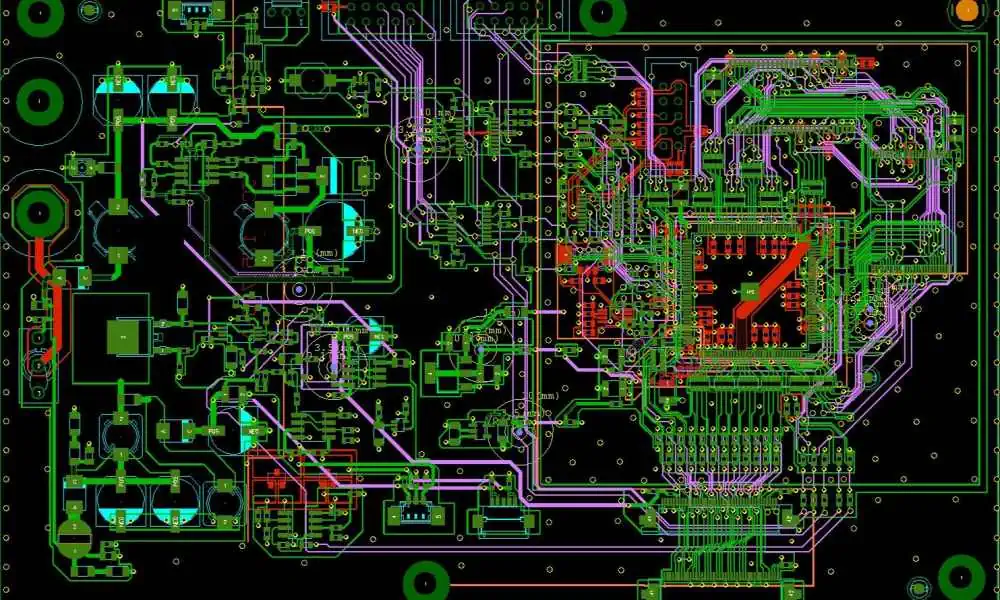
These terms relate to the schematic capture and board layout stages of the PCB design process:

  • Netlist – Connectivity list specifying the interconnections between components.
  • Bill of materials (BOM) – Listing of all components to be placed on the PCB.
  • Footprint – Physical size and layout of the solder pads and connections for a component on the PCB.
  • Schematic capture – Creating the circuit schematic diagram using CAD software.
  • Layout – Physical positioning and routing of traces to form the board layout.
  • Routing – Connecting component pins together with copper trace โ€œwiresโ€.
  • Via – Plated through hole connecting between layers in a multilayer PCB.
  • Plane – Continuous copper area on a layer, usually for power or ground.
  • DRC – Design rule check to validate manufacturability.
  • Gerber file – Standard file format for PCB fabrication data.

PCB Materials
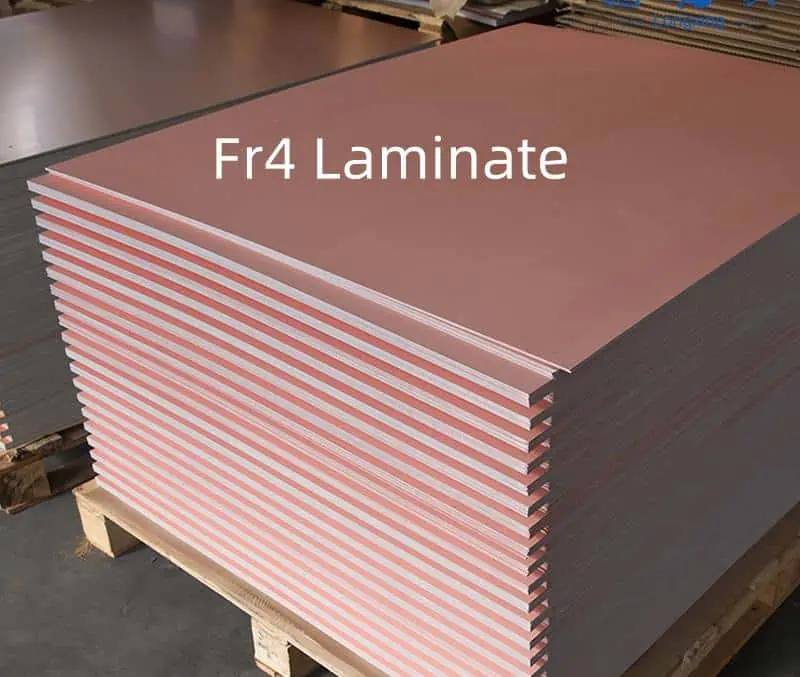
These terms refer to the base materials that make up the layers of a PCB:

  • Substrate – The base insulating material upon which circuits are formed. Usually FR-4 fiberglass.
  • Prepreg – Fiberglass sheet impregnated with resin, used between layers in multilayer boards.
  • Copper foil – Thin copper layer laminated onto the substrate to form circuits.
  • Core – Central substrate layer in a multilayer board with built-up layers on either side.
  • Resin – Epoxy polymer that provides the adhesive to bond layers together.
  • Weave – Fiberglass reinforcement pattern, like plain weave or tighter weaves for rigidity.
  • Dielectric – Insulating substrate material between conductors. FR-4’s dielectric constant is around 4.
  • Lamination – Process of bonding foil and prepreg layers together under heat and pressure.

PCB Fabrication

These terms cover processes performed by the PCB manufacturer to fabricate the boards:

  • CAM – Computer aided manufacturing file conversions and tooling.
  • Etching – Chemical removal of unwanted copper not protected by resist mask.
  • Photoresist – Light-sensitive masking material to form the circuit patterns.
  • Tenting – Covering up through-hole vias with resist during etching.
  • Solder mask – Green epoxy layer that protects copper traces from solder bridges.
  • Silkscreen – White epoxy legend layer for markings like component designators.
  • Plating – Electrolytic plating of copper in holes and on surfaces.
  • Panel – Large board format containing multiple PCBs before singulation.
  • Buried via – Via connection within the PCB, not going to an outer layer.
  • Blind via – Via starting on an internal layer, not going fully through PCB.
  • Impedance control – Methods like smaller trace sizes to match desired impedance.

PCB Assembly

Terms involved in populating a bare PCB with components:

  • SMT – Surface mount technology for soldering small components directly to pads.
  • Through-hole – Leaded components inserted into plated holes before soldering.
  • Pick-and-place – Automated machine placing surface mount parts onto pads with precision.
  • Reflow – Soldering SMT parts by heating the entire board above liquidus temperature.
  • Wave soldering – Passing boards over a wave of molten solder to solder through-hole parts.
  • Hand assembly – Manual soldering of components using an iron, for rework or low volumes.
  • Cleanliness – Keeping PCBs free of particles to prevent defects like shorts.
  • ECO – Engineering change order to modify the board design or BOM.
  • FOD – Foreign object debris that can cause assembly issues.

PCB Parameters

Key specifications and parameters that characterize a PCB:

  • Layers – Number of copper layers, typically 2 to 20+ in multilayer boards.
  • Thickness – Total thickness of the board in mm or mils. Controlled by layer stackup.
  • Aspect ratio – Ratio of total thickness to minimum trace/space width.
  • Pitch – Center-to-center spacing between pins or traces.
  • Track/Trace – Conducting copper circuit between nodes.
  • Space – Gap between adjacent traces on a layer.
  • Line width – Width of a trace, often matched to impedance.
  • Annular ring – Copper pad area surrounding a drilled hole.
  • Finished hole size – Diameter of drilled hole after plating.
  • Tolerance – Allowable variation in parameters like hole size.
  • Clearance – Minimum distance between copper features on same layer.
  • Mask expansion – Solder mask pullback from copper edge.

PCB Testing

RFT Testing

PCBs undergo inspection and electrical testing to validate quality:

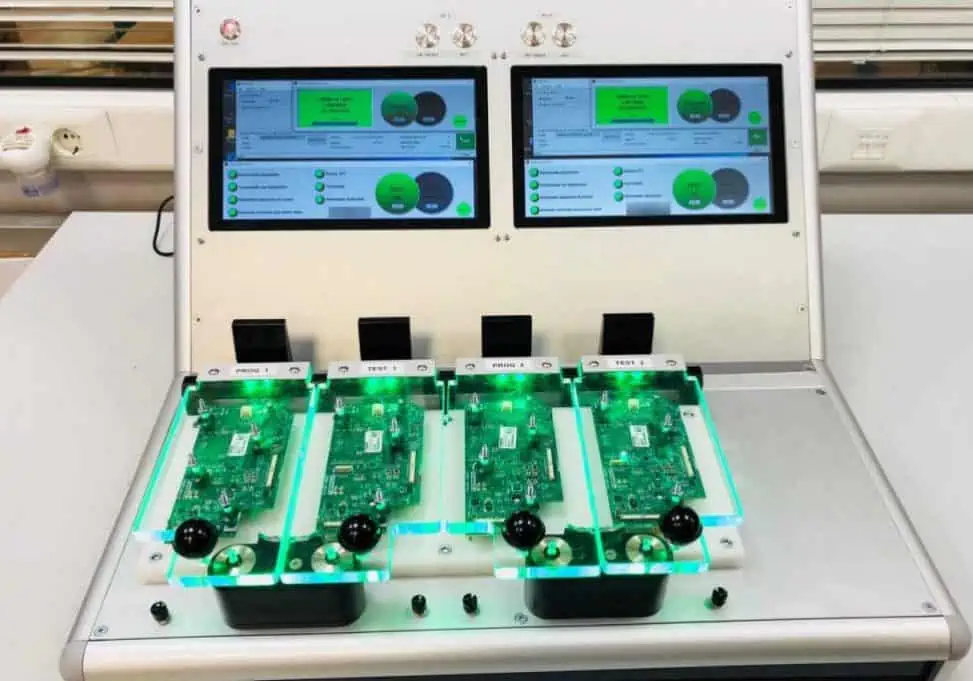
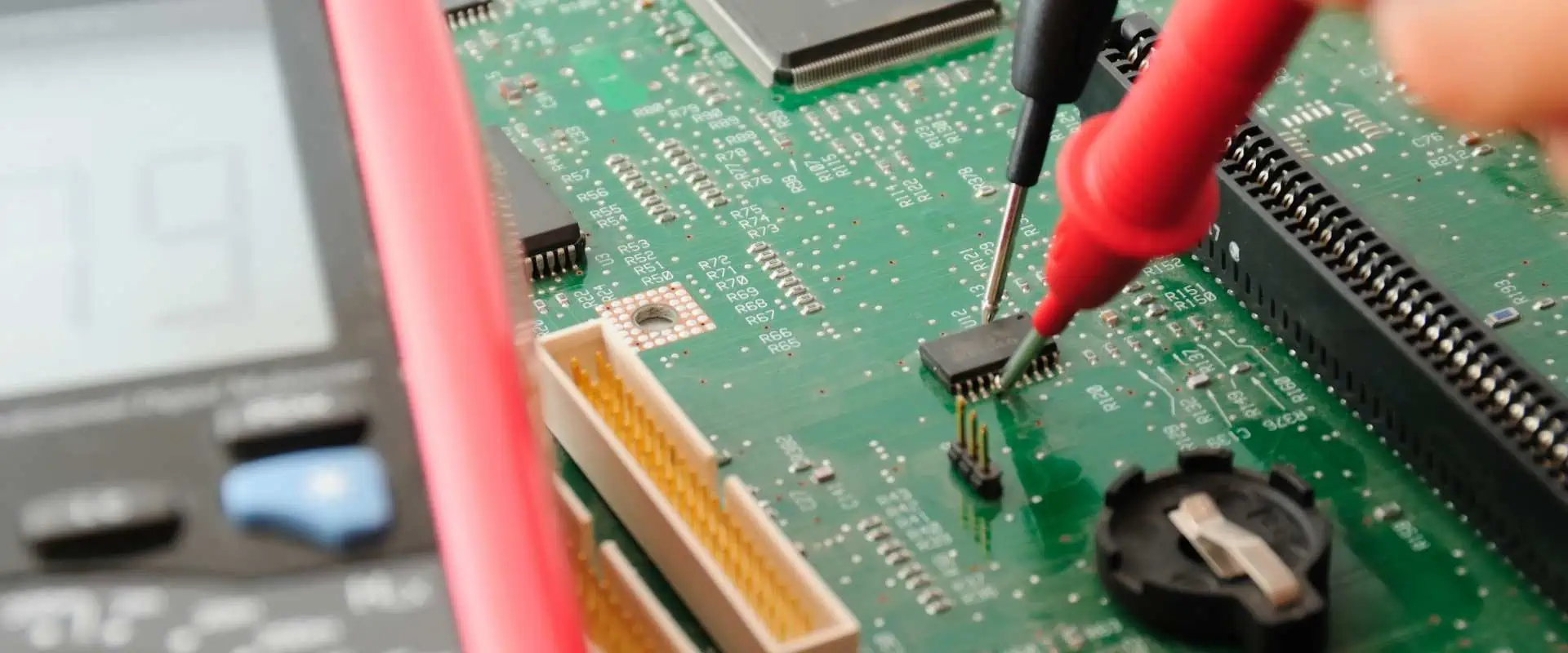
  • Flying probe – Automatic test system with movable probes contacting test points.
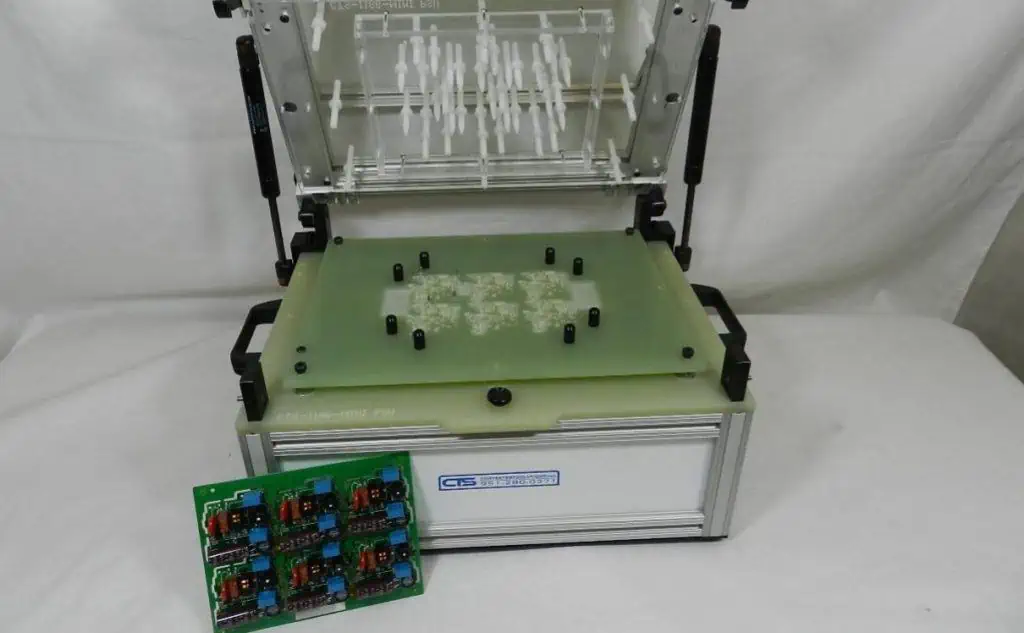
  • Bed-of-nails – Fixture with fixed test probes corresponding to PCB layout.
  • Boundary scan – Built-in IC testing through a standard serial interface.
  • ICT – In-circuit test system to verify individual components on an assembled board.
  • Functional test – Validating complete PCB performance with firmware and load conditions.
  • ATE – Automated test equipment systems for high volume production testing.
  • Go/no-go – Basic pass/fail criteria for a test step.
  • False call – Incorrect test failure result due to measurement inaccuracies.
  • Fault coverage – Percentage of possible faults detected by a test regimen.
  • Golden board – Unit verified as defect-free to reference against.

PCB Quality and Reliability

PCB Quality control
PCB Quality control

Maintaining quality levels and reliability throughout the PCB lifecycle:

  • Process capability – Cpk metrics assessing if a process meets specifications.
  • Process control – Monitoring processes for statistical control and continuous improvement.
  • Yield – Ratio of good boards to total boards manufactured.
  • DPPM – Defects per million, a metric for process quality.
  • Escape – Defect making it through manufacturing to field failure.
  • RoHS – Restriction of Hazardous Substances in electronic equipment.
  • Reliability – Probability a PCB functions for its intended lifetime.
  • Qualification – Process to validate a PCB for use through accelerated testing.
  • FAI – First article inspection of the initial production unit.
  • DER – Deliverable exception report if deliverables don’t meet requirements.
  • Corrective action – Steps taken to resolve defects and nonconformances.

PCB Repairs and Modifications
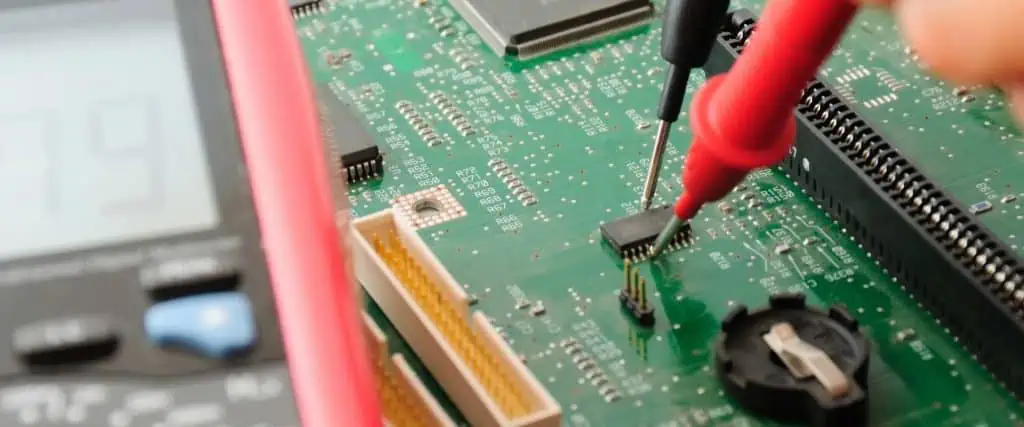
PCBs sometimes need fixes or design changes after initial production:

  • Re-spin – Iterating board layout to a new version to fix issues.
  • Errata – Published documentation of board issues.
  • Jumpers – A wire workaround to fix faulty board traces.
  • Removal – Using wick or solder pump to remove solder and components.
  • Reballing – Replacing solder balls under a BGA package.
  • Editing – Modifying the PCB by cutting traces or adding jumper wires.
  • Rework – Specialized work like component removal and replacement using hot air tools.
  • Focused IR – Using infrared heaters to locally heat specific areas.
  • Board handling – Using fixtures, frames, and rails for safe board manipulation.

Conclusion

In summary, PCB terminology spans a wide gamut covering electrical design, fabrication, assembly, testing, quality control, and reliability aspects. As you gain more exposure to PCB engineering, these terms will become increasingly familiar. Referring back to this glossary can help refresh your memory of key PCB vocabulary.

Frequently Asked Questions

Here are some common questions about PCB terminology:

Q: What are some key terms related to the PCB design process?

A: Important PCB design terms include netlist, bill of materials, footprint, schematic capture, layout, routing, via, and plane.

Q: What are some of the materials that make up a PCB?

A: PCB materials include the substrate, prepreg, copper foil, core, resin, fiberglass, and solder mask. The materials determine properties like flexibility and impedance.

Q: What are the main processes used to fabricate a PCB?

A: Key fabrication processes are lamination, photolithography, etching, drilling, plating, solder mask, and silkscreen printing. These transform the materials into a functional board.

Q: What are some ways PCB assemblies are tested?

A: PCB testing methods include flying probe, bed of nails fixtures, boundary scan, in-circuit test, functional test, and automated test equipment.

Q: How are quality and reliability characterized for PCBs?

A: Metrics like process capability, yield, defects per million, field failure rate, and results of qualification testing help quantify PCB quality and reliability.
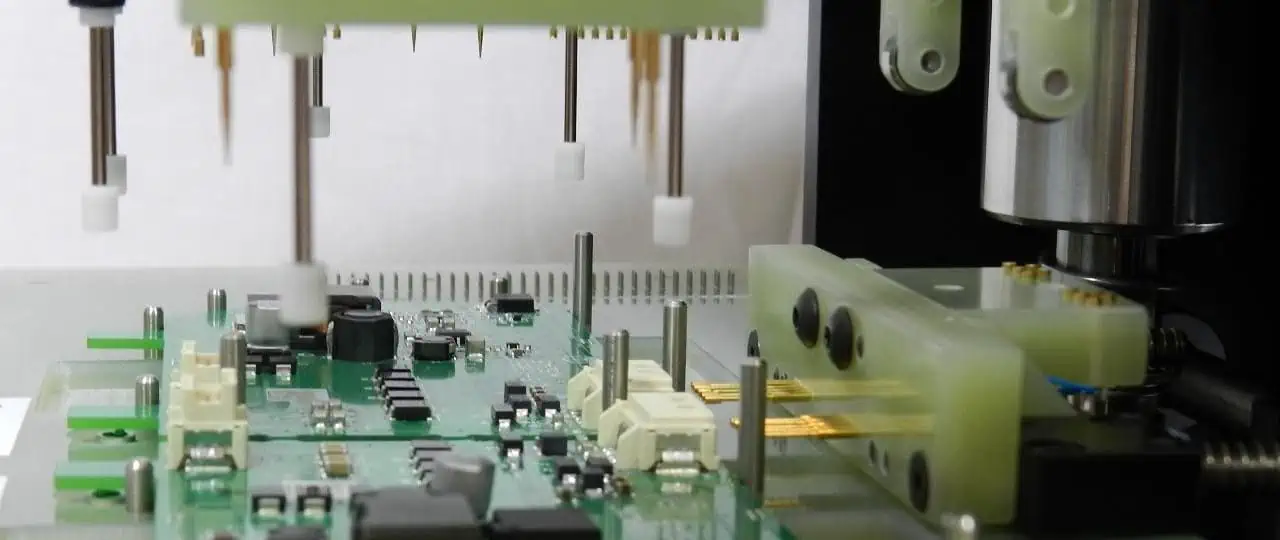
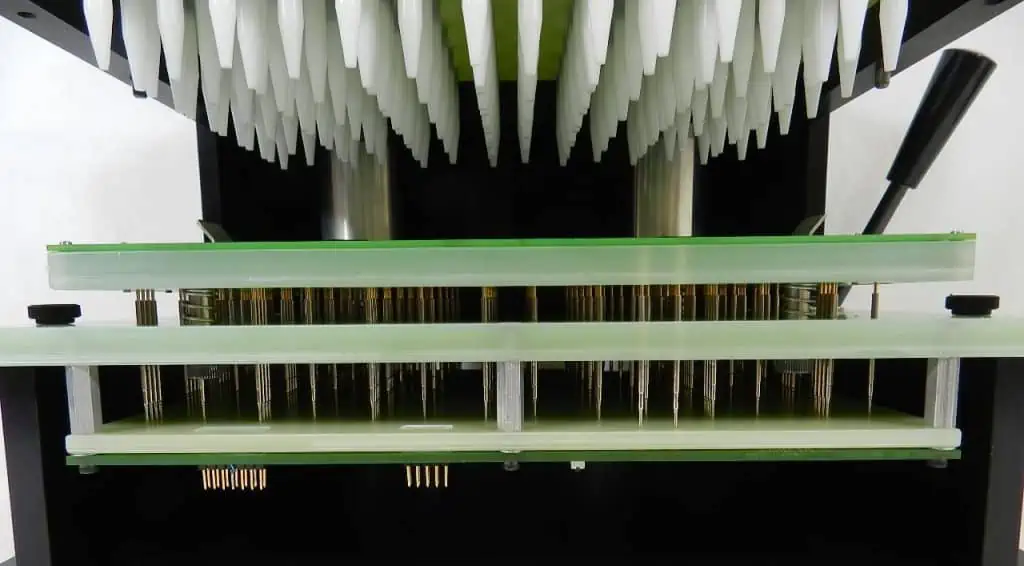
How Does PCB Test Fixture Work ?

Printed circuit board (PCB) test fixtures are vital tools used during the PCB manufacturing process to confirm that fabricated boards meet design specifications. They provide an interface between test equipment and a unit under test (UUT) to enable efficient and accurate testing.

This article will provide an overview of PCB test fixtures, their key components, different types of fixtures, how they interface with test systems, and their role in PCB testing workflows.

What are PCB Test Fixtures?

A PCB test fixture is a specially designed platform that:

  • Physically holds and connects to a PCB under test
  • Provides an electrical interface between the UUT and external test instrumentation
  • Enables stimulus signals to be applied to the UUT and measurements to be taken
  • Accommodates handling of the UUT in and out of the fixture
  • Allows safe, repeatable, and reproducible testing

Test fixtures are tailored for particular PCB designs and test plans. They aim to maximize test coverage while minimizing cost.

Well-designed fixtures are crucial for enabling efficient production testing and quality control screening of fabricated PCBs at volume.

Key Components of a Test Fixture

A PCB test fixture consists of various components that support interfacing to the UUT.

Test Head

The test head, sometimes called a bed-of-nails, provides the electrical connections to the UUT. It consists of an array of spring-loaded test probes or โ€œpogo pinsโ€ that make contact with test points on the PCB.

Test heads are custom built according to the UUT designโ€™s netlist and test point locations. They ensure access to all nodes required for testing.

Interface Board

The interface board links the test head probes to an interface connector that mates with test instrumentation. It routes signals between the tight spacing of test probes to the wider pitch of the instrument connector.

Interface boards often contain circuitry for signal conditioning, fixturing control, and test debugging functions.

Mounting Hardware

Hardware like brackets, guides, toggles, and clamps hold the UUT securely against the test probes during testing. They provide precise alignment and apply the contact force needed for reliable electrical connections.

Fixture Frame and Enclosure

The frame or enclosure houses and protects the test electronics and moving parts of the fixture. It provides mounting points for the test head, interface board, and UUT handling hardware.

Types of Test Fixtures

There are several types of test fixtures used for PCB testing:

Bed of Nails Fixture

The most common type, containing an array of spring-loaded pins to contact test points on the bottom side of the UUT. Best for accessing PCBs with high density surface mount components on top.

Edge Connector Fixture

Holds the UUT like a plug-in card to mate with a slot connector. Gives access to test points on the edge of the PCB.

Clamshell Fixture

Has hinged top and bottom halves, each with a bed of nails test head. Allows interfacing to test pads on both sides of the UUT.

Vacuum Fixture

Uses vacuum pressure to pull the UUT securely against the test probes instead of mechanical clamping hardware.

Custom Fixtures

Fixtures designed for specialized applications like RF testing, vibration testing, or flexing testing of PCBs beyond basic electrical tests.

The right fixture depends on the PCB design, test coverage needs, and type of testing to be performed.

Interfacing Fixtures to Test Instruments

Test fixtures serve as the link between test equipment and the PCB under test:

Key interfaces include:

Test System Interface – Between fixture and mainframe tester or probe test instrument. Often uses a multi-pin connector. Can be paralleled for higher throughput.

UUT Interface – Contacts between the test probes and PCB test nodes. This needs to provide a good electrical connection and avoid damaging the PCB.

Control and Monitoring – For peripheral systems like UUT handlers and other automation. Uses discrete wires or digital buses like Ethernet.

Power Supply – Provides necessary power for fixture electronics and probe actuation.

Safety Interlocks – Hardwired signals to ensure safe conditions before testing execution.

The interfaces need to reliably support signal frequencies, voltages, and currents required for testing the specific UUT design.

Role of Test Fixtures in PCB Testing Workflow

Test fixtures enable key steps in taking a PCB from prototype to volume production:

Prototype Validation

Initial electrical validation of PCB prototypes is done with simple test fixtures to confirm the design functions correctly.

Test Coverage Evaluation

Test coverage analysis is performed to determine what nodes need access for production testing. This drives test point and fixture design.

Fixture Design and Build

The fixture is designed based on the PCB layout and test coverage analysis. The build includes the custom test head and interface board.

Process Optimization

The manufacturing process is refined while using the fixture for testing, including setting test limits.

Production Testing

The fixture is deployed for testing in the production environment at speed and quality thresholds required.

Troubleshooting

The fixture providesdiagnostic access when debugging issues with PCBs in the field.

Key Benefits of Using Test Fixtures

Some major benefits provided by PCB test fixtures:

  • Repeatable testing – Consistent results test after test through precise UUT positioning.
  • High throughput – Fast loading/unloading of UUTs and parallel test instrumentation interfaces.
  • Comprehensive access – Test probes access nodes deeply embedded inside multi-layer PCBs.
  • Hands-free operation – Automated UUT handling and instrumentation allow unattended testing.
  • Rapid diagnostics – Finds faults quickly through debug features like probe monitoring.
  • Protection from damage – Delicate electronics avoided versus manual probing.
  • Long term stability – Durability to withstand hundreds of thousand insertion cycles.
  • Scalability – Additional test interfaces can be added as needed.

With proper fixture and test development, high test coverage and throughput can be achieved cost effectively.

Challenges in Test Fixture Design

Some common challenges faced when designing PCB test fixtures include:

  • Achieving access to nodes while avoiding interference with components.
  • Maintaining signal integrity at high frequencies.
  • Providing adequate probe density and spacing.
  • Minimizing inductance for accurate power measurements.
  • Controlling contact force repeatably within small tolerances.
  • Managing heat dissipation from UUTs and test electronics.
  • Preventing mechanical wear and ensuring longevity.
  • Streamlining breeding or fixturing of incremental design changes.

Careful fixture design and fabrication is required to overcome these challenges.

Trends in Test Fixture Technology

Some newer developments in test fixture technology include:

  • Additive manufacturing – Allows more flexible and lower cost test head fabrication.
  • Automation – Using robotic arms for UUT handling and automated test programming.
  • Augmented reality – Guides operators in UUT loading and visualizes debug data.
  • Wireless interfaces – Reduces cabling and enables remote control.
  • IR thermography – Thermal imaging to map hot spots during testing.
  • Built-in diagnostics – In-fixture monitoring of test signals.
  • Smart fixtures – Adding intelligence and computation abilities within the fixture.

These innovations aim to continue advancing PCB test productivity and coverage.

Conclusion

In summary, PCB test fixtures are indispensable accessories that enable efficient and high quality testing of electronic boards in development as well as volume production. They provide an optimized electromechanical interface and handling mechanism tailored for a particular UUT design and test plan. Careful fixture design considering aspects like test access, signal integrity, thermal management, and automation helps maximize the benefits. Test fixtures are critical capital investments that pay dividends when deployed for PCB testing and quality control.

Frequently Asked Questions

Here are some common questions about PCB test fixtures:

Q: What are the main components of a PCB test fixture?

A: The major components are the test head or bed-of-nails, interface board, mounting hardware, frame/enclosure, UUT handling system, and connectors.

Q: How does a bed of nails test fixture access test points on a PCB?

A: Spring-loaded pogo pins in the bed of nails are arranged to make electrical contact with designated test pads on the PCB when the board is pressed down onto the pins.

Q: What are some key considerations when designing a test fixture?

A: Important considerations include test access, signal integrity, probe density, contact force, thermal management, longevity, and breeding provisions for design changes.

Q: How does a test fixture interface with external test instrumentation?

A: The fixture provides connectors to link the test head probes to instruments like a tester or oscilloscope for stimulus and response signals. Various bus interfaces are used for control.

Q: What role does a test fixture play in prototyping versus production testing?

A: Simple fixtures help initial prototype validation. More sophisticated fixtures needed for thorough, high-volume production testing.

How to Create a Planar Transformer PCB Design

Planar transformers are increasingly being used on printed circuit boards (PCB) in switch mode power supplies, DC-DC converters, gate drivers and other power electronic circuits owing to their compact size, improved performance, lower cost and ease of integration.

Designing planar transformers requires following specific layout guidelines and PCB design practices to achieve the electrical parameters, minimize parasitic losses and ensure manufacturability. This article provides a comprehensive guide on designing planar transformer PCBs.

What is a Planar Transformer?

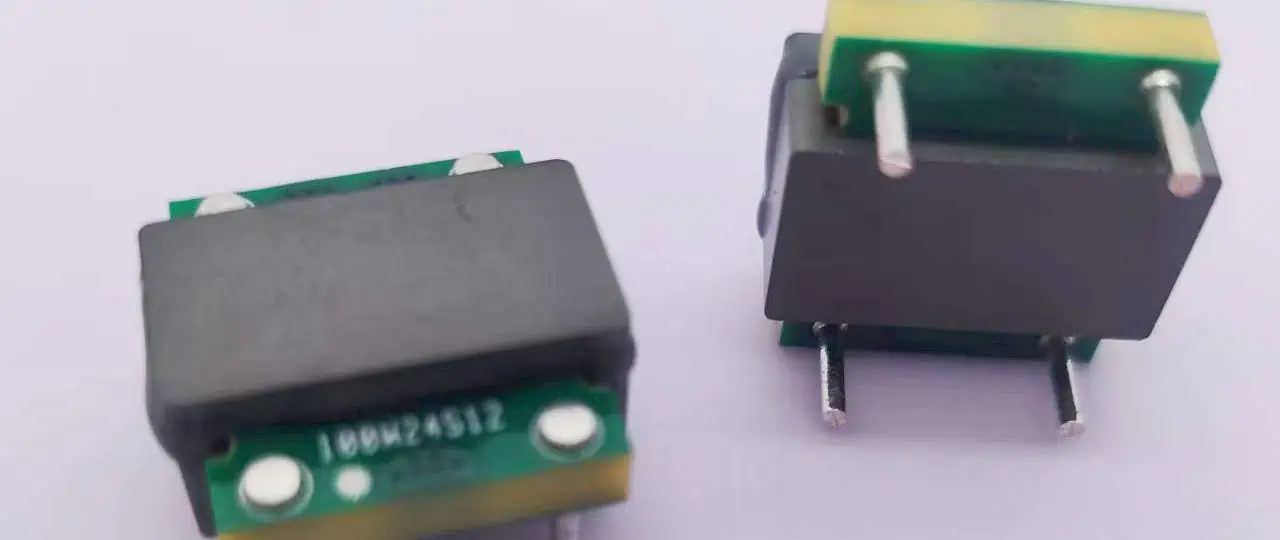
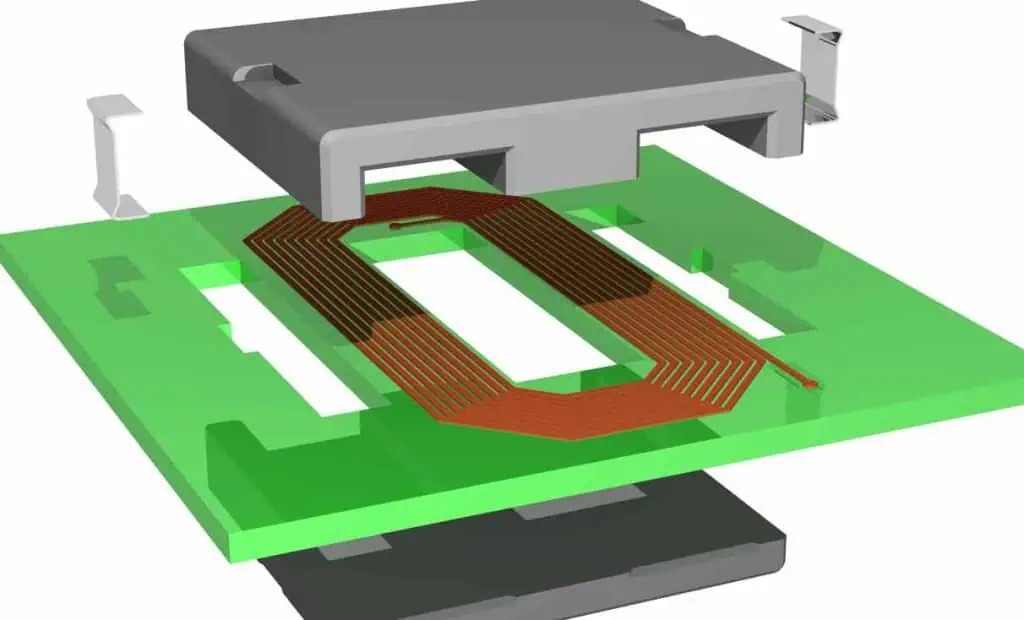
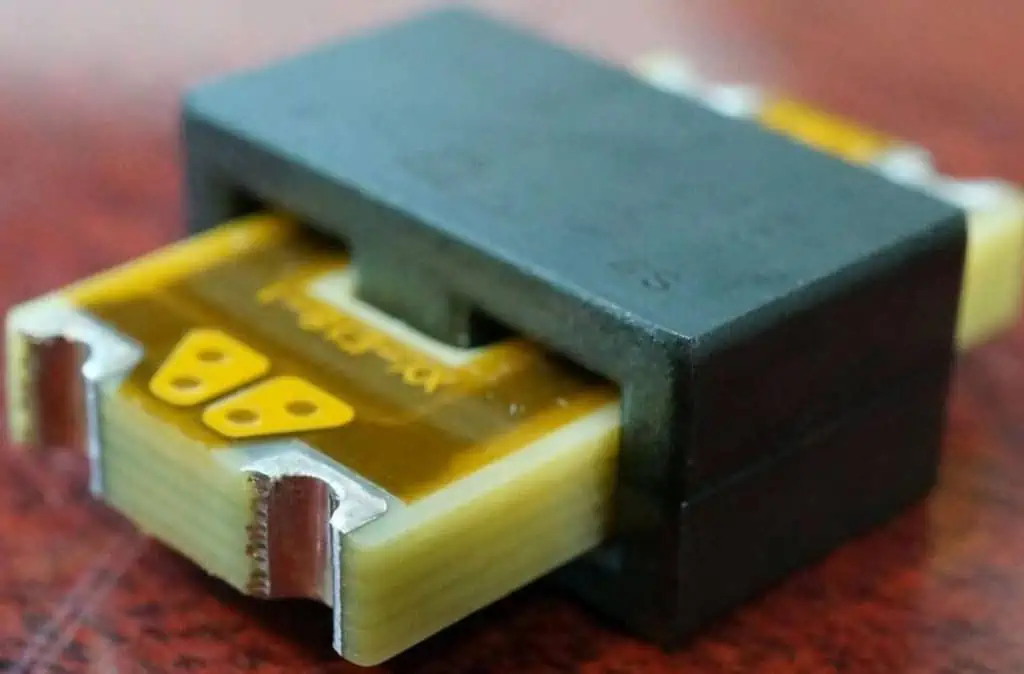
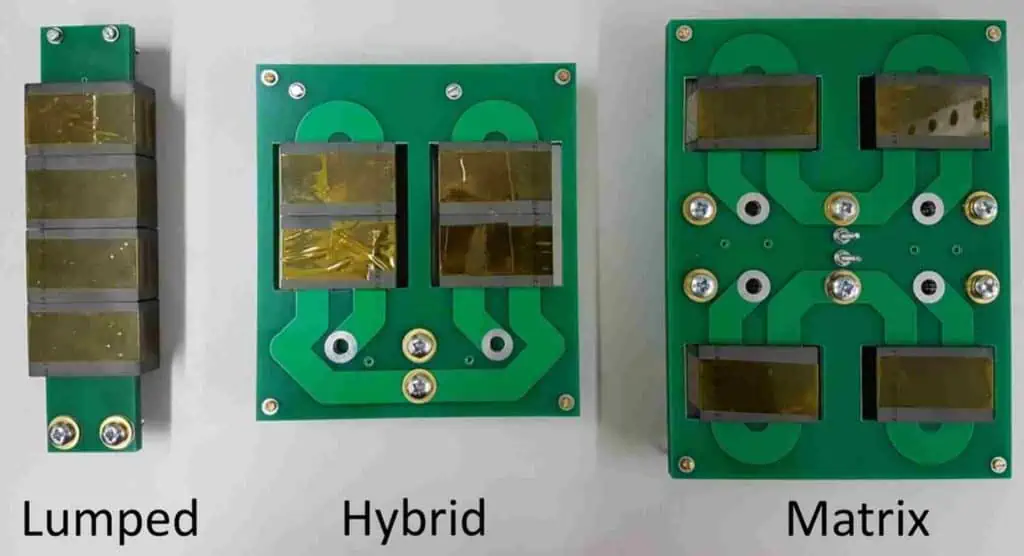
A planar transformer is a flat, low profile transformer fabricated using PCB technology. The windings are made from etched copper tracks and turns on the PCB layers. The core is realized using the PCB dielectric material itself by interleaving the winding layers.

Planar transformers provide the electrical isolation, voltage transformation and energy transfer functions of conventional wire wound transformers in a smaller surface mount device footprint. Key advantages include:

  • Extremely low profile and small size
  • Improved power density
  • Lower leakage inductance
  • Reduced parasitic capacitance
  • Tightly controlled characteristics
  • Simplified manufacturing
  • Cost effective compared to hand wound transformers

Planar transformers are widely used in SMPS, LLC and other converters, gate drives, CM choke applications and RF impedance matching circuits.

Planar vs Conventional Wire Wound Transformer Comparison

ParameterPlanar TransformerWire Wound Transformer
ConstructionWindings etched as tracks on PCBWindings made from insulated wires
CorePCB dielectric materialFerrite, iron alloys etc.
SizeExtremely compact and low profileLarger, significant height
Leakage InductanceVery low due to tight couplingHigher due to poorer coupling
Parasitic CapacitanceLow as limited overlapping areaHigh due to more overlapping wires
AC ResistanceLow as wider copper tracksHigher due to thinner winding wires
Turns Ratio RangeTypical 1:1 to 1:5Wide – 10:1 or more
Power LevelsLower – less than 10W usuallyHigher power handling capacity
CostLower due to PCB processHigher labor for hand winding
IntegrationExcellent, embed directly on PCBModerate, but requires mounting
RepeatabilityVery consistent and controlledPoorer tolerance and unit-unit variation
Efficiency>90% in well designed planar transformers>95% in conventional transformers

Planar Transformer Construction

Planar transformers fabricated on PCB comprise the following elements:

  • Primary Winding – Made from PCB copper traces forming turns on a dedicated layer.
  • Secondary Winding – Second layer with turns made using etched PCB tracks.
  • Dielectric Layers – FR4 or other PCB substrate dielectrics act as insulating barrier between windings.
  • Magnetic Core – The PCB dielectric layers themselves form the core of the planar transformer.
  • Interconnections – Vias interconnect the ends of primary and secondary windings for circuit connections.
  • Shield Layer – Additional PCB copper layer to enclose windings for EMI control.
  • Encapsulation – Transformer may be encapsulated with epoxy or molding for protection.

Design Process for a Planar Transformer PCB

The typical design flow involves the following steps:

1. Define Electrical Specifications

  • Required primary and secondary voltages
  • Turns ratio
  • Output power
  • Switching frequency
  • Duty cycle
  • Efficiency target
  • Other parameters like leakage inductance etc.

2. Select Core Material

  • Choice of PCB dielectric material (FR4, Isola, Rogers, etc.)
  • Number of layers in PCB stackup
  • Thickness of dielectric layers

3. Calculate Number of Turns

  • Determine number of primary and secondary turns to achieve turns ratio based on voltages
  • Account for minimum required inductance
  • Estimate effective core area

4. Estimate Conductor Thickness

  • Select copper thickness/weight to handle expected load current
  • Account for allowable temperature rise

5. Design Winding Layout

  • Arrange turns to minimize overall area
  • Ensure adequate creepage and clearance between windings
  • Include shielding layer if needed

6. Size Winding Traces

  • Calculate trace width and spacing to match copper thickness
  • Manage leakage inductance via tight trace coupling
  • Minimize parasitic capacitance between windings

7. Validate Electrical Performance

  • Simulate transformer design to verify inductance, losses, impedance etc.
  • Iterate to meet specifications

8. Finalize PCB Layout

  • Layout board with integrated planar transformer following best practices
  • Add test points for characterization

9. Test Prototype

  • Fabricate prototype PCB and evaluate transformer parameters
  • Correlate measurements with simulations
  • Tune design if required and repeat prototype testing

The intricacies involved in each step are explained in detail in the following sections.

Selecting Core Material and Stackup

The choice of PCB dielectric material and layer stackup determines the magnetic core properties of the planar transformer:

  • PCB Dielectric Type – FR4, Isola, Rogers, Arlon etc. Low loss dielectrics improve efficiency.
  • Number of Layers – More layers increase primary to secondary isolation and creepage distance. 4 to 6 layers are typical.
  • Core Thickness – Total thickness of dielectric layers comprising the core affects inductance.
  • Dielectric Constant – Impacts achievable inductance since magnetic field lines pass through dielectric.
  • Loss Tangent – Low loss tangent materials reduce eddy current losses improving efficiency.
  • Z-direction Thermal Conductivity – Helps conduct heat from windings to external PCB layers.

For low power planar transformers, typically 2 oz. copper layers are used. For higher current capacity, 3 oz. or 4 oz. copper or even heavier copper up to 6 oz. can be utilized.

Calculating Number of Turns and Inductance

The number of turns required depends on the input and output voltages of the planar transformer based on the standard transformer voltage equation:

Vp / Vs = Np / Ns

Where:

Vp = Primary Voltage

Vs = Secondary Voltage

Np = Number of Primary Turns

Ns = Number of Secondary Turns

Once the turns ratio is determined, the actual number of turns can be calculated based on the area of the windings using:

L = (N^2 * A * ฮผ) / l

Where:

L = Inductance in Henries

N = Number of turns

A = Cross sectional area of core in m^2

ฮผ = Permeability of core

l = Magnetic path length in meters

For planar transformers, conservative inductance targets are preferred since achieving very high inductance requires large number of turns increasing size. Typical inductance values range from 1ฮผH to 30ฮผH for most designs.

Winding Layout Design

The winding layout arrangement determines the magnetic coupling and performance. Some layout guidelines are:

  • Place windings as close as manufacturing tolerances permit for tight magnetic coupling
  • Interleave or cross windings at 90 degrees for high mutual inductance
  • Minimize winding layers for reduced proximity effect losses
  • Keep windings compact to increase magnetic field concentration
  • Maintain symmetry between windings for optimal coupling
  • Surround with ground shield to contain electromagnetic fields
  • Align winding axes to improve coupling and repeatability
  • Place tuner components like resonating capacitors close to minimize stray interconnect inductance

Winding patterns can be interleaved, stacked, sectionalized or interwoven based on performance targets, manufacturability constraints and the number of available PCB layers.

Determining Optimal Winding Trace Dimensions

The width and spacing of the copper traces comprising the planar transformer windings must be carefully designed:

  • Trace Width – Based on expected load current and allowable temperature rise. Wider traces have higher conductance.
  • Trace Thickness – Depends on copper weight used. Heavier copper can carry more current.
  • Trace Spacing – Controls leakage inductance. Tighter spacing reduces leakage inductance.
  • Edge Spacing – Increased spacing at turns edges reduces fringing effects and improves coupling.
  • Trace Length – Impacts DC resistance. Shorter length decreases losses.
  • Number of Layers – More parallel layers lowers AC resistance and proximity effect.
  • Fill Ratio – Ratio of total trace width to pitch should be maximized for high coupling.
  • Layers Spacing – Thicker spacing between layers increases creepage distance and isolation.

Electrical simulations are used to determine the optimal trade-off between trace dimensions, leakage inductance, DC resistance and capacitance.

Simulating and Characterizing Planar Transformer Performance

Simulating the designed planar transformer is key before fabrication to verify performance against specifications and characterize parameters like:

  • Turns Ratio – Verify transformation ratio between primary and secondary voltages.
  • Inductance – Leakage and magnetizing inductance of both windings.
  • DC Resistance – Resistance of primary and secondary windings.
  • Q Factor – Quality factor determining losses.
  • Leakage Fields – Fringing leakage flux between windings.
  • Current Density – Validate winding trace thickness can carry maximum current loading.
  • Impedance -Transformer input and output impedance at operating frequencies.
  • Efficiency – Simulate core and copper losses to estimate achievable efficiency.

Any issues found during simulation can be addressed by revising the design before layout and prototype fabrication.

Layout Best Practices for Optimal Planar Transformer Performance

Careful attention must be paid to the PCB layout to realize the full performance potential of a planar transformer:

  • Maintain symmetry between primary and secondary windings for good matching.
  • Place windings on adjacent layers for tight magnetic coupling and low leakage fields.
  • Minimize overlap between non-adjacent winding layers to reduce inter-winding capacitance.
  • Use shielding layers above and below windings to reduce EMI emissions and interference.
  • Surround with ground fills and voids in planes under the core area to prevent eddy current losses.
  • Incorporate thermal reliefs and voids in thermal pads for proper heat dissipation from windings.
  • Ensure sufficient isolation spacing between primary and secondary circuits.
  • Add test points to enable characterization of transformer after fabrication.
  • Keep high dv/dt traces away from the transformer area to prevent EMI coupling.
  • Use staggered and multi-Via stitching to provide robust interconnections.
  • Maintain adequate creepage and clearance from transformer to other components and board edges.

Simulation vs Measurement Correlation

Once the prototype PCB with integrated planar transformer is fabricated, the parameters must be measured to correlate with simulated values. Good correlation helps validate the accuracy of modeling and design process for future designs.

Differences between simulated and measured results can be due to:

  • Variations in dielectric constant or loss tangent of material.
  • Inaccurate estimates of trace dimensions or spacing.
  • Layer registration tolerance and misalignments.
  • Improper calibration or parasitic effects during measurements.
  • Simplified assumptions in simulation models.
  • Process defects like under etching of traces.
  • Damage to windings or tracks during board handling and assembly.

The design can be fine tuned based on feedback from measured results to achieve results closer to simulations. The improved model then becomes the baseline for subsequent design iterations.

Applications of Planar Transformers

Some common applications where planar transformers provide benefits are:

  • Gate Driver Circuits: Used to drive power transistors and IGBTs isolated from control electronics.
  • Switch Mode Power Supplies: Small planar transformers used in DC-DC converters, LLC resonant converters, and other SMPS.
  • CM Chokes: Provide common mode noise filtering while passing differential signals.
  • EMI Suppression: Low leakage enables high CMRR for power line EMI filtering.
  • Audio Circuits: Low profile high fidelity transformers used in headphone amplifiers and other audio applications.
  • Impedance Matching: Match signal sources to transmission lines in RF circuitry.
  • Voltage Translation: Voltage transformation for battery backed systems like RTCs and memory.
  • Flyback Converters: Compact efficient planar transformers used in low power flyback SMPS.
  • Medical Electronics: Electrical isolation required for patient safety in medical devices.

Design Challenges with Planar Transformers

Some of the common design challenges encountered with planar transformers that must be addressed are:

  • Achieving sufficient inductance within the available PCB area and layers.
  • Minimizing eddy current losses in windings due to high frequency AC currents.
  • Reducing inter-winding capacitance leading to increased losses and EMI.
  • Preventing core saturation due to DC bias current in transformer windings.
  • Handling thermal rise due to resistive copper losses in windings under load.
  • Containing electromagnetic interference and noise pickup or radiation.
  • Providing adequate galvanic isolation between primary and secondary circuits.
  • Ensuring proper impedance matching between source and load connected to transformer.
  • Overcoming variations in manufacturability of tight tolerance windings across PCB fabrication shops.

Design Review Checklist

The following checklist summarizes the key points to review during the design review process for a planar transformer PCB design:

  • Confirm electrical parameters like inductance, turns ratio, efficiency meet requirements.
  • Verify adequate isolation spacing between primary and secondary.
  • Check for sufficient creepage distance between high voltage nodes.
  • Ensure trace width and copper thickness can carry maximum current loading.
  • Validate adequate thermal heat sinking of windings to handle dissipated power.
  • Review parasitic capacitance and leakage inductance meets target levels.
  • Evaluate EMI emissions and susceptibility performance.
  • Confirm mechanical spacings for manufacturing and service clearances are met.
  • Check board area utilized compared to conventional discrete transformer.
  • Ensure models and simulations have been correlated with measured results on prototypes.
  • Review if design leverages PCB technology benefits fully compared to hand wound transformers.
  • Validate design margins, deratings and analyze risks due to unit-unit variations.

Conclusion

Well designed planar transformers enable realizing the advantages of compactness, improved efficiency, lower cost, tighter tolerance and excellent integration offered by the PCB fabrication technology. However, careful modeling, analysis and layout techniques must be followed paying attention to electromagnetic, thermal and manufacturing considerations. Leveraging PCB design automation tools for analysis, verification and layout greatly simplifies creating high performance planar transformers tailored to the application needs.

Frequently Asked Questions on Designing Planar Transformers

Q1. What are the typical dielectric core materials used for planar transformer PCBs?

FR4 is commonly used due to low cost. For higher performance, RF materials like Isola, Rogers, Arlon etc. are preferable due to lower loss tangent.

Q2. How many turns should be used for planar transformer windings?

Optimal number of turns depends on required inductance and voltages. Typical range is 4-6 turns for primary and secondary to balance size and performance.

Q3. What PCB copper thickness should be used for planar transformer windings?

1 oz. or 2 oz. copper is suitable for low current designs. For higher load current handling, 3 oz., 4 oz. or thicker copper up to 6 oz. would be recommended.

Q4. What construction approaches are used for multilayer planar transformers?

Interleaved, stacked, sectionalized and interwoven winding arrangements on multiple layers are commonly used construction techniques.

Q5. How can performance differences between simulation and measurements of fabricated planar transformer be minimized?

Careful modeling of parasitics and tolerances coupled with correlation using prototype measurements helps improve simulation accuracy and achieve results closer to real performance.

How to Do Thermal Simulation of PCB ?

Thermal management is a critical aspect of printed circuit board (PCB) design. The temperature profile of a PCB depends on the power dissipation and distribution of heat generating components and the overall board construction. Overheating can lead to performance issues, lowered reliability and even complete failure.

Performing thermal simulation enables predicting the temperature distribution across the PCB and identifying hot spots. This allows optimizing the design to maintain components within their safe operating temperature range. This article provides a comprehensive guide on how to carry out thermal modeling and simulation for PCBs.

YouTube video

Importance of PCB Thermal Simulation

Thermal simulation of PCBs during the design stage is important for the following reasons:

  • Prevents overheating damage – Simulating temperature profile helps avoid thermal issues that can damage sensitive components.
  • Optimizes cooling provisions – Heat sink sizes, location and other cooling parameters are determined through simulation.
  • Improves reliability – Maintaining safe operating temperatures enhances long term reliability of the board.
  • Saves cost and time – Thermal issues found late can require expensive board spins. Simulation prevents this.
  • Gains insights early – Thermal behavior is understood upfront before building prototypes.
  • Allows design trade-offs – Simulating different scenarios facilitates design trade-off decisions.
  • Validates improvements – Verify enhancements like thicker copper, thermal vias, etc. through simulation.

Types of PCB Thermal Simulations

There are two main types of thermal simulation used for PCB analysis:

Steady-State Thermal Simulation

Steady-state simulation models the board under equilibrium conditions, with sustained power dissipation in components. It reveals the overall temperature distribution across the PCB when heat flow stabilizes after sufficient time.

Steady-state analysis is quick and provides a good understanding of the general thermal performance. It is commonly used in early design stage.

Transient Thermal Simulation

Transient simulation models the dynamic thermal response of the board to power cycling over time. The temperature profile is analyzed as heat varies when devices switch on-off during actual operation.

Transient analysis can capture peak temperatures and time-dependent effects. It provides more detailed understanding and is done at later design phases.

Steps for PCB Thermal Simulation

The typical workflow for performing thermal simulation on a PCB design involves the following steps:

1. Build the PCB Model

The first step is to build the complete PCB model with all mechanical and material details in the simulation software. This includes board shape, layer stackup, component footprints, copper weights, finishes, etc.

2. Define Material Properties

Materials like FR4, copper, solder mask, etc. have inherent thermal conductivity and heat capacity. These parameters need to be defined in the simulator library.

3. Identify Heat Sources

Determine all components that dissipate significant heat like ICs, regulators, LEDs, etc. Estimate their power consumption and define heat generation for each.

4. Apply Boundary Conditions

Specify the external thermal conditions the board will be subject to such as ambient temperature, air flow, contact surfaces, etc.

5. Generate Thermal Mesh

The software automatically meshes the PCB model into small nodes and elements to enable thermal calculations through finite element or finite difference techniques.

6. Run Thermal Simulation

Execute the thermal solver to calculate the steady-state or transient temperature profile based on the defined parameters and conditions.

7. Analyze Simulation Results

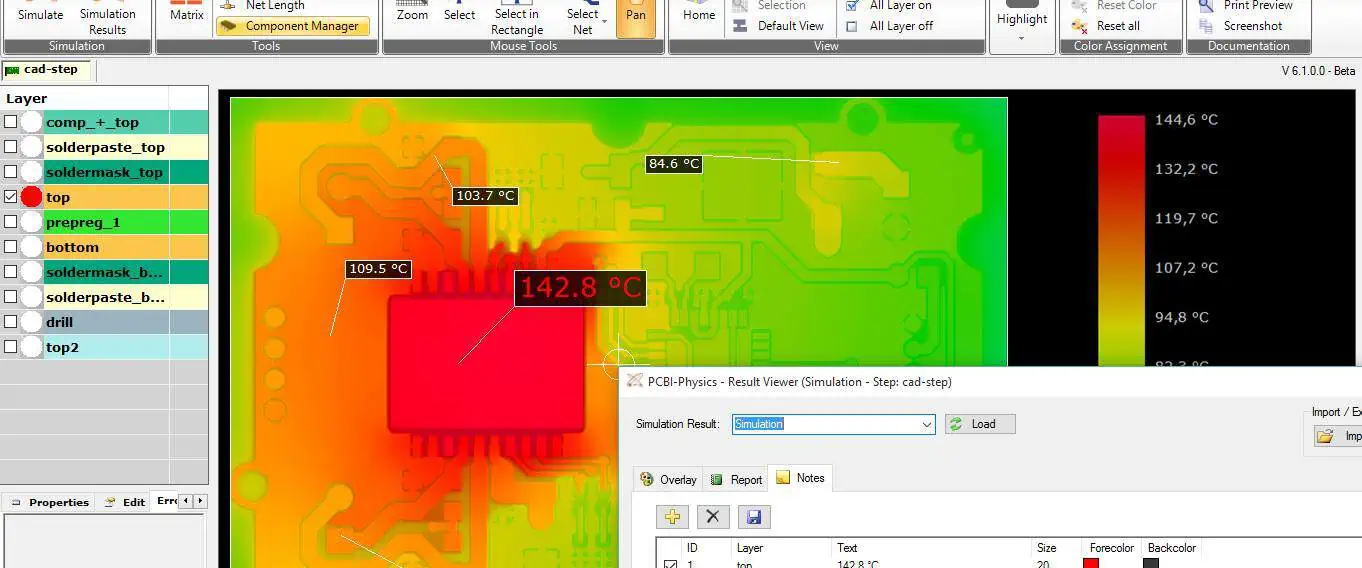
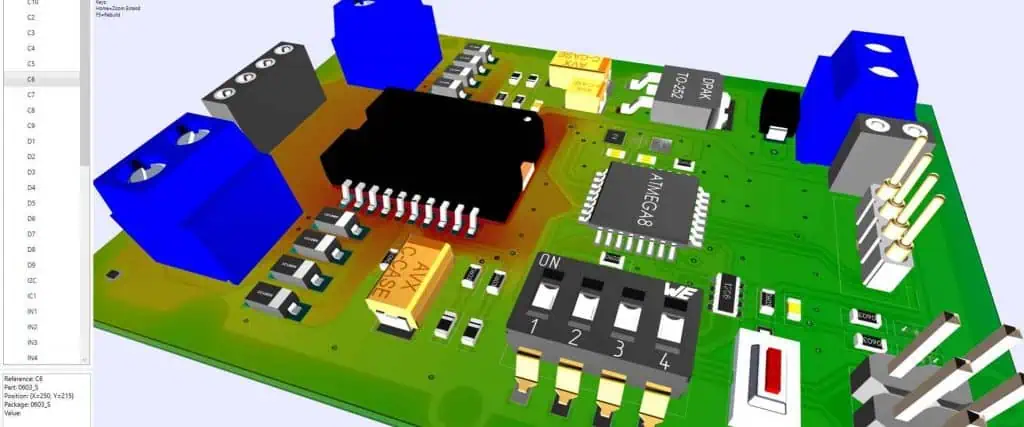
The software produces thermal maps showing the temperature distribution. Analyze hot spots, gradients, spreads and compare components against temperature limits.

8. Refine the Design

If any components exceed safe limits, modify the design with heat sinks, vias, copper weights, airflow, etc. and rerun simulation until results are satisfactory.

PCB Features Relevant for Thermal Simulation

To perform accurate thermal modeling, the PCB parameters that significantly influence heat flow need to be properly captured in the simulation software. These include:

  • Layer Stackup – Thickness and dielectric material used in the PCB layer structure impacts heat conductive and capacitive properties.
  • Copper Weight – Amount of copper in layers, landing patterns, plane fills determine heat spreading.
  • Board Size – Physical dimensions constrain how heat can dissipate laterally across the PCB.
  • Board Shape – Shape factors like cutouts, notches, openings affect airflow and heat concentration.
  • Component Footprints – Size, shape and distribution of component footprints influence localized heating.
  • Traces – Copper traces act as heat conduction paths to dissipate heat between pads.
  • Vias/Holes – Number, size, spacing and copper plating of drilled holes impacts vertical heat transfer.
  • Solder Mask – Openings in solder mask determine heat exposure and spreading from copper surfaces.
  • Silks and Legends – Non-copper areas where legends are marked affect underlying heat density.
  • Fiducials – Metallic fiducials can act as localized heat sinks.
  • Thermal Pads – Exposed thermal pads provide conduction path from hot components.
  • Heatsinks – Any attached heatsinks or devices to dissipate heat need to be modeled.
  • Thermal Vias – Copper vias under pads conduct heat between layers.
  • Buried Copper Planes – Internal copper planes distribute heat laterally within layers.
  • Multi-board Assembly – Any enclosure or adjacent PCBs influence airflow and heat transfer.

Defining Boundary Conditions for PCB Thermal Simulation

The boundary conditions specify the thermal environment the PCB will operate in. Key boundary parameters to define are:

  • Ambient Temperature โ€“ The temperature of air surrounding the PCB during operation.
  • Air Flow โ€“ Speed and direction of forced air cooling over the board if any fans or vents are present.
  • Adjacent Objects โ€“ If PCB is enclosed, temperature of walls and other objects should be provided.
  • Mounting Surfaces โ€“ Thermal properties of surfaces on which PCB is mounted like chassis, enclosure etc.
  • External Heating โ€“ Any external heat sources apart from the PCB affecting air temperature.
  • Operating Conditions โ€“ Whether normal room conditions or any harsh environment like vacuum, pressure, humidity etc.
  • Steady State vs Transient โ€“ For steady state, equilibrium temperature is given. For transient, temperature cycle profile over time is input.
  • Thermal Interface Materials โ€“ Any TIMs used between components, PCB and external surfaces along with their conductivity properties.
  • Radiation Effects โ€“ Radiative heat transfer can be additionally defined if relevant.
  • Convection Mode โ€“ Specify nature of convection heat transfer as natural or forced based on air flow.

Sources of Heat Generation in a PCB

The components generating heat dissipation need to be accurately identified and modeled in the thermal simulator. Typical heat sources in a PCB include:

  • ICs โ€“ Digital chips like microcontrollers, FPGAs, ASICs dissipate heat which increases with clock speed and gate density due to switching.
  • Regulators โ€“ Voltage regulators including linear and switching types convert and manage electrical power resulting in heat.
  • Optoelectronics โ€“ LEDs, laser diodes, photodiodes and lighting elements generate heat during operation and need heatsinking.
  • Transistors โ€“ Discrete transistors used as switches or amplifiers in power circuits heat up at higher currents.
  • Resistors โ€“ Resistors used for power applications like current sense, battery charging etc. exhibit thermal rise.
  • Inductors โ€“ Inductors designed to handle large currents heat up due to winding resistance and hysteresis losses.
  • Connectors โ€“ Connectors carrying higher currents like USB, HDMI, Ethernet etc. may dissipate heat.
  • Test Points โ€“ High power testpoints provide access to measure voltages/currents and result in thermal dissipation.
  • Physically Large Components โ€“ Bigger size discrete parts like capacitors or magnetics have more heat capacity.
  • High Density Areas โ€“ Localized regions containing multiple heat sources in close proximity require analysis.

Estimating Power Dissipation and Temperature Rise of Components

The power dissipation of heat generating components needs to be calculated to define heat sources for simulation. The following methods can be used:

  • Datasheet Values – Maximum power dissipation is often provided in component datasheet. These can be used for worst case estimates.
  • Calculated from Voltage and Current – Using Ohm’s law, power can be calculated as:P = V * I

where P is power in Watts, V is voltage across part in Volts and I is current through part in Amperes.

  • Inferred from Electrical Simulations – Power profiles obtained from circuit simulators like SPICE can provide dissipation data.
  • Assumed as Percentage of Total Board Power – Based on experience, assume power proportion of each component from total expected board consumption.

The heat and temperature rise of components can be related using thermal resistance:

ฮ”T = RฮธJA * P

where ฮ”T is temperature rise in ยฐC, RฮธJA is junction to ambient thermal resistance in ยฐC/Watt, and P is power dissipation in Watts.

Thermal Simulation Output and Results Analysis

fr4 thermal conductivity

The thermal simulation software generates outputs in the form of detailed thermal maps. The results should be carefully analyzed as follows:

  • Check peak temperatures reached at components and compare against their maximum rating.
  • Identify any hot spots where temperature exceeds safe limits and by how much.
  • Review temperature gradient between closely placed components and across board.
  • Examine spreading of heat laterally across board layers and impact of any heat sinks.
  • Check if temperature is lower at board edges showing heat dissipation paths are effective.
  • In transient analysis, evaluate temperature fluctuation over time and with cycling.
  • Verify if densely packed regions exhibit significant thermal rise and spreading.
  • Compare components with same rating to see if thermal response is similar.
  • Overlay electrical constraints like voltage levels, current density with thermal profile.
  • Determine impact on temperature due to changes in air flow or ambient conditions.
  • Correlate results with thermal metrics like thermal resistance, capacitance and time constants.

Using Thermal Simulation to Improve PCB Design

Based on the thermal simulation results, the PCB design can be optimized to enhance heat dissipation and cooling. Typical improvements are:

  • Resizing Components: Increase clearance around heat generating parts or shift location to spread heating.
  • Adding/Reshaping Heat Sinks: Use heat sinks more strategically to divert heat from hot components.
  • Thermal Vias: Add more vias under hot parts to transfer heat vertically between layers.
  • Copper Area Fill: Increase copper fill around critical components for lateral heat spreading.
  • Thicker Copper: Use thicker or heavier copper weights to improve thermal conduction.
  • Layer Stack Changes: Modify layer count or stackup to improve heat transfer to external layers.
  • Board Shape Modification: Consider cutouts, slots and openings to facilitate airflow and cooling of internal regions.
  • Component Grouping: Reposition components to avoid heating concentration in localized board regions.
  • Routing Tuning: Modify trace routing to improve conduction between heated component pads.
  • Solder Mask / Legend Tweaks: Adjust solder mask openings to expose more ground plane for cooling nearby parts.
  • Material Changes: Consider low loss PCB materials or insulating substrates with higher thermal conductivity.
  • Land Pattern Shapes: Adjust individual land shapes and sizes to steer heat away through copper shapes.

Thermal Simulation Tips and Best Practices

Here are some tips to follow for effective PCB thermal modeling:

  • Use the simplest model possible that represents the heat flow physics accurately. Overly complex models take longer to solve without much added benefit.
  • Leverage board symmetry and repeating patterns to reduce modeling size for faster simulation.
  • Apply fine mesh only in critical high gradient regions. Use coarser mesh in larger copper areas.
  • Start with steady-state simulation to quickly gauge overall thermal performance before doing transient analysis.
  • Focus simulation on the hottest components identified from power estimation and electrical design.
  • Validate simulation settings and results with measuring actual temperatures on prototype boards.
  • Adjust ambient conditions, air flow direction and interface materials across repeated simulation runs to evaluate sensitivity.
  • Simulate extreme use scenarios like heavy workloads, worst case environment, high duty cycles etc. to confirm robustness.
  • Compare simulation temperature scales and distribution with infrared thermography heat maps from real measurements.
  • Document all simulation assumptions, parameters and boundary conditions to enable correlation and reproduce results.

Role of PCB Thermal Simulation at Different Design Stages

Thermal modeling and simulation plays an evolving role as the PCB design progresses:

  • Concept Stage: Simulation used for feasibility study of cooling approaches and high level trade-off decisions.
  • Block Diagram Level: Simplified models analyze heating distribution between various functional blocks.
  • Detailed Schematic Design: Ascertain temperature rise across sections based on electrical power estimations.
  • PCB Layout: Analyze thermal performance of early layouts; identify hotspots and influence of board geometry.
  • Pre-Tapeout: Simulation with all placement, routing and stackup details finalized to validate temperature limits.
  • First Article: Correlate simulation results with measurements on initial fabricated boards.
  • Product Release: Confirm thermal management of PCB across use cases and environmental conditions.
  • Ongoing Improvements: continuing to utilize simulation to evaluate any design changes impacting thermal performance.

Thermal Simulation Applications and Use Cases

Some examples of practical use cases where thermal modeling provides significant value are:

  • High power PCBs with power devices, regulators, converters and amplifiers.
  • Densely packed digital boards with many heat generating ICs at high clock speeds.
  • RF and microwave PCBs checking impact on amplifier junction temperatures.
  • LED board cooling taking into account ambient light intensity driving power usage.
  • Automotive PCBs subject to under hood high temperature environments.
  • Handheld and portable electronics with thermal management challenges due to size constraints.
  • Multi-board enclosures confirming temperature rise within sealed chassis with ventilation.
  • Checking placement feasibility of high power components like FPGAs and GPUs.
  • Evaluating thermal performance impact of PCB construction variations between 2-layer, 4-layer, 6-layer, etc.
  • Analysis of buried copper planes and effectiveness of thermal vias in transferring heat between layers.

Thermal Simulation Tools and Software

Some of the commonly used software tools for performing PCB thermal analysis are:

  • ANSYS Icepak: Powerful general purpose CFD based thermal simulation tool with automated optimization.
  • Siemens Simcenter Flotherm XT: Specialized electronic design thermal simulator with extensive component libraries.
  • Cadence Celsius: Tightly integrated thermal solver for rapid electro-thermal simulation and co-design.
  • Altium Designerยฎ: Built-in finite-element based thermal analyzer to simulate temperature and heat flow.
  • Mentor Graphics FloEFD: CFD analysis addon embedded in Mechanical CAD for electronics cooling.
  • Keysight Totem-SC: Multiphysics electro-thermal analysis with customized modeling and simulation.
  • COMSOL Multiphysics: FEA simulation environment capable of modeling complex thermal characteristics.
  • Autodesk CFD: General computational fluid dynamics software applied for electronics thermal management.

Conclusion

Thermal simulation enables assessing the temperature distribution across a PCB design and identifying issues early before costly prototypes are built. Steady state and transient analysis provide insights into overall heating levels, hotspots and adequacy of heat dissipation provisions. The simulations must accurately account for all thermal design parameters and operating conditions expected. Thermal modeling is an indispensable part of the modern electronics design process allowing thermal validation from concept stage through to final product release.

Frequently Asked Questions on PCB Thermal Simulation

Q1. Why is thermal simulation important for PCB design?

Thermal simulation helps predict temperature rise across PCB components. This allows identifying and resolving overheating issues before prototype manufacturing avoiding expensive re-spins.

Q2. What type of components mainly contribute to heat generation in a PCB?

Components like ICs, voltage regulators, power transistors/MOSFETS, LEDs, RF amplifiers, and magnetics like inductors and transformers are typical heat sources due to power dissipation.

Q3. How are power values for components determined for thermal simulation?

Power dissipation values can be obtained from datasheets, electrical simulations, calculated from voltage and current, or approximated as a ratio of total board power based on experience.

Q4. What impacts accuracy of PCB thermal simulation?

Accuracy is influenced by correctly capturing materials, layer stackup, board geometry, thermal vias, copper weights, airflow conditions and power sources. Validating with measured temperatures on prototypes also helps.

Q5. How can thermal simulation results be used to improve PCB design?

Based on hot spots identified, design can be optimized by resizing components, adding heat sinks/fans, increasing airflow, using more thermal vias, modifying routing, and changing board shape or stackup.

How Do You Repair PCB Trace with Kit ?

Printed circuit boards (PCBs) form the core of electronics products. Traces on the PCB conduct signals between components. If a trace gets damaged, it can disable the circuit. Instead of scrapping the PCB, trace damage can often be repaired. Specialized PCB trace repair kits provide materials and tools to fix broken traces quickly. This article provides a step-by-step guide to PCB trace repair using such DIY kits.

Overview of PCB Trace Repair Kits

PCB trace repair kits contain supplies to fix open or damaged traces and pads. A basic kit usually includes:

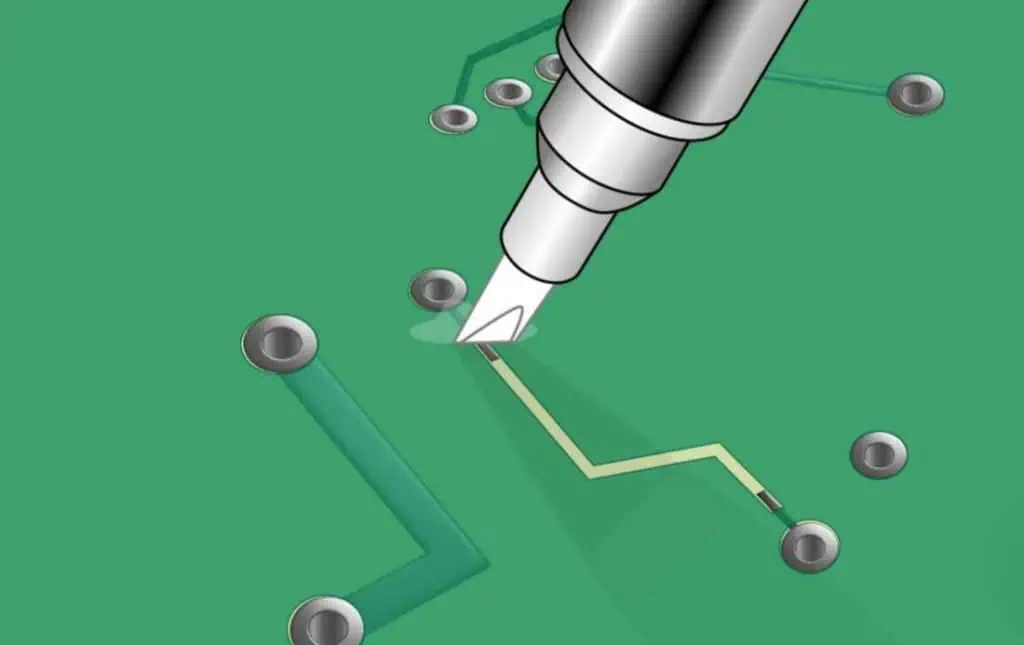
  • Conductive ink pen – repairs broken trace sections
  • Protective lacquer – isolates repaired areas
  • Precision tips – enable fine trace repairs
  • Cleaning accessories – prep surface before repair
  • Magnifier – helps detailed work

The core item is the conductive ink pen which recreates broken trace segments. The ink dries into a flexible conductive material repairing the electrical path. Other items aid the repair process.

More extensive kits add soldering accessories, replacement components, trace isolation materials, tools like tweezers and probes, and detailed manuals. However, even a basic kit with just the pens can fix many trace issues.

Example PCB trace repair kit

When to Repair Instead of Discarding PCBs

Common situations where PCB trace repair is worth trying instead of scrapping boards:

  • Prototyping – Fixing faults iteratively on prototype boards before final design.
  • Small Volume Boards – Unique/expensive boards where purchasing replacements has lead time and cost.
  • Legacy Boards – Old boards where replacements are unavailable.
  • Fast Turnaround – Faster to repair on-hand boards than order and wait for new ones.
  • Intermittent Issues – Flaky boards where problem is hard to reproduce.
  • Cosmetic Damage – Scrapes/nicks on surface that cut a trace completely.
  • Pad Repair – Missing pads prevent soldering components.

As long as the PCB substrate itself is intact, many types of trace-level damage can be repaired. This avoids unnecessary scrap costs.

Precautions When Repairing PCB Traces

Trace repair looks easy but requires care to succeed:

  • Review Schematics – Understand where the trace was routed and its connections.
  • Note Overall Damage – Assess if issues are limited to traces or more extensive.
  • Clean PCB – Remove all debris, residue and dust from repair area.
  • Magnify Work Area – Use a magnifier to clearly see fine traces.
  • Fine Control – Rest hands/arms to avoid shaking.
  • Verify Results – Inspect repair and test circuit before reassembly.

Rushing through repairs by taking shortcuts usually leads to failures. Careful attention to details ensures a working fix.

Step-by-Step Process for PCB Trace Repair

Here is a walkthrough of the trace repair process using a typical repair kit:

1. Assess Damage

  • Visually inspect the PCB to identify trace damage. Look for complete breaks in traces or scratched off areas.
  • Cross-check against board schematics to understand where the trace was routed and its connections.
  • Determine if surrounding areas are also damaged. Restrict repair to trace-level damage only.

2. Clean PCB Area

  • Clean the work area using the provided cleaning swabs/pads and alcohol solvent.
  • Remove all dirt, oxidation, residues or debris surrounding the damaged trace area.
  • Allow area to fully dry before continuing. Proper cleaning enables the repair to adhere.

3. Prepare Conductive Ink Pen

  • Select an appropriate tip size and attach it to the pen. Use finer tips for thin or intricate traces.
  • Shake the pen to mix the conductive ink which settles over time.
  • Prime the pen by pressing until ink flows out evenly. This prevents erratic flow.
  • Adjust ink flow if needed by turning the adjustment screw on the pen body.

4. Trace Repair Outline

  • Study the damaged trace path and determine where the ink will be applied to bridge the gap.
  • Lightly sketch along this path with a non-conductive pen as a guide for the actual conductive ink trace.

5. Apply Conductive Ink

  • Using the primed conductive ink pen, carefully draw a path following the outline to link the severed trace ends.
  • Try to recreate original trace dimensions – match width and follow original routing.
  • Overlap about 1 mm onto undamaged areas on each side for a robust joint.
  • Let ink fully dry. Apply a second pass if conductance is inadequate.

6. Test Conductivity

  • Use a multimeter or ohmmeter to check resistance along repaired trace. It should indicate continuity.
  • If no conduction, apply more ink over area to build up material. Let dry and recheck.

7. Apply Protective Coating

  • Paint a thin layer of the provided protective lacquer over the repaired region using an applicator.
  • Let protective coating dry fully to prevent smudging.
  • Optional step for extra isolation – helps prevent long term corrosion.

8. Reassemble and Test

  • If access permits, hand solder components to restored pads to verify conduction.
  • Fully reassemble the PCB and test its functionality. The circuit should operate normally now.

With practice, even intricate trace repairs can be executed reliably using this careful approach.

Tips for Repairing Different Trace Damage Cases

Besides complete breaks, various types of trace damage can occur. Here are tips for addressing each case:

Broken Trace

  • Bridge over the severed segment with conductive ink using multiple coats if needed for conductance.

Missing Pad

  • Rebuild pad area with conductive ink. Allow curing well to withstand soldering.

Damaged Solder Pad

  • Remove residual solder mask carefully using a craft knife. Repair pad outline with ink.

Scraped Trace Area

  • Lightly abrade scraped region to expose fresh conductor. Ink over it.

Partial Width Trace Scratch

  • Build up trace thickness along scratched portion using added ink coats.

Oxidized Copper Trace

  • Use fiberglass brush gently to reveal conductive copper before inking over.

With the right techniques, diverse trace damage scenarios can be successfully repaired.

Limitations of PCB Trace Repair

While trace repair kits are versatile, some limitations exist:

  • Very fine sub-1-mm traces are difficult to repair reliably.
  • Recreating complex pad geometries or dense via patterns may not be feasible.
  • Repairs lack long term robustness versus original copper traces.
  • Conductive ink pens have finite usage life and variable results.
  • Repairs are temporary if root cause of damage remains unaddressed.
  • Severe substrate damage affecting layers cannot be fixed.
  • High voltage, high frequency or precision analog circuits may not function properly after repair.
  • Insufficient cleaning and surface prep will undermine repair quality.

Understanding these caveats helps determine if repairing a particular board and type of damage makes sense over replacement.

Troubleshooting Common Trace Repair Issues

New PCB coating pen from Intertronics

Problems during trace repair are usually fixable with the right corrective measures:

IssuePossible CausesCorrective Actions
No conduction after repair– Insufficient ink thickness <br>- Ink smudged before drying <br>- Overlaps with undamaged areas inadequate– Apply more ink coats <br>- Allow each coat to dry fully before next <br>- Extend overlap with existing trace segment
Ink flows unevenly– Tip clogged <br>- Ink viscosity too high/low– Clean tip opening <br>- Adjust pen ink flow as needed
Repaired trace conducts initially but fails later– Flexing cracks ink trace over time <br>- Environmental exposure degrades ink– Reinforce with additional protective coating <br>- Minimize mechanical stress on repaired trace
Solder pad lifted during repair– Excessive heating during desoldering <br>- Aggressive scraping of residual mask– Use desoldering braid instead of hot air <br>- Remove mask carefully by scraping edges first
Repaired board functions inconsistently– Intermittent conduction along repaired area <br>- Unidentified damage elsewhere on board– Use multimeter to isolate conduction faults <br>- Thoroughly inspect board for any other issues needing repair

With good troubleshooting practices, most repair issues can be diagnosed and rectified.

Ensuring Long Term Reliability of Repairs

To improve long term reliability of trace repairs:

  • Flow slightly more ink than needed to create a robust conductor.
  • Overlap repaired and undamaged areas well for strong adhesion.
  • Apply protective coating to prevent corrosion over time.
  • Avoid mechanical stress on repaired trace – handle board carefully.
  • Periodically check repairs for deterioration and touch up if required.
  • If possible, run board at slightly lower than rated temperatures.
  • For very high reliability, consider having repaired boards professionally conformal coated.

With extra care during repair and follow-up maintenance, boards can function successfully long term following fixes.

PCB Trace Repair Alternatives

For damage beyond DIY repair capabilities, alternatives include:

Professional Repair Services – Many PCB assembly vendors offer repair services for complex damage. Useful for mission-critical boards.

Board Redesign – For systemic issues, re-designing the board with modifications may be better than repeated repairs.

Board Protection – Conformal coatings, potting, protective enclosures can prevent future damage.

Better Handling Procedures – Many trace issues result from mishandling or weak packaging. Improving board handling minimizes damage.

Component-Level Repair – Swapping damaged components may be simpler than repairing traces.

Cabling – Using external cabling to bypass damaged areas on the PCB.

Combining DIY trace repairs for accessible issues and other solutions for severe damage provides a robust repair strategy.

Conclusion

PCB trace repair kits are a quick, affordable way to fix damaged traces and avoid discarding boards. With careful assessment of damage, preparation of the work area, precision use of conductive ink pens, and rigorous testing, broken traces can be restored successfully. Understanding repair limitations, troubleshooting issues, and implementing reliability best practices ensures long-lasting fixes. For optimal results, trace repair should be used alongside other mitigation approaches like enhanced handling procedures and board-level protection. By harnessing trace repair techniques, companies can save time and cost when dealing with damaged PCBs.

Frequently Asked Questions

Can solder mask repairs be done with trace repair kits?

No, the ink in basic kits is not formulated to adhere to solder mask surfaces. Special epoxy compounds and processes are required for solder mask repairs which most DIY kits do not provide.

How long does conductive ink take to dry?

Drying time depends on the ink chemistry, with most types drying within 5-10 minutes at room temperature. Curing can be accelerated by gently heating the board after ink application.

Can surface mount pads be repaired with these kits?

Yes, SMT pads can be reconstructed using the conductive ink but extra precision is required due to their small size. Allowing longer curing time improves durability for soldering.

Do the kits only work on copper traces?

The ink adheres well to copper so it works very effectively for copper traces. Performance will be degraded on other surfaces like gold or tin-plated traces.

How many times can a pen be used before replacing?

Dependent on the kit, each ink pen typically allows 10-25 repairs before needing replacement. Higher-end pens may enable more repairs. Checking conductivity after each repair detects any degradation in ink quality.

What is Silicone Conformal Coating For PCB ?

Introduction

Printed circuit boards (PCBs) are at the heart of electronics equipment providing the pathways for signals and power. However, PCBs are susceptible to contaminants, moisture, and temperature/humidity changes which can cause dendritic growth, corrosion, and short circuits. Applying a protective conformal coating on PCB assemblies safeguards against such damage and enhances reliability.
Silicone conformal coatings have emerged as a popular protective coating for PCBs due to their ability to repel water, provide insulation, and withstand wide temperature variations. This article provides an in-depth look into silicone conformal coatings, their properties, application methods, selection criteria, and benefits for PCB protection.

What is a Conformal Coating?

Conformal Coating

A conformal coating is a thin polymeric film applied on the PCB assembly to act as a barrier against contaminants like moisture, dust, chemicals, and temperature extremes. The conformal coating โ€œconformsโ€ evenly to the complex contours of PCB components, covering all surfaces.

Conformal coatings are dielectric (non-conductive) in nature to prevent shorting between adjacent traces and components on a crowded PCB. The coatings are applied in a thin layer – typically 25 to 200 microns thick. This protects the PCB without materially increasing weight or dimensions.

Some key functions of conformal coatings on PCBs are:

  • Prevent moisture ingress and chemical migration
  • Provide thermal and mechanical shock protection
  • Isolate high voltage areas on the PCB
  • Electrically insulate conductive elements from each other
  • Protect against dendritic growth between conductors
  • Reduce field failures and extend product life
YouTube video

Why Use a Silicone Conformal Coating?

Silicone conformal coatings provide distinct advantages that make them a popular PCB protection solution:

Hydrophobicity: Silicones have a highly hydrophobic (water repelling) nature. The water contact angle is over 90ยฐ for silicones. This property enables excellent moisture and condensation resistance.

Temperature stability: Silicone coatings retain their protective properties over a wide temperature range from -60ยฐC to 200ยฐC. They can withstand soldering temperatures.

Flexibility: Silicones have high elasticity to flex and absorb mechanical and thermal shocks. They resist cracking or chipping.

Dielectric strength: Silicones offer very high dielectric strength (>400V/mil) to insulate high voltage areas on PCBs.

Chemical resistance: Silicones are largely inert and resist a broad range of chemicals like acids, alkalis, and cleaning solvents.

Reparability: Silicone coatings can be selectively removed for rework using solvents without damaging the PCB components.

Processability: Liquid silicones are easy to apply on complex board geometries using spray or brush coating.

UL rating: Silicones can achieve UL 94 V-0 flammability rating – the highest standard.

In summary, the versatility, hydrophobicity, temperature resistance, flexibility, dielectric strength, chemical resistance, and processability make silicone an ideal conformal coating material for PCB protection.

Silicone Chemistry Overview

Silicone or polydimethylsiloxane (PDMS) is an inorganic polymer derived from silica (sand). It consists of a silicone backbone chain with organic methyl groups attached to the silicon atoms:

The Si-O bond gives high temperature stability, while the methyl groups (CH3) provide flexibility, hydrophobicity, and chemical inertness.

Varying the ratio of organic to inorganic content gives different silicone grades. Higher organic content imparts greater flexibility, while higher inorganic content increases hardness and temperature resistance.

Silicones containing reactive chemical groups can undergo further cross-linking to form protective conformal coatings. Moisture curing, UV curing, and thermal curing are popular methods to cure liquid silicones.

Types of Silicone Conformal Coatings

Silicone conformal coatings are available in one-part and two-part systems with different curing mechanisms:

1. One-Part Silicones

One-part silicones consist of siloxane polymers and cross-linking agents in a single container. They cure into solid films upon exposure to atmospheric moisture:

  • Acetoxy cure: Releases acetic acid as a byproduct while curing. Used where odor is not a concern.
  • Alkoxy cure: Releases alcohol, allowing low odor cure. Used for thick coatings.
  • Oxime cure: Cures via oxime linkages. Low odor but slower curing.

2. Two-Part Silicones

Two-part silicones consist of a base resin and a catalyst/curing agent in separate containers. They require mixing before application and cure:

  • Condensation cure: Base reacts with a tin, platinum or titanium catalyst. Fast curing, releases alcohol.
  • Addition cure: Uses a platinum catalyst to crosslink vinyl-functional polymers. Low odor, no byproducts.
  • UV Cure: Base resin cures under UV irradiation. Very fast cure speeds.

One-part silicones cure at room temperature upon exposure to ambient humidity. Two-part silicones provide more control over cure rate and properties.

Silicone Conformal Coating Properties

Silicone conformal coatings can be formulated in different viscosities from low viscosity liquids to thixotropic gels. Key properties include:

Viscosity: Liquid silicones have viscosity ranging from 300 to 1000 cPs, while gels are over 3500 cPs. Viscosity determines the coating thickness achievable.

Hardness: Silicones have Shore A hardness between 20 to 85 after curing. Softer grades are more flexible while harder grades are abrasion resistant.

Dielectric strength: Around 500 Volts/mil for most silicone coatings, enabling insulation of conductors with voltages differences.

Dielectric constant: 2.7 to 3.0 at 1 MHz frequency. Similar to PCB substrate materials.

Dissipation factor: Very low, 0.001 to 0.01 at 1 MHz showing minimal energy losses.

Volume resistivity: >10e15 Ohm-cm ensures electrical insulation.

Temperature range: Protective from -60ยฐC to 200ยฐC enables use under wide temperature swings. Withstands soldering heat.

Tensile strength: 200 psi and above makes silicone coatings tough and resistant to cracks/chips.

Elongation: Up to 150% elasticity allows silicones to bend and absorb stresses.

Flammability: Silicones achieve UL 94 V-0 rating – the highest flammability standard.

Moisture resistance: Silicones are highly hydrophobic with dielectric strength retained after 85ยฐC/85% RH exposure for over 1000 hours. Prevents corrosion and electrical leakage.

Chemical Resistance: Inert to most acids, alkalis, solvents etc. Allows cleaning and rework.

PCB Protection Applications of Silicone Conformal Coatings

Some major applications of silicone conformal coatings for PCB protection include:

Automotive Electronics: Protects against temperature extremes, vibration, moisture, and contaminants in under-the-hood automotive applications.

Power Supplies: Insulates high voltage PCBs and prevents arcing and short circuits in power supplies.

LED Lighting: Protects LED driver PCBs against moisture and corrosion. Maintains insulation resistance.

Control Equipment: Safeguards industrial control units in harsh plant environments against moisture, chemicals and particulate ingress.

Medical Electronics: Provides biocompatible, moisture-proof barrier for PCBs used in medical diagnostic equipment and body-worn devices.

IoT Devices: Extends service life of IoT endpoint devices deployed in uncontrolled ambient conditions exposed to spills, humidity, and pollutants.

Aerospace Avionics: Reliably insulates densely-packed PCBs on aircraft against vibration, shock, temperature swings, altitude changes etc.

Marine Electronics: Protects on-board electronics in marine vessels from salt spray, moisture condensation and water ingress.

Military Equipment: Ruggedizes electronics in battlefield conditions involving wide temperature variations, humidity, sand/dust ingress etc.

5G Telecom Gear: Maintains electrical isolation on sensitive RF PCBs against environmental contaminants.

Thus silicone conformal coatings safeguard PCBs across diverse operating environments and duty cycles throughout product lifecycle.

Benefits of Silicone Conformal Coatings on PCBs

Some key benefits offered by silicone conformal coatings to enhance PCB reliability are:

Moisture Resistance: Silicones provide a hydrophobic barrier preventing short circuits from dew condensation or water ingress.

Corrosion Prevention: The conformal coating isolates metal conductors from oxygen, moisture and contaminants to avoid corrosion.

Thermal Management: Silicones protect components from thermal extremes and minimize thermal shock damage due to their high flexibility.

Vibration/Shock Absorption: Cushions PCB assemblies from mechanical shocks and vibration through its damping properties.

Chemical Protection: Provides a barrier against splashes or leaks of chemicals like acids, solvents, fuels and alkaline cleaning agents.

Dendrite Prevention: Avoids growth of conductive dendrites between adjacent conductors that can cause shorting.

UV Resistance: Protects PCBs from damage by UV exposure during outdoor use.

Flame Retardancy: Silicone coatings achieve UL 94 V-0 rating to minimize fire hazard.

Electrical Isolation: Prevents arcing or short circuiting between closely spaced conductors due to the high dielectric strength.

Reworkability: Allows selective removal for repairs and rework without coating removal from the entire PCB.

Process Control: Liquid silicones are easy to apply on complex board geometries via spraying, brushing, or dipping.

Reliability: collectively, the protective properties enhance field reliability and extend service life of PCB assemblies.

Silicone Conformal Coating Application Process

Conformal Coating
Conformal Coating

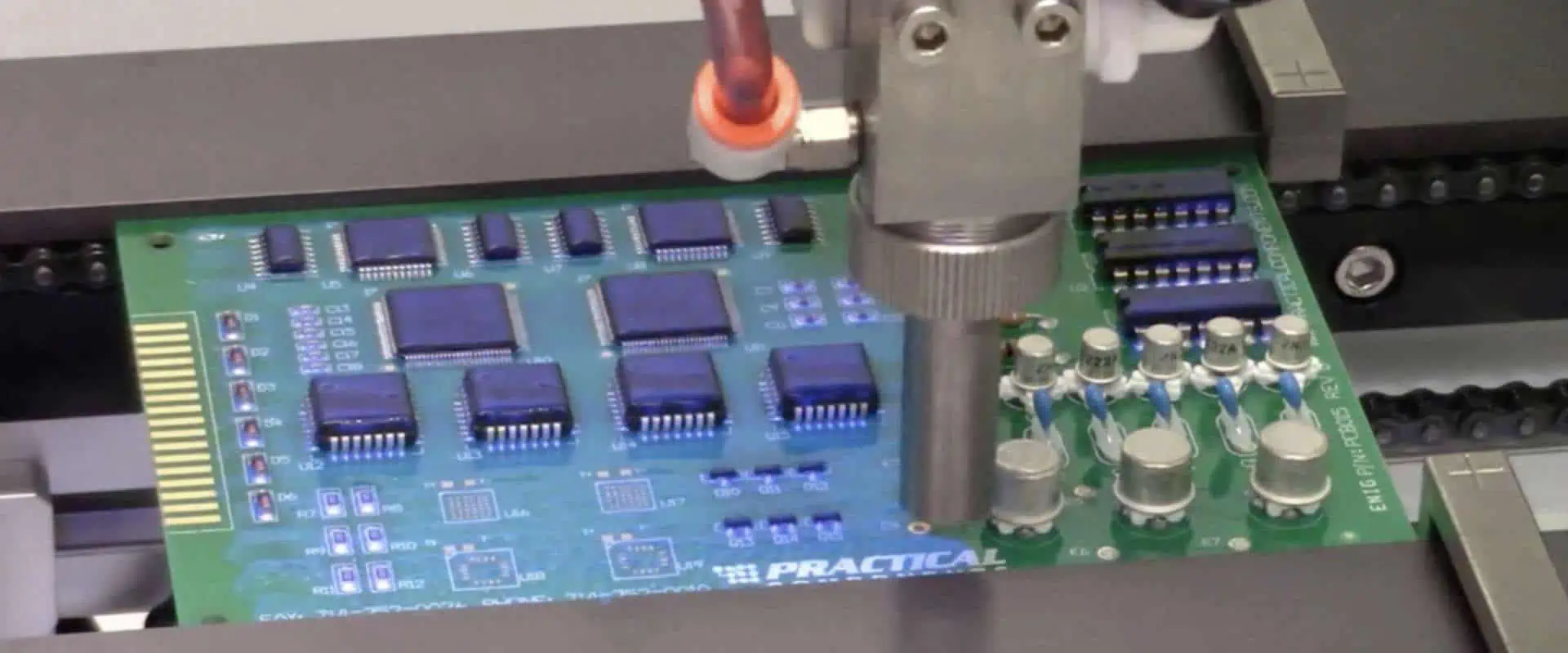
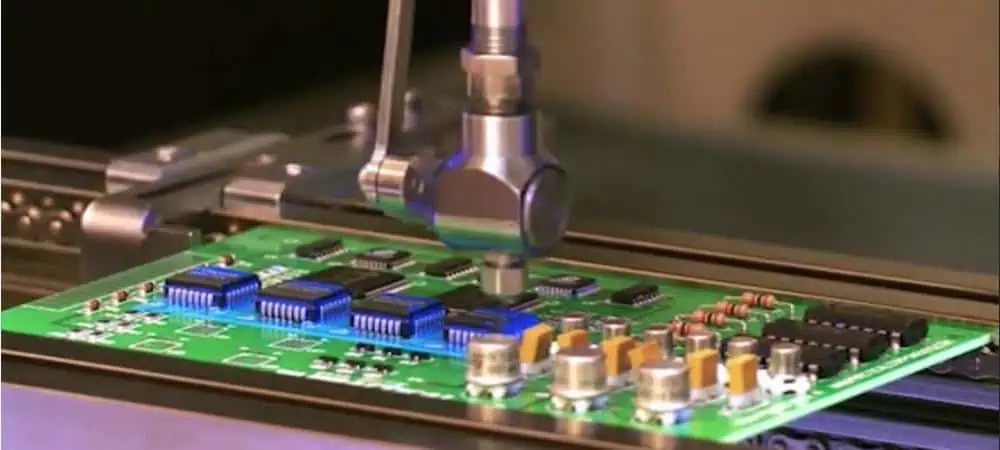
A typical silicone conformal coating application process involves:

Surface Preparation

The PCB assembly is first cleaned to remove contaminants like dirt, oil or flux residues. An isopropyl alcohol (IPA) rinse cleans organic residues.

Programming Application Parameters

For automated Selective Coating Systems, the application parameters are programmed like coating area, thickness, speed etc.

Masking Sensitive Areas

Connectors, testpoints, and delicate components are masked using latex plugs or polymer tapes to prevent coating.

Mixing Two-Part Silicones

For two-part silicones, the resin and curing agent are precisely mixed just prior to application as per manufacturer instructions.

Coating Application

Liquid silicone is applied via spray coating, brushing, dipping or jetting based on PCB size and geometry. Uniform coverage is ensured.

Curing Process

The silicone coating is allowed to cure as a solid protective film, either at room temperature, with heat, or using UV lamps.

Unmasking and Inspection

After curing, masking materials are removed. The coating is visually inspected under brighter lighting for pinholes, thin spots or other defects.

Testing Protection Levels

The coated assembly may be subjected to insulation resistance, high voltage withstand, or other applicable tests.

Packaging for Shipment

The conformal coated board is then packed with moisture absorbents as needed for shipment to customers.

Selective Coating vs. Total Immersion

For high volume production, PCB assemblies are conformal coated using automated equipment:

Selective Coating uses programmable coating robots or mechanisms to deposit silicone only on the required areas, avoiding connectors or testpoints. This allows easy post-coating access.

Total Immersion dips the entire PCB assembly into a silicone bath to coat all surfaces. Additional steps may be needed to strip the coating from connectors and test areas.

Selective coating provides flexibility to customize the coating area for each board design. It consumes less coating material compared to total immersion. But total immersion allows very fast cycle times for high volume production.

Silicone Conformal Coating Selection Criteria

Key considerations for selecting a silicone conformal coating include:

  • Operating temperature range based on thermal loads on the PCB components and the application environment. Wide temperature range silicone coatings are preferred for versatility.
  • Flexibility levels based on mechanical stresses on the PCB. Softer, more flexible silicones cushion better against vibrations/shocks.
  • Hydrophobicity based on the level of moisture protection required. Higher water contact angle gives better moisture resistance.
  • Dielectric insulation needs based on conductor spacing and voltage isolation requirements on the PCB.
  • Coating thickness dictated by PCB component heights and conductor clearances. Thinner coatings 20-40 microns are suitable for most applications.
  • Viscosity should allow coating intricate PCB geometries. Thinner silicones with 300-1000 cPs viscosity are easier to apply on complex PCBs.
  • Cure speed required – one-part silicones for room temperature curing or two-part silicones for faster heat/UV curing.
  • Rework needs to remove and recoat certain sections if repairs are envisaged. One-part silicones allow simple rework using solvent stripping.
  • Outgassing requirements – for use in vacuum or hermetic environments, low outgassing silicones are chosen.
  • Biocompatibility for medical devices – specialized medical grade silicones are used.
  • Approvals like UL 94 V-0, IPC CC-830, RoHS compliance. Automotive grade silicones meet IATF 16949 standard.

Key Silicone Conformal Coating Manufacturers

Parylene Coating on PCB

Some leading manufacturers of silicone conformal coatings for PCB protection include:

  • Dow – SYLGARD conformal coatings
  • Shin-Etsu – KJR and KE Series silicone coatings
  • ACC Silicones – SILCOSET range of silicone coatings
  • Henkel – LOCTITE conformal coatings
  • Dow Corning – SE92XX silicone conformal coatings
  • Electrolube – UR5634 Underfill and Conformal Coating
  • Dymax Corporation – 9481 and 9482-LV silicones
  • MG Chemicals – 419 and 422 Series conformal coatings

These companies offer broad silicone conformal coating product lines catering to different PCB protection requirements across industry sectors with strong global technical support services.

Conclusion

Silicone conformal coatings deliver a unique combination of properties that make them ideally suited for protecting PCB assemblies from environmental and operational stresses. The hydrophobic nature, wide temperature range, high dielectric strength, chemical inertness, shock absorption, and easy application enable silicone coatings to safeguard the reliability of PCBs across diverse use conditions.

Both global manufacturers and local PCB assembly service providers offer a range of silicone coating products to suit specific application needs in terms of viscosity, flexibility, temperature resistance, dielectric rating, outgassing levels etc. By applying the optimal grade using controlled processes, silicone conformal coatings enhance the field reliability and extend service life of electronic systems.

Frequently Asked Questions

Q1. How does a silicone conformal coating protect a PCB?

Silicone coatings protect PCBs by:

  • Providing a moisture and chemical barrier
  • Electrically insulating high-voltage conductors
  • Absorbing mechanical and thermal shocks
  • Preventing growth of dendrites between traces
  • Shielding against environmental contaminants
  • Extending product reliability and lifespan

Q2. What are some key properties of silicone coatings?

Key properties include:

  • Hydrophobicity
  • Wide temperature range (-60ยฐC to 200ยฐC)
  • High flexibility and elongation
  • Excellent dielectric strength
  • Chemical and UV resistance
  • Thermal shock absorption
  • Flame retardancy

Q3. When should PCB assemblies be conformal coated?

Conformal coating should be applied when PCBs are used in:

  • High-humidity environments
  • Applications with large temperature swings
  • Presence of destructive contaminants or chemicals
  • Conditions prone to vibration/mechanical shock
  • High-voltage boards requiring insulation
  • Densely-packed boards susceptible to dendrite growth

Q4. How is silicone conformal coating applied to PCBs?

Typical application techniques include:

  • Selective spray coating using automated, programmable equipment
  • Dipping in silicone baths for total immersion
  • Manual brushing for coating selective areas
  • Jetting for precise coating of components
  • Self-healing silicones via microcapsules for repairable coatings

Q5. Can silicone coatings be removed for repairs/rework?

Yes, silicone coatings can be selectively stripped using solvents like xylene, toluene or THF for rework, without affecting the PCB. This allows easy repair of coated boards.

What is the difference between SMA and SMC connectors?

SMA and SMC connectors are two common radio frequency (RF) coaxial connector styles used in telecommunications, test equipment, aerospace, defense, and other microwave applications.

Both connector types provide excellent electrical performance at microwave and millimeter wave frequencies, but they have some distinct differences in their design and usage. Understanding these differences helps engineers select the right option for their specific application and performance requirements.

This comprehensive guide examines the key similarities and differences between SMA and SMC connectors in terms of design, performance, applications, standards and more.

SMA Connectors Overview

SMA (SubMiniature version A) connectors were introduced in the 1960s as a smaller alternative to Type N and C connectors used at the time. The SMA uses a snap-on coupling mechanism and offers broadband performance up to 18 GHz in some configurations.

Key Features

  • Compact threaded interface with snap-on coupling nut
  • Designed for semi-rigid and flexible cables
  • Widely used with test equipment, RF systems, microwave systems
  • Provides DC-18 GHz frequency range typically
  • Available in 50 ohm impedance
  • Robust mechanical design
  • Variants like reverse polarity SMA (RP-SMA)

SMA Connector

Where SMA Connectors are Used

SMA connectors are very popular for lower frequency microwave applications including:

  • Test and measurement equipment
  • Telecommunication equipment
  • Aerospace and military systems
  • Antennas
  • Medical devices
  • General purpose RF and microwave component interconnections

They are ideal for applications not requiring the ruggedness or precision of precision connectors. SMA strikes a good balance between performance, cost, and ease of use.

SMC Connectors Overview

SMC (SubMiniature type C) connectors were introduced in the 1980s as a smaller, higher performance alternative to SMA connectors. SMC uses a threaded coupling interface and offers excellent broadband performance to 26 GHz.

Key Features

  • Lightweight threaded coupling interface
  • Designed for semi-rigid cables
  • Stable performance to 26+ GHz
  • Broadband impedance of 50 ohms
  • Precision machined parts
  • Very low reflection coefficients
  • Attenuation comparable to 2.92mm connectors
  • Used for critical microwave connections

SMC Connector

Where SMC Connectors are Used

SMC connectors are well suited for high performance microwave applications including:

  • Aerospace and defense systems
  • Satellite communications
  • Test instrumentation
  • Microwave radio links
  • High speed data transmission
  • Laboratory equipment
  • Microwave component interfacing

Their precision and repeatability make them ideal for measurement, production, and field use in demanding environments.

SMA vs SMC Comparison

Now let’s look closely at how the two connector styles differ across various attributes:

ParameterSMA ConnectorSMC Connector
Frequency rangeDC – 18 GHzDC – 26 GHz+
Impedance50 ohms50 ohms
Connector interfaceThreaded coupling nutThreaded coupler
Coupling nut materialNickel plated brassStainless steel
DielectricPTFEPTFE
Body stylesStraight, bulkhead, jack, panel mountStraight, bulkhead
Durability500 mating cycles500+ mating cycles
RF leakageGood to 12 GHzExcellent to 18 GHz
IntermateabilityConnects with most SMAPrimarily mates with SMC
CostLow costHigher cost
Return lossAround -26 dB at 10 GHz-30 dB at 10 GHz
RepeatabilityModerateVery high
SizeLarger diameterMore compact
WeightHeavierLighter

As the table illustrates, SMC offers better electrical performance thanks to its precision design but at a higher cost and lower intermateability than SMA. Key differences are examined in more detail below.

Frequency Range

The SMA connector is intended for operation up to 18 GHz, while SMC provides excellent performance to 26 GHz and beyond. So for microwave applications above 18 GHz, the SMC is a better choice. Both connectors work very well at lower microwave frequencies.

Impedance

SMA and SMC connectors both provide 50 ohm coaxial impedance for matting with cables and components. This matches common RF system impedance.

Connector Interface

SMA uses a threaded coupling nut that snaps onto the receptacle so it can rotate independently. SMC utilizes a threaded coupler that engages directly with the receptacle interface.

This difference means SMA connectors tend to be easier to thread together, while SMC achieves better centering and microwave performance.

Coupling Nut Material

On SMA connectors the coupling nut is nickel plated brass. SMC uses passivated stainless steel for the coupler nut, improving corrosion resistance. Stainless steel also has less mass, reducing connector weight.

Dielectric Material

Both connector styles rely on PTFE (polytetrafluoroethylene) for the insulator dielectric material. PTFE provides excellent electrical properties at microwave frequencies along with chemical and temperature resistance.

Body Styles

SMA is available in a wider range of body configuration including straight, bulkhead, jack, panel mount and more. SMC tends to be offered in just straight and bulkhead connector versions.

Durability

The SMA and SMC are rated for approximately 500 mating cycles before performance degradation. This assumes proper mating and unmating procedures are followed. SMC provides a little better cycle life on average.

RF Leakage

SMC provides lower RF leakage than SMA, particularly at higher frequencies. This improves signal integrity and measurement accuracy. At 10 GHz SMC leakage is around -65 dB versus -55 dB for SMA.

Intermateability

Due to their different interfaces, SMA and SMC connectors are primarily intended to mate with same type. However, SMA connectors have some intermateability with Type N and 3.5mm connectors, while SMC connectors only reliably mate with other SMCs.

Cost

SMC connectors cost significantly more than SMA connectors, often 2-3 times as much. This is due to tighter tolerances and precision manufacturing of SMC components.

Return Loss

Return loss describes how much signal power is reflected back due to impedance mismatches in the connector. SMC provides excellent return loss of -30 dB or better at 10 GHz. SMA return loss is around -26 dB typically.

Repeatability

The SMC’s precision threaded interface allows greater mating repeatability than SMA. This ensures consistent performance over many connect/disconnect cycles.

Size

SMC connectors have a smaller diameter and take up less space than SMA connectors. SMC’s compactness provides more connector density in multi-connector assemblies.

Weight

Related to their size differences, SMC connectors are appreciably lighter than SMA models. This provides weight savings which are important in aerospace and portable applications.

SMA and SMC Standards

SMA and SMC connectors are standardized by different organizations:

  • SMA – MIL-PRF-39012, IEC 61169-42
  • SMC – MIL-PRF-39012, IEC 61169-65

These specifications define the critical dimensions, materials, electrical properties, environmental testing levels and other requirements that connectors must meet to be compliant.

Using connectors that adhere to the standards ensures interchangeability between suppliers and reliability in the field. The standards documents provide all the key technical details needed for manufacturers and users.

Typical Applications of SMA and SMC

SMA Applications

SMA connectors are very commonly used for:

  • Antenna connections
  • RF signal routing in wireless communications equipment
  • Interfacing test equipment like signal generators, spectrum analyzers, power meters and vector network analyzers
  • Microwave component evaluation and prototyping
  • General purpose coaxial jumpers and adapters
  • Lower frequency aerospace and defense electronics
  • Biomedical instruments like MRI machines

SMC Applications

SMC connectors are an excellent choice for:

  • High performance aerospace and defense communications
  • Fast data collection systems
  • Microwave instrumentation and metrology
  • High frequency antenna feeds
  • Satellite payloads
  • Microwave radio links
  • Calibrated measurement port extensions
  • Research labs and test facilities
  • Microwave component characterization

So SMCs are often found where accuracy, precision, and repeatability are paramount.

SMA and SMC Cable Assemblies

SMA and SMC connectors are frequently used on coaxial cable assemblies and adapters for interfacing equipment. Common cable types assembled with the connectors include:

Cable TypeDescriptionSMA UseSMC Use
Semi-rigid coaxSolid inner conductor with dielectric/outer conductor tubingCommonMost common
Flexible coaxCenter wire, dielectric, braided outer conductorCommonModerate use
WaveguideRectangular or circular metallic tubeVia adaptersVia adapters
Multi-cableMultiple coaxial lines bundled togetherYesLimited use

Semi-rigid cables are the preferred medium for both connectors. Flexible coax is more often used with SMA. Custom cable lengths, connector orientation, and configurations can be fabricated for various applications.

Choosing Between SMA and SMC

So when selecting between SMA and SMC connectors, consider the following:

Frequency Range โ€“ For applications over 18 GHz, SMC is likely the better choice. Under 18 GHz, either will work well.

Precision โ€“ If repeatability and accuracy under mating/unmating is critical, opt for SMC.

Performance โ€“ SMC provides lower reflection, leakage, and loss, so for demanding applications it is preferred.

Cost โ€“ SMA costs less than SMC, so use SMA if budget is a major factor and performance requirements are moderate.

Size โ€“ If a compact, lightweight connector is required, SMC is the smaller choice.

Environment โ€“ SMC offers better corrosion resistance for outdoor and humid applications.

Both connector families have proven reliability though, so performance tradeoffs, cost, and other factors specific to the application should all be weighed.

Conclusion

SMA and SMC connectors provide interconnect solutions across DC to 26+ GHz frequencies, with some important differences. SMA offers a balance of modest size, weight, cost and performance. SMC provides top-tier electrical performance for critical microwave connections, with tighter tolerances and somewhat higher cost.

Engineers have the luxury of choosing between two excellent coaxial connector platforms in SMA and SMC. By understanding their capabilities, limitations, and tradeoffs, informed design decisions can be made matching the connector technology to the demands of the application. Both SMA and SMC will continue serving the RF and microwave community well into the future.

Frequently Asked Questions

Here are some common FAQs about SMA and SMC connectors:

Q: Can SMA and SMC connectors be mated together?

A: Direct mating is not recommended. The different interfaces can cause damage. Adapters can allow interconnection in certain cases.

Q: How are SMA and SMC connectors identified when disconnected?

A: SMA has a larger nut with knurled brass surface. SMC uses a stainless steel threaded coupler. Visual markings also differentiate.

Q: What causes wear out in SMA and SMC connectors?

A: Debris entering the precision interface, contamination, exposure to weather extremes, improper mating, excessive mating cycles, etc. Proper care improves longevity.

Q: What torque should be used when tightening SMA and SMC connectors?

A: SMA is typically torqued to 4-5 in-lbs. SMC uses a lighter 0.9 in-lbs torque to avoid deforming precision threads.

Q: Can SMA or SMC connectors be used above 40 GHz?

A: Performance declines dramatically above 26 GHz for SMC and 18 GHz for SMA as coaxial modes are cut off. Other connector styles like 2.92mm are better beyond 40 GHz.

What Are Breakout Boards / SMT Breakout PCB ?

A breakout board (BOB) is a simple printed circuit board that allows access to the pins or leads on a surface-mount device (SMD or SMT) package. Breakout boards provide an easy way to prototype, test, or use an SMT component in a breadboard or through-hole application. They serve as an intermediate mounting platform to convert fine-pitched SMT components into more accessible thru-hole pins and connectors.

What Are SMT Components?

SMT, or surface-mount technology, refers to the method of mounting electronic components directly onto the surface of PCBs rather than with wire leads that pass through holes. Typical SMT component packages include:

  • Quad Flat Packages (QFP)
  • Ball Grid Arrays (BGA)
  • Tiny chip-scale packages like 0201 and 01005
  • Connectors like SMA, SMP, and uSD
  • Sensors, oscillators, resistors, capacitors

SMT enables great size reduction versus through hole components. However, the small size and dense connection pins also limit accessibility for prototyping. This is where breakout boards come in.

What Are Breakout Boards?

Breakout boards provide these key functions:

  • A simple PCB that an SMT component is mounted on
  • The dense SMT footprint is “broken out” into accessible through-hole pins
  • Allows easy connection of SMT parts to breadboards or cables for prototyping

Breakout boards make working with SMT components quick and easy for prototyping or testing, without requiring reflow soldering. They also enable easy incorporation of SMT parts into through-hole projects.

Typical Breakout Board Features

Breakout boards implement various features to improve usability:

  • Through-hole pins – The dense contacts of chips are converted to widely spaced pins.
  • Header sockets – Pin rows connect to standard 0.1″ pitch headers/connectors.
  • Castellated edges – Allow soldering wires directly to board edge.
  • Silkscreen labels – Identify pin names/numbers for reference.
  • Pad numbering – Match pinout diagrams on datasheets.
  • Test points – Exposed metal pads for multimeter probes.
  • Mounting holes – Allow securing board with standoffs.
  • Polarization keys – Help correctly orient polarized components.

Applications and Uses of Breakout Boards

Breakout boards are indispensable tools for working with SMT components in prototyping:

  • Interfacing SMT ICs – Quickly interface any SMT microcontroller, sensor, memory chip, etc.
  • Simplifying designs – Avoid complexity of mixing SMT and through-hole assemblies.
  • Testing and characterization – Convenient points to connect test probes and instruments.
  • SMT integration for hobbyists – Incorporate advanced SMT parts in DIY electronics projects.
  • Temporary adapter boards – Provide access to SMT parts for repair/reworging of consumer electronics.
  • Education – Allows students to easily experiment with SMT components with minimal tools and experience.

Types of Breakout Boards

There are a few common types and categories:

Generic Boards

  • SMT Carrier Boards – Accept a range of chip sizes from 0201 to QFN with changeable adapter sockets.
  • Universal Breakout Boards – Array of connect pads for hand-soldering SMT parts.

###chips.

  • Microcontroller Boards – Break out pins of SMT MCUs like ESP32, STM32, etc.
  • Sensor Boards – For SMT sensors like IMUs, magnetomers, PMICs.
  • Memory Boards – SD cards, EEPROMs, flash storage chips.
  • RF and Wireless Boards – Bluetooth, WiFi, GSM, NFC modules.
  • Display and LCD Boards – OLED, TFT displays.
  • Audio Boards – For SMT codecs, amps, DAC/ADC chips.

Any specialized SMT component can have a matching breakout board for easy interconnection.

How Are Breakout Boards Manufactured?

Specialized PCB assembly is used to mount SMT components onto breakout boards:

  • SMT Assembly – Pick-and-place machines precisely mount the chips using solder paste and reflow.
  • Selective wave soldering – Adds through-hole pins to bottom side after SMT loading.
  • Hand assembly – For quick prototyping, chips can be hand-soldered to blank generic boards.
  • Rework and QC – Optical inspection and rework of bridges or tombstoned parts.
  • Conformal coating – Protective epoxy layer prevents accidental short circuits.

Fully assembled boards with mounted SMT parts are available from electronics suppliers. But blank boards allow hand-assembly for custom parts.

Design Considerations for Breakout Boards

Several factors are considered when designing breakout boards:

  • Original footprint – Matching the SMT part’s datasheet footprint exactly.
  • Pad spacings – Sufficiently wide gaps between edge connection pads.
  • Routing channels – Areas clear of copper between pads for isolating signals.
  • Pinouts – Arranging edge pins to match reference designs.
  • Pin labeling – Clear silkscreen numbering matching datasheets.
  • Board shape/size – Rectangular or circular board large enough for part.
  • Mounting holes – Including fastening points if needed for stability.
  • Stackup – 4-layer boards with power/ground planes for high-frequency parts.

Careful breakout board design ensures the SMT component connects properly and signals are cleanly routed.

Creating Custom Breakout Boards

For highly specialized SMT parts, engineers may design custom breakout boards tailored to an exact application:

Design Process

  • Obtain datasheet for target SMT component
  • Import footprint into PCB CAD tool as new component
  • Arrange I/O pins on edges with spacings for connectivity
  • Add text labels, markers, mounting holes as needed
  • Export Gerber files of finished board layout

Manufacturing

  • Send Gerber files to trusted PCB fabrication vendor
  • Source compatible SMT components for assembly
  • Ship SMT parts and blank boards to assembly contractor
  • Have assembled boards delivered with mounted components

While more complex than generic boards, custom breakout PCBs enable specialized SMT components to be easily utilized in prototype projects.

Integrating Breakout Boards in Prototyping

Breakout boards are easy to integrate into electronics projects:

  • Solderless – Insert header pins into breadboard or use jumper wires for no-solder prototyping.
  • Soldered wires – Solder solid core wires directly to edge pads for semi-permanent connections.
  • Castellated edges – Allows soldering jumper wires neatly to board edge.
  • Stacking headers – Female headers on multiple boards stack together when prototyping complex circuits.
  • Screw terminals – Some boards provide screw terminals for field wiring.

With standardized pin spacing, breakout boards drop into breadboards or custom circuits easily.

Sourcing Breakout Boards

Many online retailers offer a wide selection of ready-made breakout boards:

  • SparkFun – Extensive catalog of over 1500 boards for most common SMT ICs and modules.
  • Adafruit – Another leading provider carrying 1000+ boards. Very beginner friendly.
  • Seeed Studio – Manufacture and sell many different breakout boards.
  • Tindie – Marketplace for unique products has breakouts made by DIY creators.
  • eBay/AliExpress – Cheap boards of common parts can be sourced directly from China. Quality varies.

For unusual or custom SMT chips, consider having PCB assembly houses manufacture a custom breakout board to your requirements.

Pros and Cons of Using Breakout Boards

Breakout boards provide unmatched convenience and usability but also some limitations:

Advantages

  • Extremely easy to prototype without soldering skills.
  • Integrates SMT components into breadboard or through-hole designs.
  • Cost effective compared to using development boards.
  • Wide selection of ready-made boards available.

Disadvantages

  • Adds parasitic capacitance that may affect high frequency signals.
  • Less compact than direct SMT integration.
  • Costly for low volume or custom designs.
  • Limited availability for uncommon components.

Overall, breakout boards provide the simplest path to utilizing SMT chips in prototype development and education applications. Their accessibility enables incredible innovation.

Example Breakout Boards

To illustrate typical breakout board implementations and usage, here are some examples for common SMT components:

ESP32 Series Module

  • Breaks out GPIO, power, and serial pins on popular ESP32 WiFi/BT module.
  • 0.1″ pitch castellated connection pads for easy breadboard use.
  • USB-serial interface eliminates need for FTDI cable.
  • Ready to load MicroPython firmware out of the box.

BME680 Sensor

  • Exposes I2C pins for Bosch’s integrated environment sensor.
  • Test points provided to probe SDA, SCL lines.
  • Qwiic connector for plug and play connection to development boards.
  • Minimalist design focused on easy connectivity.
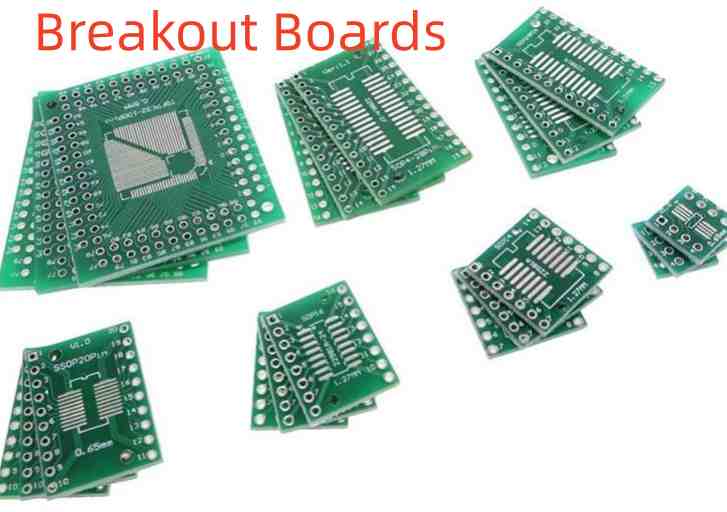
AT24C02B EEPROM

  • Dual row female pinheaders interface to standard jumper wires.
  • Address select pins broken out to dip switches.
  • Test pads provided for ICSP interface.
  • Simple and general purpose.

Frequently Asked Questions

What is the difference between a breakout board and a development board?

Breakout boards just provide connectivity for a single SMT component. Development boards integrate multiple ICs and peripherals with power regulation to create a complete system for building applications on top of.

Can I solder wires directly to a breakout board?

Yes, the row of pads along the edges of most breakout boards are designed for easy soldering of solid core wire jumpers. Having castellated edges allows soldering wires right to the PCB edge.

How are breakout boards different from adapter boards?

Adapter boards convert between different pinouts or form factors rather than SMT to through-hole. For example, converting DIP chips to work in breadboards or SIL pin headers to SIP sockets. The goal of accessing SMT specifically defines breakout boards.

Can I probe test points on a breakout board while a circuit is powered?

Use extreme caution, as probing powered test points risks short circuits. Add jumper wires from test points to measurement equipment inputs instead of direct probing whenever possible. Power off completely if probing is required.

What is the most flexible breakout board for prototyping many different SMT ICs?

Generic SMT carrier boards accept different sized adapter sockets allowing a wide range of chip packages to be used. However, customized boards for specific components offer higher quality signal routing.

How do you calculate the PCB Trace Resistance ?

The resistance of copper traces on printed circuit boards impacts power distribution, signal integrity and overall circuit performance. Accurately calculating trace resistance is therefore an important skill for PCB designers. This article will provide an overview of the key parameters and formulas used to determine trace resistance.

Factors Affecting Trace Resistance

The resistance of a PCB trace depends on several factors:

  • Trace Geometry – Dimensions like length, width and thickness. Longer, narrower and thinner traces have higher resistance.
  • Copper Properties – Resistivity and temperature coefficient depend on copper purity and alloy percentages.
  • Trace Shape and Path – Meandering traces have more resistance than straight lines.
  • Copper Surface – Surface roughness from etching impacts resistance.
  • Temperature – Copper resistance increases with temperature.
  • Operating Current – At high currents, resistance increases due to self-heating.

Accurately accounting for all these parameters helps predict the trace resistance seen in the actual PCB circuit.

Trace Resistance Calculation Fundamentals

The resistance of a PCB trace depends on its resistivity, length and cross-sectional area as described by:

$$R_{trace} = \rho \frac{L}{A}$$

Where:

  • Rtrace = Trace resistance in ohms (ฮฉ)
  • ฯ = Resistivity of copper (ฮฉ.m)
  • L = Length of the trace (m)
  • A = Cross-sectional area of trace (m2)

Resistivity (ฯ)

Resistivity is a material property indicating how strongly it opposes electric current flow. For copper, it is:

  • 1.72 x 10<sup>-8</sup> ฮฉ.m at 20ยฐC
  • Increases by 0.00393 per ยฐC above 20ยฐC due to temperature coefficient of copper.

Length (L)

Length is the end-to-end distance travelled by the trace in meters. This should account for any meandering of the trace.

Cross-sectional Area (A)

For a standard rectangular trace, the cross-sectional area is:

$$A = T \times W$$

Where:

  • T = Trace thickness in meters
  • W = Trace width in meters

This simple model allows us to approximate the resistance of basic straight trace geometries. However, real-world traces often have more complex shapes which require further considerations.

Advanced Modelling for Trace Resistance

To account for various complexities in PCB traces, advanced modelling techniques are required:

Accounting for Non-Straight Traces

For meandering traces, break the path into straight rectangular segments and calculate resistance piece-wise before summing.

Accounting for Varying Widths

For traces with varying widths, break into segments of constant width and sum the resistances.

Accounting for Internal Layers

Traces in inner layers have reduced surface roughness. Use adjusted resistivity values.

Accounting for Self-Heating

At high currents, use incremental resistance ratios to model self-heating.

Accounting for High Frequencies

Consider skin and proximity effects that redistribute current at high frequencies.

Accounting for Non-Uniform Thickness

Use minimum expected thickness in calculations to account for fabrication variations.

Accounting for Surface Roughness

Model the uneven copper surface as a correction factor to the area.

Using 3D EM Simulation

For precision modelling, use 3D electromagnetic simulation of the entire trace shape.

By utilizing these advanced modelling techniques, very accurate estimation of trace resistances can be obtained.

Calculating Single-Layer Trace Resistance

For simple rectangular traces on a single layer, we can apply the fundamental resistance equation:

Example

Calculate resistance of a 200mm long, 0.5mm wide trace in 1oz (35ฮผm) copper.

Known:

  • Length (L) = 0.2 m
  • Width (W) = 0.0005 m
  • Thickness (T) = 35 x 10<sup>-6</sup> m (1oz)
  • Resistivity of Copper (ฯ) = 1.72 x 10<sup>-8</sup> ฮฉ.m

Cross-sectional Area (A)

A = T x W = (35 x 10<sup>-6</sup>) x (0.0005) = 17.5 x 10<sup>-6</sup> m<sup>2</sup>

Applying resistance equation:

Rtrace = (ฯ x L) / A = (1.72 x 10<sup>-8</sup> x 0.2) / 17.5 x 10<sup>-6</sup> = 0.0196 ฮฉ

Therefore, resistance of the 200mm long, 0.5mm wide trace in 1oz copper is 0.0196 ฮฉ.

This approach allows quickly estimating single-layer rectangular trace resistances.

Multi-Layer Trace Resistance Calculation

For traces passing between layers in a multi-layer PCB, adjustments are needed in the resistance calculations:

Accounting for Via Resistance

Add the resistance of vias connecting adjacent trace sections.

Accounting for Inter-Layer Dielectric

Account for dielectric thickness between layers when summing segment lengths.

Using Layer Adjusted Resistivity

Inner layers have smoother copper so lower resistivity. Outer layers are rougher.
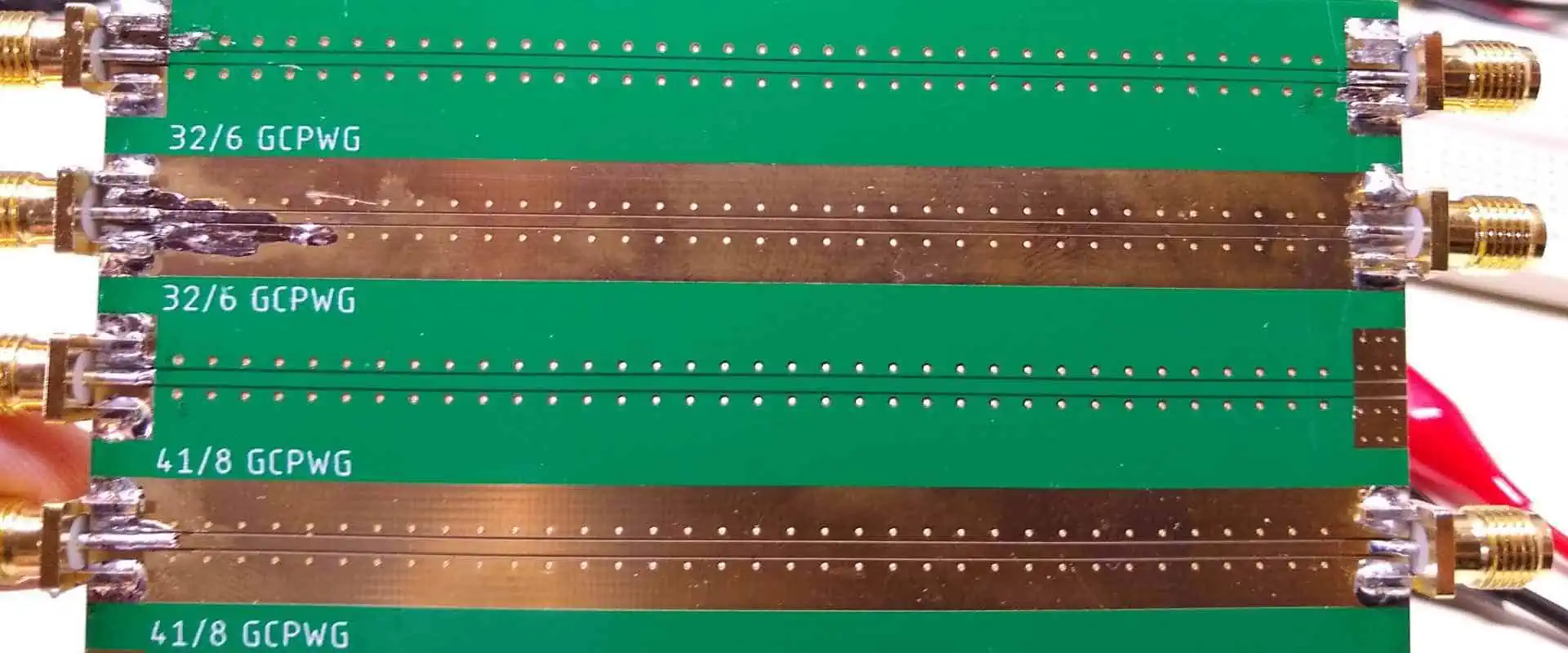
Example Multi-Layer Calculation

  • 200mm long trace with 100mm on top layer and 100mm on inner layer
  • 2 vias connecting layers, each 0.1mm diameter, 0.2mm length
  • 0.5mm trace width
  • 1oz (35ฮผm) copper on outer layers
  • 1oz (35ฮผm) + 18ฮผm copper on inner layer
  • FR-4 dielectric between layers, 0.2mm thick

Via Resistance

Rvia = 2 x ฯCu x Lvia / Avia
= 2 x 1.72×10<sup>-8</sup> x 0.2 / (ฯ€ x (0.1/2)<sup>2</sup>) = 0.0079 ฮฉ

Outer Layer Trace

Rtop= ฯCu x Ltop / Atop
= 1.72×10<sup>-8</sup> x 0.1 / (35×10<sup>-6</sup> x 0.0005) = 0.0098 ฮฉ

Inner Layer Trace

Rinner = ฯCu x Linner / Ainner = 1.52×10<sup>-8</sup> x (0.1+0.2) / (35×10<sup>-6</sup>+18×10<sup>-6</sup>) x 0.0005
= 0.0067 ฮฉ

Total Resistance

Rtotal = Rtop + Rvia + Rinner = 0.0098 + 0.0079 + 0.0067 = 0.0244 ฮฉ

This demonstrates how to account for vias and different layers when calculating overall trace resistance for a multi-layer PCB.

Trace Resistance Calculation Tool

Manually applying the equations can get tedious. For convenience, online trace resistance calculators allow specifying all the parameters needed and provide the computed resistance.

Here is an example screenshot of a browser-based calculator:

These tools provide a quick and easy way to estimate trace resistances for your PCB designs.

Effects of Temperature on Trace Resistance

12 Functions of Zero Ohm (ฮฉ) Resistance

Due to the positive temperature coefficient of copper, resistance of traces increases with temperature:

Temperature Coefficient of Copper

Around 0.00393 ฮฉ/ฮฉ/ยฐC

Temperature Adjusted Resistivity

ฯT = ฯ20ยฐC [1 + ฮฑ (T – 20ยฐC)]

Where:

  • ฯT = Resistivity at temperature T
  • ฯ20ยฐC = Resistivity at 20ยฐC (1.72 x 10<sup>-8</sup> ฮฉ.m)
  • ฮฑ = Temperature coefficient (0.00393 for copper)
  • T = Actual operating temperature in ยฐC

This adjusted resistivity is then used in resistance calculations to account for temperature.

Example

A 50mm long, 0.25mm wide trace experiences 50ยฐC temperature rise during operation. Initial resistance at 20ยฐC is:

R20ยฐC = ฯ20ยฐC x L / A
= 1.72 x 10<sup>-8</sup> x 0.05 / (0.035 x 0.00025) = 0.0049 ฮฉ

Resistance at 70ยฐC is:

ฯ70ยฐC = 1.72 x 10<sup>-8</sup> [1 + 0.00393 x (70 – 20)] = 2.012 x 10<sup>-8</sup> ฮฉ.m

R70ยฐC = ฯ70ยฐC x L / A
= 2.012 x 10<sup>-8</sup> x 0.05 / (0.035 x 0.00025) = 0.0058 ฮฉ

The temperature rise has increased the trace resistance by 18%.

Impact of Trace Resistance

The resistance of PCB traces has several important effects on circuit performance:

  • Voltage drops along traces carrying high currents – can affect device operation.
  • Power loss and heating due to current flow – impacts thermal design.
  • Signal degradation and delays – limits maximum trace lengths for signals.
  • Impedance discontinuities – affects signal integrity especially for high-speed signals.
  • Noise pickup – higher resistance traces are more susceptible.

Hence considering trace resistance and mitigating its impact is crucial during PCB design to ensure proper functioning of circuits.

Techniques to Reduce Trace Resistance

Here are some methods to minimize trace resistance on PCBs:

  • Use thicker copper – 2oz and 3oz copper significantly reduce resistance.
  • Increase trace widths for power traces carrying higher currents.
  • Use shorter and straighter trace routing. Avoid meandering paths.
  • Use inner PCB layers which have smoother copper.
  • Use wider power/ground planes to distribute current.
  • Maintain lower ambient operating temperatures.
  • Coat traces with low-resistance silver, gold or tin alloys.

With careful design, the impact of inherent copper trace resistance can be mitigated, enabling high-performance PCB implementation.

Conclusion

  • The resistance of printed circuit board traces depends on resistivity of copper, trace length and cross-sectional area.
  • Advanced modelling techniques are needed to account for complex real-world trace geometries and multi-layer boards.
  • Trace resistance impacts power distribution, thermal design and signal integrity.
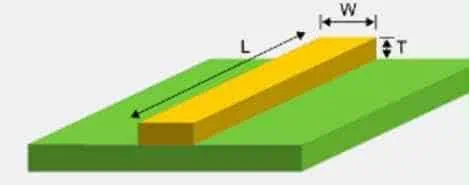
  • Careful calculations coupled with mitigation techniques help overcome limitations of inherent copper resistivity.

Top 5 FAQs on Calculating Trace Resistance

Q1: How accurate are simple trace resistance calculations?

For straight rectangular traces, the simple resistance equation provides a good estimate. Real-world complex traces require advanced modelling for accuracy.

Q2: Do wider traces always have lower resistance?

Yes, for the same thickness, increasing trace width reduces resistance. But wider traces have higher capacitance impacting signals.

Q3: Does trace length include bends and meanders?

Yes, total end-to-end length following the entire trace path must be used, not just linear distance between endpoints.

Q4: Can increasing copper thickness eliminate resistance issues?

Thicker copper helps reduce resistance but is limited by manufacturability and costs. Wide traces still provide lower resistance for power distribution.

Q5: What precision of trace resistance calculation is needed?

1-5% accuracy is sufficient for most needs. Precise modelling is required where resistance impacts impedance matching, voltage drops or thermal management.

How to Use a Soldering Iron for PCB Repair: Tips, Techniques & Safety

Printed Circuit Board (PCB) repair is an essential skill for electronics enthusiasts and professionals alike. At the heart of this process is the PCB soldering iron, a versatile tool that allows you to make precise connections and repairs. In this comprehensive guide, we’ll walk you through the steps of using a PCB soldering iron effectively, provide valuable tips and techniques, and emphasize important safety considerations.

Understanding the PCB Soldering Iron

Before diving into the repair process, it’s crucial to familiarize yourself with the PCB soldering iron and its components.

What is a PCB Soldering Iron?

A PCB soldering iron is a hand-held tool used to melt solder, allowing you to join electronic components to a printed circuit board or repair existing connections. It consists of a heated metal tip and an insulated handle.

Key Components of a PCB Soldering Iron

  1. Heating Element: Generates heat to melt the solder
  2. Tip: The pointed end that transfers heat to the solder and components
  3. Handle: Insulated grip for safe handling
  4. Power Cord: Connects the iron to a power source
  5. Temperature Controlย (on some models): Allows adjustment of the tip temperature

Preparing for PCB Soldering

PCB soldering problems

Proper preparation is key to successful PCB repair. Follow these steps to set up your workstation and prepare your PCB soldering iron.

Setting Up Your Workstation

  1. Choose a well-ventilated area with good lighting
  2. Use a heat-resistant work surface
  3. Keep a soldering iron stand nearby
  4. Have a damp sponge or brass wool tip cleaner ready

Preparing Your PCB Soldering Iron

  1. Inspect the iron: Check for any damage to the cord or handle
  2. Choose the right tip: Select a tip size appropriate for your task
  3. Clean the tip: Use a damp sponge or brass wool to clean the tip
  4. Tin the tip: Apply a small amount of solder to the tip to improve heat transfer

Read more about:

Step-by-Step Guide to Using a PCB Soldering Iron

Circuit board solder iron

Now that you’re set up, let’s go through the process of using a PCB soldering iron for repair work.

Step 1: Power On and Set Temperature

  1. Plug in your PCB soldering iron
  2. If your iron has temperature control, set it to the appropriate temperature for your solder (usually around 315-370ยฐC for lead-free solder)
  3. Allow the iron to heat up fully (usually takes 2-3 minutes)

Step 2: Prepare the PCB and Components

  1. Clean the PCB surface with isopropyl alcohol
  2. Identify the area that needs repair
  3. If replacing a component, remove the old one using desoldering techniques

Step 3: Apply Flux (Optional but Recommended)

  1. Use a flux pen or apply a small amount of liquid flux to the joint area
  2. Flux helps the solder flow and creates stronger joints

Step 4: Position the PCB Soldering Iron

  1. Hold the iron like a pencil, close to the tip for better control
  2. Place the tip of the PCB soldering iron so it contacts both the pad and the component lead

Step 5: Apply Solder

  1. Touch the solder to the joint, not directly to the iron tip
  2. The solder should flow smoothly onto the pad and component
  3. Use just enough solder to form a small, concave fillet

Step 6: Remove Heat and Allow Cooling

  1. Remove the solder first, then the PCB soldering iron
  2. Hold the board still for a few seconds to allow the joint to cool and solidify

Step 7: Inspect the Joint

  1. A good solder joint should be smooth, shiny, and concave
  2. Look for complete wetting of the pad and component lead

Step 8: Clean Up

  1. Clean any flux residue with isopropyl alcohol
  2. Trim any excess component leads

Advanced PCB Soldering Iron Techniques

Once you’ve mastered the basics, try these advanced techniques to improve your PCB repair skills.

Drag Soldering for Surface Mount Devices (SMDs)

  1. Apply flux to all pads
  2. Add a small amount of solder to the PCB soldering iron tip
  3. Drag the iron across the pins, allowing surface tension to separate the solder

Reflowing Solder

  1. Apply flux to the existing solder joint
  2. Heat the joint with the PCB soldering iron until the solder melts and reflows
  3. Remove the iron and allow the joint to cool

Using a PCB Soldering Iron for Desoldering

  1. Apply fresh solder to the joint you want to remove
  2. Heat the joint with the PCB soldering iron
  3. Use a solder sucker or desoldering braid to remove the molten solder

Tips for Effective PCB Soldering Iron Use

Improve your PCB repair skills with these helpful tips:

  1. Keep the tip clean: Regularly wipe the tip on a damp sponge or brass wool
  2. Maintain proper temperature: Too low, and the solder won’t flow; too high, and you risk damaging components
  3. Use flux: Flux improves solder flow and joint quality
  4. Practice good technique: Apply heat to the joint, not the solder
  5. Choose the right solder: Use appropriate solder for your application (lead-free for most modern electronics)
  6. Invest in quality tools: A good PCB soldering iron makes a significant difference in your work

Safety Considerations When Using a PCB Soldering Iron

Male hands solder components onto a printed circuit board using copper and a soldering iron. Electronics repair. Selective focus.

Safety should always be your top priority when working with a PCB soldering iron.

Personal Protective Equipment (PPE)

  1. Wear safety glasses to protect your eyes from solder splatter
  2. Use a fume extractor or work in a well-ventilated area to avoid inhaling solder fumes
  3. Consider wearing heat-resistant gloves for additional protection

Safe Handling of the PCB Soldering Iron

  1. Always return the iron to its stand when not in use
  2. Never leave a powered-on iron unattended
  3. Allow the iron to cool completely before changing tips or storing

Workspace Safety

  1. Keep your soldering area clean and organized
  2. Use a fire-resistant work surface
  3. Have a first aid kit nearby in case of minor burns

Troubleshooting Common PCB Soldering Iron Issues

Even experienced technicians encounter issues. Here’s how to address common problems:

Cold Solder Joints

Problem: Joint appears dull and grainy Solution: Reheat the joint and add a small amount of fresh solder

Solder Bridges

Problem: Solder connects two points that should be separate Solution: Use desoldering braid to remove excess solder

Lifted Pads

Problem: Copper pad separates from the PCB Solution: Carefully glue down the pad and use wire to make the connection

Overheating Components

Problem: Component becomes too hot during soldering Solution: Use a heat sink or reduce soldering time and temperature

Maintaining Your PCB Soldering Iron

Proper maintenance extends the life of your PCB soldering iron and ensures consistent performance.

Daily Maintenance

  1. Clean the tip before and after use
  2. Tin the tip before storage to prevent oxidation

Long-Term Maintenance

  1. Replace the tip when it becomes pitted or worn
  2. Check the cord for any signs of wear or damage
  3. Calibrate temperature-controlled irons periodically

Conclusion: Mastering the Art of PCB Soldering Iron Use

Using a PCB soldering iron effectively is a skill that improves with practice. By following the steps and tips outlined in this guide, you’ll be well on your way to becoming proficient in PCB repair. Remember to prioritize safety, maintain your equipment, and continuously refine your technique.

Whether you’re a hobbyist working on DIY projects or a professional in the electronics industry, mastering the use of a PCB soldering iron is an invaluable skill. With patience and persistence, you’ll be able to tackle even the most challenging PCB repair tasks with confidence.

Keep practicing, stay curious, and never stop learning about new techniques and technologies in the world of PCB repair. Your expertise with a PCB soldering iron will prove to be an asset in countless electronic projects and repairs.