What are the Methods for Interconnect PCB?

hdi pcb design

Electrical contacts are present on both electromechanical and electronic components, and interconnection is the term used to describe this same electrical connection in-between both discrete contacts. To perform the desired function, electronic equipment must be connected in line with the schematic of the circuit.

A PCB cannot typically be considered as electronic product because it is a component of the entire machine, thus it needs to have an issue with the external connection. Circuit boards, as well as off-board components, PCBs, as well as equipment panels all need to be connected electrically. Among the key components of circuit board design is choosing the optimal combination of dependability, economy, and process. There are numerous ways to link externally, so you’ll have to make flexible decisions based on various factors.

Factors to Consider During Interconnect PCB Design

Although it is possible that the multi-board solution is not the best strategy as regards functionality, there really are circumstances in which you must employ this strategy.

It might be as straightforward as allowing for a specific form factor and the requirement to quickly segregate power or delicate signals. You can be accused of employing custom boards or a “off-the-shelf” circuit board to communicate with particular components (like LCD displays).

Creating for the future expansion (such as the usual Arduino shields), establishing several design configurations (perhaps the basic version as well as the advanced version), and simply making the design modular generally are additional reasons for the stacking of boards.

The finished interconnect PCB, and application would reflect the same degree of the quality preparation provided you adhere to a decent strategy and use sound principles to prevent frequent errors and dangers.

Complex projects require collaboration with a PCB assembly and manufacturing provider having engineers who have collaborated with as well as modified several layouts in advance of the assembly and fabrication of the electronic interconnects.

How do Interconnect PCB Get Processed?

YouTube video

The connector clip interconnection technique is frequently employed in increasingly sophisticated equipment and instruments. The structure of the “building block” not only guarantees the mass production’s quality, but also lowers the system’s cost and makes system debugging as well as maintenance easier.

Whenever a device malfunctions, maintenance staff do not need to go down to a component level; such that, they can only check the individual component for the failure’s cause. ), so far maintenance employees determine which PCB is aberrant, they can instantly replace this PCB, that not only eliminates defects in the quickest amount of time, but also reduces downtime. As a result, it can increase the device’s use rate. This replaced PCB may also be fixed over a long time and subsequently utilized as different spare parts.

In more sophisticated equipment and gadgets, this connectivity is frequently used. This approach creates its printed plug out from Circuit board edge, then the plug component is tailored to meet the specific PCB socket by taking into account the socket’s size, the connectivity points, the distance of the contact, its positioning holes, as well as other factors.

This plug section of a PCB requires being gold-plated in order to increase wear resistance as well as decrease contact resistance. This part works well for mass production because of its simple assembly, wide interchangeability, plus good maintenance performance.

This method’s drawbacks include higher PCB costs and stricter criteria for procedure and quality during PCB fabrication. Its dependability is also subpar. For instance, it frequently results in poor contact since the plug area is oxidized and the socket spring ages.

This very same outgoing lines is frequently carried out in the parallel form through contacts onto the same or the two sides of the PCB to increase the external interconnection’s reliability.

What Benefits do Interconnect PCB provide?

While prototyping, there are several different PCB types to pick from, ranging from straightforward one-sided Circuit boards to very intricate multi-layer boards. Copper tracks, and linkages between components, are often found on just one of the surfaces of the simplest prototype PCBs. Such boards are referred to as single-sided PCBs or one-layer PCBs.

These circuit boards are quite small. Engineers seeking more wiring capacity may choose HDI PCBs as one of their top choices for the engineers searching for the least circuit board having the highest output.

For those seeking smaller boards devoid sacrificing quality, HDI capacity simplifies the process to convert a 10-layered Circuit board into a four- or five-layered one. It may represent a significant design advantage because the majority of consumers favor compact devices.

the capacity to fit more components solely on a single side. The HDI PCBs use buried and blind vias, as well as Via-in-Pad technology, to cram components closer together for quicker signal transmission. It is therefore the best technology for the RF circuits.

Boards are transformed into sophisticated electrical circuits using the laser drill technologies. This manufacturing method enables the use of smaller holes thus increases the board’s heat resistance.

Fundamental Design Principles for Resilient Interconnectivity

FULL PCB MANUFACTURING Quote

Having the proper entire product goals, consumer/market insight, as well as target standards is the first step in creating a solid PCB plan. We can start designing the pcb as well as other necessary components after this point.

This is normally done in your favourite PCB design program. There are various tools at your disposal, yet you ought to use one which excels at fusing PCBA designs as well as using the 3D visualization to supporting PCB stacking, like Cadence or Altium Designer’s Circuit design tools.

Simplify your perspective in the design program to show split planes as well as return paths in between boards. If such digital signal should indeed bridge a break in power reference planes, close the troublesome signal using 1 or 2 decoupling capacitors.

Another general rule is to steer clear of broadside and parallel routing because these configurations result in more PCB crosstalk compared to perpendicular routing. Whenever stacked on top of one another, traces absorb more radiation because they are wider compared to being thick.

That overall connection between the traces is reduced by making them perpendicular.

Considerations for Board Stacking

Stacking boards on the top of one another with connectors dividing the boards is a frequent method of connecting several boards. The substrate must be carefully considered when designing boards that will be stacked in order to reduce the discontinuities in impedance, too much electromagnet emissions, as well as signal coupling.

Every signal layers ought to be near to and contiguous to a continuous reference plane. Strongly tied planes significantly lower electromagnetic radiation as well as lower top-end AC impedance. By directing high-speed signals in-between the planes, radiation is even further diminished.

Why It’s Important to Define the Appropriate Components

While looking for the different parts you’ll need to put the circuit board together according to the design, then you have a few options. Undoubtedly, the internet is a goldmine of knowledge, but sifting via the marketing speak may be overwhelming.

Speaking with representatives from manufacturers may prove to be a fantastic means of learning about new products, but once more, you are dealing with a salesperson that, eventually is attempting to sell you a product.

Yet, a manufacturer who is prepared to share knowledge and give you access to samples, past experiences, and industry norms can be a fantastic resource.

PCB Interconnection Method Procedure

Second-order HDI PCB Design

Method 1: Welding

This connection method does have the benefits of low cost, simplicity, high reliability, as well as the capacity to prevent failure due to inadequate contact; nevertheless, the maintenance and interchange are difficult. This approach is typically suitable when the component contains considerably fewer leads.

Welding of the PCB Wires

So far these wires are utilized in directly soldering the external points of connection on the circuit board towards the components as well as other components on the outer part of the board, the technique doesn’t need any connections. For instance, a radio’s speaker, the case of a battery, as well as the like.

During soldering, pay attention to how the board is connected:

  • To make maintenance and soldering easier, the soldered wires pads should be placed as near the outermost portion of the PCB as possible.
  • The hole must be drilled close to a solder joint present on the PCB board to ensure that the wearing of the wire is done from the printed board’s soldering surface. This will increase the wire connection’s mechanical strength and prevent the wire and these printed wires from becoming pulled off as a result of the pulling of the wire. Insert this pad hole out from the surface of the component for soldering through its via hole.
  • Organize or bundle these wires properly and secure them to the plate with wire cards as well as other fasteners in order to keep them from breaking owing to movement.

Welding of PCB Cables

These two PCB boards are joined by any cable that is both reliable as well as difficult to interconnect, and their relative locations really aren’t limited.

The direct soldering present between these printed boards is a common method for making a 90-degree angle formed between both printed boards. When linked, it transforms into a single printed circuit board components.

Method 2 of PCB Interconnection: Connector Connectivity

This connector connection technique is often employed in more complex equipment and instruments. The structure of the “building block” not just ensures product quality in mass manufacturing, but it also lowers system costs and makes troubleshooting and maintenance easier.

Whenever the equipment fails, their maintenance staff are not required to inspect the level of the component (that is, to investigate the reason for the failure and trace it back to specific components). The above work takes significant time), yet once  abnormal board has been determined, it may be immediately replaced, allowing for the quickest troubleshooting, reducing downtime, as well as increasing the utilization of the equipment.  

This replaced circuit boards could be repaired within a reasonable period of time before being utilized as spare parts.

Socket for Printed Circuit Boards

This connector is frequently utilized in more complicated instruments. Within that manner, each printed plug has been formed from the PCB edge, and its plug part gets designed to meet the unique PCB socket based on the socket’s size, contacts, as well as the distance between contacts, the location of a positioning hole, and so on.

The plug component of the board must be gold-plated during manufacture to improve the wear resistance as well as decrease the contact resistance. The approach is easy to build, is interchangeable, and provides high maintenance performance, making it ideal for a standardized mass manufacturing.

The drawback is that printed circuit board’s production cost is reduced, but the precision of manufacturing as well as process requirements are increased; the reliability comes slightly lower, and its contact is frequently weak owing to the oxidation of its plug section or aging of the socket spring. To help improve the external connection’s reliability, this lead wire comes frequently routed in parallel across contacts on both or same sides of circuit board.

This PCB board socket method of connection is frequently utilized for products of multiboard structure, as well as the socket, printed board, as well as bottom plate contain two main types of pin and reed.

Pin Connection (Standard)

This technique is helpful for connecting this printed board to the outside world, especially in compact instruments. Both printed boards were linked by the standard pins that are normally either perpendicular or parallel, allowing for easy mass manufacture.

Conclusion

A PCB, as a component of the entire machine, cannot in general create electronic products, so there has to be an issue with external connectivity. Electrical connections, for example, are needed between PCBs, components and PCBs, PCBs as well as device panels, and so on. As a result, among the most significant topics in Circuit board is the selection of the optimal connectivity that combines reliability, economy, and manufacturability in one. There are various types of connectivity methods from which we can choose based on the various properties of distinct interconnections.
How to Achieve a Successful Modular PCB Design

Modular PCB Design

Printed circuit board design can involve the connection of modules having different functionality. You can create simple designs without the impact of a PCB layout on the PCB operation. Also, a simple design might not require you to consider the relationship between several functional blocks on your circuit board.

However, more complex PCB designs require you to consider a lot of factors. You will need to not only consider the overview of your board, but also consider other parameters. The modular PCB design is implicitly integrated when designing circuit boards for various applications. This design methodology is beneficial to embedded systems, mixed signal systems, and multi-board systems. Other circuit boards with high functionality can as well benefit from this design.

YouTube video

What is a Modular PCB?

A modular PCB is a piece of hardware that features a particular functionality. This circuit can be connected as part of other circuits. A modular PCB is a circuit separated into modules rather than one complete setup. This refers to splitting a complete printed circuit boards into several circuit. Connectors or via cables are used in connecting these several circuits to each other.

The modular PCB design  is not a new concept in electronics design.  A good example is the assembly of computers. A modular PCB for computer comprises  single motherboard having slots for sound cards and graphics cards. Platforms such as BeagleBoard and Arduino highlight the modular design trend ans as such it enables the connection of independent modules in an ecosystem.

Furthermore, modular PCB design provides better flexibility for designers to perform some tasks.

What is a Modular PCB Design?

Modular Electronics of Raspberry Pi

The modular PCB design is integrated when designing circuit boards for various applications. This design methodology is beneficial to embedded systems, mixed signal systems, and multi-board systems. Other circuit boards with high functionality can as well benefit from this design.

You will realize some design tools canโ€™t be used due to inconsistent data formats and lack of unification. However, some design software are upgrading their tools to meet the demands of modular PCB design. Also, PCB designers can have full access to these design software packages. There are some unified PCB design software packages that feature set of tools for modular PCB design.

In those days, PCB design involved treating each part of an electronic system separately. The design process barely considered the connections between various parts of the systems except when complex boards are being created.

However, the electronics industry is constantly evolving as electronics are becoming connected and smarter. Consumers now demand improved functionality. Therefore, PCB designers are seeking for ways to embed this functionally in a device.

Modular PCB design is one such approach designers are now integrating. This design methodology takes an electronic systemโ€™s hierarchical view. Also, it is a multi-board design methodology which enables the separation of functionality on various boards.

Modular PCB Design Process

When we talk about a modular design, you might need to view your device as regards separate functionality. The easiest way is starting with your deviceโ€™s functional block diagram. Designers will need to understand how different parts of their device work to offer the functionality they need. Also, desired outputs and inputs will need to be considered in this case.

Furthermore, you will have to consider the functional block diagram as part of your design process when a device comprises central processing. Therefore, it is crucial to make some changes to the design when you begin the PCB layout process. The majority of PCB designers donโ€™t consider the interaction between functional blocks in their device before they start laying out their circuit board.

Designers may have to develop better block diagrams that reveal the functionality of each part of the device. This means that a hierarchical approach is needed in designing the key features of the board.

How to Use Schematics for a Modular PCB Design

The first step in a modular PCB design is to create schematics. As regards modular design, you can create connections between PCB components within every functional block in the diagram. With this, you can begin the modular PCB design.

The hierarchical schematic editor can help in connecting schematics. This tool is designed for PCB design. Therefore, this enables you to define the interactions between several schematics. Also, this can help you remain organized all through the design process and enable you focus in one part of the design.

Furthermore, you can connect several schematics within higher level parent schematic. In several systems, you will reintegrate some parts of your PCB design. In such a case, you donโ€™t need to redesign parts of your boards in various schematics. Modular PCB design enables you to reintegrate parts of your design in various schematics. Therefore, you donโ€™t need to rearrange the same components several times.

You can transition the board layout stage once the relationships between schematics have been defined and the functional block diagram has been transformed in hierarchical schematics. Furthermore, it is necessary to capture the schematics on a new board. You can now begin the process of arranging the components once the connections and components have been captured.

The Layout Phase of Modular PCB Design

FULL PCB MANUFACTURING Quote

After importing the schematics as the layout, you can now arrange components on the board. Using the appropriate schematic capture tool will help in ensuring your organization remains defined in the schematic. Also, it will reveal the connections between components. Some circuit boards will have their functionalities divided into various parts of the board. For instance, you should design the mixed-signal systems in such a way that the analog and digital areas create functional blocks.

In such a case, every block will need separation in its areas. This will help ensure signal integrity. After you add more functionality like wireless communication or Wi-Fi module, the layout should be in its functional block. The designer will need to assign every type of functionality to their area of circuit board in to ensure signal integrity.

Modular PCB Design Software

Modular PCB design is a process that requires some additional tasks. Therefore, the software integrated for this design needs to feature some functions other design packages donโ€™t offer. The modular PCB design software must feature multi-channel schematic editing tools. PCB designers will be more productive when the software also features a schematic editor and a schematic capture tool.

Another crucial feature a modular PCB design software should have is component management. Designers will have to reuse several components in various locations all through the entire board when carrying out multichannel design. This means a component library that comprises your design features will be needed.

The ability to integrate these features in only one interface enables easy generation of layouts and start component arrangement all through the system. Also, the layout editor will enable the grouping of components, which makes component rearrangement easy. With this, you can correct any layout errors and stay organized before you commence with manufacturing.

Efficient PCB design software will offer you a working environment that enables you have access to sophisticated tools. There are some features that enable you achieve an excellent modular design. A crucial aspect of modular PCB design is simulation. Simulation helps you confirm some crucial aspect of EMI suppression and crosstalk.

An integrated design software enables the direct transfer of your design data to your simulation tools. Also, you can restrict your simulations to some particular functional blocks that are within your system. A crucial aspect of modular design is ensuring that every functional block performs well. Therefore, an efficient design software package will help you achieve all this.

Why is a Modular PCB needed?

When creating a circuit board for a whole circuit, there is always less stress. However, there are situations where you might need to integrate a modular approach. A modular approach could be a better choice in such cases. So, why is a modular PCB important?

Space constraints

When manufacturing a circuit board, there is a limited number of components you can mount on the board. For instance, when designing products that feature limited space, you might not be able to integrate a single PCB design since it may not be ideal for the enclosure. Therefore, a modular PCB design can be a better option. This is because sharing the design in different modules helps in ensuring that these modules fit well.

With the increasing development in the miniaturization of electronic products, modular PCB has become a popular concept in the industry. This concept is something a designer would need to integrate.

Reusability

In some electronic products, there are some parts that can be replicated. For instance, a micrcontroller module can work for an alarm controller than a humidity logger. Therefore, you can easily reintegrate similar module for various products. This helps in saving cost for any redesign and as such offers a low cost-per-unit when more of this same module is produced.

Ease of upgrades

Some electronic components are experiencing more upgrade than others. For instance, network ICs and microcontrollers experience upgrade each 2-3 years.  Therefore, some electronic components can become obsolete during a productโ€™s lifecycle.  However, keeping components that need upgrade on the same module will require you to rework some part of the board when you need an upgrade.

Troubleshooting and testing

The process of troubleshooting and testing can be very difficult one, especially when there are many components on a circuit board. When testing a prototype, there are some unknown factors that determine if the design is very functional.

Developing a modular board restricts testing to particular parts without the need to break traces. Furthermore, maintenance and troubleshooting are much easier to perform since you can easily detect and replace faulty modules.

Techniques in Modular PCB Design

There are a few techniques that will help in achieving a modular PCB design.

Dividing the parts

It is important to divide the parts of modules you are creating and as well group the components. Most times, you can group an embedded system into communication, power, microcontroller, and I/O.

Scalability

When working on a modular PCB, it is crucial to consider the possible design for scalability. For instance, you can make use of part of the I/O pins on a microcontroller and then route the remaining pins for future use.

Interconnection

You need to bring the modules together to make them whole. In some cases, you need to know if the modules need stacking with connectors or need to be connected with cables. Also, board-to-board connectors are usually needed to connect modules that feature high-speed signals.

Mechanical accuracy

It can be very frustrating when you realize that the modules donโ€™t align and as such can fit together. Also, modules can go beyond the size of the enclosure on the Z-axis. Therefore, it is very crucial to use the right coordinates when working on a modular PCB design, especially when there are stackable connectors involved.

The modular PCB design is easier when you integrate software like Cadence Allegro that uses ECAD-MCAD to check any mechanical constraints.

Applications for Modular PCB Design

There is a wide array of applications that benefits from the modular PCB design. One application of modular design approach is the computer architecture. With the advancement in consumer products which includes connectivity and the integration of sophisticated functionality, a modular design approach will help in achieving a successful design for these products.

Electronic products or gadgets like smartphones, wearable devices, home automation systems, and entertainment systems integrate modular PCB design approach. Most of  these devices integrate multi-board systems which need advanced design tools to build a functional design.

Modular PCB design software should provide sophisticated functionalities, but it shouldnโ€™t make the design process difficult. The modular design process can become easier and faster when the required tools are in the software. A good design software for modular design should feature tools needed for building comprehensive systems.

Conclusion

Modular PCB design entails the visualization of your design in a new dimension.  This design methodology is beneficial to embedded systems, mixed signal systems, and multi-board systems. Modular PCB design is a process that requires some additional tasks. The software integrated for this design needs to feature some functions other design packages donโ€™t offer.

What is a BLE Antenna?

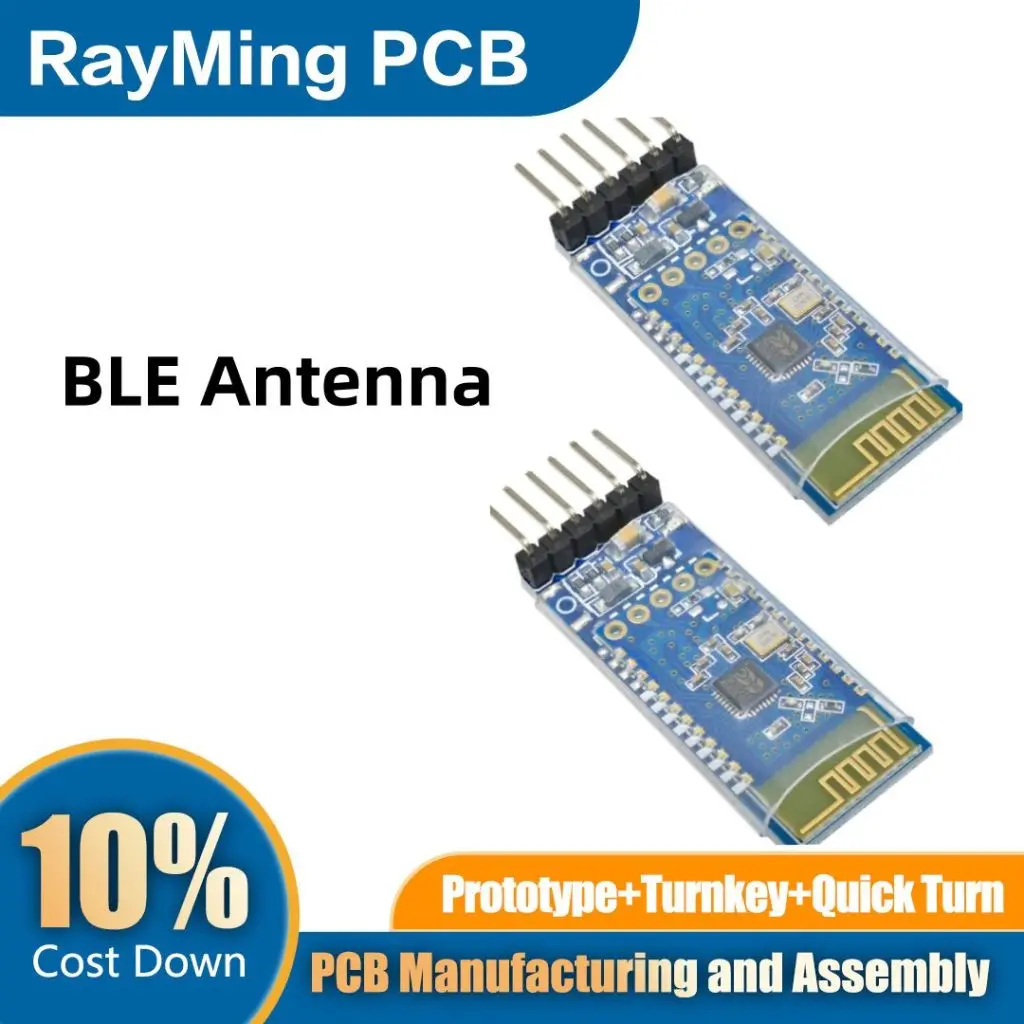
BLE PCB Antenna

In today’s interconnected world, Bluetooth Low Energy (BLE) technology has become ubiquitous, powering a wide range of devices from smartwatches to IoT sensors. At the heart of this technology lies a crucial component: the BLE antenna. This comprehensive guide will explore the intricacies of BLE antennas, their types, materials, range, design considerations, and how they differ from traditional Bluetooth antennas.

1. What is a BLE Antenna?

A BLE antenna is a specialized antenna designed to transmit and receive radio frequency (RF) signals in the 2.4 GHz ISM band, specifically for Bluetooth Low Energy devices. These antennas play a critical role in enabling short-range, low-power wireless communication.

1.1 Key Characteristics of BLE Antennas

BLE antennas have several unique characteristics that set them apart:

  1. Frequency: Operates in the 2.4 GHz band (2.402 – 2.480 GHz)
  2. Size: Typically compact, often less than 10mm in length
  3. Power: Designed for low power consumption
  4. Range: Usually optimized for short-range communication (up to 100 meters)
  5. Efficiency: High efficiency to maximize battery life in BLE devices

1.2 Functions of BLE Antennas

BLE antennas serve several crucial functions in wireless devices:

  1. Signal Transmission: Converts electrical signals into electromagnetic waves
  2. Signal Reception: Captures electromagnetic waves and converts them back into electrical signals
  3. Directionality: Determines the radiation pattern of the transmitted signal
  4. Impedance Matching: Ensures efficient power transfer between the antenna and the BLE chip

1.3 Applications of BLE Antennas

BLE antennas are used in a wide range of applications, including:

  • Wearable devices (smartwatches, fitness trackers)
  • Smart home devices (thermostats, door locks, light bulbs)
  • Healthcare devices (glucose monitors, heart rate sensors)
  • Asset tracking and logistics
  • Retail beacons for proximity marketing
  • Automotive (keyless entry, tire pressure monitoring)

Learn More about:

2. Typical BLE Antennas Comparison

BLE PCB Antenna

There are several types of antennas commonly used in BLE devices. Let’s compare three popular options: micro-strip antennas, metal plate antennas, and chip antennas.

2.1 Micro-strip Antenna

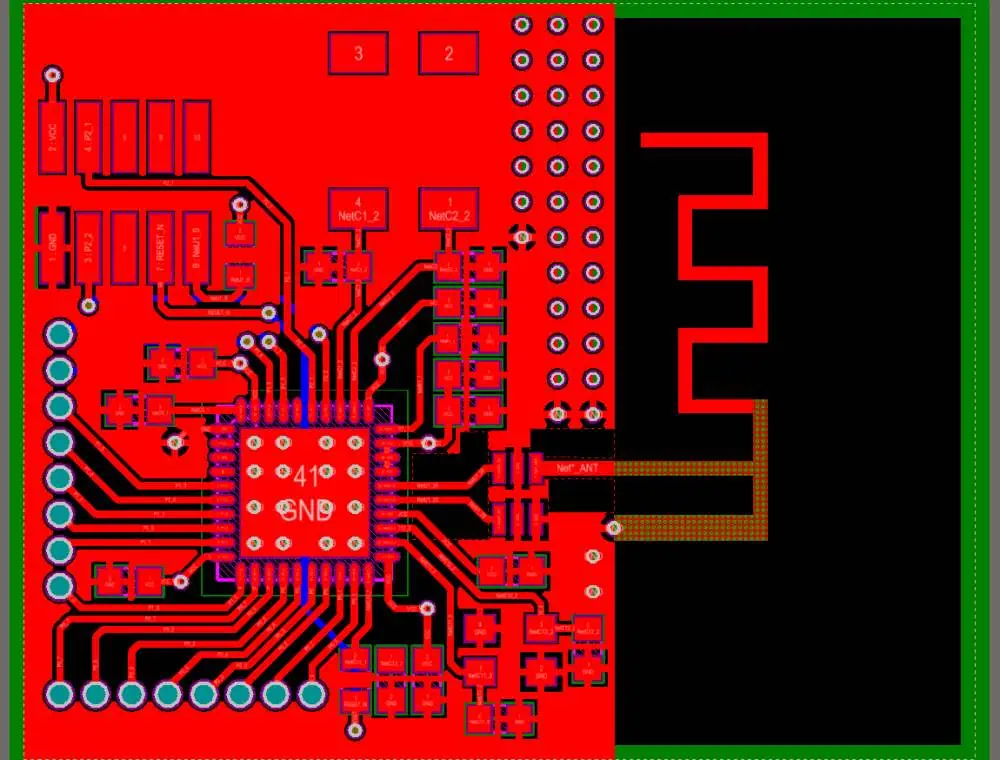
Micro-strip antennas, also known as printed antennas, are fabricated directly on the PCB.

Pros:

  • Low profile and lightweight
  • Easy to manufacture and integrate
  • Cost-effective for mass production

Cons:

  • Limited bandwidth
  • Lower efficiency compared to some other types
  • Performance can be affected by nearby components

Best for:

  • Devices with limited space
  • Cost-sensitive applications
  • Products requiring custom antenna shapes

2.2 Metal Plate Antenna

Metal plate antennas are typically stamped or cut from a sheet of metal and mounted on the PCB.

Pros:

  • Higher efficiency than micro-strip antennas
  • Good performance in small form factors
  • Can be easily customized for specific devices

Cons:

  • More expensive than micro-strip antennas
  • Requires precise mounting for optimal performance
  • May interfere with other metallic components if not properly designed

Best for:

  • Devices requiring higher efficiency
  • Applications with challenging form factors
  • Products where antenna customization is needed

2.3 Chip Antenna

Chip antennas are pre-fabricated, surface-mount components that can be soldered onto a PCB.

Pros:

  • Extremely compact size
  • Consistent performance across production runs
  • Easy to implement with minimal RF expertise

Cons:

  • Generally more expensive than PCB antennas
  • Limited customization options
  • Performance heavily dependent on PCB layout and ground plane

Best for:

  • Ultra-compact devices
  • Products with rapid development cycles
  • Applications requiring consistent antenna performance

2.4 Comparison Table

FeatureMicro-strip AntennaMetal Plate AntennaChip Antenna
SizeSmallMediumVery Small
CostLowMediumHigh
EfficiencyMediumHighMedium-High
CustomizationHighMediumLow
Ease of ImplementationMediumMediumHigh
ConsistencyMediumMediumHigh

3. Materials of BLE PCB Antennas

BLE Antenna

The choice of materials significantly impacts the performance and efficiency of BLE PCB antennas. Let’s explore the common materials used:

3.1 Substrate Materials

The substrate is the base material of the PCB on which the antenna is fabricated. Common substrate materials for BLE antennas include:

  1. FR-4 (Flame Retardant 4)
    • Most common and cost-effective
    • Suitable for many BLE applications
    • Higher losses at 2.4 GHz compared to specialized materials
  2. Rogers RO4350B
    • Low loss at high frequencies
    • More expensive than FR-4
    • Used in high-performance BLE devices
  3. LTCC (Low Temperature Co-fired Ceramic)
    • Excellent for miniaturization
    • Good performance at high frequencies
    • Used in chip antennas and some high-end devices

3.2 Conductor Materials

The conductor forms the actual antenna element. Common conductor materials include:

  1. Copper
    • Most commonly used
    • Excellent conductivity
    • Cost-effective
  2. Silver
    • Higher conductivity than copper
    • More expensive
    • Used in some high-performance BLE antennas
  3. Aluminum
    • Lightweight
    • Lower conductivity than copper
    • Rarely used in BLE antennas due to size constraints

3.3 Surface Finish

The surface finish protects the conductor and can affect the antenna’s performance:

  1. ENIG (Electroless Nickel Immersion Gold)
    • Good protection against oxidation
    • Maintains solderability
    • Slightly lower conductivity than bare copper
  2. Immersion Tin
    • Cost-effective
    • Good solderability
    • May form whiskers over time
  3. HASL (Hot Air Solder Leveling)
    • Traditional finish
    • Not suitable for fine-pitch components
    • Can affect antenna performance due to uneven surface

4. What is the Range of a BLE Antenna?

BLE Chip Antenna

The range of a BLE antenna can vary significantly depending on various factors. Understanding these factors is crucial for designing effective BLE systems.

4.1 Theoretical Range

In theory, BLE can achieve a range of up to 100 meters (about 330 feet) in ideal conditions. However, real-world performance is often much less.

4.2 Factors Affecting Range

Several factors influence the actual range of a BLE antenna:

  1. Transmit Power: Higher power generally means longer range, but also higher energy consumption.
  2. Antenna Efficiency: More efficient antennas can achieve longer ranges for the same power.
  3. Environmental Factors:
    • Physical obstacles (walls, furniture)
    • Interference from other devices
    • Atmospheric conditions
  4. Receiver Sensitivity: More sensitive receivers can detect weaker signals, increasing effective range.
  5. Data Rate: Lower data rates can achieve longer ranges but at the cost of reduced throughput.

4.3 Typical Ranges in Different Environments

  • Open Space: 50-100 meters
  • Indoor (residential): 10-30 meters
  • Indoor (commercial): 5-15 meters
  • Through walls: 5-10 meters

4.4 Extending BLE Range

To extend the range of BLE communication, consider:

  1. Using external antennas with higher gain
  2. Implementing mesh networking protocols
  3. Optimizing antenna placement and orientation
  4. Reducing environmental interference

5. BLE Antenna Design Guide

Designing an effective BLE antenna requires careful consideration of various factors. Here’s a step-by-step guide to the design process:

5.1 Define Requirements

Before starting the design, clearly define the requirements:

  1. Size constraints
  2. Range requirements
  3. Power consumption limits
  4. Environmental considerations
  5. Cost targets

5.2 Choose Antenna Type

Based on your requirements, select the appropriate antenna type:

  • Micro-strip antenna
  • Metal plate antenna
  • Chip antenna

Consider the pros and cons of each type in relation to your specific needs.

5.3 Select Materials

Choose appropriate materials for your antenna:

  1. Substrate: Consider factors like loss tangent, dielectric constant, and cost
  2. Conductor: Usually copper, but consider alternatives if necessary
  3. Surface finish: Choose based on environmental and performance requirements

5.4 Initial Design

Create an initial design based on theoretical calculations:

  1. Calculate the ideal antenna length (typically ฮป/4 for 2.4 GHz)
  2. Adjust for the chosen antenna type and substrate material
  3. Consider size constraints and apply miniaturization techniques if necessary

5.5 Simulate and Optimize

Use electromagnetic simulation software to model your antenna design:

  1. Popular tools include CST Microwave Studio, ANSYS HFSS, and ADS
  2. Simulate key parameters:
    • Return loss (S11)
    • Radiation pattern
    • Gain
    • Efficiency
  3. Optimize the design by adjusting:
    • Antenna dimensions
    • Feed point location
    • Ground plane size and shape
    • Matching network components

5.6 Prototype and Test

Once you’re satisfied with the simulated results:

  1. Create a physical prototype of your antenna
  2. Test the prototype using a vector network analyzer (VNA) to measure:
    • Return loss
    • VSWR (Voltage Standing Wave Ratio)
    • Impedance
  3. Perform over-the-air (OTA) tests to verify:
    • Radiation pattern
    • Gain
    • Range in real-world conditions

5.7 Iterate and Refine

Based on the test results:

  1. Identify areas for improvement
  2. Make necessary adjustments to the design
  3. Repeat the simulation, prototyping, and testing process until desired performance is achieved

5.8 Design for Manufacturing

Ensure your final design is suitable for mass production:

  1. Consider PCB manufacturing tolerances
  2. Design for automated assembly if applicable
  3. Ensure compliance with relevant standards (e.g., FCC, CE)

6. What is the Difference Between Bluetooth and BLE?

While Bluetooth and Bluetooth Low Energy (BLE) are related technologies, they have significant differences that impact their use cases and antenna design.

6.1 Power Consumption

  • Bluetooth: Higher power consumption, suitable for continuous data transfer
  • BLE: Significantly lower power consumption, ideal for intermittent data transfer

6.2 Data Transfer Rate

  • Bluetooth: Higher data transfer rates (up to 2 Mbps in Bluetooth 5.0)
  • BLE: Lower data transfer rates (up to 1 Mbps in BLE 5.0), but sufficient for many IoT applications

6.3 Range

  • Bluetooth: Typically 10-100 meters, depending on the class
  • BLE: Similar range to Bluetooth, but can achieve longer ranges at lower data rates

6.4 Latency

  • Bluetooth: Higher latency due to connection establishment process
  • BLE: Lower latency, ideal for applications requiring quick response times

6.5 Use Cases

  • Bluetooth: Audio streaming, file transfer, wireless peripherals
  • BLE: IoT devices, wearables, sensors, beacons

6.6 Antenna Design Considerations

  1. Frequency Band:
    • Both operate in the 2.4 GHz ISM band, but BLE uses fewer channels
  2. Power Efficiency:
    • BLE antennas are optimized for low power consumption
  3. Size:
    • BLE antennas are often smaller due to lower power requirements
  4. Radiation Pattern:
    • BLE antennas may be optimized for shorter range, omnidirectional coverage
  5. Impedance Matching:
    • Both require careful impedance matching, but BLE may have stricter requirements due to lower power

Conclusion

BLE antennas are essential components in the growing ecosystem of low-power wireless devices. By understanding the types, materials, design considerations, and performance factors of BLE antennas, engineers and product designers can create more efficient and effective wireless devices.

As the Internet of Things continues to expand, the demand for compact, energy-efficient wireless communication will only grow. BLE antennas will play a crucial role in enabling this connected future, from smart homes to industrial sensors and beyond.

Whether you’re designing a new wearable device, optimizing a smart home product, or developing the next generation of IoT sensors, mastering the intricacies of BLE antenna design will be key to your success. With careful planning, simulation, and testing, you can create BLE antennas that meet the demanding requirements of today’s low-power wireless world while paving the way for the innovations of tomorrow.

What is the Significance of the Hardware Design Layout?

hardware design engineer

The manufacturing of diverse hardware components has always been and will continue to be heavily influenced by hardware design. Having said that, the software presently dominates the process of embedded design, leading some professionals to think about the condition of the hardware design today.

Others are concerned that the platform-based design may make hardware designers obsolete and endanger the craft of the hardware design.

However, many variations are presently created by software difference, and many SoCs and ASSPs are being utilized like black boxes, that have certain hardware experts worried the hardware designers could go extinct.

Some people are also concerned that the industry of hardware design layout may soon be outsourced. Here, we’ll examine hardware design layout and its applicability to the society and economics of the present.

YouTube video

Hardware and Software Resources for Embedded Design

The time required for appropriate software development somehow has grown to account for the increasing burden because today’s gadgets provide more capabilities and features than at any time before.

The amount of man-hours spent on software development has increased dramatically over the past several years due to the adoption of touch screens for user input, cutting-edge graphical displays, including improved integrated control.

What is typical, however, might differ significantly from one project to another as well as sector to sector. For instance, to properly support extremely complex software, a significant military mission would necessitate the use of commercially available off-the-shelf technology.

As a result, it is highly possible that a higher number of software developers than the hardware engineers will be hired to work on this project. The contrast between hardware and software design efforts is going to be significantly different because a good number of consumer electronics devices created today are dependent on the custom-based hardware.

Additionally, it ought to be highlighted that the firmware updates may be used to update software, however it might be challenging or practically impossible to update the hardware which is currently in use. So, to future-proof any technology, additional work and money might be put into making sure the hardware gets optimized right from the start.

Is Hardware Design Layout Still important?

Although it’s true that software would always play a part in assuring the functionality of a particular device, hardware design and performance are still important considerations. For instance, to meet EMC criteria, quicker data processors and bus lines will demand hardware design inputs, improved PCB layouts, as well as other characteristics.

To provide yet another example, consider how susceptible analogue systems, such as sensors and audio signals, are to a digital interference. They must thus be very carefully incorporated inside the hardware like a safety measure.

As today’s electrical components are crammed with greater functionality, hardware designers must be increasingly more practical in the approach to a design idea; the majority of customers need a product which can complete all their everyday chores in a small, portable package.

To stop overheating, damage to hardware, and potential system failure, hardware designers must come up with new and inventive ways to cram more functionality in to the ever-shrinking devices. This will lead to new specifications for packaging as well as heat dissipation puzzles which they would have to solve.

What it means is that, it may be claimed that there hasn’t been a significant transition from hardware into software design. However, the complexity of today’s electronic devices has forced designers to consider a product’s overall design as a component of the entire process of development.

Hardware Design is always going to be Important

In contrast to software, which is useless alone without necessary hardware to operate it, hardware is going to maintain a position inside this electronics business. Therefore, there is presently no black box which can accommodate all product needs. As a result, the demand for and necessity for professional hardware designers really hasn’t decreased through time but rather changed.

Future hardware designers ought to be aware of the needs of its software counterparts as well as collaborate with them to complete difficult designs since performance optimization as well as power consumption would be given more importance.

In conclusion, product design necessitates collaboration between three specialist teams, such as the hardware, software, as well as the industrial design teams for fabricating products which are usable, suitable, as well as desirable for its designed purpose.

Challenges Faced During Hardware Design Layout

STM32 PDB Design
STM32 PDB Design

There isn’t any “undo” button

The main difficulty, in our opinion, is the absence of a “undo” key to help your work. When these boards are created, there is very little room for revision and adjustment. Obviously, a hole that has been drilled will stay a hole. I wish I could do what firmware engineers do, which is to push fresh releases regardless of when the product was already released.

The hardware engineer corresponds to chess players, always planning moves in order to stay afloat. There are no assurances that a specific prototype run for PCBs will function as intended, therefore the cost could reach ten thousands. There are innumerable mistakes that should be prevented along the route since even the smallest one might ruin the overall design.

Long cycle of development

In particular with regard to software and firmware, the development cycle for hardware is extremely lengthy. Hence, regardless of any faults that are detected, they really aren’t going to be solved quickly.

The stages of schematic design, the layout, Circuit board manufacturing, the assembly, the functional testing, as well as documentation all take place throughout a typical cycle for hardware development, which could last months. A software or firmware engineer might easily have many releases (in hundreds) at that same period which it would take for a hardware layout designer to produce an edition of such a board.

Being Updated

The field for hardware design layout  is always developing, making it harder and harder to stay current. Hardware encompasses a wide range of areas, including severe conditions, long distances, high speeds, high power, computing, control (such as motors and valves), and sensors.

Moreover, brand-new subfields are emerging, like neural networks enabling object or keyword detection in video and audio streams. A fresh technology is continually emerging. It is crucial to be able to adjust and integrate novel technologies into designs in order to satisfy the clients’ weight, size, as well as performance objectives.

Choosing the appropriate component could prove to be a nearly impossible task. In Digikey, one resistor could have hundreds as well as thousands of different possibilities. Someone needs to be capable of quickly narrowing the alternatives down and choose the most appropriate component. This choice is made simpler if one sticks to the exact components for an extended period of time, however the designer would ultimately become outdated and then forced out of their marketplace by the new generation designers.

The days of an experienced engineer knowing all the crucial components by heart are long gone.

Manufacturers today change more quickly than ever before, introducing new goods all the time, retiring older ones, combining, and buying one another. The market is constantly being entered by new firms with cutting-edge technology at the very same time. Companies in the Far East are increasingly competing with cheap components. Because of how quickly things are changing, sometimes such parts don’t really have the correct datasheets. Luck with your design.

More complexity

The complexity of technology is rising. Back in the early 1990s, it was possible to “learn” the 8051 processor’s complete datasheet. A typical 32-bit microcontroller nowadays has a specific datasheet that is over 2,000 pages long.

What portion of this truly can be committed to memory? You have two options at this point: learn how to do an information search, as well as read quickly. Now, there are so many more details to overlook. Yet, one must be able to comprehend how these components operate in order to customize them for a certain application. Copies of designs seen online as well as in the datasheets should never be made. Regardless of whether it succeeds, no new information or insight is acquired.

We see how this increased complexity affects every facet of the designs. The rest of the board used to be powered by 12VDC, as I recall. It dropped to 5VDC soon after I began and stayed like that for years.

The voltage then decreased once more to 3.3V, and then to 2.5V, then to 1.8V, and now we’re seeing components that only require 0.5V. Nowadays, it is not unusual for such a circuit board to contain many power rails that need to be correctly sequenced in order for such board as a whole to function. The challenge of creating reliable, clean power must have grown. To function properly at high clock rate, trace shape as well as length matching must be carefully regulated.

Achieving cost targets

FULL PCB MANUFACTURING Quote

Many designers take great satisfaction in creating goods of the highest caliber. Sometimes, this runs completely counter to the product’s cost (or other) needs. The designer will be compelled to make concessions in these circumstances. This appears in many forms, such as employing plastic gears in toys instead of metal ones.

Since this budget requires that the expenditure be prioritized, it makes no sense to employ expensive materials and switches in items with the low price objectives.

How long that product is anticipated to remain in demand, for example, might have an influence on the price needed. For all, the product’s uniqueness is not eternal; it will eventually become outdated as technology develops. The same holds true for products; no matter the way or beautifully they are made and constructed, they cannot endure forever. As a result, some people view the potential to save money presented by a product surviving substantially longer than it is desired. As a result, firms frequently aim for expenses that are linked to both the lifespan of the product as well as the psychological obsolescence.

Although the designer has little influence over this, it is still their responsibility to adapt. A huge obstacle might arise when attempting to design a good product and achieve this goal.

Four Elements of the Hardware Prototype

The majority of hardware devices we create typically include four different components:

  • a container constructed of metal, plastic, or perhaps another material
  • a pcb board, or more electrical parts
  • The software, or firmware, of an electrical device
  • Software, or the program that runs on a computer or mobile device to communicate with freshly created hardware

Unfortunately, not all these components are present in prototypes. For instance, the only component that would matter in an iPhone cover would be the plastic.

Or perhaps all you want to do is provide an instructional development kit (like the Arduino), in which case a software or case won’t be necessary.

The Enclosure

This enclosure design of the hardware typically involves two steps.

The industrial designer of a design company should initially sketch out a number of potential designs for the product depending on the intended purpose. Many industrial designers draw the drawing by hand, although some utilize software.

It could take several designs to make sure your hardware enclosure doesn’t just match your concept but can also be manufactured. Before deciding on anything the customer actually wants, we often create four to five designs to get input.

We may forgo drawing refinement and merely work with the initial sketch whenever a client remains in the early phases of product creation and only need a minimal viable product or basic prototype to examine the use cases. Functionality is now more essential than looks, and introducing industrial design will just make the process more time-consuming and expensive for a person who merely needs it for tests.

Circuit Board

A two-step design approach is frequently used to create your circuit board, which serves as the brain of your device. The research as well as development of the product comes first. Some of the goods we develop are completely original and cutting-edge. As a result, it is difficult for us to predict how long it’s going to take to test the idea before attempting to create it.

A demonstration of the idea is the next stage. Working in new terrain typically leads in a specific proof-of-concept which will test the technology and functionality of your product, but it won’t look anything like the finished product because we’ll probably utilize breadboards as well as off-the-shelf electrical components. The POC’s sole goal is to confirm that the idea of the product is possible given current technology capabilities. To obtain a POC, we’ll utilize jumper wires, sensors, microcontrollers, breadboards, as well as other electronic parts.

Firmware

The software which gives the product life is called firmware. We essentially have to translate the product requirements to code in order to create it.

We have to program such function, for instance, if you’d like a blue light that turn on whenever the device gets connected. An LED can be turned on with relative ease, but if you add 50 more tasks that must be completed in a variety of circumstances, things may get complicated. Furthermore, the majority of programmers are aware of the time-consuming nature of such firmware design issues.

Software

A program which enables the hardware to receive and send information through a connection and present it onto you and in any useable manner serves as the final component of the majority of modern hardware devices.

Typically, this is an application that operates on your PC, as well as the web, and applications running on the phone. For instance, Fitbit transmits your step counts to your phone via a wristband equipped with the microcontroller, battery, and accelerometer. This data is transformed into information that is helpful by the app on your device. To save battery life, you may adjust how frequently the band sends information into the phone using the program.

Consider bluetooth speakers as an example of a device that doesn’t always need a software program to function. You would just require firmware development if that were the case.

PCB design versus hardware design

PCB Antenna Layout
PCB Antenna Layout

Numerous engineers and company owners don’t completely comprehend what hardware design is and don’t distinguish it from PCB design.

They will occasionally inquire, “Can you create a PCB for our battery-powered sensor, BMS, as well as data logger?” They actually intend to ask if you can design a hardware for their product having the XYZ functionality.

These questions may be asked often by various IT consulting firms. What distinguishes PCB design from hardware design, then?

How does hardware design work?

Hardware design refers to the process in which the engineer chooses the parts and designs the circuit for every single feature that must be included inside the product. You also perform a preliminary cost analysis of the BOM to ensure that such hardware design will adhere to the targeted manufacturing cost.

Also, you must have a document which describes the specifications for a product or board for this step to be successful.

What Does Schematic Capture Mean?

You must use an EDA program, such as KiCAD, Altiumยฎ Designer, ORCAD, Eagle, etc., to design a schematic once the hardware has been frozen in the preceding step.

This is simply a digital version of a circuit that may be used to construct a PCB. There are three components to this stage:

  • development of schematic symbols
  • designing the circuit and
  • doing evaluations

What Does PCB Designing Mean?

At this step, you design your PCB, which is essentially how each integrated circuit and component would be physically attached to the PCB via the tracks.

There are 4 components to this stage:

To decrease iterations and reviews, certain complicated designs require an additional step of EMI/SI analysis. They include: footprint development, component arrangement, and circuit board layout.

In actuality, hardware design simply includes schematic capture plus PCB design. The information above is presented at high level; perhaps, it was clear and helpful to some.

For those with little expertise in hardware design layout and development, understanding how the entire process operates may be extremely difficult. They believe that if you design a hardware, create a prototype, test it, so it works the first time, everyone will desire this.

Who are Hardware Designers?

It is the job of the hardware engineer or designer to create, test, and construct the hardware systems which are utilized by the computer users. Although several hardware types might well be employed, their fundamental functions are identical. To determine hardware requirements and create product designs, they often collaborate with the development team.

This process of creating and designing computer-related systems and components is known as hardware design layout engineering. Hardware design layout engineering can make any system’s software work smoothly. Many components are thoroughly analyzed and tested during this procedure.

Processors, sensors, as well as circuit boards are some of the several components which constitute the hardware design of a computer system. Hardware design layout engineering includes testing the components in addition to designing them to make sure they function properly.

Software engineers and the hardware design layout engineer might operate in distinct capacities, despite the fact that both professions demand differing degrees of expertise. Whereas the hardware engineer may create different physical structures, the software engineer may design and create software applications.

Conclusion

The time required for appropriate software development somehow has grown to account for the increasing burden because today’s gadgets provide more capabilities and features than at any time before. It is the job of the hardware engineer or designer to create, test, and construct the hardware systems which are utilized by the computer users. As today’s electrical components are crammed with greater functionality, hardware designers must be increasingly more practical in the approach to a design idea. Hardware design layout refers to the process in which the engineer chooses the parts and designs the circuit for every single feature that must be included inside the product. You also perform a preliminary cost analysis of the BOM to ensure that such hardware design will adhere to the targeted manufacturing cost.

Dendrite Growth PCB or Contamination: What You Need to Know

esp iot

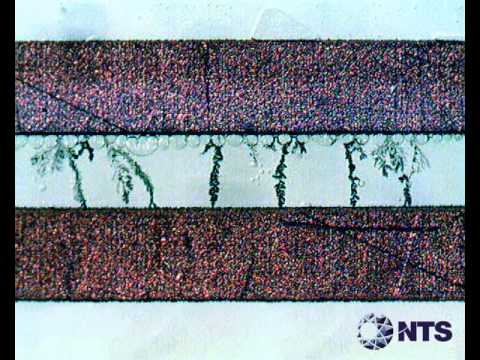
Sometimes, on PCBs (which are used to make electronic devices), there can be a rare process called dendritic growth. It happens because of electricity when certain conditions are present, including high humidity, voltage bias & ionic contamination. The increased temperatures can cause a reduction in relative humidity sufficient to dry surface impurities that would otherwise lead to dendritic growth under sticky situations approaching condensation.

Of the metals commonly used in PCBs, silver is the most susceptible to dendritic crystallization, followed by tin and copper. Nickel dendritic crystallization/growth is rare, and this paper presents a nickel dendrite formation analysis in specific circumstances of moisture condensation on freshly manufactured PCB contaminated with H2SO4 etching. The H2SO4 contamination on the PCBs produced during manufacturing was confined to the solder resist(mask) crevice. Still, under humidity conditions, it spread across the gap between the nickel-gold plating connector bonding pads.

YouTube video

Dendrite Growth PCB

Contamination is responsible for around 15% of failures in printed circuit board assemblies (PCBAs). Ionic contamination, in particular, can give rise to several issues that result in faulty PCBs. To mitigate the hazard of flaws caused by impurities, it is advisable to test the bare board for ionic contamination before completing the assembly. This guide aims to provide an overview of ionic species, the problems they can cause, and the methods manufacturers use to conduct ionic impurities testing.

  • Lack of bare board cleanliness: Numerous ionic contaminants can originate from the PCB. During the board production process and through exposure to the environment, various residues like particulate matter, oils, salts, & dust can accumulate. Before installing components onto a bare circuit board, manufacturers must verify that no contaminants remain from prior stages in the fabrication procedure.
    • Use of aggressive chemistry: Residues from copper etchant solution, aqueous soldering flux, and other aggressive chemicals can alter the conductivity of a PCB if they are not cleaned adequately.

Issues Due to Dendrite Growth or Ionic Residues

If manufacturers do not eliminate excess ionic remnants, the following problems may arise:

  • Corrosion:ย Most PCBs are prone to corrosion over timeย due to the metallic elements. However, if ionic contamination is present, it can accelerate the corrosion process, leading to a shorter lifespan for the PCB. Corrosion occurs when oxygen bonds with the metal, causing rust to form. When moisture interacts with ionic remnants, the likelihood of a short-circuit occurring increases. The rusting metal may chip away, which results in the loss of the chemical characteristics necessary for the printed circuit board to function correctly.
    • Dendritic growth:ย Dendritic growth is a process whereby conductive metal fragments and dendrites produce on the printed circuit board through the conductive solution affected by a Direct current voltage bias. So the dendrites can emerge rapidly when the pinholes in the PCB mask preserve fluctuation. When dendrites contact one another, problems like short circuits can occur.
    • Electrochemical migration: It also incorporates dendrites, particularly when extending transversely a dielectric material. As dendrites originate from ionized particles, they can shift currents in ways that are not aligned with the intended design of the PCB. Dendritic growth can trigger electrochemical migration, leading to either complete or sporadic failures. Electrochemical migration and Dendritic growth are closely interrelated and often co-occur.

Cleanliness Measurements For Dendrite Growth PCB Or Contamination Testing

FULL PCB MANUFACTURING Quote

To guarantee that ionic remnants do not decrease the life of the printed circuit board, numerous manufacturers already incorporate board cleaning as a fabrication process. Ionic purity testing enables manufacturers to verify if their cleaning techniques are sufficient during production. Techniques used to check ionic contamination in cleanliness testing include:

  1. Resistivity testing:ย The PCB cleaning systems frequently incorporate a built-in impedance measurement tool. Although these outcomes are inadequate to fulfill IPC specifications, they can furnish valuable information regarding the efficiency of the cleaning process.
    1. ROSE test: ROSE (Resistivity of Solvent Extract) testing checks bulk ionic contaminants on a PCB. A zero-ion or similar kind of ionic unit extracts the ions present on the printed circuit board into the solvent solution.
    1. Modified test: The customized resistor open short equipment test is an enhanced version of the standard available temporary equipment test that includes thermal extraction methods. Instead of extracting bulk ions in ordinary situations, the printed circuit board & solvent are subjected to high temperatures. After exposure, the solution is tested using iconography-style equipment. This modified test provides additional information about ionic contamination on the PCB.
    1. Chromatography test: A thermal extraction method similar to the modified resistor open short equipment test is used in chromatography testing. Once extracted, the resolution undergoes testing using ion chromatography equipment. The test results provide data about the particular electrolytes in a sample and their concentration PSI.

Why Complete Dendrite Growth PCB or PCB Ionic Contamination Analysis

It may surprise you that over 25 percent of printed circuit board failures are attributed to ionic impurity. When a PCB becomes contaminated, it is typically returned to a producer for rework. In extreme cases, the contamination can cause catastrophic faults, resulting in significant financial losses for the manufacturer. As a result, testing and analyzing PCBs for ionic adulteration is a topic of widespread discussion in the electronics fabrication industry.

How to Keep Your PCB Clean?

Exposure to environmental factors, including temperature changes, humidity, and chemicals, can be harsh for PCBs in the outside world. The use of printed circuit board casing, solder(PCB) mask & isolation equipment can help reduce the impact of these factors. However, collecting ionic residues during fabrication & assembly, like salt, flux activators, inorganic & organic acids & other chemicals, can accelerate the contamination process. A lack of board cleanliness can also contribute to ionic contamination.

IPC standard 650-2.3.25 provides guidelines for conducting ionic testing on circuit boards. This test method outlines how to measure the levels of ionic pollutants on a PCB. It also outlines the acceptable limits for these impurities in board assemblies & components.

History of Ionic Contamination Testing

The ionic impurities test, ROSE testing, was initially created for space and military electronic systems. Its early use in the 1960s focused on detecting ionic residues. However, with the advent of “unleaded” solder in the 1990s, PCB manufacturers faced new challenges in the cleaning process. This makes it more difficult to test for ionic contamination. As electronic circuits continue to become smaller & denser in the coming decades, electronic assembly cleaning & inspection will become even more challenging.

  How Does Ionic Contamination Testing Work?

Two commonly used types of ionic contamination tests are the Resistivity of Solvent Extract (ROSE) test and Ion Chromatography (IC) testing.

The ROSE test

The Resistivity of Solvent Extract test is a simpler and faster method of testing for ionic contamination. It provides less detailed information. This test measures the entire ionic content of a product. So it allows for a quantitative determination of the level of contamination present.

ยท How the ROSE test works

In the ROSE test, a conductive sample is extracted using a solution of isopropyl alcohol & deionized water. This extracted sample is then subjected to resistivity measurement by passing it through the ionic testing unit. This unit uses a liquid conductivity and conductivity bridge to compare the sample’s impedance to a NaCl reference standard.

ยท What to use the ROSE test for

Although the Resistivity of the Solvent Extract test effectively determines the total amount of ionic contamination present, it cannot identify the particular ions present. It helps assess the cleanliness of things for QA & safety purposes. However, it does not provide information on specific contaminants or their sources.

IC Testing

Compared to the ROSE test, Integrated circuit testing is more comprehensive. So It can evaluate the total amount of ionic contamination present. It also considers an ionic charge, the particular ionic species in a sample.

ยท How IC testing works

Like the Resistivity of Solvent Extract test, IC testing involves extracting a product sample using a solution of isopropyl alcohol & deionized water. The model is then passed through the high-performance chromatography system. This system separates ions based on their size, species, and charge.

Liquid chromatography equipment used in IC testing typically contains a cation column or anion column. Additionally, the sample is introduced into the system like the solvent system. It travels via column and interacts differently with the queue based on its charge. It causes the ions to separate from one another. They either speed up or slow down in their movement through the column.

As the different kinds of ions move through the column at various speeds, they are detected by the conductivity detector immediately after leaving the column casing. This detector generates a chromatogram that plots conductivity against time. We can identify the type & concentration of each ion present in the sample by analyzing changes in conductance.

ยท What to use IC testing for

Unlike the Resistivity of Solvent Extract test, IC testing can be used to identify particular contaminants & their concentrations. It allows us to identify the contaminants present. It also understands how they may be presented to a sample during fabrication.

By providing insights into the specific contaminants and their sources, IC testing helps clients identify vulnerabilities in their production process and address any issues affecting product performance.

Working of Solder Reflow Oven: Achieving Perfection

solder reflow oven

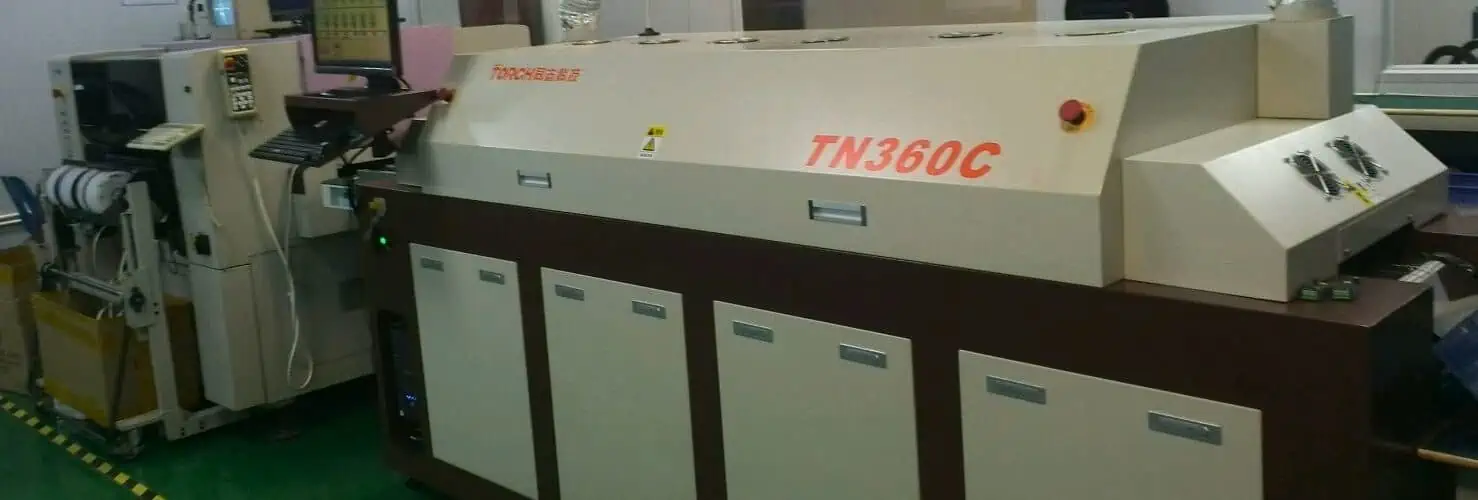
In a hot reflow oven, solder is thermally processed for use in the production of electronic components. For extremely tiny lab-size operations, a led reflow burner can use as a small packet or box-type oven. A conveyor or inline belt reflow furnace is the best option for larger enterprises.

The infrared or IR heating technique is going to use throughout the early stages of electronics production. Subsequently, the market shifted to convection thermal transmission, pioneered by businesses such as BTU International. One of the numerous benefits of convection hot reflow ovens was the significant improvement in thermal uniformity. Closed-loop convection uses in the most recent reflow ovens.

YouTube video

How Does Solder Reflow Oven Configure?

The configuration of inline hot reflow ovens consists of a variety of heating sections and a cooling portion. There must be a few zonesโ€”eight or fewerโ€”or many zonesโ€”twelve or moreโ€”based on the size, throughput, and length of the reflow oven. The areas configure with a heat transfer set point that will use throughout the reflow soldering procedure. The PCB must expose to this very set point’s temperature when it travels through that area.

The software called “the recipe” contains all of the region temperatures and the speed of the belt. “The profile” signifies the temperature that the circuit “sees” as it passes through the reflow oven.

The software recipe is customized to produce the solder paste profile that the maker of the soldering reflow machine has defined for the circuit. The soldering reflow oven’s maximum and lowest peak temperatures, as well as employ other characteristics like Flux Duration (FAT), Time Over Liquids (TAL), and cooling and heating ramp rates.

PCBs process in a reflow oven in air, in a supervised forming gas or nitrogen environment, or both. Forming gas or nitrogen uses to lessen or completely prevent oxidation of PCB assembly while the heating process.

In certain less crucial operations, the oxygen concentration in a nitrogen soldering reflow process may be more than 500ppm or as low as just 10ppm. SMT reflow ovens that can handle nitrogen frequently come with an oxygen monitor and an automated gas sampling device.

Working of a Modern Solder Reflow Oven 

FULL PCB MANUFACTURING Quote

It is necessary to apply heat to the solder paste until it reaches a point of molten point which is 217ยฐC for lead-free solder SAC305. To effectively solder surface-mounted electronic components to the PCB. The molten alloy will combine with the pads of copper on the PCB to form a eutectic mixture. Once it starts to cool to a melting point, a firm solder junction will develop.

In three different methods, heat can transfer from a source of heat to heated items.

ยท Conduction

When there is a temperature differential between adjacent locations, thermal conduction transfers across a substance without the material moving; when two items with very different surface temperatures come in touch with each other, it happens up until they reach the equalized temperature, heat moves from the hotter to the colder item.

ยท Radiation

Heat transmission by radiation takes to happen in electromagnetic waves form, mostly in the IR or infrared area. The mode of thermal transfer known as radiation doesn’t require any physical connection between the source of heat and the warmer object. Since black bodies absorb greater heat energy than white bodies, radiation has this constraint.

ยท Convection

Heat transfers from one location to another through a process called convection, which involves the flow of fluids like air or gas vapor. Moreover, it provides a contactless way of transferring heat.

The term “responsible” refers to a person who is responsible for the action. Ceramic heat elements emit heat by infrared radiation, but they do not immediately transport that heat to a Circuit. To ensure uniform heat production, the heat energy will first move to a heat adjuster. The heated air will force into an inner compartment by a convection blower or fan. Any location on the target Circuit board will experience consistent heat.

Working Principle Of the Solder Reflow Oven

By liquefying the solder that has already been spread on the PCBs, reflow soldering achieves the electrical and mechanical connections between the pins or ends of Surface-mounted electrical components and the PCB pads. There are four temperature levels overall in the reflow oven: preheating, heating, melting, soldering, and cooling. Let’s discuss the operation of all these four zones using the Lyra soldering reflow oven just as a reference.

1. Lyra SMT Reflow Oven

The purpose of preheating is really to ignite or activate the soldering paste and prevent the quick, high-temperature overheating that occurs when components are submerged in the tin. The Lyra Soldering Reflow Oven’s objective is to warm the Circuit board to room temperature as quickly as feasible. However, the heating level needs to be kept within a reasonable range. If it moves too quickly, heat shock will happen, potentially damaging the PCB and its components. The solvent won’t evaporate quickly enough if it moves too slowly. Impact the Lyra Soldering Reflow Oven’s soldering performance. The temperature differential in the reflow oven at the rear phase of the Lyra Soldering Reflow Oven heating zone is rather considered a result of the quicker heating rate.

2. The Lyra SMT Reflow Oven Insulation Zone

The main goal of the Lyra Soldering Reflow Oven thermal resistant phase is to minimize heating temperature differences and maintain the heating temperature of every component in the oven. Give sufficient time in the region to guarantee that the fluxes inside the Lyra Soldering Reflow Oven soldering paste are properly volatilized and that the heating temperature of a bigger component catches up to the heating temperature of a smaller component.

The oxides or residue on the circuits, component pin, and solder balls are clean with flux at the outcome of the heat-resistant stage. Also, the entire PCB temperature is now balanced. After this part, it must emphasize that the temperatures of all electronic components also on SMA ought to correspond.

Otherwise, because of the unequal temperature of every part, reaching the reflow phase will result in a variety of poor soldering occurrences.

3. Lyra SMT Reflow Oven Soldering Zone

The temperature increases quickly as the Board moves into the reflow phase, causing the soldering paste to melt. The temperature of the oven is set higher in this section, causing the component’s temperature to increase quickly to its maximum temperature. When the Lyra Soldering Reflow Oven’s peak temperature is too low, it is simple to create cold solder junctions and inadequate wetting. When it is too much high, the epoxy glue material and the polythene part are more likely to experience delamination and coking. While excessive eutectic alloy compounds form and lead to brittleness. The soldering site influences the soldering intensity.

Pay close attention to the time of reflow in the Lyra Soldering Reflow Oven area of soldering to make sure it doesn’t get too long. If it does, the heater in a Lyra Soldering Reflow Oven can damage, the components may well not work as well, the PCB may burn, and other negative things may happen.

4. Lyra SMT Reflow Oven Cooling Zone

To harden the solder junctions at this point, the Lyra Soldering Reflow Oven’s temperature lowers underneath the solid-state temperature. The cooling rate impacts the integrity of solder junctions. An excessive amount of eutectic alloy compounds may be formed if the rate of cooling is too sluggish. The soldering spot is susceptible to creating a big grain structure, which reduces the soldering point’s strength. It just has to cool down to 75ยฐC because the cooling phase typically cools at a rate of 4ยฐC/S.

The Role Of SMT Reflow Oven In The Soldering Process

The most important step in the entire reflow soldering procedure is the reflow oven. The reflow soldering process for Surface-Mounted components typically employs infrared or convection ovens. These ovens provide a variety of zones with adjustable temperatures. In a conveyor-like line, the zones permit different stages of cooling and heating.

The size of the oven must be appropriate for the load factor and production rate. They will decide both the oven’s minimum production line speed and the process’s repeatability. The oven’s size depends on whether the production processing speed limit is higher than the speed of the line. Often, a bigger soldering reflow furnace will be required for a greater-scale operation.

The Parts & Stages of SMT Reflow Oven

Along their manufacturing line, reflow soldering ovens solder employing a variety of steps and procedures. The PCB moves along the conveyor line or belts the entire time. One-sided woven conveyor straps or belts use in certain reflow ovens. A double-sided, edged conveyor line, however, guarantees greater precision and efficiency for bigger tasks. The oven can operate on both surfaces of a PCB thanks to a double-edged strap or belt.

1. Preheating Stage

The slow stepping up of a PCB to a certain temperature where the solder can reflow is a crucial component of soldering reflow. 

Careful observation requires throughout the pre-heating. The PCB and electrical components may damage if the process of pre-heating carries out too quickly. The PCB is protected from harm by gradually boosting the temperature during the pre-heating step. Moreover, it guarantees that all components and parts are correctly and uniformly heated.

The temperature in IR ovens should rise by 2-3 degrees each second.

2. The Thermal Soak

During pre-heating, the PCB goes through a process of thermal soak. The Circuit board keeps at a certain temperature it attains, which was before throughout this stage. Before starting the reflow soldering process, a thermal soak raises the temperature of all elements to a comparable level.

Depending on the PCB and its components, the thermal soak takes a different amount of time. A soak period of an oven needs to complete in less time if it is more effective. Yet, it is important to watch out for an excessively high soaking temperature. Otherwise, flux exhaustion may occur.

3. The Reflow Stage

The procedure moves on to the reflow step after a process of thermal soak. The temperature of the oven has now risen over the melting level of a solder paste. The paste melts and turns into a liquid as a result of the temperature. The solder joints on the PCB will form from this liquid. The flux inside the solder is what drives the process. At the joints, it lowers surface tension and promotes metallurgical bonding.

The ideal temperature must maintain during the soldering reflow phase. This will result in soldering that is efficient and of good quality. Also, it is essential to confirm that the soldering reflow duration is accurate. Ineffective joints may result from insufficient heat. The PCB and its electronic components may become damaged as a result of excessive heat.

Typically, the reflow stage lasts between 30 and 60 seconds. Once more, it’s crucial to avoid having an excessively short or extended reflow time. If the length is too short, the solder cannot stay beyond its melting temperature long enough just to create strong connections. Too much time might cause the joints to deteriorate.
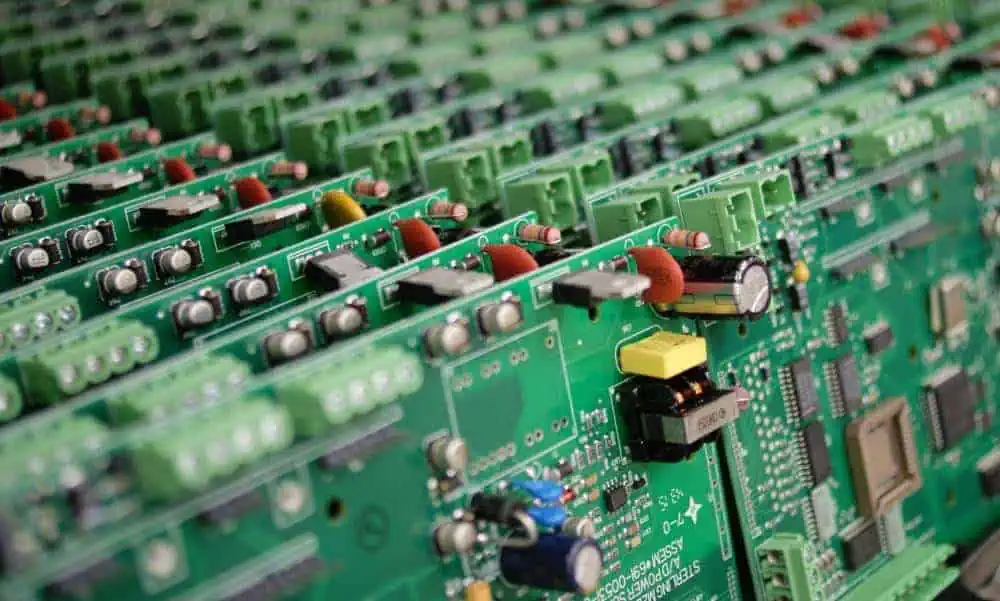
4. Cooling Stage

The PCB has to go through a cooling process after the soldering paste has cooled to produce the joints. This will give the molten solder time to solidify and secure the components. Similar to pre-heating, cooling must also be done gradually to protect the PCB from tension and damage. The PCB should typically cool at a melting temperature of 30 to 100 degrees, with a rate of cooling approx 3 degrees each second.

It is impossible to overstate the significance of progressive cooling. Proper execution of this technique will guarantee the production of connections that are safe and sound mechanically.

Plated Through Hole Vs Non Plated Through Hole – The Underlying Differences Between These Holes

Through Hole Soldering

The through hole technology is crucial in printed circuit board designs. These holes offer connections between components and conductors on various board layers. The through hole technology gained popularity during the construction of the second-generation computers. Through hole can b e plated or non-plated. Both plated through hole and non plated through hole both refer to drilled hole on a board.

Plated through hole vs non-plated through hole seem like a straightforward and simple topic to discuss. However, there are some important details you need to know about these two different technologies. Therefore, some clarity would help you understand how these technologies operate, their similarities and differences.

YouTube video

Plated through holes have metal layer coating in their inside. These holes connect various layers on the circuit board. Basically, plated through holes are integrated for cases where components need a perfect electrical connection like connectors, switches, and ICs. Electroplating creates the plated through holes. The electroplating process involves the use of chemical to create plated through holes.

Non-plated through holes donโ€™t feature any metal coating on their inside. These holes also connect various layers of the printed circuit board. However, they donโ€™t offer a perfect electrical connection. Non-plated through holes are ideal for components that doesnโ€™t need a high level of electrical reliability. They are ideal for passive components like capacitors and resistors. A mechanical drilling process is used in creating these holes in a board.

What is a Plated Through Hole?

PCB Plated Through Hole Manufacturing Processes

A plated through hole is a hole drilled inside with conductive metal. The technician attaches a circular pad on the holeโ€™s top and underside during a through hole assembly. The circular pad creates a connection between the hole and the circuit boardโ€™s traces. The inside of the hole which links the pads plated with a conductive metal links the two sides.

Plated through holes enable the flow of current through components on the side of the PCB, via the PCBโ€™s non-conductive substrate, and to the other side of the board. Also, plated through holes ensure that circuit boards hold components firmly on the two sides. With this, designers can maximize the space they have more efficiently.

A circuit board will need to be bigger if it will be accommodating more components. Circuit boards used in large machine or device will need a bigger size circuit. However, smaller devices integrate smaller printed circuits. The integration of plated through hole requires you to vertically stack the circuit boards. Hence, thus helps to minimize the overall size of the circuit board. This allows the circuit to accommodate more components.

Plated through hole is designed in such a way that it goes through a circuit board entirely. Some PCB designs integrate heat sinks to suck heat from components and discharge to conductive layers. Designers have to make use of vias instead of PTH in order to access the inner layers without the need to go through.  While PTH goes through the circuit entirely, vias only go through one surface. Vias create connection between the top layer and inner layer. When using vias, designers donโ€™t need to breach the other side of the circuit board.  A hole is considered through hole when it goes entirely through the board.

Importance of Plated Through Hole

PCB manufacturers plate through holes to enable components to connect with the conductive layers. Plated through holes offer exceptional electrical conductivity and desired functionality in a circuit board. There are several benefits of plated through holes. A few of these benefits includes faster prototyping. PTH makes it easy for manufacturers to solder components on the circuit board.

Furthermore, plated through holes, guarantees manufacturers high power tolerances and component durability. These holes help in achieving excellent connections. Plated through hole is highly preferred among PCB manufacturers because of the benefits it offers.
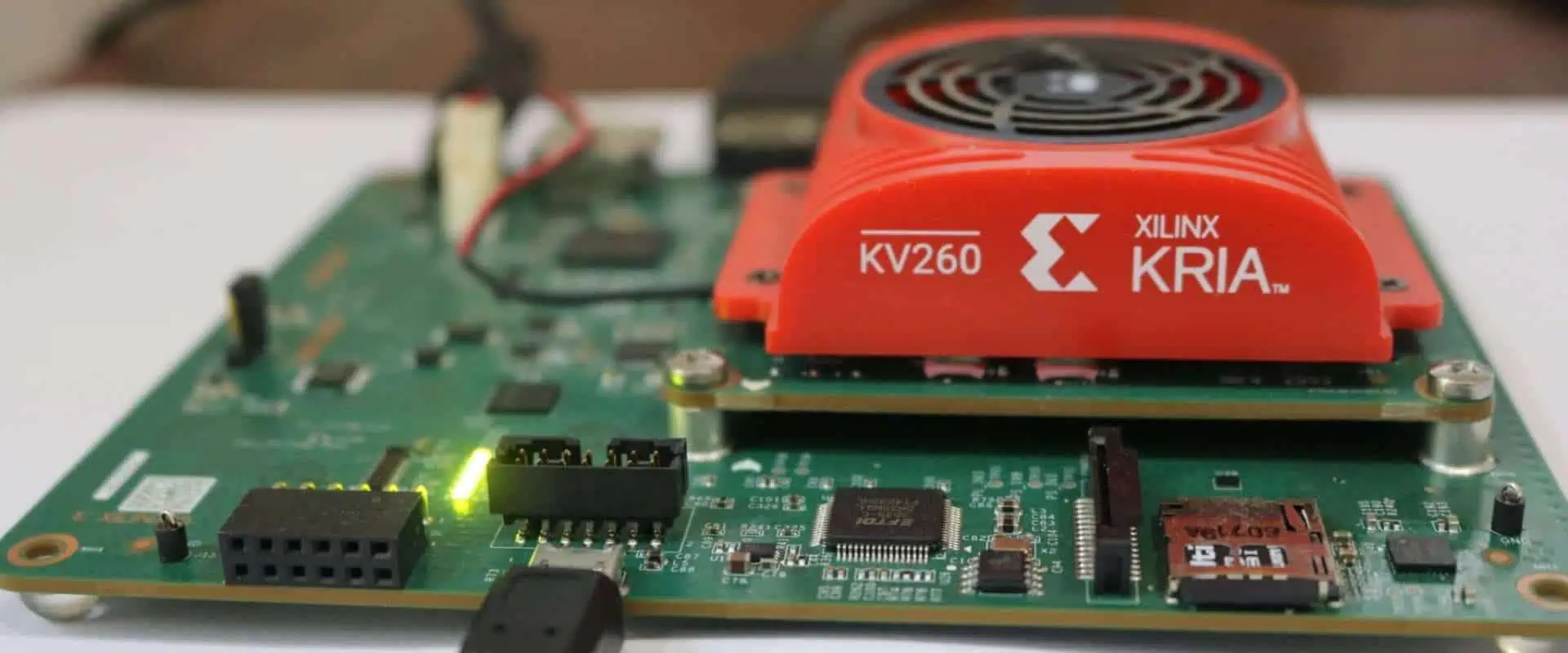
What are Non-plated Through Holes?

FULL PCB MANUFACTURING Quote

The major difference between these holes is that the inside of non-plated through holes doesnโ€™t have conductive plating. This means that the inside of these holes donโ€™t feature any conductive plating. A non-plated through hole (NPTH) canโ€™t allow the flow of current through it. Therefore, this hole doesnโ€™t offer the same function as a plated through hole. The design specification of a board will determine if a plated through hole or a non plated through hole is required.

A non plated hole may have pads on any side in some scenarios. However, this doesnโ€™t mean there is a connection. Designers use pads for placing NPTH while some donโ€™t use them at all. In fact, the majority of non-plated through holes donโ€™t use pads. Regardless of the method of through hole assembly, it is crucial for designers to define n NPTH. Mistaking an NPTH for a PTH can result in problems. Issues can arise in the PCBโ€™s pathing.

If a PTH is placed where an NPTH is required, this will make the charge to spread and as such, weakening the charge. This might as well cause bridging those results in short circuits. A non-plated through hole offers a channel where screws or bolts can secure the circuit board. In some scenarios, pins or wires go through this hole.

Plated Through Hole Process

Circuit boards have different sizes of holes for vias. Also, these boards feature different through-hole component pins. Here, we will be taking a look at the process of plating a through hole in a circuit board during fabrication.

  • Plating commences after pressure and heat has composited the circuit board and all the through holes are drilled.
  • The technician cleans the through holes in order to remove any residue. Debris can leave a residual resin in the holes or there might be other contaminants. Therefore, abrasive processes and chemical agents are used for cleaning.
  • A copper layer is chemically coated on the surface of the circuit board and via the holes. The deposition of Electroless copper offers a strong base in the holes for the copper plating.
  • The PCB fabricator can micro-etch the inside of the holes. This helps in improving the base for the copper to hold during plating.
  • On the external layers, a circuitry is created. This is done through the exposure of an image on a photoresist. The inner layer also uses this same process, except that a reversed image is integrated.
  • Chemical is used in removing the unexposed material and as such, this reveals the copper circuitry while a hardened resist protects the remaining part of the board.
  • Copper is used in plating the exposed copper circuitry in order to increase the metal weight. After this, the plated through hole is achieved.

Challenges of Plated Through Holes

There are challenges associated with plated through holes. Letโ€™s consider these challenges and possible solutions to them.

Lack of copper in PTH

Lack of enough copper in plated through holes is a big challenge. If the copper isnโ€™t adequate in the PTH, there will be plating voids. These voids can affect the flow of current. This problem can be solved by ensuring there is adequate copper in the PTH. Also, ensure the copper isnโ€™t too much as this may block the plated through holes.

Furthermore, too much acceleration may cause little copper in the plated hole. You need to reduce the accelerated treatment conditions.

Plughole

Plughole is crucial for functioning of a printed circuit board. It prevents a board from short circuits and flux residue from reaching the vias. When plugholes are not properly done, the whole PTH circuit board can damage. Copper may not liquidate well if copper particles remain in the plated through hole cylinder. Therefore, it is necessary to check the filtering system for any fault to prevent such.

Lamination and blistering on a board

Lamination and blistering on a printed circuit is a major concern for PCB manufacturers. Blistering happens due to a chemical reaction of copper and the copper base. You can avoid this problem by maintaining cleanliness in your work. Furthermore, select a conformal coating that is appropriate with your board. Match the conformal coating to the solder of the circuit board to achieve good bonding.

There are other reasons blistering and lamination on a circuit board will occur. The inability to get rid of oil stains and adhesive can result in lamination on the circuit board. You can solve this problem by pressing and drilling. This will assist you in getting rid of oil stains and adhesive.

Considerations for Through-hole Parts Design

Figure 2, Through Hole Copper Via Filling

In the past, through hole parts were the components available for PCB layout. Things have different presently with the presence of surface mount parts. The SMT parts are popularly integrated when in printed circuit board design. These parts have a lot of benefits. They are much better than their large through hole counterparts. SMT parts offer improved signal performance, take less space on a circuit board, and greater availability. Also, these parts are cost-efficient, they are cheaper than through hole parts.

However, all these benefits offered by SMT parts doesnโ€™t mean through hole parts arenโ€™t useful in some cases too. Through hole components are still being used in some cases. Below are considerations for through hole parts design

Power

It can be very complex to appropriately solder large SMT parts since a larger amount of metal needs to go through heat. Also, large through-hole connection ensures thermal and mechanical stability which is beneficial to power components.

Strength

The mounting of robust through hole pins is beneficial to interfacing parts like switches and connectors. Furthermore, you can rip off SMT connectors from their pads if their mating connector is unplugged with the use of force.

Heat

Plated through hole pin is better for high-temperature parts as it offers better conductor. The majority of these parts will be bolted to the PCB.

Design Guidelines for Through Hole

Regardless of the popularity of SMT components, through hole components will still be in use for a while, therefore, it is important to take note of some design guidelines.

Soldering

A wave soldering system is often used to assemble through-hole components on the printed circuit board. Wave soldering involves passing the circuit board over a molten solder  which is forced in the holes. Also, the molten wave of solder is force around the component leads to offer strong solder joint.

It isnโ€™t ideal to place SMT parts on the back of the PCB during this process. The PCB assembler needs to block off SMT parts from the wave. Alternatively, you can solder the through hole parts manually. Manual soldering is another soldering option aside from wave soldering. It is crucial to ask the manufacturer about parts placement to prevent any assembly issues.

Footprints

Ensure you go with the footprint dimensions recommended by your part manufacturer. This helps in ensuring the circuit board is easily assembled. While some components such as through hole resistors can make use of differently spaded holes, most components canโ€™t.

Spacing

Spacing is crucial when soldering the through hole parts. When you space components properly, this enhances automated soldering systems. Sometimes, larger through-hole parts can overshadow SMT parts and as such, preventing them form being soldered properly. Therefore, allowing enough space between parts is important for manual rework.

Hole size

Ensure you use the hole size recommended for the partโ€™s lead diameter. Very large through holes wonโ€™t accommodate the molten solder. Therefore, this would eventually lead to poor solder joint. Also, too small holes wonโ€™t allow you to insert the lead of the part.

Plated Through Hole Vs Non Plated Through Hole โ€“ What is the difference?

PCB Plated Though Holes

A lot of issues arise during the PCB design process. One of such is the possible problem from PTH and NPTH. It is necessary to comprehend the differences found between these through hole technologies in order to achieve a functional circuit board. Knowing the difference between these two will help you know the function they serve and the right applications for each of the technologies.

The significant difference between NPTH and PTH is the plated copper in the base material of the PCB. A plated through holes features a conductive material known as copper inside. The presence of this conductive material has an effect on mechanical stability and electrical performance.

When the PCB manufacturer solders component leads via plated holes, there is improved mechanical stability and the electrical resistance becomes less. However, this is different for non plated through holes. Therefore, PTH offers more benefit than NPTH.

Another difference between PTH and NPTH is in terms of area and cost. It is more expensive to design plated through holes circuit boards. Plated through holes take less space compared to non-plated through holes.

In terms of applications, plated through holes are integrated for cases where components need a perfect electrical connection like connectors, switches, and ICs. Non-plated through holes are ideal for components that doesnโ€™t need a high level of electrical reliability. They are ideal for passive components like capacitors and resistors. Also, these holes donโ€™t offer a perfect electrical connection.

A plated through hole is designed in such a way that it goes through a circuit board entirely. A non-plated through hole offers a channel where screws or bolts can secure the circuit board.

How to Reduce the Cost of Through Hole PCB

The cost of a through hole circuit board will depend on factors like hole density, annular rings, and how the holes are designed. With careful consideration, you can easily reduce the cost of the through hole circuit. Below are some ways to reduce the cost of your through hole board.

Use larger holes

You can make use of larger holes and annular rings if possible. This is because small holes are more expensive to drill. The manufacturing of small holes requires the use of high precision machines. Since these machines are very expensive, some PCB manufacturers charge more for holes diameter that ranges between 0.15mm and 0.33mm. Therefore, you have to make enquiry from your manufacturer to know the additional charges for small holes.

Large annular rings

Annular rings refer to the border of the hole and the minimum distance of the pad. Minimum annual ring determines the cost of through hole boards. If your manufacturerโ€™s standard requirements are more than the minimum annular ring, the board will cost more. Integrating larger annular rings is a way to save cost.

Benefits of Through Hole Technology

Before the advent of surface mount technology, the through hole technology was the popular method of mounting electronic components on boards. Regardless of some limitations of through hole technology, it offers its own benefits.

Through hole components offer better reliability in products that need stronger connections between layers. The leads of these components can tolerate environmental stress since these leads can run via the board while the solder of the PCB surface secure SMT components. Due to this advantage, through hole technology is a suitable option for printed circuit boards used in military and aerospace devices. These devices are usually exposed to extreme accelerations, collisions, and high temperatures and as such, their circuit boards need stronger connections.
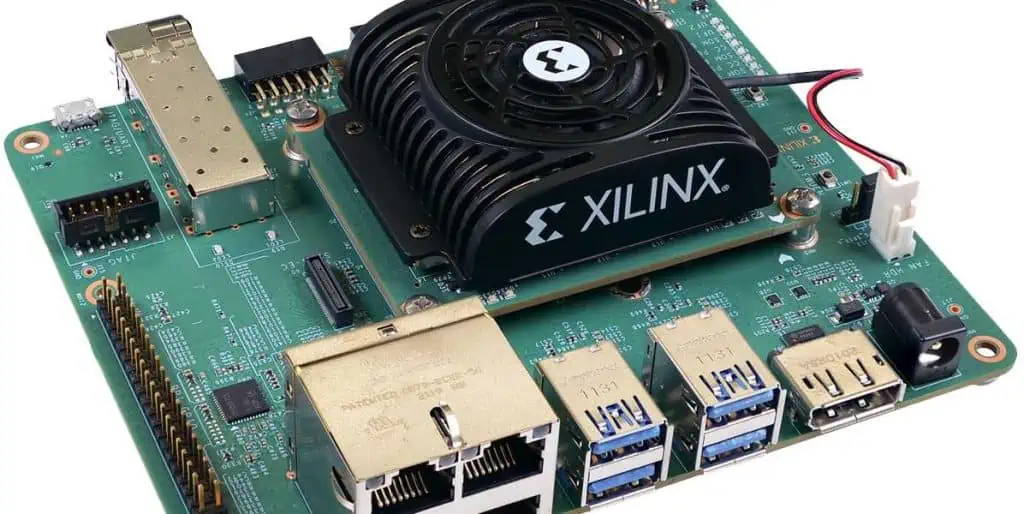
Furthermore, through hole technology is widely integrated in applications that need prototyping and testing due to its adjustment capabilities and manual replacement. Through hole PCBs are more expensive due to their capability to offer stronger boards. This is why THT is now commonly reserved for bulkier or heavier components like electrolytic capacitors or semiconductors used in bigger packages.

Also, through hole technology is widely integrated for elements such as plug connectors that require reinforcement. THT is highly preferred among designers and manufacturers for prototyping. This is because through hole is ideal for use in breadboard sockets. However, THT isnโ€™t ideal for high-speed or high-frequency boards that need low inductance and stray capacitance in wire leads. Also, through hole isnโ€™t a good option for very compact designs.

Plated Through Hole Decomposition Process

6 layer blind via hole hdi pcb

Alkaline cleaning

Alkaline cleaning involves removing the board oil and fingerprinting. After this, you can dust the hole carefully. The negative charge will need adjustment for the entire wall. This helps the colloid palladium to absorb. During this period, be sure you maintain cleaning.

Micro etching

This involves removing the oxide on the circuit board and roughening it. Micro etching is crucial as it helps to ensure strong bonding between the PTH layer and the base copper. You need to understand that the new copper is active and performs well in the absorption of colloid palladium.

Prepreg

This step protects the palladium slot. Prepreg helps in extending a circuitโ€™s shelf life. The main ingredients in this step is similar to the palladium slot. Prepreg is crucial for wetting the hole wall. The layers of the board wonโ€™t hold without, therefore, prepreg helps to fuse etched cores.

Activation

This is an essential step in the plated through hole. There is a positive charge on the hole wall which helps in the absorption of the colloidal palladium particle. Negative control helps in achieving this. With this, plated through hole becomes compact. Activation plays a significant role in ensuring the copper sinksโ€™ quality.

Decontamination

The colloidal palladium particle comprises stannous ion. The decontamination process helps to get rid of the stannous ion. This helps to expose the palladium nucleus. Fluoroboric acid is the most suitable chemical to use for this process. Most manufacturers use this acid because of its debonding capability. Although there are other chemicals to use, the fluoroboric acid seems to perform better than others.

Conclusion

Plated through hole and non plated through hole have their benefits and limitations. While plated through hole is commonly integrated by most PCB manufacturers, some manufacturers still use non-plated through hole. When discussing plated through hole vs non plated through hole, we realized there are notable differences between these holes.

The path difference between these holes differentiates them. The vast applicability of plated through hole makes it relevant in todayโ€™s PCB manufacturing. Non plated hole is not as applicable as plated through hole as it is only suitable for single layer PCBs. The relevance of these holes is another factor that differentiates them.

How RoHS Compliant PCB Assembly is Contributing to Environmental Protection

pick and place machine for pcb assembly

The use of hazardous materials in printed circuit boards and electronic devices is a cause for concern. These materials pose environmental threats and risks to human health. Their negative environmental impact is a growing concern in the electrical and electronics industry. To combat this problem, the government has sought for the best ways to stop the use of these materials in electronic and electrical product.

Regulations that restrict the use of these materials are being imposed on PCB companies and electronics companies. It is crucial to design and manufacture safer electronic boards since these boards are used in several applications including the medical field. The RoHS is one of such regulations designed to restrict the use of hazardous substances and materials in electronic boards.

What is RoHS Compliant?

Mister FPGA PCB Board

The European Union Parliament passed a law that influenced the electronic industry. The first legislation which was the Waste Electrical & Electronic Equipment (WEEE) addressed the need for manufacturers to dispose their finished goods while the second legislation was the Restriction of Hazardous Substances (RoHS).

This regulation states that it is illegal for electronic or electrical products to include restricted materials. These materials that are restricted are harmful to our environment as well as the human health. On July 1, 2006, this legislation took its effect. Also, RoHS focuses on the smallest component or material that can be removed from an assembly.

According to the RoHS directive, any electronic or electrical product must not include substances such as mercury, polybrominated biphenyls (PBB), mercury, hexavalent chromium, Octa PBDE, Cadmium, and lead. This directive must be applied in all electronic or electrical products manufactured and sold in the European Union countries.

Therefore, any Original Equipment Manufacturer (OEM) that manufactures and supplies electronic products like PCBs must comply with this directive. The RoHS compliance specifies the highest levels of these restricted materials in circuit boards and electronic products. For example Mercury must be less than 100 ppm, Cadmium must be less than 100 ppm and lead must be less than 1000 ppm.

RoHS compliance refers to the adherence to the RoHS regulations. A PCB manufacturer or electronic manufacturer is RoHS compliant when they ensure there are products are completely free of the above named materials.

The RoHS directive states that:

  • Mercury (Hg) < 100 ppm
  • Dibutyl phthalate < 1000 ppm
  • Lead (Pb): < 1000 ppm
  • Diisobutyl phthalate  < 1000 ppm
  • Polybrominated Diphenyl Ethers < 1000 ppm
  • Cadmium (Cd): < 100 ppm
  • Hexavalent Chromium < 1000 ppm
  • Bis(2-Ethylhexyl) phthalate < 1000 ppm

What is a RoHS Compliant PCB Assembly?

FULL PCB MANUFACTURING Quote

The RoHS directive is also applicable in the manufacturing of printed circuit boards. This is because printed circuit boards are usually integrated in the production of electronic devices. Also, these boards are the building blocks of most electrical or electronic equipment.

A RoHS compliant PCB assembly is a fully assembled board that features none of the substances mentioned above. This PCBA has no lead, mercury or any harmful substance. It is completely free of these hazardous substances. Hence, such a board is referred to as a RoHS compliant PCB assembly.

RoHS compliant PCB assembly is also known as a lead-free PCB. Tin-lead solder was commonly used in circuit boards before the RoHS directive was implemented. This type of solder was used because it offered perfect bonding. Also, it was applied as a surface finish to prevent the copper on the PCB from any corrosion.

However, the implementation of the RoHS directives made PCB assemblers to use another material and component approved by RoHS for their PCBs. The electronic industry now integrates lead free solder alloys. These materials comply with the RoHS directive. Also, the implementation of the RoHS directive made PCB manufacturer integrate lead-free PCB surface finishes and components.

These days, most manufacturers are producing RoHS compliant PCB assembly, although some customers still request for tin-lead PCB assembly. In general, the implementation of the RoHs directives has helped to minimize ground waterโ€™s contamination. When PCBs that comprises harmful substances are disposed, the substances in these boards end up contaminating the environment.

Benefits of RoHS Compliant PCB Assembly

RoHS compliant PCB assembly offers a lot of benefits. Since the implementation of the RoHS directives, the environmental impact has been positive. Ground water is no longer contaminated with harmful substances. Also, electronic consumers feel safe when using electronic products.

Reduction of metal poisoning

A RoHS compliant PCBA helps to minimize any form of metal poison. Heavy metals such as mercury and lead have a negative effect on humans and can damage their nervous system. Also, these metals affect the reproductive system, and kidney. Consumption of lead via contaminated water will minimize the functioning of body organs like ankles and fingers.

As more electronic manufacturers comply with the RoHS directives, many electronic consumers are now purchasing lead-free electronic products. In the past, consumers dispose obsolete electronic products in landfills. This could be very poisonous to ground water. The RoHS directives forced electronic manufacturers to restrict the use of harmful substances and as such, this reduced metal poisoning in the environment.

Enhanced product safety

The implementation of RoHS directives improved the safety of electronic products. Electronic consumers are now guaranteed of the safety of their product. Since these products are free of harmful materials, this gives users more peace.  Therefore, the sales of RoHS compliant PCB assembly have increased and this board is now widely integrated in electronics manufacturing.

Increased thermal properties

Research has proved that a RoHS compliant PCB assembly features better thermal properties compared to their leaded PCBA. Also, this RoHS PCBA can tolerate temperatures which range from -45 degrees Celsius to 145 degrees Celsius. These days, circuit board manufacturers are integrating advanced halogen-free laminates. These laminates have increased the thermal stability of circuit boards to about 300 degrees Celsius.

How do you Check if a Material is RoHS compliant?

According to the RoHS directives, the PCB manufacturer needs to tender a certificate of compliance. You can check if a material complies with the RoHS directive by using he X-ray fluorescence measurement instruments. These instruments offer material analysis. This test is very important as regards RoHS regulations. Also, it is a simple and fast way to evaluate elemental concentrations in a PCB material.

Electronic manufacturers can tender a Declaration of Conformity to prove their compliance with the RoHs directives. This declaration indicates that a manufacturer meets all the requirements of RoHS directives. Claiming this declaration means the organization is assuming the responsibility for RoHS compliance.

The Declaration of Conformity will indentify information about your organization and the product. This document needs to be signed by you. Also, some third-part companies can perform tests for the product of the company to confirm compliance with the RoHS directives.

The RoHS compliance testing is crucial for electronic manufacturers and distributors who need to sell or export their electronic or electrical products to the European Union. This test will verify the amounts of the hazardous chemicals restricted by RoHS.

Therefore, electronic companies and PCB companies hire third-party services to test. After testing, these results are then recorded in a test report in order to declare your product complies with RoHS.

How RoHS is Impacting PCB Manufacturing Process

The RoHS directives implementation is crucial in PCB manufacturing. A large number of PCB manufacturers must comply with these directives. Therefore, these manufacturers need to ensure that their solder masks, substrate materials, surface finishes, and inks must be free of lead and other chemicals.

Furthermore, PCB manufacturers and assemblers must be sure heat sinks, discrete components, and solder joints are free of lead. The RoHS listed 10 hazardous materials. However, lead is a major concern for PCB manufacturers in terms of its replacement. These manufacturers are concerned about the greater processing temperatures related to lead-free metals. To have a clear understanding of this, let us have a brief look at the following.

Laminate preparation

Lead-free FR4 material poses some limitations during assembly. Manufacturers can opt for advanced materials like Isola FR415 since they can tolerate higher temperatures and enable electrical performance.

Other crucial properties of lead-free PCB materials used for making prepreg and laminates include CTE, T-260 & T-288, Td, and CTE. Also, the glass transition temperature determines the choice of material based on the application. The manufacturing processes of lead-free laminates are usually performed at greater temperatures than that of leaded materials.

During assembly processes, RoHS compliant PCB materials must be handle greater reflow temperatures. But, the application requirements still determines the selection of this material. Lead-free materials need to guarantee excellent electrical performance with low signal losses.

Soldermask and legend inks application

The legend inks and solder mask integrated in RoHS compliant PCB assembly have to be free of harmful materials. Also, the ink and soldermask must be able to restrict higher temperatures. There is a likelihood of discoloration at higher temperatures.

Stencil application

Here, the initial step for the process of PCB assembly is applying the stencil. Lead-free solder alloy is commonly integrated for surface mount technology, wire soldering, and wave soldering.

Application of RoHS surface finishes

Not all surface finishes are RoHS compliant. However, the availability of RoHS compliant surface finishes like electroless nickel immersion gold, palladium, plated nickel gold, and immersion silver will get rid of the need for surface finishes with lead.

RoHS Directives for Flame Retardants

In PCB manufacturing, flame retardants, also known as FR-4 are commonly used. flame retardants minimize heat concentration and get rid of or delay flashovers. The RoHS directive impacts flame retardants integrated in resin system. This directive prohibits some particular type of flame retardants. These are brominated flame retardants. They comprise polybrominated biphenyl oxices and polybrominated biphenyls.

Using tetrabromobisphhenol A to Brominate the epoxy resin is the best way to achieve flame retardancy. Bromine releases when tetrabromobisphhenol A reacts in the epoxy resin. The RoHS directive doesnโ€™t prohibit the use of tetrabromobisphhenol A. However, it doesnโ€™t permit these substances from being released in the environment.

Frequently Asked Questions

What is a CE RoHS marking?

According to the Restriction of Hazardous Substances (RoHS) directives, all new electrical and electronic equipment available on the EU market must have the CE mark. The CE RoHS marking is a self-certification designed to indicate conformity. This mark doesnโ€™t only indicate compliance with RoHS, but it also indicates compliance with all EU legislation. Having the CE mark means an electronic manufacturer is responsible for compliance with EU legislations applicable to its product.

What are products need RoHS testing?

Some products need RoHS testing before they can become available in the EU market. The categories of these products are automatic dispensers, small household appliances, monitoring devices, consumer equipment, IT and telecommunications equipment, medical devices, sport equipment, electrical and electronic tools, and other electronic devices.

What are the exemptions of RoHS?

Some exemptions were published by the European Commission. The restriction of lead, Cadmium, Hexavalent chromium, Mercury, and more isnโ€™t applicable to toys. This is because toys are subjected to some other restrictions. For instance, the REACH deals with toys. REACH and RoHS can be quite confusing, but they have their differences.  
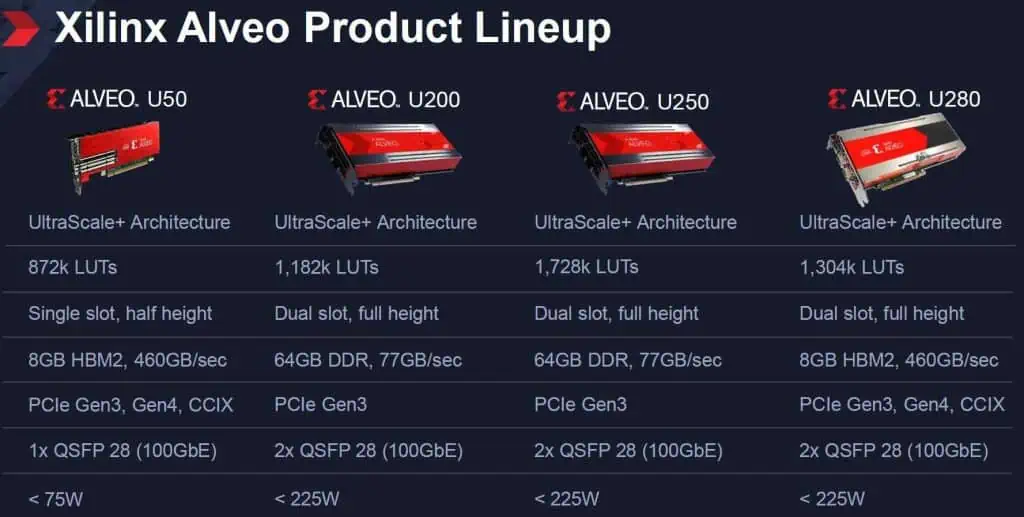
What Does Waste of Electronic and Electrical Equipment Mean?

WEEE means Waste from Electrical and Electronic Equipment. The WEEE directives regulate how electronics products are discarded. All electronic products for the European Union (EU) market must comply with WEEE. These products must have the โ€œWheelie Binโ€ mark.

Conclusion

When it comes to environmental protection, Europe is fully involved. The European Union has been the leading country that makes effort towards the achievement of environmental safety. The RoHS directive has been updated a lot of times. It is crucial for electronic and PCB companies to comply with this directive in order to stay relevant in the market.

According to the RoHS directive, any electronic or electrical product must not include substances such as mercury, polybrominated biphenyls (PBB), mercury, hexavalent chromium, Octa PBDE, Cadmium, and lead. This directive must be applied in all electronic or electrical products manufactured and sold in the European Union countries.

Xilinx Kria: The Future of Edge Computing

xilinx kria

As more and more devices connect to the internet, edge computing has grown in popularity in recent years. In contrast to transmitting data to a centralized data center, edge computing involves processing data closer to the source. Many advantages of this strategy include decreased latency, enhanced security, and reduced bandwidth needs. Yet, edge computing also comes with some particular difficulties, like low processing speed and memory. Xilinx has created a brand-new platform called Kria to manage AI for edge applications to overcome these difficulties.

What is Xilinx Kria?

A series of adaptive system-on-modules (SOMs) called Xilinx Kria can speed up AI at the edge. These SOMs are compact, production-ready cards that are simple to incorporate into various edge technologies. Examples include robots, embedded vision systems, and smart cameras. The Zynq UltraScale+ MPSoC, which combines an FPGA and a potent Arm CPU, is the foundation upon which we build the Kria SOMs. Thanks to this hardware configuration, the Kria SOMs can handle both conventional software processing and hardware acceleration for AI workloads.

There are two versions of the Kria SOMs: commercial and industrial. The industrial version is essential in hostile settings and demands ruggedized hardware. On the other hand, the commercial version is ideal for applications requiring high performance and low power consumption. In addition, both Kria SOM variants offer a choice of Yocto or Ubuntu Linux infrastructure, giving software programmers a comfortable working environment.

Benefits of Xilinx Kria

xilinx kria board
xilinx kria board

The versatility of Xilinx Kria is one of its key advantages. Developers may add AI capabilities to their products since the Kria SOMs are simple to connect to various edge devices. Also, various AI frameworks, such as TensorFlow, PyTorch, and Caffe, are supported by the Kria SOMs, making it simple for developers to use their chosen work methods and tools.

The performance of Xilinx Kria is an additional advantage. The Kria SOMs can perform well using less power than conventional CPUs or GPUs. They can handle traditional software processing and hardware acceleration for AI applications. As a result, the Kria SOMs are perfect for usage in battery-operated devices or other situations where power consumption is an issue.
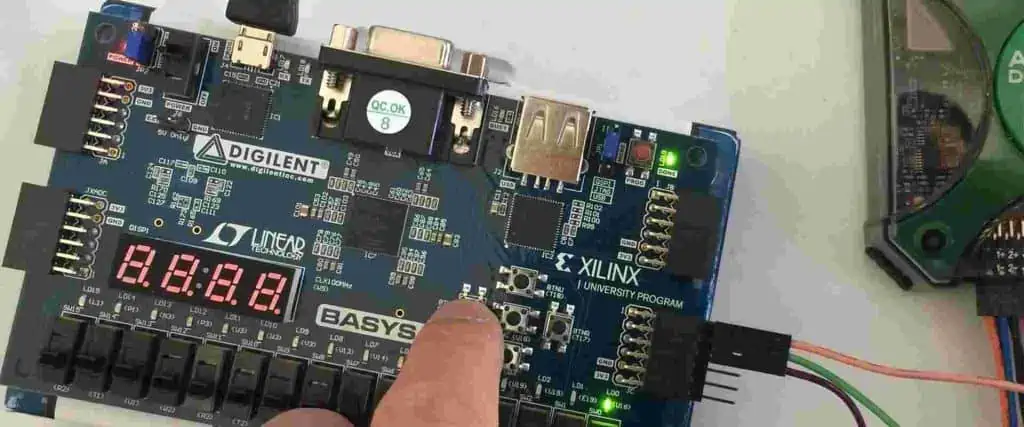
Last but not least, Xilinx Kria is made simple to use. Developers may easily start using AI at the edge thanks to various software tools and frameworks in the Kria SOMs. Moreover, Xilinx offers a variety of reference designs and application notes that can assist designers in building and deploying AI-enabled edge devices fast.

How developers can get started with Xilinx Kria

Xilinx Kria developers can start by utilizing the software resources and tools. One choice is using Vivado, the beginning point for any unique FPGA design on a Xilinx processor. Another collection of software tools called PetaLinux is available for creating an embedded Linux image for Xilinx FPGAs. It is simpler to use Xilinx platforms when developers can take advantage of the Python language and libraries through the PYNQ framework. To assist developers in getting started with Kria, Xilinx also offers a variety of reference designs, application notes, and tutorials. Moreover, the Xilinx App Store offers Kria Accelerated Applications, which allow novice and seasoned Xilinx designers to avoid undertaking any FPGA design.

Minimum hardware requirements for developing with Xilinx Kria

The Kria System-on-Module (SOM) and a carrier card are the two pieces of hardware required at the absolute minimum for development with Xilinx Kria. The XCK26 Zynq MPSoC chip, which houses both the Processor Subsystem (PS) and Programmable Logic, is used by the Kria SOM (PL). The carrier card may be a KV260 from Xilinx or a special carrier card. To create the application software that runs on the APU and RPU PS targets, developers require a machine with software tools like Vivado, PetaLinux, or other open-source tools (like Yocto).

Vitis, PetaLinux, or other open-source software development tools may create the application software. Developers can also use the AMD-Xilinx PYNQ framework, an open-source project that simplifies the use of AMD-Xilinx platforms using Python and resources. Canonical’s Ubuntu Linux with AMD-adaptive Xilinx’s SoCs now has enterprise-grade Linux, accelerating the creation of Vision AI Edge Systems, Industrial and Healthcare IoT embedded devices, and other products.

Use cases of Xilinx Kria

FULL PCB MANUFACTURING Quote

A family of adaptive system-on-modules (SOMs) called Xilinx Kria takes advantage of AMD programmable technology’s strength, speed, and adaptability. These SOMs are production-deployable, adaptive modules that offer a complete board-level solution with a pre-built software stack, enabling speedy deployment. As a result, the Kria SOMs can hasten industrial-grade robotic solution development, upkeep, and commercialization. In this post, we’ll examine Xilinx Kria’s use cases and how it helps hasten the creation of AI edge applications.

Kria Robotics Stack (KRS)

An integrated collection of robot libraries and utilities called the Kria Robotics Stack (KRS) uses hardware to hasten the creation, upkeep, and commercialization of industrial-grade robotic solutions. It suggests a development strategy that is ROS 2-centric and utilizes ROS 2 as the Software Development Kit (SDK). In addition, a collection of pre-made software components from the KRS may help to create robotic applications. These elements include simulation and visualization tools, perception and control algorithms, and sensors and actuator drivers.

The Kria SOMs, which offer the hardware acceleration required to execute sophisticated robotic algorithms, are intended to be utilized with the KRS. The Xilinx Zynq UltraScale+ MPSoC, which combines a quad-core ARM Cortex-A53 CPU with a programmable logic fabric, is the foundation upon which we build the Kria SOMs. With this programmable logic fabric, we may execute algorithms for image processing and machine learning more quickly.

A collection of pre-made software components from the KRS may help to create robotic applications. These elements include simulation and visualization tools, perception and control algorithms, and sensors and actuator drivers. In addition, a collection of tools for developing and deploying robotic applications are also available through the KRS. These tools include a build system, a package manager, and a deployment tool.

Machine Vision AI

Systems-on-modules (SOMs) for Xilinx Kria for AI edge applications offer a cost-effective, production-ready FPGA chip with ample IO to speed up robotics and vision operations. As a result, the Kria SOMs can hasten the creation of AI-edge applications like robotics and machine vision.

The Xilinx Zynq UltraScale+ MPSoC is the foundation for building the Kria SOMs. It combines a quad-core ARM Cortex-A53 CPU with a programmable logic fabric. Moreover, the Kria SOMs include a selection of IO ports like Ethernet, USB, and HDMI that can connect to sensors and actuators.

The Kria Vision AI Starting Kit works well with the Kria SOMs. It offers a full development environment for machine vision and robotics applications. A carrier board, a collection of pre-built software components, and a Kria SOM are all included in the Kria Vision AI Starting Kit. These pre-built software components include tools for simulation and visualization, image processing and machine learning algorithms, and drivers for sensors and actuators.

An additional tool for developing and deploying robotics and machine vision applications is the Kria Vision AI Starting Kit. These tools include a build system, a package manager, and a deployment tool. In addition, the Xilinx Vitis AI development environment, which offers a collection of tools for creating and deploying machine learning models on the Kria SOMs, is helpful with the Kria Vision AI Starting Kit.

Accelerated Applications

Many applications, including robotics, machine learning, and image processing, can be accelerated using Xilinx Kria. The Xilinx Zynq UltraScale+ MPSoC, which combines a quad-core ARM Cortex-A53 CPU with a programmable logic fabric, is the foundation upon which we build the Kria SOMs. With this programmable logic fabric, algorithms for image processing and machine learning may execute more quickly. Moreover, the Kria SOMs include a selection of IO ports like Ethernet, USB, and HDMI that can connect to sensors and actuators.

Applications like smart cameras, embedded vision, security, retail analytics, smart cities, and machine vision can all be accelerated using Kria SOMs. A development platform that is ready to use right out of the box for AI-embedded SW and HW developers is the Kria KV260 Vision AI Starting Kit. It is ideal for Visual AI applications. Additionally, it is the quickest approach to creating distinctive deployment solutions in production volumes. With the Kria Robotics Stack, the Kria SOMs can also quicken the creation, upkeep, and commercialization of industrial-grade robotic solutions (KRS).

Healthcare

Medical imaging, patient monitoring, and drug development are just a few applications. They can accelerate in the healthcare industry with Xilinx Kria. Also, the sensors and actuators commonly helpful in patient monitoring can interface with using the Kria SOMs.

The Kria KV260 Vision AI Starting Kit can help to create healthcare applications focusing on vision. With a non-production K26 SOM put into a carrier board, the Starting Kit offers general-purpose development interfaces, flexible I/O connectivity via Ethernet and USB, and other features. In addition, the Xilinx App Store’s expanding ecosystem of accelerated applications enables developers of all stripes to launch applications in under an hour without prior FPGA knowledge. From there, preferred design environments can create personalization and uniqueness at every level.

Retail

Retail can speed up various applications, including smart cities, AI/ML computing, security, and future retail, using Xilinx Kria. In addition, the Kria SOMs can speed up the execution of algorithms frequently used in retail analytics. Examples include image processing and machine learning. In the Xilinx Kria product line, the Kria KV260 Vision AI Starting Kit is an evaluation/development platform ready to use immediately.

The Starting Kit is the preferred platform for creating vision-specific target apps in retail. It consists of a non-production K26 SOM on a carrier board. The board offers general-purpose development interfaces, expandability via Pmod connectors, and other features. In addition, the Xilinx App Store’s expanding ecosystem of accelerated applications enables developers of all stripes to launch applications in under an hour without prior FPGA knowledge. From there, preferred design environments can create personalization and uniqueness at every level.

The difference between the Kria K26 and KV260

Xilinx Zynq fpga
Xilinx Zynq fpga

For AI edge applications, Xilinx developed the Kria K26 and KV260 system-on-modules (SOMs). The Kria K26 SOM includes a customized, specially created XCK26 SoC tailored for better visual AI application acceleration and based on the Zynq UltraScale+ MPSoC architecture. In addition, it has a customizable logic fabric and a quad-core ARM Cortex-A53 Processor, which can speed up algorithm execution.

The Kria KV260 Vision AI Starting Kit can create sophisticated vision applications without the need for in-depth hardware design expertise. It features a carrier board and pre-built software components based on the Kria K26 SOM. As a result, the KV260 simplifies the deployment of FPGAs and offers fundamental capabilities. These are the capabilities needed to create platforms for vision applications using cameras and the K26. The Kria KV260 is a development kit that comprises a carrier board and pre-built software components, whereas the Kria K26 is a standalone SOM. This is the primary distinction between the two models.

The features of Xilinx kria

A portfolio of System-On-Modules (SOMs) called Xilinx Kria is ideal for edge applications in various use cases and production environments. For example, the Kria K26 SOM is suitable for edge vision applications that need adaptability to change conditions. Furthermore, given that it is available in Commercial and Industrial grades, it is the best choice for application production deployment. Examples include Smart Camera, Embedded Vision, and others in the fields of security, retail analytics, smart city, and machine vision.

Adaptability

The adaptability of the Kria K26 SOM is one of its primary characteristics. Since requirements can quickly change in edge applications, we can easily reprogram them to respond to changing requirements. This adaptability is possible via Xilinx’s programmable logic, which enables users to modify the SOM to suit their unique requirements.

SOM Starting Kit

The SOM Starting Kit is another option Xilinx provides in addition to the Kria K26 SOM. It is a platform for evaluation and early development for the Kria SOMs. The SOM Starting Kit comes with a carrier board, a Kria SOM, and all the software and documentation required to begin developing.

The Kria Robotics Stack (KRS), a ROS 2 superset for business, is another product from Xilinx. KRS allows roboticists to safeguard and profit from their accelerated ROS 2 packages. It provides robot libraries and tools for building software-defined robotics systems. It streamlines the creation of robotics applications by bridging the gap between roboticists and Xilinx.

The Xilinx Kria K26 SOM is a strong and adaptable System-On-Module for applications requiring edge vision. It is perfect for various applications, from Smart Cameras and Embedded Vision to Security, Retail Analytics, and Machine Vision. We can attribute this to its high-performance processing capabilities, versatility, and range of connectivity options. In addition, the Kria K26 SOM is a complete solution for creating and deploying AI and robotics applications. It supports Xilinx’s VitisTM AI development environment and the Kria Robotics Stack.

A brief overview of Xilinx Alveo

Xilinx Alveo

High-performance acceleration cards from the Xilinx Alveo family are suitable for data center and cloud computing applications. The Field Programmable Gate Array (FPGA) technology used in constructing these cards enables the hardware acceleration of various workloads.

Customers can select the ideal Alveo card from various form factors and performance levels for their application needs. For example, compute-intensive tasks like artificial intelligence (AI) inference, machine learning (ML), data analytics, and video processing offer low-latency, high-throughput performance.

C, C++, OpenCL, Python, and TensorFlow are just a few of the languages and frameworks that can help to program Alveo cards. Thanks to this flexibility, customers can select the programming environment that best suits their needs and level of expertise.

Overall, Xilinx Alveo provides a strong and adaptable platform for accelerating workloads that require a lot of computing power in cloud and data center settings.

Importance of Xilinx Alveo in the field of data processing and artificial intelligence

Xilinx Alveo Product LineUp

New technologies and methods are constantly emerging in data processing and artificial intelligence (AI). The use of field-programmable gate arrays (FPGAs), like the Xilinx Alveo, is one of the key technologies that is becoming increasingly significant in this field.

The Xilinx Alveo, at its most basic level, is a programmable acceleration card that we can plug into a server or other computing device to offer hardware acceleration for applications that require a lot of computational power. Large amounts of data that we must quickly process are typically involved in these workloads, including financial analysis, speech or image recognition, or natural language processing. We can handle these workloads more quickly and effectively by offloading some of the computation to the Alveo card instead of running them entirely on the server’s general-purpose CPUs.

Flexible

The Alveo card’s flexibility is one of its main benefits. Thanks to its programmability, it may be configured to handle a variety of workloads, from video processing to machine learning to database acceleration. This adaptability is crucial in artificial intelligence because various applications call for computational architectures and algorithms. With Alveo, programmers can test various architectures and algorithms to determine which best fits their application.

Performance

Performance is another benefit of Alveo. It can process data much faster than a general-purpose CPU because it is made expressly for acceleration. A single Alveo card, for instance, can recognize images more than ten times faster than a typical CPU. This performance advantage can be particularly significant in real-time applications like self-driving cars or medical imaging, where delays or errors may have detrimental effects.

Customizability:

FPGAs are programmable chips tailored to carry out particular tasks effectively. For example, Xilinx Alveo uses FPGAs to let users customize the hardware and software to meet specific performance requirements, leading to quicker and more effective processing than alternative technologies.

Versatility:

A variety of workloads, including artificial intelligence, machine learning, data analytics, video processing, and networking, can be accelerated by Xilinx Alveo. Moreover, because of its adaptability, it can be helpful for a wide range of tasks, including enterprise-level data processing and scientific research.

Energy Efficiency:

FPGAs are ideal for Xilinx Alveo, which uses less power overall than competing technologies like Central Processor Units (CPUs) or Graphics Processing Units (GPUs) (CPUs). As a result, cost savings and a lessening of the environmental impact result from this.

Ease of Use:

Users of Xilinx Alveo can deploy and manage accelerated applications quickly and easily, thanks to a variety of pre-built libraries and tools. Compared to other technologies, this can lessen the complexity and time needed to develop and deploy applications.

So how is the Alveo being used in practice?

FULL PCB MANUFACTURING Quote

There are numerous instances of businesses and organizations using Alveo to speed up their AI and data processing workloads. One of China’s biggest search engine companies, Baidu, for instance, uses the Alveo to speed up its deep learning algorithms for speech and image recognition. As a result, Baidu has been able to significantly speed up its algorithms, enabling it to process more data more quickly by offloading some of the computation to the Alveo.

The employment of Alveo in financial services is another illustration. Businesses in this sector frequently need to quickly process large amounts of data to make real-time decisions about trading, investing, or risk management. Financial services businesses can use the Alveo to speed up these computations and rapidly make better-informed judgments.

Architecture and Features of Xilinx Alveo

The Field Programmable Gate Arrays (FPGAs) are at the center of the Xilinx Alveo platform. They depend on software tools, libraries, and hardware parts that enable high-performance acceleration of various workloads. Following are some main features and components of the Xilinx Alveo platform:

FPGA and PCIe interface

High-performance computing systems consist of a combination of PCIe and FPGA, two separate technologies. FPGA stands for Field Programmable Gate Array.

After manufacturing it, we can reprogram a type of integrated circuit called an FPGA to carry out various tasks according to the application’s demands. It has programmable interconnects. It enables these logic circuits to couple and programmable logic blocks in various ways. We may set it to construct unique logic circuits. Digital signal processing, image processing, network processing, and cryptography are just a few of the many uses for FPGA.

Memory capacity and bandwidth

The Alveo U280 contains 64 GB of HBM2 memory and 460 GB/s bandwidth. Moreover, it has 64 GB of DDR4 SDRAM with a 57 GB/s speed.

The Alveo U250 contains 32 GB of HBM2 memory with a 460 GB/s bandwidth. Moreover, it has 64 GB of DDR4 SDRAM with a 57 GB/s speed.

Alveo U200: The U200 has 32 GB of HBM2 memory with a bandwidth of 460 GB/s. Moreover, it has 64 GB of DDR4 SDRAM with a 57 GB/s speed.

The Alveo U50: The 8 GB of high-bandwidth memory (HBM2) in the U50 has a 460 GB/s bandwidth. Additionally, it has 32 GB of DDR4 SDRAM with a 34 GB/s bandwidth.

It’s crucial to remember that an Alveo card’s memory and bandwidth might also vary depending on the precise configuration that the user selects.

Power consumption

Xilinx Alveo card power consumption varies based on the model and the workload executing on the card. Higher-end models will generally use more power than lower-end versions with fewer resources because they have faster memory and more FPGA resources.

According to Xilinx’s documentation, the power consumption of Alveo cards ranges from about 25 watts for the Alveo U50 to more than 300 watts for the Alveo U280. The actual power consumption, however, will depend on variables like workload severities, input/output configurations, and system-level power management settings.

It’s important to note that Xilinx used cutting-edge power management capabilities like dynamic voltage and frequency scaling (DVFS) and adaptive clocking to develop the Alveo cards to be power-efficient. As a result, the cards can automatically change their power usage to fit the task’s demands, which can help cut down on overall power consumption and running expenses.

FPGA-based Architecture:

Xilinx Alveo depends on FPGAs, programmable devices that can carry out particular jobs effectively. Using FPGAs enables the development of highly optimized hardware and software designs to speed up workloads across various industries.

PCIe Interface:

Xilinx Alveo uses PCIe Gen3 or Gen4 interfaces to connect to host systems. This allows for high-bandwidth, low-latency communication between the host CPU and the FPGA-based accelerator.

High Memory Bandwidth:

Data processing can be accelerated with the help of Xilinx Alveo’s high-bandwidth memory (HBM) or DDR4 memory. It offers high-speed data transport and quick memory access.

FPGA DSP Blocks:

Digital signal processing (DSP) blocks are available in Xilinx Alveo that can help to swiftly. Additionally, it accurately carries out sophisticated mathematical operations like convolution or matrix multiplication.

Host Control Software:

Users can set up and administer the accelerator from the host system with the help of host control software, part of Xilinx Alveo.

Pre-built Libraries and Tools:

Various pre-built libraries and tools are included with Xilinx Alveo to help customers create. They also deploy accelerated applications quickly and easily.

Multiple Models and Form Factors:

Users can select the optimal Xilinx Alveo model and form factor for their particular use case because it comes in various models and sizes, from low-profile PCIe cards to full-height, full-length accelerator cards.

Applications

Machine learning and AI

A set of high-performance, reconfigurable accelerator cards called Xilinx Alveo is made for speeding up various workloads, such as machine learning and AI. Following are a few typical uses for Xilinx Alveo in machine learning and artificial intelligence:

Convolutional neural networks (CNNs) and recurrent neural networks training and inference are two deep learning workloads that can speed up using Xilinx Alveo cards (RNNs). The training time of big models can drastically decrease using these cards, which is crucial for many AI applications.

Natural Language Processing (NLP): Xilinx Alveo cards can speed up NLP workloads like sentiment analysis, speech recognition, and language translation. Moreover, these cards can help to speed up language model training like XLNet, GPT-2, and BERT.

Computer vision: Workloads including object detection, image segmentation, and facial recognition can speed up with Xilinx Alveo cards. By processing a lot of data in real-time, these cards can considerably boost the performance of computer vision algorithms.

Genomic workloads like DNA sequencing and analysis can speed up with Xilinx Alveo cards. These devices provide more rapid and precise genomic analysis by processing enormous volumes of genetic data in real time.

Financial Services: Applications for financial services, such as risk management, fraud detection, and algorithmic trading, can be accelerated using Xilinx Alveo cards. These cards enable quicker and more accurate decision-making by processing massive real-time financial data sets.

Xilinx Alveo cards provide a high-performance, adaptable, and affordable solution for speeding up various machine learning and AI applications.

Video transcoding and streaming

Video transcoding: By outsourcing compute-intensive processes like video encoding and decoding to the FPGA, Xilinx Alveo can be used to speed up the video transcoding process. As a result, transcoding takes place more quickly, and throughput goes up. It allows video service providers to process more video content faster.

Live to stream: By outsourcing processes like video encoding and transcoding to the FPGA, Xilinx Alveo can be used to speed up the live streaming process. This enables video service providers to offer viewers a better streaming experience by reducing latency and improving video quality.

We can do real-time video analytics on streaming video footage using Xilinx Alveo. This can involve sentiment analysis, object detection, and facial recognition. Video service providers can increase the precision and speed of their video analytics algorithms by shifting these duties to the FPGA.

Real-time video processing activities, including image stabilization, color correction, and noise reduction, can be carried out with Xilinx Alveo. As a result, video service providers can boost the caliber of their video material. Additionally, it gives their viewers a better watching experience by shifting these responsibilities to the FPGA.

Xilinx Alveo provides a strong foundation for accelerating video transcoding and streaming applications. It allows video service providers to deliver high-quality video content to their viewers with quicker transcoding times, lower latency, and better video quality.

Financial services and high-performance computing

Various data center applications can be accelerated using the Xilinx Alveo line of high-performance computing cards. These are a few potential uses for Xilinx Alveo in specific industries:

Financial services:

Xilinx FPGA Programming

Real-time risk management in financial services: Xilinx Alveo can help to speed up the intricate computations required for real-time risk management. This covers computationally demanding operations needing high performance and low latency, such as Monte Carlo simulations, scenario analysis, etc.

Trading algorithms: High-frequency trading algorithms need quick decision-making skills and low-latency access to market data. By transferring compute-intensive operations from the CPU to the FPGA card, Xilinx Alveo can assist in speeding up these algorithms, producing faster processing and more precise results.

Fraud detection in financial services necessitates the real-time processing of massive volumes of data. By outsourcing specific activities from the CPU to the FPGA card, Xilinx Alveo can speed up this process. It results in quicker processing and higher detection rates.

High-performance computing:

Xilinx Alveo uses Field-Programmable Gate Arrays (FPGAs) to enable high-performance computation. As a result, many tasks, such as machine learning, data analytics, video processing, and financial modeling, can be sped up with these cards.

Using Xilinx Alveo for high-performance computing involves the following essential factors:

Choose the appropriate Alveo card: A variety of Alveo cards with various FPGA sizes and configurations are available from Xilinx. Choose the card that best fits the demands of your workload.

Getting ready for work: You must prepare your task on an FPGA before running it on the Alveo card. Usually, this entails mapping the code to the FPGA hardware and parallelizing it for execution.

Creating FPGA kernels: You must create FPGA kernels that implement the task on the FPGA hardware to run a workload on the Alveo card. Xilinx offers tools and libraries to assist with this task.

Data must move between the host CPU and the FPGA because it is a separate hardware accelerator. Considering your particular workload, optimizing data transfer is crucial because this could become a bottleneck.

Performance monitoring: Xilinx offers tools for tracking Alveo card performance and detecting performance bottlenecks. To fine-tune your system for optimum performance, use these tools.

Overall, Xilinx Alveo can significantly accelerate tasks that require high-performance computation. However, it necessitates knowledge of FPGA programming and optimization, so be ready to spend time and money learning these abilities.