How to Create a Microcontroller Circuit Board

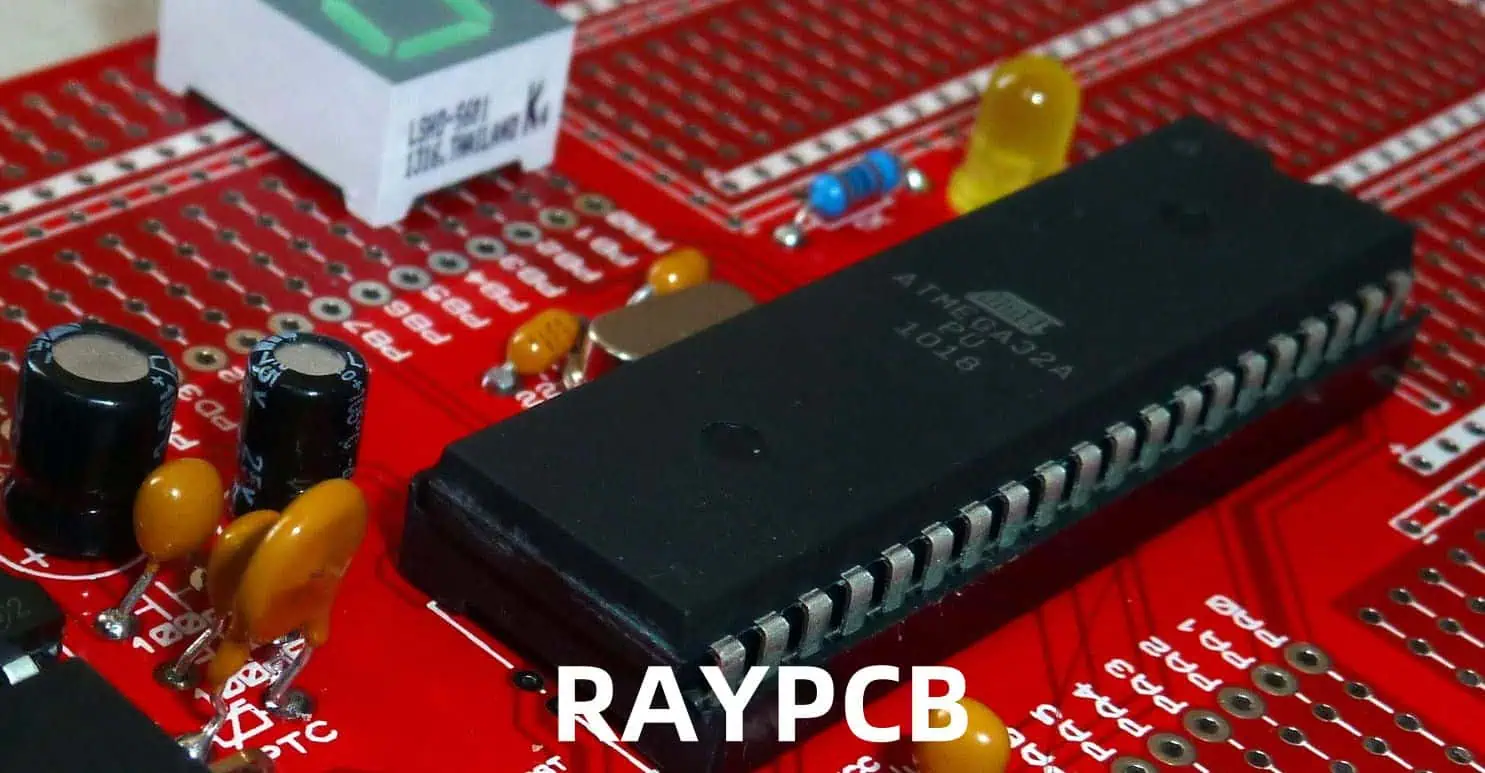
Creating a microcontroller circuit board is a complex but rewarding process that combines hardware design, programming, and electronic engineering principles. This comprehensive guide will walk you through the essential steps, considerations, and best practices for designing and implementing a successful microcontroller-based circuit board.

YouTube video

Planning and Requirements

Project Specifications

Before beginning the design process, establish clear project requirements including:

  1. Performance requirements
  2. Size constraints
  3. Power requirements
  4. Environmental conditions
  5. Cost limitations

Microcontroller Selection

Selection Criteria Matrix

rix
FeatureImportanceConsiderations
Processing SpeedHighApplication demands, real-time requirements
Memory (Flash/RAM)HighProgram size, data storage needs
I/O PinsCriticalNumber of peripherals, expansion needs
Power ConsumptionMediumBattery life, heat dissipation
CostMediumBudget constraints, production volume
Package TypeMediumBoard space, assembly method

Common Microcontroller Families

FamilyManufacturerArchitectureTypical Applications
ATmegaMicrochip8-bit AVRGeneral purpose, hobby projects
STM32ST32-bit ARMIndustrial, complex applications
PICMicrochip8/16/32-bitIndustrial control, automotive
ESP32Espressif32-bitIoT, wireless applications

Circuit Design

Essential Components

Power Supply Section

  1. Voltage Regulators
    • Linear regulators
    • Switching regulators
    • Low-dropout (LDO) regulators
  2. Protection Circuits
    • Reverse polarity protection
    • Overcurrent protection
    • ESD protection

Power Supply Selection Guide

TypeEfficiencyHeat OutputCostComplexity
LinearLowHighLowSimple
SwitchingHighLowMediumComplex
LDOMediumMediumLowSimple

Critical Circuits

Reset Circuit

  • Power-on reset
  • Manual reset button
  • Supervisory IC

Crystal Oscillator

Peripheral Interfaces

InterfaceSpeedPins RequiredCommon Uses
UARTLow-Medium2-4Debug, communication
SPIHigh4Sensors, displays
I2CMedium2Multiple device control
ADCVaries1 per channelAnalog sensing

PCB Design

Layout Considerations

Component Placement

Component TypePlacement PriorityConsiderations
CrystalHighestClose to MCU, minimal traces
Bypass CapsHighClose to power pins
Power SupplyHighThermal management
ConnectorsMediumEdge placement, accessibility

Layer Stack-up

Typical 4-Layer Stack-up

LayerPurposeConsiderations
TopComponents, SignalsComponent density
Inner 1GroundContinuous plane
Inner 2PowerSplit planes as needed
BottomComponents, SignalsAdditional routing

Design Rules

Trace Width Guidelines

Current (A)Minimum Width (mil)Temperature Rise (°C)
0.51010
12015
23020
35025

Programming and Debug

Programming Interfaces

Common Programming Methods

MethodProsConsUsage
JTAGFull debug capabilityMore pinsDevelopment
SWDReduced pin countLimited to ARMDevelopment
ISPSimpleLimited debugProduction
BootloaderNo external programmerTakes flash spaceField updates

Debug Features

  1. Hardware Debug
    • Breakpoints
    • Single-stepping
    • Register inspection
    • Memory viewing
  2. Software Debug
    • Serial printf debugging
    • LED status indicators
    • Debug pins

Testing and Verification

Test Procedures

Functional Testing Matrix

Test TypeDescriptionEquipment Needed
Power TestVoltage levels, current drawMultimeter, power supply
Signal TestDigital/analog signalsOscilloscope
Interface TestCommunication protocolsLogic analyzer
Stress TestTemperature, load testingEnvironmental chamber

Common Issues and Solutions

IssuePossible CauseSolution
No PowerWrong voltage, reversed polarityCheck power connections
No ProgrammingWrong connections, fusesVerify programmer setup
Unstable OperationPoor bypass caps, noiseImprove decoupling
Communication FailsWrong voltage levels, timingCheck protocol settings

Production Considerations

BOM Management

Component Selection Criteria

CriteriaImportanceImpact
AvailabilityHighProduction delays
CostHighProduct pricing
QualityHighReliability
Lead TimeMediumInventory management

Assembly Options

MethodAdvantagesDisadvantagesVolume Range
Hand AssemblyLow startup costLabor intensive1-100
Pick and PlaceFast, consistentHigh setup cost100+
MixedFlexibleComplex management50-500

Documentation

Required Documents

  1. Design Files
    • Schematics
    • PCB layouts
    • BOM
    • Assembly drawings
  2. Technical Documentation
    • Specifications
    • Test procedures
    • Programming guides
    • Debug procedures

Frequently Asked Questions

Q1: What are the most important factors to consider when selecting a microcontroller?

A: The key factors are:

  • Processing power requirements
  • Memory needs (both Flash and RAM)
  • Number and type of peripherals needed
  • Power consumption requirements
  • Development tool availability and cost
  • Unit cost at expected production volumes Always consider future expansion needs when making the selection.

Q2: How do I determine the right power supply configuration for my board?

A: Consider these factors:

  • Input voltage range requirements
  • Current requirements for all components
  • Efficiency requirements
  • Heat dissipation constraints
  • Noise sensitivity of circuits Choose between linear, switching, or LDO regulators based on these requirements.

Q3: What are the essential design considerations for reliable operation?

A: Key considerations include:

  • Proper bypass capacitor placement
  • Clean power supply design
  • Ground plane integrity
  • EMI/EMC considerations
  • Thermal management
  • Protection circuits Regular design reviews and testing help ensure reliability.

Q4: How can I make my board easier to manufacture?

A: Implement these practices:

  • Use standard component sizes
  • Maintain adequate spacing
  • Include fiducials for automated assembly
  • Use standard PCB thickness and copper weights
  • Include test points
  • Design for panel assembly
  • Consider pick-and-place machine requirements

Q5: What are common debugging approaches for microcontroller boards?

A: Common debugging methods include:

  • Using hardware debuggers (JTAG/SWD)
  • Including LED indicators
  • Adding test points
  • Implementing debug UART
  • Using logic analyzers
  • Including current measurement points Choose methods appropriate for your development needs and production testing requirements.

Conclusion

Creating a microcontroller circuit board requires careful planning, attention to detail, and consideration of multiple factors throughout the design process. Success depends on making appropriate choices in microcontroller selection, circuit design, PCB layout, and testing procedures. By following the guidelines outlined in this document and maintaining good documentation practices, you can create reliable and functional microcontroller-based circuit boards that meet your project requirements.

How to Clean PCBs after Surface Mount Soldering

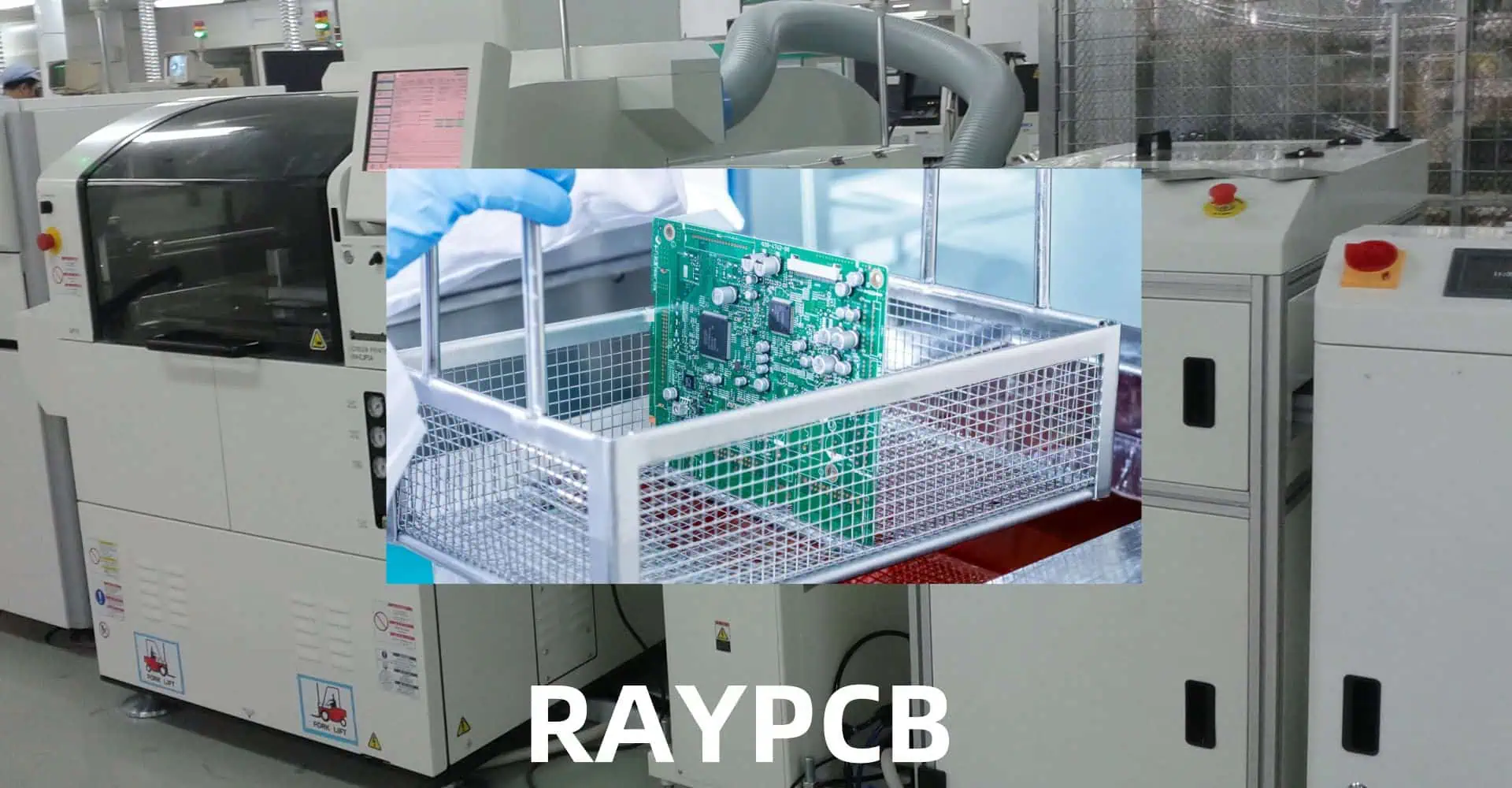
Proper cleaning of printed circuit boards (PCBs) after surface mount soldering is crucial for ensuring optimal performance, reliability, and longevity of electronic devices. This comprehensive guide covers everything from understanding the need for PCB cleaning to implementing effective cleaning protocols and maintaining quality standards.

Why Clean PCBs?

Contamination Sources

Surface mount technology (SMT) assembly processes can leave various contaminants on PCBs that may cause:

YouTube video

Common Contaminants

Contaminant TypeSourcePotential Impact
Flux ResiduesSoldering ProcessSignal interference, corrosion
Solder BallsReflow ProcessShort circuits, visual defects
FingerprintsManual HandlingComponent degradation, coating issues
Dust/DebrisEnvironmentThermal problems, electrical issues
Chemical ResiduesPrevious ProcessesLong-term reliability problems

Pre-Cleaning Assessment

PCB Cleaning
PCB Cleaning

Determining Cleaning Requirements

Before initiating the cleaning process, consider these factors:

  1. Board complexity
  2. Component sensitivity
  3. Environmental conditions
  4. End-product requirements
  5. Regulatory compliance

Cleaning Process Selection Matrix

FactorNo-Clean ProcessAqueous CleaningSolvent Cleaning
CostLowMediumHigh
Environmental ImpactLowMediumHigh
Cleaning EffectivenessLimitedHighVery High
Process ComplexitySimpleModerateComplex
Equipment RequiredMinimalModerateExtensive

Cleaning Methods and Techniques

Manual Cleaning

Manual cleaning is suitable for low-volume production or prototype boards. Key considerations include:

Tools and Materials

  • Lint-free wipes
  • Cleaning brushes
  • Isopropyl alcohol (IPA)
  • Specialized PCB cleaners
  • Personal protective equipment (PPE)

Process Steps

  1. Visual inspection
  2. Debris removal
  3. Solvent application
  4. Gentle brushing
  5. Final wiping
  6. Inspection

Automated Cleaning

Types of Automated Systems

System TypeAdvantagesDisadvantagesTypical Applications
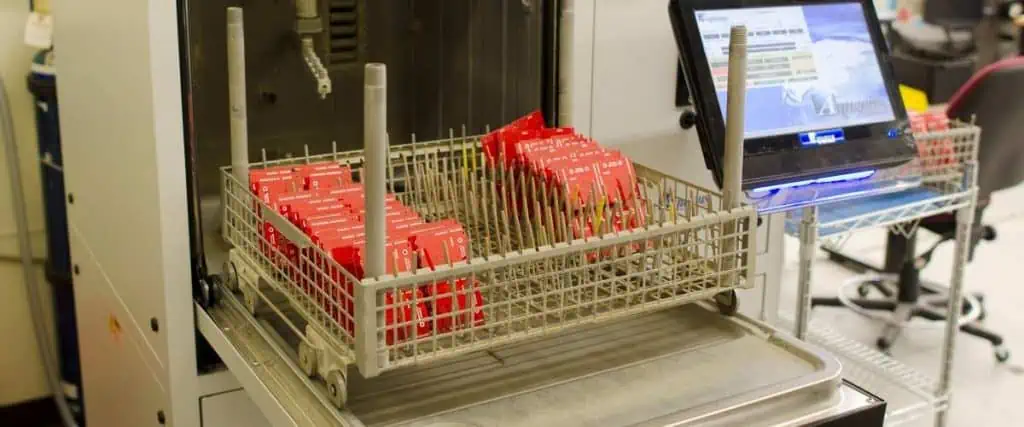
Batch SystemsCost-effective, simple operationLimited throughputSmall-medium production
Inline SystemsHigh throughput, consistent resultsHigher cost, more maintenanceHigh-volume production
Spray-in-AirGood cleaning powerMay damage sensitive componentsRobust assemblies
UltrasonicExcellent penetrationCan damage certain componentsComplex geometries

Cleaning Chemistries

Types of Cleaning Agents

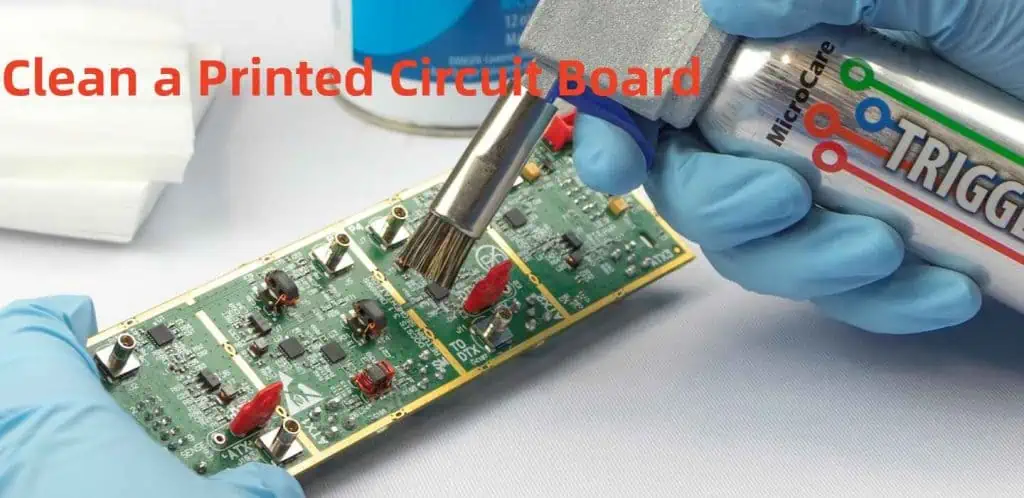
Clean a Printed Circuit Board
  1. Water-Based Cleaners
    • DI water
    • Saponifiers
    • Surfactant-based solutions
  2. Solvent-Based Cleaners
    • Alcohols
    • Engineered solvents
    • Semi-aqueous solutions

Selection Criteria

CriteriaConsiderationImpact
Cleaning EffectivenessResidue type and severityProcess success
Material CompatibilityComponent materialsProduct reliability
Environmental ImpactLocal regulationsCompliance and cost
CostVolume requirementsOperating expenses
SafetyHandling requirementsWorker protection

Process Control and Parameters

Critical Parameters

Temperature Control

Temperature RangeApplicationConsiderations
20-30°CGeneral cleaningStandard process
30-40°CEnhanced cleaningIncreased effectiveness
40-60°CAggressive cleaningMaterial compatibility

Time Parameters

Process StageDurationNotes
Pre-wash1-2 minutesRemove loose contamination
Main wash5-10 minutesPrimary cleaning action
Rinse2-3 minutesRemove cleaning agents
Dry3-5 minutesPrevent water marks

Quality Control and Verification

Inspection Methods

Visual Inspection

  • Magnification requirements
  • Lighting conditions
  • Inspection criteria

Technical Testing

Test MethodParametersAcceptance Criteria
Surface Insulation Resistance>1E8 ohmsPass/Fail
Ionic Contamination<1.0 μg NaCl/cm²Maximum limit
Contact Angle>45 degreesMinimum angle

Documentation and Tracking

  • Cleaning process parameters
  • Inspection results
  • Non-conformance reports
  • Corrective actions

Environmental and Safety Considerations

Environmental Impact

  1. Waste Management
    • Chemical disposal
    • Water treatment
    • Emissions control
  2. Resource Conservation
    • Water usage
    • Energy consumption
    • Chemical consumption

Safety Protocols

Safety AspectRequirementsImplementation
Personal ProtectionPPE, trainingDaily enforcement
Chemical HandlingMSDS, storageStandard procedures
Emergency ResponseFirst aid, spill controlRegular drills
VentilationAir quality monitoringSystem maintenance

Troubleshooting Common Issues

Problem-Solution Matrix

ProblemPossible CausesSolutions
White ResidueInsufficient rinsingIncrease rinse time/temperature
Component DamageExcessive temperatureAdjust process parameters
Incomplete CleaningInsufficient exposureModify cleaning time
Water SpotsPoor dryingImprove drying process

Maintenance and Process Optimization

Regular Maintenance Tasks

  1. Daily Maintenance
    • Filter inspection
    • Chemical concentration checks
    • Visual system inspection
  2. Weekly Maintenance
    • Deep cleaning
    • Calibration checks
    • Preventive maintenance

Process Optimization

  • Data collection and analysis
  • Parameter adjustment
  • Efficiency improvements
  • Cost reduction strategies

Frequently Asked Questions

Q1: How often should cleaning solutions be replaced?

A: Cleaning solutions should be replaced based on usage and contamination levels. Generally, monitor the solution’s effectiveness through regular testing and replace when cleaning quality deteriorates or after processing a specified number of prototype assembly boards (typically every 1-2 weeks for high-volume production).

Q2: Can all PCBs be cleaned using the same process?

A: No, cleaning processes should be tailored to specific board requirements, considering factors such as component sensitivity, contamination type, and end-use environment. Always validate the cleaning process for each new board design.

Q3: What are the signs of insufficient PCB cleaning?

A: Common signs include visible residues, white powder deposits, poor coating adhesion, failed electrical testing, and corrosion development over time. Regular inspection and testing can help identify cleaning inadequacies.

Q4: How can I prevent component damage during cleaning?

A: Prevent component damage by:

  • Using compatible cleaning chemicals
  • Maintaining appropriate temperature ranges
  • Avoiding excessive mechanical force
  • Protecting sensitive components
  • Validating the process before full production

Q5: When is no-clean flux a better option than cleaning?

A: No-clean flux may be preferred when:

  • The end-use environment is benign
  • The assembly has sensitive components
  • Cost reduction is crucial
  • Environmental regulations are strict
  • Manufacturing space is limited

Conclusion

Effective PCB cleaning after surface mount soldering is essential for ensuring product quality and reliability. By following proper procedures, maintaining equipment, and implementing quality control measures, manufacturers can achieve consistently clean assemblies that meet or exceed industry standards. Regular process review and optimization ensure continued success in PCB cleaning operations.

How to Add a Couple of Solder Pads to an Eagle Board?

Adding solder pads to an Eagle board layout is a common task in PCB design. This comprehensive guide covers various methods, best practices, and considerations for adding solder pads effectively while maintaining design integrity and manufacturability.

YouTube video

Understanding Solder Pad Types

Common Pad Configurations

Pad TypeCommon UsesTypical Dimensions
Through-holeComponent leads60-100 mil diameter
SMD RectangleSurface mount40×60 mil
SMD OvalFine-pitch ICs20×40 mil
Test PointsDebug/Programming40 mil diameter
Thermal PadsHeat dissipation100+ mil square

Pad Shapes and Properties

ShapeAdvantagesLimitations
RoundEven solder distributionSpace inefficient
RectangleSpace efficientCorner stress
OvalGood wettingComplex geometry
CustomApplication-specificManufacturing challenges

Methods to Add Solder Pads

SMD Pads

Using the PAD Command

StepActionKeyboard Shortcut
1Select PAD commandP
2Choose drill sizeEnter value
3Set pad diameterEnter value
4Place padLeft click
5Rotate if neededR

Using the SMD Command

StepActionKeyboard Shortcut
1Select SMD commandS
2Set dimensionsEnter values
3Choose layerLayer dropdown
4Place padLeft click
5Adjust orientationR

Design Considerations

Pad Size Selection

Component TypeMinimum Pad SizeRecommended Size
0603 SMD20×30 mil30×40 mil
0805 SMD25×35 mil35×45 mil
SOIC Lead20×60 mil25×80 mil
Through-hole60 mil dia80 mil dia

Clearance Requirements

Spacing TypeMinimumRecommended
Pad to Pad6 mil10 mil
Pad to Trace6 mil8 mil
Pad to Via10 mil15 mil
Pad to Board Edge20 mil25 mil

Creating Custom Pad Libraries

Library Development Process

StageTaskConsiderations
PlanningDefine requirementsEnd use case
CreationDraw pad geometryManufacturing limits
TestingVerify design rulesClearances
DocumentationRecord specificationsFuture reference

Package Creation Steps

StepDescriptionKey Points
1Open Library EditorUse correct version
2Create new packageMeaningful name
3Add pads/SMDsFollow standards
4Set propertiesConsider reflow
5Save and verifyRun DRC

Optimization Techniques

Pad Placement Strategies

StrategyBenefitApplication
Grid AlignmentManufacturing easeAll designs
Symmetrical LayoutBetter assemblyMulti-pad components
Thermal ReliefHeat managementPower connections
TeardropMechanical strengthHigh-stress areas

Manufacturing Considerations

FactorRequirementImpact
Minimum Size6 milYield rate
Aspect Ratio1:5 maxManufacturability
Copper Weight1-2 ozSolderability
Surface FinishHASL/ENIGReliability

Advanced Pad Features

Thermal Management

FeaturePurposeWhen to Use
Thermal ReliefHeat controlPower connections
Split PlaneCurrent distributionHigh current
Thermal ViasHeat dissipationHot components

Special Pad Types

TypeUse CaseDesign Notes
Test PointsDebuggingProbe access
Programming PadsDevelopmentHeader spacing
RF PadsSignal integrityImpedance matching
Power PadsCurrent handlingThermal design

DRC and Validation

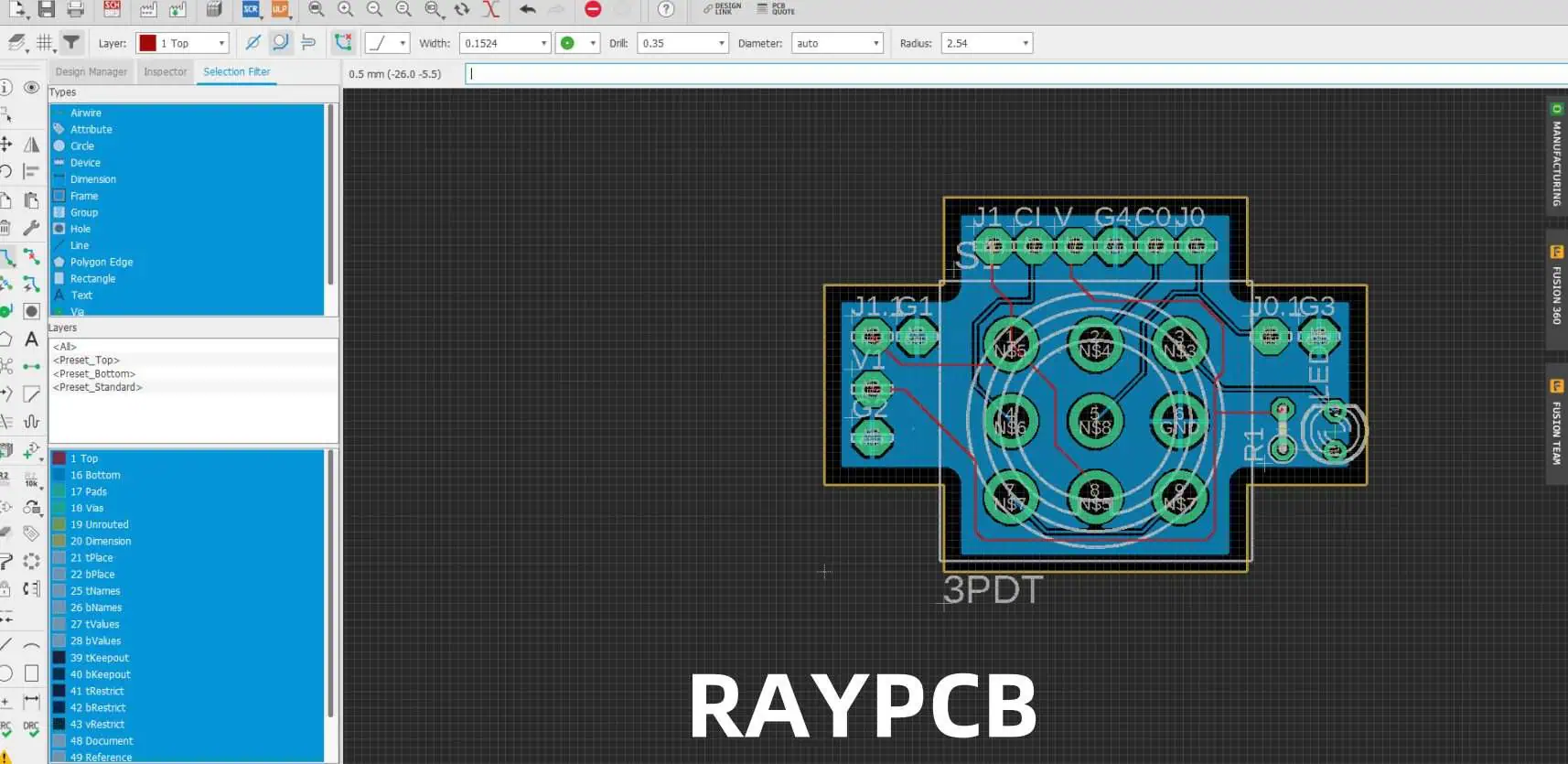
drc pcb

Design Rule Checks

Rule TypeDefault ValueCustomization
Clearance6 milApplication specific
Annular Ring7 milBased on fab specs
Drill Size12 milThrough-hole needs
Thermal Relief4 spokesPower requirements

Common Issues and Solutions

IssueCauseResolution
DRC ErrorsSpacing violationsAdjust layout
Missing ConnectionsNet assignmentCheck netlist
Thermal ProblemsPoor reliefModify patterns
Manufacturing IssuesSize violationsFollow specs

Layer Management

Layer Assignment

LayerPurposeConsiderations
TopComponent mountingComponent density
BottomSecondary mountingAssembly access
InnerPower distributionCurrent capacity
SilkscreenIdentificationText readability

Mask Settings

SettingFunctionImpact
TentingVia coverageAssembly process
Mask ReliefSolder controlJoint quality
Stop MaskExposure controlSelective soldering
Paste MaskPaste volumeSMT assembly

Frequently Asked Questions (FAQ)

Q1: How do I determine the correct pad size for my component?

A1: Pad size determination involves several factors:

  1. Component manufacturer specifications
  2. Manufacturing capabilities
  3. Assembly requirements
  4. Thermal considerations

General guidelines:

  • Add 20% to manufacturer’s minimum recommendations
  • Consider paste mask reduction for SMD components
  • Account for component tolerances
  • Factor in assembly method (hand vs. machine)

Q2: What’s the difference between through-hole and SMD pads in Eagle?

A2: Key differences include:

  • Through-hole pads (PAD command):
    • Require drill holes
    • Appear on all layers
    • Generally larger
  • SMD pads (SMD command):
    • Single layer only
    • No drill holes
    • Usually smaller
    • More space-efficient

Q3: How can I modify multiple pads simultaneously?

A3: To modify multiple pads:

  1. Use the GROUP command (keyboard shortcut: G)
  2. Select all target pads
  3. Use CHANGE command
  4. Select property to modify
  5. Apply changes to group

Properties that can be changed:

  • Size
  • Shape
  • Orientation
  • Layer assignment

Q4: Why do my pads show DRC errors even though they look correct?

A4: Common causes of DRC errors:

  1. Clearance violations
  2. Minimum size violations
  3. Layer assignment issues
  4. Net connectivity problems

Resolution steps:

  • Check design rules settings
  • Verify pad dimensions
  • Confirm layer assignments
  • Review net assignments

Q5: How do I create custom pad shapes for special requirements?

A5: Custom pad creation process:

  1. Use Library Editor
  2. Create new package
  3. Combine basic shapes:
    • Rectangle SMDs
    • Round pads
    • Polygons
  4. Set appropriate properties
  5. Save to library
  6. Verify manufacturability

Remember:

  • Keep shapes manufacturable
  • Consider paste mask requirements
  • Document custom shapes
  • Verify with manufacturer

What Does a Filter Capacitor Do?

Filter capacitors are essential components in electronic circuits, playing a crucial role in maintaining stable power supply and signal integrity. This comprehensive guide explores the functions, types, applications, and best practices for using filter capacitors in various electronic designs.

YouTube video

Basic Principles of Filter Capacitors

Fundamental Operation

AspectDescriptionImpact
Energy StorageTemporary charge storageVoltage stabilization
ImpedanceFrequency-dependent resistanceSignal filtering
Response TimeMicroseconds to millisecondsRipple reduction
Current FlowAC current passes, DC blockedNoise elimination

Types of Filtering Actions

Filter TypePrimary FunctionCommon Applications
Low-passBlocks high frequenciesPower supplies
High-passBlocks low frequenciesAudio coupling
Band-passSelects frequency rangeRadio circuits
NotchBlocks specific frequenciesNoise elimination

Types of Filter Capacitors

Electrolytic Capacitors

ParameterRangeApplications
Capacity0.1 µF to 100,000 µFPower filtering
Voltage6.3V to 450VSupply smoothing
ESR0.01Ω to 1ΩRipple control
Lifetime2,000 to 10,000 hoursLong-term stability

Ceramic Capacitors

TypeCharacteristicsBest Use
Class 1Stable, low capacityHigh-frequency
Class 2Higher capacity, less stableGeneral purpose
Class 3Highest capacity, least stableBulk filtering

Film Capacitors

MaterialPropertiesApplications
PolyesterGood stabilityDC blocking
PolypropyleneLow lossAC filtering
MetallizedSelf-healingHigh voltage

Applications in Power Supply Filtering

Input Filtering

StageCapacitor TypePurpose
Bridge RectifierElectrolyticBulk filtering
Input ProtectionCeramicTransient suppression
EMI PreventionFilmNoise reduction

Output Filtering

ParameterSpecificationImpact
Ripple Voltage<1% of DC outputLoad stability
Response Time<100 µsTransient response
ESR<0.1ΩEfficiency
Temperature Rise<20°CReliability

Design Considerations

Capacitor Selection Criteria

FactorConsiderationImportance
Voltage Rating1.5x operating voltageSafety margin
CapacitanceBased on ripple currentPerformance
ESRApplication dependentEfficiency
Temperature RangeOperating environmentReliability

Common Design Mistakes

ErrorImpactSolution
Undersized CapacityHigh rippleIncrease capacitance
Excessive ESRHeat generationBetter quality parts
Wrong typePoor performanceProper selection
Inadequate voltage ratingEarly failureHigher rating

Performance Optimization

Ripple Reduction Techniques

MethodEffectivenessTrade-offs
Parallel capacitorsVery goodCost, space
Series configurationGoodVoltage sharing
Multiple stage filteringExcellentComplexity
Active filteringBestCost, complexity

Temperature Considerations

Temperature RangeImpactMitigation
-40°C to 0°CReduced capacityOversize rating
0°C to 50°COptimal rangeStandard design
50°C to 85°CReduced lifetimeCooling needed
>85°CRapid degradationRedesign required

Advanced Applications

High-Frequency Filtering

Frequency RangeCapacitor TypeDesign Notes
100 kHz – 1 MHzCeramicLow inductance
1 MHz – 10 MHzSpecial ceramicLayout critical
>10 MHzRF ceramicSpecial layout

Power Supply Decoupling

Circuit TypeCapacitor ValuePlacement
Digital IC0.1 µFClose to pins
Analog IC10 µFWithin 5mm
Power IC100 µFMultiple caps

Reliability and Lifetime

Failure Modes

ModeCausePrevention
Short CircuitOvervoltageProper rating
Open CircuitPhysical damageProtection
Parameter DriftAgingRegular maintenance
Thermal RunawayOverloadThermal design

Lifetime Factors

FactorImpactManagement
Temperature-50% per 10°C riseCooling
Voltage StressExponential effectDerating
Ripple CurrentLinear effectProper sizing
EnvironmentVariableProtection

Cost-Effectiveness

Cost vs. Performance

GradeCost FactorApplication
Consumer1xNon-critical
Industrial2-3xProfessional
Military5-10xCritical
Space20x+Aerospace

Value Engineering

StrategySavingsRisk
Parallel smaller caps10-20%More parts
Alternative materials15-30%Performance
Optimized ratings5-15%Margin
Volume purchasing20-40%Inventory

Frequently Asked Questions (FAQ)

Q1: How do I calculate the required capacitance for power supply filtering?

A1: The required capacitance can be calculated using the formula: C = (I × t) / ΔV Where:

  • I = Load current (A)
  • t = Time between peaks (s)
  • ΔV = Acceptable ripple voltage (V) For most applications, add 20-30% margin to the calculated value.

Q2: Why do filter capacitors fail, and how can I prevent failures?

A2: Filter capacitors typically fail due to:

  • Excessive voltage stress
  • High operating temperature
  • Ripple current overload
  • Age-related degradation Prevention involves:
  1. Using appropriate voltage ratings (1.5x operating voltage)
  2. Ensuring proper thermal management
  3. Regular maintenance and inspection
  4. Proper circuit design with safety margins

Q3: What’s the difference between using multiple small capacitors versus one large capacitor?

A3: Multiple small capacitors often provide better performance because:

  • Lower equivalent ESR
  • Better high-frequency response
  • Improved thermal distribution
  • Enhanced reliability through redundancy However, this approach requires more board space and can increase assembly costs.

Q4: How often should filter capacitors be replaced in power supplies?

A4: Replacement intervals depend on:

  • Operating conditions
  • Capacitor quality
  • Environmental factors
  • Application criticality

Typical guidelines:

  • Consumer equipment: 5-7 years
  • Industrial equipment: 7-10 years
  • Critical systems: Based on regular testing
  • High-reliability: Preventive replacement at 50% of rated life

Q5: Can I mix different types of filter capacitors in the same circuit?

A5: Yes, mixing capacitor types can be beneficial:

  • Electrolytics for bulk filtering
  • Ceramics for high-frequency noise
  • Film capacitors for intermediate frequencies

Best practices:

  1. Place high-frequency filters closest to the source
  2. Use appropriate values for each frequency range
  3. Consider impedance characteristics
  4. Ensure proper layout for effective filtering

Express PCB And Express SCH Designing Software

Express PCB and Express SCH represent a powerful combination of circuit design tools that have become popular among electronics engineers, hobbyists, and professional designers. This comprehensive guide explores both software packages, their features, capabilities, and how they work together to streamline the electronic design process.

YouTube video

Express SCH Overview

Core Features and Capabilities

Feature CategoryDescriptionBenefits
Component LibraryOver 10,000 built-in componentsQuick start for common designs
Custom ComponentsUser-defined symbol creationFlexibility for specialized needs
Net LabelsAutomated connectivity trackingReduces wiring errors
Multi-page SupportUp to 100 pages per designHandles complex projects
Export OptionsPDF, PNG, BMP formatsEasy documentation

User Interface Elements

UI ElementFunctionAccess Method
Component BrowserBrowse and select partsLeft sidebar
Properties PanelEdit component parametersRight-click menu
Drawing ToolsCreate custom symbolsTop toolbar
Sheet NavigatorSwitch between pagesBottom panel
Net ManagerView and edit connectionsTools menu

Express PCB Features

Board Design Capabilities

FeatureSpecificationLimitations
Maximum Board Size31″ x 31″Single-sided view
Layer SupportUp to 4 layersNo blind/buried vias
Minimum Trace Width6 milManufacturing dependent
Grid Resolution0.001 inchFixed metric conversion
Component Spacing0.025 inch minimumDRC recommended

Manufacturing Specifications

ParameterStandard OptionPremium Option
Copper Weight1 oz2 oz available
Minimum Hole Size0.020″0.013″
SilkscreenBoth sidesHigh resolution
Solder MaskGreen standardMultiple colors
Turn-around Time3-5 days24-hour available

Integration Between Express SCH and PCB

Data Transfer Workflow

StepProcessVerification
Schematic CompleteDesign verificationDRC check
Component AssociationLink SCH to PCB footprintsLibrary check
Net List GenerationAutomatic creationConnectivity review
PCB ImportComponent placementLayout verification
Final CheckDesign rule verificationManufacturing review

Design Process Best Practices

Project Setup Guidelines

Schematic Design Phase

TaskRecommendationCommon Pitfalls
Page SetupStart with main sheetInconsistent sheet sizes
Component SelectionUse standard parts firstCustom part errors
Power DistributionDefine earlyGround loop issues
Signal RoutingGroup similar signalsNoise coupling
DocumentationAdd notes during designMissing information

PCB Layout Phase

StageFocus AreasQuality Checks
Component PlacementPower flow optimizationThermal considerations
Layer StackSignal integrityImpedance control
Routing StrategyCritical paths firstDRC compliance
Thermal ManagementHeat dissipationComponent spacing
Manufacturing ReviewDFM guidelinesCost optimization

Advanced Features and Techniques

Custom Library Development

Element TypeCreation MethodVerification Steps
Schematic SymbolsVector drawing toolsPin mapping check
PCB FootprintsDimension inputPad spacing review
Combined DevicesLibrary linkingAssociation test
Custom Packages3D modeling supportManufacturing check

Design Rule Implementation

Rule CategoryParametersVerification Method
ClearanceTrace-to-trace spacingDRC check
Hole SizeDrill specificationsManufacturing limits
Copper WidthCurrent capacityThermal analysis
Layer RulesStack-up requirementsSignal integrity

Performance Optimization

System Requirements

ComponentMinimumRecommended
Processor1.5 GHz3+ GHz
RAM4 GB8+ GB
Storage500 MB2+ GB
Display1366×7681920×1080
OS SupportWindows 7Windows 10/11

Software Performance Tips

AreaOptimizationImpact
File ManagementRegular savingData protection
Memory UsageBackground appsSpeed improvement
GraphicsHardware accelerationSmooth rendering
BackupAutomated backupsDesign security

Cost Considerations

Licensing Options

License TypeFeaturesPrice Range
BasicEssential toolsFree
StandardFull feature set$100-200
ProfessionalAdvanced capabilities$200-500
EnterpriseMulti-user supportCustom

Manufacturing Cost Factors

FactorImpactOptimization
Board SizeDirect cost correlationEfficient layout
Layer CountExponential cost increaseLayer optimization
Component DensityAssembly complexityStrategic placement
Special RequirementsAdditional processingDesign alternatives

Future Development and Updates

Planned Features

Feature CategoryExpected ImplementationBenefits
Cloud IntegrationNext major releaseRemote collaboration
AI Assisted RoutingDevelopment phaseLayout optimization
3D VisualizationBeta testingDesign verification
Advanced DRCUpcoming updateError reduction

Frequently Asked Questions (FAQ)

Q1: Can Express PCB and Express SCH files be exported to other CAD software?

A1: Express PCB and Express SCH use proprietary file formats, but they offer limited export capabilities. Schematics can be exported as PDF or image files, while PCB designs can be exported as Gerber files for manufacturing. However, direct conversion to other CAD formats is not supported.

Q2: What are the limitations of the free version compared to the paid versions?

A2: The free version includes basic schematic and PCB design capabilities but has limitations on:

  • Board size (maximum 4″ x 4″)
  • Layer count (2 layers maximum)
  • Export options (limited file formats)
  • Advanced features (no auto-routing or DRC) Paid versions remove these restrictions and add professional features.

Q3: How does the auto-routing capability compare to other PCB design software?

A3: Express PCB’s auto-routing functionality is basic compared to professional tools like Altium or KiCad. It works well for simple designs but may struggle with:

  • High-density boards
  • Complex routing rules
  • Mixed-signal designs Manual routing is recommended for critical signals and complex layouts.

Q4: Can I create custom component libraries in Express SCH and PCB?

A4: Yes, both Express SCH and PCB support custom component creation. The process involves:

  1. Creating the schematic symbol in Express SCH
  2. Designing the PCB footprint in Express PCB
  3. Linking the components through the library manager
  4. Validating the new component in test designs

Q5: How reliable is the integration between Express SCH and PCB?

A5: The integration between Express SCH and PCB is generally reliable for basic to moderate complexity designs. Key considerations include:

  • Component associations must be properly defined
  • Net names must be consistent
  • Manual verification of the transfer is recommended
  • Complex designs may require additional checking Regular saving and backup of both files is recommended during the transfer process.

Can PCB be flexible?

What are Flexible PCBs?

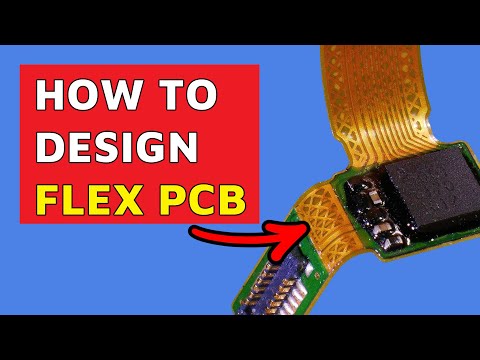
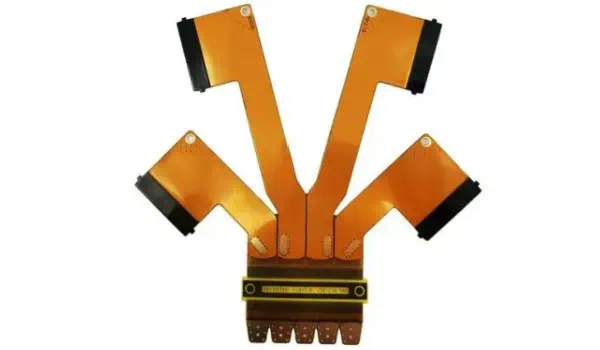
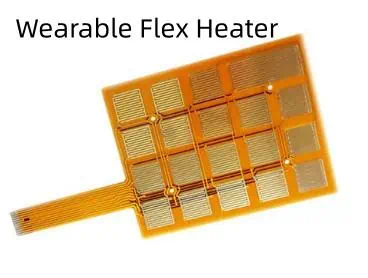
Flexible printed circuit boards, also known as flex PCBs or flexible electronics, are thin, bendable circuit boards that can be shaped to fit into tight spaces or conform to unique product designs. Unlike traditional rigid PCBs, flexible PCBs are made with a flexible base material, typically a plastic film like polyimide, which allows them to bend, fold, and twist without breaking.

Components of Flexible PCBs

Flexible PCBs consist of several key components:

  1. Base material (substrate)
  2. Conductive layers
  3. Coverlay or protective coating
  4. Adhesives
  5. Circuitry and components
YouTube video

Learn more about:

  1. Flex PCB Stackup 
  2. Flex PCB Stiffener
  3. Flex PCB Assembly
  4. 6 Layer Flex PCB
  5. 8 Layer Flex PCB

Let’s take a closer look at each of these components:

ComponentDescriptionCommon Materials
Base materialThe flexible substrate that forms the foundation of the PCBPolyimide, Polyester, LCP (Liquid Crystal Polymer)
Conductive layersThin layers of conductive material that form the circuit pathsCopper, Silver, Aluminum
CoverlayA protective layer that insulates and protects the circuitryPolyimide, Epoxy
AdhesivesMaterials used to bond layers togetherAcrylic, Epoxy
Circuitry and componentsThe actual electronic components and traces that make up the circuitVarious metals and electronic components

Types of Flexible PCBs

Flexible PCBs come in various types, each designed to meet specific application requirements:

Single-sided Flex PCBs

Single-sided flex PCBs have a single conductive layer on one side of the flexible substrate. They are the simplest and most cost-effective type of flexible PCB.

Double-sided Flex PCBs

Double-sided flex PCBs have conductive layers on both sides of the substrate, allowing for more complex circuit designs and higher component density.

Multilayer Flex PCBs

Multilayer flex PCBs consist of three or more conductive layers, separated by insulating layers. They offer the highest level of circuit density and complexity.

Rigid-Flex PCBs

Rigid-flex PCBs combine both rigid and flexible board technologies in a single circuit board. They feature areas of flexible circuitry connected to rigid board sections.

Here’s a comparison of these types:

TypeComplexityCostFlexibilityApplication Examples
Single-sidedLowLowHighSimple consumer electronics, wearables
Double-sidedMediumMediumMediumSmartphones, tablets
MultilayerHighHighLow-MediumAdvanced medical devices, aerospace equipment
Rigid-FlexVery HighVery HighVariableMilitary equipment, complex industrial machinery

Manufacturing Process of Flexible PCBs

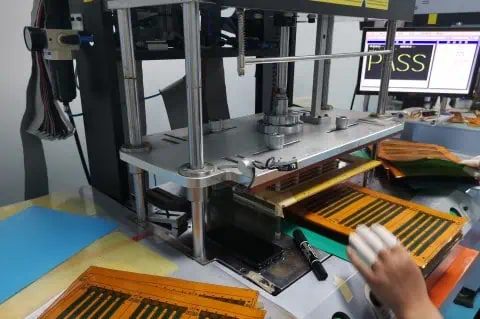
The manufacturing process for flexible PCBs differs from that of rigid PCBs due to the unique materials and requirements involved. Here’s an overview of the main steps:

  1. Material preparation
  2. Imaging and etching
  3. Coverlay application
  4. Drilling and plating
  5. Surface finishing
  6. Assembly and testing

Each of these steps requires specialized equipment and techniques to ensure the flexibility and durability of the final product.

Advantages of Flexible PCBs

Flexible PCBs offer numerous advantages over their rigid counterparts:

1. Space and Weight Savings

Flexible PCBs can be bent, folded, or shaped to fit into tight or irregularly shaped spaces, allowing for more compact and lightweight product designs.

2. Increased Reliability

The ability to flex reduces stress on components and solder joints, potentially increasing the overall reliability and lifespan of the device.

3. Improved Thermal Management

Flexible PCBs can dissipate heat more effectively than rigid boards, which can lead to better thermal management in electronic devices.

4. Enhanced Design Freedom

Designers have more freedom to create unique and innovative product shapes and form factors when using flexible PCBs.

5. Resistance to Vibration and Movement

The flexible nature of these PCBs makes them more resistant to vibration and movement, which is crucial in applications like automotive electronics or wearable devices.

AdvantageDescriptionImpact on Design
Space and Weight SavingsAllows for compact and lightweight designsEnables smaller, more portable devices
Increased ReliabilityReduces stress on components and solder jointsLonger product lifespan, fewer failures
Improved Thermal ManagementBetter heat dissipationEnhanced performance in high-power applications
Enhanced Design FreedomAllows for unique and innovative product shapesEnables creative and ergonomic designs
Resistance to VibrationBetter performance in high-vibration environmentsIdeal for automotive and aerospace applications

Applications of Flexible PCBs

Flexible PCBs have found their way into a wide range of industries and applications:

Consumer Electronics

  • Smartphones and tablets
  • Wearable devices (smartwatches, fitness trackers)
  • Digital cameras
  • Flexible displays

Automotive Industry

  • Dashboard electronics
  • Engine control systems
  • Advanced driver assistance systems (ADAS)

Medical Devices

  • Implantable devices
  • Hearing aids
  • Portable diagnostic equipment

Aerospace and Defense

  • Satellite systems
  • Aircraft avionics
  • Military communication devices

Industrial Equipment

Here’s a table summarizing the applications across different industries:

IndustryApplicationsKey Benefits
Consumer ElectronicsSmartphones, wearables, camerasCompact design, lightweight
AutomotiveDashboard electronics, engine controlVibration resistance, space-saving
Medical DevicesImplantables, hearing aidsBiocompatibility, miniaturization
Aerospace and DefenseSatellite systems, avionicsReliability, weight reduction
Industrial EquipmentRobotics, solar panelsDurability, design flexibility

Challenges and Limitations of Flexible PCBs

While flexible PCBs offer many advantages, they also come with their own set of challenges and limitations:

1. Higher Manufacturing Costs

The specialized materials and manufacturing processes required for flexible PCBs often result in higher production costs compared to rigid PCBs.

2. Design Complexity

Designing flexible PCBs requires a different approach and specialized software tools, which can increase the complexity of the design process.

3. Limited Component Options

Not all electronic components are suitable for use with flexible PCBs, which can limit design options in some cases.

4. Durability Concerns

While flexible PCBs are designed to bend, excessive or repeated flexing can potentially lead to fatigue and failure over time.

5. Thermal Management Challenges

Despite improved heat dissipation in some cases, managing heat in densely packed flexible circuits can be challenging.

ChallengeDescriptionPotential Solutions
Higher CostsIncreased production expensesOptimize design for mass production, explore new materials
Design ComplexityRequires specialized approach and toolsInvest in training, use advanced design software
Limited ComponentsNot all components work with flex PCBsDevelop flex-compatible components, creative design solutions
Durability ConcernsPotential fatigue from repeated flexingCareful design of flex zones, use of strain relief
Thermal ManagementHeat dissipation in dense circuitsImproved thermal design, use of heat-spreading materials

Future of Flexible PCBs

The future of flexible PCBs looks promising, with ongoing research and development pushing the boundaries of what’s possible:

Stretchable Electronics

Researchers are working on developing stretchable PCBs that can not only bend but also stretch, opening up new possibilities for wearable and medical devices.

Integration with 3D Printing

Advancements in 3D printing technology may allow for the direct printing of flexible circuits, potentially revolutionizing the manufacturing process.

Improved Materials

New materials are being developed to enhance the performance, durability, and flexibility of PCBs while potentially reducing costs.

Internet of Things (IoT) and Smart Devices

The growth of IoT and smart devices will likely drive further innovation in flexible PCB technology to meet the demand for smaller, more versatile electronics.

Sustainable and Biodegradable PCBs

As environmental concerns grow, there’s increasing research into developing sustainable and even biodegradable flexible PCBs.

Conclusion

Flexible PCBs have indeed revolutionized the electronics industry, enabling the creation of smaller, lighter, and more versatile devices. While they come with their own set of challenges, the advantages they offer in terms of design freedom, reliability, and performance make them an invaluable technology in modern electronics. As research continues and new applications emerge, we can expect to see even more innovative uses of flexible PCBs in the future, further blurring the lines between rigid and flexible electronics.

FAQ

1. Are flexible PCBs more expensive than rigid PCBs?

Yes, flexible PCBs are generally more expensive than rigid PCBs due to the specialized materials and manufacturing processes involved. However, they can offer cost savings in other areas, such as assembly and packaging, due to their space-saving and design flexibility benefits.

2. How durable are flexible PCBs?

Flexible PCBs are designed to be quite durable and can withstand repeated bending and flexing. However, their durability depends on factors such as the materials used, the design of the flex zones, and the specific application. When properly designed and used within their specified parameters, flexible PCBs can be very reliable.

3. Can all electronic components be used with flexible PCBs?

Not all electronic components are suitable for use with flexible PCBs. Some components may be too rigid or heavy, which could cause stress on the flexible substrate. However, many components have been adapted for use with flexible PCBs, and new flex-compatible components are continually being developed.

4. What industries benefit most from flexible PCB technology?

While flexible PCBs have applications across many industries, they are particularly beneficial in consumer electronics, automotive, medical devices, aerospace, and wearable technology. These industries often require compact, lightweight, and uniquely shaped electronic solutions that flexible PCBs can provide.

5. Is it possible to repair a flexible PCB?

Repairing flexible PCBs can be challenging due to their thin and flexible nature. While minor repairs are possible in some cases, it often requires specialized equipment and expertise. In many situations, especially with mass-produced consumer electronics, it may be more practical to replace the entire flexible PCB rather than attempt a repair.

Electroplated Nickel Process for PCB Printed Circuit Boards

Electroplated nickel has become an integral part of modern printed circuit board (PCB) manufacturing, offering enhanced durability, conductivity, and corrosion resistance. This comprehensive guide explores the technical aspects, processes, and considerations involved in nickel electroplating for PCBs, providing manufacturers and engineers with essential information for optimal implementation.

YouTube video

Understanding Nickel Electroplating Fundamentals

Basic Principles of Electroplating

Electroplating is an electrochemical process where metal ions in solution are reduced to their metallic form on a conductive substrate. In PCB manufacturing, nickel electroplating involves depositing a controlled thickness of nickel onto copper traces and pads, creating a robust protective and functional layer.

Chemical Composition of Plating Solutions

The success of nickel electroplating largely depends on the composition of the plating bath. Modern nickel plating solutions typically contain:

ComponentConcentration RangeFunction
Nickel Sulfate200-300 g/LPrimary source of nickel ions
Nickel Chloride30-60 g/LImproves anode dissolution
Boric Acid30-45 g/LpH buffer
Brighteners0.5-2 mL/LEnhance deposit appearance
Levelers1-3 mL/LImprove thickness distribution

Process Parameters and Control

Critical Operating Conditions

Maintaining precise control over operating parameters is essential for achieving high-quality nickel deposits:

ParameterOptimal RangeImpact on Quality
Temperature50-65°CAffects deposit stress and brightness
pH3.5-4.5Influences deposit properties
Current Density2-10 A/dm²Determines plating rate and quality
AgitationModerate-HighEnsures uniform distribution

Process Steps

1. Surface Preparation

  • Cleaning and degreasing
  • Microetching
  • Acid activation

2. Plating Process

  • Initial current ramping
  • Steady-state plating
  • Final thickness verification

3. Post-Treatment

  • Rinse cycles
  • Anti-tarnish application
  • Quality inspection

Advanced Technical Considerations

Deposit Properties and Specifications

PropertyTypical RangeTesting Method
Thickness2-5 µmX-ray fluorescence
Hardness400-500 HVMicrohardness testing
Purity>99.5%Chemical analysis
Internal Stress10-40 MPaDeposit stress analyzer

Common Defects and Solutions

Defect TypePossible CausesRemedial Actions
Poor AdhesionSurface contaminationImprove cleaning process
PittingLow agitationIncrease solution movement
BurningExcessive current densityAdjust current parameters
Stress PeelingHigh internal stressModify brightener levels

Equipment and Infrastructure Requirements

Basic Setup Components

  1. Plating tanks (PP or PVC lined)
  2. Filtration systems
  3. Temperature control units
  4. Rectifiers and power supplies
  5. Agitation mechanisms

Advanced Control Systems

Control ParameterMonitoring MethodControl Range
Bath TemperatureRTD sensors±1°C
pH LevelOnline pH meters±0.1 units
Solution LevelLevel sensors±5mm
Current DistributionHull cell analysisWeekly check

Environmental and Safety Considerations

PCB Plated Through Hole Manufacturing Processes

Waste Treatment Requirements

Waste StreamTreatment MethodDisposal Criteria
Spent SolutionIon exchange<5 ppm Ni
Rinse WaterReverse osmosispH 6-9
Filter CakeStabilizationLandfill compatible

Safety Protocols

  1. Personal protective equipment requirements
  2. Ventilation specifications
  3. Emergency response procedures
  4. Chemical handling guidelines

Quality Control and Testing

Testing Requirements

Test TypeFrequencyAcceptance Criteria
ThicknessEvery lot±10% of specification
AdhesionDailyNo peeling at 90° bend
Surface FinishEvery shiftRa ≤ 0.5 µm
PorosityWeeklyZero defects

Documentation and Traceability

  • Batch records
  • Process control charts
  • Equipment maintenance logs
  • Operator training records

Cost Considerations

Operating Costs Breakdown

Cost ComponentPercentage of TotalControl Measures
Chemistry25-30%Bath maintenance
Labor20-25%Process automation
Energy15-20%Efficiency optimization
Waste Treatment10-15%Recovery systems
Maintenance10-15%Preventive programs

Process Optimization Strategies

Key Performance Indicators

KPITarget RangeImprovement Actions
First Pass Yield>95%Process control
Plating Rate0.5-1.0µm/minCurrent optimization
Chemical Consumption<10% variationBath analysis
Energy Efficiency>80%Equipment maintenance

Future Trends and Developments

Emerging Technologies

  1. Pulse plating techniques
  2. Advanced brightener systems
  3. Automated process control
  4. Environmental-friendly alternatives

Frequently Asked Questions (FAQ)

Q1: What is the optimal thickness for nickel plating on PCB components?

A1: The optimal thickness typically ranges from 2 to 5 micrometers, depending on the application. Critical factors include the expected operating environment, mechanical stress requirements, and subsequent plating layers. For most commercial applications, 3 micrometers provides adequate protection and performance.

Q2: How can I prevent nickel plating adhesion failures?

A2: Adhesion failures can be prevented through proper surface preparation, including thorough cleaning, microetching, and acid activation. Maintaining optimal bath chemistry and ensuring proper current distribution are also critical. Regular Hull cell testing helps identify potential adhesion issues before they occur in production.

Q3: What are the main factors affecting nickel deposit stress?

A3: The primary factors affecting nickel deposit stress include:

  • Bath temperature
  • Current density
  • pH level
  • Brightener concentration
  • Impurity levels Controlling these parameters within specified ranges helps minimize internal stress in the deposit.

Q4: How often should the plating bath be analyzed and maintained?

A4: Complete bath analysis should be performed weekly, with basic parameters (pH, temperature, specific gravity) checked daily. Brightener analysis should be conducted every shift, and carbon treatment should be performed monthly or as needed based on organic contamination levels.

Q5: What are the environmental considerations for nickel plating operations?

A5: Key environmental considerations include:

  • Proper waste treatment and disposal
  • Recovery and recycling of nickel from rinse waters
  • Emission control through adequate ventilation
  • Compliance with local environmental regulations
  • Implementation of closed-loop recovery systems

Eagle DRC and Gerber Files: A Complete Guide

Autodesk EAGLE is a powerful PCB design software that includes essential features for ensuring design quality through Design Rule Check (DRC) and manufacturing preparation via Gerber file generation. This comprehensive guide explores both aspects in detail, providing crucial information for PCB designers and engineers.

Understanding Design Rule Check (DRC)

DRC Fundamentals

DRC AspectDescriptionImportance
Clearance RulesMinimum spacing requirementsPrevents shorts
Width RulesTrace width specificationsEnsures current capacity
Drill RulesHole size and spacingManufacturing feasibility
Mask RulesSolder mask parametersAssembly quality

Types of Design Rules

Electrical Rules

drc pcb
Rule TypeParametersCommon Values
ClearanceMin spacing between elements6-10 mil
WidthMin/max trace width8-12 mil
Drill SizeMin/max hole diameter0.3-0.4 mm
Annular RingMin copper around holes0.15-0.25 mm

Manufacturing Rules

CategoryParametersPurpose
Layer SetupStack definitionMaterial specification
Mask ClearanceSolder mask openingsComponent soldering
Minimum FeatureSmallest allowed featureManufacturability
Board EdgeEdge clearancesBoard integrity

Setting Up DRC in Eagle

Basic Setup Process

  1. Access Configuration
    • Open DRC dialog
    • Select rule categories
    • Input parameters
    • Save configuration
  2. Custom Rules Creation
    • Define specific requirements
    • Set layer-specific rules
    • Configure special areas
    • Establish exceptions

Running DRC Checks

Check Categories

CategoryElements CheckedCommon Issues
ClearanceComponent spacingOverlapping traces
ConnectivitySignal continuityUnconnected nets
Layer UsageLayer assignmentsIncorrect routing
Size LimitsFeature dimensionsUndersized elements

Error Resolution

Common Errors

Error TypePossible CauseSolution
Clearance ViolationToo close spacingAdjust component placement
Width ErrorIncorrect trace widthModify trace properties
Drill ErrorInvalid hole sizeUpdate drill parameters
Mask ErrorIncorrect mask setupAdjust mask settings

Gerber File Generation

Gerber File Basics

File TypeExtensionPurpose
Top Copper.GTLComponent side copper
Bottom Copper.GBLSolder side copper
Top Mask.GTSComponent side mask
Bottom Mask.GBSSolder side mask
Silkscreen.GTO/.GBOComponent marking
Drill File.TXTHole locations

Layer Configuration

Essential Layers

Layer NameNumberContent
Top Layer1Components and traces
Bottom Layer16Bottom side traces
Pads17Through-hole pads
Vias18Through-board connections
Dimension20Board outline

Export Settings

ParameterRecommended ValuePurpose
FormatRS-274XIndustry standard
UnitsInchesManufacturing preference
Resolution2:04Coordinate precision
OptimizeYesFile size reduction

Advanced DRC Configuration

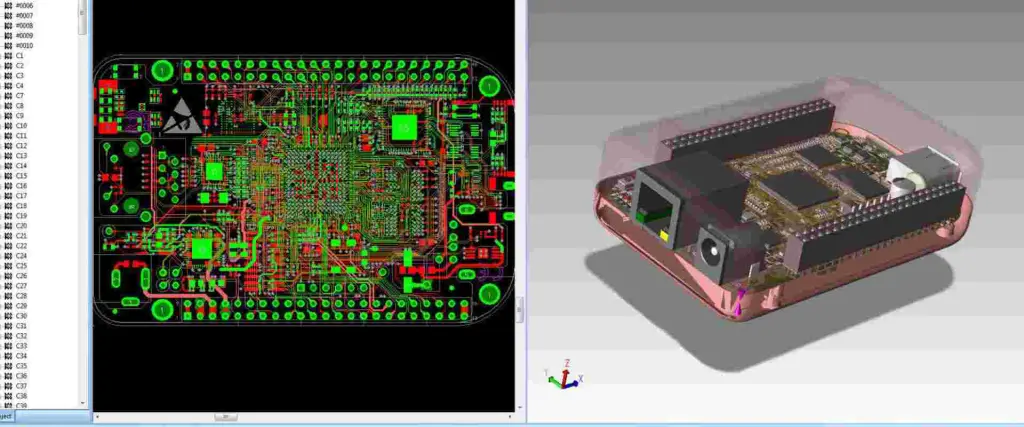
view-gerber-files

Custom Rule Creation

  1. Specialized Rules
    • High-speed signals
    • Power distribution
    • RF considerations
    • Flex PCB requirements
  2. Rule Priority
    • Global rules
    • Net class rules
    • Component rules
    • Area rules

DRC Script Implementation

Script ElementFunctionApplication
Rule DefinitionParameter setupBasic rules
Conditional RulesSpecific casesSpecial requirements
Error HandlingIssue managementProblem resolution
DocumentationRule documentationReference material

Gerber File Verification

Pre-Manufacturing Checks

Visual Verification

Check TypeElements to VerifyTools Used
Layer AlignmentRegistration marksGerber viewer
Feature SizeMinimum dimensionsMeasurement tools
Text ReadabilitySilkscreen qualityPreview mode
Hole PositionDrill file accuracyOverlay view

Manufacturing Preparation

  1. File Organization
    • Logical naming
    • Layer grouping
    • Version control
    • Documentation
  2. Manufacturing Notes
    • Board specifications
    • Special requirements
    • Material details
    • Finish options

Best Practices

DRC Implementation

PracticeDescriptionBenefit
Regular ChecksFrequent DRC runsEarly error detection
Custom RulesProject-specific setupDesign optimization
DocumentationRule documentationKnowledge transfer
Version ControlRule set managementConsistency

Gerber Generation

Quality Assurance Steps

  1. Pre-Generation
    • Design verification
    • Layer confirmation
    • Rule compliance
    • Component check
  2. Post-Generation
    • File completeness
    • Layer accuracy
    • Dimension verification
    • Manufacturing review

Advanced Features

Automation Capabilities

FeatureFunctionApplication
Batch DRCMultiple checksLarge designs
Custom ScriptsAutomated tasksRepetitive processes
Report GenerationDocumentationQuality assurance
IntegrationThird-party toolsExtended functionality

Special Considerations

  1. High-Speed Design
  2. Mixed Technology
    • Through-hole compatibility
    • SMT requirements
    • Hybrid assembly
    • Special processes

Future Developments

Industry Trends

  1. Software Evolution
    • AI integration
    • Cloud capabilities
    • Real-time collaboration
    • Enhanced automation
  2. Manufacturing Integration
    • Direct output
    • Smart verification
    • Process optimization
    • Quality improvement

Frequently Asked Questions (FAQ)

Q1: What are the most critical DRC rules to set in Eagle?

The most critical DRC rules include:

  • Clearance between copper elements (minimum 6-10 mil)
  • Minimum trace width (typically 8-12 mil)
  • Minimum drill size (usually 0.3mm)
  • Annular ring size (minimum 0.15mm) These values may vary based on your manufacturer’s capabilities.

Q2: Why do I get many DRC errors after importing a component?

Common causes include:

  • Incompatible footprint design
  • Different design rule settings
  • Layer assignment issues
  • Component library problems Always verify component libraries and design rules match your project requirements.

Q3: How can I verify my Gerber files are correct before sending them to manufacturing?

Use these steps:

  1. View files in a Gerber viewer
  2. Check all layer alignments
  3. Verify board dimensions
  4. Confirm drill file accuracy
  5. Compare against original design

Q4: What’s the difference between outline and dimension layers in Gerber export?

The dimension layer (20) defines the physical board outline for manufacturing, while outline layers can be used for documentation or assembly information. Always use the dimension layer for the actual board outline in Gerber export.

Q5: How often should I run DRC checks during PCB design?

Best practices recommend:

  • After placing major components
  • During routing (incremental checks)
  • Before starting a new design section
  • Before generating Gerber files
  • After any significant design changes Regular checks help catch issues early in the design process.

DipTrace and Gerber Export: A Comprehensive Guide

DipTrace is a powerful PCB design software suite that enables engineers and designers to create professional-grade printed circuit boards. One of its crucial features is the ability to export designs to Gerber format, the de facto standard for PCB manufacturing. This comprehensive guide explores DipTrace’s capabilities and the intricacies of Gerber file export.

Understanding DipTrace

Key Components of DipTrace

ModulePrimary FunctionKey Features
SchematicCircuit designComponent placement, wire routing
PCB LayoutBoard designTrack routing, copper pour
Component EditorPart creationPin configuration, package design
Pattern EditorFootprint designPad creation, dimension setup

DipTrace Interface Overview

Main Features

Feature CategoryDescriptionCommon Uses
Design ToolsDrawing and editing toolsComponent placement, routing
Verification ToolsDesign rule checkingError detection, validation
Library ManagementComponent organizationPart selection, creation
Export ToolsFile generationManufacturing output

DipTrace Advantages

  1. User Interface Benefits
    • Intuitive design
    • Customizable workspace
    • Easy navigation
    • Context-sensitive menus
  2. Technical Capabilities
    • Multi-layer board support
    • Advanced routing options
    • Real-time DRC
    • 3D visualization

Understanding Gerber Format

Gerber File Basics

AspectDescriptionImportance
File FormatVector formatIndustry standard
Data StructureLayer-basedManufacturing accuracy
File TypesRS-274X, RS-274DCompatibility
Extensions.gbr, .gerFile identification

Gerber Layer Types

Essential Layers

Layer TypeExtensionPurpose
Top Copper.GTLComponent connections
Bottom Copper.GBLBottom layer traces
Top Solder Mask.GTSSolder protection
Bottom Solder Mask.GBSBottom protection
Silkscreen Top.GTOComponent markings
Silkscreen Bottom.GBOBottom markings
Drill File.TXTHole locations

Gerber Export Process in DipTrace

Pre-Export Preparation

  1. Design Verification
    • Run DRC checks
    • Verify component placement
    • Check copper clearances
    • Validate hole sizes
  2. Layer Setup
    • Confirm layer stack
    • Verify layer names
    • Check layer visibility
    • Set layer polarities

Export Configuration

Basic Settings

SettingDescriptionRecommended Value
UnitsMeasurement systemMM (recommended)
FormatCoordinate format2:4 or 4:4
ZerosZero handlingLeading removed
ExtensionsFile extensionsStandard Gerber

Advanced Options

OptionPurposeUsage
AperturesDefine shapesComponent outlines
D-CodesTool definitionsManufacturing tools
G-CodesCommand codesMovement instructions

Step-by-Step Export Process

  1. Initial Setup
    • Open PCB Layout
    • Select File → Export
    • Choose Gerber format
  2. Layer Selection
    • Select required layers
    • Configure layer options
    • Set output directory
  3. Parameter Configuration
    • Set units and precision
    • Configure file format
    • Define aperture table
  4. Generation and Verification
    • Generate files
    • Verify output
    • Check file completeness

Best Practices for Gerber Export

File Organization

CategoryRecommendationPurpose
Naming ConventionConsistent systemEasy identification
Folder StructureOrganized hierarchyFile management
Version ControlRevision trackingChange management

Quality Assurance

  1. Pre-Export Checks
    • Design rule compliance
    • Layer alignment
    • Component clearance
    • Copper pour verification
  2. Post-Export Verification
    • File completeness
    • Layer accuracy
    • Dimension verification
    • Drill file correlation

Common Export Issues and Solutions

Troubleshooting Guide

IssuePossible CauseSolution
Missing LayersIncorrect selectionReview layer setup
Misaligned ElementsCoordinate errorsCheck origin point
Incomplete FeaturesExport settingsAdjust parameters
File Generation ErrorsSoftware conflictsReset preferences

Prevention Strategies

  1. Regular Verification
    • Periodic DRC runs
    • Layer checks
    • Component verification
    • Export settings review
  2. Documentation
    • Keep export logs
    • Document settings
    • Maintain procedure guides
    • Track changes

Advanced Gerber Features in DipTrace

Custom Aperture Definition

FeatureUse CaseBenefits
Complex ShapesSpecial componentsManufacturing accuracy
Custom SizesUnique requirementsDesign flexibility
Macro DefinitionsRepeated elementsEfficiency

Automation Options

  1. Script-Based Export
    • Batch processing
    • Automated checks
    • Custom parameters
    • Multiple outputs
  2. Integration Features
    • CAM tool compatibility
    • Manufacturing links
    • Quality verification
    • Documentation generation

Future Developments and Industry Trends

Emerging Technologies

  1. Format Evolution
    • New specifications
    • Enhanced features
    • Better integration
    • Improved accuracy
  2. Software Improvements
    • AI-assisted design
    • Cloud integration
    • Real-time verification
    • Enhanced automation

Frequently Asked Questions (FAQ)

Q1: Why are my Gerber files missing some PCB features?

This usually occurs due to incorrect layer selection or export settings. Ensure all necessary layers are selected and properly configured in the export dialog. Also, verify that all features are on their correct layers in the PCB design.

Q2: How can I verify my Gerber files before sending them to manufacturing?

Use a Gerber viewer software to check all layers, ensure proper alignment, and verify dimensions. Popular viewers include GerbView, CAM350, or online viewers provided by PCB manufacturers. DipTrace also includes a built-in preview feature.

Q3: What’s the difference between RS-274X and RS-274D Gerber formats?

RS-274X is the newer, extended format that includes aperture definitions within the file, making it more self-contained. RS-274D is older and requires separate aperture files. DipTrace primarily uses RS-274X for better compatibility with modern manufacturing processes.

Q4: Why do I need to include a drill file with my Gerber files?

The drill file (.TXT or .XLN) contains essential information about hole locations, sizes, and types that isn’t included in the Gerber layers. This file is crucial for the PCB manufacturer to properly drill all holes in your board.

Q5: How can I optimize my Gerber export process for complex boards?

Create a checklist including:

  • Layer verification
  • DRC completion
  • Export settings confirmation
  • File naming conventions
  • Post-export verification This ensures consistency and reduces errors in the export process.

The Complete Guide to PCB vs Integrated Circuit: Understanding Their Differences and Applications

In the realm of electronic components and circuit design, Printed Circuit Boards (PCBs) and Integrated Circuits (ICs) are fundamental elements that have revolutionized modern electronics. While both serve crucial roles in electronic devices, they differ significantly in their design, functionality, and applications. This comprehensive guide explores the key differences between PCBs and ICs, their manufacturing processes, applications, and the crucial role they play in modern electronics.

Understanding PCB (Printed Circuit Board)

Definition and Basic Structure

A Printed Circuit Board (PCB) is a flat board made of non-conductive material that provides mechanical support and electrical connections for electronic components through conductive pathways, or traces, etched from copper sheets laminated onto the board.

Key Components of a PCB

Layer Description Function
Substrate Non-conductive base material Provides mechanical support
Copper Layer Conductive material Creates electrical pathways
Solder Mask Protective layer Prevents short circuits
Silkscreen Text and symbols Component identification

Types of PCBs

Based on Layer Count

Type Description Common Applications
Single-layer One copper layer Simple electronics, LED lights
Double-layer Two copper layers Consumer electronics
Multi-layer 4+ copper layers Complex devices, computers

Based on Flexibility

  1. Rigid PCBs
    • Most common type
    • Used in standard electronic devices
    • Provides excellent mechanical stability
  2. Flexible PCBs
    • Can be bent or flexed
    • Used in compact devices
    • Ideal for dynamic applications
  3. Rigid-Flex PCBs
    • Combines rigid and flexible sections
    • Used in complex 3D applications
    • Provides design flexibility

Understanding Integrated Circuits (ICs)

Definition and Basic Structure

An Integrated Circuit is a miniaturized electronic circuit containing thousands or millions of electronic components (transistors, resistors, capacitors) fabricated on a single semiconductor material, typically silicon.

Components of an IC

Component Function Scale
Transistors Switching and amplification Nanometer scale
Resistors Current control Microscopic
Capacitors Energy storage Microscopic
Interconnects Signal routing Nanometer scale

Types of ICs

Based on Function

Type Description Applications
Digital ICs Process binary signals Computers, digital devices
Analog ICs Process continuous signals Audio equipment, sensors
Mixed-signal ICs Combine digital and analog Mobile phones, IoT devices

Based on Integration Level

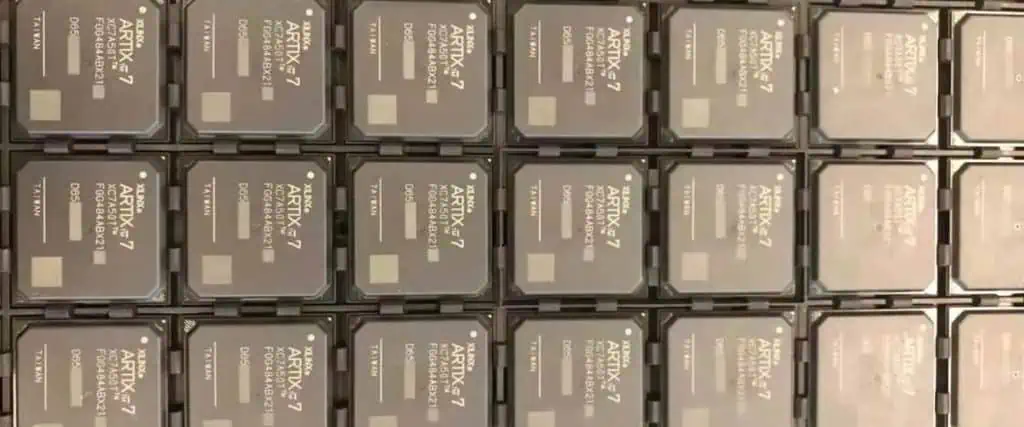
Xilinx Artix 7
Xilinx Artix 7
  1. Small-Scale Integration (SSI)
    • Up to 100 components
    • Basic logic gates
    • Simple functions
  2. Medium-Scale Integration (MSI)
    • 100-1000 components
    • Counters, multiplexers
    • Moderate complexity
  3. Large-Scale Integration (LSI)
    • 1000-100,000 components
    • Microprocessors
    • Complex functions
  4. Very Large-Scale Integration (VLSI)
    • Over 100,000 components
    • Modern processors
    • Highly complex systems

Key Differences Between PCBs and ICs

Physical Characteristics

Characteristic PCB IC
Size Typically larger (cm to m) Very small (μm to mm)
Component Integration External components mounted Components built into silicon
Flexibility Can be rigid or flexible Always rigid
Repairability Generally repairable Usually not repairable

Manufacturing Process

PCB Manufacturing Steps

  1. Design Phase
    • Circuit schematic creation
    • Component layout
    • Routing design
  2. Production Phase
    • Copper coating
    • Photolithography
    • Etching
    • Layer lamination
    • Drilling
    • Surface finishing

IC Manufacturing Steps

  1. Design Phase
    • Circuit design
    • Layout design
    • Verification
  2. Production Phase
    • Wafer preparation
    • Photolithography
    • Ion implantation
    • Metal deposition
    • Testing
    • Packaging

Cost Comparison

Aspect PCB IC
Initial Setup Cost Lower Very high
Per-unit Cost (High Volume) Moderate Low
Prototype Cost Low Very high
Modification Cost Low Very high

Applications and Use Cases

PCB Applications

  1. Consumer Electronics
    • Smartphones
    • Laptops
    • Home appliances
  2. Industrial Equipment
    • Control systems
    • Manufacturing equipment
    • Power supplies
  3. Automotive Electronics
    • Engine control units
    • Entertainment systems
    • Safety systems

IC Applications

  1. Computing Devices
    • Microprocessors
    • Memory chips
    • Graphics processors
  2. Communication Equipment
  3. Specialized Applications
    • Medical devices
    • Military equipment
    • Aerospace systems

Future Trends and Developments

PCB Future Trends

  1. Advanced Materials
    • High-frequency materials
    • Flexible substrates
    • Environmental-friendly materials
  2. Manufacturing Technologies
    • 3D printing
    • Additive manufacturing
    • Automated assembly

IC Future Trends

  1. Scaling Technologies
    • Smaller process nodes
    • 3D integration
    • New materials
  2. Emerging Technologies
    • Quantum computing
    • Neuromorphic computing
    • Photonic integrated circuits

Frequently Asked Questions (FAQ)

Q1: Can PCBs contain ICs?

Yes, PCBs often serve as the platform for mounting and connecting multiple ICs along with other electronic components. The PCB provides the necessary interconnections between ICs and other components while offering mechanical support.

Q2: Why can’t ICs be repaired like PCBs?

ICs cannot typically be repaired because their components are microscopic and integrated into a single piece of semiconductor material. PCBs, on the other hand, have larger, discrete components that can be replaced individually.

Q3: Which is more cost-effective for mass production?

For mass production, ICs are generally more cost-effective per unit despite having higher initial setup costs. PCBs have lower setup costs but higher per-unit costs in large volumes.

Q4: Can PCBs be designed without ICs?

Yes, Prototype PCBs can be designed using discrete components without ICs, but modern electronic devices typically use a combination of both for optimal performance and functionality.

Q5: What determines the choice between using a PCB or an IC for a specific function?

The choice depends on factors such as:

  • Production volume
  • Cost constraints
  • Performance requirements
  • Space limitations
  • Power consumption requirements
  • Time to market