10 Rules for Better Data โ€“ Avoid PCB Design Issues

Switches are essential components in a wide variety of electronic devices and equipment. They allow the user to control and interact with the system. The two main ways switches are mounted and integrated on printed circuit boards are:

  • PCB Mount
  • Plate Mount

Each method has its own set of advantages and disadvantages. Selecting between PCB or plate mounted switches depends on factors like cost, ease of assembly, durability, and customization needs.

This article provides a detailed comparison between PCB and plate mounted switches to help design engineers choose the optimal switch mounting scheme for their application.

Overview of Switches

Switches are electro-mechanical devices that interrupt or redirect the flow of current in a circuit to control electrical signals and power. Some common types of switches include:

  • Push button switches
  • Rocker switches
  • Toggle switches
  • Rotary switches
  • Slide switches
  • Tactile switches
  • Membrane switches

Switches may have multiple poles with one or more throws/positions. Poles refer to the number of separate circuits the switch can control. Throws indicate the different switching states or routes enabled by the switch.

Some key parameters that characterize switches:

  • Number of poles and throws
  • Actuation force and travel
  • Electrical rating – voltage, current
  • Mounting style – PCB or panel
  • Termination – leads or connectors
  • Size and dimensions
  • Enclosure sealing for protection

Understanding application needs and specifications guides selection of the appropriate switch type and mounting method.

PCB Mounted Switches
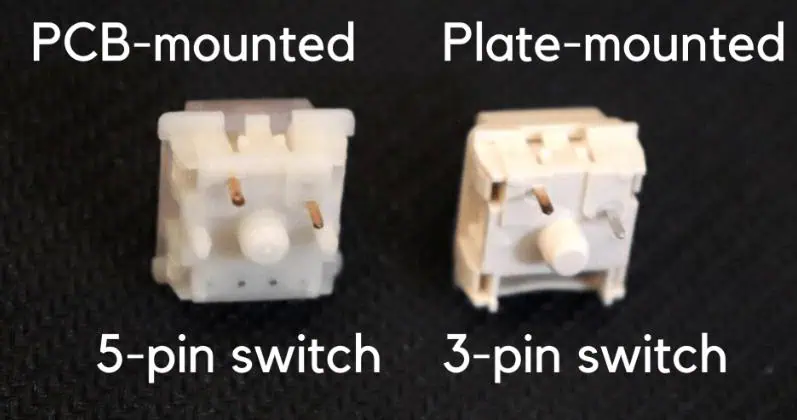
PCB Mounted Switches vs Plate Mounted.

PCB mount switches, as the name suggests, are mounted directly onto a printed circuit board. The switch terminals are soldered to pads on the PCB to integrate them into the circuit.

Some common types of PCB mount switches:

Tactile Switches

  • Compact tactile feedback buttons
  • Commonly SPST (single pole, single throw)
  • Used in consumer electronics, instruments

DIP Switches

  • Groups of small sliding switches
  • Allows preset configurations
  • Used for setting hardware options

Right Angle Switches

  • Larger pushbuttons mounted vertically
  • Common in industrial controls and machinery

Benefits of PCB Mounting

  • Simpler assembly โ€“ Switches solder directly to PCB without additional mounting hardware.
  • Compact design โ€“ No need for added plates or spacers; ideal for small form factors.
  • Cost effective โ€“ Leverages existing PCB with no other components required.
  • Customizable โ€“ Switch height, solder pads, and silkscreen legends can be customized.

Drawbacks of PCB Mounting

  • PCB area consumed โ€“ Switch footprints take up room on the PCB.
  • Limited options โ€“ PCB mount switches tend to be smaller types with lower electrical ratings.
  • Accessibility constraints โ€“ PCB location may make switch difficult to access after assembly.
  • No labeling โ€“ Difficult to add port or function labeling for the switches.
  • Vulnerable to board stresses โ€“ PCB flexing can damage or crack solder joints.

Applications of PCB Mounted Switches

Some common applications using PCB mounted switches include:

  • Small consumer electronics โ€“ phones, media players, game controllers
  • IoT and wearable devices
  • Computer motherboards and peripherals
  • Instrument and test equipment front panels
  • Industrial control boards

PCB mounting is advantageous where compact form factor is critical or simplicity of manufacturing assembly is preferred.

Plate Mounted Switches

Plate mounted switches are secured to a mounting plate which provides mechanical support and allows integration into an enclosure and panel design. The plate also enables labeling and provides alignment guides for assembly.

The plate is mounted separately from the PCB and provides the structure to hold the switches. Wires or connectors route signals between the switches and PCB.

Some typical types of plate mount switches:

Control Switches

  • Illuminated pushbuttons
  • Emergency stop switches
  • Selector switches
  • Toggle switches

Metal / Plastic Body Switches

  • Industrial pushbuttons
  • Heavy duty switches rated for high voltage/current
  • Harsh environment sealed switches

Benefits of Plate Mounting

  • Robustness โ€“ The plate provides mechanical support against vibration, shock, and continuous use.
  • Switch access โ€“ Panel integration allows operator accessibility without constraints from PCB location.
  • Large switch sizes โ€“ More robust switches can be used compared to only smaller PCB mount types.
  • Custom labeling โ€“ The plate allows easy application of port designations, functions, warnings etc.
  • Separate assembly โ€“ Switches and plate can be assembled independently from the PCB assembly.
  • Easier replacement โ€“ Faulty switches can be changed without desoldering from PCB.

Drawbacks of Plate Mounting

  • Increased cost โ€“ Additional plate and assembly operations required.
  • Larger assembly โ€“ Greater overall volume required to accommodate plate.
  • Wiring โ€“ Cables or connectors needed between plate and PCB.
  • Design complexity โ€“ Plate integration must fit overall enclosure design.
  • Difficult customization โ€“ Limited ability to modify switch position or size.

Applications of Plate Mounted Switches

Plate mounted switches are preferred for:

  • Industrial machinery and control panels
  • Instrumentation and test equipment
  • Medical and scientific equipment
  • Automotive dashboards and controls
  • Aviation and marine controls
  • Commercial equipment like vending machines

The external accessibility and custom labeling enabled by plate mounting suit these use cases.

Detailed Comparison of Mounting Methods

The following sections provide a more in-depth comparison between PCB mounted and plate mounted switches across various factors relevant to design and manufacturing.

Board Area Efficiency

  • PCB Mount โ€“ Switch footprints consume space on the PCB that could be used for other components or routing. High density PCB mount switches are available with smaller footprint.
  • Plate Mount โ€“ No PCB area is taken up since switches stand off from the board. However, the plate itself requires allocation of space.

Customization Options

  • PCB Mount โ€“ Limited customization of switch position or appearance. However, PCB pads and silkscreen legends can be tailored.
  • Plate Mount โ€“ Highly customizable including switch types, sizes, positions, labeling, colors, and board-to-plate standoffs.

Ease of Assembly

  • PCB Mount โ€“ Switches placed and soldered during regular SMT and thru-hole assembly process along with other components. Minimal additional steps.
  • Plate Mount โ€“ Requires additional assembly steps to populate the plate with switches and fasten the plate to the enclosure. More complex overall.

Manufacturing Cost

  • PCB Mount โ€“ Lower cost since leverages existing PCB. May allow elimination of separate plates.
  • Plate Mount โ€“ Additional cost for custom plate fabrication and assembly. However, may reduce PCB layers needed.

Reliability and Durability

  • PCB Mount โ€“ Vulnerable to PCB flexing which can crack solder joints or pads after prolonged use.
  • Plate Mount โ€“ Withstands high-stress applications with vibration or shock. Protects PCB from flex damage.

Ease of Switch Replacement

  • PCB Mount โ€“ Requires de-soldering faulty switches and soldering new ones. Risk of pad damage.
  • Plate Mount โ€“ Quick replacement by unfastening switch from plate. Much simpler with no soldering.

Available Switch Types and Sizes

  • PCB Mount โ€“ Typically limited to smaller tactile, toggle, slide, snap-action, and DIP switches sized for PCB.
  • Plate Mount โ€“ Supports wide range including sealed, 22mm, 30mm, 40mm, 60mm, and larger operator sizes.

Integration with Enclosures

  • PCB Mount โ€“ Constrained by fixed PCB location; may make switch access difficult in enclosure.
  • Plate Mount โ€“ Simplifies cutouts and access ports since plate location is adjustable.

Aesthetics

  • PCB Mount โ€“ Harder to customize appearance beyond switch itself.
  • Plate Mount โ€“ Allows additional labeling, colors, illumination, finishes for greater styling.

EMC and Grounding

  • PCB Mount โ€“ Good continuity to PCB ground plane.
  • Plate Mount โ€“ Requires attention to short grounding wires or clips.

Plate Mounting Switch Design Considerations

Designing successfully with plate mounted switches requires consideration of several factors:

  • Plate material โ€“ Stainless steel, aluminum and plastics like polycarbonate are common. Material must have adequate structural strength.
  • Plate thickness โ€“ Thicker plates sustain rugged use but increase weight. 3mm is typical for metal plates.
  • Mounting and positioning โ€“ Clear access for operators is key. Mounting points to enclosure must be robust.
  • Switch spacing โ€“ Adequate spacing for gripping and operating the switch actuators. ~20mm typical minimum.
  • Actuator sealing โ€“ Sealing boots may be needed in dusty/humid environments to block contamination. Potting can protect internally.
  • Legends and labeling โ€“ Laser etching, engraving, screen printing are options. Urethane or acrylic overlays also used.
  • Light pipes for indicators โ€“ Required to visually guide operators and annunciate switch states.
  • Grounding โ€“ Important for ESD, EMI protection. Ground plate via mounting screws/eyelets.
  • Wire strain relief โ€“ Clamps and ties necessary to secure wires/cables between plate and PCB.

Paying attention to these aspects ensures reliable, long-term operation of plate mounted switch assemblies in demanding conditions.

PCB Layout Guidelines for Switches

hot swappable mechanical keyboard

Some PCB design guidelines to follow for either PCB mounted switches or plate mount with PCB interfaces:

  • Place switches near edge connectors for accessibility. Avoid burial under tall components.
  • Group associated switches together in functional blocks for usability.
  • Follow manufacturer recommended layout patterns for switch terminals and grounding pads.
  • Use generous pad sizes for switch contacts to account for vibration.
  • Include locator features like corner chamfers to aid placement.
  • Provide clearance zones around switches for product assembly access.
  • Enable sufficient routing keepout area around switches for traces, vias and shapes.
  • Include test points to verify switch contact operation after assembly.
  • Follow recommended ESD/EMI practices like grounding and filtering.

PCB design accommodations like these facilitate easy switch integration and reliable performance.

Comparison Summary

FactorPCB MountPlate Mount
Board area efficiencyLow – consumes PCB spaceHigh – separate from PCB
Customization abilityLow – limited to pads/legendsHigh – switch types, labeling, colors
Assembly complexitySimple – added to normal PCB assemblyComplex – additional plate population and mounting
Manufacturing costLower – leverages existing PCBHigher – extra plate and hardware
Reliability and durabilityLower – vulnerable to PCB flexingHigher – plate provides robustness
Ease of switch replacementHard – requires de-solderingEasy – just unfasten from plate
Available switch size and varietyLimited by PCB sizesWide selection possible
Enclosure integrationConstrained by PCB locationFlexible positioning
AestheticsLimitedExtensive labeling and styling options
GroundingDirect via PCB planeNeeds wire clips or lugs

In summary, plate mounted switches offer more flexibility and customization, while PCB mounts provide simpler assembly with lower costs. Consider tradeoffs like these when selecting between the two approaches for a given product.

Conclusion
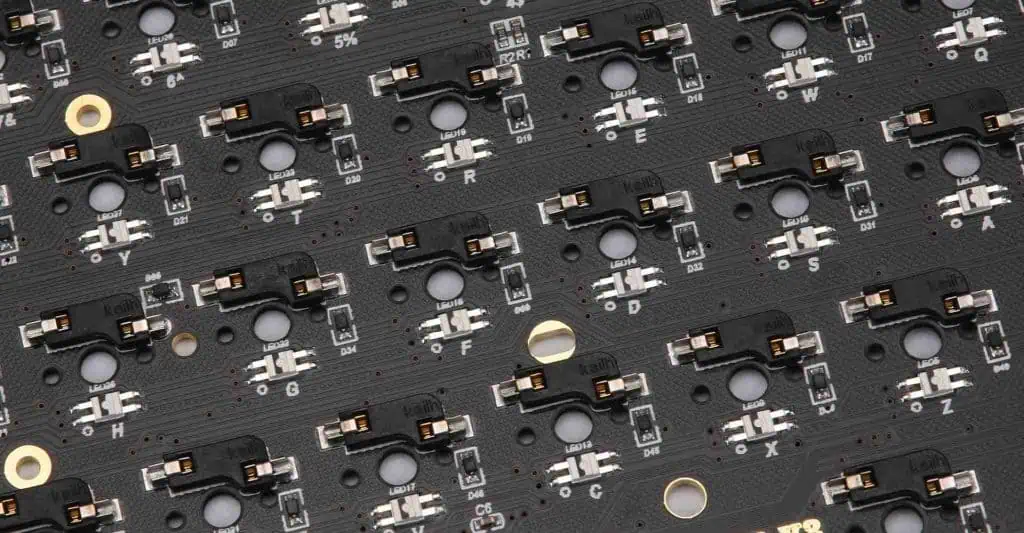
custom keyboard pcb
  • PCB mount switches solder directly to the PCB, minimizing assembly steps but consuming board space.
  • Plate mount switches attach to a separate plate for mechanical support and panel integration.
  • PCB mount suits low-cost consumer devices with space constraints.
  • Plate mount accommodates heavy-duty switches in industrial equipment and machinery.
  • Plate mounting aids switch accessibility and labeling in enclosure design.
  • PCB switching layout requires attention to accessibility, grouping, and grounding.
  • There are key tradeoffs between simplicity vs customization that guide mounting choice.

In summary, understand the differences in design, assembly, and capabilities between PCB and plate mounted switches. Analyze the requirements of the target application and weigh the pros and cons to select the best approach. Employ recommended design practices to successfully incorporate switches using either method.

Frequently Asked Questions

Q: What are some alternatives to PCB and plate mounting of switches?

Some other mounting approaches include:

  • Panel mounted – Switches fasten directly to enclosure cutouts independent of PCB.
  • Chassis mounted – Switches secured to metal chassis frame or structure of the product.
  • Rack mounted – Switches designed for mounting onto standard 19″ equipment racks.
  • DIN rail mounted – Switches clip onto standard DIN rails widely used in industrial settings.

Each method has advantages in certain applications similar to PCB vs plate mounting.

Q: How are plate mount switches interfaced to the PCB?

Common ways to connect plate mount switches to the PCB:

  • Discrete wires soldered directly to PCB pads
  • Insulated quick-disconnect terminals
  • Ribbon cables with IDC headers
  • Circular connector with screw terminals

The interface approach depends on switch type, ruggedness needed, and assembly process.

Q: What design factors affect switch reliability?

Reliability is impacted by:

  • Switch contact material and rating – gold vs silver, AC/DC specs
  • Enclosure seals against dust/moisture
  • Impact of mechanical vibration/shocks
  • Avoiding stress on solder joints or terminations
  • Preventing switch contamination from environmental factors

Q: How are human factors considered in switch mounting designs?

Aspects like these need attention:

  • Placing switches within easy reach envelopes
  • Spacing for unimpeded grip and actuation
  • Clear sightlines free of obstruction
  • Intuitive grouping of related functions
  • Distinctive labeling and visual indication
  • Providing mechanical resistance and tactile feedback

Q: What safety precautions apply for exposed high voltage switches?

For hazardous voltages:

  • Enclose switch fully with interlock shields
  • Allow servicing only after voltage discharge
  • Warning labels and color coding
  • Special high voltage training
  • Regulatory standards compliance (UL, IEC etc.)
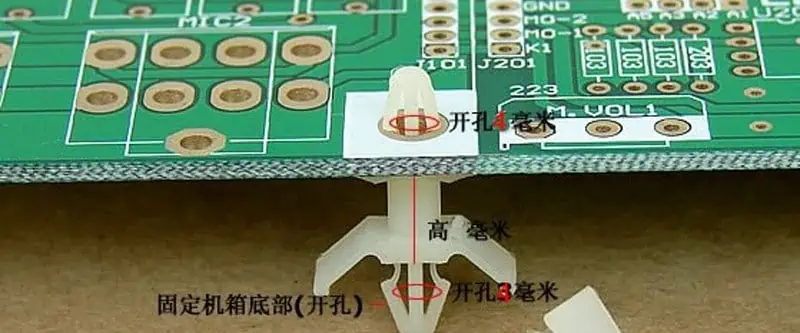
What Is PCB Mounting Clips ?

Printed circuit boards (PCBs) form the foundation of electronics hardware, providing the platform to mount and interconnect components. But bare PCBs themselves need to be securely mounted inside enclosures and chassis to survive in end-use environments. A variety of techniques exist for fixing PCBs, one of which involves small metal spring clips.

These PCB mounting clips offer a quick, reusable method of securing circuit boards. In this comprehensive guide, weโ€™ll explore what PCB clips are, the different types and materials available, their installation and usage best practices, and the advantages over other PCB mounting methods.

Choosing suitable PCB mounting clips helps streamline manufacturing while allowing serviceability, vibration resistance, and reliable board retention over time and environmental stresses. Read on to learn more about this indispensable PCB mounting hardware.

What Are PCB Mounting Clips?

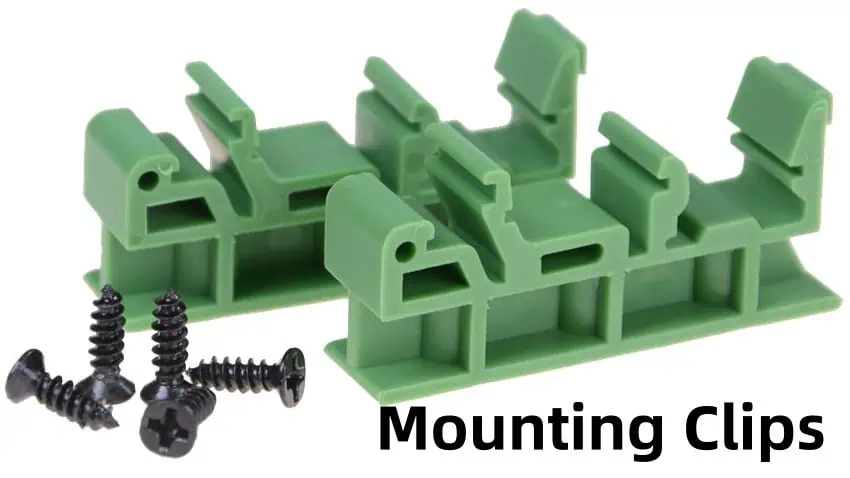
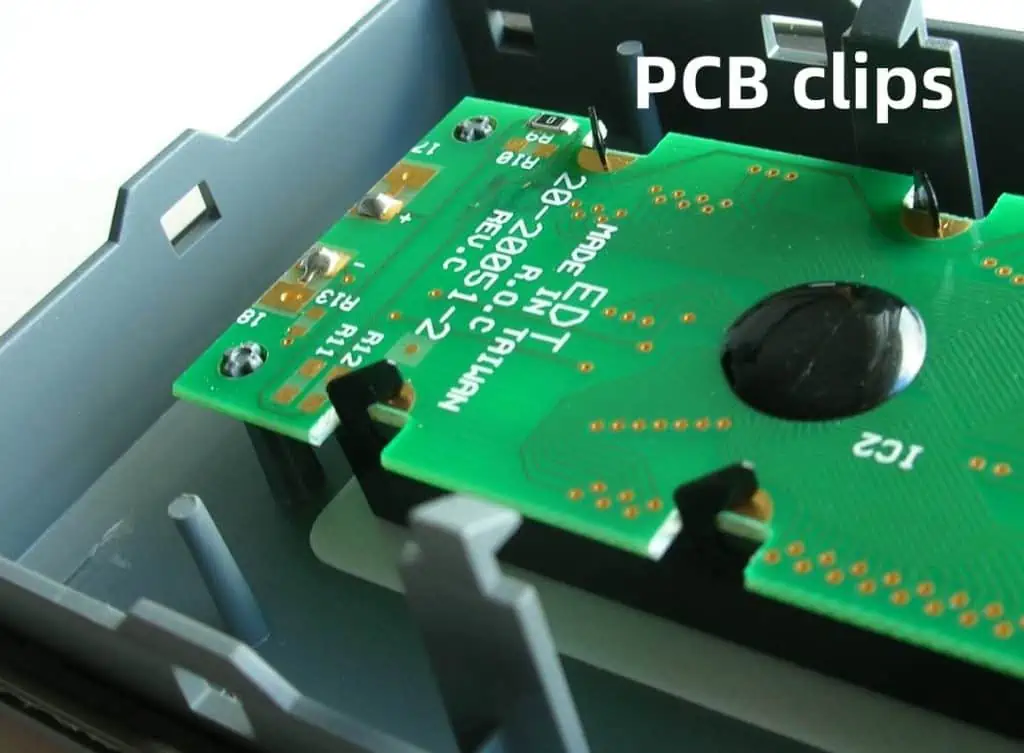
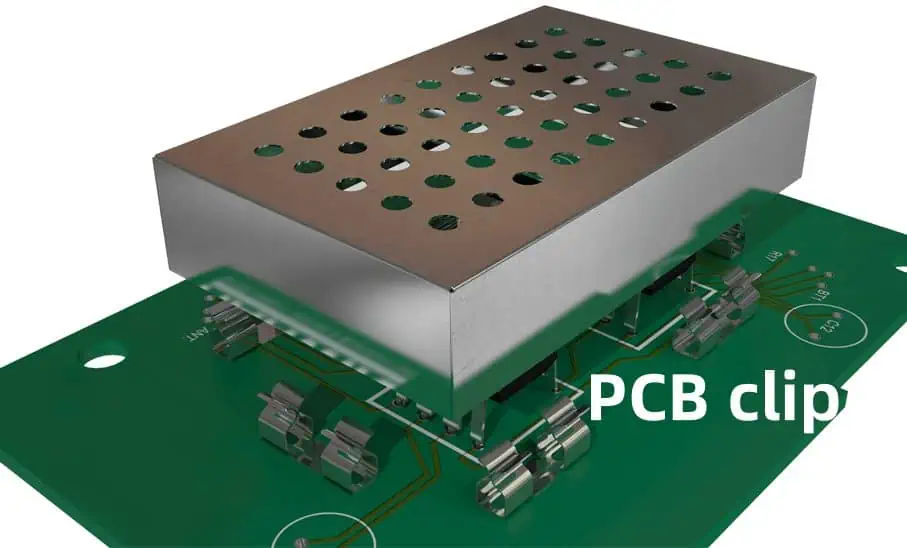
PCB mounting clips are small spring-loaded metal fasteners that secure a printed circuit board to a device enclosure or chassis panel. They eliminates the need for separate board retention hardware like screws or standoffs.

The basic design uses spring properties to clamp onto the edge of the inserted PCB and provide downward holding force. The clipโ€™s frame or base is simultaneously fixed to the enclosure interior surface. This effectively sandwiches the board securely between the clip and chassis wall.

Clips are typically made from stainless steel or beryllium copper alloy for good spring properties. They represent a reusable, zero-hardware approach to PCB mounting. Just pop in the board and the clips hold it firmly in place; no tools required.

PCB mounting clips hold boards by clamping onto their edges

Functions of PCB Mounting Clips

What core functions do PCB mounting clips serve?

Secures the PCB

The spring force of the bent metal clip grasps the edge of the inserted PCB to hold it stationary and prevent detachment.

Allows Quick Installation & Removal

No screws or standoffs needed to install or remove the board – just press it into the clips. This enables easy assembly and servicing.

Absorbs Vibration & Shock

The springiness of the clips dampens vibrations that would otherwise transmit to solder joints and cause failure. This cushions the PCB from shocks and impacts.

Compensates for Tolerances

The clips’ flexibility and range of motion accommodates variance in PCB size as well as thermal expansion.

Requires No Board Modification

Clips mount only to the board edge, avoiding modifications like drilling holes that could weaken the PCB.

Provides Electrical Isolation

Most clips have an insulating plastic lining to prevent shorting between PCB and chassis.

PCB clips simplify mounting while offering considerable functionality in an compact package.

Types of PCB Mounting Clips

Several variety of mounting clip designs exist, differing in aspects like retention method, position of the clip on the PCB, and specificity to board thickness.

Rail Mount Clips

  • Clips fasten horizontally along a chassis mounting rail
  • Allow sliding PCB insertion into the channel
  • Most accommodate range of PCB thicknesses

Wall Mount Clips

  • Affix vertically to enclosure walls or panels
  • PCB presses straight down into clips
  • Can be open frame or closed bodied

Open Top Clips

  • Clip grabs top edge of PCB
  • Allows vertical top-down insertion
  • Provides access to PCB bottom

Closed Top Clips

  • Clips over top side of PCB
  • Grasps both top and bottom edge
  • Restricts component height on bottom

Single Board Thickness

  • Tight fidelity for specific PCB thickness
  • Maximum holding strength
  • Requires closely matching clip to board

Multiple Board Thickness

  • Flexible spring accommodates a range of PCBs
  • Looser grip but avoids mismatch issues

Consider the enclosure design, board dimensions, accessibility needed, and desired versatility when selecting clip configuration.

PCB Clip Materials

Material choice determines clip properties like springiness, durability, corrosion resistance, and cost:

Stainless Steel

  • Most common – combines good strength and corrosion resistance
  • Types 303, 304, 316 used for clips
  • Can fatigue or fracture from excessive flexing

Beryllium Copper Alloy

  • Copper alloy with 2-3% beryllium
  • Excellent elasticity and fatigue lifetime
  • Much costlier than steel

Phosphor Bronze

  • Copper alloy with around 5% tin and 0.5% phosphorus
  • Very robust elasticity
  • Comparable cost to steel

Plastic

  • Engineering plastics like acetal resin or PTFE
  • Avoid metal corrosion and conductance
  • Limitations in temperature and strength

Matching material performance to design needs and environment allows optimizing clip longevity and reliability.

Key Properties of PCB Clips

To select suitable mounting clips, consider these key mechanical properties:

  • Youngโ€™s Modulus – The elasticity as measured by stiffness. Affects spring characteristics.
  • Yield Strength – Stress point at which material transitions from elastic to plastic behavior, causing permanent deformation.
  • Fatigue Strength – Resistance to failure under cyclical stresses from vibration. Important for resilience.
  • Corrosion Resistance – Material durability when exposed to humidity, contaminants, cleaning agents. Stainless steel excels here.
  • Electrical Conductivity – Performance tradeoff between conductance and isolation. Metals conduct while plastics insulate.
  • Operating Temperature – Clips must maintain integrity across electronicsโ€™ temperature range.
  • Flammability Rating – Materials should meet minimum flammability standards for safety compliance.

Consider target levels for each factor based on the application and environment.

Size Considerations for PCB Clips

Clips must be sized appropriately for the PCB dimensions:

Clip Opening

The initial unsprung gap should be slightly larger than the PCB thickness to allow easy insertion.

Clip Length

Sufficient to grasp adequate PCB edge length for security. Typically 0.4 to 1 inch long.

Clip Height

Should match distance between installed PCB and case surface. Around 0.1 to 0.4 inches.

Clip Spring Force

Selected based on PCB weight to provide suitable retention without excessive force.

Clip Placement

Spaced evenly around board periphery, avoiding interference with components especially on bottom side.

Careful sizing during design prevents issues like inadequate grip, obstructed components, or excessive PCB bowing.

Installation Best Practices

Follow these guidelines for proper PCB clip implementation:

1. Match Clip to Board Thickness

Select clip with unsprung opening slightly larger than PCB thickness.

2. Position Clips Properly

Space clips evenly around board edges, avoiding component interference.

3. Clean Contact Surfaces

Remove any grease or debris for best clip adhesion and isolation.

4. Install Mounting Hardware

Securely anchor clips to chassis according to manufacturer instructions.

5. Insert PCB Smoothly

Press board into clips evenly without tilting or misaligning.

6. Inspect Mounting

Verify all clips have properly grasped board and anchored it securely.

Proper clip selection, positioning and installation prevents loose PCBs or altered circuit performance from shorting.

Benefits of Using PCB Clips

PCB clips offer notable advantages over traditional fastener methods:

Quick, Simple Installation – Just press fit the board without tools for fast assembly.

Easy Removal and Servicing – No unscrewing required to remove board from clips.

Reusable – Clips retain spring properties after repeated PCB insertions and removals.

Compensates for Tolerances – Flexibility accommodates variance in PCB dimensions.

No Board Modification – Avoid drilling mounting holes that risk damaging PCB laminate and traces.

Absorbs Vibration and Shock – Cushions PCB from environmental stresses that could break solder joints.

Lightweight – Important for weight-sensitive mobile and aerospace applications.

Low Cost – Simple bent metal design makes clips an affordable mounting option.

For applications requiring occasional PCB access or serviceability, clips eliminate the need to unfasten screws and provide tool-less convenience.

PCB Clip Design Considerations

Several factors go into engineering clips for optimal functionality:

  • Avoid Plastic Deformation – Clip stresses should remain in elastic region to prevent permanent bends.
  • Minimize Fatigue – Dynamic stress cycling can work-harden and prematurely fracture metals. Build in high fatigue resistance.
  • Control Corrosion – Many options exist for corrosion-inhibiting platings and coatings on clips.
  • Prevent Conductive Contact – Insulate clip contact regions with plastic sleeves, edge tape or conformal coatings on PCB.
  • Accommodate Tolerances – Design spring geometry for flexibility to account for size variations in PCBs and enclosures.
  • Ease Lead-In – Shape clip opening to guide PCB insertion without snagging.
  • Supply Sufficient Force – Balance clip grip strength with avoiding excessive PCB bowing or deformation.

Detailed engineering of clip materials, mechanical design and installation practices is key to reliability.

PCB Clips – FQA

Here are answers to some frequently asked questions about PCB clips:

How many PCB mounting clips should be used?

As a general rule, use one clip adjacent each corner of the board, for a total of four clips. Very small boards may only need two clips while larger boards over 12 inches may require six clips or more. Space clips evenly around the PCB periphery for stability. Too few clips risks the board dislodging while too many impedes natural PCB expansion/contraction.

Can PCB clips be used in high vibration environments?

While clips can withstand mild vibration, their grip may loosen under sustained heavy vibration like in automotive or industrial equipment. Supplemental corner screw-downs or adhesives help strengthen retention in high vibration. Solid fastener mounts like standoffs provide maximum vibration resistance.

Do PCB clips allow stacking boards vertically?

Yes, elongated versions of PCB clips are available that can secure a vertical stack of multiple PCBs in alignment. The extended height clips span the entire stack while allowing insertion/removal of each board. Light pressure is maintained between boards to prevent rattling while avoiding bowing.

What prevents PCB clips from shorting the board to the chassis?

Clips either have an insulating plastic lining or are used with insulating washers and spacers to prevent the metal clip from electrically contacting the PCB or chassis surfaces. Insulating tape along the PCB edge provides additional protection.

Can PCB clips withstand high temperatures like SMT reflow?

While some specialty high-temp PCB clips exist, most standard clips are designed for hand assembly and lower temperature operation. Metal clip Solders would melt and plastics degrade at reflow temperatures. Fixturing or masking may be required during reflow to avoid damaging clips.

Conclusion

PCB mounting clips offer a quick, secure and reusable method of attaching printed circuit boards to enclosures and chassis. Their metal spring design provides sufficient retention while absorbing shock and vibration that could otherwise damage fragile solder joints. With careful attention to material selection, mechanical engineering and installation best practices, clips can simplify PCB mounting compared to screw fasteners. The availability of various clip configurations and custom designs ensures a mounting solution tailored for your specific application needs.

What Is PCB Mounting Feet ?

Printed circuit boards (PCBs) are the backbone of electronics, providing the foundation for mounting and interconnecting electronic components. However, a bare PCB is rarely usable by itself. Some type of mounting scheme is required to securely install the PCB in a product chassis or enclosure.

One popular PCB mounting technique involves the use of small plastic or rubber feet attached to the underside of the board. These feet, aptly named PCB mounting feet, serve multiple important functions. In this comprehensive guide, weโ€™ll explore what PCB mounting feet are, their different types and materials, installation best practices, and how they benefit electronic assemblies.

With the right choice of mounting feet, you can achieve secure PCB fixing that absorbs shock/vibration, allows for board expansion, simplifies assembly, and improves product reliability. Read on to learn more about this indispensable PCB mounting hardware.

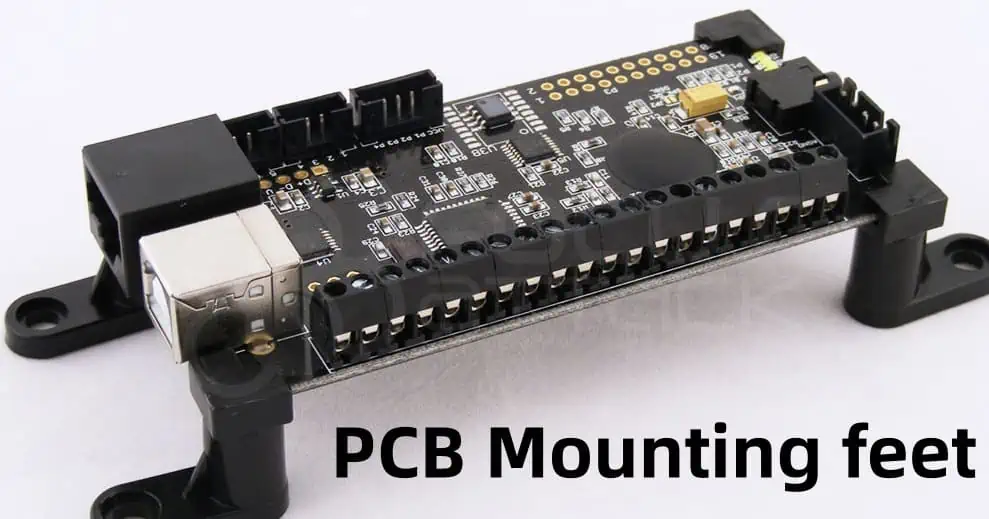
What Are PCB Mounting Feet?

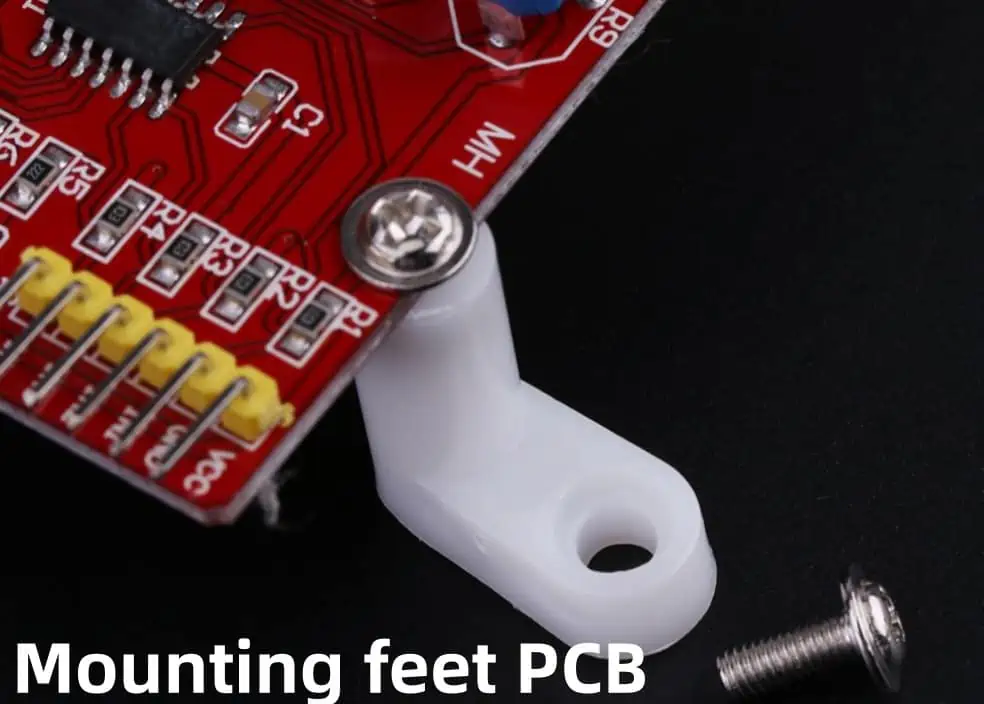
PCB mounting feet are small plastic or rubber supports that attach to the underside of a printed circuit board via self-adhesive, press-fit or screw-on methods. Usually square or circular in shape, these feet sit protruded from the rest of the PCB surface.

When the board is placed inside a device case or chassis, the feet bear the weight of the PCB and maintain a small clearance gap between the board and enclosure interior. This gap prevents the PCB from banging against other components or the enclosure walls.

The feet provide both secure fixing and mechanical isolation for the board. They take the brunt of any vibrations, shocks or stresses on the product that could otherwise damage the fragile PCB or its soldered joints. Mounting feet make up a simple but highly effective PCB mounting scheme.

PCB mounting feet provide secure fixing and shock absorption

Functions of PCB Mounting Feet

Why are PCB mounting feet so prevalent across consumer and industrial electronics? What core functions do they serve?

Securing the PCB

The primary job of mounting feet is fixing the PCB in place. The feet adhere to the board on one side while the other side presses against the chassis surface. This sandwiches the PCB securely between the feet and case interior.

Absorbing Mechanical Stress

The feet act as shock absorbers, flexing to dampen vibrations and stresses. This protects solder joints from fatigue failure.

Allowing Board Expansion

Their flexibility accommodates thermal expansion/contraction of the PCB without distortion or component fracture.

Providing Clearance

The foot height creates a small gap between board and case. This prevents short circuits and collisions.

Electrically Isolating

Most feet are non-conductive, avoiding any electrical contact between PCB and chassis.

Simplifying Assembly

Feet speed up PCB mounting compared to fasteners or other means.

Improving Reliability

All these benefits combine to help the PCB withstand rugged conditions, extending product lifetime.

For such a small component, mounting feet deliver considerable functionality!

Types of PCB Mounting Feet

Several varieties of mounting feet are available depending on factors like PCB size, weight, required adhesion strength, operating temperature range and cost considerations:

self-adhesive Mounting Pads

  • One-piece, flat rubber pad with permanent adhesive backing
  • Available in different thickness and adhesion strengths
  • Quick installation by peel and stick method
  • Limited vibration resistance due to hard rubber

Press-Fit Spacers

  • Rigid plastic legs press-fit into plated PCB holes
  • Tight fit secures spacer mechanically without adhesive
  • Provides excellent holding strength
  • Some designs allow screw-down capability

Screw-on Standoffs

  • Threaded metal or nylon standoff screws into a mounting hole
  • Strong adhesion and can be adjusted or removed
  • Allows stackability of multiple PCBs if needed
  • Most costly option

Dual Adhesive Grommets

  • Outer adhesive ring bonds to PCB
  • Inner adhesive post attaches to chassis surface
  • Cushions shocks and isolates board
  • Often used for LCD module mounting

Push-In Mounting Feet

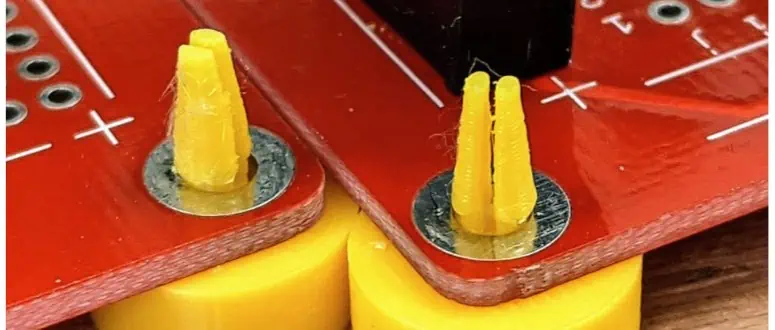
  • Press straight into plated PCB holes for simple installation
  • Molded ridges provide retention
  • No adhesives involved
  • Limited holding strength

In summary, self-adhesive feet prioritize ease of use while press-fits and screw-ons offer higher strength at increased cost. Select the variety that best matches your requirements.

PCB Mounting Feet Materials

Mounting feet composition affects their performance and suitability for certain applications:

Rubber Feet

Made from molded silicone rubber, gum rubber or natural rubber blended with fillers. Properties include:

  • Excellent shock absorption and vibration damping
  • Stays flexible across wide temperature range
  • High chemical resistance
  • Low cost
  • Limited adhesive bond strength

Thermoplastic Polyurethane (TPU) Feet

Blends polyurethane with rubber elasticity. Offers:

  • Abrasion/tear resistant
  • Transparency options
  • Resilient but lower damping than rubber
  • Withstands exposure to grease, oils

Sorbothane Feet

A proprietary viscoelastic polyurethane polymer. Provides:

  • Superb vibration isolation over 10-2000 Hz range
  • High load capacity and durability
  • Retains properties from -65ยฐF to 200ยฐF
  • Expensive

Silicone Feet

Made from silicone rubber elastomer. Ideal for:

  • Wide operating temperature range (-100ยฐF to 500ยฐF)
  • Extreme environments
  • High purity applications
  • Good chemical resistance

Consider shock damping needs, cost, temperature resistance, and chemical compatibility when selecting foot material.

Key Properties of Mounting Feet

Several performance metrics characterize PCB mounting feet and help determine which type is optimal:

  • Hardness – Resistance to indentation. Measured in Shore A, harder feet limit vibration isolation.
  • Coefficient of Friction – Grippiness between feet and contact surfaces. Affects anti-slip qualities.
  • Compression Force Deflection (CFD) – Force required to compress a material to a defined deformation. Related to shock cushioning capability.
  • Adhesion Strength – Bonding force between adhesive feet and PCB surface, quantified in psi.
  • Operating Temperature – Feet material should maintain integrity across electronics’ temperature range.
  • Flame Resistance – Important for safety compliance. Measured by UL 94 flammability standard.
  • Outgassing & Water Absorption – Outgassed vapors and moisture absorption can impair electronic components if excessive.

Consider the target levels for each property based on your PCB application’s requirements and operating conditions.

PCB Mounting Feet Size

Mounting feet come in a range of sizes to match different PCB dimensions and weights. Common sizes include:

  • 3 to 6 mm height – For small, lightweight boards
  • 6 to 10 mm height – General purpose size range
  • 10 to 15 mm height – For larger or dense boards
  • Over 15 mm – Maximum heights for heavy boards in high vibration environments

The feet area or diameter can range from:

  • 4 to 8 mm – For minimal PCB intrusion
  • 10 to 18 mm – Standard footprint size
  • 20 to 25 mm – Used singly or in pairs for extra large boards

Aim for three or four evenly spaced feet around the PCB perimeter. Too many feet can cause board bowing while too few can allow excess flexing.

Installation Best Practices

Follow these guidelines when attaching PCB mounting feet:

1. Determine Foot Positions

Place feet near board edges and symmetrical across the center point. Avoid component interference.

2. Clean PCB Surface

Remove any grease, solder flux or debris from PCB footprint area to maximize adhesion.

3. Follow Foot Specifications

Adhere to instructions for attachment pressure, temperature and cure times.

4. Apply Even Pressure

Use a roller tool or press to apply consistent pressure and flatten adhesive feet.

5. Allow Proper Cure Time

Let adhesive fully cure before stressing feet. Insufficient cure weakens bond.

6. Apply Thread Locking Compound

For screw-on standoff feet, use thread lockers to prevent loosening from vibration.

Following the manufacturer’s specifications for foot installation ensures optimal bonding strength, positioning and reliability.

Benefits of Using PCB Mounting Feet

Why choose mounting feet over other PCB retention methods like clips, screws or rails? Here are the main advantages:

Simple Installation – Just peel and stick adhesive feet for fast assembly compared to fasteners.

Lower Cost – Feet are an affordable mounting solution, saving on machined brackets or specialty hardware.

Reduce Stress – Absorbs mechanical shocks/vibrations instead of transferring those forces to solder joints.

Tolerate Thermal Expansion – Cushion feet accommodate expansion/contraction of PCB without distorting or fracturing the board.

Avoid Short Circuits – Feet establish safe clearance between conductive PCB surfaces and case walls.

Reusable – Removable press-fit and screw-on feet allow easy PCB removal without damage.

Lightweight – Minimal added weight, important for mobile and aerospace applications.

For most electronic devices, mounting feet provide a simple yet effective method of securing PCBs.

PCB Mounting Feet – FQA

Here are answers to some frequently asked questions about PCB mounting feet:

How thick should mounting feet be for a given PCB?

As a general guideline, foot thickness should be 1-2% of the longest PCB dimension. For example, a 6 inch long board would use 0.06-0.12 inch thick feet. Smaller PCBs need a higher foot thickness to board length ratio for stability. Larger boards can use slimmer feet proportional to their size.

Are adhesive mounting feet removable?

Most adhesive feet forms a permanent bond with the PCB surface and are not designed to be removed once applied. However, some acrylic-based adhesive feet can be detached with sufficient force, although this may damage the PCB footprint area in the process. For removable mounting, opt for press-fit or screw-on feet instead.

Can I use just two mounting feet instead of four?

You can get away with using just two mounting feet on smaller, lighter PCBs. However, four feet spaced symmetrically around the board perimeter provides the most secure, stable installation. With only two feet, the board is more prone to pivoting, flexing or detaching from impacts. Four points of contact prevent teetering and reliably fix the PCB position.

How are mounting feet different from rubber bumpers?

While rubber bumpers can also be attached to PCBs, their function differs from that of mounting feet. Bumpers serve mainly as protectors that protrude past the edge of the board to absorb side impacts in handling. They do not provide the same downward pressure retention of feet that adhere to both PCB and chassis. The two can be used in conjunction for maximum impact protection.

Can I mount stacked PCBs using longer mounting feet?

Yes, elongated mounting feet allow securing a vertical stack of two or more stacked PCBs in proper alignment. Use screw-on standoffs with enough height to span the PCBA stack, applying light pressure between boards to maintain proper spacing without overly bowing or deforming the assembly.

Conclusion

PCB mounting feet play a deceptively important role in securing board installation while mitigating stresses that could impede reliable functionality. The variety of foot shapes, sizes and material properties allows matching feet characteristics to the specific needs of the electronics application. Proper usage of mounting feet improves quality and longevity of PCB assemblies. With knowledge of available options, you can select and implement the optimal mounting feet for your project.

What You Need for PCB Packaging and Shipping

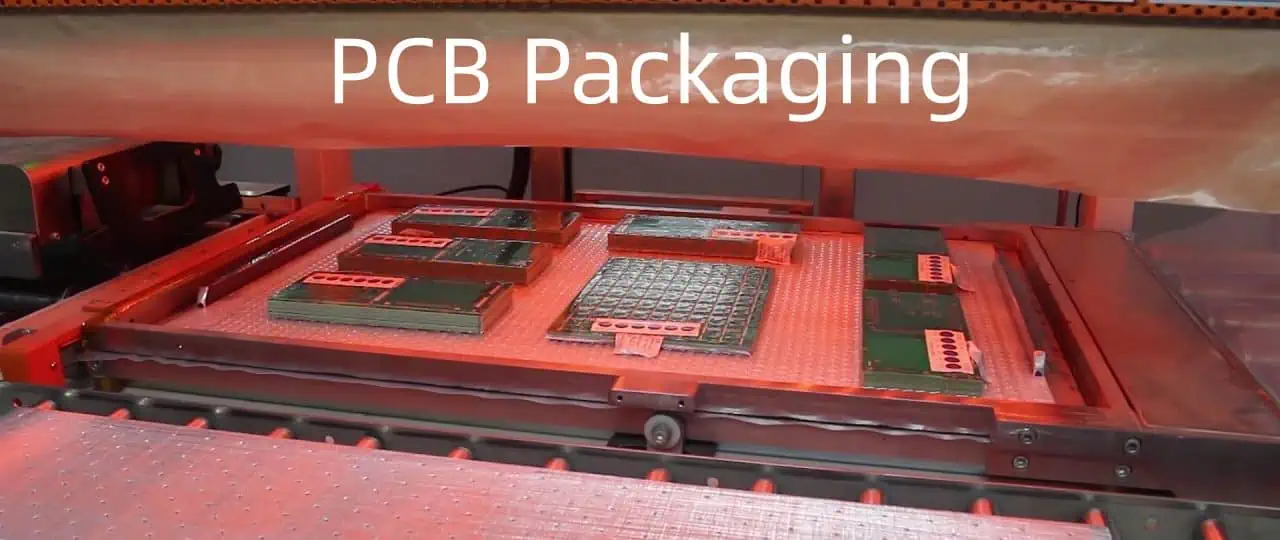
Printed circuit boards (PCBs) are essential components in most electronic devices today. However, they are also very delicate and can be easily damaged during shipping if not packaged properly. Choosing the right packaging materials and methods is crucial to ensuring your PCBs arrive at their destination safely.

In this comprehensive guide, we will look at everything you need to know about PCB packaging and shipping, including:

  • Benefits of proper PCB packaging
  • Common PCB packaging materials
  • PCB packaging methods
  • PCB shipping considerations
  • Packaging for domestic vs international shipping
  • Packing and labeling requirements
  • Best practices for preventing shipping damage

Properly packaging your PCBs takes time and effort but is well worth it to avoid costly damages during transit. By following the recommendations in this guide, you can have peace of mind knowing your PCB shipment will make it to its destination intact and ready for use.

Benefits of Proper PCB Packaging

Packaging may seem like an afterthought, but it is one of the most critical steps in ensuring your PCBs arrive safely. Investing in proper packaging materials and techniques can provide the following benefits:

Prevents Damage: Good packaging protects your PCBs from the inevitable shocks and vibrations of shipping. Without adequate cushioning and immobilization inside the package, PCBs can be cracked, bent, or scratched.

Reduces Repairs/Replacements: When PCBs arrive damaged, you face expensive rework, repairs, or complete replacements. Proper packaging greatly reduces damage rates.

Saves Money: Damaged PCBs and subsequent troubleshooting/repairs cost money. The upfront investment in quality packaging pays for itself by preventing these expensive issues.

Maintains Quality: Any damage to a PCB risks quality defects or performance issues in the final product. Good packaging maintains the pristine condition of your boards.

Improves Customer Satisfaction: Your customers expect boards to arrive intact and ready for their own manufacturing processes. Packaging helps ensure you meet their expectations.

Complies with Regulations: Certain industries have packaging regulations you must comply with. Aerospace and defense, for example, have strict requirements.

The bottom line is that effective PCB packaging is not just about materials, but about protecting product quality, reducing costs, and improving customer satisfaction.

Common PCB Packaging Materials

PCBs are packed with great care because even the smallest crack or chip can render a board non-functional. There are a variety of packaging materials designed to keep PCBs safe in transport:

Cushioning Materials

Cushioning materials protect PCBs from physical impact and vibration. Recommended options include:

  • Bubble wrap –ย The air bubbles provide excellent cushioning against shocks. Bubble plastic comes in different bubble sizes. Use small bubbles for delicate PCBs.
  • Foam sheets – Foam is available in anti-static varieties for protecting sensitive electronics. Closed-cell foams provide the best shock absorption.
  • Air pillows – These air-filled cushions mold around PCBs and prevent movement inside boxes. They come in anti-static materials.
  • Paper cushioning – Recycled paper formed into accordion sheets or crumpled paper makes an eco-friendly cushioning option.

Immobilization Materials

Immobilizing materials prevent PCBs from shifting inside the packaging. Suitable solutions include:

  • Cardboard partitions – Die-cut cardboard pieces physically separate PCBs and hold them in place.
  • Plastic trays – PCBs can be inserted into plastic tray molds to keep them immobilized.
  • Foam inserts – CNC-cut foam fits around PCBs like a glove, keeping them snugly in place.
  • Tape – Specialty tapes can be used to adhere PCBs to interior packaging surfaces.

Static Protection Materials

Static-sensitive PCBs need antistatic packaging materials, including:

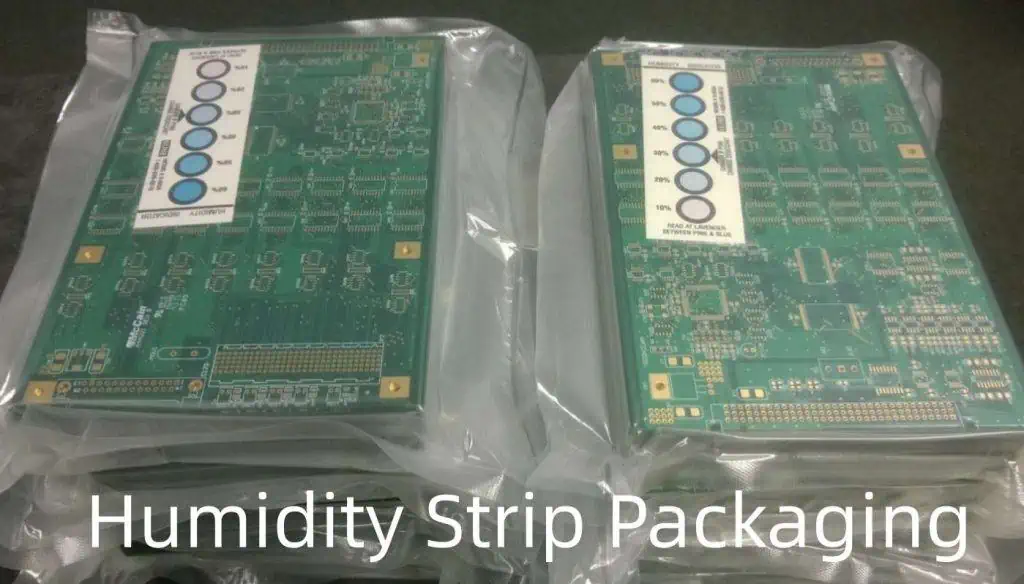
  • Antistatic bags – Metallized shielding dissipates static charge away from the PCB inside.
  • Antistatic foam – Dissipative or conductive foam prevents static buildup.
  • Metalized bubble wrap – Metallized top layer renders bubble wrap antistatic.
  • ** Carbon-loaded plastic** – Plastic discharge sheets prevent static accumulation during transport.

Cushioning Materials Comparison

MaterialShock ProtectionVibration DampingStatic ProtectionCostEnvironmental Impact
Bubble WrapExcellentFairOnly if metallized filmLowRecyclable
FoamGoodExcellentIf anti-static foam usedMediumRecyclable
Air PillowsVery GoodGoodIf anti-static material usedLowNot biodegradable
Paper CushioningGoodFairNoVery LowBiodegradable

PCB Packaging Methods

Packaging best practices involve using multiple protective materials strategically to create a secure package:

1. Cushion Base

Start by lining the bottom of your box/container with cushioning material – bubble wrap, foam, or paper. The cushion base will absorb impacts from the bottom during shipping.

2. Static Shielding

For static-sensitive PCBs, line cushioning with a static dissipating material like metallized bubble wrap or antistatic foam. This shields PCBs from static inside the package.

3. Immobilization

Next, place PCBs inside die-cut cardboard, plastic trays, or foam cutouts. This immobilizes the boards and prevents shifting/collisions.

4. Cushion Top

Finish with another cushion layer on top to protect PCBs from crushing or dropping impacts.

5. Secure Container

Place the protected PCBs inside a rigid outer box, tube or other container. Tape securely to prevent accidental opening.

6. Labeling

The outer container should be clearly labeled as fragile and contain shipping/handling instructions. Apply all necessary shipping labels.

This layered approach minimizes motion and isolates PCBs from vibration, shock, and abrasion during shipping. Adjust packaging for PCB size, quantity and shipment mode.

PCB Shipping Considerations

To choose the optimal PCB delivery method, consider these factors:

Delivery Timeframe

How quickly do the PCBs need to arrive at their destination? Timeframes range from next day air to ocean freight that takes weeks.

Quantity to be Shipped

The quantity of PCBs being shipped impacts the packaging and shipping mode choices. A few boards can go by air but high volumes require ocean/ground.

Shipping Distances

The distance PCBs need to travel affects transit time and cost considerations. Overseas shipments adds complexity.

Risk Tolerance

Some applications can accept a higher risk of damage (i.e. prototypes) vs others with zero damage tolerance (medical devices).

Security Requirements

Some PCBs contain sensitive IP/data necessitating security measures during transit.

Cost Sensitivity

Faster, lower-risk shipping methods cost more than slower cargo transport. Budget determines acceptable shipping costs.

Sustainability Goals

Companies increasingly prioritize environmental footprint. Greener transport options are slower but reduce emissions.

Consider all these factors when selecting PCB delivery methods, carriers and service levels.

Domestic Shipping Methods

For domestic PCB transport within your country, common shipping options include:

Ground Transport

  • Truck – Reliable option for cost-effectively reaching domestic destinations within days. Higher risk of shocks/vibrations.
  • Rail – Cargo trains offer secure transport for large PCB quantities with minimal handling. Slower transit times.

Air Transport

  • Air Freight – Quick way to ship small, high-value PCBs domestically. Costlier but lower damage risk.
  • Next Day/Overnight Air – Guaranteed next day delivery for urgent shipments. Most expensive option.

Postal Systems

  • Express Mail – Fast public postal networks like USPS Express or Royal Mail Special Delivery. Low cost for small packages.
  • Couriers – Private carriers like FedEx, UPS, DHL. Offer express options and package tracking.

Ground and air methods both have pros and cons. Assess speed needs, cost and risk tolerance for each shipment.

International Shipping Methods

For overseas PCB transport, main options are:

Air Freight

  • Passenger Planes – Available space in passenger aircraft cargo holds. Fast transit but high cost.
  • Cargo Planes – Only freight pallets/containers aboard these planes. Moderate speed and expense.
  • Charter Planes – Renting an entire cargo plane. Very fast but extremely costly.

Air cargo is the quickest way to move PCBs overseas although costs accrue rapidly for large volumes.

Ocean Freight

  • LCL – Less than container load. PCBs consolidated with other cargo in a shared container. Slow but more affordable.
  • FCL – Full container load. A dedicated container for your PCB shipment. Cost-effective for large quantities.
  • Courier – International couriers use both air and sea methods. Offer door-to-door services.

Sea freight takes weeks but offers low costs for heavy PCB loads. Air and sea can be combined to balance speed and affordability.

Packing and Labeling Requirements

Follow standard packing protocols to facilitate safe PCB transport:

Use Strong Outer Boxes

Sturdy corrugated cardboard boxes properly sized for contents. No more than 75% full.

Cushion Box Interior

Layers of shock/vibration absorbing materials immobilizing and protecting PCBs.

Seal Securely

Reinforced tape on opening seams and closure prevents accidental opening.

Fragile Labels

“Fragile” labeling alerts handlers to gently transport the PCB package.

Arrow Direction Indicators

Indicates correct upright box orientation during shipping and storage.

Full Address Labels

Clear origin/destination address labels for accurate delivery. Include contact info.

Customs Paperwork (international)

Required commercial paperwork like commercial invoices, packing lists etc.

Compliance Markings

Any required government/regulatory compliance labeling like for hazardous goods.

Center of Gravity/Lift Indicators

Marks center of gravity and where to safely lift heavy loads.

Proper labeling maximizes safe handling and ensures the correct delivery of PCB shipments.

Preventing Shipping Damage

Despite best packaging efforts, PCBs still risk damage during shipping if proper precautions aren’t taken:

Packing Method

  • Use only ESD-safe packaging materials and eliminate static hazards.
  • Immobilize PCBs fully to prevent shifting/banging in transit.
  • Don’t overpack boxes as it can lead to crushing of contents.
  • Test package with shock/vibration simulations before shipping.

Handling & Storage

  • Label packages clearly as fragile – include any orientation needs.
  • Ensure carriers understand any special handling requirements.
  • Stipulate covered, temperature-controlled storage if needed.
  • Discourage unnecessary handling like transloading goods multiple times.

Shipping Mode

  • Match your chosen mode/carrier to the PCB shipment characteristics and risk profile.
  • Be aware of environmental hazards like moisture and avoid freight staging delays.
  • Where possible, use direct routings to minimize handling exposure.

Security

  • Use tamper-evident seals to prevent undetected access to packages.
  • Ship high-value or sensitive PCBs using secure logistic methods.
  • Require signature confirmations at delivery to assure custody.

Quality Reviews

  • Inspect PCBs upon unpacking to quickly identify any shipping damage.
  • Provide feedback to carriers regarding mishandled packages.
  • Continuously evaluate and identify ways to improve your packaging.

Attention during packing, shipment planning, and quality oversight helps mitigate damage risks and ensures effective PCB delivery.

PCB Packaging FQA

Here are answers to some frequently asked questions about PCB packaging:

Are antistatic bags essential for shipping PCBs?

Antistatic shielding is strongly recommended whenever shipping electronics like PCBs to prevent static discharge damage. The conductive shielding of antistatic bags dissipates any accumulated static charge away from sensitive components. Without proper static mitigation, even low levels of charge built up through routine handling and transport can destroy or degrade microelectronics. Antistatic bags are an inexpensive way to add this important protection layer.

How should I package a large panel PCB for shipping?

For oversized PCB panels, the goal is securing the board flat to avoid bending while providing adequate padding from physical impacts. One method is to place the panel between two rigid sheets – acrylic, polycarbonate or stiffness-enhancing cardboard. Use several spacers or standoff screws between the sheets to prevent direct contact/abrasion against the PCB surfaces. Then wrap this assembly in shock-absorbing foam inside a rigid outer case. The case keeps the PCB immobilized and protected.

What labeling identification should be on a PCB package?

PCB packages should have clear exterior labeling that informs handlers how to properly transport and deliver the product. This includes “Fragile” markings, any required orientation arrows, shipping address, and contact info. For mixed PCB shipments, individual boxes should have unique package IDs and contents details so the recipient can confirm what’s inside. Useful identifiers include PCB part numbers, version numbers, manufacturing dates and tracking codes.

Does ESD packaging prevent all static damage during shipping?

While ESD packaging like antistatic bags and foam help safeguard electronics from electrostatic discharge events, they cannot guarantee 100% protection from static damage, especially for highly sensitive components. Such packaging provides shielding under typical transport conditions but does not fully isolate contents from any and all possible ESD risks like a Faraday cage. Additional diligence around packing/unpacking, avoiding contact with highly insulative materials, humidity control and grounding is still needed when handling especially vulnerable PCBs and ICs.

What are some eco-friendly solutions for packing PCBs?

Green packaging options for PCB transport include paper cushioning instead of plastic foams, biodegradable corn starch-based packing peanuts, recycled cardboard boxes, and avoiding single-use plastics. However, effectiveness should not be sacrificed – eco-friendly materials that fail to adequately protect PCBs help no one. A balanced approach considers environmental impact alongside product protection. Some examples are combining recycled paper padding with reusable plastic trays for immobilization, or 100% compostable PLA air pillows used with recyclable cardboard partitions.

Conclusion

The safe delivery of PCBs from manufacturer to end-user relies heavily on robust, well-engineered packaging solutions. Attention must be given to cushioning, immobilizing and shielding PCBs from the unavoidable stresses of shipping. Matching packaging methods to the unique characteristics of each PCB shipment requires an understanding of available materials, regulations, transport modes and potential risks. With proper planning, preparation and quality control, companies can have confidence their PCB investment will arrive intact and functioning, ready for installation and use. Effective packaging is an integral part of the overall PCB supply chain.

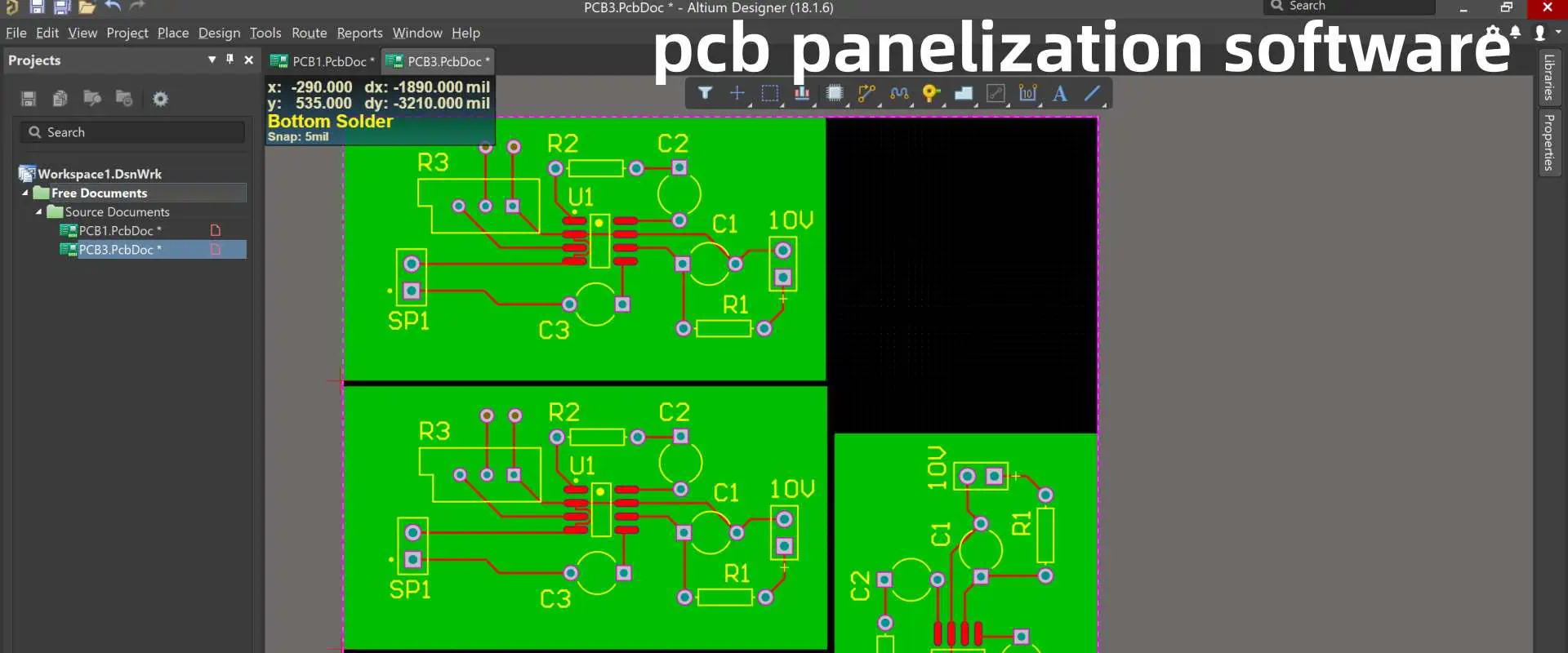
PCB Panelization Software Recommendations and Guidelines

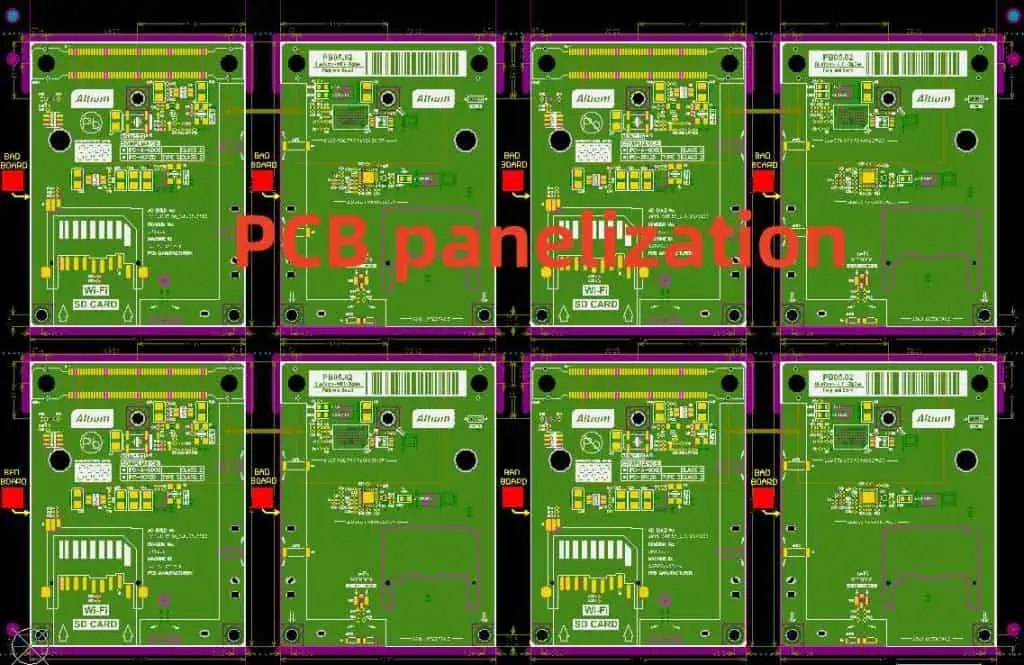
Panelization is the process of arranging multiple PCB designs onto larger panels for efficient board fabrication, assembly and testing. Panelizing maximizes board quantity per panel and minimizes material waste. Panelization is typically performed with specialized software tools that automate placement and routing of boards based on panel design rules.

This article provides recommendations on selecting suitable PCB panelization software and best practice guidelines for panel layouts to achieve optimal results.

YouTube video

Benefits of Panelization

The key benefits of panelizing PCB designs include:

  • Reduced fabrication and assembly costs per board
  • Improved material utilization with less waste
  • Simultaneous processing of multiple boards
  • Enabled automation with handling fixtures
  • Simplified testing and calibration
  • Faster assembly process flow
  • Protection of finished boards in panels
  • Support for materials like flex or rigid-flex

By panelizing properly with software, average costs can be decreased by up to 40% versus single board processing.

Panelization Software Evaluation Criteria

Consider the following when selecting PCB panelization software:

Input Format Support – Accepts major PCB design formats like ODB++, IPC-2581, DXF, Gerber.

Output File Generation – Produces panel drawings, drill and fabrication files, assembly data.

Design Rule Checks – Automatically validates panel clearances, tool access, placement.

Panel Optimization – Efficiently fits boards based on spacing rules and material sizes.

Board Rotation – Ability to rotate boards for optimal fit.

Step Panels – Allows creating stepped panels with overlap for panel breakpoints.

Fiducials and Tooling – Handles adding fiducials, rails, adhesives, labels.

Routed Tabs and Breakouts – Provides options for tab designs and tab routing between boards.

Multi-Vendor Support – Generates data in formats used by various fabricators, assemblers, testers.

Integration – Imports designs from CAD tools and integrates with CAM systems.

Automation – Scriptable to enable batch panelization across multiple designs.

Selecting software with robust panel design features ensures efficient panelization.

Panel Design Guidelines

Well-designed PCB panels optimize fabrication, assembly, testing and depaneling. Guidelines include:

Panel Size

  • Select standard fabrication sizes like 18โ€x24โ€, 21โ€x24โ€, etc.
  • Larger sizes enable more boards but impact handling.
  • Consider final rigid panel thickness.
  • Match panel size to processing equipment.

Board Population

  • Pack boards tightly but allow minimum spacing rules.
  • Typical spacing is 0.2โ€ to 0.3โ€ between boards.
  • Ensure accessibility for probers, pick and place heads.
  • Reduce placement scrap fall zones.

Board Orientation

  • Orient boards optimally to maximize quantity.
  • Rotate boards to align with panel edges.
  • Consider number of unique orientations for simplicity.

Route Channels

  • Add routing tabs/rails in channels between boards.
  • Observe minimum tab width for rigidity during routing.
  • Corner chamfer helps reduce tab remnants after routing.

Breakouts

  • Use V-Score or mouse bites to form sections for breakout.
  • Alternate tab locations between sections.
  • Determine if breakouts are manual or routed.

Fiducials

  • Add fiducials for assembly and test systems alignment.
  • Use generous capture pads.
  • Prevent fiducial shadowing by components.

Tooling Holes

  • Add tooling holes for alignment pins on assembly/test systems.
  • Tooling holes may require greater accuracy than fiducials.

Other Panel Features

  • Include panel frame for handling.
  • Add adhesives near center and edges to reinforce panels.
  • Incorporate debug access points.
  • Consider depaneling access holes for boards surrounded by others.

Panel Fabrication

  • Specify tight registration between layers and processes.
  • Require excellent drill location accuracy.
  • Expect intensive incoming inspection procedures.

Following these guidelines yields reliable, high yielding panels.

Panelization Software Tools

PCB panelization

Here are some recommended panelization software tools:

Altium Panelizer โ€“ Allows panel planning with automated optimal placements. Includes design rule checking and output generation.

Mentor Valor Panelization โ€“ Supports panel design, documentation, fabrication and assembly data. Integrates with Xpedition PCB tools.

Zuken CR-8000 Panelization โ€“ Performs multi-board panel layout with extensive rule checks. Links to CAD and CAM tools.

DownStream BluePrint Panelizer โ€“ Drag-and-drop panel creation. Links to CAM for phototools and NC drill generation.

Ucamco Integr8tor โ€“ Combines incoming netlists then auto-panels design with automation capabilities.

PADS Panelizer โ€“ Places boards interactively with defined spacing constraints to generate panels.

InPanel โ€“ Auto-populates panels using defined rules. Checking routines validate panel designs.

There are also panelization capabilities offered by major PCB vendors to prepare customer designs for volume fabrication.

Panel Waste Optimization

Careful panel planning minimizes material waste. Some optimization guidelines:

  • Assess typical board area versus target panel sizes.
  • Determine typical quantities needing production.
  • Select panel sizes to minimize unused areas.
  • Analyze blank areas to quantify waste costs.
  • Group similar sized boards on common panels when possible.
  • Prioritize high volume boards on optimized panels.
  • Compare alternate orientations and rotations to find most efficient layout.
  • Adjust spacing rules to fit more boards per panel if reworkable.
  • Request panel fabrication quotes with expected utilization percentages.
  • Determine cost tradeoffs increasing panel sizes for more boards vs. material costs.
  • Review panel designs regularly as boards change to maximize usage.

Spending time optimizing panel efficiency delivers significant cost reductions.

Handling Small Boards

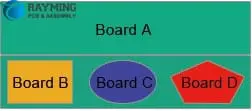
Rotation Panelization

Panelizing can also support easier handling of small boards:

  • Group multiple small boards together on panels for stability.
  • Surround each small board with generous routing channels.
  • Provide open access points in the panel for probing.
  • Define panel sections for breaking out board groupings.
  • Add adhesives between boards to keep together before depaneling.
  • Design panels so boards can depanel individually without disturbing neighbors.
  • Include alignment fiducials near each localized board region.

With care, panelization allows cost-effective volume production of small boards.

Panel Design Rule Checks

Panelization software should perform design rule checks including:

  • Minimum clearance between boards.
  • Minimum tab width for rigidity.
  • Tab positioning on alternating sides.
  • Sufficient fiducial landing area.
  • Access spacing for assembly nozzles/probes.
  • Allowed panel overhang for board outlines.
  • Annular ring clearance around tooling holes.
  • Elimination of vacant pad or trace exposure whenever possible.
  • Validation of minimum web thickness for scoring residuals.

Automated checking prevents defects and ensures a panel is fabricatable.

Panel Fabrication and Assembly Notes

Critical notes to detail on panel drawings:

  • Layer registration tolerance.
  • Etch compensation requirements.
  • Pad geometry and soldermask tolerances.
  • Allowable stretch or shrink during lamination.
  • Permitted handling grabs/flange regions.
  • Drilling entrance/exit constraints for burrs.
  • Surface finish control on live tooling hole areas.
  • Pad geometry protection near tabs and rails.
  • Expectations for untouched fiducial and tooling hole accuracy.
  • Breakout force limitations to prevent damage.
  • Storage and handling requirements before assembly.

Clear specifications are vital for panel integrity during large volume fabrication.

Summary

  • Panelization software maximizes material utilization, lowers average costs, and enables automation.
  • Select software with excellent optimization, design rules checks, and output generation capabilities.
  • Carefully design panels following spacing, tooling, breakout, and waste minimization guidelines.
  • Validation checks performed by software prevent defects and ensure panel integrity.
  • Panel-level engineering documentation highlights fabrication and assembly requirements at scale.

Panelizing with capable software combined with robust panel design guidelines ensures reliable volume PCB production with minimal waste.

Frequently Asked Questions

Combination Panelization

What are some key panel design rules manufacturers should follow?

Critical rules are minimum spacing between boards, tab routing widths, alternating tab locations, tooling hole annular rings, placement of fiducials, and clearance for assembly machine access. Setting and following these rules results in reliable panels.

How can PCB panelization reduce manufacturing costs?

By maximizing board quantity per panel, processing costs are amortized across more boards. Handling automation is enabled. Material waste is also reduced lowering raw material costs. Testing time per board decreases. Total savings average around 40% versus non-paneled boards.

What considerations are important for panel depaneling?

For depaneling, allow open access regions between boards, use generous router channels with chamfers, allow individual board removal without disturbing others, incorporate breakout subpanels, and indicate deburring requirements.

What panel thickness should be used?

Final panel thickness depends on board thickness and material. Aluminum entry and exit material can increase rigid panel thickness another 0.062โ€. Panels above 0.1โ€ thickness may require handling adjustments.

How many different board orientations on one panel is optimal?

It is best to limit panel designs to no more than two unique board orientations when possible. More orientations increases assembly programming complexity and likelihood of misloaded boards. Well-designed panels can achieve high utilization with just one or two orientations.

What is PCB Potting Services?

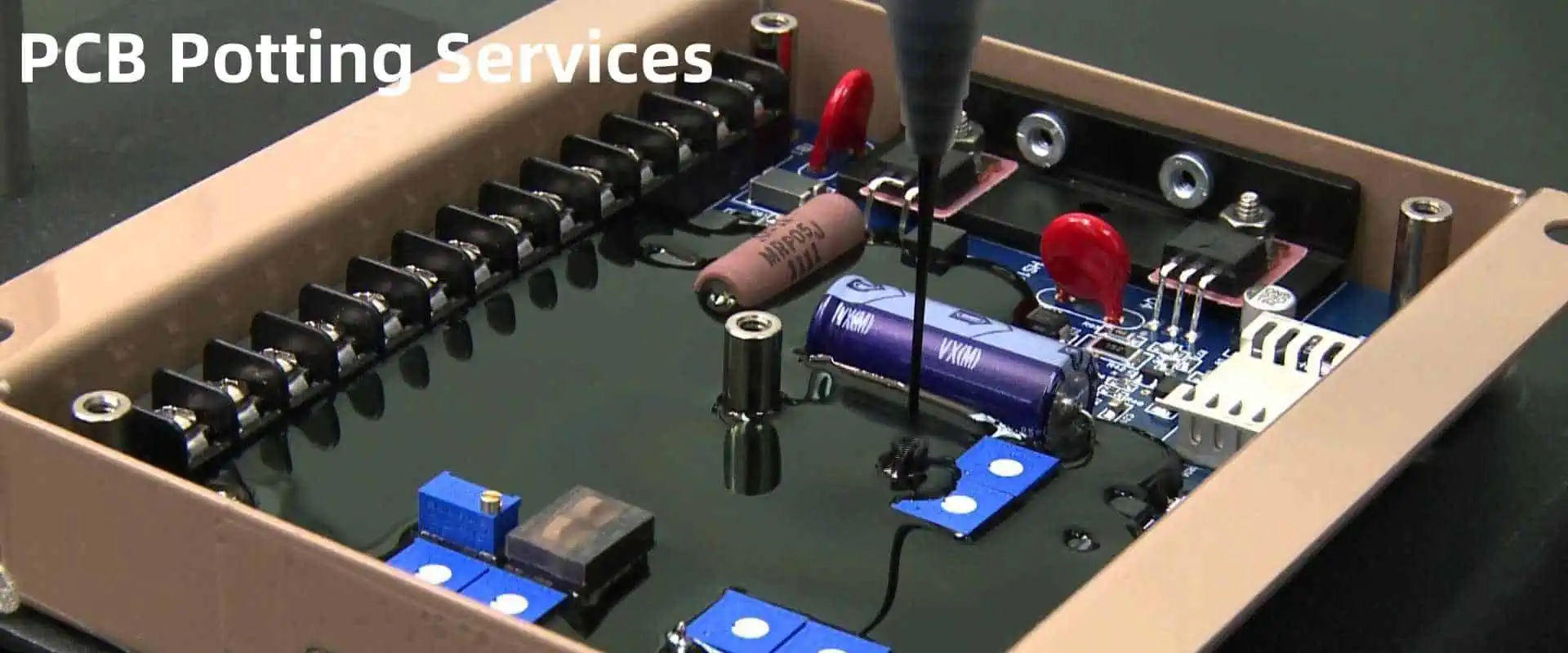
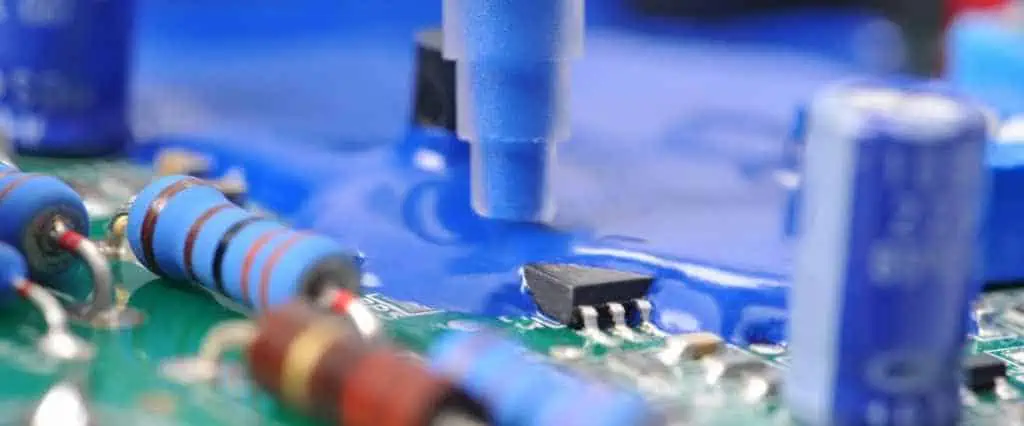
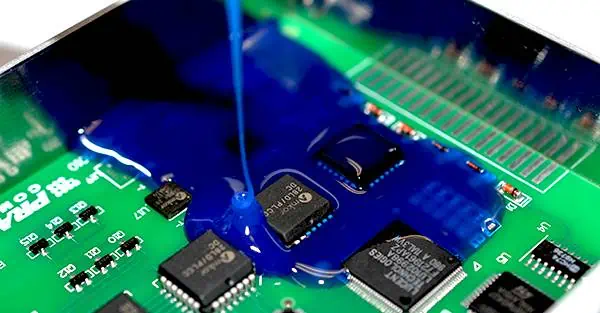
Potting is the process of filling electronics assemblies with a protective compound or resin to guard against environmental hazards like moisture, vibration, contaminants and impact. PCB potting encapsulates the board and components within a solid block that provides mechanical and environmental protection.

Specialized PCB assembly houses offer potting services to encapsulate finished circuit boards using different potting compounds and processes tailored to the required protection specifications. This article provides a detailed overview of professional PCB potting services.

Overview of Potting Process

Potting involves completely surrounding the PCB assembly in a liquid resin or polymer compound that then cures to a hardened protective block.

Some key steps in the professional PCB potting process:

  • Designing potting fixtures to mask areas and hold PCBs
  • Selecting the potting resin chemistry suited for needs
  • Mixing, degassing and preparing potting materials
  • Loading boards into fixtures and applying potting strategies
  • Dispensing or injection molding the liquid potting material
  • Curing the material using heat, UV exposure or chemical reaction
  • Inspecting for complete fill and curing
  • Removing cured potted boards from fixtures
  • Testing potted assemblies for function and durability
  • Applying protective labels and packaging

Potting transforms a bare PCB into a solid protected module that can withstand harsh conditions.

Benefits of Potting PCB Assemblies

pcb potting
pcb potting

Key benefits that professional PCB potting provides:

Environmental Protection – Potting seals the electronics from water, humidity, dust, chemicals and corrosive contaminants.

Mechanical Protection – The hardened potting material buffers against vibration, shock and impact damage during use.

Insulation – Potting electrically insulates the components and prevents short circuits. High voltage boards benefit.

Bonding – Potting bonds components and strengthens solder joint fatigue resistance.

Improved Thermal Performance – Potting facilitates heat transfer away from components, aiding cooling.

EMI/RFI Shielding – Some potting materials block electromagnetic and radio interference.

Dielectric Isolation – Potted modules isolate high-speed circuits and prevent signal coupling.

Added Rigidity – Potting reinforces PCBs and components to prevent flexing damage.

Aesthetic Appeal – Potting provides a uniform appearance hiding underlying PCB complexity.

For applications facing harsh environments, potting is a robust protection solution.

Industries Using PCB Potting

Many industries leverage PCB potting to protect electronics in challenging operating environments:

  • Automotive – Under-hood controllers and power modules exposed to vibration, temperature cycles and moisture.
  • Aerospace – Avionics control systems facing mechanical stresses, wide temperature swings and altitude pressure.
  • Marine Electronics – Corrosion resistance needed on boards used in humid, salty marine environments.
  • Military/Defense – Mission-critical systems requiring hardening against shock, water, EMI and contaminants.
  • Medical – Protecting implanted devices from body environment and preventing electrical hazard.
  • Industrial – Process control electronics seeing dust, chemicals and mechanical abuse during factory operation.
  • Consumer Electronics – Devices like cameras, power tools, etc. requiring improved robustness and liquid sealing.

Any application facing contamination, condensation, vibration or impact can benefit from professional PCB potting.

Materials Used for Potting

Various potting compounds are used to encapsulate PCBs based on requirements:

Epoxy – Best overall material in terms of versatility, performance and cost. Available in many formulations. Excellent adhesion, environmental resistance and durability.

Polyurethane – Very tough protection with high impact and abrasion resistance. Typically opaque.

Silicone – Provides excellent high temperature stability up to 200ยฐC. Maintains flexibility but can allow more moisture permeation.

Urethane – Similar protection as polyurethane but with higher clarity.

Parylene – Provides a very conformal pinhole-free thin coating applied via vapor deposition. Excels at moisture and chemical resistance.

RBCs (Rigid Black Compounds) – Opaque compounds containing epoxy and silicone providing very rigid, strong protection. High EMI/RFI shielding.

Specialized potting resins are also used for medical implantable devices, optical clarity, etc.

Potting Process Techniques

There are several process techniques used for applying potting compounds:

Dispensing โ€“ This manually applies potting material in a bead, fillet or blob using a pneumatic or electric fluid dispenser on the localized areas or zones requiring protection. Allows selective application.

Encapsulation โ€“ The entire PCB is placed in a mold cavity and liquid potting material is injected to surround the board completely.

Glob Top โ€“ A glob of potting material is dispensed over chip packages and wire bonds to protect IC components.

Underfill โ€“ Potting material is dispensed under large BGAs/components for mechanical strengthening before curing.

Brush Application โ€“ Using a brush to manually apply specialized potting compounds.

Casting โ€“ Pouring a two-part potting mixture around assembly similar to encapsulation.

Vapor Deposition โ€“ Parylene coatings are applied using a vaporization chamber to deposit polymer uniformly.

The process is dictated by the area needing protection, access needs, and production volume.

Design Factors for Potted PCBs

expoxy potting & Encapsulation

Potting a PCB assembly requires design adaptations:

  • Avoid pockets of air being trapped during filling using vent holes
  • Include generous fillets and radii in potting keepout zones
  • Design potting dams and containment walls to limit fill area
  • Ensure components are mechanically secured before potting
  • Position tall components to avoid tilting or shifting when potted
  • Specify toughened solder mask materials to resist cracking
  • Mark heat sinks and connectors needing to remain exposed
  • Define locations needing selective dispensing or glob top application
  • Allow sufficient space for potting fill ports and air evacuation
  • Specify thermal vias under hot components so heat can transfer through potting material
  • Define appropriate keepout regions, openings and masking

Early planning for potting improves results.

Benefits of Using a Professional Potting Service

Leveraging an experienced potting service provider offers many benefits:

-Availability of specialized potting fixtures, molds and equipment

-Expertise in selecting compatible potting materials and processes

-Precision dispensing, injection molding or encapsulation process knowledge

-Familiarity with cleaning, curing and baking procedures

-Established quality inspection practices

-Capabilities for mass production or small batch prototyping

-Testing expertise to validate potted assemblies still function as intended

-Skills performing selective potting techniques like glob tops

-Assistance designing boards for optimal potting results

-Troubleshooting issues like voids, cracks, filler errors

By outsourcing to a professional potting service provider, manufacturers can leverage established know-how and specialized equipment to receive fully tested, potted boards ready for use.

Common Potting Issues

Some common issues encountered when potting PCBs:

Voids โ€“ Air trapped during filling or insufficient filling results in voids within the potting compound where circuits are unprotected.

Cracks โ€“ Cracking occurs during curing when using inflexible potting materials with fragile components or PCBs. Thermal expansion differences also cause cracks.

Shifted components โ€“ Gravity causes tall, heavy components to tilt or fall over during filling before the compound hardens.

Wicking โ€“ Potting material adheres up component bodies away from the PCB surface leaving areas unprotected.

Outgassing โ€“ Some potting compounds release gas bubbles during curing, creating pockets.

Contamination โ€“ Particles become embedded in the potting or components react adversely with fillers.

Overheating โ€“ Excess heat during curing can damage temperature sensitive components.

Experienced potting service providers take measures to avoid these common faults.

Testing Potted Assemblies

pcb potting compound

Validating potted PCBs is critical to ensure no functional or reliability degradation:

  • Visual inspection checks for complete filling, air gaps, wicking issues and cosmetic defects.
  • Dimensional inspection verifies height, length, width and component placement tolerances are maintained.
  • Electrical testing like ICT fixtures or flying probes perform in-circuit testing to validate all functions operate. Burn-in may also be used.
  • Mechanical testing like vibration, shock and torque determine if any cracks or delamination occur indicating a potting defect.
  • Hermeticity testing per IPC standards confirms a complete moisture seal.
  • Thermal cycling with electrical test during temperature ramps checks for intermittencies from material stresses.
  • Measurement of dielectric strength, insulation resistance and capacitance verifies electrical integrity.

Thorough testing provides confidence the potting completely protects the assembly without degrading performance.

Summary

  • PCB potting encapsulates assemblies in a protective compound by dispensing, injection molding or other application techniques.
  • Potting improves environmental, contamination and impact resistance for challenging operating conditions.
  • Various potting compounds like epoxies, polyurethane, silicone and others provide specific benefits.
  • Potting services apply specialized expertise and equipment to encapsulate PCBs using proven techniques.
  • Potted assemblies require rigorous inspection and testing to validate reliable performance.

By leveraging professional potting services, manufacturers can quickly implement robust potting solutions to transform boards into durable, sealed products.

Frequently Asked Questions

What potting materials provide the best moisture and water protection?

Epoxies offer very low moisture permeability and excellent adhesion to prevent water ingress. Flexible polyurethanes and rigid black potting compounds also provide strong water resistance.

How is outgassing prevented when potting PCBs?

Outgassing can be minimized by proper mixing, filling slowly, allowing adequate venting, and ramping the cure temperature to allow gases to escape gradually from the resin. Choosing potting compounds with low volatility also helps.

What inspection techniques detect voids in potted assemblies?

X-ray imaging is ideal for detecting air gaps and voids within encapsulated assemblies. Ultrasound non-destructive testing also helps identify sub-surface voids by sensing differences in acoustic impedance.

Does potting a PCB increase or decrease thermal resistance?

Potting generally improves heat transfer away from components by providing a continuous thermal conduction path when in contact with heat sinks and metal chassis. But pockets of air trapped during filling can increase thermal resistance.

How thick should potting over components and PCBs be?

As a rule of thumb, a minimum of 3 mm potting thickness is recommended over components to provide sufficient mechanical strength. For PCBs, 2 mm thickness is typical but can vary based on environmental needs.

Best Practices for PCB Power Planes in Multi-board Design

Power distribution is a critical concern when designing complex multi-board systems like servers, telecom equipment, industrial control units, etc. These systems often use large multi-layer boards or sometimes multiple interconnected boards to provide sufficient routing channels.

Implementing robust power planes within and across PCBs is key to deliver clean, stable power to all components. This article provides comprehensive guidelines on best practices for utilizing power planes in multi-board designs.

Power Plane Benefits

Dedicated power planes on PCB layers offer major benefits versus discrete power routing including:

  • Extremely low impedance power distribution network
  • Vast current capacity exceeding 10A with 1oz copper
  • Elimination of ground loops and slow power feedback
  • Prevention of switching noise coupling into signals
  • Improved voltage regulation with decoupling caps
  • Facilitates system level power sequencing

Power planes also simplify routing by avoiding tangles of power traces. Multi-board systems leverage these advantages by implementing power planes both on individual PCBs as well as across boards using backplanes or other interconnects.

Multi-Board Power Architecture

The first step is to define the system level power architecture and voltage domains. Key considerations for complex multi-board systems:

  • Number of unique voltage rails required (+5V, +12V, -12V, etc.)
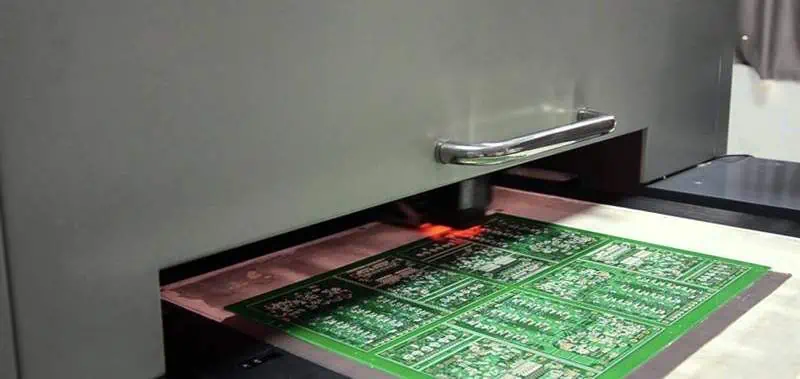
  • Primary and redundant power supply modules
  • Sequence of board power up for hot-swap ability
  • Power budgeting for each board and interconnections
  • Heat dissipation needs – airflow, heatsinks
  • Fault tolerance requirements โ€“ fusing, monitoring, reporting

Architecting at the system level ensures all power requirements are fulfilled by the PCB level implementation.

Backplane Power Distribution

Backplanes or other board-to-board connectors are used to distribute power between PCBs in multi-board systems. Guidelines include:

  • Assign dedicated connector pins for each required voltage rail
  • Size pins appropriately for expected current draw
  • Ensure even pin distribution to avoid hotspots
  • Locate voltage pins adjacent to respective ground pins for local decoupling
  • Consider contact resistance for both pins and connectors
  • Incorporate redundancy for critical voltage rails
  • Use sense traces to regulate noise at board inputs
  • Add TVS diodes, fuses or polymer blocks for protection

Well designed backplane power routing avoids issues like voltage drops, noise coupling and thermal buildup across boards.

Board Level Power Planes

Within each PCB, one or more entire layers are devoted to uninterrupted power planes. Guidelines for board level power planes:

  • Assign a layer for each distinct voltage domain
  • Ensure adjacent power and ground planes for decoupling
  • Surround planes completely by guard traces or ground
  • Use thicker 2oz copper for high current applications
  • Incorporate plane splits to isolate noise sensitive circuits
  • Add multiple vias when routing signals through planes
  • Allow for thermal expansion of planes in panel design
  • Take care with plane edges near connectors and fingers

Robust power planes simplify routing while enabling stable power to all board sections.

Layer Stackup Configuration

Carefully configure the layer stackup to embed power planes optimally. Some guidelines:

  • Position ground plane adjacent to each power plane for isolation
  • Assign ground and VCC planes on inner layers adjacent to surface layers
  • Ensure surface layers are ground planes for shielding
  • Place critical signals layers closest to surface grounds
  • Use thicker power core layers when current demands are high
  • Add thin dielectric between power and ground for capacitance
  • Assign digital and analog power planes to separate layers
  • Split layers to provide embedded regulator supplies

Appropriate stackups avoid noise coupling and deliver clean localized power.

Decoupling Capacitors

Decoupling capacitors are mounted directly between power and ground planes to filter noise. Best practices include:

  • Select low ESR, X7R or NP0 capacitor technology
  • Choose appropriately sized capacitors for targeted noise frequency
  • Observe capacitor parasitics – ESL, ESR and impedance are key
  • Place caps as close to IC pins or packages as possible
  • Use staggered values for wide frequency noise suppression
  • Consider land patterns for optimal inductance and current
  • Enable capacitors in parallel for very high current applications

Sufficient high frequency decoupling is essential for stable PCB power integrity.

Polygon Pours

Polygon power fills can be used to augment planes for improved thermal relief and redundancy. Guidelines:

  • Assign polygons on inner layers adjacent to respective planes
  • Connect polygons directly to planes at multiple locations
  • Surround polygons with sufficient isolation clearance
  • Break up large polygons into smaller mesh for etch relief
  • Take care with polygon edges near fingers or connectors
  • Adjust polygon copper weight to meet current capacity
  • Keep polygon copper balanced between layers

Polygons provide supplemental power distribution with careful design.

Power Plane Splits

Power planes can be selectively split into isolated regions to prevent noise coupling when required. Some guidelines:

  • Use narrow split lines to divide plane while retaining low impedance
  • Place split lines to isolate sensitive analog sections
  • Assign individual planes for noisy digital supplies
  • Retain symmetry across plane splits for current balance
  • Bridge splits with ferrite beads when some coupled noise is acceptable
  • Decouple each split region independently
  • Add jumper connections across splits when needed

Targeted plane splits balance overall robustness with isolation needs.

Power Routing Escape Traces

Escape traces route power from the planes out to connector pins or circuit loads. Best practices:

  • Assign multiple vias when escape traces pass through ground planes
  • Place vias or stitching caps when routing over plane splits
  • Use thicker traces and minimum angles for lowest impedance
  • Avoid running other signals in parallel with power traces
  • Include power testpoints at key intersections
  • Incorporate fusing on critical power lines

Careful escape routing prevents impedance spikes and noise injection across the board.

Grounding Considerations

While focused on power, grounding interrelates and requires considerations like:

  • Minimize ground loops by routing ground returns next to signals
  • Connect all ground planes at a single point only
  • Use strategic splits in ground planes to contain return current
  • Route key signals over uninterrupted ground areas
  • Incorporate separate analog and digital ground planes
  • Assign guarded geometries around ground plane edges
  • Provide a ground return path for each power distribution branch

Robust grounding and minimal ground loops affect overall power integrity.

PDN Validation

Validate the full power distribution network (PDN) using modeling and measurement:
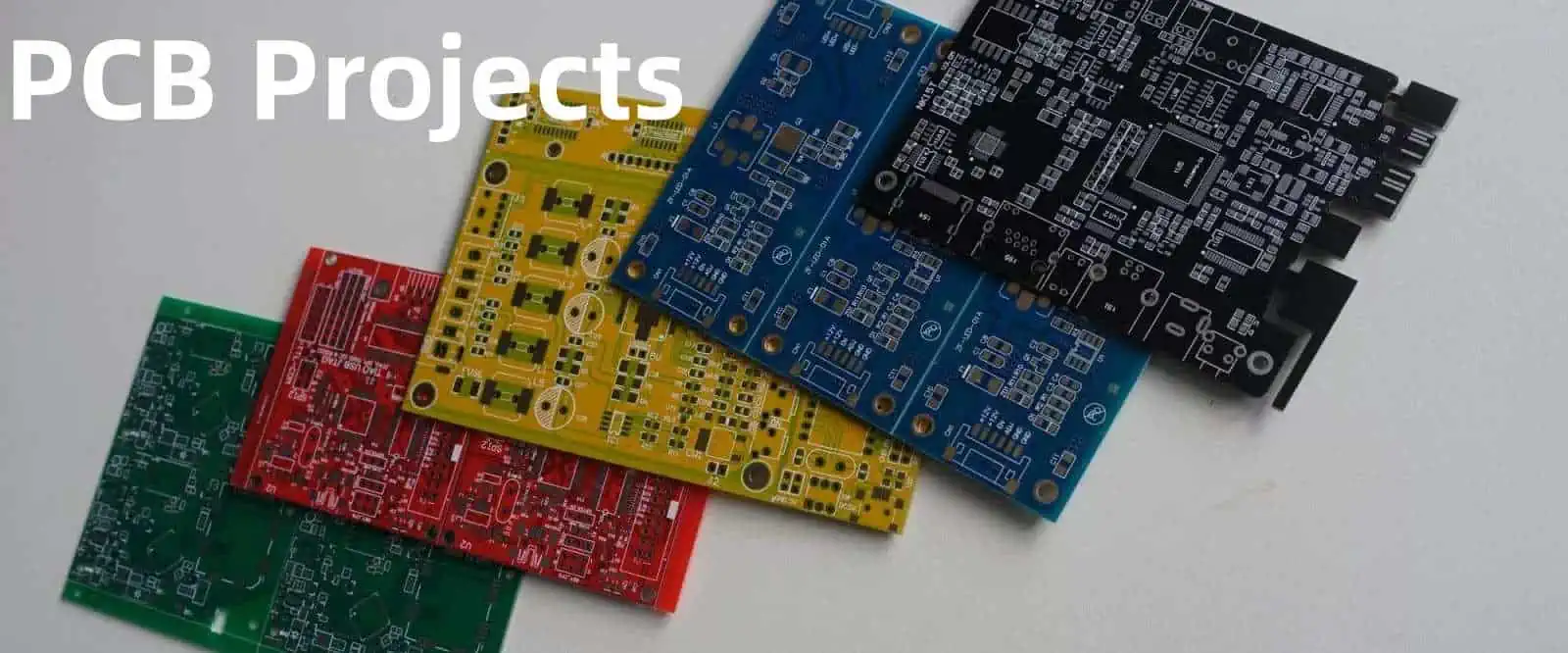
  • Perform impedance profiling and resonance analysis
  • Model PDN across frequency range for power noise
  • Verify impedance targets for power rail stability
  • Measure power noise directly with oscilloscope probes
  • Use VCC leakage current tests for capacitance estimation
  • Employ high frequency signal injection to locate resonances
  • Review thermal imaging under load to check for hotspots

Thorough PDN validation ensures the design meets all power integrity targets.

Design Rule Checks

4 layer pcb ground plane

Leverage design rule checks and constraints to avoid common power integrity issues:

  • Set minimum spacing between planes, traces, pads
  • Control plane edge shapes and corner radii
  • Limit the number of vias when signals cross planes
  • Set maximum trace lengths for decoupling caps
  • Require bypass caps for each power pin/terminal
  • Enforce diversified decoupling values
  • Flag missing testpoints or fusing
  • Identify unconnected plane regions or islands

Rules and constraints codify best practices to automate checking.

Summary

  • Power planes provide tremendous advantages for multi-board system PDNs.
  • Architecture the system level power distribution and sequencing first.
  • Carefully plan board power plane assignment, stackup, decoupling and routing escape traces.
  • Leverage polyethylene filled backplane pins, card edges and connectors for interconnection.
  • Validate the full PDN using modeling, measurements and thermals.

Following these guidelines delivers a robust power distribution implementation for reliable multi-board system operation.

Frequently Asked Questions

How should power be distributed between boards through backplane connectors?

Use dedicated power pins for each required voltage rail when routing connector power, with adjacent ground returns. Evenly distribute pins to avoid hotspots and use larger pin gauges or multiple pins for higher current.

What is a recommended PCB layer stackup for power integrity?

Good stackup practice is to assign ground and power planes in core layers next to signal layers. Critical signals should be next to ground planes. Place ground planes on the outer layers for shielding.

How can power plane resonance be reduced?

Strategically splitting power planes, using capacitive dielectrics between planes, and providing sufficient high frequency decoupling dampens power plane resonances. Modeling the full PDN also highlights resonant frequencies.

Why are polygon power pours used in parallel with plane layers?

Polygons provide supplemental high frequency power distribution, thermal relief for planes, and redundancy against plane breaks. But polygons have higher impedance than solid planes and introduce their own resonant effects.

What is the purpose of isolation gaps or splits within power planes?

Targeted plane splits are used to contain and isolate power noise sensitive circuitry from noisy supply regions. This prevents coupled noise while retaining robust power distribution across the overall board.

How Do You Preheat a PCB?

Preheating is an important step prior to soldering PCB assemblies. It involves raising the board temperature to a desired level before introducing solder. Proper preheating minimizes thermal stresses, improves solder joint quality, and prevents damage during hand soldering or reflow.

This article provides a comprehensive overview of PCB preheating methods, equipment, temperature profiling, and best practices. Weโ€™ll review conduction, convection, infrared, laser, and other preheat technologies along with tips for process control and optimizing results. After reading, youโ€™ll be equipped with expert knowledge on preheating PCBs for flawless soldering.

Purposes of PCB Preheating

There are several key reasons PCBs are preheated before soldering:

  • Minimizes thermal shock โ€“ Avoiding sudden temperature spikes when solder applied.
  • Reduces thermal gradients โ€“ Heat is evenly distributed to balance temps across the board.
  • Activate soldering flux โ€“ Flux needs to reach working temperature to remove oxides.
  • Drive off volatiles โ€“ Moisture and other contaminants are driven away.
  • Improve wetting โ€“ Preheating thins solder paste promoting better wetting and flow.
  • Prevent delamination โ€“ Gradually heating PCB minimizes separation of material layers.
  • Enable low-temperature solder alloys โ€“ Allows solders with tight melting ranges.

Preheat is an essential first step to soldering success. Next, letโ€™s look at preheat technologies.

PCB Preheat Methods

There are various methods used for preheating PCB assemblies:

Conduction Preheat

Uses direct contact between the PCB and a hot surface to transfer heat:

  • Heated metal plates or platens are commonly used.
  • Can be built into soldering stations or stand-alone.
  • Provides fast, even heating through conduction.
  • Limited to accessible board surfaces that can contact the plate.

Convection Preheat

Heats the board via forced air:

  • Typically uses heated air or nitrogen blown onto surfaces.
  • Enclosed convection ovens surround boards with hot air.
  • Provides general, uniform heating but slower than conduction.
  • Reaches areas not practical for contact methods.

Infrared Preheat

Leverages IR radiation to heat boards:

  • IR emitters or lamps expose boards to intense IR energy.
  • Very rapid heating achieves quick temperature ramps.
  • Line-of-sight process may cause uneven heating.
  • Risk of warping or damaging temperature sensitive components.
  • Minimal oxidizing compared to convection heating.

Laser Preheat

Focuses laser energy to rapidly heat localized areas:

  • Laser is rastered to scan heating across the PCB surface.
  • Enables precise control of heat profiles.
  • Excellent for small regions without disturbing nearby components.
  • Complex systems with optics for beam positioning and intensity control.

Thermoelectric Preheat

Uses Peltier effect for precision heating:

  • Applies current across junction of two materials to heat or cool.
  • Compact solid-state heat pumps with no moving parts.
  • Permits very precise temperature control.
  • Limited heat pumping capacity restricts area/speed.

Microwave Preheat

Dielectric heating of materials through microwave energy absorption:

  • Exposes board to tuned microwave frequencies.
  • Very rapid heating but tends to be uneven.
  • Selective heating of different materials across the board.
  • Requires microwave-transparent holding fixtures.
  • Risk of arcing with metal components.

This covers the primary preheat methods – from contact plates to lasers to microwaves. Next, weโ€™ll go over system design considerations.

PCB Preheat System Design

Several factors go into designing effective PCB preheat processes:

  • Temperature range โ€“ Match capabilities to polymer glass transition temps.
  • Heating rate โ€“ Allow ramps up to 4-5ยฐC/sec for lead-free solder.
  • Uniformity โ€“ Minimize gradients across boards for even heating.
  • Process control โ€“ Closed-loop PID algorithms for precision setpoints.
  • Atmosphere โ€“ Inerted N2 preferred over air to reduce oxidation.
  • Fixturing โ€“ Hold boards precisely while avoiding shadowing or hotspots.
  • Cooling โ€“ Active cooling can accelerate cycle times.
  • Automation โ€“ Handling robotics integrate preheat into production.

Optimized preheat systems deliver repeatable, reliable results tailored to each application need.

Solder Paste Reflow Profiling

Reflow ovens used for soldering SMT boards rely on tightly controlled preheat stages:

  • Preheat ramp โ€“ Gradual temperature increase to minimize shock stress.
  • Soak zone โ€“ Dwell time for even heating and solder paste activation.
  • Reflow peakย โ€“ Above liquidus temperature to fully melt solder.
  • Cool down โ€“ Controlled for a smooth transition and effective joint solidification.

Precisely tuned reflow profiling is key to defect-free soldering results.

Hand Soldering Preheat Guidelines

Preheating is also critical prior to hand soldering boards:

  • Use a low-power heat gun or convection heater to avoid overheating.
  • Keep nozzle moving over the area for even heating.
  • Ensure prereflow of solder paste before applying iron.
  • Let preheated joint cool briefly before soldering to avoid cracking components.
  • Shield nearby temperature-sensitive parts with kapton tape or silicone pads.

Proper preheating technique allows successful hand soldering of SMT boards without component damage.

Rework Preheat Methods

Preheating is used during PCB rework to remove and replace components:

  • Localized spot heaters target just the component area to avoid disturbing nearby parts.
  • Specialized thermal tweezers or thermodes heat individual joints rapidly.
  • Low airflow convection avoids blowing nearby components out of position.
  • Careful profiling ensures temperature stays below damage thresholds.

Strategic preheating makes PCB rework faster and safer.

Process Monitoring and Control

To achieve repeatable preheat quality, monitoring and control are vital:

  • Use thermocouples or IR sensors to provide active feedback on PCB temperature.
  • Closed-loop controllers dynamically adjust heater power to maintain setpoints.
  • Monitor gradient across the board to ensure uniform heating.
  • Placement of sensors impacts control – locate in high thermal mass areas.
  • Characterize system response to tune PID parameters for stability and speed.

Robust process control is key to consistent preheat performance.

Summary of PCB Preheat Best Practices

  • Profile temperatures and ramp rates according to solder alloy used.
  • Allow sufficient preheat soak time for uniform board temperature.
  • Shield delicate components or locally preheat large parts.
  • Use thermocouples or thermal imaging cameras to monitor heating.
  • Maintain inert nitrogen atmosphere to prevent oxidation.
  • Adjust heater power and dwells to reduce gradients across boards.
  • Validate heating efficacy through post-soldering inspection.

Following these guidelines results in ideal PCB preheating for flawless soldering.

Conclusion

Preheating is a vital first stage enabling robust PCB soldering while minimizing defects and damage. Conduction, convection, infrared radiation, lasers, and other technologies each provide unique advantages for controlled heating. By properly profiling temperatures and intelligently applying heat, high-quality solder joints are achieved. Preheating clearly plays an essential role in electronics manufacturing.

Frequently Asked Questions

How do you know what preheat temperature to use for a given PCB?

Consider the glass transition temperature of board materials along with solder paste reflow recommendations from the manufacturer. Allow a buffer of at least 50ยฐC below damage thresholds of heat-sensitive components.

What monitoring tools ensure effective preheating?

Thermocouples and IR thermal cameras are ideal for tracking PCB temperature. Closed-loop control algorithms analyze this sensor feedback to regulate heaters and achieve ideal profiles.

Is it better to use convection or conduction preheating?

Conduction preheat transfers heat faster for speed while convection provides more uniform heating across the board. Most systems apply conduction followed by convection soak to balance rapid ramps and minimizing gradients.

How does Preheat temperature affect soldering quality and reliability?

Insufficient preheat fails to properly activate flux or drive off volatiles leading to shorts or opens. Excessive temperatures can overheat components or warp boards. Tuned preheat profiles optimize joint quality.

What are some preheat considerations for large or high mass PCBs?

Slow ramp rates below 2ยฐC/sec avoid thermal shock while allowing time for heat to soak into the board. Localized or segmented heating may be required to bring up specific areas faster without scorching others.

Top 6 Best PCB Printers on Your Desk

Professional PCB fabrication traditionally required sending designs to manufacturers and waiting days or weeks to receive finished boards. However, desktop PCB printers now allow conveniently printing circuit boards in-house.

This article reviews the top 6 desktop PCB printers currently available. We will compare key specifications, capabilities, and pros/cons of each model to determine which best suits different applications and budgets. Read on to find the ideal desktop PCB printer to bring your electronics projects to life.

Overview of Desktop PCB Printers

Modern desktop PCB printers leverage various technologies to turn copper-clad plastic or ceramic substrates into functional circuit boards:

  • Mechanical Drilling โ€“ For holes and vias
  • Laser Machining โ€“ Ablates away copper
  • Milling โ€“ Uses end mills to isolate traces
  • Inkjet Printing โ€“ Deposits conductive inks
  • Photolithography โ€“ Selectively etches copper similarly to industrial processes

By combining these methods, multimodal desktop printers can fabricate detailed single or double-sided boards with fine features comparable to industrial standards. Letโ€™s examine the top models.

LPKF ProtoMat S104

The ProtoMat S104 from German firm LPKF stands as one of the most premium desktop PCB printer options:

Key Specifications

  • 10,000 rpm mechanical drill
  • 60W CO2 laser, 5.5 mil spot size
  • 4 mil milling cutter, +/- 5 mil accuracy
  • 4โ€x6โ€ max board size
  • 16 mil min trace/space

Benefits

  • Commercial quality boards
  • Very intricate cutting, drilling, and milling
  • Excellent line precision and edge quality
  • Wide material capability including flexible
  • Fiducial recognition and alignment

Drawbacks

  • High price over $18,000
  • Limited to 2 signal layers
  • Manual loading/unloading of boards

With its combination of laser micromachining, high speed drilling, and precision milling, the ProtoMat S104 produces professional multi-modal circuit boards in-house from prototype to medium volume production.

Voltera V-One

The Voltera V-One aims to bring easy, affordable PCB printing with:

Key Specifications

  • Piezoelectric inkjet for conductors
  • Single-sided boards up to 50×100 mm
  • ~200 dpi / ~127 ฮผm traces
  • 2 mil drill bits, +/- 4 mil accuracy

Benefits

  • Very low cost under $4000
  • Simple barrel ink cartridges
  • No chemical processing required
  • Easy to use touchscreen interface
  • WiFi and USB connectivity

Drawbacks

  • Slow printing speed
  • Limited to 1 layer
  • Lower resolution traces
  • Smaller board size

The V-One makes PCB prototyping accessible for education, startups, and hobbyists via hassle-free inkjet conductive trace printing combined with through-hole drilling.

Nano Dimension DragonFly LDM

This 3D printer style device uses advanced nano-particle inks to directly print PCBs:

Key Specifications

  • Proprietary silver nanoparticle ink
  • Single/double-sided PCB printing
  • 7.6 x 7.6โ€ max size
  • 2 mil printing resolution
  • 1 mil drilling resolution

Benefits

  • High conductivity metal traces
  • Multi-layer capabilities
  • Very fine print and drill resolution
  • Touch probe depth measurement
  • Fully automated operation

Drawbacks

  • High cost near $50,000
  • Limited to own conductive ink cartridges
  • Smaller build area

The DragonFly LDM produces professional quality boards through additive inkjet printing of traces combined with precise depth-controlled drilling.

Optomec Aerosol Jet 5X

Unique aerosol jetting technology distinguishes this high precision PCB printer:

Key Specifications

  • Atomized nanoparticle ink deposition
  • 5 mil min trace width
  • 1 mil drilling diameter
  • 5×5โ€ max board size
  • 2 layer capability

Benefits

  • Non-contact printing minimizes defects
  • High conductance metal inks
  • Excellent fine line capabilities
  • Dual single/double-sided printing
  • Can print non-planar surfaces

Drawbacks

  • Very high cost near $150,000
  • Limited build size area
  • Requires compressed air and N2 supply

With its high resolution and flexible printing options, the Aerosol Jet 5X excels at research-level PCB printing but has limited production utility.

BotFactory SV2

This compact printer combines inkjet printing with robotic assembly:

Key Specifications

Benefits

  • Fully automated printing through assembly
  • Tiny 1 mil holes and isolation
  • No chemical processing needed
  • Compact desktop size
  • Low cost under $5000

Drawbacks

  • Slow overall speed
  • Limited features and small size
  • Lower yield and precision

While capabilities are limited, the BotFactory SV2 provides all-in-one desktop PCB printing coupled with automated component population for rapid in-house concept prototyping.

LPKF ProtoMat E34

LPKFโ€™s entry-level circuit board plotter balances cost and quality:

Key Specifications

  • 60W CO2 laser cutting
  • 4 mil mechanical drill bits
  • +/- 8 mil precision
  • Max board size 4.7โ€ x 3.9โ€
  • Min trace/space 10 mil

Benefits

  • Reasonable ~$9000 price tag
  • Robust laser and drill performance
  • LPKFโ€™s proven mechanical engineering
  • Easy to use CAM software included
  • Upgradeable with milling/routing

Drawbacks

  • Limited feature sizes
  • Single sided only
  • Manual loading of boards

The ProtoMat E34 from LPKFโ€™s proven system provides an affordable solution for low volume, fast turnaround desktop PCB fabrication when industrial solutions are overkill.

Summary Comparison

PrinterKey ProcessesMax LayersMin. ResolutionMax Board SizePrice
LPKF ProtoMat S104Laser, Drill, Mill24 mil4โ€x6โ€$18,000
Voltera V-OneInkjet, Drill1127 ฮผm5โ€x10โ€$4000
Nano Dimension DragonFlyInkjet21 mil7.6โ€x7.6โ€$50,000
Optomec Aerosol Jet 5XAerosol Jet21 mil5โ€x5โ€$150,000
BotFactory SV2Inkjet, Dispense, Assembly21 mil4โ€x4โ€$5000
LPKF ProtoMat E34Laser, Drill110 mil4.7โ€x3.9โ€$9000

Conclusion

Desktop PCB printers grant electronics designers, engineers, and makers the ability to quickly turn their circuits into physical boards without relying on external fabrication.

From budget inkjet models to professional laser/milling systems, todayโ€™s desktop printers offer resolutions down to 1 mil and features rivaling small-scale manufacturing capabilities. As the technology continues advancing, expect wider adoption driving faster iteration in circuit design innovation.

Frequently Asked Questions

What materials can desktop PCB printers work with?

Most support common FR-4, polyimide, ceramic, and Rogers substrates. Some models allow printing flex PCBs on polyimide films. Material choice depends on requirements like flexibility, high frequency, thermal conductivity.

How many layers can desktop printers produce?

Entry-level printers generate single layer boards, while advanced models support multilayer with either double-sided printing or layer lamination. However, 4+ layers remain in the domain of full-scale PCB fabrication.

What precision and minimum feature sizes can desktop PCB printers achieve?

Leading desktop printers offer 1 mil features and accuracy rivaling industrial equipment. High-end laser, milling, and inkjet models can produce traces and spaces down to 4-5 mils. Entry-level printers support 10 mil features.

What desktop PCB printers are best for small prototypes?

For hobbyist and educational use, low-cost inkjet printers like the Voltera V-One provide an accessible starter option. For more advanced engineering prototypes, the LPKF ProtoMat E34 or BotFactory SV2 balance cost and capabilities.

What desktop printers come closest to commercial PCB production quality?

High-end laser milling hybrid printers like the LPKF ProtoMat S104 offer close to commercial board quality and feature sizes. The Nano Dimension DragonFly also produces professional grade boards through additive inkjet printing.

How to Plan PCB Projects from Design to Examples ?

Developing a new electronics product with a custom printed circuit board (PCB) involves extensive planning even before schematic entry begins. A systematic approach to planning PCB projects helps avoid costly mistakes and delays down the line.

This comprehensive guide covers how to effectively plan a PCB project end-to-end – starting from the product requirements all the way through fabrication, assembly, and testing. Read on to learn planning best practices that will set your next PCB project up for success.

Gathering Requirements

The critical first step is gathering detailed requirements that will drive the PCB design, manufacturing, and testing. Key requirements to obtain:

  • Input/output interfaces – What types of wired or wireless interfaces are needed? Common standards like USB, Ethernet, WiFi determine layout constraints.
  • Component selection – Will high power, high frequency, or space-grade components be used? Component sizes and pinouts affect PCB design.
  • Functional modes – What modes of operation are needed? This defines use cases to design and test for.
  • Performance criteria – What are the critical performance metrics like data rates, accuracy, response times, power consumption, etc?
  • Environmental factors – What environments will the product operate in – indoor/outdoor, temperature range, vibration, etc? This influences design ruggedness.
  • Compliance – What regulatory standards like UL, FCC, CE must be met? Compliance needs drive certain design and test criteria.
  • Manufacturing volume – Will this be a short prototype run or mass production? Manufacturing and inspection processes depend on volumes.
  • Budget constraints – What are cost targets for BOM, PCB fabrication, assembly, etc? Costs depend heavily on design choices.

Documenting all requirements creates a product requirements specification (PRS) that aligns cross-functional teams and ensures no gaps in planning the PCB project stages.

Selecting Components

Altium Designer 20

With requirements defined, appropriate integrated circuits, discrete semiconductors, passives, connectors, and other components can be selected.

  • Review datasheets for specifications like performance, operating ranges, packaging, pin counts, etc.
  • Prefer use of standard components that are readily available and qualified. Custom or obsolete parts often delay projects.
  • Consider environmental needs like temperature tolerance, radiation resistance, etc.
  • Model board space needed for placements based on component dimensions.
  • Check that packaging and pinouts are compatible with PCB assembly processes.
  • Minimize different component types to reduce BOM cost and complexity.

Judicious component selection while meeting technical requirements optimizes downstream PCB design.

Schematic Design

The schematic captures the circuit architecture and connectivity on paper before physical implementation.

Schematic design tips:

  • Use top-down hierarchical blocks for major subsystems. This simplifies complex designs.
  • Adhere to logical grouping and naming conventions for nets and components.
  • Include test points to facilitate hardware debugging and characterization.
  • Design with manufacturability in mind. Schematics tightly constrain PCB layout options.
  • Simulate circuit performance to verify operation before prototyping.

A complete schematic allows progressing to PCB layout with all interfaces, components, and nets logically defined.

PCB Layout

pcb layout design
pcb layout design

With the schematic complete, PCB layout can begin. This maps the logical schematic onto a physical board template.

Best practices for layout:

  • Group related components together for efficient local routing.
  • Ensure high speed paths have impedance control and isolation.
  • Include modest spare board area for last minute layout changes.
  • Follow all manufacturersโ€™ design rules for trace spacing, hole sizes, etc.
  • Design for thermal management with adequate copper heat sinks.
  • Minimize trace lengths for critical signals like clocks and high speed buses.
  • Review layouts regularly against requirements to avoid missing key features or constraints.

Careful schematic-driven PCB layout avoids costly respins due to functional or manufacturing issues.

Design Reviews

At multiple points during schematic capture and PCB layout, formal design reviews should be conducted.

Typical design reviews:

  • Requirements Review – Verify all defined requirements are properly translated into the design.
  • Schematic Review – Assess circuit correctness, manufacturability, testability.
  • Layout Review – Check form fit, tolerances, serviceability, manufacturability.
  • Safety Review – Ensure regulatory and safety standards compliance.
  • Quality Review – Confirm adherence to quality processes and documentation.

Reviews help identify issues early when they can be readily addressed, reducing costly redesigns later.

Thermal Analysis

Thermal design is a critical aspect of PCB layouts. Excessive temperatures can cause failures.

Thermal analysis process:

  • Power Maps – Estimate power dissipation for each component.
  • Heat Spreading – Ensure power planes and thermal vias distribute heat.
  • Thermal Simulation – Model temperature rises with finite element analysis.
  • Heatsinking – Add copper pads, planes, and thermal reliefs to dissipate heat.
  • Cooling – Evaluate need for fans, heat pipes, liquid cold plates, or other cooling.

Detailed thermal design improves reliability and prevents hot spots on the PCB.

Design for Manufacturing (DFM)

Embedded Hardware Engineer

PCBs must be designed not just for function but also for manufacturability.

Key DFM considerations:

  • Manufacturer Capabilities – Understand minimum trace widths, hole sizes, spacing, etc.
  • Tolerances – Account for tolerances of ยฑ10% or more in fabrication and assembly.
  • Panel Utilization – Layout board shape and placement for efficient panel use.
  • Split Planes – Avoid large copper fills which are prone to etching artifacts.
  • Test Points – Include test pads connected to nets for characterization.
  • Chamfers/Fillets – Use smooth corners on cutouts and pads for better fabrication.

Early DFM analysis avoids delays and costs of design re-spins to fix manufacturability issues.

Design for Assembly (DFA)

In parallel with DFM, assembly factors must be addressed:

  • Component Placement – Ensure they are accessible by pick-and-place machines.
  • Rotation/Orientation – Define component rotation to match assembly processes.
  • Picker Access – Account for clearances required for vacuum picker heads.
  • Adhesives – Plan locations of epoxies, tapes, staking compounds.
  • Standoffs – Include standoff locations for securing components.
  • Test Points – Provide adequate test points for in-circuit testing.

DFA techniques result in PCBs that transition smoothly from fabrication to automated assembly.

Cost Analysis

Performing cost analysis during the design process helps avoid cost overruns:

  • BOM Cost – Calculate total component cost based on volumes, sourcing options.
  • PCB Cost – Estimate board fabrication cost per units for chosen manufacturer.
  • Assembly Cost – Project expenses for population based on complexity, lead times.
  • Test Cost – Budget for test fixture development and unit testing time.
  • Compliance Cost – Factor in costs to achieve regulatory certification.
  • Tooling Cost – Account for any custom tooling like molds, jigs, fixtures.

Adjusting the design to align with target costs prevents budget surprises later.

Documentation

Maintaining up-to-date documentation is crucial for smooth PCB project execution:

  • Requirements – PRS provides the foundation for development.
  • Schematics – Fully detailed schematics essential for layout, BOMs, service.
  • PCB Drawings – Manufacturing drawings with dimensions, notes, finishes.
  • BOMs – Component lists with approved manufacturer parts and volumes.
  • Assembly Drawings – Mechanical assembly diagrams, staking drawings.
  • Test Procedures – Documented pass/fail criteria for every production test performed.

Complete documentation enables clear hand-off between teams and traceability.

Manufacturing and Assembly

With design complete, planning shifts to manufacturing and assembly.

Key planning activities:

  • Fabrication Quotes – Get quotes from 2-3 manufacturers for cost/lead time comparison.
  • Assembly Quotes – Same process for assembly houses to find best value.
  • Contract Negotiation – Finalize volume pricing and terms with chosen vendors.
  • Quality Agreements – Define defect limits, corrective actions, reliability metrics.
  • Process Qualification – Audit and certify the PCB fabrication and assembly processes.
  • Logistics – Determine shipment methods and schedules to synchronize supply chain.

Thorough planning with manufacturing partners results in quality product build at scale.

Test Strategy

Lastly, the overall test strategy must be defined:

  • Inspection Testing – Optical, x-ray inspection to check assembled boards.
  • Functional Testing – Validate operation against defined use cases.
  • Environmental Stress Testing – Test under temperature, vibration, humidity extremes per requirements.
  • Compliance Testing – Certify boards meet EMI, safety standards like CE, FCC.
  • Quality Audits – Sampling based audits to confirm manufacturing quality.
  • Test Jigs/Fixtures – Design any custom rigs needed to accurately stimulate and measure.
  • Problem Reporting – Implement tracking for yield fallout and field failures.
  • Test Documentation – Detail procedures, pass/fail criteria, equipment used.

Formal test planning reduces escaping defects and ensures robust, reliable products for customers.

Conclusion

Planning is the foundation of PCB project success. A structured approach spanning requirements gathering, design reviews, analysis, costing, documentation, manufacturing coordination, and test planning prevents problems downstream. Applying best practice project planning principles will lead to executing complex PCB programs on time and on budget.

Frequently Asked Questions

What are some key questions to ask PCB manufacturers during the planning stage?

Key questions are: capabilities and tolerances, lead times, change order rules, packaging methods, quality certifications, UL listing status, design for manufacturing (DFM) guidance, and available testing services.

What are some strategies to reduce costs during PCB projects?

Cost reduction strategies include: component standardization, dual sourcing components, value engineering design changes, negotiating vendor volume discounts, optimizing test coverage, and designing for automated assembly and inspection.

How early should compliance requirements like CE/FCC be considered?

Regulatory requirements should be analyzed right at project inception to assess needed design considerations, testing, and certification timelines which can impact schedules. Last minute certification fails can delay product release.

What are some pitfalls to avoid during requirements gathering?

Pitfalls include: unclear or conflicting requirements, leaving requirements unvalidated, excluding stakeholders, siloed teams lacking alignment, scope creep due to late additions, and failure to baseline requirements.

How can Fabrication and Assembly process capabilities be accounted for?

Engage vendors early for capabilities guidance. Perform process qualification audits. Review DFx guidelines. Define quality agreements clearly. Implement change control systems. Utilize manufacturability simulation tools during design.