
RAYPCB / Component-to-board engineering
PCB mounting clips: verify the fit before choosing the fastener
A clip is part of a mechanical interface. Review the board, clip and enclosure as a tolerance system, with space for installation and removal.
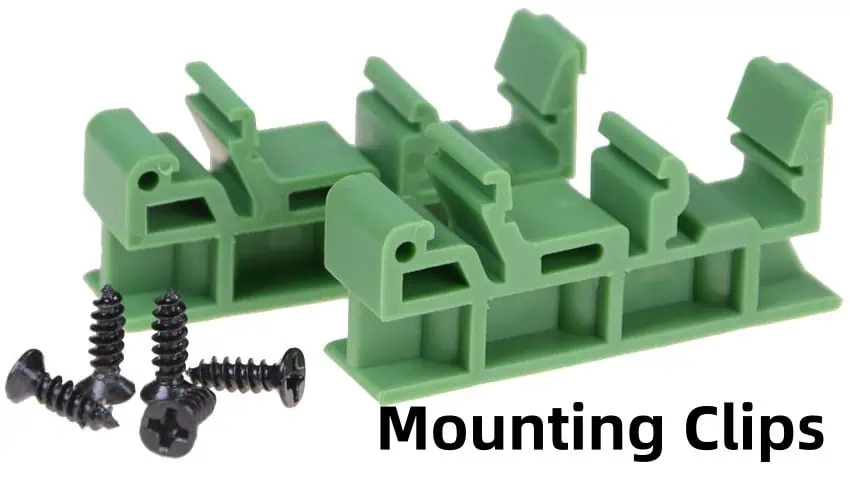
Start here. PCB mounting clips retain or support a circuit board using a specified mechanical interface. Designs include edge retainers, snap supports and other locking features in metal, polymer or elastomer constructions. The right choice depends on the exact hardware, board geometry, loads, environment and assembly sequence. A matching nominal hole size is only the start of a fit review.
| Interface | Required input | Separate validation |
|---|---|---|
| Board hole | Finished minimum and maximum | Clip insertion and retention force |
| Board thickness | Allowed range at engagement point | Material creep and temperature |
| Board edge / keepout | Finished outline and installation envelope | Electrical and mechanical clearances |
| Product assembly | Loads, environment and service access | Agreed product qualification |
Choose the retention method before comparing part numbers
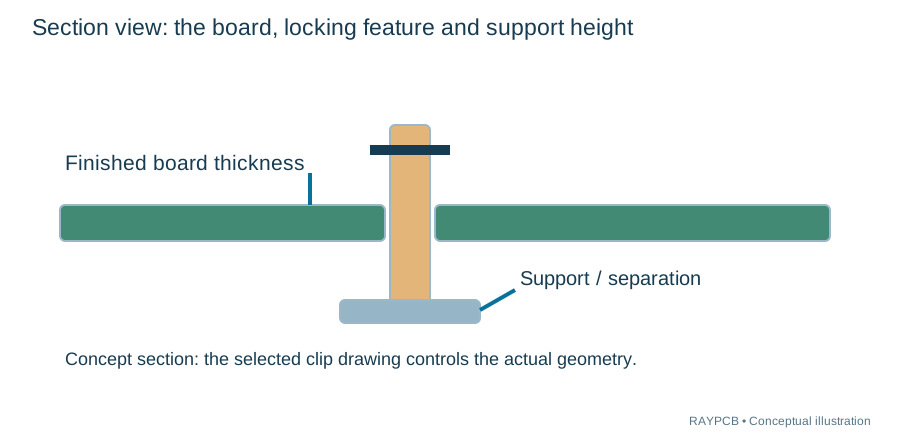
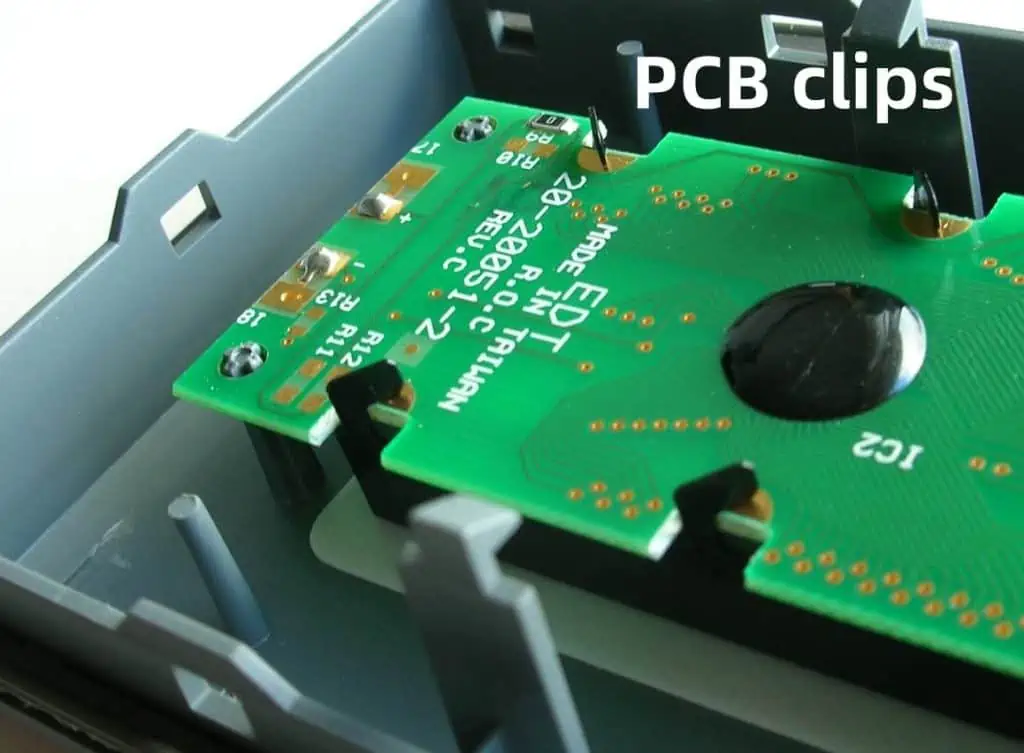
An edge clip captures a board edge, while a snap support may lock into a hole and provide separation from a chassis or another board. Other retainers combine a locating function with a screw, sliding guide or releasable latch. These designs solve different problems. Begin by identifying what must be constrained and what must remain free to move during assembly, service and thermal expansion.
A locator may control position without carrying the full service load. A support may resist bending without positively retaining the board in every direction. A latch may retain the board but require access to release it. State these functions separately in the mechanical review. Calling every piece of hardware a “PCB clip” can conceal important differences in how it is installed and used.
Do not assume all clips are metal or all polymer supports are suitable for a soldering process. Check the selected part’s material, temperature limits and intended installation stage. Hardware installed after reflow has a different thermal exposure from hardware that travels through the oven. If the enclosure requires a particular flammability or environmental classification, verify the exact part’s documentation and applicable conditions.
Treat hole diameter and board thickness as intervals
The PCB drawing should specify finished hole dimensions and tolerances, not merely the drill-tool diameter. A locking feature engages the finished interface. Plating, fabrication tolerances and the specified construction can affect that interface, so a purchasing note that only says “3 mm hole” may be insufficient. Confirm whether the mounting hole is plated or nonplated and why.
Board thickness also varies within a specified tolerance. A latch designed for a particular panel range must accommodate the full allowed thickness interval, including applicable finishes or local features at the engagement point. Matching a clip’s preferred nominal value does not prove that the thickest and thinnest acceptable boards will engage properly.
The tool compares the complete board hole and thickness intervals with the permissible intervals entered from the hardware drawing. If any allowed board extreme falls outside the entered hardware range, it reports that mismatch. It does not calculate insertion force or elastic deformation, and it cannot infer a permissible range from an incomplete catalog field. An unspecified tolerance remains a question for the hardware supplier.
Check hole and thickness ranges against a clip specification
Use the optional workbench below, or read the guide and contact us directly. It runs locally in your browser and does not inspect your files. Load the teaching example to see the behavior; clear it before entering your own project.
RAYPCB ENGINEERING
Component and Board HandoffPCB mounting clip interval check
Loading PCB mounting clip interval check…
Understand what the fit result can and cannot establish
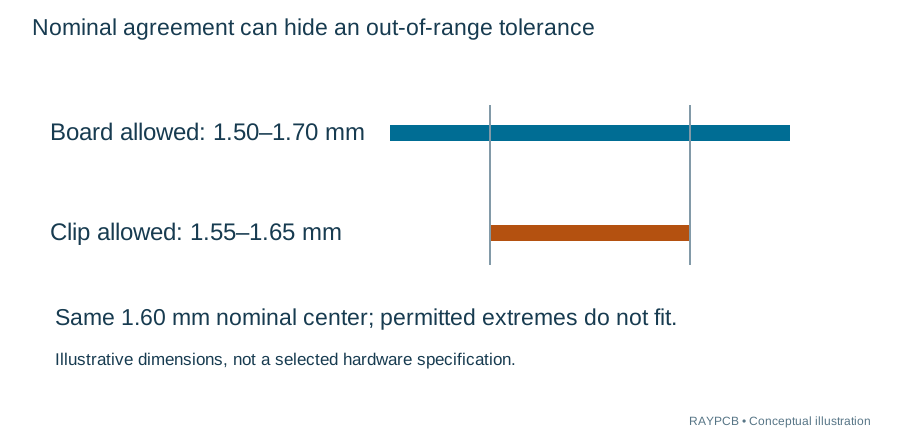
For a clearly labeled example, suppose a board thickness is allowed from 1.50 to 1.70 mm while the chosen clip specification allows 1.55 to 1.65 mm. Both share a 1.60 mm nominal center, yet the board’s permitted extremes are outside the clip interval. The output should flag the 0.05 mm shortfall at each end rather than reporting a successful nominal match.
For hole diameter, use the same interval-containment logic. The actual finished board range must fit within the hardware’s accepted range as defined by the selected drawing. This is a screening calculation based entirely on your inputs. A contained interval does not establish an adequate retention force, vibration life, safety clearance or long-term reliability.
Keep the source drawing and revision with the generated record. If a dimension changes, regenerate the result before downloading it. The tool does not query a supplier catalog, choose an approved part or upload the design. Its purpose is to make an otherwise easy-to-miss tolerance disagreement visible before it becomes a tooling or assembly problem.
Create keepouts around the real installation envelope
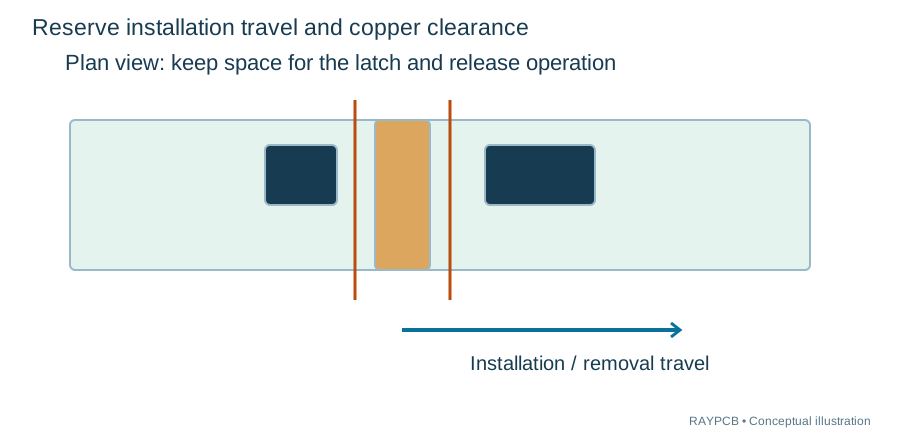
A clip’s installed outline is not necessarily its maximum occupied space. Flexible arms may sweep through a larger region during insertion or release. A tool or finger may need access from the side, and the board may need to tilt before seating. Review this complete installation envelope with neighboring components, cables and enclosure walls.
Reserve copper clearance where conductive hardware can contact the board or where the mechanical interface can damage insulation. The required distance depends on the electrical design, hardware, applicable product requirements and manufacturing tolerances. Do not use a decorative ring on the silkscreen as the sole definition of a safety-related keepout. Put the requirement in the appropriate design layers and drawings.
For edge retention, account for the finished board outline, edge quality and any local bevel or cutout. Avoid placing fragile parts where insertion force bends the board beneath them. When mounting close to a connector, consider the mating force and the load path through the enclosure, not only the static weight of the board. The board should not become an unintended spring each time a cable is attached.
Follow the load path through the complete assembly
The number and placement of supports depend on the product’s loads and geometry. Board mass, tall or heavy components, connector forces, orientation and shock or vibration exposure all matter. A generic clip-count rule based only on board area cannot establish suitability. Identify the relevant load cases and ask the responsible mechanical engineer to assess the board and hardware arrangement.
Different parts can expand differently with temperature. Overconstraining a board may transfer strain into the PCB or components. Some assemblies use a deliberate combination of locating and compliant features, but the appropriate method is product-specific. Document the intended freedom of movement instead of assuming that the tightest possible fit is automatically the best design.
Validation may involve installation trials, dimensional inspection and product-specific mechanical testing. Record the conditions, sample configuration and acceptance criteria. A catalog photograph or an successful hand-fit on one sample is not evidence of repeated service life. If the project needs a particular vibration or shock performance, provide the requirement rather than asking the tool to manufacture a rating.
Plan assembly order and field service together
Identify when the hardware is installed relative to soldering, cleaning, coating and enclosure assembly. A clip can obstruct cleaning or coating access, while a coating can change friction or engagement at a contact surface. Keepout and masking requirements should be coordinated with the actual materials and process rather than added after the board has been built.
For removable boards, review the release path with the surrounding enclosure assembled. A latch that is easy to reach on an open bench can become inaccessible behind a wall or harness. Consider whether service requires a special tool and whether that tool can touch sensitive circuitry. Document the intended sequence so that technicians do not remove a board by bending it unexpectedly.
Where support height rather than locking retention is the main question, the PCB mounting feet guide covers the adjacent topic. For the complete enclosure, harness and board assembly, use PCBA box build assembly. These pages serve different decisions and should not be treated as interchangeable hardware catalogs.
Write a hardware handoff that can be checked
Provide the board outline, finished thickness range, mounting-hole callouts and relevant component heights. Include the selected clip part number, its drawing revision and the intended mating panel or enclosure features. If hardware is not yet selected, describe the retention function, access constraints and environmental requirements rather than providing only a rough picture.
Clarify whether RAYPCB is being asked to fabricate the board only, assemble the hardware, procure it, or integrate the enclosure. Those are different scopes. Identify any customer-supplied parts and who approves alternatives. If the mechanical drawing calls for a specific manufacturer part, a visually similar item should not be substituted without reviewing its dimensions, material and performance evidence.
For board fabrication requirements such as finished holes, edge features and tolerances, include the issue in the PCB DFM review. That review can check consistency with the manufacturing files, but it does not replace the product’s mechanical qualification. Keep assembly fit, fabrication capability and product reliability as distinct questions with appropriate evidence.
An illustrative mismatch worth catching early
Imagine a prototype assembled successfully using one board that measured near the nominal thickness. The next lot arrives at the upper end of its allowed tolerance, and the clip no longer seats fully. The board may still conform to its drawing. The problem is the compatibility of the two specifications, not necessarily a fabrication defect.
First compare the finished dimensions against both drawings and confirm the measurement method. Determine whether to revise the board tolerance, select a different hardware range or modify the enclosure design. Evaluate the manufacturing and cost implications of each option. Do not simply force the clip into place or narrow a tolerance in the drawing without confirming it can be consistently manufactured.
Update the controlled mechanical package after the decision. If the change affects board thickness, mounting holes or keepouts, it can also affect the PCB files and assembly process. Preserve the reason for the revision so that a later cost-reduction substitution does not recreate the original tolerance conflict.
Separate a dimension check from a qualification requirement
The hardware drawing, board drawing and product test requirement answer different questions. The first two define the permitted mating geometry. A test requirement defines how the completed product must perform under stated conditions. Passing a simple dimensional check cannot substitute for a shock, vibration, thermal or repeated-service requirement, and failing a test cannot automatically be blamed on the nominal hole dimension.
A review record should identify the measured feature, the drawing limit and the measurement condition. For a snap support, note whether thickness is measured at the actual engagement location and whether local coating or other material is relevant. For edge hardware, document the finished edge condition and any permitted variation. A dimension elsewhere on the board may not represent the interface that controls retention.
If a qualification test is planned, define the sample configuration. Include the actual populated board, enclosure, hardware, harness and other loads that influence the result. Testing an empty board can be useful for a limited purpose but should not be presented as evidence for a fully assembled product without a justified relationship. State what the test is intended to establish and what it leaves open.
The enquiry can then separate three requests: review manufacturability of the board features, review the installation interface, and quote an agreed assembly or test scope. This is more actionable than asking a manufacturer to guarantee that a generic clip will work in every environment. It also exposes whether a decision requires the hardware supplier’s data, a mechanical design revision or a product-level validation activity.
Keep those requirements attached to the correct revision. A later change in board thickness, component mass, connector location or clip material can invalidate an earlier assumption. Reusing the part number alone does not preserve the complete mechanical evidence for the assembly.
Questions before selecting a clip
Can I use a nonconductive clip without electrical keepouts? Material choice alone does not settle electrical clearance, mechanical damage or contamination concerns. Review the actual interface and product requirements.
Can an adhesive support replace a locking clip? Only after reviewing the different load path, surface preparation, environment and service requirements. It is a different retention approach, not a direct dimensional equivalent.
Will the interval tool recommend the cheapest hardware? No. It checks entered geometric ranges. Commercial availability, installation labor, tooling and qualification can all affect total cost. Provide the agreed scope and quantity when requesting a quote.
Does a contained interval mean the assembly is approved? No. It means only that the entered board dimensions fit inside the entered permitted ranges. Installation, retention, environment and product testing remain separate requirements. Use the result to guide a focused review rather than as a substitute for one.
Check the board-to-enclosure interface before release
Send the board drawing, selected hardware drawing and installation constraints. Specify whether the request includes fabrication, hardware assembly or box build.
Discuss the assembly or design questionManufacturer references and further reading
Technical references checked for this revision, 1 October 2026. Use the current document for your exact part and project. No manufacturer affiliation or independent technical endorsement is implied.