What is the difference between Xilinx FPGA and Altera FPGA?

xilinx fpga vs altera fpga

Thinking of getting an FPGA board from Altera? Hereโ€™s a list of some of the best FPGA boards available, with various features and purposes. Along with the description, this article includes specifications and ideas of how to get them easily.

Scientists, engineers, and hobbyists use FPGAs for a wide variety of projects. In addition, some people use FPGAs in their daily lives without realizing it. Examples include the following:

FPGAs are commonly useful in computer-related fields, including image processing, digital signal processing, video compression/decompression, computer vision, data compression/decompression, computer networks, and telecommunication devices developed by manufacturers like RayMing PCB and Assembly.

The Altera series FPGA boards are a multiuser, multi-threaded design suited for many markets such as enterprise automation, digital signal processing, and cyber security. These series include FPGA devices with a comprehensive range of I/O expansion for processor-intensive applications. They include:

Intel Stratix 10 FPGA board:

If you need a compact, powerful FPGA for various engineering applications in various industry sectors, this is your board. FPGA boards are helpful in many different applications, including embedded system design and video processing.

Intel Stratix Ge FPGA board:

This board is specifically designed for the aerospace industry, whereas the Stratix 10 FPGA board is a more general-purpose FPGA. The Ge FPGA board has a bit more computational performance and throughput than the Stratix 10 FPGA board. This board can handle a wide range of applications. The board is also suitable for professional design projects.

Stratix 10 GX FPGA board:

The Ge FPGA board is entirely compatible with the Stratix 10 FPGA board, with extra features and more powerful computing performance. These boards are essential in commercial design projects, especially those involving industrial design or consumer products.

Stratix V FPGA boards:

FULL PCB MANUFACTURING Quote

This is a range of FPGA boards based on the Stratix series. The board offers high-performance and advanced features, such as high-speed transceivers and increased connectivity options. It also has a lower power consumption than previous

FPGA boards that were available from Altera. This can be beneficial in specific applications, such as battery-powered devices. However, its design is also essential for industrial design and engineering applications.

Stratix 7 FPGA board:

This is the latest generation FPGA board based on the Stratix series. The Stratix 7 FPGA board is compatible with the previous models (6, 6 E, 6 GX) and has exclusive features. Like its predecessors, it offers high performance and fast computing capabilities. Like other Altera boards, it comes with excellent software support. As a result, we can use the board in both industrial and embedded design projects.

Arria 10 FPGA board:

If you are looking for a feature-packed high-performance FPGA board and donโ€™t care about the price, this is the FPGA board to consider. So, it offers excellent features at a competitive price. The Arria 10 FPGA board is suitable for use in industrial and commercial design projects.

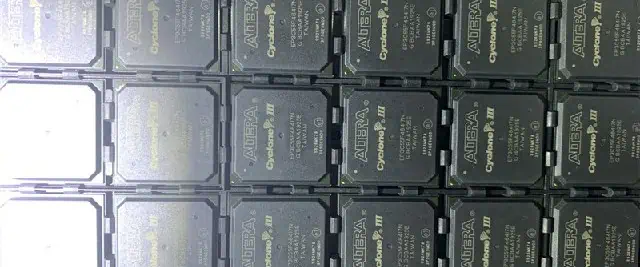
Cyclone III FPGA boards:

These boards primarily target customers who need a high-performance FPGA with fast clock speeds and many I/O pins. We can use the boards in both commercial and industrial design projects. The Cyclone III series design will help to meet the needs of experienced users.

Max V CPLD Boards:

Altera Max V series is a range of programmable logic devices used in various hardware solutions. They are generally used as embedded microcontrollers or for hardware acceleration. The Cyclone V series

FPGA boards also have a wide range of applications, especially in the industrial design and embedded systems sectors.

FPGA development boards:

These boardsโ€™ design helps to promote and support application development on FPGAs. They include the Cypress FX2 and Altera Quartus II software for Xilinx and Altera hardware. This lets you interact with the FPGA on your computer and design and build complex systems very quickly.

Stratix 10 SBC:

This is a powerful and compact single-board computer for FPGA design. We can use it as a convenient development platform for hardware debugging and prototyping. It also supports the Altera Quartus II software, which is highly useful for software development on FPGAs.

What is the difference between Xilinx or Altera?
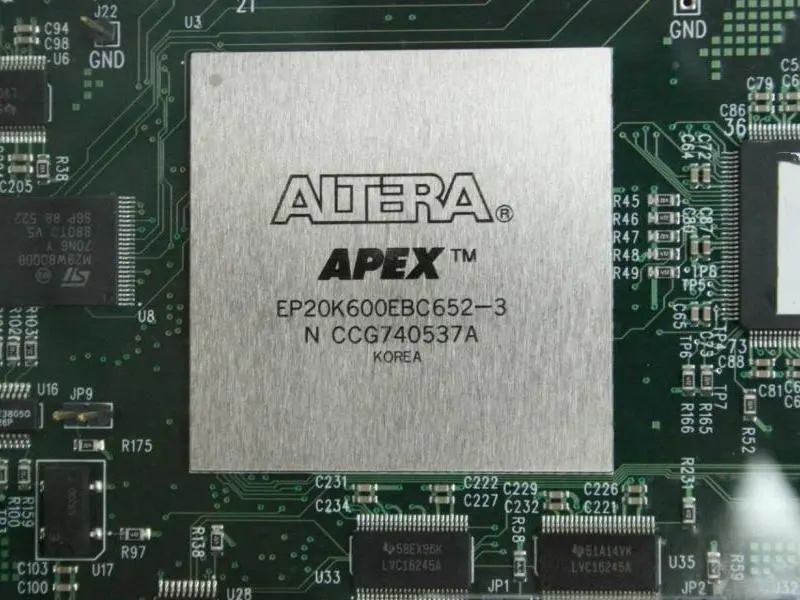
Intel Altera FPGA boards

The main difference is that the Xilinx series FPGA boardsโ€™ design is mainly for application development. Altera series FPGA boards are essential for industrial design and embedded applications. Because the Xilinx series is more popular, many great tools support Xilinx devices. However, there are differences between the two FPGA brands.

The traditional way of communicating the IP block between devices is Alteraโ€™s proprietary communication protocol known as protocol-level interconnect (PLI). Alteraโ€™s PLI offers a direct and efficient method of communicating between IP blocks. The Xilinx series FPGA boards use the IEEE 1394 interface, an open, industry-standard protocol supported by all FPGA devices.

Another essential difference is that the Xilinx series FPGA boards have a free software development kit (SDK). Also, it is programmable logic design tools such as Altium Designer and Quartus II. The Altera series FPGA boards do not come with these additional software programs.

Common features of Intel (Altera) series FPGA boards

A custom original design manufacturer (ODM), Intel Corporation, produces Intelโ€™s FPGA boards. The Intel Corporation designs, manufacture, and sells computer hardware and software components.

1. Flip-Flops

They are small blocks of logic that we use to change the state of a signal. Flip-Flops are helpful in digital circuits to hold data bits. The flip-flop design is very common for FPGA boards. On every clock edge, the system copies the input value to the output value. We clock the input value into the flip-flop on the negative edge of the clock. There are two types of flip-flops, namely:

a. D Flip-Flop: The D Flip-Flop copies the data present on its D inputs to its Q outputs on every positive edge of the clock.

d = c

b. T Flip-flop: The T Flip-Flop copies the data present on the positive edges of the clock to its Q outputs. This means that the system only updates the output on every positive edge of the clock. As a result, T-type flip flops are slower than D-type flip flops.

c. B Flip-Flop: The B Flip-Flop copies the data present on its Q outputs to its D inputs on every negative edge of the clock.

d = c

2. Latency

The term latency refers to the time it takes with a signal to reach its final value. Latency reflects the speed of the FPGA board. If latency is too high, you will experience poor performance with your application. We determine the latency by the size of the FPGA block, the clock frequency of the FPGA, and how many Flip-Flops are helpful in each input or output signal. The system divides up the CLK input into several sub-clocks with different frequencies. One of the longest clock frequency dividers determines the latency. The fastest FPGA boards have higher latency. Latency is an essential parameter for an FPGA board to have a fast signal transmission speed.

The Altera series has many improvements over the Xilinx series. So, the Altera series is better than the Xilinx series for applications that need high performance and flexibility. Furthermore, the interface from one block to another is through its advanced proprietary protocols known as protocol-level interconnect (PLI).

3. Multipliers and DSP Slices

Multipliers and DSP slices come in the form of pre-programmed hardware blocks. We can perform the multi-1 operation on an input block. It performs a sequence of logical operations and then copies the result back to the output. As a result, it then clocks the output into an adjacent flip-flop. This results in a fixed delay between feeding the data into the block and when it clocks out. The delays between blocks cause latency in your application.

4. Memory

Memory comes in the form of flash, SRAM, and EEPROM. Flash memory is volatile memory. We can use it to save your configuration settings during an upload. SRAM is non-volatile memory. In SRAM, the data contents remain even when you remove the power from the FPGA board. EEPROM contains read-only memory that can store information in a non-volatile manner when powered up.

5. Clock

The Clock Signal Generator generates all the signals necessary to control the FPGA. An FPGA board has up to 72 clock signals. T=One can distribute these 72 clock signals around the board using 4-bit busing. Different FPGA boards have a different number of clock signals. The number of clock signals is directly proportional to the size of the FPGA block present on the board. This is because larger FPGA blocks need more computational power and thus use more clock signal channels.

6. ADC and DAC

An ADC (analog-to-digital converter) is a device that can convert voltage levels to digital data. A DAC (digital-to-analog converter) works in the opposite direction. So, it converts digital data into analog signals and performs a voltage conversion. For example, if an FPGA board uses an ADC, you could connect it to a pressure sensor and monitor it.

7. DMA

An FPGA board has an on-chip memory called DMA (direct memory access). The capability of this on-chip memory allows the board to transfer blocks of data directly between internal registers and some internal I/O pins. This is useful when you want to control the FPGA board by writing patterns of bytes into its on-chip memory instead of writing whole numbers of bits into its register.

8. Flash

FPGA boards contain flash memory. Flash memory is non-volatile, like EEPROM (electrically erasable programmable read-only memory). However, the read-out process is faster than EEPROM. We use it to store the FPGA configuration file. This file contains all the information that the FPGA needs to execute your design. The number of SPI (serial peripheral interface) interfaces varies amongst different FPGA boards.

Designing FPGAs Into a System
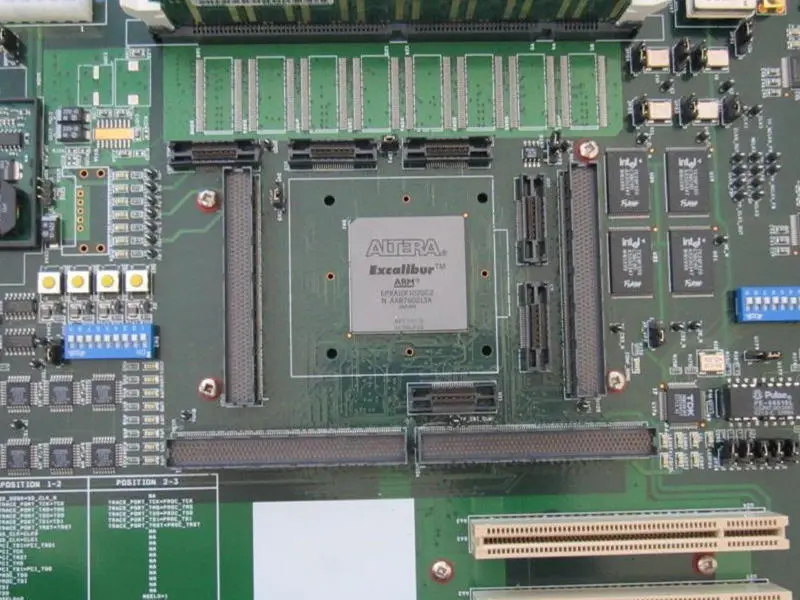
altera fpga development board

1. Define the systemโ€™s requirements

The first step is to define the requirements of your application. You will need to list your application functions, the required capabilities from the FPGA board, and any constraints that you might have with storage or power availability. Write a list of functional blocks for each design requirement. But make sure that you include any additional requirements that might come up later in the design process.

2. System architecture

Design an architecture for your system based on the functional blocks listed in your application requirement document (ARD). Use hardware-description languages to create a block diagram. So, this block diagram is essentially the basis of all FPGA design work. Then, we will use it to program the FPGA board that you choose for your system.

3. Choose an FPGA platform

Once you have completed your block diagram, you will need to choose an FPGA board with the required number of inputs and outputs and support for the clock speeds necessary for your applicationโ€™s design requirements.

4. Design block diagram

Once you have chosen an FPGA board, you will need to design the functional blocks of your design onto the new FPGA board. Functional blocks are the building blocks of your system. We use them together to complete applications that require complex functions that the individual chips alone do not support.

5. Program new FPGA

Once you have completed designing your new FPGA board, you are ready to program it into the system of your choice using a programming tool for programmers and readers. We use this tool to program FPGA boards for your system.

FPGA Design Tools

1. Traditional FPGA Design Tools:

These tools are useful for simple designs. For example, we use the Spartan-3E FPGA to create a 3D model of a car in a computer graphics package such as Maya or SketchUp. The FPGA chip provides the approximate color information in the software without using an intense GPU or CPU for this task. Modern FPGAs have more flexibility and can perform complex processing in real-time without using these models for programmable logic design.

2. Integrated Design Tools:

The integrated design tool contains the functions for programming the FPGA, placing multiple components into the design, and linking to external components. An example of an integrated design tool that works with Xilinx FPGAs is Vivado Design Suite.

3. Application-Specific Design Tools:

The application-specific design tool allows the user to code directly to the FPGA using a programming language such as C, C++, or Python. A popular integrated design tool explicitly used for FPGAs is Xilinx WebPACK which provides a graphical programming environment and efficient simulation based on open-source tools from the SPIRIT ISE suite.

4. Application-Specific Application-Specific Tools:

These tools create a specific application for a particular FPGA. In the past, People used application-specific tools in conjunction with an integrated design tool. Application-specific tools for FPGAs are becoming much less popular as integrated design tools have greatly improved. However, it is common to use one of these when creating a bitstream in C or C++ using a third-party compiler such as IGLOO2 from Synopsysโ€™ Design Compiler Group.

5. High-Level Synthesis Design Tools:

The high-level design tool allows users to create a bitstream with a high-level language. An application-specific compiler can then compile this language into the corresponding bitstream with the appropriate FPGA or VHDL synthesis tool.

FPGA Applications

FPGA technology has shown great potential in engineering, robotics, search engines, complex data processing, analytics, and many other fields.

The FPGA technology is also used in Smart Grid applications to assist devices with smart sensing capabilities to service or protect the grid. These Grid-scale FPGAs have special features that help detect faults in the grid, which allows for early detection of failure before it becomes serious. In addition, some of these FPGAs contain software libraries and software-defined radio (SDR) modules to allow them to communicate with different types of sensors and hardware.

ERPs or Embedded Real-Time Programmable (ERPs) are small. They also are low-power, versatile microcontrollers designed for high-performance embedded applications. In addition, we can program ERPs in a high-level language such as C or C++, making them useful for many applications.

ERPs have a design that helps to meet the requirements of real-time embedded programming. They are considerably more complex than programmable logic devices. However, ERPs require fewer transistors to implement the same functionality. As a result, they are often useful for applications where timing sensitivity is critical. For instance, high-frequency signal processing, voice recognition/transcription, speech synthesis/recognition, data-acquisition systems, or clock synchronization.

Intel (Altera) series FPGA boards

The Intel (Altera) Cyclone II FPGA Boards

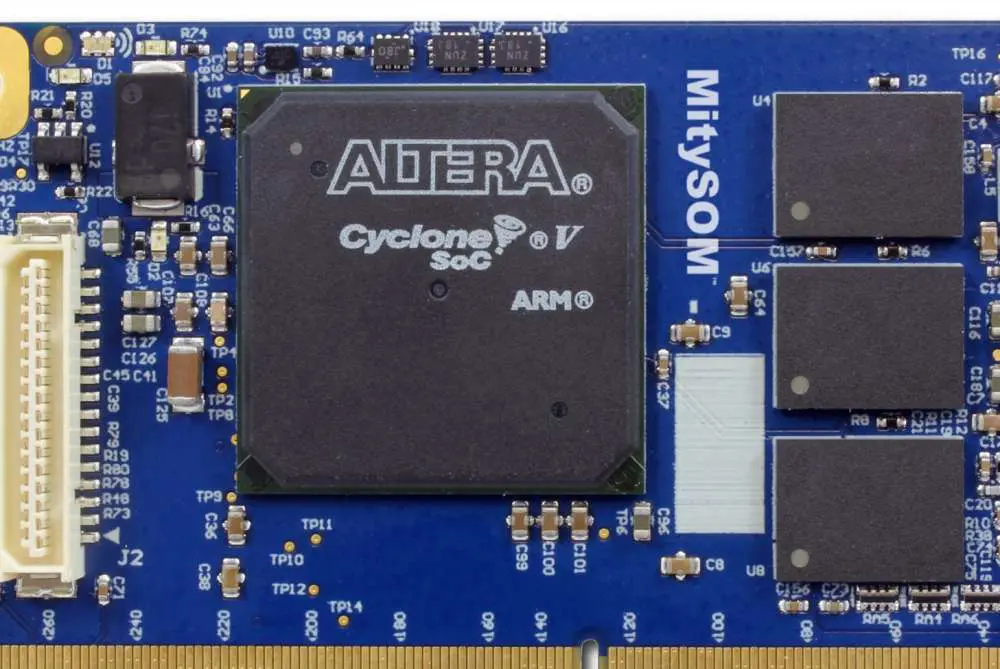
Intel Cyclone II FPGAs are 64-bit ARM CortexA5-based FPGA modules. As a result, they have low power consumption, high integration with the core of the SoC, and easy configuration by a system-on-chip (SOC) Design Tool. Furthermore, because Intelโ€™s FPGAs use a very efficient Xilinx FPGA fabric, they deliver excellent performance. Additionally, they also deliver density with a very small chip area footprint. The Intel Cyclone II FPGAs are available in various package options. Moreover, they include low-cost fine-pitch BGAโ€“168, fine pitch FBGAโ€“324, and more rugged high-speed QFN packages.

Common specifications include:

  • Made In Japan
  • RoHS compliance
  • Tested all I/O
  • One User LED
  • Credit-Card-Size 3.386″x 2.126″ (86 x 54 mm)
  • High-quality four layers PCB. (Immersion gold)
  • 3.3 V single power supply operation with on-board 1.2 V regulator
  • AS mode port ( 10 pin socket) for ByteBlasterII or USB Blaster
  • JTAG port (10 pin socket) for ByteBlaster [MV/II] or USB Blaster
  • Power-on Reset IC
  • Directly connected pin header interface for serial communication (TTL)
  • SRAM (Cypress CY62256V)
  • Two Status LED (Power, Done)
  • One User Push-Button Switch
  • 30 MHz Oscillator (50 ppm) or External
  • Separable VCCIO
  • 100 I/O PAD 100 mil (2.54 mm) grid
  • SERIAL-FLASH-ROM (M25P40)
  • Configuration Device (Altera EPCS4SI8N)

Examples:

Altera EP2C8Q208C8N (Cyclone II FPGA 8K LE)

165,888 RAM Bits, 36 M4K RAM blocks, 100 Maximum user I/O pins (Board), 138 Maximum user I/O pins (Device), 2 PLLs, and 8256 Logic Elements

2. [ACM-201] Altera Cyclone II F672 FPGA board

Altera EP2C35F672C8N

35 Multipliers, 483,840 RAM bits, 105 M4K RAM blocks, 296 Maximum user I/O pins (Board), 475 Maximum user I/O pins (Device), 4 PLLs, and 33216 Logic Elements

Intel (Altera) Cyclone FPGA Boards

The Cyclone FPGA familyโ€™s optimization is for high-performance applications that require complex logic functions. It consists of several different FPGA families with varying levels of integration, performance, and features.

Examples:

1. [ACM-004] Altera Cyclone T144 FPGA board

Altera EP1C6T144C8N (Cyclone FPGA 6K LE)

8 Global Clock Networks, 90 Block RAM Bits, 20 M4K RAM blocks, 92 Maximum user I/O pins (Board), 98 Maximum user I/O pins (Device), 2 PLLs, and 5980 Logic Elements

2. [ACM-006] Altera Cyclone Q240 FPGA board

Altera EP1C12Q240C8N (Cyclone FPGA 12K LE)239,616 RAM Bits

52 M4K RAM blocks, 100 Maximum user I/O pins (Board), 173 Maximum user I/O pins (Device), 2 PLLs, and 12060 Logic Elements

Altera EP1C6Q240C8N (Cyclone FPGA 6K LE)

5980 Logic Elements, 2 PLLs, 185 Maximum user I/O pins (Device), 100 Maximum user I/O pins (Board), 20 M4K RAM blocks, and 92,160 RAM Bits

3. [ACM-012] Altera Cyclone Q240 FPGA board (5 V I/O)

EP1C12Q240C8N

239,616 Total RAM Bits, 52 M4K RAM blocks, 100 Maximum user I/O pins (Board), 173 Maximum user I/O pins (Device), 2 PLLs, and 12060 Logic Elements

EP1C6Q240C8N

92,160 Total RAM Bits, 20 M4K RAM blocks, 100 Maximum user I/O pins (Board), 185 Maximum user I/O pins (Device), 2 PLLs, and 5980 Logic Elements

Intel (Altera) Max II CPLD Boards

The MAX 10 and MAX II families of CPLDs offer low power and high performance. The MAX II familyโ€™s optimization for applications requires implementing large amounts of logic in a small area.

Examples:

1. [AP68-01] Altera MAX II PLCC68 CPLD Module

EPM570F100C5N

50 Maximum user I/O pins (Board), 160 Maximum user I/O pins (Device), and 570 Logic Elements

EPM240F100C5N

240 Logic Elements, 80 Maximum user I/O pins (Device), and 50 Maximum user I/O pins (Board)

2. [ACM-001] Altera MAXII T144 CPLD board

Altera EPM1270T144C5N (MAXII CPLD 1270 macro cel)

1270 Logic Elements, 116 Maximum user I/O pins (Device), and 100 Maximum user I/O pins (Board)

3. [ACM-005] Altera MAXII T100 CPLD board

Altera EPM240T100C5N (MAXII CPLD 240 macro cel)

80 Maximum user I/O pins (Board), 80 Maximum user I/O pins (Device), and 240 Logic Elements

4. [ACM-302] Altera MAXII T144 CPLD board

Altera EPM1270T144C5N (MAXII CPLD 1270 macro cel)

56 Maximum user I/O pins (Board), 116 Maximum user I/O pins (Device), and 1270 Logic Elements

Intel (Altera) Max V CPLD Boards

The MAX V family of CPLDs offers low power and high performance. These V series has an optimization for applications that require small modules with a more significant number of logic gates or higher density.

Examples:

1. [AP68-02] Altera MAX V PLCC68 CPLD Module

Altera 5M570ZF256C5N

50 Maximum user I/O pins (Board), 159 Maximum user I/O pins (Device), and 570 Logic Elements

Conclusion

The main purpose of an FPGA is to reduce time and money spent on hardware design and faster deployment of new technologies. FPGAs are useful in creating custom hardware solutions for system designers. We can use them as a building block for complex systems with many different applications.

FPGAs contain highly configurable logic blocks connected to perform complex functions. Therefore, one cannot build functions from simple chips alone or combinations of standard chips and microcontrollers (using an embedded controller).

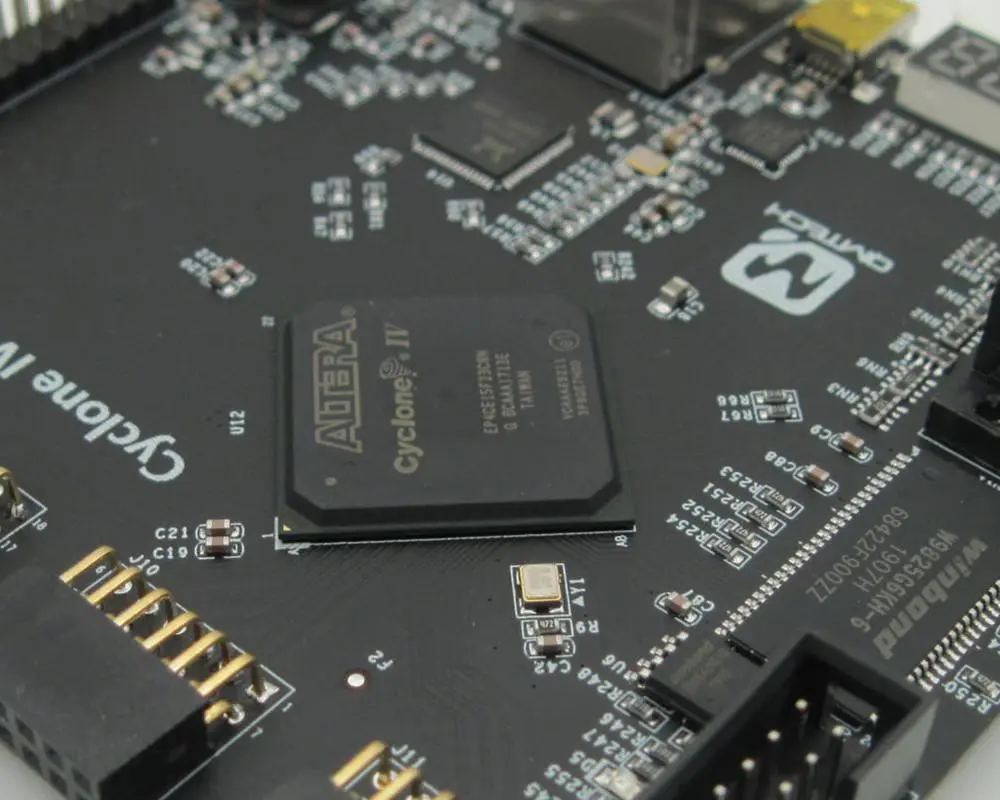
Altera Cyclone IV FPGA Development Board

Altera Cyclone IV FPGA

Working with electronics, back in the day, was about being an engineer. A few years ago, this changed drastically when Arduino, Xilinx, and Altera started making cheap FPGA boards that are easy to use. Not only are these boards cheap, but they also work with the prototyping board called breadboard that is not expensive at all. FPGAs are great because you can do anything you want with them. What does this mean? If your code is fast enough, it means that you can match or exceed the performance of a CPU board. I have had the good fortune of reviewing many FPGA boards, and they are awesome. The two best are Intel’s Altera Cyclone IV and Xilinx‘s Virtex III-7, which we will be looking at in this article.

Cyclone IV FPGA Boards overview

The Cyclone IV FPGA are boards developed based on the Intel Cyclone IV family of field-programmable gate arrays (FPGAs). They are all part of the Intel SoC Products Group. The Cyclone IV FPGA boards are available in six different models. We will discuss these models in more detail at the end of the article. The boards all have different features that better fit the needs of different users. Depending on the model, most board models have a large, 18 x 18 inch, double-sided, copper FPGA with 1.5 trillion to 4 trillion logic elements (LEs).

The rest of the models use smaller FPGAs. The models with the larger FPGA sizes target high-end users who need more gates and IO pins to complete their projects. However, the smaller the FPGA, the lower the cost of the board and development kit. You can purchase the Cyclone IV FPGA boards as development kits. The development kits include access to the Quartus II design software, VHDL files, and hardware files. They are necessary to create a Cyclone IV FPGA board design. This makes it quick and easy for users with little or no design experience to get started with their projects.

Specifications

altera cyclone iv Board

The key features for the Cyclone IV FPGA boards are:

1. Power

The Cyclone IV FPGA boards have a power budget of 2.4W per FPGA logic block for the 256M logic configuration and 3.3W for the 512M configuration. These Cyclone IV I/O locations consume a power budget of 1.2W per I/O unit. But one can lower them to as little as about one-sixteenth of a watt using jumpers and decoupling capacitors on those locations.

2. I/O Locations

The Cyclone IV FPGA boards have 40 differential LVDS blocks that can handle 12 bits of data per channel, allowing 48 single-ended LVDS pairs. In addition, there is one differential USB-OTG serial transceiver with receiving and transmitting capability and two programmable peripheral interfaces (PPIs) that one can configure as four PCIe lanes or six SPI channels each.

3. Embedded multipliers

The Cyclone IV FPGAs have embedded multiply and divide units that can multiply and divide the register width up to four times. Thus, one can enable the full multiplier and divider capabilities through a multi-bit multiplier and divider. Additionally, you can enable two multipliers and two dividers. The embedded multiplier and divide capabilities are essential when designing with the smallest FPGAs (1.5T, 2T) in signal processing, audio processing, and mixed-signal designs.

4. Memory blocks

The Cyclone IV FPGA boards have multi-gigabit transceivers and programmable memory blocks. It creates a high-speed serial link between the FPGA and AMD Opteron, Intel Xeon, or Intel Core processors. The integrated memory blocks also allow for the creation of high-speed memory within the FPGA itself.

5. Clock networks and PLLs

The Cyclone IV FPGA boards have clock networks that one can configure as one to four-phase clocks. Users can also bypass the clock networks and use direct PLL outputs.

6. HPS (High-Performance Switch)

The Cyclone IV FPGA boards have a high-density switch fabric. It is capable of 140 Gbit/s throughputs per device and nearly 100,000 packets per second per device. HPS is very scalable and allows for easy switch fabrics with large capacities and low latency.

7. FPGA Architecture

Cyclone IV FPGA boards depend on the Intel ISSI ISE (Integrated Silicon Solution Initiative) technology. The ISSI ISE technology is a platform for trading off between flexibility, memory resources, and performance. This allows for the easy implementation of high-performance and high-flexibility designs.

8. Configuration and remote system upgrades

FULL PCB MANUFACTURING Quote

Users can configure the Cyclone IV FPGA boards remotely over a serial link. This means that minimal hardware can be helpful when configuring the board for the first time. There are also configuration files in Verilog and VHDL that are necessary when getting started with your project. The configuration files are available for many different chipsets. It allows users to get started easily without worrying about licensing costs or royalties when using others’ codes.

9. SEU mitigation

Cyclone IV FPGA boards have an SEU (Self-Evolving Units) mitigation feature. The feature attempts to differentiate between ports used for sending and receiving data. This feature will detect interrupt requests where the address fields are equal but the data fields are not equal. VHTEs will not match because these ports are essential for different sending and receiving data.

10. Transceivers

The Cyclone IV FPGAs have a very high-speed serial interface that can support 600-MHz data rates. We can use the programmable transceivers. It means different combinations of components to get higher performance. In addition, there are also 1.2-GHz transceivers that we can use for 10GBASE-T network connectivity. The Cyclone IV FPGAs also support eight PCIe lanes (two per FPGA) and two PCIe peripheral interfaces (PPI).

11. External memory interfaces

The Cyclone IV FPGA boards have four memory interfaces. They support DDR3 SDRAM, ECC-protected DDR3 SDRAM, LPDDR4 DRAM, and 16-/32-/64-bit memory configurations. These memory interfaces all use the same basic design over the entire 4×16 GB range.

How to get Intel (Altera) Cyclone IV FPGA Boards

There are three ways to get the Cyclone IV FPGA boards.

1. The first is to order them directly from Xilinx/Intel.

Intel provides kits that have all the components needed to build a complete FPGA board. The only parts not provided are capacitors for decoupling, resistors to create test points, and some specific low-power resistors. These are useful in identifying the location of all the other parts on your FPGA board.

2. You can also buy an assembled Cyclone IV FPGA board through Xilinx/Intel distributors.

These distributors will provide the required components. They can also include them in your purchased order or sell them separately. Additionally, they will provide thorough assembly instructions, test plans, schematics, board layout information, and software drivers for creating your FPGA board design.

3. The last option is to buy a bare Cyclone IV FPGA board and assemble it yourself.

The bare Cyclone IV FPGA boards contain only the logic and transceiver blocks required to start your initial designs. You can then add more optional components. Then create a complete test platform that covers all the features of the Cyclone IV FPGAs, such as PCIe connectivity, DDR3 memory, and so on.

The Cyclone IV FPGA boards are essential for creating prototype boards that we use in conjunction with the Cyclone IV Ecosystem, a collection of Open Source IP (Intellectual Property) cores that run on the Cyclone IV FPGAs.

The Cyclone IV FPGA boards are compatible with the following processor platforms:

We can design the Cyclone IV FPGA boards for applications that require high bandwidth and low latency. However, they are not appropriate for applications that require low-latency performance or throughput.

The Cyclone IV FPGA boards are LGA package versions. They include Intel Core i5/Core i7 processors, Pentium G3258/G4400, desktop AMD Athlon II lineup, and Intel Pentium G4500.

The additional package options are the Mini-ITX package that supports the Intel Celeron processors. Also, the mobile Intel Atom C2750, Pentium N3700, and mobile Pentium N3160.

Intel has built many different FPGAs on top of the same basic architecture to create a wide range of products. This includes the Altera Cyclone IV FPGA family with high-bandwidth serial links over PCIe, DDR memory interfaces, and other features. The first generation of Cyclone IV FPGA boards had up to 16 GB of DDR3 memory on-chip, but the newer versions have up to 4 TB of DDR4 memory.

Advantages of Intel (Altera) Cyclone IV FPGA Boards

System Costs Optimization

The Cyclone IV FPGAs can optimize a system to use less power through configurable and intelligent power gating designs. However, the FPGA board still needs to use a lot of power and limit the number of other devices placed on the motherboard. Although, using the DDR4 memory interface will lower overall system costs. It is because fewer components must be present on the motherboard.

The Cyclone IV FPGA boards can save space on the motherboard, making it easier to reduce system costs based on size constraints. As a result, manufacturers design the FPGA board to be as small as possible and are smaller than most motherboards.

The Cyclone IV FPGAs provide industry-leading density and performance. It then supports higher throughputs, larger memory sizes, and improved power consumption over previous versions of the Cyclone II architecture.

Reduce Power Consumption

Cyclone IV FPGA boards can increase the performance of the system while lowering power consumption. FPGAs do not need to go through several steps to compile them or go through an entire boot cycle like other processors.

We also design the Cyclone IV FPGAs for higher clock frequencies than previous generations. It means they can get more work done in less time, which will lead to lower power consumption if run at the same frequency as previous generations.

Memory Interface

The Cyclone IV FPGA boards contain programmable memory-interface standards. Additionally, they support various industry standards to reduce the costs of designing a system. We can use the DDR3 memory interface for standalone applications or as a bridge to an FPGA with a Xilinx Virtex UltraScale+ interface. The DDR4 memory interface supports the next generation of DDR3 memory.

The Cyclone IV FPGAs are essential for smaller footprints to reduce system costs. As a result, the FPGA board may have fewer components than other motherboards that are bigger. Eventually, they reduce the overall system cost.

BIOS Requirements

These BIOS requirements are not as complex or complex as previous versions of the Cyclone II architecture. In addition, this generation does not need many unique I/O pins, thanks to multiple input/output options.

Silicon and Architectural Optimizations

These boards use silicon and architectural optimizations to improve system efficiency. This means that one will process the FPGA board differently than other processors. Thus, it helps to improve the system’s performance while lowering costs.

The Cyclone IV FPGAs run at higher clock frequencies than previous generations and take less power. These characteristics lead to lower system costs. Moreover, it is because we need fewer components and design time to create a complete system, which one can use at lower speeds without slowing down.

The cost of the Cyclone IV FPGA boards is more than previous generations. Still, overall system costs can go down by using fewer components or reducing the motherboard cost. It does not need to include as many components as other processors.

Accurate Power Estimation and Analysis

We use the Cyclone IV FPGA boards to measure the power required by the system and identify where wasted power is. This will help companies reduce power for their system to identify where we can save wasted power.

The Cyclone IV FPGAs are perfect for high-performance systems. Systems that need maximum to compute resource utilization. We often use them as a bridge between other high-end FPGAs or high-performance servers, or networking applications.

Intel Quartus Prime Power Optimization

The Intel Quartus Prime software for the Cyclone IV FPGA boards is essential in specifying power consumption limits. This can lead to more efficient designs that will consume less power than other processors.

Users should use the Intel Quartus Prime software because it helps to identify wastage of power to optimize it before using it in a system.

The Cyclone IV FPGA board is excellent for high-performance applications. Applications that consume more power than other processors. This needs a lot of consideration when measuring power consumption in a system.

Disadvantages of Intel (Altera) Cyclone IV FPGA Boards

1. Large Consumption of Resources

The FPGA boards consume more power than other processors. It is because they are essential in high-performance applications. This means that the FPGA board will have a larger impact on the system than other components.

The altera FPGA board also consumes more power than previous generations. It means that the total energy consumption will increase unless other components lower it.

2. Semiconductor Costs

The Cyclone IV FPGAs cost more than other processors, especially for large-scale deployments. It means that the total system cost will increase.

3. System Size and Complexity

The FPGA boards can cause a system to be larger than other processors. This is because they include more components and more space on the motherboard. It may reduce costs for some applications. However, it can increase costs for other applications where size and complexity are significant factors.

4. Space Requirements

The Cyclone IV FPGAs are small, but they will still take up more space on the motherboard than other processors. This may cause problems for applications where space is a significant factor.

5. High Use of Resources and Complexity of Use

We can use the Cyclone IV FPGA boards to solve complicated problems and save time and money compared to other processors. However, they also require a lot of resources and more than one person to work on them at a time.

6. Complex Knowledge of Design

The Cyclone IV FPGAs are perfect for very complex designs, which means that they are not easy to use compared to other processors.

7. Disadvantages in Accelerating Other Processors

We can use the Cyclone IV FPGA boards to speed up other processors, but they can also slow down some applications compared to other processors. Moreover, the Cyclone IV FPGAs do not always accelerate each application with the same results.

8. Unstable and Flawed

The Cyclone IV FPGA boards have been unstable and flawed because of long delays in FPGA board production and poor design. This has caused problems in the past.

9. No Support From Other Companies

Other companies do not support the Cyclone IV FPGA boards. It means less hardware information is available for them than for other processors.

10. Poor Performance of Commercial Applications

The Cyclone IV FPGA boards are not suitable for commercial applications. It means that they will have a large impact on systems designed for commercial applications.

Is Intel (Altera) Cyclone IV FPGA Boards a good fit for my project?

The Cyclone IV FPGA boards are good for many applications. This is because they have high performance, scalability, and low power consumption.

Additionally, the Cyclone IV FPGA boards can sometimes cause a system larger than other processors, leading to problems when using the system. This is especially true if you use the system in an industrial application where space is essential.

The Cyclone IV FPGAs are usually designed for high-performance applications. It leads to a larger system size and less efficient design than other processors. This means that the system will consume more power and cost more than other systems.

How can I use my Cyclone IV FPGA boards?

Companies can use the Cyclone IV FPGAs as they would any other processor to improve the performance of their computers and gain from the advantages they offer. We can also use them when speed and efficiency are essential when solving complicated problems.

FPGAs are essential in supercomputing systems to solve complex problems faster than other processors.

Companies can use the Cyclone IV FPGAs to solve very complicated problems that general-purpose processors cannot solve. They can also use them in commercial applications that need high performance, scalability, and low power consumption.

The Cyclone IV FPGAs are also essential in designing specialized hardware solutions for specialized systems.

How hard is it to use the Intel (Altera) Cyclone IV FPGA Boards?

The Cyclone IV FPGA boards are suitable for high-performance applications, making them very difficult to use. So, they require a lot of programming, time, and effort to use in the field. This means that companies need to assign a lot of resources when using them in their systems.

How can I optimize my Cyclone IV FPGA boards?

The Cyclone IV FPGA boards are essential for high-performance applications. So, they need optimization before using them in a system. This means that companies will need to use more resources than other processors if their systems have high performance.

The Cyclone IV FPGAs also consume more power than other processors, which means the total energy consumption will increase unless other components reduce it.

Intel (Altera) Cyclone IV FPGA Boards

Common specifications include:

  • Made In Japan
  • RoHS compliance
  • Tested all I/O
  • ESD & Surge protection element for USB I/F
  • Compact size (53 x 54 mm)
  • High quality six layers PCB (Immersion gold)
  • 5.0 V single power supply operation
  • JTAG buffer for stable download or debug
  • JTAG Connector (10 pin socket) for download cable connection
  • Power-on Reset
  • Status LED (Power, Done)
  • Seven segments LED module x1
  • User LED x4
  • User Switch (Push x1, DIP x1bit)
  • 50MHz Oscillator (50 ppm) or External inputs
  • USB control IC (FTDI, FT2232H) Free Original Configuration Tool ” BBC [EDA-301]”
  • User communication I/F
  • Configuration device access (Write/Reset/Erase)
  • FPGA Configuration
  • Power: 3.3 V single supply – 1.2 V/2.5 V on-board regulators

1. [ACM-023] Altera Cyclone IV E F484 FPGA board

EP4CE115F23C8N

  • 100 Maximum operator/user I/O (Board)
  • 528 Maximum operator/user I/O (Device)
  • 20 Global Clock Networks
  • 4 PLLs
  • 266 Embedded Multipliers
  • 3,888 Embedded Memory (Kbits)
  • 114,480 Logic Elements

EP4CE75F23C8N

  • 100 Maximum consumer/user I/O (Board)
  • 426 Maximum consumer/user I/O (Device)
  • 20 Global Clock Networks
  • 4 PLLs
  • 200 Embedded Multipliers
  • 2,745 Embedded Memory (Kbits)
  • 75,408 Logic Elements

EP4CE55F23C8N

  • 100 Maximum operator/user I/O (Board)
  • 374 Maximum operator/user I/O (Device)
  • 20 Global Clock Networks
  • 4 PLLs
  • 154 Embedded Multipliers
  • 2,340 Embedded Memory (Kbits)
  • 55,856 Logic Elements

2. [ACM-107] Altera Cyclone IV E F484 FPGA board

EP4CE115F23C8N

  • 266 Embedded 18×18 Multipliers
  • 3,888 Embedded Memory (kbits)
  • 128 Maximum operator/user I/O pins (Board)
  • 528 Maximum operator/user I/O pins (Device)
  • 4 PLLs
  • 114,480 Logic Elements

EP4CE75F23C8N

  • 200 Embedded 18×18 Multipliers
  • 2,745 Embedded Memory(kbits)
  • 128 Maximum operator/user I/O pins (Board)
  • 426 Maximum operator/user I/O pins (Device)
  • 4 PLLs
  • 75,408 Logic Elements

EP4CE55F23C8N

  • 154 Embedded 18×18 Multipliers
  • 2,340 Embedded Memory(kbits)
  • 128 Maximum user I/O pins (Board)
  • 374 Maximum user I/O pins (Device)
  • 4 PLLs
  • 55,856 Logic Elements

3. [ACM-108] Altera Cyclone IV GX F484 FPGA board

EP4CGX150

  • 360 Embedded 18×18 Multipliers
  • 6,480 Embedded Memory(kbits)
  • 128 Maximum user I/O pins (Board)
  • 475 Maximum user I/O pins (Device)
  • 4 PLLs
  • 149,760 Logic Elements

EP4CGX110

  • 280 Embedded 18×18 Multipliers
  • 5,490 Embedded Memory(kbits)
  • 128 Maximum user I/O pins (Board)
  • 475 Maximum user I/O pins (Device)
  • 4 PLLs
  • 109,424 Logic Elements

EP4CGX50

  • 140 Embedded 18×18 Multipliers
  • 2,502 Embedded Memory(kbits)
  • 128 Maximum user I/O pins (Board)
  • 310 Maximum user I/O pins (Device)
  • 4 PLLs
  • 49,888 Logic Elements

4. [EDA-301] Altera Cyclone IV USB-FPGA board

EP4CE15F17C8N

  • 56 Maximum operator/user I/O pins (Board)
  • 165 Maximum operator/user I/O pins (Device)
  • 20 Global Clock Networks
  • 4 PLLs
  • 56 Embedded 18 x 18 multipliers
  • 504 Embedded memory (Kbits)
  • 15,408 Logic Elements

5. [ACM-204] Altera Cyclone IV E F780 FPGA board

EP4CE115

  • 266 Embedded 18 ร— 18 multipliers
  • 20 Global Clock Networks
  • 3,888 Embedded memory (Kbits)
  • 296 Maximum user I/O pins (Board)
  • 528 Maximum user I/O pins (Device)
  • 4 General-purpose PLLs
  • 114,480 Logic Elements

EP4CE40

  • 116 Embedded 18 ร— 18 multipliers
  • 20 Global Clock Networks
  • 1,134 Embedded memory (Kbits)
  • 296 Maximum user I/O pins (Board)
  • 532 Maximum user I/O pins (Device)
  • 4 General-purpose PLLs
  • 39,600 Logic Elements

EP4CE30

  • 66 Embedded 18 ร— 18 multipliers
  • 20 Global Clock Networks
  • 594 Embedded memory (Kbits)
  • 296 Maximum user I/O pins (Board)
  • 532 Maximum user I/O pins (Device)
  • 4 General-purpose PLLs
  • 28,848 Logic Elements

6. [ACM-205] Altera Cyclone IV E F780 FPGA board

EP4CE115

  • 266 Embedded 18 ร— 18 multipliers
  • 20 Global Clock Networks
  • 3,888 Embedded memory (Kbits)
  • 296 Maximum user I/O pins (Board)
  • 528 Maximum user I/O pins (Device)
  • 4 General-purpose PLLs
  • 114,480 Logic Elements

EP4CE40

  • 116 Embedded 18 ร— 18 multipliers
  • 20 Global Clock Networks
  • 1,134 Embedded memory (Kbits)
  • 296 Maximum user I/O pins (Board)
  • 532 Maximum user I/O pins (Device)
  • 4 General-purpose PLLs
  • 39,600 Logic Elements

EP4CE30

  • 66 Embedded 18 ร— 18 multipliers
  • 20 Global Clock Networks
  • 594 Embedded memory (Kbits)
  • 296 Maximum user I/O pins (Board)
  • 532 Maximum user I/O pins (Device)
  • 4 General-purpose PLLs
  • 28,848 Logic Elements

Conclusion

The Cyclone IV FPGA boards from Intel (Altera) are perfect for a wide range of applications with specific computational requirements. We can use them to increase performance, scalability, and efficiency, which is why more companies are using them over general-purpose processors.

Companies like RayMing PCB and Assembly that are familiar with FPGAs can also use the Cyclone IV FPGAs like any other processor when speed and efficiency are essential when solving complicated problems.

The Cyclone IV FPGAs are perfect for high-performance applications, so they may not perform as well as other processors in commercial applications. However, they can also give a system a more complex design, impacting its overall efficiency.

What Causes Warpage PCB Issue?

Warpage PCB

PCBs are usually made from fiberglass and some other composite material. Majority of the PCBs are only laminated once and are very simple. Depending on the purpose of the PCB, the creation is done with a different component. PCB is used mainly as the base in electronics. It can also be used as a surface support piece. PCBs are not only found in computers, but also in other electronics. They are found in industrial machines, medical devices, lightning, etc. The PCB is a small board. PCB allows for the signal to be accessible among two devices physically.

Stress is one of the usual causes of warpage PCB issues. Stress usually occurs during the PCB construction process. This is because, during its construction process, it goes through expansion and shrinking. The expansion and shrinking are what causes internal stress. When the internal stress is released it causes warpage PCB issues. Another cause of warpage PCB issue is the temperature during operation. During fabrication, the PCB passes through various heat treatments.

There are other various causes of warpage issues. It is possible for complications to arise. It can be the weight, the connections, and also the processing. But there are ways to prevent warpage issues and also how they can be treated. Analyzing PCB warpage has given rise to different reasons why it could happen. There are also different types of PCB. Some of the types are single-sided PCB, double-sided PCB, rigid PCB, flexible PCB, rigid-flex PCB etc. In addition, microprocessor PCB is used in all types of electronics.

Warpage PCB

warpage in pcb

PCB warpage issue is the alteration of PCB shape. It is a change in the PCB that was not planned for. When processing a warp PCB, the transition can occur as a part of the soldering pattern. When soldering is taking place, the shape of the PCB may not be the same as the initial shape.

To have proper placement of the SMT must be flat in shape. If the PCB has a warpage that means it is not flat, it makes it unable for the PCB to maintain a constant height. Warpage PCB has an impact that only people in the industry know about. PCB warpage has been a major concern a few years back. Due its thin board and thick content, PCB warpage is likely to cause construction issues.

The component may also fail if the issues are not attended to during construction. One challenge here is that placement of coppers is now less uniform. This causes PCB warpage in many ways. PCB warpage can lead to poor solder linking and even damage the component. Therefore, the need to address the problem at its early stage.

To avoid warpage in PCB the constructor should make sure the copper-clad balance on the PCB. Solder the construction from the inner part to the outer part to evade shrinking stress. There is no need to apply too much force during welding. Also try not to overheat, use more heat where needed and little heat on the thinner part.

Internal stress can also be reduced by air-cooling. The steel used in construction should be different as possible all through the construction. During molten zinc steel bath steel, leaving steel for too long should not happen. Ensure that you arrange a PCB flat after construction.

Bent PCB

FULL PCB MANUFACTURING Quote

There are two types of PCB, the flexible and rigid PCB. The construction of Flexible PCB is done with a component that makes it easy to reshape. In addition, the construction of Rigid PCB is done in a way that they cannot be shaped again after construction.

So many reasons can cause bent PCB issues. Stress is one of the common ones. When stress greater than the PCB is applied to it, it can cause bent PCB problems right away. High temperatures can soften PCB. During the SMT procedure, the use of high temperature is necessary. If the temperature gets to its highest value limit of the TG capacity, the PCB will bend.

When the temperature gets too high, it turns the substrate from glass to rubber. Most constructors donโ€™t know about this and overheat it, which makes the PCB bend. Constructors that design PCB should consider the position of the copper on the PCB. Copper position on the PCB can also cause it to bend when placed at high temperatures.

In addition, if the PCB is big and the SMD is hefty in component, it can cause it to bend. There is a V-cut constructed for easily separating PCB. It can spoil the structure of the PCB. It can also cause bent PCB. Most types of PCB have a procedure for bending and flexing. But the mode of construction and component used will determine how flexible a PCB is.

PCB that is constructed with glass is not flexible, and cannot bend. You cannot use Flexible PCB in place of rigid PCB. Flattening the bowl mold of the PCB is another technique that can help maintain a flat shape of the PCB. I can also help in maintaining the color of the PCB.

Warpage in PCB

Warpage in PCB can be caused by various issues. Most times, these issues can be divided into mechanical and thermal stress. Warpage caused by thermal stress occurs when a pressing procedure is going on. But warpage caused by mechanical stress occurs during baking and handling of the plate. The depth of the V-cut will is also a cause of warpage in PCB.

The V-cut causes destruction to the PCB structure. This is because it furrows the initial large sheet. So, during this process warpage in PCB usually happens. Another element that causes warpage in PCB is thermal heat. The elastic and expansion properties change when the temperature gets to a certain point. This abnormal expansion can also cause warpage in PCB.

However, there are ways to detect warpage earlier. One of the ways is by using trace mapping technology, to predict warpage. This procedure is done by mapping the copper constituent. Observing this process makes it easier for the creator in arriving at the correct answer.

Placing CCL incorrectly can also cause warpage in PCB. If the PCB is not flat, it will make it inaccurate. An acute angle is also one of the warpage issues in PCB. It is caused by acid trapped in the PCB. The acid trapped in PCB can alter connection problems and make the board defective. It is caused by human mistakes and if not detected early can cause serious warpage issues later on.

In addition, flux remnants from cleaning after soldering can as well cause warpage in PCB. Faulty thermal can as well cause abnormal heat reflow in PCB. It can also make the construction process slow. Warpage PCB is noticed by a very experienced construction company. The thermals that are faulty should be replaced to avoid warpage in PCB.

PCB Warpage Issue

When producing PCBs, the usage of some unsuitable components can cause physical damages to the PCB. It can harm the PCB and cause electricity failure. PCB warpage can affect the construction of printed PCB. Warpage issue is a problem in PCB production that you cannot ignore. PCB warpage mostly occurs after repair and the element feet are hard to clean.

PCB warpage holds after the entire operation of the next process. Warpage issue is also likely to be caused by the substrate used in the process of making PCB. Also, when storing CCL the sucking up of moisture is likely to increase warpage issues.

Warpage in PCB is also measured by using a geometric-based diagram. This helps to generate the pattern distribution. The PCB warpage issue is also caused by swapping old components for new ones. Installation of the PCB in a machine or socket is very difficult when there is a warpage.

Recently PCB is either mounted or chipped into a machine. This is why warpage issue is one of the major concerns. The PCB construction company has to inspect warpage issue thoroughly. So when warpage is discovered on a plate it is selected and baked again. While baking this time, it is done under pressure and taken out of the oven using pressure relief.

However, after baking the PCB again and still doesnโ€™t work, it should be disposed of. PCB warpage issue is a serious concern for manufacturers. It makes PCB production slow and late. There is an arc-shaped mold used for thermal leveling. This leveling process is easy and good. Using the level thermal machine, the PCB warpage can be solved. It also makes your construct finish earlier.

PCB Warping

PCB warping is caused by design and manufacturing issues. The PCB with obtuse and concealed holes needs multiple layering. Most constructors need to be aware of this issue to be able to know what to do and how to do it. This is also one of the common causes of PCB warping.

Sizes and shapes of the PCB can as well cause warping. Bigger and larger tabs on the panel structure can cause PCB warping. Also, if the plate youโ€™ll be using isnโ€™t smooth, it causes imperfect positioning. This can cause the construction plant to get stuck thereby causing PCB warping.

In addition, trying to make the PCB thicker than its normal weight can cause the PCB to warp. Sometimes the manufacturers donโ€™t remember to de-stress after layering. This causes PCB to warp after manufacturing. In addition, using DFM check is a good technique used to detect possible PCB warping. When warping occurs in PCB it causes lots of damage that most times canโ€™t be repaired.

Immediately warping is detected it should be addressed instantly. But if repair is not possible it can be discarded. Most times, when soldering, the solder machine may pick up solder and spread it all through the PCB. This can cause PCB warping. Another solution for avoiding PCB warping is by deducting the copper weight.

Also, when soldering and constructing, use the proper clamp-down technique to hold the PCB flat. When heating, make sure that the heat goes around at the same time and the same amount. One of the major issues of constructing when processing warped PCBs is that warping increases the heat and stress used when joining. One of the aims should be component balance. Once the component employed during construction is balanced, PCB warping can be avoided.

More on PCB Warpage

PCB does not perform equal functions in all electronic devices. Its performance is not universal. A lot of factors contribute to what causes PCB warpage issues. These factors are considered very serious, because it may lead to the total destruction of the PCB. However, there are different types of PCB and their functions differ from each other. Warpage in PCB is an unplanned malfunction of PCB.

Warpage most causes deformed PCB. If soldering is not carefully done, it may cause warping and damage to the PCB. Also, techniques for treating and avoiding PCB can be employed. There are also ways to calculate the PCB warpage. Trace mapping techniques can accurately predict the possible warpage in PCB. In addition, misalignment in machines used to construct is usually caused by bent PCB.

During construction, the PCB should be closely monitored. A lot of industrial sectors now have a high demand for PCB. PCB has lots of components, which are used in its production. During PCB production it is usually tested to confirm its authenticity before distribution. This is done to make sure the PCB is reliable and ready for use. Testing PCB is done early to make corrections before it becomes irreversible or causes warpage.

Frequently Asked Questions

How can I stop or prevent PCB warpage?

In order to prevent or stop PCB warpage, the copper pattern must be balanced by the designer on the boardโ€™s layer with the area of the circuit. In addition, the designer has to equalize the layout of the component, the distribution of the assembly, as well as its thermal distribution, in order to decrease the warpage.

What leads to PCB failure?

The major causes of PCB failure are environmental factors. These include exposure to moisture, dust, and heat, power surges/overloads, and accidental impact (falls and drops).

Conclusion

Having read through this article, you should understand what causes warpage PCB issues, bent pcb, pcb warping, and more. If you have any questions, feel free to contact us.

What are Intel Altera Cyclone III FPGA Boards ?

intel Altera Cyclone III FPGA

Working with electronics can be an arduous task, especially when it comes to programming. We may not know how or what to code to get the results we want. Luckily, there are boards available that can make it easier by focusing on our design and not worrying about the coding behind it all.

Intel (Altera) Cyclone III FPGA Boards are the most common boards in use today. They usually cost anywhere from $200 – $1000 and we can find them on online shops, and large scale manufacturers like RayMing PCB and Assembly. However, the boards offer a lot of freedom to the programmer, and therefore they cost a lot of money.

It is essential to have a thorough understanding of the components of this board. We take many things for granted regarding electronics, so it is essential to read through this section. The boards are essential in many ways, and each way has its pros and cons.

Before purchasing one of these boards, it is essential to understand and how they work.

What are Intel (Altera) Cyclone III FPGA Boards?

Altera cyclone iii board

These boards are for people who want to program FPGAs. FPGAs are circuits made up of microchips that allow them to do more than regularly integrated circuits. These boards are essential for people who want to make custom circuit designs.

These boards are for design enthusiasts. Some people use these boards simply because they want to experiment with new things, while others use them in their jobs.

These boards are for people who want to make their electronic designs without coding everything from scratch. These boards are essential in many different ways, but some are better than others, depending on users’ needs.

To summarize, these boards are essential for people who want to program FPGAs in their custom designs, whether large or small.

How Do These Boards Work?

These boards comprise an FPGA chip that has been pre-programmed by the manufacturer.

We do the programming using a circuit called a JTAG. The JTAG controls the FPGA and allows us to change what program is running on it.

We can program these boards directly in hardware or software. Most people use the hardware method because it is quicker and takes less computer memory. However, most modern computers cannot handle loading a lot of software. Therefore this is not an option for most users. If you can, try to get a computer with a fast processor and a lot of RAM.

Hardware programming is usually done by connecting the JTAG to a special connector on the board. This is traditionally called a serial connector. The JTAG controls the FPGA chip and brings out different output pins on the FPGA chip. In turn, we connect these output pins to pins on your computer’s circuit board.

For this to work, the motherboard must have a special circuit built onto it to accept the input from the FPGA board. Most boards do, but you still have to be certain that it does. Also, the JTAG cable must have a special JTAG connector on it. There are many types of JTAG cables, so be certain that you know how your cable works before getting started.

Software programming is just as easy as hardware programming. But not all motherboards can handle this type of programming.

Intel (Altera) Cyclone III FPGA Boards features

FULL PCB MANUFACTURING Quote

Configuration, Status, and Setup Elements

Configuration elements can be anything from input and output signals to memory and logic cells. We can use elements to configure the FPGA to do whatever it is we want it to do.

Configuration of these boards is generally easy. We just have to use a JTAG cable or flash our board with a special program using the JTAG connector on the computer. We do configuration with hardware programming, so most people do not have trouble configuring their board.

Status and setup elements are also easy to understand. These elements tell the FPGA what to do. These elements include pins on the FPGA, and they can either be high or low. There is also a test input and a check input which we can use to see if we have configured something correctly.

Setup elements are more sensitive than status and configuration elements. We cannot simply use an input and output pin to tell the FPGA what to do, but we must carefully set up each pin with a particular value. One can do these using configuration elements on the board.

Status elements are simple to understand. One can see this as an input or output. For example, we can see if the pin is high or low by reading the board’s JTAG connector.

Status elements are also easy to understand, but they can become complicated if we set up a pin using configuration elements.

To summarize, these boards have many different configurations that we can use to change what program we are running on the FPGA chip.

Configuration elements are essential for configuring the FPGA with inputs and outputs.

Clocking Circuitry

Clocking circuitry is the circuit that allows the FPGA to continue functioning. In addition, it will enable us to use external clocks that will allow the FPGA to operate at different speeds.

Configuration of the clock circuits is not necessary. But they are essential in configuring the board with different clock frequencies. We do these using configuration elements on the board, which are generally easy to understand once you have read through the user’s manual.

Status elements are also easy to understand. They simply tell us the frequency of the clock.

To summarize, this circuitry allows us to use external clocks.

Clock Frequency Reduction

One can find the clock frequency reduction within the FPGA chip itself. We can configure it using configuration elements on the board. It allows us to change the frequency of our clock using smaller steps.

Hardware programming is necessary for this element, so most people do not mess with it until they have become more advanced users. Status elements are not necessary, but they inform us of the clock frequency reduction status.

To summarize, we use this circuit to change our clock frequency to a smaller value.

The boards have a special input and output for status and configuration elements. We may use a JTAG cable connected to a computer or flash our board with a special program to communicate with the FPGA chip on each board. These boards have different ways of communicating with them, depending on which one you get.

Memory Elements

Memory elements are elements used to store data in the FPGA. Other elements on the board can change this data. There are two types of memory elements: SRAM and ROM. We do not configure memory using the JTAG cable, but it uses configuration elements on the board.

Memory elements can be either SRAM or ROM, and they each have their uses and advantages.

SRAM is useful in storing temporary data that we need, but we will lose it upon turning off the board. This is good for storing data that we want to access every few milliseconds.

RAM is not as fast as SRAM, but it stores more data than SRAM (it can also hold our entire design if we use enough of it). We use this to store information for use for a long time.

Therefore, these boards have a lot of memory elements that we can use to store our data.

We can also use ROM to store our entire design. It is generally used as a backup of our actual design or easily uploads a different design version. Of course, one can also use this to store anything we desire.

One cannot configure SRAM and ROM with the JTAG cable, but one can do it using configuration elements on the board.
To summarize, these boards have memory elements that we can use to store any information we want.

General User Interfaces

User interfaces are the elements that allow us to interact with the board. There are two types of user interfaces: Input and Output.

Input elements are the particular input and output ports that we connect to when we want to talk to or from something else. These user interfaces have different functions, depending on which one you choose.

Inputs come in many different shapes and sizes (literally). They can be simple digital and analog inputs and outputs or even more complicated I2C buses.

Outputs are the special ports that we use to talk to other elements on the board. These can be simple digital outputs or more complicated SPI or I2C buses.

Status elements are the pins that allow us to check if there was an input or output to these ports.

User-Defined Push Button Switches

User-defined push button switches allow us to easily create our buttons on the FPGA chips. These boards have a very convenient way of communicating with these user-defined push button switches on the board. They also have lots of special input and output ports that we can use to tell the FPGA what to do.

User-Defined DIP Switches

DIP switches are user-defined push button switches that we connect to the JTAG cable. We can easily connect them to the JTAG cable to check if the switch is active or not. They come with different prototypes.

User-Defined I2C Switches:

Similar to DIP switches, user-defined I2C switches allow us to check if they pushed or released a switch using the particular I2C interface on each board. Each one has a different way of connecting them to other elements on the board.

User-Defined LEDs:

User-defined LEDs allow us to connect three different LEDs to the JTAG cable of the FPGA board. We can use these as a way to display information or just for decoration. Connecting these user-defined LEDs requires a special method depending on which board we have.

User-Defined Analog Output:

These boards allow us to use an analog output on the FPGA itself directly. For this, we need an external circuit that we can connect to our FPGA board. This circuit has special status elements that we can connect to the analog output port. Analog outputs are beneficial because they allow us to send analog signals directly from our FPGA board to external circuits without using any other circuit.

User-Defined Analog Inputs:

These boards allow us to use an analog input on the FPGA itself directly. To use this, we need an external circuit that we can connect to our FPGA board.

7-Segment Displays

The displays can display information, such as the values of different pins on the FPGA. These displays come in many different sizes and shapes, and some even have LEDs that one can switch on and off. In addition, manufacturers often configure the 7-Segment displays using special user-defined I2C switches. While we connect the 7-Segment display to our FPGA board, we connect the 7-Segment display to the special user-defined I2C switch in a particular way. Thus, it has many different ways of displaying information and many different ways of connecting it to other elements on the board.

The boards have a special input and output for status and configuration elements.

User 7-Segment Display: This seven-segment display communicates with the FPGA with the special I2C port. Manufacturers assign each segment to one of the seven bits in our design. Therefore, we need to send the appropriate data to the proper bit in our design to change the display.

Power 7-Segment Display: This seven-segment display communicates with the FPGA with the particular SPI port. We can change the display by sending a specific status value to the FPGA on the correct bit on a separate oscillator.

Communication Ports and Interfaces

There are many communication ports and interfaces on these boards.

One can configure these communication ports with a special connector. Once we have set up the connector, we can use the port to communicate with other elements on our FPGA board.

Interfaces allow us to communicate with other elements on our FPGA board. Each interface is a particular port with a unique number that we use to identify it, and that we also use it by other switches and pins on our FPGA board. There are many different types of interfaces, all of which have a unique number. We can use some to receive or send data from/to other elements on the board, while others can send or receive data.

There are also special communication boards that can easily connect to one of these interfaces on our FPGA board. Thus, we can use any serial interface to transfer data from our computer to our FPGA board.

High-Speed Mezzanine Connector

Mobile or Mezzanine connectors are connectors that we use to connect to the high-speed mezzanine bus. High-speed mezzanine boards are special boards that allow us to talk to other elements on our FPGA board. These boards contain many different ports that can send various signals, like control signals, status signals, and other data signals.

Advantages of Intel (Altera) Cyclone III FPGA Boards

Altera Cyclone III FPGA Development Kit 

The Cyclone III device family offered by Altera is the most powerful FPGA family. the benefits of using the Cyclone III device family are as follows:

Reduced Cost

FPGA-based boards are perfect for their high cost. Since we use the chips differently, manufacturers often design them differently. This results in a lower cost than using an FPGA from another manufacturer since they modify it for use with these boards.

The family of Cyclone III device also saves in power consumption when compared to other FPGA devices. They have fewer power-hungry components in them, so they consume less power under normal usage.

This also allows them to use more power-restricted systems, like handheld devices or portable computer systems.

Fast Processing Speed

The Cyclone III device family famous for its high processing speed. The family of Cyclone III device can process data at a higher speed than previous FPGA families.

It allows for faster capture of data and fewer errors while capturing data for analysis. This speed also applies to CAD programs, which we use in product design.

Lower Error Rate

The Cyclone III device family includes features that prevent errors from occurring. These features allow for a lower error rate as compared to other FPGA devices.

With the use of soft programmable logic, there is less time spent on configuration and verification. There is no need to verify the bits in the configuration process. Also, there is no need to zero the logic within the configuration cycle. These features reduce time, which results in fewer errors when using these boards.

Lowest-Power 65-nm FPGA

This is the only FPGA in this category that uses a 65-nm technology. The other FPGAs use a 55-nm technology, which makes them slower and less efficient.

Also, Cyclone III has a smaller die size than other FPGA’s. This allows for less power consumption and heat dissipation under normal usage.

Lowest-Power 55-nm FPGA

This is the only FPGA in this category that uses a 55-nm technology. The other FPGAs use a 65-nm technology, which makes them slower and less efficient.

Also, Cyclone III has a smaller die size than other FPGA’s. This allows for less power consumption and heat dissipation under normal usage.

Complete system integration

With the design and production of the boards, users get access to a complete system that they can use for their needs. This includes a motherboard and other components that the user may need for their design. With this, users can create their circuit board and create complete working designs. It also includes a software development kit, which is an essential feature for many users. This includes everything they need to start programming their circuit boards.

Disadvantages of Intel (Altera) Cyclone III FPGA Boards

The Cyclone III device family is the most power-hungry FPGA device. They famous for their high-power consumption under normal usage. This is because of their high processing speed and high amount of logic.

The other boards in this category use less power than the devices in Cyclone III family. While the Cyclone III device family has more power, we can still use them in some applications that need high power.

Cyclone III FPGA boards also require a lot of cooling during use. This is because of their fast-processing speed and a large amount of logic. This extra cooling requires extra energy to operate, which results in their high-power consumption.

We also rate them for use on more advanced boards than other FPGAs. They require more advanced circuitry to function at their full processing capacity.

As a result, their smaller die size also means that we can still use them on less advanced boards. While this may seem like a disadvantage, it is a benefit in some ways. The smaller die size allows the FPGA to be useful on boards that other FPGAs we can’t them on. This gives users more options when choosing what board to use their Cyclone III device family in.

It also means that these boards are for more advanced users who understand how to work with them and program them. This means that manufacturers only sell fewer boards to inexperienced users.

Intel (Altera) Cyclone III FPGA Boards

Some common attributes among these boards include:

  • Made In Japan
  • RoHS compliance
  • Tested all I/O
  • Credit-Card-Size 3.386″x 2.126″ (86 x 54 mm)
  • High-quality six layers PCB. (Immersion gold)
  • Ten-pin socket JTAG Connector for download cable connection
  • Power-on Reset IC
  • Status LED (Power, CONF_DONE)
  • User LED x2
  • User Switch (Slide)
  • 30 MHz Oscillator (50 ppm) or External
  • Configuration Device (Micron, M25P16)
  • 5 V I/O support with Bus switch ICs (Texas Instrument, SN74CB3T3245)
  • 100 I/O PAD 100 mil (2.54 mm) grid
  • The single 5 V power supply operation with on-board 3.3 V,2.5 V, and 1.5 V regulators

[ACM-029] Altera Cyclone III Q240 FPGA board (5V I/O)

Altera EP3C16Q240C8N

  • 20 Global Clock Networks
  • 100 Maximum user I/O pins (Board)
  • 346 Maximum user I/O pins (Device)
  • 4 PLLs
  • 56 Multipliers
  • 56 M9K Blocks
  • 504 Total RAM KBits
  • 15,408 Logic Elements

[ACM-029Y] Altera Cyclone III Q240 FPGA board (5V Tolerant)

Altera EP3C16Q240C8N

  • 20 Global Clock Networks
  • 100 Maximum user I/O pins (Board)
  • 346 Maximum user I/O pins (Device)
  • 4 PLLs
  • 56 Multipliers
  • 56 M9K Blocks
  • 504 Total RAM KBits
  • 15,408 Logic Elements

[AP68-04] Altera Cyclone III C25 PLCC68 FPGA Module

Altera EP3C25U256C8N

  • 50 Maximum user I/O pins (Board)
  • 156 Maximum user I/O pins (Device)
  • 20 Global clock networks
  • 4 PLLs
  • 66 18 x 18 multipliers
  • 594 Embedded memory (kb)
  • 56 M9K memory blocks
  • 24,624 Logic Elements

[AP68-03] Altera Cyclone III PLCC68 FPGA Module

Altera EP3C10U256C8N

  • 50 Maximum user I/O pins (Board)
  • 182 Maximum user I/O pins (Device)
  • 10 Global clock networks
  • 2 PLLs
  • 23 18 x 18 multipliers
  • 414 Embedded memory (kb)
  • 46 M9K memory blocks
  • 10,320 Logic Elements

[ACM-304Z] Altera Cyclone III Q240 FPGA board

Altera EP3C40Q240C8N (CycloneIII FPGA 40K LE)

  • 56 Maximum user I/O pins (Board)
  • 128 Maximum user I/O pins (Device)
  • 126 Multipliers
  • 1,161,216 RAM Bits
  • 4 PLLs
  • 39,600 Logic Elements

CycloneIII FPGA 16K LE (Altera EP3C16Q240C8N)

  • 56 Maximum user/consumer I/O pins(Board)
  • 160 Maximum user/consumer I/O pins(Device)
  • 56 Multipliers
  • 516,096 RAM Bits
  • 15,408 Logic Elements

[EDA-004] Altera Cyclone III USB-FPGA board

Altera EP3C55F780C8N (Cyclone III FPGA 55K LE)

  • 156 Multipliers
    • 2,396,160 RAM bits
    • 260 M9K RAM blocks
    • 100 Maximum user I/O pins (Board)
    • 377 Maximum user I/O pins (Device)
    • 4 PLLs
    • 55,856 Logic Elements

[ACM-018] Altera Cyclone III Q240 FPGA board

Cyclone III FPGA 40K LE (Altera EP3C40Q240C8N)

  • 1,161,216 RAM Bits
    • 126 M9K Blocks
    • 100 Maximum operator/user I/O pins (Board)
    • 535 Maximum operator/user I/O pins (Device)
    • 4 PLLs
    • 39,600 Logic Elements

Altera EP3C16Q240C8N (Cyclone III FPGA 16K LE)

  • 516,096 RAM Bits
    • 56 M9K Blocks
    • 100 Maximum user I/O pins (Board)
    • 346 Maximum user I/O pins (Device)
    • 4 PLLs
    • 15,408 Logic Elements

[ACM-105] Altera Cyclone III F484 FPGA board

EP3C16F484C8N

  • 56 Multipliers
    • 516,096 Memory(kbits)
    • 56 M9K RAM blocks
    • 128 Maximum user I/O pins (Board)
    • 346 Maximum user I/O pins (Device)
    • 4 PLLs
    • 15,408 Logic Elements

[ACM-202] Altera Cyclone III F780 FPGA board

EP3C120F780C8N

  • 288 Multipliers
    • 3,981,312 RAM bits
    • 432 M9K RAM blocks
    • 296 Maximum user I/O pins (Board)
    • 531 Maximum user I/O pins (Device)
    • 4 PLLs
    • 119,088 Logic Elements

EP3C80F780C8N

  • 244 Multipliers
    • 2,810,880 RAM bits
    • 305 M9K RAM blocks
    • 296 Maximum user I/O pins (Board)
    • 429 Maximum user I/O pins (Device)
    • 4 PLLs
    • 81,264 Logic Elements

EP3C55F780C8N

  • 156 Multipliers
    • 2,396,160 RAM bits
    • 260 M9K RAM blocks
    • 296 Maximum user I/O pins (Board)
    • 377 Maximum user I/O pins (Device)
    • 4 PLLs
    • 55,856 Logic Elements

[ACM-203] Altera Cyclone III F484 FPGA board

EP3C55F484C8N

  • 156 Multipliers
    • 2,396,160 RAM Bits
    • 260 M9K RAM blocks
    • 262 Maximum user I/O pins (Board)
    • 328 Maximum user I/O pins (Device)
    • 4 PLLs
    • 55,856Logic Elements

EP3C40F484C8N

  • 126 Multipliers
    • 1,161,216 RAM Bits
    • 126 M9K RAM blocks
    • 262 Maximum user I/O pins (Board)
    • 331 Maximum user I/O pins (Device)
    • 4 PLLs
    • 39,600 Logic Elements

EP3C16F484C8N

  • 56 Multipliers
    • 516,096 RAM Bits
    • 56 M9K RAM blocks
    • 262 Maximum user I/O pins (Board)
    • 346 Maximum user I/O pins (Device)
    • 4 PLLs
    • 15,408 Logic Elements

Conclusion

The Intel (Altera) Cyclone III FPGA Board is a useful device that we can use in many ways. For example, they can be useful for people who want to mess around with new ideas or for people who want to implement and test new and exciting designs. These boards comprise an FPGA chip that has been pre-programmed by the manufacturer.

How to Choose USB PCB ?

usb pcb

We are quick to forget how technological advancements have contributed to our existence. A brief flashback will be helpful to appreciate these developments at our disposal. The USB adds up to one of such developments.  

The USB world is a vast grassy field of interface. It has provided solutions to sharing of files, transfer of data, images and programs. Also, it is an interface between USB and various computing, electronics and communication devices.  It has grown over time as a technology that has become customary to tasks and play devices.

There are various types of connectors roving around the field of PCB production. They show the means by which power relays data transfer as input to producing new outputs. These interfaces are in two gender form, the male and female

In a bid to please curiosity on what the new technology in appliances for both tasks and play provides, read on. This article will explore PCB USB, USB PCB connector, USB c PCB, USB circuit board, and others.

What is PCB USB?

USB Circuit Board

The abbreviation USB means Universal Serial Bus. This is basically a snap-in device that plays the role of an interface between PCB and its subsidiaries. Its expansion has been very huge and its dominance well felt in the technological world.  Its relevance and contribution to the world economy today as well is significant.

It is self reliant without dependence on any device to run, or the need to charge for power before use.  Its efficiency has helped businesses and corporations transfer document cases with relative ease.

The PCB USB is a sought after connecting found in various electronic devices. They include computers, mobile phones, pen drives, printers and many more. It aids initiating connections with accomplices. The USB connecting strip is also fixed on the PCB which forms linkage between both.

This is achievable through a simple plug-in to the USB port.  The USB port is the interface that joins the computer and other electronic gadgets. The port permits connection with USB devices to send computerized data through cords.  

Moreso, electric current can go through the cord to devices that need such. There are two major types of PCB USB; they are wire and wireless USB connection. Thus, the wired type uses the cord and USB ports while the wireless uses radio frequency.

The usage of the PCB USB device exceeds much more than the common functions that reach the mind. It serves various purposes to include the following:

  • Locking and unlocking of computer devices
  • Harmonizing documents through mechanized process
  • Backing up of folders for future use
  • Running of programs connecting to wireless network

To enjoy prompt access to folders as well as efficient data transfer, the USB flash drive is a perfect fit.

Micro USB PCB Connectors

FULL PCB MANUFACTURING Quote

Micro USB PCB is a mini design of USB intersection invented to connect solids and mobile devices.  It features the minute foot mark of USB and provides considerable decrease in PCB for a host of handy devices.

The Micro USB PCB succeeds the bulk of Mini USB electric points and receptacles in use presently.   Its design bolsters the present USB on the go addition and allows mobile affinity. Also, other compact devices can interact directly with one another devoid of a host (PC).

Connection with the PCB is through the micro USB cable. It is the smallest type of USB cable. Also, it has two connecting means and a 3.0 USB. It provides an easy way to join different gadgets, plugging in an electric charger.

In addition, micro USB cords are utility devices used to replace Mini USB link up ports due to size or efficacy. Likewise, the USB cords give an equal performance as expected from an all purpose USB cord.

USB PCB Board

The USB PCB board is the center for the USB connecting interface gadgets due to its popular usage. It aids in transmitting data quickly in such an efficient way.

Different brands of USB 2.0 are in the market space, but the use of its application becomes difficult. This is due to a series of challenges posed by the USB design after assembling the PCB.

Designing a PCB that satisfies the 2.0 USB demands is very vital for the designed brand’s integrity.

The USB compactness explains the relaying of the electrical signals by various lines (D+, D-). For the USB gadget to perform maximally, the distinctive lines designed must agree to guiding rules

In fixing the elements on the PCB, the distinctive lines must be as short as it could be. Plan the distinctive lines at first so that they will not exceed two vias.  The vias enhance the parasitic inductor of the lines that in turn affect the signal strength.

The USB 2.0 device uses three types of speed. The peripheral gadgets that include Keyboards, and mouse are low speed gadgets. They run at a speed of 1.5mbit/s to transfer data whereas high speed gadgets transfer data at a speed of 12 mbit/s.

These high speed USBs are always used by gadgets that use hard drives.  To get a full speed operation from high speed gadgets, identification with the host is vital.

USB PCB Connector

usb pcb connector

Connecting computers and other devices years back was difficult. Computers and other peripherals have connection possible only through parallel and serial ports to transfer data. More so, separate ports serve various peripherals that include mouse, printers, keyboards and joysticks. Connections wouldn’t have been possible without the accelerator cards and custom software.

This setback continued for a period until a superior technology came into existence. Thus, the invention of the USB. This brought relief and efficiency at performing computer related as well digital tasks. It became the most acceptable connector due to its function of being a plug in as well as playing device.

The USB PCB connector comes in dual surfaces which are the host and peripheral. They have related similarities in components design to meeting their intention of production.

PCB USB Design Components

The USB PCB design components are as follows.

Shielding: This is an important component of the USB PCB design. It serves as a protection to preserve the signal part to a loud electrical sound atmosphere. Exposure of the connector to a high sound environment could cause damage.

Strong power connections: This is a design that allows power pins on the USB connector. It permits connection done ahead of the data cords. This helps to avoid powering the device above the data lines which could be dangerous to the USB.

Polarization: Most connectors go through a single orientation. It implies fixing a connector into devices wrongly could lead to a potential damage to the device.

Strain Relief: In a bid to reduce the tension placed on the connector, the strain relief becomes vital. It is a plastic coating on the USB to prevent tension on the cord which could damage the electrical link.

Four Contacts:ย The USB design comes with at least four contacts. Although, some designs carry up to five contacts and more such as a 3.0+ USB connector. These contacts serve as the power, dual data lines, (D+ and D-) as well as the ground. The USB can convey 5V which can rise to 500mA.

USB PCB Connectors Types

There are different types of USB PCB connectors. They are a perfect match to various kinds of applications. However, the following USB PCB connectors are the popular types available.

The Vertical through Hole Connectors

These are the female types of PCB. They consist of staged plastic connectors produced in 3, 2 and 4 rows with specific contact space of 0.050. These connectors have an upright orientation in the same form of an upright mount spigot. Moreso, its stoppage goes through the coated through holes on the PCB before fixing. The upright through hole connector presents a slim track for space confined applications.

Top Mount Connectors

These types of connecting strips are knotted to the top tier layer of the PCB using the break off lead. It is best for mechanical devices open to the risk associated with vibration and fall objects.

Mid Mount Connectors

As its name implies, the mid mount connector has its space in the middle of the PCB. These are the types that meet the electronic demands for low profile end users. They are handy options when concerns surround the height over the base of the PCB

Base Mounted Connectors

These connectors are at the under surface of the PCB. They can join two PCBs side by side using the links between the applications that pass across the PCB. The holes at the base surface layout which passes across the header pins as the link.

USB C PCB

Since the innovation of the USB, various successes have gone into records. The technological advancements it has brought cut across every sphere. Technology advances often and so upgrades of early designed connectors are vital.

New gadgets are hitting a position where existing USB connectors need upgrading. The big size and inner sound restriction within the standard A and standard B USB is an example of such setbacks.

In correcting the developing needs of the devices, the new specification of USB C PCB came about, without the previous specifications losing its operating advantages as a device.

The USB C PCB design as a connector has gained acceptance across electronic devices. They can deliver power as well as send data. It has overturning capacity and its performance is quicker than those designed earlier. A typical USB-C connector can generate power of 2.5 watts while it also shows an improved thinner figure.

The quality standard that explains the USB C PCB socket, electric outlet and cord are as follows:

  • It allows current and existing anchor and device set up agent where design, size and styles are parameters.
  • Augments the usage of associating USB gadgets with ease in a view to reducing users.
  • It functions with the existing USB link without interruption

Why Choose a USB C Connector For Your PCB Design?

There are various reasons why the USB C PCB connector is the most suitable for the PCB design. They are as follows:

  • It enhances efficient compatibility for quick quality charging
  • Has a durability advantage over micro USB – B type of connector because of it mode of design
  • It has higher carriage capacity of currents and voltages
  • The USB C connector is the most preferred by various gadgets

USB Circuit Board

The USB is a certified integrating system between the computer and other gadgets. It is a device that deals with a host (PC) and most often other gadgets (peripheral). Also, it uses a corporal interface which consists of four guarded cables. Each cable represents a pin.

  • The first pin called V BUS is the power connecting point for other gadgets. It supplies base current from the USB host to the tune of +5v.
  • The second Pin serves as the neutral data workstation noted as D- (DM).
  • The third pin is the direct opposite of D- (DM). It functions as the couple that conveys data. Also, it is the main energy source noted as D+ (DM).
  • The fourth pin is the ground connection (GND).

The Circuit board is a leveled overlay designed from a dielectric material. It has an integrated circuit covered with copper either on the outer layer or inner layer.

The board could be as modest as having two coated layers and it could be as complex as having multiple layers. In designing a layout that fixes the USB to the PCB, various challenges are being faced. The coupling of the USB interface needs to be precise to enable it function perfectly.

The dominant challenges include power, arrangement and meddling issues. Errors in the layout will give resultant problems and break up.

Common Challenges in USB Circuit Board Design

In a bid to develop a USB circuit board that is error free, preventive measures to check are very vital.

To deliver a USB circuit board that has signal probity, the DM and display port must cover the same gap. A difference in coverage by any of these two pins would affect the signal timings. Thus, data error becomes inevitable. A detailed balance check on the data trace in distance and range is very important.

Effective resistance of the electric circuit to alternating current is another challenge. Trailing the DP and DM on the PCB has to match to reduce wave reflection. The pattern of current PCB setup software can direct both the DM and DP signals together. The design should be as little in distance as possible.

Adequate care is important to avoid the addition of stubs. Most often during the process of putting the base current diodes, producers tend to add the stub. Its resultant effect will be to reduce data wave strength. More so, signals for the DM and DP should go through the USB ground plane on a consistent basis. Hence, this will help cut the risk of splits under the DM and DP”s plain.

Selection of a suitable power arrangement during the USB coupling design is a key. Thus, producers must ponder on how current will get into the USB integrated circuit.

Conclusion

The roles played by the USB PCBs are significant. They play a pivotal role in advancing technology. Thus, their inputs include efficiency, stability, innovation and many more both to the digital as much as the electronic world. However, this article has highlighted some challenges and solutions to designing a quality USB PCB.

SMD vs THT vs SMT:What Are The Differences

SMD Vs THT vs smt

Component placement is a very important aspect of PCB assembly. There are different ways of mounting components on a circuit board. Each of these approaches has its benefits and disadvantages. The type of mounting technology used in a circuit board determines its functionality.

Sometimes, the application requirements determine the type of mounting technology to use. It is important to know how these technologies work. Therefore, this article will shed more light on the difference between SMT, THT, and SMD.

THT VS SMT

 THT and SMT are the two major types of mounting technology for PCB. These technologies are used in mounting electronic components on circuit boards. However, there are differences between these two technologies. To have a better understanding, it is important we shed more light on THT vs SMT

What is THT?

THT stands for through hole technology. It is a method of mounting electronic components on circuit boards. THT involves drilling holes through the PCB and inserting the leads via those holes. THT plays a crucial role in PCB fabrication.

This technology involves the placement of component leads into drilled holes on a bare board. Manufacturers solder these leads onto pads on the other side of the board. The manufacturer does this using reflow soldering or wave soldering equipment. THT was a common approach for mounting components until the advent of SMT. Despite the popularity of SMT, THT has proved resilient as it offers several benefits.

THT replaced electronics assembly techniques like point-to-point construction. This technology has been used since the 1950s. The through hole technology is ideal for creating interconnections between layers on boards.

What is SMT?

SMT means surface mount technology. This technology is the more recent method of mounting components on circuit boards. It replaced the through hole technology due to certain benefits it offers. SMT involves mounting electronic components on the surface of the PCB directly.

This technology uses automation. SMT makes use of pick and place machines to place electronic components on boards. This technology is considered the second revolution of electronic assembly. SMT uses both wave soldering and reflow soldering to solder components.

The advent of SMT has helped to reduce the cost of manufacturing while maximizing PCB space. SMT was developed in the 1960s and became popular in the 1980s. This technology is ideal for high-end PCBs. The use of SMT has resulted in smaller components. Also, it has enabled the placement of components on the two sides of the board.

In surface mount technology, manufacturers mount electrical components without drilling. These components feature no leads or smaller leads. Here, there is a specific amount of solder paste the manufacturer applies to the board. Since there are not many drilled holes on SMT boards; they are more compact for better routing.

Comparing THT vs SMT

THT and SMT are two reliable mounting technologies in PCB assembly. However, SMT is more reliable and more common. There are differences between these two technologies. While SMT replaces THT, THT is still being used in PCB assembly.

THT inserts electronic component leads into drilled holes on a circuit board. Most times, manufacturers carry out this technique manually. SMT technology doesnโ€™t require as many drilled holes as THT does. The use of pick and place machines in SMT makes the technique much easier for manufacturers.

SMT doesnโ€™t require leads and can be directly mounted on the circuit board. Whereas, THT requires lead wires that manufacturers place in drilled holes. SMT requires advanced production and design skills compared to THT.

THT vs SMT In terms of manufacturing costs, THT involves a higher cost of manufacturing than SMT. However; capital investment for automated equipment is higher than that of THT. THT is ideal for certain applications. Through hole boards are ideal at the prototype stages of a project. For a through hole board, manufacturers donโ€™t need to produce a new solder stencil anytime the circuit board goes through a revision change.

THT vs SMT via through hole technology. This technology is ideal for the manufacturing of bulky components. SMT is ideal for higher circuit speeds since it features fewer holes. Unlike THT, SMT allows assembly automation which is ideal for the production of higher volumes at reduced costs.

SMT provides more board space during assembly, unlike THT which uses up the board space. THT helps manufacturers to check mechanical problems during validation. The manufacturer can fix this problem during redesign without any assembly difficulties. However, in SMT, this is difficult to fix. This is because warp and twist is easier to fix on a manually-assembled PCB.

SMD vs THT

THT vs smd

What is SMD?

Surface mount device (SMD) is an electronic component placed on a circuit board. PCB manufacturers can place SMD on circuit boards through SMT. There are various types of SMD components. All SMD components work together to enable the functioning of a circuit board. Examples of SMD components include chip resistors, capacitors, and diodes among others.

Let us discuss a few below;

A capacitor is a type of SMD component. This component features a rectangular block of dielectric. The dielectric contains several interleaved metal electrodes. A transistor is another SMD component available on a circuit board. The resistance of this component is built in the ammeter and the base.

SMD resistors are another type of SMD component. There are chip and network resistors. The three digits on the chip resistor are the resistance value. The significant digits are the first and second digits. The network resistor comprises many resistors with similar parameters. This resistor uses the same resistance identification method as the chip resistor.  

SMD vs THT โ€“ What is the difference?

THT Assembly

It is important to know the difference between SMD and THT. A lot of times, most people confuse these two terminologies. Through hole technology involves the soldering of through-hole components on a circuit board. Manufacturers use hand soldering or wave soldering to complete this process. In THT, the component leads pass through the drilled holes on the boards.

 SMDs are components manufacturers place on circuit boards through SMT. Manufacturers use solder paste to place SMDs on the bare board. Surface mount devices feature shorter leads that enable a greater electrical connection. THT involves soldering through hole components onto a circuit board by wave soldering. The component leads go through the drilled holes of the boards.

Through hole technology offers stronger mechanical bonding. This technology is ideal for electronic devices likely to suffer from mechanical stress. THT manufacturers use hand and soldering or wave soldering for the THT process.

SMDs are smaller than the components in THT. SMD components can be so small to be clearly seen by the naked eye. Due to the size of SMDs, they save more space on the bare circuit board. SMD components rely on solder balls to enable improved bonding capability.

THT provides more mechanical bonds than SMT. However, the extra drilling in THT makes it more expensive to create the circuit board. Therefore, THT is ideal for more bulky parts. For instance, electrolytic capacitors need extra mounting quality to withstand pressure.

What is the Difference Between SMD and SMT?

SMD refers to the electronic component manufacturers mount on a bare circuit board. SMT is a type of mounting technology PCB manufacturers use to mount SMDs on a PCB. SMT uses a pick and place machine to mount SMDs on circuit boards. This technology replaces the through hole technology.

The advent of SMT has enabled PCB manufacturers to easily mount SMDs on circuit boards. The process of SMT includes solder paste printing, component placement and reflow soldering. The placement of SMD is a very important stage in surface mount technology. SMD and SMT work hand in hand.

Advantages and Disadvantages of SMT

SMT has its advantages and disadvantages.

Advantages

SMT enables manufacturers to place more electronic components on the circuit board. This helps to achieve a more compact and lightweight design. Manufacturers prefer this technology due to this benefit. PCBs specifically designed with SMT also offer higher circuit speeds. Hence, these PCBs are ideal for high-frequency applications.

  • Enhanced mechanical performance

SMT provides enhanced mechanical performance under vibration conditions. Therefore, SMT PCBs are ideal for use in applications extremely exposed to vibration. SMT comprises high-end components which enable multitasking.

  • Higher densities

One of the greatest benefits of SMT is the ability to achieve higher levels of component density. The high densities are a result of the smaller size of electronic components. Also, the elimination of drilling mounting holes helps to achieve higher densities. SMT uses both sides of the circuit for mounting components.

  • Quicker Assembly

SMT uses pick and place machines to place components on PCBs. This enables simpler and quicker PCB assembly. Some machines can place over 136,000 components every hour. SMT allows manufacturers to attach components through selective soldering. Manufacturers can also customize the selective solder process for each component.

  • Low manufacturing costs

SMT reduces the costs of manufacturing printed circuit boards. SMT parts are cheaper that through-hole parts. This mounting technology is a budget-friendly option for PCB manufacturers.

Disadvantages

  • Surface mount technology replaced THT due to the benefits it offers. However, this technology has its disadvantages too.
  • Small lead can make it difficult to repair
  • SMT isnโ€™t ideal for components that produce much heat. This is because the solder will melt under high temperature
  • The SMT process requires high-skilled or professional operators. Also, it requires expensive automated equipment.
  • Less solder for solder joints might tamper with the reliability of the solder joints. This is a concern for PCB assemblers.

Advantages and Disadvantages of THT

Through hole technology existed before the advent of SMT. THT has proved to be very useful in some cases. However, it has got its own limitations. Below are some advantages and disadvantages of this technology.

Advantages

  • Stronger mechanical bond

THT provides enhanced mechanical bonds. This makes THT assemblies suitable for high mechanical or electrical stress environments. Manufacturers prefer to use THT in applications often subjected to stress.

  • Resistance to wear and tear

THT components can withstand wear and tear. This is because of the solder joints that extend over the boardโ€™s width.

  • Ideal for fast prototyping

THT components are ideal for prototypes and testing. This is because these components are very easy to swap out. THT is suitable at the prototype stages of an application. The prototype layout can make use of THT components to enable quick assembly of the board.

Disadvantages

  • THT requires the drilling of holes. This increases the cost of production. Also, it takes time to drill these holes, which increases production time.
  • The drilled holes must go through every layer of the PCB. Hence, THT limits the available routing clearance on a multilayer circuit.
  • The wave soldering process ensures the soldering of THT components. This process is not as reliable as the reflow soldering process.

Considerations for SMT Designs

The type of materials and surface finish manufacturers use play a crucial role in SMT boards. It is ideal to use more planar surface finish when using finer-pitch SMDs. Manufacturers should ensure they evaluate the base laminate. SMT PCBs need higher soldering temperatures than THT PCBs. This is as a result of the lead-free surface finishes frequently used.

Materials that meet certain standards will withstand high soldering temperatures. These materials also resist several thermal cycling shocks.  These shocks may happen when two-sided SMT boards are being assembled. PCB assemblers can reduce the possibility for solder shorts by removing soldermask openings for vias.

With dimensional accuracy in mind, it is crucial to design-in flatness. To achieve this, balance copper coverage from layer to layer and fill large empty areas with copper.

Conclusion

While SMT has been the mainstay of the PCB industry, THT is still ideal for certain applications. THT vs SMT show that the two technologies have got their strengths and weaknesses. The huge difference between SMT and THT lies in their mounting techniques. SMT mounts SMDs on circuit boards without many drilled holes. THT requires component leads and many drilled holes. SMDs play a crucial role in surface mount technology. SMD components are carefully mounted on circuit boards by assemblers.

What is Round PCB?

ROUND PCB

Printed circuit boards are available in different shapes. There are octagonal boards, round boards, rectangular boards, and other odd shapes. However, the most common shapes are the square and rectangular PCB. Round PCBs are not as common as their rectangular counterparts. With the increasing development in the electronics industry, round PCBs are becoming popular.

Sometimes, there is a need for unconventional PCB shapes. This is because of the need to fit these PCBs into certain enclosures. The fact about PCB design is that a PCB must fit its intended application. Many people arenโ€™t familiar with the round PCB. In this article, we will discuss important facts about round PCB.

What is a Round PCB?

As the name implies, a round PCB is a type of board with a round shape. A round PCB offers an electrical connection to a circuit. This type of PCB is available in consumer electronics, LED PCBA, and more. Round PCBs are ideal for both domestic and commercial devices. A round shaped PCB consumes more time during the routing process. Therefore, these boards may cost more.

PCB manufacturers fabricate round PCBs with extreme care and attention. The fabrication of this type of board is a complex one. A round PCB also features electronic components, traces, and widths. This PCB is available in wearable devices. A round shaped PCB can provide more board space for you. Therefore, this PCB gives you an edge over the rectangular ones.

A round PCB is also referred to as a circular PCB. This type of circuit board is the most difficult to work with. A round or circular PCB is available in tiny wearable devices and rigid-flex circuits.

Round PCB Design

Round led pcb CIRCUIT BOARD

The designing of a round PCB is more complex than the usual rectangular boards. Manufacturers can only shape the perimeter of this board with a straight line segment. When arranging the lines of the perimeter in a circular shape, you should place a circle on the silkscreen layer.

There are different software for designing a round circuit board. Break routing is the only separation method for a round PCB. Now, let us explore one of these software.

Using Eagle CAD to Make Round PCB

Eagle CAD is a popular software for designing the schematics and layouts of a circuit. A circuitโ€™s schematic is an outline of how various electronic components connect. The designer then converts the schematic into a layout. The layout is the exact image of how the circuit will appear on the PCB. Most times, designers create a rectangular shape layout. However, Eagle CAD has a command that can change a rectangular layout into a circular one. This command is known as โ€œMITER.โ€

Open the Eagle CAD software to proceed with your design. Click on the โ€œFileโ€ and select โ€œOpenโ€™ to open the layout file. Click โ€œopenโ€ to open the layout file. If you havenโ€™t created a layout file, create a new file. To do this, go to โ€œfileโ€ and click on โ€œNew.โ€ Name the file according to your choice.

You will need to adjust the board outlineโ€™s size according to the PCBโ€™s size. Typically, the board outline will be a square. You can adjust the size by left clicking on either side of the outline and dragging to the right or left. Ensure the shape of the board remains square. This will prevent the shape from taking an oval shape when trying to convert it into a circle.

Make sure the sides of the square are equal to the circleโ€™s diameter. Type โ€œMITER 2โ€ on top of the layout and click โ€œEnter.โ€ The icon will change into a + sign. Left-click on the squareโ€™s corner. The corner will become round. If the corner appears too small, use โ€œMITER 3โ€ or any greater number. You can do the same if the corner of the square appears too large. All you need to do is decrease the number of the MITER. Do this repeatedly to round all corners. ย 

Round Circuit Board Design Rules

There are design rules and strategies for round circuit boards. It is very important you draw out the boardโ€™s shape in the CAD tool. This is where the foundation for your board lies. If your round circuit board is for a high-speed device, you will have to design a multilayer board.

It is also important you define the power and ground planes in separate layers. Furthermore, you will need a polygon editor to define the shape of ground or power planes. Certain software will allow you to customize your power and ground planes to fit your round board.  For instance, Altium Designer is a software that helps you complete your design.

This software has the necessary tools to help you achieve a great design. The schematic capture of this software is very easy to learn.  However, it is powerful enough to create the most complex schematics. Some applications require the need for a round circuit board. Therefore, it is important to design your circuit board to match your devicesโ€™ form factor.

The available board space reduces when you use a rectangular board in a curved package. A circuit board will match the packagingโ€™s contour when the designer works with curved designs. Round PCB design provides designers with more flexibility. Also, it can enable you to expand the design to incorporate new features later on. Great CAD and layout tools enable the designer to add pad shapes in circuit boards.  Round circuit boards require great panelization schemes for their design.

What is a Round LED PCB?

A round LED PCB is a type of circuit board in which a LED is soldered to it. Manufacturers design this type of PCB specifically for LED circuits. A round LED PCB helps to improve heat dissipation. As a result, it allows the greater performance of assemblies. Round LED PCBs are ideal for applications that demand the use of many LEDs.

A round LED PCB features a lot of properties which makes it a great deal in the electronics world. The truth about this PCB is that they have low power consumption. Manufacturers use aluminum to fabricate round LED PCBs. Round LED PCBs are mostly available in light fixtures. For example, these boards are available in a desk lamp, led strip, etc.

Advantages of Round LED PCB

A round LED PCB offers a lot of advantages. This type of PCB is common in several applications due to the benefits it offers.

  • Saves energy
  • Allows heat dissipation
  • Flexible in design
  • Small size
  • Resistant to thermal shock and vibrations
  • Environmentally friendly

Applications of Round PCB Board

Round PCBs are ideal for use in several applications. Although the round PCB board isnโ€™t as common as the rectangular ones, it is a great option for some applications.

Medical industry

Some medical devices feature a round PCB board since they offer great benefits. These boards are more durable and lighter. Medical devices such as monitoring devices and hearing aid devices feature these boards.

Wearable devices

The production of wearable devices can be a complex one. This is because these devices mostly feature round PCBs. A wearable device needs to be unobtrusive and small. In todayโ€™s world wearable devices have become so popular.

Consumer electronics

This is another application of the round PCB board. Consumer electronics are devices that we use in our day-to-day activities. Consumer electronics like smartwatches feature round PCBs.

Telecommunication industry

Some telecommunication devices feature a round PCB board. Since this board offers enough routing and saves more space, it is ideal for this device.  Also, this board is very flexible and durable.

LEDs

Light emitting diodes (LED) also feature round PCBs. The benefits of LED are countless. This lighting incorporates round PCBs due to the flexibility they offer. Round circuit boards have great thermal and electrical properties. These make them ideal for this application.

Types of Round PCB

There are different types of round circuit boards. There are single-sided, double-sided, and multilayer round PCBs. Each of these round PCBs has its functions. Manufacturers design these boards based on the requirements of the intended projects.

Single sided round PCB

A single sided round PCB has one conductive copper layer. This is one of the most common type of round PCBs. Single sided round PCBs are common in several applications. Substrate is the main material in this type of PCB. This type of PCB is ideal for low density designs. A single sided round PCB has components on one side of the board. It then features a conductor pattern on the other side.

The single sided round PCB is the simplest PCB to fabricate. Also, it is also cheaper to fabricate. This PCB is more economical to produce than other round PCBs. The manufacturer can either use through-hole technology or surface mount technology.

Double-sided round PCB

This is another type of round circuit board. The double-sided round PCB features conductive layers on the two sides of the circuit board. This round PCB type has proved to be useful in several applications. Furthermore, it is a preferred option to the single sided round circuit board. These circuit boards are available in lighting systems, wearable devices, and consumer electronics.

Multilayer round PCB

A multilayer round PCB features more than two conductive layers of material. This type of round PCB is ideal for use in high-speed applications. The multilayer round PCB has a lot of benefits. This PCB offers higher assembly density in applications.  This type of round circuit board provides high capacity and more board space. However, the multilayer round PCB is the most complex to fabricate.

How to Choose the Best Round PCB Manufacturer

Round PCB boards are complex to fabricate. Therefore, it is important you choose a round PCB manufacturer that delivers quality. There are several round PCB manufacturers available. However, you should consider some important factors when choosing one.

Experience

This is the first factor you need to consider. You should opt for a round PCB manufacturer that delivers the best quality products. This manufacturer should offer excellent quality and professional service. Choose a manufacturer with long-time experience in the field. You can make an inquiry to know about their products and services.

Quality

Round PCB manufacturers carry out several tests to ensure quality. The best manufacturer will perform several tests. Such a manufacturer will carry out E-test, thermal stress test, microsection testing, and more. These tests help to detect any defects on the circuit board. This manufacturer should also use the best quality materials for your circuit boards.

Turnaround time

The turnaround time is also an important factor. This refers to the time it takes for a manufacturer to deliver a product. You want a manufacturer that delivers your product at your specified time.

Customer service

Some round PCB manufacturers support the research and development efforts of their clients. Such manufacturers are always available to meet your demands. The best manufacturer offers quick quotation response, professional tech support, and customized service. You can inquire about a manufacturer through reviews and comments of past clients.

Frequently Asked Questions

How do I panelize round PCBs?

The best way to panelize a round PCB is through break routing. Ensure you keep 10mm clearance between round circuit boards. This is very important when using a small routing tool. You can increase the clearance when you are using a larger routing tool.

What type of mounting technology is best for round PCBs?

You can either use the SMT or THT method for placing components. However, the surface mount technology is the best method for component placement. This procedure is an automated one. Therefore, it makes the fabrication process much easier. The use of SMT on round PCBs reduces the stress encountered during production.

Conclusion

A round PCB board is ideal for use in both commercial and domestic applications. Not all applications require rectangular or square PCBs. Therefore, there is a need for round PCBs. It is very important you design your circuit board to match your devicesโ€™ form factor. Round PCB boards are complex to design. However, with the right software, the designing process can be a straightforward one. Also, it is important to follow some design rules and strategies during the design process.

Intel Cyclone 10 FPGA Boards Evaluation Kit

Intel Cyclone 10 FPGA board

What is Intel Cyclone 10 FPGA

The Intel Cyclone 10 FPGA is a low-cost, low-power field programmable gate array (FPGA) manufactured by Intel Corporation. First released in 2020, Cyclone 10 is the successor to Intel’s Cyclone V series, targeting cost-sensitive applications that need modest logic capacity and performance.

Some of the key attributes of Cyclone 10 FPGAs include:

  • Low cost โ€“ Pricing starts under $10 in high volumes, enabling very cost-sensitive designs.
  • Low power โ€“ Static power as low as 2 mW enables all-day battery life.
  • Performance โ€“ Up to 150K logic elements delivers suitable performance for IoT edge.
  • Small form factors โ€“ Compact fine-pitch BGA packages fit space constrained applications.
  • Hard IP blocks โ€“ PLLs, ADC/DACs, memory interfaces reduce system cost.
  • Security features โ€“ Hardware security blocks for IP protection and encryption.

With this combination of capabilities, Cyclone 10 aims to provide a balanced FPGA for cost- and power-sensitive embedded vision, industrial, automotive and IoT applications.

Cyclone 10 Architecture

The Cyclone 10 architecture is optimized for lowest cost and power with decent performance. Key aspects of its architecture include:

Manufacturing Process

Cyclone 10 FPGAs are manufactured on TSMCโ€™s 28 nm HPC+ process. The 28 nm node enables a small die size to reduce cost along with 1.0V core voltage operation for low power.

Programmable Logic

The core programmable logic fabric in Cyclone 10 consists of look-up tables (LUTs) and registers as logic elements (LEs), along with local and global routing. It delivers up to 150K LEs and 12 Mbits of embedded RAM blocks.

PLLs

Each device contains up to six phase-locked loops (PLLs) for clock management and synthesis. The PLLs allow frequency synthesis, clock jitter filtering, and zero delay buffering.

ADC/DAC Blocks

For analog interfaces, selected Cyclone 10 variants incorporate two analog-to-digital converters (ADCs) and two digital-to-analog converters (DACs). These enable analog signal processing without external components.

PCI Express

To support high-speed peripherals, Cyclone 10 GX devices integrate up to two PCI Express (PCIe) Gen2 x4 interfaces with data rates up to 5 Gbps each.

Security Architecture

Cyclone 10 includes cryptographic blocks for AES-GCM 128/256-bit encryption to secure FPGA IP and communications. Physical unclonable functions (PUFs) enable device authentication.

Configuration

Cyclone 10 supports active and passive serial configuration schemes, and can also be configured via the PCIe interface. This enables low-cost configuration in volume manufacturing.

I/O Interfaces

A range of external interfaces are supported including LVDS, hyperbus, and general purpose I/Os. Selected devices also incorporate 5 Gbps transceivers for protocols like Ethernet and USB 3.0.

Cyclone 10 FPGA Family

The Cyclone 10 family includes four variants with different features and capabilities:

Cyclone 10 LP

  • Lowest power optimized with sleep mode down to 2 mW static power.
  • Up to 150K LEs and 10 Mbits RAM.
  • Package options down to 4×4 mm.

Cyclone 10 GX

  • Adds PCIe Gen2, ADC/DAC blocks, and 5 Gbps transceivers.
  • Ideal for edge applications with high-speed interfaces.

Cyclone 10 CX

  • Cost-optimized model with one-time programmable (OTP) configuration memory.
  • Reduces configuration bitstream storage costs.

Cyclone 10 SX

  • Secure variant with additional IP protection and encryption blocks.
  • Prevents tampering, cloning, and counterfeiting of FPGA designs.

Within each variant, densities range from 4K LEs up to 150K LEs. The following table summarizes some of the key Cyclone 10 family specifications:

VariantLogic ElementsEmbedded RAMDSP BlocksTransceiversPCIeADC/DAC
Cyclone 10 LP4K-150K0.5-12Mb0-2880-400
Cyclone 10 GX10K-150K1-12Mb66-2880-4Up to 2x Gen2x42 ADC / 2 DAC
Cyclone 10 CX10K-85K1-6Mb66-150000
Cyclone 10 SX10K-60K1-3Mb66-132000

This range of densities and capabilities allows designers to select the optimal balance of features to meet their cost, power, and performance requirements.

Development Kits

To accelerate designs with Cyclone 10, Intel provides low-cost development kits including:

  • Cyclone 10 GX FPGA Development Kit – Features the 10CX220YF324I device with PCIe, 150K LEs, transceivers and ADC/DAC.
  • Cyclone 10 LP Development Kit – Lowest power oriented with the 10CL016YU256I8G device providing 16K LEs.
  • Intel SoCKit Development Kit – Cost-optimized with the 10M02SCU324I7G Cyclone 10 CX FPGA.

These kits provide Cyclone 10 FPGA samples along with interfaces, peripherals, accessories and software for evaluating the capabilities. Reference designs and tutorials are also available to help designers get started quickly.

Design and Programming

For designing with Cyclone 10 FPGAs, Intel provides the Quartus Prime design software. Quartus Prime includes all the tools for:

  • Design entry – Using VHDL, Verilog or schematic capture.
  • Simulation – Hardware simulation and verification.
  • Synthesis – Converting HDL designs into physical circuits.
  • Place and route – Mapping design to FPGA logic elements.
  • Timing analysis – Ensuring design meets timing requirements.
  • Programming – Generating FPGA configuration bitstream.

In addition, a ModelSim simulator is provided for performing behavioral simulations. The IP Catalog within Quartus Prime gives access to a large library of ready-to-use IP cores for common functions.

To develop software for embedded processors in Cyclone 10 FPGAs, the Nios II embedded design suite (EDS) is available. This provides a full environment for creating, debugging and profiling Nios II software.

Power Optimization

Since low power operation is a key priority for Cyclone 10 FPGAs, Intel provides multiple techniques to optimize and reduce power:

  • Support for 1.0V VCC core supply voltage minimizes dynamic power.
  • Sleep modes allow FPGA to be powered off when idle.
  • Clock gating and power gating reduce activity when circuits are inactive.
  • Smart voltage ID sets core voltage based on frequency to save power.
  • Low static power I/Os reduce I/O interface leakage.
  • Power-driven compilation optimizes design power during place and route.

Using these techniques, many Cyclone 10 FPGA designs can operate all day on just a coin cell battery.

Security Features

To protect FPGA designs and data, Cyclone 10 incorporates security capabilities including:

  • 256-bit AES encryption blocks for securing internal and external communications.
  • Physical unclonable functions (PUF) for device authentication and binding designs to specific FPGAs.
  • SHA cryptographic hashing for secure boot of FPGA images.
  • Non-volatile eFUSE bits to store encryption keys and configuration settings.
  • Tamper detection circuits to actively monitor for tampering attempts.

These features allow Cyclone 10 to provide robust protection against cloning, overbuilding, counterfeiting, and tampering of FPGA designs.

Target Applications

The combination of low cost, low power, and security make Cyclone 10 FPGAs ideal for a wide variety of embedded and IoT applications including:

  • Battery powered wearables
  • Industrial automation
  • Vision systems
  • Motor control
  • Smart home/building
  • IoT edge nodes
  • Automotive sensor processing
  • Broadcast equipment
  • Aerospace avionics

For these applications, Cyclone 10 delivers the right-sized logic capacity with minimal power draw in compact and cost-effective packages. The integrated ADCs, DACs, PCIe, and transceivers enable advanced connectivity and signal processing without external components.

Conclusion

In summary, the Intel Cyclone 10 FPGA provides a compelling blend of low cost, low power, performance and security for embedded vision, industrial, automotive and IoT designs. With up to 150K LEs, hard IP blocks, and advanced power optimization, Cyclone 10 achieves new levels of power efficiency at minimal cost. For embedded systems needing energy efficiency on a tight budget, Cyclone 10 is an ideal fit.

Frequently Asked Questions

Here are some common questions about the Cyclone 10 FPGA:

What foundry process is Cyclone 10 manufactured on?

Cyclone 10 FPGAs are fabricated on TSMC’s 28 nm HPC+ process, enabling a low-cost and low-power optimized device.

What is the main difference between Cyclone 10 LP and GX variants?

The Cyclone 10 LP focuses purely on lowest power operation, while the GX adds integrated PCIe, ADC/DAC blocks and high-speed transceivers for more advanced I/O connectivity.

Does Cyclone 10 have any hard processor cores?

No, Cyclone 10 does not have integrated processor cores like ARM CPUs. But it can implement soft processor cores like the Nios II and MicroBlaze within the FPGA fabric itself.

What configuration modes does Cyclone 10 support?

Cyclone 10 supports both active and passive serial configuration over a SPI-like interface. Parallel configuration modes like SelectMAP are not supported.

What is the typical static power consumption of Cyclone 10 parts?

Static power consumption ranges from around 2-3 mW for the ultra low power variants up to around 100 mW for the high-end GX parts. Exact power depends on specific device density and speed grade.

Features of Intel Cyclone 10 FPGA Boards

Intel Cyclone LP USB-FPGA board

The new Cyclone 10 FPGA board is a two-layer PCB with I/O, 20MHz clock generator, and up to 20MBps Ethernet.

Ethernet connectivity

Intel Cyclone 10 FPGA board includes a high-speed 100Mb/s Gigabit Ethernet MAC, programmed to any Ethernet protocol. The Ethernet interface provides an easy way to connect your design to a PC for debugging and data storage. It also provides a powerful tool for monitoring serial and parallel interfaces.

The ease of use of the Ethernet interface is suitable for both prototyping and production. For example, if you prototyped your design by using our Xilinx ISE Design Suite 10.1 design tools, the new board makes it easy to reconfigure your design at any time. Furthermore, you can change clock speed or peripheral configuration by clicking the USB mouse button and selecting the new settings.

USB connectivity

The Intel Cyclone 10 FPGA board supports two full-speed USB 2.0 interfaces. SO, it allows you to configure any of the four HSUARTs or six USI modules as a USB device. You can even connect multiple USB devices simultaneously if you wish. In addition, the board supports a Xilinx I/O expander which we can use to provide even more bandwidth from the FPGA without adding an external CPU.

The USB interface provides a convenient way to connect to your Intel Cyclone 10 FPGA board. Plug in your USB cable and program the device through IP, SPI, or JTAG. So, the built-in switching regulator accepts anything from 3.3V to 5V, so you can power your design directly from your PC.

Debugging with USB

The new Intel Cyclone 10 FPGA board includes a built-in USB 2.0 interface. It provides an easy way to debug your design through IP, SPI, JTAG, or Xilinx I/O expander. In addition, the board features an embedded oscillator. As a result, it provides a switching voltage regulator for powering any of the four HSUARTs or six USI modules without external components.

The large debugging LED is present on the bottom side of the board to make debugging easier. After that connecting a JTAG cable provides a simple way to monitor the entire FPGA. On the other side, you can monitor the USB interface connection through debug IO.

USB power

The built-in switching voltage regulator on the new Intel Cyclone 10 FPGA board provides a high-speed 5V to 3.3V power interface. This allows you to power any USB device directly from your PC, including a development board through an ExpressCard slot or any other device with a USB connector.

The Intel Cyclone 10 FPGA board is easy to use. Firstly, connect your design to the onboard mikroBUS connector, and you are ready to get started. Then the mikroBUS connector provides power, reset, JTAG, and 26 GPIO by default. Afterward, you can add any of the mikroBUS devices using only your USB cable and a PC. Additionally, you can do this without a hardware probe or a hardware debugger.

DSP Blocks

We can configure the Intel Cyclone 10 FPGA board with eight Digital Signal Processing (DSP) blocks through the USB connection. These DSP blocks are useful in various ways, including:

  • Matrix multiplication and convolution (and fast Fourier transforms).
  • Audio and video processing (such as audio echo cancellation).
  • Data encryption and decryption.
  • Digital cell baseband modems.
  • Frequency offset correction.
  • Modular arithmetic units.
  • Denoising and packet loss concealment for speech coding.
  • Finally, Video display processing with alpha blending.

The DSP blocks are useful as a functional core with a simple control interface. Therefore, it consists of a few registers or as a ready-to-use block programmed with an included firmware file using the USB interface.

Single Event Upset (SEU) Mitigation

The new Intel Cyclone 10 FPGA board is the first FPGA platform to include on-chip SEU Mitigation features. Therefore, Xilinx has two levels of protection for all on-chip memory. They include configuration flash, trust flash, and user flash.

Firstly, the initial level of protection is the checksum feature. This feature protects against “mass effect” single event upsets. They can occur during manufacturing or handling defects. Secondly, the next level is the use of silicon error correction codes (ECC). It protects against “targeted” single event upsets, such as gamma radiation.

Transceivers (12.5 Gbps)

The Intel Cyclone 10 FPGA board supports up to four 12.5Gbps transceivers. So, each transceiver consists of four differential LVDS pairs. They are essential in implementing the SGMII interface. It means it can support up to 8 lanes at 12.5Gbps due to LVDS drivers for this interface.

FPGAImg has a library that encapsulates the Transceiver Macrocell 1 (XCVR1). This library provides a simple interface for programming the transceivers through the USB connection. Therefore, this library helps to simplify your design and eliminate the possibility of errors due to incorrect register usage.

SPI Flash Programming

The new Intel Cyclone 10 FPGA board includes a two Mbit SPI flash memory device connected to one of the FPGA’s SPI ports. So, you can program this flash device from your PC with our SW4STM32 tool within our Free Software Download.

Our FPGA image for the Intel Cyclone 10 FPGA board includes many ready-to-use designs. You can find these designs in different folders, including:

  • The External Memories (for connecting to external memory blocks through the DDR memory bus).
  • AXI4 examples (for connecting to the FPGA through the AXI4 bus).
  • External Peripherals examples (to connect to external peripherals, for example, to connect an LCD).

Nios II Processor

The Intel Cyclone 10 FPGA board implements a Nios II processor and associated peripherals, including:

  • Signal generator and multiplexer
  • Real-time clock with CIP-51 interfaces
  • Nios II debug application

Benefits Intel Cyclone 10 FPGA Boards

The Intel Cyclone 10 FPGA boards offer several benefits for your design:

Easy to use MPU

The MPU block comes with the Intel Cyclone 10 FPGA board, and it allows you to program any FPGA’s 256 K-bit wide memory spaces easily. SO, you can program this MPU through JTAG or a Xilinx I/O expander.

USB 2.0 Interface

The new Intel Cyclone 10 FPGA board includes a built-in USB 2.0 interface. Therefore, it provides an easy way to debug your design through IP, SPI, JTAG, or Xilinx I/O expander.

Debugging with USB

The new Intel Cyclone 10 FPGA board includes a built-in USB 2.0 interface. Moreover, it provides an easy way to debug your design through IP, SPI, JTAG, or Xilinx I/O expander.

Increase productivity

Develop your design with the Intel Cyclone 10 FPGA board. It supports up to 1024Kbit wide memories, allowing you to store programs directly on the FPGA’s RAM. Additionally, it includes several ready-to-use designs for various applications.

Reduce Engineering time

Increase productivity with the Intel Cyclone 10 FPGA board. Similarly, it supports up to 1024Kbit wide memories, allowing you to store programs directly on the FPGA’s RAM. In addition, it includes several ready-to-use designs for various applications.

Free tools for mixed-language development

The Intel Cyclone 10 FPGA board is compatible with several Eclipse-based Intel Quartus Prime software development tools. Additionally, it supports the free C/C++ and System Verilog USB software stack (for high-level synthesis and formal verification).

Integration

The Intel Cyclone 10 FPGA board allows you to integrate your design quickly and easily with the rest of the system. Additionally, it provides several ways to connect your design to the rest of the world.

Reduce maintenance costs

The Intel Cyclone 10 FPGA board is compatible with several IEEE standard communication protocols. Moreover, it uses the FPGA as a mixed-signal processor. It provides several ways to connect your design to the rest of the world.

Drawbacks of Intel Cyclone 10 FPGA Boards

The Intel Cyclone 10 FPGA boards support up to four 12.5Gbps transceivers and eight 12.5Gbps LVDS channels. As a result, the FPGA’s internal 5 Gbps memory bandwidth can still handle excess transceiver and channel traffic.

The new Intel Cyclone 10 FPGA board is not compatible with earlier FPGA boards, such as the 7 Series (the XC7SX-4C). So, this makes it incompatible with all existing designs. Consequently, it is not compatible with FPGA boards from other vendors. For instance, Altera and Xilinx, the maximum memory width supported by those boards is 64 bits.

The new Intel Cyclone 10 FPGA board does not support Xilinx tools such as Quartus II software and will only run the free SW4STM32 tool provided in our Free Software Download.

In addition, the new Intel Cyclone 10 FPGA board does not support Flash programming or debug Flash programming. Then, one can accomplish this using the JTAG interface. But this is less efficient than the SPI flash interface.

The new Intel Cyclone 10 FPGA board is not for high-throughput applications, such as high-performance data acquisition systems.

Moreover, the Intel Cyclone 10 FPGA board does not support AXI4 and has only one AXI4 bus. So, this makes it incompatible with other FPGA boards which implement AXI4, such as the Xilinx XC7SX-6C.

The new Intel Cyclone 10 FPGA board has only one DDR memory bus. Unfortunately, this makes it incompatible with other FPGA boards which implement an additional DDR memory path, such as the Altera XC6LX25-6K.

Intel Cyclone 10 FGAs Design Tools

Getting started with the Intel Cyclone 10 FPGA boards is easy when you use the free software and development tools available in the Intel Quartus Prime software.

Development kit

The Intel Cyclone 10 FPGA Development Kit includes all the hardware that you need to start your design. Above all, this development kit consists of an Intel Cyclone 10 FPGA board, probe card, cables, and software tools.

Features of the Intel Cyclone 10 FPGA development kit include:

The board is directly compatible with the Altera DE2 boards. The Altera DE2-115 board offers the same features as the Intel Cyclone 10 FPGA board, plus additional features such as USB programming. So, the Altera DE2-115 board is also directly compatible with the Xilinx DE2 boards.

The Intel Cyclone 10 FPGA boards include a probe card that allows you to easily access signals within your design. In other words, you can connect the probe card through a common PCB test point or connected directly through the JTAG or HSI interface. You can also connect several cards on the same bus, allowing you to view signals from multiple cards simultaneously.

The Intel Cyclone 10 FGPA Probe Card is a customizable development and debug probe card used in many embedded applications. So, the card supports four signal groups, each of which we can individually assign to one of the four HSI channels. It also supports one debug or programming bus at 5V or 3.3V voltages. In conclusion, the debug bus signals are available for your application when you’re running in user mode (application mode).

Software

The Intel Cyclone 10 FPGA boards allow you to access and interact with the board using your host PC through the USB port. These tools include:

Also, the Intel Cyclone 10 FPGA boards also support standard communication protocols such as UART, SPI, I2C, and AXI4. This lets you easily interface with industry-standard peripheral devices such as EEPROMs, SRAMs, DRAMs, and flash memory.

Intel Cyclone 10 FPGA boards also support several IEEE standards for communications applications. For instance the Inter-Integrated Circuit (I2C) protocol for system integration. It also provides standard interfaces to external memory devices like DRAMs, SRAMs, and Flash Memories.

The Intel Cyclone 10 FPGA boards include a unique Xilinx-based high-speed memory controller subsystem. This subsystem supports both the standard memory-mapped application programming interface (API) and a new memory-centric API.

To top it off, the new Intel Cyclone 10 FPGA board uses the Xilinx XC6SLX25-4K128K device from Altera. This device extends the Xilinx Spartan 6 FPGA family, a low-cost, highly integrated FPGA with many signals and I/O pins exposed on a single AXI VGA connector.

Applications of Intel Cyclone 10 FPGA Boards

The new Intel Cyclone 10 FPGA boards are one of the fastest ways to connect your design to the rest of the world. So, the FPGA boards are compatible with standard JTAG interfaces, SPI buses, and USB ports.

Machine Vision: High performance and low power:

As an actual embedded vision development board, the Intel Cyclone 10 FPGA is ideal for machine vision and high-performance embedded vision applications. Therefore, you can use the I2C memory interface to connect an image sensor such as a 2D or 3D camera with an onboard image processing unit (IPU). You can also use the I2C interface to connect a video camera, such as the popular USB-2 VisionCam, and capture still and video images.

Smart Vision: High performance and low power:

Use the FPGA boards to perform pre-processing and analysis on image data blocks before transferring them to a PC or microprocessor for post-processing and analysis.

Industrial Fog Computing in SDA Environments:

The Intel Cyclone 10 FPGA provides a powerful platform for industrial fog computing in smart factories, with its high-speed onboard memory and high-speed onboard memory controller subsystem.

Medical Imaging: High performance and low power:

Use the onboard image processing subsystem to manipulate images from a camera or an ultrasound or MRI machine. Then forward data from the onboard image processor to a PC or server over the USB 2.0 interface.

Industrial Drives: High performance and low power:

Use the FPGA to control servo motors, stepper motors, or DC brush motors. Moreover, you can use the FPGA to read data from sensors in your motor system. The high-speed memory controller subsystem allows storing data blocks in memory buffers without stalling host processor transfers. As a result, the FPGA can support real-time image processing of image data received from intelligent cameras outside the factory, transferring only relevant images to the server for further analysis.

Pro A/V: High performance and low power:

Utilize the Intel Cyclone 10 to digitize, decode, loop, and mix audio in high fidelity. Use it in video sequence capture/storage applications for image-based video editing. You can then use it in multi-camera live video streaming applications for the synchronization of multiple cameras.

Intel Cyclone 10 FPGA Boards family and specifications

[ACM-033] Intel Cyclone 10 LP F484 FPGA board

The ACM-033 family is a Japanese product that has RoHS compliance. It comes with an immersion gold high-quality six-layer PCB and a 10-pin socket JTAG connector. The Status LED for done and Power functions make it easier to operate. Also, you will also find a Power-on Reset IC, user LEX x2, 50MHz onboard oscillator, 128Mbit Micron SPI-Flash Memory, and 256Mbit Alliance Memory SDRAM. ACM-033 family also uses a 3.3 V single power supply operation.

The family consist of 10CL120YF484C8G (ACM-033-120), 10CL080YF484C8G (ACM-033-80), 10CL055YF484C8G (ACM-033-55), 10CL040YF484C8G (ACM-033-40), and 10CL016YF484C8G (ACM-033-16). They have the following features:

Specification10CL01610CL04010CL05510CL08010CL120
Board Maximum user I/O pins100100100100100
Device Maximum user I/O pins340325321289277
PLL44444
18×18 Multipliers56126156244288
M9K Blocks (kb)5041134234027453888
Logic Elements15408396005585681264119088

[ACM-114] Intel Cyclone10 LP F484 FPGA board

The ACM-144 family also has similar specification to the ACM-033 family except for 2.5 V, 1.2 V on-board regulators in addition to 3.3V single power supply operation. This family consist of 10CL120YF484C8G (ACM-033-120), 10CL080YF484C8G (ACM-033-80), 10CL055YF484C8G (ACM-033-55), 10CL040YF484C8G (ACM-033-40), and 10CL016YF484C8G (ACM-033-16).

They have the following features:

Specification10CL01610CL04010CL05510CL08010CL120
Board Maximum user I/O pins 128128128128128
Device Maximum user I/O pins 340325321289277
PLL44444
18×18 Multipliers56126156244288
Memory: M9K (kb)504126260305432
Logic Elements15,40839,60055,85681,264119,088

[ACM-115L] Intel Cyclone 10 GX FPGA board

The ACM-115L is very simple and compact. It uses a 3.3V single power supply operation. These products come from Japan and adhere to RoHS compliance. Moreover, the family consist of 10CX220YF672I5G (ACM-115L-220), 10CX150YF672I5G (ACM-115L-150), and 10CX105YF672I5G (ACM-115L-105)

They have the following features:

Specs10CX10510CX15010CX220
Board Maximum user I/O pins128128128
Peak floating-point performance (GFLOPS)88109134
Device Maximum user I/O pins 188188188
Peak fixed-point performance (GMACS)225281346
18×19 Multipliers250312384
Variable-precision digital
signal processing (DSP) blocks
125156192
MLAB memory size (Kb)7991,1521,690
M20K memory size (Kb)7,6409,50011,740
M20K memory blocks382475587
ALM registers152,000219,080321,320
Adaptive logic modules (ALMs)38,00054,77080,330
Logic Elements104,000150,000220,000

[ACM-208] Intel Cyclone 10 LP F780 FPGA board

The ACM-208 family consist of 10CL120YF780C8G and 10CL080YF780C8G and have the following attributes:

Specs10CL08010CL120
18 x 18 Multipliers44
Board Maximum user I/O pins 296296
Device Maximum user I/O pins423525
PLLs44
Memory: M9K (kb)305432
Logic Elements81,264119,088

[ACM-308] Intel Cyclone 10 LP E144 FPGA board

The family consists of 10CL025YE144, 10CL016YE144, 10CL010YE144, and 10CL006YE144.

ACM-308 has the following specifications:

Specs10CL00610CL01010CL01610CL025
Board Maximum user I/O pins56565656
Device Maximum user I/O pins176176162150
PLL2244
18×18 Multipliers15235666
M9K Blocks (kb)270414504594
Logic Elements6272103201540824624

[AP68-09] Intel Cyclone 10 LP PLCC68 FPGA Module

This module is a 68-pin device that offers you high performance. Additionally, it uses a DIP PLCC socket because it is compact. Like other modules, it uses 3.3V single power supply operation. The family comprises of 10CL025YU256C8G, 10CL016YU256C8G, 10CL010YU256C8G, and 10CL006YU256C8G.

Specs10CL00610CL01010CL01610CL025
Board Maximum user I/O pins50505050
Device Maximum user I/O pins176176162150
PLL2244
18×18 Multipliers15235666
M9K Blocks (kb)270414504594
Logic Elements6,27210,32015,40824,624

[EDA-011] Intel Cyclone 10 LP F484 USB-FPGA board

The EDA-011 family has similar characteristics to a majority of the models and has the following types: 10CL120YF484C8G, 10CL080YF484C8G, 10CL055YF484C8G, 10CL040YF484C8G, and 10CL016YF484C8G.

Specs10CL01610CL04010CL05510CL08010CL120
Board Maximum user I/O pins 100100100100100
Device Maximum user I/O pins340325321289277
PLL44444
18×18 Multipliers56126156244288
M9K Blocks (kb)5041134234027453888
Logic Elements15408396005585681264119088

[EDA-013] Intel Cyclone 10 LP USB-FPGA board, FTDI USB 3.0 FT601

This product is a high-performance, USB-to-FPGA board. The Cyclone 10 LP features two on-chip 100 Gigabit Ethernet NICs that work independently or as one unit on Intel Atom E3800 series processors up to 35W TDP and an on-chip PCI Express Gen3 interface for both host and peripheral devices. It consists of 10CL0120YF780C8G and 10CL080YF780C8G. In addition, they have the following specifications.

Specs10CL08010CL0120
Board Maximum user I/O pins100100
Device Maximum user I/O pins423525
PLL44
18 x 18 Multipliers244288
Memory: M9K (kb)305432
Logic Elements81264119088

Conclusion

So, do you want to design your FPGA boards? All you need is this Intel Cyclone 10 FPGA Board. It is a straightforward interface for everyone.

Intel (Altera) Cyclone V FPGA Boards

Intel (Altera) Cyclone V FPGA Boards

The Intel (Altera) Cyclone V FPGA family is one of the newest members of the Altera line-up. While this is the first time many people see these boards publicly, they have been in use for quite some time. This article will look at what makes this part special and why it might soon replace other parts of Altera‘s current line-up.

What is Altera Cyclone V

The Altera Cyclone V is a family of low-power field-programmable gate arrays (FPGAs) manufactured by Intel (formerly Altera Corporation). Introduced in 2010, Cyclone V FPGAs provide a balance of low power consumption, performance, and cost for mid-range applications such as industrial automation, automotive infotainment, and digital displays.

Some key features of the Cyclone V family include:

  • Low power consumption – Cyclone V FPGAs consume as little as 3 Watts static power thanks to Intels 40 nm process technology. This makes them suitable for battery-powered and green energy applications.
  • Performance – With a maximum frequency of 300 MHz, Cyclone V delivers up to 220K logic elements (LEs) and 96 Mbits of RAM to meet the needs of mid-range applications.
  • Cost-optimized – Pricing starts below $25 USD for high volume orders, providing an affordable option compared to higher cost FPGAs.
  • DSP blocks – Up to 220 18×18 multipliers allow for digital signal processing in applications like motor control and software-defined radio.
  • Multi-protocol communication – Support for protocols like Ethernet, USB, and PCIe allow for easy system connectivity.
  • Partial reconfiguration – The ability to reconfigure part of the FPGA while the rest remains active can help reduce power consumption.

This combination of features has made the Cyclone V series a popular choice for industrial, medical, automotive, and consumer applications that require low cost and power efficiency.

Cyclone V Architecture

Altera EP4CE15E22C8N

The Cyclone V architecture is built on a 40 nm process technology, which enables low static power consumption and a high logic density up to 220K LEs. The FPGA fabric consists of the following key components:

Logic Elements

The basic building block of Cyclone V FPGAs is the logic element (LE). Each LE consists of a 4-input look-up table (LUT) capable of implementing any 4-input logic function, along with a register to implement sequential logic. Cyclone V provides a abundant 120,000 to 220,000 LEs, allowing designers to synthesize complex logic functions.

Embedded Memory

Cyclone V provides approximately 10 Mbits of embedded memory blocks that can be used to implement FIFO buffers, RAM, and ROM functions within the FPGA fabric. Each device has between 160 to 594 M9K blocks, each block providing up to 9 Kbits of storage. For larger memory needs, Cyclone V also includes up to 16 Mbits of larger M144K blocks.

DSP Blocks

For digital signal processing functions, Cyclone V incorporates dedicated high-performance 9×9 multiply and accumulate DSP blocks. Each block can perform one 18×18 multiply accumulate operation per clock cycle. The larger devices in the family provide up to 220 of these DSP blocks.

Clock Management

Flexible clock management is critical for FPGAs, and Cyclone V provides up to 12 global clocks that can drive throughout the device. Each clock can be individually programmed for frequency synthesis, deskew, and dynamic phase shifting. There are also up to 88 low-skew routing clocks per device.

I/O

A wide variety of external interfaces can be implemented with Cyclone V I/O capabilities. Multi-voltage I/O banks support common standards like 3.3V LVTTL as well as 2.5V LVCMOS and 1.8V LVCMOS. High-speed inputs support data rates up to 1.6 Gbps. General purpose I/O provide flexibility for a wide range of applications.

Transceivers

For high-speed communications, selected Cyclone V variants incorporate up to four transceiver blocks. These multi-gigabit transceivers support data rates up to 6.5 Gbps for protocols like Ethernet, Fibre Channel, XAUI, and RapidIO. Each transceiver channel contains dedicated PLLs, clock data recovery, and channel alignment logic.

Configuration

Cyclone V can be configured using industry-standard methods like active/passive serial, JTAG, and AS configuration schemes. This allows the use of low-cost configuration devices and easy interfacing with common microprocessors. Partial reconfiguration is also supported for dynamically modifying sections of the FPGA while the rest continues operation.

Cyclone V FPGA Family

The Cyclone V family includes devices in four variants optimized for different applications:

  • E – Mainstream low cost FPGAs
  • GX – Transceiver variants with 2-4 transceiver channels
  • GT – High performance transceiver variants with 6-16 transceivers
  • SE – Lowest power optimized variants

Within each variant, different densities are available with different amounts of LEs, memory, DSP blocks, and transceivers. The following table summarizes the Cyclone V family specifications:

DeviceLEsM9K BlocksM144K Blocks18×18 DSPsTransceivers
5CEA460K2414660
5CEA7110K46841320
5CEBA485K241121100
5CEFA4120K241121320
5CEFA7150K468161980
5CGXFC7150K468161982
5CGXFC9220K594162204
5CSEBA685K241121100
5CSEMA460K2414660

This range of densities allows designers to choose the optimal Cyclone V device to match their specific requirements. The highest density 5CGXFC9 provides a potent combination of logic, memory, DSP, and transceiver capability in a low power, cost-optimized package.

Cyclone V Development Kits

To simplify the design process, Intel provides a range of development boards and kits for Cyclone V FPGAs:

  • Terasic DE1-SoC – Features a Cyclone V 5CSEBA6U23I7N FPGA with 85K LEs, along with ARM Cortex-A9 processor and video interfaces.
  • Intel Cyclone V GX Starter Kit – Highlights the 5CGXFC9 transceiver capabilities with PCIe x4, SATA-II, and Gigabit Ethernet interfaces.
  • Intel Cyclone V SE Starter Kit – Demonstrates lowest power operation with the 5CSEMA5F31C6 FPGA variant.
  • Arrow SoCKit – Cost-optimized board with Cyclone V 5CSEBA6U23I7 FPGA SoC.

Using these kits, developers can start implementing and testing their designs with the Cyclone V hardware and software environment. The kits provide easy access to peripherals like memories, interfaces, switches, buttons, and displays. Many example designs and tutorials are available both from Intel and third parties to accelerate learning. Once a design is completed and tested, it can be migrated to a custom PCB for production.

Design Tools

To support Cyclone V developers, Intel provides a robust design environment:

  • Quartus Prime – FPGA design software with support all major HDLs like Verilog and VHDL. Includes logic synthesis, place and route, timing analysis, power optimization and simulation tools.
  • ModelSim – HDL simulator for verifying and debugging FPGA designs without hardware.
  • Nios II EDS – For developing embedded software for the Nios II softcore CPU that runs within the Cyclone V fabric.
  • Qsys – Tool for integrating intellectual property (IP) blocks into system-level designs.
  • DSP Builder – High-level block diagram tool for developing DSP systems with the Cyclone V DSP blocks.

This suite of tools provides everything needed for a complete FPGA design flow from conception through verification and debug. The tools support simulation, synthesis, place and route, timing analysis, power optimization and programming of the final bitstream.

Applications

With its combination of low power, performance and cost, the Cyclone V family targets a wide variety of applications including:

  • Industrial Automation – Programmable automation controllers, motor drives, robotics, and factory automation.
  • Automotive – Infotainment systems, driver assistance, camera processing, USB connectivity.
  • Consumer – Digital cameras, home automation, portable electronics.
  • Medical – Diagnostic systems, ultrasound, imaging, healthcare IoT.
  • Aerospace and Defense – Avionics systems, ruggedized electronics, radar processing.
  • Wired Communications – Switches, routers, FTTx, optical networking.
  • Wireless Communications – 4G/LTE infrastructure, baseband processing, small cells.

For these applications, Cyclone V provides an optimal balance of capability and power efficiency in a cost-effective design. The low power eases thermal design while maintaining the performance needed.

Some specific customer examples include:

  • Glidecam – Portable camera stabilization system uses Cyclone V for control algorithms.
  • Nutaq – Software-defined radio platform built on Cyclone V FPGA.
  • Foxconn – High-volume manufacturing uses Cyclone V SoCs for quality control systems.

Comparison to Other FPGAs

Cyclone V is positioned between Intel’s low-cost Max 10 FPGA family and higher-end Arria series FPGAs in terms of price and performance:

Max 10

  • Lower cost, power and performance
  • Up to 50K LEs
  • Single power supply 1.2V
  • No transceivers

Cyclone V

  • Mainstream cost/performance/power
  • Up to 220K LEs
  • Dual power supply 1.1V and 2.5/3.3V I/O
  • Optional integrated transceivers

Arria V

  • Higher performance, power and cost
  • Up to 1.5M LEs
  • Dual power supply 1.1V and 2.5/3.3V
  • Up to 96 transceiver channels

Compared to competing mid-range FPGAs, Cyclone V differentiates with lower power consumption while maintaining high logic density and hard IP blocks for memory and DSP:

FPGAPowerLEsDSP BlocksTransceivers
Cyclone V3W120K-220KUp to 220Up to 16
Xilinx Artix-74W125K-275KUp to 400Up to 16
Lattice ECP53W52K-149K00
Microchip PolarFire2W122K-200K24016

Overall, Cyclone V hits a sweet spot between the capabilities, power efficiency and cost structure desired by many mid-range applications.

Conclusion

In summary, the Cyclone V FPGA family provides an optimal balance of low power consumption, performance, and cost for mid-range applications. Key capabilities include:

  • Low power 40nm process technology.
  • Up to 220K LE programmable logic.
  • Embedded memory and DSP blocks.
  • Optional integrated multi-gigabit transceivers.
  • Mature design tools and IP ecosystem.

For industrial, automotive, consumer and communications markets needing energy efficiency and low cost, Cyclone V FPGAs are an excellent fit. With its high logic density, ample hard IP blocks, and aggressive power optimization, Cyclone V continues as a popular mid-range FPGA family.

Frequently Asked Questions

Here are some common questions about the Altera Cyclone V FPGA:

What process node is Cyclone V based on?

Cyclone V is manufactured on TSMC’s 40 nm low power CMOS process technology. This provides a good combination of density, performance and low static power.

What FPGA families are higher and lower than Cyclone V?

In Intel’s FPGA lineup, Cyclone V sits between the low cost Max 10 FPGAs and higher end Arria V FPGAs. Max 10 targets lowest cost while Arria V adds more performance and capabilities for high end applications.

What types of clock management blocks are in Cyclone V?

Cyclone V provides up to 12 global clocks that can drive throughout the FPGA. Each clock has individual clock control blocks with frequency synthesis, deskew, and dynamic reconfiguration. There are also up to 88 low-skew routing clocks per device.

How many I/O standards are supported by Cyclone V?

Cyclone V supports a wide range of I/O standards including 3.3V LVTTL, 2.5V LVCMOS, 1.8V LVCMOS, SSTL, HSTL, and differential standards. Multi-voltage I/Os allow interfacing to different voltage domains.

What configuration schemes can be used with Cyclone V?

Cyclone V supports active serial, passive serial, JTAG, and AS (fast passive parallel) configuration schemes. This allows low cost configuration solutions as well as processor-based configuration.

Cyclone V in Comparison to Other FPGAs

Altera Cyclone V Development Board

Cyclone V is available in all three of Altera’s technology nodes: Stratix 10 (10nm), Stratix 11 (16nm), and Stratix 12 (14nm). In the Stratix 10 technology node, this is at its smallest point. In addition, the Cyclone V adds 12-bit A/D converters, which is a new addition from the previous generation.

Stratix 11 and Stratix 12 have several differences between them in their Cyclone V offerings. Most notable is that Stratix 11 offers a 16-bit multiplier block with both add and divide functionality. On the other hand, Stratix 12 only offers a 16-bit multiplier block that does not have any add or divide functionality. Additionally, Stratix 12 offers a 16-bit multiplier block with only add functionality. But Stratix 11 offers both add and multiply functionality.

The other change is that Stratix 11 does not support on-chip memory while the other two do. However, since we know that this is due to the manufacturing of Stratix 11 on TSMC’s v10 60nm process while we make the other two on TSMC’s 10nm node, it is still unclear whether this is true.

The Cyclone V also differs from the previous Cyclone IV parts in that the memory interface is in a different location. They moved it off the FPGA chip itself and put on an L4 device called the C5N. This allows for better routing between FPGA companies.

Cyclone V Information

The Cyclone V family has three different models, broken down by technology node, and these are 10LX, 10LX-S, and 10SS. The 10LX-S has a data rate of 60MHz, while the other two have a 40MHz data rate. Both have 16GB of onboard FLASH memory, while the C5N has up to 192GB of external memory.

The online documentation for this part is available at the CFE (Component Firmware Engine). The documentation includes a full pin-out of the part as well as device-specific information. It also includes a full description of the onboard memory built on a 10nm process. You can lock the FPGA from 100MHz to 400MHz, and the C5N from 100MHz to 400MHz

The latest version of Quartus II is Q2 2017 SP1, allowing Altera users to access Cyclone V within their systems.

Intel (Altera) Cyclone V FPGA Boards features

Features of the Intel (Altera) Cyclone V FPGA Boards include:

Cyclone V Architecture

36 customizable Digital Input/Output (I/O) blocks + 6 clock I/O blocks. The new Integrated Memory Controller (IMC) provides both on-chip and off-chip memories. It has 56-bit wide multipliers with multi-precision support.

Hardware FPGA Firmware for advanced security, intelligent routing, power management, and advanced programmable logic functions. Support for advanced bytewise programming operations such as Array Interleaving and Inline Operation.

Advanced tools for automated design and verification

Performance improvements on or above the previous generation

Cyclone V has more I/O pins than the rest of the Altera FPGA families. It allows for the combination of more FPGA devices. So there are no pluggable daughter boards. The board supports 8GB of onboard FLASH memory, which we can use as on-chip or off-chip memory.

Flexible Interface Support

Cyclone V has multiple options for interfacing to the C5N with speeds up to 10Gbps. There are four QSGMII transceivers, which are useful for gigabit ethernet. It also supports four SGMII transceivers used for serial communications protocols such as PCI Express Gen 2.

This FPGA has an integrated serial transceiver with multiple options for interfacing up to 10Gbps. Thus, it is useful for high-speed serial communication protocols such as PCI Express Gen 3.

Abundant Hard IP

There are over 120 IP blocks for easy integration of the Cyclone V into an application. The various Altera FPGA families have different IP blocks, but they are all available in Cyclone V.

Slice-based FPGA Architecture

Cyclone V slices its array into 64 slices. This means that the entire array is smaller than a regular FPGA part. But it still has all the functionality that Altera’s current FPGA chips provide.

Design Security

There is a hardware-based security mechanism, which we can use to prevent writing to data that may need erasing. This hardware protection is separate from the software control over who has access to the various bits within the FPGA.

The Cyclone V has a 128-bit hardware-based data integrity checker. It ensures that the part will output the same results as it would if you hand-programmed it manually. The checker uses a look-up table for this purpose.

Connectivity

The Cyclone V has an on-chip Ethernet controller with functionality for gigabit ethernet, 10GBase-T Ethernet, and PCI Express Gen 2. In addition, the serial transceiver supports SGMII, QSGMII, PCI Express Gen 2, and other serial interfaces.

A GPIO interface on the Cyclone V provides a standard set of inputs and outputs for connecting to other FPGAs. We can use this interface to connect to other chips with the right signals.

The Cyclone V also has a USB 3.1 controller that is capable of up to 20Gbps. We use eight FSMC USB controllers for wireless communication using protocols such as Bluetooth and Wi-Fi. The board also has two CAN controllers for communicating over CAN Bus networks.

Multiport Memory Controller

The on-chip memory has two ports, allowing it to interface with external memories using two different protocols. It allows for using the part in applications that require high-speed block-level access to external memory. So it makes it useful for cloud computing or scientific analysis applications.

Extended Power Management

The Cyclone V has extensive power management functionality. As a result it allows greater flexibility in system design. For example, it can alter its clock frequency based on current operating conditions. Also, it disables unused modules to control power consumption. It is compatible with the USB 3.1 SuperSpeed Plus standard for up to 20Gbps data transfer speeds.

Cyclone V also has “Embedded Debug Support.” It provides on-chip debugging functionality at low power consumption. We can use it to debug applications embedded in the FPGA, which is ideal for debugging.

Silicon and Architectural Optimizations

Several silicon and architectural optimizations are products of Cyclone V. These include a different set of memory control blocks. They allow the device to run faster and with less power. There is also a larger set of multipliers, which can optimize the FPGA’s performance.

10LX-S – The 10LX-S has a data rate of 60MHz while the other two have a 40MHz data rate.

Benefits of using Intel (Altera) Cyclone V FPGA Boards

The main advantages of using an Intel (Altera) Cyclone V FPGA Boards are as follows:

Tailored for High-Volume, Cost-Sensitive Applications

The Cyclone V is the lowest cost FPGA from Altera’s FPGA line-up. This makes it ideal for applications that need a large amount of I/O but don’t have a lot of space available to put the FPGA device. In addition, it includes applications such as networking and other large high-speed communications.

Flexible Integration Options

There are several options for integrating the Cyclone V into a system using Altera’s standard tools. There are four QSGMII transceivers, which we use for ethernet and other networking applications. We also use four SGMII transceivers for serial communications protocols such as PCIe Gen 2 and various network protocols.

Versatile Design

The Cyclone V has many different options for interfacing with other chips. There are four QSGMII transceivers, which we use for ethernet and other network applications. There is also a set of eight FSMC USB transceivers that are useful for USB 3.1 communication.

Tailored for High-Performance Designs

The Cyclone V has numerous performance features that allow its optimization for high-performance applications where the main limitation is the size of the FPGA part. The Cyclone V has a hardware-based checker, which makes it more secure. It runs at a higher speed than previous Altera FPGA parts. The Cyclone V also has larger multipliers. So, it allows the Cyclone V optimization for many different applications.

SoC FPGAsโ€“Your Customizable ARM* Processor-Based SoC

The Cyclone V is an ARM* processor-based FPGA that allows you to implement an ARM system on a single chip. It is a member of the Cyclone family. In other words, it provides a full set of FPGA blocks and IP for implementing most ARM processor functions. It includes the entire memory subsystem, I/O subsystem, and peripheral control. We can use the Cyclone V in an end-to-end design where we place it after the ARM core and before the rest of the SoC device.

Reducing Total System Cost through Integration

Cyclone V can reduce the cost of a system by replacing many discrete components in an SoC. They include the main processing core, memory, DSP, display controller, and other peripheral chips. This approach is attractive to leading companies such a RayMing PCB and Assembly that are looking for a way to reduce the total system cost.

End-to-End System Design

We can use the Cyclone V in an end-to-end design where it’s placed after the ARM core and before the rest of the SoC device. Other FPGAs provide all processing blocks required to implement an ARM SoC with all peripherals, memory, DSP, and I/O devices.

Industry-Leading Low Power and Low System Cost

Cyclone V uses the same high-performance architecture as other Altera FPGAs, such as the FLEX series. It has a 3.1V core voltage and runs at a 200MHz clock speed. The Cyclone V gives you many benefits of an all-FPGA design while also improving its performance. It uses advanced IP blocks in the FPGA, designed especially for low-power applications.

High-Bandwidth Interconnect

Cyclone V provides high bandwidth interconnects between the blocks within the FPGA. It is useful in applications where you need to transfer large data. Such data include image processing and other signal processing applications.

Cyclone V has four QSGMII transceivers used for data communication over ethernet networks, with data transfer speeds of up to 200Mbits/s. One can transfer data simultaneously, which is useful when reading or writing to flash memory in the FPGA.

ARM*-Based HPS

Cyclone V also has an HPS field-programmable gate array (HPS) block. ARM designed the block, but we can program it in the FPGA. The HPS is essential in off-chip applications by connecting the output of the QSGMII transceivers to an optional Cypress XC7K35P1. In addition, it provides a memory interface for ARM’s HPS.

Intel (Altera) Cyclone V FPGA Boards drawbacks

Although the Cyclone V is a low-cost FPGA, it still offers many benefits that other FPGAs do not. The main drawbacks include:

  1. The 1Gbit/s QSGMII transceivers, the FSMC USB transceivers, and the HPS are not available. So, you can’t use them to implement certain types of end-to-end designs.
  2. There is no support for non-ARM systems. It includes AMD or ARM-based systems that one implements using a PCIe switch or other high-performance interfaces between the ARM core and the rest of the SoC.
  3. Cyclone V doesn’t support DDR memory directly. However, it has a connector for using an optional XC7K35P1 memory device designed for use with the QSGMII transceivers and the HPS.
  4. There is only one SGMII transceiver and one USB transceiver in the FPGA. You can’t add more of these transceivers to interface with more peripherals on an SoC design.

Although the Cyclone V has many drawbacks, it is still a very powerful FPGA that we can use in many different systems.

Intel (Altera) Cyclone V FPGA Boards applications

We optimize the Cyclone V for FPGA designs that use the ARM CPU. The following are some examples of systems that you can implement using Cyclone V:

1. Industrial networking, motor control

Industrial network systems are useful in many different environments. It includes factory automation, building automation, and mining. Cyclone V provides high-performance networking capabilities for industrial network systems. The QSGMII transceivers can connect the FPGA to the ethernet, which is essential for communication with other systems. Cyclone V can also implement motor control systems used within factory automation and building automation.

2. Wireless: Mobile backhaul, remote radio heads, picocell

Mobile backhaul systems are essential in cellular communication systems. It includes a wireless backhaul to the base station, which we connect to an ethernet switch. We can use Cyclone V to provide high-performance communication capabilities in these environments. The QSGMII transceivers are useful in data communication over the wireless network. But the FSMC transceivers are essential radio energy transmission or reception. Cyclone V can implement remote radio heads used in the field inside mines and other underground locations.

3. Wireline: Access routers, control plane

We can use Cyclone V in high-performance wireline routers that are useful in cellular networks. These routers are in the base station and connect the communications device to the network. The QSGMII transceivers can help data communication over the wireline network.

4. Broadcast: Capture cards, video conversion

The Cyclone V provides high performance for video conversion applications. It can help implement digital broadcast capture cards, which we use in analog broadcast television, satellite television, and IPTV systems. It can also convert analog low-definition television into digital high-definition television or other types of videos.

5. Cryptography

The Cyclone V is a secure processor that uses an ARM core for data processing. We can use it in applications that require high-performance encryption algorithms. You can use the HPS to provide an interface compatible with ARM’s processors, such as the Cortex-A8 and Cortex-A9.

6. Consumer: Displays

The Cyclone V is useful in consumer applications, such as digital TVs, home theater systems, and e-book readers. We can also use it in low-power embedded systems that include large displays.

7. Security

Affordable hardware security solutions are essential for secure communications between devices and networks today. The Arm Cortex-A8 is a highly integrated processor system used in many high-performance devices due to its high performance and low power consumption.

8. automotive: Infotainment, drive assistance, battery management

Cyclone V is a completely programmable system that we can customize to perform certain tasks in a system. The QSGMII transceivers help connect the FPGA to a high-performance network. We can use it in applications that require powerful processing capabilities, such as multimedia applications. The HPS is essential in applications where we need a memory interface with an ARM-based system.

Intel (Altera) Cyclone V FPGA Boards

[ACM-027] Altera Cyclone V FPGA board

ACM-027-A4 consist of the Altera 5CEBA4F23C8N FPGA with the following specifications:

  • 100 Maximum user I/O pins (Board)
  • 224 Maximum user I/O pins (Device
  • 16 Global Clock Networks
  • 4 PLLs
  • 132 18 x 18 Multipliers
  • 3,383 Kbits Embedded memory
  • 49K Logic Elements

[ACM-027Z] Altera Cyclone V FPGA board

The ACM-027Z-A4 Is compact and straightforward, using a 3.3V power supply operation. The specification for the Altera 5CEBA4F23C8N FPGA includes:

  • 100 Maximum user I/O pins (Board)
  • 224 Maximum user I/O pins (Device)
  • 16 Global Clock Networks
  • 4 PLLs
  • 132 18 x 18 Multipliers
  • 3,383 Kbits Embedded memory
  • 49K Logic Elements

[ACM-028] Altera Cyclone V F896 FPGA board

The ACM-028 consist of the Altera 5CEFA9F31C8N or 5CEFA7F31C8N. This FPGA Cyclone V board is straightforward and compact and offers high performance. Some of the specifications include:

5CEFA7F31C8N:

  • 100 Maximum user I/O pins (Board)
  • 480 Maximum user I/O pins (Device)
  • 16 Global Clock Networks
  • 7 PLLs
  • 312 Embedded 18 x 18 Multipliers
  • 7,696 Kbits Embedded memory
  • 149.5 K Logic Elements

5CEFA9F31C8N:

  • 100 Maximum user I/O pins (Board)
  • 480 Maximum user I/O pins (Device)
  • 16 Global Clock Networks
  • 8 PLLs
  • 684 Embedded 18 x 18 Multipliers
  • 13,917 Kbits Embedded memory
  • 301K Logic Elements

[ACM-109] Altera Cyclone V FPGA board

The Altera 5CEBA4U15C8N FPGA consists of the following attributes:

  • 128 Maximum user I/O pins (Board)
  • 224 Maximum user I/O pins (Device)
  • 16 Global clock networks
  • 4 PLLs
  • 132 18 x 18 Multipliers
  • 3,383kb Total Memory
  • 303kb MLAB Memory
  • 3,080kb M10KMemory
  • 18,480 ALM
  • 49k Logic Elements

[ACM-113] Altera Cyclone V GX FPGA board

Altera Cyclone V GX FPGA board

The ACM-113 family consists of 5CGXFC7B7F23C8N, 5CGXFC5B7F23C8N, and 5CGXFC3B7F23C8N Cyclone V GX FPGA.

Their specification include:

5CGXFC7:

  • 128 Board Maximum user I/O pins
  • 240 Device Maximum user I/O pins
  • 7 PLLs
  • 312 18×18 Multipliers
  • 6,860kb M10K Block
  • 150k Logic Elements

5CGXFC5:

  • 128 Board Maximum user I/O pins
  • 240 Device Maximum user I/O pins
  • 6 PLLs
  • 300 18×18 Multipliers
  • 4,460kb M10K Blocks
  • 77k Logic Elements

5CGXFC3:

  • 128 Board Maximum user I/O pins
  • 208 Device Maximum user I/O pins
  • 4 PLLs
  • 114 18×18 Multipliers
  • 1,350kb M10K Blocks
  • 36k Logic Elements (k)

[ACM-206] Altera Cyclone V FPGA board

The ACM-206 family consists of 5CEFA9F31C8N and 5CEFA7F31C8N ALTERA Cyclone V FPGA.
Their specification include:

5CEFA9F31C8N

  • 684 Embedded multipliers
  • 16 Global Clock Networks
  • 13,917Kbits Embedded memory
  • 296 Board Maximum user I/O pins
  • 224 Device Maximum user I/O pins
  • 8 PLLs
  • 301K Logic Elements

5CEFA7F31C8N:

  • 312 Embedded multipliers
  • 16 Global Clock Networks
  • 7,696 Kbits Embedded memory
  • 296 Board Maximum user I/O pins
  • 240 Device Maximum user I/O pins
  • 7 PLLs
  • 149.5K Logic Elements

[ACM-305] Altera Cyclone V FPGA board

Like all the other Cyclone V boards made in Japan, it had High quality eight layers and a ten-pin socket JTAG Connector. The Altera 5CEBA4U15C8N FPGA has the following attributes:

  • 56 Maximum user I/O pins (Board)
  • 224 Maximum user I/O pins (Device)
  • 16 Global Clock Networks
  • 4 PLLs
  • 3,383kb Total Memory
  • 303kb MLAB Memory
  • 3,080 kb M10K Memory
  • 18,480 ALM
  • 49K Logic Elements
  • 132 18 x 18 Multipliers

[ACM-305Z] Altera Cyclone V FPGA board

This board is a Hi-performance FPGA Cyclone V board that is very simple and compact. The Altera 5CEBA4U15C8N FPGA has the following feature:

  • 56 Maximum user I/O pins (Board)
  • 224 Maximum user I/O pins (Device)
  • 16 Global Clock Networks
  • 4 PLLs
  • 132 18 x 18 Multipliers
  • 3,383 Total Memory
  • 303kb MLAB Memory
  • 3.080kb M10K Memory
  • 18,480 ALM
  • 49K Logic Elements

[AP68-07] Altera Cyclone V PLCC68 FPGA Module

With AP68-07, you will get 68pin PLCC FPGA that is simple and compact. The Altera 5CEBA4U15C8N has the following specification:

  • 50 Maximum user I/O pins (Board)
  • 224 Maximum user I/O pins (Device)
  • 16 Global clock networks
  • 4 PLLs
  • 132 18 x 18 multipliers
  • 3,383kb Total Memory
  • 303kb MLAB Memory
  • 3,080 kb M10K Memory
  • 18,480 ALM
  • 49K Logic Elements

[AP68-06Z] Altera Cyclone V PLCC68 FPGA Module

The Altera 5CEBA4U15C8N has the following features:

  • 50 Maximum user I/O pins (Board)
  • 224 Maximum user I/O pins (Device)
  • 16 Global clock networks
  • 4 PLLs
  • 132 18 x 18 multipliers
  • 3,383kb Total Memory
  • 303bk MLAB Memory
  • 3,080kb M10K Memory
  • 18,480 ALM
  • 49K Logic Elements

[EDA-008] Altera Cyclone V USB-FPGA board

Altera 5CEBA4F23C8N FPGA:

  • 100 Maximum user I/O pins (Board)
  • 224 Maximum user I/O pins (Device)
  • 16 Global Clock Networks
  • 4 PLLs
  • 132 18 x 18 Multipliers
  • 3,383KB Embedded memory
  • 49K Logic Elements

[EDA-009] Altera Cyclone V USB-FPGA board, FTDI USB 3.0 FT600

Altera 5CEBA4F23C8N FPGA:

  • 100 Maximum user I/O pins (Board)
  • 224 Maximum user I/O pins (Device)
  • 16 Global Clock Networks
  • 4 PLLs
  • 132 18 x 18 Multipliers
  • 3,383 KB Embedded memory
  • 49K Logic Elements

[EDA-302] Altera Cyclone V USB-FPGA board

Altera 5CEBA4U15C8N FPGA:

  • 56 Maximum user I/O pins (Board)
  • 224 Maximum user I/O pins (Device)
  • 16 Global Clock Networks
  • 4 PLLs
  • 132 18 x 18 Multipliers
  • 3,383kb Total Memory
  • 303kb MLAB Memory
  • 3,080kb M10K Memory
  • 18,480 ALM
  • 49K Logic Elements

Conclusion

The Cyclone V is the first FPGA Altera has produced that supports high-speed digital design. It allows for several high-speed applications. The 10SS can handle up to 60MHz of data, while the other two only support 40MHz.

From the above details, all variants support 16GB, 32GB, and 64GB of onboard memory. While this is not enormous compared to the typical DRAM found on modern systems, it will easily implement typical designs.

While there are limitations on the number of environmental effects allowed for this device, it does not appear to be much below what we find in modern FPGAs.

What is a transparent PCB?

Transparent PCB

Introduction

A transparent printed circuit board (PCB) is a specialized PCB that uses a clear insulating substrate material instead of the typical opaque FR-4 material. This allows building functional PCBs that are see-through, providing a unique aesthetic while still maintaining electrical functionality.

This article explores transparent PCB technology including:

  • Materials used and properties
  • Fabrication process
  • Applications and use cases
  • Advantages and limitations
  • Design considerations
  • Future trends

Understanding transparent PCB technology enables leveraging these visually appealing boards in products requiring high transparency like lighting, displays and other electronic assemblies.

YouTube video

Transparent PCB Materials

Conventional PCBs use opaque substrate materials like FR-4 which is a composite of fiberglass and resin. Transparent PCBs use clear insulating materials that allow light to pass through while still providing adequate dielectric insulation. Some options are:

Polycarbonate

An amorphous thermoplastic known for optical clarity and high impact resistance. Offers good temperature and chemical resistance. Used in riot shields, lenses.

PET (Polyethylene Terephthalate)

A crystalline thermoplastic polymer resin known for strength, thermal stability and transparency. Used in water bottles and food containers.

PMMA (Polymethyl Methacrylate)

An amorphous thermoplastic known as acrylic glass. Provides high light transmittance. Used in aquariums, aircraft windows.

Glass Reinforced Epoxy

Composite of glass fabric and epoxy known for dimensional stability. Provides very high optical clarity along with rigidity.

LCP (Liquid Crystal Polymer)

A highly chemically resistant crystalline thermoplastic polymer allowing thin and flexible PCBs.

These transparent insulating materials enable fabrication of PCBs that are see-through while still providing adequate dielectric insulation for proper functioning of the circuits.

Transparent PCB Fabrication Process

Fabricating transparent printed circuit boards involves:

Substrate Preparation

The clear insulating base material sheet is cut to the required PCB panel size. Holes are punched for vias.

Metallization

Copper foils are laminated onto the substrate panels using clear adhesives. This forms the starting conductive material.

Imaging

Photoresist is applied on the copper layers and patterned by photolithography process to define the conductive traces.

Etching

Exposed copper is etched away by chemicals leaving only the protected copper traces.

Stripping and Drilling

Remaining photoresist is stripped and holes are drilled for component mounting and connectivity.

Plating

Walls of through holes and outer copper layers are plated with copper to enable conductivity.

Solder Mask

A clear photoimageable solder mask is applied to define solderable regions and provide insulation.

Legend Printing

Component outlines, markings and other legends are screen printed using transparent inks.

Routing

Individual PCBs are cut from the larger fabrication panels.

Testing and Inspection

Electrical testing and optical inspection verifies board quality.

This fabrication process allows creating PCBs that are functionally the same as regular PCBs but with see-through substrates for transparency.

Applications of Transparent PCBs

Some applications and products leveraging transparent printed circuit boards include:

  • LED lighting – Light fixtures, bulb assemblies
  • Automotive – Tail light assemblies, instrument clusters
  • Consumer electronics – Appliances, game consoles, wearables
  • Digital signage/displays – Video walls, public information systems
  • Medical – Dialysis machines, imaging equipment
  • Human-machine interface – Touchscreen kiosks, vending machines
  • Architecture – Switch panels, interactive installations
  • Industrial – Automation systems, machine tools
  • Science/Education – Electrical training systems

Any application where both lighting effects and electronic circuitry need to co-exist in a single assembly can potentially benefit from transparent PCB technology.

Advantages of Transparent PCBs

Some benefits of using transparent PCBs are:

  • Aesthetic appeal – Provides see-through effect for better illumination, lighting effects
  • Light transfer – Allows light transmission through the PCB
  • Illumination – Components can be underside mounted and illuminated
  • Heat dissipation – Improves thermal performance by reducing heat accumulation
  • Component visibility – Components can be visible through the board
  • Debugging – Helps in visual debugging of circuits
  • Low EMI – Transparency avoids shielding unlike metal enclosures
  • Ruggedness – Materials like polycarbonate offer high strength

The optical clarity allows creativity in design and lighting effects while still retaining circuit functionality.

Limitations and Challenges

Transparent PCB

However there are certain limitations and design considerations:

  • Higher cost – Materials are more expensive than standard FR-4 boards
  • Limited sizes – Cannot manufacture very large transparent boards
  • Lower thickness – Limited to thin boards due to material flexibility
  • Component contrast – Components mounted on top may have lower visibility
  • Safety standards – Meeting medical and appliance safety directives
  • Complex assembly – Requires expertise to solder and assemble transparently
  • Signal quality – Careful layout needed for high frequency signals
  • Repairability – More difficult to troubleshoot and repair boards
  • DC resistance – Higher electrical resistance impacts conductors

While the technology provides immense creative possibilities, designers need to account for the nuances of working with non-traditional PCB materials.

Design Guidelines for Transparent PCBs

To effectively design transparent printed circuit boards:

  • Choose substrate material based on strength, thermal, dielectric needs and budget
  • Allow slightly larger spacing between conductors to account for lower resolution
  • Ensure conductor widths and clearances meet current, voltage needs considering higher resistance
  • Use transparent leaded components or reverse mount SMDs for visibility
  • Place non-transparent components selectively to avoid blocking visibility
  • Include alignment markers for accurate component placement
  • Review design for safety directed energy, fire resistance regulations
  • Perform thermal simulations to ensure adequate heat dissipation
  • Verify electrical performance through simulation and prototyping
  • Work closely with experienced transparent PCB manufacturer on design refinements

With careful design considerations and controls, the limitations can be effectively managed.

Future Trends in Transparent PCBs

glass pcb

Some emerging trends shaping transparent PCB technology are:

Materials R&D

  • Developing new transparent substrate materials with enhanced capabilities

Manufacturing Improvements

  • Innovations enabling higher layer count boards with smaller vias

Touch Integration

  • Embedding touch sensors within transparent boards

Flexibilization

  • Creating flexible transparent circuits

Additive Processing

  • Leveraging additive methods like inkjet printing of conductors

Miniaturization

  • Producing transparent circuits on thinner substrates for compact products

Design Automation

  • CAD tools optimizing layouts for transparent PCB needs

Smart Lighting

  • Integrating transparent electronics into smart LED lighting

New Applications

  • Adoption in emerging industries like wearables, EV, AR/VR

Continued progress in materials, processes and design tools will expand applications for transparent PCB technology across industries where aesthetic lighting and electronic functions need merging in novel ways.

Conclusion

Transparent printed circuit boards enable illuminating creativity in product design by merging lighting aesthetics and electronic functions using clear insulating substrates. With its unique set of advantages and widening range of applications across automotive, consumer products, medical devices and industrial automation, transparent PCB technology empowers products to blend electronics seamlessly into visually appealing illuminated structures. As manufacturing processes and new substrate materials advance, transparent PCBs hold the promise to transform future electronic product paradigms in stunning ways.

What is a Transparent PCB? – FQA

Q1. What materials are used to fabricate transparent PCBs?

Transparent PCB materials include polycarbonate, PET, PMMA, glass reinforced epoxy, liquid crystal polymers which provide optical clarity along with adequate dielectric insulation.

Q2. What kind of applications use transparent PCB technology?

Applications include LED lighting, automotive tail lights, consumer appliances, medical dialysis machines, industrial HMI, interactive public kiosks needing electronic-lighting merging.

Q3. What are some advantages of using transparent PCBs?

Benefits include aesthetic appeal, light transmission, component illumination and visibility, improved thermal dissipation, reduced EMI through non-metallic enclosure.

Q4. What are some limitations and challenges with transparent PCBs?

Limitations are higher cost, smaller sizes, lower thickness, component visibility contrast, safety standards, assembly complexity, electrical resistance and debug difficulty.

Q5. What are some future trends shaping transparent PCB technology?

Trends are new substrate materials, manufacturing improvements for higher layer counts, touch integration, flex circuits, additive printing, design automation tools and applications in lighting, wearables and AR/VR.