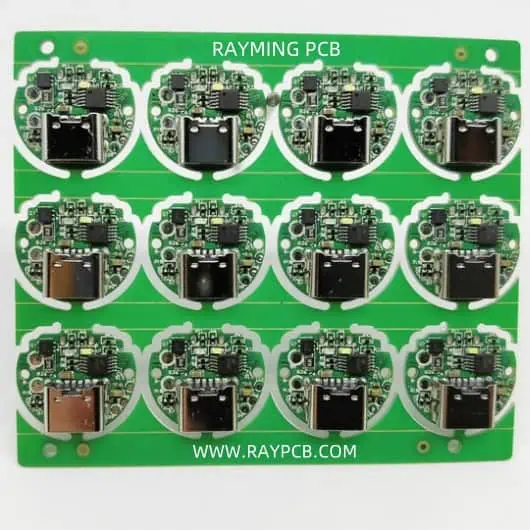
Debugging a Non-Working PCB: A Comprehensive Guide

When you’ve invested hours designing a printed circuit board (PCB), ordered the components, carefully soldered everything in place, and powered it up for the first timeโ€”only to find it doesn’t workโ€”frustration is natural. However, debugging a non-working PCB is a methodical process that can be both educational and rewarding. With the right approach, tools, and patience, most PCB issues can be identified and resolved.

YouTube video

Initial Assessment and Safety

Before diving into debugging, ensure your workspace is safe and properly organized. Check that your power supply is set to the correct voltage and current limits. If your PCB is designed for 3.3V, accidentally applying 5V could damage sensitive components irreversibly. Always start with the lowest reasonable voltage and gradually increase while monitoring current consumption.

Begin with a visual inspection using good lighting and magnification. Look for obvious issues like solder bridges, cold solder joints, missing components, or components installed backwards. Pay special attention to polarized components such as diodes, electrolytic capacitors, and integrated circuits. A backwards diode or IC can prevent the entire circuit from functioning and may cause permanent damage.

Check your PCB against the schematic and bill of materials. It’s surprisingly easy to install the wrong value resistor or capacitor, especially when component markings are small or unclear. Verify that all components are present and correctly oriented. Use a multimeter to confirm resistor values if their color codes are difficult to read.

Power Supply Verification

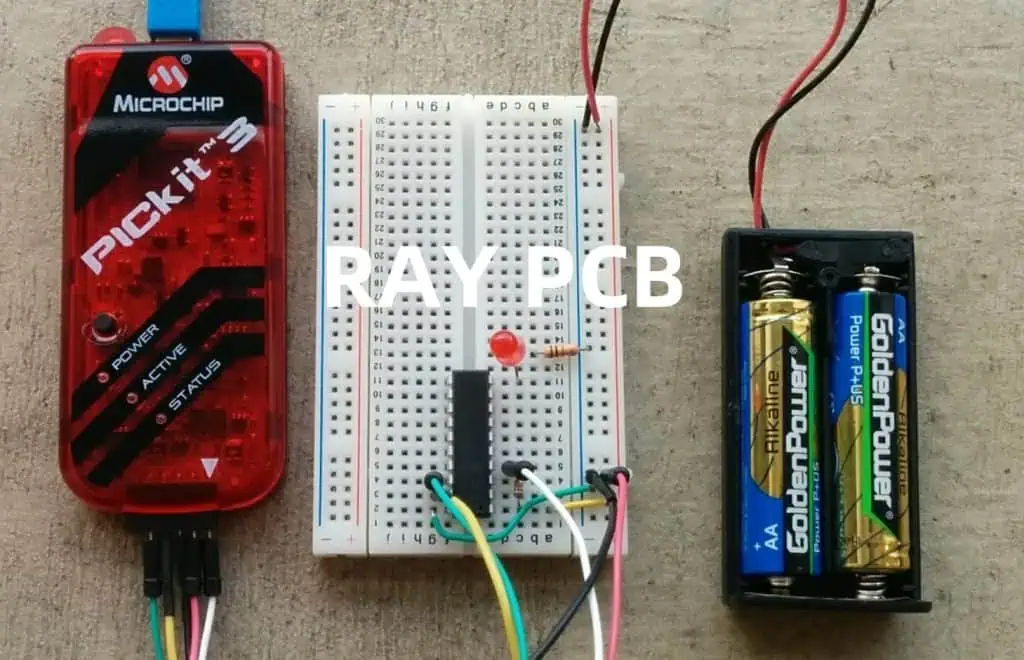
PCB Programmer Debugger

Power issues are among the most common causes of non-working PCBs. Start by verifying that power is reaching your board correctly. Use a multimeter to check voltage levels at key points throughout your circuit. Begin at the power input and work your way through any voltage regulators to ensure each stage is functioning properly.

Measure both DC voltage levels and AC ripple. Excessive ripple can cause digital circuits to malfunction or analog circuits to produce noisy outputs. If you have access to an oscilloscope, examine the power supply waveforms under different load conditions. A switching regulator that works fine at light loads might become unstable or drop out under heavier loads.

Current consumption is equally important. If your circuit is drawing significantly more current than expected, you likely have a short circuit or a component failure. Conversely, if it’s drawing much less current than anticipated, critical components might not be powered or functioning. Use your power supply’s current limiting feature to protect your circuit while troubleshooting.

Ground connections are often overlooked but critical. Verify continuity between all ground points on your PCB. A broken ground connection can cause erratic behavior that’s difficult to diagnose. In multi-layer boards, via failures can create ground loops or isolated ground islands.

Systematic Signal Tracing

Once you’ve confirmed that power is distributed correctly, move on to signal tracing. Start from inputs and work toward outputs, or begin with known good signals and follow them through the circuit. This methodical approach helps isolate the problem to specific sections of your design.

For digital circuits, use a logic analyzer or oscilloscope to examine signal integrity. Check for proper voltage levels, timing relationships, and signal quality. Look for issues like ringing, overshoot, undershoot, or excessive rise/fall times. These problems often stem from improper termination, ground plane issues, or electromagnetic interference.

In analog circuits, signal tracing becomes more nuanced. Use an oscilloscope to examine waveforms at various stages of amplification or filtering. Compare measured results with your design calculations. Pay attention to frequency response, gain, offset voltages, and noise levels. A slight DC offset early in a signal chain can become a major problem after several stages of amplification.

Don’t forget about clock signals in digital systems. Clock integrity is crucial for proper operation. Verify that clock signals have appropriate amplitude, frequency, and duty cycle. Check for clock skew between different parts of your circuit, especially in high-speed designs.

Component-Level Testing

When system-level debugging doesn’t reveal the problem, it’s time to test individual components. Remove suspect components from the circuit when possible and test them independently. This is especially important for active components like transistors, operational amplifiers, and microcontrollers.

For semiconductors, check basic parameters like forward voltage drops on diodes, transistor beta values, and op-amp offset voltages. Compare these measurements with datasheet specifications. Components that test within specifications individually might still fail when operating in-circuit due to thermal effects or specific bias conditions.

Passive components can also fail in subtle ways. Capacitors might have correct capacitance but excessive equivalent series resistance (ESR) or leakage current. Inductors can have shorted turns that reduce their effective inductance. Even resistors can drift from their nominal values, especially if they’ve been stressed by overcurrent conditions.

Crystal oscillators deserve special attention in digital designs. These components are sensitive to loading conditions, temperature, and mechanical stress. If a crystal isn’t oscillating, check the load capacitors, bias resistors, and PCB layout around the oscillator circuit. Sometimes, simply touching the crystal with a probe is enough to start or stop oscillation, indicating a marginal design.

Advanced Debugging Techniques

For complex problems that resist conventional debugging approaches, advanced techniques may be necessary. Thermal imaging can reveal components that are running unexpectedly hot, indicating possible failures or design issues. Conversely, components that should be warm but remain cool might not be functioning at all.

In RF and high-frequency circuits, network analyzers can measure impedance, return loss, and insertion loss. These measurements help identify problems with transmission lines, matching networks, and filter circuits that might not be apparent with conventional instruments.

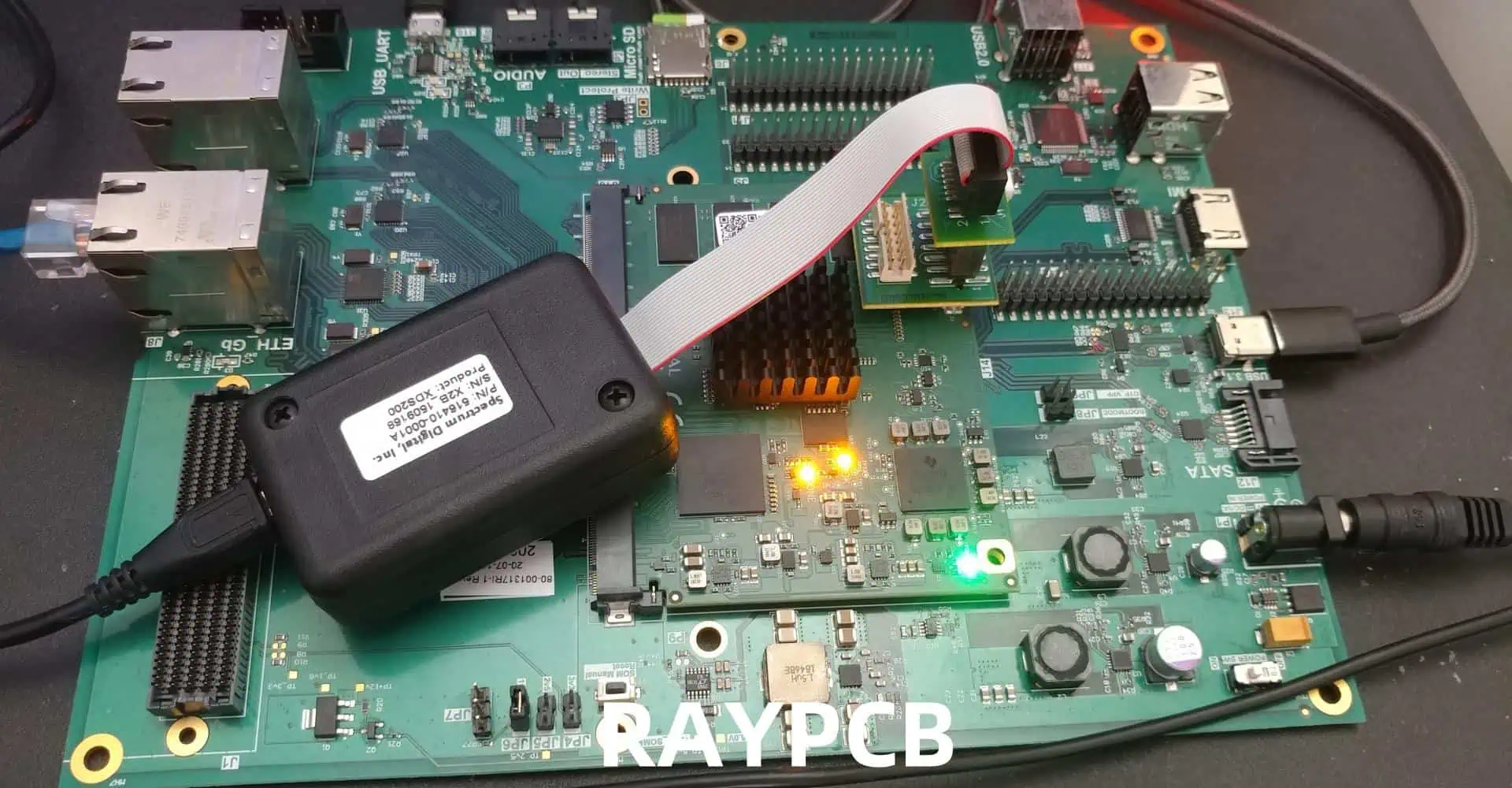
For microcontroller-based designs, in-circuit debugging tools like JTAG interfaces provide invaluable insight into program execution. You can set breakpoints, examine memory contents, and step through code execution to identify software-related issues. Sometimes what appears to be a hardware problem is actually a software bug.

Boundary scan testing, where available, allows you to test interconnections and basic functionality of digital ICs without removing them from the circuit. This technique is particularly useful for complex designs with fine-pitch components that are difficult to probe directly.

Environmental and Layout Considerations

PCB layout issues can cause problems that are difficult to diagnose with conventional approaches. Poor ground plane design can create ground loops, causing noise and instability. Inadequate power plane design might cause voltage drops or noise coupling between different circuit sections.

Electromagnetic interference (EMI) can cause intermittent problems that are particularly frustrating to debug. Use an oscilloscope with good bandwidth to look for high-frequency noise on power and signal lines. Sometimes adding small bypass capacitors or ferrite beads can resolve these issues.

Thermal effects can cause components to behave differently than expected. Some failures only occur when the PCB reaches operating temperature, while others might disappear as components warm up. Use a heat gun or cooling spray to deliberately change component temperatures while monitoring circuit behavior.

Mechanical stress can also affect PCB performance. Flexing the board slightly while powered might reveal intermittent connection problems. Pay attention to areas where the PCB might be under mechanical stress, such as connector mounting points or areas near mounting holes.

Documentation and Prevention

Throughout the debugging process, maintain detailed documentation of your findings. Record which tests were performed, what measurements were taken, and what changes were made. This documentation becomes invaluable if similar problems occur in future designs or if you need to reproduce your debugging steps.

Consider implementing design for testability (DFT) features in future PCBs. Test points, LED indicators, and jumpers can significantly simplify debugging. Design in current measurement points and voltage monitoring capabilities where appropriate.

Review your design and manufacturing processes to prevent similar issues in the future. Was the problem caused by a design error, a manufacturing defect, or a component failure? Understanding root causes helps improve your design methodology and reduces the likelihood of similar problems in subsequent projects.

Conclusion

Debugging a non-working PCB requires patience, systematic thinking, and the right tools. Start with basic power and visual checks before moving to more sophisticated signal analysis. Remember that the most complex-seeming problems often have simple causesโ€”a backwards diode or solder bridge can render an entire design non-functional.

The debugging process, while sometimes frustrating, is an excellent learning opportunity. Each problem solved adds to your experience and makes future debugging efforts more efficient. With practice, you’ll develop an intuition for where problems are likely to occur and how to isolate them quickly.

Most importantly, don’t give up too quickly. Many PCB problems that initially seem insurmountable can be resolved with methodical debugging. The satisfaction of bringing a non-working design to life makes the effort worthwhile and contributes significantly to your growth as an electronics engineer.

Effective Measures to Improve SMT Assembly Quality

Surface Mount Technology (SMT) has revolutionized the electronics manufacturing industry, allowing for smaller, more complex, and more reliable electronic devices. However, maintaining high-quality standards in SMT assembly processes can be challenging. This comprehensive guide explores various effective measures to improve SMT assembly quality, ensuring that manufacturers can produce consistent, high-performance electronic products.

YouTube video

Understanding SMT Assembly

Surface Mount Technology (SMT) assembly is a method of producing electronic circuits where components are mounted directly onto the surface of printed circuit boards (PCBs). This technique has largely replaced through-hole technology in modern electronics manufacturing due to its numerous advantages:

  • Increased component density
  • Smaller overall product size
  • Improved electrical performance
  • Higher production speeds
  • Lower manufacturing costs

However, the complexity of SMT assembly processes also brings challenges in maintaining consistent quality. Understanding these challenges is crucial for implementing effective quality improvement measures.

Key Factors Affecting SMT Assembly Quality

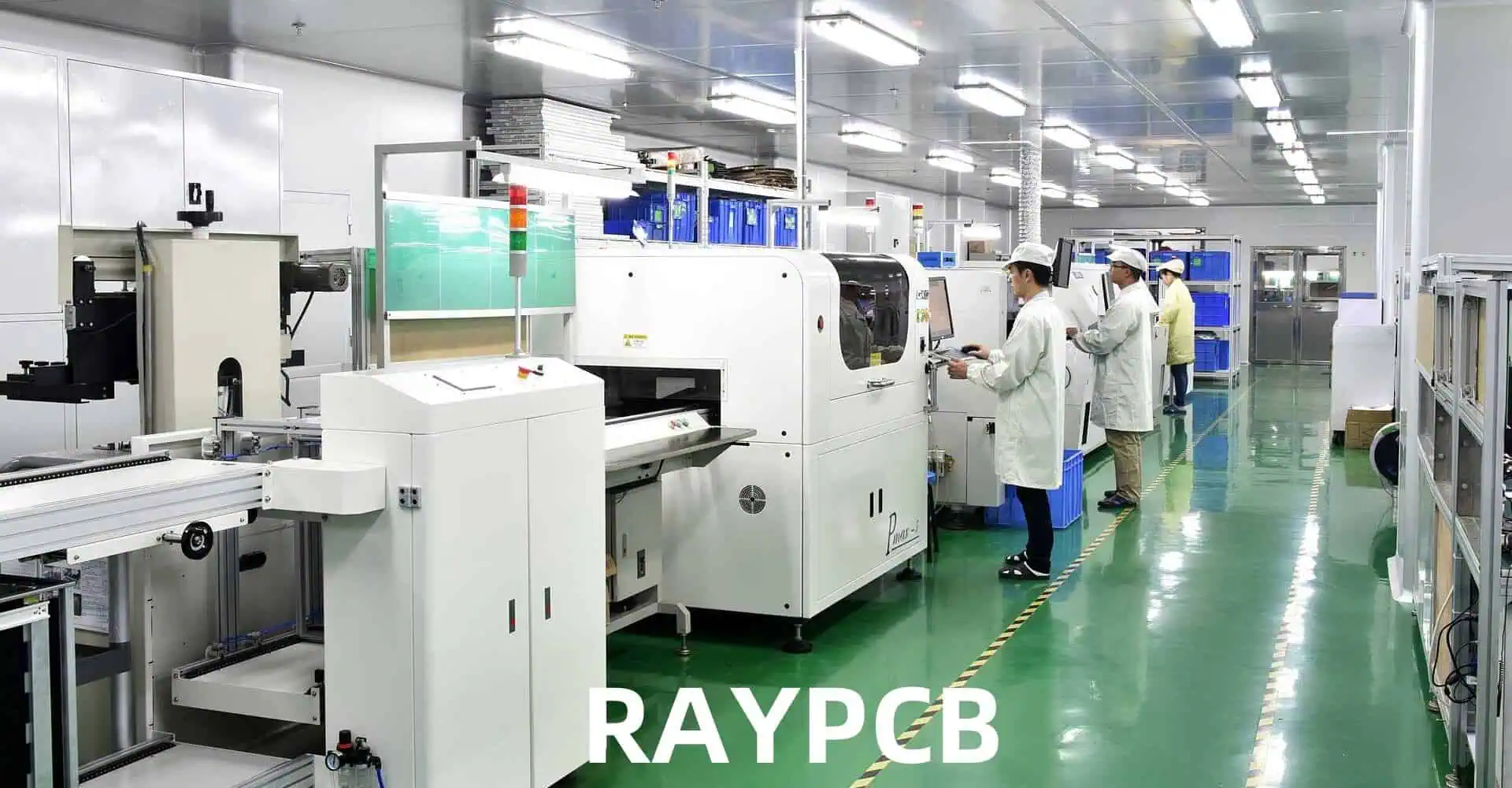
High Volume Assembly Line

Several factors can significantly impact the quality of SMT assemblies. Identifying and addressing these factors is essential for improving overall production quality.

Component Quality

The quality of individual components used in SMT assembly plays a crucial role in the final product’s performance and reliability. Key considerations include:

  • Component specifications and tolerances
  • Storage and handling procedures
  • Supplier quality management

PCB Design and Quality

The design and quality of the printed circuit board itself can greatly affect the success of SMT assembly. Important factors include:

  • PCB material selection
  • Trace width and spacing
  • Pad design and solder mask considerations
  • Thermal management features

Solder Paste Application

Proper solder paste application is critical for creating reliable solder joints. Factors affecting solder paste application quality include:

  • Stencil design and thickness
  • Solder paste composition and viscosity
  • Printing pressure and speed
  • Storage and handling of solder paste

Component Placement

Accurate and consistent component placement is essential for high-quality SMT assemblies. Key considerations include:

  • Pick-and-place machine accuracy and calibration
  • Component feeder maintenance and setup
  • Vision system performance
  • Placement force and speed

Reflow Soldering

The reflow soldering process is critical for creating strong and reliable solder joints. Factors affecting reflow quality include:

  • Reflow oven profile design
  • Temperature uniformity across the PCB
  • Atmosphere control (e.g., nitrogen vs. air reflow)
  • Cooling rate management

Process Optimization Techniques

Optimizing the SMT assembly process is crucial for improving overall quality. Here are some effective techniques:

Design for Manufacturability (DFM)

Implementing DFM principles early in the product development cycle can significantly improve SMT assembly quality. Key DFM considerations include:

  • Component selection and placement optimization
  • Standardization of pad layouts
  • Thermal relief design for large components
  • Adequate spacing for inspection and rework

Statistical Process Control (SPC)

Implementing SPC techniques can help identify and address process variations before they lead to quality issues. Key SPC tools include:

  • Control charts for monitoring critical parameters
  • Capability analysis to assess process stability
  • Root cause analysis for addressing recurring issues

Poka-Yoke (Error-Proofing)

Implementing error-proofing mechanisms can prevent common assembly mistakes. Examples include:

  • Barcode scanning for component verification
  • Automated optical alignment for stencil printing
  • Sensor-based detection of missing or misaligned components

Process Documentation and Standardization

Developing and maintaining comprehensive process documentation helps ensure consistency across production runs. Key elements include:

  • Detailed work instructions
  • Process flow charts
  • Equipment setup parameters
  • Quality check procedures

Quality Control Measures

Implementing robust quality control measures is essential for identifying and addressing issues in SMT assembly. Here are some effective quality control techniques:

Automated Optical Inspection (AOI)

AOI systems use high-resolution cameras and advanced image processing algorithms to detect defects in SMT assemblies. Benefits of AOI include:

  • High-speed inspection capabilities
  • Consistent and objective defect detection
  • Early identification of process issues

X-ray Inspection

X-ray inspection is particularly useful for detecting defects in hidden solder joints, such as those found in Ball Grid Array (BGA) components. Advantages include:

  • Non-destructive inspection of internal structures
  • Detection of voids, bridging, and insufficient solder
  • 3D imaging capabilities for complex assemblies

In-Circuit Testing (ICT)

ICT involves electrically testing assembled PCBs to verify proper component placement and functionality. Benefits of ICT include:

  • Comprehensive electrical testing of assemblies
  • Rapid identification of faulty components or connections
  • High throughput for production environments

Functional Testing

Functional testing involves operating the assembled product under simulated real-world conditions to verify performance. Key aspects include:

  • Custom test fixtures and programs for each product
  • Environmental stress testing (e.g., temperature cycling)
  • Long-term reliability testing

Data Collection and Analysis

Implementing a robust data collection and analysis system can help identify trends and opportunities for improvement. Key considerations include:

  • Automated data collection from inspection and test equipment
  • Real-time monitoring and alerting systems
  • Advanced analytics for identifying correlations and root causes

Advanced Technologies for SMT Assembly

Leveraging advanced technologies can significantly improve SMT assembly quality. Here are some cutting-edge solutions:

3D Solder Paste Inspection (SPI)

3D SPI systems use advanced optical techniques to measure solder paste volume and alignment with high precision. Benefits include:

  • Early detection of solder paste application issues
  • Improved process control through real-time feedback
  • Reduced defects related to insufficient or excess solder

Artificial Intelligence and Machine Learning

AI and machine learning algorithms can enhance various aspects of SMT assembly, including:

  • Defect classification and prediction
  • Optical inspection accuracy improvement
  • Process parameter optimization

Industry 4.0 Integration

Implementing Industry 4.0 principles can improve overall SMT assembly quality through:

  • Real-time equipment monitoring and predictive maintenance
  • Automated material tracking and inventory management
  • Digital twin simulations for process optimization

Advanced Placement Technologies

New component placement technologies can improve accuracy and speed, such as:

  • Multi-head placement systems for increased throughput
  • High-precision linear motors for improved placement accuracy
  • Advanced vision systems for component recognition and alignment

Training and Workforce Development

Investing in workforce training and development is crucial for maintaining high-quality SMT assembly operations. Key areas to focus on include:

Technical Skills Training

Provide comprehensive training on SMT assembly techniques, equipment operation, and troubleshooting. Topics should include:

  • SMT process fundamentals
  • Equipment-specific training
  • Defect identification and resolution
  • Process control techniques

Quality Awareness Programs

Develop programs to foster a culture of quality throughout the organization. Elements may include:

  • Quality management system principles
  • Root cause analysis techniques
  • Continuous improvement methodologies
  • Customer requirements and expectations

Cross-Training and Skill Diversification

Encourage cross-training to improve flexibility and problem-solving capabilities:

  • Rotate staff through different SMT assembly stages
  • Provide opportunities for learning advanced inspection techniques
  • Offer training in related areas (e.g., PCB design, component engineering)

Certification Programs

Support employee participation in industry-recognized certification programs, such as:

  • IPC Certification for SMT Processes
  • Six Sigma and Lean Manufacturing certifications
  • Equipment-specific certifications from manufacturers

Environmental Considerations

Maintaining proper environmental conditions is crucial for SMT assembly quality. Key factors to consider include:

Temperature and Humidity Control

Maintain stable temperature and humidity levels in the production area:

ParameterRecommended Range
Temperature20-26ยฐC (68-79ยฐF)
Humidity30-60% RH

Electrostatic Discharge (ESD) Protection

Implement comprehensive ESD protection measures:

  • ESD-safe flooring and workstations
  • Proper grounding of equipment and personnel
  • Use of ionizers in critical areas

Contamination Control

Minimize contamination risks through:

  • HEPA filtration systems
  • Regular cleaning and maintenance schedules
  • Proper storage and handling of materials

Lighting Conditions

Ensure adequate lighting for assembly and inspection tasks:

  • Use high-quality, flicker-free LED lighting
  • Implement task-specific lighting for inspection areas
  • Consider color temperature for optimal visual acuity

Cost-Effective Quality Improvement Strategies

Implementing quality improvement measures doesn’t always require significant capital investment. Here are some cost-effective strategies:

Process Audit and Optimization

Regularly review and optimize existing processes:

  • Conduct value stream mapping to identify inefficiencies
  • Implement 5S methodology for workplace organization
  • Encourage employee suggestions for process improvements

Preventive Maintenance Programs

Develop comprehensive preventive maintenance schedules:

  • Regular calibration of critical equipment
  • Proactive replacement of wear items
  • Cleaning and lubrication of mechanical components

Supplier Quality Management

Work closely with suppliers to improve component quality:

  • Develop clear quality specifications and requirements
  • Implement vendor rating systems
  • Collaborate on continuous improvement initiatives

Lean Manufacturing Principles

Apply lean manufacturing concepts to SMT assembly:

  • Reduce work-in-progress inventory
  • Implement pull systems for material flow
  • Minimize non-value-added activities

Future Trends in SMT Assembly Quality

As technology continues to evolve, several trends are likely to shape the future of SMT assembly quality:

Miniaturization and High-Density Assemblies

  • Increasing use of 01005 and 008004 components
  • Development of advanced placement and inspection technologies
  • New challenges in thermal management and signal integrity

Flexible and Stretchable Electronics

  • Integration of flexible substrates in SMT processes
  • Development of new solder materials and techniques
  • Challenges in maintaining reliability under mechanical stress

Green Manufacturing Initiatives

  • Increased adoption of lead-free and halogen-free materials
  • Energy-efficient equipment and processes
  • Improved recycling and waste reduction strategies

Augmented Reality in Assembly and Inspection

  • AR-assisted assembly instructions and training
  • Enhanced visual inspection capabilities
  • Real-time process monitoring and guidance

Additive Manufacturing Integration

  • 3D printed electronic structures and components
  • Hybrid manufacturing processes combining SMT and additive techniques
  • New design possibilities for complex 3D electronic assemblies

Frequently Asked Questions

  1. Q: What is the most critical factor in improving SMT assembly quality? A: While many factors contribute to SMT assembly quality, process control is often considered the most critical. This includes optimizing and maintaining consistency in solder paste application, component placement, and reflow soldering processes. Implementing robust statistical process control (SPC) measures can significantly improve overall quality by identifying and addressing variations before they lead to defects.
  2. Q: How can I reduce solder defects in SMT assembly? A: To reduce solder defects, focus on the following areas:
    • Optimize solder paste printing parameters (e.g., stencil design, printing pressure, and speed)
    • Implement 3D solder paste inspection for early defect detection
    • Carefully control reflow oven profiles and ensure temperature uniformity
    • Use high-quality, properly stored solder paste and components
    • Maintain a clean, controlled assembly environment
  3. Q: What are the benefits of implementing automated inspection systems? A: Automated inspection systems, such as AOI and X-ray inspection, offer several benefits:
    • Consistent and objective defect detection
    • High-speed inspection capabilities for increased throughput
    • Early identification of process issues for quick corrective action
    • Improved data collection for trend analysis and process improvement
    • Reduced reliance on manual inspection, freeing up skilled workers for other tasks
  4. Q: How important is operator training in maintaining SMT assembly quality? A: Operator training is crucial for maintaining high SMT assembly quality. Well-trained operators can:
    • Properly set up and maintain equipment
    • Recognize and respond to process variations
    • Identify defects and understand their root causes
    • Implement and follow standardized procedures
    • Contribute to continuous improvement initiatives Investing in comprehensive and ongoing training programs is essential for achieving and maintaining high-quality standards.
  5. Q: What emerging technologies should I consider for improving SMT assembly quality? A: Several emerging technologies show promise for improving SMT assembly quality:
    • Artificial Intelligence and Machine Learning for defect prediction and process optimization
    • Industry 4.0 integration for real-time monitoring and control
    • Advanced 3D inspection technologies for improved defect detection
    • Augmented Reality systems for operator guidance and training
    • Additive manufacturing techniques for creating complex electronic structures Consider evaluating these technologies based on your specific production needs and quality improvement goals.

Best Solder for PCB: How to Choose the Right Type (Lead-Free, Rosin-Core & More)

Solderย is an essential material used to form both mechanical and electrical connections in printed circuit board (PCB) assembly. But with the variety of solder alloys available with different properties, how do you determine the โ€œbestโ€ solder type for your particular PCB application? There is no single answer, as the optimum solder choice depends on factors like:

  • Application requirementsย โ€“ e.g. operating temperatures, vibration levels
  • PCB designย considerationsย โ€“ e.g. pad sizes, pitch between joints
  • Process characteristicsย โ€“ e.g. soldering methods used, production volumes
  • Reliability expectationsย โ€“ e.g. product lifetime, expected thermal cycles
  • Compliance needsย โ€“ e.g. lead-free requirements,ย militaryย specifications

By weighing specifications against these factors, PCB designers and production engineers can zero in on the right solder materials for their boards. This article provides guidance on selecting the best solder for PCBs based on different criteria.

What Is Solder?

Solder is a metal alloy that melts at relatively low temperatures and is used to create permanent bonds between electronic components and PCB pads. When heated, solder flows into the joint, and upon cooling, it forms a strong mechanical and electrical connection. The right solder ensures not only a secure physical bond but also optimal electrical conductivity, which is crucial for the proper functioning of electronic circuits.

Read more about:

Types of Solder for PCBs

By Composition

1. Lead-Based Solder (SnPb)

Lead-based solder, typically composed of 63% tin and 37% lead (63/37), has been a staple in electronics for decades. Its low melting point, excellent wetting properties, and reliability made it a popular choice. However, due to environmental and health concerns, its use has been restricted in many applications.

Pros:

  • Low melting point (around 183ยฐC)
  • Excellent wetting and flow characteristics
  • Forgiving to work with, ideal for beginners

Cons:

  • Environmental and health hazards
  • Restricted use due to regulations like RoHS

2. Lead-Free Solder (e.g., SAC305)

With the implementation of RoHS (Restriction of Hazardous Substances) regulations, lead-free solders have become increasingly prevalent. SAC305 (96.5% tin, 3% silver, and 0.5% copper) is one of the most common lead-free alloys.

Pros:

  • Environmentally friendly
  • Compliant with RoHS and other regulations
  • Good mechanical strength

Cons:

  • Higher melting point (around 217ยฐC)
  • May require different soldering techniques
  • Can be more challenging to work with than lead-based solder

3. Silver Alloy Solder

Silver alloy solders, such as 62/36/2 (62% tin, 36% lead, 2% silver), offer improved mechanical strength and better electrical conductivity compared to standard lead-based solders.

Pros:

  • Enhanced mechanical strength
  • Improved electrical conductivity
  • Good for high-reliability applications

Cons:

  • More expensive than standard lead-based or lead-free options
  • May still contain lead, depending on the specific alloy

4. Rosin-Core Solder

Rosin-core solder contains a flux core made of rosin, which helps clean the surfaces being soldered and promotes better wetting.

Pros:

  • Built-in flux for improved soldering performance
  • Reduced need for separate flux application
  • Available in both lead-based and lead-free variants

Cons:

  • May leave residue that needs cleaning
  • Not suitable for all applications, especially those requiring no-clean processes

By Form

1. Solder Wire

Solder wire is the most common form for manual soldering operations. It’s available in various diameters and compositions, making it versatile for different applications.

Pros:

  • Easy to use for manual soldering
  • Available in many alloy compositions and diameters
  • Suitable for both through-hole and surface-mount components

Cons:

  • Requires skill for consistent application
  • Not suitable for automated processes

2. Solder Paste

Solder paste is a mixture of tiny solder particles suspended in a flux medium. It’s primarily used in surface-mount technology (SMT) applications and reflow soldering processes.

Pros:

  • Ideal for SMT and automated assembly
  • Allows for precise placement of solder
  • Available in lead-free and leaded compositions

Cons:

  • Requires special storage and handling
  • Typically needs reflow equipment for proper use

3. Solder Bars

Solder bars are large blocks of solder used in wave soldering machines and for replenishing solder pots in automated systems.

Pros:

  • Economical for large-scale production
  • Suitable for wave soldering processes
  • Available in various alloy compositions

Cons:

  • Not practical for small-scale or manual soldering operations
  • Requires specialized equipment for use

Lead vs. Lead-Free Solder: Key Differences

The shift from lead-based to lead-free solder has been one of the most significant changes in the electronics industry in recent years. Understanding the key differences between these two types of solder is crucial for making the right choice for your PCB projects.

  1. Melting Point: Lead-based solder typically melts at around 183ยฐC, while lead-free alternatives like SAC305 have a higher melting point of about 217ยฐC. This difference affects soldering techniques and equipment requirements.
  2. Wetting Properties: Lead-based solder generally has better wetting characteristics, making it easier to work with, especially for beginners. Lead-free solders may require more precise temperature control and technique to achieve good wetting.
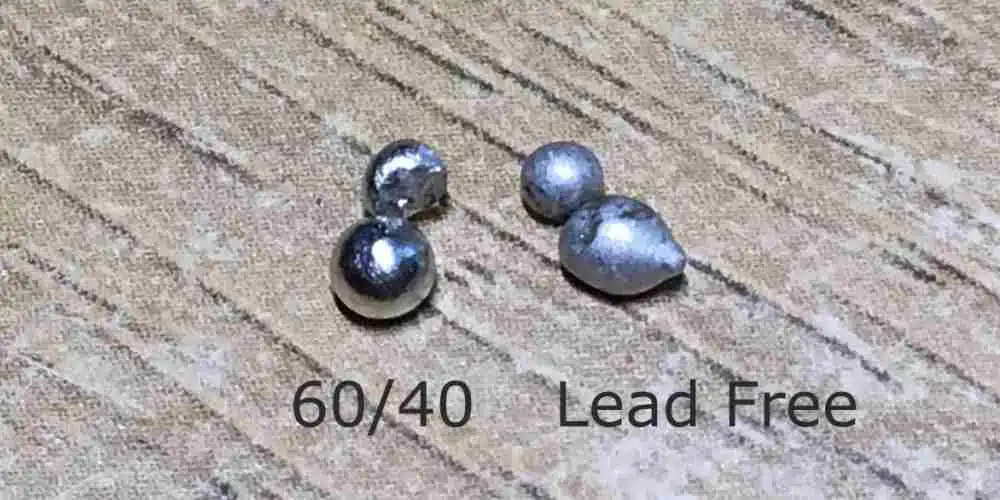
  3. Joint Appearance: Joints made with lead-based solder tend to have a shiny, smooth appearance, while lead-free solder joints often appear duller and slightly grainier.
  4. Reliability: While both types can produce reliable joints, lead-free solders may be more prone to issues like tin whiskers in certain conditions. However, advancements in lead-free alloys have significantly improved their reliability.
  5. Environmental Impact: Lead-free solders are more environmentally friendly and comply with regulations like RoHS, making them the preferred choice for many modern applications.
  6. Cost: Lead-free solders are generally more expensive due to the higher cost of their constituent metals and the more complex manufacturing processes required.
  7. Skill Required: Working with lead-free solder often requires more skill and precision, as it can be less forgiving than lead-based alternatives.

Factors to Consider When Choosing PCB Solder

Selecting the right solder for your PCB project involves considering several factors:

1. Type of Project

The nature of your project plays a significant role in solder selection. For hobbyist or prototyping work, ease of use might be a priority, making lead-based or easier-to-work-with lead-free alloys attractive. For professional or commercial projects, regulatory compliance and long-term reliability may take precedence, favoring lead-free options.

2. Materials Being Soldered

Different PCB materials and component finishes may react differently to various solder types. For instance, some lead-free solders work better with specific surface finishes like ENIG (Electroless Nickel Immersion Gold) or OSP (Organic Solderability Preservative).

3. Wire Size

The diameter of solder wire you choose should match the scale of your work. Finer wires (e.g., 0.5mm to 0.8mm) are suitable for delicate SMD work, while thicker wires (1mm to 1.5mm) are better for through-hole components and larger joints.

4. Flux Type

The type of flux in your solder can affect both the soldering process and post-soldering cleaning requirements. Options include:

  • Rosin-based flux: Good for general-purpose use, but may require cleaning.
  • No-clean flux: Leaves minimal residue, often doesn’t require cleaning.
  • Water-soluble flux: Provides strong cleaning action but requires thorough cleaning after soldering.

5. Regulatory Requirements

If your project is for commercial use or will be sold in certain markets, you must comply with regulations like RoHS. This typically necessitates the use of lead-free solder.

6. Cost, Reliability, and Availability

Balance the cost of the solder against its reliability and availability. While lead-free options may be more expensive, they might be necessary for compliance or long-term reliability. Ensure your chosen solder is readily available to avoid production delays.

Solder Paste Deep Dive

Solder Paste Grades Explained

Solder paste is classified into different grades based on the size of the metal particles it contains:

  • Type 3 (25-45 ฮผm): Suitable for most SMT applications
  • Type 4 (20-38 ฮผm): For fine-pitch components
  • Type 5 (15-25 ฮผm): For ultra-fine pitch and micro BGA applications

Finer grades allow for more precise deposition but are generally more expensive.

How to Apply Solder Paste to PCBs

  1. Stencil Printing: The most common method for production. A metal stencil is used to apply solder paste precisely to the PCB pads.
  2. Manual Dispensing: For prototyping or rework, solder paste can be applied using a syringe or dispenser.
  3. Jet Printing: Advanced method using specialized equipment to “jet” tiny droplets of solder paste onto the PCB.

Solder Paste vs. Solder Mask

It’s important not to confuse solder paste with solder mask:

  • Solder Paste:ย A mixture of tiny solder particles and flux, used to create solder joints.
  • Solder Mask:ย A thin lacquer-like layer applied to the PCB to prevent solder from bridging between closely spaced solder pads.

Solder Paste Storage Tips

  1. Store at recommended temperatures (usually 0-10ยฐC) to maintain viscosity and prevent separation.
  2. Allow paste to reach room temperature before use to prevent moisture condensation.
  3. Mix gently before use to ensure uniform consistency.
  4. Keep containers sealed when not in use to prevent contamination and drying.

How to Use Solder Paste

  1. Apply paste to PCB pads using a stencil or dispensing method.
  2. Place components on the paste deposits.
  3. Reflow the assembly using a reflow oven or hot air station, following the recommended temperature profile for the specific paste.
  4. Allow the assembly to cool naturally to room temperature.
  5. Inspect joints for quality and touch up if necessary.

Safety Precautions When Soldering

Manual Soldering
Manual Soldering
  1. Ventilation:ย Work in a well-ventilated area or use a fume extractor to avoid inhaling harmful fumes.
  2. Eye Protection:ย Wear safety glasses to protect your eyes from solder splatter.
  3. Temperature Control:ย Use soldering irons with temperature control to prevent overheating.
  4. Clean Workspace:ย Keep your soldering area clean and free from flammable materials.
  5. Hand Protection:ย Use heat-resistant gloves when handling hot PCBs or components.
  6. Lead Safety:ย When using lead-based solder, wash hands thoroughly after soldering and avoid eating or drinking in the work area.
  7. Fire Safety:ย Keep a fire extinguisher nearby and never leave a hot soldering iron unattended.

Common Soldering Issues & Solder Selection Fixes

  1. Cold Joints: Often caused by insufficient heat. Use a higher temperature or switch to a solder with a lower melting point.
  2. Solder Bridges: Can occur with excess solder. Use a finer gauge solder wire or adjust your technique.
  3. Dry Joints: May result from insufficient flux. Consider using a solder with a higher flux content or apply additional flux.
  4. Component Damage: Often due to excessive heat. Use a lower temperature or a solder with a lower melting point.
  5. Poor Wetting: Can be caused by oxidized surfaces or inadequate flux. Ensure proper cleaning and consider a solder with more active flux.
  6. Tin Whiskers: More common with pure tin solders. Use alloys with small amounts of other metals (like silver or copper) to mitigate this risk.

Top 10 Solder Brands for Circuit Boards

  1. Kester
  2. AIM Solder
  3. MG Chemicals
  4. Chip Quik
  5. Indium Corporation
  6. Alpha Assembly Solutions
  7. Multicore
  8. Maker’s Guide
  9. SRA Soldering Products
  10. Sn100c

Each of these brands offers a range of solder products suitable for various PCB applications, from hobbyist to professional use.

Where to Buy High-Quality Solder

  1. Electronics Supply Stores: Retailers like Digi-Key, Mouser, or Newark offer a wide range of professional-grade solders.
  2. Online Marketplaces: Amazon, eBay, and AliExpress carry many solder options, but be sure to verify the authenticity and quality of the products.
  3. Local Electronics Shops: Many carry a selection of solders suitable for hobbyist and professional use.
  4. Direct from Manufacturers: Some solder manufacturers sell directly to consumers or businesses through their websites.
  5. Specialty PCB Suppliers: Companies that specialize in PCB prototyping and small-scale production often sell high-quality solders as well.

When purchasing solder, always check for proper certification and compliance with relevant standards, especially if you’re working on commercial or regulated projects.

In conclusion, choosing the best solder for your PCB project involves considering multiple factors, from the type of project and regulatory requirements to specific soldering needs and personal preferences. By understanding the different types of solder available and the key considerations in selecting the right one, you can ensure better results in your PCB assembly process. Remember to prioritize safety, quality, and compliance with relevant standards to achieve the best outcomes in your electronic projects.

PCB Solder Pads Guide: BGA Pads, SMD Pads, Lifted Pad Repair & More

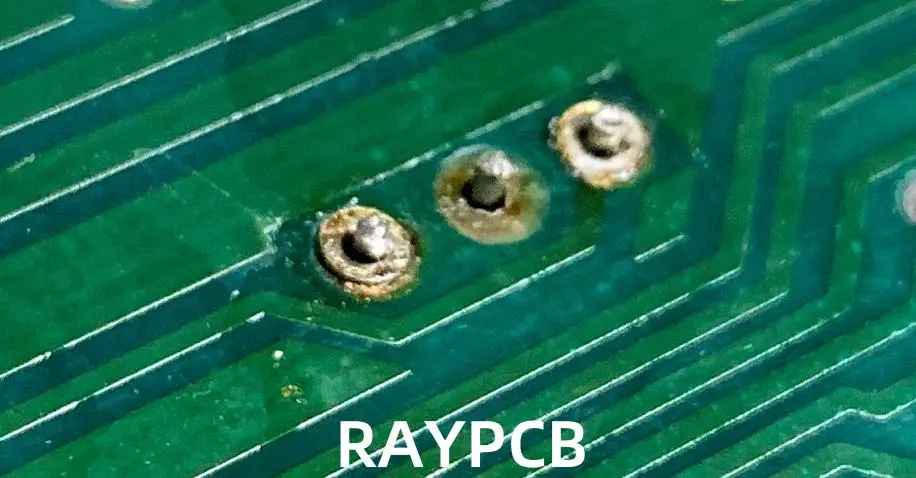
solder pad pcb

Introduction

In the world of printed circuit board (PCB) design and manufacturing, solder pads play a crucial role in ensuring proper component attachment and electrical connectivity. This comprehensive guide will delve into the intricacies of solder pads, covering everything from their basic definition to advanced repair techniques. Whether you’re a novice PCB designer or an experienced engineer, this article will provide valuable insights into the world of solder pads.

1. What Are Solder Pads?

Definition and Purpose

Solder pads are specially designed areas on a PCB where components are soldered to establish electrical and mechanical connections. These metallic surfaces serve as the interface between the circuit board and the electronic components, ensuring proper functionality and reliability of the entire assembly.

Anatomy of a Solder Pad

A typical solder pad consists of several layers:

  1. Copper layer: The base conductive material
  2. Nickel plating: Provides a barrier to prevent copper diffusion
  3. Gold plating: Protects the pad from oxidation and enhances solderability

Importance in PCB Assembly

Solder pads are critical for:

  1. Component placement accuracy
  2. Electrical conductivity
  3. Mechanical strength of connections
  4. Heat dissipation during soldering

2. Types of Solder Pads

Through-Hole Pads

Through-hole pads are designed for components with leads that pass through the PCB. They feature:

  1. Circular or oval shape
  2. Plated through-holes
  3. Larger size compared to surface mount pads

Surface Mount Device (SMD) Pads

SMD pads are used for surface-mounted components and come in various types:

  1. SOIC (Small Outline Integrated Circuit) pads
  2. QFP (Quad Flat Package) pads
  3. TQFP (Thin Quad Flat Package) pads
  4. SOT (Small Outline Transistor) pads

Ball Grid Array (BGA) Pads

BGA pads are designed for components with an array of solder balls on the bottom:

  1. Typically circular in shape
  2. Arranged in a grid pattern
  3. Require precise placement and soldering techniques

Castellated Pads

Castellated pads are semi-circular pads located on the edge of a PCB:

  1. Used for board-to-board connections
  2. Allow for vertical stacking of PCBs

Custom and Specialty Pads

Some applications require custom pad designs:

  1. RF and high-frequency pads
  2. High-power pads with thermal relief
  3. Fine-pitch pads for densely packed components

Read more about:

3. What Factors Dictate the Size of Pads in PCB?

Component Requirements

  1. Lead size and shape
  2. Package dimensions
  3. Pitch (distance between leads)

PCB Manufacturing Capabilities

  1. Minimum trace width and spacing
  2. Drilling and plating tolerances
  3. Solder mask registration accuracy

Electrical Considerations

  1. Current-carrying capacity
  2. Impedance control requirements
  3. Signal integrity concerns

Thermal Management

  1. Heat dissipation needs
  2. Thermal relief design
  3. Power handling capabilities

Assembly Process

  1. Soldering method (wave, reflow, hand soldering)
  2. Pick-and-place machine accuracy
  3. Rework considerations

4. Solder Pads Design Layout Guidelines

General Design Principles

  1. Follow manufacturer’s recommended footprints
  2. Consider thermal relief for large pads
  3. Maintain consistent pad sizes for similar components

Pad-to-Trace Connections

  1. Use teardrop connections for improved strength
  2. Ensure proper trace width for current capacity
  3. Avoid 90-degree angles in trace routing

Spacing and Clearance

  1. Maintain adequate spacing between pads
  2. Consider component body clearance
  3. Allow for solder mask and silkscreen clearances

BGA Pad Design

  1. Use non-solder mask defined (NSMD) pads for better reliability
  2. Implement proper via-in-pad design when necessary
  3. Consider dog-bone fanout for easier inspection and rework

High-Speed and RF Considerations

  1. Minimize pad size to reduce parasitic capacitance
  2. Use ground planes and controlled impedance techniques
  3. Consider coplanar waveguide structures for RF circuits

5. How to Fix Broken Solder Pads โ€” Tools and Steps

Tools Required

  1. Soldering iron with temperature control
  2. Desoldering braid or solder sucker
  3. Flux pen or liquid flux
  4. Precision tweezers
  5. Magnifying glass or microscope
  6. Isopropyl alcohol for cleaning

Step-by-Step Repair Process

  1. Assess the Damage
    • Determine the extent of pad damage
    • Identify any lifted traces or delamination
  2. Clean the Area
    • Remove any residual solder using desoldering braid
    • Clean with isopropyl alcohol to remove flux and debris
  3. Prepare the Surface
    • Gently scrape away any solder mask around the damaged area
    • Expose a small section of the trace leading to the pad
  4. Apply Adhesive (if necessary)
    • For severely damaged pads, apply a small amount of epoxy to secure the area
    • Allow the adhesive to cure completely
  5. Create a New Pad
    • Cut a small piece of copper foil to match the original pad size
    • Tin the exposed trace with a small amount of solder
    • Carefully solder the copper foil to the exposed trace
  6. Secure and Shape the New Pad
    • Use the soldering iron to shape the new pad to match the original
    • Ensure a smooth, even surface for component attachment
  7. Test Continuity
    • Use a multimeter to verify electrical continuity
    • Check for any shorts to adjacent pads or traces
  8. Apply Conformal Coating (optional)
    • For added protection, apply a thin layer of conformal coating
    • Allow the coating to cure completely before use

6. How to Clean a Solder Pad

Importance of Clean Solder Pads

  1. Ensures proper solder adhesion
  2. Prevents contamination-related defects
  3. Improves overall reliability of connections

Cleaning Methods

Mechanical Cleaning

  1. Use a fiberglass brush for light oxidation
  2. Apply gentle pressure to avoid damaging the pad
  3. Suitable for small-scale cleaning tasks

Chemical Cleaning

  1. Isopropyl alcohol (IPA) for general cleaning
  2. Specialized PCB cleaners for stubborn residues
  3. Always follow manufacturer’s recommendations

Ultrasonic Cleaning

  1. Effective for batch cleaning of PCBs
  2. Uses high-frequency sound waves in a cleaning solution
  3. Ideal for removing flux residues and fine particles

Cleaning Process

  1. Remove Excess Solder
    • Use desoldering braid or a solder sucker
    • Ensure all old solder is removed from the pad
  2. Apply Cleaning Solution
    • Use IPA or a specialized PCB cleaner
    • Apply with a lint-free cloth or brush
  3. Scrub Gently
    • Use a soft-bristled brush for stubborn residues
    • Be careful not to damage the pad or surrounding areas
  4. Rinse and Dry
    • For chemical cleaners, rinse with deionized water
    • Dry thoroughly with compressed air or a lint-free cloth
  5. Inspect
    • Use magnification to ensure all residues are removed
    • Verify pad surface is clean and free of oxidation

7. Common Causes of Solder Pad Damage

Overheating

  1. Excessive soldering temperatures
  2. Prolonged exposure to heat during rework
  3. Improper use of hot air rework stations

Mechanical Stress

  1. Rough handling during assembly or rework
  2. Excessive force when removing components
  3. PCB flexing or bending

Chemical Damage

  1. Exposure to corrosive substances
  2. Use of improper cleaning agents
  3. Residual flux left on the board

Manufacturing Defects

  1. Poor copper adhesion to the substrate
  2. Inadequate plating thickness
  3. Improper etching processes

Electrical Overstress

  1. Excessive current flow
  2. Electrostatic discharge (ESD) events
  3. Voltage spikes or surges

8. Importance of Fixing Solder Pads

Electrical Reliability

  1. Ensures proper component connectivity
  2. Maintains signal integrity in high-speed circuits
  3. Prevents intermittent connections and failures

Mechanical Stability

  1. Provides secure attachment for components
  2. Reduces risk of component detachment during use
  3. Enhances overall product durability

Thermal Management

  1. Proper pad repair ensures efficient heat dissipation
  2. Prevents localized heating and potential damage
  3. Maintains thermal performance of power components

Cost Savings

  1. Extends the life of PCBs, reducing replacement costs
  2. Minimizes production delays due to board failures
  3. Reduces warranty claims and product returns

Quality Assurance

  1. Maintains product reliability and performance
  2. Ensures compliance with industry standards
  3. Enhances customer satisfaction and brand reputation

Conclusion

Solder pads are the unsung heroes of PCB design and manufacturing, playing a crucial role in the functionality and reliability of electronic devices. From understanding the various types of solder pads to mastering repair techniques, this comprehensive guide has covered the essential aspects of working with solder pads.

By following proper design guidelines, implementing effective cleaning procedures, and addressing pad damage promptly, engineers and technicians can ensure the longevity and performance of their PCB assemblies. As technology continues to advance, with components becoming smaller and circuits more complex, the importance of proper solder pad design and maintenance will only grow.

Whether you’re designing a new PCB, troubleshooting an existing board, or looking to improve your assembly processes, a deep understanding of solder pads is invaluable. By applying the knowledge and techniques discussed in this guide, you can enhance the quality, reliability, and efficiency of your PCB projects, ultimately contributing to the success of your electronic products in an increasingly competitive market.

X-Ray Inspection Systems: Applications Beyond Medical Imaging

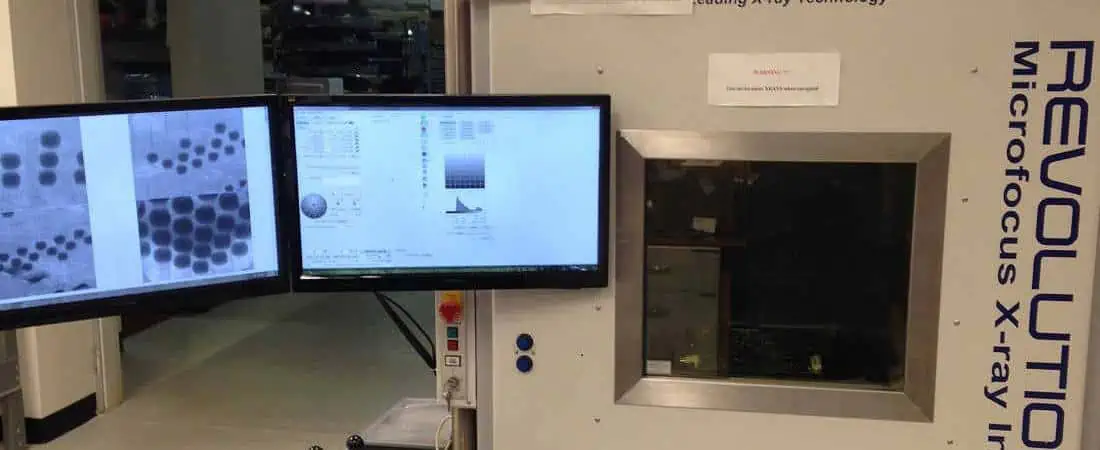
x ray inspection

Introduction

When most people hear the term “X-Ray,” they immediately think of medical imaging. However, X-Ray technology has evolved far beyond its initial applications in healthcare. Today, X-Ray Inspection systems are vital tools not only in healthcare but across a wide range of industries. These systems have become indispensable for quality control, safety assurance, and non-destructive testing in various sectors. This article explores the diverse applications of X-Ray Inspection technology, its evolution, and its impact on modern industrial processes.

What Is X-Ray Inspection?

X-Ray Inspection is a non-destructive testing method that uses X-Ray radiation to examine the internal structure of objects without damaging them. This technology allows for the visualization of features that are not visible to the naked eye or through other inspection methods.

Basic Working Principle

X-Ray Inspection systems work by emitting X-Ray radiation that passes through the object being inspected. Different materials absorb X-Rays to varying degrees, creating contrast in the resulting image. Dense materials, like metals, absorb more X-Rays and appear darker, while less dense materials allow more X-Rays to pass through and appear lighter.

Key Components of an X-Ray Inspection System

  1. X-Ray Source: Generates the X-Ray radiation
  2. Detector: Captures the X-Rays after they pass through the object
  3. Image Processing Unit: Converts detected X-Rays into a visible image
  4. Display: Shows the processed image for analysis

Types of X-Ray Inspection Technologies

  1. 2D X-Ray Inspection: Provides a flat, two-dimensional image of the object
  2. 3D X-Ray Inspection: Creates a three-dimensional representation by combining multiple 2D images
  3. Computed Tomography (CT) Scanning: Generates detailed cross-sectional images of the object

Advantages of Using X-Ray Inspection for Quality Control and Safety

  • Non-destructive analysis
  • High-resolution imaging of internal structures
  • Rapid inspection of large quantities of products
  • Detection of defects invisible to the human eye
  • Consistent and objective results

Evolution of X-Ray Inspection Systems

From Medical Imaging to Industrial Innovation

X-Ray technology was first discovered in 1895 by Wilhelm Conrad Rรถntgen. Initially used for medical purposes, its potential for industrial applications was quickly recognized. Over the decades, X-Ray Inspection systems have undergone significant advancements, transforming various industries.

Advances in Technology

  • Digital Detectors: Replaced film-based systems, enabling real-time imaging and improved image quality
  • AI Integration: Automated defect detection and classification
  • Real-time Imaging: Allows for immediate analysis and decision-making
  • Increased Resolution: Enables detection of ever-smaller defects

Industry Adoption Trends

The adoption of X-Ray Inspection systems has seen exponential growth across industries. From electronics to food production, more sectors are recognizing the value of this technology for ensuring product quality and safety.

Read more about:

Industrial Applications of X-Ray Inspection Systems

Electronics and Semiconductors

In the fast-paced world of electronics manufacturing, X-Ray Inspection systems play a crucial role in quality assurance.

  • PCB (Printed Circuit Board) Inspection: X-Ray systems can detect hidden soldering defects, such as voids, bridges, and insufficient solder, which are invisible to optical inspection methods.
  • Semiconductor Package Inspection: X-Ray Inspection helps identify issues like wire bond integrity, die attach problems, and internal cracks in microchips.

Aerospace and Automotive Industries

Safety is paramount in aerospace and automotive manufacturing. X-Ray Inspection systems ensure the integrity of critical components without the need for disassembly.

  • Turbine Blade Inspection: Detects internal defects in turbine blades, crucial for aircraft engine safety.
  • Weld Inspection: Identifies flaws in welded joints, essential for structural integrity.
  • Composite Material Analysis: Examines the internal structure of lightweight composite materials used in modern vehicles and aircraft.

Food and Beverage Industry

X-Ray Inspection systems have become indispensable in ensuring food safety and quality.

  • Foreign Material Detection: Identifies contaminants like metal, glass, stone, or bone fragments in food products.
  • Package Inspection: Ensures proper fill levels and detects damaged or missing products in sealed packages.
  • Compliance with Food Safety Regulations: Helps manufacturers meet stringent safety standards and avoid costly recalls.

Pharmaceuticals

In the pharmaceutical industry, X-Ray Inspection systems are crucial for maintaining product quality and patient safety.

  • Packaging Integrity: Checks blister packs, vials, and other packaging for defects or contamination.
  • Dosage Verification: Ensures correct pill count and uniformity in medication packaging.
  • Contamination Detection: Identifies foreign particles in liquid medicines or powders.

Construction and Infrastructure

X-Ray Inspection plays a vital role in non-destructive testing (NDT) of buildings and infrastructure.

  • Concrete Inspection: Detects rebar placement, voids, and cracks in concrete structures.
  • Pipeline Inspection: Identifies corrosion, cracks, or other defects in underground pipes without excavation.
  • Bridge and Highway Inspection: Assesses the structural integrity of critical infrastructure components.

H2: Emerging and Specialized Applications

Art and Archaeology

X-Ray Inspection systems have opened new avenues in the study and preservation of art and historical artifacts.

  • Painting Analysis: Reveals underlying layers, artist’s techniques, and authenticity of artworks.
  • Artifact Examination: Allows non-invasive study of delicate archaeological finds and mummies.
  • Fossil Inspection: Helps paleontologists examine fossils embedded in rock without damaging the specimens.

Energy Sector

The energy industry relies on X-Ray Inspection for quality control and safety assurance.

  • Battery Inspection: Examines the internal structure of batteries for defects or inconsistencies.
  • Solar Panel Quality Control: Detects micro-cracks and other defects in solar cells.
  • Nuclear Fuel Rod Inspection: Ensures the integrity and safety of nuclear fuel assemblies.

Defense and Security

X-Ray Inspection systems are crucial for maintaining security in various settings.

  • Cargo Screening: Detects contraband or dangerous materials in shipping containers.
  • Luggage Inspection: Identifies potential threats in airport baggage.
  • Explosives Detection: Assists in the identification and safe handling of explosive devices.

Additive Manufacturing (3D Printing)

As 3D printing technology advances, X-Ray Inspection becomes increasingly important for quality assurance.

  • Internal Structure Verification: Ensures the integrity of complex internal geometries in 3D-printed parts.
  • Porosity Analysis: Detects voids or inconsistencies in printed materials.
  • Dimensional Accuracy: Verifies that printed parts meet design specifications.

Benefits of Using X-Ray Inspection Systems Across Industries

The widespread adoption of X-Ray Inspection systems across various industries is driven by several key benefits:

  1. Non-destructive and Non-invasive Testing: X-Ray Inspection allows for thorough examination without damaging the product or requiring disassembly.
  2. Early Defect Detection: By identifying issues early in the production process, manufacturers can prevent costly mistakes and improve overall quality.
  3. Quality Assurance: X-Ray Inspection provides consistent and objective results, ensuring that products meet stringent quality standards.
  4. Increased Safety: In industries like aerospace and automotive, X-Ray Inspection helps prevent catastrophic failures by detecting hidden flaws.
  5. Regulatory Compliance: Many industries use X-Ray Inspection to meet safety regulations and standards, particularly in food and pharmaceutical production.
  6. Reduction in Product Recalls: By catching defects before products reach the market, companies can significantly reduce the risk and cost of recalls.
  7. Liability Risk Mitigation: Thorough inspection processes help protect companies from potential lawsuits related to product defects.

Challenges and Considerations

While X-Ray Inspection systems offer numerous benefits, there are also challenges to consider:

Cost of Installation and Maintenance

X-Ray Inspection systems can represent a significant initial investment. Additionally, ongoing maintenance and potential upgrades add to the total cost of ownership.

H3: Need for Specialized Training

Operating X-Ray Inspection systems requires specialized knowledge. Companies must invest in training personnel to effectively use and interpret the results of these systems.

H3: Radiation Safety and Regulatory Compliance

The use of X-Ray technology necessitates strict adherence to safety protocols and regulations. This includes proper shielding, monitoring of radiation exposure, and compliance with local and international safety standards.

Future Trends in X-Ray Inspection

As technology continues to advance, several trends are shaping the future of X-Ray Inspection:

Integration of AI and Machine Learning

Artificial Intelligence and Machine Learning algorithms are being integrated into X-Ray Inspection systems, enabling:

  • Automated defect recognition and classification
  • Predictive maintenance of inspection equipment
  • Continuous improvement of inspection accuracy

Portable and Miniaturized X-Ray Inspection Systems

The development of smaller, more portable X-Ray systems is expanding the potential applications of this technology, allowing for:

  • On-site inspections in remote locations
  • Easier integration into production lines
  • More flexible and adaptable inspection processes

H3: Growing Role of 3D X-Ray and Computed Tomography (CT)

As 3D printing and complex manufacturing processes become more common, the demand for advanced 3D X-Ray and CT scanning is increasing. These technologies offer:

  • More detailed analysis of internal structures
  • Better visualization of complex geometries
  • Enhanced capability for reverse engineering and quality control

Conclusion

X-Ray Inspection systems have come a long way from their origins in medical imaging. Today, they play a crucial role in ensuring quality, safety, and efficiency across a wide range of industries. From electronics and aerospace to food production and art conservation, X-Ray Inspection technology is transforming how we approach quality control and non-destructive testing.

As industries continue to evolve and face new challenges, the versatility and capabilities of X-Ray Inspection systems make them an invaluable tool. The ongoing advancements in this technology, including AI integration, miniaturization, and improved 3D imaging, promise even greater applications in the future.

As X-Ray Inspection technology continues to evolve, its applications beyond medical imaging are only expected to expand further. This technology will undoubtedly play a pivotal role in shaping the future of quality assurance and safety across numerous industries.

Frequently Asked Questions

  1. What industries use X-Ray Inspection systems? X-Ray Inspection systems are used in various industries including electronics, aerospace, automotive, food and beverage, pharmaceuticals, construction, energy, defense, and even art and archaeology.
  2. Is X-Ray Inspection safe for food products? Yes, X-Ray Inspection is safe for food products. The radiation levels used are very low and do not affect the food’s taste, texture, or nutritional value.
  3. How does X-Ray Inspection differ from other inspection methods? X-Ray Inspection allows for non-destructive examination of internal structures, unlike visual or tactile inspection methods. It can detect defects and issues that are not visible from the outside.
  4. Can X-Ray Inspection systems detect all types of defects? While X-Ray Inspection is highly effective, it may not detect all types of defects. Its effectiveness depends on the material being inspected and the nature of the defect. It’s often used in combination with other inspection methods for comprehensive quality control.
  5. How are X-Ray Inspection systems becoming more environmentally friendly? Modern X-Ray Inspection systems are becoming more energy-efficient and use digital technologies that reduce the need for chemical processing of X-Ray films, making them more environmentally friendly than older systems.

How to Clean Flux Off PCB

clean flux from pcb

In the world of electronics manufacturing, printed circuit boards (PCBs) are the backbone of nearly every device we use. During the assembly process, a substance called flux plays a crucial role. However, once its job is done, removing flux becomes essential for the longevity and performance of the PCB. This comprehensive guide will walk you through the process of how to clean flux off PCB effectively and safely.

Introduction

What is flux, and why is it used in PCB assembly?

Flux is a chemical cleaning agent used in the soldering process. Its primary purpose is to remove oxides from the metal surfaces being soldered, ensuring a strong and reliable connection. Flux also helps to prevent new oxides from forming during the soldering process, which could weaken the joint.

Why removing flux residue matters for PCB performance and longevity

While flux is essential during assembly, leaving it on the PCB can lead to various issues. Flux residue can attract moisture, dust, and other contaminants, potentially causing short circuits, corrosion, or other damage over time. That’s why learning how to clean flux off PCB is a critical skill for anyone involved in electronics manufacturing or repair.

YouTube video

The Importance of Removing Flux

Understanding why we need to clean flux is crucial before diving into the methods. Let’s explore the main reasons:

Ensures long-term reliability of circuits

Flux residue can degrade over time, potentially causing electrical leakage between traces or components. By removing flux, you ensure that the circuit maintains its intended electrical characteristics, leading to more reliable and longer-lasting electronics.

Improves PCB appearance and professionalism

A clean PCB not only functions better but also looks more professional. This is particularly important for products that may be inspected by customers or during quality control processes.

Prevents corrosion and component damage

Some types of flux, especially if left on the board for extended periods, can become corrosive. This can lead to damage of both the PCB itself and the components soldered to it. Regular and thorough flux cleaning can prevent this type of damage.

Reduces risk of conductive dendritic growth

Dendritic growth occurs when metal ions migrate between conductors, forming small, tree-like structures. This can eventually lead to short circuits. Flux residue can exacerbate this problem, making proper cleaning essential for preventing such issues.

Flux Removal Methods

Now that we understand the importance of cleaning flux, let’s dive into the various methods you can use to effectively clean flux off PCB.

Isopropyl Alcohol (IPA) Cleaning

Isopropyl alcohol, often abbreviated as IPA, is one of the most common and effective solvents for cleaning flux. It’s relatively safe to use and evaporates quickly, leaving no residue.

Step-by-step instructions

  1. Pour a small amount of IPA into a clean container.
  2. Dip a soft-bristled brush (like an old toothbrush) into the IPA.
  3. Gently scrub the areas of the PCB where flux residue is present.
  4. Pay extra attention to areas around solder joints and components.
  5. Use a lint-free cloth or paper towel dampened with IPA to wipe away the loosened flux.
  6. Allow the PCB to air dry completely before powering it on.

Advantages and limitations

Advantages:

  • Readily available and affordable
  • Effective for most types of flux
  • Evaporates quickly, leaving no residue

Limitations:

  • May not be effective for all types of flux, especially no-clean varieties
  • Can potentially damage certain types of plastics or labels on components
  • Not suitable for large-scale cleaning operations

Ultrasonic Cleaning

PCB Cleaning
PCB Cleaning

Ultrasonic cleaning is a more advanced method that uses high-frequency sound waves to create tiny bubbles in a cleaning solution, which then implode, creating a scrubbing effect at a microscopic level.

How ultrasonic cleaners work for flux removal

  1. The PCB is placed in a tank filled with a specialized cleaning solution.
  2. Ultrasonic waves create cavitation bubbles in the liquid.
  3. These bubbles implode, creating microscopic “scrubbing” actions.
  4. The implosions dislodge and remove flux residue from even hard-to-reach areas.

Best practices for effective cleaning

  1. Use a cleaning solution specifically designed for electronics and flux removal.
  2. Ensure the PCB is fully submerged in the solution.
  3. Set the ultrasonic cleaner to the appropriate frequency and time (usually 3-5 minutes).
  4. After cleaning, rinse the PCB with deionized water.
  5. Dry the PCB thoroughly using compressed air or a low-temperature oven.

Water-Soluble Flux Removal

Water-soluble flux is designed to be easily removed with water, making the cleaning process simpler in some ways. However, it requires its own specific approach.

Step-by-step process

  1. Prepare a container with warm (not hot) deionized water.
  2. Submerge the PCB in the water.
  3. Gently agitate the board to help dissolve the flux.
  4. For stubborn residue, use a soft brush to scrub lightly.
  5. Rinse the PCB thoroughly with clean, deionized water.
  6. Dry the PCB completely using compressed air or a low-temperature oven.

Key precautions to avoid damage

  • Use only deionized water to prevent mineral deposits.
  • Ensure thorough drying to prevent water-related damage or corrosion.
  • Be cautious with water-sensitive components; consider protecting them before cleaning.

Alternative Cleaning Methods

While IPA, ultrasonic, and water cleaning are the most common methods, there are several other techniques you can use to clean flux off PCB:

Brush cleaning (manual scrubbing)

For small areas or spot cleaning, manual scrubbing with a brush can be effective:

  1. Use a soft-bristled brush (like an old toothbrush).
  2. Apply a small amount of appropriate cleaning solution.
  3. Gently scrub the area with flux residue.
  4. Wipe clean with a lint-free cloth.

Soaking in specialized solvents

Some fluxes may require specialized solvents for effective removal:

  1. Choose a solvent appropriate for your flux type.
  2. Submerge the PCB in the solvent for the recommended time.
  3. Agitate gently to help loosen residue.
  4. Remove and rinse with IPA or deionized water.
  5. Dry thoroughly before use.

Ion cleaning for sensitive components

Ion cleaning uses ionized gas to remove contaminants:

  1. Place the PCB in an ion cleaning chamber.
  2. The chamber creates a plasma field that breaks down and removes flux residue.
  3. This method is particularly gentle and effective for sensitive components.

Oxidation and dry ice cleaning (advanced techniques)

These methods are typically used in industrial settings:

  • Oxidation cleaning uses chemical reactions to break down flux residue.
  • Dry ice cleaning blasts small pellets of CO2 to remove contaminants without leaving any additional residue.

Read more about:

Special Cases & Considerations

How to handle excessive flux buildup

When dealing with excessive flux:

  1. Start with a more aggressive cleaning method, like ultrasonic cleaning.
  2. Follow up with manual scrubbing for stubborn areas.
  3. Use a combination of methods if necessary.
  4. Consider a longer soak time in appropriate solvents.

Can You Use Acetone for Flux Removal?

Acetone is a powerful solvent that can be effective for flux removal, but it comes with significant risks.

Pros and cons of acetone

Pros:

  • Highly effective at dissolving many types of flux
  • Evaporates quickly, leaving no residue

Cons:

  • Can damage many types of plastics and coatings
  • Highly flammable and has strong fumes
  • May be too aggressive for some PCB materials

Safety measures when using harsh chemicals

If you decide to use acetone or other harsh chemicals:

  1. Work in a well-ventilated area.
  2. Wear appropriate personal protective equipment (PPE), including gloves and eye protection.
  3. Use only in small quantities and for spot cleaning.
  4. Test on a small, non-critical area first.
  5. Dispose of used acetone properly according to local regulations.

Best Practices for Effective Flux Removal

To ensure you’re cleaning flux off PCB effectively and safely, follow these best practices:

Selecting the right method based on flux type (rosin, no-clean, water-soluble)

  • Rosin flux: Often responds well to IPA or specialized solvents.
  • No-clean flux: May require stronger solvents or ultrasonic cleaning.
  • Water-soluble flux: Can be removed with water-based methods.

Always check the flux manufacturer’s recommendations for the best cleaning method.

Essential safety precautions (ventilation, PPE, handling solvents)

  1. Work in a well-ventilated area or use a fume extractor.
  2. Wear appropriate PPE, including gloves and eye protection.
  3. Handle solvents carefully and keep them away from heat sources.
  4. Follow proper disposal procedures for used cleaning materials.

Recommended tools and materials for cleaning

  • Soft-bristled brushes
  • Lint-free cloths
  • Isopropyl alcohol (99% purity)
  • Specialized flux removal solvents
  • Ultrasonic cleaner (for larger operations)
  • Compressed air for drying
  • Deionized water

Common Mistakes to Avoid

When learning how to clean flux off PCB, be aware of these common pitfalls:

Using abrasive or incompatible cleaning agents

Avoid using abrasive materials or cleaning agents not designed for electronics. These can damage the PCB or components.

Over-cleaning (damaging components) or under-cleaning (residue left behind)

Find the right balance:

  • Over-cleaning can lead to component damage or PCB degradation.
  • Under-cleaning can leave harmful residue behind.

Inspect your work carefully and clean only as much as necessary.

Disregarding PCB manufacturer guidelines

Always check and follow the PCB manufacturer’s cleaning recommendations. They may have specific guidelines based on the materials and components used.

Conclusion

Recap of why proper flux removal is critical

Cleaning flux off PCB is a crucial step in ensuring the longevity, reliability, and performance of electronic devices. By removing flux residue, you prevent potential issues like corrosion, short circuits, and dendritic growth.

Final tips for efficient and safe PCB cleaning

  1. Always identify the type of flux before cleaning.
  2. Choose the appropriate cleaning method for your specific situation.
  3. Prioritize safety by using proper PPE and working in a well-ventilated area.
  4. Inspect your work thoroughly after cleaning.
  5. Allow PCBs to dry completely before powering them on.

Additional Resources

Recommended flux cleaning products (brands, solvents, tools)

  • MG Chemicals 4140 Flux Remover for Electronics
  • Chemtronics Flux-Off No Clean Plus
  • TechSpray G3 Flux Remover
  • AIM Solder’s No-Clean Flux Remover

Further reading on PCB maintenance and troubleshooting

  • IPC-CH-65B Guidelines for Cleaning of Printed Boards and Assemblies
  • “Troubleshooting Electronic Circuits: A Guide to Learning Analog Electronics” by Ronald Quan
  • Online forums like EEVblog for community support and advice

By following this comprehensive guide on how to clean flux off PCB, you’ll be well-equipped to maintain and repair electronic devices effectively. Remember, proper flux removal is not just about cleanlinessโ€”it’s about ensuring the long-term reliability and performance of your electronic projects.

Wave Soldering: A Comprehensive Guide to Process, Benefits, and Considerations

wave soldering temperature

1. What is Wave Soldering?

Wave soldering is an automated bulk soldering process used extensively in the electronics manufacturing industry. This efficient method is primarily employed for soldering electronic components to printed circuit boards (PCBs) on a large scale. The process derives its name from the wave-like formation of molten solder that the PCBs pass through during the soldering operation.

In wave soldering, a PCB with components already placed on it is passed over a standing wave of molten solder. This wave makes contact with the underside of the board, soldering all the components in one swift, continuous motion. The process is particularly effective for through-hole components but can also be used for certain surface-mount devices (SMDs) when properly configured.

Key Components of a Wave Soldering System

  1. Flux Application: A unit that applies flux to the bottom of the PCB
  2. Preheating Zone: An area where the PCB is heated to prepare it for soldering
  3. Solder Wave: The core of the system, where molten solder forms a wave
  4. Cooling Zone: Where the soldered board cools down and solidifies

Wave soldering has become an indispensable part of modern electronics manufacturing due to its speed, consistency, and ability to handle high-volume production efficiently.

YouTube video

2. How Wave Soldering Began

The evolution of wave soldering is a fascinating journey that spans several decades, marked by continuous improvements in efficiency and quality. Let’s explore the three main stages that led to the development of modern wave soldering technology.

First Stage: Dip Soldering

The precursor to wave soldering was a method known as dip soldering, which emerged in the early days of electronics manufacturing.

  • Process: PCBs were manually dipped into a bath of molten solder.
  • Advantages: Simple and effective for small-scale production.
  • Limitations:
    • Labor-intensive and time-consuming
    • Inconsistent results due to manual operation
    • Risk of thermal shock to components

While dip soldering was a step forward from individual hand soldering, it quickly became apparent that a more efficient method was needed as electronics production scaled up.

Second Stage: Drag Soldering

As the demand for electronic products grew, manufacturers sought ways to automate the soldering process, leading to the development of drag soldering.

  • Process: PCBs were dragged across the surface of a solder bath.
  • Improvements over dip soldering:
    • Increased automation
    • Higher throughput
    • More consistent results
  • Limitations:
    • Uneven solder application
    • Potential for solder bridges
    • Still relatively slow for high-volume production

Drag soldering represented a significant improvement in efficiency, but it still had limitations that needed to be addressed for large-scale manufacturing.

Third Stage: Wave Soldering

The breakthrough came with the invention of wave soldering in the 1950s, credited to the British company Fry’s Metals Ltd.

  • Key Innovation: Creation of a standing wave of molten solder
  • Process Improvements:
    • Continuous, automated soldering
    • Consistent solder application across the entire PCB
    • Significantly higher throughput
    • Better control over solder temperature and wave characteristics

Wave soldering quickly became the industry standard for high-volume PCB assembly, particularly for through-hole components. Its efficiency and consistency made it possible to meet the growing demand for electronic products in the latter half of the 20th century.

Modern Developments

Since its inception, wave soldering has continued to evolve:

  • Dual Wave Systems: Combining a turbulent and a laminar wave for better solder penetration and finish
  • Lead-Free Solder Compatibility: Adaptations to work with higher-temperature, lead-free solders
  • Integrated Flux and Preheat Systems: Improved process control and efficiency
  • Computer-Controlled Systems: Enhanced precision and repeatability

Today, wave soldering remains a crucial process in electronics manufacturing, coexisting with newer technologies like reflow soldering for surface-mount components.

3. What are the Advantages of Wave Soldering?

Wave soldering offers numerous benefits that have contributed to its enduring popularity in the electronics manufacturing industry. Let’s explore these advantages in detail:

1. High-Volume Production Capability

  • Throughput: Can process hundreds of PCBs per hour
  • Consistency: Maintains quality across large production runs
  • Cost-Effective: Lower per-unit cost for high-volume manufacturing

2. Excellent for Through-Hole Components

  • Reliable Connections: Ensures complete filling of plated through-holes
  • Versatility: Can handle a wide range of through-hole component types

3. Uniform Solder Application

  • Even Coverage: Consistent solder thickness across the board
  • Reduced Defects: Minimizes issues like insufficient solder or solder bridges

4. Efficient Use of Materials

  • Precise Solder Application: Minimizes waste compared to manual methods
  • Flux Control: Automated flux application ensures optimal usage

5. Process Control and Repeatability

  • Temperature Management: Precise control over solder temperature
  • Wave Characteristics: Adjustable wave height and speed for different PCB types
  • Consistent Quality: Reproducible results across production runs

6. Compatibility with Mixed Technology

  • Adaptability: Can be used for certain surface-mount components alongside through-hole
  • Flexibility: Useful for boards that combine different component types

7. Reduced Labor Costs

  • Automation: Minimizes the need for manual soldering
  • Skill Requirements: Less reliance on highly skilled operators

8. Speed and Efficiency

  • Quick Processing: Entire boards soldered in seconds
  • Continuous Operation: Can run for extended periods with minimal downtime

9. Improved Thermal Management

  • Controlled Heating: Preheating stages reduce thermal shock to components
  • Even Heat Distribution: Uniform heating across the board

10. Quality and Reliability

  • Strong Joints: Creates reliable solder connections
  • Reduced Human Error: Minimizes defects associated with manual soldering

These advantages have made wave soldering an indispensable process in electronics manufacturing, particularly for high-volume production of PCBs with through-hole components.

Read more about:

4. What is the Wave Soldering Process?

YouTube video

The wave soldering process is a sophisticated, multi-stage operation designed to efficiently and consistently solder components to printed circuit boards. Let’s break down each stage of this process in detail:

1. Flux Application

  • Purpose: Prepare the board and component leads for soldering
  • Process:
    • PCB passes over a foam fluxer or spray fluxer
    • Flux is applied to the bottom of the board
  • Functions of Flux:
    • Removes oxides from metal surfaces
    • Improves wetting of solder
    • Prevents re-oxidation during soldering

2. Preheating

  • Purpose: Gradually raise the temperature of the PCB and components
  • Process:
    • Board passes through a series of heating elements (infrared or convection)
    • Temperature typically raised to about 100ยฐC (212ยฐF)
  • Benefits:
    • Activates the flux
    • Reduces thermal shock
    • Evaporates flux solvents
    • Minimizes component stress

3. Solder Wave Contact

  • Purpose: Apply molten solder to the PCB
  • Process:
    • PCB passes over a wave of molten solder
    • Solder temperature typically 240-250ยฐC (464-482ยฐF) for lead-free solder
  • Wave Characteristics:
    • Laminar Flow: Smooth, even wave for consistent coverage
    • Turbulent Flow: Used in dual-wave systems for better penetration
  • Contact Time: Usually 2-4 seconds

4. Cooling

  • Purpose: Allow solder joints to solidify
  • Process:
    • Natural air cooling or forced air cooling
    • Temperature brought down to below solder solidification point
  • Importance:
    • Prevents component movement during solidification
    • Ensures strong, reliable solder joints

5. Cleaning (Optional)

  • Purpose: Remove flux residues and any contaminants
  • Process:
  • Considerations:
    • Environmental regulations
    • Type of flux used (no-clean vs. water-soluble)

Key Parameters in Wave Soldering

  1. Conveyor Speed: Affects exposure time to each process stage
  2. Solder Temperature: Critical for proper wetting and joint formation
  3. Wave Height: Determines contact area with PCB
  4. Flux Density and Application: Affects soldering quality and cleanliness
  5. Preheat Temperature Profile: Crucial for proper flux activation and minimal thermal stress

Advanced Techniques

  • Dual Wave Soldering: Combines a turbulent and a laminar wave
    • Turbulent wave for better penetration of plated through-holes
    • Laminar wave for smooth finish and removing excess solder
  • Selective Wave Soldering: Uses a focused, miniature wave for specific areas of the PCB

Understanding and controlling each stage of the wave soldering process is crucial for achieving high-quality results in PCB assembly.

5. Wave Soldering Defects

While wave soldering is generally a reliable process, various defects can occur if the parameters are not properly controlled. Recognizing these defects is crucial for maintaining quality in PCB production. Here are some common wave soldering defects and their causes:

1. Solder Bridges

  • Description: Unwanted solder connections between adjacent pads or leads
  • Causes:
    • Excessive solder wave height
    • Improper board design (insufficient spacing)
    • Contamination on the PCB surface

2. Insufficient Solder

  • Description: Lack of solder on joints, resulting in poor connections
  • Causes:
    • Inadequate flux application
    • Low solder wave height
    • Excessive conveyor speed

3. Solder Balls

  • Description: Small spheres of solder scattered on the PCB
  • Causes:
    • Excessive flux application
    • Contamination on the board
    • Turbulent solder wave

4. Icicles or Peaks

  • Description: Pointed solder formations extending from joints
  • Causes:
    • Improper cooling rate
    • Board exiting wave at wrong angle
    • Excessive solder temperature

5. Tombstoning

  • Description: One end of a component lifts off the board
  • Causes:
    • Uneven heating of component terminations
    • Poor component placement
    • Unbalanced pad design

6. Pinholes

  • Description: Small holes in solder joints
  • Causes:
    • Outgassing during soldering
    • Contamination on pads or leads
    • Insufficient preheat

7. Cold or Disturbed Joints

  • Description: Dull, grainy appearance of solder joints
  • Causes:
    • Insufficient solder temperature
    • Board movement during cooling
    • Contamination on surfaces

8. Solder Skips

  • Description: Areas where solder has not wet the joint
  • Causes:
    • Insufficient flux
    • Oxidized surfaces
    • Contamination

9. Excess Solder

  • Description: Too much solder on joints, often forming a blob
  • Causes:
    • Excessive wave height
    • Slow conveyor speed
    • Poor pad design

10. Component Damage

  • Description: Physical or electrical damage to components
  • Causes:
    • Excessive preheat or wave temperature
    • Thermal shock
    • Mechanical stress during process

Preventing Wave Soldering Defects

To minimize these defects, consider the following:

  1. Process Control: Maintain consistent temperatures, conveyor speeds, and wave characteristics
  2. Design for Manufacturability: Ensure PCB layout is optimized for wave soldering
  3. Cleanliness: Keep boards and components free from contamination
  4. Proper Flux Selection and Application: Use appropriate flux and apply it evenly
  5. Regular Maintenance: Clean and maintain wave soldering equipment regularly
  6. Quality Inspection: Implement thorough inspection procedures to catch defects early

By understanding these common defects and their causes, manufacturers can take proactive steps to improve the quality and reliability of their wave soldering process.

6. How Placement Can Affect the Effectiveness of Wave Soldering

The placement of components on a PCB plays a crucial role in the effectiveness of wave soldering. Proper placement not only ensures good solder joints but also minimizes defects and improves overall production efficiency. Here are key considerations for component placement in wave soldering:

1. Orientation of Components

  • Parallel to Wave Direction:
    • Ideal for most components
    • Ensures even solder distribution
  • Perpendicular to Wave:
    • Can cause shadowing and insufficient solder
    • Sometimes necessary for large components

2. Component Density

  • Spacing Between Components:
    • Adequate spacing prevents solder bridges
    • Allows for proper heat distribution
  • Clustering:
    • Avoid tightly clustered components
    • Can lead to heat buildup and soldering issues

3. Component Size and Shape

  • Larger Components:
    • Place downstream in wave direction
    • Prevents shadowing of smaller components
  • Tall Components:
    • Can create solder shadows
    • May require special consideration in placement

4. Thermal Considerations

  • Heat-Sensitive Components:
    • Place away from preheating zones
    • Consider using thermal relief pads
  • High Thermal Mass Components:
    • May require extended preheat
    • Consider placement for optimal heat absorption

5. Lead Length and Clinching

  • Lead Length:
    • Consistent lead length improves soldering uniformity
    • Too long can cause solder bridges; too short may result in insufficient solder
  • Clinching:
    • Can improve stability during soldering
    • Affects solder flow and joint formation

6. Pad Design and Component Footprint

  • Pad Size and Shape:
    • Affects solder wicking and joint formation
    • Should match component leads for optimal results
  • Solder Thieves:
    • Can be used to prevent solder bridges
    • Placement critical for effectiveness

7. Wave Direction Considerations

  • Component Entry Angle:
    • Affects how solder flows around leads
    • Generally, components should enter the wave lead-first
  • Exit Strategy:
    • Smooth exit from wave prevents icicles and peaks

8. Special Components

  • Connectors and Sockets:
    • May require specific orientation
    • Consider potential for flux and solder entrapment
  • Surface Mount Components:
    • When used in wave soldering, require special attention to prevent tombstoning

9. Clearance from Board Edges

  • Edge Clearance:
    • Maintain adequate distance from board edges
    • Prevents excess solder accumulation and edge defects

10. Mask and Solder Resist Considerations

  • Solder Mask Design:
    • Proper design prevents solder bridges and ensures good wetting
    • Consider mask clearances around pads

Best Practices for Effective Placement

  1. Design for Manufacturing (DFM) Review: Conduct thorough DFM reviews to identify potential issues before production
  2. Simulation and Modeling: Use thermal and fluid flow simulations to optimize component placement
  3. Prototyping: Build and test prototypes to verify placement effectiveness
  4. Continuous Improvement: Regularly review and update placement guidelines based on production results
  5. Training: Ensure design and production teams are well-versed in wave soldering principles

By carefully considering component placement, manufacturers can significantly improve the effectiveness of their wave soldering process, leading to higher quality PCBs and more efficient production.

7. What is the Difference Between Hand Soldering and Wave Soldering?

PTH Soldering
PTH Soldering

Understanding the differences between hand soldering and wave soldering is crucial for choosing the right method for a given project or production scenario. Each technique has its own strengths and limitations

Hand Soldering

  1. Process:
    • Manual application of solder to individual joints using a soldering iron
    • Operator controls solder amount, heat application, and timing
  2. Advantages:
    • Flexibility for various component types and board layouts
    • Ideal for prototyping and small-scale production
    • Allows for easy rework and repairs
    • Low initial equipment cost
  3. Limitations:
    • Time-consuming for large volumes
    • Consistency depends on operator skill
    • Potential for human error
    • Less suitable for high-density boards

Wave Soldering

  1. Process:
    • Automated bulk soldering where boards pass over a wave of molten solder
    • Machine controls solder temperature, wave characteristics, and board speed
  2. Advantages:
    • High-speed production for large volumes
    • Consistent results across multiple boards
    • Efficient for through-hole components
    • Cost-effective for high-volume manufacturing
  3. Limitations:
    • High initial equipment cost
    • Less flexible for varied board designs
    • Primarily suited for through-hole components
    • Potential for defects in complex board layouts

Key Differences

  1. Speed and Volume:
    • Hand soldering is slower but more flexible
    • Wave soldering is faster and more suitable for high-volume production
  2. Consistency:
    • Wave soldering provides more consistent results across boards
    • Hand soldering quality varies with operator skill
  3. Component Compatibility:
    • Hand soldering works with almost any component type
    • Wave soldering is primarily for through-hole components, with limited SMD capability
  4. Cost Structure:
    • Hand soldering has lower upfront costs but higher labor costs
    • Wave soldering requires significant initial investment but lower per-unit costs at scale
  5. Skill Requirements:
    • Hand soldering requires skilled technicians
    • Wave soldering requires machine operators and process engineers
  6. Flexibility:
    • Hand soldering allows for easy adjustments and one-off changes
    • Wave soldering is less flexible but more efficient for standardized designs
  7. Quality Control:
    • Hand soldering relies on operator skill and individual inspection
    • Wave soldering allows for more automated quality control measures

Choosing between hand soldering and wave soldering depends on factors such as production volume, board complexity, component types, and available resources. Many manufacturers use a combination of both methods to optimize their production processes.

8. Wave Soldering Design Considerations

Effective wave soldering requires careful consideration of various design elements. Here are key factors to consider when designing PCBs for wave soldering:

1. Solder Pad Mask Opening

  • Purpose: Defines areas where solder should adhere
  • Considerations:
    • Adequate clearance around pads to prevent solder bridges
    • Proper size to ensure sufficient solder coverage
    • Consistent openings for uniform solder distribution

2. Surface Finish

  • Options: HASL, ENIG, OSP, Immersion Silver, Immersion Tin
  • Considerations:
    • Compatibility with wave soldering process
    • Shelf life and oxidation resistance
    • Impact on solderability and joint reliability

3. Tips for Component Placement and Orientation for Wave Soldering

  • Orientation:
    • Align components parallel to the wave direction when possible
    • Place larger components downstream to prevent shadowing
  • Spacing:
    • Maintain adequate spacing between components to prevent solder bridging
    • Consider thermal relief for high-mass components

4. Component Clearances

  • Vertical Clearance:
    • Ensure sufficient space between component bodies and the board
    • Typically 0.5mm to 1.5mm depending on component size
  • Horizontal Clearance:
    • Space components to allow proper solder flow
    • Minimum 0.5mm between adjacent component leads

5. Pad Shapes

  • Through-Hole Pads:
    • Tear-drop shape can improve solder filling
    • Elongated pads in wave direction can enhance solder wicking
  • SMD Pads:
    • When used, ensure proper size and shape for component stability

6. Solder Flux

  • Type Selection:
    • Choose between no-clean, water-soluble, or rosin-based flux
    • Consider cleaning requirements and environmental factors
  • Application Method:
    • Ensure even application across the board
    • Consider flux density and viscosity for optimal performance

7. How to Take a Wave Soldering Profile

Taking a wave soldering profile is crucial for process optimization. Here’s a step-by-step guide:

  1. Attach Thermocouples:
    • Place thermocouples on various points of the PCB
    • Include locations near sensitive components and high-mass areas
  2. Run Test Board:
    • Pass the instrumented board through the wave soldering machine
  3. Record Data:
    • Collect temperature data throughout the process
    • Note temperatures at key points: preheat, solder wave contact, and cooling
  4. Analyze Profile:
    • Ensure proper preheat slope and peak temperatures
    • Verify solder wave temperature and contact time
    • Check cooling rate for proper joint formation
  5. Adjust Parameters:
    • Modify conveyor speed, preheat settings, or wave characteristics as needed
    • Repeat process until optimal profile is achieved
  6. Document Results:
    • Record the final profile for future reference and process control

By carefully considering these design elements and properly profiling the wave soldering process, manufacturers can significantly improve the quality and reliability of their PCB assemblies.

9. Wave Soldering Machine and Temperature Profile

Understanding the wave soldering machine and its temperature profile is crucial for achieving optimal results in PCB assembly. Let’s delve into the key aspects of wave soldering equipment and the importance of temperature management.

Wave Soldering Machine Components

  1. Flux Application System:
    • Foam fluxer or spray fluxer
    • Applies flux evenly to the bottom of the PCB
  2. Preheating Zone:
    • Infrared or convection heaters
    • Gradually raises board temperature to activate flux and prepare for soldering
  3. Solder Wave System:
    • Solder pot with pump mechanism
    • Creates a standing wave of molten solder
  4. Conveyor System:
    • Moves PCBs through the machine at a controlled speed
    • Often adjustable for different board types
  5. Cooling Zone:
    • Forced air or natural cooling section
    • Allows solder joints to solidify properly
  6. Control Panel:
    • Manages temperature, conveyor speed, and wave characteristics
    • Often includes data logging and profile storage capabilities

Temperature Profile in Wave Soldering

The temperature profile in wave soldering is critical for ensuring quality solder joints and preventing component damage. A typical profile consists of several stages:

  1. Flux Activation:
    • Temperature: 80-100ยฐC (176-212ยฐF)
    • Purpose: Activates flux for oxide removal and improved wetting
  2. Preheat Ramp:
    • Temperature: 100-150ยฐC (212-302ยฐF)
    • Purpose: Gradually increases board temperature to prevent thermal shock
  3. Soak:
    • Temperature: 150-170ยฐC (302-338ยฐF)
    • Purpose: Equalizes temperature across the board, completes flux activation
  4. Solder Wave Contact:
    • Temperature: 240-260ยฐC (464-500ยฐF) for lead-free solder
    • Purpose: Applies molten solder to form joints
  5. Cooling:
    • Rapid initial cooling to below 180ยฐC (356ยฐF)
    • Gradual cooling to room temperature
    • Purpose: Ensures proper joint formation and prevents thermal stress

Optimizing the Temperature Profile

  1. Board-Specific Profiling:
    • Adjust profile based on board thickness, component density, and thermal mass
    • Use profiling equipment to measure actual board temperatures
  2. Preheat Optimization:
    • Ensure adequate preheat to activate flux and reduce thermal shock
    • Avoid excessive preheat that can damage components or evaporate flux
  3. Wave Temperature Control:
    • Maintain consistent solder wave temperature
    • Adjust for different solder alloys (e.g., lead-free requires higher temperatures)
  4. Cooling Rate Management:
    • Control cooling rate to prevent defects like icicles or disturbed joints
    • Consider forced cooling for high-mass boards
  5. Process Window Development:
    • Establish a process window that allows for minor variations while maintaining quality
    • Document optimal settings for different board types

Advanced Features in Modern Wave Soldering Machines

  1. Dual Wave Systems:
    • Combines turbulent and laminar waves for improved penetration and finish
  2. Nitrogen Inerting:
    • Reduces oxidation and improves wetting, especially for lead-free solders
  3. Automated Profiling Systems:
    • Real-time temperature monitoring and profile adjustment
  4. Selective Soldering Capability:
    • Allows for targeted soldering of specific areas on complex boards
  5. Integration with Industry 4.0:
    • Data collection and analysis for continuous process improvement

By understanding and optimizing the wave soldering machine and its temperature profile, manufacturers can achieve consistent, high-quality results in their PCB assembly processes. Regular maintenance, careful monitoring, and continuous improvement efforts are key to maximizing the effectiveness of wave soldering technology.

Conclusion

Wave soldering remains a cornerstone technology in electronics manufacturing, offering unparalleled efficiency for high-volume production of through-hole PCB assemblies. From its humble beginnings in dip soldering to the sophisticated, computer-controlled systems of today, wave soldering has evolved to meet the changing needs of the electronics industry.

Key takeaways from this comprehensive guide include:

  1. The importance of understanding the wave soldering process and its various stages
  2. The critical role of proper component placement and PCB design for successful wave soldering
  3. The need for careful temperature profile management to ensure quality and reliability
  4. The advantages of wave soldering in terms of speed, consistency, and cost-effectiveness for high-volume production
  5. The ongoing relevance of wave soldering even in the age of surface-mount technology

As the electronics industry continues to advance, wave soldering will undoubtedly continue to evolve, incorporating new technologies and techniques to meet the challenges of increasingly complex and miniaturized electronic devices. By staying informed about best practices and emerging trends in wave soldering, electronics manufacturers can ensure they continue to produce high-quality, reliable products efficiently and cost-effectively.

Complete ESP32 Programming Guide: From Basics to Advanced (ESP32-C3, S3, WROOM, CAM, OTA & Arduino IDE)

ESP32 Programming Circuit

Introduction

In the rapidly evolving world of IoT and embedded systems, the ESP32 microcontroller has emerged as a powerful and versatile platform for developers. This comprehensive guide will take you through the intricacies of ESP32 programming, covering everything from the basics to advanced topics, ensuring you’re well-equipped to tackle any ESP32 project.

What is ESP32?

The ESP32 is a series of low-cost, low-power system on a chip (SoC) microcontrollers with integrated Wi-Fi and dual-mode Bluetooth capabilities. Developed by Espressif Systems, the ESP32 has become a go-to choice for IoT and embedded projects due to its robust features and affordable price point.

Why Learn ESP32 Programming?

  1. Versatility: ESP32 can be used in a wide range of applications, from home automation to industrial IoT.
  2. Cost-effective: ESP32 modules are incredibly affordable, making them accessible for hobbyists and professionals alike.
  3. Rich feature set: With built-in Wi-Fi, Bluetooth, and numerous peripherals, ESP32 is a complete solution for many projects.
  4. Strong community support: A vast ecosystem of libraries, forums, and resources is available for ESP32 developers.
  5. Future-proof skills: As IoT continues to grow, expertise in ESP32 programming will remain valuable.

Overview of ESP32 Family: ESP32-C3, S3, WROOM, CAM Modules

The ESP32 family includes several variants, each tailored for specific use cases:

  • ESP32-C3: A cost-effective, RISC-V based variant with Wi-Fi and Bluetooth LE support.
  • ESP32-S3: High-performance variant with AI acceleration capabilities.
  • ESP32-WROOM: The classic module with a wide range of I/O options.
  • ESP32-CAM: Integrated camera module for vision-based projects.

Tools You Need for ESP32 Development

To get started with ESP32 programming, you’ll need:

  1. An ESP32 development board
  2. Micro-USB cable
  3. Computer (Windows, macOS, or Linux)
  4. Arduino IDE or ESP-IDF (Espressif IoT Development Framework)
  5. ESP32 add-on for Arduino IDE
YouTube video

Chapter 1: Getting Started with ESP32

ESP32 Features and Specifications

The ESP32 boasts an impressive set of features:

  • Dual-core or single-core Tensilica LX6 microprocessor
  • Up to 240 MHz clock frequency
  • 520 KB SRAM
  • Integrated 2.4 GHz Wi-Fi and Bluetooth
  • Rich set of peripherals: ADC, DAC, IยฒC, SPI, UART, etc.
  • Ultra-low power consumption with multiple power modes

ESP32 Variants Explained (C3, S3, WROOM, CAM)

  1. ESP32-C3:
    • RISC-V single-core processor
    • Bluetooth LE 5.0
    • Ideal for cost-sensitive applications
  2. ESP32-S3:
    • Dual-core processor
    • AI acceleration
    • USB OTG support
    • Perfect for AI-enabled IoT devices
  3. ESP32-WROOM:
    • Classic ESP32 module
    • Dual-core processor
    • Extensive I/O options
    • Suitable for a wide range of applications
  4. ESP32-CAM:
    • Integrated OV2640 camera
    • MicroSD card support
    • Ideal for computer vision projects

Setting Up Your Development Environment

Installing Arduino IDE

  1. Visit theย Arduino websiteย and download the latest version for your operating system.
  2. Install the Arduino IDE following the on-screen instructions.

Adding ESP32 Board Support in Arduino IDE

  1. Open Arduino IDE
  2. Go to File > Preferences
  3. In “Additional Board Manager URLs”, add:https://dl.espressif.com/dl/package_esp32_index.json
  4. Click OK
  5. Go to Tools > Board > Boards Manager
  6. Search for “ESP32” and install the “ESP32 by Espressif Systems” package

Choosing the Right Board and Port

  1. Connect your ESP32 board to your computer via USB
  2. In Arduino IDE, go to Tools > Board and select your specific ESP32 board
  3. Go to Tools > Port and select the COM port associated with your ESP32

Chapter 2: ESP32 Basics: Your First Program

Flashing Your First Sketch: “Hello World” (Blink LED)

Let’s start with the classic “Blink” program to ensure everything is set up correctly:

const int LED_PIN = 2;  // Most ESP32 boards have an onboard LED on GPIO 2

void setup() {
pinMode(LED_PIN, OUTPUT);
}

void loop() {
digitalWrite(LED_PIN, HIGH);
delay(1000);
digitalWrite(LED_PIN, LOW);
delay(1000);
}

Upload this sketch to your ESP32. You should see the onboard LED blinking every second.

Understanding ESP32 Pinouts

ESP32 pinouts vary depending on the specific module. However, some general guidelines apply:

  • GPIO pins are multi-functional and can be configured for various purposes.
  • Some pins have specific functions (e.g., ADC, DAC, touch sensors).
  • Be aware of strapping pins (GPIO 0, 2, 4, 5, 12, 15) which affect boot mode.

How to Use the Serial Monitor

The Serial Monitor is crucial for debugging and communication:

  1. Addย Serial.begin(115200);ย in yourย setup()ย function.
  2. Useย Serial.println("Your message");ย to print messages.
  3. Open the Serial Monitor (Tools > Serial Monitor) and set the baud rate to 115200.

Common ESP32 Errors and How to Fix Them

  1. Failed to connect to ESP32: Ensure the correct board and port are selected.
  2. Brownout detector was triggered: Check your power supply; ESP32 needs a stable 3.3V.
  3. ESP32 timed out waiting for packet header: Press the boot button while uploading.

Chapter 3: Deep Dive into ESP32 Programming

Digital Input and Output

ESP32 offers numerous GPIO pins for digital I/O. Here’s a simple example:

const int BUTTON_PIN = 4;
const int LED_PIN = 2;

void setup() {
pinMode(BUTTON_PIN, INPUT_PULLUP);
pinMode(LED_PIN, OUTPUT);
}

void loop() {
if (digitalRead(BUTTON_PIN) == LOW) {
digitalWrite(LED_PIN, HIGH);
} else {
digitalWrite(LED_PIN, LOW);
}
}

PWM (Pulse Width Modulation)

ESP32 supports PWM on many pins. Here’s how to create a fading LED:

const int LED_PIN = 2;
const int FREQ = 5000;
const int LED_CHANNEL = 0;
const int RESOLUTION = 8;

void setup() {
ledcSetup(LED_CHANNEL, FREQ, RESOLUTION);
ledcAttachPin(LED_PIN, LED_CHANNEL);
}

void loop() {
for (int dutyCycle = 0; dutyCycle <= 255; dutyCycle++) {
ledcWrite(LED_CHANNEL, dutyCycle);
delay(15);
}
for (int dutyCycle = 255; dutyCycle >= 0; dutyCycle--) {
ledcWrite(LED_CHANNEL, dutyCycle);
delay(15);
}
}

ADC (Analog to Digital Conversion)

ESP32 has multiple ADC channels. Here’s how to read an analog value:

const int ANALOG_PIN = 34;

void setup() {
Serial.begin(115200);
analogReadResolution(12); // Set ADC resolution to 12 bits
}

void loop() {
int adcValue = analogRead(ANALOG_PIN);
Serial.println(adcValue);
delay(1000);
}

DAC (Digital to Analog Conversion)

ESP32 has two 8-bit DAC channels on GPIO 25 and 26:

const int DAC_PIN = 25;

void setup() {
// DAC doesn't need setup
}

void loop() {
for (int value = 0; value <= 255; value++) {
dacWrite(DAC_PIN, value);
delay(15);
}
}

Touch Sensor Programming

ESP32 has built-in capacitive touch sensors:

cppๅคๅˆถconst int TOUCH_PIN = T0;  // GPIO 4

void setup() {
Serial.begin(115200);
}

void loop() {
int touchValue = touchRead(TOUCH_PIN);
Serial.println(touchValue);
delay(1000);
}

Read more about:

Chapter 4: Communication Protocols with ESP32

UART Communication (Serial Communication)

ESP32 supports multiple UART interfaces. Here’s a basic example:

void setup() {
Serial.begin(115200); // Default UART0
Serial2.begin(9600, SERIAL_8N1, 16, 17); // UART2 on pins 16 (RX) and 17 (TX)
}

void loop() {
if (Serial2.available()) {
char c = Serial2.read();
Serial.write(c); // Echo received data to Serial Monitor
}
}

I2C Communication (Connecting Sensors and Modules)

I2C is widely used for connecting sensors. Here’s how to set up I2C:

#include <Wire.h>

void setup() {
Wire.begin(21, 22); // SDA on GPIO 21, SCL on GPIO 22
Serial.begin(115200);
}

void loop() {
Wire.beginTransmission(0x68); // Example I2C address
Wire.write(0x00); // Register address
Wire.endTransmission(false);

Wire.requestFrom(0x68, 1);
if (Wire.available()) {
byte data = Wire.read();
Serial.println(data);
}
delay(1000);
}

SPI Communication (Faster Peripheral Communication)

SPI is used for high-speed communication with peripherals:

#include <SPI.h>

const int CS_PIN = 5;

void setup() {
SPI.begin();
pinMode(CS_PIN, OUTPUT);
digitalWrite(CS_PIN, HIGH);
}

void loop() {
digitalWrite(CS_PIN, LOW);
SPI.transfer(0x55); // Example data
digitalWrite(CS_PIN, HIGH);
delay(1000);
}

Using Wi-Fi: Basics and First Wi-Fi Project

Let’s create a simple Wi-Fi client that connects to a network:

#include <WiFi.h>

const char* ssid = "YourWiFiSSID";
const char* password = "YourWiFiPassword";

void setup() {
Serial.begin(115200);
WiFi.begin(ssid, password);

while (WiFi.status() != WL_CONNECTED) {
delay(1000);
Serial.println("Connecting to WiFi...");
}

Serial.println("Connected to WiFi");
Serial.print("IP Address: ");
Serial.println(WiFi.localIP());
}

void loop() {
// Your Wi-Fi-related code here
}

Chapter 5: ESP32-C3 and S3 Specific Programming

Key Differences in Programming ESP32-C3 and S3

  1. ESP32-C3:
    • RISC-V architecture (different from classic ESP32)
    • Limited GPIO pins
    • Bluetooth LE 5.0 support
  2. ESP32-S3:
    • Dual-core Xtensa LX7 processor
    • Enhanced security features
    • USB OTG support
    • AI acceleration capabilities

Programming with ESP-IDF vs Arduino IDE

While Arduino IDE offers simplicity, ESP-IDF provides more control and access to advanced features:

  1. Arduino IDE:
    • Easier for beginners
    • Extensive library support
    • Limited access to some ESP32-specific features
  2. ESP-IDF:
    • Full access to ESP32 capabilities
    • Better performance optimization
    • Steeper learning curve

Working with BLE (Bluetooth Low Energy) on ESP32-C3

Here’s a basic BLE server example for ESP32-C3:

#include <BLEDevice.h>
#include <BLEServer.h>
#include <BLEUtils.h>
#include <BLE2902.h>

BLEServer* pServer = NULL;
BLECharacteristic* pCharacteristic = NULL;
bool deviceConnected = false;

class MyServerCallbacks : public BLEServerCallbacks {
void onConnect(BLEServer* pServer) {
deviceConnected = true;
};

void onDisconnect(BLEServer* pServer) {
deviceConnected = false;
}
};

void setup() {
Serial.begin(115200);

BLEDevice::init("ESP32-C3");
pServer = BLEDevice::createServer();
pServer->setCallbacks(new MyServerCallbacks());

BLEService *pService = pServer->createService(BLEUUID("4fafc201-1fb5-459e-8fcc-c5c9c331914b"));
pCharacteristic = pService->createCharacteristic(
BLEUUID("beb5483e-36e1-4688-b7f5-ea07361b26a8"),
BLECharacteristic::PROPERTY_READ |
BLECharacteristic::PROPERTY_WRITE
);

pService->start();
BLEAdvertising *pAdvertising = BLEDevice::getAdvertising();
pAdvertising->addServiceUUID(pService->getUUID());
pAdvertising->setScanResponse(false);
pAdvertising->setMinPreferred(0x0);
BLEDevice::startAdvertising();
Serial.println("Waiting for a client connection to notify...");
}

void loop() {
if (deviceConnected) {
pCharacteristic->setValue("Hello from ESP32-C3");
pCharacteristic->notify();
delay(1000);
}
}

USB-OTG Programming on ESP32-S3

ESP32-S3 supports USB OTG, allowing it to act as a USB device or host. Here’s a simple USB Serial example:

cppๅคๅˆถ#include "USB.h"
#include "USBCDC.h"

USBCDC USBSerial;

void setup() {
  USB.begin();
  USBSerial.begin();
  Serial.begin(115200);
}

void loop() {
  if (USBSerial.available()) {
    String received = USBSerial.readStringUntil('\n');
    Serial.println("Received: " + received);
    USBSerial.println("You sent: " + received);
  }
}

Chapter 6: Advanced ESP32 Programming Topics

Multi-Tasking with FreeRTOS on ESP32

ESP32 supports FreeRTOS, allowing for true multitasking. Here’s an example of creating two tasks:

#include <Arduino.h>

void Task1(void *pvParameters) {
while (1) {
Serial.println("Task 1 running");
vTaskDelay(1000 / portTICK_PERIOD_MS);
}
}

void Task2(void *pvParameters) {
while (1) {
Serial.println("Task 2 running");
vTaskDelay(2000 / portTICK_PERIOD_MS);
}
}

void setup() {
Serial.begin(115200);

xTaskCreate(
Task1, // Function to implement the task
"Task1", // Name of the task
10000, // Stack size in words
NULL, // Task input parameter
1, // Priority of the task
NULL // Task handle
);

xTaskCreate(
Task2, // Function to implement the task
"Task2", // Name of the task
10000, // Stack size in words
NULL, // Task input parameter
1, // Priority of the task
NULL // Task handle
);
}

void loop() {
// Empty. Things are done in Tasks.
}

Deep Sleep and Low Power Modes

ESP32 offers various sleep modes to conserve power. Here’s how to use deep sleep:

#define uS_TO_S_FACTOR 1000000  // Conversion factor for micro seconds to seconds
#define TIME_TO_SLEEP 5 // Time ESP32 will go to sleep (in seconds)

RTC_DATA_ATTR int bootCount = 0;

void setup() {
Serial.begin(115200);
delay(1000);

++bootCount;
Serial.println("Boot number: " + String(bootCount));

esp_sleep_enable_timer_wakeup(TIME_TO_SLEEP * uS_TO_S_FACTOR);
Serial.println("Going to sleep now");
Serial.flush();
esp_deep_sleep_start();
}

void loop() {
// This is not going to be called
}

Using ESP32 Timers and Interrupts

ESP32 provides hardware timers for precise timing operations:

hw_timer_t * timer = NULL;
volatile SemaphoreHandle_t timerSemaphore;
portMUX_TYPE timerMux = portMUX_INITIALIZER_UNLOCKED;

volatile uint32_t isrCounter = 0;
volatile uint32_t lastIsrAt = 0;

void IRAM_ATTR onTimer() {
portENTER_CRITICAL_ISR(&timerMux);
isrCounter++;
lastIsrAt = millis();
portEXIT_CRITICAL_ISR(&timerMux);
xSemaphoreGiveFromISR(timerSemaphore, NULL);
}

void setup() {
Serial.begin(115200);

timerSemaphore = xSemaphoreCreateBinary();
timer = timerBegin(0, 80, true);
timerAttachInterrupt(timer, &onTimer, true);
timerAlarmWrite(timer, 1000000, true);
timerAlarmEnable(timer);
}

void loop() {
if (xSemaphoreTake(timerSemaphore, 0) == pdTRUE) {
uint32_t isrCount = 0, isrTime = 0;
portENTER_CRITICAL(&timerMux);
isrCount = isrCounter;
isrTime = lastIsrAt;
portEXIT_CRITICAL(&timerMux);
Serial.print("onTimer no. ");
Serial.print(isrCount);
Serial.print(" at ");
Serial.print(isrTime);
Serial.println(" ms");
}
}

OTA (Over-The-Air) Programming for ESP32

OTA updates allow you to update your ESP32 firmware wirelessly:

#include <WiFi.h>
#include <ArduinoOTA.h>

const char* ssid = "YourWiFiSSID";
const char* password = "YourWiFiPassword";

void setup() {
Serial.begin(115200);
WiFi.mode(WIFI_STA);
WiFi.begin(ssid, password);
while (WiFi.waitForConnectResult() != WL_CONNECTED) {
Serial.println("Connection Failed! Rebooting...");
delay(5000);
ESP.restart();
}

ArduinoOTA.onStart([]() {
String type;
if (ArduinoOTA.getCommand() == U_FLASH) {
type = "sketch";
} else { // U_SPIFFS
type = "filesystem";
}
Serial.println("Start updating " + type);
});
ArduinoOTA.onEnd([]() {
Serial.println("\nEnd");
});
ArduinoOTA.onProgress([](unsigned int progress, unsigned int total) {
Serial.printf("Progress: %u%%\r", (progress / (total / 100)));
});
ArduinoOTA.onError([](ota_error_t error) {
Serial.printf("Error[%u]: ", error);
if (error == OTA_AUTH_ERROR) Serial.println("Auth Failed");
else if (error == OTA_BEGIN_ERROR) Serial.println("Begin Failed");
else if (error == OTA_CONNECT_ERROR) Serial.println("Connect Failed");
else if (error == OTA_RECEIVE_ERROR) Serial.println("Receive Failed");
else if (error == OTA_END_ERROR) Serial.println("End Failed");
});
ArduinoOTA.begin();
Serial.println("OTA Initialized");
Serial.print("IP address: ");
Serial.println(WiFi.localIP());
}

void loop() {
ArduinoOTA.handle();
}

Secure OTA Updates (HTTPS)

For enhanced security, you can implement OTA updates over HTTPS:

#include <WiFi.h>
#include <HTTPClient.h>
#include <HTTPUpdate.h>

const char* ssid = "YourWiFiSSID";
const char* password = "YourWiFiPassword";
const char* firmware_url = "https://your-server.com/firmware.bin";

void setup() {
Serial.begin(115200);
WiFi.begin(ssid, password);

while (WiFi.status() != WL_CONNECTED) {
delay(1000);
Serial.println("Connecting to WiFi...");
}

Serial.println("Connected to WiFi");

if (WiFi.status() == WL_CONNECTED) {
HTTPClient http;
http.begin(firmware_url);

int httpCode = http.GET();
if (httpCode > 0) {
if (httpCode == HTTP_CODE_OK) {
t_httpUpdate_return ret = httpUpdate.update(http, firmware_url);

switch (ret) {
case HTTP_UPDATE_FAILED:
Serial.printf("HTTP_UPDATE_FAILED Error (%d): %s\n", httpUpdate.getLastError(), httpUpdate.getLastErrorString().c_str());
break;
case HTTP_UPDATE_NO_UPDATES:
Serial.println("HTTP_UPDATE_NO_UPDATES");
break;
case HTTP_UPDATE_OK:
Serial.println("HTTP_UPDATE_OK");
break;
}
}
} else {
Serial.printf("HTTP GET failed, error: %s\n", http.errorToString(httpCode).c_str());
}
http.end();
}
}

void loop() {
// Your main code here
}

Chapter 7: ESP32-CAM: Camera Projects

Introduction to ESP32-CAM Module

The ESP32-CAM is a compact camera module based on the ESP32-S chip. It features:

  • OV2640 camera
  • MicroSD card slot
  • Onboard flash LED
  • Several GPIO pins for expansion

Capturing and Streaming Images

Here’s a basic example of capturing and streaming images with ESP32-CAM:

#include "esp_camera.h"
#include <WiFi.h>

// Camera pins
#define PWDN_GPIO_NUM 32
#define RESET_GPIO_NUM -1
#define XCLK_GPIO_NUM 0
#define SIOD_GPIO_NUM 26
#define SIOC_GPIO_NUM 27
#define Y9_GPIO_NUM 35
#define Y8_GPIO_NUM 34
#define Y7_GPIO_NUM 39
#define Y6_GPIO_NUM 36
#define Y5_GPIO_NUM 21
#define Y4_GPIO_NUM 19
#define Y3_GPIO_NUM 18
#define Y2_GPIO_NUM 5
#define VSYNC_GPIO_NUM 25
#define HREF_GPIO_NUM 23
#define PCLK_GPIO_NUM 22

const char* ssid = "YourWiFiSSID";
const char* password = "YourWiFiPassword";

void startCameraServer();

void setup() {
Serial.begin(115200);

camera_config_t config;
config.ledc_channel = LEDC_CHANNEL_0;
config.ledc_timer = LEDC_TIMER_0;
config.pin_d0 = Y2_GPIO_NUM;
config.pin_d1 = Y3_GPIO_NUM;
config.pin_d2 = Y4_GPIO_NUM;
config.pin_d3 = Y5_GPIO_NUM;
config.pin_d4 = Y6_GPIO_NUM;
config.pin_d5 = Y7_GPIO_NUM;
config.pin_d6 = Y8_GPIO_NUM;
config.pin_d7 = Y9_GPIO_NUM;
config.pin_xclk = XCLK_GPIO_NUM;
config.pin_pclk = PCLK_GPIO_NUM;
config.pin_vsync = VSYNC_GPIO_NUM;
config.pin_href = HREF_GPIO_NUM;
config.pin_sscb_sda = SIOD_GPIO_NUM;
config.pin_sscb_scl = SIOC_GPIO_NUM;
config.pin_pwdn = PWDN_GPIO_NUM;
config.pin_reset = RESET_GPIO_NUM;
config.xclk_freq_hz = 20000000;
config.pixel_format = PIXFORMAT_JPEG;

if(psramFound()){
config.frame_size = FRAMESIZE_UXGA;
config.jpeg_quality = 10;
config.fb_count = 2;
} else {
config.frame_size = FRAMESIZE_SVGA;
config.jpeg_quality = 12;
config.fb_count = 1;
}

// Camera init
esp_err_t err = esp_camera_init(&config);
if (err != ESP_OK) {
Serial.printf("Camera init failed with error 0x%x", err);
return;
}

// Wi-Fi connection
WiFi.begin(ssid, password);
while (WiFi.status() != WL_CONNECTED) {
delay(500);
Serial.print(".");
}
Serial.println("");
Serial.println("WiFi connected");

startCameraServer();

Serial.print("Camera Ready! Use 'http://");
Serial.print(WiFi.localIP());
Serial.println("' to connect");
}

void loop() {
// Do nothing. Everything is done in another task by the web server
delay(10000);
}

Building a Simple ESP32-CAM Security Camera

To create a basic security camera, you can modify the above code to:

  1. Detect motion using frame differencing
  2. Send alerts (e.g., via email or push notification)
  3. Store images on a microSD card when motion is detected

Face Recognition and Detection Basics

For face detection, you can use the built-in face detection feature of the ESP32-CAM:

#include "esp_camera.h"
#include "fd_forward.h"

mtmn_config_t mtmn_config = {0};

void setup() {
Serial.begin(115200);

// Camera initialization code (as shown in previous example)

mtmn_config.type = FAST;
mtmn_config.min_face = 80;
mtmn_config.pyramid = 0.707;
mtmn_config.pyramid_times = 4;
mtmn_config.p_threshold.score = 0.6;
mtmn_config.p_threshold.nms = 0.7;
mtmn_config.p_threshold.candidate_number = 20;
mtmn_config.r_threshold.score = 0.7;
mtmn_config.r_threshold.nms = 0.7;
mtmn_config.r_threshold.candidate_number = 10;
mtmn_config.o_threshold.score = 0.7;
mtmn_config.o_threshold.nms = 0.7;
mtmn_config.o_threshold.candidate_number = 1;
}

void loop() {
camera_fb_t * fb = esp_camera_fb_get();
if (!fb) {
Serial.println("Camera capture failed");
return;
}

dl_matrix3du_t *image_matrix = dl_matrix3du_alloc(1, fb->width, fb->height, 3);
fmt2rgb888(fb->buf, fb->len, fb->format, image_matrix->item);

box_array_t *net_boxes = face_detect(image_matrix, &mtmn_config);

if (net_boxes) {
Serial.printf("Found %d face(s)\n", net_boxes->len);
free(net_boxes->box);
free(net_boxes->landmark);
free(net_boxes);
}

esp_camera_fb_return(fb);
dl_matrix3du_free(image_matrix);

delay(1000);
}

Chapter 8: Internet of Things (IoT) with ESP32

Building IoT Projects with ESP32

ESP32’s built-in Wi-Fi capabilities make it ideal for IoT projects. Some popular applications include:

  1. Smart home devices
  2. Environmental monitoring systems
  3. Industrial automation
  4. Wearable technology

MQTT Protocol Basics and Example

MQTT is a lightweight messaging protocol often used in IoT. Here’s a basic MQTT client for ESP32:

#include <WiFi.h>
#include <PubSubClient.h>

const char* ssid = "YourWiFiSSID";
const char* password = "YourWiFiPassword";
const char* mqtt_server = "broker.mqtt.com";

WiFiClient espClient;
PubSubClient client(espClient);

void setup_wifi() {
WiFi.begin(ssid, password);
while (WiFi.status() != WL_CONNECTED) {
delay(500);
Serial.print(".");
}
Serial.println("WiFi connected");
}

void callback(char* topic, byte* message, unsigned int length) {
Serial.print("Message arrived on topic: ");
Serial.print(topic);
Serial.print(". Message: ");
String messageTemp;

for (int i = 0; i < length; i++) {
Serial.print((char)message[i]);
messageTemp +=
messageTemp += (char)message[i]; } Serial.println();

// Add your logic here to handle incoming messages }

void reconnect() { while (!client.connected()) { Serial.print(“Attempting MQTT connection…”); if (client.connect(“ESP32Client”)) { Serial.println(“connected”); client.subscribe(“esp32/topic”); } else { Serial.print(“failed, rc=”); Serial.print(client.state()); Serial.println(” try again in 5 seconds”); delay(5000); } } }

void setup() { Serial.begin(115200); setup_wifi(); client.setServer(mqtt_server, 1883); client.setCallback(callback); }

void loop() { if (!client.connected()) { reconnect(); } client.loop();

// Publish a message every 30 seconds static unsigned long lastMsg = 0; if (millis() – lastMsg > 30000) { lastMsg = millis(); client.publish(“esp32/temperature”, “25.5”); } }


### Sending Sensor Data to the Cloud

To send sensor data to a cloud platform like AWS IoT or Google Cloud IoT, you'll need to:

1. Set up a cloud account and create a device
2. Obtain necessary credentials (certificates, keys)
3. Use a library like `MQTT` or platform-specific libraries to connect and send data

Here's a simplified example using AWS IoT:

```cpp
#include <WiFiClientSecure.h>
#include <MQTTClient.h>
#include <ArduinoJson.h>
#include "WiFi.h"
#include "secrets.h"

#define AWS_IOT_PUBLISH_TOPIC   "esp32/pub"
#define AWS_IOT_SUBSCRIBE_TOPIC "esp32/sub"

WiFiClientSecure net = WiFiClientSecure();
MQTTClient client = MQTTClient(256);

void connectAWS()
{
  WiFi.mode(WIFI_STA);
  WiFi.begin(WIFI_SSID, WIFI_PASSWORD);

  Serial.println("Connecting to Wi-Fi");

  while (WiFi.status() != WL_CONNECTED){
    delay(500);
    Serial.print(".");
  }

  // Configure WiFiClientSecure to use the AWS IoT device credentials
  net.setCACert(AWS_CERT_CA);
  net.setCertificate(AWS_CERT_CRT);
  net.setPrivateKey(AWS_CERT_PRIVATE);

  // Connect to the MQTT broker on the AWS endpoint we defined earlier
  client.begin(AWS_IOT_ENDPOINT, 8883, net);

  // Create a message handler
  client.onMessage(messageHandler);

  Serial.print("Connecting to AWS IOT");

  while (!client.connect(THINGNAME)) {
    Serial.print(".");
    delay(100);
  }

  if(!client.connected()){
    Serial.println("AWS IoT Timeout!");
    return;
  }

  // Subscribe to a topic
  client.subscribe(AWS_IOT_SUBSCRIBE_TOPIC);

  Serial.println("AWS IoT Connected!");
}

void publishMessage()
{
  StaticJsonDocument<200> doc;
  doc["time"] = millis();
  doc["sensor_a0"] = analogRead(0);
  char jsonBuffer[512];
  serializeJson(doc, jsonBuffer); // print to client

  client.publish(AWS_IOT_PUBLISH_TOPIC, jsonBuffer);
}

void messageHandler(String &topic, String &payload) {
  Serial.println("incoming: " + topic + " - " + payload);

  // Add your custom message handling here
}

void setup() {
  Serial.begin(115200);
  connectAWS();
}

void loop() {
  publishMessage();
  client.loop();
  delay(1000);
}

Building a Web Server with ESP32

ESP32 can act as a web server, allowing you to create interactive web interfaces for your projects:

#include <WiFi.h>
#include <WebServer.h>

const char* ssid = "YourWiFiSSID";
const char* password = "YourWiFiPassword";

WebServer server(80);

void handleRoot() {
String html = "<html><body>";
html += "<h1>ESP32 Web Server</h1>";
html += "<p>GPIO 2 LED: <a href=\"/led/on\">ON</a> | <a href=\"/led/off\">OFF</a></p>";
html += "</body></html>";
server.send(200, "text/html", html);
}

void handleLED() {
String state = server.pathArg(0);
digitalWrite(2, state == "on" ? HIGH : LOW);
server.sendHeader("Location", "/");
server.send(303);
}

void setup() {
Serial.begin(115200);
pinMode(2, OUTPUT);

WiFi.begin(ssid, password);
while (WiFi.status() != WL_CONNECTED) {
delay(1000);
Serial.println("Connecting to WiFi...");
}
Serial.println("Connected to WiFi");
Serial.print("IP address: ");
Serial.println(WiFi.localIP());

server.on("/", handleRoot);
server.on("/led/{}", HTTP_GET, handleLED);

server.begin();
Serial.println("HTTP server started");
}

void loop() {
server.handleClient();
}

Chapter 9: Debugging, Testing, and Optimizing Your Code

Common ESP32 Programming Mistakes

  1. Incorrect pin assignments
  2. Not accounting for ESP32’s 3.3V logic level
  3. Misuse of delay() in critical sections
  4. Improper use of interrupts
  5. Not handling Wi-Fi reconnections

How to Debug ESP32 Projects

  1. Use Serial.print() for basic debugging
  2. Utilize ESP32’s built-in debugging capabilities with ESP-IDF
  3. Use logic analyzers for complex timing issues
  4. Implement error logging and remote debugging

Improving Performance and Reducing Power Consumption

  1. Use appropriate sleep modes (light sleep, deep sleep)
  2. Optimize Wi-Fi power management
  3. Utilize ESP32’s DMA capabilities for faster data transfers
  4. Implement efficient algorithms and data structures
  5. Use appropriate RTOS task priorities and stack sizes

Best Practices for ESP32 Development

  1. Always check return values and handle errors
  2. Use appropriate abstraction layers (e.g., libraries for complex peripherals)
  3. Implement over-the-air (OTA) updates for easier maintenance
  4. Follow secure coding practices, especially for IoT devices
  5. Regularly update ESP32 SDK and libraries

Chapter 10: Real-World ESP32 Projects

Smart Home Automation Using ESP32

Build a smart home system that controls lights, monitors temperature, and manages security:

  1. Use relays to control lights and appliances
  2. Implement MQTT for communication between devices
  3. Create a mobile app or web interface for control
  4. Integrate with popular platforms like Home Assistant or Apple HomeKit

Wireless Weather Station with ESP32

Create a weather station that measures temperature, humidity, pressure, and air quality:

  1. Use sensors like BME280 for temperature, humidity, and pressure
  2. Implement a web server to display real-time data
  3. Send data to weather services like Weather Underground
  4. Use deep sleep to extend battery life for remote installations

ESP32-Based Robot Controller

Develop a versatile robot controller:

  1. Implement motor control using PWM
  2. Use MPU6050 for orientation sensing
  3. Add ultrasonic sensors for obstacle detection
  4. Create a Wi-Fi interface for remote control

AI and Machine Learning on the Edge with ESP32-S3

Leverage the ESP32-S3’s AI capabilities:

  1. Implement TensorFlow Lite for microcontrollers
  2. Create a voice recognition system using the onboard microphone
  3. Develop a simple object detection system using a camera module
  4. Build a predictive maintenance system using sensor data and machine learning

Chapter 11: Moving Beyond Arduino IDE

Introduction to ESP-IDF (Official SDK)

ESP-IDF offers more control and features compared to Arduino:

  1. Set up ESP-IDF development environment
  2. Understand the project structure and build system
  3. Utilize FreeRTOS features for advanced multitasking
  4. Access low-level hardware features not available in Arduino

Using PlatformIO for ESP32 Development

PlatformIO provides a more professional development experience:

  1. Install PlatformIO IDE (VS Code extension)
  2. Create and manage ESP32 projects
  3. Utilize PlatformIO’s library management system
  4. Implement continuous integration for ESP32 projects

Customizing Bootloaders and Flash Partitions

Advanced ESP32 development often requires custom bootloaders and partition schemes:

  1. Understand the ESP32 boot process
  2. Create custom partition tables
  3. Implement secure boot for enhanced security
  4. Develop custom bootloaders for specific applications

Conclusion

Summary of Key ESP32 Programming Concepts

  1. GPIO and peripheral management
  2. Wi-Fi and Bluetooth connectivity
  3. Power management and sleep modes
  4. RTOS and multitasking
  5. OTA updates and security considerations

Next Steps: Where to Go From Here

  1. Explore more advanced ESP32 features (e.g., Ethernet, CAN bus)
  2. Contribute to open-source ESP32 projects
  3. Develop commercial products using ESP32
  4. Explore other microcontrollers and compare with ESP32

Resources and Communities for ESP32 Developers

  1. Espressif’s official documentation and forums
  2. ESP32 community on Reddit and Stack Overflow
  3. GitHub repositories with ESP32 projects and libraries
  4. Online courses and tutorials for advanced ESP32 topics

Appendices

A: ESP32 Pinout Diagrams

(Include detailed pinout diagrams for popular ESP32 modules)

B: Glossary of ESP32 Terms

(List and define common ESP32-related terms and acronyms)

C: Useful ESP32 Libraries and Tools

(Provide a curated list of popular libraries and development tools)

D: Troubleshooting FAQ for ESP32 Programming

(Address common issues and their solutions)

This comprehensive guide covers the essentials of ESP32 programming, from basic concepts to advanced topics. By following this guide, readers will gain a solid understanding of ESP32 capabilities and be well-equipped to develop a wide range of projects using this versatile microcontroller.

Security Equipment PCB Design: Best Practices for Alarm Systems, Cameras & Sensors

security equipment pcb

I. Introduction

In today’s world, the demand for reliable and effective security systems has never been higher. From residential alarm systems to sophisticated surveillance cameras in corporate environments, security equipment plays a crucial role in protecting people, property, and information. At the heart of these devices lies the printed circuit board (PCB), the foundation upon which all electronic functionality is built.

In this guide, we’ll explore best practices in security equipment PCB design, with a focus on alarm systems, surveillance cameras, and various types of sensors. The design of these PCBs is not just about functionality; it’s about creating robust, long-lasting, and tamper-resistant electronic systems that can withstand various environmental challenges while maintaining their integrity and performance.

The role of PCB design in security equipment cannot be overstated. It directly influences the reliability, durability, and effectiveness of the entire security system. A well-designed PCB can mean the difference between a security system that functions flawlessly for years and one that fails at a critical moment.

II. Understanding the Requirements of Security Devices

Before delving into specific design practices, it’s essential to understand the unique requirements of security equipment PCBs.

Key Design Considerations

  1. Long-term reliability and durability:
    • Security systems often operate continuously for years.
    • Components must be selected for longevity and stable performance.
  2. Environmental factors:
    • Temperature extremes (both outdoor and indoor installations).
    • Moisture resistance, especially for outdoor equipment.
    • Dust and particulate protection.
    • Tamper resistance to prevent physical interference.
  3. Power efficiency:
    • Critical for battery-operated systems like wireless sensors.
    • Important for reducing heat generation in always-on devices.
  4. Compact and discreet design:
    • Many security devices need to be unobtrusive.
    • Miniaturization without compromising functionality.

Common PCB-based Components in Security Systems

  1. Microcontrollers:
    • Heart of most modern security devices.
    • Manage sensor inputs, decision-making, and communication.
  2. Wireless modules:
    • Wi-Fi, Zigbee, or proprietary RF for communication.
    • Bluetooth for setup and maintenance.
  3. Cameras:
    • Image sensors and related processing chips.
    • Low-light and infrared capabilities.
  4. Motion detectors:
    • PIR (Passive Infrared) sensors.
    • Microwave or ultrasonic sensors for advanced systems.
  5. Environmental sensors:
    • Temperature, humidity, smoke, and gas detectors.
  6. Power management:
    • Voltage regulators and battery charging circuits.

Understanding these components and requirements sets the foundation for effective security equipment PCB design.

III. Alarm System PCB Design

water alarm sensor
water alarm sensor

Alarm systems are the frontline of many security setups, requiring a balance of reliability, sensitivity, and user-friendliness in their PCB design.

Core Elements of an Alarm System PCB

  1. Input interfaces:
    • PIR sensor connections for motion detection.
    • Door/window contact inputs for perimeter security.
    • Integration points for glass break detectors.
  2. Audio/visual outputs:
    • High-current drivers for sirens and strobes.
    • LED indicators for system status.
  3. Communication modules:
    • GSM modem for cellular connectivity.
    • Wi-Fi module for smart home integration.
    • Zigbee or Z-Wave for wireless sensor networks.
  4. Backup power circuitry:
    • Battery charging management.
    • UPS (Uninterruptible Power Supply) integration.
    • Low-battery detection and reporting.

Anti-tamper Design Strategies

  1. Enclosure switches:
    • Micro-switches to detect case opening.
    • Optically isolated tamper detection circuits.
  2. PCB-level anti-tamper measures:
    • Conductive traces that break when tampered with.
    • Epoxy encapsulation of critical components.

EMI/EMC Considerations

  1. Proper grounding and shielding:
    • Separate ground planes for digital and analog sections.
    • Use of EMI shields over sensitive RF components.
  2. Signal integrity:
    • Controlled impedance traces for high-speed signals.
    • Proper use of bypass capacitors near ICs.
  3. Regulatory compliance:
    • Design with FCC and CE EMC standards in mind.
    • Incorporate ferrite beads and common-mode chokes as needed.

IV. PCB Design for Security Cameras

Security cameras require careful PCB design to ensure high-quality video capture, efficient processing, and reliable transmission.

Key Components of a Security Camera PCB

  1. Image sensor and DSP integration:
    • Careful placement to minimize noise and interference.
    • High-speed traces for data lines.
  2. Power supply considerations:
    • PoE (Power over Ethernet) circuitry design.
    • Efficient DC-DC conversion for various voltage requirements.
  3. Video encoder or System-on-Chip (SoC):
    • Thermal management for heat-generating components.
    • Proper decoupling and power plane design.
  4. Connectivity options:
    • Ethernet PHY and magnetics layout.
    • Wi-Fi module integration for wireless cameras.

High-speed Signal Routing

  1. HDMI and USB considerations:
    • Differential pair routing with controlled impedance.
    • Length matching for high-speed data lines.
  2. Ethernet layout best practices:
    • Adherence to Ethernet design guidelines.
    • Proper placement of termination resistors.

Thermal Management in Enclosed Spaces

  1. Component placement for heat dissipation:
    • Strategic use of thermal vias.
    • Consideration of airflow in the enclosure design.
  2. Use of thermally conductive materials:
    • Integration with the camera housing for heat sinking.

Compact, Multilayer PCB Design

  1. Layer stack-up optimization:
    • Use of buried and blind vias for dense routing.
    • Proper signal-power-ground layer arrangement.
  2. Flex-rigid PCB considerations:
    • For cameras with articulating or motorized mounts.

Read more about:

V. Sensor PCB Design in Security Systems

Sensors are the eyes and ears of any security system, and their PCB design is critical for accurate and reliable operation.

Types of Sensors Used in Security Systems

  1. Passive Infrared (PIR) sensors:
    • Requires careful thermal and electrical isolation.
  2. Ultrasonic sensors:
    • High-frequency circuit design considerations.
  3. Gas and smoke detectors:
    • Integration of sensitive analog front-ends.
  4. Magnetic sensors (reed switches):
    • EMI protection for reliable operation.
  5. Vibration and shock sensors:
    • Mechanical considerations in PCB mounting.

Analog Signal Conditioning and ADC Integration

  1. Low-noise amplifier design:
    • Proper component selection and layout for low-noise performance.
  2. ADC considerations:
    • Placement of ADC close to the sensor.
    • Proper grounding and reference voltage design.

Power Management for Ultra-Low-Power Operation

  1. Sleep mode design:
    • Efficient wake-up circuitry for battery-operated sensors.
  2. Voltage regulation:
    • Use of low quiescent current regulators.

PCB Layout Tips for Noise-Sensitive Analog Signals

  1. Guard rings and ground planes:
    • To isolate sensitive analog sections.
  2. Component placement:
    • Keep analog and digital sections separated.
  3. Trace routing:
    • Minimize loop areas in analog signal paths.

Design for Calibration and Reliability

  1. Test points:
    • Include calibration points for final assembly.
  2. Temperature compensation:
    • Design considerations for sensors affected by temperature variations.

By focusing on these aspects of sensor PCB design, engineers can create more reliable and accurate security systems.

VI. Best Practices for Security Equipment PCB Layout

Regardless of the specific type of security equipment, certain PCB layout practices are universally beneficial for creating robust and reliable designs.

Ground Plane Design for Noise Immunity

  1. Solid ground planes:
    • Use uninterrupted ground planes to minimize ground loops.
    • Separate analog and digital grounds, connecting at a single point.
  2. Star grounding:
    • Implement for sensitive analog circuits.
  3. Ground pour techniques:
    • Use on all layers to improve shielding and current return paths.

Segregation of Analog, Digital, and RF Sections

  1. Physical separation:
    • Place analog, digital, and RF sections in different areas of the PCB.
  2. Partitioned ground planes:
    • Use split ground planes with careful interfacing between sections.
  3. Stackup considerations:
    • Dedicate layers for sensitive signals or power distribution.

Proper Decoupling and Filtering

  1. Decoupling capacitor placement:
    • Place close to IC power pins, using short, wide traces.
  2. Use of ferrite beads:
    • For additional high-frequency noise filtering on power lines.
  3. Power supply filtering:
    • Implement LC filters for sensitive analog power supplies.

PCB Shielding Techniques for Secure Environments

  1. Board-level shielding:
    • Design for easy integration of EMI shields.
  2. Component-level shielding:
    • Use shielded inductors and other components where necessary.
  3. Faraday cage principles:
    • Implement in the PCB design and enclosure together.

Use of Conformal Coating and Protective Enclosures

  1. Conformal coating selection:
    • Choose appropriate coating for environmental protection.
  2. Design for coating application:
    • Consider masking areas that shouldn’t be coated (connectors, test points).
  3. Enclosure integration:
    • Design PCB mounting and connectors with the final enclosure in mind.

By adhering to these best practices, designers can create security equipment PCBs that are not only functional but also robust against environmental and electromagnetic challenges.

VII. Prototyping, Testing & Compliance

The journey from design to a reliable security product involves rigorous prototyping and testing phases, as well as ensuring compliance with relevant standards.

Rapid Prototyping and In-Field Testing Strategies

  1. Iterative prototyping:
    • Use of quick-turn PCB services for faster design cycles.
    • 3D printing for enclosure prototypes and fit checks.
  2. In-field testing considerations:
    • Design for easy firmware updates during testing.
    • Include debug interfaces and test points.
  3. Performance validation:
    • Develop test fixtures for automated testing of production boards.

Environmental and Durability Testing

  1. Temperature testing:
    • Use environmental chambers to test across the operating temperature range.
    • Thermal cycling for reliability assessment.
  2. Vibration and shock testing:
    • Especially important for outdoor and vehicle-mounted security equipment.
  3. Water and dust ingress testing:
    • Validate IP ratings for outdoor equipment.

Regulatory Compliance

  1. Electromagnetic Compatibility (EMC):
    • Design with CE and FCC compliance in mind.
    • Conduct pre-compliance testing early in the development cycle.
  2. Safety standards:
    • UL certification for security products.
    • IEC 62368-1 for electronic equipment safety.
  3. Specific security standards:
    • EN 50131 for intrusion alarm systems in Europe.
    • UL 681 for installation and classification of burglar alarm systems.

Designing Test Points and Programming/Debug Interfaces

  1. Test point strategy:
    • Include test points for critical signals and power rails.
    • Consider using test pads instead of through-hole pins for space-saving.
  2. Programming interfaces:
    • Design for in-circuit programming and debugging.
    • Consider security implications of leaving debug interfaces accessible.
  3. Production testing:
    • Design for flying probe or bed-of-nails testing in production.

By thoroughly addressing these aspects of prototyping, testing, and compliance, manufacturers can ensure their security equipment meets the high standards required for reliable operation in critical applications.

VIII. Power Supply and Battery Management

Reliable power management is crucial for security equipment, especially for systems that must operate during power outages or in remote locations.

Choosing Efficient Voltage Regulators

  1. Linear vs. switching regulators:
    • Use Low Dropout (LDO) regulators for noise-sensitive circuits.
    • Implement switching regulators for higher efficiency in higher current applications.
  2. Power budget analysis:
    • Carefully calculate power requirements for all system components.
    • Include margin for peak loads and future expansions.

Battery Protection and Charging Circuits

  1. Overcharge and over-discharge protection:
    • Implement battery management ICs for Li-ion batteries.
    • Use thermistors for temperature monitoring during charging.
  2. Charging circuit design:
    • Consider constant current/constant voltage (CC/CV) charging for Li-ion batteries.
    • Implement trickle charging for lead-acid batteries in UPS applications.
  3. Battery fuel gauging:
    • Integrate fuel gauge ICs for accurate battery level reporting.

Low-Power Design Techniques for Always-On Security Devices

  1. Use of microcontroller sleep modes:
    • Implement efficient wake-up sources (RTC, watchdog timers).
  2. Power gating:
    • Use MOSFETs to completely shut off power to unused subsystems.
  3. Dynamic frequency scaling:
    • Adjust clock speeds based on processing requirements.
  4. Careful component selection:
    • Choose ICs with low quiescent current for always-on circuits.

By focusing on efficient power management and battery operation, security equipment can maintain reliable operation even in challenging power environments.

IX. Security Features at the Hardware Level

In addition to the physical security provided by alarm systems and cameras, it’s crucial to implement security measures within the PCB design itself to protect against tampering and unauthorized access.

Secure Boot and Encryption Support via Hardware

  1. Trusted Platform Module (TPM) integration:
    • Include a hardware TPM for secure key storage and boot validation.
  2. Secure element incorporation:
    • Use secure elements for storing encryption keys and performing cryptographic operations.
  3. Hardware-accelerated encryption:
    • Utilize microcontrollers with built-in encryption engines for efficient secure communication.

Tamper Detection on the PCB

  1. Mesh sensors:
    • Implement fine traces on outer layers to detect physical tampering.
  2. Light sensors:
    • Use to detect unauthorized enclosure opening.
  3. Temperature and voltage monitors:
    • Detect abnormal operating conditions that might indicate tampering attempts.

Secure Memory Storage Design

  1. EEPROM/Flash layout:
    • Implement secure boot sectors to prevent unauthorized firmware modifications.
  2. Memory encryption:
    • Use hardware encryption for storing sensitive data in external memory.
  3. Anti-rollback protection:
    • Implement version checking to prevent downgrade attacks.

Preventing Hardware Backdoors

  1. Careful vendor selection:
    • Source components from reputable suppliers to minimize supply chain risks.
  2. Design

reviews:

  • Conduct thorough reviews to ensure no unintended functionalities are present.
  1. Disabling unused interfaces:
    • Physically remove or permanently disable unnecessary debug ports.

By implementing these hardware-level security features, PCB designers can significantly enhance the overall security posture of their equipment.

X. Tools and Resources

To effectively design PCBs for security equipment, engineers need access to the right tools and resources.

Recommended EDA Tools

  1. Altium Designer:
    • Professional-grade PCB design software with advanced security-focused features.
  2. KiCad:
    • Open-source EDA tool with a growing feature set and community support.
  3. Eagle:
    • Popular among hobbyists and small teams, now part of the Autodesk suite.
  4. Cadence Allegro:
    • Enterprise-level PCB design tool used in many large organizations.

Reference Designs from Manufacturers

  1. STMicroelectronics:
    • Offers reference designs for security cameras and alarm systems.
  2. Microchip:
    • Provides example projects for secure element integration and cryptographic modules.
  3. Texas Instruments:
    • Offers system-level reference designs for video doorbells and smart locks.

PCB Fabrication Services for Security Products

  1. PCB manufacturers with security clearances:
    • For projects requiring high levels of confidentiality.
  2. Turnkey PCB assembly services:
    • One-stop solutions for prototyping and small to medium production runs.
  3. Specialized coating and encapsulation services:
    • For boards requiring extra environmental or tamper protection.

Electronics Product Assembly: A Complete Guide for Manufacturers

pcb assembly cost down

Introduction

Electronics Product Assembly is a crucial process for manufacturers in today’s rapidly evolving technological landscape. As consumer demand for sophisticated electronic devices continues to grow, the ability to efficiently and accurately assemble these products has become a key differentiator in the market. This comprehensive guide will walk you through the intricacies of electronics product assembly, providing valuable insights for both seasoned manufacturers and those new to the field.

In this article, we’ll explore the various stages of assembly, from initial design considerations to final quality control measures. We’ll delve into the different types of assembly processes, essential equipment, and best practices that ensure high-quality outcomes. Additionally, we’ll address common challenges faced by manufacturers and offer strategies to overcome them.

Whether you’re looking to optimize your existing assembly processes or venturing into electronics manufacturing for the first time, this guide will equip you with the knowledge and tools necessary to succeed in this dynamic industry.

1. What Is Electronics Product Assembly?

Definition and Scope

Electronics Product Assembly refers to the process of combining various electronic components, subassemblies, and mechanical parts to create a fully functional electronic device or system. This process encompasses a wide range of activities, from the initial placement of components on a printed circuit board (PCB) to the final packaging of the completed product.

The scope of electronics assembly can vary significantly depending on the complexity and nature of the product being manufactured. It may involve:

  • PCB Assembly (PCBA)
  • Integration of multiple PCBs
  • Installation of displays, batteries, and other hardware
  • Wiring and cable assembly
  • Enclosure assembly
  • Software installation and configuration
  • Final testing and quality assurance

Key Components Involved

Several critical components are typically involved in electronics product assembly:

  1. Printed Circuit Boards (PCBs): The foundation of most electronic devices, PCBs provide the physical structure and electrical connections for components.
  2. Electronic Components: These include resistors, capacitors, inductors, diodes, transistors, and integrated circuits (ICs).
  3. Connectors and Sockets: Used to establish connections between different parts of the assembly or to external devices.
  4. Wiring and Cables: For interconnecting various subassemblies or for power distribution.
  5. Mechanical Parts: Enclosures, brackets, heat sinks, and other structural elements.
  6. Displays: LCD, LED, or OLED screens for user interfaces.
  7. Power Sources: Batteries, power supplies, or energy harvesting systems.
  8. Sensors and Actuators: For devices that interact with the physical environment.

The Role of Assembly in the Product Lifecycle

Electronics Product Assembly plays a pivotal role in the overall product lifecycle, bridging the gap between design and final product realization. It is the stage where theoretical designs are transformed into tangible, functional devices. The assembly process can significantly impact:

  1. Product Quality: Proper assembly techniques ensure the reliability and performance of the final product.
  2. Cost-Effectiveness: Efficient assembly processes can reduce production costs and improve profit margins.
  3. Time-to-Market: Streamlined assembly operations can accelerate product launches, giving manufacturers a competitive edge.
  4. Product Functionality: The assembly process can influence how well the product performs its intended functions.
  5. Scalability: Well-designed assembly processes can facilitate easier scaling of production to meet market demands.
  6. Sustainability: Proper assembly techniques can enhance product longevity and reduce electronic waste.

Understanding the nuances of electronics product assembly is crucial for manufacturers aiming to produce high-quality, competitive products in today’s fast-paced market.

2. Stages of Electronics Product Assembly

The electronics product assembly process comprises several distinct stages, each critical to the successful creation of a final product. Let’s explore these stages in detail:

2.1 Design for Assembly (DFA)

Design for Assembly is a methodology that considers the ease of assembly during the product design phase. Key aspects of DFA include:

  • Minimizing the number of components
  • Standardizing components and connectors
  • Designing parts that are easy to handle and orient
  • Ensuring clear assembly instructions and markings

Implementing DFA principles can significantly reduce assembly time, minimize errors, and lower production costs.

2.2 Component Sourcing

Effective component sourcing is crucial for smooth assembly operations. This stage involves:

  • Identifying reliable suppliers
  • Managing inventory levels
  • Ensuring component compatibility
  • Addressing potential supply chain disruptions

Proper component sourcing strategies can help prevent production delays and maintain product quality.

2.3 PCB Assembly (PCBA)

PCB Assembly is often the core of electronics product assembly. It typically involves two main technologies:

Surface Mount Technology (SMT)

SMT is the predominant method for assembling modern PCBs. The process includes:

  1. Applying solder paste to the PCB
  2. Placing components using pick-and-place machines
  3. Reflowing the solder in a specialized oven

SMT allows for higher component density and is suitable for automated assembly.

Through-Hole Technology

While less common in modern electronics, through-hole assembly is still used for certain components. The process involves:

  1. Inserting component leads through holes in the PCB
  2. Soldering the leads on the opposite side of the board

Through-hole assembly can provide stronger mechanical bonds for components that may be subject to mechanical stress.

2.4 Mechanical Assembly

Mechanical assembly involves integrating the PCBA with other structural and functional components. This stage may include:

  • Installing the PCB into an enclosure
  • Attaching displays, buttons, and other interface elements
  • Connecting batteries or power supplies
  • Installing heat sinks or cooling systems
  • Assembling multiple subassemblies into a final product

Precision and attention to detail are crucial during mechanical assembly to ensure proper fit and function of all components.

2.5 Testing and Quality Control

Rigorous testing and quality control are essential to ensure the reliability and performance of the assembled product. This stage typically includes:

  • In-Circuit Testing (ICT) to verify component placement and connections
  • Functional Testing to ensure the product operates as intended
  • Environmental Testing to assess performance under various conditions
  • Visual Inspection for cosmetic defects or obvious errors

Implementing comprehensive testing protocols helps identify and rectify issues before products reach end-users.

2.6 Packaging and Shipping

The final stage of electronics product assembly involves preparing the product for distribution:

  • Applying any necessary labels or markings
  • Installing protective films or coverings
  • Packaging the product with appropriate cushioning materials
  • Including user manuals, accessories, and other required items
  • Preparing shipping documentation and arranging transportation

Proper packaging and shipping procedures protect the product during transit and ensure it reaches customers in optimal condition.

3. Types of Electronics Product Assembly

Electronics product assembly can be categorized into several types based on the level of automation and production volume. Understanding these types can help manufacturers choose the most appropriate assembly method for their specific needs.

Manual Assembly

Manual assembly relies primarily on human operators to perform assembly tasks. This method is characterized by:

  • High flexibility for complex or varied assemblies
  • Lower initial investment in equipment
  • Suitability for low-volume or prototype production
  • Potential for higher error rates compared to automated methods

Manual assembly is often used for:

  • Highly customized products
  • Products with frequent design changes
  • Assembly tasks that require human judgment or dexterity

Semi-Automated Assembly

Semi-automated assembly combines human operators with automated equipment. This hybrid approach offers:

  • Increased production speed compared to fully manual assembly
  • Improved consistency and accuracy for repetitive tasks
  • Flexibility to handle product variations
  • Lower equipment costs compared to fully automated systems

Semi-automated assembly is common in:

  • Medium-volume production runs
  • Assembly of products with a mix of standardized and custom components

Fully Automated Assembly

Fully automated assembly relies on advanced machinery and robotics to perform most or all assembly tasks. Key features include:

  • High production speeds suitable for large-volume manufacturing
  • Consistent quality and precision
  • Reduced labor costs over time
  • Significant initial investment in equipment and programming

Fully automated assembly is typically used for:

  • High-volume production of standardized products
  • Assembly tasks that require extreme precision or speed
  • Environments where human operators may be at risk

High-Mix vs. High-Volume Production

The choice between high-mix and high-volume production strategies depends on the nature of the products being assembled and market demands.

High-Mix Production

  • Involves assembling a wide variety of products or product variants
  • Requires flexible assembly systems and skilled operators
  • Often employs manual or semi-automated assembly methods
  • Suitable for industries with rapidly changing product lines or customized products

High-Volume Production

  • Focuses on assembling large quantities of a single product or a few product variants
  • Utilizes highly automated assembly lines for efficiency
  • Requires significant upfront investment but offers lower per-unit costs
  • Ideal for mass-market consumer electronics or standardized components

Choosing the right type of assembly process is crucial for optimizing production efficiency, maintaining quality, and meeting market demands. Manufacturers must carefully consider their product characteristics, production volumes, and available resources when selecting an assembly approach.

Read more about:

4. Key Equipment and Tools for Electronics Product Assembly

The success of electronics product assembly heavily relies on the use of appropriate equipment and tools. These technological assets not only enhance efficiency but also contribute significantly to the quality and reliability of the final product. Let’s explore some of the essential equipment used in modern electronics assembly:

Pick and Place Machines

Pick and place machines are the workhorses of automated PCB assembly. They are responsible for accurately placing components onto the PCB. Key features include:

  • High-speed operation, capable of placing thousands of components per hour
  • Precision placement, with accuracy down to micrometers
  • Compatibility with a wide range of component sizes and types
  • Vision systems for component alignment and verification
  • Programmability to handle different PCB layouts and component arrangements

Reflow Ovens

Reflow ovens are crucial for Surface Mount Technology (SMT) assembly. They melt and then cool solder paste to create permanent connections between components and the PCB. Important aspects include:

  • Precise temperature control across multiple heating zones
  • Ability to create and maintain specific temperature profiles
  • Nitrogen atmosphere options for improved solder joint quality
  • Conveyor systems for continuous production
  • Cooling zones to solidify solder joints properly

Wave Soldering Equipment

While less common in modern electronics assembly, wave soldering equipment is still used for through-hole components and some SMT applications. Key features are:

  • Solder wave pumps to create a consistent wave of molten solder
  • Preheating zones to prepare boards for soldering
  • Conveyor systems to move boards through the soldering process
  • Flux application systems for improved solder wetting
  • Cooling systems to solidify solder joints

Inspection Systems

Quality control is paramount in electronics assembly, and advanced inspection systems play a crucial role:

Automated Optical Inspection (AOI)

  • High-resolution cameras to detect defects in component placement and soldering
  • Pattern matching algorithms to compare assemblies against ideal references
  • Capability to inspect both pre and post-reflow assemblies
  • Integration with production systems for real-time quality control
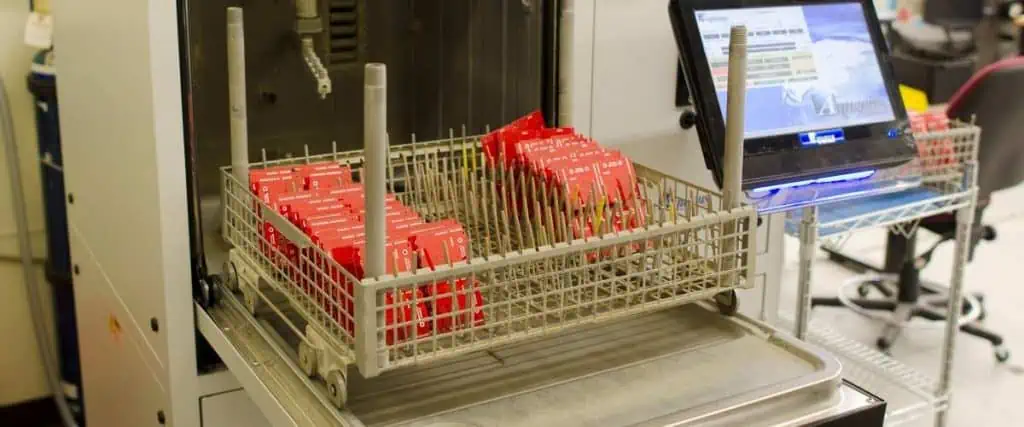
X-ray Inspection

  • Allows inspection of hidden solder joints and internal component structures
  • Crucial for inspecting Ball Grid Array (BGA) and other complex package types
  • Capable of detecting voids, bridging, and other internal defects
  • 3D imaging capabilities for comprehensive analysis

Hand Tools and ESD-Safe Environments

While much of modern electronics assembly is automated, hand tools and properly equipped workstations remain essential:

  • ESD-safe workbenches and flooring to prevent electrostatic discharge damage
  • Precision soldering irons with temperature control
  • Magnifying glasses and microscopes for detailed work
  • Tweezers and component handling tools
  • Fume extraction systems for operator safety
  • Specialized tools for coaxial cable assembly and wire stripping

Other Specialized Equipment

Depending on the specific products being assembled, additional specialized equipment may be necessary:

  • Wire harness assembly machines
  • Conformal coating application systems
  • Ultrasonic welding equipment for plastic enclosures
  • Automated screwdrivers and torque control systems
  • Laser marking systems for product identification

Investing in the right equipment and tools is crucial for manufacturers aiming to produce high-quality electronic products efficiently. The choice of equipment should align with the specific assembly requirements, production volume, and quality standards of the products being manufactured.

5. Best Practices for High-Quality Electronics Assembly

Achieving consistently high-quality results in electronics product assembly requires adherence to a set of best practices. These guidelines ensure that the final product meets performance specifications, reliability standards, and customer expectations. Let’s explore some key best practices:

ESD (Electrostatic Discharge) Protection

Electrostatic discharge can cause severe damage to sensitive electronic components. Implementing robust ESD protection measures is crucial:

  • Use ESD-safe workstations, tools, and flooring
  • Require operators to wear ESD-safe clothing and footwear
  • Implement proper grounding techniques for equipment and personnel
  • Use ionizers in assembly areas to neutralize static charges
  • Store and transport components in ESD-safe packaging

Proper Soldering Techniques

Soldering is a fundamental process in electronics assembly, and proper techniques are essential for reliable connections:

  • Maintain correct soldering iron temperature for different component types
  • Use appropriate solder alloys and flux for the specific application
  • Ensure proper cleaning of surfaces before soldering
  • Train operators in proper hand soldering techniques
  • Regularly maintain and calibrate soldering equipment

Quality Control Checkpoints

Implementing multiple quality control checkpoints throughout the assembly process helps catch defects early:

  • Incoming component inspection to verify quality and specifications
  • In-process inspections during critical assembly stages
  • Automated optical inspection (AOI) after component placement and soldering
  • X-ray inspection for complex or hidden solder joints
  • Functional testing of completed assemblies
  • Final visual inspection before packaging

Staff Training and Certifications

Well-trained staff are crucial for maintaining high-quality standards:

  • Provide comprehensive training on assembly processes and equipment
  • Encourage staff to obtain industry-recognized certifications (e.g., IPC standards)
  • Implement regular skill assessments and refresher training
  • Foster a culture of continuous improvement and learning

Design for Manufacturability (DFM)

Collaborating with product designers to ensure manufacturability can significantly improve assembly quality:

  • Review designs for potential assembly issues before production
  • Standardize component types and sizes where possible
  • Ensure adequate spacing for component placement and soldering
  • Design PCB layouts that facilitate automated assembly processes

Environmental Control

Maintaining appropriate environmental conditions in the assembly area is crucial:

  • Control temperature and humidity to optimal levels for assembly processes
  • Implement proper air filtration to minimize dust and contaminants
  • Ensure adequate lighting for detailed assembly work
  • Maintain cleanliness standards in all assembly areas

Component Management

Proper handling and management of components contribute to assembly quality:

  • Implement a first-in-first-out (FIFO) inventory system
  • Store components in appropriate conditions (temperature, humidity, ESD protection)
  • Use automated component storage and retrieval systems for efficiency and traceability
  • Implement barcode or RFID tracking for component batches

Documentation and Traceability

Maintaining detailed documentation and traceability throughout the assembly process is essential:

  • Keep detailed records of assembly procedures and any deviations
  • Implement lot tracking for components and finished products
  • Use Manufacturing Execution Systems (MES) for real-time process monitoring
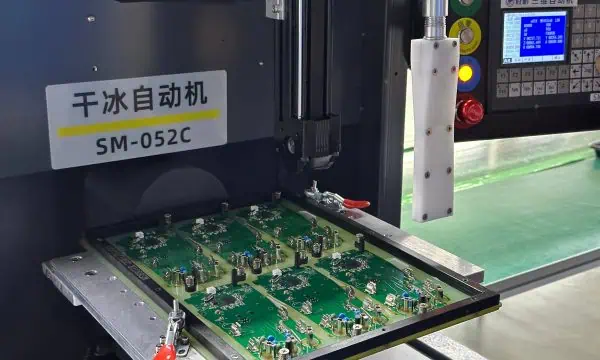
  • Maintain detailed test results and quality control records

Continuous Improvement

Adopting a mindset of continuous improvement helps maintain and enhance assembly quality over time:

  • Regularly analyze defect data to identify recurring issues
  • Implement root cause analysis for quality problems
  • Encourage feedback and improvement suggestions from assembly staff
  • Stay updated on industry best practices and new technologies

Supplier Quality Management

The quality of assembled products is directly influenced by the quality of sourced components:

  • Establish rigorous supplier selection and evaluation processes
  • Conduct regular audits of key suppliers
  • Implement incoming quality control for critical components
  • Develop partnerships with suppliers to improve component quality

By adhering to these best practices, manufacturers can significantly enhance the quality and reliability of their electronics product assembly processes. This, in turn, leads to improved product performance, customer satisfaction, and reduced warranty claims.

6. Common Challenges in Electronics Product Assembly

While electronics product assembly has become increasingly sophisticated, manufacturers still face a variety of challenges. Understanding and addressing these issues is crucial for maintaining efficient and high-quality production. Let’s explore some common challenges and strategies to mitigate them:

Component Shortages

The global electronics industry frequently faces component shortages, which can severely disrupt assembly processes.

Challenges:

  • Production delays due to unavailable components
  • Increased costs when sourcing from alternative suppliers
  • Risk of counterfeit parts entering the supply chain

Mitigation Strategies:

  • Develop relationships with multiple suppliers for critical components
  • Implement long-term forecasting and advance ordering for key parts
  • Consider redesigning products to use more readily available components
  • Explore options for component stockpiling or vendor-managed inventory

Soldering Defects

Soldering issues can lead to unreliable connections and product failures.

Common Defects:

  • Cold solder joints
  • Solder bridges
  • Solder voids
  • Insufficient solder

Mitigation Strategies:

  • Implement proper thermal profiling for reflow soldering
  • Regularly maintain and calibrate soldering equipment
  • Provide comprehensive training for operators on soldering techniques
  • Use automated optical inspection (AOI) and X-ray inspection to detect defects
  • Optimize solder paste application processes

Testing Failures

Identifying and addressing testing failures is crucial for ensuring product quality.

Challenges:

  • High failure rates increasing production costs
  • Difficulty in diagnosing intermittent faults
  • Balancing thorough testing with production speed

Mitigation Strategies:

  • Implement comprehensive in-circuit testing (ICT) and functional testing protocols
  • Use automated test equipment (ATE) for consistency and speed
  • Develop clear procedures for failure analysis and root cause identification
  • Implement statistical process control (SPC) to identify trends in failure rates
  • Regularly review and update test procedures to address new failure modes

Miniaturization and Density Challenges

As electronic products become smaller and more complex, assembly becomes increasingly challenging.

Issues:

  • Difficulty in handling and placing tiny components
  • Increased risk of solder bridging due to tight spacing
  • Challenges in inspecting high-density assemblies

Mitigation Strategies:

  • Invest in advanced pick-and-place equipment capable of handling small components
  • Use fine-pitch stencils and optimized solder paste application techniques
  • Implement high-resolution AOI and X-ray inspection systems
  • Consider using package-on-package (PoP) or system-in-package (SiP) technologies

Supply Chain Management

Effective supply chain management is critical for smooth assembly operations.

Challenges:

  • Long lead times for specialized components
  • Quality inconsistencies from suppliers
  • Managing multiple suppliers across different geographic regions

Mitigation Strategies:

  • Implement robust supplier evaluation and qualification processes
  • Use supply chain management software for better visibility and forecasting
  • Consider vertical integration for critical components
  • Develop contingency plans for supply chain disruptions

Technological Advancements and Skill Gaps

Rapid technological changes can create skill gaps in the workforce.

Challenges:

  • Difficulty in finding skilled workers familiar with the latest technologies
  • Constant need for training and upskilling of existing staff
  • Balancing automation with the need for skilled human operators

Mitigation Strategies:

  • Invest in ongoing training and development programs for staff
  • Partner with educational institutions to develop relevant curricula
  • Implement mentorship programs to transfer knowledge from experienced staff
  • Gradually introduce new technologies with adequate training periods

Environmental and Regulatory Compliance

Meeting environmental regulations and sustainability goals presents ongoing challenges.

Issues:

  • Compliance with RoHS, REACH, and other environmental regulations
  • Managing the transition to lead-free soldering processes
  • Implementing sustainable manufacturing practices

Mitigation Strategies:

  • Stay informed about current and upcoming regulatory changes
  • Invest in equipment and processes compatible with lead-free assembly
  • Implement recycling and waste reduction programs in the assembly process
  • Consider design for environment (DfE) principles in product development

By addressing these common challenges proactively, manufacturers can improve their electronics product assembly processes, reduce defects, and enhance overall product quality and reliability.

7. Choosing the Right Electronics Assembly Partner

For many companies, partnering with an electronics manufacturing services (EMS) provider is a strategic decision that can significantly impact product quality, time-to-market, and overall business success. Here’s a guide to help you choose the right electronics assembly partner:

In-house vs. Outsourcing

Before selecting an EMS provider, consider whether outsourcing is the right choice for your business:

Advantages of Outsourcing:

  • Access to specialized expertise and advanced equipment
  • Scalability to meet varying production demands
  • Potential cost savings on equipment and labor
  • Focus on core competencies while leaving manufacturing to experts

Advantages of In-house Assembly:

  • Greater control over the production process
  • Protection of intellectual property
  • Potentially faster turnaround for small production runs or prototypes
  • Easier communication and collaboration with design teams

Key Criteria for Selecting an EMS Provider

When evaluating potential assembly partners, consider the following criteria:

1. Certifications and Quality Standards

Look for partners with relevant industry certifications such as:

  • ISO 9001 for quality management systems
  • ISO 13485 for medical device manufacturing
  • AS9100 for aerospace industry standards
  • IPC certifications for electronics manufacturing processes

2. Technical Capabilities and Equipment

Ensure the EMS provider has the necessary capabilities for your product:

  • SMT and through-hole assembly capabilities
  • Ability to handle your required production volumes
  • Advanced inspection and testing equipment (AOI, X-ray, ICT, functional testing)
  • Capabilities for any specialized processes your product requires (e.g., conformal coating, potting)

3. Industry Experience

Choose a partner with experience in your specific industry:

  • Familiarity with relevant regulations and standards
  • Track record of successful projects similar to yours
  • Understanding of industry-specific challenges and solutions

4. Capacity and Scalability

Consider the EMS provider’s ability to meet your current and future needs:

  • Production capacity that aligns with your volume requirements
  • Ability to scale up production as your business grows
  • Flexibility to handle both high-mix, low-volume and low-mix, high-volume production

5. Supply Chain Management

Evaluate the partner’s supply chain capabilities:

  • Relationships with reputable component suppliers
  • Ability to manage inventory and mitigate supply chain risks
  • Experience in dealing with component shortages and allocations

6. Financial Stability

Ensure the EMS provider has the financial strength to support your long-term needs:

  • Review financial statements if available
  • Consider the company’s history and reputation in the industry
  • Assess their investment in new technologies and equipment

7. Communication and Collaboration

Look for a partner that values open communication:

  • Responsive customer service
  • Willingness to collaborate on design for manufacturability (DFM)
  • Transparent reporting on production status and quality metrics

8. Geographical Location

Consider the pros and cons of local vs. offshore manufacturing:

  • Impact on shipping costs and lead times
  • Ease of on-site visits and collaboration
  • Potential language or cultural barriers
  • Intellectual property protection laws in the manufacturing country

Questions to Ask an EMS Provider

When interviewing potential EMS partners, consider asking the following questions:

  1. What is your typical on-time delivery rate?
  2. How do you handle engineering change orders (ECOs) and revisions?
  3. What quality control measures do you have in place throughout the assembly process?
  4. Can you provide references from clients in our industry?
  5. What is your approach to component obsolescence management?
  6. How do you ensure compliance with environmental regulations?
  7. What level of visibility will we have into our production runs?
  8. How do you handle intellectual property protection?
  9. What are your capabilities for prototyping and new product introduction (NPI)?
  10. How do you manage supply chain risks and component shortages?

By carefully evaluating potential EMS providers based on these criteria and asking pointed questions, you can select a partner that aligns with your business needs and contributes to the success of your electronics products.

8. Trends and Innovations in Electronics Product Assembly

The field of electronics product assembly is continually evolving, driven by technological advancements, changing market demands, and the need for greater efficiency and sustainability. Understanding these trends can help manufacturers stay competitive and prepare for future challenges. Let’s explore some of the key trends and innovations shaping the industry:

Industry 4.0 and Smart Manufacturing

The concept of Industry 4.0, or the fourth industrial revolution, is transforming electronics assembly:

  • Internet of Things (IoT) integration for real-time monitoring and data collection
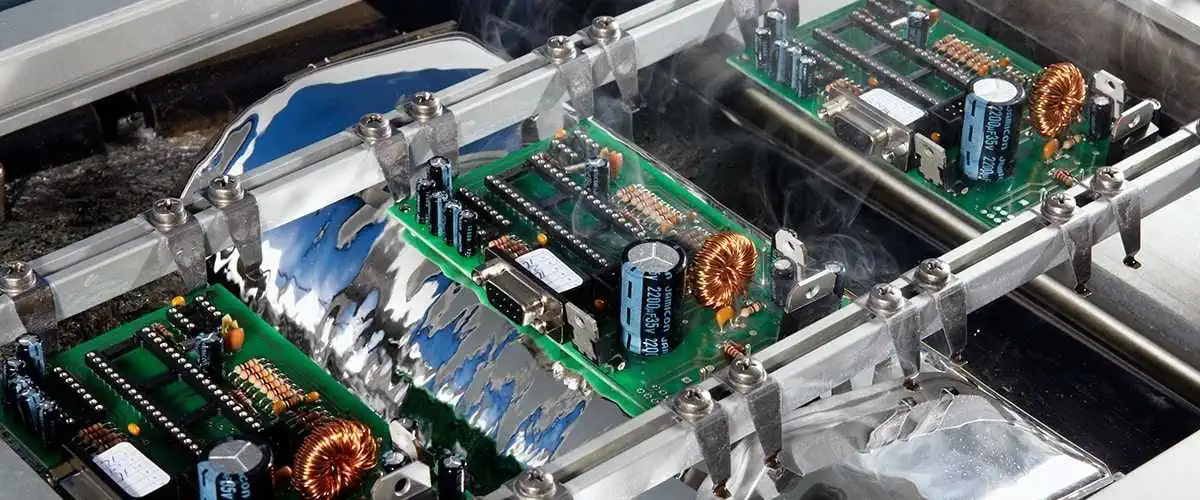
  • Artificial Intelligence (AI) and Machine Learning (ML) for predictive maintenance and quality control
  • Digital twins for virtual modeling and optimization of assembly processes
  • Cloud computing for improved data storage and analysis
  • Augmented Reality (AR) for operator training and assembly guidance

Benefits:

  • Improved efficiency and reduced downtime
  • Enhanced quality control through data-driven decision making
  • Greater flexibility in production processes

Miniaturization and Micro-Assembly

As electronic devices become smaller and more powerful, assembly processes must adapt:

  • Advanced pick-and-place machines capable of handling components as small as 01005 (0.4mm x 0.2mm)
  • Micro-LED assembly for next-generation displays
  • Development of new soldering techniques for ultra-fine pitch components
  • Increased use of system-in-package (SiP) and package-on-package (PoP) technologies

Challenges:

  • Ensuring reliable connections with minimal solder volume
  • Maintaining placement accuracy at microscopic scales
  • Developing inspection techniques for ultra-small components

Eco-Friendly and Sustainable Manufacturing Practices

Environmental concerns are driving innovations in sustainable electronics assembly:

  • Energy-efficient manufacturing equipment and processes
  • Use of biodegradable and recyclable materials in product design
  • Implementation of circular economy principles in electronics manufacturing
  • Development of lead-free and halogen-free assembly processes
  • Increased focus on product lifecycle management and end-of-life recycling

Benefits:

  • Reduced environmental impact
  • Compliance with evolving environmental regulations
  • Improved brand reputation among environmentally conscious consumers

Additive Manufacturing in Electronics Assembly

3D printing technologies are finding applications in electronics assembly:

  • Printed electronics for flexible and wearable devices
  • 3D-printed circuit boards for rapid prototyping
  • Additive manufacturing of custom enclosures and structural components
  • Direct printing of conductive traces and antennas

Potential:

  • Reduced time-to-market for new products
  • Customization and small-batch production capabilities
  • Integration of electronic and mechanical design

Automation and Robotics

Advancements in robotics are enhancing assembly processes:

  • Collaborative robots (cobots) working alongside human operators
  • Automated guided vehicles (AGVs) for material handling in assembly lines
  • Vision-guided robotics for precise component placement and inspection
  • Soft robotics for handling delicate electronic components

Benefits:

  • Increased productivity and consistency
  • Improved worker safety by automating hazardous tasks
  • Greater flexibility in production line configuration

Advanced Materials and Packaging Technologies

New materials and packaging methods are enabling more advanced electronic products:

  • Development of high-temperature and high-reliability solder alloys
  • Increased use of flexible and stretchable substrates for wearable electronics
  • Advanced thermal management materials for high-power electronics
  • Wafer-level packaging technologies for improved performance and miniaturization

Implications:

  • Ability to create more durable and reliable electronic products
  • New form factors and applications for electronic devices
  • Challenges in adapting assembly processes to new materials and package types

5G and High-Frequency Assembly

The rollout of 5G technology is driving innovations in high-frequency assembly:

  • Development of assembly techniques for millimeter-wave (mmWave) components
  • Increased use of advanced materials like low-loss dielectrics
  • Implementation of shielding and isolation techniques for high-frequency circuits
  • Specialized testing and quality control methods for 5G-enabled devices

Challenges:

  • Maintaining signal integrity in high-frequency assemblies
  • Managing thermal issues in densely packed 5G equipment
  • Ensuring reliability of connections at higher frequencies

Customization and Mass Personalization

Market demands for personalized products are influencing assembly strategies:

  • Implementation of flexible assembly lines capable of rapid changeovers
  • Development of modular product designs for easier customization
  • Use of late-stage customization techniques in the assembly process
  • Integration of direct digital manufacturing for personalized components

Benefits:

  • Ability to offer customized products at near mass-production efficiency
  • Improved responsiveness to market trends and customer preferences
  • Potential for new business models based on personalization

As these trends continue to evolve, electronics manufacturers must stay informed and adapt their assembly processes to remain competitive. Embracing these innovations can lead to improved efficiency, higher quality products, and the ability to meet the changing demands of the electronics market.

9. Cost Factors in Electronics Product Assembly

Understanding and managing the costs associated with electronics product assembly is crucial for maintaining profitability and competitiveness in the market. Let’s explore the key cost factors and strategies for optimizing them:

BOM (Bill of Materials) Costs

The BOM represents a significant portion of the total product cost:

  • Electronic components (ICs, resistors, capacitors, etc.)
  • PCB substrate
  • Mechanical components (enclosures, connectors, etc.)
  • Packaging materials

Optimization Strategies:

  • Implement value engineering to identify cost-effective component alternatives
  • Negotiate volume discounts with suppliers
  • Consider second-sourcing for critical components to mitigate supply risks
  • Regularly review and update the BOM to account for component price changes

Labor vs. Automation Costs

Balancing labor and automation costs is crucial for cost-effective assembly:

Labor Costs:

  • Wages and benefits for assembly operators
  • Training and skill development expenses
  • Costs associated with human error and quality control

Automation Costs:

  • Initial investment in automated equipment
  • Maintenance and upgrades for automated systems
  • Programming and setup costs for automated processes

Optimization Strategies:

  • Conduct cost-benefit analyses to determine optimal automation levels
  • Implement targeted automation for high-volume or precision-critical tasks
  • Invest in training to improve labor efficiency and reduce errors
  • Consider flexible automation solutions that can adapt to changing product lines

Testing and Inspection Costs

Ensuring product quality incurs various testing and inspection costs:

  • Automated optical inspection (AOI) equipment
  • In-circuit testing (ICT) systems
  • Functional testing equipment
  • X-ray inspection systems
  • Labor costs for manual inspections

Optimization Strategies:

  • Implement design for testability (DFT) principles to reduce testing complexity
  • Use statistical process control to optimize testing procedures
  • Invest in advanced testing equipment to improve efficiency and accuracy
  • Develop clear criteria for determining necessary test coverage

Facility and Overhead Costs

Operating an electronics assembly facility involves significant overhead:

  • Cleanroom maintenance
  • Utilities (electricity, climate control)
  • Equipment depreciation
  • Facility rent or mortgage
  • Administrative and management costs

Optimization Strategies:

  • Implement energy-efficient practices to reduce utility costs
  • Optimize facility layout for improved workflow and space utilization
  • Consider outsourcing non-core functions to reduce overhead
  • Explore lean manufacturing principles to eliminate waste

Supply Chain and Logistics Costs

Managing the flow of materials and finished products incurs various costs:

  • Component transportation and handling
  • Inventory storage and management
  • Customs and duties for international sourcing
  • Packaging and shipping of finished products

Optimization Strategies:

  • Implement just-in-time (JIT) inventory management to reduce storage costs
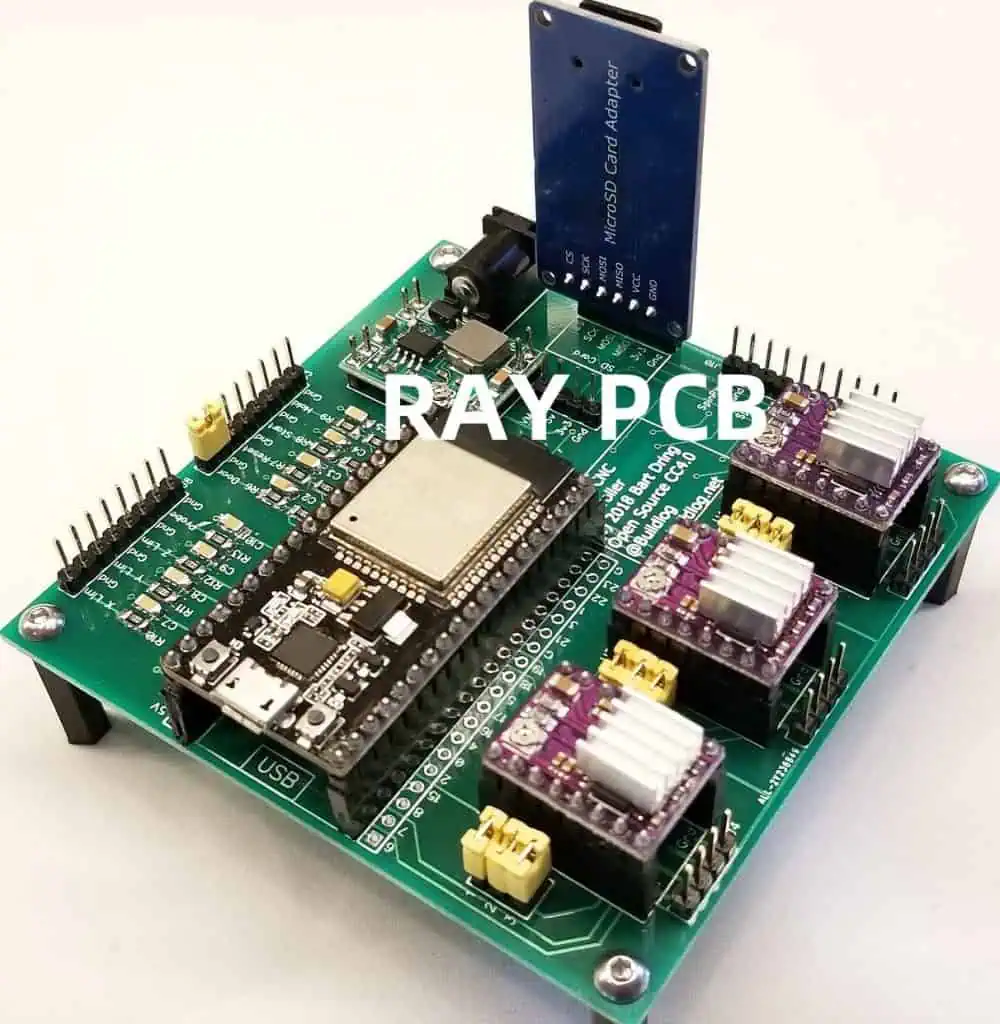
  • Optimize component packaging for efficient transportation
  • Consider local sourcing to reduce transportation costs and lead times
  • Use supply chain management software for better visibility and cost control

Quality-Related Costs

Maintaining product quality involves both prevention and failure costs:

Prevention Costs:

  • Quality management systems implementation
  • Employee training on quality procedures
  • Preventive maintenance of equipment

Failure Costs:

  • Rework and repair of defective products
  • Customer returns and warranty claims
  • Scrap and waste from rejected components or assemblies

Optimization Strategies:

  • Invest in prevention to reduce more expensive failure costs
  • Implement robust quality control processes throughout the assembly line
  • Use data analytics to identify and address recurring quality issues
  • Develop strong supplier quality management programs

New Product Introduction (NPI) Costs

Launching new products involves specific costs:

  • Prototyping and sample production
  • Tooling and fixture development
  • Process development and optimization
  • Compliance testing and certifications

Optimization Strategies:

  • Use virtual prototyping and simulation to reduce physical prototyping costs
  • Implement design for manufacturability (DFM) principles early in the development process
  • Leverage existing production lines and equipment where possible
  • Develop standardized NPI processes to improve efficiency

How to Optimize for Cost-Efficiency

To achieve overall cost-efficiency in electronics product assembly:

  1. Conduct regular cost analyses to identify major cost drivers
  2. Implement continuous improvement programs to enhance efficiency
  3. Invest in employee training to improve productivity and reduce errors
  4. Leverage technology for better cost tracking and forecasting
  5. Consider strategic outsourcing for non-core or specialized processes
  6. Implement lean manufacturing principles to eliminate waste
  7. Develop strong supplier relationships to negotiate better terms and ensure quality
  8. Regularly review and update assembly processes to incorporate new technologies and methods
  9. Balance automation with skilled labor to achieve optimal cost-effectiveness
  10. Focus on quality to reduce long-term costs associated with defects and returns

By carefully managing these cost factors and implementing targeted optimization strategies, manufacturers can improve their cost-efficiency in electronics product assembly while maintaining high-quality standards.

10. Case Studies: Successful Electronics Product Assembly

Examining real-world examples of successful electronics product assembly can provide valuable insights and inspiration for manufacturers. Here are three case studies from different industries showcasing effective assembly strategies:

Case Study 1: Consumer Electronics – Smartphone Manufacturing

Company: MobiTech Inc. Product: High-end smartphone

Challenge: MobiTech needed to ramp up production of their new smartphone model while maintaining high quality and managing costs in a competitive market.

Solution:

  • Implemented a fully automated SMT line with advanced pick-and-place machines and AOI systems
  • Developed a modular product design to allow for easier assembly and customization
  • Utilized collaborative robots for final assembly tasks, working alongside human operators
  • Implemented an AI-driven quality control system for real-time