Solution to Make Flexible PCB LED Strip Design Into Reality

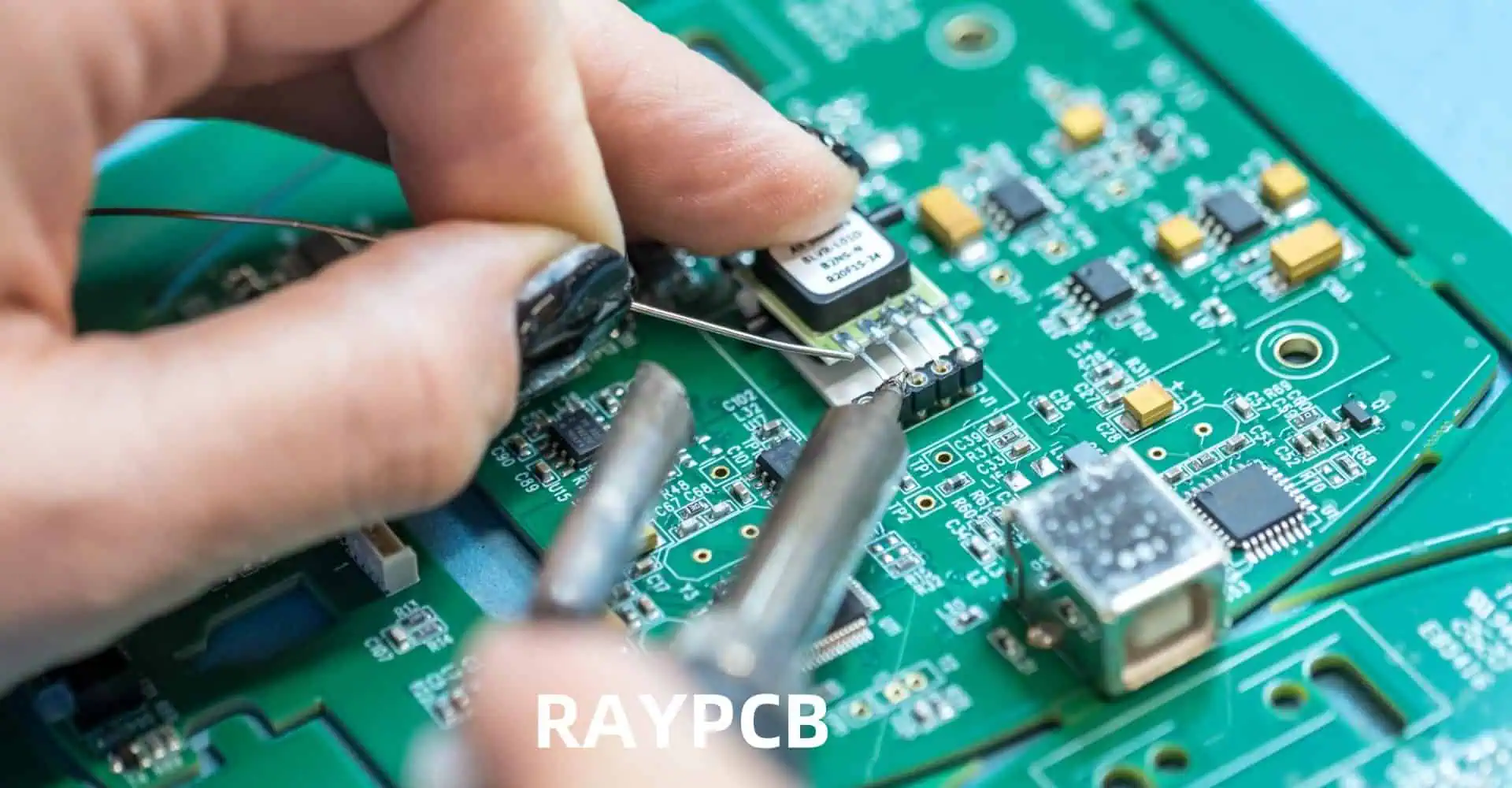
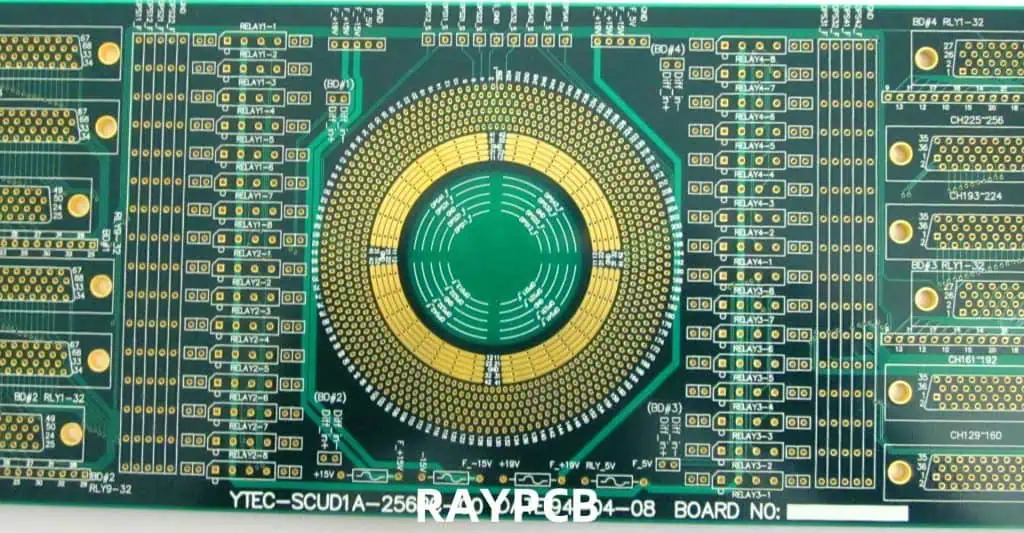
Flexible PCB LED strips have revolutionized the lighting industry, offering versatile and customizable lighting solutions for various applications. These innovative products combine the flexibility of thin, bendable circuit boards with the efficiency and brightness of LED technology. This article will explore the process of turning a flexible PCB LED strip design into reality, covering everything from initial concept to final production.

Understanding Flexible PCB LED Strips

What are Flexible PCB LED Strips?

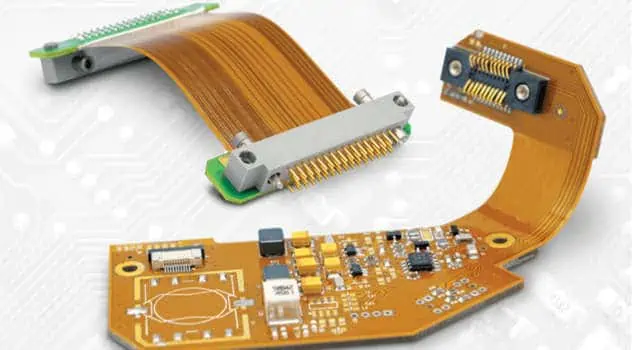
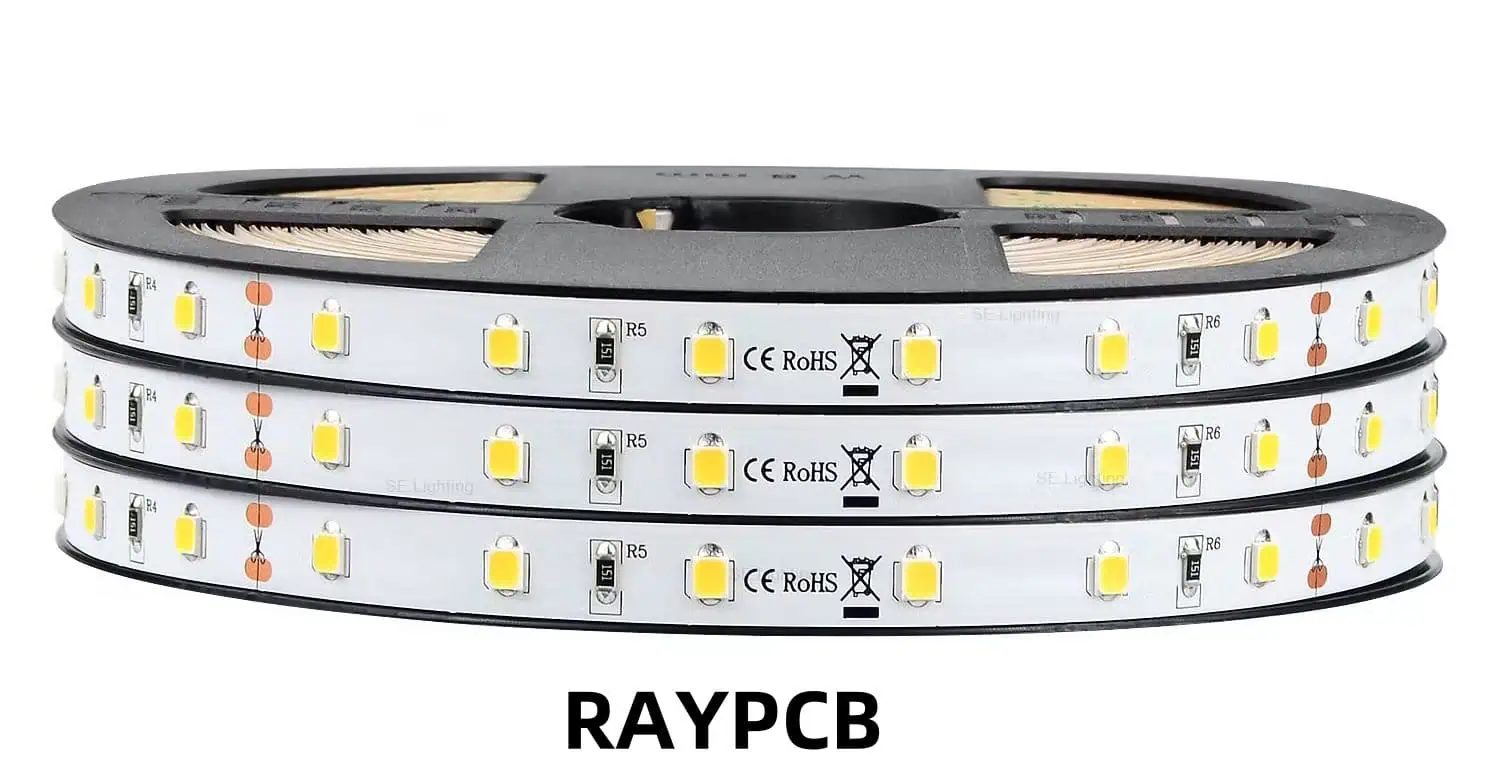
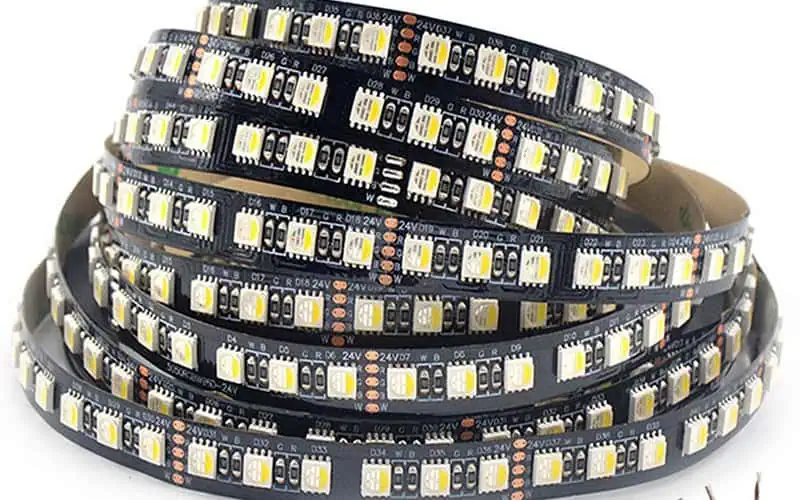
Flexible PCB LED strips are lighting products that consist of a series of LEDs mounted on a flexible printed circuit board. These strips can be bent, twisted, and conform to various shapes, making them ideal for applications where traditional rigid PCBs would be impractical.

Key Components of Flexible PCB LED Strips

  1. Flexible PCB: The base material that provides electrical connections and mechanical support.
  2. LEDs: Light-emitting diodes that produce the actual illumination.
  3. Resistors: Components that control current flow to the LEDs.
  4. Connectors: Allow for easy connection to power sources and other strips.
  5. Adhesive Backing: Enables easy mounting on various surfaces.
  6. Protective Coating: Provides water resistance and durability.

Design Considerations for Flexible PCB LED Strips
Electrical Design

  1. LED Selection: Choose appropriate LEDs based on desired color, brightness, and power consumption.
  2. Circuit Layout: Design the circuit to ensure even current distribution and minimize voltage drop.
  3. Power Management: Calculate power requirements and incorporate necessary components for efficient operation.

Mechanical Design

  1. Flexibility: Determine the required bending radius and design accordingly.
  2. Thickness: Balance flexibility with durability when choosing PCB thickness.
  3. Length and Width: Consider standard sizes and customization options.
  4. Mounting Options: Design for various installation methods (adhesive backing, mounting clips, etc.).

Thermal Management

  1. Heat Dissipation: Incorporate thermal management solutions to prolong LED lifespan.
  2. Material Selection: Choose PCB materials with good thermal conductivity.

Environmental Considerations

  1. IP Rating: Design for appropriate ingress protection based on intended use.
  2. UV Resistance: Select materials that can withstand exposure to sunlight if used outdoors.
  3. Chemical Resistance: Consider potential exposure to cleaning agents or other chemicals.

Manufacturing Process

Step 1: PCB Fabrication

  1. Material Selection: Choose appropriate flexible PCB materials (e.g., polyimide, PET).
  2. Copper Layering: Apply copper foil to the flexible substrate.
  3. Photolithography: Create the circuit pattern using photoresist and etching processes.
  4. Surface Finish: Apply surface treatments (e.g., ENIG, HASL) to protect copper traces.

Step 2: Component Assembly

  1. Solder Paste Application: Apply solder paste to the PCB using a stencil.
  2. Component Placement: Use pick-and-place machines to position LEDs and other components.
  3. Reflow Soldering: Heat the PCB to melt the solder and secure components.
  4. Inspection: Perform automated optical inspection (AOI) to ensure proper assembly.

Step 3: Testing and Quality Control

  1. Electrical Testing: Verify continuity and proper functionality of the LED strips.
  2. Brightness and Color Testing: Ensure consistent light output and color accuracy.
  3. Flexibility Testing: Confirm that the strips can bend to the specified radius without damage.
  4. Environmental Testing: Subject samples to temperature, humidity, and other relevant tests.

Step 4: Finishing and Packaging

  1. Conformal Coating: Apply a protective layer to enhance durability and water resistance.
  2. Cutting and Termination: Cut strips to desired lengths and add end connectors.
  3. Adhesive Application: Apply double-sided adhesive tape to the back of the strips.
  4. Packaging: Package the LED strips in protective materials for shipping.

Overcoming Common Challenges

1. Maintaining Flexibility

Challenge: Ensuring the PCB remains flexible while accommodating necessary components and traces.

Solution:

  • Use ultra-thin PCB materials (e.g., 0.1mm polyimide)
  • Implement careful trace routing to avoid areas of high stress
  • Utilize flexible solder masks and coverlays

2. Thermal Management

Challenge: Dissipating heat from densely packed LEDs on a flexible substrate.

Solution:

  • Incorporate thermal vias to improve heat transfer
  • Use thermally conductive adhesives for better heat dissipation
  • Design with adequate spacing between high-power LEDs

3. Voltage Drop

Challenge: Maintaining consistent brightness along long LED strips due to voltage drop.

Solution:

  • Implement parallel circuit designs to reduce voltage drop
  • Use higher voltage power supplies (e.g., 24V instead of 12V)
  • Incorporate voltage regulators or constant current drivers

4. Water and Dust Resistance

Challenge: Protecting the LED strips from environmental factors without compromising flexibility.

Solution:

  • Apply conformal coatings that remain flexible when cured
  • Design custom silicone or polyurethane encapsulations
  • Use IP-rated connectors and sealing techniques at termination points

Comparison of Flexible PCB Materials for LED Strips

MaterialFlexibilityTemperature ResistanceCostDurability
PolyimideExcellentHigh (up to 200ยฐC)HighExcellent
PETGoodModerate (up to 105ยฐC)LowGood
PENVery GoodGood (up to 150ยฐC)ModerateVery Good
PTFEExcellentVery High (up to 260ยฐC)Very HighExcellent
FPCGoodModerate (up to 105ยฐC)ModerateGood

Design Optimization Techniques

1. Simulation and Modeling

Utilize advanced simulation software to model:

  • Electrical performance
  • Thermal behavior
  • Mechanical stress

This helps identify potential issues before physical prototyping.

2. Modular Design

Implement a modular approach to:

  • Facilitate easier customization
  • Simplify manufacturing and inventory management
  • Enable quick repairs and replacements

3. Smart Integration

Incorporate intelligent features such as:

  • Built-in controllers for dynamic lighting effects
  • Sensors for automatic brightness adjustment
  • Wireless connectivity for remote control

4. Material Innovation

Explore cutting-edge materials:

  • Stretchable conductive inks
  • Novel flexible substrates with enhanced properties
  • Advanced conformal coatings for improved protection

Future Trends in Flexible PCB LED Strip Design

  1. Increased Integration: Combining LED strips with other flexible electronics (e.g., sensors, batteries).
  2. Enhanced Durability: Development of ultra-durable flexible PCBs for extreme environments.
  3. Improved Efficiency: Adoption of micro-LED technology for higher luminous efficacy.
  4. Sustainable Materials: Increased use of eco-friendly and recyclable materials in production.
  5. Customization: Advanced manufacturing techniques allowing for more complex and customized designs.

Conclusion

Turning a flexible PCB LED strip design into reality requires careful consideration of various factors, from electrical and mechanical design to manufacturing processes and quality control. By understanding these elements and implementing innovative solutions, designers and manufacturers can create high-quality, versatile lighting products that meet the diverse needs of modern applications. As technology continues to advance, we can expect even more exciting developments in the field of flexible PCB LED strips, pushing the boundaries of what’s possible in lighting design and functionality.

Frequently Asked Questions (FAQ)

1. What is the typical lifespan of a flexible PCB LED strip?

The lifespan of a flexible PCB LED strip can vary depending on several factors, including the quality of components, operating conditions, and usage patterns. On average, a well-designed and properly maintained LED strip can last between 30,000 to 50,000 hours of operation. This translates to approximately 3 to 6 years of continuous use. However, it’s important to note that factors such as heat management, voltage stability, and environmental protection can significantly impact the actual lifespan.

2. Can flexible PCB LED strips be cut to custom lengths?

Yes, most flexible PCB LED strips are designed to be cut to custom lengths. They typically have designated cutting points marked along the strip, usually every few LEDs. These cutting points are designed to ensure that the circuit remains intact after cutting. However, it’s crucial to cut only at these designated points to avoid damaging the strip or creating short circuits. After cutting, you may need to apply a sealant or use end caps to protect the exposed end of the strip, especially for outdoor or moisture-prone applications.

3. How do I choose the right power supply for my flexible PCB LED strip?

Selecting the right power supply is crucial for the proper operation and longevity of your LED strip. Consider the following factors:

  1. Voltage: Ensure the power supply matches the LED strip’s required voltage (typically 12V or 24V).
  2. Wattage: Calculate the total power consumption of your LED strip and choose a power supply with at least 20% higher capacity to account for power loss and future expansion.
  3. Quality: Opt for a high-quality, stable power supply to prevent flickering and ensure consistent performance.
  4. Safety Certifications: Look for power supplies with relevant safety certifications (e.g., UL, CE) for your region.

As a general rule, it’s better to slightly oversize your power supply to ensure stable operation and allow for potential expansion of your lighting setup.

4. Are there any special considerations for outdoor use of flexible PCB LED strips?

When using flexible PCB LED strips outdoors, consider the following:

  1. IP Rating: Choose strips with an appropriate Ingress Protection (IP) rating for water and dust resistance. IP65 or higher is typically recommended for outdoor use.
  2. UV Resistance: Ensure the strip and its components are designed to withstand prolonged exposure to sunlight.
  3. Temperature Range: Verify that the strip can operate within the expected temperature range of your outdoor environment.
  4. Proper Installation: Use weatherproof housings or channels to provide additional protection.
  5. Sealed Connections: Employ waterproof connectors and sealants at all connection points.
  6. Ventilation: Despite being outdoors, ensure proper ventilation to prevent overheating, especially in enclosed fixtures.

5. How can I ensure color consistency across multiple flexible PCB LED strips?

Maintaining color consistency across multiple LED strips can be challenging but is crucial for many applications. Here are some strategies:

  1. Binning: Purchase LED strips from the same production batch or “bin” to ensure similar color characteristics.
  2. Color Temperature Control: Use strips with precise color temperature specifications and consider incorporating tunable white technology for adjustability.
  3. Quality Control: Implement strict quality control measures during manufacturing and perform color testing before installation.
  4. Calibration: Use RGB or RGBW strips with built-in or external controllers that allow for individual color channel adjustments.
  5. Consistent Power Supply: Ensure all strips receive stable and consistent power to prevent voltage-related color shifts.
  6. Regular Maintenance: Periodically check and adjust color settings, as LEDs may change slightly over time.

By addressing these factors, you can significantly improve color consistency across your flexible PCB LED strip installation.
Fiberglass Fabric Styles Used in Laminates

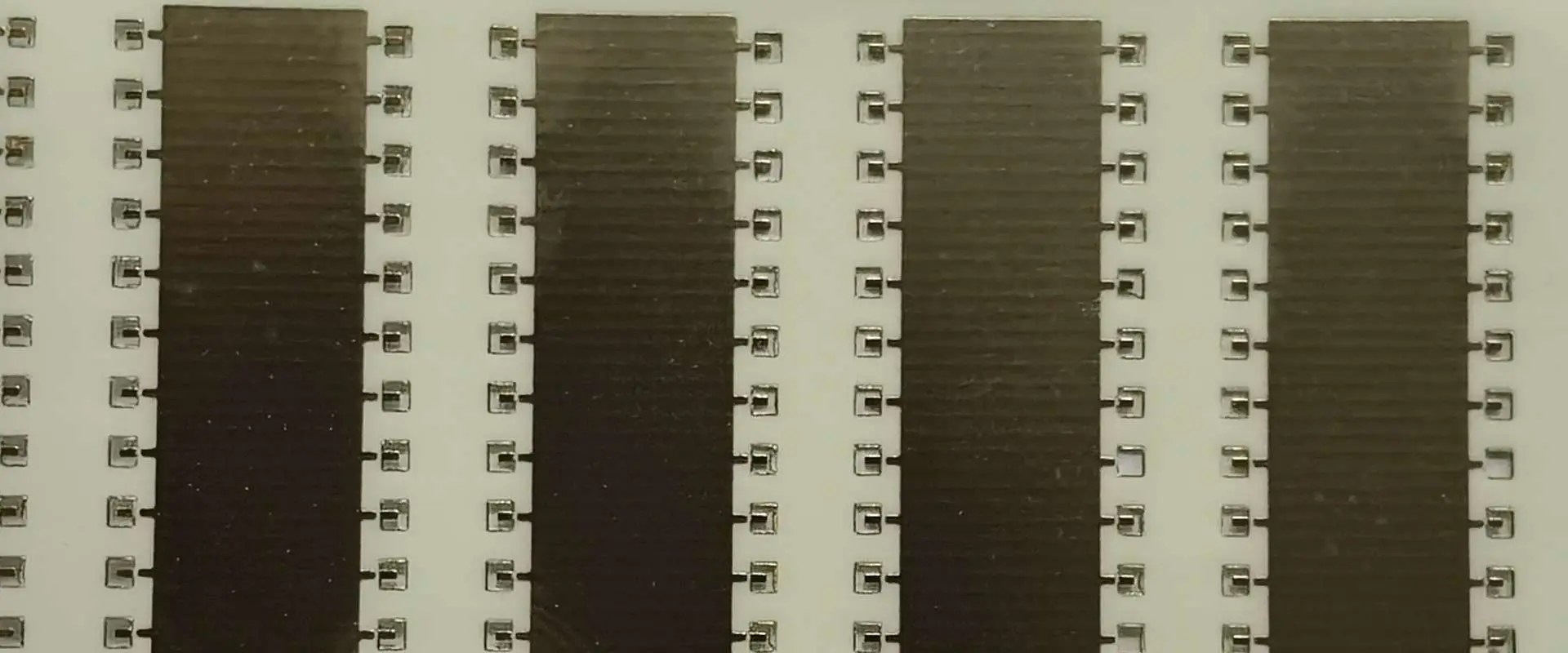
Rogers RT duroid 6006 PCB

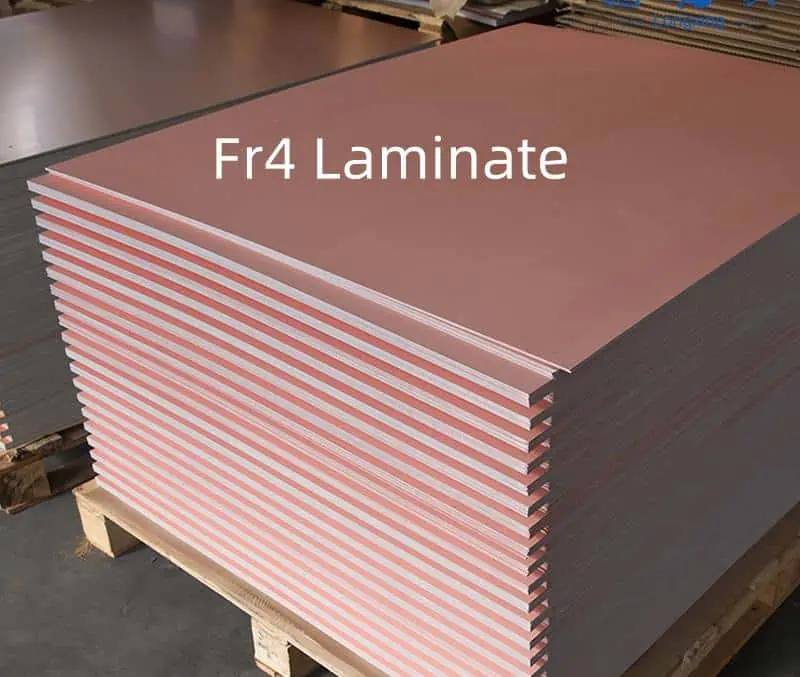
Fiberglass fabrics form the backbone of composite laminate construction, providing structural reinforcement and determining many of the final properties of the composite part. The choice of fabric style significantly impacts the mechanical properties, manufacturing ease, surface finish, and cost-effectiveness of the finished laminate. Understanding the various fabric styles and their applications is crucial for engineers, manufacturers, and designers working with composite materials.

Woven Fabric Styles

Plain Weave

Plain weave represents the simplest and most fundamental weaving pattern, where warp and weft fibers alternate over and under each other in a regular pattern. This creates a balanced, stable fabric with excellent dimensional stability and uniform properties in both directions. The tight interlacing provides good resistance to fiber movement during handling and layup, making it an excellent choice for hand layup applications.

The plain weave offers several advantages including high stability, ease of handling, and good conformability around complex shapes. However, the frequent over-and-under pattern creates more crimping in the fibers compared to other weave styles, which can reduce the ultimate strength properties. The tight weave also makes wet-out more challenging, potentially leading to higher resin content and increased weight.

Common applications for plain weave fabrics include general-purpose structural laminates, cosmetic outer layers, and situations where dimensional stability is paramount. Weight ranges typically span from 4 oz/ydยฒ for lightweight applications up to 20 oz/ydยฒ for heavy structural work.

Twill Weave

Twill weave patterns feature warp fibers passing over multiple weft fibers before going under, creating the characteristic diagonal pattern visible on the fabric surface. The most common variations include 2×2 twill, where fibers pass over two and under two, and 4-harness satin weave patterns.

This weaving style offers improved drapability compared to plain weave while maintaining good structural properties. The longer float lengths reduce fiber crimping, leading to better mechanical properties and improved surface finish. Twill weaves conform well to compound curves and complex geometries, making them popular for applications requiring good surface appearance.

The diagonal pattern distributes loads effectively and provides good impact resistance. However, twill weaves can be more susceptible to bias distortion during handling, requiring careful attention during layup to maintain proper fiber orientation. These fabrics are commonly used in applications where both structural performance and aesthetic appearance are important, such as visible automotive parts, sporting goods, and architectural elements.

Satin Weave

Satin weave fabrics, including 5-harness, 8-harness, and higher configurations, feature long float lengths where warp fibers pass over multiple weft fibers before interlacing. This creates a smooth surface with minimal crimp and excellent mechanical properties.

The extended float lengths in satin weaves provide several benefits including reduced fiber crimping, improved strength properties, better surface finish, and enhanced drapability. The smooth surface facilitates resin flow during manufacturing and produces laminates with excellent cosmetic appearance. The minimal interlacing allows fibers to carry loads more efficiently, resulting in higher strength-to-weight ratios.

However, the loose weave structure can make handling more challenging, as the fabric may be prone to distortion and fiber movement. Edge fraying can also be more problematic with satin weaves. These fabrics excel in applications requiring maximum mechanical performance and smooth surface finish, such as aerospace components, high-performance racing applications, and premium consumer products.

Unidirectional Fabrics

Woven Roving

Woven roving consists of continuous fiberglass rovings woven together to create a heavy, coarse fabric. The rovings maintain their integrity while being held in position by the weave structure, typically in a plain or leno weave pattern. This style provides high fiber content and excellent strength properties in both warp and weft directions.

The coarse nature of woven roving makes it ideal for rapid buildup of laminate thickness with relatively few layers. The high fiber-to-resin ratio achievable with these fabrics results in strong, stiff laminates suitable for structural applications. However, the coarse surface texture may require additional layers for smooth finish applications.

Woven roving finds extensive use in boat hulls, structural panels, tanks, and other applications where strength and rapid laminate buildup are priorities over surface finish. Weights typically range from 18 oz/ydยฒ to 50 oz/ydยฒ, making them among the heaviest single-layer reinforcements available.

Unidirectional Tape and Fabric

Unidirectional fabrics feature fibers oriented primarily in one direction, held together by light transverse threads, stitching, or binding agents. These fabrics maximize properties in the primary load direction while minimizing weight and resin content.

The unidirectional arrangement allows designers to place reinforcement precisely where needed, optimizing the laminate for specific loading conditions. This targeted approach can result in significant weight savings compared to balanced fabrics while maintaining or improving structural performance in critical directions.

Applications include pressure vessels oriented along hoop stress directions, beam structures loaded primarily in bending, and any application where loads are predominantly unidirectional. The fabrics can be combined with other orientations to create balanced laminates tailored to specific load cases.

Non-Woven and Stitched Fabrics

Chopped Strand Mat (CSM)

Chopped strand mat consists of randomly oriented short glass fibers held together with a binder, creating an isotropic reinforcement with relatively low strength but excellent conformability. The random fiber orientation provides uniform properties in all directions within the plane of the mat.

CSM offers several advantages including low cost, excellent conformability to complex shapes, and good dimensional stability. The random fiber orientation eliminates concerns about fiber alignment and makes it forgiving during layup. However, the short fiber length and random orientation result in lower mechanical properties compared to continuous fiber fabrics.

This material serves as an excellent core material in sandwich constructions, provides good impact resistance, and works well as a surface mat to prevent print-through of coarser fabrics. It’s commonly used in boat building, automotive panels, and general-purpose applications where moderate strength requirements and cost-effectiveness are primary concerns.

Stitched Multi-Axial Fabrics

Multi-axial fabrics combine layers of unidirectional fibers oriented at different angles, held together by stitching rather than weaving. Common configurations include biaxial (typically ยฑ45ยฐ), triaxial (0ยฐ, +45ยฐ, -45ยฐ), and quadraxial (0ยฐ, 90ยฐ, ยฑ45ยฐ) arrangements.

The stitching process preserves the straightness of reinforcing fibers while providing the desired multi-directional properties. This results in better mechanical properties compared to equivalent woven fabrics while maintaining good handling characteristics. The ability to tailor fiber orientation and weight in each direction allows optimization for specific loading conditions.

These fabrics offer design flexibility, improved mechanical properties, faster laminate construction, and reduced labor costs compared to multiple layers of traditional fabrics. They’re particularly valuable in applications with known load paths, such as wind turbine blades, automotive structures, and marine applications.

Hybrid and Specialty Fabrics

Carbon-Glass Hybrids

Hybrid fabrics combine fiberglass with other reinforcing fibers, most commonly carbon fiber, to create materials with intermediate properties and costs. These fabrics can feature alternating tows, co-woven fibers, or layered constructions.

The combination allows designers to optimize cost-performance relationships by using expensive carbon fibers only where their superior properties are needed while relying on cost-effective glass fibers elsewhere. Hybrid fabrics can provide improved stiffness over all-glass constructions while maintaining better impact resistance than all-carbon materials.

Applications include sporting goods where stiffness and cost are balanced, automotive components requiring selective reinforcement, and marine structures where local stiffening is needed without the cost of full carbon construction.

Specialty Weaves and Textures

Advanced weaving techniques create specialized fabrics for specific applications. These include 3D woven fabrics for thick-section applications, contour-woven fabrics shaped for specific parts, and textured fabrics designed for improved resin adhesion or specific surface properties.

Specialty fabrics often address specific manufacturing challenges or performance requirements that standard fabrics cannot meet. Examples include fabrics designed for resin transfer molding with enhanced permeability, fabrics with integral flow channels for manufacturing efficiency, and fabrics with specialized surface treatments for improved interfacial bonding.

Selection Considerations

Mechanical Requirements

The primary consideration in fabric selection involves matching the fabric properties to the expected loading conditions. High-stress applications require fabrics with straight fibers and minimal crimp, such as unidirectional or satin weave materials. Multi-directional loading requires balanced fabrics or multi-axial constructions.

Manufacturing Process

Different manufacturing processes favor specific fabric styles. Hand layup applications benefit from stable, easy-handling fabrics like plain weave, while resin transfer molding requires fabrics with good permeability and minimal nesting. Vacuum infusion processes work well with fabrics that maintain consistent thickness under vacuum.

Surface Finish Requirements

Applications requiring smooth surface finish benefit from fine fabrics with minimal surface texture, such as lightweight plain weave or fine satin weave materials. Structural applications hidden from view can use coarser, more economical fabrics like woven roving.

Cost Considerations

Fabric selection must balance performance requirements with cost constraints. Commodity fabrics like plain weave and chopped strand mat offer good value for general applications, while specialty fabrics provide enhanced performance at higher cost where justified by application requirements.

The selection of appropriate fiberglass fabric styles requires careful consideration of mechanical requirements, manufacturing constraints, surface finish needs, and cost objectives. Understanding the characteristics and applications of different fabric styles enables designers to optimize composite laminates for their specific applications while maintaining manufacturing efficiency and cost-effectiveness. The continued development of new fabric styles and constructions expands the possibilities for composite design and manufacturing, offering solutions for increasingly demanding applications across various industries.

How to Read and Understand Xilinx Part Numbers and Abbreviations

Xilinx Zynq fpga

Understanding Xilinx part numbers is crucial for engineers, designers, and procurement professionals working with Field-Programmable Gate Arrays (FPGAs) and System-on-Chip (SoC) devices. Xilinx, now part of AMD, has developed a systematic naming convention that encodes essential information about each device’s capabilities, package type, performance grade, and other critical specifications. This comprehensive guide will help you decode these part numbers and make informed decisions when selecting devices for your projects.

Overview of Xilinx Naming Convention

Xilinx part numbers follow a structured format that contains multiple segments, each representing specific device characteristics. The general format typically includes device family, size/capacity, speed grade, package type, and temperature grade. Understanding this structure allows you to quickly identify whether a particular device meets your project requirements without needing to reference detailed datasheets for basic specifications.

The naming convention has evolved over the years as Xilinx has introduced new device families and technologies. While older families like Spartan-3 and Virtex-4 follow slightly different patterns, the core principles remain consistent across all product lines. Modern devices, including the Zynq UltraScale+ and Versal families, use more sophisticated naming schemes that reflect their advanced capabilities.

YouTube video

Device Family Identification

The first part of any Xilinx part number identifies the device family. This is perhaps the most important element as it determines the overall architecture, technology node, and available features. Common family prefixes include:

XC7 series represents the 7-series devices, including Artix-7, Kintex-7, and Virtex-7 families. These devices are built on 28nm technology and offer excellent performance-per-watt ratios. The Artix-7 family focuses on low power and cost optimization, while Kintex-7 provides balanced performance and power consumption. Virtex-7 devices offer the highest performance and capacity within the 7-series lineup.

XCZU designates Zynq UltraScale+ devices, which combine ARM processors with FPGA fabric on advanced FinFET technology nodes. These heterogeneous devices are designed for applications requiring both software programmability and hardware acceleration. The integrated ARM Cortex-A53 and Cortex-R5 processors make them ideal for embedded systems requiring real-time processing capabilities.

XCKU and XCVU represent Kintex UltraScale+ and Virtex UltraScale+ families, respectively. These devices focus purely on FPGA functionality without integrated processors, offering maximum logic density and performance for compute-intensive applications.

XCK and XCV indicate older UltraScale devices (without the plus designation), which preceded the UltraScale+ generation. While still capable devices, they lack some of the advanced features found in newer families.

Size and Capacity Indicators

Xilinx Chips
Xilinx Chips

Following the family identifier, Xilinx part numbers include size indicators that represent the device’s logic capacity and available resources. These numbers don’t directly correspond to gate counts but rather indicate relative sizes within each family.

For 7-series devices, numbers like 15, 25, 35, 50, 75, 100, and 200 indicate increasing logic capacity. An XC7A35T has fewer logic cells than an XC7A100T, which in turn has fewer than an XC7A200T. The “T” suffix indicates that the device includes transceivers for high-speed serial communication.

UltraScale+ devices use different numbering schemes. For example, XCZU7EV indicates a mid-range Zynq UltraScale+ device with video codec capabilities (EV suffix), while XCZU19EG represents a larger device with enhanced graphics processing capabilities.

The capacity numbers help engineers select devices with appropriate resources for their applications. Choosing a device that’s too small may result in design constraints or inability to implement required functionality, while oversized devices increase costs unnecessarily.

Speed Grade Specifications

Speed grades indicate the maximum performance characteristics of a device, typically expressed as negative numbers where lower (more negative) values represent faster devices. Common speed grades include -1, -2, and -3, with -3 being the fastest grade available for most families.

The speed grade affects several critical timing parameters, including maximum clock frequencies, setup and hold times, and routing delays. Faster speed grades come at premium prices and often consume more power, so selecting the appropriate grade requires balancing performance requirements with cost and power constraints.

When interpreting speed grades, remember that the actual achievable performance depends heavily on your specific design implementation, synthesis settings, and routing complexity. A -1 speed grade device might be sufficient for designs with modest timing requirements, while high-performance applications may require -2 or -3 grades to meet timing closure.

Package Type Identification

Package information appears toward the end of Xilinx part numbers and indicates the physical form factor and pin configuration. Common package types include:

BGA (Ball Grid Array) packages are the most common for modern Xilinx devices. Numbers following BGA indicate the pin count and sometimes the package dimensions. For example, FBGA676 represents a fine-pitch BGA with 676 balls, while FBGA900 has 900 balls. The package size affects the number of available I/O pins and the device’s thermal characteristics.

CSG (Chip Scale Grid) packages offer smaller form factors with reduced pin counts, suitable for space-constrained applications. These packages typically sacrifice some I/O capability for reduced board space requirements.

RF (Flip Chip) packages provide excellent thermal performance and are often used in high-power applications. The flip-chip construction offers superior heat dissipation compared to wire-bonded alternatives.

QFP (Quad Flat Pack) packages, while less common in modern devices, may still be found in some older families or specialized applications. These packages use leads extending from all four sides and are easier to inspect visually than BGA packages.

Temperature Grade Classifications

Temperature grades specify the operating temperature range for reliable device operation. Xilinx uses letter suffixes to indicate temperature grades:

C (Commercial) grade devices operate from 0ยฐC to +85ยฐC and are suitable for most indoor applications, office environments, and consumer electronics. These devices offer the best cost-performance ratio for applications without extreme environmental requirements.

I (Industrial) grade devices function from -40ยฐC to +100ยฐC, making them suitable for industrial automation, automotive applications, and outdoor installations. The extended temperature range comes with slightly higher costs but provides reliability in challenging environments.

M (Military) grade devices operate from -55ยฐC to +125ยฐC and meet stringent military specifications for reliability and performance. These devices command premium prices but offer the highest reliability for critical applications.

Advanced Feature Indicators

Modern Xilinx devices include various advanced features indicated by specific suffixes or designators within the part number:

EV (Evaluation Video) suffix in Zynq UltraScale+ devices indicates integrated video codec capabilities, including H.264 and H.265 encoding/decoding hardware. These devices are optimized for video processing applications.

EG (Evaluation Graphics) designation indicates enhanced graphics processing capabilities, often including Mali GPU cores for 3D graphics acceleration.

DR (Data Rate) specifications may appear in transceivers-heavy devices, indicating the maximum supported data rates for high-speed serial interfaces.

RF (Radio Frequency) designations in some devices indicate specialized RF processing capabilities, including direct RF sampling and digital up/down conversion features.

Ordering Code Structure

Complete Xilinx ordering codes include additional information beyond the basic part number. A typical ordering code might look like: XC7A100T-2FGG484C

Breaking this down:

  • XC7A100T: Artix-7, size 100, with transceivers
  • 2: Speed grade -2
  • FGG484: Fine-pitch BGA, 484 balls
  • C: Commercial temperature grade

Some ordering codes include additional suffixes indicating packaging options, lead-free compliance (most modern devices), or special screening requirements.

Special Considerations and Variants

Xilinx occasionally releases special variants of standard devices with unique characteristics. These might include automotive-qualified versions with AEC-Q100 certification, radiation-hardened devices for aerospace applications, or devices with enhanced security features.

Engineering samples and pre-production devices may have different part number formats or additional suffixes indicating their developmental status. These should not be used in production designs without careful consideration of their limitations and availability.

Practical Application and Selection Guidelines

When selecting Xilinx devices, start by identifying the required device family based on your application needs. Consider factors like processing requirements, power consumption, I/O requirements, and special features. Use the capacity indicators to ensure adequate logic resources while avoiding unnecessary oversizing.

Speed grade selection should be based on your timing requirements with appropriate margins for design iterations and process variations. Package selection depends on board space constraints, I/O requirements, and thermal management needs.

Temperature grade selection should account for the operating environment with appropriate derating for altitude, airflow, and power dissipation. Industrial or military grades may be necessary even if the nominal temperature range seems adequate.

Conclusion

Understanding Xilinx part numbers enables efficient device selection and reduces the risk of choosing inappropriate devices for your applications. The systematic naming convention encodes critical information that helps engineers make informed decisions quickly. As Xilinx continues to evolve under AMD ownership, the basic principles of their naming convention remain consistent, making this knowledge valuable for both current and future device generations.

Mastering part number interpretation is an essential skill for anyone working with Xilinx devices, whether for initial design selection, procurement, or design migration between device variants. This knowledge foundation will serve you well as you navigate the extensive Xilinx product portfolio and make optimal device selections for your projects.

Guidelines for Component Placement in Professional PCB Design

Consumer Electronics Assembly

Component placement is one of the most critical aspects of professional printed circuit board (PCB) design, directly impacting electrical performance, thermal management, manufacturability, and long-term reliability. The strategic positioning of components requires careful consideration of multiple factors, from signal integrity to mechanical constraints, making it both an art and a science that separates amateur designs from professional-grade boards.

Fundamental Placement Principles

The foundation of effective component placement begins with understanding the electrical relationships between components. Critical signal paths should be kept as short as possible to minimize parasitic inductance and capacitance, which can degrade signal quality and introduce unwanted noise. High-speed digital signals, analog circuits, and power distribution networks each have unique requirements that must be balanced during the placement process.

Grouping related components together forms another cornerstone of professional placement strategy. Functional blocks such as power supplies, microcontroller circuits, and interface sections should be clustered to minimize interconnect lengths and simplify routing. This approach not only improves electrical performance but also enhances the logical organization of the design, making it easier to troubleshoot and modify.

YouTube video

Signal Integrity Considerations

Modern electronic devices operate at increasingly high frequencies, making signal integrity a paramount concern. Components handling high-speed signals require special attention during placement. Critical components such as oscillators, clock buffers, and high-speed processors should be positioned to minimize trace lengths to their associated components. Decoupling capacitors must be placed as close as possible to power pins of active components, typically within a few millimeters, to provide effective high-frequency noise suppression.

The concept of impedance control extends beyond trace design to component placement. Maintaining consistent impedance requires careful consideration of component positioning relative to ground planes and other conductors. Components that generate or are sensitive to electromagnetic interference (EMI) should be strategically positioned to minimize coupling between circuits. This often involves separating analog and digital sections, with particular attention to ground return paths.

Thermal Management Through Placement

Heat generation and dissipation significantly influence component placement decisions in professional boards. Power-dissipating components such as voltage regulators, power transistors, and high-current switching devices generate substantial heat that must be managed effectively. These components should be distributed across the board rather than concentrated in one area, allowing for better heat spreading and preventing the formation of hot spots.

Thermal considerations extend beyond just power components. Heat-sensitive devices such as precision analog circuits, crystal oscillators, and reference voltage sources should be positioned away from heat-generating components. When thermal isolation is impossible, strategic placement can utilize natural convection patterns or facilitate the integration of thermal management solutions such as heat sinks or thermal vias.

The board’s orientation in its final application affects thermal placement decisions. Components should be positioned considering the expected airflow patterns and the board’s mounting configuration. In vertical mounting applications, heat-generating components are typically placed toward the bottom of the board to take advantage of natural convection.

Manufacturing and Assembly Considerations

Professional PCB designs must accommodate the realities of modern manufacturing processes. Component placement significantly impacts assembly yield and manufacturing costs. Components with similar reflow profiles should be grouped when possible to minimize thermal stress during soldering. The placement of components must consider the capabilities and limitations of pick-and-place equipment, including component orientation, access requirements, and tooling constraints.

Fiducial markers, test points, and assembly references require strategic placement to ensure reliable manufacturing. These elements should be positioned to remain accessible throughout the assembly process while not interfering with component placement or routing. The spacing between components must accommodate manufacturing tolerances and assembly equipment requirements, with adequate clearance for component variations and placement accuracy.

Board-level testing considerations influence placement decisions for professional designs. Test points should be accessible for automated test equipment while maintaining signal integrity. Components requiring manual inspection or rework should be positioned with adequate clearance for tools and visual access.

Power Distribution and Decoupling Strategy

Effective power distribution begins with strategic component placement. Power supply components including voltage regulators, filter capacitors, and power connectors should be positioned to create efficient power distribution networks. The placement of these components affects the overall power delivery impedance and noise characteristics of the system.

Decoupling capacitor placement follows specific guidelines that directly impact power distribution effectiveness. Bulk capacitors providing energy storage should be positioned near power entry points, while high-frequency decoupling capacitors must be placed immediately adjacent to the power pins of active components. The physical placement of these capacitors affects their electrical characteristics, with longer connections reducing their effectiveness at high frequencies.

Power plane design interacts closely with component placement decisions. Components requiring clean power should be positioned over solid power planes, while switching circuits that generate noise should be carefully placed to minimize coupling to sensitive circuits. The strategic placement of power and ground connections helps maintain low impedance power distribution networks.

Mechanical and Environmental Factors

Professional PCB designs must withstand various mechanical stresses and environmental conditions. Component placement affects the board’s mechanical integrity and its ability to handle vibration, shock, and thermal cycling. Heavy components such as transformers, large capacitors, and connectors should be positioned to minimize mechanical stress on solder joints and PCB substrate.

Connector placement requires careful consideration of mechanical constraints including mating forces, cable routing, and accessibility. These components often dictate board outline and mounting requirements, making their placement critical to overall system integration. The positioning of connectors affects EMI performance, with high-speed signal connectors requiring special attention to ground return paths and impedance control.

Environmental factors such as moisture, temperature cycling, and chemical exposure influence component placement decisions. Components sensitive to environmental conditions should be positioned away from board edges and potential contamination sources. The placement strategy should consider the operational environment and implement appropriate protection measures.

Design for Testability and Serviceability

Professional boards require comprehensive testing and occasional service throughout their operational life. Component placement significantly impacts the accessibility of test points, programming interfaces, and serviceable components. Critical test points should remain accessible after assembly, with adequate clearance for test probes and fixtures.

Programmable components such as microcontrollers and FPGAs require accessible programming interfaces. The placement of these components and their associated programming connectors should facilitate both production programming and field updates. Debug interfaces and monitoring points should be positioned for easy access during development and troubleshooting.

Service considerations influence the placement of components likely to require replacement or adjustment. Variable components, fuses, and wear-prone elements should be positioned for easy access while maintaining overall design integrity.

Integration with System Requirements

Component placement must align with overall system requirements including enclosure constraints, user interface elements, and external connections. The positioning of user-accessible components such as switches, indicators, and adjustment controls must consider the mechanical design of the complete system. Heat-generating components should be positioned to work effectively with the enclosure’s thermal management strategy.

System-level EMI requirements influence component placement decisions. Circuits handling sensitive signals or generating significant emissions require strategic positioning relative to shielding, filtering, and grounding elements. The placement strategy should support the overall EMI compliance approach while maintaining electrical performance requirements.

Professional component placement represents a complex optimization problem requiring consideration of electrical, thermal, mechanical, and manufacturing constraints. Success requires systematic approach, extensive experience, and careful attention to the interactions between these various factors. The investment in proper component placement pays dividends throughout the product lifecycle, from manufacturing through field operation and service. As electronic systems continue to increase in complexity and performance requirements become more stringent, the importance of professional component placement practices will only continue to grow.

PCBs for Wearables and Ubiquitous Computing

The explosive growth of wearable technology and ubiquitous computing has revolutionized how we interact with electronic devices. This transformation has brought unique challenges and opportunities in printed circuit board (PCB) design and manufacturing. This comprehensive guide explores the essential aspects of designing PCBs for wearables and ubiquitous computing applications, focusing on miniaturization, power efficiency, and reliability.

YouTube video

Key Design Considerations

Form Factor Constraints

Wearable devices demand extremely compact PCB designs while maintaining full functionality. The following table outlines typical form factor constraints for different wearable categories:

Device TypeTypical PCB Size (mm)Maximum Height (mm)Flex/Rigid-Flex Required
Smartwatch30 x 301.6Optional
Fitness Band20 x 101Recommended
Smart Ring15 x 150.8Required
Smart Glasses40 x 151.2Required
Hearing Aids10 x 50.6Required

Material Selection

Substrate Materials

Material TypeAdvantagesDisadvantagesRecommended Applications
PolyimideHigh flexibility, temperature resistantHigher costFlex and rigid-flex designs
FR-4Cost-effective, widely availableLimited flexibilityRigid sections
PTFEExcellent RF propertiesExpensive, processing challengesRF modules
LCPGood for high-frequency, moisture resistantComplex processingHigh-frequency applications

Power Management Optimization

Power Consumption Guidelines

Current Consumption Targets

FunctionActive Mode (mA)Sleep Mode (ยตA)Standby Mode (ยตA)
MCU0.5-5< 1< 0.1
Sensors0.1-2< 0.5< 0.05
Display5-50< 10< 1
Radio10.-30< 2< 0.2

Battery Integration

Battery Technology Selection

Battery TypeEnergy Density (Wh/L)CyclesBest Use Case
Li-Po250-730300-500Smartwatches
Li-Ion200-630500-1500Larger wearables
Solid State200-500>1000Safety-critical
Silver-Zinc130-350100-200Hearing aids

Component Selection and Layout

Component Density Optimization

The following table provides guidelines for component density based on device type:

Device CategoryComponents/cmยฒMinimum Trace Width (mm)Minimum Spacing (mm)
Ultra-compact>500.0750.075
Compact30-500.10.1
Standard20-300.1250.125
Low-density<200.150.15

Thermal Management

Thermal Design Considerations

Heat SourceMaximum Temperature (ยฐC)Cooling Strategy
Processor85Copper spreading
Battery45Thermal isolation
Power Management70Component spacing
Radio Module60Ground plane optimization

Manufacturing and Assembly

Flexible Printed Circuit

Design for Manufacturing (DFM) Guidelines

Critical Manufacturing Parameters

ParameterStandard ClassHigh-Density ClassUltra-High-Density Class
Min. Trace Width0.15 mm0.10 mm0.075 mm
Min. Via Diameter0.3 mm0.2 mm0.15 mm
Layer Count4.-66.-88.-12
Min. BGA Pitch0.8 mm0.65 mm0.5 mm

Reliability Considerations

Environmental Testing Requirements

Test TypeConditionDurationPass Criteria
Temperature Cycling-40ยฐC to +85ยฐC500 cyclesNo failures
Humidity85% RH at 85ยฐC1000 hoursNo corrosion
Drop Test1.5m drop26 dropsNo functional failure
Sweat ResistanceArtificial sweat96 hoursNo degradation

Connectivity Solutions

Wireless Technology Selection

TechnologyPower ConsumptionRangeData RateBest Use Case
Bluetooth LEVery Low10m2 MbpsPersonal devices
Wi-FiHigh50m>100 MbpsData-intensive apps
NFCUltra-Low10cm424 KbpsPayment systems
UWBMedium10m>100 MbpsPrecise location

Sensor Integration

Common Sensor Types and Requirements

Sensor TypePower (mW)I/O InterfacePCB Area (mmยฒ)
Accelerometer0.1-1.0IยฒC/SPI4.-9
Heart Rate0.5-2.0IยฒC9.-16
Temperature0.01-0.1IยฒC/ADC2.-4
Bio-impedance1.0-5.0ADC16-25

Design Verification and Testing

Test Point Strategy

Test Point Allocation

Circuit TypeMinimum Test PointsCoverage TargetTest Method
Power Rails2 per rail100%In-circuit
Digital I/O75% coverage90%Boundary scan
Analog Signals100% coverage95%Flying probe
RF CircuitsKey nodes only80%Custom fixture

Future Trends and Innovations

Emerging Technologies

TechnologyExpected ImpactTimelineKey Benefits
Flexible PCBsHigh2024-2025Improved conformability
3D PrintingMedium2025-2026Rapid prototyping
Embedded ComponentsVery High2024-2027Size reduction
Biodegradable SubstratesMedium2026-2028Sustainability

Frequently Asked Questions

flexible pcb circuit board

1. What are the key challenges in designing PCBs for wearable devices?

The main challenges include:

  • Extreme miniaturization requirements
  • Power management optimization
  • Heat dissipation in confined spaces
  • Flexibility and durability needs
  • Environmental protection requirements Each challenge requires careful consideration during the design phase and appropriate material and component selection.

2. How can battery life be optimized in wearable PCB designs?

Battery life optimization involves multiple strategies:

  • Implementing efficient power management circuits
  • Using low-power components and sleep modes
  • Optimizing wireless communication protocols
  • Careful component placement to minimize power trace lengths
  • Implementing intelligent power scheduling algorithms

3. What are the most important considerations for flexible PCB designs in wearables?

Key considerations include:

  • Material selection (polyimide vs. other flexible substrates)
  • Bend radius limitations
  • Component placement in relation to flex zones
  • Strain relief design
  • Layer stack-up optimization for flexibility These factors directly impact the reliability and durability of the final product.

4. How do you ensure reliability in wearable PCB designs?

Reliability is ensured through:

  • Comprehensive environmental testing
  • Proper component selection for the application
  • Adequate protection against moisture and sweat
  • Mechanical stress management
  • Thermal management strategies Regular validation and testing throughout the design process is essential.

5. What emerging technologies are impacting wearable PCB design?

Several technologies are shaping the future of wearable PCBs:

  • Advanced flexible and stretchable substrates
  • Embedded component technologies
  • 3D-printed electronics
  • Novel interconnect solutions
  • Biodegradable materials These technologies are enabling new form factors and applications in wearable devices.

Conclusion

The design of PCBs for wearables and ubiquitous computing represents a unique intersection of challenges and opportunities in electronic design. Success in this field requires careful attention to miniaturization, power efficiency, reliability, and manufacturability. As technology continues to evolve, designers must stay informed about new materials, components, and techniques while maintaining focus on the fundamental principles of good PCB design. The future of wearable PCB design lies in the successful integration of emerging technologies with proven design methodologies to create increasingly sophisticated and reliable devices.

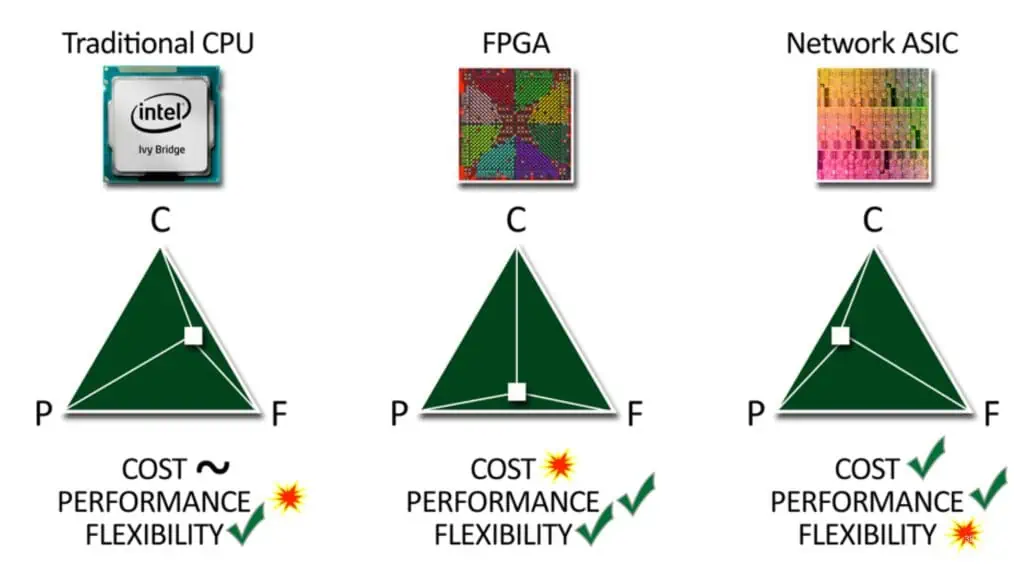
The Difference Between FPGA and ASIC

In the world of integrated circuits and digital design, two technologies stand out for their widespread use and distinct characteristics: Field-Programmable Gate Arrays (FPGAs) and Application-Specific Integrated Circuits (ASICs). Both play crucial roles in modern electronics, but they serve different purposes and come with their own sets of advantages and limitations. This article will explore the key differences between FPGAs and ASICs, their applications, and the factors to consider when choosing between them.

YouTube video

Understanding FPGAs

What is an FPGA?

Field-Programmable Gate Arrays (FPGAs) are semiconductor devices that are based around a matrix of configurable logic blocks (CLBs) connected via programmable interconnects. FPGAs can be reprogrammed to desired application or functionality requirements after manufacturing.

Key Features of FPGAs

Xilinx Versal FPGA
Xilinx Versal FPGA

1. Programmability

The most distinctive feature of FPGAs is their ability to be reprogrammed after manufacturing. This allows for:

  • Rapid prototyping
  • Field updates and upgrades
  • Adaptation to changing standards

2. Flexibility

FPGAs can be configured to implement almost any digital circuit, making them highly versatile for a wide range of applications.

3. Time-to-Market

The reprogrammable nature of FPGAs often results in shorter development cycles and faster time-to-market for products.

4. Cost-Effectiveness for Low-Volume Production

For low to medium volume production, FPGAs can be more cost-effective than developing an ASIC.

FPGA Architecture

FPGAs consist of several key components:

  1. Configurable Logic Blocks (CLBs)
  2. Input/Output Blocks (IOBs)
  3. Programmable Interconnects
  4. Memory Elements
  5. Digital Signal Processing (DSP) Blocks
  6. Clock Management Units

Applications of FPGAs

FPGAs find use in a wide variety of applications, including:

  • Aerospace and Defense
  • Automotive
  • Broadcast and Pro AV
  • Data Center
  • Industrial
  • Medical
  • Wired and Wireless Communications

Understanding ASICs

What is an ASIC?

An Application-Specific Integrated Circuit (ASIC) is an integrated circuit chip customized for a particular use, rather than intended for general-purpose use. ASICs are designed and manufactured for a specific application or function.

Key Features of ASICs

1. Customization

ASICs are designed for a specific application, allowing for optimized performance, power efficiency, and size.

2. High Performance

Due to their specialized nature, ASICs typically offer higher performance compared to general-purpose chips.

3. Power Efficiency

Custom design allows for optimization of power consumption, making ASICs more energy-efficient for their specific tasks.

4. Cost-Effectiveness for High-Volume Production

While initial costs are high, ASICs become cost-effective in high-volume production scenarios.

ASIC Design Process

The ASIC design process involves several stages:

  1. Specification
  2. Architecture Design
  3. RTL Design
  4. Functional Verification
  5. Logic Synthesis
  6. Physical Design
  7. Timing Analysis
  8. Fabrication
  9. Testing

Applications of ASICs

ASICs are used in a wide range of applications, including:

FPGA vs. ASIC: A Comparative Analysis

To better understand the differences between FPGAs and ASICs, let’s compare them across several key parameters:

ParameterFPGAASIC
FlexibilityHigh (Reprogrammable)Low (Fixed functionality)
PerformanceModerateHigh
Power EfficiencyModerateHigh
Time-to-MarketShortLong
Development CostLow to ModerateHigh
Unit Cost (Low Volume)LowerHigher
Unit Cost (High Volume)HigherLower
Design ComplexityModerateHigh
CustomizationLimitedExtensive
Obsolescence RiskLowHigh

Detailed Comparison

1. Design Flexibility and Time-to-Market

FPGAs offer significant advantages in terms of flexibility and time-to-market:

AspectFPGAASIC
Design ChangesCan be made after deploymentRequire new manufacturing run
PrototypingRapid, can be done in-houseLengthy, requires foundry involvement
Time-to-MarketWeeks to monthsMonths to years
Field UpgradesPossible through reprogrammingNot possible without hardware replacement

2. Performance and Power Efficiency

ASICs generally outperform FPGAs in terms of raw performance and power efficiency:

AspectFPGAASIC
Clock SpeedModerate (100-500 MHz typical)High (1 GHz+ possible)
Power ConsumptionHigherLower
Performance per WattModerateHigh
Area EfficiencyLowerHigher

3. Cost Considerations

The cost dynamics of FPGAs and ASICs vary significantly based on production volume:

AspectFPGAASIC
Non-Recurring Engineering (NRE) CostsLowHigh
Unit Cost (Low Volume)LowerHigher
Unit Cost (High Volume)HigherLower
Break-Even PointTypically 5,000 to 10,000 unitsVaries based on complexity

4. Development and Design Complexity

The development process and design complexity differ substantially between FPGAs and ASICs:

AspectFPGAASIC
Design ToolsVendor-specific, relatively user-friendlyComplex EDA tools required
Design VerificationSimpler, can be done in-houseComplex, often requires specialized teams
Manufacturing ProcessStandard for all designsCustom for each design
Design ReuseHigh (IP cores readily available)Moderate (requires more adaptation)

5. Application Suitability

FPGAs and ASICs are suited for different types of applications:

Application TypeFPGAASIC
Rapid PrototypingExcellentPoor
Low to Medium Volume ProductionGoodPoor
High Volume ProductionPoorExcellent
Frequently Changing StandardsExcellentPoor
High-Performance ComputingGoodExcellent
Power-Critical ApplicationsModerateExcellent

Choosing Between FPGA and ASIC

Xilinx Zynq fpga
Xilinx Zynq fpga

The decision to use an FPGA or an ASIC depends on various factors. Here’s a decision matrix to help guide the choice:

FactorFPGA PreferredASIC Preferred
Production VolumeLow to MediumHigh
Time-to-MarketCriticalLess Critical
Performance RequirementsModerateVery High
Power EfficiencyModerateCritical
Design FlexibilityHighLow
Budget for Initial DevelopmentLimitedHigh
Expected Product LifetimeShort to MediumLong
Need for Field UpdatesYesNo

Future Trends

As technology continues to evolve, the landscape of FPGAs and ASICs is also changing:

1. Hybrid Solutions

The emergence of hybrid chips that combine FPGA fabric with hard-wired ASIC components is blurring the lines between the two technologies.

2. Advanced Process Nodes

Both FPGAs and ASICs are benefiting from advancements in semiconductor manufacturing, enabling higher performance and lower power consumption.

3. AI and Machine Learning

The rise of AI and machine learning is driving innovation in both FPGA and ASIC design, with specialized architectures emerging for these applications.

4. Open-Source Hardware

The growing open-source hardware movement is making ASIC design more accessible, potentially reducing the cost barrier for custom chip development.

Conclusion

FPGAs and ASICs each have their unique strengths and weaknesses. FPGAs offer unparalleled flexibility and faster time-to-market, making them ideal for rapid prototyping, low to medium volume production, and applications with changing standards. ASICs, on the other hand, provide superior performance, power efficiency, and cost-effectiveness in high-volume production scenarios.

The choice between FPGA and ASIC ultimately depends on the specific requirements of the application, including factors such as production volume, performance needs, power constraints, time-to-market, and budget. As technology continues to advance, we can expect to see further innovations in both FPGA and ASIC technologies, as well as the emergence of hybrid solutions that combine the best of both worlds.

Understanding the differences between FPGAs and ASICs is crucial for engineers, product managers, and decision-makers in the electronics industry. By carefully considering the trade-offs and aligning the choice with project requirements, organizations can optimize their product development processes and deliver innovative solutions to the market.

FAQ

Q1: Can FPGAs be used in high-volume production?

A: While FPGAs are typically more cost-effective for low to medium volume production, they can be used in high-volume production in certain scenarios. This is particularly true when:

  1. The product lifecycle is expected to be short.
  2. The ability to update functionality in the field is crucial.
  3. The performance and power efficiency requirements are not too stringent.
  4. The unit cost difference compared to an ASIC is outweighed by other factors such as time-to-market or flexibility.

However, for very high volume production (typically over 100,000 units), ASICs usually become more cost-effective due to their lower per-unit cost.

Q2: How long does it typically take to develop an ASIC compared to implementing a design on an FPGA?

A: The development time for ASICs and FPGAs can vary significantly:

  • FPGA: Implementing a design on an FPGA typically takes a few weeks to a few months, depending on the complexity of the design. This includes design, verification, and implementation phases.
  • ASIC: ASIC development is a much longer process, usually taking 6 to 18 months or even longer for complex designs. This includes stages such as RTL design, verification, logic synthesis, physical design, fabrication, and testing.

The shorter development time for FPGAs is one of their key advantages, allowing for faster time-to-market and easier design iterations.

Q3: Are there any situations where an FPGA might outperform an ASIC?

A: While ASICs generally offer higher performance, there are scenarios where an FPGA might outperform an ASIC:

  1. Rapidly evolving standards: In fields with frequently changing standards or protocols, an FPGA can be updated to support new standards, while an ASIC would become obsolete.
  2. Adaptive algorithms: For applications requiring real-time adaptation of algorithms, FPGAs can be reconfigured on-the-fly, potentially outperforming a fixed-function ASIC.
  3. Parallel processing: Modern FPGAs excel at parallel processing tasks and can sometimes outperform ASICs in specific parallel computing scenarios.
  4. Latest process nodes: High-end FPGAs are often manufactured using the latest process nodes, which might not be economically viable for lower-volume ASIC production.

Q4: How do the power consumption characteristics of FPGAs and ASICs compare?

A: Generally, ASICs are more power-efficient than FPGAs for the same functionality:

AspectFPGAASIC
Static PowerHigherLower
Dynamic PowerHigherLower
Power EfficiencyModerateHigh

ASICs consume less power because:

  1. They are optimized for specific functions, eliminating unnecessary circuitry.
  2. They don’t require the programmable interconnects that contribute to power consumption in FPGAs.
  3. Custom design allows for advanced power-saving techniques.

However, the power consumption gap has been narrowing with advancements in FPGA technology. For some low-power applications, modern FPGAs can be competitive with ASICs.

Q5: What are the key considerations for choosing between FPGA and ASIC in terms of long-term cost?

A: When considering long-term costs, several factors come into play:

  1. Production volume: ASICs become more cost-effective at higher volumes, typically beyond 10,000 to 100,000 units, depending on complexity.
  2. Product lifetime: For products with a long lifetime, ASICs can be more cost-effective even at lower volumes due to lower per-unit costs.
  3. Upgrade requirements: If field upgrades are necessary, FPGAs can be more cost-effective as they avoid the need for hardware replacement.
  4. Development costs: ASIC development costs are significantly higher, which must be amortized over the product lifetime.
  5. Power consumption: In applications where power usage has ongoing costs (e.g., data centers), the higher efficiency of ASICs can lead to long-term savings.
  6. Maintenance and obsolescence: FPGAs may have lower long-term costs in rapidly evolving fields due to their adaptability.

A simplified cost comparison over time might look like this:

Time PeriodFPGA CostASIC Cost
Initial Development$100,000$1,000,000
Per-Unit Cost$50$10
10,000 Units$600,000$1,100,000
100,000 Units$5,100,000$2,000,000
1,000,000 Units$50,100,000$11,000,000

These numbers are illustrative and can vary widely based on specific circumstances. It’s crucial to perform a detailed cost analysis based on the specific requirements and lifecycle expectations of your project.

Optimizing High-Speed PCB Designs with Channel Operating Margin (COM)

As digital systems continue to push the boundaries of speed and performance, high-speed PCB design has become increasingly complex. Channel Operating Margin (COM) has emerged as a critical metric for ensuring signal integrity and reliable data transmission in high-speed digital designs. This comprehensive guide explores COM analysis, its implementation, and best practices for optimizing high-speed PCB designs.

YouTube video

Understanding Channel Operating Margin

Definition and Fundamentals

Channel Operating Margin represents a unified figure of merit that quantifies the performance and reliability of high-speed serial links. It combines various channel impairments and characteristics into a single numerical value, making it easier for designers to assess link viability. COM is typically expressed in decibels (dB), with higher values indicating better channel performance.

Key Components of COM Analysis

Signal Impairments

  • Inter-Symbol Interference (ISI)
  • Crosstalk (NEXT and FEXT)
  • Random and deterministic jitter
  • Channel noise
  • Reflection effects

Design Parameters

  • Transmission line characteristics
  • PCB material properties
  • Via transitions
  • Connector specifications
  • Terminal impedance matching

COM Calculation Methodology

Mathematical Framework

COM calculations involve complex mathematical models that consider both frequency-domain and time-domain analyses. The basic COM equation can be expressed as:

COM (dB) = 20 * log10(Signal Amplitude / Noise + Interference)

Standard Requirements

SpecificationMinimum COM Requirement (dB)Target Operating Speed
PCIe Gen 4.0316 GT/s
PCIe Gen 5.0432 GT/s
112G PAM45112 Gbps
400GbE353.125 GBd

Design Optimization Strategies

Transmission Line Optimization

Impedance Control

Maintaining consistent impedance throughout the channel is crucial for optimal COM performance. Consider the following target impedances for different applications:

Application TypeSingle-Ended Impedance (ฮฉ)Differential Impedance (ฮฉ)
PCIe50 ยฑ10%100 ยฑ10%
DDR440 ยฑ10%80 ยฑ10%
USB 3.x45 ยฑ10%90 ยฑ10%

Material Selection Guidelines

Dielectric Materials

Material TypeDk RangeDf RangeRecommended Applications
FR-44.0-4.50.02-0.03Up to 10 Gbps
Megtron 63.4-3.60.002-0.004Up to 56 Gbps
PTFE2.1-2.50.001-0.002Above 56 Gbps

Layout Optimization Techniques

Trace Routing Guidelines

  • Maintain minimum spacing between differential pairs
  • Avoid sharp corners and use curved or 45-degree traces
  • Minimize via count and optimize via placement
  • Implement proper reference plane design

Via Design Optimization

Via Parameters for Different Speed Grades

Speed GradeVia Diameter (mils)Anti-Pad Diameter (mils)Backdrilling Depth
< 10 Gbps10.-1220-24Optional
10-28 Gbps8.-1018-20Recommended
> 28 Gbps6.-816-18Required

Advanced COM Analysis Techniques

Pre-Layout Analysis

Before beginning the physical design, perform these essential analyses:

  1. Channel budget allocation
  2. Material selection verification
  3. Preliminary stackup design
  4. Initial COM predictions

Post-Layout Verification

COM Measurement Points

Measurement LocationPurposeTypical COM Threshold
Transmitter OutputInitial signal quality> 6 dB
After First ConnectorConnector impact> 5 dB
Receiver InputFinal signal quality> 3 dB

Implementation Case Studies

Case Study 1: PCIe Gen 5 Design

Design Parameters

  • Operating speed: 32 GT/s
  • Channel length: 12 inches
  • Layer count: 16
  • Material: Modified Megtron 6

Results

ParameterTargetAchievedMargin
COM4.0 dB4.8 dB+0.8 dB
Return Loss-12 dB-14 dB+2.0 dB
Insertion Loss-20 dB-18 dB+2.0 dB

Case Study 2: 112G PAM4 Design

Design Parameters

  • Operating speed: 112 Gbps
  • Channel length: 8 inches
  • Layer count: 24
  • Material: Low-loss PTFE

Results

ParameterTargetAchievedMargin
COM5.0 dB5.3 dB+0.3 dB
Return Loss-15 dB-16 dB+1.0 dB
Insertion Loss-22 dB-21 dB+1.0 dB

Best Practices and Recommendations

Design Checklist

  1. Pre-layout Phase
    • Material selection verification
    • Stackup optimization
    • Initial COM analysis
  2. Layout Phase
    • Impedance-controlled routing
    • Via optimization
    • Reference plane design
  3. Post-layout Phase
    • COM verification
    • Design rule checking
    • Manufacturing feasibility review

Frequently Asked Questions

1. What is the minimum acceptable COM value for high-speed designs?

The minimum acceptable COM value varies by application and standard. Generally:

  • PCIe Gen 4.0: โ‰ฅ 3.0 dB
  • PCIe Gen 5.0: โ‰ฅ 4.0 dB
  • 112G PAM4: โ‰ฅ 5.0 dB These values ensure reliable operation with sufficient margin for manufacturing variations.

2. How does PCB material selection impact COM?

PCB material selection significantly affects COM through:

  • Dielectric constant (Dk) stability
  • Dissipation factor (Df) impact on insertion loss
  • Glass weave effect on signal propagation
  • Copper roughness contribution to losses Choose materials with stable Dk and low Df for optimal COM performance.

3. Can COM be improved post-layout without major redesign?

Yes, several techniques can improve COM post-layout:

  • Optimization of termination values
  • Fine-tuning of via structures
  • Local impedance adjustments
  • Crosstalk reduction through trace spacing adjustments However, major improvements typically require layout modifications.

4. How does temperature affect COM measurements?

Temperature impacts COM through:

  • Material property changes
  • Impedance variations
  • Loss characteristics Design margins should account for the full operating temperature range, typically adding 0.5-1.0 dB margin for temperature effects.

5. What tools are recommended for COM analysis?

Popular COM analysis tools include:

  • Keysight ADS
  • Siemens HyperLynx
  • Cadence Sigrity
  • ANSYS SIwave Choose tools that support your specific standard requirements and provide comprehensive analysis capabilities.

Conclusion

Channel Operating Margin remains a crucial metric for high-speed PCB design success. By following the guidelines and optimization strategies outlined in this article, designers can achieve robust and reliable high-speed designs that meet or exceed COM requirements. Continuous monitoring of industry standards and adoption of new technologies will ensure designs remain competitive in the evolving landscape of high-speed digital systems.

Raspberry Pi and Arduino in the Industrial Environment

In recent years, the industrial sector has witnessed a significant transformation due to the integration of affordable and versatile microcontrollers and single-board computers. Two prominent players in this revolution are Raspberry Pi and Arduino. These compact yet powerful devices have found their way into various industrial applications, offering cost-effective solutions for automation, data acquisition, and process control. This article explores the roles of Raspberry Pi and Arduino in the industrial environment, their strengths and limitations, and how they are reshaping industrial processes.

YouTube video

Understanding Raspberry Pi and Arduino

Raspberry Pi: The Mini Computer

Raspberry Pi is a series of small single-board computers developed by the Raspberry Pi Foundation. Originally designed for educational purposes, it has evolved into a versatile platform for various applications, including industrial use.

Key Features of Raspberry Pi:

  • Full-fledged computer running Linux-based operating systems
  • Powerful processors (up to quad-core ARM Cortex-A72)
  • RAM ranging from 512MB to 8GB
  • Built-in Wi-Fi and Bluetooth capabilities
  • HDMI output for display
  • USB ports for peripherals
  • GPIO pins for interfacing with external hardware

Arduino: The Microcontroller Board

Arduino is an open-source electronics platform based on easy-to-use hardware and software. It’s designed for creating interactive electronic projects and is widely used in prototyping and small-scale industrial applications.

Key Features of Arduino:

  • Microcontroller-based board
  • Simple programming environment
  • Extensive library support
  • Analog and digital I/O pins
  • PWM outputs
  • Serial communication interfaces (UART, I2C, SPI)
  • Low power consumption

Comparison: Raspberry Pi vs Arduino in Industrial Settings

To better understand the strengths and weaknesses of Raspberry Pi and Arduino in industrial environments, let’s compare them across several key factors:

FactorRaspberry PiArduino
Processing PowerHigh (up to 1.5 GHz quad-core)Low (16 MHz – 400 MHz)
Operating SystemFull OS (Linux-based)No OS, runs bare-metal code
Memory512 MB – 8 GB RAM2 KB – 8 KB SRAM
StorageMicroSD card (up to 512 GB)32 KB – 256 KB Flash memory
I/O CapabilitiesGPIO pins, USB, HDMIAnalog/Digital pins, limited USB
NetworkingBuilt-in Wi-Fi and EthernetRequires additional modules
Real-time PerformanceLimited without additional hardwareExcellent
Power ConsumptionHigher (2.5W – 6.5W)Lower (0.1W – 0.5W)
Cost$35 – $75$20 – $50
Ease of ProgrammingMore complex (Python, C++, Java)Simpler (C++, Arduino IDE)

Industrial Applications of Raspberry Pi

1. Data Acquisition and Monitoring Systems

Raspberry Pi’s powerful processing capabilities and networking features make it an excellent choice for data acquisition and monitoring in industrial settings. It can collect data from various sensors, process it in real-time, and transmit it to central servers or cloud platforms.

Example Use Case: Environmental Monitoring in a Manufacturing Plant

ParameterSensor TypeSampling RateData Storage
TemperatureDHT22Every 5 minutesLocal SD card + Cloud
HumidityDHT22Every 5 minutesLocal SD card + Cloud
Air QualityMQ-135Every 10 minutesLocal SD card + Cloud
Noise LevelSound Sensor ModuleContinuousLocal SD card

2. Human-Machine Interfaces (HMI)

The Raspberry Pi’s ability to run a full operating system and support graphical interfaces makes it suitable for creating cost-effective HMI solutions in industrial control systems.

3. Edge Computing and IoT Gateways

In Industry 4.0 applications, Raspberry Pi serves as an excellent platform for edge computing and IoT gateways. It can process data locally, reducing latency and bandwidth requirements while providing a secure interface between local devices and cloud services.

4. Vision Systems and Quality Control

With its processing power and camera module support, Raspberry Pi can be used in machine vision applications for quality control and inspection tasks in manufacturing processes.

Industrial Applications of Arduino

1. Sensor Interfaces and Data Collection

Arduino’s simplicity and extensive sensor library support make it ideal for interfacing with various industrial sensors and collecting data in harsh environments.

Example Use Case: Vibration Monitoring in Industrial Machinery

Machine PartSensor TypeSampling RateAlert Threshold
MotorADXL335 Accelerometer100 Hz> 2.5 g
PumpADXL335 Accelerometer50 Hz> 1.8 g
Conveyor BeltADXL335 Accelerometer20 Hz> 1.2 g

2. Process Control and Automation

Arduino’s real-time capabilities and precise timing control make it suitable for small-scale process control and automation tasks in industrial settings.

3. Prototyping and Proof of Concept

The ease of use and low cost of Arduino boards make them excellent tools for rapidly prototyping industrial solutions and creating proof-of-concept models.

4. Embedded Systems in Industrial Products

Arduino’s low power consumption and compact size allow it to be embedded directly into industrial products, enabling smart functionality and data logging capabilities.

Challenges and Limitations

arduino FPGA PCBA
arduino FPGA PCBA

While Raspberry Pi and Arduino offer numerous advantages in industrial applications, they also come with certain challenges and limitations that need to be considered:

Raspberry Pi Limitations:

  1. Lack of real-time processing without additional hardware
  2. Potential reliability issues due to the use of SD cards for storage
  3. Higher power consumption compared to microcontrollers
  4. Limited industrial-grade I/O capabilities without expansion boards

Arduino Limitations:

  1. Limited processing power for complex computations
  2. Restricted memory for large-scale data processing
  3. Lack of built-in networking capabilities
  4. Limited multitasking abilities

Best Practices for Industrial Implementation

To maximize the benefits of Raspberry Pi and Arduino in industrial environments, consider the following best practices:

  1. Rugged Enclosures: Use industrial-grade enclosures to protect the devices from dust, moisture, and electromagnetic interference.
  2. Power Management: Implement proper power management solutions, including voltage regulation and backup power systems.
  3. Redundancy: For critical applications, consider implementing redundant systems to ensure reliability.
  4. Security Measures: Implement robust security protocols, especially for networked Raspberry Pi systems, to protect against cyber threats.
  5. Regular Maintenance: Establish a routine maintenance schedule to check for hardware issues, update software, and ensure optimal performance.
  6. Environmental Considerations: Account for temperature, humidity, and vibration levels in the industrial environment when designing solutions.

Case Studies: Successful Industrial Implementations

Case Study 1: Smart Factory Monitoring with Raspberry Pi

A medium-sized manufacturing plant implemented a network of Raspberry Pi devices to monitor various aspects of their production line. The system collected data on machine performance, energy consumption, and environmental conditions.

Results:

MetricBefore ImplementationAfter ImplementationImprovement
Downtime120 hours/month72 hours/month40% reduction
Energy Consumption50,000 kWh/month42,500 kWh/month15% reduction
Defect Rate2.5%1.8%28% reduction

Case Study 2: Precision Agriculture with Arduino

A large greenhouse operation used Arduino-based systems to control irrigation, monitor soil conditions, and regulate temperature and humidity.

Results:

MetricBefore ImplementationAfter ImplementationImprovement
Water Usage1000 mยณ/week750 mยณ/week25% reduction
Crop Yield5 tons/acre6.2 tons/acre24% increase
Labor Costs$5000/month$3750/month25% reduction

Future Trends and Developments

As industrial applications of Raspberry Pi and Arduino continue to evolve, several trends are emerging:

  1. Integration with AI and Machine Learning: Both platforms are increasingly being used as edge devices for AI-powered industrial solutions.
  2. Enhanced Industrial-grade Versions: Manufacturers are developing more robust, industrial-specific versions of these devices to meet demanding requirements.
  3. Improved Security Features: Future iterations are likely to include enhanced built-in security features to address cybersecurity concerns in industrial settings.
  4. Expanded Ecosystem: The growing ecosystem of compatible sensors, actuators, and expansion boards is making these platforms even more versatile for industrial use.

Conclusion

Raspberry Pi and Arduino have revolutionized the industrial landscape by providing cost-effective, flexible, and powerful solutions for a wide range of applications. While they each have their strengths and limitations, their impact on industrial processes, data acquisition, and automation is undeniable. As these platforms continue to evolve and adapt to industrial needs, we can expect to see even more innovative applications and increased adoption across various sectors of industry.

Frequently Asked Questions (FAQ)

  1. Q: Can Raspberry Pi and Arduino be used in safety-critical industrial applications? A: While both platforms can be used in various industrial applications, they are generally not recommended for safety-critical systems without additional certification and redundancy measures. For such applications, it’s better to use industrial-grade PLCs or certified safety controllers.
  2. Q: How do I choose between Raspberry Pi and Arduino for my industrial project? A: The choice depends on your specific requirements. Use Raspberry Pi for applications requiring more processing power, networking capabilities, or a full operating system. Choose Arduino for projects needing real-time control, low power consumption, or simple sensor interfacing.
  3. Q: Are there industrial-grade versions of Raspberry Pi and Arduino available? A: Yes, there are industrial-grade versions and alternatives available for both platforms. For example, the Raspberry Pi Compute Module is designed for industrial applications, and there are Arduino-compatible boards built to withstand harsh industrial environments.
  4. Q: How can I ensure the reliability of Raspberry Pi and Arduino in 24/7 industrial operations? A: To improve reliability, use industrial-grade power supplies, implement proper cooling solutions, use redundant systems where necessary, and establish regular maintenance routines. Additionally, consider using robust storage solutions for Raspberry Pi, such as industrial-grade eMMC modules instead of SD cards.
  5. Q: What are the main security concerns when using Raspberry Pi or Arduino in industrial settings? A: The main security concerns include unauthorized access to networked devices, potential for data breaches, and vulnerability to malware. To mitigate these risks, implement strong network security measures, use encryption for data transmission, regularly update software and firmware, and restrict physical access to the devices.

Interconnect Defects in PCBs: A Comprehensive Analysis

Printed Circuit Boards (PCBs) serve as the backbone of modern electronic devices, providing the essential pathways for electrical signals to travel between components. The interconnect system within a PCBโ€”comprising traces, vias, pads, and other conductive elementsโ€”is critical to the board’s functionality. However, various defects can occur during manufacturing, assembly, or operation that compromise these interconnections, leading to performance degradation or complete system failure.

YouTube video

Understanding PCB Interconnect Systems

The interconnect system in a PCB consists of multiple layers of conductive material, typically copper, that form the electrical pathways. These pathways include surface traces that route signals across individual layers, through-hole vias that connect different layers vertically, and pads that provide connection points for components. The complexity of modern PCBs, with their multiple layers and high-density interconnections, makes them susceptible to various types of defects that can affect signal integrity, power distribution, and overall system reliability.

Modern PCBs often feature intricate designs with trace widths measured in micrometers, blind and buried vias, and complex layer stackups. This miniaturization and increased complexity have made interconnect defects more challenging to detect and prevent, requiring sophisticated manufacturing processes and quality control measures.

Categories of Interconnect Defects

Interconnect defects in PCBs can be broadly categorized into manufacturing defects, assembly-related defects, and operational defects that develop over time. Manufacturing defects occur during the PCB fabrication process and include issues such as incomplete etching, poor plating quality, or misaligned layers. Assembly-related defects arise during component mounting and soldering processes, while operational defects develop during the PCB’s service life due to environmental factors, thermal cycling, or mechanical stress.

Manufacturing-Related Interconnect Defects

Open circuits represent one of the most common manufacturing defects, occurring when a conductive path is incomplete or broken. This can result from over-etching during the chemical etching process, where excessive removal of copper creates gaps in traces. Under-etching can cause the opposite problem, where insufficient copper removal leaves unwanted connections between adjacent traces, creating short circuits. These defects are particularly problematic in high-density designs where trace spacing is minimal.

Via defects constitute another significant category of manufacturing issues. Incomplete via plating can create high-resistance connections or complete opens between layers. This occurs when the plating process fails to adequately deposit copper within the via barrel, often due to inadequate cleaning, poor plating solution quality, or insufficient plating time. Void formation within vias can also create reliability issues, as these voids can expand under thermal stress and eventually cause connection failure.

Delamination between layers represents a serious structural defect that can affect interconnect integrity. This occurs when the adhesion between the substrate material and copper layers fails, often due to contamination during manufacturing or inadequate surface preparation. Delamination can lead to intermittent connections and eventual complete failure of the affected interconnects.

Assembly-Related Defects

Solder joint defects significantly impact interconnect reliability, even though they technically occur at the interface between the PCB and mounted components. Cold solder joints, characterized by insufficient heat during soldering, create high-resistance connections that can fail under thermal or mechanical stress. Solder bridges between adjacent pads can create unintended short circuits, while insufficient solder can lead to weak mechanical connections and potential opens.

Pad lifting during assembly represents another critical defect where the copper pad separates from the substrate during soldering or rework processes. This typically occurs due to excessive heat application, multiple rework cycles, or poor pad adhesion. Lifted pads can create complete opens in the interconnect system and are often difficult to repair effectively.

Operational and Environmental Defects

Thermal cycling creates significant stress on PCB interconnects due to the different coefficients of thermal expansion between copper conductors and substrate materials. Repeated expansion and contraction can lead to fatigue cracking in traces and vias, particularly at stress concentration points such as corners or areas where traces change width. This thermal fatigue can progress slowly over time, initially causing intermittent failures before eventually creating complete opens.

Corrosion of copper interconnects can occur in environments with high humidity, salt spray, or chemical exposure. Galvanic corrosion can be particularly problematic when dissimilar metals are present, creating electrochemical cells that accelerate copper dissolution. This corrosion can manifest as surface oxidation, pitting, or complete dissolution of thin traces.

Mechanical stress from vibration, shock, or flexing can cause crack propagation in interconnects. This is especially problematic in applications where PCBs are subject to repeated mechanical loading, such as automotive or aerospace applications. Stress concentrations at via locations or trace corners can accelerate crack initiation and propagation.

Detection and Analysis Methods

Visual inspection remains the first line of defense against interconnect defects, utilizing optical microscopy and automated optical inspection (AOI) systems to detect surface-level defects such as opens, shorts, and dimensional variations. However, many interconnect defects are not visible on the surface and require more sophisticated detection methods.

Electrical testing methods include in-circuit testing (ICT) and flying probe testing to verify connectivity and measure resistance values. These methods can detect opens, shorts, and high-resistance connections but may not identify intermittent defects or those that only manifest under specific conditions.

Cross-sectional analysis involves cutting through the PCB to examine the internal structure of vias and layer interfaces. This destructive testing method provides detailed information about plating quality, void formation, and delamination but can only be performed on sample boards.

Time-domain reflectometry (TDR) and frequency-domain analysis can identify impedance discontinuities and signal integrity issues caused by interconnect defects. These methods are particularly useful for high-speed digital applications where signal integrity is critical.

Prevention and Mitigation Strategies

Design for manufacturability (DFM) principles play a crucial role in preventing interconnect defects. This includes appropriate trace spacing, via sizing, and placement to accommodate manufacturing tolerances. Avoiding sharp corners and providing adequate copper area for thermal dissipation can reduce stress concentrations and improve reliability.

Process control during manufacturing is essential for minimizing defects. This includes maintaining proper etching parameters, ensuring adequate surface preparation for plating, and controlling environmental conditions during assembly. Statistical process control (SPC) methods can help identify process variations before they result in defective products.

Material selection significantly impacts interconnect reliability. Using high-quality substrate materials with appropriate glass transition temperatures and coefficients of thermal expansion can reduce thermal stress. Surface finishes such as immersion gold or organic solderability preservatives (OSP) can protect copper surfaces from oxidation and improve solderability.

Impact on System Performance

Interconnect defects can have varying impacts on system performance depending on their location and severity. Complete opens obviously result in non-functional circuits, while high-resistance connections can cause voltage drops, increased power consumption, and potential timing issues in digital circuits. Intermittent connections can create particularly challenging problems, as they may only manifest under specific operating conditions or environmental stresses.

In high-frequency applications, even minor interconnect defects can significantly impact signal integrity. Impedance discontinuities caused by via defects or trace irregularities can create reflections, crosstalk, and electromagnetic interference. These effects can degrade signal quality and reduce system performance even when the basic connectivity remains intact.

Quality Assurance and Testing

Comprehensive quality assurance programs for PCB interconnects must address both manufacturing and operational aspects. This includes incoming material inspection, in-process monitoring during fabrication, and final testing before shipment. Accelerated life testing under elevated temperature, humidity, and mechanical stress conditions can help identify potential reliability issues before they occur in field applications.

Statistical sampling and failure analysis of returned products provide valuable feedback for improving manufacturing processes and design guidelines. This data can be used to refine quality control procedures and identify emerging failure modes that may require process modifications.

Future Challenges and Considerations

As electronic systems continue to evolve toward higher densities, faster speeds, and smaller form factors, interconnect defects will become increasingly challenging to prevent and detect. Advanced packaging technologies such as embedded components and flexible-rigid constructions introduce new potential failure modes that require updated quality control approaches.

The development of new materials and manufacturing processes offers opportunities to improve interconnect reliability, but also introduces new variables that must be carefully controlled. Continued research into defect mechanisms and prevention strategies will be essential for maintaining the reliability standards expected in modern electronic systems.

Understanding and controlling interconnect defects in PCBs requires a systematic approach that addresses design, manufacturing, and operational factors. Through careful attention to these various aspects, manufacturers can produce reliable PCBs that meet the demanding requirements of modern electronic applications while minimizing the risk of interconnect-related failures.

The Critical Role of Outgassing in Printed Circuit Board Manufacturing and Performance

Printed Circuit Boards (PCBs) are the foundational components of virtually every electronic device, from smartphones and computers to aerospace systems and medical equipment. While the importance of electrical design, component placement, and manufacturing precision in PCB production is well understood, one critical process that often receives less attention but is equally vital is outgassing. This thermal process, which involves the controlled removal of volatile compounds from PCB materials, plays an indispensable role in ensuring the reliability, performance, and longevity of electronic assemblies.

Understanding Outgassing in PCB Context

Outgassing, also known as degassing, is the process by which volatile organic compounds (VOCs), moisture, and other gaseous substances are removed from materials through the application of heat, vacuum, or both. In the context of PCBs, outgassing specifically targets the elimination of these unwanted substances from the various materials that comprise the board, including the substrate, solder mask, silkscreen, and any adhesives or coatings used in the manufacturing process.

The need for outgassing arises from the fundamental nature of PCB materials themselves. Modern PCBs are complex multilayer structures composed of various organic and inorganic materials. The most common substrate material, FR-4 (Flame Retardant 4), is a composite of woven fiberglass cloth impregnated with an epoxy resin. This epoxy resin, along with other polymeric materials used in PCB construction, naturally contains volatile compounds that can be released over time, particularly when exposed to elevated temperatures during operation or subsequent manufacturing processes.

The Science Behind Volatile Compound Presence

The presence of volatile compounds in PCB materials is an inevitable consequence of the manufacturing process itself. During the production of epoxy resins and other polymeric materials, various chemical compounds are used as catalysts, curing agents, flame retardants, and processing aids. Some of these compounds may not fully react during the initial curing process, leaving residual volatile materials trapped within the polymer matrix.

Additionally, environmental factors contribute to the accumulation of volatile compounds. During storage and handling, PCB materials can absorb moisture from the atmosphere. This absorbed moisture, while seemingly innocuous, can cause significant problems during subsequent high-temperature processes such as soldering or component attachment. When heated, this moisture can rapidly expand into steam, creating internal pressure that can lead to delamination, barrel cracking, or other structural failures.

Furthermore, the manufacturing environment itself can introduce contaminants. Dust, oils from handling, residual flux materials, and cleaning solvents can all contribute to the volatile compound burden that must be addressed through proper outgassing procedures.

Critical Applications Requiring Outgassing

The necessity for outgassing becomes particularly pronounced in high-reliability applications where failure is not merely inconvenient but potentially catastrophic. Aerospace and defense electronics represent perhaps the most demanding applications for PCB outgassing. In the vacuum environment of space, any volatile compounds present in PCB materials can be released and subsequently condense on sensitive optical surfaces, solar panels, or other critical components. This contamination can severely degrade the performance of spacecraft systems and potentially jeopardize entire missions.

The aerospace industry has established stringent outgassing requirements, with NASA’s standards being among the most rigorous. These standards typically require that materials exhibit total mass loss of less than 1% and collected volatile condensable materials of less than 0.1% when tested under specified conditions. Meeting these requirements necessitates careful material selection and thorough outgassing procedures during PCB manufacturing.

Medical electronics represent another critical application area where outgassing is essential. Implantable devices, in particular, must meet extremely strict biocompatibility requirements. Any volatile compounds released from PCB materials could potentially interact with biological tissues, causing adverse reactions or device failure. The enclosed nature of many medical devices also means that volatile compounds have limited pathways for escape, making thorough outgassing during manufacturing crucial for long-term reliability.

High-frequency and precision electronics also benefit significantly from outgassing procedures. Volatile compounds can affect the dielectric properties of PCB materials, leading to signal integrity issues, increased loss tangent, and unpredictable electrical performance. In applications such as radar systems, telecommunications equipment, and precision measurement instruments, these effects can compromise system performance and accuracy.

The Outgassing Process and Its Implementation

The outgassing process typically involves exposing PCB materials or completed boards to elevated temperatures for extended periods, often in a controlled atmosphere or vacuum environment. The specific conditions depend on the materials involved and the intended application requirements. Temperatures typically range from 85ยฐC to 150ยฐC, with exposure times varying from several hours to several days.

The process must be carefully controlled to ensure effective volatile compound removal while avoiding damage to the PCB materials or components. Temperature ramping rates are typically controlled to prevent thermal shock, and the atmosphere within the outgassing chamber may be controlled to prevent oxidation or other unwanted chemical reactions.

For bare PCBs, outgassing is often performed before component assembly, allowing for more aggressive treatment conditions. However, populated boards can also be outgassed, though temperature limitations imposed by temperature-sensitive components must be considered. In some cases, selective outgassing of specific areas or components may be necessary.

Benefits Beyond Contamination Control

While contamination control is the primary driver for outgassing requirements, the process provides several additional benefits that contribute to overall PCB reliability and performance. The thermal cycling inherent in outgassing procedures can help identify latent defects in PCB materials or manufacturing processes. Weak bonds, incipient delamination, or other structural issues may become apparent during outgassing, allowing for their identification and correction before final assembly.

Outgassing also contributes to dimensional stability. The removal of volatile compounds and the stress relief that occurs during thermal treatment can reduce the tendency for PCBs to warp or change dimensions during subsequent thermal excursions. This stability is particularly important for fine-pitch components and high-density interconnect applications where dimensional accuracy is critical.

The process can also improve the long-term reliability of solder joints and other interconnections. By removing volatile compounds that could potentially interfere with metallization processes or contribute to corrosion, outgassing helps ensure the integrity of electrical connections throughout the operational life of the device.

Implementation Challenges and Considerations

Despite its benefits, implementing effective outgassing procedures presents several challenges. The process requires specialized equipment capable of maintaining precise temperature and atmospheric control over extended periods. This equipment represents a significant capital investment and requires skilled operators to ensure proper operation.

Scheduling and throughput considerations also present challenges. Outgassing procedures are time-consuming, potentially adding days to the manufacturing cycle. This extended processing time must be balanced against delivery requirements and inventory management considerations.

Material compatibility is another important consideration. While most PCB materials can withstand outgassing conditions, some components or specialized materials may have temperature limitations that restrict outgassing parameters. Careful evaluation of all materials and components is necessary to establish appropriate outgassing conditions.

Quality control and verification present ongoing challenges. Unlike many manufacturing processes where results are immediately apparent, the effectiveness of outgassing procedures may only become evident through long-term testing or in-service performance. Establishing appropriate test methods and acceptance criteria requires careful consideration of application requirements and available testing capabilities.

Future Considerations and Emerging Technologies

As electronic systems continue to evolve toward higher performance, greater miniaturization, and more demanding applications, the importance of outgassing procedures is likely to increase. Emerging technologies such as 3D integrated circuits, advanced packaging techniques, and new materials systems may present unique outgassing challenges that require innovative solutions.

The development of low-outgassing materials represents an ongoing area of research and development. While significant progress has been made in developing materials with reduced volatile compound content, the complete elimination of outgassing requirements remains elusive. Future materials development efforts will likely focus on further reducing volatile compound content while maintaining the mechanical, electrical, and thermal properties required for high-performance applications.

Conclusion

Outgassing represents a critical but often underappreciated aspect of PCB manufacturing and reliability engineering. The controlled removal of volatile compounds from PCB materials is essential for ensuring the long-term reliability and performance of electronic systems, particularly in demanding applications such as aerospace, medical, and high-frequency electronics. While the process presents implementation challenges in terms of equipment requirements, processing time, and quality control, the benefits in terms of contamination control, reliability improvement, and performance optimization make it an indispensable part of high-quality PCB manufacturing.

As electronic systems continue to advance and operate in increasingly challenging environments, the importance of proper outgassing procedures will only continue to grow. Understanding and implementing effective outgassing strategies is therefore essential for any organization involved in the design and manufacture of high-reliability electronic systems.