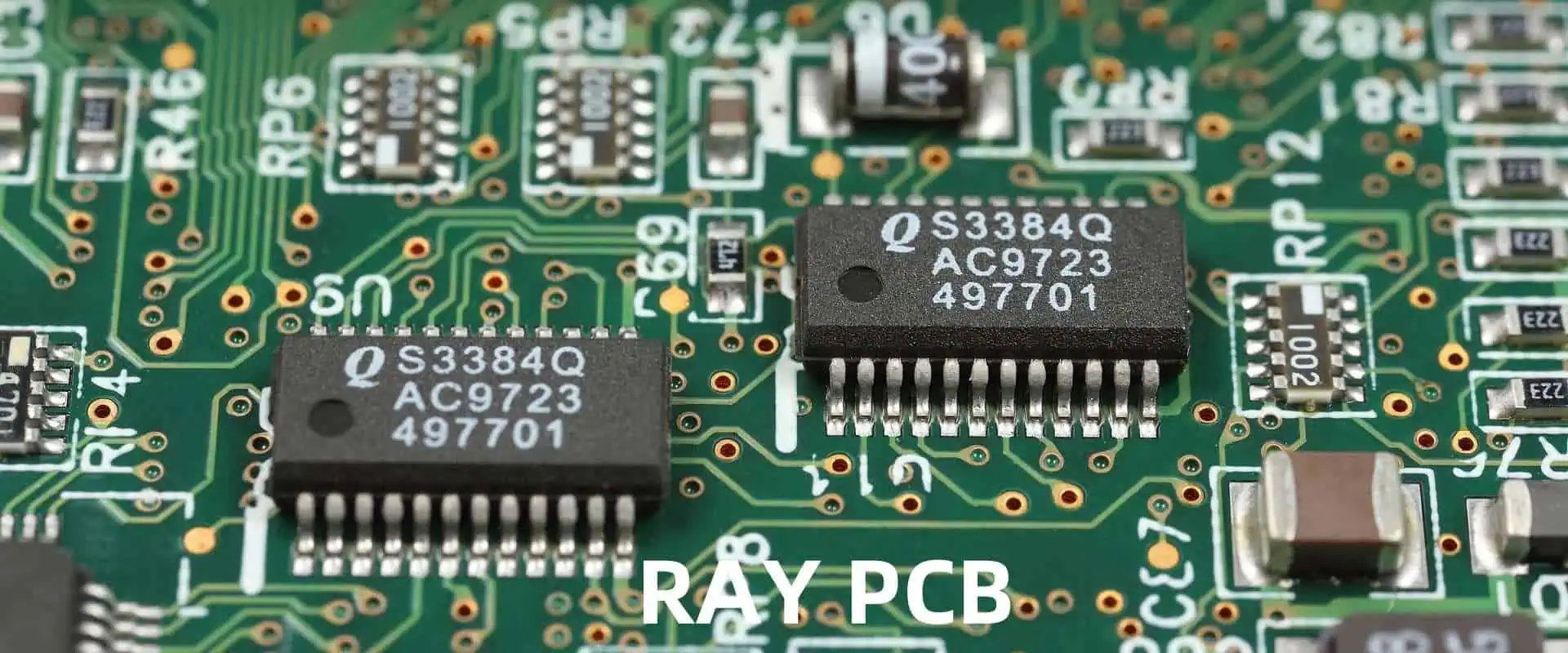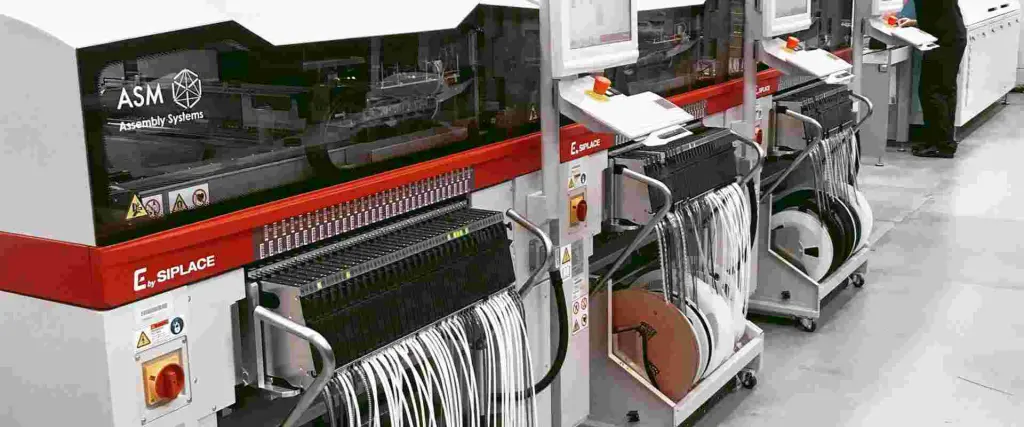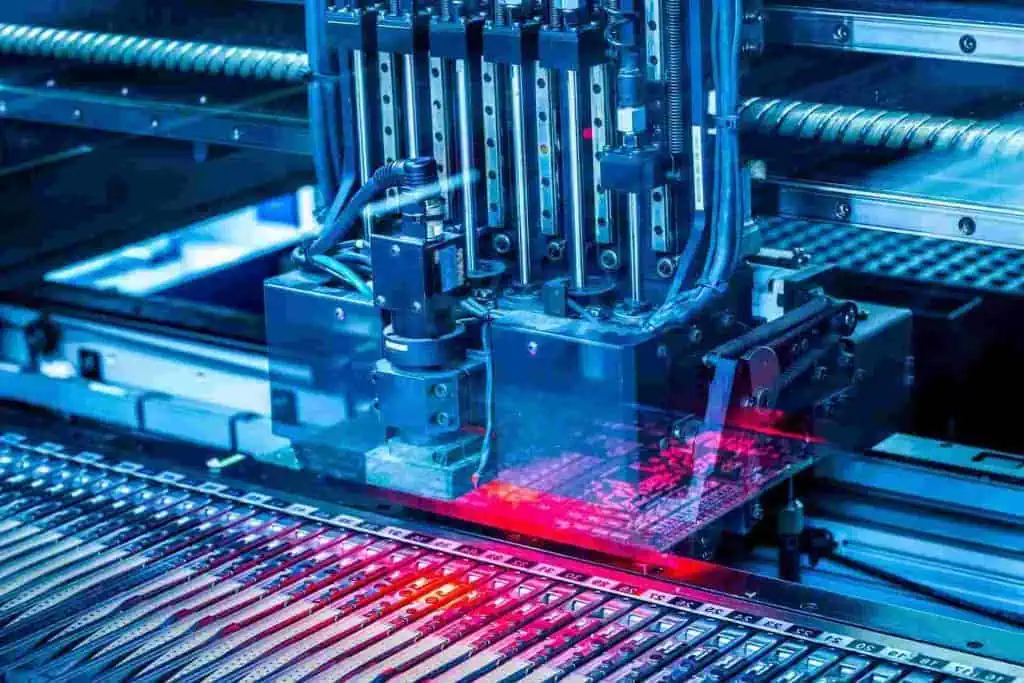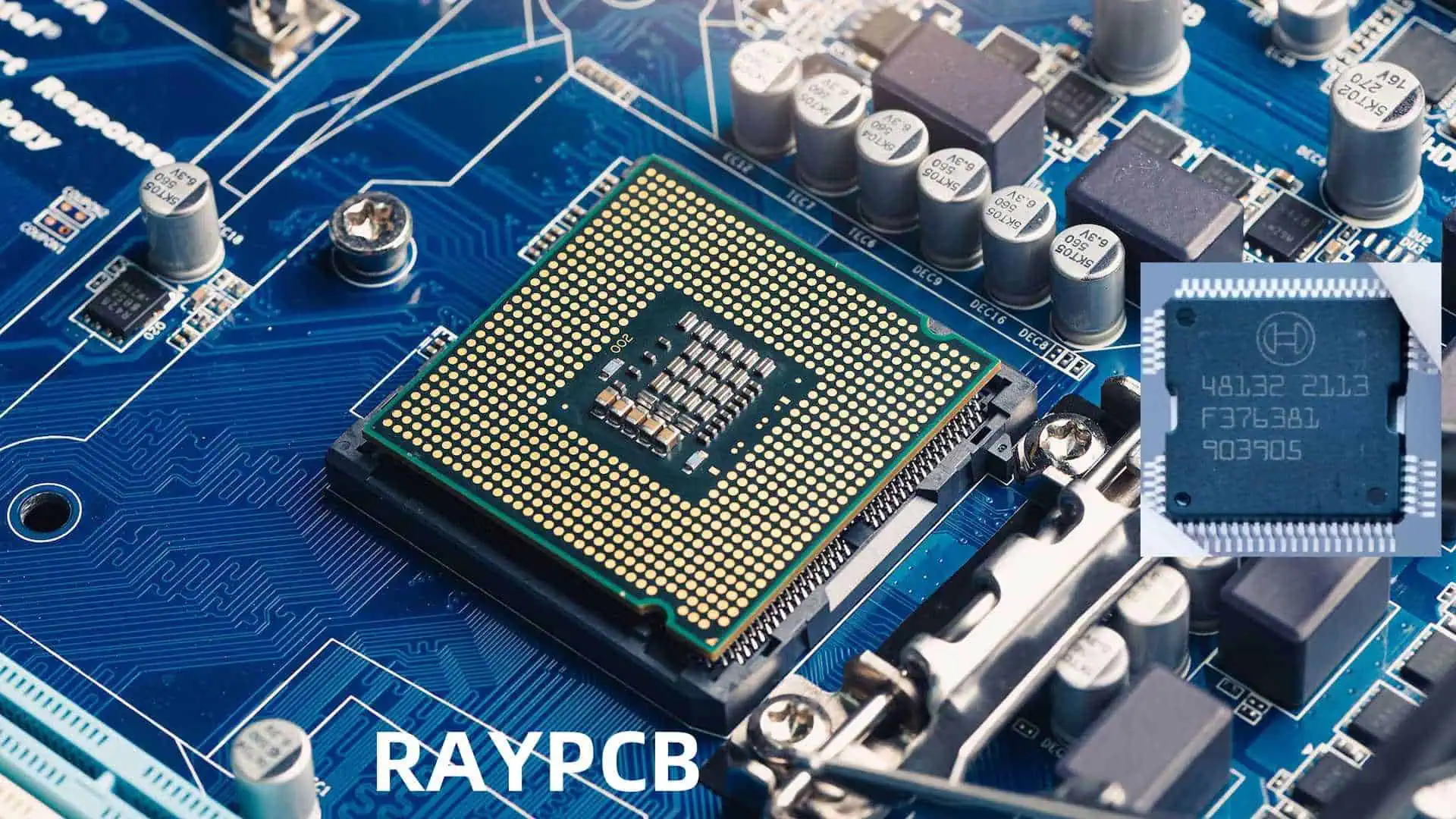
Automotive Chips VS Components: All about Car-Grade Electronics

The automotive industry has undergone a dramatic transformation in recent years, with vehicles becoming increasingly reliant on sophisticated electronic systems. From advanced driver assistance systems (ADAS) to infotainment and powertrain control, modern cars are essentially computers on wheels. At the heart of this automotive revolution are car-grade electronics, specifically automotive chips and components designed to withstand the unique challenges of the automotive environment.

This article will explore the world of car-grade electronics, comparing automotive chips and components, and delving into the stringent requirements that set them apart from their consumer-grade counterparts. We’ll examine the key differences, manufacturing processes, and the critical role these specialized electronics play in ensuring the safety, reliability, and performance of modern vehicles.

Understanding Car-Grade Electronics
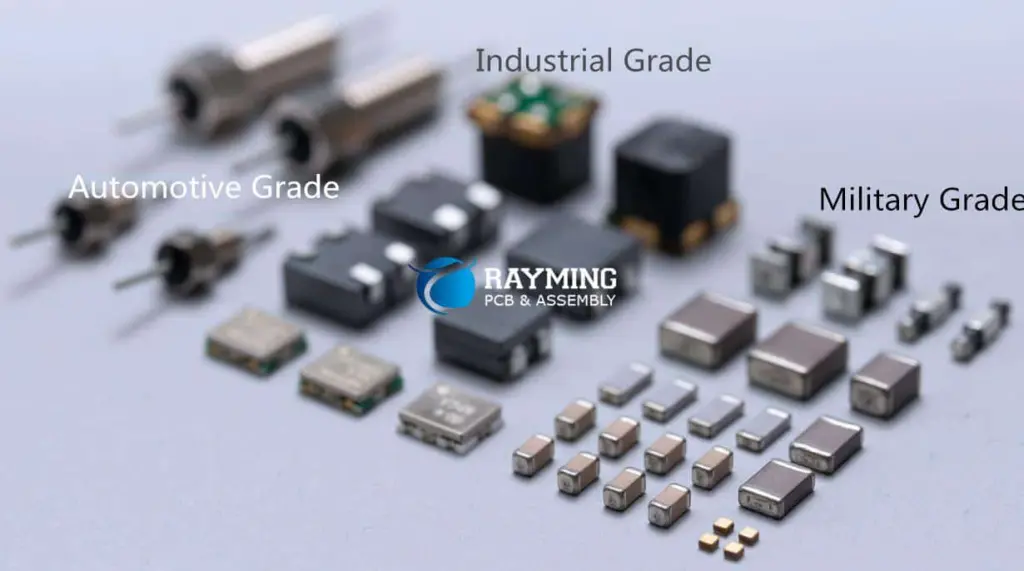
automotive grade vs commercial grade

What are car-grade electronics?

Car-grade electronics, also known as automotive-grade electronics, are electronic components and systems specifically designed and manufactured to meet the rigorous demands of the automotive environment. These electronics must operate reliably under extreme conditions, including:

  1. Wide temperature ranges
  2. Vibration and shock
  3. Electromagnetic interference (EMI)
  4. Exposure to moisture, chemicals, and contaminants
  5. Long operational lifetimes

Key differences between automotive and consumer electronics

AspectAutomotive ElectronicsConsumer Electronics
Operating temperature range-40ยฐC to 125ยฐC or wider0ยฐC to 70ยฐC (typical)
Expected lifespan10-15 years or more2-5 years (typical)
Reliability requirementsZero defects, safety-criticalLower tolerance for failures
Environmental conditionsHarsh (vibration, EMI, chemicals)Controlled environments
Development cycle3-5 years6-18 months
CostHigher due to specialized manufacturingLower, mass-produced
Regulatory complianceStrict automotive standards (e.g., ISO 26262)Less stringent consumer st

Automotive Chips: The Brain of Modern Vehicles

Types of automotive chips

Automotive chips can be categorized into several types based on their functions:

  1. Microcontrollers (MCUs)
  2. Microprocessors (MPUs)
  3. Field-Programmable Gate Arrays (FPGAs)
  4. Application-Specific Integrated Circuits (ASICs)
  5. Power Management Integrated Circuits (PMICs)
  6. Sensor Chips

Key features of automotive chips

Temperature resistance

Automotive chips must function reliably across a wide temperature range, typically from -40ยฐC to 125ยฐC or even wider. This requirement stems from the varied environments vehicles operate in, from arctic cold to desert heat.

Durability and longevity

Car-grade chips are designed for extended operational lifetimes, often 10-15 years or more. This longevity is crucial for ensuring vehicle reliability and reducing maintenance costs over the vehicle’s lifespan.

Electromagnetic compatibility (EMC)

Automotive chips must be designed to resist electromagnetic interference (EMI) and not emit excessive electromagnetic radiation that could interfere with other vehicle systems or nearby electronics.

Fault tolerance and redundancy

Safety-critical automotive chips often incorporate fault-tolerant designs and redundancy to ensure continued operation even in the event of partial failures.

Manufacturing processes for automotive chips

Automotive chip manufacturing involves several specialized processes to ensure reliability and durability:

  1. Wafer-level chip-scale packaging (WLCSP)
  2. Flip-chip ball grid array (FCBGA)
  3. Enhanced quality control and testing
  4. Specialized materials for improved thermal management

Automotive chip standards and certifications

Automotive chips must comply with various industry standards and certifications, including:

  1. AEC-Q100 (for integrated circuits)
  2. ISO 26262 (functional safety for road vehicles)
  3. ASIL (Automotive Safety Integrity Level) classifications
  4. IATF 16949 (quality management system)

Automotive Components: Building Blocks of Vehicle Electronics

Types of automotive components

Automotive components encompass a wide range of electronic parts, including:

  1. Resistors
  2. Capacitors
  3. Inductors
  4. Diodes
  5. Transistors
  6. Connectors
  7. Printed Circuit Boards (PCBs)
  8. Sensors and actuators

Key features of automotive components

Vibration and shock resistance

Automotive components must withstand constant vibration and occasional shocks without failure. This is achieved through specialized design and materials selection.

Corrosion resistance

Components used in automotive applications are often exposed to harsh environments, including moisture, salt, and various chemicals. Corrosion-resistant materials and protective coatings are essential for longevity.

Thermal cycling endurance
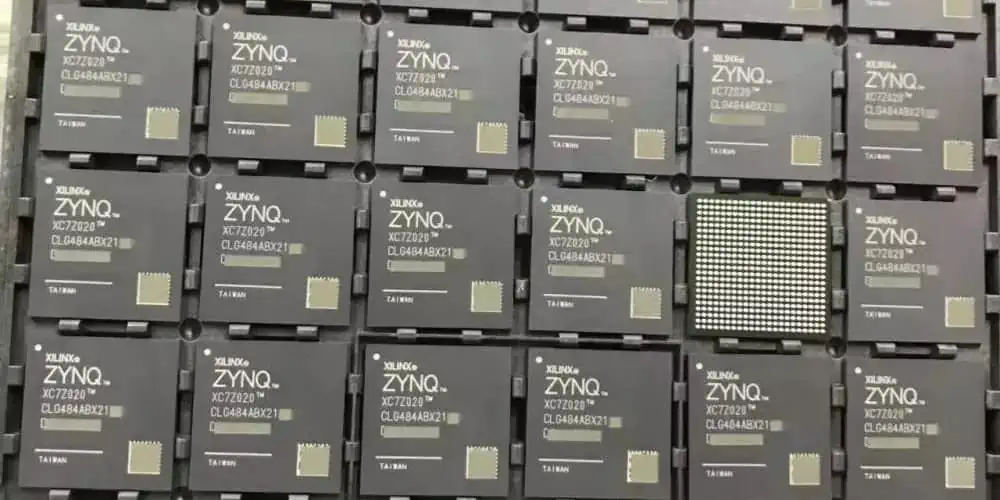
Xilinx Zynq fpga
Xilinx Zynq fpga

Automotive components must withstand repeated thermal cycling without degradation or failure. This is particularly important for components in engine compartments or other areas subject to significant temperature fluctuations.

High-reliability connectors

Automotive connectors must maintain reliable electrical connections despite vibration, thermal cycling, and exposure to contaminants.

Manufacturing processes for automotive components

Automotive component manufacturing involves specialized processes to ensure reliability:

  1. Automated optical inspection (AOI)
  2. X-ray inspection for internal defects
  3. Environmental stress screening (ESS)
  4. Burn-in testing for early failure detection

Automotive component standards and certifications

Automotive components must meet various standards, including:

  1. AEC-Q200 (for passive components)
  2. AEC-Q101 (for discrete semiconductors)
  3. USCAR specifications for connectors
  4. IPC standards for PCB manufacturing

Comparing Automotive Chips and Components

Functionality and complexity

AspectAutomotive ChipsAutomotive Components
ComplexityHigh (integrated circuits)Low to moderate (discrete parts)
FunctionalityProcessing, control, memoryBasic electrical functions
CustomizationOften application-specificMore standardized
Integration levelHigh (multiple functions)Low (single function)

Manufacturing challenges

ChallengeAutomotive ChipsAutomotive Components
Process controlExtremely tight tolerancesModerate to tight tolerances
Cleanliness requirementsUltra-clean room conditionsClean room conditions
Defect ratesNear-zero defect rates requiredVery low defect rates required
Testing complexityExtensive functional and parametric testingTypically simpler electrical testing

Cost considerations

FactorAutomotive ChipsAutomotive Components
Development costsVery high (design and validation)Moderate (adaptation of existing designs)
Production volumeMedium to highHigh to very high
Unit costHigher due to complexityLower, but varies widely
Testing costsSignificant (functional and reliability)Moderate (mostly parametric)

Supply chain considerations

AspectAutomotive ChipsAutomotive Components
Lead timesLonger (complex manufacturing)Shorter (simpler production)
Supplier diversityLimited (specialized manufacturers)Broader range of suppliers
Inventory managementCritical (long lead times)Important but more flexible
Obsolescence riskHigher (rapid technology changes)Lower (more standardized parts)

The Role of Car-Grade Electronics in Vehicle Systems

Powertrain control

Automotive chips and components play a crucial role in managing the vehicle’s powertrain, including:

  1. Engine control units (ECUs)
  2. Transmission control modules
  3. Battery management systems for electric vehicles
  4. Fuel injection and ignition control

Safety systems

Car-grade electronics are essential for various safety systems:

  1. Antilock braking systems (ABS)
  2. Electronic stability control (ESC)
  3. Airbag deployment systems
  4. Tire pressure monitoring systems (TPMS)

Advanced Driver Assistance Systems (ADAS)

ADAS rely heavily on sophisticated automotive chips and sensors:

  1. Radar and LiDAR systems
  2. Camera-based vision systems
  3. Adaptive cruise control
  4. Lane departure warning and lane keeping assist

Infotainment and connectivity

Modern vehicle infotainment systems incorporate various car-grade electronics:

  1. Head units with powerful processors
  2. Audio amplifiers and digital signal processors
  3. Connectivity modules (Bluetooth, Wi-Fi, cellular)
  4. Display drivers and touch controllers

Challenges and Future Trends in Car-Grade Electronics

Increasing complexity and integration

As vehicles become more advanced, the complexity of automotive electronics continues to grow. This trend presents several challenges:

  1. System-on-Chip (SoC) integration for reduced space and power consumption
  2. Managing thermal issues in highly integrated systems
  3. Ensuring reliability with increasing transistor densities
  4. Balancing performance requirements with power efficiency

Electrification and autonomous driving

The shift towards electric vehicles and autonomous driving capabilities is driving significant changes in car-grade electronics:

  1. High-voltage and high-current components for electric powertrains
  2. Advanced sensor fusion and processing for autonomous systems
  3. Redundancy and fail-safe designs for safety-critical functions
  4. Real-time processing capabilities for decision-making in autonomous vehicles

Cybersecurity concerns

As vehicles become more connected, cybersecurity becomes increasingly important:

  1. Secure boot and firmware update mechanisms
  2. Hardware-based security features (e.g., trusted platform modules)
  3. Encryption and authentication for in-vehicle networks
  4. Intrusion detection and prevention systems

Sustainability and environmental concerns

The automotive industry is under pressure to improve sustainability, affecting car-grade electronics:

  1. Design for recyclability and easy disassembly
  2. Reduction of hazardous materials in electronic components
  3. Improved energy efficiency to extend electric vehicle range
  4. Longer-lasting electronics to reduce electronic waste

Conclusion

Car-grade electronics, encompassing both automotive chips and components, form the backbone of modern vehicle systems. These specialized electronic parts must meet stringent requirements for reliability, durability, and performance in the harsh automotive environment. As vehicles continue to evolve, becoming more electrified, connected, and autonomous, the role of car-grade electronics will only grow in importance.

The distinction between automotive chips and components lies primarily in their complexity and functionality, with chips providing the “brains” of vehicle systems and components serving as the essential building blocks. Both categories require specialized manufacturing processes, rigorous testing, and compliance with automotive industry standards to ensure they can withstand the challenges of automotive use.

As the automotive industry continues to evolve, car-grade electronics will play a pivotal role in shaping the future of transportation. From improving safety and efficiency to enabling new features and capabilities, these specialized electronic parts will continue to drive innovation in the automotive sector.

FAQ

  1. Q: What is the main difference between automotive-grade and consumer-grade electronics? A: The main differences lie in their durability, reliability, and operating conditions. Automotive-grade electronics are designed to function in harsh environments with extreme temperatures (-40ยฐC to 125ยฐC or wider), vibration, and electromagnetic interference. They also have longer expected lifespans (10-15 years or more) and must meet stricter quality and safety standards. Consumer-grade electronics typically operate in more controlled environments, have shorter lifespans, and are subject to less stringent requirements.
  2. Q: Why are automotive chips more expensive than consumer chips? A: Automotive chips are more expensive due to several factors:
    • Rigorous design and testing processes to ensure reliability and safety
    • Specialized manufacturing techniques and materials for extreme conditions
    • Lower production volumes compared to consumer electronics
    • Compliance with strict automotive industry standards and certifications
    • Extended support and availability requirements (often 10-15 years or more) These factors contribute to higher development and production costs, which are reflected in the final price of automotive chips.
  3. Q: What is the AEC-Q100 standard, and why is it important for automotive chips? A: AEC-Q100 is a failure mechanism based stress test qualification for integrated circuits, established by the Automotive Electronics Council (AEC). It is important because it sets the minimum stress test qualifications for automotive-grade integrated circuits. The standard ensures that chips can withstand the harsh automotive environment and meet the industry’s reliability requirements. Compliance with AEC-Q100 is often a prerequisite for chips to be used in automotive applications, as it demonstrates their ability to function reliably under extreme conditions.
  4. Q: How do automotive components differ from automotive chips in terms of manufacturing and testing? A: While both automotive components and chips undergo rigorous manufacturing and testing processes, there are some key differences:
    • Complexity: Chip manufacturing involves more complex processes and tighter tolerances.
    • Testing: Chips require more extensive functional and parametric testing, while components often undergo simpler electrical testing.
    • Production volume: Components are typically produced in higher volumes than specialized automotive chips.
    • Customization: Chips are often more customized for specific applications, while components tend to be more standardized. Both categories must meet strict quality standards, but the specific requirements and processes can vary based on the type of part and its intended use in the vehicle.
  5. Q: What are the main challenges facing the automotive electronics industry in the coming years? A: The main challenges include:
    • Increasing complexity and integration of electronic systems
    • Meeting the demands of electrification and autonomous driving technologies
    • Ensuring cybersecurity in increasingly connected vehicles
    • Addressing sustainability and environmental concerns
    • Managing supply chain issues and potential component shortages
    • Keeping pace with rapid technological advancements while maintaining long-term support
    • Balancing cost pressures with the need for high-reliability, automotive-grade components These challenges will require ongoing innovation in design, manufacturing, and testing of car-grade electronics to meet the evolving needs of the automotive industry.
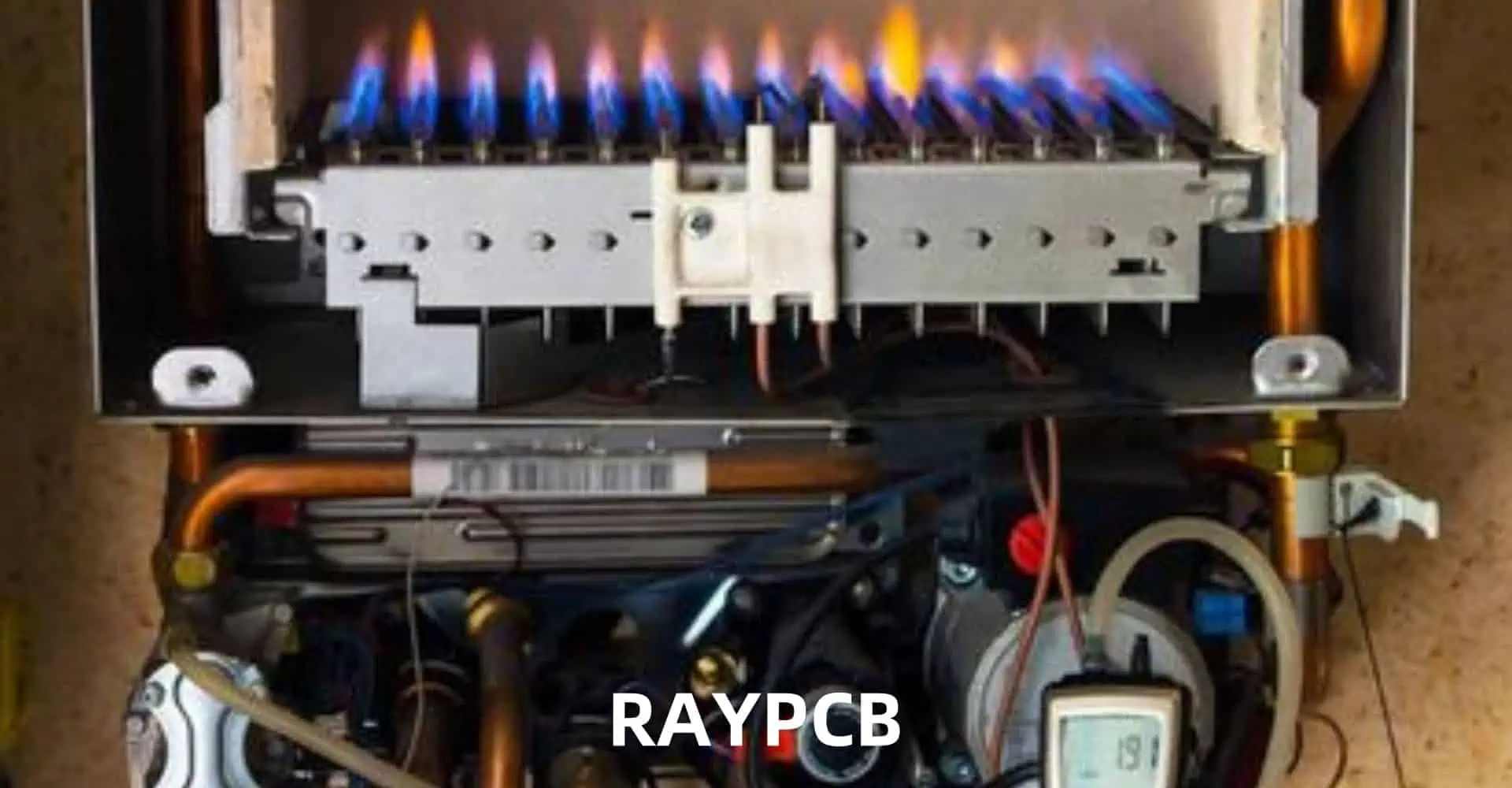
Temperature Difference between External Sensor and Furnace Sensor

In the world of industrial heating and temperature control, the accurate and reliable measurement of temperature is of paramount importance. From manufacturing processes to research and development, the ability to precisely monitor and regulate temperature can mean the difference between success and failure. One critical factor in this endeavor is the relationship between the temperature readings from external sensors and the sensors within the furnace or heating system itself.

This article delves into the intricacies of the temperature difference between external sensors and furnace sensors, exploring the underlying causes, the factors that influence this discrepancy, and the strategies employed to minimize and manage these variations. By understanding the nuances of this phenomenon, industrial operators and process engineers can make informed decisions, optimize their heating systems, and ensure consistent and reproducible results.

Understanding the Temperature Difference

The temperature difference between external sensors and furnace sensors can be a source of confusion and frustration for many industrial operators. It is not uncommon to observe a discrepancy between the readings from these two sensor types, even when they are placed in close proximity to each other.

This temperature difference can arise due to a variety of factors, including sensor placement, environmental conditions, thermal gradients within the furnace, and the inherent characteristics of the sensors themselves. Comprehending the underlying causes of this phenomenon is crucial for effective temperature monitoring and control.

Factors Influencing the Temperature Difference

The temperature difference between external sensors and furnace sensors can be influenced by several factors, which can be broadly categorized as follows:

1. Sensor Placement

The positioning of the sensors within the furnace or heating system can have a significant impact on the temperature readings. Factors such as proximity to heating elements, distance from chamber walls, and exposure to airflow patterns can all contribute to the observed temperature difference.

2. Thermal Gradients

Furnaces and heating systems often exhibit thermal gradients, where the temperature varies across different regions of the chamber. These gradients can be influenced by factors such as the design of the heating elements, the placement of insulation, and the distribution of airflow within the system.

3. Sensor Characteristics

The inherent characteristics of the sensors themselves can also play a role in the temperature difference. Factors such as sensor type, accuracy, response time, and calibration can all affect the reliability and consistency of the temperature readings.

4. Environmental Conditions

External environmental factors, such as ambient temperature, humidity, and airflow, can also contribute to the temperature difference between the external sensor and the furnace sensor. These conditions can influence the heat transfer dynamics within the system, leading to discrepancies in the measured temperatures.

5. Furnace Design and Configuration

The overall design and configuration of the furnace or heating system can also impact the temperature difference. Parameters such as the size and shape of the chamber, the location and orientation of the heating elements, and the presence of insulation or other structural components can all contribute to the observed temperature variations.

Strategies for Minimizing Temperature Difference

To effectively manage the temperature difference between external sensors and furnace sensors, industrial operators and process engineers can employ various strategies:

1. Sensor Placement Optimization

Carefully positioning the sensors within the furnace or heating system can help minimize the temperature difference. This may involve conducting thermal mapping studies, experimenting with different sensor locations, and optimizing the sensor placement to account for thermal gradients and airflow patterns.

2. Sensor Selection and Calibration

Choosing the appropriate sensor type, ensuring accurate calibration, and regularly verifying sensor performance can help reduce the impact of sensor characteristics on the temperature difference. Regular calibration and maintenance of the sensors can help maintain consistent and reliable temperature readings.

3. Furnace Design and Modification

Modifying the design and configuration of the furnace or heating system can also help mitigate the temperature difference. This may involve adjustments to the heating element arrangement, the addition of thermal insulation, or the implementation of airflow management strategies to improve temperature uniformity within the chamber.

4. Data Analysis and Monitoring

Implementing robust data analysis and monitoring techniques can provide valuable insights into the temperature difference and its underlying causes. By analyzing historical temperature data, process engineers can identify patterns, trends, and potential sources of discrepancy, enabling them to make informed decisions and implement corrective measures.

5. Process Compensation and Adjustments

In some cases, the temperature difference between external sensors and furnace sensors may be well-understood and predictable. In such scenarios, process engineers can implement compensation strategies, such as applying mathematical corrections or adjusting the control algorithms, to account for the observed discrepancy and ensure accurate temperature control.

Table of Temperature Difference Scenarios

To illustrate the potential range of temperature differences between external sensors and furnace sensors, we have compiled the following table, which highlights various scenarios and the associated temperature variations:

ScenarioTemperature Difference
Optimal sensor placement, well-controlled furnace environment2-5ยฐC
Sensor placement near heating elements or chamber walls5-10ยฐC
Significant thermal gradients within the furnace chamber10-15ยฐC
Aging or miscalibrated sensors8-12ยฐC
Adverse environmental conditions (e.g., high ambient temperature)6-10ยฐC
Poorly designed or configured furnace system12-20ยฐC

It’s important to note that these values are provided as general guidelines, and the actual temperature difference may vary depending on the specific industrial application, equipment, and operating conditions. Regular monitoring, data analysis, and optimization efforts are crucial to mitigate and manage the temperature difference in any given scenario.

FAQ (Frequently Asked Questions)

1. Why is there a temperature difference between external sensors and furnace sensors?

The temperature difference between external sensors and furnace sensors can arise due to a variety of factors, including sensor placement, thermal gradients within the furnace, sensor characteristics, environmental conditions, and the overall design and configuration of the furnace or heating system.

2. How can I minimize the temperature difference between external sensors and furnace sensors?

Strategies for minimizing the temperature difference include:

  • Optimizing the placement of sensors within the furnace to account for thermal gradients and airflow patterns
  • Selecting appropriate sensor types, ensuring accurate calibration, and regularly verifying sensor performance
  • Modifying the furnace design and configuration to improve temperature uniformity
  • Implementing data analysis and monitoring techniques to identify and address the underlying causes of the temperature difference
  • Applying process compensation and adjustments to account for the observed discrepancy

3. What are the typical temperature difference ranges observed in industrial furnaces and heating systems?

The temperature difference can vary widely, depending on the specific scenario. As a general guideline, the table provided in the article outlines the following range of temperature differences:

  • Optimal conditions: 2-5ยฐC
  • Suboptimal sensor placement or thermal gradients: 5-15ยฐC
  • Aging or miscalibrated sensors, adverse environmental conditions, or poorly designed furnaces: 6-20ยฐC

4. How can I determine the root cause of the temperature difference in my specific application?

To determine the root cause of the temperature difference, it’s important to conduct a thorough analysis of the system, including:

  • Reviewing the sensor placement and identifying potential issues
  • Assessing the thermal gradients within the furnace through targeted measurements or thermal mapping
  • Evaluating the sensor characteristics, such as accuracy, response time, and calibration
  • Examining the environmental conditions that may be influencing the temperature readings
  • Analyzing the overall furnace design and configuration to identify potential areas for improvement

5. What are the potential consequences of ignoring the temperature difference between external sensors and furnace sensors?

Ignoring the temperature difference can lead to several consequences, including:

  • Inaccurate temperature control and monitoring, which can impact product quality, process efficiency, and safety
  • Suboptimal process performance, as the control system may not be responding to the true temperature within the furnace
  • Increased risk of equipment damage or failure due to excessive temperatures or thermal stress
  • Difficulty in reproducing and validating process results, as the temperature data may not accurately reflect the actual conditions within the furnace

By understanding and managing the temperature difference, industrial operators can ensure reliable temperature control, optimize their processes, and maintain consistent and reproducible results.

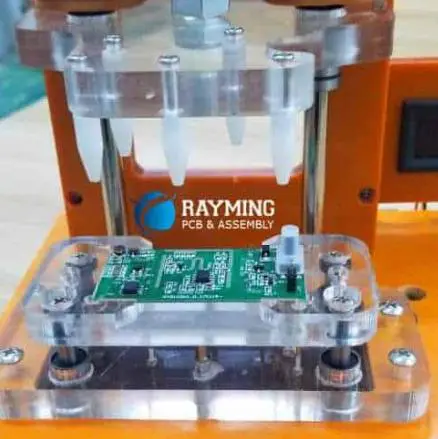
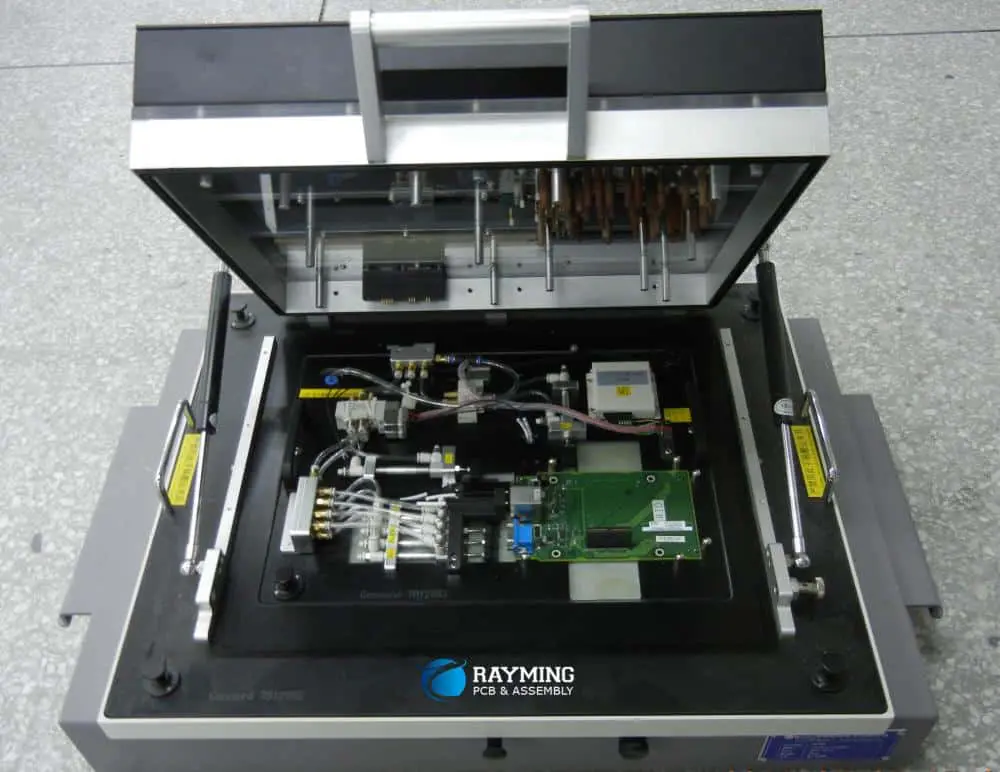
Method and apparatus for ICT fixture probe cleaning

In-Circuit Testing (ICT) is a crucial step in the quality assurance process for printed circuit board (PCB) manufacturing. The reliability and accuracy of ICT largely depend on the condition of the test probes used in the fixture. Over time, these probes accumulate debris, oxidation, and contaminants, which can lead to false test results and decreased productivity. This article explores the methods and apparatus used for cleaning ICT fixture probes, a critical maintenance task that ensures the continued accuracy and efficiency of PCB testing processes.

Understanding ICT Fixture Probes

What are ICT fixture probes?

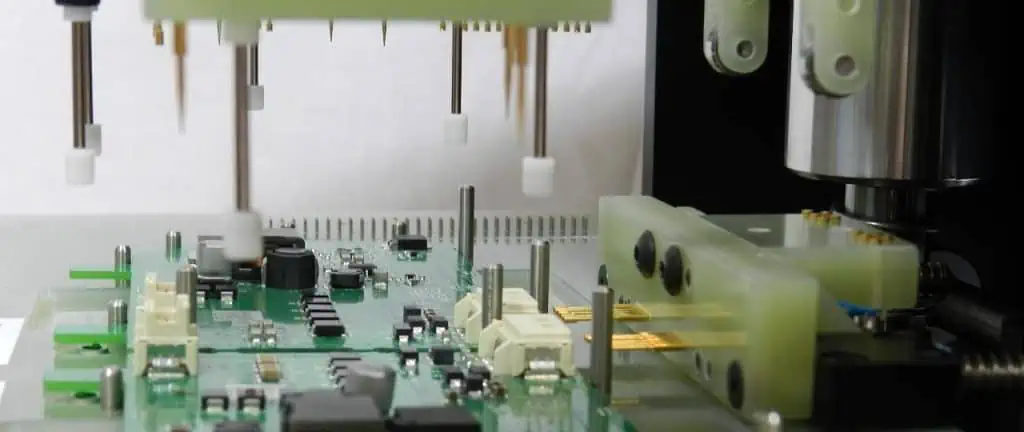
ICT fixture probes are small, spring-loaded pins used to make electrical contact with specific points on a PCB during testing. These probes are essential components of the ICT process, allowing for rapid and accurate testing of individual components and connections on the board.

Types of ICT fixture probes

There are several types of ICT fixture probes, each designed for specific testing requirements:

Probe TypeDescriptionCommon Applications
Single-ended probesStandard probes with a single contact pointGeneral-purpose testing
Dual-ended probesProbes with contact points on both endsHigh-density boards
Kelvin probesDual probes for accurate resistance measurementsPower components, high-current paths
Signal probesDesigned for high-frequency signal testingRF circuits, high-speed digital
Power probesCapable of handling high currentsPower supplies, motor driver

Importance of clean probes

Clean probes are essential for several reasons:

  1. Accurate measurements: Contaminants can affect electrical conductivity, leading to inaccurate test results.
  2. Consistent contact: Debris can prevent probes from making proper contact with test points.
  3. Extended probe life: Regular cleaning helps prevent permanent damage to probe tips.
  4. Reduced false failures: Clean probes minimize the risk of false test failures, improving productivity.

Common Contaminants and Their Effects

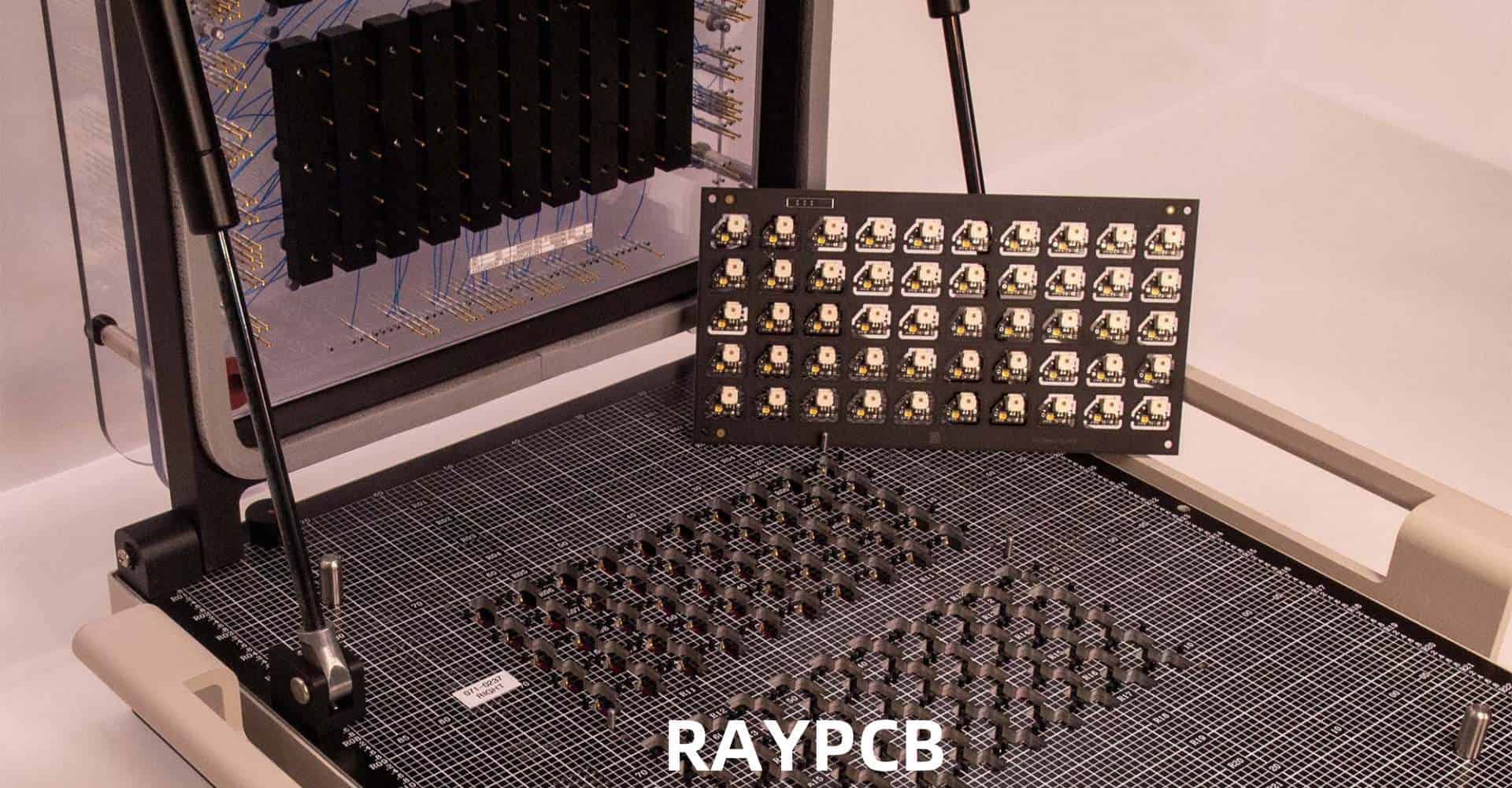
In-Circuit Test (ICT)

Types of contaminants

ICT fixture probes are exposed to various contaminants during normal operation:

  1. Flux residue
  2. Solder particles
  3. Dust and debris
  4. Oxidation
  5. Skin oils and fingerprints

Effects of contamination

Contamination can have several negative effects on ICT performance:

ContaminantEffect on ProbesImpact on Testing
Flux residueInsulating layer formationFalse open circuit readings
Solder particlesIrregular probe tip surfaceInconsistent contact, potential short circuits
Dust and debrisMechanical interferenceUnreliable probe movement
OxidationIncreased contact resistanceInaccurate resistance measurements
Skin oilsInsulating film formationIntermittent contact issues

Probe Cleaning Methods

Manual cleaning methods

Probe tip cleaning papers

Probe tip cleaning papers are abrasive sheets designed to remove contaminants from probe tips.

Procedure:

  1. Insert the cleaning paper into the fixture.
  2. Actuate the probes against the paper multiple times.
  3. Rotate or move the paper to expose a clean area.
  4. Repeat as necessary.

Advantages:

  • Simple and quick to use
  • Effective for light contamination
  • Low cost

Disadvantages:

  • May not remove stubborn contaminants
  • Can be time-consuming for large fixtures
  • Risk of debris falling into the fixture

Brush cleaning

Brush cleaning involves using small, often specialized brushes to manually clean probe tips.

Procedure:

  1. Select an appropriate brush (e.g., fiberglass, nylon).
  2. Gently brush the probe tips to remove contaminants.
  3. Use compressed air to remove loose debris.

Advantages:

  • Can target specific probes
  • Effective for removing visible contamination
  • Low initial cost

Disadvantages:

  • Time-consuming for large fixtures
  • Inconsistent results depending on technique
  • Risk of damaging probes if excessive force is used

Solvent cleaning

Solvent cleaning uses chemical solvents to dissolve and remove contaminants.

Procedure:

  1. Select an appropriate solvent (e.g., isopropyl alcohol, specialized cleaners).
  2. Apply the solvent to a lint-free cloth or swab.
  3. Gently clean the probe tips.
  4. Allow probes to dry completely before use.

Advantages:

  • Effective for removing flux and oil-based contaminants
  • Can clean hard-to-reach areas
  • Dissolves stubborn residues

Disadvantages:

  • Risk of leaving residue if not properly dried
  • Potential health and safety concerns with some solvents
  • May not be effective for all types of contamination

Automated cleaning methods

Ultrasonic cleaning systems

ict test cost

Ultrasonic cleaning uses high-frequency sound waves to create cavitation bubbles in a cleaning solution, effectively removing contaminants from probe tips.

Procedure:

  1. Place probes or probe plate in the ultrasonic cleaner.
  2. Fill with appropriate cleaning solution.
  3. Set timer and activate ultrasonic cleaning.
  4. Rinse and dry probes thoroughly.

Advantages:

  • Highly effective for removing stubborn contaminants
  • Consistent cleaning results
  • Can clean multiple probes simultaneously

Disadvantages:

  • Expensive initial investment
  • Requires careful selection of cleaning solution
  • May not be suitable for all probe types

Automated probe cleaning machines

These specialized machines are designed to clean large numbers of probes quickly and consistently.

Features often include:

  • Multiple cleaning stages (e.g., dry brushing, wet cleaning, drying)
  • Adjustable cleaning parameters
  • Compatible with various fixture types

Advantages:

  • High throughput for large-scale operations
  • Consistent and repeatable cleaning results
  • Reduced labor costs for cleaning

Disadvantages:

  • High initial investment
  • May require custom fixtures or adapters
  • Regular maintenance and consumable replacement

Comparison of cleaning methods

MethodEffectivenessSpeedCostConsistency
Cleaning papersModerateModerateLowModerate
Brush cleaningModerateSlowLowLow
Solvent cleaningHighModerateLow-ModerateModerate
Ultrasonic cleaningVery HighFastHighHigh
Automated machinesVery HighVery FastVery HighVery High

Apparatus for ICT Fixture Probe Cleaning

Cleaning papers and pads

Types of cleaning papers

  1. Abrasive papers: Contains fine abrasive particles to scrub probe tips
  2. Non-abrasive papers: Designed to wipe away loose contaminants
  3. Solvent-impregnated papers: Combine physical wiping with chemical cleaning

Cleaning paper holders and fixtures

Special fixtures can be designed to hold cleaning papers in place during the cleaning process, ensuring consistent pressure and coverage across all probes.

Cleaning brushes

Brush types

  1. Fiberglass brushes: Effective for removing stubborn contaminants
  2. Nylon brushes: Gentler option for regular cleaning
  3. Metal brushes: Used for heavy contamination (with caution)

Motorized brush systems

Some systems incorporate motorized rotating brushes for more efficient cleaning:

  • Adjustable speed and pressure
  • Multiple brush heads for different probe types
  • Integrated vacuum systems for debris removal

Solvent dispensing systems

Manual dispensers

  • Pump bottles for controlled solvent application
  • Solvent pens for precise cleaning of individual probes

Automated dispensing systems

  • Programmable solvent dispensing integrated with cleaning machines
  • Closed-loop systems for solvent recycling and minimizing waste

Ultrasonic cleaning systems

Components of an ultrasonic cleaning system

  1. Ultrasonic generator: Produces high-frequency electrical signals
  2. Transducer: Converts electrical signals into mechanical vibrations
  3. Cleaning tank: Holds the cleaning solution and items to be cleaned
  4. Heating element: Maintains optimal cleaning solution temperature
  5. Timer and control panel: Allows adjustment of cleaning parameters

Specialized fixtures for probe cleaning

Custom fixtures can be designed to hold probe plates or individual probes during ultrasonic cleaning, ensuring optimal cleaning while protecting delicate components.

Automated probe cleaning machines

Key features of automated cleaning machines

  1. Multi-stage cleaning process
  2. Adjustable cleaning parameters (e.g., pressure, speed, cleaning time)
  3. Compatible with various fixture types and probe designs
  4. Integrated drying systems
  5. Data logging and reporting capabilities

Examples of commercial systems

While specific product names won’t be mentioned, typical commercial systems may include:

  • Benchtop units for small to medium-sized operations
  • Large-scale systems for high-volume manufacturing
  • Customizable systems for unique probe configurations

Best Practices for ICT Fixture Probe Cleaning

Establishing a cleaning schedule

Regular cleaning is essential for maintaining probe performance. Factors to consider when establishing a cleaning schedule include:

  1. Production volume
  2. Types of PCBs being tested
  3. Environmental conditions
  4. Observed failure rates

A typical cleaning schedule might look like this:

Production VolumeRecommended Cleaning Frequency
Low (< 100 boards/day)Weekly or bi-weekly
Medium (100-500 boards/day)Daily or every shift
High (> 500 boards/day)Multiple times per shift

Selecting appropriate cleaning methods

Choose cleaning methods based on:

  1. Types of contaminants encountered
  2. Probe design and materials
  3. Production volume and available time for cleaning
  4. Budget constraints

Training personnel

Proper training is crucial for effective probe cleaning. Training should cover:

  1. Identification of contamination types
  2. Proper use of cleaning equipment and materials
  3. Safety procedures, especially when using solvents
  4. Quality control and inspection techniques

Monitoring and maintaining cleaning equipment

Regular maintenance of cleaning equipment ensures consistent performance:

  1. Check and replace consumables (e.g., cleaning solutions, brushes) regularly
  2. Calibrate automated systems according to manufacturer specifications
  3. Clean and inspect cleaning equipment itself to prevent cross-contamination

Documenting cleaning procedures and results

Maintaining detailed records helps optimize the cleaning process:

  1. Document cleaning procedures for each fixture type
  2. Record cleaning dates and methods used
  3. Track test failure rates before and after cleaning
  4. Analyze trends to refine cleaning schedules and methods

Advanced Techniques and Future Developments

Plasma cleaning

Plasma cleaning uses ionized gas to remove organic contaminants at a molecular level.

Advantages:

  • Highly effective for removing organic residues
  • No chemical residues left behind
  • Environmentally friendly

Challenges:

  • Expensive equipment
  • Requires specialized knowledge to operate
  • May not be effective for all types of contamination

Laser cleaning

Laser cleaning uses focused laser beams to ablate contaminants from probe surfaces.

Advantages:

  • Precise and controlled cleaning
  • No chemical consumables required
  • Can be automated for high-volume cleaning

Challenges:

  • High initial equipment cost
  • Potential for thermal damage if not properly controlled
  • May require custom fixturing for different probe types

Self-cleaning probe technologies

Research is ongoing into probe designs that resist contamination or facilitate easier cleaning:

  1. Non-stick coatings to prevent contaminant adhesion
  2. Self-wiping probe designs
  3. Integrated micro-cleaning mechanisms

AI and machine learning in cleaning process optimization

Artificial intelligence and machine learning algorithms can be applied to optimize cleaning processes:

  1. Predictive maintenance scheduling based on historical data
  2. Real-time adjustment of cleaning parameters
  3. Automated inspection and quality control of cleaned probes

Conclusion

Effective cleaning of ICT fixture probes is crucial for maintaining the accuracy and reliability of PCB testing processes. By understanding the types of contaminants, available cleaning methods, and best practices, manufacturers can develop robust cleaning strategies that minimize downtime and ensure consistent test results. As technology continues to advance, new cleaning techniques and probe designs promise to further improve the efficiency and effectiveness of the cleaning process, contributing to higher quality and productivity in PCB manufacturing.

FAQ

  1. Q: How often should ICT fixture probes be cleaned? A: The frequency of cleaning depends on factors such as production volume, types of PCBs being tested, and environmental conditions. For low-volume production (less than 100 boards per day), weekly or bi-weekly cleaning may be sufficient. Medium-volume production (100-500 boards per day) may require daily cleaning, while high-volume production (over 500 boards per day) might need cleaning multiple times per shift. It’s important to monitor test failure rates and adjust the cleaning schedule accordingly.
  2. Q: What are the signs that ICT fixture probes need cleaning? A: Signs that probes need cleaning include:
    • Increased false test failures
    • Inconsistent or intermittent test results
    • Visible contamination on probe tips
    • Decreased probe spring action
    • Higher contact resistance measurements
  3. Q: Can cleaning damage ICT fixture probes? A: While proper cleaning is beneficial, improper techniques can potentially damage probes. Risks include:
    • Using excessive force during manual cleaning
    • Applying incompatible solvents that may degrade probe materials
    • Over-cleaning, which can wear down probe tips prematurely To minimize risk, always follow manufacturer recommendations and use appropriate cleaning methods for your specific probe types.
  4. Q: What are the advantages of automated cleaning systems over manual methods? A: Automated cleaning systems offer several advantages:
    • Consistency: They provide uniform cleaning results across all probes
    • Efficiency: They can clean large numbers of probes quickly
    • Reduced labor costs: Less manual intervention is required
    • Customization: Many systems allow for adjustable cleaning parameters
    • Documentation: Automated systems often include data logging for quality control However, automated systems typically require a higher initial investment compared to manual cleaning methods.
  5. Q: Are there any environmental considerations for ICT fixture probe cleaning? A: Yes, there are several environmental factors to consider:
    • Solvent selection: Choose low-VOC (Volatile Organic Compound) and environmentally friendly solvents when possible
    • Waste management: Properly dispose of used cleaning materials and contaminated solvents
    • Energy efficiency: Consider the power consumption of automated cleaning equipment
    • Water usage: If water-based cleaning methods are used, implement water conservation measures
    • Longevity: Proper cleaning extends the life of probes, reducing waste from premature replacement

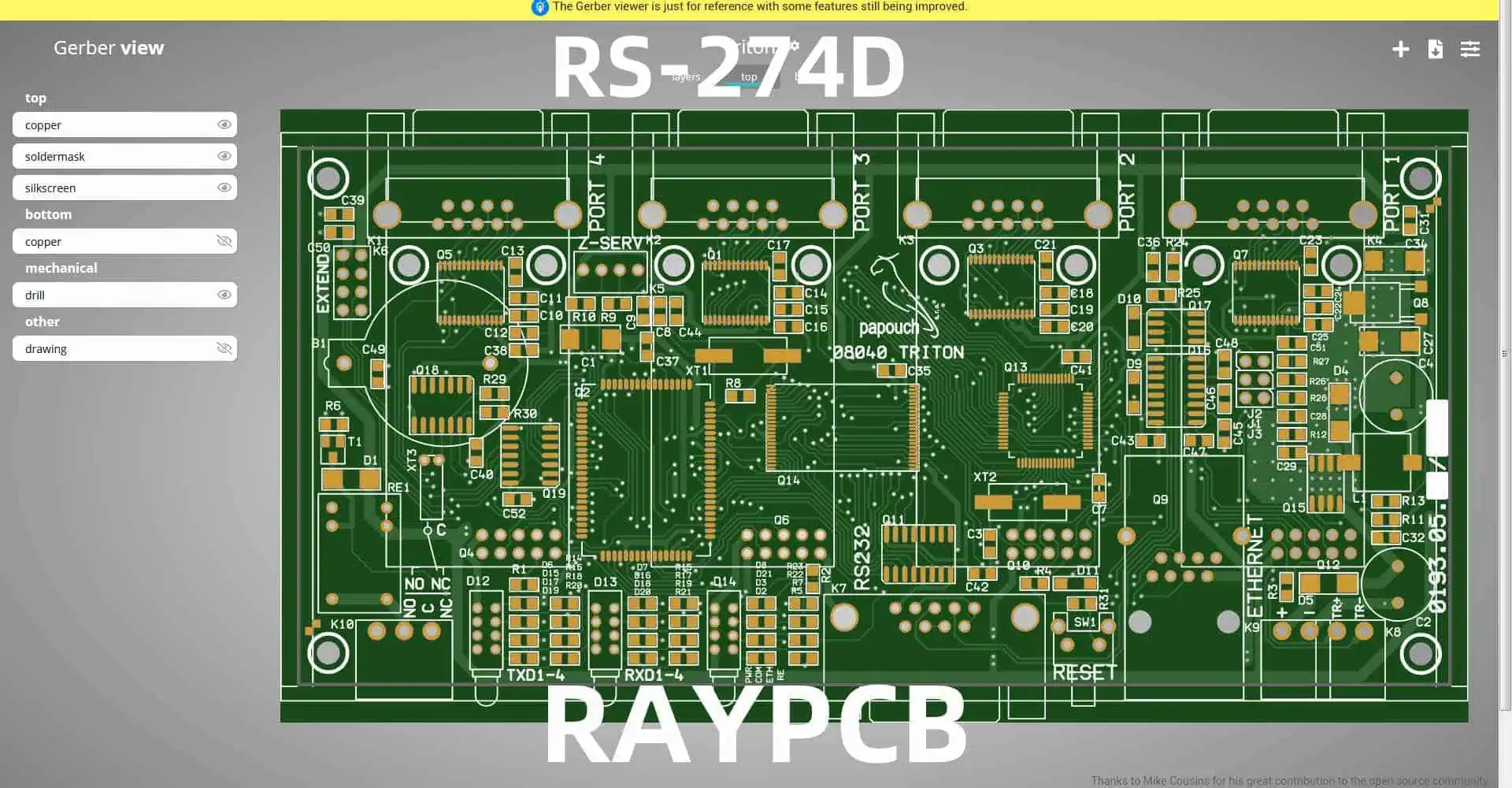
RS-274D: Standard Gerber with Separate Aperture Tables

In the world of printed circuit board (PCB) manufacturing, precise communication between designers and fabricators is crucial. One of the most important tools for this communication is the Gerber file format. Among the various versions of Gerber, RS-274D, also known as Standard Gerber with separate aperture tables, has played a significant role in the industry. This article delves into the details of RS-274D, its structure, importance, and how it compares to other versions of the Gerber format.
Understanding Gerber Files

What are Gerber Files?

Gerber files are the standard format used in the PCB industry to describe the board layers for manufacturing. Named after the Gerber Systems Corporation (now part of Ucamco), these files contain the necessary information for PCB fabrication, including copper traces, solder mask, silkscreen, and drill data.

Evolution of Gerber Formats

The Gerber format has evolved over the years to meet the changing needs of the PCB industry:

  1. RS-274: The original Gerber format
  2. RS-274D: Standard Gerber with separate aperture tables
  3. RS-274X: Extended Gerber, which includes embedded aperture definitions
  4. X2: The latest version with additional metadata

RS-274D: An In-depth Look

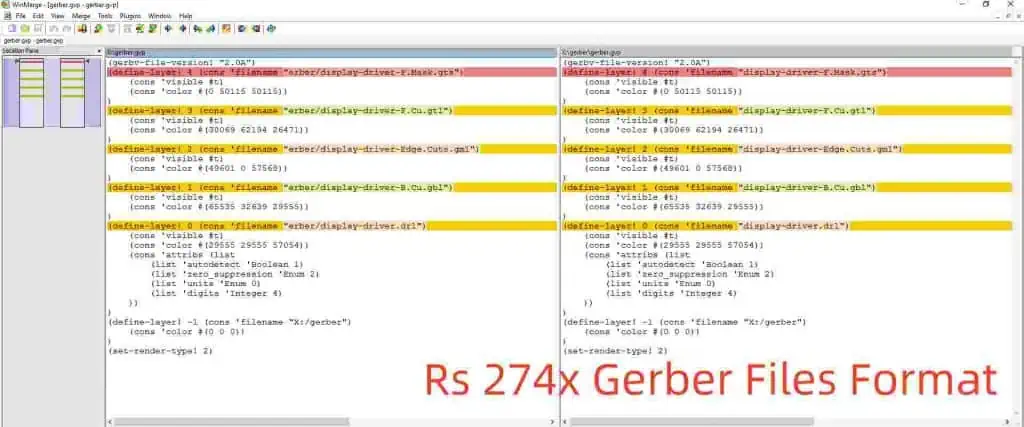
Rs 274x Gerber Files Format

Definition and Structure

RS-274D, or Standard Gerber, is a vector format used to describe PCB artwork layers. It consists of two main components:

  1. The Gerber file itself (.gbr extension)
  2. A separate aperture table file (.apt extension)

Key Features of RS-274D

  1. Vector-based description of PCB layers
  2. Separate aperture definitions
  3. Support for basic shapes (circle, rectangle, obround)
  4. Use of G-codes and D-codes for commands

Aperture Tables in RS-274D

Aperture tables are a crucial component of RS-274D. They define the shapes and sizes of the “tools” used to draw the PCB features. Typically stored in a separate file, these tables include:

  1. Aperture number
  2. Aperture shape (circle, rectangle, obround)
  3. Aperture size

Structure of RS-274D Files

File Format

RS-274D files are ASCII text files containing a series of commands and coordinates. The basic structure includes:

  1. Header
  2. Body (drawing commands)
  3. Footer

Common Commands in RS-274D

CommandDescriptionG01Linear interpolationG02Clockwise circular interpolationG03Counterclockwise circular interpolationD01Light on (draw)D02Light off (move)D03FlashM02End of file

Coordinate System

RS-274D uses a Cartesian coordinate system with the origin typically at the lower-left corner of the board. Coordinates are usually expressed in inches or millimeters, with a specified number of decimal places for precision.

Advantages of RS-274D

1. Simplicity

The RS-274D format is relatively simple and easy to understand, making it accessible for both software developers and PCB designers.

2. Widespread Support

Due to its long history in the industry, RS-274D is supported by a wide range of PCB design software and manufacturing equipment.

3. Compact File Size

Compared to some newer formats, RS-274D files can be quite compact, especially for simpler designs.

4. Separation of Aperture Definitions

The separate aperture table allows for easy modification of apertures without changing the main Gerber file.

Limitations of RS-274D

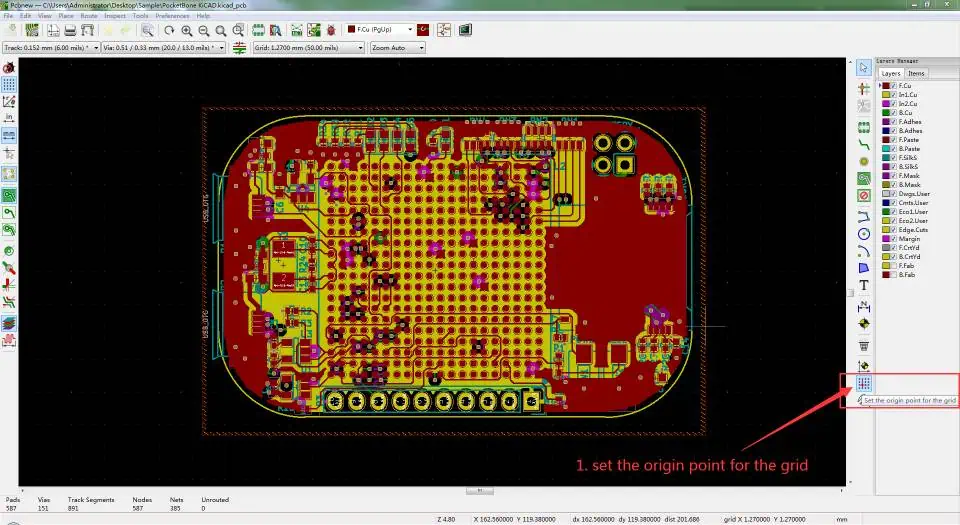
Generate the Gerber Files

1. Lack of Embedded Apertures

Unlike newer formats like RS-274X, RS-274D requires separate aperture files, which can lead to file management issues.

2. Limited Shape Support

RS-274D only supports basic shapes (circle, rectangle, obround), which can be limiting for complex designs.

3. No Built-in Polarity Information

Polarity (positive or negative) must be inferred from the layer type, which can lead to misinterpretations.

4. Lack of Metadata

RS-274D does not include metadata about the PCB design, such as layer stack information or board dimensions.

RS-274D vs. Other Gerber Formats

To better understand the place of RS-274D in the PCB industry, let’s compare it to other Gerber formats:

FeatureRS-274DRS-274XGerber X2
Aperture DefinitionSeparate fileEmbeddedEmbedded
Shape SupportBasicAdvancedAdvanced
Polarity InformationInferredExplicitExplicit
MetadataNoneLimitedExtensive
File SizeCompactLargerLarger
Industry SupportWidespreadVery commonGrowing

Best Practices for Using RS-274D

1. File Naming Conventions

Adopt clear and consistent naming conventions for both Gerber files and aperture tables to avoid confusion.

2. Layer Stack Documentation

Since RS-274D lacks built-in layer information, provide a separate document detailing the layer stack.

3. Aperture Table Management

Keep aperture tables organized and up-to-date. Consider using standardized aperture numbers across projects.

4. Verification and Validation

Always verify RS-274D files using appropriate Gerber viewers before sending them to manufacturers.

5. Communication with Manufacturers

Clearly communicate all necessary information to PCB manufacturers, including drill files, board dimensions, and special requirements.

Converting RS-274D to Newer Formats

As the industry moves towards newer Gerber formats, converting RS-274D files may become necessary. Here are some considerations:

1. Software Tools

Many PCB design software packages offer built-in conversion tools from RS-274D to RS-274X or Gerber X2.

2. Aperture Table Integration

When converting to RS-274X, ensure that aperture definitions are correctly integrated into the new file.

3. Polarity and Layer Information

Add explicit polarity and layer information when converting to newer formats.

4. Verification After Conversion

Always verify the converted files to ensure no data loss or misinterpretation occurred during the conversion process.

The Future of RS-274D

gerber-file-format

While RS-274D has been a stalwart in the PCB industry for many years, its usage is gradually declining in favor of more advanced formats. However, its legacy continues to influence modern PCB data exchange standards.

Continued Support

Many PCB manufacturers still accept RS-274D files, ensuring its relevance in the near future.

Migration to Newer Standards

The industry is gradually moving towards RS-274X and Gerber X2, which offer more robust features and embedded information.

Integration with Other Formats

As the PCB industry evolves, we may see better integration between Gerber formats and other data exchange standards like IPC-2581 and ODB++.

Conclusion

RS-274D, or Standard Gerber with separate aperture tables, has been a cornerstone of PCB manufacturing for decades. Its simplicity, widespread support, and compact file size have made it a popular choice for designers and manufacturers alike. However, as the complexity of PCB designs increases and the industry demands more comprehensive data exchange, newer formats like RS-274X and Gerber X2 are gaining prominence.

Understanding RS-274D remains important for PCB professionals, both for working with legacy designs and for appreciating the evolution of PCB data exchange formats. As the industry continues to evolve, designers and manufacturers must stay informed about the latest developments in Gerber formats and other PCB data exchange standards to ensure efficient and accurate communication throughout the PCB manufacturing process.

Frequently Asked Questions (FAQ)

  1. Q: Can I still use RS-274D for modern PCB designs? A: Yes, RS-274D is still accepted by many PCB manufacturers. However, for complex designs or when more detailed information is required, newer formats like RS-274X or Gerber X2 are recommended. Always check with your PCB manufacturer for their preferred file format.
  2. Q: How do I create aperture tables for RS-274D files? A: Aperture tables are typically generated automatically by PCB design software when you export your design as RS-274D Gerber files. The exact process may vary depending on your software. If you need to create or modify aperture tables manually, you can use a text editor to define aperture numbers, shapes, and sizes according to the RS-274D specification.
  3. Q: What are the main differences between RS-274D and RS-274X? A: The main differences are:
    • RS-274D uses separate aperture table files, while RS-274X embeds aperture definitions in the Gerber file.
    • RS-274X supports more advanced shapes and allows for explicit polarity information.
    • RS-274X includes some metadata about the layer, which is not present in RS-274D.
  4. Q: Are there any tools to validate RS-274D files? A: Yes, there are several Gerber viewers and validation tools available, both free and commercial. Some popular options include:
    • GerbView (part of KiCad)
    • ViewMate (by PentaLogix)
    • CAM350 (by DownStream Technologies) Always use a viewer to check your Gerber files before sending them to a manufacturer.
  5. Q: How do I ensure compatibility when using RS-274D with modern PCB manufacturing processes? A: To ensure compatibility:
    • Communicate clearly with your PCB manufacturer about your use of RS-274D.
    • Provide comprehensive documentation, including layer stack information and any special requirements.
    • Use standard aperture shapes and sizes when possible.
    • Consider converting to a newer format like RS-274X if your manufacturer prefers it.
    • Always verify your files using a Gerber viewer before submission.

What are the factors of PCB Aluminum thermal conductivity?

Printed Circuit Boards (PCBs) are the backbone of modern electronics, providing mechanical support and electrical connections for components. As electronic devices become more powerful and compact, managing heat dissipation has become a critical challenge. Aluminum PCBs have emerged as a popular solution due to their superior thermal conductivity compared to traditional FR-4 boards. This article explores the various factors that influence the thermal conductivity of aluminum PCBs, providing insights into how manufacturers and designers can optimize their thermal management strategies.

Understanding Thermal Conductivity

Before delving into the specific factors affecting aluminum PCB thermal conductivity, it’s essential to understand the concept of thermal conductivity itself.

What is Thermal Conductivity?

Thermal conductivity is a material property that describes its ability to conduct heat. It is typically measured in watts per meter-kelvin (W/mยทK) and represents the rate at which heat is transferred through a material. Materials with higher thermal conductivity values are better at conducting heat, while those with lower values are better insulators.

The Importance of Thermal Conductivity in PCBs

In the context of PCBs, thermal conductivity plays a crucial role in:

  1. Heat dissipation: Efficiently moving heat away from components
  2. Temperature regulation: Maintaining optimal operating temperatures
  3. Reliability: Preventing thermal-related failures and extending component lifespan
  4. Performance: Ensuring consistent electrical performance across temperature ranges

Aluminum as a PCB Material

Aluminum has become a popular choice for PCBs in applications requiring enhanced thermal management. Let’s examine the properties that make aluminum an attractive option for thermally-demanding PCB designs.

Properties of Aluminum

AlloyThermal Conductivity (W/mยทK)Main Alloying Elements
1050A22999.5% Al minimum
5052138Magnesium, Chromium
6061167Magnesium, Silicon

Aluminum’s high thermal conductivity makes it an excellent choice for applications where heat dissipation is critical. However, its electrical conductivity necessitates the use of a dielectric layer to insulate the conductive traces from the aluminum base.

Factors Affecting Aluminum PCB Thermal Conductivity

Now that we’ve established the basics, let’s explore the various factors that influence the thermal conductivity of aluminum PCBs.

1. Aluminum Purity and Alloy Composition

The purity and composition of the aluminum used in PCB manufacturing significantly impact its thermal conductivity.

Aluminum Purity

Pure aluminum (99.99% Al) has the highest thermal conductivity, around 237 W/mยทK at room temperature. However, pure aluminum is rarely used in PCB manufacturing due to its softness and lack of mechanical strength.

Aluminum Alloys

PCB manufacturers typically use aluminum alloys to balance thermal conductivity with other desirable properties such as strength and corrosion resistance. Common alloys include:

Aluminum Base Thickness (mm)Relative Thermal PerformanceWeight Increase
0.5BaselineBaseline
140%100%
1.570%200%
290%300%

The choice of alloy depends on the specific requirements of the application, balancing thermal performance with other mechanical and electrical properties.

2. Aluminum Base Thickness

The thickness of the aluminum base layer plays a crucial role in the overall thermal conductivity of the PCB.

Impact of Thickness on Heat Spreading

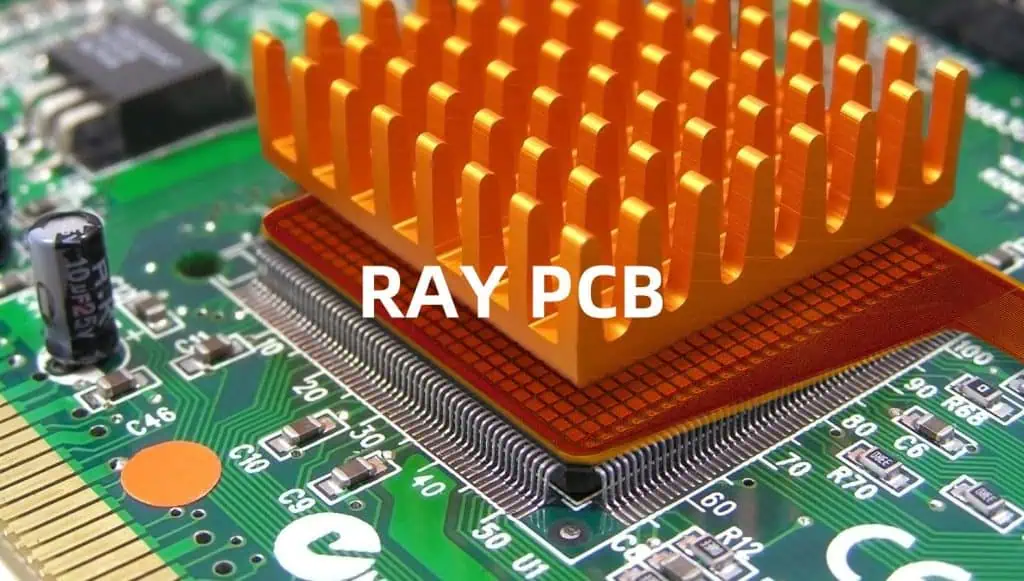
A heatsink on a graphics chip

A thicker aluminum base provides more material for heat to spread laterally, effectively increasing the surface area for heat dissipation. This can be particularly beneficial for designs with localized heat sources.

Thickness vs. Weight Trade-off

While increasing the aluminum base thickness improves thermal performance, it also adds weight to the PCB. Designers must balance thermal requirements with weight constraints, especially in applications where lightweight design is crucial, such as aerospace or portable electronics.

Aluminum Base Thickness (mm)Relative Thermal PerformanceWeight Increase0.5BaselineBaseline1.0+40%+100%1.5+70%+200%2.0+90%+300%

Note: The values in this table are approximate and can vary based on specific designs and materials.

3. Dielectric Layer Properties

The dielectric layer, which electrically insulates the copper traces from the aluminum base, plays a critical role in the thermal performance of aluminum PCBs.

Dielectric Material Selection

Common dielectric materials used in aluminum PCBs include:

MaterialThermal Conductivity (W/mยทK)Dielectric Strength (kV/mm)
Epoxy0.2-0.315-20
Ceramic-filled epoxy1.-520-25
Aluminum Nitride150-18015
Boron Nitride70-30070-100

Selecting a dielectric material with higher thermal conductivity can significantly improve the overall thermal performance of the PCB.

Dielectric Layer Thickness

The thickness of the dielectric layer is a critical factor in thermal management:

  • Thinner layers offer less thermal resistance, improving heat transfer from the copper traces to the aluminum base.
  • However, thinner layers may compromise electrical isolation and voltage breakdown strength.

Designers must carefully balance these factors to achieve optimal thermal and electrical performance.

4. Copper Layer Design

The design of the copper layer(s) in an aluminum PCB can significantly impact its thermal conductivity.

Copper Thickness

Increasing copper thickness can improve thermal conductivity by:

  1. Providing more material for heat conduction
  2. Reducing electrical resistance, which in turn reduces heat generation

Typical copper thicknesses range from 1 oz/ftยฒ (35 ยตm) to 10 oz/ftยฒ (350 ยตm) or more for high-power applications.

Copper Pattern Design

The layout of copper traces and planes affects heat distribution:

  • Solid copper planes provide better heat spreading than narrow traces
  • Thermal vias can be used to create direct thermal paths to the aluminum base

5. Surface Finish

The surface finish of an aluminum PCB can affect its thermal performance, particularly when it comes to interfacing with heat sinks or other cooling solutions.

Common Surface Finishes

Finish TypeThermal ImpactOther Considerations
Bare AluminumGood thermal contactProne to oxidation
AnodizedSlightly reduced thermal conductivityImproved corrosion resistance
Nickel PlatingModerate thermal conductivityGood solderability
OSP (Organic Solderability Preservative)Minimal impact on thermal conductivityPreserves solderability

The choice of surface finish should consider both thermal performance and other functional requirements such as solderability and corrosion resistance.

6. Operating Temperature

The thermal conductivity of aluminum and other materials used in PCB construction can vary with temperature.

Temperature Dependence of Thermal Conductivity

For most metals, including aluminum, thermal conductivity tends to decrease as temperature increases. This relationship is typically linear within the operating temperature range of most electronic devices.

Temperature (ยฐC)Relative Thermal Conductivity of Aluminum
01.02
25 (reference)1
500.98
1000.94
1500.9

Note: Values are approximate and can vary based on the specific aluminum alloy.

Designers should consider this temperature dependence when calculating thermal performance, especially for applications with wide operating temperature ranges.

7. Manufacturing Process

The manufacturing process used to produce aluminum PCBs can impact their thermal conductivity.

Bonding Methods

The method used to bond the copper layer to the aluminum base through the dielectric layer affects thermal performance:

  1. Direct Bonding: Offers excellent thermal conductivity but is more expensive
  2. Thermal Lamination: More common, balances cost and performance
  3. Adhesive Bonding: Generally provides lower thermal conductivity but can be cost-effective for less demanding applications

Surface Preparation

Proper surface preparation of the aluminum base is crucial for ensuring good adhesion and thermal contact:

  • Chemical cleaning removes oils and contaminants
  • Mechanical abrasion can increase surface area for better bonding
  • Plasma treatment can improve adhesion of the dielectric layer

8. PCB Design Considerations

The overall design of the PCB plays a significant role in its thermal performance.

Component Placement

Strategic placement of heat-generating components can optimize heat distribution:

  • Spread high-power components across the board to avoid hot spots
  • Place critical components near the edges of the board for better heat dissipation

Thermal Management Features

fr4 thermal conductivity

Incorporating specific design features can enhance thermal conductivity:

  • Thermal vias: Create direct paths for heat transfer to the aluminum base
  • Copper coins: Locally thickened areas of copper for improved heat spreading
  • Heat pipes: Can be integrated into the PCB design for efficient heat transfer

Board Size and Shape

The physical dimensions of the PCB affect its ability to dissipate heat:

  • Larger boards generally offer better heat dissipation due to increased surface area
  • Board shape can influence airflow and heat distribution

9. External Factors

While not directly related to the PCB itself, external factors can significantly impact the effective thermal conductivity of an aluminum PCB in its application.

Heat Sinks and Cooling Solutions

The interface between the PCB and external cooling solutions is critical:

  • Thermal interface materials (TIMs) can improve heat transfer to heat sinks
  • The design and material of the heat sink itself affect overall thermal performance

Airflow and Ambient Conditions

The environment in which the PCB operates plays a role in its thermal performance:

  • Forced air cooling can significantly enhance heat dissipation
  • Ambient temperature and humidity affect the PCB’s ability to dissipate heat

Optimizing Aluminum PCB Thermal Conductivity

To maximize the thermal conductivity of aluminum PCBs, designers and manufacturers should consider the following strategies:

  1. Choose high-purity aluminum or alloys with good thermal properties
  2. Optimize the aluminum base thickness for the application
  3. Select dielectric materials with high thermal conductivity
  4. Design copper layers for efficient heat spreading
  5. Consider advanced manufacturing techniques like direct bonding
  6. Incorporate thermal management features into the PCB design
  7. Select appropriate surface finishes for the intended application
  8. Account for operating temperature ranges in thermal calculations
  9. Integrate the PCB design with external cooling solutions

By carefully considering these factors and their interactions, designers can create aluminum PCBs that effectively manage heat in demanding electronic applications.

Conclusion

The thermal conductivity of aluminum PCBs is influenced by a complex interplay of material properties, design choices, and manufacturing processes. Understanding these factors is crucial for engineers and designers working on thermally-demanding applications. By optimizing each aspect of the PCB design and considering the system-level thermal management strategy, it’s possible to create highly efficient and reliable electronic devices that can operate in challenging thermal environments.

As electronic devices continue to evolve, becoming more powerful and compact, the importance of effective thermal management will only grow. Aluminum PCBs, with their superior thermal conductivity, will likely play an increasingly important role in addressing these challenges, pushing the boundaries of what’s possible in electronic design.

FAQ

  1. Q: Why are aluminum PCBs preferred over traditional FR-4 boards for thermal management? A: Aluminum PCBs are preferred for their significantly higher thermal conductivity, which can be 100-150 times greater than FR-4 boards. This allows for much more efficient heat dissipation, making them ideal for high-power and thermally-demanding applications.
  2. Q: How does the thickness of the aluminum base affect thermal performance? A: Increasing the thickness of the aluminum base generally improves thermal performance by providing more material for heat spreading. However, this also increases the weight of the PCB, so designers must balance thermal requirements with weight constraints.
  3. Q: What role does the dielectric layer play in aluminum PCB thermal conductivity? A: The dielectric layer electrically insulates the copper traces from the aluminum base. Its thermal conductivity and thickness significantly impact the overall thermal performance of the PCB. Choosing a dielectric material with higher thermal conductivity and optimizing its thickness can improve heat transfer from the copper traces to the aluminum base.
  4. Q: How can PCB design features enhance thermal conductivity? A: Several design features can enhance thermal conductivity, including:
    • Thermal vias: Create direct paths for heat transfer to the aluminum base
    • Copper coins: Locally thickened areas of copper for improved heat spreading
    • Strategic component placement: Distributing heat-generating components to avoid hot spots
    • Optimized copper layer design: Using thicker copper and solid planes for better heat distribution
  5. Q: Are there any drawbacks to using aluminum PCBs? A: While aluminum PCBs offer excellent thermal performance, they do have some drawbacks:
    • Higher cost compared to traditional FR-4 boards
    • Increased weight, which can be a concern in some applications
    • Limited flexibility, making them unsuitable for applications requiring board bending
    • More complex manufacturing process, potentially leading to longer lead times

EFFECTIVE COMPONENT MANAGEMENT FOR PCB MANUFACTURING AT RAYPCB

In the fast-paced world of electronics manufacturing, efficient component management is crucial for successful PCB production. RayPCB, a leading player in the PCB manufacturing industry, has developed a comprehensive approach to component management that ensures smooth operations, reduces costs, and maintains high-quality standards. This article delves into the strategies and best practices employed by RayPCB for effective component management in PCB manufacturing.

Understanding the Importance of Component Management

The Role of Components in PCB Manufacturing

Components are the building blocks of any printed circuit board. Proper management of these elements is essential for:

  1. Ensuring product quality
  2. Maintaining production efficiency
  3. Controlling costs
  4. Meeting customer specifications
  5. Adapting to market demands

Challenges in Component Management

RayPCB faces several challenges in managing components effectively:

  1. Rapid technological advancements
  2. Component obsolescence
  3. Supply chain disruptions
  4. Inventory management
  5. Quality control
  6. Cost fluctuations

RayPCB’s Component Management Strategy

electronic components procurement

Key Pillars of Effective Component Management

RayPCB’s approach to component management is built on four key pillars:

  1. Strategic Sourcing
  2. Inventory Optimization
  3. Quality Assurance
  4. Data-Driven Decision Making

Let’s explore each of these pillars in detail.

Strategic Sourcing at RayPCB

Supplier Evaluation and Selection

RayPCB employs a rigorous process for evaluating and selecting suppliers:

  1. Quality of components
  2. Reliability of supply
  3. Price competitiveness
  4. Technical support
  5. Compliance with industry standards

Diversification of Supply Chain

To mitigate risks associated with supply chain disruptions, RayPCB maintains a diverse supplier base:

Component CategoryNumber of SuppliersGeographic Distribution
Passive Components5 .-7Asia, Europe, North America
ICs3. -5Asia, North America
Connectors4. -6Asia, Europe
Specialized Components2. -3Global

Long-term Partnerships

RayPCB focuses on building long-term partnerships with key suppliers, which offers several benefits:

  1. Preferential pricing
  2. Priority in times of shortage
  3. Collaborative problem-solving
  4. Early access to new technologies

Inventory Optimization

Just-In-Time (JIT) Inventory Management

RayPCB implements a JIT inventory system to reduce carrying costs and improve cash flow:

  1. Frequent, smaller deliveries
  2. Reduced warehouse space requirements
  3. Minimized risk of obsolescence

Safety Stock Management

While adhering to JIT principles, RayPCB maintains safety stocks for critical components:

Component CriticalitySafety Stock Level
High4-6 weeks
Medium2-3 weeks
Low1-2 weeks

Demand Forecasting

Accurate demand forecasting is crucial for inventory optimization. RayPCB uses:

  1. Historical data analysis
  2. Customer forecasts
  3. Market trend analysis
  4. Machine learning algorithms

Quality Assurance in Component Management

Incoming Quality Control (IQC)

RayPCB’s IQC process ensures that all incoming components meet quality standards:

  1. Visual inspection
  2. Dimensional checks
  3. Electrical testing
  4. X-ray inspection for advanced components

Supplier Quality Management

RayPCB works closely with suppliers to maintain quality:

  1. Regular supplier audits
  2. Continuous improvement programs
  3. Shared quality metrics and goals

Traceability and Documentation

Maintaining traceability throughout the component lifecycle is crucial:

  1. Unique identifiers for each component batch
  2. Detailed records of supplier, date of manufacture, and test results
  3. Integration with Manufacturing Execution System (MES)

Data-Driven Decision Making

Component Database Management

RayPCB maintains a comprehensive component database:

  1. Technical specifications
  2. Pricing history
  3. Supplier information
  4. Inventory levels
  5. Usage statistics

Analytics and Reporting

Leveraging data analytics for informed decision-making:

  1. Trend analysis for component usage
  2. Predictive analytics for potential shortages
  3. Cost analysis and optimization
  4. Performance metrics for suppliers

Continuous Improvement

RayPCB’s data-driven approach facilitates continuous improvement:

  1. Regular review of key performance indicators (KPIs)
  2. Identification of bottlenecks and inefficiencies
  3. Implementation of process improvements

Advanced Technologies in Component Management

Automated Storage and Retrieval Systems (AS/RS)

RayPCB utilizes AS/RS for efficient component storage and retrieval:

  1. Increased storage density
  2. Improved accuracy in picking
  3. Real-time inventory tracking

RFID Technology

Implementation of RFID for enhanced tracking and management:

  1. Automated inventory counts
  2. Improved traceability
  3. Reduced human error in component handling

Artificial Intelligence and Machine Learning

Leveraging AI and ML for smarter component management:

  1. Predictive maintenance for storage systems
  2. Optimized inventory levels based on multiple factors
  3. Anomaly detection in component quality and supply chain

Strategies for Managing Component Obsolescence

Proactive Monitoring

RayPCB actively monitors the lifecycle status of components:

  1. Regular checks with manufacturers
  2. Subscription to component lifecycle databases
  3. Collaboration with distributors for early notifications

Last-Time Buy Decisions

When a component is nearing end-of-life:

  1. Assess future demand
  2. Evaluate redesign options
  3. Make informed last-time buy decisions

Alternate Component Qualification

Maintaining a pipeline of qualified alternates:

  1. Regular evaluation of potential replacements
  2. Cross-reference databases
  3. Collaboration with design teams for compatibility assessment

Environmental Considerations in Component Management

RoHS and REACH Compliance

Ensuring compliance with environmental regulations:

  1. Strict supplier requirements for RoHS and REACH compliance
  2. Regular audits and testing
  3. Maintenance of compliance documentation

Sustainable Sourcing

RayPCB’s commitment to sustainability in component sourcing:

  1. Preference for suppliers with strong environmental policies
  2. Consideration of component recyclability
  3. Reduction of packaging waste

Cost Management Strategies

Total Cost of Ownership (TCO) Analysis

RayPCB considers the TCO when making component decisions:

Cost FactorConsiderations
Purchase PriceInitial cost of the component
Quality CostPotential rework, warranty claims
Logistics CostShipping, handling, customs
Inventory CostStorage, obsolescence risk
Lifecycle CostLongevity, reliability

Volume Pricing Negotiations

Leveraging purchasing power for better pricing:

  1. Consolidation of orders across projects
  2. Long-term pricing agreements
  3. Volume-based discount tiers

Value Engineering

Collaborating with design teams for cost-effective solutions:

  1. Component standardization across products
  2. Evaluation of lower-cost alternatives
  3. Design for manufacturing considerations

Training and Skill Development

Continuous Learning Programs

RayPCB invests in ongoing training for component management staff:

  1. Technical skills (e.g., component identification, testing)
  2. Software proficiency (e.g., ERP systems, analytics tools)
  3. Supply chain management principles

Cross-functional Collaboration

Encouraging knowledge sharing across departments:

  1. Regular meetings between procurement, engineering, and production teams
  2. Job rotation programs
  3. Collaborative problem-solving sessions

Future Trends in Component Management

RayPCB is preparing for future challenges and opportunities:

  1. Integration of blockchain for enhanced traceability
  2. Adoption of digital twin technology for inventory management
  3. Increased use of 3D printing for rapid prototyping and small-batch production
  4. Enhanced cybersecurity measures for protecting component data

Frequently Asked Questions (FAQ)

Q1: How does RayPCB handle component shortages in the global supply chain?

A1: RayPCB employs a multi-faceted approach to mitigate the impact of component shortages:

  1. Maintaining a diverse supplier base to reduce dependency on a single source.
  2. Implementing an early warning system that monitors market trends and potential shortages.
  3. Utilizing safety stocks for critical components.
  4. Collaborating closely with customers to forecast demand accurately.
  5. Exploring alternative components and redesign options when necessary.
  6. Leveraging long-term partnerships with key suppliers for priority allocation during shortages.

Q2: What strategies does RayPCB use to ensure the authenticity of components and prevent counterfeits?

A2: RayPCB takes several measures to ensure component authenticity:

  1. Sourcing directly from authorized distributors or manufacturers whenever possible.
  2. Implementing rigorous supplier vetting processes.
  3. Conducting thorough incoming quality control, including visual inspection, electrical testing, and X-ray analysis for suspicious components.
  4. Utilizing specialized equipment for detecting counterfeit components.
  5. Maintaining detailed traceability records for all components.
  6. Training staff on identifying potential counterfeit indicators.
  7. Participating in industry anti-counterfeiting initiatives and sharing information with peers.

Q3: How does RayPCB balance the need for just-in-time inventory with the risk of supply chain disruptions?

A3: RayPCB achieves this balance through:

  1. Implementing a hybrid inventory model that combines JIT principles with strategic safety stocks.
  2. Utilizing advanced demand forecasting tools to optimize inventory levels.
  3. Maintaining close relationships with multiple suppliers to ensure supply chain flexibility.
  4. Regularly reviewing and adjusting safety stock levels based on component criticality and market conditions.
  5. Implementing robust risk management strategies, including scenario planning for potential disruptions.
  6. Leveraging data analytics to identify trends and potential issues in the supply chain.

Q4: What approach does RayPCB take to manage component obsolescence?

A4: RayPCB’s approach to managing component obsolescence includes:

  1. Proactive monitoring of component lifecycles through manufacturer notifications and industry databases.
  2. Regular review of the bill of materials (BOM) for all products to identify at-risk components.
  3. Collaboration with engineering teams to qualify alternative components before obsolescence occurs.
  4. Strategic last-time-buy decisions based on forecasted demand and product lifecycle.
  5. Design for longevity principles in new product development to minimize obsolescence risk.
  6. Maintaining relationships with specialized suppliers of obsolete or hard-to-find components.

Q5: How does RayPCB ensure environmental compliance in its component management practices?

A5: RayPCB ensures environmental compliance through:

  1. Strict adherence to RoHS, REACH, and other relevant environmental regulations.
  2. Regular audits of suppliers to verify compliance with environmental standards.
  3. Maintaining up-to-date documentation on the environmental compliance of all components.
  4. Investing in testing equipment to verify compliance in-house.
  5. Training procurement and quality control staff on the latest environmental regulations.
  6. Collaborating with customers to meet specific environmental requirements for their products.
  7. Continuously monitoring changes in global environmental regulations and adjusting practices accordingly.

Comparison between Standard Copper Thickness and High Copper Thickness

heavy copper pcb circuit board

In the world of printed circuit board (PCB) design and manufacturing, copper thickness plays a crucial role in determining the performance, reliability, and overall functionality of electronic devices. This comprehensive article will explore the differences between standard copper thickness and high copper thickness, their applications, advantages, and challenges.

Understanding Copper Thickness in PCBs

Before delving into the comparison, it’s essential to understand what copper thickness means in the context of PCBs and how it’s measured.

What is Copper Thickness?

Copper thickness refers to the depth of the copper layer on a PCB. This copper layer serves as the conductive path for electrical signals and power distribution.

Measuring Copper Thickness

heavy copper pcb

Copper thickness is typically measured in ounces (oz) or micrometers (ยตm). One ounce of copper spread over one square foot equals approximately 34.79 micrometers.

Copper Weight (oz)Thickness (ยตm)Thickness (mils)
0.5 oz17.5 ยตm0.7 mils
1 oz35 ยตm1.4 mils
2 oz70 ยตm2.8 mils
3 oz105 ยตm4.2 mils
4 oz140 ยตm5.6 mils

Standard Copper Thickness

Standard copper thickness is the most commonly used option in PCB manufacturing.

Definition of Standard Copper Thickness

Generally, 1 oz (35 ยตm) copper is considered the standard thickness for most PCB applications.

Applications of Standard Copper Thickness

Standard copper thickness is suitable for a wide range of applications, including:

  1. Consumer electronics
  2. Computer peripherals
  3. Automotive electronics
  4. Telecommunications equipment
  5. Industrial control systems

Advantages of Standard Copper Thickness

  1. Cost-effective
  2. Widely available
  3. Suitable for most general-purpose applications
  4. Easier to etch and process
  5. Compatible with standard manufacturing processes

Limitations of Standard Copper Thickness

  1. Limited current-carrying capacity
  2. May not be sufficient for high-power applications
  3. Potential for overheating in high-current scenarios
  4. Less mechanical strength

High Copper Thickness

High copper thickness refers to copper layers that are thicker than the standard 1 oz.

Definition of High Copper Thickness

Typically, any copper thickness greater than 2 oz (70 ยตm) is considered high copper thickness.

Applications of High Copper Thickness

High copper thickness is often used in:

  1. Power supplies
  2. Motor controllers
  3. LED lighting systems
  4. Electric vehicle electronics
  5. Aerospace and military equipment
  6. High-frequency RF applications

Advantages of High Copper Thickness

  1. Increased current-carrying capacity
  2. Better heat dissipation
  3. Improved mechanical strength
  4. Enhanced signal integrity in high-frequency applications
  5. Reduced voltage drop in power distribution

Challenges of High Copper Thickness

  1. Higher material costs
  2. More difficult to etch and process
  3. Potential for overetching and underetching
  4. Increased overall PCB thickness
  5. Limited availability of compatible components

Detailed Comparison

Let’s break down the comparison between standard and high copper thickness across various factors.

1. Current-Carrying Capacity

Copper ThicknessCurrent-Carrying Capacity
1 oz (Standard)Base reference
2 ozApproximately 2x of 1 oz
3 ozApproximately 3x of 1 oz
4 ozApproximately 4x of 1 oz

High copper thickness allows for significantly higher current-carrying capacity, which is crucial for power electronics and high-current applications.

2. Thermal Management

Heat Dissipation Capability

Copper ThicknessRelative Heat Dissipation
1 oz (Standard)Base reference
2 ozApproximately 1.5x of 1 oz
3 ozApproximately 2x of 1 oz
4 ozApproximately 2.5x of 1 oz

High copper thickness provides better heat dissipation, reducing the risk of overheating and improving overall thermal management.

3. Signal Integrity

Impact on Signal Integrity at Different Frequencies

Frequency RangeStandard Copper (1 oz)High Copper (2 oz+)
Low (<1 MHz)GoodExcellent
Medium (1-100 MHz)GoodVery Good
High (>100 MHz)AdequateGood

High copper thickness can improve signal integrity, especially at lower frequencies, due to reduced resistance and skin effect.

4. Manufacturing Considerations

Comparison of Manufacturing Aspects

AspectStandard Copper (1 oz)High Copper (2 oz+)
Etching TimeShorterLonger
Etching PrecisionHigherLower
DrillingEasierMore challenging
PlatingStandard processMay require special processes
Overall CostLowerHigher

High copper thickness presents more manufacturing challenges and typically increases production costs.

5. Mechanical Strength

High copper thickness provides better mechanical strength, which can be beneficial in applications subject to vibration or mechanical stress.

AspectStandard Copper (1 oz)High Copper (2 oz+)
Flex ResistanceGoodExcellent
Vibration ResistanceAdequateGood
Pad Adhesion StrengthGoodExcellent

6. Impedance Control

Copper thickness affects the impedance of PCB traces, which is crucial for high-speed and RF applications.

AspectStandard Copper (1 oz)High Copper (2 oz+)
Impedance ControlEasierMore challenging
Trace WidthNarrower for given impedanceWider for given impedance
Suitable for High-SpeedYesYes, with careful design

Choosing Between Standard and High Copper Thickness

Selecting the appropriate copper thickness depends on various factors:

  1. Current Requirements: High-current applications generally benefit from thicker copper.
  2. Thermal Considerations: If heat dissipation is a concern, thicker copper may be advantageous.
  3. Signal Integrity Needs: High-frequency applications may require careful consideration of copper thickness.
  4. Mechanical Requirements: Applications subject to vibration or stress may benefit from thicker copper.
  5. Cost Constraints: Standard copper is more cost-effective for applications that don’t require high current-carrying capacity.
  6. Manufacturing Capabilities: Consider the manufacturer’s ability to work with high copper thickness.

Future Trends

As electronic devices continue to evolve, we can expect to see some interesting trends in copper thickness:

  1. Increased Demand for High Copper: With the growth of electric vehicles and high-power electronics, demand for high copper thickness PCBs is likely to increase.
  2. Advancements in Manufacturing: New techniques may emerge to address the challenges of working with high copper thickness.
  3. Hybrid Solutions: Combining standard and high copper thickness on the same board may become more common.
  4. Material Innovations: New copper alloys or alternative materials may be developed to enhance performance while managing costs.
  5. Miniaturization Challenges: As devices shrink, balancing the need for high copper thickness with size constraints will be an ongoing challenge.

Environmental and Sustainability Considerations

When comparing standard and high copper thickness, it’s important to consider the environmental impact:

Material Usage

AspectStandard Copper (1 oz)High Copper (2 oz+)
Copper UsageLowerHigher
Environmental ImpactLowerHigher
RecyclabilityStandardStandard

Energy Efficiency

While high copper thickness PCBs use more material, they can contribute to improved energy efficiency in the final product due to lower resistance and better heat dissipation.

Longevity and Reliability

PCBs with high copper thickness often have improved durability and reliability, potentially leading to longer product lifespans and reduced electronic waste.

Frequently Asked Questions (FAQ)

1. How does copper thickness affect the overall PCB thickness?

Copper thickness directly impacts the overall PCB thickness. Here’s a general guideline:

Copper ThicknessAdditional Thickness per Layer
1 oz (standard)Approximately 0.0014″ (35.56 ยตm)
2 ozApproximately 0.0028″ (71.12 ยตm)
3 ozApproximately 0.0042″ (106.68 ยตm)
4 ozApproximately 0.0056″ (142.24 ยตm)

For a 4-layer board, switching from 1 oz to 2 oz copper would increase the overall board thickness by about 0.0056″ (142.24 ยตm). This can be significant in space-constrained designs or when working with specific enclosures. It’s important to consider this increase when selecting connectors, planning for assembly, and ensuring compatibility with other components in the system.

2. Can I mix different copper thicknesses on the same PCB?

Yes, it is possible to use different copper thicknesses on the same PCB, a technique known as “selective plating” or “zone plating.” This approach allows designers to optimize copper thickness for different areas of the board based on specific requirements.

Common scenarios for mixing copper thicknesses include:

  1. Using thicker copper for power planes and high-current traces
  2. Maintaining standard thickness for signal layers
  3. Employing thicker copper for heat dissipation in specific areas

While this technique offers design flexibility, it does come with some considerations:

  • Increased manufacturing complexity and cost
  • Potential challenges in maintaining consistent impedance across different areas
  • Need for clear communication with the PCB manufacturer about requirements

When considering mixed copper thicknesses, it’s crucial to work closely with your PCB manufacturer to ensure feasibility and optimize the design for manufacturability.

3. How does copper thickness impact PCB cost?

Copper thickness can significantly impact PCB cost due to several factors:

FactorImpact on Cost
Raw MaterialHigher copper thickness increases material cost
Processing TimeThicker copper requires longer etching time, increasing production cost
Yield RatesHigh copper thickness can lead to lower yield rates, affecting overall cost
Equipment WearProcessing thick copper may increase equipment wear, indirectly affecting cost

As a rough estimate, moving from 1 oz to 2 oz copper might increase the bare board cost by 10-20%, while going to 3 oz or 4 oz could increase costs by 30-50% or more. However, these are general figures, and actual costs can vary significantly based on the specific design, manufacturer, and order volume.

It’s important to balance the cost increase against the performance benefits. In some cases, the improved performance and reliability of high copper thickness can lead to overall system cost savings or improved product longevity, offsetting the higher initial PCB cost.

4. What are the key challenges in manufacturing high copper thickness PCBs?

Manufacturing high copper thickness PCBs presents several challenges:

  1. Etching Precision: Thicker copper is more difficult to etch accurately, potentially leading to issues with trace width consistency and spacing.
  2. Drilling: Thicker copper can cause more wear on drill bits and may require slower drilling speeds, increasing production time and cost.
  3. Plating: Achieving uniform plating thickness can be more challenging with high copper thickness, especially in high-aspect-ratio vias.
  4. Impedance Control: Maintaining precise impedance control is more difficult with thicker copper due to the increased impact on trace geometry.
  5. Registration: Aligning multiple layers accurately can be more challenging with thicker copper layers.
  6. Warpage: PCBs with unevenly distributed high copper thickness may be more prone to warpage during the manufacturing process.

To address these challenges, manufacturers may need to:

  • Use specialized etching processes
  • Employ more robust drilling equipment
  • Implement advanced plating techniques
  • Conduct more rigorous testing and quality control measures

These additional steps and requirements often contribute to the higher cost and longer lead times associated with high copper thickness PCBs.

5. How does copper thickness affect the choice of PCB laminate material?

Copper thickness can influence the selection of PCB laminate material in several ways:

  1. Thermal Expansion: Thicker copper has a different coefficient of thermal expansion compared to the laminate. This difference can lead to stress and potentially cause delamination or warpage. Laminates with better thermal stability (e.g., polyimide or high-Tg materials) may be preferred for high copper thickness designs.
  2. Adhesion Strength: Higher copper thickness requires laminate materials with stronger adhesion properties to prevent copper peeling, especially under thermal stress.
  3. Dielectric Constant: The effective dielectric constant of the PCB can be influenced by copper thickness, especially in high-frequency applications. This may require adjustments in laminate selection to maintain desired electrical properties.
  4. Flexibility: For flex or rigid-flex PCBs, the laminate needs to accommodate the stress introduced by thicker copper while maintaining flexibility.
  5. Heat Resistance: Laminates with higher heat resistance may be necessary to withstand the increased heat generated in high-current applications that often utilize thicker copper.
Copper ThicknessRecommended Laminate Considerations
Standard (1 oz)Standard FR-4 usually sufficient
2 ozHigh-Tg FR-4 or enhanced materials
3 oz and aboveHigh-performance laminates (e.g., polyimide, ceramic-filled PTFE)

When working with high copper thickness, it’s crucial to consult with both the laminate supplier and PCB manufacturer to ensure compatibility and optimal performance of the final product.

In conclusion, the choice between standard and high copper thickness in PCB design is a critical decision that impacts various aspects of performance, manufacturability, and cost. While standard copper thickness remains suitable for many applications, the growing demand for high-power and high-performance electronics is driving increased adoption of high copper thickness PCBs. By carefully considering the specific requirements of each application and weighing the trade-offs, designers can make informed decisions to optimize their PCB designs for both performance and cost-effectiveness.

Comparison Between Through Hole Assembly & Surface Mount Assembly

In the world of electronic manufacturing, two primary methods dominate the assembly of printed circuit boards (PCBs): through hole assembly and surface mount assembly. Each technique has its own set of advantages, challenges, and ideal applications. This comprehensive comparison will delve into the intricacies of both methods, helping you understand which approach might be best suited for your specific project needs.

Understanding the Basics

Before we dive into the comparison, let’s establish a clear understanding of what these two assembly methods entail.

Through Hole Assembly

Through hole assembly, also known as through hole technology (THT), involves inserting component leads through pre-drilled holes in the PCB and soldering them on the opposite side.

Surface Mount Assembly

Surface mount assembly, or surface mount technology (SMT), involves placing components directly onto the surface of the PCB and soldering them in place.

Historical Context

To appreciate the current state of PCB assembly, it’s important to understand the historical progression of these technologies.

Evolution of PCB Assembly Techniques

Era Dominant Technology Key Developments
1950s-1960s Through Hole Automated insertion machines introduced
1970s Through Hole Wave soldering becomes widespread
1980s Surface Mount emerges First SMT components and assembly lines
1990s SMT gains popularity Reflow soldering techniques refined
2000s-present SMT dominates Hybrid assemblies become common

Detailed Comparison

Let’s break down the comparison into several key areas to provide a comprehensive understanding of both assembly methods.

1. Component Size and Density

Through Hole Assembly

  • Larger components
  • Lower component density
  • Typically requires more board space

Surface Mount Assembly

  • Smaller components
  • Higher component density
  • Allows for more compact designs

2. Mechanical Strength

Through Hole Assembly

  • Stronger mechanical connection
  • Better resistance to shock and vibration
  • Ideal for high-stress environments

Surface Mount Assembly

  • Weaker mechanical connection
  • More susceptible to mechanical stress
  • May require additional reinforcement in harsh conditions

3. Electrical Performance

Through Hole Assembly

  • Lower frequency performance due to longer leads
  • Higher parasitic capacitance and inductance
  • Suitable for high-power applications

Surface Mount Assembly

  • Better high-frequency performance
  • Lower parasitic effects
  • Ideal for high-speed digital circuits

4. Assembly Process

Through Hole Assembly

SMT-Through-Hole-Soldering
  1. Component insertion (manual or automated)
  2. Wave soldering or selective soldering
  3. Lead trimming

Surface Mount Assembly

  1. Solder paste application
  2. Component placement
  3. Reflow soldering

5. Rework and Repair

Through Hole Assembly

  • Easier to rework and repair
  • Components can be easily replaced
  • Visual inspection is straightforward

Surface Mount Assembly

  • More challenging to rework
  • Requires specialized equipment for component removal
  • Visual inspection can be difficult for small components

6. Cost Considerations

Factor Through Hole Surface Mount
Component Cost Generally higher Generally lower
Assembly Cost Higher due to longer process Lower due to automation
PCB Cost Lower (simpler boards) Higher (more complex boards)
Overall Cost for High Volume Higher Lower

7. Automation Potential

Through Hole Assembly

  • Limited automation options
  • Often requires manual insertion for odd-shaped components
  • Slower assembly process

Surface Mount Assembly

  • Highly automated process
  • Pick-and-place machines handle most components
  • Faster assembly, especially for high-volume production

8. Thermal Management

Through Hole Assembly

  • Better heat dissipation through leads
  • Suitable for high-power components
  • Easier to incorporate heat sinks

Surface Mount Assembly

  • Limited heat dissipation paths
  • Challenges with high-power components
  • Requires careful thermal design

9. Reliability and Lifespan

Through Hole Assembly

  • Generally more reliable in harsh environments
  • Better performance in applications with thermal cycling
  • Longer lifespan in high-stress conditions

Surface Mount Assembly

  • Highly reliable in controlled environments
  • May have shorter lifespan in extreme conditions
  • Susceptible to thermal fatigue in some cases

10. Prototyping and Small-Scale Production

Through Hole Assembly

  • Easier for hand assembly and prototyping
  • Lower setup costs for small production runs
  • More forgiving for design changes

Surface Mount Assembly

  • Requires more specialized equipment for prototyping
  • Higher setup costs for small runs
  • Less flexible for last-minute design changes

Choosing the Right Assembly Method

Selecting the appropriate assembly method depends on various factors. Here’s a guide to help you make an informed decision:

Consider Through Hole Assembly When:

  1. Mechanical strength is a priority
  2. The product will operate in high-stress environments
  3. You’re working on a prototype or small production run
  4. High-power components are involved
  5. Easy field repairs are necessary
  6. You’re dealing with large, odd-shaped components

Opt for Surface Mount Assembly When:

  1. High-density board layouts are required
  2. You need enhanced electrical performance, especially at high frequencies
  3. Miniaturization is a key goal
  4. You’re planning for high-volume production
  5. Automated assembly is preferred
  6. Weight reduction is important (e.g., for portable devices)

Hybrid Approach

In many modern applications, a hybrid approach combining both through hole and surface mount technologies can offer the best of both worlds. This is particularly useful when:

  1. Mixing high-power and high-speed components
  2. Balancing reliability and miniaturization needs
  3. Incorporating specialized components that are only available in one format
  4. Optimizing for both performance and cost

Industry-Specific Considerations

Different industries have varying requirements that influence the choice between through hole and surface mount assembly.

Aerospace and Military

  • Emphasis on reliability and ruggedness
  • Often prefer through hole for critical components
  • May use hybrid approaches for space-constrained applications

Consumer Electronics

  • Focus on miniaturization and cost-effectiveness
  • Predominantly use surface mount assembly
  • High-volume production favors SMT automation

Automotive

  • Requires a balance of reliability and compactness
  • Often uses hybrid approaches
  • Trend towards more SMT as electronics become more prevalent in vehicles

Industrial Equipment

  • Prioritizes longevity and ability to withstand harsh conditions
  • Still uses significant through hole assembly
  • Gradual shift towards SMT for control systems and IoT integration

Medical Devices

  • Demands high reliability and often miniaturization
  • Increasingly adopts SMT for compact, wearable devices
  • May use through hole for critical, long-life implantable devices

Future Trends

As technology continues to evolve, so do PCB assembly techniques. Here are some trends to watch:

  1. Increased Miniaturization: Further reduction in component sizes, pushing the limits of SMT.
  2. 3D Printing: Potential for printing both PCB substrates and conductive traces.
  3. Embedded Components: Integrating components within PCB layers, blurring the line between through hole and surface mount.
  4. Flexible and Stretchable Electronics: New assembly challenges for non-rigid substrates.
  5. Advanced Materials: Development of new solder alloys and substrate materials optimized for specific assembly methods.

Environmental Considerations

The choice between through hole and surface mount assembly can also have environmental implications:

Through Hole Assembly

  • Generally uses more materials (larger components, more solder)
  • Can be easier to repair, potentially extending product lifespan
  • May be more energy-intensive due to wave soldering process

Surface Mount Assembly

  • Uses less material overall
  • More energy-efficient assembly process
  • Can be more challenging to repair, potentially leading to earlier disposal

Both methods have seen improvements in lead-free soldering techniques to comply with environmental regulations such as RoHS (Restriction of Hazardous Substances).

Frequently Asked Questions (FAQ)

1. Which assembly method is better for high-frequency applications?

Surface mount assembly is generally preferred for high-frequency applications. The shorter leads and smaller package sizes of SMT components result in lower parasitic inductance and capacitance, allowing for better performance at high frequencies. Additionally, the reduced lead length minimizes signal path lengths, which is crucial for maintaining signal integrity in high-speed digital circuits.

However, it’s important to note that through hole components can still be used in high-frequency designs when necessary, especially for certain types of connectors or for components that require better heat dissipation. In some cases, a hybrid approach using both SMT and through hole components may provide the best overall performance.

2. How do through hole and surface mount assemblies compare in terms of reliability?

The reliability comparison between through hole and surface mount assemblies depends on the specific application and environment:

Factor Through Hole Surface Mount
Mechanical Stress More reliable Less reliable
Thermal Cycling Better performance More susceptible to fatigue
Vibration Superior resistance May require additional securing
Harsh Environments Generally more robust May need special considerations
Normal Operating Conditions Highly reliable Highly reliable

In general, through hole assemblies tend to be more reliable in harsh environments or applications subject to high mechanical stress or extreme temperature variations. Surface mount assemblies, while very reliable under normal conditions, may require additional design considerations (such as underfill or conformal coating) to match the robustness of through hole assemblies in challenging environments.

3. What are the cost differences between through hole and surface mount assembly for different production volumes?

The cost dynamics between through hole and surface mount assembly vary significantly depending on production volume:

Production Volume Through Hole Surface Mount
Low Volume / Prototyping Lower initial cost Higher initial cost
Medium Volume Varies (depends on specific components and board complexity) Often becomes more cost-effective
High Volume Higher cost Lower cost

For low volume production or prototyping, through hole assembly often has lower initial costs due to simpler tooling and the ability to assemble boards manually. As production volume increases, surface mount assembly becomes more cost-effective due to its higher degree of automation and faster assembly times. The crossover point where SMT becomes more economical varies depending on the specific project requirements, component choices, and available manufacturing capabilities.

4. Can through hole and surface mount components be mixed on the same board?

Yes, through hole and surface mount components can be mixed on the same board, which is known as a hybrid assembly. This approach is quite common and allows designers to leverage the advantages of both technologies. For example, a board might use surface mount components for the majority of its circuitry to achieve high density and good high-frequency performance, while using through hole components for connectors or high-power devices that benefit from stronger mechanical attachment or better heat dissipation.

However, mixing assembly types does introduce some manufacturing complexities:

  1. It may require multiple soldering processes (e.g., reflow for SMT, then wave or selective soldering for through hole).
  2. It can increase assembly time and potentially cost.
  3. It requires careful design consideration for component placement and PCB layout.

Despite these challenges, hybrid assemblies are often the best solution for balancing performance, reliability, and manufacturability in many modern electronic designs.

5. How do through hole and surface mount assemblies compare in terms of heat dissipation?

Heat dissipation is an important consideration in PCB design, and the assembly method can have a significant impact:

Aspect Through Hole Surface Mount
Primary Heat Path Through leads to PCB Through solder joints to PCB
Heat Spreading Better vertical heat spreading Better lateral heat spreading
High-Power Components Generally better suited Can be challenging
Thermal Management Options Easier to add heat sinks May require special considerations

Through hole components generally have an advantage in heat dissipation, especially for high-power components. The leads provide a direct thermal path into the PCB, and it’s often easier to attach heat sinks or other cooling solutions to through hole components.

Surface mount components, while more limited in their heat dissipation capabilities, can still be effective for thermal management with proper design considerations. Techniques such as using thermal vias, copper planes, and specialized thermal interface materials can significantly improve heat dissipation for SMT designs.

For applications with significant thermal challenges, a hybrid approach might be used, with high-power or heat-sensitive components using through hole mounting, while the rest of the circuit uses SMT for its other advantages.

In conclusion, both through hole and surface mount assembly methods have their place in modern electronics manufacturing. The choice between them depends on a complex interplay of factors including electrical performance requirements, mechanical constraints, production volume, cost considerations, and specific application needs. As technology continues to evolve, it’s likely that both methods will continue to coexist, with designers leveraging the strengths of each to create optimal solutions for a wide range of electronic devices and systems.

How To Choose the Right Thickness for Your PCB Prototype

Thick PCB

Selecting the appropriate thickness for your Printed Circuit Board (PCB) prototype is a crucial decision that can significantly impact the performance, durability, and overall success of your electronic project. This comprehensive guide will walk you through the various factors to consider when determining the ideal PCB thickness for your specific application.

Understanding PCB Thickness

What is PCB Thickness?

PCB thickness refers to the overall depth of the circuit board, including all layers of substrate, copper, and other materials used in its construction.

Standard PCB Thicknesses

Thickness Ranges

While custom thicknesses are available, most PCB manufacturers offer standard options to choose from:

Thickness (mm) Thickness (inches) Common Applications
0.4 mm 0.016″ Flexible PCBs, wearables
0.8 mm 0.031″ Mobile devices, thin electronics
1.6 mm 0.062″ Standard thickness for most applications
2.4 mm 0.093″ High-power applications, rugged devices
3.2 mm 0.125″ Industrial equipment, power supplies

Factors Influencing PCB Thickness Choice

1. Application Requirements

Consumer Electronics

Consumer electronics often require thinner PCBs to achieve compact designs.

Considerations for Consumer Electronics PCBs:

Industrial Applications

Industrial PCBs typically need to be more robust and may require thicker boards.

Factors for Industrial PCB Thickness:
  • Vibration resistance
  • Temperature extremes
  • Exposure to harsh environments
  • Long-term reliability

2. Mechanical Strength

The thickness of a PCB directly affects its mechanical strength and ability to withstand physical stress.

Relationship Between Thickness and Strength

Thickness Relative Strength Suitable Applications
Thin (<1.0 mm) Low Flexible electronics, space-constrained devices
Medium (1.0-2.0 mm) Moderate Most consumer electronics, general-purpose devices
Thick (>2.0 mm) High Industrial equipment, high-stress environments

3. Electrical Performance

PCB thickness can impact the electrical characteristics of your circuit.

Electrical Considerations:

  • Impedance control
  • Signal integrity
  • EMI/EMC performance
  • Power handling capacity

4. Thermal Management

The ability of a PCB to dissipate heat is partly dependent on its thickness.

Thermal Factors:

  • Heat-generating components
  • Copper weight and distribution
  • Thermal vias and planes
  • Ambient operating temperature

5. Component Compatibility

The choice of components can influence the required PCB thickness.

Component-Related Factors:

6. Manufacturing Constraints

PCB thickness can affect the manufacturing process and associated costs.

Manufacturing Considerations:

  • Minimum feature size and aspect ratio
  • Via technology (through-hole, blind, buried)
  • Layer count and stack-up design
  • Production volume and cost

Selecting the Right Thickness for Different PCB Types

Single-Layer PCBs

Single-layer PCBs are the simplest type and are often used in basic electronic devices.

Recommended Thicknesses for Single-Layer PCBs:

  • 0.8 mm – 1.6 mm for most applications
  • Thinner (0.4 mm – 0.6 mm) for flexible or ultra-compact designs
  • Thicker (2.4 mm+) for high-power or rugged applications

Double-Layer PCBs

Double-layer PCBs offer more design flexibility and are commonly used in various electronic devices.

Typical Thicknesses for Double-Layer PCBs:

  • 1.6 mm is the most common thickness
  • 0.8 mm – 1.2 mm for space-constrained applications
  • 2.4 mm for increased durability or thermal management

Multi-Layer PCBs

Multi-layer PCBs are used in complex electronic systems and require careful consideration of thickness.

Thickness Guidelines for Multi-Layer PCBs:

Layer Count Recommended Thickness Range (mm)
4 – 6 layers 1.6 – 2.4 mm
8 – 10 layers 1.6 – 3.2 mm
12+ layers 2.4 – 3.2 mm or custom

Special Considerations for Specific Applications

Flex and Rigid-Flex PCBs

Flex and rigid-flex PCBs require special attention to thickness for optimal performance.

Flex PCB Thickness Considerations:

flex PCB thickness
  • Ultra-thin (0.1 mm – 0.2 mm) for maximum flexibility
  • 0.3 mm – 0.6 mm for standard flex applications
  • Consider the number of flex cycles required

Rigid-Flex PCB Thickness Factors:

  • Thickness transition between rigid and flex sections
  • Overall stack-up design
  • Bend radius requirements

High-Frequency PCBs

High-frequency applications demand precise control over PCB thickness for optimal signal integrity.

High-Frequency PCB Thickness Factors:

  • Dielectric constant of substrate materials
  • Impedance control requirements
  • Skin effect considerations
  • Minimize thickness variations for consistent performance

Power Electronics PCBs

Power electronics often require thicker PCBs to handle high currents and thermal loads.

Power PCB Thickness Considerations:

  • Copper weight and current-carrying capacity
  • Thermal management requirements
  • Voltage isolation needs
  • Mechanical stress from heavy components

PCB Thickness and Cost Considerations

The thickness of your PCB can impact the overall cost of your project.

Cost Factors Related to PCB Thickness:

  1. Material usage
  2. Manufacturing complexity
  3. Yield rates
  4. Shipping and handling

Cost Impact of PCB Thickness

Thickness Range Relative Cost Cost Factors
Thin (<1.0 mm) Higher Specialized materials, handling challenges
Standard (1.0-2.0 mm) Baseline Most economical for general purposes
Thick (>2.0 mm) Higher Increased material usage, longer processing times

Best Practices for Choosing PCB Thickness

Follow these best practices to ensure you select the optimal thickness for your PCB prototype:

  1. Define Your Requirements: Clearly outline your project’s electrical, mechanical, and environmental needs.
  2. Consider Future Needs: Allow for potential upgrades or modifications in your thickness selection.
  3. Consult with Manufacturers: Leverage the expertise of PCB fabrication houses for guidance.
  4. Prototype Iterations: Test different thicknesses if possible to find the optimal balance of performance and cost.
  5. Balance Trade-offs: Weigh the pros and cons of different thicknesses against your project goals.
  6. Stay Standard When Possible: Use standard thicknesses unless your application absolutely requires a custom option.
  7. Think Holistically: Consider how thickness affects all aspects of your design, from electrical performance to manufacturing.

Emerging Trends in PCB Thickness

Stay ahead of the curve by considering these emerging trends in PCB thickness:

  1. Ultra-Thin PCBs: Advancements in materials and manufacturing are enabling ever-thinner PCBs for compact devices.
  2. Embedded Components: Integrating components within PCB layers is changing thickness requirements.
  3. 3D Printed Electronics: Additive manufacturing is allowing for more precise control over PCB thickness and structure.
  4. High-Density Interconnect (HDI): HDI technology is pushing the boundaries of thin, complex PCB designs.
  5. Advanced Materials: New substrate materials are offering improved performance at various thicknesses.

Frequently Asked Questions (FAQ)

1. How does PCB thickness affect signal integrity?

PCB thickness can significantly impact signal integrity, especially in high-speed or high-frequency applications. Thicker boards generally provide better signal integrity due to reduced crosstalk and improved impedance control. However, very thick boards can lead to longer via lengths, which may introduce signal degradation. The key is to find the right balance based on your specific application requirements, considering factors such as trace width, spacing, and layer stack-up design.

2. Can I use different thicknesses within the same PCB design?

Yes, it’s possible to use different thicknesses within the same PCB design, especially in rigid-flex PCBs. This approach, known as hybrid or step PCB design, allows for optimized thickness in different areas of the board. However, it requires careful planning and may increase manufacturing complexity and cost. Always consult with your PCB manufacturer to ensure feasibility and discuss any potential challenges.

3. How do I determine the minimum thickness for my PCB?

To determine the minimum thickness for your PCB, consider the following factors:

  1. Mechanical strength requirements
  2. Component types and sizes (especially for through-hole components)
  3. Electrical performance needs (e.g., impedance control, current-carrying capacity)
  4. Thermal management considerations
  5. Manufacturing limitations (e.g., aspect ratio for drilled holes)
  6. Environmental factors (e.g., vibration, temperature extremes)

Start with the thinnest standard thickness that meets all your requirements, then adjust as necessary based on prototyping and testing results.

4. What are the challenges associated with very thick PCBs?

While thick PCBs offer advantages in terms of strength and thermal management, they also present several challenges:

  1. Increased material costs
  2. Longer manufacturing times, especially for drilling and plating processes
  3. Difficulties in achieving high-aspect-ratio vias
  4. Potential for increased weight, which may be undesirable in some applications
  5. Challenges in creating uniform plating in through-holes
  6. Possible limitations in component selection due to lead length requirements

Always weigh these challenges against the benefits when considering very thick PCBs for your application.

5. How does PCB thickness affect the overall weight of my device?

PCB thickness directly impacts the weight of your device. As a general rule, doubling the thickness of a PCB will approximately double its weight, assuming the same board dimensions and materials. Here’s a rough guide for estimating PCB weight based on thickness (using standard FR-4 material):

Thickness (mm) Approximate Weight (g/cmยฒ)
0.8 mm 0.15 g/cmยฒ
1.6 mm 0.30 g/cmยฒ
2.4 mm 0.45 g/cmยฒ
3.2 mm 0.60 g/cmยฒ

Remember that these are approximate values and can vary based on copper weight, layer count, and specific materials used. For weight-sensitive applications, consider using thinner PCBs or exploring lightweight substrate materials.

In conclusion, choosing the right thickness for your PCB prototype is a critical decision that requires careful consideration of various factors. By understanding the impact of thickness on performance, manufacturability, and cost, you can make an informed decision that optimizes your PCB design for its intended application. Remember to consult with PCB manufacturers and consider prototyping different options to find the ideal thickness for your specific needs.

Easy PCB Assembly Tips and Tricks That Will Help Any Beginner

Printed Circuit Board (PCB) assembly is a crucial skill for anyone interested in electronics. Whether you’re a hobbyist, a student, or an aspiring professional, mastering PCB assembly can open up a world of possibilities for creating your own electronic projects. This article will provide you with essential tips and tricks to make your PCB assembly journey smoother and more enjoyable.

Understanding PCB Basics

Before diving into assembly techniques, it’s important to understand the basics of PCBs.

What is a PCB?

A Printed Circuit Board (PCB) is a board that connects electronic components using conductive tracks, pads, and other features etched from copper sheets laminated onto a non-conductive substrate.

Components of a PCB

PCBs consist of several key elements:

  1. Substrate
  2. Copper layers
  3. Solder mask
  4. Silkscreen
  5. Pads and vias
  6. Traces

Types of PCBs

PCB TypeDescriptionCommon Applications
Single-sidedOne copper layerSimple electronics, calculators
Double-sidedTwo copper layersPower supplies, amplifiers
Multi-layerThree or more copper layersSmartphones, computers
RigidStandard inflexible boardMost electronic devices
FlexFlexible substrateWearables, compact devices
Rigid-flexCombination of rigid and flexAerospace, medical devices

Essential Tools for PCB Assembly

Having the right tools is crucial for successful PCB assembly. Here’s a list of essential tools:

Soldering Equipment

  1. Soldering iron
  2. Soldering station
  3. Solder wire
  4. Flux
  5. Desoldering pump or wick

Hand Tools

  1. Needle-nose pliers
  2. Wire cutters
  3. Tweezers
  4. Magnifying glass or loupe
  5. Multimeter

Safety Equipment

  1. Safety glasses
  2. Fume extractor
  3. Heat-resistant mat
  4. Anti-static wrist strap

Optional but Helpful Tools

  1. Hot air rework station
  2. Microscope
  3. PCB holder or vise
  4. Solder paste dispenser

Preparing for PCB Assembly

SMT soldering Process

Proper preparation is key to successful PCB assembly. Follow these steps to ensure you’re ready to begin:

1. Gather All Necessary Components

Create a bill of materials (BOM) and ensure you have all required components before starting.

2. Organize Your Workspace

Set up a clean, well-lit area with all your tools within reach.

3. Review the PCB Design

Familiarize yourself with the PCB layout and component placement.

4. Check for Any Design Errors

Double-check the PCB design for any mistakes before beginning assembly.

5. Clean the PCB

Use isopropyl alcohol to clean the PCB surface before soldering.

PCB Assembly Techniques

There are two main techniques for PCB assembly: through-hole and surface mount. We’ll cover both methods in detail.

Through-Hole Assembly

Through-hole assembly involves inserting component leads through holes in the PCB and soldering them on the opposite side.

Steps for Through-Hole Assembly

  1. Insert components
  2. Bend leads slightly to hold components in place
  3. Flip the board
  4. Solder leads
  5. Trim excess lead length

Tips for Through-Hole Soldering

  1. Heat both the pad and the lead
  2. Apply solder to the junction, not the iron tip
  3. Create a small solder fillet around the lead
  4. Avoid overheating components

Surface Mount Assembly

Surface Mount Technology (SMT) involves soldering components directly onto the surface of the PCB.

Steps for Surface Mount Assembly

  1. Apply solder paste to pads
  2. Place components using tweezers
  3. Reflow solder using a hot air station or reflow oven
  4. Inspect and touch up as needed

Tips for Surface Mount Soldering

  1. Use a stencil for applying solder paste
  2. Practice component placement with tweezers
  3. Start with larger components and work your way to smaller ones
  4. Use flux to improve solder flow

Common PCB Assembly Mistakes and How to Avoid Them

Being aware of common mistakes can help you avoid them in your own projects.

1. Incorrect Component Orientation

Always double-check component polarity and orientation before soldering.

2. Cold Solder Joints

Ensure proper heating of both the pad and component lead for a good solder joint.

3. Solder Bridges

Use the appropriate amount of solder and clean your iron tip regularly to prevent bridges.

4. Overheating Components

Be mindful of heat-sensitive components and use heat sinks when necessary.

5. Poor Flux Removal

Clean the PCB thoroughly after soldering to remove flux residue.

Advanced PCB Assembly Techniques

smt pcb assembly machinesmt pcb assembly machine

Once you’ve mastered the basics, you can move on to more advanced techniques.

1. BGA and QFN Soldering

Ball Grid Array (BGA) and Quad Flat No-lead (QFN) packages require specialized equipment and techniques.

2. Reflow Soldering

Using a reflow oven or hot plate for precise temperature control during SMT assembly.

3. Wave Soldering

Automated soldering technique for through-hole components in high-volume production.

4. Mixed Technology Assembly

Combining through-hole and surface mount components on the same board.

Troubleshooting and Rework

Even with careful assembly, issues may arise. Here are some troubleshooting tips:

Visual Inspection

Use a magnifying glass or microscope to check for:

  1. Solder bridges
  2. Missing solder joints
  3. Incorrect component placement
  4. Damaged components

Electrical Testing

Use a multimeter to check for:

  1. Continuity
  2. Proper voltage levels
  3. Resistance measurements

Common Rework Techniques

IssueRework Technique
Solder bridgeUse desoldering wick to remove excess solder
Cold jointReflow the solder joint with fresh solder
Misaligned componentUse hot air to remove and reposition
Damaged padCreate a solder bridge or use wire to bypass

Best Practices for PCB Assembly

Follow these best practices to improve your PCB assembly skills:

1. Work in a Clean Environment

Minimize dust and contaminants in your workspace.

2. Use Quality Tools and Materials

Invest in good-quality soldering equipment and components.

3. Practice Proper ESD Protection

Use an anti-static wrist strap and mat to prevent damage to sensitive components.

4. Take Breaks and Stay Focused

PCB assembly requires concentration. Take regular breaks to maintain focus.

5. Document Your Work

Keep notes on your assembly process for future reference.

6. Continual Learning

Stay updated on new techniques and technologies in PCB assembly.

Environmental Considerations in PCB Assembly

As an electronics enthusiast, it’s important to consider the environmental impact of your hobby.

1. Use Lead-Free Solder

Opt for lead-free solder to reduce environmental hazards.

2. Proper Disposal of Electronic Waste

Recycle old PCBs and components through appropriate e-waste channels.

3. Energy Efficiency

Use energy-efficient soldering equipment and turn off tools when not in use.

4. Minimize Chemical Use

Use flux and cleaning agents sparingly and opt for environmentally friendly options when possible.

Future Trends in PCB Assembly

Stay ahead of the curve by familiarizing yourself with emerging trends in PCB assembly:

1. Automated Assembly

Increasing use of pick-and-place machines and automated soldering systems.

2. 3D Printed Electronics

Integration of 3D printing technology with PCB manufacturing.

3. Flexible and Stretchable PCBs

Development of PCBs that can bend or stretch for wearable electronics.

4. Embedded Components

Incorporating components within the PCB layers for increased density.

5. AI-Assisted Design and Assembly

Leveraging artificial intelligence for optimized PCB design and assembly processes.

Frequently Asked Questions (FAQ)

1. What’s the difference between through-hole and surface mount assembly?

Through-hole assembly involves inserting component leads through holes in the PCB and soldering them on the opposite side. Surface mount assembly involves soldering components directly onto the surface of the PCB. Through-hole is generally easier for beginners but takes up more space, while surface mount allows for higher component density and is more commonly used in modern electronics.

2. How do I choose the right soldering iron temperature?

The correct soldering iron temperature depends on the type of solder you’re using and the components you’re working with. As a general rule:

  • For lead-based solder: 300-330ยฐC (572-626ยฐF)
  • For lead-free solder: 350-370ยฐC (662-698ยฐF) Always start at a lower temperature and increase as needed to achieve good solder flow without damaging components.

3. How can I prevent solder bridges?

To prevent solder bridges:

  1. Use the appropriate amount of solder
  2. Keep your soldering iron tip clean
  3. Use flux to improve solder flow
  4. Practice proper soldering technique
  5. Use a finer soldering iron tip for closely spaced pads If bridges do occur, use desoldering wick or a solder sucker to remove excess solder.

4. What should I do if I accidentally damage a pad on the PCB?

If you damage a pad:

  1. Clean the area thoroughly
  2. If possible, scrape away the solder mask to expose nearby traces
  3. Use a small wire to create a jumper from the component lead to the exposed trace
  4. Solder the wire in place
  5. Use epoxy to secure the repair if needed For more severe damage, you may need to use a PCB repair kit or consider replacing the board.

5. How important is flux in PCB assembly?

Flux is crucial in PCB assembly as it:

  1. Removes oxides from the metal surfaces
  2. Improves solder flow and wetting
  3. Helps create stronger solder joints
  4. Prevents solder balls and bridges Always use flux when soldering, either as a separate product or within your solder wire. Remember to clean flux residue after soldering to prevent corrosion and electrical issues.

In conclusion, PCB assembly is a valuable skill that combines technical knowledge with hands-on practice. By following these tips and tricks, beginners can build a strong foundation for successful PCB assembly. Remember that patience and persistence are key โ€“ with practice, you’ll soon be creating professional-quality PCB assemblies for your electronics projects.