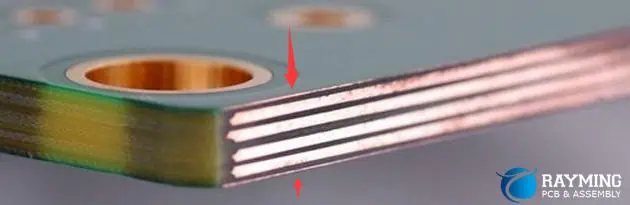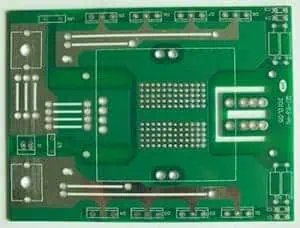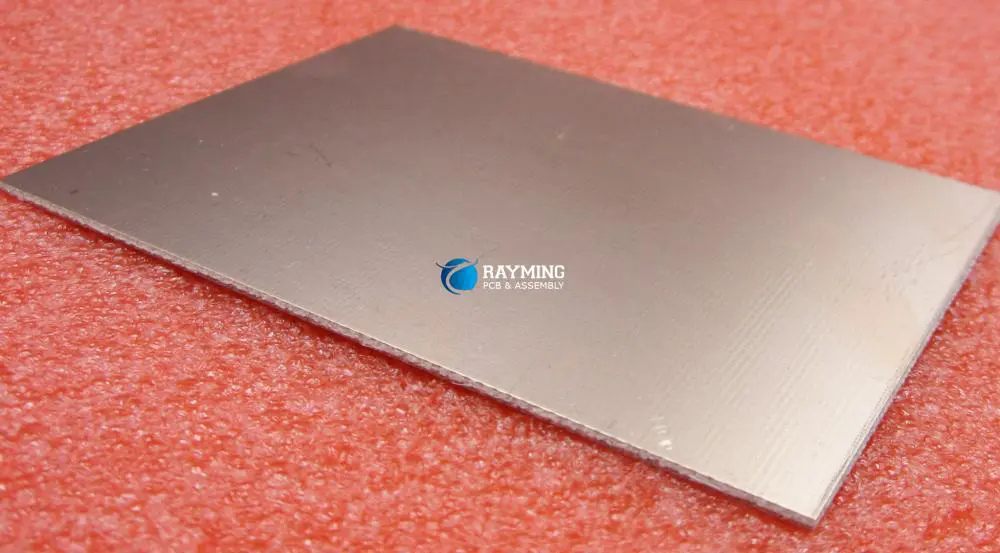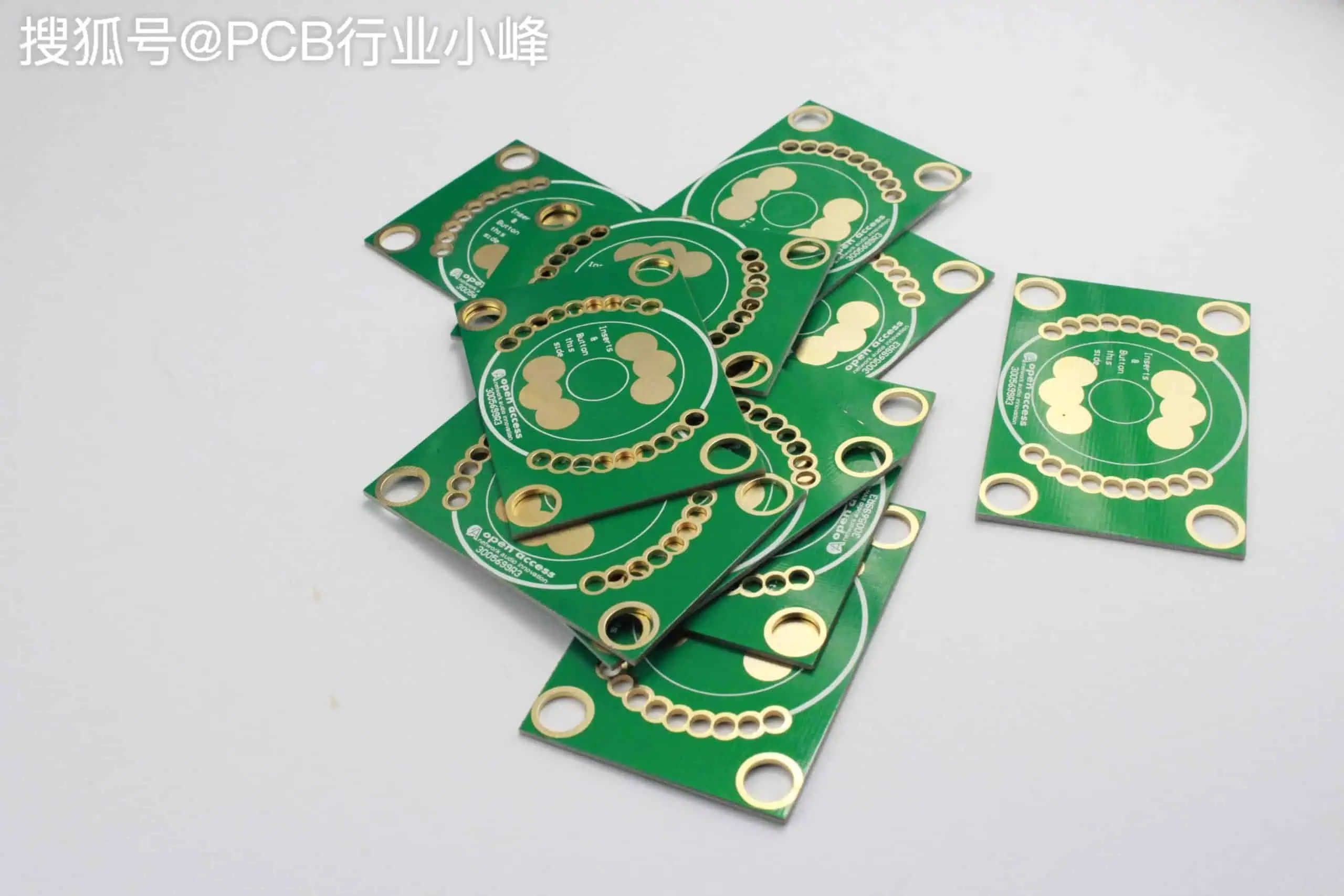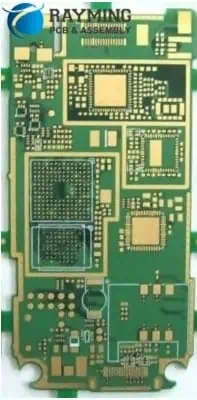
High Quality 10 Oz Copper PCB Manufacturer

10 oz pcb circuit board
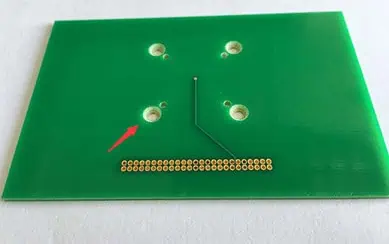
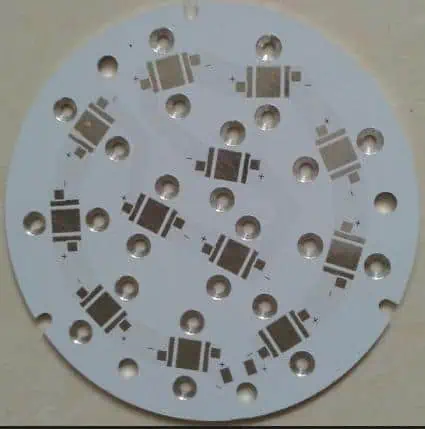
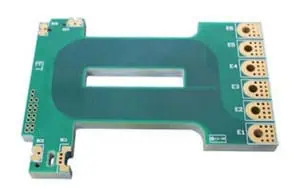
10 OZ COPPER PCB

10 Oz Copper PCB 

2 Layer  PCB

Board Thickness: 2.0mm

Surface Process: ENIG

Solder Mask : Green

Legend :White

General Guideline for Min Spacing by Copper Weight

Cu Weight               Min Recommended Space   between Copper Feature

10 OZ                                 38mil ( 0.965mm )

Introduction

As electronics become more powerful and compact, demand rises for ultra-high performance printed circuit boards (PCBs) using 10 oz copper thickness to handle increasing currents and heat loads. However, reliably producing 10 oz copper multilayer boards poses immense fabrication challenges. Selecting an experienced PCB manufacturer with proven expertise in 10 oz technology is key to ensuring flawless quality and performance.

This article provides electronics engineers an overview of 10 oz copper PCB capabilities, manufacturing process requirements, quality benchmarks, and the benefits of partnering with a high quality 10 oz board supplier.

What is a 10 Oz Copper PCB?
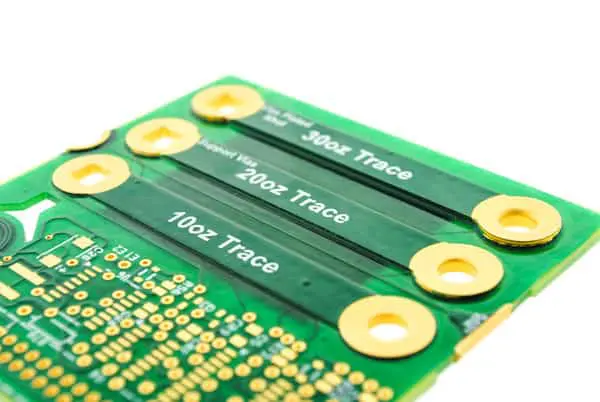
PCB copper thickness is designated in ounces per square foot (oz/ft2). This refers to the weight of copper foil in one square foot of board area, excluding the fiberglass dielectric weight. Some standard thicknesses are:

  • 1 oz โ€“ 1 oz/ft2 (35 ฮผm)
  • 2 oz โ€“ 2 oz/ft2 (70 ฮผm)
  • 4 oz โ€“ 4 oz/ft2 (140 ฮผm)
  • 6 oz โ€“ 6 oz/ft2 (210 ฮผm)
  • 10 oz โ€“ 10 oz/ft2 (350 ฮผm)

So a 10 oz copper PCB has 10 ounces of copper foil per square foot on each metal layer. In terms of thickness, 10 oz copper equals approximately:

  • 350 ฮผm (0.35 mm)
  • 14 mils

This extreme copper thickness enables unmatched power handling, thermal management and reliability.

Advantages of 10 oz Copper PCBs

Some benefits of 10 oz copper PCB technology over standard 1-6 oz copper include:

  • Highest current capacity โ€“ Ability to sustain very high current loads without overheating due to enormous copper cross-section.
  • Lowest electrical losses โ€“ Extremely low resistive losses due to thick, short traces. Maximizes electrical efficiency.
  • Finest thermal conduction โ€“ The thick copper acts as a heat spreader keeping components cool.
  • Superior shielding โ€“ Near total EMI shielding from thick uninterrupted copper planes.
  • Extreme reliability โ€“ Highly resistant to thermal cycling, electromigration and physical stresses over decades.
  • Low voltage drop โ€“ Minimal voltage loss along power distribution paths due to low resistivity.
  • Dense integration โ€“ Integrate complex high power components in compact footprint.
  • High power density โ€“ More total power can flow through a given PCB area.

10 oz copper provides the ultimate in performance for the most demanding power electronic systems requiring robustness and miniaturization.

Challenges in 10 oz PCB Manufacturing

While providing immense benefits, fabricating quality 10 oz copper PCBs poses substantial production challenges:

  • Registration โ€“ Accumulated tolerance of ultra-thick 10 oz layers can result in layer misalignment.
  • Aspect Ratios โ€“ Plating high aspect ratio 14:1 drill holes reliably is hugely difficult.
  • Lamination Voids โ€“ Bonding layers without any voids or resin starvation areas is challenging.
  • Surface Finish โ€“ Achieving uniform plating thickness on coarse foil surfaces requires precision process control.
  • Line Resolution โ€“ Defining very fine 1-2 mil lines on the rough matte foil side can be problematic.
  • Layer Bonding โ€“ High peel strengths are needed between layers to avoid any delamination risk.
  • Via Filling โ€“ Complete pore-free copper fill of high aspect through holes requires special plating regimes.
  • Drilling โ€“ Straight vertical holes with minimal taper require specialized bits and rigid machinery.
  • Hole Wall Quality โ€“ Smooth, resin-rich hole walls prevent plating pullaway defects.
  • Panel Stress โ€“ Accumulated stresses during fabrication must be minimized to prevent any warpage.

These factors demand advanced manufacturing capabilities to produce flawless 10 oz boards.

Key 10 oz PCB Manufacturing Capabilities

To reliably fabricate high quality 10 oz copper multilayer PCBs, manufacturers must demonstrate several advanced capabilities:

  • Registration accuracy โ€“ Within 0.10mm to avoid any alignment issues between layers.
  • Plating Aspect Ratios โ€“ Void-free copper plating of at least 12:1 aspect through holes.
  • **Lamination โ€“ **No filler starvation areas and precise pressure control during bonding.
  • Etching โ€“ Fine line capability down to 1 mil line/space.
  • Hole Wall Quality โ€“ Excellent resin coating of drilled hole walls.
  • Surface Finish โ€“ Highly uniform thick gold plating over coarse copper.
  • Peel Strength โ€“ Interlaminar peel strength over 9 N/mm to prevent delamination.
  • Via Filling โ€“ Pore-free copper plating fill on high aspect through holes.
  • Drilling โ€“ Straight vertical holes through 14 mil copper with minimal taper.
  • Panel Flatness โ€“ Thickness variation under 5% and minimal bow or twist.
  • Reliability Testing โ€“ Extensive thermal shock/cycling, vibration, flexure and other rigorous testing.

Process Control โ€“ Stringent process monitoring, change control and corrective action systems.

These parameters indicate whether a PCB company has the technical maturity to manufacture 10 oz boards reliably.

Benefits of Selecting a Premier 10 oz PCB Manufacturer
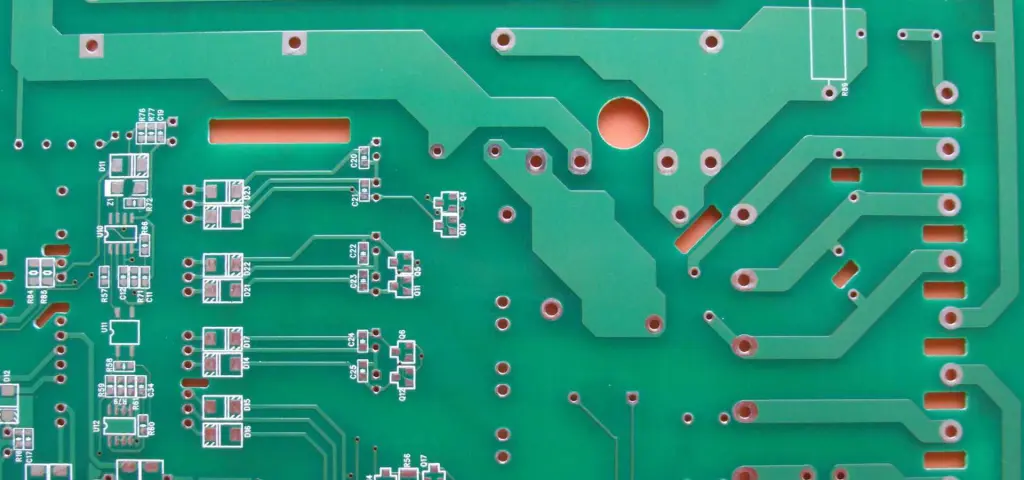
heavy copper pcb circuit board

Choosing an established PCB company with proven expertise in 10 oz copper provides key advantages:

  • Mitigate Technology Risk โ€“ Avoid initial issues during 10 oz adoption by leveraging robust qualified processes.
  • Accelerate Time-to-Market โ€“ Get products to market faster through on-demand prototypes and rapid scaling.
  • Increase Performance Margins โ€“ Achieve maximum possible electrical and thermal performance.
  • Ensure Reliability โ€“ Robust process and quality standards deliver ultra-reliable 10 oz boards.
  • Control Costs โ€“ Leverage accumulated manufacturing learning and economies of scale.
  • Simplify Logistics โ€“ Single partner for prototypes through volume production.
  • Strategic Alignment โ€“ Collaborate on design solutions and technology roadmap.

For companies looking to harness the tremendous benefits of 10 oz copper PCBs, finding the right manufacturing partner provides immense strategic value in capabilities, time-to-market, performance and costs.

Frequently Asked Questions

Q1. Does 10 oz copper affect signal integrity at high speeds?

The extremely low losses and matched impedances of 10 oz copper traces aid signal integrity for high speed designs. Effects like reflections and EMI are minimized.

Q2. What is the minimum hole size possible with 10 oz copper PCBs?

With laser drilling, holes down to 0.15mm diameter with 12:1 aspect ratio can be reliably achieved with 10 oz copper stacks.

Q3. Can components be soldered onto 10 oz copper boards?

Yes, the soldering process works very well on 10 oz copper PCBs. The high copper thermal mass helps prevent excessive heating of components.

Q4. Does 10 oz copper alter PCB flex or vibration response?

Some damping effect may occur with 10 oz boards. But the copper and laminate mechanical properties remain similar.

Q5. Is the cost much higher for 10 oz versus 6 oz copper PCBs?

The material cost increase is moderate. But advanced fabrication capabilities required do make 10 oz PCBs cost more than 6 oz boards with similar layer counts.

Conclusion

While enabling unprecedented capabilities, reliably producing quality 10 oz copper PCBs is extremely demanding. Partnering with an established manufacturer that has mastered the sophisticated processes and controls required for 10 oz multilayer boards allows maximizing yield, performance and long-term reliability. For electronics companies looking to leverage thick copper technology in new product designs, selecting a precision high quality PCB partner with proven expertise mitigates adoption risks and paves the path to successful deployment.
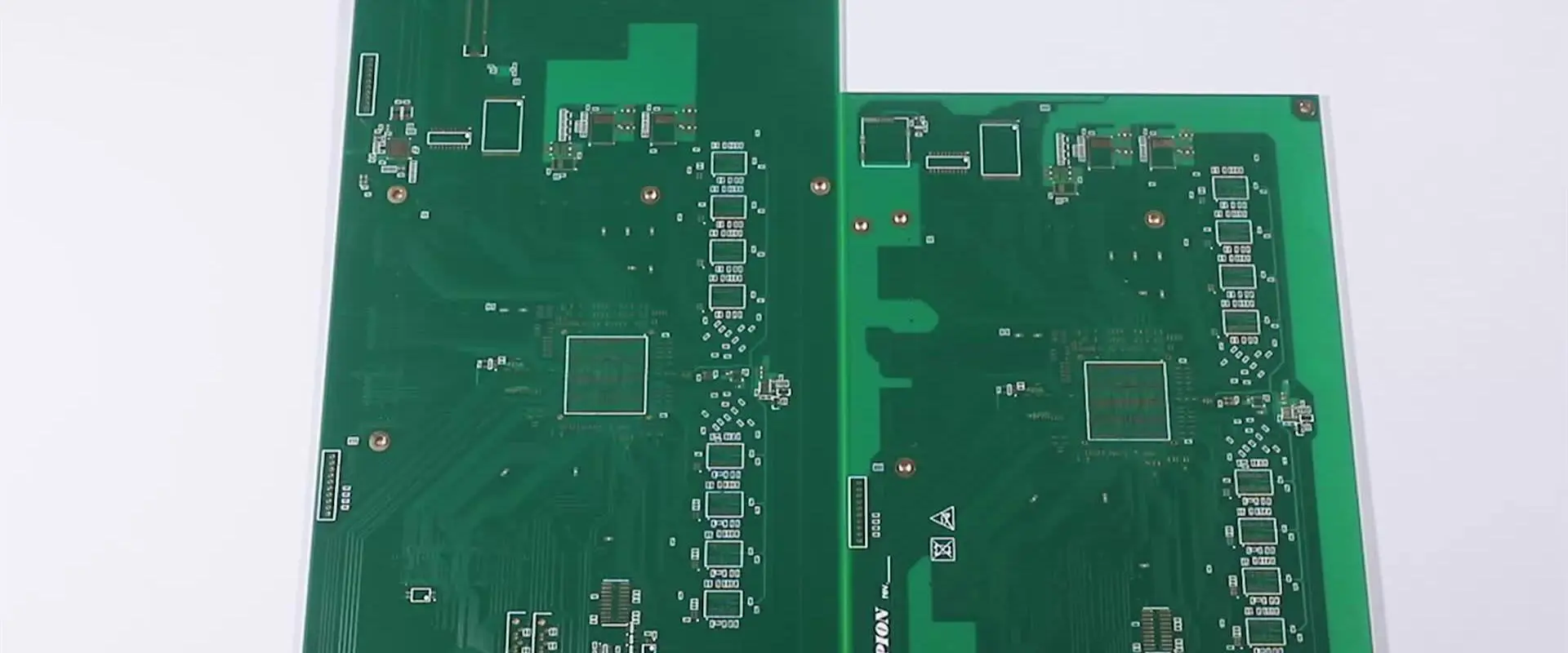
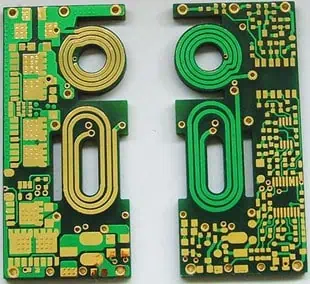
High Quality 4 OZ Copper PCB Manufacturer

4 oz copper pcb board
4 OZ COPPER PCB

4 Oz Copper PCB  Is a heavy copper PCB,  Only 2 layer , still many PCB manufacturer can handle it ,if multilayer PCB, inner layer is 4 oz, few PCB factory can fabricate it well . RayMing have rich experience manufacturing 4 oz PCB whatever double side or Multi-layer PCB .

4OZ heavy copper printed circuit PCB. Heavy Copper Board does not have a set of definition in IPC standard. However, peopel generally use this name to identify a printed circuit board with copper conductors 3 oz/square feet- 10 oz/square feet in inner and/or outer layers.

General Guideline for Min Spacing by Copper Weight

Cu Weight               Min Recommended Space   between Copper Feature

4 OZ                                     14 mil (0.355 mm)

Introduction

Printed circuit boards (PCBs) are at the heart of electronics, providing the foundation for mounting and interconnecting components. For high power applications, 4 oz copper PCBs are increasingly preferred over standard 1-2 oz copper to provide lower electrical losses, handle higher currents, dissipate heat effectively, and improve reliability under thermal stresses.

However, not all PCB manufacturers can reliably produce quality 4 oz boards. In this article, we will examine what capabilities are required for a PCB fab house to deliver robust, high performance 4 oz copper multilayer boards suited to the demands of cutting-edge electronics designs.

What is a 4 oz Copper PCB?

PCB copper thickness is designated in terms of ounces per square foot (oz/ft2). This refers to the amount of copper foil weight present per square foot of board area, excluding the fiberglass substrate.

Some standard copper weights are:

  • 1 oz โ€“ 1 oz/ft2 (35 ฮผm)
  • 2 oz โ€“ 2 oz/ft2 (70 ฮผm)
  • 3 oz – 3 oz/ft2 (105 ฮผm)
  • 4 oz โ€“ 4 oz/ft2 (140 ฮผm)

So a 4 oz copper PCB has around 4 ounces copper foil weight per square foot on each conductive layer. In terms of thickness, 4 oz copper is approximately:

  • 140 ฮผm (micrometers)
  • 5.5 mils
  • 0.14 mm (millimeters)

This heavy foil thickness provides the highest performance for the most demanding electronics applications.

Benefits of 4 oz Copper PCBs

heavy copper pcb circuit board

The key advantages of 4 oz copper PCBs over standard 1-2 oz material include:

  • Lower electrical resistance โ€“ Almost 4X less resistive than 1 oz copper due to thicker traces.
  • Higher current capacity โ€“ Ability to handle over 3X the current versus 1 oz copper without overheating.
  • Improved thermal management โ€“ The excellent conductivity of thick copper spreads heat over larger board area.
  • Greater power density โ€“ More power can be delivered through a given PCB footprint area.
  • Superior EMI shielding โ€“ 4 oz copper provides excellent shielding from electromagnetic interference.
  • Higher reliability โ€“ More resistant to thermal cycling, electromigration failures and physical damage over product lifetime.
  • Lower impedance planes โ€“ Power and ground planes have lower noise pickup and distribution issues.
  • High frequency performance โ€“ Thicker traces have less inductance and impedance mismatch.
  • Finer line/space capability โ€“ Very fine 1-2 mil traces and spacing can be achieved.

Capabilities Needed for High Quality 4 oz PCBs

Producing robust, high yield PCBs using ultra-thick 4 oz copper requires advanced capabilities from the manufacturerโ€™s fabrication process:

1. Tight Registration and Layer-to-Layer Alignment

With over 5 mils thickness, 4 oz inner copper layers can potentially shift during lamination leading to misregistration. The PCB press cycles must tightly control temperatures, pressures and times to minimize any alignment issues.

2. Void-Free Filling of High Aspect Ratio Holes

The high via aspect ratio with 4 oz copper makes getting void-free plating difficult. Special plating chemistry and racking processes are needed to reliably copper fill vias across all layers without issues like voids or dimpling.

3. Excellent Etch Control and Capability

To hold the fine 1-2 mil lines and spaces possible with 4 oz material, the copper etch process must have excellent control across the entire panel. This requires high accuracy conveyorized equipment.
4. Strong Bonding Between Layers

Delamination or separation between layers is a reliability risk with thicker copper. The lamination process must create excellent adhesion between the prepregs and copper foils across the stackup.

5. Minimal Copper Surface Roughness

The matte side of copper foils can suffer from excessive surface roughness. This must be controlled to allow successful photolithography when using liquid resists.

6. High Aspect Ratio Drilling

Mechanically drilling through over 5 mils of copper requires rigid machinery and specialized drill bits to achieve straight vertical holes without breakage or excessive taper.

7. Fine Line Photolithography Capability

To fully leverage the high density interconnect capability of 4 oz copper, the photolithography process must be capable of defining very fine 1-2 mil line/space geometries.

8. Robust Final Finish Plating

Thick gold or other metallic finishes prevent oxidation and ensure reliable soldering. The plating thickness uniformity across a large panel must be tightly controlled through optimized racks and solution maintenance.

9. Stackup Design Experience

Proper incorporation of 4 oz copper in the layer stackup is critical, accounting for factors like registration, aspect ratios, impedances and plane placement. Extensive modeling experience is invaluable.

10. Application-Specific Design Guidance

Experienced 4 oz PCB manufacturers provide guidance to designers on layout techniques optimized for the capabilities of ultra-thick copper to avoid issues and maximize performance.

Key Indicators of 4 oz PCB Manufacturing Quality

Certain metrics and process capability markers indicate whether a PCB manufacturer has the technical competence to reliably produce high quality 4 oz copper boards:

  • Tight laminate thickness variation (<5%)
  • Excellent foil-to-foil registration (<0.10mm)
  • Void-free hole fill down to 0.15mm vias
  • Fine line resolution down to 1 mil line/space
  • High peel strengths between layers (>9 N/mm) with 0% delamination
  • Minimal surface roughness (<2 ฮผm Ra)
  • Very low impedance power/ground planes (<5 mฮฉ)
  • Well-controlled gold plating thickness (+/- 5%)
  • Rigorous incoming material QC and lot traceability
  • Extensive inspection and reliability testing capabilities
  • Stringent process controls and change management
  • Zero-defect quality culture at all organizational levels

Benefits of Partnering with a High Quality Manufacturer

Selecting a PCB manufacturer capable of flawless volume production with 4 oz copper provides significant advantages to electronics companies:

Faster Time-to-Market โ€“ Get advanced 4 oz designs to field faster by avoiding new process engineering efforts.

De-Risked Introduction โ€“ Minimize initial issues and ramp smoothly to volume production by leveraging proven 4 oz expertise.

Enhanced Performance โ€“ Achieve electrical, thermal and reliability goals through precision 4 oz fabrication.

Robust Quality โ€“ Ensure consistently defect-free boards and minimize fallout related delays or shortages.

Stable Long Term Supply โ€“ Maintain continuity of supply and performance improvements through strategic supplier relationships.

Cost Savings โ€“ Leverage economies of scale and receive cost transparency for informed tradeoff decisions.

On-Demand Flexibility โ€“ Meet changing requirements rapidly through responsive small batch builds.

For companies looking to utilize advanced 4 oz copper technology in new products, partnering with manufacturers that have perfected quality 4 oz PCB fabrication can provide substantial benefits in capabilities, performance and business success.

Frequently Asked Questions

Q1. Can 4 oz copper withstand multiple reflows?

Yes, the high melting point and thickness of copper makes it resistant to typical soldering heat allowing multiple passes through reflow ovens.

Q2. Does 4 oz copper cause registration issues in multilayer PCBs?

In high quality PCB production, 4 oz inner layers can be laminated without any registration problems between layers.

Q3. Are there limitations on minimum hole sizes with 4 oz copper?

With laser drilling, hole sizes down below 0.15mm diameter can reliably achieve high quality copper plating.

Q4. Can 4 oz copper be used for flex PCBs?

Yes, 4 oz copper can be used on flex PCBs. But thinner foils are more common to maintain flexibility.

Q5. Does solder mask adhesion change on 4 oz copper?

Standard liquid photoimageable solder mask formulations adhere very well to 4 oz copper without any decrease in bond strength versus thinner foils.

Conclusion

As electronics products push towards greater capabilities and miniaturization, partnering with an expert PCB manufacturer capable of flawless quality 4 oz copper multilayer boards enables designers to fully leverage the benefits of low loss, high current, enhanced thermal performance and layout density that this leading-edge thick copper technology provides. Careful qualification using key process indicators outlined above helps identify manufacturers with proven expertise in 4 oz copper fabrication. By selecting a precision high quality partner, engineers can mitigate risks, enhance final product performance, and achieve successful adoption of advanced 4 oz PCB technology.

How Thick is 3 oz Copper in PCB?

10 oz pcb circuit board

3 Oz Copper PCB ,  105Micron    ( 4.1339 Mil   ) , When a design use 3 oz copper , We can call it heavy copper PCB .  If base copper is 3oz , then completed copper will be 4 oz, for multi-layer , Inner 3 oz , the final will be 3oz,   When do 3 oz PCB manufacturing, We need take care the solder mask , because the thick  solder mask will flow .

Introduction

Printed circuit boards (PCBs) form the backbone of electronics, providing mechanical support and electrical connectivity for components. PCB copper thickness is a key design parameter that affects current capacity, electrical/thermal performance and manufacturability.

While 1 oz copper has been the traditional standard thickness, 3 oz copper boards are being increasingly adopted for high power and performance designs needing thicker conductors. In this article, we will look at what 3 oz copper PCB thickness means, how it compares to other copper weights, its applications and advantages, and the design considerations when working with 3 oz copper boards.

What Does 3 oz Copper Mean?

3oz copper pcb

PCB copper thickness is specified by weight in terms of ounces per square foot (oz/ft2). This refers to the amount of copper foil weight present in one square foot of board area, excluding the fiberglass dielectric substrate weight.

Some common PCB copper weights are:

  • 1/2 oz โ€“ 0.5 oz/ft2 (17 ฮผm)
  • 1 oz โ€“ 1 oz/ft2 (35 ฮผm)
  • 2 oz โ€“ 2 oz/ft2 (70 ฮผm)
  • 3 oz โ€“ 3 oz/ft2 (105 ฮผm)
  • 4 oz – 4 oz/ft2 (140 ฮผm)

So a 3 oz copper PCB has around 3 ounces of copper foil per square foot on each metal layer. In terms of thickness, 3 oz copper equals approximately:

  • 105 ฮผm (micrometers)
  • 4.2 mil (thousandths of an inch)
  • 0.105 mm (millimeters)

This is over 3x thicker than standard 1 oz foil.

Why Use Thicker 3 oz Copper?

The trend towards 3 oz copper PCBs is being driven by several factors:

  • Higher current capacity โ€“ The thicker copper can handle over 3 times the current compared to 1 oz material without overheating. This enables higher power PCBs.
  • Lower losses โ€“ Increased copper mass reduces resistive losses and voltage drops across traces. This improves electrical efficiency.
  • Thermal performance โ€“ The excellent thermal conductivity of copper spreads heat over larger board area, keeping components cooler.
  • Finer lines and spaces โ€“ 3 oz copper allows very fine trace geometries and clearances for dense SMT boards.
  • High frequency/high speed โ€“ Thicker traces reduce impedance mismatch and electromagnetic radiation for faster circuits.
  • Reliability โ€“ Heavier copper is more resistant to thermal stress, electromigration and corrosion over product lifetime.
  • High current components โ€“ New power devices often need PCBs exceeding 2 oz copper thickness.

For such reasons, 3 oz copper provides clear advantages over thinner foils in appropriate applications.

Applications Suited for 3 oz Copper PCBs

Some examples of products and systems that can benefit from upgrading to 3 oz copper thickness include:

  • High power motor drives โ€“ Thick 3 oz layers handle large motor phase currents without overheating.
  • Electric vehicle electronics โ€“ Low loss and current capacity aid powertrain and battery management systems.
  • Power converters โ€“ Enhanced thermal dissipation rating and ampacity rating in AC-DC and DC-DC converters.
  • Power amplifiers โ€“ RF power amps for communications systems need low loss boards to minimize distortion.
  • Server/telecom hardware โ€“ High speed backplanes and data storage devices require thicker conductors.
  • Medical equipment โ€“ Critical devices like MRI scanners and surgical systems demand maximum reliability under all conditions.
  • Defense electronics โ€“ Mission-critical systems in extreme environments are designed with 3+ oz copper for ruggedness.
  • Solar inverters โ€“ High currents handled with low losses and lower layer counts.
  • LED lighting โ€“ Operating at elevated temperatures, thick copper PCBs keep LEDs cool and efficient.
For such demanding applications, 3 oz copper provides greater robustness, performance margin and long-term reliability versus standard 1-2 oz foils.

Key Benefits of 3 oz Copper PCBs

heavy copper pcb circuit board

The advantages of increasing copper thickness from 1 oz to 3 oz include:

1. Lower Electrical Resistance

Copperโ€™s resistivity is 1.72 x 10<sup>-6</sup> ohm-cm. Increasing cross-section area by using thicker copper lowers resistance proportionally. The 3 oz foil offers about 3 times lower trace resistance than 1 oz material:

Trace Width1 oz Resistance3 oz ResistanceResistance Drop
10 mil19.8 mฮฉ/inch6.6 mฮฉ/inch~67% lower
5 mil39.6 mฮฉ/inch13.2 mฮฉ/inch~67% lower
3 mil66 mฮฉ/inch22 mฮฉ/inch~67% lower
2 mil99 mฮฉ/inch33 mฮฉ/inch~67% lower
1 mil198 mฮฉ/inch66 mฮฉ/inch~67% lower

(Assuming standard 1.4 mil trace thickness. Table values approximate.)

Lower resistance minimizes undesirable power losses on the PCB due to I<sup>2</sup>R heating and IR voltage drops. This maximizes electrical efficiency.

2. Increased Current Carrying Capacity

For a given temperature rise, trace current handling capacity increases in proportion to the square root of the copper cross-sectional area.

Going from 1 oz to 3 oz thick copper almost triples the allowable current density. For example, a common 10 mil wide trace can handle:

  • 1 oz: ~1.2 A
  • 3 oz: ~3 A

This expanded ampacity matches the higher current loads of modern power electronics. A boardโ€™s power handling capability is increased without needing more layers.

3. Improved Electromagnetic Shielding

With trace signals becoming faster in high speed digital designs, containing electromagnetic interference (EMI) is critical.

A solid plane or enclosure of thick copper foil provides superior shielding and isolation against radiated EMI compared to thinner material. 3 oz copper is very effective at blocking interfering fields.

4. Enhanced Thermal Performance

Copper is the PCB conductor of choice due to its excellent thermal conductivity (385 W/m-K). This rapidly conducts heat away from hot spots to cooler areas.

Increasing copper thickness reduces the thermal resistance between components and board layers. This results in lower component temperatures for the same heat dissipation levels.

5. Finer Line Resolution and Spacing

The thicker 3 oz copper allows reliably etching very fine trace widths and clearances down to ~2 mils.

This high density interconnect capability supports complex routing in compact PCBs and integrating tiny chip components with fine lead pitches.

6. Lower Inductance Wiring

At higher frequencies, conductors exhibit self-inductance which opposes changes in current. Thicker traces reduce this inductance which otherwise can distort signals.

3 oz copper wiring has about 3x lower inductance than an equivalent 1 oz trace. This enhances high frequency AC performance.

7. Improved Signal Integrity

Electrical transmission line effects like reflections become significant at higher speeds and frequencies.

Thicker 3 oz traces better match characteristic impedances. Along with lower overall resistance and inductance, this reduces signal degradation in high speed channels.

8. Lower Layer Counts Possible

By carrying more current on outer layers, 3 oz copper may permit using fewer inner layers for power distribution on some designs. But enough should be retained for shielding.

9. Long-Term Reliability

Thicker copper is inherently more resistant to thermal stresses, electromigration, corrosion, and physical damage. This enhances PCB durability over product lifetime.

Reliability is especially critical for automotive, medical, military and aerospace applications where failure is not an option.

Comparison of 3 oz to Standard 1 oz Copper

Here is a summary comparison between typical 1 oz and 3 oz PCB material properties:

Parameter1 oz Copper3 oz Copper
Copper Thickness1 oz/ft2 (35 ฮผm)3 oz/ft2 (105 ฮผm)
Trace ResistanceHigher~65% lower
Current CapacityLower~2.5x higher
InductanceHigher~2x lower
Thermal ConductionModerateImproved
EMI ShieldingFairExcellent attenuation
Fine Line Capability3-4 mil lines/spaces2-3 mil lines/spaces
ReliabilityModerateEnhanced
CostLowerModerately higher

So for high power, high frequency or mission-critical applications, 3 oz copper provides substantially improved performance over standard 1 oz foil.

Design Guidelines for 3 oz Copper

copper thickness

To fully utilize the benefits of 3 oz copper in a design, engineers should follow certain PCB layout practices:

  • Employ minimum trace widths based on actual current needs rather than oversizing out of habit.
  • Use space made available for tighter component placement and routing density. But observe spacing rules.
  • Limit the length of low-amplitude high frequency traces as much as possible.
  • Watch for acid traps and spacing violations from tighter lines and spaces.
  • Increase the number of small vias used for connections instead of fewer larger holes.
  • Ensure adequate thermal reliefs for leads, but remove for pads/vias if suitable.
  • Add more copper fills for thermal and EMI shielding purposes if appropriate.
  • In power planes, minimize cut-outs and splits which increase inductance.
  • Account for possible manufacturer inspection issues with very fine geometries.
  • Refine clearance grids, design rules and DFMs to match 3 oz capabilities.
  • Watch for and correct acid traps, necking and over-etching of fine features.

With careful design practises tailored to the capabilities of 3 oz copper, PCB engineers can maximize the benefits of this thick copper technology for their specific application needs.

Frequently Asked Questions

Q1. Can 3 oz copper be used for multilayer boards?

Yes, 3 oz copper foils are commonly used on multilayer PCBs. The lamination process can accommodate the thickness.

Q2. Are there special drill requirements for 3 oz copper?

Laser drills are typically used for all multilayer boards regardless of copper thickness. Mechanical drills above 0.3mm are suitable.

Q3. Does solder mask adhesion change on 3 oz copper?

There is minimal effect on solder mask adhesion between different copper weights. The chemical bond to copper remains the same.

Q4. Does 3 oz copper withstand soldering heat?

Yes, soldering temperatures are well below the melting point of copper. The thicker 3 oz copper is more thermally stable against soldering exposure.

Q5. Is 3 oz copper readily available from manufacturers?

As 3 oz copper gains adoption, more PCB suppliers offer quick turnaround capability in 3 oz material at reasonable costs.

Conclusion

With its 3X thickness over standard 1 oz foils, 3 oz copper provides substantially increased current capacity, finer features, lower losses, improved thermal management, enhanced reliability and superior EMI control. These benefits make 3 oz copper the material of choice for leading edge high-performance and high-reliability electronics. To fully leverage 3 oz copperโ€™s capabilities, engineers must follow disciplined layout and design practises tailored to the finer geometries and higher densities achievable. When designed properly, 3 oz copper PCB technology enables electronics to meet the demands of today as well as the future.

2oz Copper PCB Thickness and its Design Guidelines

2 oz copper circuit board

Introduction

Printed circuit boards (PCBs) form the core of electronic products, providing the mechanical support and electrical connectivity for components. An important characteristic of PCBs is the weight or thickness of the copper foil used – typically specified in ounces per square foot (oz/ft2). While 1oz copper has been the traditional standard, 2oz copper PCBs are being increasingly adopted in modern high performance designs.

In this article, we will look at what 2oz copper PCB thickness means, why 2oz copper is preferred today, how it compares to 1oz, the key benefits 2oz copper provides, and the design guidelines to follow to best utilize the advantages of this thicker copper PCB technology.

What is 2oz Copper PCB?

2oz copper PCB

The copper thickness or weight on a PCB is specified in ounces per square foot (oz/ft2). This refers to the weight of copper foil in a square foot area, not counting the weight of the insulating fiberglass substrate. Some typical copper weights are:

  • 1/2oz – 0.5 oz/ft2 (17 ฮผm)
  • 1oz – 1 oz/ft2 (35 ฮผm)
  • 2oz – 2 oz/ft2 (70 ฮผm)
  • 3oz – 3 oz/ft2 (105 ฮผm)

So a 2oz copper PCB uses 2 ounce of copper foil per square foot on each metal layer. This equals a copper thickness of about 70 ฮผm (micrometers) or 2.8 mils. The key benefits of 2oz over standard 1oz copper are:

  • Lower electrical resistance and losses
  • Ability to handle higher currents
  • Improved heat dissipation
  • Better electromagnetic and EMI shielding
  • Higher reliability under temperature swings and current stresses

Why Use 2oz Copper instead of 1oz?

While 1oz copper PCBs have been widely used in the past, 2oz copper offers a number of advantages driving its increasing adoption:

Higher Currents – Electronic devices are handling ever increasing power levels. The thicker 2oz copper can carry over twice the current of 1oz copper without overheating. This reduces the number of layers needed.

Lower Loss – The 2x lower resistivity cuts resistive losses in half compared to 1oz copper. This improves power efficiency and signal quality.

Finer Lines/Spaces – The thicker copper allows narrower trace widths and spacing which helps increase PCB component density.

EMI Shielding – With increasing circuit speeds, electromagnetic interference (EMI) is a growing concern. The thicker 2oz copper provides superior shielding against EMI.

Thermal Dissipation – The excellent thermal conductivity of copper helps spread heat better and improves thermal management with 2oz copper boards.

Reliability – Under temperature swings and current stresses, 2oz copper suffers less electrical migration issues and dendrite growth over long-term use.

High Speed – Lower resistance and inductance of 2oz copper traces enhances high speed signal quality in today’s high frequency digital circuits.

Component Miniaturization – Finer 2oz copper features allow matching PCBs to smaller, closely spaced component packages.

Cost – Although 2oz copper is costlier than 1oz materially, this is offset by lower layer count, improved yield and better reliability.

Key Benefits of 2oz Copper

Let’s examine some of the technical advantages of 2oz copper PCBs in more detail:

1. Lower Electrical Resistance

Copper is the standard PCB conductor due to its high electrical conductivity. Its volume resistivity is 1.72 x 10<sup>-6</sup> ohm-cm. For a given cross-section area, increasing copper thickness decreases resistance proportionally.

The table below shows resistivity comparisons for common PCB trace widths:

Trace Size1oz Resistance2oz Resistance% Resistance Drop
10 mils19.8 mฮฉ/inch9.9 mฮฉ/inch~50%
5 mils39.6 mฮฉ/inch19.8 mฮฉ/inch~50%
3 mils66 mฮฉ/inch33 mฮฉ/inch~50%
2 mils99 mฮฉ/inch49.5 mฮฉ/inch~50%
1 mil198 mฮฉ/inch99 mฮฉ/inch~50%

(Table data assumes standard 1.4mil trace height and bulk copper resistivity)

We can see the 2oz copper thickness cuts conductor resistivity in half versus 1oz material. This lowers losses like I2R heating, improves power efficiency, reduces voltage drops, and minimizes cross talk.

2. Increased Current Carrying Capacity

The maximum current a PCB trace can safely carry without overheating is proportional to the copper cross-sectional area. By doubling thickness from 1oz to 2oz, the cross-section and current capacity approximately doubles.

For example, a common 10 mil wide trace can handle:

  • 1.2A max on 1oz copper
  • 2.4A max on 2oz copper

This helps reduce the layer count for heavily loaded boards by carrying more current per layer with 2oz copper.

3. Finer Trace Resolution

The thicker 2oz copper can be etched to finer trace widths and spacing compared to 1oz material. Width and space down to 2-3 mils is achievable with 2oz boards.

This denser trace resolution enables complex, high component density PCBs with fine geometry to route traces between closely placed small components.

4. Lower Inductance Wiring

For high frequency AC signals, the magnetic flux penetrating the loop area of a wire produces self-inductance which increases with current frequency. This self-inductance can distort signals.

2oz copper traces have less inductance than thinner 1oz traces. Because inductance reduces with increasing conductor thickness while keeping loop area constant. This improves high frequency AC performance.

5. Better Electromagnetic Shielding

With fast switching digital circuits, controlling stray electromagnetic interference (EMI) is critical. A solid copper plane or enclosure provides effective EMI shielding.

The thicker 2oz copper offers superior shielding compared to 1oz material by reducing penetration of magnetic fields. It also has higher reflection attenuation for radiated fields.

6. Improved Thermal Management

The excellent thermal conductivity of copper (385 W/m-K) allows it to rapidly conduct heat away from hot spots and spreading it over the PCB area. Thereby lowering peak temperatures.

With 2oz copper, the higher copper mass reduces thermal resistance in the planes. This keeps the board and components cooler during operation.

7. Lower Impedance Ground/Power Planes

Continuous ground and power planes are commonly used in multilayer PCBs. At high frequencies, these planes have non-zero impedance which causes noise if large currents flow.

2oz copper planes reduce this impedance due to larger thickness. Resulting in cleaner power distribution and lower ground noise.

8. Better Power Handling and Reliability

The combination of lower operating temperature, reduced current density, lower electromigration and thicker copper gives 2oz boards greater long-term reliability under electrical and thermal stresses.

This enhances product life span and reduces field failures – critical factors for applications like automotive, aerospace and medical electronics.

9. Improved Manufacturing Yield

The thicker 2oz copper is inherently more resistant to defects like nicks, scratches and denting during PCB fabrication handling. This leads to higher manufacturing yields and lower costs.

Also, improved etch control results in fewer open or partially open traces reducing scrap and rework. The higher yield offsets the marginally higher 2oz material cost.

Applications that Benefit from 2oz Copper

Some types of PCB designs and applications that can take particular advantage of the superior performance of 2oz copper are:

High Power Electronics – Power devices for HVAC, motor drives, battery charging, power supplies etc. need heavy duty PCBs to handle large currents without overheating.

Automotive Electronics – Under-hood circuits for engines, drivetrains and auxiliary systems require high reliability PCBs with 2oz copper for the thermal and vibration extremes.

LED Lighting – High brightness LED systems often operate at elevated temperatures. 2oz boards keep the LEDs and drivers cooler for efficient light output.

Power AmplifiersAudio amplifiers and transmitters deal with large RF signals. Low loss 2oz material ensures clean signal amplification.

Computer Servers – High density computing clusters require dense 2oz PCBs to interconnect many processors operating at high power levels.

Wireless Base Stations – Handling many simultaneous cellular signals generates substantial heat. 2oz boards dissipate heat efficiently in the crowded enclosure.

Defense/Avionics – Mission-critical aerospace systems demand maximum reliability. 2oz copper provides this under demanding operating conditions.

Medical – For implanted devices like pacemakers and monitors, 2oz PCBs ensure robust operation under body thermal stresses and currents.

For such applications, 2oz copper is preferred over 1oz to leverage its advantages while accepting the moderately higher cost.

Design Guidelines for 2oz Copper Boards

To fully optimize a design using 2oz copper thickness, engineers should follow certain PCB layout guidelines:

Utilize Available Space – With 2oz copper allowing narrower traces and spacing, component placement can be more dense. Spread components out to utilize the extra space.

Minimize Trace Lengths – The low resistivity of 2oz copper means less need for fat traces. Use the space for routing shorter, more direct connections.

Reduce Layer Count – Lower current density enables removing layers if layout permits. But maintain adequate ground/power planes.

Use Smaller Vias – Taking advantage of the finer 2oz resolution, vias can be shrunk maintaining routing density.

Increase Component Density – Smaller package components packed closer together are now easier to interconnect with thinner 2oz traces.

Watch AC Impedance – For sensitive high frequency signals, keep narrow 2oz traces short and avoid thin/long traces.

Remove Thermal Reliefs – If suitable for components/leads, thermal reliefs can be eliminated to reduce thermal resistance.

Increase Copper Fills – Use more copper pours for thermal and EMI shielding. Maintain isolation from traces.

Reduce Plane Splits – Minimize splits in ground and power planes. Use more vias for connections through splits.

Watch Spacing at Edges – Higher etch resolution can result in insufficiently spaced traces along board edges.

Refine Grids/DRC Rules – Tighten clearance grids and design rule checks to match 2oz capabilities.

Account via-in-pad – Ensure designers consider via-in-pad rules for densely placed vias.

With careful 2oz PCB layout practises, board sizes can be shrunk, performance maximized and overall assembly costs potentially reduced.

Comparison Summary – 1oz vs 2oz Copper

Here is a summary comparison of key differences between standard 1oz and 2oz copper PCBs:

Parameter1oz Copper2oz Copper
Copper Thickness1 oz/ft2 (35 ฮผm)2 oz/ft2 (70 ฮผm)
Trace ResistanceHigherLower by ~50%
Current CapacityLowerNearly 2x higher
InductanceHigherLower
Thermal ConductionModerateImproved heat spreading
EMI ShieldingModerateBetter attenuation
Fine Line Resolution3-4 mil lines/spaces2-3 mil lines/spaces
Layer CountTypically higherCan potentially be lower
CostLowerMarginally higher
ReliabilityModerateEnhanced under stresses

So for high current, fine pitch and demanding applications, 2oz copper is preferable over 1oz to leverage its advantages.

Frequently Asked Questions

Q1. Is 2oz copper suitable for multi-layer PCBs?

Yes, 2oz copper material can be used on all layers of multilayer boards equally well. The higher thickness still allows tight registration and lamination.

Q2. Does solder mask adhesion differ between 1oz and 2oz copper?

There is negligible difference in solder mask adhesion between the two copper thicknesses. The chemical bond to copper remains similar.

Q3. Can 2oz copper withstand soldering heat exposure?

Yes, the soldering temperatures typically used for PCB assembly are well below the melting point of copper. So 2oz copper remains stable against soldering heat.

Q4. How are vias drilled on 2oz copper boards?

Vias are typically made using laser drilling, which can easily drill through the 2oz copper layer. Mechanical drilling is slower but possible too.

Q5. Is 2oz readily available from PCB manufacturers?

Nowadays most PCB fabricators offer 2oz copper as a standard option at reasonable costs due to its widespread adoption. Quantity minimums may be higher.

Conclusion

With the increasing performance demands of modern electronics, 2oz copper PCBs are becoming the preferred choice over traditional 1oz material in many applications due to their many electrical, thermal, reliability and fabrication advantages.

To fully leverage the lower losses, higher currents, improved resolution and shielding possible with 2oz copper, designers must follow disciplined layout practices specialized for the capabilities of thicker copper boards.

By combining robust 2oz PCB technology with optimized design techniques, engineers can build electronics products with maximized efficiency, density and reliability to meet the needs of the future.

How Thick is the Copper on a 1 oz Copper PCB in mm?

0.2mm thin pcb board

Introduction

Copper thickness is a critical parameter in the design and performance of printed circuit boards (PCBs). The most common copper weight referred to is 1 oz, but what does that translate to in terms of actual copper thickness?

This article provides a detailed overview of 1 oz copper, including its equivalent thickness in metric units, key properties, usage considerations, and how it compares to other common copper weights seen in PCB fabrication. Weโ€™ll also look at calculating finished copper thickness after plating and etched trace widths.

Understanding copper thickness selection, processing effects, and manufacturing capabilities allows optimizing PCBs for functionality, cost, and manufacturability.

What is 1 Ounce Copper?

1 OZ Copper PCB

1 oz copper refers to 1 ounce of copper per square foot of surface area on a PCB layer. This is a weight density measured in ounces per square foot (oz/ft2).

The key to converting to a linear copper thickness is knowing the density of pure copper:

Copper Density

  • Density of copper = 8.96 g/cm3
  • 1 oz = 28.35 g
  • 1 ft2 = 929 cm2

Calculating 1 oz Thickness

  • 1 oz / 929 cm2 = 0.0305 g/cm2
  • With density 8.96 g/cm3, thickness = 0.0305 / 8.96 = 0.0034 cm
  • Therefore, 1 oz copper = 0.0034 cm = 34 ฮผm (microns) thick

So while PCB copper thickness is referred to by weight (ounces), it can be converted to an actual linear metric distance in microns or mils.

Key Properties of 1 oz Copper

Some of the key material properties of 1 oz or 34 micron thick copper in PCBs:

  • Conductivity – High electrical conductivity, around 59 MS/m for rolled copper foil
  • Solderability – Excellent solder wetting and bonding performance
  • Adhesion – Copper-clad laminate materials promote reliable copper-substrate bonding
  • Etchability – Responds well to PCB etchants and processes for pattern definition
  • Flexibility – Adequate ductility and malleability for bending and flexing stress
  • Thermal relief – Copper expands/contracts to relieve thermal strain on PCBs

1 oz strikes an ideal balance of capabilities across electrical, mechanical, and manufacturing needs in PCB fabrication.

PCB Copper Weight Designations

Several standard copper ounce weights are used in PCB manufacturing:

Copper WeightThickness (ฮผm)Thickness (mils)
1/4 oz8.90.35
1/2 oz17.80.7
1 oz35.61.4
2 oz71.12.8
3 oz106.74.2
4 oz142.25.6

As seen above, 1 oz sits between the common half and 2 ounce weights in terms of copper thickness. The trend is increasing density designs requiring heavier copper like 2-4 oz.

Why Use 1 Ounce Copper?

Here are some of the main reasons 1 ounce copper became the standard for PCB fabrication:

Electrical Performance

  • Thick enough for low resistance power distribution on supply layers
  • Thin enough for controlled impedance on signals below 100 MHz

Physical Strength

  • Provides adequate structural integrity minimizing risk of cracking
  • Durable enough for multiple via holes, component holes, and cutouts

Etching Capability

  • Thin traces/spaces can be reliably etched compared to higher copper weights

Cost

  • Lower material cost compared to thicker copper foils
  • Reduces fabrications steps like sequential lamination

Soldermask Process

  • Compatible mask thicknesses exist that can cover 1 oz copper
  • Thicker copper requires screen printing process

The 1 oz weight occupies the sweet spot balancing electrical, mechanical, and fabrication requirements while avoiding the cost and complexity of thicker copper PCBs.

PCB Trace Widths With 1 oz Copper

One important design consideration with 1 oz copper is the resulting trace width after etching.

The table below shows typical minimum trace widths when using 1 oz starting foil:

Layer TypeCopper LeftMin Width
External0.7 oz25 ฮผm (0.98 mil)
Internal0.5 oz18 ฮผm (0.71 mil)

This assumes approximately 50% copper etchback during patterning of external layers and ~30% on inner layers.

Narrower traces are possible but require advanced etching capability, finer line photolithography, and electrical test validation.

For reference, 2 oz copper allows roughly twice the remaining trace thickness after etch. This enables heavier current carrying capability.

Plated Copper Thickness

LCD display control PCB

In addition to the base copper foil, PCB fabrication includes plating steps that further increase copper thickness:

  • Electroless Plating – An initial chemical plating process prepares conductors for electrolytic plating by depositing 1-2 ฮผm of copper.
  • Electrolytic Plating – Electroplating builds up 15-30 ฮผm of copper thickness depending on the plating profile.
  • SolderTin, or Gold Plating – Final metal platings deposit 1-10 ฮผm over the nickel for soldering or corrosion protection.

Taking these finishing processes into account, the total finished copper thickness with 1 oz base foil is typically:

  • External layers – 50-65 ฮผm
  • Internal layers – 25-35 ฮผm

This demonstrates why you cannot assume 1 oz foil alone when designing current carrying traces or considering etchback. The full plating thickness must be incorporated.

Comparing 1 oz to Other Copper Weights

It is helpful to compare the characteristics of 1 oz foil to the capabilities of other common copper weights:

Parameter1/2 oz1 oz2 oz3 oz4 oz
Thickness (ฮผm )183570105140
Lines/Spaces (mm)0.0750.0500.0250.0150.010
Current Capacity (A)1-55-1520-3030-4040-50
FlexibilityExcellentVery GoodGoodFairPoor
Ease of EtchExcellentVery GoodFairDifficultVery Difficult
CostLowFairHighVery HighExtremely High

In creasing copper weight improves current carrying capacity and fine line capability but negatively impacts flexibility, etchability, and cost. 1 oz offers a good balance across these tradeoffs.

Manufacturing With 1 oz Copper

Fabricating PCBs with 1 oz foil is well suited to standard processes:

  • Photolithography – Widely available dry films and liquid photo resists can adequately cover 1 oz foils. 2 oz and above requires screen printing resists.
  • Etching – Most etching processes including cupric chloride and ammonium persulfate can reliably etch 1 oz. Thicker foils often need aggressive etch cycles.
  • Soldermask – Standard liquid photoimageable (LPI) soldermask materials at 25-75 ฮผm thickness are formulated for 1 oz copper coverage.
  • Plating – Common plating chemistries have sufficient throwing power to cover 1 oz copper on high-aspect ratio PTHs and holes.
  • Lamination – 1 oz foil works with typical heat and pressure lamination processes without special preparation.

1 oz copper is generally the highest weight that standard PCB fabrication processes can accommodate without requiring specialized plating chemistries, custom resist or mask materials, and additional process steps. This allows more competitive pricing.

When Higher Copper Weights Are Required

While 1 oz copper can meet requirements for many board designs, increased copper thickness is necessary in certain situations:

  • Very high current loads (>50A) requiring thick power traces
  • High density interconnects with fine lines and spaces (<0.1mm)
  • Complex RF circuits demanding thicker copper for lower loss
  • Multilayer boards (>12 layers) that can accommodate thicker copper
  • Silver immersion plating that can play on thick copper foils
  • Flex-rigid boards combining rigid sections with high flex layer counts

In these cases, the cost and manufacturing considerations may be justified to gain higher conductance, finer resolution, or improved RF performance.

Conclusion

One ounce or 34 microns is the most common copper thickness used in PCB design and manufacturing. This weight provides an ideal balance of capabilities fitting standard fabrication processes while meeting electrical and mechanical requirements.

Understanding the relationships between copper weight, finished plated thickness, photolithography limits, and etchback allows optimizing PCB stackups. Increases in copper thickness beyond 1-2 oz are only warranted when specific design constraints around high power, fine features, or RF response necessitate the cost premium.

This overview of 1 oz copper thickness in metrics, key properties, design impact, manufacturability, and comparisons to other weights provides PCB designers deeper insight into selecting the appropriate copper to achieve functional, affordable boards.

Frequently Asked Questions

PCB Storage
PCB Storage

How does copper thickness affect current carrying capacity?

Thicker copper increases allowable current for a given trace width. As a rough guideline, a 25 ฮผm thick trace can carry 1 A/mm, while 140 ฮผm thick trace can handle 5 A/mm.

What are the downsides of using thinner copper foils?

Thinner copper below 1 oz is more prone to fracturing, has higher resistance resulting in losses, and limits soldermask thickness. But it enables tighter resolution and lower cost.

How does copper weight impact flex PCBs?

Thinner copper improves flex life by reducing stresses. 1/2 oz is common for flexible circuits instead of 1 oz. But conductors may need to be wider to compensate for lower current capacity.

Why is plated copper thickness important?

The plating deposits can often double the total copper thickness. This must be considered when designing traces for target impedance or current load, not just the base foil weight.

What determines the minimum trace width that can be etched?

The minimum chemically etched trace width is dependent on copper thickness, photolithography capabilities, etching process parameters, and quality validation. Thinner copper enables narrower traces.

How to DIY a smd Stencil for Your PCB Solder

pcb laser stencil

Introduction

Surface mount technology (SMT) has become the standard in modern PCB assembly. With components getting ever smaller, solder paste printing with stencils is required for reliable and efficient soldering.

For low volume or prototype runs, DIY SMD stencils provide a low cost option compared to contracting stencil fabrication. With some simple tools and materials, it is feasible to make custom stencils matched to your PCB at home.

This article provides a comprehensive guide on how to DIY SMD stencils for accurately applying solder paste to your boards. Weโ€™ll cover stencil design considerations, material options, preparation steps, laser cutting methods, stencil cleaning, and final solder paste application.

SMD Stencil Design Basics

Laser PCB Stencil

Some key considerations when designing DIY stencils:

Match PCB Land Pattern Size

The stencil apertures should match the pad sizes and spacing on the PCB as closely as possible for precise paste release.

For fine pitch components, apertures are often slightly reduced to compensate for paste spread. For example, an 0402 pad may use a 0.3mm aperture instead of 0.4mm.

Stencil Thickness

Standard thickness is ~0.1-0.15mm (4-6mil). Thicker steel allows durable longer life while thinner is optimal for ultra-fine pitch.

Aperture Wall Angle

A tapered aperture wall, typically 80 degrees, allows clean paste release without smearing on tool withdrawal.

Fiducials

Include paste release confirmation fiducials aligned with PCB for vision inspection.

Board Cutouts

Cutouts should match any slots, holes or openings in the PCB to prevent bridging during print.

Matching the stencil design precisely to the pad geometries and board outline is critical for success. Most PCB CAD tools allow exporting the paste layer directly for stencil creation.

Stencil Material Options

YouTube video

Stainless Steel

Most robust and durable material, allowing high temperature cleaning and multiple uses. Good for 0.3mm pitch and above.

  • Typical thickness: 100-150 ฮผm (4-6 mil)
  • Rigid and stable for consistent print quality
  • Withstands cleaning solvents and scrubbing
  • Can be used for hundreds of print cycles
  • Requires laser cutting and framerate
  • More expensive material cost

Aluminum

Lower cost alternative to steel but more limited in terms of chemical resistance and temperature.

  • Typical thickness: 150-250 ฮผm (6-10 mil)
  • More fragile than steel but easier to cut
  • Prone to damage if not handled carefully
  • Do not use on high temperature solder pastes
  • Lower durability with fewer print cycles

Brass

Softer and lower melting point than steel or aluminum but can achieve finer features.

  • Typical thickness: 50-100 ฮผm (2-4 mil)
  • Better resolution down below 0.15 mm pitch
  • Deforms easier under high print pressure
  • Not suitable for high temperature cleaning
  • Primarily for ultra-fine pitch ICs

Plastics

Various plastic films can be laser cut into stencils for very short run prototyping but have limitations.

  • Typical thickness: 50-250 ฮผm (2-10 mil)
  • Kapton, Mylar, PET and PVC used for stencils
  • Flexible and easy to cut
  • Very poor durability with low peel strength
  • Limit to low temperature solder paste only

For most applications, stainless steel offers the best combination of resolution, durability, and temperature resistance for DIY SMD stencils.

Required Tools and Materials

To fabricate SMD stencils, youโ€™ll need the following tools:

  • Laser Cutter – Capable of cutting chosen material and features
  • Laser-safe work surface – Used if hand-cutting frame
  • Image Editor – For generating cutting artwork file
  • Sandpaper – For post-cut cleanup of edges
  • Cleaner – For degreasing prior to use
  • Solder paste – Match type to your soldering process

Required materials:

  • Metal Sheets – Steel, aluminum or brass in desired thickness
  • Adhesive Frame – 3M 9500PC or similar
  • Double-sided tape – To secure metal to cutting bed

With these basic tools and supplies, SMD stencils can be fabricated quickly and economically without outsourcing.

Step-by-Step SMD Stencil Production

Follow these steps to DIY an SMD stencil matched to your PCB design:

1. Design Stencil CAD File

  • Import your PCB CAD design or Gerber files into graphics software.
  • Create a new layer for the stencil apertures.
  • Draw openings matching pad sizes, typically with rounded corners.
  • Add fiducials and board cutouts if needed.
  • Check all apertures are properly aligned to pads.

2. Prepare Raw Metal Material

  • Start with steel, aluminum or brass sheets in desired thickness.
  • Cut sheets down to approximately match board size + ~2″ margin.
  • Sand and wipe sheets to remove oils, dust and surface coatings.
  • Clean thoroughly with isopropyl alcohol.

3. Apply Adhesive Frame

  • Place metal sheet on flat working surface.
  • Apply adhesive stencil frame, leaving ~0.25″ margin from sheet edges.
  • Rub down firmly with roller, removing any bubbles or wrinkles.

4. Laser Cut Stencil Apertures

  • Load framed sheet into laser cutter flat with protective blue film facing up if present.
  • Focus laser head just above metal surface.
  • Set power and speed to cut through material thickness cleanly.
  • Perform test cuts on scrap material first to dial-in laser parameters.
  • Cut stencil pattern per CAD file, etching through completely.

5. Remove and Clean Up Stencil

  • Carefully peel off exterior adhesive frame.
  • Sand any remaining attached points gently with fine grit paper.
  • Smooth rough edges or boogers around apertures.
  • Clean thoroughly again using degreaser or acetone.

6. Prepare For Use

  • To apply solder paste, tape stencil down to work surface using double-sided adhesive.
  • Apply even pressure across stencil surface when wiping paste with squeegee.
  • For re-use, wrap stencil in anti-static paper to avoid dust accumulation.

With some optimization of laser settings, high quality stencils matching your exact PCB can be produced with basic tools.

Detailed Steps Explained

Designing the Stencil CAD File

Most PCB design software includes options to export a โ€œpaste maskโ€ layer that contains the recommended stencil apertures for each unique PCB footprint. This provides the ideal starting point.

Review recommended paste coverage in the component manufacturer datasheets for dense packages like BGAs. The normal range is 60-80% of pad size.

Rounding aperture corners helps paste release. Small regions of stencil bridges between pads can help hold small chips in place. Fiducials outside board outline aid vision alignment.

Export final drawing as DXF or other vector file for the laser cutter.

Cutting Frame Application

  • Clean and degrease metal sheet surface. Adhesion is critical.
  • Carefully apply adhesive stencil frame, avoiding bubbles between adhesive and metal.
  • Rub firmly with roller, focusing pressure on the outer adhesive strip area.
  • Cut interior metal area should have no adhesive contacting it.

Proper frame bond prevents metal burrs and aids handling small parts.

Laser Cutting Parameters

Laser settings vary based on material and thickness:

  • Power – More power needed for thicker/denser materials
  • Speed – Faster speed for thinner materials, slower for thicker
  • Frequency – Higher frequency reduces charring
  • Focal distance – Focus spot just above material surface

Do initial test cuts on scrap materials to fine tune settings. The ideal cut fully penetrates the metal while minimizing slag, charring and melting. A tapered cut angle allows clean aperture walls.

Multiple passes at lower power can achieve better edge quality over one high power pass.

Post-Cut Cleanup

  • Lightly sand cut edges to remove slag and boogers. Avoid enlarging apertures.
  • Remove all adhesive residue thoroughly. This can clog stencil apertures.
  • Clean stencil completely with degreaser and lint-free wipe.
  • Avoid touching print side surface to minimize dust and oils.

Preparing For Use

Before solder paste application:

  • Wrap stencil in antistatic packaging for storage or transport.
  • When ready for use, secure stencil firmly to work surface.
  • Clean thoroughly again just prior to use if stored.
  • Apply solder paste only to print side. Never apply to squeegee side.

Careful preparation and handling maintains stencil cleanliness and maximizes print quality.

Solder Paste Application Process

To use DIY SMD stencils effectively:

  • Clean PCB lands thoroughly. Use no-clean flux for difficult substrates.
  • Secure stencil firmly over PCB, aligned visually or with fiducials.
  • Apply small amount of paste along one edge of stencil.
  • Use razor blade or plastic squeegee, angled ~60 degrees.
  • Apply even steady pressure, moving squeegee away to spread paste into apertures.
  • Lift stencil carefully straight away from PCB when complete.
  • Place components before paste dries using pick and place machine or tweezers.
  • Reflow solder per profile specifications and clean flux residues.

Stencil condition and application technique greatly impact soldering success.

Stencil Re-Use and Maintenance

With proper care, DIY stencils provide consistent performance over dozens of prints:

  • Wrap stencil in clean antistatic packaging after each use.
  • Avoid direct hand contact with print side surface. Oils degrade paste release.
  • Store flat and avoid flexing stencil to prevent distortion.
  • Clean gently with organic solvents and lint-free wipe.
  • More aggressive cleaning with heated ultrasonic baths can revive worn stencils.
  • Replace stencil if severe damage or clogging occurs.

DIY stencils typically last for 25-100 prints depending on size, material, and pitch.

Troubleshooting Tips

Solder Paste Release

Insufficient or inconsistent paste deposit can result from:

  • Aperture misalignment to PCB pads
  • Poor stencil cleaning allowing dried paste or oils to block apertures
  • Inadequate anchoring of stencil during print swipe
  • Too little paste for board area being printed
  • Clogged apertures from prior prints

Solder Bridges

Unwanted solder between pads or pins from:

  • Excess paste volume applied to the stencil
  • Insufficient pressure or angle with squeegee
  • Paste drying and blocking apertures or adhering to stencil walls
  • Alignment issues creating paste deposits between pads
  • Solder balling from reflow process splatter

Poor Prints or Incomplete Fills

Low print definition quality stemming from:

  • Aperture sizes mismatch with PCB pads
  • Rounded aperture corners instead of square
  • Excess paste drying inside apertures
  • Insufficient stencil clamping allowing movement
  • Lack of cleanliness of stencil, board, and work area

Proper procedures and regular maintenance helps overcome these common SMD print challenges.

Conclusion

smd stencil

Creating DIY SMD stencils is a simple, cost-effective method for applying solder paste to prototype and low volume PCB production. With careful control of material selection, laser cutting parameters, ongoing maintenance, and paste print process, high quality solder joints can be achieved.

Compared to outsourcing stencil fabrication, DIY stencils allow quick turnaround and perfect alignment with even the most custom board designs. The ability to rapidly iterate and print new stencil patterns along with a PCB design provides tremendous flexibility at the prototyping stage.

While lacking the precise dimensional accuracy of industrial chemical etch stencils, DIY laser cut stencils can produce fine pitch prints down to 0.3-0.4mm when using appropriate materials and optimized lasing. Resolution improves with thinner metal sheets while durability increases using thicker steel.

By following the guidelines detailed in this article around stencil design, preparation, cutting, and maintenance, even novice makers can achieve expert solder paste printing results using DIY SMD stencils. The ability to quickly implement design changes with an in-house stencil process enables rapid prototyping and design for manufacturability optimization.

Frequently Asked Questions

What is the minimum pitch DIY stencils can support?

Using thin (~2mil) brass with optimized laser parameters allows resolutions down to 0.3-0.4mm pitch. Industrial chemical etch can do 0.15mm. Stainless steel is limited to ~0.5mm minimum.

What are recommended printer and laser cutter models for stencil making?

High resolution laser cutters like Epilog or Trotec work well under $10k. For less cost, the NEJE and Ortur lasers can produce results around 0.5mm pitch.

How many times can a steel stencil be reused?

With proper cleaning, steel stencils often exceed 100 print cycles. Soft metals like aluminum degrade faster. Max life also depends on pitch, stencil handling, and maintenance.

What stencil thickness should be used to support 0.5mm pitch ICs?

For fine pitch around 0.5mm, a stainless steel thickness of ~4mil (0.1mm) provides the right balance of durability and resolution. Finer requires reducing to 2-3 mil brass.

Is it better to print solder paste onto the PCB or stencil side of the aperture?

Always print solder paste onto the PCB side. The print side walls provide optimum release while the squeegee side can trap paste in crevices causing clogging.

Flex PCB Stiffeners: A Comprehensive Guide to Design and Application

pcb board stiffeners

Are you working with flexible printed circuit boards (PCBs)? If so, you’ve likely encountered the need for flex PCB stiffeners. These essential components play a crucial role in enhancing the functionality and durability of flex PCBs. In this comprehensive guide, we’ll explore everything you need to know about flex PCB stiffeners, from their uses and materials to design tips and advantages.

What are the Uses of Flex PCB Stiffeners?

Flex PCB stiffeners serve multiple purposes in circuit design:

  1. Component Support: They provide a stable platform for mounting components.
  2. Connector Reinforcement: Stiffeners strengthen areas where connectors attach to the flex PCB.
  3. Flex-to-Rigid Transition: They create smooth transition zones between flexible and rigid sections.
  4. Selective Flexibility: Designers can control which areas remain flexible and which become rigid.
  5. Protection: Stiffeners safeguard delicate components from damage due to bending or external forces.

Why Do Flex PCBs Need Stiffeners?

YouTube video

Flex PCBs require stiffeners for several reasons:

  1. Mechanical Stability: Stiffeners provide rigidity in critical areas.
  2. Improved Solderability: They offer a stable surface for soldering components.
  3. Stress Relief: Stiffeners help distribute mechanical stress evenly across the PCB.
  4. Enhanced Durability: They protect vulnerable areas from damage due to repeated bending or vibration.
  5. Ease of Assembly: Rigid areas make handling and assembly easier.
  6. Dimensional Stability: Stiffeners maintain the dimensional stability of critical areas.

Learn more about:

Flex PCB Stiffener Materials

Choosing the right stiffener material is crucial. Here are the most common options:

1. PI Stiffener

Polyimide (PI) stiffeners offer:

  • High temperature resistance
  • Chemical resistance
  • Dimensional stability
  • Flexibility
  • Lightweight properties

2. FR4 Stiffener

FR4 stiffeners provide:

  • Cost-effectiveness
  • Good electrical properties
  • Thermal stability
  • Ease of machining
  • Compatibility with PCB processes

3. Stainless Steel Stiffener

Stainless steel stiffeners feature:

4. Multiple PCB Stiffener

Some designs use a combination of materials for optimal performance:

  • Hybrid designs combining different materials
  • Tailored properties for specific areas
  • Cost optimization
  • Enhanced functionality

Common Thickness of Flex PCB Stiffeners

Flex PCB stiffener thickness varies depending on the application and material:

  • PI Stiffeners: 0.05mm to 0.5mm
  • FR4 Stiffeners: 0.1mm to 1.6mm
  • Stainless Steel Stiffeners: 0.1mm to 0.3mm
Stiffener MaterialUsual ThicknessUnusual Thickness
Polyimide (PI)0.05mm (2mil)0.175mm (7mil)
0.075mm (3mil)0.2mm (8mil)
0.1mm (4mil)0.25mm (10mil)
0.125mm (5mil)0.225mm (9mil)
0.15mm (6mil)0.25mm (10mil)
0.275mm (11mil)
FR-40.2mm (8mil)0.9mm (35mil)
0.3mm (12mil)1.1mm (43mil)
0.4mm (16mil)1.3mm (51mil)
0.5mm (20mil)1.4mm (55mil)
0.6mm (24mil)1.6mm (63mil)
0.7mm (28mil)
0.8mm (32mil)
1.0mm (39mil)
1.2mm (47mil)
1.5mm (59mil)
Aluminum0.2mm (8mil)0.15mm (6mil)
0.25mm (10mil)0.45mm (18mil)
0.3mm (12mil)
0.35mm (14mil)
0.4mm (16mil)
0.5mm (20mil)
1.5mm (59mil)
Stainless Steel0.15mm (6mil)โ€“
0.2mm (8mil)

Factors influencing thickness selection include required rigidity, space constraints, weight considerations, thermal management, and cost.

How to Connect Stiffeners to a Flex PCB?

There are several methods for attaching stiffeners to flex PCBs:

  1. Adhesive Bonding: Uses specialized adhesives for uniform stress distribution.
  2. Thermal Bonding: Applies heat and pressure for a strong, permanent bond.
  3. Mechanical Fastening: Utilizes screws or rivets for easy assembly and disassembly.
  4. Integrated Stiffeners: Incorporates stiffener materials directly into the PCB stackup.

Flex PCB Stiffener Design Tips

Follow these tips for optimal flex PCB stiffener design:

  1. Strategic Placement: Identify areas requiring rigidity and consider bending requirements.
  2. Material Selection: Choose based on application needs and manufacturing processes.
  3. Thickness Optimization: Balance rigidity requirements with overall thickness constraints.
  4. Thermal Management: Use stiffeners to aid in heat dissipation where necessary.
  5. Electrical Considerations: Evaluate the impact on signal integrity and impedance control.
  6. Manufacturing and Assembly: Design for ease of manufacturability and assembly.
  7. Testing and Reliability: Include stiffened areas in bend testing and reliability assessments.
  8. Design for Flexibility: Use flexible adhesives in transition areas and implement gradual transitions.
  9. Regulatory Compliance: Ensure materials comply with relevant industry standards.
  10. Prototype and Iterate: Create prototypes to validate design and performance.

Advantages of Using Flex PCB Stiffeners

Incorporating stiffeners in flex PCB designs offers numerous benefits:

  1. Enhanced Reliability: Reduces stress on components and solder joints.
  2. Improved Manufacturability: Facilitates easier handling during assembly.
  3. Design Flexibility: Allows for the integration of rigid and flexible sections.
  4. Cost-Effective Solution: Can eliminate the need for separate rigid and flexible PCBs.
  5. Improved Signal Integrity: Provides stable platforms for high-frequency components.
  6. Thermal Management: Can incorporate materials with good thermal conductivity.
  7. Mechanical Protection: Shields sensitive areas from external forces and impacts.
  8. Simplified Repair and Maintenance: Allows for easier replacement of wear-prone components.
  9. Customization Options: Stiffeners can be tailored to specific product requirements.
  10. Compatibility with Advanced Technologies: Supports integration of cutting-edge components.

Conclusion

Flex PCB stiffeners are essential components in modern flexible circuit design. They offer the perfect balance between flexibility and rigidity, enabling innovative electronic products across various industries. By understanding the materials, design considerations, and advantages of flex PCB stiffeners, engineers can create more robust, efficient, and advanced electronic devices.

Are you ready to enhance your flex PCB designs with stiffeners? Apply the knowledge from this guide to your next project and experience the benefits firsthand. Remember, the key to successful flex PCB stiffener implementation lies in careful planning, material selection, and design optimization.

High Quality 10 Layer PCB Manufacturing and Stack-up Guidelines

Introduction

Printed circuit boards (PCBs) are becoming increasingly complex to accommodate higher density components and more sophisticated functionality. A growing trend is the use of boards with a large number of layers – 8, 10, 12 or more. In particular, many advanced designs are moving to 10 layer PCBs.

While providing more real estate for routing complex circuitry, manufacturing quality multilayer PCBs introduces challenges not present with simpler 2 layer or 4 layer designs. Great care must be taken designing the layer stackup and meeting fabrication capabilities to produce a fully functional 10 layer board.

This article provides a comprehensive guide to engineering and manufacturing considerations for high quality 10 layer PCBs. Weโ€™ll cover key stackup strategies, layer sequence, material selection and fabrication processes to yield a robust multilayer board.

Benefits of 10 Layer PCBs

10 layer pcb board

Adding more layers provides several advantages that become essential for dense, high speed designs:

  • More routing channels – With 10 layers, routing congestion is greatly reduced allowing complex, high pin count ICs.
  • High speed design – Proper stackup essential for controlled impedance lines on inner layers.
  • Smaller board sizes – More compact layout fitting into smaller enclosures.
  • Higher component density – Allows minimum component spacing and footprint size.
  • RF/high frequency design – Additional layers help control losses, parasitics and shielding.
  • Complex power distribution – Extra layers provide power planes and decoupling capacitors near ICs.
  • Mixed signal separation – Digital and analog signals can be isolated on separate layers.

For these reasons, the transition from 4 layer to 6 or more layers is common as PCBs must support more advanced functionality. However, the fabrication process also increases in complexity.

10-Layer <a href="https://www.raypcb.com/how-to-plan-multilayer-pcb-stackup/">PCB Stackup</a> Selector

10-Layer PCB Stackup Selector 10L

Configure layer thicknesses for advanced 10-layer HDI PCB designs

Quick Presets

Layer Assignment
L1 SIG
L2 GND
L3 SIG
L4 PWR
L5 SIG
L6 SIG
L7 GND
L8 SIG
L9 PWR
L10 SIG

Copper Layers

Prepreg Layers (5)

Core Layers (4)

Total Board Thickness
1.600mm
1600 ยตm
vs 1.6mm
+0 ยตm
Copper (10L)
350 ยตm
Prepreg (5L)
642 ยตm
Core (4L)
600 ยตm

Stackup Visualization

L1 – Top SignalSIG 35ยตm
Prepreg 1 (PP1) 114ยตm
L2 – GND PlaneGND 35ยตm
Core 1 (FR-4) 100ยตm
L3 – Inner SignalSIG 35ยตm
Prepreg 2 (PP2) 114ยตm
L4 – PWR PlanePWR 35ยตm
Core 2 (FR-4) 200ยตm
L5 – Inner SignalSIG 35ยตm
Prepreg 3 (PP3) – Center 185ยตm
L6 – Inner SignalSIG 35ยตm
Core 3 (FR-4) 200ยตm
L7 – GND PlaneGND 35ยตm
Prepreg 4 (PP4) 114ยตm
L8 – Inner SignalSIG 35ยตm
Core 4 (FR-4) 100ยตm
L9 – PWR PlanePWR 35ยตm
Prepreg 5 (PP5) 114ยตm
L10 – Bottom SignalSIG 35ยตm
SOLDER MASK (BOTTOM)
Outer Signal
Inner Signal
GND Plane
PWR Plane
Prepreg
Core
๐Ÿ’ก Common 10-Layer Targets
1.2mm: High-density mobile, FPGA applications
1.6mm: Standard multilayer (most common)
2.0mm: Industrial, server boards
2.4mm – 3.0mm: Backplanes, heavy copper
โšก 10-Layer Design Strategy
Symmetric Structure: L1-L5 mirrors L6-L10 for balanced warpage control.
High-Speed Routing: L3, L5, L6, L8 are stripline layers with excellent shielding.
Power Integrity: Distributed GND (L2, L7) and PWR (L4, L9) minimize loop inductance.
๐Ÿ“ Impedance Reference
L1 & L10: Microstrip (ref: L2, L9)
L3: Stripline (ref: L2 + L4)
L5 & L6: Broadside-coupled stripline
L8: Stripline (ref: L7 + L9)

Challenges of High Layer Count PCBs

While offering advantages, moving to a 10 layer PCB also creates difficulties to address:

  • Increased cost – Each additional layer adds expense for materials, processing time and lower yields.
  • Panelization strategy – Must allow handling of thin multilayer panels with many small boards.
  • Registration – Tighter alignment tolerances are needed for high density vias between layers.
  • Aspect ratios – High layer count leads to thinner individual layers and higher aspect ratio holes.
  • Fabrication limits – Not all shops can produce true 10 layer boards within their capabilities.
  • Testing – Requires rigorous testing for potential issues like microvias or lamination voids.
  • Rework difficulties – Repairing or modifying multilayer boards is much harder after fabrication.

With careful planning, these challenges can be avoided through robust stackup design, strict manufacturing standards and working with capable fabrication partners.

10 Layer Stackup Design

10 Layer PCB Stack Up

The sequence of material layers and their functions is key to maximizing routing area and isolating critical signals. Here are some best practices for 10 layer stackup:

Layer Sequence

The table below shows a typical 10 layer buildup sequence. Signal layers are labelled 1-10 while plane layers are labelled GND or PWR:

LayerFunction
1Signal
GNDGround Plane
2Signal
PWRPower Plane
3Signal
4Signal
5Signal
6Signal
PWRPower Plane
7Signal
GNDGround Plane
8Signal
9Signal
10Signal
  • Ground and power plane layers are inserted every 2-3 signal layers to provide decoupling capacitors the shortest distance to ICs.
  • High speed signals requiring impedance control are routed on layers 4-7 near the board center to minimize skew and attenuation.
  • Layer 10 should be avoided for critical signals since registration capability often decreases for outer layers.

Dielectric Materials

Common PCB laminates like FR-4 can be used for 10 layer boards. Some considerations:

  • Standard 1.6 mm FR-4 thickness is difficult beyond 6-8 layers. Thinner laminates of 0.8-1.2mm are preferable.
  • Low Dk glass reinforced materials are better for higher frequencies compared to standard FR-4.
  • Tg (glass transition temperature) should be >170ยฐC for lead-free soldering and high reliability.
  • Tight weave glass styles minimize resin pocket depth for maximum dielectric consistency.

Copper Thickness

Ultra-thin copper foils down to 1โ„4 oz (7 ฮผm) may be needed on inner layers to achieve fine trace/space. However, thicker copper is desirable for current carrying layers:

LocationCopper Thickness
High current power layers2 oz (70 ฮผm)
Outer layers1 oz (35 ฮผm)
Signal Layers1โ„2-1 oz (17-35 ฮผm)

Mask Defined Pads

Solder mask defined land patterns are preferable for higher density component pads which improve registration tolerance. The solder mask layer defines the pad geometry rather than the copper layer.

Impedance Control

Controlled impedance lines require very tight stackup tolerances. Coordinate with your PCB fabricator on required stackup accuracy. 10 layers provides multiple possible configurations for matched Z0.

Following these guidelines will maximize the routability and performance of a 10 layer PCB while meeting fabrication capabilities.

10 Layer PCB Fabrication

16 layer pcb stackup

Achieving a high quality 10 layer board requires advanced fabrication processes. Here are key considerations during manufacturing:

Layer Registration

Typical registration between layers is around 75-100 ฮผm for lower layer counts. However, 10 layers may require 50 ฮผm or tighter registration, involving precision drilling and careful layer alignment during lamination.

Hole Wall Quality

With over 30 drilled holes required for connectivity through all 10 layers, excellent hole wall copper and resin coverage is mandatory. Semi-additive or high throwing power electroless processes produce the most reliable via connections.

Thin Core Requirements

Most 10 layer boards will utilize thinner dielectric cores compared to typical 1.6mm. Panel yields decrease as core thickness drops below 0.8mm, so frame design and handling becomes critical.

Oxide Alternative Processes

Oxide alternative chemistries produce finer line resolution compared to traditional subtractive etch when working with ultra-thin inner layer copper foils. This avoids over-etching during multilayer inner layer patterning.

Test Coupons

Inclusion of microsection coupons on panels allows evaluating layer quality and registration under a microscope during fabrication. These can catch potential issues like resin voids before completing the multilayer build.

Electrical Test

Testing for potential shorts between traces requires flying probe testers or fixtures to access inner conductors. IST or boundary scan testing can also verify interconnect reliability of hidden vias.

Panel Design

Frame and panel layout must provide adequate tooling holes for registration while minimizing stress on thinner multilayer boards during depanelization. Large panels with many small boards require subdivision into smaller panels.

By partnering with a high density PCB manufacturer experienced in true 10+ layer boards, potential pitfalls can be avoided to produce a reliable, functional multilayer PCB. Expect higher costs but maximize value through optimized stackup design.

Thermal Management

The insulation property of FR-4 laminate materials leads to thermal challenges when sandwiching many conductive copper layers. Here are some ways to mitigate excessive thermal rise in multilayer PCBs:

  • Incorporate thermally conductive dielectric materials like aluminum oxide or boron nitride filled polymers.
  • Allow adequate airflow and heat sinking on outer surfaces where components dissipate significant thermal energy.
  • Use multiple smaller vias in parallel to conduct heat between layers. Copper fills inside blocking air pockets in holes.
  • Consider thermal vias under hot components connecting directly to backside metal heat sinking features.
  • Specify laminates with higher thermal conductivity if high power components are used.
  • Model the thermal performance early in design process using thermal simulation and finite element analysis tools.

With careful engineering, even high power dissipating 10 layer boards can be effectively cooled.

Design for Manufacturing

Here are some 10 layer board guidelines to maximize manufacturing yield and minimize cost:

  • Allow 5-10X spacing around panel edges for tooling and clamping pressure.
  • Follow minimum annular ring, hole size, and trace spacing rules provided by your fabricator.
  • Use least number of different hole sizes. All holes below 0.15mm require advanced drilling equipment.
  • Minimize use of blind and buried vias to reduce process steps. Through hole vias are most reliable.
  • Maintain symmetry from board centerline whenever possible as registration decreases on outer layers.
  • Allow test points access to internal layers for validation of all nets.

Early engagement with your PCB production partner can inform design choices and avoid problematic features.

Conclusion

Migrating to a 10 layer PCB stackup enables increased routing density, integrated shielding, impedance control, and power distribution needed for cutting edge electronics. However, fabricating quality multilayer boards requires careful stackup planning and advanced manufacturing capabilities.

By applying the guidelines in this article around stackup sequence, material selection, hole registration, panelization and thermal management, engineers can fully utilize 10 or more layers for their complex designs. Partnering with a shop experienced in high layer count boards ensures achieving the quality and functionality required to maximize your productโ€™s capabilities and service life.

Frequently Asked Questions

Multilayer PCB
Multilayer PCB

What are the most common layer counts beyond 6 layer PCBs?

The most common complex PCBs are typically 8, 10, or 12 total layers. Component density and routing channels generally drive the need for more layers. High frequency designs may use additional layers for shielding.

What is a typical dielectric thickness for a 10 layer board?

Because of the total thickness constraints, 10 layer boards typically use thinner dielectric cores in the range of 0.8mm to 1.2mm, compared to 1.6mm commonly used in simpler 4 layer boards. This maintains a reasonable overall thickness.

What are the disadvantages of using thin laminate materials?

Thinner laminate cores decrease panel rigidity, making handling more difficult and lowering fabrication yield. Registration and line resolution also decrease on more flexible boards. Some exotic materials are limited in thin core availability.

Why is symmetry important in 10 layer PCB stackups?

A symmetric sequence of dielectric materials and copper layers minimizes warpage and internal stresses. Thermal expansion differences can cause bowing or delamination with an asymmetric construction.

What special considerations are needed for buried and blind vias?

Buried and blind vias require additional processing steps and yield loss over standard through hole vias. The layer transitions must also be carefully modeled for impedance control. Tighter registration capability is needed.

What is Countersink Holes in PCB ?

countersink hole on pcb

2 Type  PCB Countersink Holes design , V Countersink  Holes and T Countersink  Hours . 

PCB circuit board Countersink hole

How to drill PCB Countersink Holes

Countersink-Holes board
counterbore hole

A countersink is a conical hole cut into a manufactured object, or the cutter used to cut such a hole. A common usage is to allow the head of a countersink bolt or screw, when placed in the hole, to sit flush with or below the surface of the surrounding material.

When you plan to design countersink in your board, below information is required:

Which side of countersink hole be drilled? Like Bottom Layer?
Is the countersink hole plated or non-plated?
What is countersink hole diameter(d2)?
What is through hole diameter(d1)?
What is the depth of countersink hole need to sink(t1)?
What is angle of countersink hole(like 90 degree or other)?

Fr4 PCB Countersink Holes                                       Aluminum PCB Countersink Holes

Fr4 PCB Countersink holes
Aluminum PCB Countersink hole

Introduction

A printed circuit board (PCB) is the foundation of an electronic device, providing the mechanical structure and electrical connections between components. As PCBs have become more complex, certain design techniques have been adopted to improve manufacturability and performance. One of these important features is the countersunk hole.

Countersunk holes serve several crucial functions in PCB design and fabrication. In this article, we will explore what countersunk holes are, why they are used, the different types, how to design and specify them correctly, and some best practices when using countersunk holes in a PCB design.

What is a Countersunk Hole?

A countersunk hole is a type of through-hole in a PCB that has a flared opening on one or both sides of the board. The hole is tapered, with the diameter increasing moving away from the center of the board. This flared opening provides clearance for a fastener head like a screw or bolt when secured to the PCB.

The key elements that characterize a countersunk hole are:

  • Chamfer Angle – The angle between the tapered sidewall and the planar PCB surface. Common angles are 80-100ยฐ.
  • Counterbore Depth – The depth of the chamfer or taper below the top surface of the PCB.
  • Hole Diameter – The width of the hole at the center where it passes through the board. Often the same as the fastener shaft diameter.
  • Surface Diameter – The width of the flared opening on the top (and sometimes bottom) of the PCB. This clearance allows the fastener head to sit flush with the PCB surface.

The countersink creates a smooth, flattened opening for the fastener head to sit in, allowing it to mount flush to the board surface. This is advantageous both for assembly of the components onto the board and achieving a low profile assembled product.

Why Use Countersunk Holes in PCBs?

There are several reasons why countersunk holes are extremely common in PCB designs:

Consistent Fastener Head Clearance

The tapered opening ensures consistent clearance between the fastener head and pad/trace on the board surface. Without the countersink, any small variations in board thickness, component position, or fastener length would change the clearance above the board surface. This could lead to insufficient clearance.

Flush Fastener Heads

The counterbore depth positions the fastener head flush with the PCB surface (when using flathead screws). This allows tight spacing to other components, heatsinks, and enclosure parts.

Smooth Surface Finish

No fastener heads protruding above the PCB surface gives a smooth, continuous surface ideal for EMI shielding, gaskets, and enclosures.

No Component Interference

If using pan head or other screw heads, the counterbore depth gives adequate clearance between the component and fastener head. This allows locating components near mounting holes.

Consistent Board Support

The edges of the counterbore provide consistent edge support to the PCB surface around the fastener, important for load bearing and vibrational stability.

Improved Manufacturability

A countersunk hole can ease assembly by guiding screws into the tapered opening. The clearance also allows some positioning tolerance.

Using countersunk holes whenever possible provides the most reliable PCB fastening while achieving a low-profile and compact design. The tapered opening ensures a consistent, solid fit for the fastener head.

Types of Countersunk Holes

There are two main types of countersunk holes used in PCBs, characterized according to which side the chamfer appears on.

Front Side Countersink

A front side countersink (sometimes called “countersunk”) has the tapered opening on the top layer or component side of the PCB. This allows fastener heads, such as flat head screws, to sit flush with the top surface where components are mounted.

Front side countersinks are the most common, used with any fastener that mounts components or hardware to the top surface of the board. The counterbore depth positions the fastener flush with the outer board layer.

Back Side Countersink

A back side countersink (sometimes called โ€œcounterboredโ€) has the tapered hole opening on the bottom side of the PCB. The straight hole walls pass through the board thickness with the chamfer on the underside.

Back side countersinks allow fastener heads to sit flush with the bottom surface. This is useful when the underside needs an unobstructed fastener profile, such as securing a PCB to a flat surface. Heat sink plates also benefit from a flat underside.

PCB Countersink Design Considerations

There are several important factors to consider when designing countersunk holes in a PCB. These parameters impact the holeโ€™s manufacturability, component clearances, and fastener fit.

Counterbore Depth

The counterbore depth should match the thickness of the fastener head plus 10-20% clearance. This positions the fastener head flush within the chamfer opening. For example, a 4mm screw head would need ~4.5mm counterbore depth.

Insufficient depth can cause interference with components while excessive depth reduces the board support around the fastener.

Hole Diameter

The drill diameter should match the fastener shaft diameter, generally with 0.1-0.2mm clearance. Too large of a hole reduces friction and torque holding the fastener. Too small of a hole risks cracking the PCB when driving the screw.

Surface Diameter

The surface diameter must provide adequate clearance for the fastener head and any washers. About 0.25-0.5mm clearance beyond the head width is ideal for ease of assembly while minimizing unsupported board area.

Chamfer Angle

The angle between the hole wall and board surface is typically 90-100ยฐ. Larger angles over 100ยฐ provide more head clearance but less edge support and weaker laminate strength near the hole. Angles below 90ยฐ are possible but harder to manufacture.

Hole Pattern

Follow the fastener manufacturerโ€™s recommended pattern for hole spacing relative to board edges. This avoids splitting the board or having it bend/bow under fastening force.

Plated vs Non-Plated

Countersunk holes are usually non-plated since only the top and bottom board surfaces require copper. Plated holes add unnecessary cost unless used as thru-hole vias. Non-plated holes can be plugged after drilling.

Copper Clearance

All copper on the chamfer surface must be cleared from the tapered hole. Any copper remnants create an uneven fastener interface. Remove copper at least 0.2mm beyond the surface diameter.

Annular Rings

Avoid locating pads or traces near a countersink opening. The drilled hole will not have complete annular rings, risking via breakout and limiting solder masked openings.

By carefully controlling these design factors, countersunk holes provide reliable, consistent clearance for fastener heads securing a PCB.

Specifying Countersunk Holes

Countersunk holes require several specifications when documenting the PCB layout. Different CAD tools use varying terminology and procedures for defining countersinks. However, the key parameters to communicate are:

  • Hole diameter
  • Counterbore depth
  • Surface diameter
  • Which side is countersunk
  • Chamfer angle (sometimes assumed as 90ยฐ)

For example, a backside countersunk hole for an M3 screw with 4mm head would be specified as:

  • Hole diameter: 3.1mm
  • Counterbore depth: 4.6mm
  • Surface diameter: 8mm
  • Side: Back
  • Angle: 90ยฐ

Providing these details in manufacturing drawings or CAD models ensures the PCB fabricator drills the holes properly for robust fastening.

Design Best Practices

Here are some best practices to consider when using countersunk holes in a PCB design:

  • Minimize the number of mixed hole types when possible for simpler fabrication.
  • Orient all screws/fasteners in one direction for easier assembly.
  • Cluster groups of countersunk holes together, avoiding single isolated holes.
  • Place holes in less critical board areas that are not dense with routing.
  • Allow adequate spacing around holes for laminate to absorb loads without cracking.
  • Specify tight diameter and depth tolerances for quality standards.
  • Remove all copper from chamfer area and provide annular ring clearance (>0.2mm)

Carefully following these guidelines will result in a countersunk hole design that maximizes the benefits of flush fastening while minimizing manufacturing risks.

Applications and Examples

Countersunk holes are used in nearly all types of PCB designs where mechanical fastening is required. Here are some examples:

Component Mounting

PCB standoffs use front side countersinks to allow tight spacing between boards in a stacked assembly.

Heat Sink/Cooling Plates

Processors often mount heat sinks using countersunk holes for smooth contact surface and thermal transfer.

Shielding Cans

EMI shielding cans fasten to boards with countersunk holes to eliminate gaps in conductive enclosure.

Case/Enclosure Mounting

Nearly all types of electronic enclosures use countersunk screw holes to achieve a tight fit and smooth exterior surface.

Keyed Interconnects

Some board-to-board connectors orient and key boards using countersunk holes and guide pins.

There are almost limitless examples of the versatility of countersunk holes for securing PCBs in final products across all industries and applications.

Conclusion

In summary, countersunk holes are a critical PCB design feature that enables secure, reliable mechanical assembly. The tapered hole profile allows fastener heads to sit flush with the board surface, ensuring proper clearance, orientation, and maximum surface contact.

By understanding the different types of countersinks, key design parameters, and manufacturability considerations, PCB designers can effectively leverage countersunk holes in their projects. Following the best practices outlined above will result in a robust mechanical interface for any electronic device.

The countersink is a simple yet powerful concept that facilitates cost-effective, streamlined production of complex PCB assemblies, making it an essential tool for any designer working on rigid boards.

Frequently Asked Questions

What are the key benefits of using countersunk holes in PCBs?

The main benefits of countersunk holes are:

  • Consistent fastener head clearance from components and board surface
  • Flush mounting of fastener heads for smooth exterior finish
  • Avoidance of component interference near mounting locations
  • Even support and load distribution around fasteners
  • Easier component assembly and alignment to board

Can plated-through holes be countersunk?

Yes, plated-through holes (PTHs) can be designed as countersunk holes. However, it does require more complex fabrication involving masked jet plating. Countersunk PTHs are generally more expensive and only used when electrically connecting between both sides is required.

What is the downside of excessive counterbore depth?

Too much counterbore depth leaves a thinner ring of board laminate material around the top of the hole. This can crack under fastening strain. Typically only 10-20% clearance beyond the fastener head thickness is recommended.

When should back side countersunk holes be used vs front side?

Back side countersinks allow flush fastener heads on the bottom board surface. This is advantageous when the underside requires smooth, unobstructed contact, such as for heat sinks. Front side countersinks are used in most applications to avoid component interference.

Can clearance holes be used instead of countersunk holes?

Clearance holes (straight through holes) can replace countersinks in some cases, but do not provide as reliable or consistent a fastening surface. Clearance holes may also require washers to prevent fastener heads contacting the board surface.

Set Top Box PCB Circuit Board Design, Manufacturing and Price

Set-top box PCB Board
Network Set-top box PCB Board

Introduction to Set Top Boxes

A set top box (STB) is an electronic device that converts digital signals into audio-video content that can be displayed on a ordinary analog television set. Set top boxes are used to receive and decode broadcast signals from sources like cable TV, satellite TV, terrestrial TV, IPTV etc. They essentially act as a mediator between the broadcast provider and the user’s TV.

The major components of a set top box include:

  • Printed Circuit Board (PCB)
  • TV tuner
  • AV outputs to connect to TV
  • Storage such as RAM, ROM
  • multimedia processors
  • Operating system such as Linux
  • Power supply
  • Casing/housing

The PCB is the heart of an STB which holds all the major electronics. STB PCB design, manufacturing process and cost play a crucial role in the overall set top box development.

Design Considerations for STB PCB

YouTube video

Designing a PCB for set top boxes requires attention to many factors:

Functional Requirements

The STB PCB must support required functions like:

  • Tuning digital broadcast signals
  • Demodulating and decoding video and audio
  • Graphics processing and overlay
  • AV output generation
  • Memory interfacing
  • Connectivity for smart features

Supported Features

Advanced features like digital video recording, multimedia playback, web browsing etc. demand additional circuitry.

Performance Specifications

Specifications like frequency range, video resolution, processing power, network bandwidth affect component selection.

Size Constraints

STB PCB sizes are typically 6 to 8 inches but can be larger. Compact multilayer boards allow fitting more functions.

Cost Targets

Rigorous cost control is needed as STBs are mass produced consumer devices.

Reliability Requirements

STB PCBs must be reliable enough for permanent installation and use.

Regulatory Standards

STB design must incorporate safety, EMI and compliance considerations.

Manufacturability

Designing for ease of manufacturing and assembly optimizes cost and yield.

Block Diagram

A typical block diagram for a set top box PCB is shown below:

It consists of the following key blocks:

  • Tuner & Demodulator: Receives broadcast signal and extracts video/audio channels
  • MPEG Decoder: Decodes compressed digital multimedia data
  • AV Output: Generates analog video & audio outputs for TV
  • External Interfaces: Ethernet, USB, HDMI for connectivity
  • Video Processor: Graphics engine for overlays and UI
  • Storage: Flash, RAM for buffering data
  • Microcontroller: Controls overall STB operation
  • Power Supply: Generates required DC voltages

Key Components

The major electronic components in a typical STB design include:

Tuner

Tuners for modern STBs support both analog (terrestrial) and digital (DVB-T/T2, DVB-C, DVB-S/S2) television standards. Popular tuner chips are Rafael Micro R820T/R828D, Fitipower FC2580, MxL661.

Demodulator

Demodulators extract the modulation signal to recover the original video and audio data. ICs like Rafael Micro R850, Sony CXD2861ER handle demodulation.

MPEG Decoder

Decoder chips decompress the MPEG-2/MPEG-4 streams from the demodulator. Examples are Realtek RTD1295, Sigma Designs SMP8656.

AV Encoder

Audio/video encoders like Analog Devices ADV7183 encode the signals into analog CVBS, YPbPr, Audio L/R etc. for connecting to the TV.

External Interfaces

USB, Ethernet, HDMI etc. provide future expandability. Chips like Realtek RTL8211F (Ethernet) and Genesys Logic GL850G (USB 2.0) implement these.

Graphics Processor

Graphics processing units like Sigma Designs SMP8654 plus DDR3 memory drive the on-screen menus and overlays.

Microcontroller

A SoC like Broadcom BCM7356 runs the software stack and controls the STB. External Flash and SDRAM provide program and data storage.

Power Supply

AC input is converted to DC voltages like 12V, 5V, 3.3V using power supply ICs such asPulse Electronics PE-A109N.

PCB Design & Layout

The printed circuit board design for the STB involves:

Schematic Capture

The schematic shows the connectivity between all components. CAD software like Altium, Eagle, or OrCAD is used.

PCB Layout

The physical layout of traces, pads, vias, shapes on board layers is done. Constraints like high speed routing, controlled impedance, EMI reduction are considered.

Stackup Selection

Layer count (4 to 8), dielectric materials, copper thickness, and stackup sequence are optimized for cost and performance.

Component Placement

ICs, connectors, and other parts are intelligently placed to minimize track lengths, noise and crosstalk. Heat dissipation areas are allocated.

Routing

Connections between pins are routed on the appropriate layers. Area fill shapes provide ground/power planes.

Design Rule Checks

The physical and electrical constraints are verified through design rule checking before sign off.

PCB Technology Choices

Key PCB technology aspects for a set top box design are:

Layer Count

4 to 6 layer boards are commonly used. High end STBs may use 8 layers for more routing channels.

Board Thickness

1.6mm is typical. 2.4mm can provide better stiffness but increases cost.

Copper Thickness

1 oz copper foil allows cost effective board fabrication while providing adequate current capacity.

Minimum Trace/Space

6/6 mil lines and spaces yield optimal cost and reliability balance.

Finishes

Immersion silver provides excellent solderability and shelf life. ENIG is used for connecting to gold fingers.

Vias

Blind/buried vias minimize layers used while reducing cost over thru-hole vias.

Solder Mask

High quality solder mask with 150 micron thickness ensures protection against environmental exposure.

Silkscreen

Permanent white silkscreen allows clear identification and markings on both sides.

Lead-free

Lead-free assembly and RoHS compliance are mandated due to environmental regulations.

Impedance Control

For high speed HDMI, Ethernet, SATA traces, controlled 100ฮฉ differential impedance is necessary.

HDI Capability

For denser designs, microvias and thinner dielectrics facilitate HDI PCB fabrication.

PCB Assembly

Set top box PCB assembly involves:

Solder Paste Printing

Solder paste is applied on pads using stencils. Solder paste inspection ensures print quality.

Component Placement

Parts are accurately placed using automated pick and place machines.

Reflow Soldering

A convection reflow oven heats the PCB to solder all joints simultaneously.

Wash & Dry

Any flux residue is washed off with deionized water. PCBs are then dried.

Conformal Coating

A protective acrylic coating may be applied for environmental protection.

Press Fit Connectors

For tuner/demodulator modules, press fit connectors provide reliable mechanical and electrical connectivity.

Testing & Inspection

Testing validates the board functionality. Automated optical inspection and x-ray inspection check for defects. Failed boards can be reworked before final configuration.

PCB Cost Structure

The manufacturing cost of set top box PCBs depends on:

Board Complexity

Layer count, component density, fine features and tight tolerances increase fabrication costs.

Board Size

Larger PCB sizes reduce cost per area but increase raw material utilization.

Quantity

High volume orders bring down cost through better utilization of fixed costs.

Testing

Rigorous testing and inspection adds cost but ensures quality.

Lead Time

Standard lead times around 2-3 weeks are more economical than rush orders.

Location

Manufacturing region impacts labor, logistics and regulatory costs.

Cost Comparison

A sample cost estimate for a typical 6 layer STB PCB with 300mm x 200mm size in quantities around 5000 pieces per month:

RegionPCB Cost per board
USA$28 – $38
Europeโ‚ฌ22 – โ‚ฌ32
China$13 – $19
Taiwan$16 – $23
Southeast Asia$15 – $21

The China and Southeast Asia options provide the best value while also offering advanced technology and reliable quality.

Key PCB Manufacturers

Some leading suppliers with expertise in STB PCB manufacturing include:

  • Rayming Technology – China
  • Shengyi Technology – China
  • Advanced Circuits – US
  • Eurocircuits – Europe
  • NCAB Group – Sweden
  • Unimicron – Taiwan
  • AT&S – Austria

Case Study Examples

Here are two examples highlighting real-world STB PCB implementations:

Liberty Global Virgin Box

  • 6 layer board measuring 210mm x 143mm
  • Utilizes Rafael Micro R828D tuner
  • Includes MPEG-4 HD decoder
  • Provides both IP and RF connectivity

Dish Network Wally STB

  • 8 layer PCB with 270mm x 180mm dimensions
  • Supports UHD 4K along with HD and SD
  • Incorporates both satellite and over-the-top receivers
  • Includes wireless connectivity for multi-room streaming
  • Powered by Broadcom BCM7252S processor

Both these examples use high performance multilayer PCBs to pack multiple functions into the STB.

Conclusion

Designing and manufacturing the PCB is a key part of developing set top boxes. With careful consideration of requirements and selection of optimal PCB technologies, STB providers can create boards that offer advanced functionality, robust performance and long term reliability at a reasonable cost point. Global PCB manufacturers that understand STB electronics can deliver quality boards tailored to the exact needs. As STBs continue adding more features and connectivity, the PCB design and fabrication processes will evolve in tandem to enable next generation devices.

FAQs

What are some key factors in choosing PCB material for STBs?

FR-4 glass epoxy is universally used. Key considerations are Tg, thermal conductivity, Dk/Df values, moisture absorption and CTE. High Tg (>130ยฐC) materials ensure reliability.

How is shielding achieved in STB designs?

Sensitive analog and digital circuits are separated. Individual metal shield cans, guard traces, ground planes and stitching vias provide shielding against EMI/RFI interference.

What special capabilities are required for manufacturing STB PCBs?

Tight impedance control, excellent RF signal integrity and minimal crosstalk noise are essential. This demands advanced fabrication processes.

What are some alternatives to using a PCB in an STB?

Some options are – wirewrap boards using point-to-point wiring, discrete construction, MCM substrates combining ICs, and FPGA/CPLD solutions combining multiple functions.

How can costs be reduced in STB PCB manufacturing?

Standard FR-4, moderate layer counts, optimal board sizes, panel utilization, scaled test/inspection and Engineering involvement help achieve cost reductions.