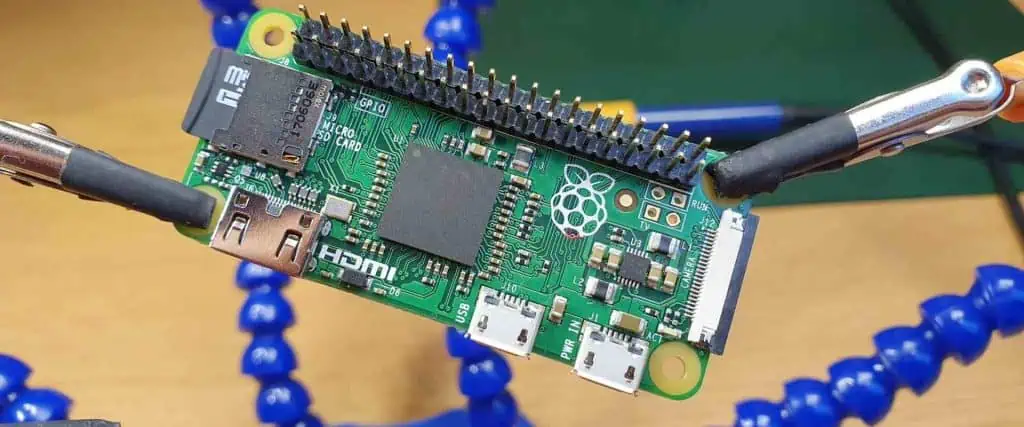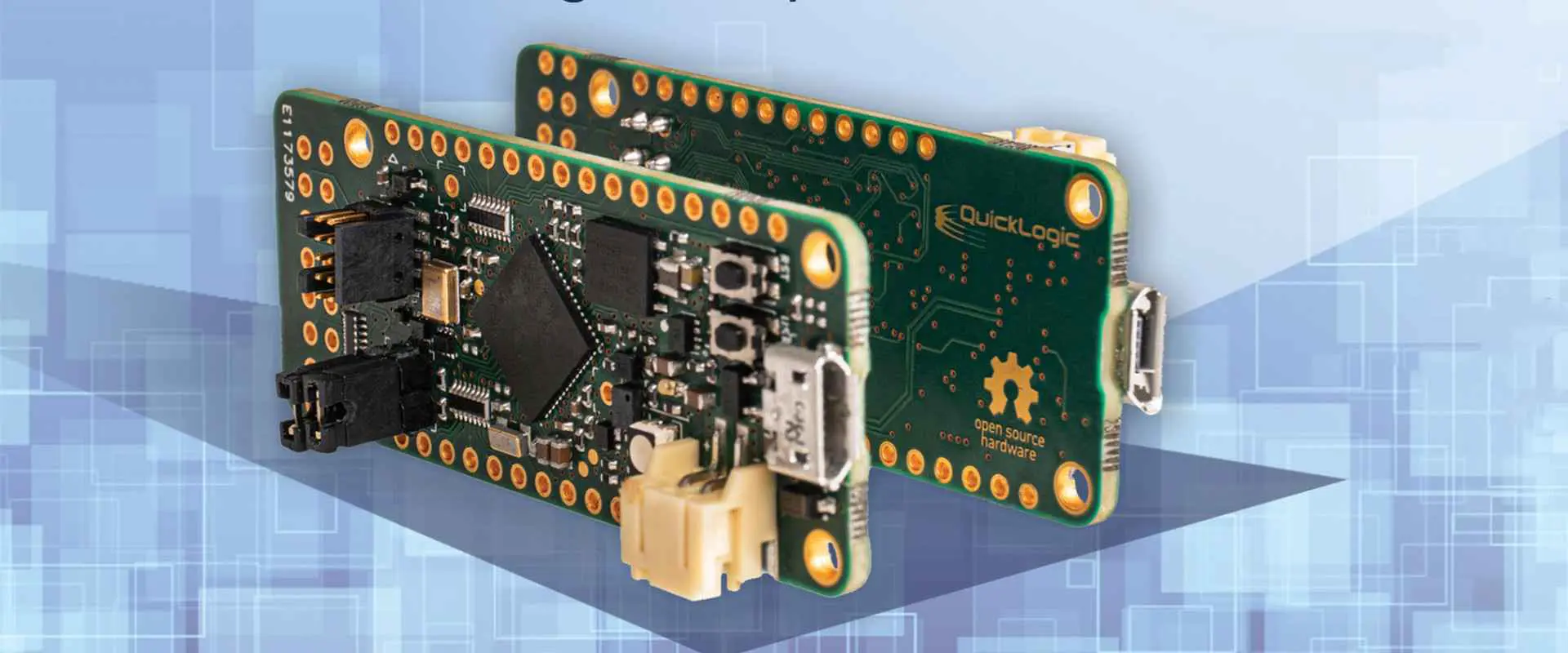
All about QuickLogic QuickRAM FPGA Family

QuickLogic QuickRAM FPGA

If you believed everything the silicon manufacturers say, you would get the temptation to ditch your PC and buy a laptop instead. They say you can make it work with a bit of patience. But is that true? Unfortunately, for many tasks, the answer is no!

For example, in some cases, when doing accounting or tax calculations that might take hours on end in Microsoft Excel, the answer may well be yes. But what about when it comes to sales forecasting? Or designing a new product? Or running scenarios and simulations as part of product development? And how about graphics-intensive applications such as Autocad?โ€

QuickLogic QuickRAM FPGA

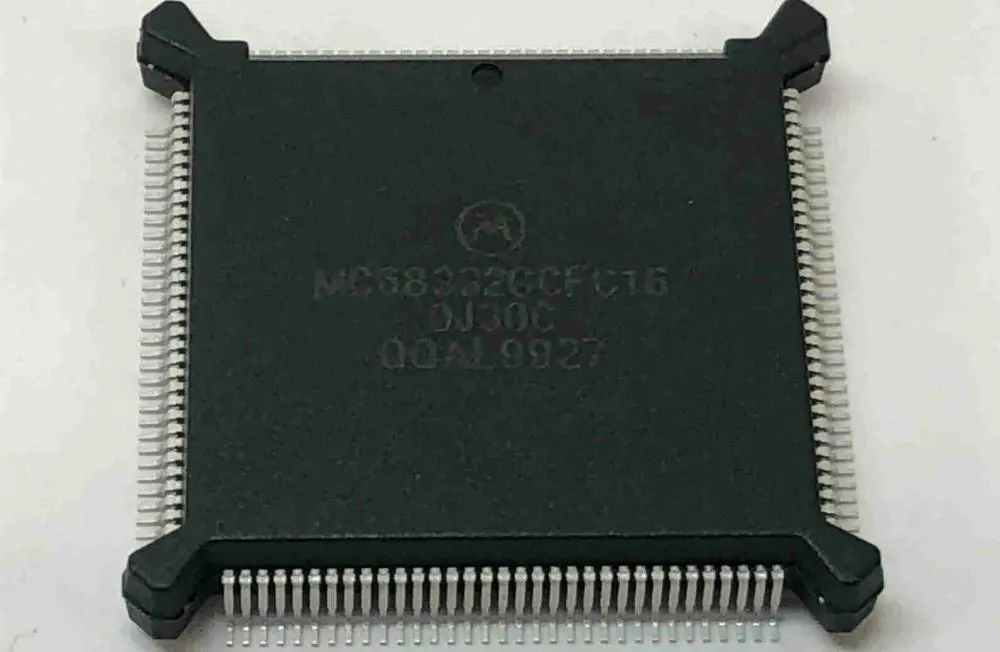
The QuickLogic QuickRAM FPGA Family comprises Integrated Circuit (IC) devices. As a result, it provides low-cost, high-performance, easy-to-use embedded memory.

QuickLogicโ€™s products depend on the popular LatticeMico32โ„ขFPC180. It is essential for embedded applications with the proven benefits of low power and advanced architectural features. In addition, it offers a solution for designs that require extreme speed, computing, and persistence.

The QuickRAM family of ESPs have up to 90,000 High Performance, Low-voltage CMOS SRAM bit cells. Each cell can store up to 4 bytes of data, which is eight times greater than Latticeโ€™s MicoESP8X10 device. The higher density allows better performance and lowers cost. In addition, it contains a range of 160 to 1,584,000 bits of user-programmable non-volatile memory.

QuickLogicโ€™s QuickRAM devices can operate on a wide range of voltages (1.8V, 3.3V, and 5V). However, because they operate on very low voltage, they donโ€™t require power adapters and can also be helpful in battery applications. In addition, designers can cascade multiple RAM devices. Additionally, they connect them to external SRAM devices over low-voltage differential signaling interfaces.

These devices are fast enough to be helpful in many different applications. They are big enough to hold large amounts of non-volatile memory. They can be helpful as a part of a boot-loader program or as an applicationโ€™s persistent storage.

Electrical Specifications
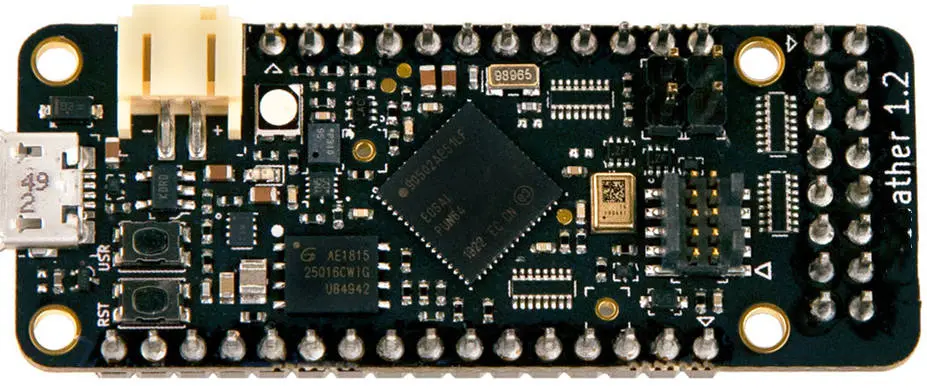
QuickLogic QuickRAM FPGA Family

The QuickRAM family of devices is available in a range of packages/. They range from QFN-32 (14mm x 14mm) that can hold up to 2Mbits, to a QFN-100 (14mm x 14mm) that can hold up to 1Gb. They contain Vdd, Vss, and Vcc external pins and I/O, /RST, and TEST pins. Fast/Slow Mode bits select between Normal operating speed or High-Performance mode (2X) with the same clock frequency. The Power Dissipation is 3.2mW in normal mode and 21mW in High-Performance mode.

The QuickRAM family of devices is available with a wide range of data widths. The package footprint is small enough to allow deep board integration and dual-data-rated signal support. In addition, these devices contain up to 60MHz internal clock multiplier that allows the device to output twice the frequency of the input clock.

AC Characteristics:

The QuickRAM devices operate on a single supply of VDD, or 2.7V to 5.5VDC. This ensures compatibility with a wide range of designs. They may use voltage regulators and power supplies that donโ€™t have a high tolerance to voltage levels.

The QuickRAM devices provide fixed voltage levels. However, VDD or VSS can drive the floating input and output pins. The floating pins should not remain floating for long periods because of potential noise and power consumption issues.

DC characteristics:

The QuickRAM devices are essential for maximum signal integrity with a deterministic rise and fall time of 50nS on all the outputs. The input signals can accept โ‰ฅ 2.0V in High-performance mode or โ‰ฅ 1,3V in Normal mode.

The deviceโ€™s external input and output resistance are between 1kฮฉ and 10kฮฉ. This provides a low input capacitance with a fast rise/fall time. In addition, it ensures the dissipation levels remain to a minimum during transitions from 0 to VDD or VSS and vice versa.

The devices have a test pin that allows direct access to the device. This is available with 2.7V and 5.5V supplies and can read and write data directly from the non-volatile memory core. So, we can use it for self-test or on-chip debugging of the FPGA logic.

Power-Up Sequencing

The QuickRAM family of devices can accept power on their VDD or VSS pins. Therefore, we must power the unit up before sampling and verifying the output signals. We usually do this with a single-clock pulse in Normal mode and multiple clock pulses in High-Performance mode.

The QuickLogic QuickRAM ESPs can offer an industry-standard pinout. They also offer interface layout arrangements to design their products with ease. In addition, they feature standardized data, clock, and control pins for easy access to I/O functions. Also, they feature common interfaces such as power (VDD), data (Vss), clock (Vcc), and reset (I/O). As a result, we can easily cascade the QuickLogic QuickRAM ESPs to other devices, such as SRAM and FPGAs.

The QuickLogic QuickRAM Family provides an unusually large high-density bit cell of 4 bytes. However, this does not mean the bit cell size is equal to the number of 3-state read/write control output pins. Instead, the number of bits equals the number of 4-state reads/write control input pins.

This means that a 1Mbit device has a size similar to 8,000 8kbit devices.

JTAG

The QuickRAM devices contain a JTAG interface that can access the internal circuitry or perform on-chip programming. The JTAG interface is on pad one and consists of 3 test pins. Each input pin is accessible as a 4-state input pin.

JTAG tests allow users to reduce system complexity and potentially reduce development time by eliminating the need to add pull-up resistors or level converters to their system signals.

I2C

The QuickRAM devices also include I2C functionality to use the devices as simple non-volatile memory devices. The I2C interface is accessible on pad two and consists of 2 test pins that can be helpful as an input or output pin. Each input pin is accessible as a 4-state input pin. Therefore, we can configure it to access a single bit or multiple bits in the device.

Features

Advanced I/O Capabilities

The QuickLogic QuickRAM devices come in a wide range of packages, ranging from QFN-32 (14mm x 14mm) that can hold up to 2Mbits, to a QFN-100 (14mm x 14mm) that can hold up to 1Gb.

In addition, designers can cascade multiple RAM devices and connect them over low-voltage differential signaling (LVD) interfaces.

They provide fixed voltage levels. However, VDD or VSS can drive the floating input and output pins.

High-Performance Silicon

They can be helpful as a part of a boot-loader program or as an applicationโ€™s persistent storage. These devices provide the designer with multiple options to ensure the best fit for their system design. It is available in various packages, including QFN28, QFN32, and QFN-64 which provides designers with optimal design space utilization for high-density applications. The QuickLogic QuickRAM I2C/SMBus-compatible device offers up to 1Gbits of bit cell density in 14mm x 14mm packages.

So, the QuickLogic QuickRAM I2C/SMBus-compatible device is available in QFN32, QFN64, BGA100, and BGA144 packages with 100MHz to 250MHz operation.

The QuickLogic QuickRAM I2C/SMBus-compatible devices are available in various density sizes from 64KB to 2Mbits.

Easy to Use/Fast Development Cycles

The QuickLogic QuickRAM devices are ready to use with all FPGA development tools and packages. In addition, their pinout and testability are compatible with most of todayโ€™s FPGA systems and programming tools.

Some applications developed using the QuickLogic QuickRAM devices are non-volatile memory, flash memory, SRAM, dual-port RAM, etc. Additionally, we can easily cascade it to other products.

The development cycle reduces significantly compared with other LSI package solutions. Therefore, designers can focus on their application instead of planning their bit cell layout.

High-Speed Embedded SRAM

The QuickLogic QuickRAM XC is a 2-level memory device used as programmable non-volatile memory to store application data. It is available in QFN-28, QFN-32, and QFN-64 packages, with 100MHz to 250MHz operation.

The QuickLogic QuickRAM XC is an 8Kbit SRAM device with 64KB of internal flash memory, allowing the user to program it up to 100ns. You can write the boot loader using the bank select pins (SMBus address) triggered by I2C or JTAG interfaces.

Eight Low-Skew Distributed Networks

The QuickLogic QuickRAM devices are carrier-grade High Speed embedded SRAM. Also, they can be helpful to connect to an FPGA system and provide the user with multiple options to ensure the best fit for their system design.

It makes it easier to integrate into an FPGA system and use it in a wide variety of technologies.

Up to 316 I/O Pins

Up to 316 high-performance, I/O pins can be available for designers to utilize in their FPGA designs.

The QuickLogic QuickRAM devices come in a wide range of packages, ranging from QFN-32 (14mm x 14mm) that can hold up to 2Mbits, to a QFN-100 (14mm x 14mm) that can hold up to 1Gb.

In addition, designers can cascade multiple RAM devices and connect them over low-voltage differential signaling (LVD) interfaces.

High Performance & High Density

These devices provide the designer with multiple options to ensure the best fit for their system design. It is available in various packages. They include QFN28, QFN32, and QFN-64, providing designers with optimal design space utilization for high-density applications.

The QuickLogic QuickRAM BGA100 and QuickLogic QuickRAM BGA144 devices are available in various density sizes from 64KB to 2Mbits.

Advantages of the QuickLogic QuickRAM FPGA

Easy to Use

The QuickLogic QuickRAM devices are ready to use with all FPGA development tools and packages. In addition, their pinout and testability are compatible with most of todayโ€™s FPGA systems and programming tools.

All signals come through a single 4-bit wide QFN package that reduces parasitics on all signals by removing unneeded inductors, capacitors, or resistors from the design. Thus, it boosts the performance and cost-effectiveness of designs.

Available in a Wide Range of Packages

The QuickLogic QuickRAM devices are available in various density sizes from 64KB to 2Mbits. Each input pin is accessible as a 4-state input pin and can access a single bit or multiple bits in the device. They provide fixed voltage levels. However, VDD or VSS can drive the floating input and output pins. The packaging choice considers the number of addresses and I/O available on the device itself.

Easy to Connect and Use

Three pins come on each side of the QFN package. We commonly connect these pins to FPGA memory and common digital or analog inputs and outputs.

Easy to Develop for

The QuickLogic QuickRAM devices have very fast access times. Therefore, it allows designers to run their applications faster than other solutions. In addition, the device is compatible with most FPGA development tools and packages.

Fast Design Cycle

The QuickLogic QuickRAM devices are ready to use with all FPGA development tools and packages. Their pinout and testability are compatible with most of todayโ€™s FPGA systems and programming tools. It takes approximately 2 minutes to program the QuickLogic QuickRAM XC SRAM device from a fully programmed EPROM device.

Wide Platform Support

The QuickLogic QuickRAM devices are compatible with a wide range of FPGAs and integrated circuits. They include Xilinx devices such as the XC4000, XC5000, XLP100, XLP200, XLP400, XL7000-XC devices, and the XC2XXX family.

Worldwide Support

The QuickLogic QuickRAM devices operate worldwide by an extensive after-sales service network. In addition, they use a global network of distributors, resellers, and trained engineers.

Accurate Timing

All parameters on the QFN package meet the required specifications while maximizing all benefits of the QFN process. The clock cycle speed is 2.5ns from 100MHz up to 250MHz.

Disadvantages of  the QuickLogic QuickRAM

Data Security

To ensure data security, the QuickLogic QuickRAM devices come with various security options such as:

  • A 32-bit signature register in each device provides a scrypt hash for the deviceโ€™s contents. The signature register is programmable and not accessible by the user.
  • A 64-bit counter holds the MAC address of the host or target device and can prevent illegal reprogramming of the device.
  • The customerโ€™s encryption or password can be set via the I2C interface. It prevents unauthorized access to QuickRAM silicon devicesโ€™ contents.
  • Lockable 2-wire hardware serial interface data bus for further security measures

Power Consumption

The QuickLogic QuickRAM devices consume less power than other FPGA memory solutions and have a very low power standby current.

Environment Friendly

All QuickLogic QuickRAM devices are RoHS compliant and available in all packages. They include QFN-64 and QFN-100. It means that they can be helpful in todayโ€™s most advanced automotive, industrial, handheld medical devices and portable consumer electronic devices such as mobile phones and MP3 players.

Immersion and High-Temperature Applications

The QuickLogic QuickRAM devices are available in SOIC, TSSOP, and QFN packages to allow immersion applications. The QFN-64 allows usage up to +110ยฐC, while the QFN-100 allows up to +150ยฐC.

Quality and Reliability

QuickLogic QuickRAM devices have built a strong reputation for quality, reliability, and customer support. They have an extensive history of successful applications across various markets, including automotive, industrial and military.

Technical Attributes

The QuickLogic QuickRAM XC SRAM devices provide several technical attributes to assist designers with system design. These include:

Typical Operating Supply Voltage:

The device requires 3V or 5V of operating supply voltage for operation.

Supplier Package:

The MQFP-64 package is available from our supplier, and the QFP-100 package is available from our supplier.

Speed Grade:

The device can meet the JEDEC standard for SDRAM devices. This provides the device with the high performance and reliability required in automotive, industrial, and military applications.

Screening Level:

The device qualified to meet the AEC-Q100 Grade 3 standard. This provides the device with a high degree of integrity and reliability required in military and aerospace applications.

Re-programmability Support:

We can reprogram the device with new data, logic, and I/O functions using either an external programming source or an I2C interface.

RAM Bits:

We can program the device to store 64 or 128 bits in memory.

Product Dimensions:

The package size for the QFN-64 package is 25.4mm x 21.5mm, and for the QFN-100 package, it is 28.6mm x 18.2mm.

Pin Count:

The pin count is 208 for the QFN-64 package and the QFN-100 package. The number of I/O pins depends on the density used.

Operating Temperature:

The device has a maximum operating temperature of +70ยฐC. The maximum operating temperature depends on the package selected.

Number of Registers:

There are 876 chip registers on the QFN-64 package and 38 on the QFN-100 package. Some of these are accessible to I/O pins, and some are accessible only internally to the device. The Detail Register Descriptions section gives a detailed description of each register.

MSL Level:

The device can meet theMIL-STD-461E Standard for Military Devices using QFN-64 and QFN-100 packages. These devices are essential for applications requiring safety factors to keep the device powered up during a normal operation over +70ยฐC.

Mounting:

The device comes on a QFN-64 or QFN-100 package. It can be directly soldered onto a printed circuit board with a reflow oven and then encapsulated. The package provides blind and buried options as per the customersโ€™ requirements.

Minimum Operating Supply Voltage:

The minimum operating supply voltage is 3V, and a low level of 0V can reset the logic cells. The device has a built-in watchdog timer that supports application software resets in the event of device lockups. The device can be automatically reset via an I2C interface, an external signal, or an external clock level to recover from system failures.

Maximum Propagation Delay Time:

The device logic cells have a propagation delay time of 1.4ns. Therefore, we can use the QFN-64 packages for 100MHz devices with a maximum clock frequency of 250MHz. On the other hand, the QFN-100 packages can be helpful for 250MHz devices with a maximum clock frequency of 500MHz.

Maximum Operating Supply Voltage:

The device has a +1.8 to +3V. The user can program the control register to select between 3V and 5V.

Maximum Number of User I/Os:

There are 320 I/O signals available on the QFN-64 package and 480 I/O signals available on the QFN-100 package. We can easily access each signal as an open drain, 4-state input, or output pin. In addition, the user can program a single logic cell or multiple logic cells to access single or multiple logic units. The total number of bits that we can access at one time depends on the density used.

Maximum Internal Frequency:

The device has a maximum internal frequency of 500MHz. However, the user can program the control register to select between 100MHz and 250MHz.

Lead Finish:

They fully finish the device through the entire process, from the first die to the last test. They print the QFN-64 package and pre-tin the QFN-100 package at all times.

Device Logic Units:

The device logic units can read 64 bits per clock cycle. The number of logic cells allocated to each logic unit is fixed and depends on the deviceโ€™s density.

Device Logic Cells:

The device is partitioned into 64K logic cells, each accessed through a single clock cycle. We fix the allocation of logic cells to address I/O pins, and the customer cannot change.

Brief Description of the Device Structure

The QuickRAM device structure is a hierarchical VLIW logic structure. We partition it into three sections: a primary logic and address assist logic unit (AAU) and a secondary logic unit (SLU). You can access the primary logic, AAU, and SLU, through the I/O pins to form one part of the QuickRAM architecture. The internal address lines are helpful to form another part of this architecture. Finally, the external address lines are helpful to communicate the starting address of the primary logic from the AAU. The primary logic and AAU are on one side of the device, while the secondary logic is on another.

The SLU has three parts: a register memory, a data memory, and an enable memory. The register memory receives control signals from the primary logic. It provides internal registers that enable write access to the data memory and external I/Os in either the X- or Y-direction. In either direction, the data memory provides read access to internal registers and external I/Os. An external clock is essential for any device with a secondary logic unit.

QUICKLOGIC QL4009 Family

QL4009-3PFN100C, QL4009-3PL68C, QL4009-3PF100I, QL4009-3PF100C-5557, QL4009-3PF100C-5556, QL4009-3PF100C, QL4009-3PF100, QL4009-2PL68C, QL4009-2PF100C, QL4009-2PC68C, QL4009-1PL84C, QL4009-1PF100I, QL4009-1PF100C, QL4009-0PL84C, QL4009-0PL68C, QL4009-0PFN100C, QL4009-0PF100I, QL4009-0PF100C

QUICKLOGIC QL4016 Family

QL4016-0PF144C, QL4016-2PFN144I, QL4016-PF144, QL4016-PF100, QL4016-OESPL84C, QL4016-OC-5331, QL4016-4PF144I, QL4016-4PF100C, QL4016-3PF144I, QL4016-3PF100I, QL4016-3PF100C, QL4016-2PL84C, QL4016-2PF144C, QL4016-2PF100C, QL4016-2CF100M, QL4016-1PL84C, QL4016-1PF144I, QL4016-1PF144C, QL4016-1PF100C, QL4016-0PL84C, QL4016-0PF144I, QL4016-0PF100I, QL4016-0PF100C

QUICKLOGIC QL4036 Family

QL4036-T3PF144C, QL4036-QFP144C, QL4036-OESPQ208C, QL4036-OESPF144C, QL4036-IPF144C, QL4036-3PQ208C, QL4036-3PF144I, QL4036-2PQ208C, QL4036-2PF144M, QL4036-2PF144C, QL4036-2PB256C, QL4036-1PQ208M, QL4036-1PQ208I, QL4036-1PQ208C, QL4036-1PF144I, QL4036-1PF144C, QL4036-1PF144, QL4036-0PQ208C, QL4036-0PF144I, QL4036-0PF144C, QL4036-0ESPF144C

QUICKLOGIC QL4058 Family

QL40589-1PQ208C, QL4058-3PQ24C, QL4058-3PQ240C, QL4058-2PQ240C, QL4058-2PQ208C, QL4058-2PB456C, QL4058-1PQ240C, QL4058-1PQ208C, QL4058-0PQ208I

QUICKLOGIC QL4090 Family

QL4090-3PQ240C, QL4090-T3PQ208C, QL4090-T3PB456C, QL4090-LPQ240C, QL4090-4PQ240C, QL4090-3PQ208I, QL4090-3PQ208C, QL4090-3PB456I, QL4090-3PB456C, QL4090-2PQ240M, QL4090-2PQ240C, QL4090-2PQ208M, QL4090-2PQ208C, QL4090-2ESPQ208C, QL4090-1PQ240C, QL4090-1PQ208M, QL4090-1PQ208I, QL4090-1PB456C, QL4090-0PQ208M, QL4090-0PQ208I, QL4090-0PQ208C

QUICKLOGIC QL80FC Family

QL80FC-APQ208C

Application of the QuickRAM FPGA

QuickLogic QuickRAM devices can provide a high-performance SRAM solution. They can work in various general-purpose FPGA platforms. Below are some examples of use cases:

Converter Applications

A QuickLogic QuickRAM device can replace a slower part in applications such as digital oscilloscopes, logic analyzers, and RAM-based data acquisition systems.

Memory Controller or DMA Applications

A QFN-64 device can be helpful as the main memory controller for a system. However, the QFP-100 devices can benefit RAM module applications as per Rayming PCB & Assembly requirements.

Multiplexed Devices

We can implement multiplexed devices using QFN-64 devices to build up the multiplexed memory cells.

High Data Rate Applications

QFN-64 devices can be helpful in high data rate applications such as wireless radio communication and high-speed internet applications. In contrast, QFP-100 devices can be helpful in high data rate applications such as CDMA applications.

Low Power Applications

QFN-64 or QFP-100 devices can be helpful for low power consumption applications such as stereo audio systems and display monitors.

Conclusion

In conclusion, QuickRAM FPGA devices are an excellent solution to SRAM needs. They combine speed, data retention, and programming flexibility with meeting a wide variety of applications.

QuickLogic is a registered trademark of Semiconductor Systems Limited. QuickLogic solutions enable semiconductor designers to create the most advanced devices for embedded, digital signal processing and communications applications that require high-performance memories, DSPs, and microprocessors.
What is .GML File ?

.GML File

In most cases, GML files belong to yEdโ€™s Graph Editor. The full meaning of GML is GameMaker Language file. This file extension is useful in saving developer files, which have an association with a software from Yoyo Games called GameMaker.

The GameMaker software is mainly useful in creating computer video games. This software makes use of the GML file in strong program code which is written with the help of the GML โ€“GameMaker Language.

Furthermore, you can execute these GML filesโ€™ code making use of the GameMaker interpreter. This is mainly for the creation of modules, functions, or game scripts.

GameMaker Language can also be called Geography Markup Language File. Galdos systems developed the GML. Furthermore, this is useful as a data format, with backing from the Geospatial Consortium. This format is useful for geographers in saving any geographical information in an interchangeable format.

Also, GML files serve as output files for data, which are generated by Autodesk EAGLE. Furthermore, the GML files have layout data, which indicates the positions of the hole, which needs milling.

How Do You Open GML Files?

To open GML files, you will need to use appropriate software such as Graph Editor. Without using the right software, you will get a message from Windows like โ€œWindows failed to open this fileโ€ or other related alerts from Android, iPhone, or Mac.

Also, if you fail to open the GML file the right way, you can long-press or right-click the file. Next, select โ€œOpen With.โ€ Once it opens, choose the application you will love to use. Also, you can display the GML file in your browser directly.

What Programs Can You Use in Opening and Converting GML Files?

Game Maker

This is a program, which allows you to create different computer games. This is without the need to write any code, not even a line. Also, this program permits the incorporation of sound effects, music, graphics, backgrounds, as well as many different features, tailored towards computer programmers.

Also, these.gml files are useful in the creation and storage of modules, functions, and game scripts, which are written using the language of GameMaker. The file format will be under the โ€œDeveloper category.โ€

Graph Editor

At times, .gml files are called the files of the Graph Editor data. This is because this file type is mainly used or created with the help of this software.

Graphlet

This is a programming language that serves graph algorithms using user interfaces. The program is open for all operating systems of today. However, presently, this is no longer supported or developed.

Also, the GML files have the algorithms for graph drawing, which are mainly useful in C++ coupled with libraries that are STL based. Here, the file format is placed under the โ€œDataโ€ category.

Geography Markup Language

This is a form of modeling language that serves geographic systems. This is specifically called XML grammar, which is always written in XML Schema. Many programs support this language including Canvas X and Merkaartor.

This GML file includes different objects that help in describing geography, which includes topology and reference systems. Here, the file format is placed under the โ€œDataโ€ category.

NetRemote

This is a configuration file that is XML-based. This software is useful for controlling Promixis smart devices like speakers, lights, or TVs. Also, it permits bidirectional communication excluding any issue related to line of sight. This GML file also includes the configuration data that is XML-based, which NetRemote uses. Here, the file format is placed under the โ€œDataโ€ category.

Ways of Solving Issues with GML Files

All you have to do is to associate the .gml file with the right application. Also, to achieve this, visit Windows, then right-click on the GML file you desire and then select โ€œOpen Withโ€, then โ€œSelect another app.โ€ Then, choose a different program and then tap the box that reads โ€œalways make use of this app when opening any .gml file.

Another thing you can try is to update the software which should open the language files. This is because the present version alone backs the latest format of the GML file. Search the website of the yEd manufacturer to know if thereโ€™s an update of the Graph Editor.

To ensure that the GML file is virus-free or not corrupted, take the file once again and then use the virustotal.com of Google to scan it.

Apps that Use the .GML File Extension

The applications below are open to different GML files. Take note that different programs may make use of GML files in serving different purposes. Therefore, there may e a need for you to try some of them in order for you to know which of them opens your file.

For Windows, the applications include FalconView, Gaia3, TatukGIS Viewer, Garden Planner, CODE Editor, GoVisual Diagram Editor, MiraMon, Protel DXP, and yEd Graph Editor. For now, we are yet to be sure of any software that works using .gml files on Mac. The same goes for the Web. However, if you have any ideas of any, feel free to let us know.

Specifications of the .GML File

You can find these specifications in a full GML dataset.

  • The first section has more information regarding the format of the GML data.
  • The second section has more information regarding the bounding box. Also, the coordinates are those where the map shows.
  • The third section has information regarding the dataset
  • The fourth section has the required geometry to draw the features of the map on the map
  • Next is the fifth section, which has opening tags, which gives additional information regarding the features of a map. These features include the polygon, line, or point.
  • The last and final part contains the entire closing tags.

Conclusion

We hope we have been able to explain what the .gml file is all about. In this article, we also talked about how to open the .gml file, as well as other software that works with it. If you have any questions, feel free to ask us here.

All you need to know about Audio sensors

ย Audio sensors

We are living in an era where almost everything is using tech. You will find tech gadgets being implemented to farm, guard places, serve clients, shopping, and so on. However, the most affected sectors include the education sector, the security sector, and the scientific sector. This article will focus on the security sector whereby advancements such as audio sensors are being implemented to take things up a notch. However, audio detectors have not just found their way into the security sector alone; they are also used for different purposes such as:

  • Security
  • Monitoring
  • Home automated tasks (for example, the famous house lighting using claps)

All these are just a taste of what’s to come; we shall get into these details later.

Overview

So, have you ever come into contact or used an audio detector? What did you think about this particular kind of tech? Well, audio detectors are indeed a wonder and a great tool to use in the 21st century; hence am pretty sure the experience was pretty fascinating, unless you were stealing, in which case the incident must not have been that good.

The tricky part about audio detectors is that most people do not know how they function. Ask most people how an audio sensor works and wait for some pretty weird answers, such as “the device hears sound and responds.” Well, in this article, we shall help you not fall victim to answering this question wrongly. We shall cover:

  1. How an audio detector works
  2. Applications of an audio sensor
  3. Audio sensor Arduino tutorial using raspberry pi
  4. Projects on audio sensors

After reading this article, you will not just have the answer to “what is an audio sensor?” but also the answers to why, when, and how to use an audio sensor. Hence let us get right into it.

What is an Audio Sensor?

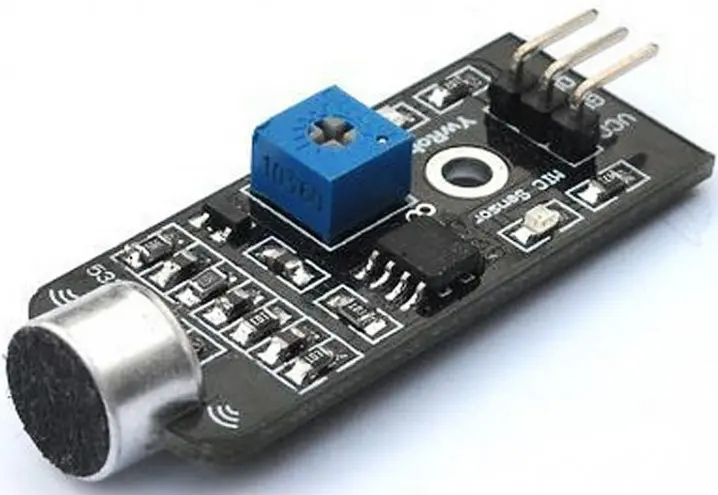
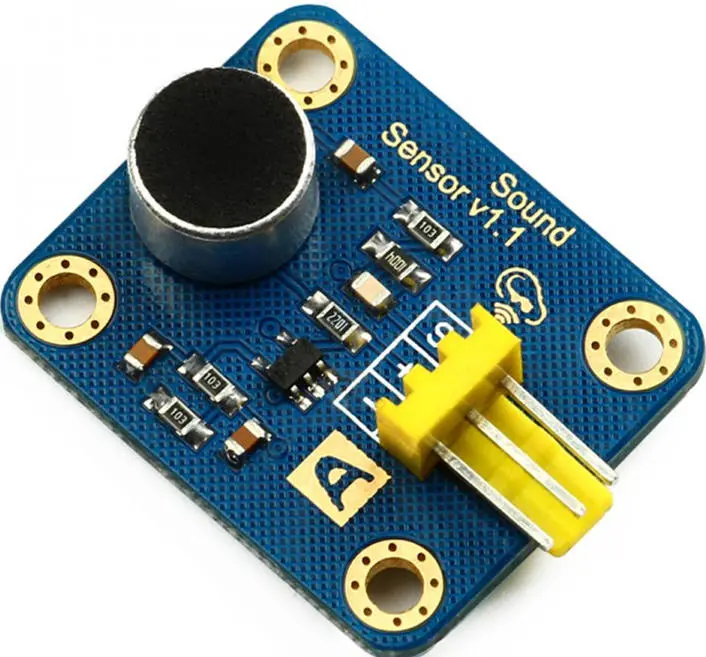
 An audio sensor can be defined as a module that detects sound waves via the intensity of the sound wave. It then converts these sound waves into electrical signals. So no “hearing” sound stuff around audio sensors.

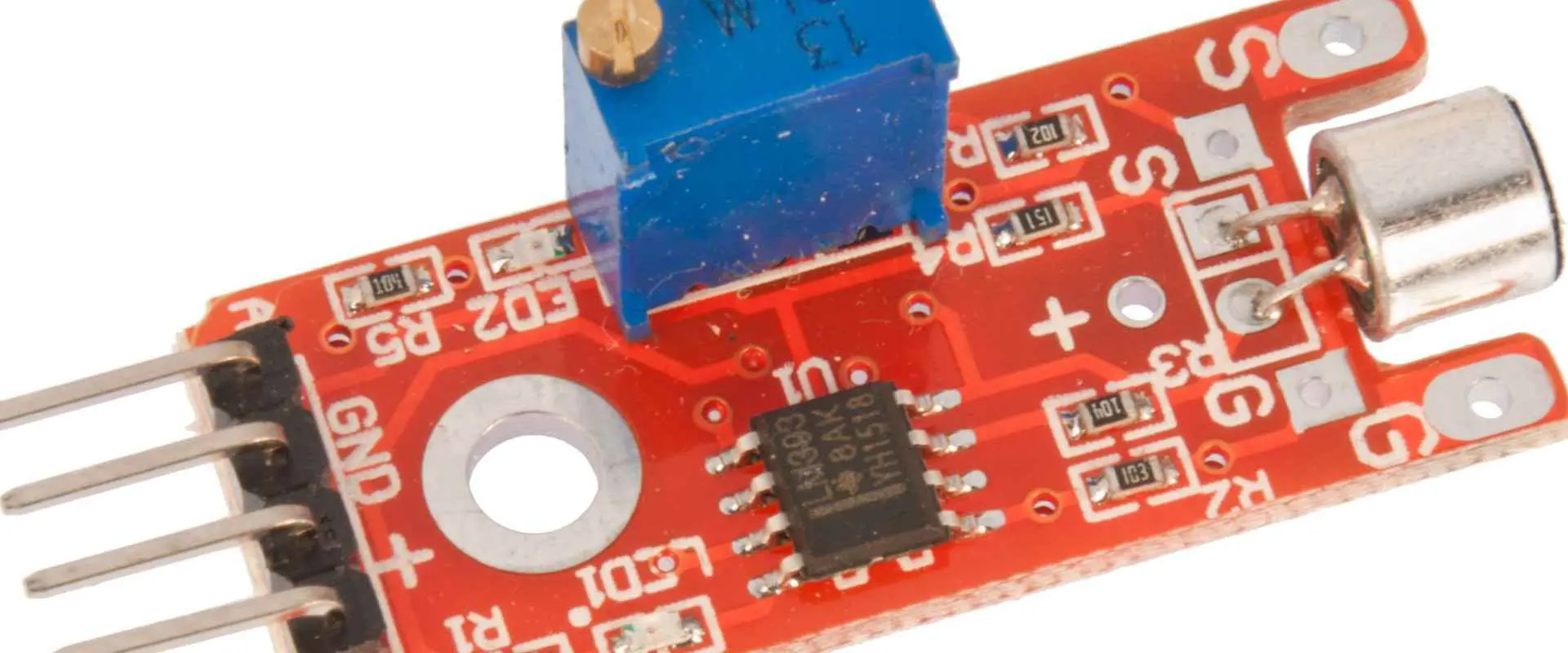
Audio sensors modules consist of a small board that combines processing circuitry and a microphone. These modules produce audio output, a binary indication of the Sound’s presence, and an analog representation of the wave’s amplitude.

How exactly does an Audio Sensor Work?

Well, you know how your ear works? Audio sensors work similarly. They have a diaphragm that changes vibrations into signals. The difference between your ear and an audio detector is that an audio sensor:

  1. Uses a capacitive microphone (in-built)
  2. A peak detector
  3. An amplifier ( one that is pretty sensitive to audio)

An audio detector using these components can work in the following way:

  1. First, the audio sensor receives sound waves propagated via air molecules using its in-built capacitive microphone.
  2. The sound waves then cause the diaphragm found in the audio detector’s microphone to vibrate, which leads to a change in capacitance.
  3. The change in capacitance is then amplified and digitized for sound intensity processing.

Applications of an Audio Sensor

Other than being used with Arduino boards for various projects over the years, audio sensors also have some other pretty fascinating applications, which include:

  1. Utilized in consumer electronics such as music systems, computers, phones et cetera
  2. Monitoring and security systems such as door alarms and burglar alarms.
  3. Home automation, for example, house lighting using claps/ whistle rather than having to work with a switch
  4. Audio level and ambient audio recognition

Sound Sensor Module

Before we advance on to the how part, let us first look at the sensor module we shall utilize in this article. Well, there are a lot of modules available in the market to date, some good, some not so good. However, we shall implement the LM386 audio sensor in this article. The LM386 is a low-powered, simple audio sensor with high compatibility.

The features of this module include:

  1. Compatibility interface
  2. Analog output signal
  3. A wide voltage supply that ranges in between 4V and 12V
  4. Minimal external parts
  5. 2.0cm x 2.0cm twig module

What’s more, this module is pretty affordable. Once you have purchased an audio sensor, you will require an Arduino to complete this article’s “HOW” part.

But what is an Arduino in the first place?

Well, have you ever heard of Arduino boards? Have you ever used one before? Well, if you have not heard of it nor used it, worry not because we have got you. This section will look at Arduino and its connection to audio sensors.

Arduino can be defined as an open-source platform utilized to build electronic projects. Arduino is composed of a micro-controller and an IDE (integrated development environment) that runs on a PC. The IDE is simply utilized to write and upload Arduino codes onto the physical board.

Over the years, Arduino has become pretty popular, and for good reasons. See, earlier programmable circuit boards required a separate piece of hardware to work correctly, which is not the case with Arduino. Using Arduino, all you need is a cable to load a program onto the physical board, and you are good to go. What’s more, Arduino utilizes the C++ language for programming purposes, a pretty simple language to learn and master. All these reasons make Arduino great, but how is it connected with the topic at hand? Well, to answer this question, let us first see what this device entails.

See, an Arduino is designed for newbies, hackers, designers, artists, and basically anyone interested in creating an interactive environment or objects. Arduino can interact with GPS units, speakers, LEDs, buttons, the internet, TV, and even your smartphone. However, here is the part we have been waiting for; they also interact with audio detectors. That means we can utilize this device to develop responsive projects that respond to Sound.

Arduino Components

Arduino boards come in different varieties; however, most of them have the following components:

  1. Power (USB/barrel jack) โ€“ used to power the Arduino board
  2. Pins (3.3V, 5V, AREF, PWM, Digital, Analog) โ€“ These are the places whereby you connect cables to create a circuit
  3. Reset button โ€“ once you press this button, the Arduino board temporarily connects the reset pin to the ground, which restarts any code loaded onto the board.
  4. Power LED indicators โ€“ the power LED indicator found on most Arduino boards lights up when you connect the board onto a power source.
  5. TX RX LEDs – TX represents transmit, and RX represents receive. These LEDs provide visual indication every time your Arduino sends or receives data.
  6. Main IC โ€“ IC is short for integrated circuit. It acts as the board’s brain
  7. Voltage regulator โ€“ just as the name dictates, a volt regulator controls how much voltage gets into the Arduino.

The Arduino Family

types of sound sensors

As stated earlier, Arduino boards come in different varieties, each bearing unique but excellent capabilities. What’s more, these boards have open-source hardware, which means that you can modify them to suit your needs. So, if you are not sure about the project to tackle well, worry not because, at the end of this article, we shall provide a list of projects you can tackle. In the meantime, let us first look at the great Arduino family.

Arduino Uno (R3)

First on our list is the Arduino Uno which we shall also be using for the tutorial that we shall cover. The Arduino Uno board is an incredible choice for beginners. It has everything you require to get started, plus it eliminates everything that you don’t need. It has six analog inputs, a power jack, a USB connection, a reset button, and more.

LilyPad Arduino

a lilypad Arduino board is an e-textile wearable tech. It is specially designed to be sewn into clothing using conductive threads.

RedBoard

The redBoard can be easily programmed via a USB cable using the IDE. In addition, it is more stable because of the FTDI/USB chip. Plus, this board is also completely flat on the back, which makes it easier to embed onto your project.

Arduino Mega (R3)

The Arduino Mega is like a bigger brother to the Arduino Uno. It bears a lot (up to 54) of digital output/input pins. Having these many pins makes it pretty great for projects, as for other properties, the mega functions just like the Uno.

Arduino Leonardo

The Arduino Leonardo bears one feature that sets it apart from other boards. It can use one microcontroller via an in-built USB. By handling USB directly, the board has to have code libraries readily available, which allows it to emulate a computer mouse, keyboard, and so on.

Now that we know what an Arduino entails let us see how it works with an audio sensor.

Arduino Sound Sensor

By combining Arduino boards and sound sensors, you can achieve a lot. For instance, you can generate a device that controls house lighting via Sound. In this tutorial, we shall help you merge these two devices and develop an incredible project, hence follow along.

Wiring Audio Sensor with Arduino

Connecting an audio sensor onto an Arduino board is pretty simple. You begin by connecting the VCC pin found on your audio sensor to the 5V found on the Arduino board, then connect the GND pin onto the ground.

When you are done, connect your OUT pin onto the digital one on the Arduino board, and you are done.

Calibrating your Sound Sensor

When you need to gain accurate reading off of your audio sensor, you should calibrate it first before utilizing it for your project.

The module we are utilizing has an in-built potentiometer used to calibrate digital output (OUT).

While adjusting the potentiometer knob, it is easy to set a specific threshold. Once any sound wave level goes beyond set threshold figure, Status LED lights up, and digital output displays or outputs LOW.

To accurately adjust your sensor to detect claps, start clapping your hands near the sensor’s microphone while adjusting the potentiometer up until the moment Status LED is blinking in response to the claps you make.

That is it; you have a well-calibrated sensor to use.

Sound Detector Sensor using Arduino

Now that we have the audio sensor connected to our Arduino board, time to actualize its working.

The example that follows once coded onto an Arduino IDE simply detects snaps or claps and then prints a message on to a serial monitor. Let us try it out:

Sound sensor Arduino code

#define sensorPin 7

//the variable that store time when the last event occurred

Unsigned long lastEvent = 0;

Void setup() {

  pinMode (sensorPin, INPUT);

Serial.begin(9600);

}

Void loop(){

//reads sound sensor

Int sensorData = digitalRead (sensorPin);

// once sound goes LOW, sound is sensed

If (sensorData == LOW){

// after 25 milliseconds have gone since the last state of LOW, it implies that the detected clap is not due to any other spurious sound

// if (millis() โ€“ lastEvent > 25){

Serial.println (โ€œclap has been detected!โ€);

}

//Recall when the last event occurred

LastEvent = millis();

     }

}

Once you are done with this program, load it up to your Arduino using a USB cable and then clap your hands close to the sound sensor. If everything is running fine, you should see a “clap has been detected” output on your serial monitor.

Now that we are sure that our Arduino sound sensor is working properly, how about we work on an actual project.

Clap Controlled Device using an Audio Sound Sensor and an Arduino Board

This project will create a sound sensor that turns an AC-powered device, might be a bulb, on and off using claps. We shall use a relay module (one-channel) to control an AC-powered device efficiently.

Wiring

First, you should supply power onto the relay module and audio sensor. Connect the VCC pins onto the 5V pin present on your Arduino board then connect the GND to the ground.

Next up, connect the audio sensor’s OUT pin (used for output) onto digital pin #7 found on the Arduino board. Finally, connect relay module IN pin (or the control pin) onto the #8 digital pin.

You will also have to position relay module to be in line with your AC-powered device you are attempting to manipulate using Sound. First, cut off the live AC track and then connect one of the two ends (the one end emanating from the wall section) to COM, then connect the other end onto NO.

Arduino code to Control an AC Powered Device

#define sensorPin 7

#define relayPin 8

//variable that stores the time when last event occurred

Unsigned long lastEvent = 0;

Boolean relayState = false; // variable that stores relay state

Void setup() {

pinMode(relayPin, OUTPUT); // set the relay pin as an OUTPUT pin

pinMode( sensorPin, INPUT); // set sensor pin to be an INPUT

}

Void loop(){

//reads sound sensor

Int sensorData = digitalRead (sensorPin);

//If pin outputs LOW, sound is detected

If (sensorData == LOW) {

// if 25 milliseconds have passed since the last LOW state, then it means that the detected clap

//was valid

If (millis() โ€“ lastEvent > 25) {

//toggle relay then set output

relayState = !relayState;

digitalWrite( relayPin, relayState ? HIGH : LOW);

}

// Remember last event occurrence

LastEvent = millis();

   }

}

Once you load and run this program with the hardware hooked up, the sensor should switch the device on or off each time you clap your hands.

Troubleshooting

If your sound sensors tend to misbehave, try out these tricks to fix it:

  1. First, double-check the power supply to ensure that it is clean. That is because audio sensors are analog circuits; hence they are prone to power supply noise.
  2. The electret mic used in sound sensors is also pretty sensitive to wind noise and mechanical vibrations. Hence mounting it with some resilient material can help absorb vibration.
  3. Clap your hands closer to the sound sensor to gain a better response. Most sound sensors have low-range sound sensing, probably ten inches or so. Hence the closer, the better.

And that is how you tackle a basic sound-sensing Arduino project. You can play around with this project making adjustments to familiarize yourself with sound sensors and Arduino.

Now that we have that โ€œhow to use audio sensorsโ€ section out of the way. How about we take things up a notch by bringing raspberry pi into the equation. If you do not know what a raspberry pi is, hold on to your seat because this will amaze you.

Raspberry pi

sound sensor arduino

The Raspberry Pi can be defined as a credit-card-sized, low-cost computer which is plugged onto a TV or computer monitor and utilizes a standard mouse and keyboard. Using this device, you can explore the world of computing in a cost-friendly manner and learn languages such as python and scratch. In addition, the raspberry pi can do everything that you would expect from a desktop, from browsing to playing games and word processing.

However, here is why this device has made it into this article, the Raspberry Pi can interact with the real world via detectors such as, you guessed it, audio detectors. But how can you use a raspberry pi with an audio sensor? Well, let us see how:

Raspberry pi Sound Sensor

Materials required for this project

  1. Raspberry Pi (with keyboard and screen)
  2. LED
  3. Sound sensor
  4. Jumper wires
  5. Breadboard

Circuit connection

Connect your sound sensor according to this table, where each column cell is connected to the adjacent column cell.

 Raspberry Pi connection to the:   Sound sensor 
 +5V  +5V, VCC 
 GPIO 4 Pin   DO  
 GND  GND 
 Raspberry Pi connection to the:  16 * 2 LCD 
 GND  GND 
 +5 volts  VCC  
 GPIO 3 (SCL)  SCL Pin 
 GPIO 2 (SDA)  SDA Pin 
 Raspberry pi connection to the:  LED 220-ohms Resistor
 GND    Terminal 1
 GPIO 7 Pin   Anode Terminal ( + ) 
    Cathode Terminal Terminal 2

Code and Explanation

To get things up and running, we must first save some modules into the Raspberry Pi python directory or in the location at which you have saved your main program. The program utilized to save the required modules can be found online, once you find this program, save it as LiquidCrystal_12C.py in the above specified location. You are now set to move on to the main raspberry pi code which configures your raspberry pi to work with a sound sensor.

Main raspberry pi code:

import LiquidCrystal_I2C  

 from time import sleep  

 import RPi.GPIO as gp  

 gp.setmode(gp.BOARD)  

 gp.setup(7,gp.IN)  

 lcd=LiquidCrystal_I2C.lcd()  

 lcd.clear()  

 lcd.display(“Initiating Mic…”,1,0)  

 sleep(1)  

 lcd.display(“Listening”,2,4)  

 sleep(1)  

 while True:  

   try:  

     while(gp.input(7)==1):  

       print(“SPEAKING…”)  

       lcd.display(“SPEAKING”,1,1)  

     else:  

       lcd.clear()  

   except KeyboardInterrupt:  

     gp.cleanup()  

     break  

The main code performs the following functions

In the code, we, first of all, include some crucial modules such as the liquidCrytal_12C RPi.GPIO module and the sleeping function.

We then set up the gpio pin numbering board as the board convections dictate, with pin seven as the IN pin for the audio sensor.

We then initialize the LCD and generate an LCD object bearing a variable name โ€œLCD,โ€ We then provide a command to delete any previous information contained in the LCDโ€™s memory. After that command, we move on to insert starting strings onto the LCD screen.

The while loop has a code that prints onto the LCD each time an input goes high on pin 7.

And that is how you can use a raspberry pi with an audio sensor to detect sound waves.

Audio Sensor Project suggestions

Here are some projects that you can tackle to boost your knowledge of audio sensors:

  1. A baby monitor using audio sensors โ€“ using this project baby sitter can have less work watching over toddlers and mothers can sleep better knowing that their child is being monitored at night in case they cry. The best part about this project is that you only require pretty basic components such as a raspberry pi and a sound sensor.
  2. A dog barking tracker with audio sensors โ€“ You know how dogs escape their leash and run away. Well, using this dog barking tracker, you can easily find your dog whenever they bark. It is a fun project to venture into and the product is just as good.
  3. USB device control using Sound โ€“ Having to manually switch songs or adjust the volume of a device can be exhausting. But what if you could carry out this tasks totally hands free. Well, that is what you get when you venture into this project. Try it out and bring in some futuristic functionalities to your home.

Conclusion

We live in a technological era that is making our lives pretty easy and fun. In terms of making our lives easier, sound sensors are one of the most commonly used devices for this job. Now you do not have to type on your phone. All you need to do is say something onto your smartphoneโ€™s sound sensor, and your phone does it. Also, you do not have to switch off the light manually; you can just clap your hands to turn the light on or off. All these are great examples describing just how awesome sound sensors are and why you should make use of them. We hope this article has answered all the questions you had on sound sensors and provided more to help you execute your project efficiently.

The Fundamental Analysis of QFP vs QFN Packages

QFP vs QFN Packages

Do you work with programmable modules, PCBs, or microcomputers? If so, you must definitely work with integrated circuits (ICs) components that function accordingly. When faced with this dilemma, some people turn to the QFP (Quad Flat Package) and others to the QFN (Quad Flat N0-lead) package. But do the two function in a similar manner? Are there significant manufacturability, prototypability, or cost differences between the two? Well, in this article, we shall look at QFN and QFP in detail. Later on we shall then compare and contrast them to see if there lie significant differences between the two. We shall also answer questions such as if the two have any significant differences, which of the two should you consider for your project? So follow along and let us help you make a wise IC choice with all the facts in place, no more gambles!

First off, let us look at the QFN packaging, and then we shall move on to the QFP later on.

QFN package

QFN (quad flat no-lead) package is a semiconductor set connecting ASCIC to Printed circuit board (PCB). To achieve this, QFN utilizes SMT (surface-mount technology).

QFN is also a lead frame-based package known as a CSP (Chip Scale Package) because it lets you contact and see lead even after assembly. However, the copper lead framework utilized in the process makes up for the QFN PCB die assembly and interconnection packages. QFNs can also only have multiple or single pin rows, not both.

The single row configuration QFN packages are formed using the following processes:

  • The saw singulation processor
  • The punch singulation process

Both of these procedures split up an extensive package collection into solitary packages.

As for the multiple row QFNs, they undergo copper etching processes to produce the number of rows and pins preferred by the manufacturer. After this process, a saw shall cingulate the formed pins and rows, and then you will have a multiple-row QFN.

Furthermore, QFNs come with an open thermal pad fixed below the package. You can therefore do the direct soldering of the packet onto your PCB when you wish to gain optimum transfer of heat from your die.

QFN Types

QFN packages come in different variations, which include:

Plastic-molded

The plastic molded QFN is, interestingly, one of the cheapest QFN that you can find in the market. It does not have any lid, plus it is only composed of two sections:

  • The copper lead-frame
  • The plastic composite compound

However, these QFNs applications lie in the range of 2 to 3 GHz.

The Air-cavity QFNs

Just as the name dictates, air cavity QFNs features an air cavity in their package. These QFNs are composed of three sections, namely:

  1. A Ceramic or a plastic lid
  2. A copper lead-frame
  3. A body molded using plastic (opened and without any seal)

These QFNs are pretty pricey compared to other QFNs due to their construction. However, they are worth the money as they have a broader application scope; they can handle applications that range between 20 โ€“ 25 GHz.

Wettable Flanks QFNs

โ€œWettable Flanks” QFNs have an elevation reflecting solder wetting. Therefore, as a designer, you can visually check to ensure that the pads are appropriately mounted onto your PCB.

The Punch-Type QFNs

Punch-type QFNs have their package molded into a single-mold-cavity set-up. Then, a punch tool splits the molded cavity. So now you know why it is known as a punch-type QFN. However, you can get one package molded up using this method due to this construction procedure.

The Sawn Type QFN

These packages involve the utilization of a mold array process (MAP) for molding purposes. The MAP process involves cutting one massive box set into smaller chunks or parts. After that, sort the sawn types to conclude the process of creating a sawn-type QFN package.

Flip Chip QFNs

Flip-chip is less expensive molded QFN package that utilizes flip-chip interconnectivity onto copper lead frame.

Since they have a shorter electrical path, they are ideal for QFN electrical applications.

Wire Bond QFNs

These packages connect directly onto an IC (integrated circuit), semiconductor, or PCB tracks. They connect to these components using wires connected to the chip’s terminal.

Advantages of using QFN packages

  1. QFN packages do not have the problem of lead co-planarity
  2. They have tiny footprints; this helps in terms of saving space
  3. These packages utilize regular surface mounting equipment for print circuit board assembly
  4. These packages are relatively thin (they are less than 1mm)
  5. QFNs have incredible thermal performance
  6. Since QFNs are small in size, you can place them close to the board components.
  7. They have impressive electrical performance
  8. Their semiconductor package is not expensive

QFN Issues

Even though QFNs are pretty awesome, they bear some snags, which include:

Manufacturing issues

If you are a PCB designer, then you probably know that QFN manufacturability is a crucial factor to consider. Even though QFNs are pretty efficient, PCB designers tend to have an issue with them. See, when it comes to reducing fault rates in reflowing and placement, they tend to encounter some challenges.

QFNs perform well when they hit high-volume, low-mix products. However, when they encounter a low-volume, high-mix situation, things tend to become a little messy. What’s even worse is that this problem seems to affect two major areas:

Therefore, when dealing with stencil designs, you must have accurate stencil thickness and aperture design. If this two are not accurate then the results will be catastrophic. For example, if you utilize too much paste or voiding, this will significantly affect the stencil design. Therefore, it would help if you stuck strictly to the guidelines provided by the manufacturer. In this case, the soldering thickness should lie between 2 โ€“ 3 mils.

The aperture-pad ratio should also be 0.8:1 or within that range for optimum results. Also, make sure the bond pad design lies at a range of 0.2 โ€“ 0.3 away from your package footprint.

Soldering issues

Since QFN packages have narrow pad-to-pad pitches, this poses a soldering issue known as solder-bridging. Also, because QFN packages do not have lead, you might face some challenges when you try to desolder these packages.

Compatibility issues

QFN packages might suffer from dimensional changes on the part or board in which operate on. Why does this happen, you might wonder? Well, this happens because QFN packages have no lead in them. They hence become less robust whenever they experience some nominal CM or OEM practices.

Another dimensional change suffered by this package is board flexure. What this means is that whenever you subject these packages to activities such as board attachment, in-circuit testing, et cetera. Then you are placing them under pretty high stress. Why does this happen? Well, this happens because these packages do not have flexible and long copper leads.

QFN Assembly

qfn chip

Solder paste printing

The first step of the QFN-PCB assembly process has got to be solder printing. The solder printing process includes uniformly spreading the solder paste onto the PCB. You have to carry put this process before moving on to the placement process.

Placing the component

After solder paste printing, you can then move on to embedding your QFN integrated circuit onto your PCB based upon your PCB layout design. Accuracy and precision are pretty crucial for this part. You can use an accuracy and precision tool to accurately fit your component, even with the excessive interconnection density issue.

Pre-flow inspection

Pre-flow inspection is pretty crucial as you have to ensure that the PCB is suitable or fitting to go inside a reflow oven before you do so. While you are at it, you can take things upper a notch by checking for contaminants on the board’s surface that might hinder the soldering method.

Proceed on to reflow soldering

On confirming that the print circuit board is in worthy shape, you can now place it inside the reflow oven. Remember that you must inspect the PCB thoroughly before this stage.

Board inspection after reflow soldering

In this step, we seek to confirm the quality of the solder.

Also, you require an applicable PCB footprint and a stencil design to assemble this component appropriately. You can now work basing on your intended design with this two in place.

QFN soldering

Soldering QFNs is pretty crucial in the assembly activity. How can we achieve this challenging feat? Well, here is how.

When the print circuit board joins reflow oven, a number of parts start to heat up quicker than others. Why does this occur? Well, this happens due to temperature variation within your reflow oven.

Portions that get heated up faster become lighter, and those that get heated up much later are the ones that have more copper on them. So with that in mind, you can utilize thermocouples to accomplish the whole process and attain better results.

Thermocouples help you monitor QFN surface temperature. They also check the package body temperature does not surpass any typical values.

Rework on an assembled component

If you encounter a QFN defect post assembly, you can rework on that particular component by removing and replacing it. There are unique rework stations available for this specific purpose.

Component found on a rework station include:

  • A split light system โ€“ To observe the bottom portion of the QFN package plus the site on the print circuit board.
  • An X โ€“ Y table โ€“ utilized for alignment
  • A hot air system having top and bottom heaters โ€“ utilized to remove components

The reworking process takes place as follows

  • Start by carrying out a pre-bake procedure; this will help avoid any failures related to moisture.
  • Next, you have to de-solder (keep the temperature profile of your component and the board in mind)
  • After de-soldering, you can now move on to mechanically removing the component from your PCB.
  • After removing the component, clean the PCB pads and remove any solder residue left behind.
  • Follow the assembly procedure stated earlier on to mount the next component onto your PCB.

And that is all about QFN. So now let us look at QFP and then, later on, compare the two.

QFP packages

What is a QFP? A QFP is a surface-mounted IC (integrated circuit) package having “gull-wing” like leads extending on either side of their four edges. Generally, these packages are extensively utilized by very large-scale and large-scale ICs. The number of pins utilized in this technology is more than one hundred, making it pretty efficient. QFP technology smoothens IC operations. It also makes these packages pretty reliable when it comes to packaging the central processing unit (CPU).

QFPs have small parasitic parameters, and they are also pretty tiny in size. These features make them suitable for higher frequency applications.

In the manufacturing of the QFP packages, three base materials are utilized, namely:

  • Ceramic
  • Metal
  • Plastic

In terms of quantity, plastic packages take the lead. It is actually so widely used such that whenever you see a QFP package material with no label on it. Then you should automatically know that it is plastic.

QFP basics

QFPs come in two shape variations, rectangular and square:

  1. Rectangular โ€“ the number of pins that come out of each side is different due to varying lengths. One side might have more pins compared to another.
  2. Square โ€“ they have the same number of pins on each side as they have the same length.

QFP packages have two sections: the top and bottom sections. These two sections are then glued together to form a complete QFP package. QFP pins are usually bent downwards for easier connectivity to the print circuit board. The pins just touch the PCB making the soldering process pretty easy.

QFP integrated circuits vary in terms of formats and also in terms of the number of pins utilized. However, QFPs are often square, and the pin count mostly lies at around 256 or more.

By definition, a QFP with 256 pins means that it would typically have around sixty-four pins protruding on either side of the package. However, some smaller QFPs might have only thirty-two pins, which means they have eight pins on either side. In this example we are assuming that the packages are square in shape.

QFP package variations

As stated above, QFPs come in many different variations, which include:

Bumpered quad flat pack (BQFP)

These QFPs have extensions on each of their four corners. The extensions shield the leads against any mechanical damage before you solder this package onto a PCB.

One major QFP issue is how easily the lead pins get damaged or bent. And because of their fine pitch, it becomes close to impossible to repair a device having bent pins.

Bumpered Quad Flat Pack having Heat Spreaders

These QFPs utilize pin protectors positioned at the device’s corners. And on top of that, it also has heat spreaders which allow higher power levels dissipation to improve efficiency.

Ceramic Quad Flat Packages

These packages utilize ceramic which improves their quality and also their efficiency.

Fine Pitched Quad Flat Packages

These packages are QFPs with a pretty fine pin pitch just as their name dictates.

Heat Sinked Quad Flat Pack

Integrated Circuits might dissipate pretty high levels of heat, especially those which have high pin counts. Due to this heat dissipation this ICs eventually end up having high circuitry levels. The heat dissipated by this IC needs to be ejected from them for better performance. To accomplish this you must replace a couple of pins, often those found in the central part of the opposing side, with pins that are thicker. Solder these replacement pins onto a larger pad on the print circuit board with a large copper area. With this setup in place, this device can dissipate much heat away from the ICs.

Low profile Quad Flat Packages

Low-profile Quad Flat packages or simply LQFPs are based upon MQFP and QFP metrics. They are thinner, having a body thickness of only 1.44mm, which means that they can be utilized in components that have height issues.

LQFPs specs can be defined as follows:

  1. Lead โ€“frame footprint โ€“ 2.0mm
  2. Lead count โ€“ ranges from thirty-two to two hundred and fifty-six
  3. Body size โ€“ ranges from 28 x 28 millimeters to 5 x 5 millimeters
  4. Lead pitches โ€“ comes in four different variations: 0.3, 0.4, 0.5 and 0.65mm

Metric Quad Flat Packages

These QFPs have their measurements defined in terms of metric dimensions. Normal QFPs, on the other hand, utilize imperial measurements. They define pin spacing and et cetera in terms of imperial dimensions rather than metric dimensions.

Plastic Quad Flat Packages

These packages are built out of plastic.

Thin Quad Flat packages

TQFPs are a low-profile QPF variation. They have a height of 1mm and a standard lead-frame footprint of 2.0mm. These packages are manufactured using plastic.

Issues to take note of when dealing with QFPs

qfp Packagesย 

Quad Flat Package damage

QFP pins are pretty small, plus they have small spacings. Their positioning and size makes them vulnerable to damage that is hard to fix. To make sure that these devices are safe, you should store them carefully to minimize the chances of damage. If you plan to transport them, we recommend that you pack them on special ‘waffle’ packaging for adequate protection.

Print Circuit Board density track

The number of pins that a QFP can accommodate means that you should take a lot of care when designing PCBs. If you get clumsy when designing your PCB, then you might encounter track density challenges around the QFP. So careful designing and routing are pretty essential to ensure that you do not violate any designing rule.

Advantages of using QFP

  1. You can utilize sockets
  2. It uses mature technology

Square QFP packages are pretty attractive to a lot of users. They bear one significant advantage that sets them apart from rectangular QFPs:

  • They let the QFP package bear high density compared to rectangular packages

Disadvantages

  1. These devices have a 500MHz I/O limit
  2. Not enough input/output complex chips

Since we stated one significant advantage of using square QFP packages, how about a disadvantage to even things out:

  • During transportation, these QFPs are damaged easily compared to rectangular packages

QFP PCB Assembly

For QFP-PCB assembly, follow the following procedure:

Solder paste stencil

Apply soldering paste onto the PCB metal pad by stencil printing. TO determine the soldering paste volume to use, you should check on the stencil thickness and the stencil aperture. Note that excessive soldering paste causes solder bridging. On the other hand little soldering paste reduces solder spreading. The measurement should hence be pretty accurate.

Solder paste

Solder paste (PB-free) is composed of some type of SnAgCu alloy. Particle size of this alloy must be suitable for solder-stencil apertures dimensions printing.

It would be best to utilize type 4 pastes for this procedure as they are more effective. Also, note that soldering paste is sensitive to humidity, temperature, and age.

Placement

Self-alignment that occurs because of the surface tension of the liquid solder support reliable solder joint formation. However, you still need to place the component carefully. Setting the package manually is not recommended. Instead, we recommend that you utilize a pick and place machine to ensure accuracy each time.

Reflow Soldering

In print circuit board QFP assembly, you can utilize a force convection oven for reflow soldering. Soldering your QFP in an atmosphere full of nitrogen can improve the solder jointโ€™s quality. However, this is not necessary for the creation of reliable joints.

QFP solder joint temperature can be affected by a couple of things:

  1. Its position on the PCB
  2. It’s surrounding
  3. The PCB thickness

For power packages whereby shortage and leakage current below the QFP are a factor to, you should solder using less flux spread.

Remember to follow the manufacturer’s guidelines when soldering to achieve an optimal output.

Now let us advance on to the next section, where we will compare QFPs and QFNs to identify the difference between the two:

Differences between QFP and QFN

Here are some differences that will help you differentiate between these two devices.

Lead difference

QFN โ€“ Leads extends on all four sides of the QFN package

QFP โ€“ Leads extends out in a gull-wing shape or an L-shape

Assembly portion difference

QFN โ€“ The average footing for QFN packages occurs during the PCB assembly procedure

QFP โ€“ Lead form has an excellent base for the QFP package even during the PCB assembly procedure

Pin difference

QFN โ€“ These packages have only eight pins in total, plus a thermal pad

QFP โ€“ These packages, on the other hand, have multiple pins ranging from eight pins per side to seventy pins per side

Conclusion

Quad flat No-lead packages and Quad flat packages are both pretty impressive devices. However, these two are not one of a kind. We hope this article has shed light upon any questions you might have had regarding QFPs and QFNs and their differences. With the knowledge gained from this article, you can make great IC choices without breaking a sweat.

What is .PRO File ?

.PRO Files

The .pro file majorly belongs to Punchโ€™s Home and Landscape Design Pro. This file extension is the main type used in storing a buildingโ€™s 3D models. Also, it is useful in the interior designs that are created with the use of IMSIโ€™s TurboFloorPlan.

The .PRO file has different contents. These include foundation, building layouts/floors, electrical plans, plumbing and landscape. You can save unfinished designs to a .PRO file and then resume it later. PUNCHโ€™s 3D home design tool called Professional Home Design utilizes the .pro file. It helps to store its projects. This type of project may involve the floor layout, foundation, the deck. It also involves other objects such as a homeโ€™s roofing design.

Furthermore, KiCad, which is a program known to automate designs for electronic circuits. This makes use of the .pro file to store any project. Also, ProPresenter, which is a software that helps in presenting and sequencing worship songs, makes use of .pro files in storing different video and audio files, which are mostly worship songs. Also, the .pro file is useful in storing projects that are created with the use of Qt. Qt is a package that develops applications.

How Can You Open .PRO Files?

To open .pro files, you will need reliable software such as Home and Landscape Design Pro. Furthermore, without making use of the right software, you will get a message from Windows.  Examples are โ€œWindows failed to open this fileโ€ or other related alerts from Android, iPhone, or Mac.

Also, if you fail to open the .pro file the right way, you can long-press or right-click the file. Next, select โ€œOpen With.โ€ Once it opens, choose the application you will love to use. Also, you can display the .pro file in your browser directly.

What Programs Can You Use in Opening and Converting PRO Files?

Home and Landscape Design Pro

This software was developed by Punch. They are usually called the 3d images of the Home and Landscape Design Pro. This is because it is majorly used or created by using this software.

Chord Pro

This is by Mussoft. This program is a classic one, which allows users to edit, create, print, and display the lyrics of songs. These include piano chords or associated guitar in a form of graphical representation.

Also, you can store music notation. This is created with the help of Chord Pro by making use of file extensions that are arbitrary. These include CHPRO, PRO, CHORD, and more. The classification of the file format is under โ€œDataโ€.

Ape

This hardware was created by Steven Tucker. It is capable of imitating Atari computers of 8-bit. Also, the main format for the disk-image that is utilized by the operating systems of Atari for the APE emulator is the PRO. The classification of the file format is under โ€œSystem.โ€

Euphoria

This programming language is an interpreted one for computers that run using MS-DOS, FreeBSD, Linux, and Windows. Furthermore, on computers using Windows, Euphoria makes use of PRO files in storing color highlighting data. Also, the classification of the file format is under โ€œDeveloper.โ€

Creo Elements/Pro

This is a well-known Windows-based CAM, CAE, and CAD modeling program from 3D, with PTC known as the developer. Furthermore, this program is majorly useful in the manufacturing and engineering sectors. Also, GUI elements, settings, skins, themes, as well as other Creo Elements/Pro configurations that are stored in the .PRO files. The classification of the file format is under โ€œSettingsโ€.

HTMLtool

This was developed by Lorenz Graf. It is a reliable and versatile code editor that helps in the editing and creation of the source code for JavaScript, ASP, CCSS, HTML, and more. Also, the program provides better features such as FTP client, spell checker, and syntax highlighting.

Any project file that is created using the HTML tool is stored in the .pro file. The classification of the file format is under โ€œDeveloper.โ€

Fast-Talk

This is a top and classic software that allows users to perform phonetic searches that are parallel to the usual spoken audio. Furthermore, this program has the ability to search, as well as retrieve a word or string very quickly. The pronunciation files that are useful in determining the phonemes sequence in any search tem have .pro file extension. The classification of the file format is under โ€œAudioโ€.

Pagis Pro

Xerox developed this. Pagis Pro serves as a suite for color scanning. This allows users to view, scan, copy, fax, or edit electronic photos and documents. Also, this is done on Windows NT 4.0, 98, and 95 computers. These graphics are stored in the .pro files. The classification of the file format is under โ€œRaster Image.โ€

Infinity Game Engine

BioWare is credited for this. This is a kit for software development. It helps in creating role-playing isometric video games. Furthermore, this package was useful in creating video games such as Baldurโ€™s Gate. There are game data like descriptions for the projectile type, which the Infinity Game Engine created and saved in the .pro file. The classification of the file format is under โ€œGameโ€.

PROLOG

This is a form of programming language. PROLOG is majorly useful in artificial intelligence and computational linguistics. Also, the initial release of this program happened back in 1972. The source code that was written in PROLOG language was stored in the files having P, PL, or PRO file extensions. The classification of the file format is under โ€œDeveloper.โ€

Qt

This is a C++ application framework for development. Also, it includes tools for possible cross-platform internationalization and development.

Also, this .pro file has information like stylesheets, translation sources, and resource files. These are necessary for the compilation of a Qt application by making use of the command โ€œqmake.โ€ The classification of the file format is under โ€œSettingsโ€.

Conclusion

We hope we have been able to explain what the .pro file is all about. Also, we have given you several ways, as well as softwares that will help you open the .pro file. If you have any more questions bothering you, please reach out to us here.

Taconic RF-35A2 Ultra Low Loss Power Amplifier Substrate

Taconic RF-35A2 Ultra pcb

Power amplifiers are the heart of most modern wireless communication systems. Taconic RF-35A2 PCBs is a particular type that can handle these tasks admirably. These devices use a combination of amplification stages, crossovers, and filters. They provide crystal clear audio at high output power levels. As a result, they minimize losses in the process.

Employing their designed semiconductors provides impressive power transfer levels for minimal power losses.

The RF-35A2 is also very circuit efficient and efficient in power dissipation.

The RF-35A2 has a power output of 1.6 W per channel. Its internal LNA, low noise amplifier, and balun make the amplifier capable of delivering up to 3W of audio into a 10MHz channel at a minimum RF input level of -50dBm.

Since the RF-35A2 is both power and circuit-efficient, it consumes very little energy and produces very little heat. The RF-35A2 has a typical idle current of only 1.5mA. Its peak current consumption is 4.5A RMS at 4W output power. This translates to a peak current consumption of 5.3A with an output of 8W into an 8-ohm load.

Materials

Companies like RayMing PCB and Assembly make the RF-35A2. They use a mixture of standard and specialized materials. Most of them are Taconic-made. One can construct the PCB from either FR4 or Rogers 4003 material. The former is more common for power amplifiers due to its stiffness and durability. Other components include MELF resistors. They are extremely small yet provide the same performance as any other resistor.

The RF-35A2 power amplifier can easily remove the substrate from the PCB. It uses a simple Phillips screwdriver. It makes it easy to repair damaged electronic devices.

The substrate can dissipate heat generated by the components. It uses a series of channels beneath the surface of the PCB.

The RF-35A2 works best with Taconic’s TBO-03 heat sink. It improves the amplifier’s thermal dissipation capabilities.

As for connectors on miniaturized devices, many manufacturers use surface mount connectors. They do this to save space and reduce costs. However, this causes signal degradation due to a steep rise in input capacitance. To remedy this, the RF-35A2 uses an IPC-A panel mount connector with a high input capacitance value of 0.025pF.

PCB Layout

Like most Taconic designs, the layout of the RF-35A2 PCB is extremely simple. The entire assembly consists of three main sections. The first section contains the amplification stages, lowpass filters, and volume controls on one side. In contrast, we place highpass filters and output stages on the other.

We use a secondary substrate to support the power LED, DC power jack, and other components necessary for the operation of the amplifier. They place these components to remove the entire assembly using a simple Phillips screwdriver. This feature allows for easy repair and modification of existing devices.

Several traces run along the top edge of the circuit board. We can use them to provide additional components to increase performance or lower costs.

The RF-35A2 is also quite resistant to mechanical damage. For instance, we mount the components on the amplifier in a very sturdy manner. One can operate it safely without worrying about its stability.

The RF-35A2’s PCB uses Taconic’s components to add reliability or reduce cost. This is especially true of resistors and capacitors. Specifically, we select them for their high quality and low cost.

Performance and Use

The RF-35A2 manufacturing process is straightforward. It allows for easy customization and modification. This makes it perfect for use in various other electronic devicesโ€”for example, cell phones or wireless routers.

Unlike most power amplifiers, the RF-35A2 can operate for long periods without fail. It gives reliable performance in the harshest environments. It can continue operating even when the amplifier’s temperature reaches 40 ยฐC.

The RF-35A2 is also extremely efficient, and it consumes very little energy while providing high output power.

The RF-35A2’s efficiency and maximum power output are helpful in several different applications. It includes wireless routers and large-scale paging systems.

The RF-35A2 provides high-quality audio and high output levels. So, we often use it in paging systems that cover large areas such as city blocks or office buildings.

In addition to its use in audio amplifiers, the RF-35A2 is also very commonly used as an RF power amplifier in a range of other applications.

Additionally, we often use it for analog satellite systems. It amplifies the frequency-modulated (FM) signal from the LNB. We can also find it in other transmitters. For instance, those used to relay emergency alerts or data from weather satellites.

Test Results

All RF-35A2 power amplifiers underwent testing using an Agilent 8310A spectrum analyzer. They measured the output powers of each amplifier over a wide range of frequencies. It included typical MELF bias voltages and output levels ranging from 11W to 150W converted to approximately 20Vrms. They took all measurements with the amplifier held at ambient temperature. It had free air within the space between the device and the analyzer.

The RF-35A2 was very reliable and stable in most test conditions. It maintained high output levels even with very low bias voltages (below 0.5V). It produced significantly higher output powers at high bias voltages (above 0.8V).

The RF-35A2’s efficiency ranges from an excellent 78% at 8W into 1kฮฉ of load resistance to an exceptional 93% at 150W into 10ฮฉ of load resistance. In most applications, we will drive the RF-35A2 closer to 0.25V than 0.5V. Still, the amplifier’s output levels were slightly higher at a bias of 0.5V than at a bias of 0.25V. They showed no signs of instability or degradation in performance over extended periods.

Taconic found that the RF-35A2 performed as expected in stability and efficiency even when used with very low bias voltages.

Benefits of using the Taconic RF-35A2 PCB

1. Low cost

We fabricate the RF-35A2 using a very efficient process. The process incorporates several Taconic quality components that cost less. In addition, its reliable performance levels also allow for higher output power at lower drive voltages. It further reduces costs in both the short term and long term.

The low manufacturing cost also gives users flexibility in choosing different amplifiers.

2. Low loss properties

The RF-35A2’s efficiency and loss level also contribute to its low manufacturing cost. The amplifier’s high efficiency allows for increased output levels at lower bias voltages. It reduces cost in the short term by enabling users to use currents that are less than those of alternative devices. In addition, the RF-35A2’s low loss levels allow for greater output power at higher bias voltages. This translates into even higher efficiency and lower long-term cost.

3. DK tolerance of +/- 0.05

The RF-35A2’s onboard DK tolerance of +/- 0.05V reduces long-term costs. Each stage of the RF-35A2 can operate within the device’s specified operating range. This ensures that its performance will be consistent regardless of voltage and temperature. Since the RF-35A2 operates within a very narrow voltage range, we use it in applications with fluctuations in operating power. This allows for more reliable performance and greater ease of operation.

4. Homogeneous DK

The RF-35A2’s common ko bias increases output power at lower drive and bias voltages. Since all amplifier stages can operate within a single voltage range, the Taconic amplifier will produce the same supply voltage throughout its entire life span.

5. Excellent peel strength

Since the RF-35A2 uses a high-quality epoxy resin, its peel strength is extreme. This makes it easier to install and remove, which results in lower installation costs. In addition, strong peel strength also eliminates the need for adhesives. This, in turn, helps strengthen the device and increase its reliability.

6. Ease of drilling

Since the RF-35A2 uses a common drilling method, it is easier to install than other power amplifiers. The RF-35A2’s design allows for the use of a full range of common drilling brands and sizes. Since we can easily modify and repair the device, it helps increase its lifespan and prevent problems with them in the future.

Applications

The RF-35A2 can be helpful in a variety of consumer electronic devices. LED lights, wireless transmitters, and RFID chips are a few examples of the many types of devices that you would enjoy.

Since the RF-35A2’s performance levels are excellent even at higher drive voltages, it is also a good choice for applications requiring high output power levels and high output currents.

1. Power amplifiers:

Although the RF-35A2 has a low bias, its DK tolerance ensures that it performs well under more rigorous testing conditions. This translates into more reliable performance at higher output power levels. It is ideal for many applications.

2. Filters/couplers: The RF-35A2’s forward gain and f>10dB return loss ensure that it is an excellent choice for use in filters and couplers.

3. High-speed digital:

The RF-35A2 serves as an effective component in high-speed digital applications.

4. Multilayer:

The RF-35A2’s excellent high-frequency properties make it a good candidate for multilayer PCBs.

5. Passive components: RF-35A2 is an excellent candidate for use as a resistor, inductor, and capacitor die.

6. Wireless antennas:

The RF-35A2’s high efficiency makes it a suitable recipient for wireless antennas.

The RF-35A2 cannot replace any of the current products on the market. However, it offers manufacturers another option in high-performance power amplifiers.

The main drawbacks of the RF-35A2 are that it uses a higher bias voltage than many other devices. Its fmax is lower than that of some other products.

Conclusion

The RF-35A2 is relatively robust. It is also a straightforward wireless power amplifier. It can provide excellent performance at a low cost.

Taconic’s RF-35A2 is a particularly low-cost and efficient power amplifier. It is suitable for many devices, such as cell phones and wireless routers. Since one can modify or repair the board, it helps increase its lifespan and prevent problems with them in the future.

All the power amplifiers tested performed admirably under rigorous testing conditions. The RF-35A2, however, had the lowest power loss levels of all the devices and was only out-performed by a few others. The low loss design of this amplifier makes it ideal for applications where it needs high power output.

What is DRC PCBย ?

drc pcb

PCB manufacturing and design is a very complex process. This process involves mounting and connecting several components on a PCB. Therefore, it is crucial to have a check on this process. One of the best ways to ensure an error-free PCB design and manufacturing is through a design rule check (DRC).

Early detection of errors in the design stage will prevent further errors. PCB design rule check is crucial in ensuring the fabrication of quality boards. DRC errors in PCB design are very common. Also, it is important to detect these errors and correct them on time.

What is DRC PCB?

DRC PCB is a set of rules adopted by PCB designers. It helps to verify their schematic matches the manufacturing considerations of a board. With a DRC, a design can verify that the schematic and layout reflects the design margins you are incorporating in a design.

PCB design rule check is widely adopted to detect mismatches and errors. These errors include traces and widths in a PCB design. PCB designers use software to design the layout of a circuit board. Every PCB manufacturer works with a set of rules that describes various parameters. Some of the parameters specified are the minimum size of vias and the spacing between each line.

Once a PCB manufacturer gets a design, it carries out a DRC test. This test helps to verify that the design submitted matches their published standard. If there is any mismatch, the DRC PCB detects them. The designer will have to update the layout or design according to the right standards.

However, the PCB design rule check varies among manufacturers. Before PCB users submit a design to the manufacturer, they should check the DRC PCB.

PCB DRC Rules

There are a set of rules that help to detect several mistakes. These rules include:

Vertical plane change rule

Trace routing from one layer to another is a design practice that accommodates dense PCB layout. However, it is important to minimize the risk of mode radiation. Also, this rule detects the transitioning of signals from one layer to another. Also, it detects how stitching vias or stitching capacitors are placed near nets.

Crosstalk coupling rule

This rule helps to detect areas where unwanted crosstalk appears on sensitive nets. Also, crosstalk can result in functionality errors. Furthermore, it can be difficult to detect this problem manually on a PCB.

Filer placement rule

The filter placement rule detects any filter close to the pins of a connector. Filters minimize noise that may occur on a connector. Therefore, this helps to prevent radiation and shield sensitive signals. The misplacement or absence of filters can result in EMI failures.

Decoupling capacitor placement rule

It is important your PCB designs meet the demands of every component. Checking the placement of decoupling capacitors on every net is important. However, this can be time-consuming if you are checking manually. The decoupling capacitor placement rule identifies all decoupling capacitors placed improperly.

Signal supply rule

This identifies discontinuities between the supply planes of an integrated component and the reference plane of connected traces. Any violation as regards this can result in EMI failures and EMI radiation.

Ground/power width rule

This rule detects ground traces and narrow traces that arenโ€™t wide enough. If these traces arenโ€™t wide enough, there can be an insufficient current on the net. Therefore, this can result in several problems. Some of these problems include unnecessary heat production. Also, it can cause an inadequate power supply to components.

How DRCs can Reduce Board Re-spins

Sometimes, PCB designs experience re-spins. This will cause a significant cost for each re-spin. Therefore, electrical DRC via pcb capabilities make sure designs meet specific requirements. This can be achieved by reducing and getting rid of possible re-spins. These checks include signal integrity, electromagnetic interference, and safety checks.

Checking for Differential Symmetry with DRC

A PCB design may comprise several differential pairs. This includes 100ohm and 50ohm differential impedance. Such differential pairs are inside the constraint manager of the layout tool within a separate constraint class. The constraint class within the PCB tool will be automatically defined within the DRC tool. This is because of the tight integration between DRC and layout. Therefore, designers can make an object list from the constraint class. This enables them to choose to manage the next rule on the two differential nets.

Differential impedance traces should be properly designed for great functionality. However, there are properties that determine this functionality. They include the position of the pairs, spacing, and symmetry in the length. Therefore, the differential pair rule helps to check the consistency of these properties.

PCB designers can specify rule parameters like maximum and minimum allowable trace length. This is because the tested differential traces have particular differential impedance. Therefore, the PCB DRC helps to customize every rule for individual design parameters.

Online DRC PCB Tools

Altium Designer

This is a great online tool for PCB design rule check. Altium designer is a powerful tool that checks the integrity of a PCB design. Also, it features various options for checking PCB designs.

EasyEDA

EasyEDA offers you a DRC function. This online tool will allow you to detect several errors. Also, this tool runs on macOS, Windows, and Linux. It is a reliable tool that features various component libraries. Also, this online tool has a cloud-based feature that allows several users to work on a similar project simultaneously.

kiCad EDA

This is one of the most reliable PCB design tools that help you to create a high-quality PCB.  Furthermore, KiCad EDA runs on macOS, Windows, and Linux. Also, it offers all necessary files for PCB designs. This easy-to-install online tool is very easy to use.

What is Depth Control Routing PCB?

Depth control routing PCB is the partial routing in PCB manufacturing with a level elevation within PCB. This helps to support a high end market. Depth control routing in PCB allows the processing of bent PCBs and complex designs with great precision. Depth control routing has great benefits in a PCB assembly.

Conclusion

DRC errors in PCB design are very common. Therefore, PCB design rule check is crucial to fabricating high-quality boards. Therefore, manufacturers must ensure, they adopt this rule in their fabrication processes.

Top 10 silicon wafer manufacturing companies in the world

silicon wafer manufacturing

Silicon wafers are the foundation of modern electronics. So, they create a sub-microscopic layer that. It includes the integrated circuits that are now ubiquitous in our daily lives. Nowadays, there is an increasing need for faster silicon wafer manufacturing. So, companies across the globe have arisen to meet this demand.

Silicon is one of the essential materials for every electronic product on Earth. As a result, we must produce silicon wafers with precision and efficiency. But silicon wafers are new compared to their more cousins in the industry. The first significant use of silicon in electronics did not occur until after World War 2.

But, the wafers that we are familiar with today have been in mass production for almost 50 years.

What is a Silicon Wafer?

A silicon wafer consists of a single crystal on a very thin silicon layer. So, we can arrange them in many different ways. The wafers come in many sizes. As a result, some are more valuable than others. They are often helpful as the base material. As a result, they help create modern processors, memory chips and integrated circuits (ICs).

The type of wafer you use depends on your specific needs and industry. The most common type of silicon wafer is the single-crystal silicon wafer. Additionally, there are three primary forms of the single-crystal silicon wafer:

Type A โ€“ This waferโ€™s most used type has a very high purity of 99.999%. We use it in high-performance computer memory chips, cell phones, and digital cameras. They are also essential in other devices that need a high degree of density and function.

Type B is more challenging to produce than type A due to its high purity value. But, we use it in high-resolution colour memory chips and sensor applications. These are applications that need very high performance at a low operating temperature.

Type C โ€“ A cheaper alternative to type B, this wafer has a purity of less than 99.999% but still meets most end-uses. We use it to manufacture logic chips. They provide functionality in integrated circuits. As a result, it enables computers and iPhones to send data and perform calculations.

History

To understand the importance of silicon wafers, we must look at the history of the material. The first silicon-based electronic devices came out in 1882. Heinrich Hertz from Germany and Nikola Tesla from New York City were the inventors. They used a crude form of semiconductor technology to show the existence of radio waves. It was later called Hertz. The wave of energy produced by a spark between two electrodes consisted of electromagnetic radiation. But these waves are not visible to the human eye. This finding was a rudimentary form of semiconductor technology. So, these scientists used non-metallic conductors to create the energetic wave.

But these scientists, who laid the foundation for the electronics field, did not stop there. Hertz and Tesla continued to experiment with this new technology. Tesla invented what we now know as the Tesla Coil. It is a device used to generate electromagnetic waves at higher frequencies than Hertz. These waves could then move wirelessly through the air without cables.

In 1905, Albert Einstein published his famous paper on โ€œDoes the Inertia of a Body Depend Upon Its Energy Content?โ€.

Today, Einsteinโ€™s paper is one of the essential publications in physics. It is the foundation for modern atomic theory. But at the time, Einsteinโ€™s work was not well received. However, the concepts were historically significant. So, to further understand his theories, Einstein decided that he needed a better experimental platform to test them on. He believed that we could achieve this by creating a unique device. This device would be capable of measuring small changes in electromagnetic mass.

Top 10 Silicon Wafer manufacturing companies

silicon wafer price

Hemlock Semiconductor Corporation

Hemlock Semiconductor Corporation is an American semiconductor foundry. It specializes in creating high-density and high-performance logic devices for microprocessors. Hemlock also works with digital signal processors and graphics processing unit markets. It came into existence in 1990, and its headquarters are in Honolulu, Hawaii. Hemlock also has offices in Tokyo, Japan and Taipei, Taiwan. The company is in the top ten silicon wafer manufacturers globally. However, the ranking depends on its production capacity. Hemlock Semiconductor Corporation produces over 45,000 silicon wafers per month. It has a total production area of over 75,000 square feet.

LANCO

LANCO is a corporation known for its production and sales of silicon wafers. It had its headquarters in Nara Prefecture, Japan. LANCO produces several products. They include:

  • semiconductor devise manufacturing tools
  • grinding machines
  • polishing machines
  • ion implantation machines
  • ion implanters
  • electrical discharge machines

It started operations in 1971, and it is one of the worldโ€™s top ten silicon wafer manufacturers.

LANCO manufactures high-quality polysilicon wafers used in electronics, telecommunications, and other industries. It started as a small company. However, it has become one of the worldโ€™s largest producers of dielectric materials by volume. LANCO operates biennially at over 200 facilities worldwide. It has a total production area of over 1.4 million square meters (15 million square feet).

Elkem

Elkem is a Norwegian company that specializes in silicon wafer manufacturing. Based in Trondheim, they produce semiconductors. They also make other materials used in electronics and the microelectronic industry. Ole F. Christiansen founded it in 1947 under the name Elektronikk og Materiell. It led to the name Elkem. Additionally, they have one of the largest global production capacities of silicon wafers/. As a result, they outdo some of the leading silicon wafer manufacturing companies globally.

Elkem operates with a total production area of around 3 million square meters. So, it has a production capacity of almost 1.5 million silicon wafers per month. Their primary services include developing, fabrication, and sales of high-performance materials. In addition, we use them to produce cutting-edge products in the electronics industry. For example, they have LEDs, solar cells and semiconductor devices.

MEMC Electronic Materials

MEMC Electronic Materials is a company headquartered in Nanjing, China. It started in 1992. So, it is a top ten silicon wafer manufacturer globally. As a result, this depends on its annual production capacity. MEMC produces high-purity polysilicon wafers. This helps to create DRAM memories, logic chips and other electronic devices. Also, MEMC engages in the research and development of materials. We use them to make semiconductor devices and high-quality silicon material. They are essential for computer memory chips.

This is a global pioneer in developing, producing, and selling high-quality silicon wafers. It also provides a variety of other semiconductor materials to clients worldwide. It maintains production facilities in 11 different locations around the globe. Most of them are in China, Spain, Germany, and the United States. MEMC has a production area of about 310 million square meters.

Okmetic

Okmetic is a Silicon Wafer manufacturer. It produces high-purity silicon wafers used to manufacture analogue and digital electronics. Okmetic started operations in Germany in 1992. Okmetic initially operated under VBK Silicon. Then Semiconductor Business Europe (SBE) acquired it in 1995. It then changed its name to Okmetic. It is an initialism for โ€œOK,โ€ the German word โ€œOKโ€.

Novellus Systems Group finally acquired SBE in 1999. This technology company design develops and manufactures a variety of silicon wafers. So, we use them to fabricate digital and analogue semiconductors. Okmetic operates with a total production area of over 1 million square meters. They have more than 1000 workers worldwide. They are one of the worldโ€™s top silicon wafer manufacturers in production capacity.

PV Crystalox Solar

The PV Crystalox Solar is a silicon crystal manufacturer, and its headquarters are in the Netherlands. They specialize in producing silicon wafers to supply to the solar photovoltaic industry. Founded in 1978, we often refer to PV Crystalox Solar as โ€œThe Dutch Silicon Valleyโ€. This is because it has high-quality silicon wafers. In addition, they are suppliers of solar cell manufacturers like CIGS Cell and others.

PV Crystalox Solar has a total production area of around 200,000 square meters (2.3 million square feet). They have a current annual production capacity of 2 million silicon wafers. Also, they operate at over 20 facilities around the globe.

It produces multi crystalline silicon ingots and wafers, making crystalline silicon solar cells. PV Crystalox Solar utilizes the latest technology in silicon wafer manufacturing. As a result, they include high-temperature vacuum processing and high-purity, rapid temperature annealing processes. It also has a comprehensive quality control infrastructure. This ensures its products are always of the highest quality.

Shin-Etsu Chemical

Founded in 1931, it was only focusing on semiconductor materials. However, the company has become Japanโ€™s second-largest silicon wafer manufacturer. They operate with a total production area of over 750,000 square meters.

Shin-Etsu Chemical is a company that specializes in the production of semiconductor materials. They are one of the top silicon wafer manufacturers worldwide. Their products also include quartz, zinc oxide, and hydrogen fluoride.

Shin-Etsu Chemical is a Japanese company. It produces silicon wafers used in the semiconductor industry. They are mostly known for being one of the largest silicon wafers producers globally. We use them for NAND Flash memory manufacturers. Some of them include Vertec Company, Rayming PCB & Assembly, Renesas Electronics, and other Japanese companies.

Siltronic

Siltronic is a global leader in producing high-purity, silicon photovoltaic (SiPV) devices. The company started in 1963 and had a total production area of around 2 million square meters. They have almost 2 million semiconductor wafers per month. This is equal to about 100 million silicon wafers per year.

Siltronic manufactures and distributes a variety of different semiconductor products. They include:

  • Single-crystal silicon ingots and wafers
  • Multicrystalline silicon ingots and wafers
  • Standard-grade solar cells
  • Ultra-high-purity silicon ingots and wafers

They also produce high-quality semiconductor devices for a variety of different applications.

This company has one of the largest production capacities for solar cells globally. They have manufacturing facilities around the globe. But, global wafer Siltronic has its headquarters in Germany. They operate with a global workforce of almost 4,000 employees.

Mitsubishi / Sumitomo Sumco Silicon

silicon wafer production by country

Mitsubishi Silicon Corporation is a Japanese company. So, they produce silicon wafers used to manufacture solar panels and semiconductor chips. The company started in 1949. It specializes in delivering high-quality, multicrystalline silicon ingots and wafers. For use in the solar photovoltaic industry.

Mitsubishi operates with a total production area of about 1 million square meters. It consists of several different production facilities around Japan. They also operate with an entire workforce of over 7,500 employees.

Mitsubishi Sumitomo Sumco Silicon is a multinational corporation. So, it produces high-purity silicon wafers used to manufacture solar panels and semiconductor chips. The company started in 1973, and they have their headquarters in Japan.

LDK Solar

LDK Solar is a silicon wafer producer. It specializes in silicon wafers for the solar photovoltaic industry. Founded in 1992, Its headquarters are in China. LDK Solar is one of the largest crystalline silicon wafers used in solar panels.

LDK Solar has a total production area of about 500,000 square meters. They have a current annual production capacity of 1 million silicon wafers. In addition, they produce silicon wafers to manufacture solar panels.

LDK Solar is the largest crystalline silicon wafers used to manufacture solar cells. It has a production capacity of around 1 million wafers per month.

Silicon Wafer Production Process

Silicon wafer production begins by melting purified silicon. Then, we use a heat gun or a furnace, heating, and high-temperature annealing it.

They transfer each silicon wafer from the furnace to a tool called an etch stencil. So, it etches it to remove the unwanted silicon material. The remaining part at the bottom of the etch stencil is the seed layer. Finally, we polish it to expose the silicon ingotโ€™s crystal face. Below are the preparation and production details.

Preparation of the Silicon Wafer Media

The purpose of preparing the silicon wafer media is to remove the unwanted silicon material. We find these materials on the seed layer. As a result, we refer to this process as silicon wafer production. It starts by vapor removing the unwanted silicon material. Then, we do this by heating it in an oven enough to complete this process.

Crystal Growth and Wafer Slicing Process:

We place single crystal seeds on a rotating wafer carrier to grow the crystal silicon on the seed layer. After the crystal is grown, itโ€™s cut into thin slices and sent for testing and packaging.

Thickness Sorting:

We send the wafer to be thickness-sorted. Then it is ready for the crystallization process.

Lapping & Etching Processes:

The next step in the wafer wafering is to lap and etch the wafers. Then we do the lapping by polishing the surfaces of the silicon wafers. In this step, we use a lapping machine called a lap-polisher.

Thickness Sorting and Flatness Checking:

The wafers of the same size and flatness are then packaged and sent to be ready for the following process.

Polishing Process:

The next step in silicon wafer production is to polish the silicon wafers. Then, the polishing process uses polishing processes like pickle and shot blast.

Final Dimensional and Electrical Properties Qualification:

The silicon wafers go for testing and qualification. We do the final dimensional and electrical properties qualification. This is to determine the quality of the silicon wafers.

Silicon Wafer Processing Steps

The different processing steps help put the wafers through before they are ready for the following process. First, the wafers pass through various processing steps. They include silicon wafer cutting, testing, slicing and polishing.

In the case of its use in solar panels, we measure monocrystalline Silicon in Angstrom units. In other words, we measure monocrystalline silicon depending on its approximate molecular weight. Monocrystalline Silicon has a โ€œgrain sizeโ€ of approximately one micron. It means itโ€™s a layer of crystallized silicon that looks like a needle.

Fabrication:

The silicon wafers go for fabrication after the crystal growth. Then the wafer slicing process follows. The fabrication process includes the following steps:

Monocrystalline Silicon wafers are first sliced into thin silicon ingots then polished. We then coat the rough surface of each silicon ingot with a layer of photoresist. Then we expose them to light through a patterned mask.

Diffusion:

The patterned mask comes out, and it is now time for the diffusion process. First, we expose the silicon wafers to a solution of nitrogen and hydrogen gases. Then the hydrogen molecules diffuse into the silicon lattice. As a result, then they bond to the silicon surface. The process stops when thereโ€™s no more diffusion after several hours of exposure. This depends on some specific levels of hydrogen.

Coat-Bake:

After exposing the silicon wafers to the hydrogen gas for several hours, they bake in an oven for several hours. This process aims to remove the silicon wafers from the solution, which can be harmful. And after that, the silicon wafers go for coating with a layer of SiO. Finally, we then passivate it with a chemical called HF.

Align:

The next step in the fabrication process is to align the wafers. The wafers then move to the aligning machine. First, it aligns them by making them spin around and line up. After that, the machine polishes and metallizes them.

Develop:

After aligning and polishing the wafers, the machine develops them. Then, they go through a โ€œmagnetic coatingโ€ process.

Dry etch:

The wafers then go dry carving before another round of polishing and metallizing. After that, we expose them to a high-temperature annealing process. This gets rid of any remaining hydrogen molecules.

Wet etch & clean:

When the wafers are ready to go through the wet etch process, we first clean them with an HF chemical. The wafers are then exposed to WF sublimation gas and then sent for annealing by polishing it twice.

We saw silicon wafers into diamond-shaped pieces known as โ€œlumpsโ€ for this process. After that, we call the process sheet-cutting. We do it using a machine, which cuts the sheets from the sheet of the silicon wafer.

Photolithography:

The next step is to apply thin photoresist layers to the silicon wafer lumps. The idea is to cover the upper part of the silicon wafer with a thin photoresist layer. Then, we expose it to a patterned mask.

Implant / Masking Steps:

The next step is to expose it to a specific set of X-ray beams. Finally, we project the X-ray beams through a patterned mask. This creates a thin photoresist layer on each silicon wafer.

Die Attach / Wire Bond:

We expose the wafers to the X-ray beams through a patterned mask. Then we transferred them to a vacuum box and stored them there. Once theyโ€™re in the vacuum box, theyโ€™re ready for the die to attach and wire bond process.

Encapsulation:

The next step in the silicon wafer production process is encapsulation. This process aims to create an airtight barrier. First, this isolates the wires from the wafer. Then it protects them from oxidative gases and moisture.

Lead Finish / Trim and Form:

The wafers go for trimming and formation after encapsulation. The silicon wafers are then lead finish.

Final Testing / Shipping:

After the lead finish process, the wafers are then tested and packaged. Finally, we ship to be ready for the following process.

Criteria to Select these Top Silicon Wafer Manufacturing Companies

The essential criteria in selecting the top silicon wafer suppliers are:

Wafer Quality:

The most critical measures to choose the top silicon wafers manufacturing companies are:

-High-quality raw materials.

-Accurate dimensions of silicon wafers.

-High yield of the process.

-Long term quality about service for a fixed price.

-High-quality silicon wafers.

Wafer quality is essential in the production of solar cells. This is because they are the part that contains solar cells. The quality of the wafers will determine the final result of the finished product. It is always easy to produce something that is not good than to produce something good.

Wafer thickness:

The essential factors in selecting the top silicon wafers manufacturing companies are:

-Thickness of silicon wafer production

-Effect on panel efficiency

-Thickness guarantee

Quality of the silicon:

The essential factors in selecting the top silicon wafers manufacturing companies are:

-Carrier-to-absorber conversion efficiency.

The quality of the solar cells depends on the quality of silicon theyโ€™re made out of. So the higher level of purity in silicon, the better quality solar cells will have.

Time of the silicon wafers production:

The essential criteria in selecting the top silicon wafer manufacturing companies are:

  • -Time of the silicon wafer production.
  • -Delivery time
  • -Flexibility of delivery time.
  • -Testing time.

Cost of Energy (Capex):

The essential factors in selecting the top silicon wafers manufacturing companies are:

  • -Savings in energy cost based on saving money on solar technology
  • -Savings in energy cost based on getting more efficient solar panels

RoHS:

The essential factors in selecting the top silicon wafers manufacturing companies are:

  • -Compliance with EU RoHS standards.
  • -The solar panel manufacturer must show on their website that theyโ€™re โ€œRoHS compliantโ€

Energy Self-Sufficiency:

The essential factors in selecting the top silicon wafers manufacturing companies are:

  • -Number of goods that we can reduce using solar energy only
  • -Energy self-sufficiency

Environmental Responsibility:

The most important criteria to select the top silicon wafers manufacturing companies are:

  • -Solar manufacturers should be using eco-friendly production processes and materials

SiC Wafer Manufacturing Equipment:

The most important criteria to select the top silicon wafers manufacturing companies are:

  • -Manufacturing equipment for SiC wafer production

Conclusion

We use silicon wafers in different ways in solar cells and semiconductor lasers. For example, silicon wafers are essential to creating solar panels. This is a renewable energy source. In addition, solar panels help reduce carbon dioxide emissions, which can cause global warming.

The use of solar power has increased over the last few years. We estimate that by 2050 the total energy produced will be approximately 20% from photovoltaic systems. Solar cells can either consist of Germanium or Silicon. But the basis of all solar cells is the silicon wafer. As a result, the production of silicon wafers has increased. We expect it to increase over the following years.

Raspberry Pi 4 vs 3:What’s the Difference?

Raspberry Pi 4 vs 3

Introduction

The Raspberry Pi is a powerful, low-cost, credit card sized computer that has become a platform of choice for electronics enthusiasts, hobbyists and educators. Since the launch of the original Pi in 2012, the Raspberry Pi Foundation has steadily released newer, more capable models. The Raspberry Pi 4 Model B is the latest iteration, succeeding the very popular Raspberry Pi 3 Model B/B+.

This article provides a detailed technical comparison between the Raspberry Pi 4 vs 3 across various aspects like compute power, interfaces, multimedia capabilities and overall improvements. For users considering an upgrade from Pi 3 to Pi 4, it highlights the key differences that matter.

Raspberry Pi 4 and 3 Models Overview

The Raspberry Pi family consist of several models of single board computers with different capabilities. Here is a brief overview of the Pi 4 and 3 variants:

Raspberry Pi 4 Model B

  • 1.5GHz quad-core ARM Cortex-A72 CPU
  • 1GB, 2GB, 4GB, 8GB LPDDR4 RAM options
  • Dual-band 802.11ac wireless LAN
  • Gigabit Ethernet
  • 2x USB 3.0, 2x USB 2.0 ports
  • Dual micro-HDMI display interfaces
  • USB-C power supply

Raspberry Pi 3 Model B+

  • 1.4GHz quad-core ARM Cortex-A53 CPU
  • 1GB LPDDR2 RAM
  • 802.11n wireless LAN
  • Gigabit Ethernet
  • 4x USB 2.0 ports
  • Full-size HDMI
  • Micro-USB power

Raspberry Pi 3 Model B

  • Same as 3 B+ except:
  • 1.2GHz 64-bit quad core ARM Cortex A53 CPU
  • 802.11n wireless LAN with 150Mbps max speed
  • 10/100Mbps Ethernet

The Pi 4 brings significant upgrades over the Pi 3 family with faster processor, modern ports and extra RAM capacity.

Processing Performance Comparison

Raspberry Pi Zero Board

The Pi 4 provides a noticeable jump in processing power and speed over the Pi 3:

CPU

  • Pi 4 – 1.5GHz 4-core Cortex-A72
  • Pi 3 – 1.2GHz/1.4GHz 4-core Cortex-A53

The Pi 4’s quad-core processor is more advanced with improved pipelined execution for higher instructions per clock compared to Pi 3’s CPU.

CPU Benchmark Comparison

ModelGeekbench 5 ScorePercent Increase
Raspberry Pi 3333 Single / 1227 MultiBaseline
Raspberry Pi 4598 Single / 1990 Multi80% Single / 62% Multi increase

This translates to real-world performance boosts like:

  • Faster application and boot up times
  • Better multitasking under heavy workloads
  • Lower latency for time sensitive tasks like audio/video streaming

The Pi 4’s processor delivers excellent processing power for the price point.

Memory and Storage

The Pi 4 offers more RAM and versatile storage options:

  • Memory: 1GB/2GB/4GB/8GB LPDDR4 RAM options vs 1GB LPDDR2 for Pi 3
  • Storage Interfaces: PCIe M.2 slot for SSDs, MicroSD card for boot media

The extra memory combined with fast LPDDR4 RAM provides capacity for running bigger applications, larger datasets, and intensive workloads like image analysis with lower likelihood of slowdowns.

Onboard PCIe M.2 socket allows adding fast SSD storage instead of slower microSD cards in Pi 3.

Wired Connectivity Comparison

The Pi 4 comes with modern high-speed wired connectivity:

  • Ethernet: Gigabit Ethernet port
  • USB Ports: 2x USB 3.0, 2x USB 2.0 ports
  • USB Boot: Supported

This improves on Pi 3’s 10/100Mbps Ethernet and 4x USB 2.0 ports. The faster network and USB allows building high bandwidth data logging, media streaming, automation and IoT applications.

USB boot support allows booting the OS directly from a USB mass storage device rather than just SD cards.

Wireless Connectivity

For wireless connectivity, the Pi 4 has:

Compared to 802.11n WiFi and Bluetooth 4.2 in the Pi 3.

The modern WiFi standard in Pi 4 improves wireless network speeds and reception. Bluetooth 5.0 doubles the range and quadruples throughput over Bluetooth 4.x for whole-home coverage and better audio streaming.

Multimedia and Display Capabilities

For media, graphics and display, the Pi 4 provides:

  • Video: 4Kp60 hardware decode of H.265/HEVC video codec
  • Graphics: OpenGL ES 3.x graphics
  • Display Interfaces: Dual micro-HDMI ports supporting dual 4K displays
  • Audio: Stereo audio and USB audio class support

This is significantly improved from Pi 3’s maximum 1080p30 video playback, OpenGL ES 2.0 graphics, and single HDMI port.

Dual display output allows using the Pi 4 as a desktop computer with multiple monitors. 4K video streaming, graphics and interfacing are enabled for building media centers and gaming rigs.

Power Supply

The Pi 4 switches to a USB Type-C power supply that provides ample power delivery:

  • 5.1V 3A USB-C for a recommended 3A power supply
  • Higher stability under power surges and fluctuations
  • Can source more current allowing additional USB peripherals

The Pi 3 uses an old-style micro-USB port with a 2.5A maximum recommended supply. The new USB-C supply powers the Pi 4 properly under all use cases.

Size and Form Factor

Both Pi 4 and 3 maintain the same compact footprint and layout:

  • Dimensions of 85 x 56 x 17mm
  • Identical mounting hole patterns
  • 40-pin GPIO header located along top edge
  • Full-sized HDMI and audio jacks
  • All connectors along the boards’ edges

This consistent form factor allows using most Pi 3 cases and add-on boards with the Pi 4.

Summary of Notable Improvements in Raspberry Pi 4

  • Faster quad-core ARM Cortex-A72 processor
  • Up to 8GB RAM capacity with fast LPDDR4
  • Hardware 4K video and 3D graphics decoding
  • Higher speed USB 3.0 and Gigabit Ethernet
  • Dual-band 802.11ac wireless networking
  • Bluetooth 5.0 with longer range
  • Dual 4K display support via two micro HDMI ports
  • USB-C power supply with higher current rating
  • PCIe interface to add SSD storage

Conclusion

The Raspberry Pi 4 Model B offers a major upgrade over the Pi 3 across all areas including faster processing, additional memory, modern connectivity options and 4K ready video and graphics capabilities. It takes the Pi to the level of an entry-level desktop PC while retaining its compact single board footprint. For those needing more power for heavier workloads and bandwidth intensive applications like media centers, web servers, automation controllers etc., the Pi 4 is a significant step up. It continues the Raspberry Pi Foundation’s mission of pushing affordable technology for students, hobbyists and casual computing uses.

Frequently Asked Questions about Raspberry Pi 4 and 3

Raspberry Pi 3B
Raspberry Pi 3B

Here are some common questions when comparing the Raspberry Pi 4 and Raspberry Pi 3 models:

Q: Is the Raspberry Pi 4 compatible with Raspberry Pi 3 cases?

A: Yes, the Pi 4 has identical physical dimensions and port positions as the Pi 3 allowing reuse of most cases and enclosures.

Q: Can Pi 4 accessories like HATs be used with a Raspberry Pi 3?

A: Unfortunately no. While the Pi 4 board has the same 40-pin header, it uses different pin functionality so Pi 3 add-on boards cannot be used.

Q: How do the processors compare between Pi 3 and Pi 4?

A: The Pi 4 uses the newer 1.5GHz quad-core Cortex-A72 while Pi 3 uses the 1.2GHz or 1.4GHz quad-core Cortex-A53. The A72 has better performance per clock cycle.

Q: Does Pi 4 have built-in WiFi like Pi 3?

A: Yes, both Pi 3 and Pi 4 have on-board wireless connectivity, with Pi 4 using the latest 802.11ac WiFi standard.

Q: Can Pi 4 power external hard drives properly unlike Pi 3?

A: Yes, the higher current USB-C power supply on Pi 4 is designed to provide stable power to external USB hard drives.

What is .GPI File ?

What is .GPI File

The .GPI file format is integrated into files that comprise geographic data like the location of the user’s point of interest. GPI stands for the Garmin Point of Interest.  Garmin, a GPS company developed this file format. This company designs hardware units known as GPS Navigation. GPS Navigation is a commonly used device sync with mobile phones. Also, it helps in locating routes and directions.

For example, if the point of interest of a user is a market .GPI files will provide details about the location of that market and the closest routes to get to that market. Therefore, .GPI files are of great importance in GPS devices. You can use POIConverter software to open and view what is in these files.

Also, you can use .GPI files in fax files by Bitware. The Bitware Fax software utilizes the .GPI file suffix. As long as the Bitware Fax Program created these fax files, the .GPI extension is used as their fax output file format. The .GPI file stores the location and name of a user’s point of interest. Also, this file can provide navigational routes as an inter-route point or destination.

Also, GPI files can save navigational route data like final and intermediate destination points. Furthermore, these files serve other purposes as they can store traffic enforcement camera locations.

How to Open .GPI File

Below are steps on how to open your .gpi file.

Double-click the file

Double-click the .GPI file icon. The file will automatically open if you installed the right program.

Look for another program

If you realize that the .GPI file doesnโ€™t open after double-clicking it, look for another program. There are several programs ideal for opening a GPI file. Program like Garmin Point of Interest File or Bitware Fax File.

Check the type of file

You will have to check the type of file if the programs mentioned above won’t open the .GPI file. The majority of GPI files are data files.

You can check for the file type in the fileโ€™s properties. Right-click the file and click on properties. You will see the file type under โ€œType of File.โ€ If you are using a Mac computer, just right-click the file and select โ€œMore info.” You will see the file type under “Kind.”

Contact your developer

If you have tried all of these steps and nothing worked out, contacting a developer may be the final solution.

Get a universal file viewer

This is another easy way you can open a .GPI file. Download a File Magic to help you open different file formats. The file will be in a binary format if .GPI isn’t compatible.

Software Applications that can Open and Convert GPI files

Not all software applications can open and convert .GPI files. You can open and convert .GPI files through the following programs:

POI Loader (point of interest database file)

The POI Loader created by Garmin is specifically designed to generate navigational routes by using points of interest. Also, GPI files can save a database of points of interest by Garmin POI Loader.

EAGLE

EAGLE is another reliable program that can convert and open GPI files. These files are also known as EAGLE data files. This is because Eagle created these files.

gEDA

gEDA is a reliable application for opening .GPI files. This program supports other files like SCH and GML. Also, it is a free open source application.

Problems Associated With Opening .GPI Files

Sometimes you might not be able to open the .GPI file. This may not be a result of having inappropriate software. There are other common problems that may prevent the .GPI file from functioning. The following are potential problems that may cause this:

  • A corrupted .GPI file
  • Partial installation of software that supports the .GPI format.
  • Deleting the GPI’s description from the Windows registry.
  • Thee GPI file has a malware
  • When the computer has inadequate hardware resources to open the .GPI file.
  • The Drivers of equipment to open a GPI file are outdated.

How to Solve Problems Associated with Accessing .GPI Extension

Get the POI Loader

Without proper applications installed on your system, you can access your .GPI files. Download the POI Loader and install it. Visit the developer’s website to install the POI Loader.

Update the POI Loader if necessary

If you can’t still properly access the .GPI files after you have installed the POI Loader on your PC, try updating it. Update it to the most recent version. Also, the latest version is backward compatible. In addition, it can handle files supported by the software’s older versions.

Set the default software to open GPI files to POI Loader

Associate the .GPI files with the most recent version of POI Loader. Associating file formats with default applications is a very simple process. However, this process may be different based on the platform.

Verify the GPI file is completely free of errors

If you are still encountering problems with the .GPI file, it is time to verify it. This is very important as the file may be corrupted. Therefore, this can prevent you from accessing it.

Frequently Asked Questions

How can I associate my .GPI file with installed software?

There are two ways to associate your .GPI file with a new program. The easiest way is to right-click the GPI file. Click on โ€œchoose default program from the drop-down menuโ€. Then choose โ€œBrowseโ€ and locate the desired program. The second way is to associate the .GPI file extension to the software in the Windows Registry.

What is a file extension?

 A file extension refers to the characters after the dot in a file name. For instance, the file extension for โ€˜myfile.schโ€™ is sch.  With a file extension, Windows can choose the appropriate program to open the file. Also, a file extension indicates the file type. Windows always associates a default program to every file extension.

Conclusion

The Garmin Point of Interest file plays a significant role in GPS devices. In this article, we have discussed important things about the .GPI file. Also, we discussed the programs that can help you open and convert this file.