What is Taconic TSM-DS3b PCB

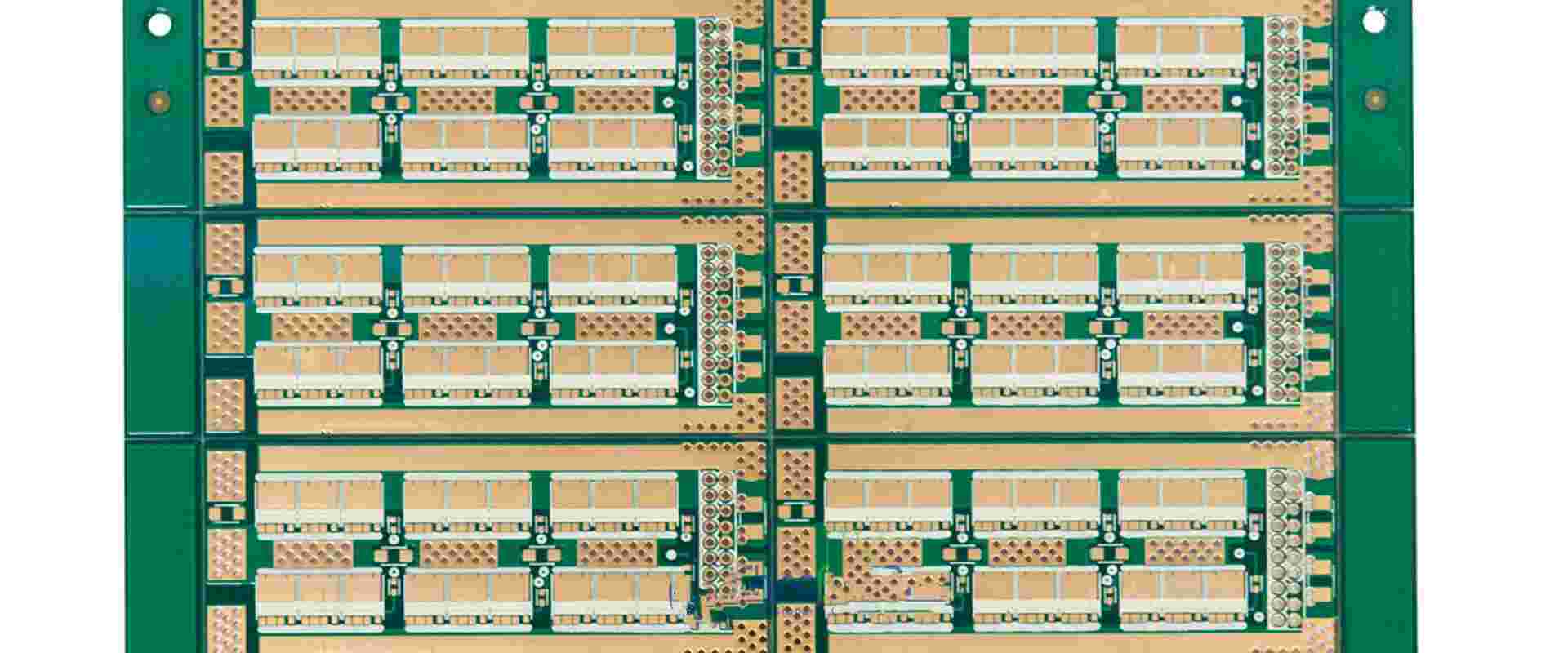
Taconic PCB

We are in an era where technology is taking over the world, from the education industry to hospitals and government. The application areas of tech grow each day with each advancement, making our life easier and less strenuous. However, these advances cannot happen without utilizing efficient equipment to work with. We are talking about PCBs, measuring equipment, processors, etc. This article will focus on the best printed circuits boards in the market, the TSM-DS3b PCBs. We shall answer questions such as โ€œwhy is the Taconic TSM-DS3b PCB the best PCB in the market?โ€ And what are the benefits of using this PCB? Hence to get the answer to this and more questions, stick around as we unravel the Taconic TSM-DS3b PCB mystery.

A Quick Overview of PCB

PCB is a coated sandwich structure of insulating and conductive layers. PCBs have 2 complementary functions:

  1. Affixing electronic components into specifically designated areas on the outside layer through soldering.
  2. Providing electrical connections between componentsโ€™ terminals in a pretty controlled manner. Primarily known as PCB design, this connection should be reliable.

Taconic TSM-DS3b PCB

The Taconic TSM-DS3b PCB is a minimal loss core, thermally stable PCB. One can develop the Taconic TSM-DS3b PCB with the consistency and predictability of the most efficient epoxies reinforced with fiberglass.

Taconic TSM-DS3b PCBs are ceramic-filled and reinforced to ensure maximum efficiency.  As per fiberglass content, these PCBs have tiny amounts of it, totaling up to ~5%. With these low levels of fiberglass content, the Taconic TSM-DS3b becomes pretty competitive in the market. That is because they rival epoxies as per fabricating large complex multilayers.

Taconic TSM-DS3b PCBs are good for the high power (thermal conductivity of 0.6 W/M*K) applications. In this case, the dielectric material must efficiently conduct heat being produced away from the other heat-producing sources. To do so, it utilizes a design known as PWB.

Taconic TSM-DS3b PCB was also invented to have pretty low coefficients as per thermal expansion in demand for thermal cycling.

As per microwave application, low z, y, and x values ensure that the critical spacings are between traces located in couplers and filters and have minimal movement with the temperature. Whatโ€™s more Taconic TSM-DS3b PCBs utilize pretty low levels of profile foil copper. Hence they have copper edges that are pretty smooth in between the coupled lines.

Suppose you are looking for incredibly low dielectric losses, you can easily get at epoxy fabrication temperatures of 4500F. Combining the Taconic TSM-DS3b with a fastrise prepreg could be your answer. The FastRise-Taconic TSM-DS3b collaboration is an industrial leading solution with regard to low dielectric losses.

FastRise Prepreg

We utilize Fastrise prepreg in conjunction with various coating cores. The collaboration has resulted to the development of boards that have multiple layers for the ATE/digital/RF markets. When utilized in a board design that is symmetrical, Prepreg results in pretty optimum mechanical and electrical performance. Due to the bonding agent thermoset properties, it is possible to achieve multiple cycles of bonding with minimal delamination worry. Such efficiency merged with the Taconic TSM-DS3b bring out PCBs that have optimum performance.

What are the Benefits of Applying the Taconic TSM-DS3b PCB?

Utilizing Taconic TSM-DS3b PCB come with the following benefits:

  1. The Taconic TSM-DS3b PCB has got the industryโ€™s best DF. It has a DF of 0.0011 at 10GHz
  2. High thermal conduction
  3. Pretty low fiber content, as low as ~5%
  4. Dimensional stability which rivals epoxy
  5. Enables high layer large-format count PWBs
  6. Builds rather complex PWBs, which yields predictability and consistency
  7. Pretty stable temperatures DK negative thirty to positive 1200C
  8. Resistive foils compatibility

What are the Applications of a Taconic TSM-DS3b PCB?

  1. Couplers
  2. Radar manifolds
  3. Oil drilling
  4. Automotive/mmWave antenna
  5. Phased array antennas
  6. ATE Testing/Semiconductor

Taconic TSM-DS3b PCB General and Handling Information

Taconic TSM-DS3b PCB Storage Properties

To store Taconic TSM-DS3b PCBs correctly, you should:

  • Ensure you place them in a flat, clean, and dry area
  • Store them away from high levels of heat; storing them at room temperature is highly recommended.
  • Store them in between 2 stiffeners which prevents any unnecessary bending that might occur to the layers
  • Use a soft slip sheet to store cores which will prevent debris and dust from getting into the cores

When stored appropriately, Taconic TSM-DS3b PCB cores have a shelf life thatโ€™s indefinite.

FastRise Storage

For appropriate FastRise Storage, you should follow the following guidelines:

  1. Store the equipment in a dry and cool area
  2. Store it away from any direct sunlight
  3. Place the equipment in a low humidity area
  4. Store in an area that has minimal contamination properties

FastRise prepreg life shelf varies according to the following set conditions:

  1. Refrigeration โ€“ refrigeration temperature should be 400F or lower
  2. Room temperature โ€“ room temperature should be 230C or below plus a relative humidity of less than 50%

When you eject a FastRise prepreg from a refrigerator, let it accumulate heat till it hits room temperature while still in its sealed bag. In doing so, you reduce the possibility of moisture condensing on the FastRise prepreg. It also offers a consistent temperature as per the lamination process. When not being used, the bags should be sealed.

Shelf-life

When condition one above is observed, the FastRise prepreg has a 180 days shelf life after shipment.

When you observe condition two above, a 90 days shelf life applies for the FastRise after shipment.

Packages indicate the second condition by default, but the first condition has a longer shelf life.

Handling

Taconic TSM-DS3b overlay

Compared with other thermosetting resins, for example:

  • Epoxy
  • Cyanate ester
  • Polyimide
  • Polyphenylene oxide

 PTFE are pretty stable chemically and electrically. Some of the reasons that make PTFE superior is in terms of performance over temperature and frequency. Also makes pure resins relatively soft. Due to this reason, Taconic overlays are glass fabric reinforced. The substratum reinforcement via glass fabric increases the X and Y axis stability. It hence overtakes the stability of the non-enforced PTFE products. However, even with this reinforcement, you still have to take some handling and process precautions. They help prevent deformation and damaging of the overlay during fabrication.

No Mechanical Scrubbing

As with flexible surfactant or thin cores, mechanical scrubbing stretches and deforms the material. We use pinch rollers to hold the panels in place during scrubbing leave dents. The brush accouterments are pressed onto the overlay surface. Instead of mechanical scrubbing, we would highly suggest that you try utilizing chemical cleaning.

When you eliminate unnecessary handling and mechanical cleaning, dimensional accuracy ultimately increases.

Avoid Picking up Panels Horizontally via One Edge or End

When you let the equipment flop over then you may end up stretching the substratum and copper. Hence you should instead pick the panels via two edges parallel to each other. Preferably you should utilize the two edges closest to each other dimensionally.

Prevent the Deposit of Contaminants on the Copper or Gear

Utilizing slip sheets and protective gloves that are clean prevents staining and contamination. If you do not deposit fingerprints, grease, and oils, you will not have to strain trying to remove them.

Avoid Mechanically Abrading PTFE Surfaces after Etching.

When not disturbed, PTFE surfaces are pretty good for:

  • Solder mask adhesion
  • Bonding adhesion
  • Prepreg with no further preparation.

After copper removal, there are rough tooth structures left behind, which make the PTFE surface pretty wettable. In case the surface is disturbed. Then more surface preparation via sodium etching might improve adhesion and wettability of the surface.

Avoid Stacking Panels onto each other Directly

When you stack up the panels, then debris or particles on one panel might leave marks on the surface of an adjacent panel. Hence instead of stacking them up, you should instead rack them up vertically. If you are looking to stack the panels up, then use a slip sheet that is soft and clean in between the panels. Also, ensure that the stack is of minimal height.

FastRise

Prepreg is usually supplied in between 2 release sheets. FastRise surface part might be tacky. You will realize that it is mostly recommended to let the prepregs accumulate heat before you open the bag. But it might be beneficial to utilize the FastRise while still cool in some scenarios which ultimately reduces tackiness.

Never let condensation form on a prepreg.

Preparation of the Inner Layer

Acclimation

There are cases where the overlay could be exposed to extreme temperature when being shipped or stored. It is important to place it in an ambient environment for 8 to 24 hours before processing.

Scaling

After copper foil etching, all overlays experience movement. There are such factors like:

  • The thickness of the copper foil
  • Circuit design
  • Glass style
  • Overlay thickness

All affect the dimensional stability of a Taconic TSM-DS3b PCB.

Lamination

Thieving/flow patterns

Copper borders that are solid and bear interlocking flow patterns, for example:

  • Honeycombs
  • Offset diamonds, are ideal.

Other patterns inhibiting resin-like flow patterns are also pretty ideal.

Do not utilize interlocking flow patterns. Also avoid patterns that promote resin-like flow patterns.

Conformance material and padding

We recommend press padding. Utilization of conformance material, for example:

  • Taconic tacPad
  • Clutch overlays
  • PTFE skive films or others

All these help in terms of balancing pressure variations through induction from circuits.

Pressure

You achieve full pressure before FastRise reaches 1200C. The resin flow of fastRise is proportional to the overlay pressure. Using pressure, one can control flow whereby high flowing prepreg part numbers act as slow-flowing or no flowing part numbers. Using this characteristic, one can achieve additional flow.

Conclusion

Taconic TSM-DS3b PCBs are pretty efficient. They have functionalities that add up to make it the best PCB on the market in the 21st century. We hope that this article has helped solve any questions you might have regarding the Taconic TSM-DS3b PCB. 

How Does Air Quality Sensor Work

Air Quality Sensor

With climate change on the rise, air pollution has affected everyone. People have been trying to come up with ways to measure this phenomenon. Air quality sensors are critical for measuring and researching pollutants. These are pollutants that may be hazardous to public health and the environment.

Smaller, cheap, and satellite-based sensors with new capabilities have resulted from technological advancements. Ensuring the appropriate interpretation and quality of sensor data can be difficult.

Air quality sensors provide an estimate of particulate matter (PM). They can also measure gaseous pollutants in the air. It depends on measuring something unrelated to the actual pollutant. But, it is much easier to measure. For example, the sensor could measure the amount of light scattered by particulate matter. It increases as pollution levels rise. We sometimes present these results on a low, medium, and high scale. In the case of very basic air quality monitors such as smoke detectors, we present them on a binary scale.

What are air sensors

The term “air sensor” refers to a type of technology that has become more popular in recent years. It has the characteristics of reading a pollutant in the air and being smaller. They sell them at a price that allows for a more significant number of monitoring locations. RayMing PCB and Assembly use low-cost air, quality, and air sensor devices to describe this technology.

We have differences in the physical design of these technologies. They include monitoring air pollutants, managing data, and fueling the equipment. Some air sensors are usually used at a fixed location, while we mount others on vehicles or worn by the user. There are several variations in how these technologies get priced. The changes depend on whether the sensors get sold or leased. It also depends on maintaining and holding data from company to company.

Dangers of air pollution

Air Quality Sensor control pcb

One of the most serious risks to humans in modern society is air pollution. Poor air quality is to blame for so many of our ailments. That is why air quality measurement devices are essential for maintaining safety. Even if you can’t see the pollutants in the air, they are present and causing problems inside your body. It exacerbates health problems like asthma and can cause serious problems for people.

Individuals and families are better able to control their indoor air quality. But whether they take action to reduce their risk of pollution exposure indoors depends on how they perceive this risk. The awareness that risk is one of the essential prerequisites for this risk perception. Giving people personalized information about their risks impacts their attitudes and behaviors. So, research shows that people use experiential processes to understand risk. It also indicates that assisting people in experiencing risk may help them learn more about it.

What pollutants get measured by air sensors

Today, air sensors on the market measure a wide range of air contaminants, but not all of them. But, the main problem is if the air sensor will detect the target pollutant. This is in a combination of other pollutants and at the required concentration range for the application of interest. The EPA and outside parties focus their testing on real-world situations. They plan on expanding the number of air sensors that assess the six criterion pollutants controlled. They use National Ambient Air Quality Standards.

Consumer sensors can detect two basic forms of pollution. This is regardless of whether they are sensing inside or outside. They include:

1) particulate matter

2) gases.

There are many types of airborne pollutants. But these are the two that most consumer sensors can currently detect.

Particulate Matter

Particulate matter (PM) has both solid and liquid droplets. Some can be visible with the naked eye (for example, visible dust). At the same time, others need a microscope to view. PM10 and PM2.5 are the two principal size fractions of concern (size up to 2.5 micrometers).

The average human hair measures 70 micrometers in diameter. This is around 30 times the greatest diameter of PM2.5. The size of the object is crucial. PM2.5, for example, is small enough to enter the circulation after inhalation into the lungs.

Importance of Particulate Matters?

Health risks from airborne particles depend on their deposition in the respiratory system. The cilia, mucosa, and trachea work together to filter the thickest particles. They are about 5 mm in diameter. Particles with half to five millimeters can deposit in the bronchi. They can even get to the pulmonary alveoli. But they are quickly removed by the cilia of the bronchi and bronchioles. Particles with a diameter of fewer than 0.5 m can penetrate deep into the lungs and deposit in the alveoli.

Gases

Both outside and inside, several gaseous contaminants get discovered. For example, gases like nitrogen dioxide (NO2) and carbon monoxide (CO) get produced when we use fuel. It does not matter whether in a town industry, in your gas stove or furnace, or your car. These types of gases get found in your home.

Some portable sensors seek to measure volatile organic compounds (VOCs). They are airborne molecules, in addition to CO and NO2. You can find VOCs in household items’ off-gassing or cleaning sprays.

Categories of sensors:

– Gas sensors

– Dust monitors

– VOC (volatile organic compounds) sensors

– Ionizing radiation sensors.

A comprehensive sensor suite will include all these categories. In addition, different technologies allow for detecting hazards. These are that would otherwise go undetected at the same level. Some examples include high levels of radiation or substances with low toxicity. But they have high global warming (GW) power. We cannot detect the GW through infrared or chromatography technology.

Gas sensors

Gas sensors measure the concentration of gas in the air. We often use these sensors to measure indoor air quality and detect hazardous gases.

There are two basic types:

– Direct gas sensors measure specific gases. For instance, methane, ammonia, or carbon monoxide.

– Chemical gas sensors use chemical reactions to detect specific gases. For example hydrogen sulfide, or flammable gases, such as methane or propane.

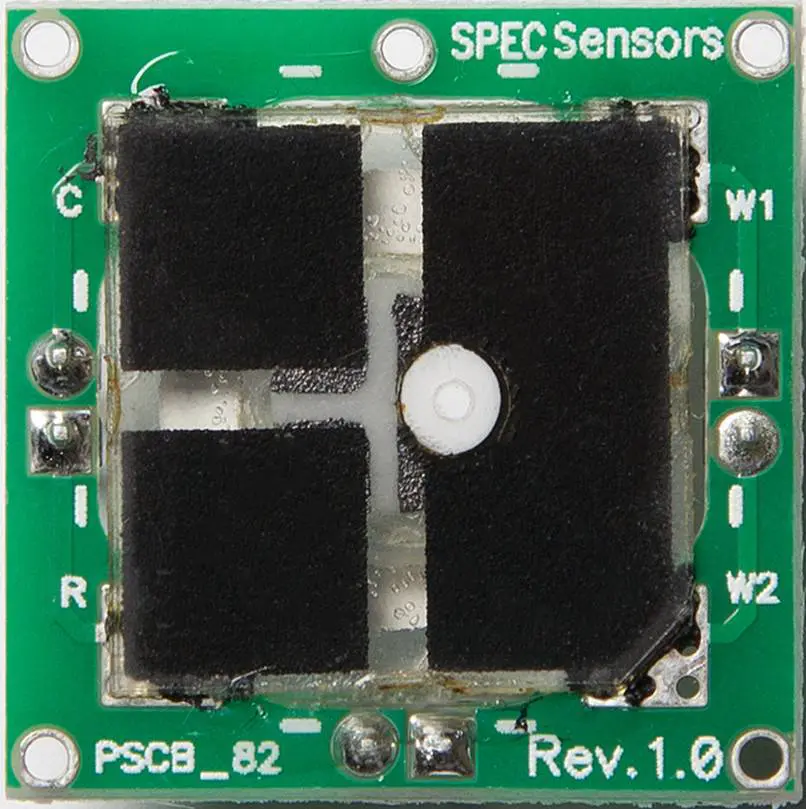
Air quality sensors measure the concentrations of specific airborne substances. They include particulates (dust, smoke, pollen) and volatile organic compounds (VOC). Particulate sensors consist of a source (a fan), an optical system with a light source and detector. It passes through the particulate-laden air. The Electronics System performs digital signal processing on the detector signals.

VOC (volatile organic compounds) sensors

We detect VOCs by either infrared spectroscopy or gas chromatography. An important variant of VOC sensors is the VOC and carbon monoxide sensors. It detects specific hazardous gases in addition to VOCs.

Ionizing radiation sensors

Ionizing radiation sensors measure ionizing radiation (alpha, beta or gamma rays) or neutrons. We use ionizing radiation in nuclear reactors and nuclear weapons. But they can also occur naturally. The primary sources of this ionizing radiation are cosmic rays. They come from deep space and radon gas emitted by the earth’s crust. We process the data for further analysis after taking the measurements.

The range of different sensors used for air quality monitoring has grown over the years. In addition, companies are developing new technologies that detect lower radiation levels or different substances.

How do air quality sensors work?

The Technology

Air quality sensors detect gases such as ozone and particulate matter. Both are hazardous to human health and the environment. Governments work together to manage stationary air quality monitors that use sensors. These monitors are costly and need a supporting infrastructure. Officials use the resulting data to address pollution or issue air quality alerts.

A good example is the days with unhealthy ozone levels or during wildfires. These networks may overlook pollution at smaller scales and in rural areas. They don’t measure more localized pollutants that can cause long-term health effects. Some examples include ethylene oxide and toxic metals. Two advancements in sensor technology may aid in closing these gaps.

To begin with, we learn how low cost air quality sensor may now get used almost anyplace. They include fences, cars, drones, and clothing. People are now using these less expensive sensors. They use them to comprehend a variety of environmental and public health issues.

Second, for decades, agencies have been using satellites equipped with sensors. They track air quality to understand weather patterns and conduct research better. Recent satellite launches have sensors with improved air monitoring capabilities. The researchers use them in large-scale pollution investigations.

How does it work

To test air quality, low-cost sensors use various techniques. They include lasers. They estimate the size and number of particles passing through a chamber. We also have meters to estimate the amount of gas moving through the sensor. Most sensors use algorithms to turn raw data into usable readings. The temperature that affects sensor measurements is a factor in the algorithms. Humidity and other factors also. Other characteristics of higher-quality devices can improve findings. For example, adjusting the air temperature in the sensors provides consistent observations over time.

Satellite-based sensors track energy reflected or emitted in the atmosphere to identify pollutants. Some sensors track a single spot throughout time. At the same time, others track several portions of the globe.

To detect the creation, transport, and variability of pollutants and increase measurement reliability. Sensor installation in the network is essential. Combining data from several sensors can also improve their use. However, this raises the level of skill required to check the results. This is especially when the data comes from diverse sensors.

How mature is it?

Sensors have unique designs to perform specific tasks. They monitor the air within a building is now smaller and less expensive. As a result, they can now fill in gaps in monitoring and research in various ways. Local governments use wearable sensors to track different sources of air pollution. Scientists can use them to examine the exposure of research volunteers.

Low-cost sensors, on the other hand, have limits. They have fewer quality assurance systems in place than government-run sensors. The data they produce is of varying quality. It’s unclear how to install modern sensors or analyze the data to get the most value. Some low-cost sensors use artificial intelligence algorithms that the inventors cannot fully explain. This makes it challenging to comprehend variable sensor performance. Also, they frequently measure contaminants like ozone and particulate matter. There are hundreds of air toxins that could enjoy enhanced monitoring with sensors. But, there may be technological or other obstacles that make this impossible.

In the past, satellite-based sensors produced data infrequently and insufficiently detailed. So, newer sensors provide better data for monitoring air quality. It could help with rural monitoring and pollutant transportation, among other things. But, satellite-based sensor data might be challenging to interpret, particularly ground-level pollutants. Furthermore, current satellite-based sensor systems can only detect a limited number of pollutants. They include carbon monoxide, formaldehyde, nitrogen dioxide, sulfur dioxide, ozone, and particulate matter.

Comparison between different air sensors

Knowing which air quality sensor will work best with your Arduino/Raspberry Pi project is not easy. There are many different features and functions on the market. But, you won’t have to worry. You will learn various functions, applications, and accuracy of air quality sensors in the end. It will help you determine which one is best for your indoor project!

Air Quality Sensor Arduino

Have you ever wondered what’s in the air you breathe? Unfortunately, our cities are becoming increasingly polluted around the world. Air pollution is a silent killer that claims the lives of over 4 million people each year.

However, it is not only outdoor air that can be hazardous. When combined with poor ventilation, cooking can reduce indoor air quality. This is because burning fuels releases many tiny particles into the air.

Air quality sensors used to be expensive and difficult to obtain. We can now make our DIY air quality sensor Arduino in less than 15 minutes. One can use readily available microcontrollers like the Arduino and inexpensive DIY sensors.

Air Quality Monitoring

The methods for measuring air quality differ. It depends on whether you want to measure indoor or outdoor air quality.

Pollutants such as VOC, CO2, and dust can impact indoor air quality. We can get a good idea of indoor air quality by measuring one or more. However, for each of these pollutants, a different sensor’s required.

Pollutants from combustion engines are usually responsible for poor outdoor air quality. Fuel combustion produces tiny particles known as Particulate Matter (PM). These get classified according to their size.

The more dangerous the particles are, the smaller they are. For example, PM2.5 refers to particulate matter (PM) with a diameter of fewer than 2.5 micrometers in the atmosphere.

Long-term exposure to PM2.5 particles is hazardous to one’s health. The ability to measure your exposure to these harmful particles is crucial. In addition, it helps you to manage your exposure.

In this article, we’ll measure PM2.5 and its close cousins, PM1.0 and PM10.

The AQI is the most widely used metric for measuring. We also use it in comparing air quality levels in different cities worldwide.

This Arduino Air Quality Monitor gets used both indoors and outdoors. We use it to measure pollution from cooking, smoking, and other sources. Also, we can use it to monitor the air quality in your neighborhood.

Air Quality Sensors

A laser detects particulate matter in the most common air quality sensor for home that measures PM2.5. These laser-based sensors come in two varieties: those without a fan. For example, the Samyoung DSM501A and those with fans, such as the Plan tower PMS5003.

The fanless models are less expensive, but they are also less accurate. The Plantower PMS5003 is the best model at a reasonable price.

PMS5003 Air Quality Sensor

Particles are as small as 0.3 micrometers. Therefore, they can get detected by the Plantower PMS5003 sensor. This is why the sensor’s model number ends in ‘003’. The number 5 refers to the generation of the series.

On the back, you can see the air intake fan. This is what distinguishes this sensor from fanless designs like the Samyoung DSM501A.

The PMS5003 isn’t a current-generation model; instead, it’s the PMS7003. If you can find a more suitable deal on the PMS3003 or PMS7003 than the PMS5003, go for it. But, the Arduino code may differ slightly.

Working Principles

The PMS5003 scatters and radiates suspended particles in the air using a laser. The scattered light is then analyzed to produce a curve. It depicts how light scattering changes over time.

We then calculate the number of particles of various diameters per unit 0.1L volume of air by the sensor.

The PMS5003 is capable of producing the following:

ยท Concentrations of PM1.0, PM2.5, and PM10.0 in both standard and environmental units

ยท 10um, 5.0um, 2.5um, 1.0um, 0.5um, and 0.3um sizes of particulate matter per 0.1L air

Raspberry Pi air quality sensor

The Raspberry Pi is a cheap computing device created by an open-source foundation. It encourages the teaching of basic computer science in developing countries. The device became popular with makers who wanted an easy way to experiment with sensors and robotics. It created simple and miniaturized computers that fit on a single circuit board.

Since its inception, the Raspberry Pi has gone through four design iterations. It resulted in a larger format B model and a smaller Zero model. The Raspberry Pi’s appeal is that it is inexpensive and has a low entry barrier. If you can use a computer, you can use a Raspberry Pi.

The Raspberry Pi runs a Linux operating system. It includes networking, video, audio, and USB ports. This allows you to connect it to power, a screen, track, and keyboard. Also, you can write programs for it directly on the device!

Problems with Low-Cost Air Quality Sensors

The biggest issue with low-cost air quality measurement devices is the lack of data and accuracy they provide. These devices are notoriously inaccurate, and the information they provide isn’t always reliable. Measuring air quality is quite complicated. So opting for the highest-quality version is worthwhile.

You won’t tell the difference between each pollutant. This is mainly if you use low-cost air quality measurement equipment. You might find yourself in a situation where the meter says everything is fine. But the air contains a lot of ozone or other particulates. This is especially true for meters that can only measure a single type of contaminant. When this happens, it almost always leads to a health issue. It can cause you a lot of grief if people become ill due to attending your event. Low-cost quality measurement devices lack the technology required to provide accurate readings. The reading you need to aid in the fight against poor air quality.

Common challenges of using air sensors?

1. Air sensors may not be selective or sensitive for the target pollutant of interest. Real-world testing data can assist in determining whether a particular air sensor will produce data. This data should meet their application requirements.

2. Inaccurate readings result from low and high temperatures and excessive humidity levels. Air sensors may be imprecise, necessitating field calibration to get more precise data. Over time, many gas sensors become less sensitive to the target pollutant. This results in inaccurate readings. Some air sensors have a one- to two-year lifespan.

3. Not all air sensors are waterproof. Some air sensors need a physical enclosure to get protected from the elements.

4. Specific data communication technologies need air sensors, such as WiFi, cellphone, or Bluetooth.

5. It is possible that air sensors do not always collect data. Technology can fail, the power supply can run out, and weather can cause readings to get messed up. As a result, it’s critical to check sensors regularly to ensure they work correctly.

6. Performance. Low-cost sensors have a wide range of performance that is difficult to predict. Their algorithms may be opaque. Low-cost sensors used by various people may produce conflicting results.

7. Interpretation. Sensor data interpretation may need expertise. Sensors produce data in real-time that can be difficult to understand. They also don’t have short-term exposure health criteria. Many air sensors do not provide real-time data on a screen.

8. Management of information. Large amounts of data with inconsistent formatting get generated. This is due to increased monitoring, which will need to get stored and managed.

9. Alignment with requirements. Few low-cost, satellite-based sensors currently exist that can detect air toxics. Furthermore, low-income neighborhoods may have difficulties deploying low-cost sensors. These communities in studies are disproportionately afflicted by air pollution.

Testing The Air Quality in Your Home

Since home based air quality monitors have limits in their capabilities, you need good ones. If you care when it comes to air quality for home, we recommend measuring what’s in the outside air as the first step to undertake. You can do this using an outdoor-based air quality sensor. The outdoor conditions often determine indoor conditions. They measure only particle levels that are local airborne. They measure volatile organic compoundsโ€”gases such as cleaners, paint, and glue vapors. Radon and carbon monoxide, two fatal gases, are rarely measured. Numerous smoke detectors have the capability of detecting carbon monoxide.

Conclusion

Looking at the pollution, it is essential to have an air quality sensor in your home.

What is the best PCB design software

pcb design tips

The technology we are using today is a product of CAD software. Many PCB design software come with high-quality. They are also customizable tools to help you create your next PCB. Many of my friends cannot even recognize what a PCB is and don’t know how it can be suitable for their lives. This article will go through some of the best free PCB design software out there. 

If you want to design PCB, you need professional PCB design software to help you save time and money. Working with a good provider of software will save you time and money. You don’t have to look for an online translation tool to help you read some of the boards. You don’t have to spend time learning how to use the software either. When you have PCB design software, it does everything efficiently for you. Read on to understand what is PCB design software and which one will serve you best.

PCB design

You could ask yourself this question for those who want PCB design. What is a PCB? The PCB stands for a printed circuit board. It is a flat electronic component that has electronic components soldered and etched onto it. That is how a PCB works.

Alexander Bain introduced the early idea of the PCB in 1851. He created a board for Glasgow University that had both the electricity and data transmitted. It is a black slate-like component that has copper traces. The copper traces are where the electricity and data will go from one point to another.

The PCBs that we have today is helpful for many things. We can use them for telecommunications, electrical circuits, medical equipment, and automotive. It depends on the person designing the PCB who will be using it.

We can say that PCB is one of the essential inventions globally. It is changing the lives of humans everywhere. The creative technology for this product used CAD software that creates PCBs.

There are also plenty of other people looking to learn how to make a PCB. Finding the right road can sometimes be confusing. But you can always find the right step with your will and creativity.

PCB design process

The PCB design process is easy, but first, you must choose a PCB design software for your needs. That is the first step that you need to take if you want to start working on your PCB design in your life. The good thing about working with software is that it could help you create a PCB without issues.

1. Schematics PCB Design

This is the first thing you need to do to create your PCB. Creating an electronic schematic of your project is crucial in the process. You should do this stage carefully because it might have a bad PCB layout if you do not do it right. To help you with this task, many tools can help you create your PCB. Some are:

Inkscape is a popular program used to design posters, logos, and layouts on paper. One of the most used programs to create schematics from start to finish is Inkscape. Inkscape is free software that you can download on almost all platforms.

QElectroTech is another free program that can create schematics on PC and MAC computers. Users can only make printable PCB designs in QET using the STEP CAD files. It helps users with paper-free PCB layout design, layout, and library.

Altium Designer โ€“ If you are looking for paid software, you can opt for Altium Designer. This tool is good for beginners who want to start working with professional software. The price for this software is about $1500, which is cheap. In the long run, you will be getting many benefits from this software.

2. PCB layout Designing

You do this process next after the schematic designing part. It is not just drawing wires and writing stuff on the board here. You also need to think and plan before starting the layout design, which could take a while.

PCB Editor โ€“ This is a free and open-source PCB editor that we can use on Windows, Linux, and Mac OS. This software was initially developed in 1998 by one of the users of the Linux community. The development team has made several upgrades to this software since 1999. Now it is being maintained by a larger team of developers who produce new versions now and then.

KiCad is a total package tool for an electronic design. We can use it for schematic capture, PCB layout, and PCB production. It is well known for producing professional quality board layouts at an affordable price. It is free software that you can download from the internet.

Free PCBCart is a free web-based PCB layout tool. Users can create professionally designed boards online. Then they print them in China without worrying about shipping fees or import taxes. It is a convenient tool that users can create customized electronic boards online.

Steps:

a. Placing the component packages

Placing the component packages is also crucial in the PCB layout process. You will need to follow some specific steps to do this. They include Planarization, Bounding Box Creation, and the types of packages you will use.

b. Routing

Routing is the next process that you need to do if you want to produce a good PCB in the end. It is another critical step that you need to do carefully. You will need to use routing software for this process. Some good programs can do this job easily, such as:

Free Router is a free routing tool used on Windows, Linux, and Mac operating systems.

c. Vias

Vias is another essential thing you need to produce a good PCB. This process will involve drilling holes into the board to connect different tracks.

FreePCB is free and open-source software that can create PCBs on Windows and Linux operating systems.

d. Pad Selection

In this process, you need to select your pads as per requirement. You will need to make sure that you select the right width and diameter for the pads. Too thin of a pad will not be strong enough, while too thick of a pad will result in higher resistance and lower performance of your PCB.

PCBWay is the most popular online PCB fabrication service. People can order PCBs, assemble them, and get them shipped to their houses safely.

e. Exporting the layout design

The last step that you need to do is export the layout design. You should export your PCB design in a vector format later in other programs.

f. Manufacturing

After exporting your layout design, you will need to place your order on PCB fabrication services. You can place your order with Rayming PCB & Assembly to produce your PCBs and deliver them to your house.

Best PCB Design Software

Designing is not just drawing wires and writing stuff on the board. You also need to think and plan before starting the layout design. This could take a while. However, there are some steps that you can follow to make sure that you are doing it right.

The first thing you will need is to develop a proper design theme for your board. The theme should be good and attractive so that people will love it at first sight and want to buy your PCBs in the end.

1. Altium Designer

This is a paid PCB Layout software that can design circuit boards and create PCBs in general. It is the best in this area because it uses high-quality graphics. This software has codes for different PCB sizes and an excellent components library. It is a complete package tool that we can use for schematic capture, layout design, and fabrication of PCBs. 

Features and specifications

  1. Schematic capture
  2. Layout design
  3. PCB layout
  4. Production of PCBs (in house and China)
  5. Automatic documentation and documentation with notes
  6. Online order status tracking and automated release of components. It allows production while keeping the design up to date.
  7. Component libraries with over 100,000 components. They include many SMD components and surface mount parts
  8. Auto capture of power traces, ground planes, and other essential trace characteristics
  9. Electronic Design Automation โ€“ EDA (tools for schematic capture, PCB layout, and documentation)
  10. A large library including libraries for BGA, SMT, and through-hole resistors.
  11. An integrated system for developing with custom add-ons
  12. Powerful libraries for optomechanical devices
  13. A graphic library of hundreds of icons and symbols 

This feature-rich PCB Layout software and used by more than 50,000 users worldwide. It is also considered the best in this area because it is easy to use, has many functions, and is very reliable in general.

However, it is a paid software that can cost you $2500 if you use all the features.

2. KiCad

KiCad is free and open-source software for creating PCBs or other electronic designs in general. It is a schematic capture, PCB layout, and electronic design automation software. We can also use it for producing matrices, schematics, and other PCB-related items.

It is free software that you can download from the internet. The software is user-friendly and is the most popular PCB design software.

It has a lot of functions that can help you design your PCBs. Therefore, many use it for its reliability and efficiency.

3. Eagle

Eagle is a powerful PCB Layout software used on Windows and Mac operating systems. It has a user-friendly interface that makes it easy to use by anyone who has basic computer literacy skills.

Unlike most other PCB design software, this tool is simple and easy to use for non-experts.

It has many features that we can use to create complex boards. They include unlimited board size and layers and a multi-sheet board design capability. It can use schematic capture with PCB layout on the same screen.

However, the free version of Eagle is not good enough. It only allows you to work in a small area and gives as many features as other tools.

4. gEDA

This toolkit is an integrated collection of tools for creating electronic circuits. It combines the four categories of tools needed for this task.

  • Schematic capture editor (gschem)
  • PCB layout editor (gpcb)
  • Audio signal tool (gator)
  • PCB autorouter

NASA also used it in its Space Shuttle in the beginning. We also use it to design other busses and GPUs.

The best thing about this tool is that it is free, open-source, and community-based.

We use it to create everything from simple schematic diagrams to complex PCBs.

However, it does not have many functions as you would see in Altium Designer.

5. ORCAD

This is another top-rated PCB design software. It can design and create various circuit boards. This software has the best features like parasitic extraction and 3D view. It is a total package design solution.

It also has a great library of components that we can use for creating your layout designs. You can find everything from resistors, test points to footprints for surface mount devices.

Universities and companies use it for professional purposes, making it one of the best options.

We can use it to create PCBs and schematics, layouts, and footprints. It also has rubber resistors, power distribution boards, and high-speed signal routing.

However, its free option is not good enough; therefore, you will have to purchase it if you use all the features.

6. Allegro

This is a tool for developing boards and systems and managing complex projects. It has different types of PCB layout capabilities, code generators. Also, it has a user-friendly interface making it easy to use by even those who do not have any experience in this area.

It has PCB diagrams, schematics, printed circuit boards, and an EDA flow. You can use it for single or double side PCB designs.

It can also design custom components and has a powerful library of parts.

However, this tool is not very user-friendly, and therefore, it is not the best option for beginners.

7. EasyEda

It is a relatively new tool and has many revolutionary features. We can use it to design PCBs.

It is easy to use and has an efficient layout tool with a snappy user interface for creating schematics and PCB layouts. It also has a library of components and components footprints. You can quickly create electronic circuit boards.

You can also generate professional documentation and reports using the built-in report generator.

However, this is still a relatively new tool. Therefore, there may be some bugs or issues you might encounter.

8. Fritzing

This is a free program that we can use to design, document, and share your projects. It is a user-friendly tool that is simple to use and has an easy library of components to use.

Fritzing has an intuitive interface and can create schematics, PCBs, and layouts.

It also gives an option of exporting designs into popular formats such as KiCAD. This makes it one of the best options for users just starting in this area.

However, it does not have a library of parts. Therefore, you can use a limited amount of components for your designs.

9. DxDesigner

This is another software used to design various circuit boards and other electrical devices. It is an easy-to-operate software with an intuitive interface. This makes it very easy to use even by those new to the field.

The best thing about this tool is that you can use it free of charge and work with any board. This is one of the reasons why it has gained a lot of popularity.

You can also share your designs using the internal file sharing option. You can also use it for both single and double-sided designs.

It allows you to create schematics, PCBs, footprints, and printed circuit boards.

However, several bugs in this software may cause issues during the design process. If you are new to this area or have no experience, this software could be good enough for you to use, at least as a senior beginner.

10. Draftsight

This is a freeware program that Dassault Systemes launched in 2011. It has a user-friendly interface and is easy to use even for beginners.

This tool helps create both schematics and PCBs. It has different tools such as track, bus, component, net, and drawing tools that you can use to create your layouts.

It also allows you to view the 3D model of your design and also the component model, schematic, or PCB model.

What makes a good PCB design software?

You should consider several factors when choosing the best PCB software.

You should keep in mind and check out some things before finally choosing the one for yourself.

1. Price

The price of a PCB design software is an essential factor to consider. This is because there are several free options and paid ones that you can choose from.

A low-cost option could work for you, but it is best to go for paid software if you have a tight budget.

2. Database

The software’s type of database is another essential factor to look at. Some have databases that have all the necessary parts together. Others only have limited types of parts available with their packages.

Also, look at the size and quality of the database.

3. EDA flow

It is also good to check the version of EDA flow if you are purchasing or using this software for professional purposes. It is also a wise choice to first get an idea about which type will be best for your needs before choosing one in particular.

4. User-Friendliness

Check whether you can read the help provided by the software before purchasing. If it is user-friendly, then this is a good sign as it means that the developers have put in a lot of effort to make it easy to use for beginners.

5. Functionality

Apart from the factors mentioned above, you should check how well the software works for your needs and requirements. Run some demos and test-run your designs to see if there are any issues or bugs with them.

6. Library of Components

Another essential factor to consider is the software’s library of components. The more options it has, the better, as it means that you will find precisely what you are looking for.

7. Reputed Brand

Many brands provide PCB design software. Therefore, it cannot be easy to choose between them all. The best way to go about this is by checking out their popularity and reviews online and the number of users using their products.

8. Scalable

The software should also be scalable to allow the user to increase or decrease the size of designs. This is important as you may want to share your designs on the internet with others. Therefore, you need a program that allows you to do this.

9. Public Domain

Some better software like PCB CAD is helpful under the public domain. In this case, you can modify and redistribute it without paying anything for it. You will still get full rights (read: license) for its use.

Where to find free PCB design software

There are several places where you can find free PCB design software.

The main places include:

1. Community forums

This is a great place to start looking for free PCB design software. However, you need to be very cautious before using such software. Many out there are not free but still, have some of their source code available for download. Therefore, this is not a good sign for safety purposes.

2. Web search engines

Another option that you can look at is a web search engine. Searching for ‘free PCB design software will pull up different results. However, you need to be very careful as many of these are scams and, therefore, are not a good idea.

3. Free Software Archives

This is another place to find PCB design software free of charge that the developer maintains. However, this is not very reliable as many users have reported problems with most of the programs listed in their forums sections.

4. Free Software Library

This is an excellent place to find free PCB design software that you can use for personal or educational purposes. However, this software may have limitations that could limit the number of boards and layers and the design’s size.

Conclusion

There is a lot to consider when choosing the best PCB design software. Depending on your requirements, purpose, and budget, you will choose one of the options mentioned above. The above guide is a good starting point for finding the best software for your needs. Try the demos and test the functionality of each before purchasing or downloading them to have a better idea about them. You may also want to check out other helpful resources like this course. Good luck!

All You Need to Know About Sound Sensors

Sound Sensors

Do you hate those long walks you have to take to switch off the lights at home while you go to bed? Well, you are not alone on that part. The good thing is that we are in an era whereby this tedious task is now easier via sound sensors. Now you can turn your lights on and off by just clapping your hands. You can play cool games in real life with your friends and do amazing things that did not seem possible a while ago via this technology. But how do sound sensors work? How can clapping your hands signal your lights to turn on or off? Well, in this article, we shall dive into these questions and try to answer them in the best possible way. We shall look at things such as:

  • How sound sensors work
  • Sound sensor Arduino
  • Motion sensors that use sound
  • How to make a sound sensor
  • And so much more

Sound sensors are a great wonder; when well understood, you can create pretty fascinating projects. Hence without further ado, let us help you put together the sound sensor puzzle.

Sound Sensor

What is a Sound Sensor?

We define a sound sensor as a module that detects sound waves via the sound’s intensity and then converts it to electric signals.

How do Sound Sensors Work?

sound-sensor-applications

Sound sensors function like our ears, having a diaphragm that converts vibrations into signals. However, since the sound sensor is not human, it does not have an actual diaphragm or actual ears. A sound sensor instead consists of a peak detector, an amplifier (LM393, LM386, et cetera) that is highly sensitive to sound, and an inbuilt capacitive microphone. Sound sensors, having these components, can function correctly. They follow the following process to “hear” sound:

  • Sound waves are propagated through air molecules.
  • The sound waves are received by the inbuilt capacitive microphone
  • The sound waves are then amplified and digitized for the processing of sound intensity

Through this process, sound sensors can detect when you clap your hands to switch on the light or when you want to switch them off. Of course, to achieve this feat, you will have to go the extra mile but worry not because we have got you on that.

Applications of a Sound Sensor

Other than being useful alongside with Arduino to build incredible projects (we shall get into this later on), sound sensors can also be essential in so many day-to-day applications which include:

  • Monitoring and security systems such as door alarms, burglar alarms, et cetera.
  • Consumer electronics, for example, music systems, computers, and phones
  • Sound level recognition and ambient sound recognition
  • Home automation, for example, lighting your house by clapping or even whistling instead of having to manually turn off the lights via a switch

These applications are pretty fascinating and aim at making our lives easier. With the great tech advances taking place, you are bound to see this list get longer and longer as sound sensor application areas grow.

To understand the concept of a sound sensor, let us look at an interface sound sensor using Arduino.

Arduino Sound Sensor

If you are looking to add the concept of sound to your next project, then this section might help you out a lot. In this section, we shall look at:

  • How a sound sensorโ€™s microphone works
  • The sound sensorโ€™s board interface
  • How to merge a sound sensor onto an Arduino board

How does a Sound Sensorโ€™s Microphone Work?

Have you ever used a microphone before? If you have, you might have been puzzled about how you speak into it using a low tone, and the sound gets amplified as it gets outputted via a speaker. To know how this works, we have to get inside of a microphone, not literally, of course! But by reviewing every part of a microphone, this is because sound sensors utilize the same features, only that the sound sensor microphone is pretty tiny.

Inside a microphone, you will find a thin diaphragm that is actually one capacitor plate. You will also find another plate known as the backplate. The backplate is parallel to and close to the diaphragm. When sound waves hit the microphone, the diaphragm vibrates. The diaphragms vibration causes a change in capacitance as the plates either get farther apart or closer together. The change in capacitance causes voltage change across the two plates, which, when measured, can be useful in determining the amplitude of the sound.

Now that that is out of the way, we can now look at the sound sensorโ€™s board interface.

Sound Sensor Board Interface

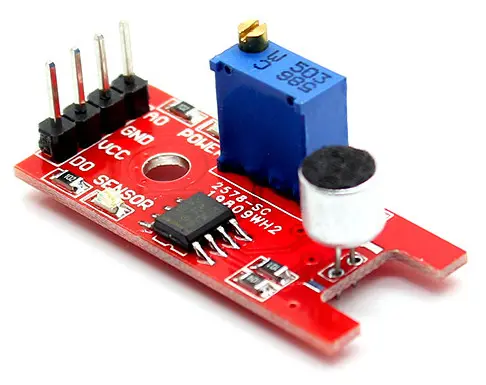
A sound sensor is actually a tiny board that brings together a microphone (50Hz โ€“ 10KHz) and processing circuitry, which converts sound waves to electrical signals. A sound sensor board has three crucial parts, namely:

  1. Electret microphone
  2. Sensitive adjustment
  3. Comparator

Electric signals are fed onto the high-precision comparator found on the sound sensor’s board for digitization. The signal is then made available at the OUT pin.

To take things up a notch, you can set up a threshold using a potentiometer found on the sound sensor’s board. Using this threshold, you get to learn when the amplitude of sound is HIGH (in this case, it exceeds the threshold) or when it is LOW (lower than the set threshold). Using this setup, you can set an action to be performed once on reaching a certain threshold. For example, once you clap your hands, this sound wave can cross the set threshold, which in turn will trigger the switching on of light (the action). You can play around with this setup to generate so many cool projects.

The sound sensor interface also has two LEDs, one for power and the other for status:

  • The power LED โ€“ lights up on powering up of the module
  • The status LED โ€“ it lights up when the digital output goes LOW

Sound Sensor Pinout

A sounds sensor has only three pins:

VCC pin โ€“ it supplies power to the sound sensor. It’s recommended to power your sound sensor with a voltage between 3.3V and 5V.

GND โ€“ A ground connection

OUT โ€“ acts as the sounds sensorโ€™s output. It outputs high whenever conditions are quiet and LOW whenever there is detection of sound. You can connect the OUT pin to any digital pin on an Arduino board or onto a 5V relay directly or a similar device.

Connecting a Sound Sensor onto an Arduino Board

sound sensors in robotics

To properly utilize the sound sensors utilities, you can hook it up to an Arduino board to develop a sound sensor Arduino; let us see how this is possible.

Connecting a sound sensor onto an Arduino board is relatively simple. It would help if you started by connecting the VCC pin on the sound sensor module to 5V on an Arduino board, then connecting the GND pin to the ground. Now plug in the OUT pin to the digital pin on your Arduino, and that’s it, you have mounted a sound sensor onto an Arduino.

Sound Sensor Calibration

To attain accurate readings from your sound sensor, you should calibrate it. Sound sensor modules come with a built-in potentiometer useful in calibrating the digital output (OUT).

To calibrate your sound sensor, all you have to do is adjust the potentiometer until you attain your desired threshold. Start clapping near the sound sensor’s microphone as you adjust the potentiometer until you see the status LED blink responding to your clap. Remember that the set threshold determines what the digital output will output. Once you exceed the threshold, it outputs LOW. Hence the wrong calibration can mess up your entire project.

Once you have calibrated your sound sensor, you can now utilize it with no accuracy worries for your project.

How to make Sound Sensor Devices

Now that you have successfully mounted a sound sensor onto your Arduino board and you have calibrated the sound sensor, it is about time we see what this combination can do.

The following example simply detects claps or snaps then prints a message on the serial monitor; all you have to do is connect your Arduino to a computer and type in this program:

#define sensor in 7

Unsigned long lastEvent = 0; // variable that stores the time at which the last event happened

Void setup(){

PinMode(sensorPin, INPUT); // sets sensor pin as an INPUT

Serial.begin(9600);

                   }

Void loop(){

int sensorData = digitalRead(sensorPin); // reads the sound sensor

if (sensorData == LOW) { //if the sensor pin hits LOW, sound is ultimately detected

if (milli () โ€“ lastEvent > 25{ //if 25 milliseconds pass since the last detected sound,

  //it means that the clap is detected and not because of any spurious sounds.

Serial.println(โ€œclap detectedโ€);

  }

LastEvent = millis(); // remembers when the last event occurred

     }

}

If everything is functioning fine, the Arduino should detect sound once you clap and display โ€œclap detectedโ€ on the serial monitor. You can play along with this program adding in new functionalities until you develop a pretty cool project.

Troubleshooting

If you detect that the sound sensor is misbehaving, try out the following steps to fix it:

  • Double-check the power supply to ensure it is clean. Because sound sensors utilize an analog circuit, they are more prone to power supply noise.
  • The electric microphone utilized on a sound sensor is pretty sensitive to wind noise and mechanical vibration. It would be best if you hence mounted it with a resilient material. Doing so can help absorb vibrations.
  • The sound sensor’s sensing range is pretty small, probably around 10 inches. It would be best to clap your hands or make a noise near the sensor’s microphone to attain a better response.

That is how you can make a sound sensor. It is pretty straightforward, but you can use it for a lot of things that range from:

  • Clap switches
  • UV light meter
  • Room lights that utilize sound sensors

Adding sound wave properties to your project has never been that easy.

Now that we know how sound sensors work, let us take things up a notch by looking at some advancements made in sound sensors:

The NXT Sound Sensor

Have you ever heard of the NXT sound sensor before? Do you know how this sound sensor functions? Well, if you do not have answers to both or even one of these two questions, then this section is for you. We shall go through the NXT sound sensor and the incredible new features that it brings to the table. Hence follow along!

The NXT sound sensor is a sound sensor that comes in two different variations:

  • The normal sound sensor
  • The ultrasonic sound sensor

How does the NXT Sound Sensor Work?

The NXT sound sensor functions like a standard sound sensor mounted onto an Arduino board but with some advancements that make it unique. Due to these advancements, robots can utilize NXT sound sensors to “see” and detect objects as they move around.

The NXT sound sensor detects both DB (decibels) and DBA (adjusted decibel).

  • Decibel โ€“ We measure sound pressure in decibels.
  • DBA โ€“ in detecting DBA, the sensor’s sensitivity is adapted to the human ear’s sensitivity. These are sounds that you can hear via your ears in simpler terms.
  • DB โ€“ detects unadjusted (standard) decibels; this means that this sensor can detect sounds that are too low or too high for the human ear to hear.

The NXT sound sensor can detect and measure sound pressure levels of up to 90DB โ€“ that is almost equal to the sound pressure of a lawnmower. Sound pressure levels can be extremely complicated. Hence most NXT sound sensors display reading in percentages. The higher the percentage, the higher the sound being detected. For example:

  • 4% to 5% is like a quiet living room
  • 5% to 10% is like a person speaking from a distance
  • 10% to 30% is like the noise generated when you are conversing with a person at close range
  • 30% – 100% is like the noise produced by people shouting or when you are playing loud music

The Ultrasonic Sensor

Robots utilize the ultrasonic sensor for “vision” and detection; using this sound sensor, robots can sense and measure distance, detect movement and avoid obstacles. But how can sound sensors help in all this? Well, that all lies in the mystery known as the ultrasonic sensor.

Ultrasonic sensors utilize the same scientific principle that bats use. It produces a sound wave and then measures the time taken to hit an obstacle and then bounce back, the same way you hear an echo, only that the sound wave they produce is not as loud. Huge obstacles having a hard surface return the best reading. Curved obstacles (like a ball) made of soft fabric, or small in size are pretty hard to read for the sound sensor.

You should also note that two or more ultrasonic sensors working in the same room tend to interrupt each other.

Phasmophobia

Games are a major branch of tech. I mean, in the 21st century, almost every handset gadget comes with a game pre-installed. What’s more, games are evolving whereby we now have virtual reality games that you can play and experience everything as if you were literally in the game console yourself. Others utilize infrared, sound, and motion sensors to create a gaming environment out of your normal house. One of these incredible games the phasmophobia.

Phasmophobia is a horror game that utilizes sensors to detect a “ghost” in a room designated for the game. These set sensors are unlocked once you hit level seven through level eight. Once unlocked, you can utilize these sensors to record readings from the ghost. For the sensors to work, you have to place them on walls. Once you have perfectly placed the sound and the motion sensors, you can move back to your truck and monitor them.

Phasmophobia Sound Sensor

People use sound sensors to detect any movement that might occur in any of the designated rooms. To use the sound sensor, equip it onto your hand and then stand near a wall; you will see a hologram. Choose the most appropriate place to mount your sound sensor and you are good to go.

A sound sensor will detect any movement activity in the entire room. To visualize the radius of your sound sensor, head on to your truck and check on the map where you mounted the sound sensor. The sound sensorโ€™s radius will be displayed in yellow giving a clear visual of the radius.

Remember that the sound sensors, once mounted on a wall, picks up any movement that occurs in the room. Therefore, if any of your teammates wander into a room, the sound detector will sense them and produce a false alarm. When the sound sensor picks up sound, it displays an alert on the gaming monitor. The room that has the sound sensor will also be displayed on the monitor.

When used with infrared and motion sensors, sound sensors give phasmophobia a great touch that makes the game super thrilling. Now that is what we call taking things up a notch.

Phasmophobia Motion Sensors

Phasmophobia motion sensors function exactly like sound sensors but have a pretty small radius. Therefore the best place to mount your motion sensor would be in an alley. Alleys have a straight line detection range, making motion detection pretty easy.

When a motion detector senses motion, it displays an alert on the mapโ€™s screen in the truck. Motion sensors cannot differentiate between a teammate and a ghost too.

Now that we are in the motion sensor section let us look at motion sensors with sound.

Motion Sensors with Sound

Motion sensors are important for a lot of things:

  • In playing games such as phasmophobia
  • To control devices via motion detection
  • For security purposes โ€“ this is the core use of motion detectors

How do Motion Sensors with Sound help as per Security?

If anyone comes into your house while you are away, you will want to know about it since they might be thieves. Well, motion sensors with sound will alert you immediately they sense movement in your house while you are away. To avoid false alarms, you have to activate these motion sensors when you want to use them and deactivate them when you donโ€™t.

How do Motion Sensors with Sound Function?

Motion sensors with sound work pretty much like sound detectors. See, when you are moving around, you send out vibrations. A motion detector picks these vibrations via a diaphragm, just like the sound sensor’s, and then wave conversion occurs. While playing a game such as phasmophobia, the instance anything or anyone sends out a vibration (might be vibrations from footsteps), the motion sensor with sound picks up this vibration and produces a reading.

Ultrasonic Motion Sensors

An ultrasonic motion sensor is another motion sensor that utilizes sound to detect motion. Ultrasonic motion sensors utilize the same principle that is used by microwave sensors. However, ultrasonic motion sensors use sound waves instead of bouncing off microwaves on obstacles. By bouncing off sound waves on surfaces, these motion sensors can detect motion and produce readings.

Sound Sensor Projects

Before we wrap things up, let us leave you with some sound sensor projects that you can try out on your own to test the knowledge that you have gained from this article:

  1. Sound pollution detection

Using a sound sensor, you can develop a device that can sense overall sound and air quality. In doing so, you can help reduce sound pollution in your area.

  • Baby monitor

You know how babies can cry for hours and hours when no one is around. That can be a problem, but one that can be solved using a sound sensor. A baby monitor that utilizes sound sensors can pick up noise and alert you when the baby starts to cry. You can add more features, such as a camera, to increase the monitor’s efficiency.

  • Dog barking tracker

Dogs tend to sometimes misbehave when left home alone. However, using a dog barking tracker, you can easily track your dog’s barking to know what your dog is up to. Of course, you will have to first track the dog’s barking pattern, but after that, you are good to go.

These are but a few of the many projects you can develop using a sound sensor.

Conclusion

A sound sensor is a crucial device that can do wonders in the tech industry. Its applications are endless, and benefits seem to go up every day. We hope this article has answered all the questions you might have heard regarding sound sensors and their application.

Why do should I use Taconic RF-30 PCB

Taconic RF-30 PCB

The RF-30 is one of the most advanced synths available, but it has one shortcoming: there is no digital control interface to speak of. The builder must get a digital control interface to use the instrumentโ€™s many functions. The availability of the RF-30 software development kit (SDK) and other documentation makes it possible to create an entirely digital interface using a small embedded microcontroller. This document describes this solution and its development process.

For more than 35 years, Taconic has delivered innovative products. These products have safely protected hundreds of thousands of high-value components. Taconicโ€™s product line includes many enclosures, from hard-plastic cases to foam-injected molded cases. As a result, Taconic can develop the ideal enclosure to protect your component. It can also meet your performance requirements by working with customers.

One should install the PCB before mounting any modules (since all the available slots are helpful in the base and side panels). To install it, use one or two M4 21mm screws (depending on the size of RF-30 PCB). These screws must pass through corresponding holes from both sides of the case. Place them into mounting holes at around 2.5โ€ (60mm) from the rear of the case. This will ensure that the screws do not interfere with any components on the opposite side of the PCB and will work with any TL-30 or RF-30 case.

We can use the RF-30 PCB as a stand-alone product. However, it was originally designed to interface with a microcontroller. Therefore, it helps provide digital control and interaction. The Taconic SDK provides complete C++ code for programming an Atmel AT90S2313 microcontroller.

Types of enclosures

There are three types of enclosures available: the RF-30, TL-30, and MM-30. The RF-30 is the largest in the line, measuring 11.8โ€ (w) ร— 6โ€ (h) ร— 2.5โ€ (d). On the other hand, the TL-30 and MM-30 are both 7.5โ€ (w) ร— 7.5โ€ (d) with space for an 8-pin DIL package, allowing for quick and easy installation and removal of the components.

The RF-30, TL-30, and MM-30 cases are available in various materials. They include plastic, aluminum, fiberglass, ABS plastic, and steel. For more information on Taconic product materials, see the โ€œMaterial Guide.โ€

The RF-30, TL-30, and MM-30 are all based on the same design. The enclosures comprise three main modules: the base and the lid, which form a hinge, and two specialized modules on the sides. Each module has 4 or 5 pins (A, B, C, and D).

Design procedure

We mount the base to a metal plate using eight screws that pass through holes in the metal plate to secure it to the case. Then, we secure the lid to the base using two screws that pass through mounting holes in the base and the lid.

Each module accepts four additional screws, one in each corner. The four small holes in each corner secure a mounting bracket with a DIL socket; plugging it into one of these DIL sockets will power the module. Although you could mount this bracket inside the case, we do not recommend it since it may interfere with access to signal pins on other modules.

There are three optional modules on the sides, bringing the number of available mounting points on a case up to six.

The design of the RF-30 PCB allows mounting on top of the modular side modules. To mount it, you must remove two sets of screws at the rear of the case (marked with a *) and then slide two tabs into slots on either side.

Next, extend each tab fully and press into place one panel beside the other. This will secure the PCB to the case and slid in place when one fully extends the tabs.

Benefits of using Taconic RF-30 PCB

There are many advantages to using a Taconic RF-30 PCB as an interface to the RF-30:

The RF-30 PCBโ€™s design is for direct use with the RF-30. It does not require any additional components and does not expand on the capabilities of the base module or the lid. Instead, it adds a digital interface for the user, greatly expanding the capabilities of this exciting synthesizer and focusing its potential on audio making.

1. Low cost

We can use the RF-30 PCB design with the RF-30 for cost reasons. It does not require additional components or expand the capabilities of the base module or the lid. It adds a digital interface for the user, greatly expanding the capabilities of this exciting synthesizer and focusing its potential on audio making.

2. No proprietary or application-specific hardware

The RF-30 PCB has no proprietary parts. As a result, it is very highly hackable. So, we can use it for many other applications and do not limit the application of the RF-30 PCB in any way. Many of these applications are possible. This is because of the extensive documentation and codebase provided with the Taconic SDK.

3. Excellent peel strength

Its design is essential in working with the RF-30. It can withstand extreme shock, vibration, and temperature conditions.

IF DESIRED, we can use the RF-30 PCB in place of the lid. It has extra connectors that run along the length of the PCB. The RF-30 PCB has a design to connect to pots, switches, LEDs, or any other peripheral that requires just a few connections. It does not have to have a DIL socket (it also doesnโ€™t need one as an interface).

4. Exceptionally low DF

The digital construction makes it easy to design low-cost PCBs with short traces and high DF. These characteristics enable us to use the PCB in many situations that would be impractical for conventional PCBs (such as breadboards) or difficult for standard PCB kits (such as in conjunction with LCDs, real-time clock chips, etc.).

5. Excellent intermodulation performance

Because of the designโ€™s digital nature, performance is excellent for a product of this price point. The ability to run the PCB at ยฑ5V also allows us to use it with high-level signals.

The RF-30 PCB will interface with any microcontroller that supports I2C and SPI communication. They include Atmel and Freescale microcontrollers. The RF-30 PCB design is essential for direct use with the RF-30. So, it does not require any additional components and does not expand on the capabilities of the base module or the lid. It adds a digital interface for the user, greatly expanding the capabilities of this exciting synthesizer and focusing its potential on audio making.

6. Low moisture absorption

Because the PCB consists of high-quality components, it is water-resistant and dust-proof. This is important as several RF-30 modules and accessories generate electrically-conductive dust that can cause electrical problems if it builds up in the system.

7. Enhanced surface smoothness

Unlike some surface-mount components, these parts are not rough on the top side. This allows us to use the PCBs on many surfaces that would destroy conventional PCBs.

Taconic RF-30 PCBs are explicitly designed for the RF-30 and are incompatible with any other synthesizer. Therefore, you must purchase the following components from Taconic Instruments:

You cannot purchase the PCB individually. A kit is available, including all parts, a set of cases, and a PC board. Building a single unit requires 20 minutes, while building several may take significantly longer. It is possible to build more than one unit simultaneously. Additionally, even an inexperienced builder should complete the assembly in just a few hours.

The RF-30 PCB design allows you to use it with the RF-30 directly. It does not require any additional components and does not expand on the capabilities of the base module or the lid. It adds a digital interface for the user, greatly expanding the capabilities of this exciting synthesizer and focusing its potential on audio making. 9. Optional LED matrix

Applications of Taconic RF-30 PCB

The RF-30 is an exciting synthesizer with many applications. One of the nice things about the Taconic SDK is that it provides code to support all these applications:

1. Base station Antennas

Leading PCB manufacturers such as RayMing PCB and Assembly create the RF-30 PCB for direct use with the RF-30. It does not require any additional components and does not expand on the capabilities of the base module or the lid. It adds a digital interface for the user, greatly expanding the capabilities of this exciting synthesizer and focusing its potential on audio making.

2. Home automation

It provides a complete means of controlling your Atmel microcontroller-based systems, including door locks, temperature control, etc. It can control up to 64 Atmel 328P and 328Px based modules.

3. LCDs

The RF-30 has several analog input pins that we may use to drive LCDs. We should connect these pins to the appropriate I2C address.

4. Extra functionality

The RF-30 PCB has extra connectors that run along the length of the PCB. Additionally, their design allows for connecting to pots, switches, LEDs, or any other peripheral that requires just a few connections. It does not have to have a DIL socket (it also doesnโ€™t need one as an interface).

5. Inventorโ€™s Kit (IK) serial port connection

This provides an inexpensive means of connecting the RF-30 to control software on an attached PC. As a result, any software user will have a complete means of creating new modules, applications, and effects.

6. PWM or frequency modulation (FM)

The RF-30 has analog inputs that we can use for PWM or FM. We can connect these inputs to the appropriate I2C addresses.

7. Temperature control and remote control

Since the RF-30 PCB design allows for direct use with the RF-30, it does not require any additional components and does not expand on the capabilities of the base module or the lid.

Conclusion

The Taconic RF-30 PCB has a unique design to work directly with the RF-30. It does not expand the capabilities of the base module or the lid. Instead, it adds a digital interface for the user, greatly expanding the capabilities of this exciting synthesizer and focusing its potential on audio making. In addition, the price is low, and it accepts standard packages of components such as DIL sockets, potentiometers, and LEDs. It is an excellent addition to any RF-30 system for cost and performance.

Why You Should Have a Humidity Sensor in Your Home

humidity sensor project

Every homeowner knows that excessive humidity can be a significant issue for everything from your walls to water pipes. If you donโ€™t have a humidity sensor in your home, you may not know how high the humidity is. As a result of a lack of action, you may end up with larger issues as time goes on. Few people also realize that maintaining optimum humidity levels indoors can impact the quality of the air you breathe.

There are several ways that excessive humidity can affect air quality indoors. So clearly understanding the role humidity plays in your home is essential. It will help you to maintain the healthiest level of indoor air possible. Most importantly, you must use a hygrometer to monitor humidity levels in your home, one that works.

Humidity and You

Your body consists of about 60% water, and for good health, your body should maintain relative humidity (RH) percentage of anywhere from 40% to 60%. Below 40% to the point where dehydration begins is an arid environment. Conditions less than 35% RH are unsuitable for outdoor activities. Above 60% RH can be dangerous, especially for infants and people with respiratory issues.

There are several positive connections as a result of the close connection between humidity levels and temperature. For example, when your air is humid, it also tends to be warm. This is because moisture evaporates at warmer temperatures. So if you have low humidity, you are losing a good bit of valuable heat energy in the form of humidity. In areas that experience lower indoor temperatures due to lower indoor humidity levels, it can lead to overheating issues for humans and animals.

What Is Humidity?

We define humidity as the ratio of water vapor in the air to the dry air surrounding it. The human body consists of about 60% water, so humidity levels are always relative to your bodyโ€™s makeup. The lower your humidity levels, the more susceptible you are to dehydration.

For example, a relative humidity (RH) of 50% means the air in the room is half full of moisture. Relative humidity of 40% means the air is 40% full of moisture.

Why does it Matter?

Some common symptoms associated with high humidity include:

1. Perspiration

Excessive perspiration can lead to blisters, rashes, and fungal infections on the skin. It can increase your risk for athleteโ€™s injuries and even cause permanent damage to your skin.

2. Mold

High humidity levels are a breeding ground for mold, leading to personal allergies and respiratory problems.

3. Moisture damage

You must maintain the humidity level in your room. So, the wooden furniture in your house will not absorb the moisture and swell, leading to cracking and decay.

4. Deformation

Forced air systems canโ€™t handle humidity levels over 30%. So they tend to overwork themselves and wear out prematurely. This results in higher energy bills.

What are humidity sensors?

Humidity sensors, also known as hygrometers, are easy to install, accurate, and inexpensive. When installed correctly and maintained, they can be responsible for decreasing your energy bills. They also improve your homeโ€™s indoor air quality. Suppose the sensor is anything less than accurate. In that case, it can lead to serious problems in your home, so you must use a quality model from a reputable company with good customer service.

In many cases, you might find a home temperature and humidity sensor in your homeโ€™s HVAC system. So, it is therefore built directly into your thermostat. If you decide to go this route, it may be challenging to determine the humidity level at a specific part of your home. So consider that as well when shopping for a device.

Most home heat and humidity sensors include advanced features such as:

1. Wireless monitoring โ€“ You can position it anywhere in your house and monitor it from any computer that has an Internet connection.

2. Remote setting for home comfort โ€“ You can use the device to set the ideal humidity level in your home and adjust it as needed.

How Do You Set It Up?

The setup process for a humidity sensor is pretty straightforward, but you want to be sure that you go over all of the instructions before you begin. You can find most manuals online, or you can call your manufacturerโ€™s customer support line if you have an issue. In general, here is what goes into setting up a humidity sensor:

1. Find a location

Most devices will include a recommended location, but thatโ€™s fine if you want to move it. You need to make sure the sensor is about 4 feet off of the ground and away from any large metal items such as metal pipes or cabinets.

2. Test it

Put batteries in your sensor to test that it works properly. Ideally, you should see a reading between 40% and 60% relative humidity.

3. Connect it to your HVAC system

If you have a humidistat, make sure that you hook the sensorโ€™s wire into the same control box connected to your humidistat.

4. Calibrate it

Most sensors will have a built-in calibration function that you should perform near the end of installing them. But if you donโ€™t, you may need to take your sensor back for a checkup.

5. Place it in the right spot

Make sure you place it in a spot to expose it to the correct amount of air and temperature. But far enough away from any heating or cooling vents wonโ€™t get disturbance by unwanted air movement.

6. Monitor it

After setting up the calibration function, you should never need to do anything else to your sensor. Still, you should continue to monitor its readings at least once every month during the heating and cooling seasons.

How do humidity sensors work?

There are two basic hygrometers for indoor use: electronic and mechanical. Mechanical versions are usually more accurate and durable. But electronic models have improved so much in recent years that many homeowners prefer them for their ease of use. Manufacturers market many of these products as โ€œsmartโ€ home products. They can adjust their configurations based on your particular needs. So, itโ€™s essential to understand the entire process before buying.

An electronic hygrometer is a virtual device. It will provide you with a relative humidity reading based on the amount of moisture in the air. Since moisture level sensors are fairly accurate and simple to use, they make fantastic additions to your home or office. When it comes to relative humidity, a modern model will work with a relatively simple process: youโ€™ll push a button. It will tell you the current humidity in your home.

The type of sensor you choose depends on what you want to measure. Still, if youโ€™re looking for one that tells you the relative humidity level, most electronic models will show this information.

Why Would You Use a Humidity Sensor?

There are several reasons why you would want to monitor the humidity level in your home, and they include:

1. Keep your air conditioning bill under control

If you have a relative humidity sensor installed, you may find that your heating and cooling system works less frequently when your home is humid. This is because the moisture level in the air isnโ€™t so high that it needs removing.

2. Reduce mold

If you have a problem with mold in your home, itโ€™s important to maintain humidity levels below the 80% range. Some models can help you maintain this by adjusting your homeโ€™s temperature, but there are other options as well. A more advanced model will have a built-in humidistat and automatically regulate the temperature based on your humidity level.

3. Save money on your water bill

Suppose you have a humidity sensor installed in your HVAC system. In that case, it may be able to save you money on water, especially if your home is not as humid as the manufacturer recommended setting.

4. Choose the right air filter

Some air filters can reduce certain types of mold and mildew, and others can remove allergens from the air. If you have a moisture sensor installed, you can choose the right filters for your needs.

5. Examine the airflow

You might be able to tell if there are air leaks in your HVAC system by placing a humidity sensor in various spots around your house.

6. Decide on heating and cooling options

If you have a humidity sensor, youโ€™ll be able to make decisions about heating and cooling that consider your homeโ€™s relative humidity.

7. Health reasons

If you have acidic air or dry air symptoms, a humidity sensor can help you detect this issue and correct it before it affects your health.

8. Improve your homeโ€™s quality of life

You might enjoy a more comfortable environment if you use a humidity sensor in your HVAC system.

9. Avoid potential problems

Low relative humidity levels can lead to mold and mildew growth. It can cause significant problems for the structure of your home.

Factors to consider when choosing the type of humidity sensor

Here is a thing to consider to help you make an informed decision before choosing one for your home. Considerations include:

1. Sensor Design

Most humidity sensors will have a simple design and will look similar to a thermometer with a long shaft and a small circular display on top. However, you should make sure that the sensor you choose will fit in your HVAC system correctly before you buy it.

2. Location

Many humidity sensors work perfectly with HVAC systems. But others we will use for spot-checking relative humidity levels in specific rooms or areas.

3. Materials

We can make sensors from various materials, including metal (like steel) or plastic.

4. Size

You may want to place your sensor in a specific part of your HVAC system. So you should make sure that you can find one thatโ€™s the right size.

5. Durability

If you want a sensor that will be useful for several years, itโ€™s essential to choose durable and well-made.

6. Uses

If you have a humidifier, dehumidifier, or air purifier installed in your home, youโ€™ll need to buy humidity sensors arduino that work with these products.

7. Programmable

Many humidity sensors today are digital. You can program them to tell you the relative humidity of your home or office based on the time of day or the prevailing weather conditions.

8. Additional features

Some humidity sensors offer additional features, such as alarms that go off if the moisture level in your air reaches a certain point.

9. Price

If youโ€™re trying to save money by installing an inexpensive sensor in your HVAC system, you might get frustrated when it fails after a few months of use.

10. Warranty

The right manufacturer will offer a warranty that protects you against problems with your sensor. So make sure that you cover these details before making your final choice.

Types of humidity sensors

Since humidity is a factor in so many indoor environments, several different sensors are available.

1. Whole-Home Humidity System

Whole-home humidity systems will provide accurate readings for the air in your home. You can use it to save money and improve your overall quality of life. They come with numerous individual humidity sensors positioned tactically through the house. They work best with the HVAC system. These sensors can monitor more areas than just your home, so you can use them in other rooms if you need to do spot-checking.

The distinctive sensors connect or link via Bluetooth, Wi-Fi, or radiofrequency to a base station unit. You can find it near your HVAC system. The base station uses cellular technology to pass the information from the individual sensors to a smartphone. It can also pass it to other devices so that you can remotely monitor the humidity levels in your home. Some whole-home systems will adjust various aspects of your HVAC system based on the moisture level reported by the sensors.

2. Point Source Humidity Sensor

A point source humidity sensor is suitable for spot-checking rather than to install in your HVAC system. We usually house these sensors in a durable case resistant to the elements. You can place them throughout your home or office to get an accurate picture of relative humidity levels. A digital point source humidity sensor will usually have a display. It can show you the current reading for relative humidity and the temperature inside your air space.

Here, a relative humidity sensor can help measure whether your HVAC system is working properly. It can also help you decide whether you need to use a humidifier or dehumidifier. Many point source sensors are suitable for outdoor use. So, they are helpful in places where humidity can affect your homeโ€™s exterior quality of life. Some point source humidity sensors will include an alarm that will tell you if moisture levels get too high. It can help extend the life of your HVAC system.

3. Smart Home Humidity Sensor System

A smart home humidity sensor system is suitable for use in the comfort of your own home. This can include sensors that are part of a whole-home system. But you can also purchase stand-alone units that will be helpful precisely to monitor the humidity inside your house. Smart home humidity sensors connect to a central gateway. Each piece of equipment can communicate with the others by Wi-Fi or Bluetooth.

This allows you to monitor your air quality from any location that you have internet access. These systems will also record logs of the air quality in your home and display them on a website wherever you have an internet connection. A smart home humidity sensor system can help you effectively use a humidifier or dehumidifier. It will also allow you to control your homeโ€™s temperature and make it easy for you to find out when the relative humidity in any given room gets too high.

4. Capacitive humidity sensors

These temperature and humidity sensors are suitable for working in a stand-alone humidity sensor that wonโ€™t work. For example, they may be helpful if you want to use your sensor in an office or other environment where there isnโ€™t a lot of space. These sensors will usually include a display. It will connect to the outside of your HVAC system with the help of a standard wire or adhesive pad that allows it to adhere directly to your outdoor unit. It uses a capacitor consisting of two electrode layers to measure the amount of moisture in the air. We can then use the readings from these sensors to determine whether the HVAC system has water damage. You can also use them to determine whether your HVAC system is working.

5. Resistive humidity sensors

We also refer to it as a hygristor or an electrical conductivity sensor. A resistive humidity sensor is suitable for use in very high moisture environments. It includes plants and aquariums. They consist of a conductive material similar to a resistor on top of a non-conductive sensing substrate, such as plastic or paper. This is the resistance of the material changes when we introduce moisture into it. This change causes a change in electrical current, which we can measure. Resistive humidity sensors can determine the relative humidity where there is moisture. They include normal and very high moisture environments.

6. Thermal conductivity humidity sensors

Thermal conductivity sensors, also known as thermal capacitance, are helpful in high-temperature environments. They use the thermal conductivity of materials to detect changes in humidity. We construct the sensor from a capacitor and a heating element. The sensorโ€™s output will also change as the air temperature and relative humidity change. The thermal conductivity sensor uses two thermocouple junctions. One thermocouple junction can help sense temperature. That is the other for humidity measurement.

What Can Humidity Sensors Control?

Humidity sensors control many functions inside your home, including temperature and relative humidity.

Thermostats

Thermostats can regulate the temperature inside your home or office and be convenient if you want to control specific rooms or areas. You do not have to adjust each roomโ€™s thermostat individually. Instead, you can use a central station that will regulate temperatures throughout your entire building. It is usually possible to program these thermostats to turn on and off automatically, based on any detected conditions.

We can use humidity sensors similarly by opening and closing water valves in the air ducts of your HVAC system. We will connect these valves to the thermostats used throughout your building. Many homeowners find this type of approach to controlling temperature more convenient. It can be inconvenient if several rooms share a single thermostat.

Thermostats are more common in commercial buildings than in residential properties. But they can also be helpful for homeowners who live in older homes with stubborn heating and cooling systems.

Temperature Sensors

Temperature sensors are another option that you can use to control the temperature inside your home or office. We can use these sensors in conjunction with a thermostat or a humidistat. You will have a complete picture of the temperature inside your space no matter where you install them.

In addition to controlling your HVAC system, temperature sensors can help alert you if the temperature in a room gets too hot or too cold.

What Are The Limitations of Temperature & Humidity Sensors?

Because these sensors are so close to the temperature and moisture in your home, they have their limitations.

1. Moisture is Not A Pure Measurement

The moisture you feel in your home is a combination of temperature and relative humidity. When you measure moisture, you measure the temperature and relative humidity levels simultaneously. This is because they are so closely linked.

2. Temperature Sensors Can Be Unreliable

We can build temperature sensors and thermometers in a variety of different ways. This is one reason why some sensors can give inaccurate readings. When you take moisture readings, it is essential to make sure that you have accurate temperature readings.

3. Humidity Sensors Are Not Always Accurate

Just because you have a humidity sensor in your home does not mean that your home is very humid in the middle of the day. This type of humidity sensor only tells you whether the relative humidity is too high or too low. It can be challenging to determine what level is from only reading one number from the sensor.

Conclusion

Temperature and humidity sensors can be helpful tools in your home or office. But they can only provide you with a partial picture of the climate inside your building. Contact RayMing PCB and Assembly to learn more about how to use these sensors. You will also learn what precautions you need to take to get the most accurate readings from them. If you want to install humidity sensors in your home or office, choosing a sensor that can give you the most accurate results is essential.

Why 9oz PCB is Best for You

9 oz pcb

The importance of the thickness of copper on board cannot be overemphasized. This is because it plays a huge role in improving the deviceโ€™s reliability and power density. The 9oz Copper PCB simply has a lot to offer in this regard

In this guide, we are going to touch various aspects of the 9oz PCB. Please continue reading, as we treat this topic systematically, and give answers to questions regarding this copper PCB.

What is a 9oz PCB?

9oz PCBs feature boards with thick copper and the total weight of the copper is 9 ounces. The thickness that results for the 9oz copper is 0.0126 inches or 12.6 mils.

This copper PCB plays a vital role, as it can carry current values that are large. Consequently, the thermal energy dissipated will be huge as well. Letโ€™s go on to know the benefits of 9oz PCB.

Benefits of the 9oz PCB

Below are some of the benefits of 9oz PCB

  • With 9oz PCB, you are sure to prolong the productโ€™s service life
  • It reduces the equipmentโ€™s operating temperature
  • It ensures that the circuitโ€™s design has the right heat diffusion
  • Help in improving the deviceโ€™s reliability and power density

Qualities of 9oz PCB

Below are some of the qualities of the 9oz PCB.

Conduction of large currents

Without any impairing performance, the 9oz copper printed circuit board, has all it takes to carry large amounts of current. This ability to carry current has to do with the boardโ€™s thickness. A thick layer for your copper helps in increasing the area of the path of current.

Endurance of Thermal Strains

9 oz copper can endure any thermal strain that results from the construction of large current. There is a direct relationship between the thermal power, which has been dissipated in heat energy form and the current conducted.

Reliability

The 9oz copper PCB is useful in environments that have boards with lower thickness value which are not useful. Environments having high temperatures may cause problems for the standard thickness of copper PCBs. This is why 9oz copper is useful because it has great thermal management.

Things to Consider when Designing 9Oz PCB

The process of designing your 9Oz PCB entails proper attention to its present demands and the nature of the application.

You will discover that this PCBโ€™s current-carrying capacity has to do with an increase in heat dissipation. Due to this reason, there are some considerations for thermal management. Below are some of the elements for designing the 9Oz PCB.

  • The amount of current to be carried
  • Spacing of the components
  • The 9 Oz copper PCBโ€™s configuration
  • The density of the board, which influences the size of the board
  • Width, length, and spacing of the trace
  • Component type
  • The heat dissipation mode

Can you Make a 9Oz PCB with Multiple Layers?

It is possible to find the 9Oz PCB as multilayer boards. If you are new to this, multilayer boards refers to boards having many layers. The use of many layers provides a lesser board size and an increase in density.

 Furthermore, it is possible to make the count of the layers to suit the needs of the application. You can make your 9oz copper PCBs to have a count of over eighteen layers.

Also, you can see copper foils having 0.5 ounce as well as 1oz copper thickness utilized in this construction. Note that, whenever you are creating multilayer boards, you should use through-holes. This will help in providing interlayer connectivity.

The Significance of Glass Transition Temperature in a 9Oz Copper PCB

Laminates are utilized in holding the layers together, anytime you are making a multilayer 9oz PCB. Usually, laminates are made up of a fiberglass material that is reinforced with resin or epoxy.

When dealing with these laminates, one important parameter is the glass transition temperature. This temperature refers to that temperature where material having glass properties changes form to the viscous state.

Laminates in 9oz PCB, usually have a glass transition temperature that is high. 9oz copper PCB usually carries large amounts of current. This follows that the heat energy that is dissipated will be large as well.

Laminates having a glass transition temperature that is low will have to succumb to this thermal dissipation. This changes from a leading structure to a weak one.

How do you Attach Chips directly to the 9Oz Copper PCB?

Attaching the chip onto the board offers communication paths and electrical conductivity between the chip and system board. You can achieve this by using flip chipping, automated binding using tape, and wire bonding.

Wire bonding

Wire bonding is well-known as the more prominent and earliest methods. Here, the chip features wired leads, which are attached to the boardโ€™s drilled holes.

Inspecting this technique for attachment is easy and you can also replace the chips with ease.

Automated bonding

With automated bonding, you will be able to test the components before you attach them. This method is common when utilized with components having low profiles.

Flip Chipping

This technique is an attachment type, which offers an electrical connection that is more reliable.

Reasons why FR-4 is commonly used as Prepreg for 9Oz PCB

FR-4 is useful for binding the layers of 9Oz copper pcbs. This is because it comes with some special features. These include:

High Compatibility: FR-4 can serve many different types of material, which includes inorganic fillers

Low Cost: FR-4 comes at a low cost. This is due to its ease in production with already-existing technology.

Wide Application: FR-4 can serve many other industries. This is one reason why it readily available

Restrictive Use of Lead: Because the use of lead has been restricted because it os hazardous, the FR-4 can serve as a good option during assembly processes without lead.

Great material: The FR-4 material features great performance stability

Control certain properties: Using FR-4 coupled with other materials allows you to control some properties like dielectric and thickness of the board. Furthermore, you will be able to tailor the prepreg with the applicationโ€™s demands.

Great mechanical, electrical, and thermal properties: FR-4 offers great mechanical properties, which ensures the board has great mechanical strength. Also, it gives great electrical and thermal properties.

Conclusion

9oz copper PCB comes with great features. You are making a good decision, working with one. If you have any questions, contact us; we will always be here to help you.

18 Best 3D Printer Projects of 2025

18 best 3d printer projects of 2022

Do your daily activities involve printing? Modeling? Designing? Prototyping? If so, youโ€™ll find some of the insights in this article very useful! 3D printers are rapidly becoming essential equipment for anyone working in professional design. And while itโ€™s easy to buy some junker off eBay, there are some things to think about before you decide which 3d printer is best for your personal use.

3d printers are becoming more popular every day, and the future looks promising.

3D Printer Types

There are different types of 3D printers available on the market today. Each type has its advantages and disadvantages, so it is up to you to decide what suits your needs best. If you want to know how to make large projects with a small 3d printer, you need to know the different types of printers. They include:

1. FDM/FFF

You need to pre-draw the model with this particular type of printer and then send it to the printer. We cut the parts using a computer-controlled cutting machine. Then we slowly move them into place by hand. This type of printer is mainly helpful in creating small parts. But we can also use it for larger products. You can choose from different software programs to help you design and 3D print your products.

2. SLA/SLS

With this type of printer, you can combine two different printing technologies. We use a light source to create the product, covered with a resin and cured through UV light.

3. Laser Sintering

This type of printer can be beneficial to print large parts. A laser beam combines the powder in layers until you get the desired part. Most people say that this process can take up to 16 hours before printing a part. So you need to plan when using this type of machine.

4. SLM

This printer is also a powder bed printer and uses a heat-transfer process. It uses a liquid wax that melts between layers of a product and then hardens upon contact with resin. This technology is perfect for creating durable parts. But it requires more time to complete the process. This type of machine has a limited amount of material printed. So, you may have to spend more money on it.

5. HP Multi Jet Fusion

This type of printer uses a high-pressure liquid sent to the product, which hardens shortly after. It uses a powder that we can reuse, and we can use it in many different industries.

6. EnvisionTECโ€™s 3D Production System

This type of printer is ideal for creating dental models and other glasses. We print a CAD model created with this specific software layer by layer using an additive system. It establishes the model as it goes along. This 3D printer uses a laser that scans the model and turns it into a real object.

7. EnvisionTECโ€™s KUKA Robotic 3D Printer

This is an interesting 3D printer since it uses robotics to process faster. It places layers of powder on top of one another using a robotic arm until you get the desired product.

How to choose the best 3d printer?

3d printer

Before you buy your first model, there are a few things that you should consider.

1. First, know your budget. This isnโ€™t about how much you can spend on your 3d printer but how much you have to spend. If you have a budget, you canโ€™t afford to pay more than that.

2. Know what type of materials you will be printing with. Plastic is the most common material used in 3d printing, and it is cheap and easy to use, but it has its limitations. Ceramic 3d printers are also available, but they require special materials.

3. Find out what type of operating system your 3d printer will use. This is important because it may determine its compatibility with other software you may want to use.

4. Consider the size of the model you want to print and how much space you have in your home or office.

5. Know if you want a 3d printer that uses filaments, resin, or a combination of both. Resin-based printers are more expensive but produce better results than most plastic-based printers.

6. Find out what type of customer service the 3d printer company offers. Ask about how many years the company has been in business and how long they have manufactured printers.

7. Know how fast a 3d printer can print a model in terms of mm/min or in /hrs. This will be an essential feature if you design models or print prototypes for clients or students.

8. Finally, there is the issue of open-source vs. commercial software. Open-source software is free, allowing you to modify the programming as you see fit. Commercial software has a fee, but it allows you to print models and use new features right out of the box.

Material widely used in 3D printing

In the research, we have revealed that the users of 3D printing are starting to realize the advantages they can gain from technology. We expect Proximity printing, direct metal laser sintering, and selective laser sintering to be helpful in the next five years.

By 2017, some companies could find a business model that enables 3D printing at home. There has been an increase in sales volume, and this was an encouraging worldwide sign. But it was not surprising that the customers who use a 3D printer to print their model are primarily in the US.

By 2022, many more people would like to print their models at home. They can find the right 3D printer for their needs with no problems. The companies also made sure that parts, spare parts, and accessories were easily accessible to build a better 3D printer.

In 2022, the sales volume will increase, and most people will buy their printers. And by that time, we expect that 3D printing technology will likely change dramatically and become more commonly used among users.

How to Make Money with 3D Printing

3D printing is on the rise, with many companies beginning to see it as a product that will make them millions of dollars. This next decade will see a new use for this technology. New businesses will require 3D printing for their creation.

The biggest growing field is in medical 3D printing. Hospitals and other medical facilities will use it to print parts that are great for patient recovery. We could use it to bring back functionality to broken bodies. It allows them to function at a level comparable to the bodyโ€™s original designer. Other uses include creating prosthetics. There is the possibility of printing realistic hands and feet.

This next decade will also see a new type of business that requires 3D printing technology. The idea is that schools will print custom designs and parts to create cheaper, better-quality items. This could include things like 3D printer furniture. It replaces regular desks in crowded classrooms.

There is also a growing demand for 3D printing in entertainment. Movies have started to use 3D printing, as well as live events. The most notable example is 3D printed props for Disneyโ€™s Beauty and the Beast.

The Power of Arduino in 3d printing

3D printing has been the latest trend in DIY devices. We consider it the โ€œfuture technologyโ€ that we can use to print 3D objects. The Arduino series is one of the most popular open-source electronics platforms. RayMing PCB and Assembly use it widely in various fields such as building robots, making smart home appliances, etc.

The software and hardware of Arduino 3d printer projects are open sources and very easy to use. Many of its hardware design files are available for free download on its official website. Additionally, Arduino developers release several tutorials that help users build Arduino-based projects. With Arduino, it is easy to make your 3D printer more functional and expand its capabilities.

Best 3d printer projects

1. 3D Harry Potter Wands

Harry Potter fans will surely love these cool 3D printer projects. You can print your replica of the wands used by Harry Potter and other wizards in the movie. We design the wands in .obj format to import your favorite 3D printer software. And by using 3D printing technology, you no longer have to cast a spell to turn your design into reality.

2. DIY Tweezers

Tweezers are essential in 3D printer projects for beginners. We can use them to hold things too small for our hands to hold. And even though you can easily buy one in a pharmacy or hardware, you will surely love this particular tweezers project. This 3D printer project lets you print your customized tweezers in different sizes, designs, and colors.

3. Easy to Assemble Hafted Axe with Single-Handed Axe Handle

The hafted ax is a weapon that was a standard tool in medieval times. It is a type of hand ax that Vikings have popularly used. You attach the blade to the handle and throw it at enemies or use it for chopping.

4. 3D printed Star Wars Lightsaber

No need to use the force to strike fear into your enemy! With this 3d print project, you can create your replica of Darth Vaderโ€™s lightsaber. Make the handle inspired by Star Wars, and print the blade.

5. 3D Fake Nails

With the high demand for synthetic nails, you can easily buy a pack of fake nails in the market. But, why buy them when you can make them using 3d printing? You can print your three-dimensional fake nails. It is also easy to find colorful fake nails online and design your funky look.

6. 3D printed Hand Drum

This 3D print project is a creative and valuable instrument that adults and children can play. It looks like a real hand drum made with plastic, but it is a 3D printed copy. This makes it easy to play without holding the drum stick in your hands.

7. 3D printed Zombie Face Mask

Zombies are the popular monsters of TV and movies. If you are looking for a scary costume, this 3D print project of a zombie face mask is definitely up to the mark. It looks like a transparent plastic mask which makes it look real and natural. Once you wear it, you will baffle your friends with your taste for a costume!

8. 3D Printed Earrings

This is perfect for women who love design and fashion. This 3D printer project is sure to make you stand out in the crowd. You can make 3D-printed earrings with a design of your choice. It is also very easy to find designs in different colors and styles online. The demand is steadily growing for 3D-printed earrings because of their uniqueness. This can be the start of a successful business!

9. 3D Printed Camera Lens Coffee Mug

This 3D print project is for those who love photography and coffee. It is a camera lens coffee mug, perfect as a gift for your best friend and photographer. Aside from the camera lens, you can also print the flash and tripod mount of this mug, which makes it look like a real camera lens.

10. Tablet Stand or the Sturdy Smartphone

Such a simple stand fits smartphones, tablets, or other portable devices. This is perfect for the bookworm who wants to read in bed without a book. You can print this stand from home using your 3D printer. Just follow the design and print it with your favorite software.

11. 3D Printed Picture Frame

This is another creative project that you can create with your printer. To make this picture frame, follow the detailed instructions for the printer model you have purchased on Amazon. You will print your picture frame and gain valuable experience for other 3D printing projects.

12. Miniature Diorama

If you love to collect figurines, this mini diorama can make an excellent display for your collection. It is a tiny display that manufacturers design on a small scale. One can easily print it using your 3D printer. You can also print it with different colors and styles that you want. It is perfect for interestingly displaying action figures and dolls.

13. Loudspeaker or Phone Amp for Boosting the volume

You can also use your 3D printer to create phone amplifiers. You can do this by simply printing a box-shaped structure and adding an extra base to support the amplifier. The inside of the box is full of paper capable of blocking outside noise. This will work fine as a phone amplifier, or you can also use it as a mini loudspeaker to boost the volume from your device.

14. Create Your Wallet

With this 3D printer project, you can make your wallet, complete with card and money holders. You can choose from different designs that you find online. A 3D printed wallet is undoubtedly easier to create than the common one, which uses leather or cloth. This is because it needs no sewing and has no loose ends to deal with.

15. Desk Cable Holder

This is the solution to a common problemโ€”unsightly and messy cables on your desk. If you have many cables, you can try this 3D printer project on your super printer. You can make a holder for all of your cables that will help you keep your desk neat.

16. Miniature Chess Set

This can be a fun and creative addition to your collection, which you can display at home or in your living room. This 3D print project is easy to do, and it is not very time-consuming, as it only takes 2โ€“3 hours to complete the whole project.

17. DIY Cheroots Cigar Holder

Do you want a holder to keep your cigar in place while working? This 3D printed project will give you just that. Aside from cigars, you can also use them for pens, pencils, markers, and any other office supplies. If you love smoking a cigar after dinner, this project is perfect for you.

18. 3D Architectural Models

It is essential to make 3D architectural models if you are a creative or a designer. You can use these models in architecture and design, and we can use them to show clients and employers what your works look like. If you have good skills in 3d modeling, this project is definitely up to the mark for you.

Benefits of using a 3D printer

best 3d printer for beginners

If you want to know more about 3D printers, it is essential to learn the uses and benefits of these printers. Using a 3D printer, you can produce almost anything you want efficiently. It is necessary to understand that there are many benefits of using a 3D printer or having one at home. We have listed some of the most common benefits here for your consideration:

1. Saves Time

3D printers can make things much more quickly than regular machines. The printing speed is very fast, and the finished product is high quality. There is no need to wait for someone else to do the job for you. If you have a printer at home, you can use it for various projects and print anything you desire. You can even print your replacement parts!

2. Saves money

When using a 3D printer, you do not have to buy different products. The printer allows you to make anything easier, saving you money and make free 3d printer projects. For example, if you need a replacement part for your machine that is not available in the market, you can print it using your 3d printer.

3. Unique Designs

One significant benefit for 3D printers is the uniqueness of their designs. You can get an idea from a sample image, and then you can print it at home. The design of a product or a part is not as crucial to 3D printers as other products.

4. You Can Print Your Design

3D printers allow you to create your designs, which will make your machine look much more appealing. You do not have to rely on others to design the product that you want printing. You can create it yourself and print it as many times as you want.

5. High-Quality Printing

3D printers produce high-quality finished products, which are very durable. Some of the parts you print can be very complex, so they need to be high quality to give you good results. Again, the 3D printer will not compromise the quality of the product. There is no one around to supervise its performance while printing. You can expect the same output quality regardless of when or where you use it.

6. High-Precision Printing

Another benefit of having a 3D printer is that it allows you to have high-precision designs. You do not have to rely on other people to make a precise design for you. The printer will create the parts and products with exact specifications, perfect for your needs.

7. Versatility of Use

Another benefit of using a 3D printer is that it makes their tools more versatile. You can use your tool in many fields such as engineering, construction, architecture, or making other things at home.

8. Hot End Temperature Control

This particular benefit is more important for industrial machines like 3D printers. Heat can cause damage to the parts if you do not control them properly. The printer can control the temperature of the hot end, so it can print the model without damaging it.

9. Open-Source Software

3D printers use open-source software that allows you to make adjustments to the design of a product according to your needs. You can make changes and then print them easily, making this software even more interesting for people like you.

10. Energy and Water Conservation

3D printers do not require a lot of water or energy to complete a project. They are very energy and water-efficient, and we can use them in different environments.

Legalities of 3D Printing

Many countries are still debating about the legalities of this technology. There is no doubt that we will use them a lot in the future, but it is not legal in every country just yet. Before you start using a 3D printer, it is essential to know what the laws and regulations say about it. Obtaining a 3D printer can be risky in some countries, and you need to be ready for that. 3D Printing and Trademarks

In some countries, it is illegal to use the name of a trademarked product without the written consent of its owner. This rule applies to many products, including vehicles, aircraft, and buildings. You cannot use trademarks in your designs without the ownerโ€™s consent.

Product Liability

There are no laws that cover product liability for 3D printing. When you print products, you will have to learn how to use the product safely. It includes taking care of your printer and making sure that it is clean at all times. The legalities of using a 3D printer vary from country to country. So, you need to check with your local authorities before deciding on whether to use it or not.

Product Aesthetics

In some countries such as Canada, it is illegal to fill in empty spaces on objects with plastic. You will have to be careful while creating your designs to avoid trouble. It is best to avoid using any trademark images or other copyrighted material. It is essential to learn the laws and regulations that apply to your country before using a 3D printer.

Conclusion

3D printing is one of the newest technologies sweeping worldwide with incredible speed. Those who want to use it will have an easier time finding a suitable 3D printer than other technologies that have been available for longer. If this tech is interesting to you, you will learn that you can use it in many different areas. It can help you make more money in the future.

How 12 Oz Copper PCB Increases Efficiency in Electronic Devices

12 oz pcb

Thick copper PCBs are available in different ounces. Several applications require different copper thicknesses. An ounce (Oz) is a unit that represents the copper thickness of a PCB board. Copper is a crucial material in PCBs. It helps to ensure proper heat dissipation and also helps a board achieve functionality. We will shed more light on 12 oz copper PCB in this article.

12 Oz Copper PCB – What is It?

12 Oz copper board is an electric circuit that carries a high current load. It features a copper weight of 12 ounces. 1 ounce copper thickness is 35 ฮผm (0.035mm). Therefore, 12 Oz copper thickness is 420 ฮผm (0.42mm). 12 Oz copper thickness in mils is 16.44.

This copper board offers maximum efficiency when it comes to thermal management. More copper weight makes a board more functional. Thick copper PCBs are great for electricity conduction. 12 Oz copper PCB features different dielectric materials. You will find materials like CEM3, FR-4, and CEM1 in this board.

These highly effective materials are lead-free and as such are environmentally-friendly. Also, FR-4 controls the thermal and electrical characteristics of a PCB. Composite epoxy materials (CEM) provide optimum robustness to the electric circuits. CEM3 and CEM1 are commonly used for fabricating 12 Oz copper PCB.

Advantages of 12 Oz Copper PCB

12 oz copper pcb

12 Oz copper PCBs arenโ€™t just used in some applications. Manufacturers used them because of the advantages they offer.  Here are some of advantages of this PCB:

Low noise

When you are considering a PCB that reduces noise and Emi, consider using 12 Oz copper PCB. High-speed communication systems often encounter this problem. However, 12 Oz copper PCB provides a lasting solution to this problem. Its broad surface enables manufacturers to use the low-pass filter. Also, the increased copper thickness makes the design much easier.

Environmentally-friendly

This is one of the advantages of using this PCB. It has no toxic molecules like phosphorus or lead. Also, it is halogen-free. Therefore, this thick copper board enables a maximum level of integrity in applications.

Reliability

This PCB is reliable in varying temperatures. It can withstand moisture and high temperature. The use of CEM increases the shelf life of this board.

Thermal management

When thermal management is a crucial factor, 12 Oz PCB is an ideal choice. This PCB manages excessive heat. It dissipates heat to ensure optimum efficiency. PCB components are likely to overheat due to high current transfer. However, 12 Oz PCB transfers heat to the PCB layers to prevent overheating. It uses thermal vias to dissipate heat to the heat sink.

Temperature Change in 12 Oz Copper PCB

PCBs used in high-performance applications are usually exposed to different temperatures. Does change in temperature affect 12 Oz copper PCB? Yes, rapid temperature change impacts the electrical conduction of 12 Oz copper PCB.

A change in temperature may reduce its efficiency during data transmission. The dielectric materials wonโ€™t maintain their properties due to a change in temperature. Therefore, manufacturers take some measures to control the thermal phases. 12 Oz PCB makes use of thermal vias to ensure heat dissipation.

Also, it uses a heat sink to achieve heat dissipation. The vias transmit the heat to the sink. The maximum temperature where glass materials change to an adhesive state is the glass transition temperature (Tg). Any glass material that does this will lose its original nature.

12 Oz Copper PCB features an effective Tg value. The glass transition temperature of this board is above 280 degrees Celsius. This indicates the thermal stability of 12 Oz PCB.

Type of Vias Used in 12 Oz Copper Boards

Vias are a critical component in 12 Oz copper PCB. Vias help to achieve heat dissipation in this board. They come in different types.

Buried via

This establishes a path between two internal layers. Buried vias donโ€™t connect to the external layer of the PCB.

PTH Via

Also known as plated through-hole via, it connects the terminal layers of the PCB. This type of via is viable to heat conduction.

Thermal via

This via type connects the heat sink and PCB surface to distribute the additional heat. When this via is well-placed, it enhances thermal management in 12 Oz copper PCB.

Blind via

A blind via creates a channel between the inner and outer layers of the PCB. This type of via distributes heat.

Applications of 12 Oz Copper PCB

You will find 12 O copper PCB in applications that require high performance. This board is specifically designed to function in such applications.

  • Power converters
  • Planar transformers
  • High power rectifiers
  • Power grid switching systems
  • Protection relays
  • Power grid backup
  • UPS systems
  • Military equipment
  • Radar system
  • Power amplifiers
  • High-speed signal transmission
  • Industrial machinery

Difference Between 12 Oz PCB and 10 Oz PCB

The functionality and features of 12 Oz PCB differ from 10 Oz PCB. Some manufacturers prefer to use 12 Oz PCB for some applications rather than 10 Oz PCB. So, what are the differences between these two thick copper PCBs?

Copper weight

12 Oz PCB features 12 ounces copper thickness. That is, its copper thickness is 16.44 mils or 420 ฮผm. On the other hand, 10 Oz PCB features 10 ounces copper thickness. This means that the copper thickness is 10.37 mils and 350 ฮผm.

Current carrying capacity

The current carrying capacity of these two boards differs. 12 Oz PCB features a higher current carrying capacity than 10 oz PCB. The thicker the copper in a PCB, the higher its current carrying capacity.

Production cost

This cost of fabricating 12 Oz copper PCB is different from the manufacturing cost of 10 Oz PCB. Boards with heavier copper are more costly to manufacture.

Features to Consider when Choosing 12 Oz Copper PCB

When choosing 12 Oz copper PCB for your project, ensure you consider some features. You should choose a thick copper board that meets the requirements of your project.

  • Minimum trace spacing
  • Number of layers
  • Tensile strength
  • Coefficient of thermal expansion
  • Trace width
  • Current carrying capacity
  • Flexural strength
  • Rated power

Conclusion

12 Oz copper PCB is an ideal solution to thermal management problems in circuits. This PCB provides a lot of benefits when used in electronic devices. Therefore, it is a great option for high-performance applications.

30 Best ESP32 Projects in 2025

esp32 projects

Our homes are getting smarter and smarter as manufacturers release new technologies every year. In 2022, the esp32 will be one of the most powerful and widespread chips of its kind on the market. The Internet of Things has become a reality. We will see these devices that people are adopting across various industries. This article will show you thirty of the best projects that you can make using this chip so far. It will showcase some amazing advances in technology from all around the world.

What is Esp32?

The esp32 is a microcontroller chip by Espressif Systems. They are a Chinese manufacturer of low-cost but high-performance chips and smart devices. The esp32 offers a flash memory of 128KB, an AMSD11A 32-bit ARM Cortex M3 processor at 72MHz, 4MB of RAM, and 16KB of EEPROM. Its programs and downloads with a built-in USB interface can run firmware written in C or JavaScript.

Thanks to its open-source nature, the esp32 is popular with RayMing PCB and Assembly PCB devices. They are creating and developing some incredible projects with it. Using Bluetooth LE and Wi-Fi features, these smart devices have brought automation to homes worldwide. It improves our lives in many ways.

A brief history of the esp32

Espressif Systems is a semiconductor company that focuses on developing low-cost, high-performance chipsets. The computer industry widely adopts it. They produce a wide range of chips and products, including those designed for robotics. The esp32 series is one of several chips released so far. Currently, they have seven features in total, with six of them being variations on the original esp32 series.

In 2016, Espressif Systems announced its first-ever IoT chipset, the ESP32. Manufacturers created this new device to operate in wireless devices and sensors. It uses Bluetooth Low Energy and Wi-Fi features. The ESP32 came into the market in February that year. It soon became available to hobbyists, developers, and manufacturers worldwide.

The company released its new series right at the start of a boom in the Internet of Things industry. With this new chip came a whole new range of possibilities. Hobbyists and developers quickly adopted it because of its ease in projects. The chip was helpful in many projects, including several different home automation systems.

ESP32 LED fading

ESP32-xx family

The first esp32 series came into the market on February 22nd, 2016. Since then, there have been six other chip variations that honor the original naming scheme. An additional series including various options for internal flash memory came out in mid-2017. Additionally, a series including options with Wi-Fi came out in early 2018.

ESP32-S2:

This chip features a single-core Xtensa LX7 processor at up to 240MHz. The chip comes with 128KB of flash memory and 32KB of RAM, along with an AMSD11A 32-bit ARM Cortex M3 processor. The max frequency reaches up to 240MHz. So we can use it in many applications where we need a fast processor.

ESP32-C3:

This chip features a single-core 32-bit RISC-V CPU at a clock speed of up to 160MHz. The chip comes with 128KB of flash memory and 32KB of RAM, along with an AMSD11A 32-bit ARM Cortex M3 processor. The max frequency reaches up to 160MHz. So, we can use it in many different applications where one needs a fast processor.

ESP32-S3:

This chip features two identical 32-bit Xtensa LX7 CPUs, each at a clock speed of up to 240MHz. Each of the cores can process its independent task and talk to each other for cooperation. The serial connections between the two cores enable both cores to read and write independently. The chip comes with 128KB of flash memory, 32KB of RAM, and an AMSD11A 64-bit ARM Cortex M3 processor.

Ever Wondered What an Esp32 Can Do?

The Espressif ESP32 chipset is a 32-bit microcontroller capable of achieving 650 MHz. It uses a small form factor and low power consumption. It comes with nearly 70 GPIOs and many peripheral components, making it one of the most versatile chips on the market. Espressif released the chip in 2016. This increased the speed of their previous model by almost four times. Since then, there has been an incredible amount of projects released by hobbyists worldwide.

Today, weโ€™re going to take a look at some of the most amazing projects that have come from this powerful little chip. Our collection includes everything from home automation to custom-made tools and games. If you ever wanted to get involved in the maker community, now is your chance. These are some of the best esp32 projects out there that will help you get started.

1. ESP32-OLED scrolling message display

Every time a text message enters your cell phone, it displays on the home screen. This can feel very frustrating because you have to scroll through many messages to see important ones. It is often difficult to find the message you want while scrolling. ESP32-OLED is a new project that bases its architecture upon the esp32. Its display is an OLED screen that displays everything typed in on your phone directly onto the screen at high resolutions. This allows you to scroll through your messages easily and find the most important ones.

2. ESP32-MQTT relay switch for home automation

Home automation is a growing trend in the tech community. It allows users to connect different devices and appliances through Wi-Fi or Bluetooth. It communicates with each other and shares data over the internet. However, some of these devices are not always connected to the internet, making it difficult to control them remotely. An ESP32 can install an MQTT server and act as a reliable relay connecting devices and the internet. This allows you to control your home appliances from anywhere in the world, giving you complete control over your home.

3. ESP32-mote button for smart light bulbs

ESP32-mote is a wireless button that allows you to control your electronics without using messy wires or even touching them. It consists of a unique circuit board, a few buttons, and some custom software to communicate with your other devices. One can hold down the button to turn on or off every light in your house from one point.

4. ESP32-based music player for home automation

Home automation isnโ€™t just about controlling electronics. We can use it to play music across various rooms using Bluetooth speakers. This allows you to listen to your favorite tunes no matter where you are in the house. This idea is possible with an ESP32-based music player. It can connect to Bluetooth speakers in your house. You can switch between them depending on the songs you want to hear. It turns the speakers into a powerful music hub that works with any device in your home.

5. ESP32-based game console

The ESP32 is compatible with the Arduino IDE. It allows you to control anything you like and develop custom programs and games. One great example is an ESP32-based game console. It gives you the power to create your games using a wide range of libraries and code. You can play games using Wi-Fi or Bluetooth controllers, making it easier for multiple people to play simultaneously. It connects with other computers through the internet and allows you to download new games on the go.

6. ESP32-based deep learning device

The ESP32 is one of the most powerful microcontrollers, coming in at 650 MHz. This is more than enough power to run any deep learning algorithm you need. It allows you to create your neural networks and perform accurate artificial intelligence. We use the ESP32 in several projects, including this powerful machine learning system.

The network can pick up on facial features and analyze them, making it an excellent tool for the future.

esp32 MOUDLE

7. ESP32-based Arduino board

Arduino boards are popular because we can use them for many different projects. ESP32s are also compatible with the Arduino IDE. They allow you to program and control your electronics. We can also use the boards in various projects. They range from robots to artificial intelligence systems. They work well with other microcontrollers and sensors. It makes them customizable and programmable.

8. ESP32-based character recognition system

The ESP32 is a powerful microcontroller that can process a lot of data simultaneously. It helps save time when dealing with complex calculations. This is why we are using them in several projects, including the ESP32 character recognition system. It can recognize several different characters like words, numbers, and symbols. This allows you to autocomplete and search through large amounts of text instantly. It makes it perfect for anyone who needs to type long, complicated messages daily.

9. ESP32-based waveform monitor

Sometimes you may need to use your electronics as a means of sensing other things. For example, you might be using it to measure temperature or sound levels in an environment. The ESP32 can help by acting as a waveform monitor, displaying information about waveforms in the frequency domain. This allows the user to see changes over time and interpret them for various calculations. It is ideal for measuring different waves and signals.

10. IoT weather station

We use the ESP8266 to create a powerful IoT weather station. It measures various environmental factors such as temperature, humidity, and pressure. You can monitor all these factors remotely from any computer through the internet. This helps you better understand the environment in which you live and better prepare for future changes.

11. ESP32-based Bitcoin miner

Bitcoin is one of the most popular cryptocurrencies globally. It allows people to trade money online and spend it anywhere that accepts it as payment. However, Bitcoin requires a lot of computational power to mine and verify transactions. This means you will need powerful hardware. We use the ESP32 has to create powerful Bitcoin miners that can efficiently mine Bitcoins without any problems. These miners are also capable of mining other cryptocurrencies. They include Ethereum or Monero, making them great for several different tasks.

12. ESP32-based motion detection system

The ESP32 is one of the most popular microcontrollers out there at the moment. This is mainly due to its ability to create powerful IoT projects using the Arduino IDE. Many people donโ€™t know that we can use them to perform AI tasks. This has become incredibly popular in recent years with the emergence of deep learning algorithms. The ESP32-based motion detection system is a perfect example of this. It uses deep learning to recognize multiple different types of movement. This makes it one of the most innovative sensors on the market. Its accuracy is also incredible, as it can detect movement as small as 0.

13. DIY BLE Gamepad

The ESP32 is one of the most powerful microcontrollers out there. Itโ€™s also compatible with the Arduino IDE. This means that you can create projects that require a wide range of sensors and an intuitive interface. The ESP32-based gamepad is an excellent example of this. It makes use of the controllerโ€™s integrated Bluetooth chip to make games. You can play it on different systems through a Bluetooth connection.

14. Ghosty and Skully Halloween Robots

Sphero is a company known for its toys, including one of the most popular robotic toys called Ghosty. This robot makes use of the ESP32 to make facial expressions that we form by its two motors and a bunch of sensors. The robot can also talk thanks to an MP3 system that allows it to say random phrases when it detects people. Skully is another Sphero toy that uses the ESP32 to make facial expressions. It makes it part human and part machine.

15. ESP32-based smart indoor gardening system

This smart gardening system uses the ESP32 to integrate several sensors into one network-connected microcontroller. It is ideal for farms, greenhouses, and horticulture stores. It can offer advice to farmers on how to improve the way they grow their crops. This helps them learn from the mistakes that they make and get better at the art of managing plants.

16. E-paper photo frame

We can use the ESP32 to create a wide range of projects. It includes this e-paper photo frame that displays pictures from your smartphone. Thanks to its incredible price and power, we can use it in a wide array of different projects that need a lightweight but powerful chip. Its GPIO port makes it ideal for integrating into other projects. A good example is using another ESP32 to control an LED strip.

17. Wi-Fi connected pet feeder

We can use the ESP32 in a wide range of different projects to help you keep tabs on your pets better. It helps them stay in good health and feel happy. The ESP32-based pet feeder is a perfect example of this. It requires no batteries and makes use of an SD card for storage. This makes it great for those who need to keep track and monitor their pets with ease.

18. Macro keypad with touchscreen

The ESP32 makes it possible to create simple and intuitive interfaces thanks to its GPIO port. It is an important aspect when making commercial devices. A great example of this is the Macro keypad with a touchscreen. This device offers a wide range of buttons and controls that can control home automation systems. The touchscreen also acts as a display and allows you to see what itโ€™s doing at all times.

19. Discord security camera

 For esp32 cam projects, this security camera is perfect for people who are active in online communities. It is also suitable for people who want to watch their children play games all day. It can provide video surveillance over a wide area, recording motion and audio using the cameraโ€™s HD sensor. This means that it will be able to capture the movements and sounds of who arrives at your door when you leave it open. It helps you stay more secure by preventing burglars from stealing anything valuable when you arenโ€™t around.

20. Smart Swimming Pool Controller

This is a project that you can use to control the temperature of your swimming pool. It is essential for maintaining its water. It makes use of the ESP32โ€™s humidity and temperature sensors to maintain the water at a specific level. The ESP32 can also control electrical switches. This is ideal for turning on different equipment like pumps and UV light.

21. Matrix Clock

Matrix clocks are a great way to add style to practically any project. It makes them ideal for offices, homes, and even commercial buildings. Thanks to their simple user interface, they are also very easy to use thanks to their simple user interface. You can quickly set them up using the Arduino IDE. This matrix clock made by Espressif is one of the most exciting projects out there. It also uses OLED lighting technology to create a very vibrant display that projects a beautiful digital map onto its display.

22. GPIO controlled LED strip

This is a project you can use to show your reaction when someone mentions your name. You can also use it to remember important dates and names. It uses the ESP32 to create an LED strip that reacts accordingly when you mention its name by flashing a light pattern. This is a great way to add some personality to your home. It makes it more appealing and memorable for visitors.

23. Remote-controlled teddy bear

We can use the ESP32 in projects that use the Remote Controlled Teddy Bear to help you keep tabs on the kids while they play games all day long. It has all the sensors you need to make a teddy bear that can sense movement, voice command, and temperature. This makes it easy for you to control devices from afar. It means that you wonโ€™t have to get up every time your kid needs something. The bear will be able to relay this information to you.

24. Cafeino: The Barista Robot

The ESP32 makes it possible to create a wide range of projects with minimal effort and strain on your budget. It is ideal for making everything from coffee machines to simple automated systems to help you manage the entire kitchen. This project uses the ESP32 to make automatic coffee machines and several other heltec esp32 projects that involve making coffee.

25. Alexa Voice Control Smart Home Assistant

The ESP32 makes it possible to use Amazonโ€™s Alexa Voice Control in a wide variety of security and home automation projects. The best way to do this is by using the ESP32โ€™s GPIO port to connect it to an Amazon Echo. It allows you to use your voice commands as the central hub for controlling pretty much anything in your home.

26. Smart Security Light

Using the ESP32 to build a smart security light is very easy, thanks to the built-in Wi-Fi connectivity found in its chip. It can also work with other Wi-Fi microcontrollers, allowing you to create a wide range of different smart security projects that make use of it. The ESP32 creates a very bright display, making it easy for you to see if anyone is in your house at any given moment.

27. IoT Smart Wallet

The ESP32 makes it possible to create a wide range of different projects, which is why it is so popular. The best way to do this is by creating an IoT Smart Wallet that can store digital currency. Create a wallet that can use the microcontroller as its private key and public key system. This allows you to send and receive Bitcoin or other cryptocurrencies at any time. It makes them easier to handle and manage when compared to traditional electronic payment systems like credit cards.

28. Fan control in a car

This is a project that you can upgrade your vehicleโ€™s fan control system. It is essential for areas like the United States with very hot summers. It uses the ESP32โ€™s onboard temperature sensor to ensure that your vehicleโ€™s fan doesnโ€™t overheat at peak temperatures. This way, you wonโ€™t have to spend a lot of time in your car when itโ€™s extremely hot outside. Instead, you can enjoy yourself and still stay safe.

29. Indoor Wi-Fi sensor

The heltec esp32 projects makes it possible to create a wide range of projects that use the onboard Wi-Fi that it comes with. It can work as an indoor access point thanks to its antenna. This allows you to create a system so that any devices can connect and use the internet in your home. It also has a built-in microcontroller, making it easy for you to store sensor data and make use of it.

30. Door Bell Set for Home Assistant

Object tracking is a very popular technology that is slowly becoming more common. It allows you to tell where an object has been, even if it leaves the area and goes back in again. This means that you donโ€™t have to worry about losing something important ever again. It will be able to keep track of where it has been so that you can find it once again. This project uses the ESP32 to make use of object tracking so that you can always know where your stuff is.

Conclusion

Automation is a trend that is becoming more and more popular. It is why we use the ESP32 in so many different projects. We can use the ESP32 board to create IoT Smart Home systems that control A/V components, security cameras, and lighting within homes. It can also use multitasking to help you create systems that use multiple cores to handle large amounts of data. We can also use the ESP32 for remote access and wireless networking, ideal for DIY hardware projects.

ESP32 is one of the most powerful microcontrollers that you will find on the market today. It can make your Arduino-based projects much better by improving their capabilities.