PCB Component Placement Guidelines You Mush Know

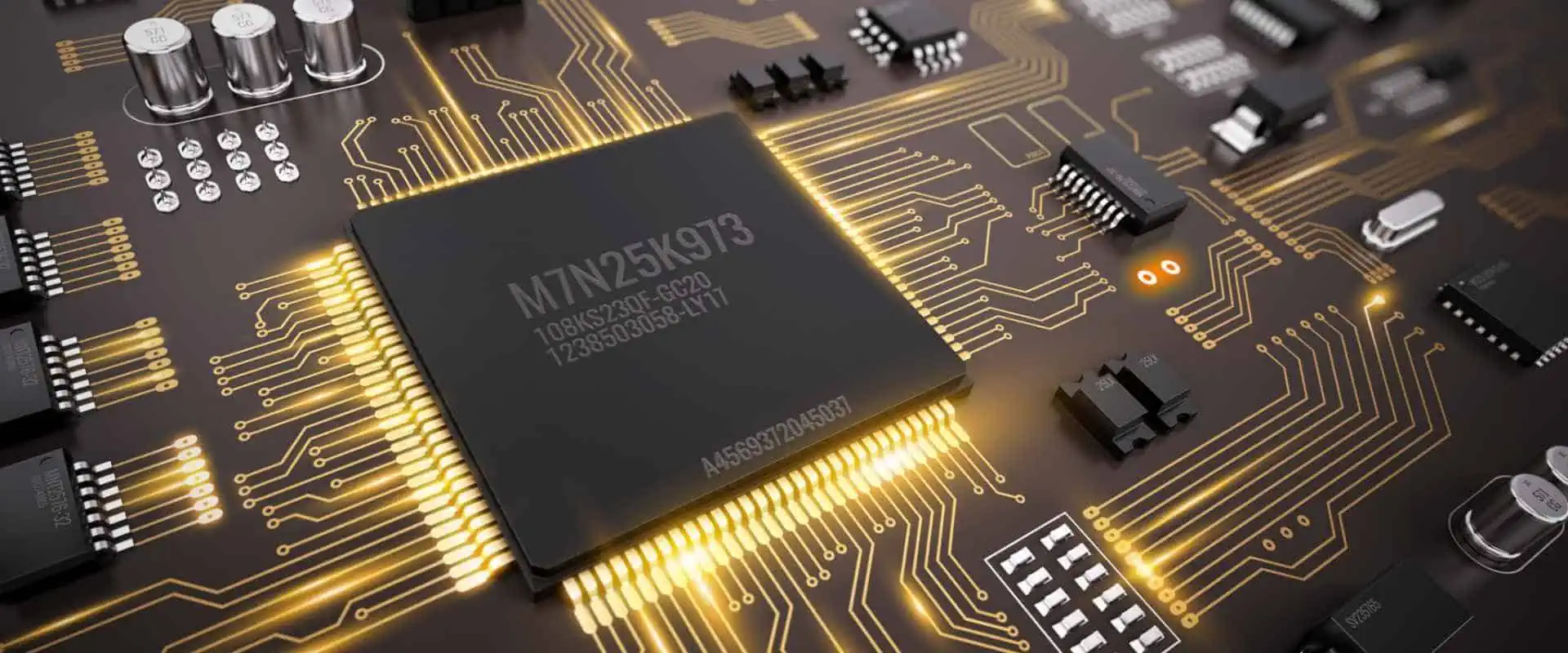
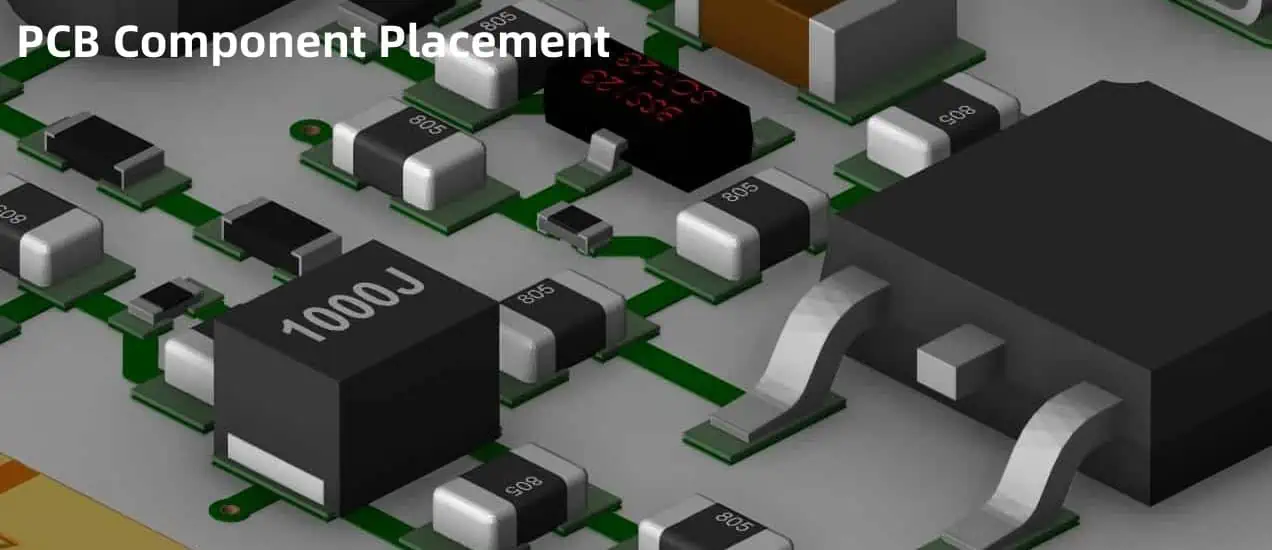
Printed circuit board (PCB) component placement refers to the layout and positioning of the various parts that will be soldered onto the PCB surface. Following optimal engineering guidelines during the design stage facilitates PCB assembly and performance. Methodical component orientation enhances reliability, testability, and manufacturability while minimizing interference.

This article explores essential PCB component placement recommendations through topics like:

Grouping Functional Blocks

PCB functionality often involves both analog and digital circuits along with supporting elements like power systems. Grouping related components and traces into functional blocks or zones aids design and troubleshooting:

Digital Logic Sections

  • Place microcontrollers and peripherals together with associated discrete logic
  • Cluster high-speed bus lines to restrain lengths
  • Distribute bulk capacitance evenly across logic for current demands
  • Arrange clock distribution topology to minimize skew

Analog Signal Chains

  • Group sensors, amplifiers, filters, converters in sequential chains
  • Place noise-sensitive components nearby for short protected traces
  • Allocate room for large value precision passives
  • Enable easy test point access to verify operation

Power Supply Modules

  • Combine input protection, filtering, regulation in coherent formations
  • Locate bulk storage capacitors near consuming ICs
  • Enable thermal design for expected power dissipation
  • Facilitate supply isolation, sequencing, and monitoring as needed

Such functional groupings with spatial affinity expedite routing and debugging during design revisions while supporting assembly.

Component Orientation

Parts on circuit boards can face different directions during placement. Their orientation should balance various tradeoffs:

Readability

Components should be readable from a keepout zone edge without requiring board flipping. This aids manufacturing and field troubleshooting. Exceptions can be made for RF blocks.

Pin Accessibility

Enable soldering or clipping onto terminals without obstruction from other devices or chassis structures.

Thermal Transfer

Position hot elements like transistors to connect directly to sinks with thermal pads or leads.

EMI Control

Align components to utilize inherent electromagnetic shielding from packages and chassis features.

Routing Friendliness

Choose orientations allowing straightforward trace paths to desired pin linkages without convoluted wiring around packages.

By considering multiple aspects, components can achieve better configured installation. Engineers may designate some priority orientations for critical elements while allowing assembly flexibility for generic parts.

Component Grouping Categories

In addition to functional clustering, parts often get allocated into zones per these categories:

CategoryDescription
CriticalHigh precision analog or custom circuits
Semi-criticalMore forgiving analog, fast digital
Non-criticalIndustrial grade analog, medium-speed logic
GenericCommercial grade parts

Higher performance sections deserve greater layout care and protection while more lenient specifications enable placement flexibility if interference avoided.

Components get assigned grouping priorities based on factors like:

  • Needed measurement or timing precision
  • Signal integrity requirements
  • Anticipated heat dissipation
  • Frequency of adjustments/replacements
  • Known reliability statistics
  • Radiation or noise sensitivity

Board sections then reflect appropriate rigor. Production processes likewise adapt to give proper component handling and inspection care by grouping.

Placement Rules of Thumb

General component placement guidelines that aid manufacturability include:

Consistent Alignment

Keep uniform orientation and spacing between identical adjacent components for easier assembly and inspection. Exceptions can be made for thermal reasons.

Accessible Identifiers

Enable visible markings on parts including polarity indicators without obstruction for production verification.

Edge Clearance

Allow sufficient space between components and PCB edges for machining tolerances without clipping.

Probe Clearance

Do not place parts that could block debug test probe access beside critical test points or programming headers.

Reflow Shadowing

Avoid tall components shadowing shorter elements and preventing even heating during solder reflow ovens.

Pick and Place Suitability

Ensure adequate room around each component for vacuum nozzle or mechanical gripper acquisition without colliderisk with adjacent parts.

Adhering to fundamental placement practicalities that consider eventual fabrication and diagnostics saves much iteration.

Layer Separation Disciplines

Consumer Electronics Assembly

PCBs intermix surface mount and through-hole technologies across layers. Some separation strategies avoid problems:

Segregate Power Planes

Assign entire board layers just for voltage distributions to minimize splits and maximize current capacity.

Dedicate Ground Planes

Provide solid lower impedance reference planes for return currents rather than mixing grounds with signals.

Component Layer Pairing

Place associated tiny surface mount parts on the sides of the PCB adjacent to their connecting component leads to simplify routing without additional layers.

Escape Via Proximity

Start drill holes carrying signals between layers close to the originating component pads to limit stub lengths.

Contact Clearance

Ensure adequate insulation between traces linked to distinct potentials on any given layer based on voltage.

While dense efficient PCB stacking remains vital in miniaturized products, following basic practices prevents unintended interactions.

Design for Manufacturing

Considering assembly workflows during layout facilitates production and minimizes errors:

ConcernGuideline
Pick and PlaceEnable component grasping from at least one direction without collisions
SolderabilityPlace similar terminal types together per process limitations
InspectabilityAllocate room for visual access to both board sides
Test AccessInclude measurement testpoints at key nodes
ReworkabilitySpace replaceable items with room for tools

Accomodating fabrication constraints up front prevents extensive layout reiterations that stall development.

Design for Testability

Validation access allows fault tracing:

MethodProvisions
Voltage TapsExpose power rails for metering
Test PointsBreak out hidden signals to measure
JTAG CircuitryConnect IEEE 1149.1 test bus
Bed of NailsGrid array piercing for in-circuit checks
EmissionsEnsure chassis tapping visibility

While attainment of functionality remains foremost, failure diagnosis requires preparatory features.

Design for Reliability

Many factors influence component survival:

DriverApproach
ThermalsEnable heat transfer from hot elements
VibrationAnchor mechanically vulnerable components
ContaminationApply conformal coatings in dirty environments
MoistureMinimize absorbed moisture with sealants
FatigueAvoid materials with mass mismatches inducing cracks

Avoiding or mitigating known stressors improves durability.

Design for EMI Control

Careful layout facilitates emissions and susceptibility management:

ObjectiveTactic
Noise IsolationDistance sensitive analog away from dirty digital
Return Current ControlLocalized decoupling near active devices
Interface FilteringFerrites beads and caps at external I/O
Internal ShieldingRouting separation gaps between critical signals
Signal SymmetryMatch line lengths and proximal reference returns

Controlling path geometry and energy flow minimizes interference potential.

Design for Signal Integrity

Track layout impacts pulse fidelity:

IssueMitigation
ReflectionsControlled impedance lines
RingingTermination resistors near receivers
CrosstalkGround and power plane isolation barriers
RadiationMinimize trace resonance and loop areas

Simulations assess margin from grainular propagateeffects.

Software Placement Tools

Modern electronic computer aided design (ECAD) environments provide sophisticated assistance for intelligent component arrangements via:

Cost Functions

Multi-parameter quantified heuristics rating alternative locations based on weighted priorities.

Constraint Systems

Hierarchies of conditional rules and spacing requirements between components or features.

Optimization Algorithms

Iterative evaluation cycles gradually improving aggregate metrics like timing paths or wireability.

Machine Learning

Training prediction models on empirical data to suggest placements suited for routing.

Such automation leverages extensive context awareness and computation bandwidth to highly improve resulting layout quality. But human supervision remains essential for specification nuances.

Specific Component Types

SMT Assembly Company

Special placement considerations apply for certain particular device classes:

Sensors

Minimize conductive or radiative noise injection into susceptible analog front ends through distance and orientation. Local filtering helps too.

Oscillators

Prevent interference or leakage from clock sources corrupting slow precision analog signals. Strategic spacing and grounding prevents false triggers.

Memory

Series terminate high speed data lanes. Control impedance discontinuities from branching data bus topology.

Microcontrollers

Facilitate debugging and programming access with test points or headers. Aid thermal dissipation.

Voltage Regulators

Position bulk capacitors adjacent to each supply pin to absorb transient switching currents.

Optoelectronics

Guide directional element wiring for installation alignment including isolation barriers.

Transformers

Maximize mutual inductive coupling with short straight segment spacing while preventing flux leakage into other components. Control resonant ringing.

Crystals

Keep ultra short traces between oscillators. Prevent amplitude loss with proper load capacitance. Block noise infiltration.

Accommodating context specific needs during broader organization keeps functionality optimal.

Component Placement Example

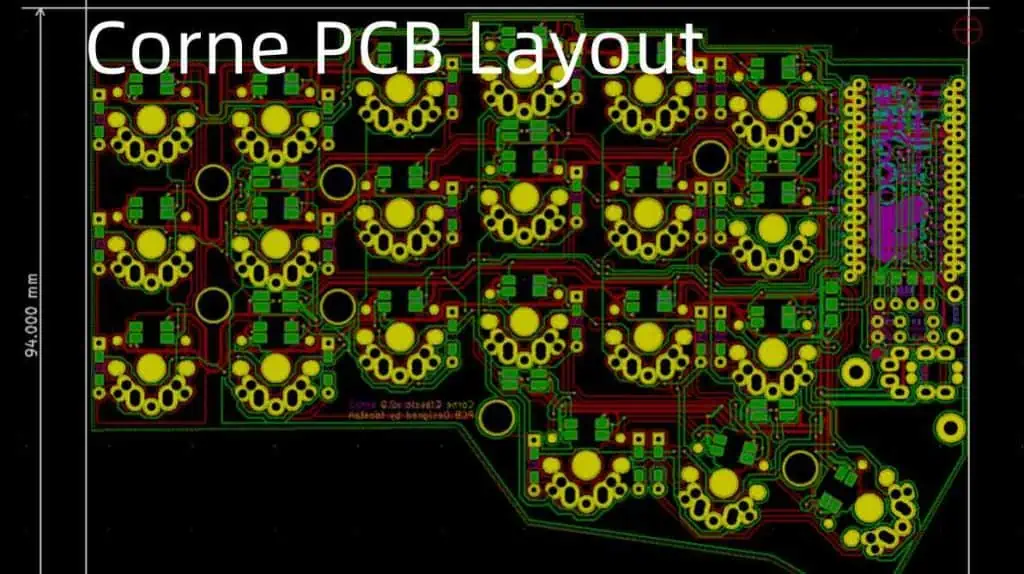
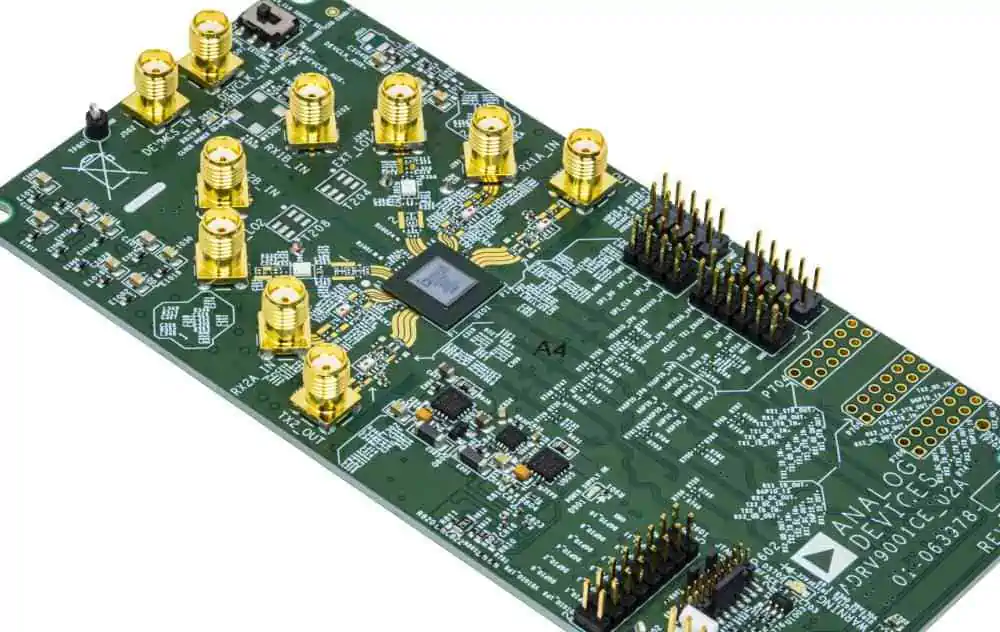
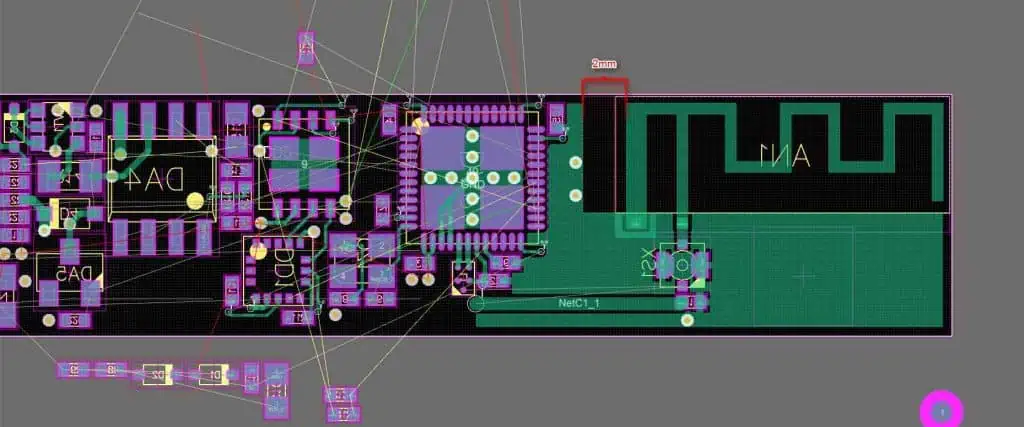
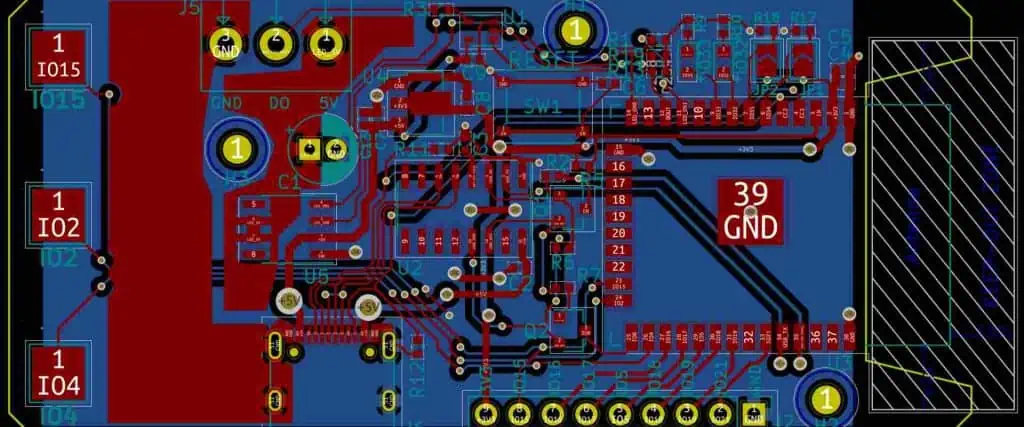
Here is an example PCB layout following structured placement conventions with annotations:

Grouped functional regions separate noisy digital logic, analog measurement channels, microcontroller supervision, and power supply conditioning. Components align consistently for manufacturability. Critical paths remain short with testability access.

Careful zoning meets operational needs while easing production and diagnosis. Extensive labeling matches schematics for clarity across documentation. Such disciplined organization professionals to understand, assemble, and maintain complex boards ultimately enabling functioning products.

Frequently Asked Questions about PCB Component Placement
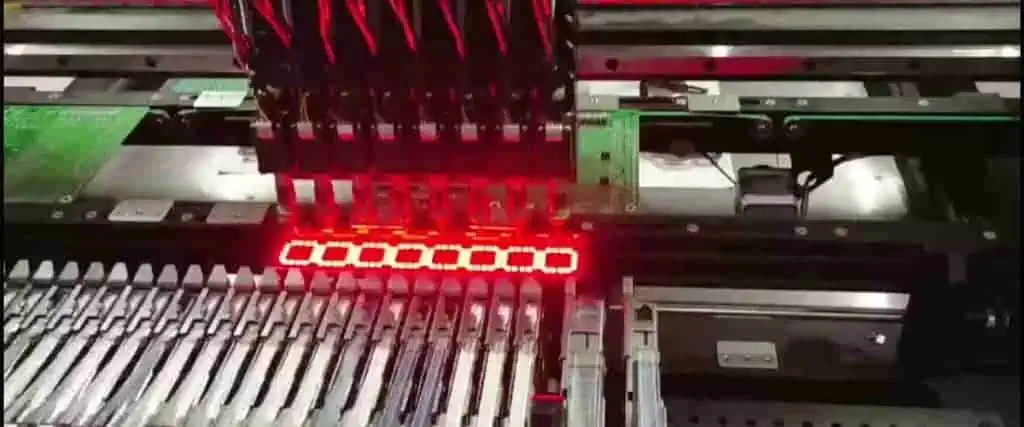
pick and place machine for pcb assembly

Here are some common questions around PCB component placement guidelines:

What are the most important PCB placement considerations?

The key PCB placement guidelines are:

  • Group related functional blocks together
  • Orient components for balance thermals, access, emissions
  • Impose consistency rules aiding manufacturing
  • Control layer types for crosstalk risks
  • Design for assembly processes and testability
  • Mitigate stresses hurting reliability

How does software assist optimal PCB layout?

Advanced ECAD software provides:

  • Cost functions rating alternative sites
  • Rule constraint systems
  • Iterative optimization algorithms
  • Machine learning placement models

This automation aids human diligence.

What separate concerns should group into difference PCB areas?

Typical separated PCB regions encompass:

  • High speed digital logic
  • Precision low level analog sensing
  • Noise sensitive radio circuits
  • High power output buffers
  • Switch mode power supplies

Separation contains interference.

Where should the most timing critical PCB components get placed?

The highest speed components should locate:

  • Near processors and control logic
  • With shortest trace runs to memory
  • Maximum distance from supply noise
  • On inner layers for shortest lines

This minimizes propagation latency.

How can PCB reliability be improved through placement?

Reliability oriented placement involves:

  • Heat spreading from hot elements
  • Vibration isolation mounts
  • Conformal coatings in harsh environments
  • Moisture control barriers
  • Fatigue prevention supports

Taking materials science into account aids durability.

Careful PCB component placement directly enables operational success and quality over product lifetimes. Prioritizing key circuit needs while respecting manufacturability results in electronics that deliver value.
What is PCB Contact?

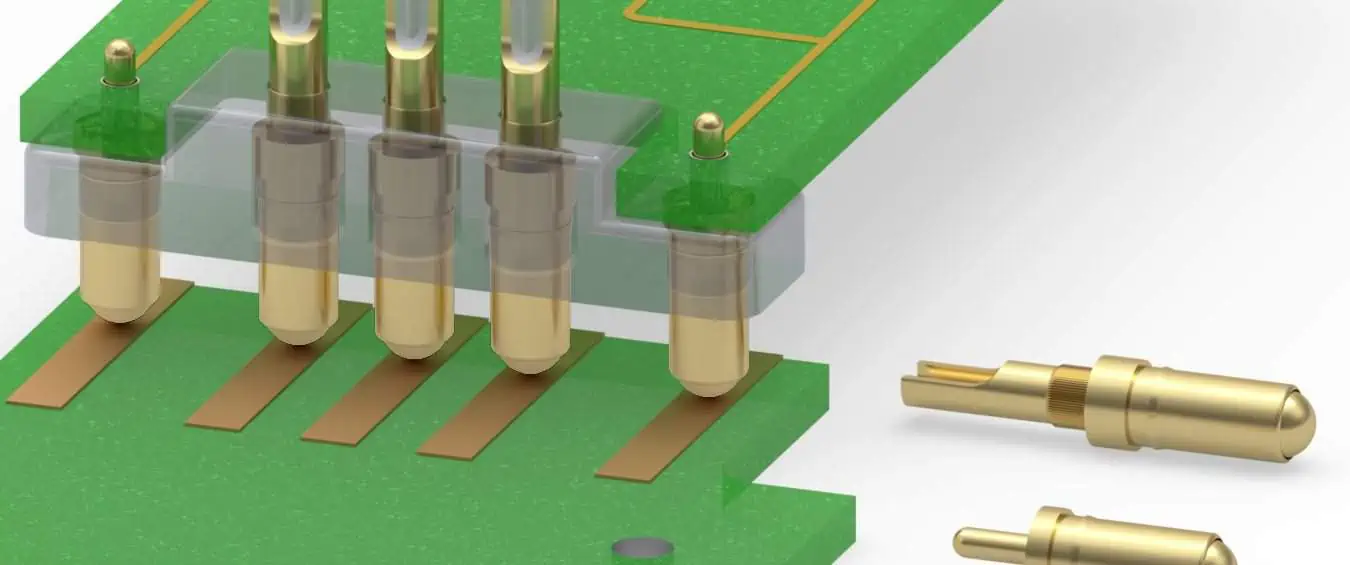
A printed circuit board (PCB) contact refers to the conductive metal surfaces on a PCB that allow electrical connections between components and circuits. These contacts enable the transmission of power and signals to implement the designed functions of PCB assemblies and electronic devices.

There are several types of PCB contacts tailored to facilitate connections under different mechanical, electrical, and environmental conditions:

Types of PCB Contacts

Pads

  • Copper pads on the PCB surface for soldering component leads or wires
  • Various sizes to accommodate connections
  • May have special solder coating to ease bonding

Plated Through Holes

  • Metal conductive cylinders linking PCB layers
  • Component leads inserted and soldered to anchor and connect

Edge Connectors

  • Gold plated conductive fingers at board edges
  • Plug into mating female connectors in devices
  • Establish contact through pressure and friction

Test/Probe Points

  • Exposed metal pads for temporary signal measurement access
  • Allow validation of PCB trace operation without permanent bonds

Sockets & Headers

  • Plastic housings with embedded metal alloys
  • Accept insertion of mating connector and create conductive interface
  • Provide frequent yet removable links between electronics

Other Contacts

  • Metal rings/surfaces for mounting boards or establishing chassis ground paths
  • Shielding features limiting electromagnetic interference
  • Specialized contacts tailored for high-speed, high-frequency, or high-power transfer

PCB contacts span a wide array of implementations but share the common purpose of enabling electric current and signal transmission from one point to another across the structured layers of circuit boards.

PCB Contact Design

Designing reliable, high-performance PCB contacts requires attention to:

Layout

  • Positioning to facilitate installation/serviceability
  • Grouping by function into coherent zones
  • Accessibility for tools, test probes, and inspection
  • Avoidance of shorts, crosstalk, interference

Current Levels

  • Conductor widths/thicknesses match expected loads
  • Materials withstand temperature rises from sustained power transfer
  • Special cooling provisions near high-power contacts

Mechanical Strength

  • Anchoring and reinforcing for durability from plugging/unplugging, vibration
  • Compliant pins that absorb variations and promote contact normalization

Signal Integrity

  • Impedance control traces for controlled timing of high-speed signals
  • Return paths provided for each active contact to constrain fields
  • No abrupt discontinuities causing disruptive reflections

EMI Control

  • Shielding, filtering, and grounding to prevent interference coupling
  • Isolation spacing between channels susceptible to crosstalk
  • Guard traces surrounding critical signals

Testing Access

  • Inclusion of test nodes at key circuit checkpoints
  • Grid array points above devices for probing during validation
  • Contacts sized and spaced for test clip/probe attachment

PCB Contact Physics

The quality and reliability of electrical connections rely on both the physics of interface surfaces at microscopic scales and mechanics at macroscopic scales:

Electron Transport

Flow of electric current depends on free electron mobility between metal contact components facilitated by:

  • Direct metal-metal joints – Valence shell electrons move through overlapping orbital molecular structures
  • Galvanic effects – Electrochemical potential differences drive charge transfer in redox reactions
  • Quantum tunneling – Electron waves overcome slight gaps via barrier penetration

Surface Science

Micro and nano-scale interface topography impacts conduction:

  • Surface roughness โ€“ Peak-valley asperities affect field emission and evident contact area
  • Oxide films โ€“ Insulating metal oxidation layers require sufficient pressure to puncture
  • Contamination – Foreign particles or films interrupt intimate metal-metal proximity

Contact Mechanics

Macro-scale mechanics influence electrical connectivity:

  • Normal force โ€“ Compressive force must adequately penetrate surface films for metal proximity
  • Vibration โ€“ Relative micromotion can scrape off passive tarnish layers
  • Fretting โ€“ Repeated small displacements can damage contact surface and disrupt conduction
  • Thermal effects โ€“ Differential expansion and breathing changes interface intimacy

PCB Contact Failure Modes

Despite careful design and manufacture, PCB contacts remain susceptible to several common failure mechanisms from use conditions and environments:

Mechanical

  • Loose, intermittent connections from vibrations or insertions/withdrawals
  • Wear, deformation, and damage of mating contact interfaces
  • Broken solder joints or traces due to fatigue or mechanical overload

Conduction

  • Corroded, oxidized, or contaminated surfaces increasing joint resistance
  • Insufficient contact pressure for signal transfer
  • Shorting between adjacent contacts

Wetting

  • Solder bonding issues like non-wetting or dewetting from poor adhesion
  • Solder leaching depleting interfacing alloys over time
  • Formation of intermetallic layers with high resistivity

Electromigration

  • Momentum transfer between conducting electrons and metal ions
  • Causes gradual accumulation and voiding of surfaces
  • Worsened by high temperatures, current densities, and voltages

PCB Contact Testing

2 layer pcb finger connector

Verifying electrical contact integrity requires testing both unpowered arrangements and powered performance:

Structural Validation

  • X-ray inspection of hidden interfaces to reveal flaws in soldering or assembly
  • Shear testing properly inserted connectors or components
  • Vibration assays accelerating intermittent connectivity failures
  • Thermal cycling over specified temperature ranges while monitoring contact resistance
  • Environmental exposure to simulateYears of corrosion, fatigue

Parametric Testing

  • Continuity checks confirming end-to-end conduction paths
  • Insulation testing determining adequacy of isolation barriers
  • Voltage standing wave ratio measurements indicating impedance matches
  • Time domain reflectometry verifying transmission line properties

Functional Testing

  • In-circuit monitoring of voltages, waveshapes, timing margins across contacts
  • Protocol decoding and error rate measurement for signaling interfaces
  • Unit operation and system integration assurance trials over environmental stress screening

Such testing validates design implementation meet all physical, electrical, and functional performance requirements for contacts facilitating PCB functionality over product lifetimes.

PCB Contact Failure Analysis

When contacts experience degraded performance or catastrophic faults, structured failure analysis methods determine root causes:

Visual Inspection

  • Stereomicroscope checks for damage, wear, corrosion, contamination deposits
  • Scanning electron microscope detailed imaging down to nano-scale features and defects

Chemical Analysis

  • Energy dispersive x-ray spectroscopy determines elemental composition
  • Auger electron and x-ray photoelectron spectroscopy provide contamination chemistry
  • Secondary ion mass spectrometry high sensitivity quantification of trace surface species

Cross-Sectioning

  • Microsectional cuts through interfacial regions
  • Imaging and chemistry analysis of hidden junctions
  • Determines flaws in solder alloy, oxidation films, intermetallic growth

Circuit Probing

  • Monitors electrical voltages/signals on nodes around defective contacts under operating conditions
  • Helps trace conduction faults to particular sites

Combining multiple contact failure analysis approaches determines root causes behind connection deficiencies to drive corrective actions – whether particular interfaces need reworking or entire design upgrades to increase reliability.

Improving PCB Contact Reliability

Many tactics strengthen contact dependability over long-term use:

Contact Plating

Gold flashing of pads, holes, fingers, pins for:

  • Oxidation resistance
  • Solderability
  • Wear resistance
  • Environmental protection

Nickel barrier underplating prevents alloying and diffusion into base copper

Contact Lubricants

Special greases or sprays on plug-socket connectors:

  • Reduce friction and wear during mating
  • Protect against moisture and oxidation
  • Extend durability over insertion cycles
  • Improve surface conductivity

Contact Conditioning

Light external abrasion removes thin surface films by:

  • Reshaping asperities
  • Exposing fresh metal
  • Smoothing surface roughness
  • Increasing contact area

Contact Formulations

New copper alloys better resist:

  • Corrosion
  • Oxidation
  • Fretting
  • Thermal fatigue

Contact Design Rules

Simulation, prototyping, and testing drive revisions:

  • Adjust contact density, positioning, consistency
  • Determine optimal contact sizes for signal integrity
  • Refine gap spacing to prevent shorts
  • ModelะตะปัŒ thermal dissipation needs

Analytics on field returns inform additional design guidelines balancing cost vs performance to dial-in reliability over operating conditions.

Applications of PCB Contacts

PCB contacts enable functionality across an enormous variety of electronic devices:

Computers

Boards, backplanes, and peripheral modules linked through:

  • Edge connector gold fingers
  • Compliant pin sockets
  • Module/barrier header arrays

Telecommunications

Network switch panels and line cards transferring signals via:

  • Coaxial cable ports
  • Optical transceiver modules

Automotive

Controller and sensor integration by multilayer boards with:

  • Plated through hole solders
  • Pressure contact edge fingers
  • Flexible ribbon cables

Aerospace

Rugged PCB connections withstand vibration/temperatures:

  • Conformal coating protects solders
  • High density pads/pins endure acceleration
  • Shielded contacts inhibit radio interference

Medical

Implants use biocompatible PCB contacts:

  • Conductive polymer electrodes stimulate tissues
  • Hermetic seals block bodily fluid corrosion
  • Biostable solders withstand repeated firing

This sampling illustrates the fundamental roles PCB contacts play across electronics. Careful contact design, production, testing, and maintenance ensures reliable device operation.

Frequently Asked Questions about PCB Contacts

Here are some common questions about PCB contacts:

What are the most common PCB contact failure modes?

Frequent PCB contact failures include:

  • Mechanical damage like cracking or deformation
  • Solder bond failures from fatigue or contamination
  • Corrosion and oxidation increasing interface resistance
  • Intermittent connectivity from vibration or thermal cycling
  • Insufficient contact pressure or wiping

How can PCB contact reliability be improved?

Improving PCB contact dependability involves:

  • Protective contact platings against corrosion and wear
  • Lubrication and conditioning films to maintain conduction
  • Alloy improvements resisting degradation mechanisms
  • Simulation and testing driving design upgrades
  • Process refinements for fabrication repeatability

What test validate PCB contact integrity?

Key PCB contact tests:

  • Continuity checking for electrical pathways
  • X-ray inspection revealing hidden solder flaws
  • Environmental exposure while monitoring resistance
  • Vibration and thermal cycling acceleration
  • Parametric testing of interface impedances
  • Functional operation over temperature and voltage ranges

What analysis techniques identify PCB contact failure mechanisms?

Failure analysis approaches encompass:

  • Visual inspection of damage
  • Scanning electron microscopy of surface flaws
  • Chemistry quantification of contaminants
  • Microsectional imaging through interfaces
  • Circuit probing to localize conduction faults

Together these determine failure causes.

How do PCB contacts facilitate electronic device functionality?

PCB contacts enable:

  • Power distribution to components
  • Grounding for returns and shielding
  • Signal interconnections between ICs
  • Links between boards and peripherals
  • Stimulation and sensing contacts

Carefully engineered conductive PCB surfaces are conduits for overall system operation.

What is PCB Footprint Courtyard ? (Types and Tips)

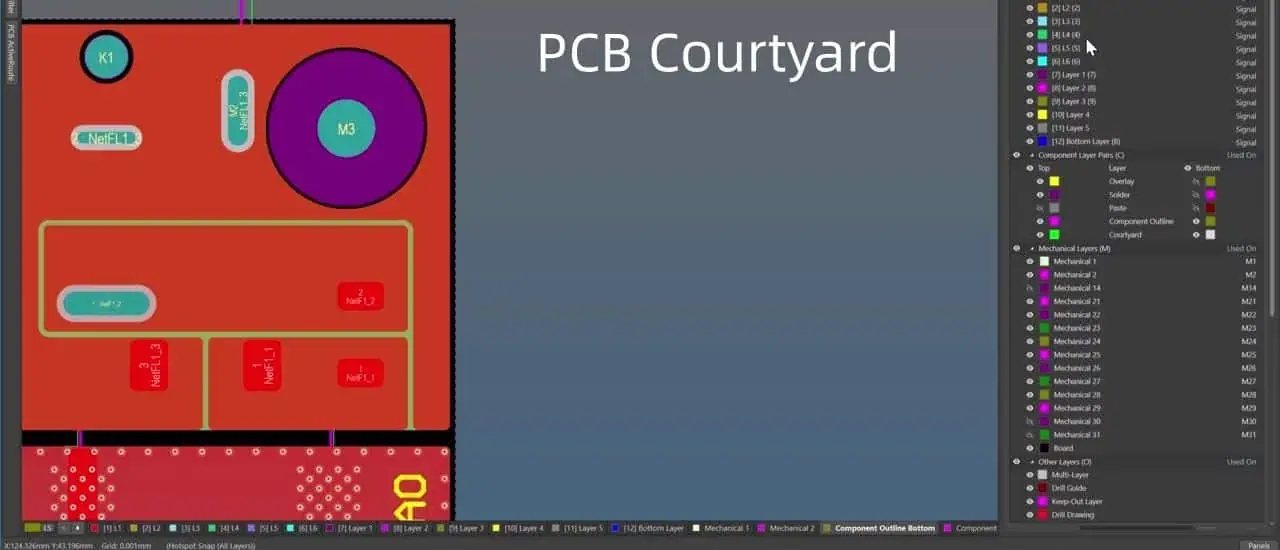
A courtyard is a clear area around component footprints on a printed circuit board (PCB) which serves as a keepout zone safeguarding placement space for parts and preventing encroachment from nearby features during layout.

This article provides a detailed perspective on courtyards encompassing definition, need, sizing considerations, common variations, clearance rules and best practices regarding specification and use of courtyards for robust PCB development.

YouTube video

Definition of Courtyard

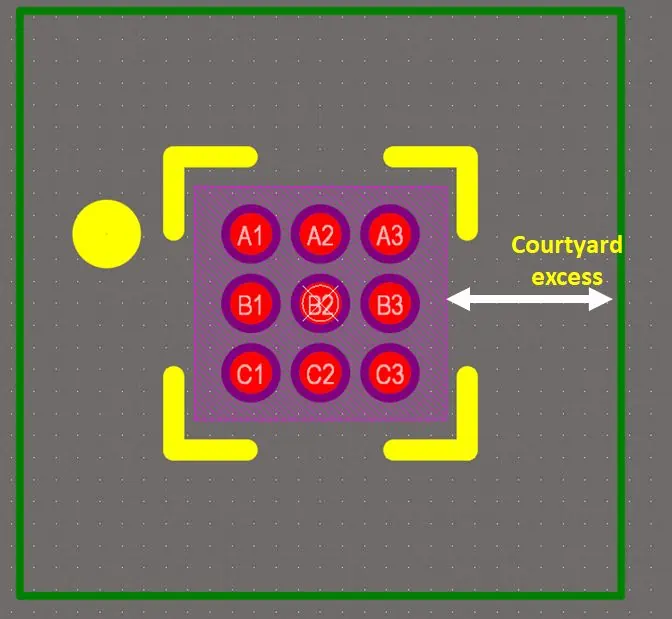
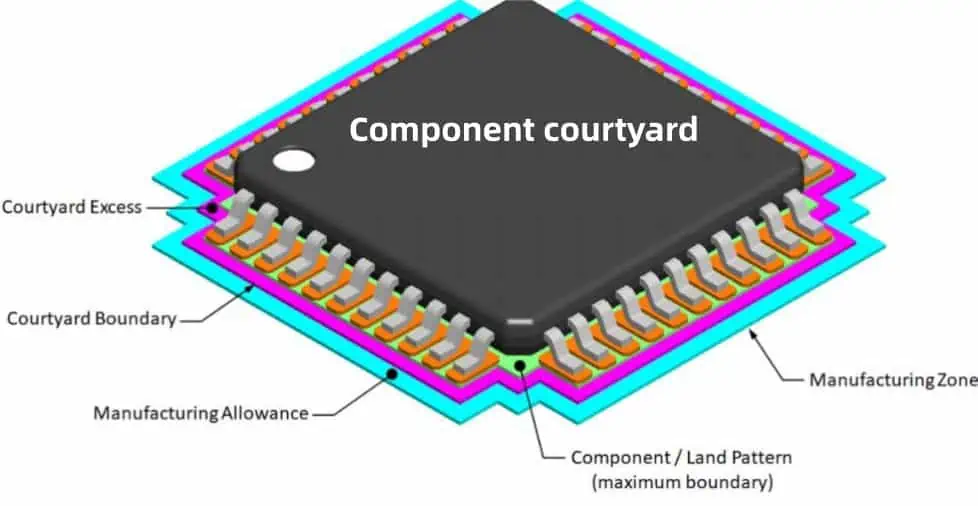
A courtyard constitutes a functionally required empty space surrounding the land pattern of a component footprint on the PCB layout. It takes on rectangular, circular or more complex polygon shapes based on part dimensions and pin arrangements.

As illustrated above, the courtyard keeps nearby conductors and markings away providing safe clearances between adjacent features.

Need for Courtyards in PCB Design

Provisioning courtyards zones around component footprints serves several key objectives:

Component Placement Fit
Ensures adequate room for parts being assembled to seat properly over pads without collisions during pick and place processing.

Manufacturing Tolerances Accommodates acceptable variabilities in fabrication (etch factors, alignments) and assembly (position skews) preventing short risks.

Repariability&Rework Gives working room for mechanics and tools to extract/replace parts with ease during modifications or retrofits.

Routing Channels Area clearance helps tunnel routing channels neatly through congested sections in complex layouts.

Thermal Spacing
Air gap allows heat dissipation preventing hotspots during component operation.

Test Probe Access Provides safe probed access between parts with scope tips for validation and troubleshooting without hit.

Board Contours Keeps irregular board shapes from cutting into footprint spaces along sheared panel edges.

Thus courtyard zones crucially support both design and manufacturing needs while minimizing proximity risks.

Standard Courtyard Rules

To uniformly maintain necessary isolation spaces without excessive real estate, industry guidelines have standardized courtyard dimensions.

IPC-7351 generic equations formalize minimum courtyard widths beyond land pattern boundaries considering part geometries.

Where:

  • Xmin = Courtyard offset from package X dimension
  • Ymin = Offset from package Y dimension
  • Cw = Additional clearance

Typical Courtyard Allowances

Clearance Type Allowance
Default Standard Clearance (Cw) 0.25mm (SMDs)ย <br>ย 0.5mm (Thru-hole)
Placement Clearance 0.1mm
Fabrication Clearance 0.1mm

However, for complex connectors, tighter clearance demands of specific components override these generic allowances warranting larger courtyard dimensions.

Types of PCB Courtyards

Based on Scope

  • Global Courtyards: Apply uniformly to all parts
  • Individual Courtyards: Customized per component

Based on Layers

  • Assembly Courtyards: On assembly top/bottom layers
  • Internal Plane Courtyards: On inner GND/PWR layers

Special Courtyards

  • Panel Courtyards: Border individual PCBs in panels
  • Shielding Courtyards: Surround emissions sensitive areas
  • Stencil Courtyards: Frame solder paste stencil apertures

Right courtyards types facilitate corresponding workflow needs during fabrication, assembly and test.

Courtyard Design Concerns

Despite standard guidelines, practical design issues regarding part allocation congestion and routing channels warrant additional courtyard precautions:

Sparse Placement Regions
Expand courtyards where substantial open areas exist around parts to prevent exploitative trace encroachments.

Crowded Locations
Enforce larger cutouts around tall components placed amid dense neighborhoods to aid assembly and thermal management.

Fine Pitch Packages
Allow extra Construction tolerance margins beyond published standards for complex BGAs/CSPs prone to skew during mounting.

Tall Components
Add elevated vertical allowances suiting socket heights to prevent adjacent pin/part collisions during insertion/mating.

Board Contour Adjacency
Increase keepout where component sites lie next to panel edges or board profile cutouts to account for fabrication tolerances.

High Voltage Circuits For high potential nodes, appropriately scale side clearances to safely satisfy creepage requirements.

Reparability Considerations
Square courtyards preferred over rounded rectangles for better tool clearances and access.

Implementing Courtyards in PCB Layout

Steps for Creating Courtyards in CAD Tool

  1. Define courtyard template styles for components grouping based on clearance needs
  2. Attach appropriate courtyard type per placement using properties
  3. View and adjust courtyard overlaps/spacing violations
  4. Expand keepouts at congested component sites if needed
  5. Complete signal route stitching inside courtyard channels

Guidelines for Courtyard Practices

  • Attach courtyards to footprints rather than drawing manually
  • Maintain consistent courtyard-to-pad clearances across similar components
  • Set back key pin pad features from courtyard boundaries
  • Ensure placement sites accommodate full courtyard spaces during floorplanning
  • Assess complex shape courtyards versus rotated components
  • Keep unlabeled logos, lines and copper fills out of courtyard areas

Firm adherence to courtyard design protocols and cautions during layout development stages pays of significantly in smoother manufacturing releases.

FAQs

How are thermal relief connections accommodated?

Dedicated cutout regions are shape-merged into courtyard keepout polygons around pad concavities facilitating placement of thermal spokes without clearance violations.

Can components overhang outside their courtyards?

It is permitted for a few leads to marginally overhang courtyard provided sufficient under-the-body clearance exists for mounting. But assembly risks exist with excessive overhangs.

Is manual cleaning of courtyard violations needed?

Most CAD suites automatically resize courtyard outlines dynamically based on keepouts set in design rules. This prevents overlaps once guidelines are configured appropriately.

Why are slots used in BGA package courtyards?

Slots help in bending rollout flex PCBs post-assembly without tombstoning by reducing stiffness. Long continuum slots parallel to axis enable easier bend curvatures keeping parts anchored.

Can acute corners in courtyards cause issues?

Sharp < 90ยฐ courtyard corners are fabrication-unfriendly. They are prone to etch factor deviations causing insufficient actual spacing. Slight rounding or 45ยฐ angled corners are recommended.

Thus, courtyards constitute a simple yet effective design technique to enhance manufacturability and guard component sites across the complex progression from prototypes board to mass production.

How to Reduce PCB Crosstalk in Your Layout (Tips)

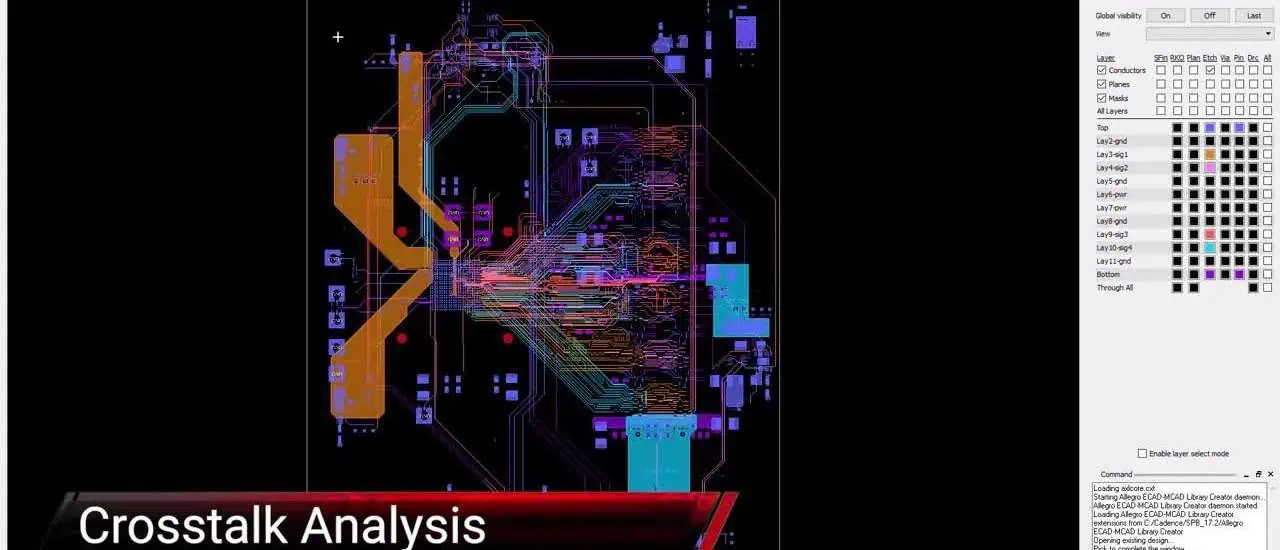
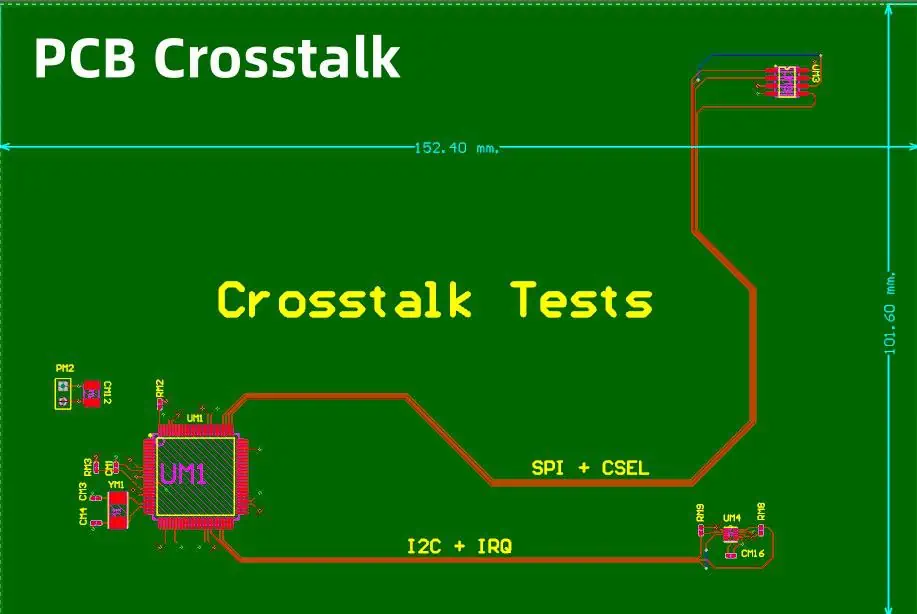
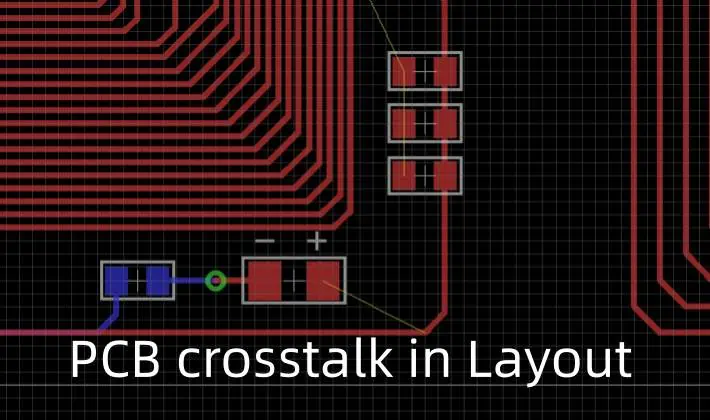
Electromagnetic coupling or crosstalk is a critical signal integrity issue in printed circuit boards (PCB) where aggressor traces inadvertently couple noise into victim traces located in close proximity. This disrupts signal quality leading to functional errors or performance degradation.

This article provides a detailed discussion on the crosstalk phenomenon, its modeling, various PCB layout techniques and routing guidelines to effectively minimize coupling between traces to acceptable levels.

YouTube video

What is Crosstalk?

Crosstalk is defined as undesired capacitive and inductive coupling between nearby conductors carrying high frequency signals.

It allows errant currents and noise to be transferred from an active aggressor line into an adjacent quiet victim trace sharing a common return path.

Key Effects

  • Victim signal gets distorted – ringing, spikes etc.
  • Timing issues with false triggering
  • Reduced noise margins

If unchecked, coupling effects can override the immunity thresholds of a system leading to functional failures. With shrinking electronics and faster rise times, mitigating crosstalk has become pivotal.

Modeling PCB Crosstalk

For systematic analysis, crosstalk is quantified through two prime transmission line parameters:

Near-End Crosstalk (NEXT)

NEXT represents the noise coupled on the end of the victim line closer to the interference source. Indicates receiver effects.

Far-End Crosstalk (FEXT)

FEXT refers to coupled noise observed at the remote end from aggressor. Provides transmission error estimate.

By modeling interconnect geometries as transmission line structures, their NEXT/FEXT levels can be computed to assess impact. Crosstalk minimization revolves around keeping this coupling below certain allowable thresholds.

PCB Stackup Considerations

Choice of PCB layer stack has significant impact on resultant crosstalk across signal layers. Key factors are:

Dielectric Materials The resin systemโ€™s dielectric constant and loss tangent determine propagation speeds through substrate and signal loss characteristics. Materials like FR-4 with higher Er increases capacitive coupling to other traces.

Layer Separation
Thickness of dielectric core or prepreg between adjacent layers provides isolation with thicker media resulting in lower coupling noise. However, it also increases trace lengths for routing signals between layers.

Plane Configuration Continuous power or ground planes separating two signal layers act as electrostatic shields reflecting field lines. But thinner dielectrics may lead to plane resonance. Discrete shielding also helps for sensitive paths.

Trace Impedance Use controlled impedance lines equal to sink/source terminations. Mismatches create signal return echoes increasing self-coupling noise pickup.

Root Causes of Crosstalk

While stackup governs baseline coupling, design and layout factors can further aggravate the problem:

Inadequate Spacing
Tracing signals too close especially with narrow spacing significantly elevates mutual inductive and capacitive crosstalk as more flux gets coupled.

Length Matters Longer parallel signal runs provide greater area over which magnetic flux and electric field interactions can occur between traces.

No Ground Plane Barriers Lack of continuous ground planes allows coupling between different layer signals through the dielectric medium opening additional crosstalk paths.

Unequal Trace Heights
Variation in conductor heights changes their coupling capacitance gradients across the vertical profile enabling added noise transfer modes.

High dv/dt
Faster trace rise times (dv/dt) and duty cycles boost amplitude of coupled interference as per Maxwell’s equations.

** improper Terminations** Unterminated traces act as stubs causing reflections that further corrupt signal fidelity.

Crosstalk Reduction – Planning Stage

Upfront planning and architectural decisions during design conception play a pivotal role in preventing unmanageable crosstalk issues from cropping up later which cause extensive redesigns:

Board Layering
Define stackup (layer count/sequence) appropriately with adequate dielectric spacing for target bandwidths. Incorporate shielding planes between critical signals. Consider shuffled arrangements over simple 1-to-1 pairings.

Partitioning
Strategically group signals types over different layers based on coupling susceptibility. Keep analog chain separate from digital/high frequency signals.

Line Assignment
Identify crosstalk-critical nets based on vulnerabilities. Allocate robust trace dimensions to priority signals beforehand through connection width rules.

Preferred Directions
Route buses consistently maintaining same orientation to control crosstalk variability. Avoid splintered traces forming obtuse angles.

Terminations
Plan series source/load connections for signals from beginning to reduce resonances that enhance coupling noise.

Guard Traces
Provision wider low impedance traces flanking multi-bit buses on either sides to dampen coupling ingress. Adds spacing too.

PCB Routing – Crosstalk Reduction

While planning provides bases, actual layout implementation determines how effectively coupling is contained. Various crosstalk-focused routing practices help:

1. Spacing

Maintain adequate clearance between traces based on coupling noise targets. Wider spaces exponentially reduce capacitive crosstalk but consume additional area.

Typical Conductor Spacings

TechnologyTrace Gap
MPU/FPGA (high freq)>= 5 x dielectric thickness
Communication ICs>= 4 x dielectric
Memory DIMMs>= 3 x dielectric
Default minimum2 x dielectric

2. Short Coupling Regions
Limiting parallel run lengths between victim-aggressor traces to less than ฮป/4 reduces coupling area exposure. Break out signals orthogonally after minimum essential overlap zone.

3. No Parallel Traces
Avoid paralleling wide high-speed buses for extended periods. Use minimum essential same-direction segments only at transitions. Otherwise change orientations.

4. Shielding Traces Insert grounded traces between sensitive nets to electrostatically contain coupled noise through field cancellation and sinking stray currents.

5. Inductive Compensation
For differential pairs, overlapping opposite traces causes flux linkage inducing noise that counterbalances intra-pair coupling.

6. Break Routings
Periodically disconnect trace lengths forcing return path discontinuities through gaps. Prevents coupled noise build up.

7. Limit Branching Constraining the quantity of branches from a main backbone line prevents multiple new couplings across a dense tree-like topology.

8. Symmetric Patterns Maintain uniform defend-aggressor configurations for differential pairs throughout layout to ensure balanced coupling.

Advanced Crosstalk Mitigation Methods

With continually rising bandwidths, sequential PCB layout practices alone are often inadequate to address extreme frequency coupling scenarios:

Electromagnetic Bandgap Structures

EBGs incorporate periodic defects into ground/power planes that inhibit propagation of certain noise band signals. This suppresses plane resonance and reduces plane-to-signal coupling.

Integrated Shielding

Embedded metal enclosure structures are fabricated along with PCB substrate encompassing sensitive areas. Forms robust Faraday cage preventing ingress/egress leakage.

Active Cancellation Circuits

Dedicated IC correction blocks monitor coupled noise on victims dynamically and generate opposing phase signal to negate the interference through destructive superposition.

Lossy Guard Traces

Insert specially formulated high-loss dielectric stripes between critical traces using add-on methods to dampen lateral coupling. Provides excellent isolation.

Verification of Crosstalk Performance

To validate crosstalk containment effectiveness, analysis and measurements are necessary during design verification:

Electromagnetic Simulation

Model interconnect geometries and material properties to compute coupling parameters like NEXT, FEXT and transfer impedance for assessing margins versus limits.

Physical Testing

Use fixture boards with coupled microstrip lines or actual device samples to measure noise Waveforms (time domain reflectometry) and signal spectra (network/spectrum analyzers).

Combination of both analysis and measurements establishes the crosstalk profile within design constraints for safe, reliable operation.

FAQs

How are crosstalk and EMI interference different?

While crosstalk refers to localized coupling between traces, EMI constitutes external interference generated by a source influencing components placed further away not sharing same current return paths.

Which are better – wider or thicker traces?

For reducing crosstalk, wider traces provide better noise immunity through increased spacing from adjacent traces. Thicker traces help in lowering DC resistance but do not influence coupling significantly.

Can ground plane slots help mitigate crosstalk?

Yes, strategic slots in ground planes under coupled traces modify field distributions to reduce coupling. But they also interrupt return current paths degrading signal quality. So trade-offs exist.

How does transmission line theory apply to crosstalk?

Distributed models of traces as transmission line (TL) structures allow systematically quantifying coupling. The relationships between impedance, capacities, inductances etc. dictate noise pickup and propagation guiding mitigation.

Why is crosstalk not an issue with lower frequency signals?

At lower frequencies(<10 MHz), trace lengths are electrically smaller than wavelength. The uniform trace voltage and tight field patterns limit interference magnitude and extent enabling easier routing control.

The outlined guidelines and methodologies focused on minimizing crosstalk provide PCB designers valuable insights and tools to effectively address this critical signal integrity challenge.

What is the PCB Depaneling process? ๏ผˆ From Manual to Laser Machine)

PCB Depaneling, also referred to as singulation, is the process of separating printed circuit board (PCB) assemblies from large fabricated panels into individual PCB units.

This article provides a comprehensive overview of conventional manual and automated laser-based PCB depaneling approaches. Key aspects covered include:

  • Need for panelization in PCB fabrication
  • Manual depaneling tools and techniques
  • Overview of laser depaneling/singulation
  • Working mechanism of laser systems
  • Laser parameters and considerations
  • Quality comparison between methods
  • Advantages of laser depaneling
YouTube video

Why Panelize PCBs During Fabrication?

How to Panelize in AlTIum Designer

As PCB technology evolved towards reduced feature sizes and tighter tolerances, handling of individual PCBs through fabrication steps became highly impractical and yield-unfriendly.

Panelization techniques were adopted where instead of processing single boards, multiple circuits are arranged in a large panel format and taken through fabrication flow as a whole:

  • Enables batch processing for improved throughput and yield
  • Easier handling of small circuits
  • Common tooling and nests for uniformity
  • Compatible with standard equipment
  • Panel stiffeners prevent warpage
  • Cost-effective by distributing fixed costs

After completion of all board fabrication and assembly operations as a panel, it then enters the depaneling stage.

Read more about:

Need for Depaneling Before End Use

Although PCBs are fabricated and assembled in panel formats, they need to be separated down into individual boards before final integration and end-use by customers. This is carried out through the depaneling or singulation process.

Why Depanel PCBs?

  • Panels sizes incompatible with target enclosures
  • Enable handling of PCBs during QA/testing
  • Different board formats on same panel
  • Route signals between separated boards
  • Mounting provisions require board clearance
  • Allow unit-level repair/rework
  • Accommodate contour dimensions

Thus, depaneling is an indispensable step to retrieve standalone functional boards from panels.

Manual Depaneling Methods

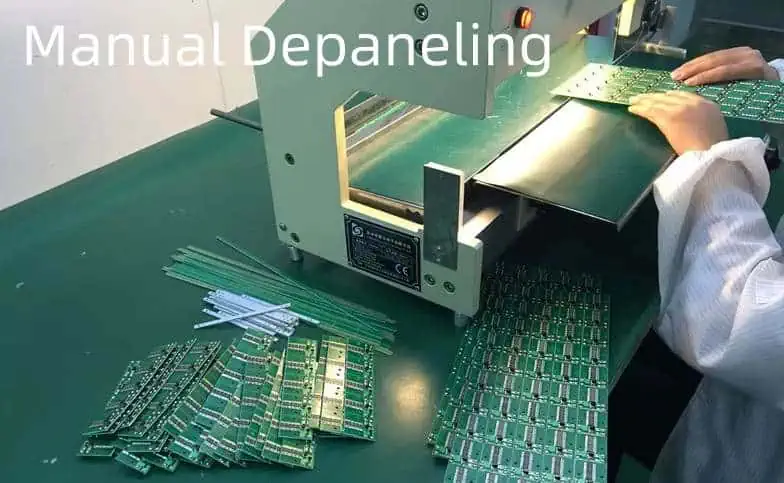
Before the advent of automated PCB singulation equipment, depaneling was performed using manual tools and procedures. These approaches are still relevant for low volume or prototype assembly pcb runs where automation is uneconomical.

Typical Manual Depaneling Techniques:

  1. Scoring and Snapping
  2. Shearing/Punching
  3. Routing
  4. Cutting with High-Speed Blade

Scoring and Snapping

This involves selectively engraving lines on the panel surface along intended breakout regions using a scoring tool. The residual web is then flexed manually to snap boards apart.

Advantages

  • Simple process without investment
  • No adhesion issues versus boards

Limitations

  • High tear rates with brittle, thin boards
  • Incapable of precision cuts
  • Large panel flexing difficulties
  • High labor involvement

Shearing/Punching

Deploys mechanical dies which impact the board with pressure sufficient to shear through board thickness when panels are loaded between top and bottom tools.

Benefits

  • Handles PCBs with components mounted
  • No debris generation risks

Shortcomings

  • Limited positioning accuracy
  • High tooling maintenance
  • Slow process speed per station
  • Risk of board flexure damage

Routing

pcb-cnc-router

Involves programmed drilling machines with routing/milling bits to cut required depaneling profiles through panel thickness.

Advantages

  • Handles close conductor spacings
  • No extensive tooling upkeep
  • Decent dimensional precision

Disadvantages

  • Unable to resolve dense board escapes
  • Generates cutting debris
  • Slow process throughput

Cutting with High-Speed Blade

Uses table-top presses with provision to mount high RPM rotary blades operated manually. Panels are pressed down during blades movement across boards for shearing action.

Pros

  • High speeds with no drilling drips
  • No plastic deformation versus boards
  • Room temperature operation

Cons

  • Limited positioning accuracy
  • Generates debris and dust
  • Risk of conductor nicking
  • High blade wear and maintenance

While suitable for small quantities, manual methods compromise production rate, precision, quality consistency and yield. They also rely extensively on operator skills.

Overview of Laser Depaneling

YouTube video

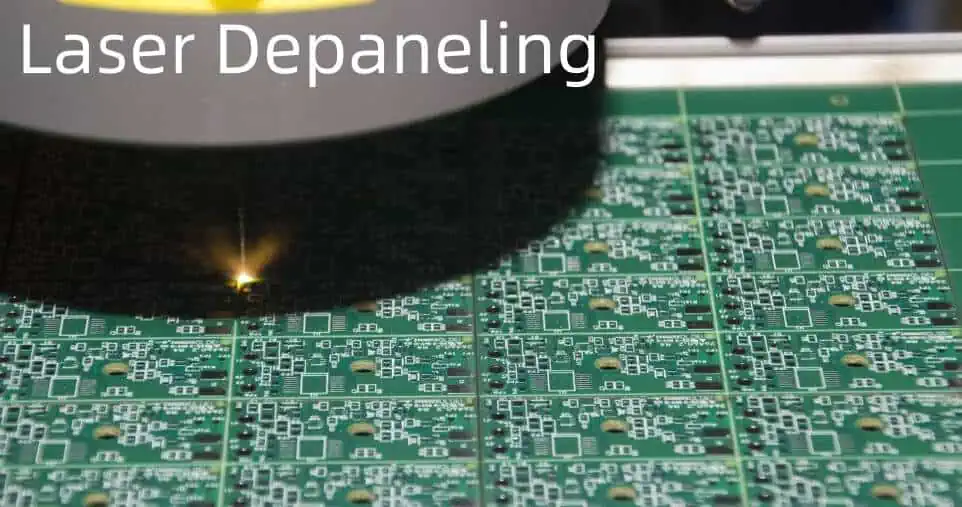
Laser depaneling involves scanning focused laser over lines corresponding to required cut paths for pyrolytical ablation of board materials. The intense laser heat vaporizes polymers, ceramics and composites to singulate boards.

It constitutes a major technological advancement versus manual means by offering:

Benefits of Laser Singulation

  • Minimal kerf widths down to ~25ฮผm
  • No mechanical contact or tool wear
  • High positioning accuracy (~25ฮผm)
  • Excellent cut quality with no micro-cracks
  • Easy depth control without exit burrs
  • Fine pitch compatibility (~100ฮผm)
  • No board flexure or dust generation
  • Automated, programmable process
  • Handling Heat-sensitive boards with components

Thus, lasers present a versatile, non-contact singulation technique. Both UV (355nm) and CO2 (10.6ฮผm) laser configurations are popular for PCB depaneling.

Laser Depaneling Methods

There are two techniques for laser-based PCB singulation:

Scribing:

Laser is used to cut specific dashed lines or patterns along the depanel regions. It creates deep grooves without going fully through the panel thickness. The boards are later snapped apart manually or using a breaking fixture.

Advantages:

  • Fast process and low power consumption
  • No complicated dust/debris extraction

Limitations:

  • Limited thickness scribing capability
  • Risk of conductor exposure or tear
  • Extra post-processing steps needed

Full/Blind Depth Cutting:

The laser completely cuts through the full board thickness to achieve complete isolation of boards in a single pass. Most common depaneling technique.

Can further be implemented through:

  • Sequential Processing: Board is moved relative to stationary laser for tracing separation path.
  • Simultaneous Full Cut: Panel traversed under large beam emitting array of laser diodes cutting all dicing streets concurrently.

Among laser techniques, sequential full-depth cutting technique offers optimal quality, precision and capability to handle high board thicknesses.

Working Principle of Laser Depaneling

Key laser ablation mechanisms:

  • Laser beam is focused on substrate through optics
  • Board material absorb photon energy inducing molecular bond breakup
  • Resultant violent vaporization causes clean material removal
  • Inert gas (N2) assists blowing away ejected particles
  • Multiple passes create cuts through full thickness

Process parameters like average power, frequency, scanning speed govern cut quality characteristics. Computerized G-code programming controls laser firing to trace complex 2D profiles.

Laser Parameters and Considerations

To achieve robust depaneling performance, appropriate laser settings need to be deployed based on board stackup.

Laser Wavelength and Type

Shorter UV wavelengths offer higher resolution but get absorbed easily requiring moisture-free boards. Longer CO2 wavelengths penetrate deeper with lower resolution. Both produce excellent cut quality without heat damage.

Pulse Repetition Frequency

Influences average laser power output. Typical range 100 Hz to 80 KHz. Lower frequencies limit material heating but reduce throughput.

Pulse Width / Duty Cycle

Proportion of laser on-time per cycle governing pulse peak power. Lower duty cycles prevent overburning. Range of 10-100 nS common.

Beam Quality Factor

Defined as laser beam diameter-to-divergence ratio indicating beam sharpness. Higher >0.8 preferred for smaller spot sizes and smooth kerf walls.

Cut Speed

Laser systems support programmable scanning velocities from 10 to 1000mm/s. Faster the cut speed lower the heat exposure for adjacent areas.

Gas Pressure

Process gas pressure between 0.5 to 6 bar helps evacuate melt on time preventing re-deposition.

Quality Comparison of Methods

Depaneling Quality Characteristics

ParameterManualLaser
Cut Accuracies+/- 0.2mm+/- 0.025mm
Width/Channel Compatibility>2mm>0.1mm
Debris GenerationHighNone
Conductor Damage RiskHighNone
Process ControlLowExcellent
Automation ScopeMinimalHigh
Throughput SpeedSlowVery high

Lasers match closest to the accuracy, precision and quality demands of current-age PCBs designs containing shrinking features and tight clearances while minimizing damage risks.

Advantages of Laser Depaneling

Benefits of Laser Depaneling Systems

  • Extremely narrow cut widths with fine control
  • Permit very close proximities to conductors
  • Clean, dross-free cuts without cracks
  • No mechanical stresses or board handling
  • High depth resolution without exit burrs
  • Excellent precision and repeatability
  • Environment-friendly process
  • Minimal heat induction in materials
  • Works reliably across panel sizes

These characteristics make laser depaneling the technology of choice for next-generation PCB singulation and dicing applications.

FAQs

Can components remain populated during laser depaneling?

Yes, most laser singulation systems permit cutting around components without causing damage. Unique galvo-split optic technology allows navigating around parts and connectors.

What safety measures are essential for laser systems?

Critical precautions involve proper public safety cage around equipment, fail-safe galvo motor controls, dual interlock switches, emission indicators and correctly rated optics among other aspects.

Does laser cutting leave behind harmful fumes?

Laser ablation generates only negligible smoke limited to the kerf width. Extractor systems filter out minute particulate matter to prevent operator exposure. No chemical effluents involved.

Can stress relief be incorporated during depaneling?

Laser systems support adding โ€œmouse bitesโ€ or tabs structures at dicing streets which act as stress relieving features preventing pad lift off or solder joint damage.

Is laser cutting technology expensive to adopt?

Although high initial capital investment is required, lasers offer strong ROI through process speed, quality and yield over other alternative approaches to PCB singulation. Operating costs are also minimal without expendables.

25+ Best PCB Design Courses and Certifications for Beginners ( 2023 Updated with Cost)

Printed circuit board (PCB) design is an exciting career integrating cutting-edge hardware technologies and software tools to implement next-generation electronics. As products continue getting smarter and more connected, demand for capable PCB designers keeps rising.

However, learning PCB layout software and design principles on your own can be challenging. Quality courses efficiently build beginner competencies through structured curriculums and practical projects.

This guide compares over 25 different PCB design classes and certification programs from online platforms like Udemy to dedicated training centers. Whether wanting to reskill into electronics design roles or advance existing embedded hardware careers, these educational resources provide ideal launch points.

Best Online PCB Design Courses

Online platforms allow accessing beginner-friendly PCB design courses from home on flexible schedules. While lacking equipment for physical board fabrication, these classes offer strong foundations in EDA software and PCB layout fundamentals through pre-recorded content.

Udemy

With over 213,000 students enrolled to date, Udemy offers popular on-demand video courses teaching Altium Designer and other EDA tools.

Key Courses

CourseInstructorDurationRatingPrice
Complete Electronics Design using Altium DesignerReshmiSK23.5 hours4.4 โ˜… (772)$99.99
The Complete PCB Design Course Using Altium DesignerSyed Noman Hanif10.5 hours4.4 โ˜… (154)$94.99
PCB Design for ManufactureChris Gammell1.5 hours4.2 โ˜… (51)$19.99

Udemy classes let you learn at your own pace for one-time fee. Their highly-rated curriculums designed by industry experts build strong proficiency in tools like Altium Designer through detailed explanations plus downloadable project files to follow along. Monthly subscriptions around $30 also enable unlimited course access.

Key Strengths

  • Top-rated classes with thousands of reviews
  • Project-based learning using actual tools
  • Flexible on-demand video format
  • Frequent discounts up to 90% off

Considerations

  • Self-directed learning without direct instructor access
  • Limited hardware design/build opportunities
  • Skill application still requires portfolio projects

Pluralsight

As another online learning platform, Pluralsight offers extensive libraries of PCB design and EDA software video courses from authors like Rusty Armstead.

Example Courses

Introduction to Altium Designer
Printed Circuit Board Design Using Altium Designer
Creating Manufacturable Designs with Altium and OrCAD

Structured curriculums systematically build PCB layout expertise leveraging quizzes, coding challenges, supplemental resources and progress tracking. Access requires monthly ($45) or annual ($495) subscriptions.

Key Strengths

  • Taught by practicing engineering leaders
  • Engaging teaching formats
  • Alignment to relevant job skills

Considerations

  • Subscription cost
  • Less hands-on than dedicated PCB EDA tools

Coursera

Programs from major universities like University of Colorado Boulder introduce PCB layout software and hardware design skills through guided projects.

For instance, their hands-on Introduction to Electronics series explores simulation tools, soldering, and measuring circuits assembled on tester boards. Self-pacing makes achieving Specializations convenient despite weekly deadlines.

Key Strengths

  • Instuctor support and graded assignments
  • Build physical validation skills
  • Accredited certifications

Considerations

  • Slower paced/less tools depth than dedicated courses
  • Pay per Specialization instead of unlimited access

LinkedIn Learning

Over 1,000+ electronics design courses are available on demand through LinkedIn Learning (formerly Lynda) for approximately $30/month. While most focus on analog circuits and programming, many modules like Altium Essential Training offer strong introductions to key PCB design tools and concepts.

Key Strengths

  • Taught by practicing engineers
  • Certificates to validate completion
  • Frequent new releases

Considerations

  • Limited advanced PCB-specific design content
  • Shorter format lacks complex projects

Udacity

Specialized Nanodegree programs from Udacity like Embedded Systems provide self-paced instruction spanning prototyping, simulation, and troubleshooting with mentor support. The project-based curriculum has students assemble and debug a microcontroller-based robot.

Key Strengths

  • Live expert project reviews
  • Certification builds resume credentials
  • Aligns content to job requirements

Considerations

  • Nanodegrees have limited PCB-focused content
  • Higher cost than single courses

On-site PCB Design Institutes

Embedded Hardware Engineer

For those able to attend intensive multi-day programs in person, dedicated training centers around the world offer extensive hands-on PCB design and fabrication instruction leveraging professional grade lab equipment.

EPTAC Corporation

EPTAC leads public, private and custom PCB design courses including 5-day bootcamps and multi-week certifications on tools like Altium, Allegro, and PADs. Their expert instructors balance lectures with individual/group project modules that cement learnings.

Key Programs

CourseDurationFormatPrice
Fundamentals of High-Speed PCB Design5 daysIn-person/Online$2,495
Allegro PCB Editor v17.25 daysIn-person/Online$2,495
Altium Designer for High-Speed5 daysIn-person/Online$2,495

In addition to classes nationwide, EPTAC offers scheduled online offeringsand private sessions at client sites. Their combination of theory and practical application accelerates PCB design skill building.

Key Strengths

  • 30+ years delivering PCB training
  • Balance of tools + design principles
  • Expert instructors with Brown University pedigree

Considerations

  • Class schedules vary by location
  • Limited hardware fabrication

PCB Design LAB

This German technical training institute focuses exclusively on electronics design instruction including week-long PCB workshops. Attendees gain intensive hands-on experience under expert guidance fabricating actual boards to cement concepts.

Sample Workshops

CourseDurationFormatPrice
Professional PCB Design with EAGLE5 daysIn-personโ‚ฌ1,625
Professional PCB Design with Altium5 daysIn-personโ‚ฌ1,625
Embedded Systems Programming5 daysIn-personโ‚ฌ1,625

These immersive programs rapidly accelerate practical board design and development competencies. Small class sizes ensure personalized attention troubleshooting challenges during projects.

Key Strengths

  • Specialized pure technical training
  • Create boards start to finish
  • Build portfolio pieces

Considerations

  • Limited schedule offerings
  • Outside US-based location

Synopsys DesignWare Technical Training

Covering tools from Synopsys like SaberRDDRN, HSPICEยฎ, and CodeLink this dedicated curriculum develops skills for simulation, analysis and PCB design specialties like DDR interfaces. Custom private courses also available.

Curriculum Sample

CourseDurationFormatPrice
Simulation with SaberRDDRN4 daysIn-person$1,850
Hspice/FineSim Circuit Simulation5 daysIn-person$1,995
Introduction to DesignWare IP for PCB Design2 daysOnline$995

Their globally recognized certifications confirm expertise across Synopsysโ€™ Electronic Design Automation (EDA) tool suite critical for PCB design roles.

Key Strengths

  • Aligned to industry standard EDA tools
  • Certificates from EDA leader
  • Specialized niche skill development

Considerations

  • Narrower curriculum focus
  • Limited public schedule

University PCB Design Programs

PCB Programmer Debugger

Formal engineering degrees offer the most comprehensive foundation combining extended curriculums spanning electronics principles, simulation, and PCB CAD software proficiency needed for advanced roles.

BSc Electronics Engineering

A dedicated electronics engineering bachelorโ€™s degree provides rigorous grounding in topics like:

  • Embedded Systems Programming
  • Circuit Simulation and Analysis
  • IC Architecture and PCB Design
  • Signal Processing Theory

Capstone design projects have students assemble functioning boards addressing real-world product requirements.

Key Strengths

  • Complete skillset spanning hardware and software applied through complex projects
  • Recognized Engineering qualification

Considerations

  • 4-year full-time commitment
  • High tuition costs

Vocational IT Qualifications

Specialize official competencies through shorter technology-focused qualifications like:

BTEC Level 3 Diploma Engineering – Electronics

Key Details

DurationAssessmentsLevel
1-2 YearsAssignments + ExamsA-Levels / AP Exams

Topics encompass analog/digital electronics, PCB layout/manufacturing methods, embedded systems, and project design/testing processrigor.

Key Strengths

  • Formal certification of specific skills
  • Aligns content directly to job functions

Considerations

  • Less generalized than university Engineering degrees
  • Still 1-2 year endeavour

Getting Recognized Credentials

Certifications confirm attainment of industry-defined PCB design standards. While voluntary, they signal commitment to stay updated on latest tools/regulations.

EPTAC Certified IPC Specialist Programs

Key Credentials

AreaExam Code
IPC-A-600 PCB AcceptabilityCIS-110
IPC-A-610 PCB Assembly AcceptabilityCIS 150
IPC J-STD-001 PCB Soldering CompetencyCIS 205

Dramatically boost employability passing one or more niche assessments offered through authorized centers worldwide like EPTAC.

Benefits

  • Confirms specialized capabilities beyond just software self-learning
  • Differentiates commitment to quality
  • Often required at larger corporations

Preparation Needed

  • Study materials span hundreds of pages per test
  • Many still only pass final exams after taking aligned courses

Altium Certified Designer

Formalize Altium expertise through their globally recognized certification program available at Associate, Professional, and Expert progression levels. Testing occurs at PearsonVUE test centers.

Key Details

  • Self-study learning materials provided
  • Online practice exam identifies weak points
  • 90 minute 50 question final test

Attaining ADC status signals competence both capturing complex designs and applying best practices.

Benefits

  • Confirms real-world proficiency vs just tool tutorials
  • Continuous skill benchmarking path
  • Highlights dedication attracting job opportunities

Preparation Needed

  • Months of hands-on experience before attempting
  • Expect questions spanning hundreds of features

Keeping Skills Current

Hardware Testing
Hardware Testing

The fast pace of progress in PCB design requires ongoing education every few years as tools and regulations advance.

Approaches to Consider

  • Attend 1-2 day conferences like PCB West covering latest technology
  • Take new Altium/Allegro/OrCAD courses on revised versions
  • Refresh key standards knowledge like IPC-2221Design before seeking updated certifications
  • Signup for monthly design industry newsletters highlighting changes

Staying current is critical as expectations continuously rise for what PCB designers must comprehensively understand implementing cutting edge products. Lifelong learning enables securing ideal roles.

Selecting the Optimal PCB Design Course

With so many learning options available, focus training plans based on current objectives:

PurposeRecommended Format
Switch careers to PCB designUniversity engineering degree or vocational circuit/electronics diploma qualification
Gain beginner PCB layout familiarityIntroductory Udemy or LinkedIn Learning courses
Specialize existing EE skillsDedicated tool (ex. Altium, Allegro) training through Synopsys/EPTAC
Validate knowledge depth through certificationSelf-study then sit IPC/Altium/Allegro credential exams

While unchecked online content risks perpetuating misconceptions, trusted providers with strong reputations avoid bad practices hindering real designs. Hands-on project application cements lessons.

Conclusion

This guide summarized over 25 different training resources from online platforms to university degrees suitable for efficiently developing PCB design competencies. Whether wanting to reskill into electronics hardware roles or expand existing embedded systems backgrounds, quality courses provide structured knowledge with expert support.

Match learning formats like short tool-centric bootcamps, accredited curriculums granting formal qualifications, and globally recognized certifications to current objectives. Lifelong occasional retraining enables staying abreast of relentless industry tool/standards innovation.

Investing in robust initial training combined with ongoing education throughout a career allows reliably applying evolving technologies critical for next-generation product development and sustainable employment.

FAQ

Q: Can I learn PCB design without enrolling in courses?

Self-teaching PCB layout software is possible using hobbyist licenses and online resources. However, missing critical context risks developing knowledge gaps that manifest in unusable board designs. Quality courses efficiently build competencies.

Q: How much does a PCB design course cost?

Prices vary widely from $15 online introductory modules to $5,000+ for multi-week intensive certifications. Consider investing at least $100 per major tool needed for local jobs. Subscription access enables trying libraries affordably.

Q: What software should PCB design courses teach?

Priority mastering platforms like Altium Designer, OrCAD, PADs, Allegro, and Zuken widely used at electronics companies hiring designers both locally and remotely. Once proficient in one tool, skills more easily transfer.

Q: Can I work professionally after taking a Udemy PCB course?

While quality Udemy classes build software familiarity, applying skills designing manufacturing-ready boards still requires months of practice. Pair online learning with portfolio projects. Entry-level roles may expect vocational certifications too.

Q: How long does it take to become a skilled PCB designer?

Expect at least 2-3 years growing from beginner to mastery. Take incremental courses while gaining progressive hands-on application opportunities through volunteer designs, hobbyist projects, freelancing, and formal intern roles. Experience breadth accelerates competence.

How to Become a PCB Design Freelance ? ( Tools and Skills )

Getting Started as a Freelance PCB Designer

Printed circuit board (PCB) design is an in-demand field as electronics manufacturers rely on freelancers to supplement internal teams designing boards for new products. With more companies outsourcing at least some of their PCB design needs, freelancing lets experienced layout engineers take greater control over their schedule and income.

However, successfully transitioning to full-time PCB design freelancing requires more than just technical competency. This guide covers key steps needed to establish and sustain an independent freelance business designing printed circuit boards:

Learn In-Demand PCB Design Skills

While entry-level PCB roles may involve PCB librarian responsibilities, most freelance work centers around board layout and schematic capture. So your first priority is gaining proficiency in PCB design tools like:

Altium Designer – The industry standard for PCB layout and MCAD collaboration

Cadence Allegro – Widely used at mid/large size companies

Mentor Graphics Xpedition – Particularly popular at semiconductor firms

Zuken CR-8000 – Has a strong presence in several verticals like automotive

Check job listings in your target market to identify which EDA platforms are most requested. While tool principles translate, focus initial training on commonly used PCB design environments in your region to offer immediately productive services.

Beyond software expertise, assemble a portfolio highlighting experience delivering production-ready PCB layouts, library management, DFx, signal integrity simulation and prototyping collaboration. Document your capabilities across the end-to-end design flow.

Purchase Necessary Tools and Infrastructure

Once ready to start operating as freelancer, invest in software licenses and equipment enabling delivery of professional services:

EDA Software

ItemDescriptionEst. Cost
Altium DesignerPCB/FPGA Layout + MCAD Integration$7,000/year
ANSYS SIwaveSignal Integrity Simulation$5,000/year
Multiple EDA ToolsEnsure support for client preferences$10,000+/year

Computing Hardware

ItemDescriptionEst. Cost
High Core Count Workstation16+ core CPU, 64GB+ RAM, GPU acceleration$4,000+
Large Monitors>= 32โ€ for visibility$800 ea
Fast Network ConnectionLow latency for remote access$500/year

Productivity Software

ItemDescriptionEst. Cost
Microsoft OfficeDocumentation, analysis, client comms$70/year
Video ConferencingMeetings with clientsFree – $20/month
Project ManagementTrack milestonesFree – $20/user/month

Leverage tax write-offs/depreciation to offset costs of requisite software, accessories, reference materials, and dedicated home office workspace ergonomic equipment as permissible.

Establish Freelance Business Processes

With tools in place, formalizerepeatable processes that enable delivery of quality services at scale to multiple clients:

  • Document design, analysis, review, and handoff procedures in a quality system
  • Standardize file management conventions for projects
  • Setup design templates, symbol libraries to jumpstart new designs
  • Identify preferred component datasheets/models/footprint sources
  • Check pricing and order parts for quick prototyping / evaluation
  • Develop scripts to automate repetitive EDA tasks

Refine templates and flows using version control systems like SVN or Git for change tracking. Be meticulous capturing critical project details so new engagements ramp quickly.

Build Client Portfolio

A healthy roster of ongoing client projects provides steady freelance work. Diversify your customer base across industries and PCB types to smooth volatility from individual businesses.

Marketing Activity Ideas

  • Website showcasing capabilities & past project examples
  • PCB design conferences & tradeshow attendance
  • Guest blog posts for industry websites
  • Promotion through freelance job boards
  • Search ads for relevant design keywords
  • Cold call/email small/mid-size local engineering firms

While early leads may start slowly through individual outreach efforts, as your reputation and portfolio growsrecurrent customers will transmit several new opportunities. Deliver exemplary services that make clients want to recommend you within their networks.

Operating as a PCB Design Freelancer

Managing the business aspects from acquiring customers to delivering finished boards can be quite demanding. Follow best practices to streamline operations:

Secure Design Contracts

Treat the sales process professionally using engagement letters detailing:

  • Clearly defined scope – Requirements, deliverables, and key milestones
  • Payment terms – Amount, schedule, reimbursements, late fees
  • IP ownership – Licensing/transfer specifics
  • Liability limits – Protect yourself appropriately

Do not proceed without signed approval from all stakeholders to avoid future disputes.

Maintain Organized Design Data

Stay on top of documentation, analysis, and project data using tools like:

  • Microsoft OneNote – central working notebook
  • Microsoft OneDrive – synchronize files across clients
  • Altium 365 – access design files from anywhere

Share real-time PCB views augmented with live annotations to ease remote reviews. Store prior projects on spinning disks for rapid comparable retrieval.

Communicate Proactively

Set client expectations upfront through regular status reports detailing:

  • Recent progress over past week
  • Planned tasks for next week
  • Summary of any obstacles impeding completion

Raise issues early through email/calls if priorities shift or problems emerge needing customer feedback to resolve. Be responsive addressing questions to prevent delays.

Stay Current on EDA Advancements

While mastering a specific PCB design toolset enables efficiently delivering projects, regularly refresh skills by:

  • Reading EDA release notes and evaluating new versions
  • Testing complementary analysis/simulation tools
  • Experimenting with emerging technologies like machine learning-assisted layout

Significant innovation happens between major tool revisions. Don’t let comfort with existing environments breed complacency.

Sustaining an Ongoing Freelance PCB Design Business

Maintaining a consistently booked schedule across years as freelancer requires ongoing hustle:

Maintain Visibility

Continue cultivating organic growth through:

  • Speaking at local engineering Meetups
  • Publishing tutorials / videos / webinars
  • Attending regional PCB design events
  • Contributing to online technical forums

This exposure seeds inquires from members of your broader professional community.

Explore Services Expansion

Occasionally evaluate opportunities to expand your capabilities:

  • Learn additional PCB layout tools
  • Offer design reviews based on deep expertise
  • Provide mentoring for early career designers
  • Train companies’ layout teams on complex methodologies

This diversifies income streams while leveraging hard-won talents.

Preparing for Retirement

If desiring to step away from intensive daily design project work over longer term, start gradually shifting directions through steps like:

  • Reduce client workload over multiple years
  • Refer trusted associates to take on customers as you wind down
  • Transition to advisory roles leveraging your expertise
  • Focus on creating online courses, blogs rather than delivering bespoke designs

Plan ahead to reduce shock going from active projects one day to absence the next. Customers and colleagues will appreciate continued wisdom even as design tools eventually retire too.

FAQ – PCB Design Freelancing

Q: Is freelancing riskier than traditional employment for PCB designers?

Freelancing does involve additional uncertainty from inconsistent project pipelines and responsibility for your own benefits. However, compensating higher rates over time can offset periods with fewer customers. Many find the flexibility and control over work rewarding.

Q: Can I work full-time remotely as a freelance PCB designer?

Absolutely. Remote work is common for freelancers using collaboration platforms like Altium 365 and video conferencing. Some independent designers even operate while traveling around the world!

Q: What tax implications exist when freelancing?

You are responsible for quarterly estimated income taxes, self-employment taxes, and tax documents like 1099 forms. Consider meeting with an accountant to understand write-offs and optimal corporate structures. Significant tax savings for businesses help offset the additional planning workload.

Q: Is freelancing lonelier than office jobs?

Freelancing does require more initiative developing professional connections. However, remote tools enable easy communication with collaborators. Consider co-working spaces or local networking events to prevent isolation.

Q: Can I use freelancing to transition into retirement?

Yes, freelancing supports gradually scaling down through fewer or more flexible projects. Some even shift into training or blogging roles leveraging their expertise while slowing direct design work. Plan ahead for this evolution.

Conclusion

Launching a freelance PCB layout business allows experienced designers the freedom to control their schedules and leverage specialized skills honed over past projects. While establishing steady clients takes consistent self-promotion, word of mouth referrals facilitate growth over time. Savvy independents also watch industry trends to offer complementary training or advisory services in the future.

Careful upfront planning enables smoothly operating the business aspects like contracting, taxes, tool management that support consistently delivering quality designs according to committed schedules. However, by following best practices covered here, PCB designers can thrive taking their careers in an independent direction.

15 PCB Design Interview Questions (With Example Answers)

Printed circuit board (PCB) design is an essential engineering function for developing electronic devices and components. PCB designers are highly sought-after to help create circuit boards that are compact, efficient, and robust enough for today’s complex electronics.

Companies seek experienced PCB designers who understand schematics, can effectively use PCB design software, and know how to transform electrical engineers’ functional requirements into optimized board layouts ready for fabrication. Strong communication skills are equally critical for collaborating across engineering teams and manufacturing partners.

This article summarizes commonly asked interview questions for PCB design engineers to assess hard and soft skills relevant to the role. We provide illustrative answers to the questions along with data tables on key PCB design principles that new hires should understand. An FAQ section also covers additional questions candidates have when preparing for PCB design interviews.

Technical PCB Design Interview Questions and Answers

The following are examples of role-relevant technical questions interviewers may ask related to PCB architecture, material selection, component placement, design analysis, and prototyping methods.

1. How do you ensure optimal trace routing in complex multilayer PCBs?

To optimize multilayer PCB trace routing:

  • Analyze signal return pathsย to minimize noise, EMI, and parasitic impedances
  • Maintain separationย between critical traces to prevent coupling interference
  • Balance trace lengthsย to synchronize timing-critical signals like clocks
  • Avoid 90ยฐ anglesย on traces which creates discontinuities that disrupt high-speed signals
  • Route clock/data traces orthogonallyย to isolate signals and minimize crosstalk
  • Use wider traces for powerย to handle required current capacity
  • Add shieldingย (e.g ground planes) between noisy and sensitive circuitry

Proper trace routingminimizes noise, interference, and timing issues in complex PCBs, enabling reliable performance from integrated circuits even at fast clock rates. I would also run signal integrity simulations of proposed PCB stackups using software like HyperLynx to validate trace routing before manufacturing prototypes.

2. How do you manage heat dissipation and thermal issues in PCB design?

To manage PCB thermal issues, I would:

  • Identify high-power componentsย early in the design process
  • Create local areasย on the board to mount heat-sensitive components
  • Add thermal vias/padsย under hot components to conduct heat into ground planes
  • Incorporate exposed copper planesย on outer board layers to spread and dissipate heat
  • Use PCB finishes likeย ENIG that enhance thermal transfer
  • Simulate airflowย across board with CFD software and refine enclosure/cooling approach
  • Verify temperatureย at critical components through thermal imaging of working prototypes

Considering thermal design from the beginning prevents hot spots on circuit boards that can impact device reliability and performance. I collaborate closely with mechanical engineers to optimize cooling system approaches while ensuring the electronics can withstand any vibrations or other environmental conditions.

3. How would you test a new PCB design before manufacturing a full production run?

To fully validate a new PCB design before high-volume manufacturing, I would build and test prototypes in stages:

Stage 1:

  • Perform design rule checks and useย CAM filesย for initialย prototypingย usingย PCB milling
  • Functionally test withย breakout boardsย to check each IC/component

Stage 2:

  • Manufacture ~5ย test boardsย from theย fabrication house
  • Performย bare-board testingย to validate electrical connectivity
  • Assemble boards toย validate functionalityย against schematics with basic programming

Stage 3:

  • Manufacture ~50ย pilot run boards
  • Test withย final assemblyย (processors, peripherals etc.)
  • Run boards forย extended soak testingย under environmental stress conditions

Prototyping catches design errors early, while pilot runs validate manufacturing and assembly processes. This staged testing lowers risks prior to large-scale PCB fabrication for new products. I work closely with techs and engineers during each test phase and enter issues into bug tracking tools to enable rapid design modifications.

4. How do you ensure manufacturability and DFM (design for manufacturing) in your PCB layouts?

Corne PCB Layout
Corne PCB Layout

I optimize PCB layouts for manufacturing success and yield by:

  • Leaving adequate clearance around pads/vias based on fabrication capabilities
  • Addingย fiducialsย for precise alignment during PCB assembly -Using minimum pad sizes for best soldering results and eliminating thermal relief that reduces pad size
  • Creatingย test pointsย to enable quality assurance checking during production
  • Selecting standardย thicknessesย for laminate/copper that match manufacturing inventories
  • Defining route paths between pins that allow forย chemical etching
  • Specifyingย panel sizesย that maximize board quantity per panel production run

I also communicate frequently with our fabrication partners, sending regular design updates and discussing any potential manufacturability issues I foresee in layouts. This design-for-manufacturing (DFM) approach prevents delays and unnecessary costs in Readying designs for volume production.

5. What are some best practices for spacing PCB components and traces?

Some key PCB component and trace spacing best practices include:

  • Maintainย 2-3x dielectric spacingย between traces to prevent short circuits
  • Keepย 3-5x width spacingย between high-speed or noise-sensitive traces
  • Allowย 5-10x dielectric spacingย around integral ICs (e.g. microprocessors)
  • Placeย 0402 size passives 0.1mm apart, while larger components need 0.2mm spacing
  • Ensure adequate clearance between traces and edges/holes to account for fabrication tolerance
  • Use wider gaps (up to 25x dielectric) for very high voltage traces (>100V)
  • Keep soldermask expansion modest (0.075mm) to prevent exposed copper shorting

I reference IPC standards like IPC-2221 and stay in close contact with fabrication/assembly partners regarding spacing requirements for manufacturability and reliability. Component placement software is invaluable for rapidly validating spacing rules.

6. How would you perform signal integrity analysis on a new PCB layout?

My general signal integrity analysis approach is:

  1. Identifyย critical timing paths and interfaces (e.g SPI, USB) on schematics along with theirย characteristic impedances
  2. Select PCB stackupย using impedance calculators to match transmission line properties
  3. Route tracesย for those nets with controlled widths/spacings to achieve impedance targets
  4. Model transmission linesย and attached drivers/receivers in SPICE or IBIS
  5. Simulate signal waveformsย with real world effects like cross-talk to identify reflections/ringing
  6. Re-route tracesย as needed to correct issues observed in simulations
  7. Measure eye diagrams and signal qualityย on working prototypes using oscilloscope and probing

This workflow validates all signals will have intersymbol interference below permitted thresholds despite noise from high-speed routing complexities. I pay special attention to clock distribution networks which are sensitive to reflections. Signal integrity is key for avoiding errors and timing problems in precision circuit boards.

7. What are some suitable PCB substrate/laminate materials for RF circuits designs?

Good PCB substrate materials for RF designs have consistent dielectric properties, low loss tangents, and use high resistivity laminates:

  • PTFE compositesย like Rogers RO4000 series have stable dielectric constants and low loss
  • Ceramic filled PTFE boardsย provide thermal stability for precision RF circuits
  • High frequency/speed FR4ย improved for RF performance
  • Halogen-free laminatesย like Isola Astra MT77 meet strict environmental requirements
  • Glass reinforced hydrocarbonsย offer high flexural strength for rigid-flex RF constructions

Material selection depends on balancing cost, thermal capabilities, moisture absorption, Z-axis expansion, and dielectric properties across operating bands and temperatures. I collaborate with RF engineers to model proposed stackups in electromagnetic simulators like Keysight ADS to determine if materials provide adequate isolation and controlled impedances.

8. How would you verify manufacturability constraints are met during PCB layout at companies like ours with 6 mil line/space capabilities?

To confirm my PCB layouts meet or exceed the fabrication constraints at our company such as 6 mil line/space, drill sizes and other tolerances, I would:

  • Maintainย design rulesย file specified by the manufacturer inside layout software that enforces their design constraints
  • Have our CAM team generateย gerber filesย from my board layouts
  • Submit gerbers directly to manufacturer forย design rule checkย through their portal to validate no violations
  • Work with fabrication partners onย DFM reviews earlyย during layout and modify boards based on their feedback
  • Procureย test couponsย with representative line/space traces for quality assurance
  • Visually inspect PCBsย under microscope once received to check line widths across layers

This comprehensive strategy ensures manufacturability is built into the design from the start and any capability issues get identified prior to running my layouts through production. I also stay current on process improvement roadmaps from partners to maximize exploitation of latest line resolution and via structure capabilities.

9. What advantages does using through hole vias offer compared to other interconnect options in multilayer PCBs?

Using plated through hole (PTH) vias instead of other via structures offers several advantages for multilayer PCB interconnect:

Reliability

  • Provenย robust connectionsย between layers with complete plating coverage inside holes
  • Does not require filling thusย avoids voidsย which improves thermal transfer

Process Compatibility

  • Works withย nearly all board fabricationย processes (subtractive, semi-additive, etc)
  • Enables joiningย dissimilar laminatesย since holes span all layers

Layout Flexibility

  • Can connect any layer atย angles not feasibleย with staggered/skip vias
  • Simplifies routingย since traces can jog vertically between signal layers

Cost Savings

  • Lower drilling costsย compared to using multiple blind/buried vias
  • Reduce lamination costs when thicker dielectrics not required for other via approaches

For these reasons, many high reliability or cost-optimized PCB designs still leverage PTH vias for optimal connectivity despite continuing advances in blind/buried via fabrication capabilities.

10. How would you design impedance matched traces to interface with a 25 Gbps NRZ serializer IC in a complex PCB stackup?

jlcpcb impedance control

Here is my approach to routing 25Gbps single-ended traces matched to serializer ICs:

  1. Obtainย target differential impedanceย from IC datasheet, usually aroundย 100 ฮฉ
  2. Useย Saturn PCB toolkitย to calculate widths/spacings in our board stackup to achieve impedance
  3. Define matched traceย design rulesย (e.g. 6 mil width / 11 mil spacing to layer 2 refernce)
  4. Ensure traces have >=ย 50 mil separationย from other nets to minimize interference impact
  5. Model transmission lines in HyperLynx and simulate with IBIS models to verify impedance tolerance across insertion loss peak
  6. Implement matchedย length tuningย using meandered geometry if simulations show significant impedance deviations
  7. Focus on symmetrical routingย of the differential pair to provide consistent propagation delay

Close collaboration with signal integrity engineers at each step validates simulations match measured results from working prototypes. Impedance control is critical to allow multi-gigabit serializer ICs to perform reliably.

11. How can you prevent field failures related to electromagnetic interference (EMI) in complex PCBs?

To prevent issues from electromagnetic interference in complex circuit boards, I would employ shielding, component placement/routing approaches that reduce unwanted emissions at key harmonics:

  • Use aย continuous ground planeย to provide low impedance return paths
  • Place potential noise sources (processors, crystals, inductors etc) distant from sensitive analog inputs
  • Enclose radiating ICs in isolatedย compartments/cagesย connected to ground planes
  • Designย cutouts in planesย that form filters blocking emission around critical traces
  • Specify ferrite beads, bypass capacitors, and otherย filtering components
  • Validate EMI emission spectrum against regulatory limits by testing prototypes in RF chambers

By dedicating sufficient layout real estate for isolation and control of radiated/conducted interference, I can prevent external noise disrupting inner layer signals in densely packed PCBs operating in noisy environments. Proper EMI management is mandatory for devices like medical equipment with life-critical functions.

12. How do you ensure SPICE circuit simulations correlate accurately to measured data from physical PCB prototype builds?

To accurately correlate PCB simulations to measured data, I work methodically through the following areas to build confidence that simulated behavior mimicks real world performance within acceptable tolerances:

Model Accuracy

  • Verifyย component modelsย used match manufacturer spice/IBIS models for each device’s package/pins/parasitics
  • Define boards power architecture from schematics and validate rail sequencing/voltage thresholds

Test Correlation

  • Ensure properย test conditionsย set in spice align to physical hardware test setup
  • Correlate results from simulations ‘best case‘ ‘worst case‘ and ‘nominal voltage‘ conditions

Parametric Sweeping

  • Run monte carlo simulations sweeping values of critical passives, trace impedances etc through realistic tolerance ranges
  • Confirm measured data falls within expectation bands of sweep analysis

Design Iterations

  • Tweak component values and routing based on correlation findings
  • Progressively reduce differences between simulated estimates and measured characteristics

Through careful, iterative verification of simulation settings and assumptions against real hardware, I can reliably use simulations to predict performance issues and hunt down root causes when prototypes exhibit issues not observed in initial desktop analyses.

13. How would you measure timing delays between key signals during prototype bring-up to validate schematic specifications?

My approach to validate PCB signal timing against schematic requirements would be:

  1. Identify critical paths like clock distribution, chip selects, resets withย timing budgetsย defined
  2. Probe waveforms usingย >1 GHz bandwidth oscilloscopeย with active probes to minimize loading
  3. Use marker measurements toย quantify timing delaysย between waveform transitions
  4. Compare measured intervals toย datasheet hold/setup timesย and schematic jitter allocations
  5. Capture timing violation windows by deliberatelyย altering clock delays
  6. Adjust componentsย like series terminations to shape waveforms if measurements fall outside of permitted jitter error bands per protocol specifications

I would capture debug data across operating voltage, current consumption and temperature extremes to validate robust timing margins sufficient for unrelenting part variability and environmental stress over lifelong product operation.

14. How does transmission line theory relate to PCB design? Why is managing transmission line effects important?

Transmission line theory describes how electrical signals propagate along conductors in PCBs. Understanding these effects is key for trace routing in high speed designs:

  • Traces over ~1/10 wavelength of signal frequencies act asย transmission lines
  • Signals exhibitย reflected noise, ringning if trace impedances mismatched to source/load
  • Eye diagramsย show intersymbol interference caused by dispersion/reflections
  • Terminationsย like series resistors reduce reflections but add jitter
  • Carefulย impedance controlย through trace geometry matching and Reference planes manages transmission line effects

If uncontrolled, transmission line behaviors introduce data errors, electromagnetic interference and prevent reliable performance as data rates rise into the Gbps range. Through precise modeling and layout techniques, I can satisfy impedance targets to ensure clean signal transfer between ICs even with today’s fast edge rates.

15. How could 3D printing be used when developing new PCB boards?

2.4 ghz pcb antenna design

3D printing has a few applications that could help accelerate PCB prototyping:

  • 3D printย plastic board shapesย for trial fitting enclosures
  • Print customย jig bracketsย tailored to hold PCBs during assembly
  • Create specialย test clipsย that easily interface test gear to boards under test
  • Rapidly iterateย non-conductive standoffย shapes that securely mount boards
  • Fabricate initial runs ofย low-temperature co-fired ceramic substratesย via print processes before final LTCC production
  • Help visualize board layouts through printingย 3D modelsย highlighting component placement

While print quality is generally inadequate for conductive metallic traces on production boards, innovators continually extend 3D printing into more electronics fabrication use cases. As resolution, conductive fill materials and printable dielectric polymers improve, the technology promises toaid PCB designers refine mechanical integration even while boards themselves must use conventional subtractive/additive fabrication means for production runs.

General PCB Design Interview Questions

In addition to testing technical competencies, hiring managers often evaluate a candidate’s soft skills and cultural fit during interviews through open-ended questions like these examples:

1. Describe a case where you successfully delivered a complex PCB project with tight timelines. What challenges did you face and how did you overcome roadblocks?

Early in my career at Glorytech, we won a contract supplying motor controller boards for a major electric vehicle program with an extremely aggressive 4-month deadline from project award to delivering prototypes for design verification.

While our team was excited, I voiced concerns in our planning sessions regarding the schedule risk given several new complex features we aimed to implement that stretched our previous PCB capabilities. Rather than dilute our compelling technical proposal, the engineering lead and I rallied the team to brainstorm parallel paths we could pursue and distributed additional upfront simulation/analysis tasks to derisk elements identified on the critical path.

Leveraging lessons learned from prior projects, I optimized component placement for thermal performance and manufacturing efficiency while also

Tips for Choosing The Best PCB Design Services ( Cost, Payment Plan, Prototyping)

design for manufacturing

Choosing a reliable PCB design partner is crucial for building innovative electronic hardware products across consumer, industrial and medical segments. The expertise transforms electronic circuit schematics into manufacturable printed circuit board (PCB) layouts ready for component integration and system assembly.

This guide shares tips for smartly selecting PCB design service vendors based on critical aspects like cost models, prototyping capacities and overall technology compatibility.

Contents:

  • PCB Design Expertise Evaluation
  • Cost Models Comparison
  • Payment Plans Analysis
  • Prototyping board Capabilities
  • Ensuring Design Eco-system Fit
  • Other Considerations
  • Conclusion

Evaluating PCB Design Expertise

Foremost, assess the vendorโ€™s technical capabilities aligned to your applications through parameters like:

Skill Domains โ€“ High speed digital, analog/RF, power electronics

Tools Proficiency โ€“ Altium, Cadence Allegro, Mentor Xpedition etc.

Industry Experience โ€“ Consumer wearables, telecom systems, medical devices etc.

Complex Project Exposure โ€“ Multi-layer HDI PCBs, Flex-rigid boards etc.

Regulatory Compliances โ€“ Medical, defense standards certifications

Miniaturization Skills โ€“ Crucial for wearable and mobility applications

Library Depth โ€“ Comprehensive component library sporadic to your bill of materials accelerates design reuse

Evaluate design samples, client testimonials and capability decks during the partner selection process. Credible vendors proactively demonstrate expertise levels required for program success.

Comparing Cost Models

Broadly, PCB design services follow:

Hourly Based Pricing โ€“ Complex or iterative projects

Fixed Bid Project Pricing โ€“ Clear requirements with minimal change orders

Monthly Retainers โ€“ Long term partnerships focusing continuous design improvements

Risk-Reward Model โ€“ Shared risk for startups compensated through equity

Compare appropriate models against typical order sizes, variability, lifecycles and product roadmap visibility to identify optimal payment structures.

We next assess popular payment plans provided.

Payment Plans Analysis

2.4 ghz pcb antenna design

Design services offer flexible payment options to ease cash flows for startups and enterprises alike:

Progressive Milestones โ€“ Break down large programs into smaller milestone based payouts. Unlocks working capital while allowing better project visibility.

Bridge Financing Services โ€“ Design partners align third party financing backing prototype build costs through lending partners. Enables access to capital for enterprises pending product sales receivables.

Extended Terms โ€“ Larger vendors provide 30-60-90 days payment terms for repeat large customers. though this may cost a slight premium. Smaller firms stay limited to 30 days payment maximum.

Online Escrows โ€“ Specialized design marketplaces enable securing initial payments which are released to the vendor upon satisfaction of promised deliverables thereby reducing risk for enterprise buyers.

Evaluate if payment norms align to company financial protocols and product development budgets adequately.

Assessing Prototyping Abilities

Ideally, design partners should provide concurrent rapid prototyping facilities enabling:

Faster Design Validation โ€“ Prototypes serve proving ground for layouts ahead of final test runs

Quicker Design Revisions โ€“ Hands-on provides intuitive feedback to modify layouts, placement or thermal performance

Smooth Manufacturing Transition โ€“ Consistent build partner aligns quality standards between prototype and production

Lower Minimum Order Quantities โ€“ Enables lower volume batches for field trials

Simpler Data Packages โ€“ Single window data directly transfers from design to prototyping stage

Having synchronized prototyping capacities avoids delays between design finalization and testing product boards.

Ensuring Design Ecosystem Fit

Confirm the design tool stack integrates smoothly across your broader product realization ecosystem spanning simulation, analysis, mechanical integration, manufacturing and sustenance.

Data exchange ease across platforms like Xpedition, Solidworks, Ansys or Altium verifies optimized ecosystem fit assuring automation ability.

We finally highlight additional evaluation parameters.

Other Selection Considerations

Specializations Fit โ€“ Domain capabilities match technology roadmap

Scalability โ€“ Handle design load fluctuations

Communication โ€“ Interaction modes fit org structure

Security โ€“ Robust IP protection protocols

Geography โ€“ Time zone alignment enables collaboration

Reviews Cadence โ€“ Fits product iteration cycles

Team Retention โ€“ Lesser attrition ensures continuity

Cultural Sync โ€“ Working styles match for harmony

Balancing technical competencies along process maturity parameters upholds long term customer relationships.

Conclusion

Evaluating PCB solution partners across cost models, payments norms, prototyping synchronization and overall ecosystem integration ensures enterprise grade readiness for shortening product development cycles across cutting edge connected devices. Leverage the guidelines outlined here for smart partner selection.

Please share feedback or suggestions on enhancing this article!

How Much Does PCB Design Cost Per Hour?

Hardware Layout

Printed circuit board (PCB) design forms the core foundation transforming electronic product concepts into functioning hardware. However, specialized skills and experience are vital to expertly design the critical interconnections enabling complex circuitry operations.

This article provides an approximate per hour cost analysis for utilizing professional PCB design services either in-house or through hired contractors.

Contents:

  • Cost Influencing Factors
  • Hourly Rate Estimates
    • Entry Level Designers
    • Medium Level Designers
    • Senior Designers
    • Subject Matter Experts
  • Ways To Reduce Design Costs
  • Is Outsourcing Worth It?
  • Conclusion

Key Factors Influencing PCB Design Rates Per Hour

Several parameters impact how much organizations spend on on-demand PCB design activities:

Designer Expertise โ€“ Costs rise for niche high-speed, RF, thermal specializations

Design Complexity โ€“ High-density PCBs with tighter tolerances are pricier

Production Volumes โ€“ Higher quantities dictate more validation tests

Timelines โ€“ Rush orders or quick-turnaround accrue premium fees

Tools and IP โ€“ Specialized CAD software, license costs apply

Geography โ€“ North America and Europe have higher hourly charges over Asia

Let’s analyze approximate per hour PCB design costs across different skill levels.

Hourly Rate Estimates

Entry Level Designers โ€“ $25 to $45 per hour

Fresh graduates offer cost-efficient design services for simple, low-volume PCB applications, reference layouts etc. Firms across hardware startups and smaller product companies utilize junior talent.

Medium Level Designers โ€“ $45 to $70 per hour

Engineers with over 3 years experience adept in daily design activities such as schematics capture, placement, routing and library management. They handle moderate complexity levels for IoT devices, industrial equipment, consumer electronics etc.

Senior Designers โ€“ $70 to $150 per hour

Veterans with 8+ years experience manage intricate high-speed digital, RF and flex PCB projects. Skilled in signal integrity; thermal analysis and DFM practices. Well suited for medical, aerospace, automotive, communications systems.

Subject Matter Experts โ€“ $125 to $250+ per hour

World-class specialists with 15+ years expertise serve cutting edge organisations in silicon engineering, automotive chips, defense systems etc. Handle advanced processes like 2.5D interposers; 10+ layer high density PCBs.

Note that the above rates card is a broad benchmark. Actual pricing depends on designer background, company size and order complexity among other parameters. Geographic factors also drive some cost variance.

Now let’s explore options to reduce design overheads followed by studying the outsourcing decision economically.

Ways to Reduce Design Costs

esp32 pcb design
esp32 pcb design

Here are effective ways organizations can lower program spending on PCB design activities:

Standardize Design Templates โ€“ Enforce template re-use with predefined specs suitable for 80% projects based on technology domains like digital logic, analog sensing or power electronics PCBs. Limiting custom tools for niche applications curtails cost.

Resource Pooling โ€“ Train internal cross-functional teams across mechanical, test and systems roles on design tools. Enable groups to handle basic layout reviews, documentation and drawing updates to ease designer bandwidth.

Design Reuse โ€“ Maintain existing layouts, footprints and symbol libraries to repurpose across quick new product iterations. Further cost savings apply through panelization i.e aligning PCB sizes for optimal material utilization across each panel.

Digitize Workflows โ€“ Automate repetitive design rule checks through coding scripts rather than manual verification. Similarly standardizing analysis metrics using digital dashboards cuts down manual collation.

Offshore Captives โ€“ Expand teams through offshoringdesign captive centers in regions with lower resource wages. However, this necessitates strong IP practices.

While tight control on budgets is necessary, compromising design quality could risk product failures outweighing temporary savings. We next assess the value of outsourcing services.

Is Outsourcing PCB Design Worth It?

PCB Antenna Design
PCB Antenna Design

Organizations lacking specialized layout engineers or facing peak project loads tend to utilize external design consultants or contract engineering service partners. Does outsourcing PCB design provide real ROI against managing local teams? Let’s evaluate scenarios where outsourcing adds value:

Variable Cost Model โ€“ Efficiently scale-up or down based on design cycles rather than fixed employee costs

Niche Expertise Access โ€“ Get proficiency in complex RF, FPGA, Flex-Rigid layouts

Proximity to Supply Chain โ€“ Language/logistics alignment with PCB manufacturing regions in Asia

Accelerated Time-to-Market โ€“ Parallel multisite work drives faster turnaround

Design Innovation โ€“ External viewpoints identify creative miniaturization options

However, outsourcing has caveats around overheads of communicating elaborate requirements to outside parties. Analyze expected order volumes and product longevity scenarios along target cost structures while making the offshore decision.

Conclusion

In summary, PCB design services cost between $25 to $250 per hour relying on various factors like complexity levels, expertise required and order volumes along with timelines. While outsourcing provides access to niche resources, building some internal capabilities helps balance costs and quality for the long run.

I hope this guide offers a broad framework to estimate budgets required towards PCB design activities either through internal teams or external partners. Please share feedback/thoughts to improve the analysis!