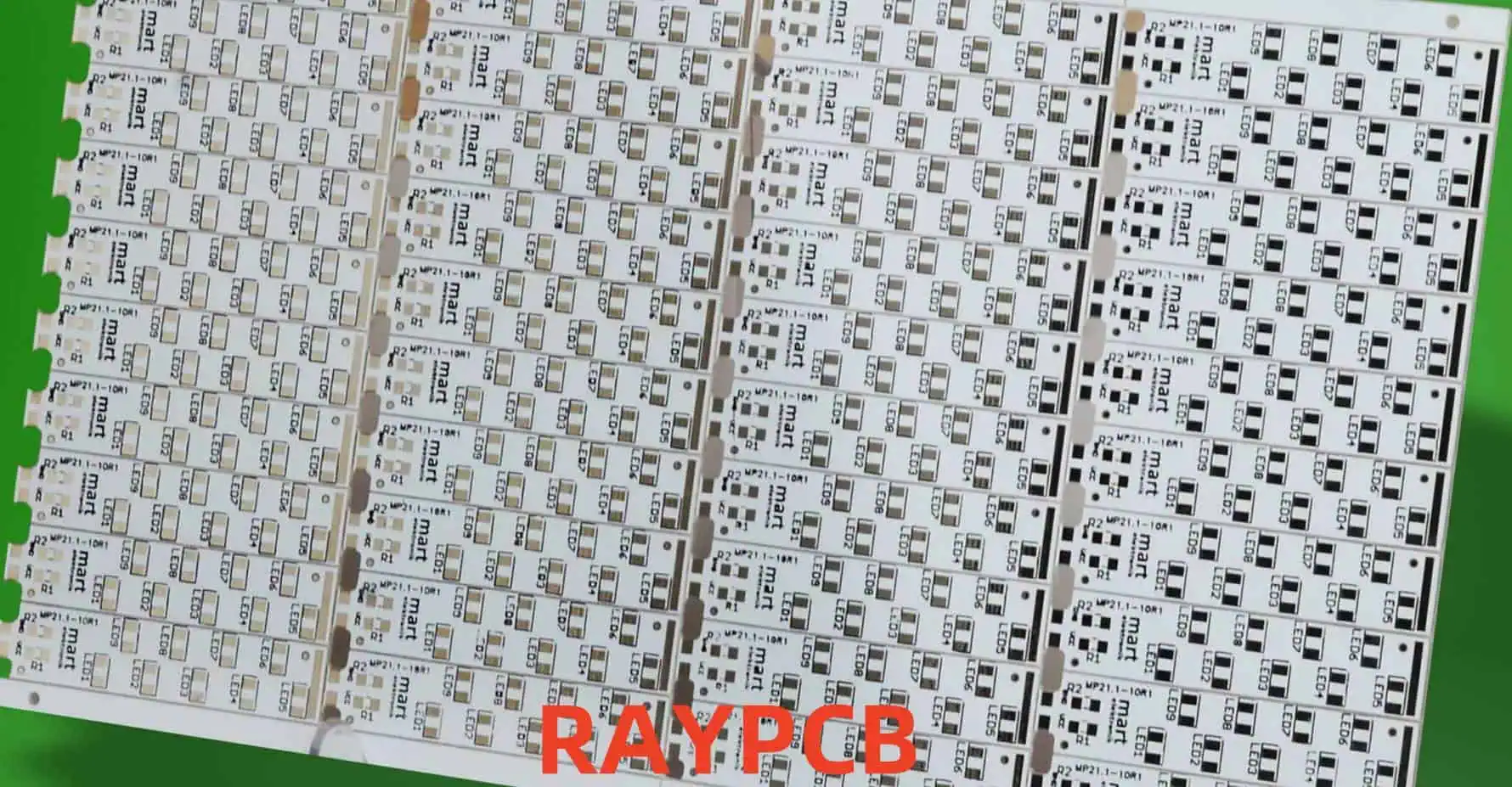
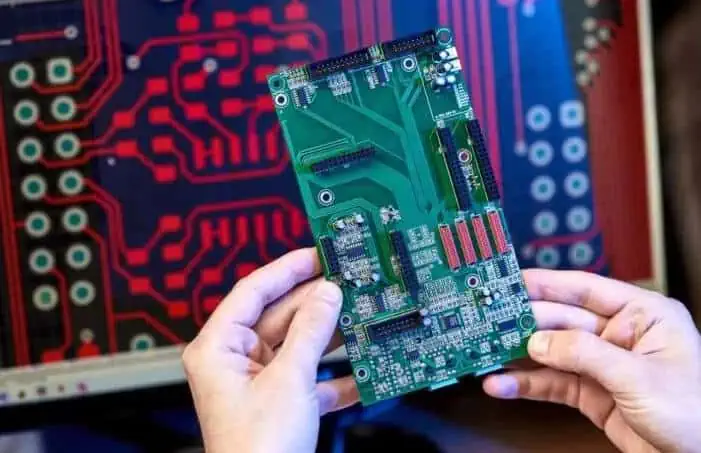
Aluminum PCBs (Metal Core PCBs or MCPCBs) have become increasingly important in high-power electronic applications due to their superior thermal management capabilities. This article explores the fundamentals of heat dissipation in aluminum PCBs and presents comprehensive design methodologies for optimal thermal performance.
Aluminum PCB design for optimal heat dissipation requires careful consideration of material selection, layout design, and manufacturing processes. Success depends on understanding thermal management principles and implementing appropriate design methodologies. Regular testing and validation ensure that thermal performance meets design requirements. As power densities continue to increase, the importance of effective thermal management in aluminum PCBs will only grow.
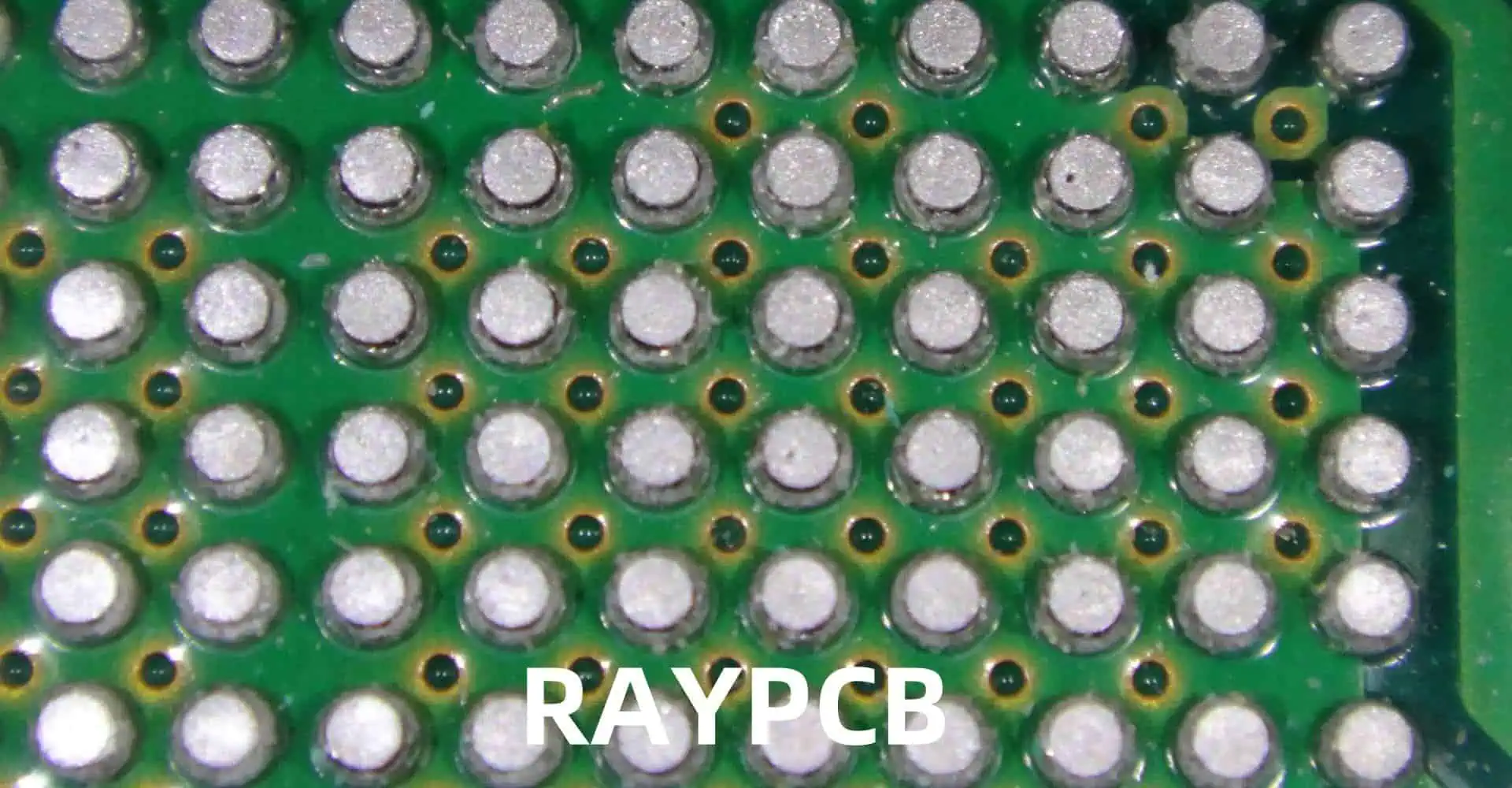
Ball Grid Array (BGA) solderability is crucial for ensuring reliable electronic assemblies. This comprehensive guide covers industry standards, testing methods, acceptance criteria, and best practices for BGA soldering processes. Understanding and implementing these standards is essential for achieving high-quality, reliable electronic assemblies.
Maintaining high standards for BGA solderability is essential for producing reliable electronic assemblies. Following these guidelines and standards helps ensure consistent quality and reliability in BGA assembly processes. Regular monitoring, documentation, and process control are key to maintaining these standards. As technology continues to evolve, staying current with the latest standards and best practices remains crucial for successful BGA assembly operations.
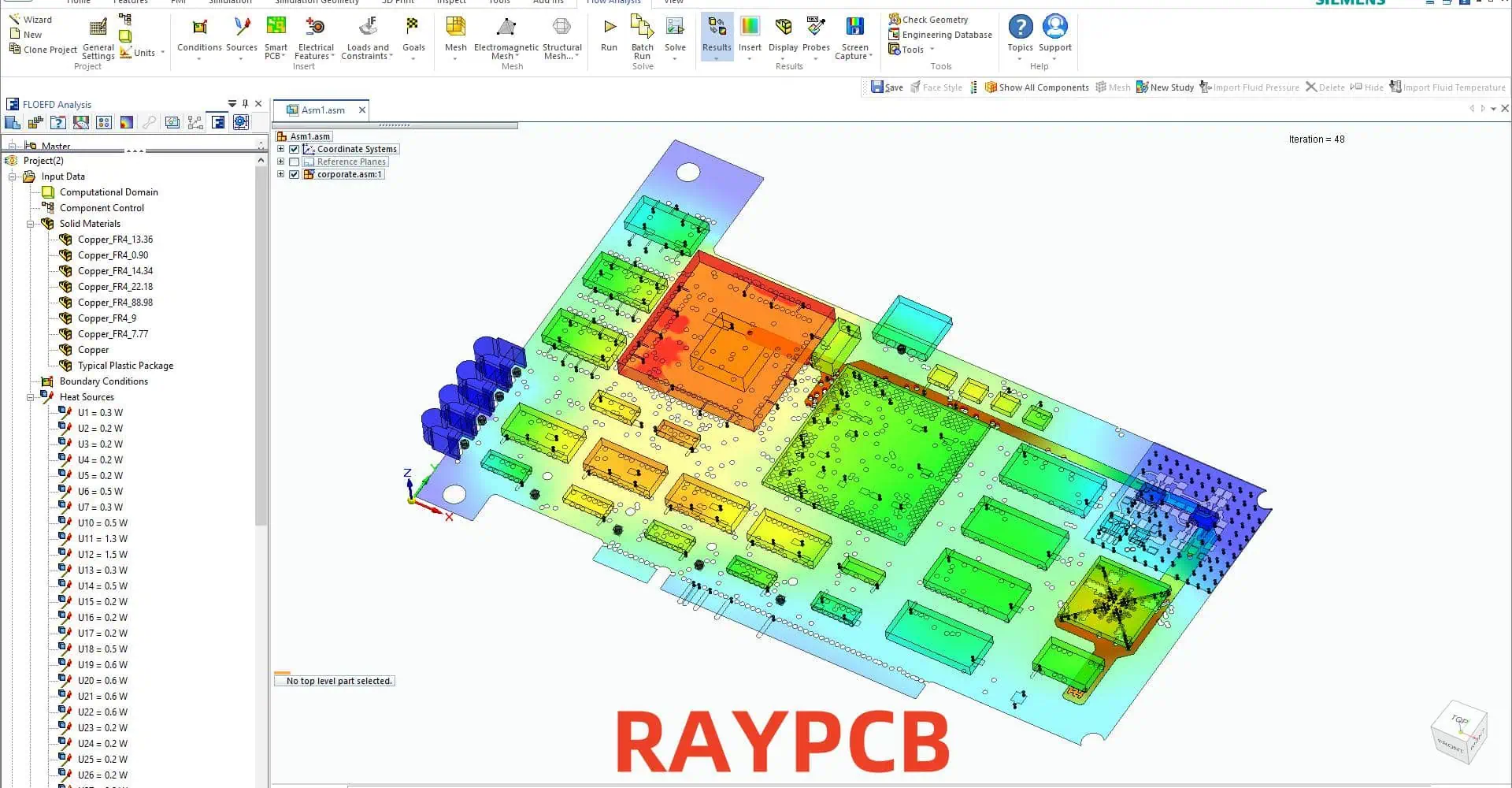
In today’s electronic design landscape, choosing the right PCB design and EDA simulation tool is crucial for successful project completion. This comprehensive comparison examines popular tools, their capabilities, strengths, and limitations to help engineers and designers make informed decisions for their specific needs.
A1: KiCad is often recommended for beginners due to its free availability, extensive documentation, active community support, and relatively gentle learning curve. It offers all essential features needed to complete basic to intermediate PCB designs while providing a pathway to more advanced capabilities as skills develop.
Q2: How do commercial tools justify their high costs compared to open-source alternatives?
A2: Commercial tools justify their costs through advanced features like integrated simulation capabilities, professional technical support, automated design rule checking, advanced routing algorithms, and enterprise-level integration capabilities. They often provide time-saving features that can significantly reduce design cycle time in professional environments.
Q3: What factors should be considered when choosing between different EDA tools?
A3: Key factors include:
Project complexity and requirements
Budget constraints
Team size and collaboration needs
Required integration with other tools
Available computing resources
Learning curve and training requirements
Long-term maintenance and support needs
Q4: How do different tools handle high-speed design requirements?
A4: Professional tools like Altium, OrCAD, and PADS provide advanced high-speed design features including controlled impedance routing, length matching, differential pair routing, and integrated signal integrity analysis. Open-source tools may require external tools or plugins for advanced high-speed design capabilities.
Q5: What are the key differences in simulation capabilities between various tools?
A5: Professional tools typically offer integrated simulation capabilities for signal integrity, power integrity, and EMI analysis. Tools like HyperLynx and ADS provide more advanced simulation capabilities but require separate licenses. Open-source tools often rely on external simulation tools or limited built-in capabilities.
Conclusion
The choice of PCB design and EDA simulation tools depends heavily on specific project requirements, budget constraints, and team capabilities. While commercial tools offer comprehensive features and professional support, open-source alternatives provide capable solutions for many applications. Understanding the strengths and limitations of each tool is crucial for making an informed decision that aligns with project needs and organizational capabilities.
The trend towards cloud-based tools and integrated design environments continues to shape the landscape of PCB design tools, with increasing emphasis on collaboration features and integration capabilities. Regular evaluation of available tools and their evolving capabilities remains important for maintaining competitive advantage in electronic design.
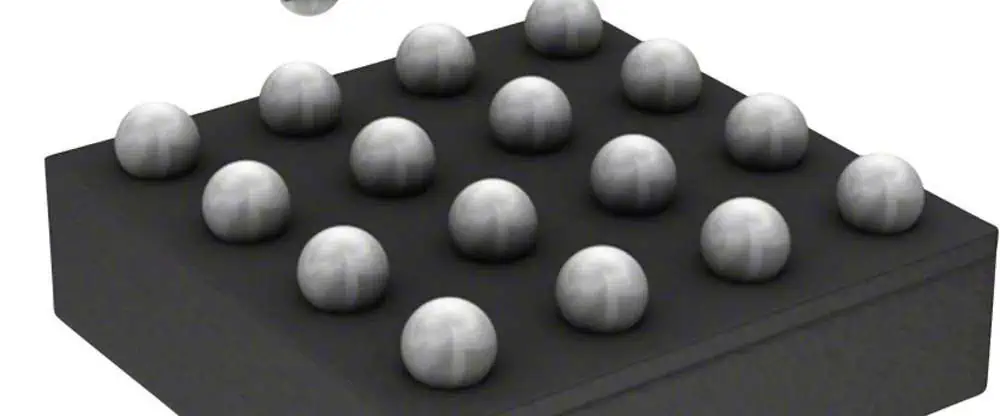
The increasing demand for miniaturization in electronic devices has led to the widespread adoption of 0201 components and microBall Grid Array (BGA) packages. Understanding and managing PCB tolerances for these ultra-small components is crucial for successful assembly and reliable product performance. This comprehensive guide explores the critical aspects of PCB design, manufacturing tolerances, and best practices for working with 0201 components and micro BGAs.
Understanding 0201 Components
Dimensional Specifications
0201 components represent one of the smallest surface mount device (SMD) form factors available in mass production. The designation “0201” refers to the imperial measurements:
Dimension
Imperial (inches)
Metric (mm)
Length
0.024 ± 0.002
0.60 ± 0.05
Width
0.012 ± 0.001
0.30 ± 0.03
Height
0.006 ± 0.001
0.15 ± 0.03
Terminal
0.008 ± 0.001
0.20 ± 0.03
Critical Tolerance Considerations
Pad Design Parameters
DSBGA
The pad design for 0201 components requires precise control of several key parameters:
Q1: What is the minimum recommended trace width for routing under micro BGAs?
A1: The minimum recommended trace width for routing under micro BGAs is 0.075mm (3 mils). However, it’s important to consider manufacturing capabilities and impedance requirements when selecting final trace dimensions.
Q2: How does moisture sensitivity affect micro BGA assembly?
A2: Moisture sensitivity can lead to package cracking during reflow if proper handling procedures aren’t followed. Components should be stored in moisture barrier bags with desiccant and humidity indicators, and floor life limitations must be strictly observed based on the MSL level.
Q3: What are the key considerations for selecting PCB surface finish for 0201 and micro BGA applications?
A3: ENIG or ENEPIG are preferred surface finishes due to their excellent planarity, solderability, and shelf life. These finishes provide consistent solderability and help prevent oxidation issues during assembly.
Q4: How can void percentage in micro BGA solder joints be minimized?
A4: Void percentage can be minimized through proper reflow profile optimization, using quality solder paste, implementing appropriate pad designs, and ensuring proper storage and handling of components and materials.
Q5: What are the recommended inspection methods for 0201 components and micro BGAs?
A5: A combination of AOI, X-ray inspection, and SPI (Solder Paste Inspection) is recommended. AOI can verify component placement and presence, X-ray inspection can check solder joint quality and void content, while SPI ensures proper solder paste deposit volume and position.
Conclusion
Successfully implementing 0201 components and micro BGAs requires careful attention to PCB design tolerances, manufacturing processes, and quality control measures. By following the guidelines and specifications outlined in this document, engineers can achieve reliable and consistent assembly results. Regular review and updates of these parameters based on production feedback and new technology developments will help maintain high-quality standards in electronic assembly.
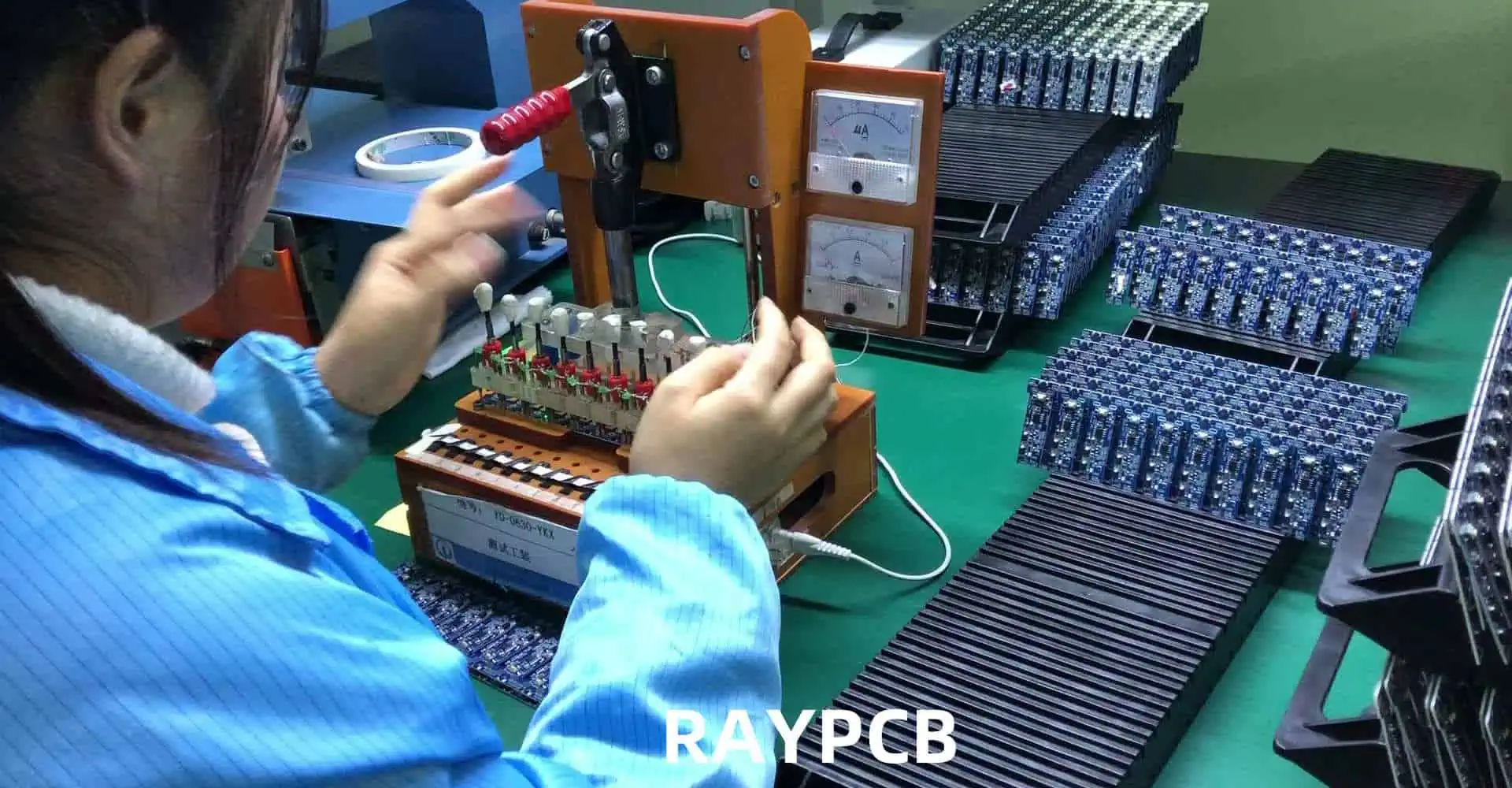
Printed Circuit Board Assembly (PCBA) testing and inspection are crucial steps in ensuring the quality and reliability of electronic products. This comprehensive guide explores various testing and inspection methods, their applications, advantages, and limitations in modern electronics manufacturing.
Q1: Which testing method should be used for high-volume production?
A1: For high-volume production, a combination of AOI and ICT is recommended:
AOI provides rapid visual defect detection
ICT ensures comprehensive electrical testing
Combined coverage typically exceeds 98%
Cost-effective for volumes >10,000 units/month
Q2: How often should test equipment be calibrated?
A2: Test equipment calibration frequencies vary by type:
ICT systems: Every 6 months
AOI systems: Monthly calibration checks
Functional test equipment: Quarterly
Environmental chambers: Annually All calibrations must be traceable to national standards.
Q3: What is the typical test coverage achievable with different methods?
A3: Test coverage varies by method:
ICT: 90-95% of electrical defects
AOI: 90-98% of visual defects
Flying Probe: 85-90% of electrical defects
Functional Test: 70-80% of operational defects Combined methods can achieve >99% coverage.
Q4: How are testing requirements determined for new products?
A4: Testing requirements are determined through:
Design complexity analysis
Production volume consideration
End-use environment evaluation
Customer specifications review
Industry standard requirements
Cost-benefit analysis
Q5: What are the key factors affecting test quality and reliability?
A5: Key factors include:
Equipment calibration status
Operator training and certification
Environmental conditions
Test fixture maintenance
Program optimization
Regular system verification
Conclusion
PCBA testing and inspection methods continue to evolve with advancing technology and increasing quality requirements. A comprehensive testing strategy typically involves multiple complementary methods to achieve optimal quality assurance. Understanding the capabilities, limitations, and appropriate applications of each testing method enables manufacturers to implement effective quality control processes while maintaining cost-effectiveness and production efficiency.
The evolution of PCB manufacturing has led to the development of sophisticated online quoting systems that provide engineers and designers with immediate pricing and ordering capabilities. This comprehensive guide explores the self-service PCB prototyping quote system, its features, and how to effectively utilize it for your project needs.
Q1: How accurate are the online quotes compared to final pricing?
A1: Online quotes are 100% accurate for standard specifications. Additional costs may only apply if specifications are changed after the quote or if DFM review identifies necessary modifications. Any potential changes are communicated before production begins.
Q2: What is the minimum order quantity for PCB prototypes?
A2: There is no minimum order quantity. You can order as little as one piece. However, due to setup costs, the per-unit price decreases significantly with larger quantities. See our quantity discount structure table for detailed pricing breaks.
Q3: How are design files protected during the online quoting process?
A3: All uploaded files are protected through:
256-bit SSL encryption during transfer
Secure cloud storage with encryption at rest
Automated file deletion after 30 days
Non-disclosure agreement coverage
Access restricted to essential personnel only
Q4: What happens if the automated DFM check finds issues?
A4: If the automated DFM check identifies issues:
You receive an immediate notification with detailed report
Suggested modifications are provided
You can either update your design or approve production with acknowledged risks
Technical support is available for consultation
Q5: Can rush orders be accommodated through the self-service system?
A5: Yes, rush orders can be processed through the self-service system with:
50% expedite fee for half standard lead time
Available for boards up to 8 layers
Automatic availability check based on current capacity
Priority handling at all stages
Conclusion
The self-service PCB prototyping quote system represents a significant advancement in PCB manufacturing accessibility and efficiency. Through automated processes, comprehensive specification options, and transparent pricing, it enables designers and engineers to quickly obtain accurate quotes and proceed with manufacturing. The system’s integration of DFM checks, quality assurance, and tracking capabilities ensures a smooth and reliable production process from quote to delivery.
RAYMING’s commitment to excellence in PCB fabrication is exemplified through its comprehensive suite of audited manufacturing equipment. This article provides an in-depth examination of the state-of-the-art machinery and systems employed in their production facilities, ensuring the highest quality printed circuit boards for various applications.
Core PCB Manufacturing Equipment
Drilling Systems
RAYMING’s drilling equipment represents the cornerstone of precise PCB fabrication. The following table outlines the key specifications of their drilling systems:
System Type
Temperature Range
Max Pressure
Cycle Time
Layer Capacity
Vacuum Press
20-400°C
600 PSI
45-180 min
Up to 48 layers
Hot Oil Press
20-350°C
500 PSI
30-150 min
Up to 32 layers
Sequential Press
20-380°C
550 PSI
40-160 min
Up to 40 layers
Lamination Systems
The lamination process requires precise control of temperature, pressure, and timing. RAYMING’s lamination equipment includes:
Feature
Specification
Resolution
Down to 25μm
Alignment Accuracy
±7.5μm
Throughput
Up to 240 sides/hour
Field Size
24″ x 30″ maximum
Exposure Systems
Direct Imaging Systems
Modern direct imaging systems ensure precise pattern transfer with the following specifications:
Feature
Specification
Resolution
Down to 25μm
Alignment Accuracy
±7.5μm
Throughput
Up to 240 sides/hour
Field Size
24″ x 30″ maximum
UV Exposure Units
Traditional UV exposure units maintain their importance for specific applications:
Q1: What is the maximum PCB layer count that RAYMING’s equipment can handle?
A1: RAYMING’s lamination systems can process PCBs with up to 48 layers using the vacuum press system. However, optimal production efficiency is achieved with 32-layer boards using the hot oil press system.
Q2: How often is the manufacturing equipment calibrated?
A2: Critical equipment undergoes regular calibration based on usage and type:
Testing equipment: Quarterly calibration
CNC machines: Monthly calibration
Process control equipment: Semi-annual calibration All calibrations are documented and traceable to national standards.
Q3: What are the minimum feature sizes achievable with RAYMING’s equipment?
Q4: How does RAYMING ensure environmental compliance in their manufacturing process?
A4: Environmental compliance is maintained through:
Advanced water treatment systems processing 50,000 L/day
Air purification systems handling 10,000 m³/hour
Chemical recycling systems processing 5,000 L/day All systems are monitored real-time and maintain compliance with local and international environmental standards.
Q5: What quality control measures are in place for PCB production?
Comprehensive documentation and traceability systems
Conclusion
RAYMING’s audited PCB fabrication equipment represents a comprehensive and modern manufacturing capability. The combination of precise machinery, rigorous quality control systems, and commitment to environmental protection ensures the production of high-quality PCBs that meet or exceed industry standards. Regular audits and maintenance protocols maintain the equipment’s optimal performance, while advanced testing and inspection systems guarantee product quality. This investment in technology and quality control positions RAYMING as a reliable partner for complex PCB manufacturing requirements.
In the world of radio frequency (RF) electronics, the choice of connectors plays a crucial role in maintaining signal integrity and ensuring optimal performance. SV Microwave Solderless Compression Connectors have emerged as a game-changing solution for RF printed circuit boards (PCBs), offering numerous advantages over traditional soldered connections. This comprehensive guide will explore the intricacies of working with these innovative connectors, their benefits, installation techniques, and best practices for achieving superior RF performance.
Solderless compression connectors, as the name suggests, are RF connectors that do not require soldering for installation. Instead, they utilize mechanical pressure to establish a secure and reliable electrical connection between the connector and the PCB. SV Microwave, a leading manufacturer in the RF industry, has developed a line of high-performance solderless compression connectors designed specifically for RF applications.
Key Features and Benefits
SV Microwave Solderless Compression Connectors offer several advantages over traditional soldered connectors:
Quick and Easy Installation: The solderless design allows for faster assembly and reduced production time.
Improved Reliability: Eliminates the risk of cold solder joints and thermal stress on components.
Consistent Performance: Mechanical compression ensures uniform contact pressure across all connections.
Reworkability: Connectors can be easily removed and replaced without damaging the PCB.
Enhanced RF Performance: Optimized design for superior electrical performance at high frequencies.
As data rates continue to increase, SV Microwave Solderless Compression Connectors are finding applications in high-speed digital systems:
Data Centers: High-density, high-bandwidth interconnects
5G Infrastructure: Millimeter-wave frequency support for next-generation networks
Automotive Radar: Precision connectors for advanced driver assistance systems (ADAS)
Emerging Technologies
SV Microwave continues to innovate in the field of solderless compression connectors:
Higher Frequency Support: Development of connectors for sub-THz and THz applications
Miniaturization: Smaller form factors for dense PCB layouts and portable devices
Multi-port Connectors: Integrated solutions for complex RF systems
Smart Connectors: Incorporation of built-in diagnostics and monitoring capabilities
Conclusion
SV Microwave Solderless Compression Connectors represent a significant advancement in RF PCB technology, offering improved performance, reliability, and ease of assembly. By understanding the design considerations, installation processes, and best practices outlined in this guide, engineers and technicians can leverage these innovative connectors to create high-performance RF systems for a wide range of applications.
As the demand for higher frequency and more compact RF solutions continues to grow, SV Microwave Solderless Compression Connectors are well-positioned to meet the challenges of next-generation wireless technologies and beyond.
Frequently Asked Questions (FAQ)
Q: What is the maximum frequency range for SV Microwave Solderless Compression Connectors? A: SV Microwave offers solderless compression connectors that can support frequencies up to 110 GHz, such as their 1.0mm connector series.
Q: Are special tools required for installing these connectors? A: Yes, SV Microwave provides specific compression tools and fixtures for proper installation of their solderless compression connectors. Using the correct tools is crucial for achieving optimal performance and reliability.
Q: Can SV Microwave Solderless Compression Connectors be reused? A: While these connectors are designed for reworkability, repeated compression and decompression may affect their performance. It’s best to consult the manufacturer’s guidelines for specific reuse recommendations.
Q: How do I ensure proper alignment when installing the connectors? A: Use alignment fixtures provided by SV Microwave, carefully follow the PCB footprint guidelines, and visually inspect the alignment before and after compression.
Q: Are there any environmental considerations for using these connectors in extreme conditions? A: SV Microwave offers connectors designed for various environmental conditions. Consider factors such as temperature range, humidity, and vibration when selecting the appropriate connector series for your application. Always refer to the product specifications for detailed environmental ratings.
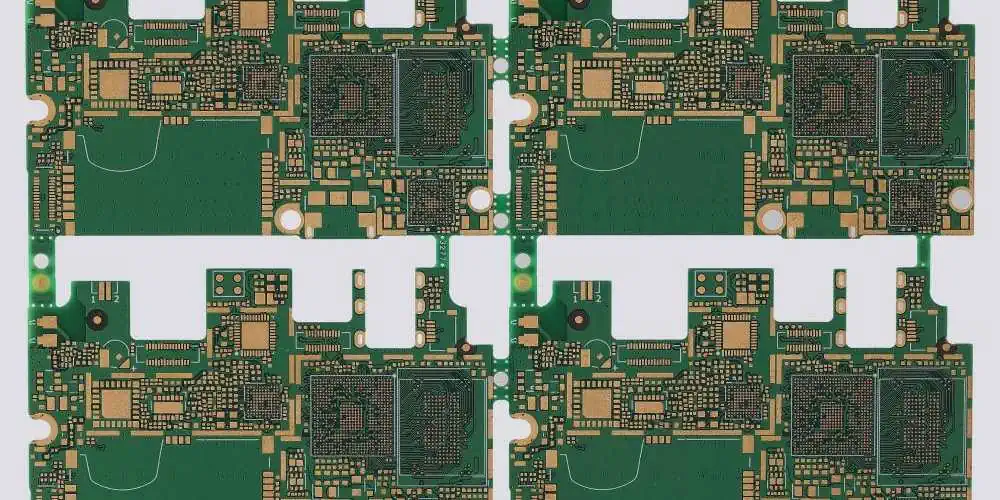
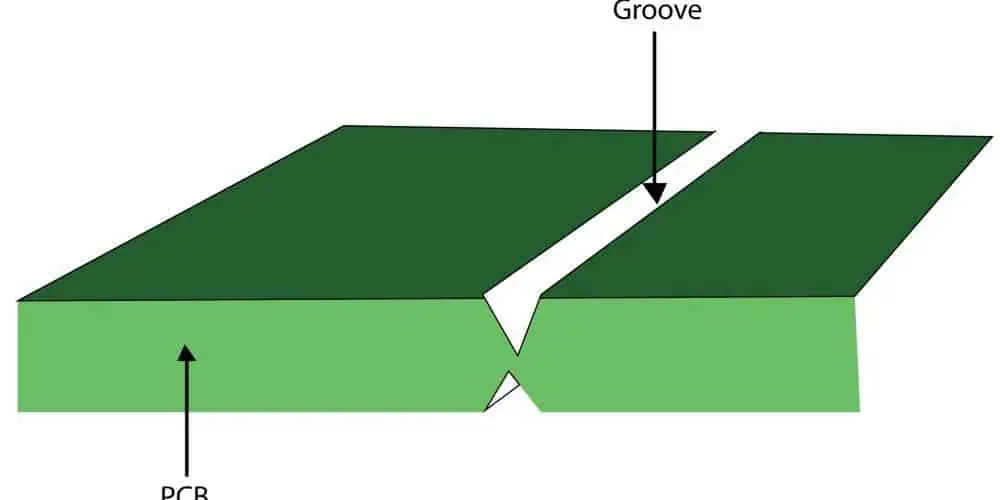
In PCB manufacturing, the need to separate individual boards from a larger panel efficiently and cleanly is crucial. Three primary methods have emerged as industry standards: Mouse Bites, Breakaway Tabs, and V-Grooves. Each method offers unique advantages and considerations for different production scenarios and requirements.
Mouse Bites in PCB Manufacturing
Definition and Characteristics
Mouse bites are small, perforated holes arranged in a line that allow for easy separation of PCBs from panels.
Technical Specifications
Parameter
Typical Range
Optimal Value
Impact on Separation
Hole Diameter
0.5-1.0mm
0.7mm
High
Hole Spacing
0.5-1.5mm
1.0mm
Critical
Bridge Width
0.3-0.7mm
0.5mm
High
Number of Holes
3-8 per inch
5 per inch
Medium
Advantages and Applications
Benefits Table
Benefit
Description
Application Scenario
Clean Break
Minimal edge roughness
High-precision electronics
Easy Separation
Manual separation possible
Low-volume production
Cost-effective
No special tools required
Prototype development
Space-efficient
Minimal border required
Dense panel layouts
Design Considerations
Layout Parameters
Factor
Recommendation
Critical Concerns
Edge Distance
≥ 2mm from components
Structural integrity
Panel Rigidity
2-3mm thickness
Handling stability
Corner Design
Rounded preferred
Stress distribution
Support Points
Every 50-75mm
Panel stability
Breakaway Tabs
Structure and Design
Breakaway tabs are solid sections of PCB material that connect individual boards to the panel frame.
The choice between Mouse Bites, Breakaway Tabs, and V-Groove methods depends on various factors including production volume, quality requirements, and cost considerations. Each method has its distinct advantages and limitations, making them suitable for different applications. Understanding these differences enables manufacturers to select the most appropriate method for their specific needs, ensuring efficient and high-quality PCB production.
Etching is a critical process in multilayer PCB manufacturing that directly impacts the quality and reliability of the final product. While the process has been refined over decades, three major issues continue to challenge manufacturers: underetching, overetching, and uneven etching. Understanding these problems, their causes, and solutions is crucial for maintaining high-quality PCB production standards.
Overview of PCB Etching Process
Basic Principles
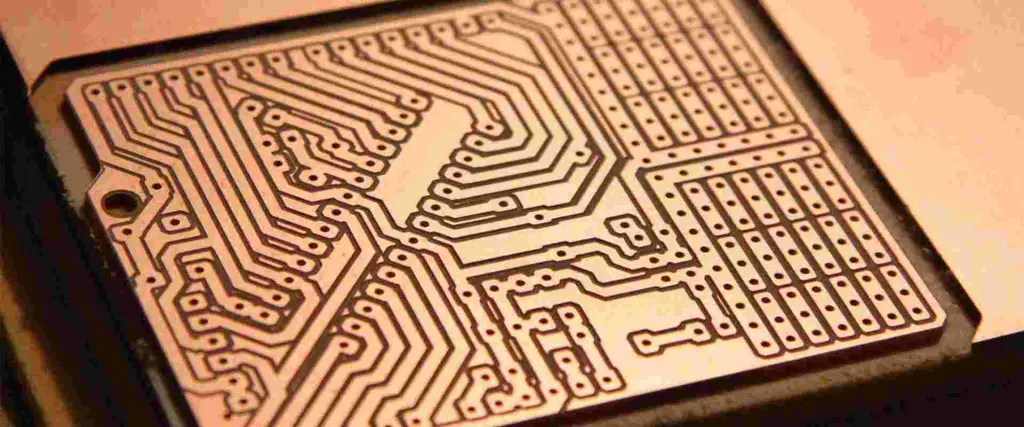
Etching in PCB manufacturing involves selectively removing copper from the board surface to create circuit patterns. The process uses chemical solutions to dissolve unwanted copper while protecting the desired circuit traces.
Standard Parameters
Parameter
Optimal Range
Critical Value
Impact on Quality
Temperature
30-40°C
35°C
High
pH Level
7.8-8.2
8
Critical
Etchant Concentration
120-150 g/L
135 g/L
High
Conveyor Speed
0.8-1.2 m/min
1.0 m/min
Medium
Issue 1: Underetching
Definition and Characteristics
Underetching occurs when insufficient copper is removed during the etching process, leading to potential short circuits and other defects.
Common Symptoms
Symptom
Description
Detection Method
Copper Residue
Visible copper between traces
Visual inspection
Short Circuits
Electrical connection between isolated traces
Electrical testing
Thick Traces
Traces wider than designed
Dimensional inspection
Poor Definition
Unclear trace boundaries
Microscopic examination
Causes of Underetching
Primary Factors
Factor
Impact Level
Prevention Method
Low Etchant Concentration
High
Regular chemical analysis
Insufficient Time
High
Process monitoring
Low Temperature
Medium
Temperature control
Contaminated Solution
High
Regular maintenance
Solutions and Prevention
Chemical Monitoring
Temperature Control
Process Time Adjustment
Equipment Maintenance
Issue 2: Overetching
Definition and Characteristics
Overetching results in excessive copper removal, leading to broken circuits or weakened connections.
3 oz: Double etch time, may require multiple passes
Q5: What preventive maintenance steps are most critical?
A: Critical preventive maintenance includes:
Daily nozzle inspection and cleaning
Weekly solution analysis and adjustment
Monthly equipment calibration
Quarterly major system maintenance
Annual comprehensive overhaul
Conclusion
Understanding and addressing the three major etching issues in multilayer PCB manufacturing is crucial for maintaining product quality and production efficiency. Through proper monitoring, maintenance, and process control, manufacturers can minimize these issues and their impact on production. Continuous training and adoption of new technologies will further improve the etching process and reduce defect rates in the future.