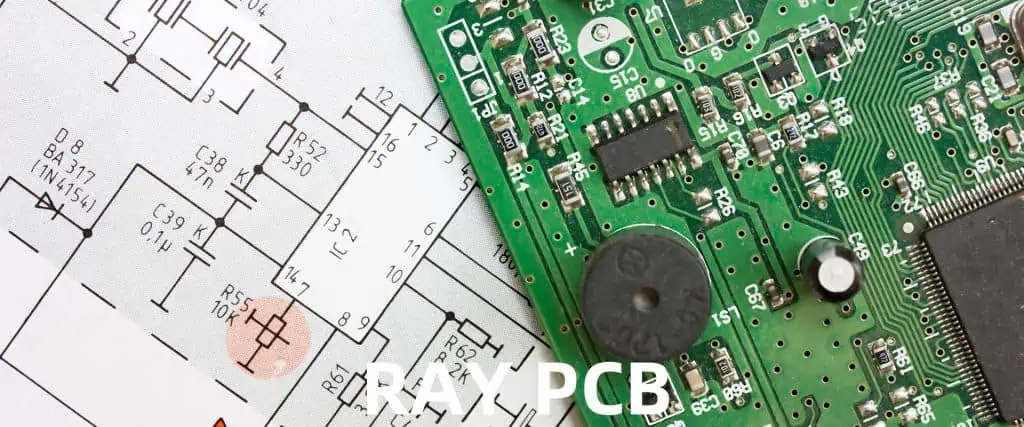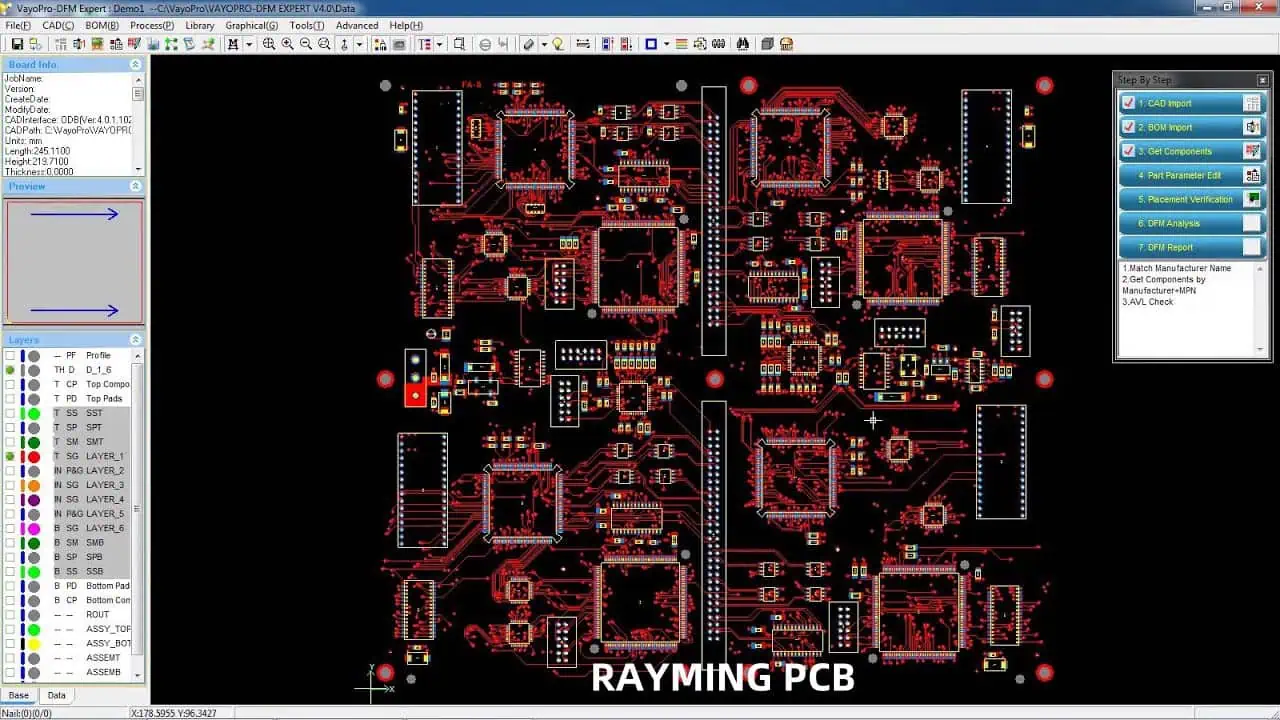
DFM PCB vs DFA PCBA: Design for manufacturing and assembly What’s the difference?

In the world of electronics manufacturing, two critical concepts often come into play: Design for Manufacturing (DFM) for Printed Circuit Boards (PCBs) and Design for Assembly (DFA) for Printed Circuit Board Assemblies (PCBAs). While these terms may sound similar, they serve different purposes and occur at different stages of the production process. This article will delve into the nuances of DFM PCB and DFA PCBA, exploring their differences, importance, and how they contribute to creating efficient, cost-effective, and high-quality electronic products.

YouTube video

Understanding DFM PCB

What is DFM PCB?

Design for Manufacturing (DFM) for Printed Circuit Boards is a methodology that focuses on optimizing the design of a PCB to ensure it can be manufactured efficiently, reliably, and cost-effectively. DFM PCB considers various factors that can affect the manufacturing process, such as material selection, component placement, trace routing, and manufacturing tolerances.

Key Objectives of DFM PCB

The primary goals of implementing DFM PCB include:

  1. Minimizing manufacturing defects
  2. Reducing production costs
  3. Improving yield rates
  4. Enhancing overall product quality
  5. Streamlining the manufacturing process

DFM PCB Considerations

When implementing DFM PCB, designers and engineers must take into account several crucial factors:

1. Material Selection

Choosing the right PCB material is critical for ensuring the board’s performance, durability, and manufacturability. Factors to consider include:

2. Layer Stack-up

The layer stack-up of a PCB affects its electrical performance, thermal management, and manufacturability. Key considerations include:

  • Number of layers
  • Layer thickness
  • Copper weight
  • Prepreg and core materials

3. Trace Routing and Spacing

Proper trace routing and spacing are essential for maintaining signal integrity and preventing manufacturing issues. DFM PCB guidelines typically address:

  • Minimum trace width and spacing
  • Differential pair routing
  • Controlled impedance requirements
  • Via usage and placement

4. Component Placement

Optimizing component placement can significantly impact the manufacturing process. Consider:

  • Component orientation
  • Spacing between components
  • Thermal relief for large components
  • Accessibility for automated assembly equipment

5. Manufacturing Tolerances

Accounting for manufacturing tolerances is crucial to ensure consistent production quality. This includes:

Benefits of DFM PCB

PCB DFM

Implementing DFM PCB practices offers several advantages:

  1. Reduced manufacturing costs
  2. Improved product reliability
  3. Faster time-to-market
  4. Enhanced product quality
  5. Increased yield rates
  6. Simplified troubleshooting and rework

Understanding DFA PCBA

What is DFA PCBA?

Design for Assembly (DFA) for Printed Circuit Board Assemblies focuses on optimizing the design of a PCB and its components to facilitate efficient and cost-effective assembly processes. DFA PCBA aims to streamline the assembly process, reduce errors, and minimize production time and costs.

Key Objectives of DFA PCBA

The primary goals of implementing DFA PCBA include:

  1. Simplifying the assembly process
  2. Reducing assembly time and labor costs
  3. Minimizing assembly errors and defects
  4. Improving overall product quality
  5. Enhancing production efficiency

DFA PCBA Considerations

When implementing DFA PCBA, designers and engineers must consider several important factors:

1. Component Selection

Choosing the right components can significantly impact the assembly process. Consider:

  • Component availability and lead times
  • Package types and sizes
  • Compatibility with automated assembly equipment
  • Standardization of components

2. Component Placement and Orientation

Optimizing component placement and orientation is crucial for efficient assembly. Key considerations include:

  • Consistent component orientation
  • Adequate spacing for pick-and-place machines
  • Grouping similar components
  • Avoiding shadowing effects during soldering

3. Solder Joint Design

Proper solder joint design is essential for reliable connections and efficient assembly. Consider:

  • Pad size and shape
  • Solder mask clearances
  • Thermal relief for large components
  • Via-in-pad design (when necessary)

4. Test Point Access

Designing for testability is an important aspect of DFA PCBA. Consider:

  • Adequate test point coverage
  • Accessibility for probes and test fixtures
  • Compatibility with automated test equipment

5. Panelization

Efficient panelization can significantly improve assembly throughput. Consider:

  • Panel size and shape
  • Fiducial marks for automated assembly
  • Break-away tabs or V-score lines
  • Tooling holes for fixturing

Benefits of DFA PCBA

Implementing DFA PCBA practices offers several advantages:

  1. Reduced assembly time and costs
  2. Improved product quality and reliability
  3. Enhanced manufacturing flexibility
  4. Simplified rework and repair processes
  5. Increased production throughput
  6. Reduced inventory and component management complexity

Comparing DFM PCB and DFA PCBA
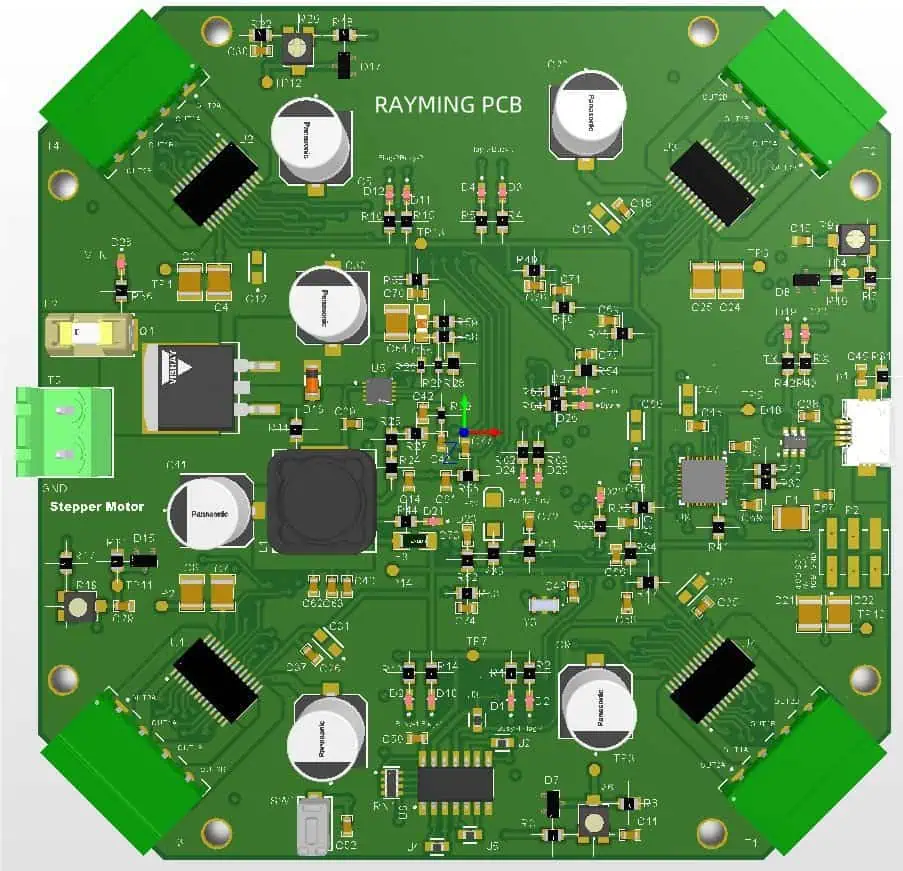
While DFM PCB and DFA PCBA are closely related, they focus on different aspects of the production process. Let’s compare these two methodologies:

AspectDFM PCBDFA PCBA
Primary FocusPCB manufacturing processPCBA assembly process
Stage of ImplementationPCB design phasePCBA design and component selection phase
Key ConsiderationsMaterial selection, layer stack-up, trace routing, manufacturing tolerancesComponent selection, placement, solder joint design, testability
Main GoalsOptimize PCB manufacturability, reduce defects, improve yieldStreamline assembly process, reduce errors, minimize production time
Impact on CostsReduces PCB manufacturing costsReduces PCBA assembly and labor costs
Typical StakeholdersPCB designers, manufacturing engineers

Integrating DFM PCB and DFA PCBA

While DFM PCB and DFA PCBA focus on different aspects of the production process, they are not mutually exclusive. In fact, integrating both methodologies can lead to even greater improvements in overall product quality, cost-effectiveness, and manufacturing efficiency.

Benefits of Integration

  1. Holistic design approach
  2. Reduced overall production costs
  3. Improved product reliability and quality
  4. Faster time-to-market
  5. Enhanced manufacturing flexibility
  6. Simplified supply chain management

Strategies for Integration

To effectively integrate DFM PCB and DFA PCBA, consider the following strategies:

1. Cross-functional Collaboration

Encourage collaboration between PCB designers, PCBA designers, manufacturing engineers, and assembly engineers throughout the design process. This ensures that both DFM and DFA considerations are addressed from the early stages of product development.

2. Unified Design Guidelines

Develop a comprehensive set of design guidelines that incorporate both DFM PCB and DFA PCBA principles. This helps ensure consistency across all aspects of the design process.

3. Simulation and Analysis Tools

Utilize advanced simulation and analysis tools that can evaluate both PCB manufacturability and PCBA assembly processes. This allows for early identification and resolution of potential issues.

4. Design Reviews

Conduct regular design reviews that include stakeholders from both PCB manufacturing and PCBA assembly teams. This helps identify potential conflicts between DFM and DFA requirements and allows for timely resolution.

5. Continuous Improvement

Implement a feedback loop between design, manufacturing, and assembly teams to continuously refine and improve DFM PCB and DFA PCBA practices based on real-world production experiences.

Best Practices for Implementing DFM PCB and DFA PCBA

To maximize the benefits of both DFM PCB and DFA PCBA, consider the following best practices:

  1. Start early: Implement DFM and DFA principles from the beginning of the design process.
  2. Use standardized components: Whenever possible, use standard component packages and footprints to simplify both manufacturing and assembly.
  3. Design for testability: Incorporate features that facilitate both in-circuit and functional testing.
  4. Optimize for automation: Design PCBs and PCBAs with automated manufacturing and assembly processes in mind.
  5. Consider thermal management: Address thermal considerations in both PCB design and component selection to ensure reliable operation.
  6. Document thoroughly: Maintain detailed documentation of design decisions, manufacturing requirements, and assembly instructions.
  7. Stay up-to-date: Keep abreast of the latest manufacturing and assembly technologies to leverage new opportunities for optimization.

Conclusion

Understanding the differences between DFM PCB and DFA PCBA is crucial for anyone involved in the design and production of electronic products. While DFM PCB focuses on optimizing the manufacturability of the bare PCB, DFA PCBA concentrates on streamlining the assembly process of the completed board.

By implementing both methodologies and integrating them effectively, companies can achieve significant improvements in product quality, manufacturing efficiency, and overall cost-effectiveness. As the electronics industry continues to evolve, embracing these design philosophies will be essential for staying competitive and meeting the ever-increasing demands of modern technology.

FAQ

1. What is the main difference between DFM PCB and DFA PCBA?

The main difference lies in their focus: DFM PCB concentrates on optimizing the bare PCB manufacturing process, while DFA PCBA focuses on streamlining the assembly process of components onto the PCB.

2. Can DFM PCB and DFA PCBA be implemented independently?

While they can be implemented independently, integrating both methodologies typically leads to better overall results in terms of product quality, cost-effectiveness, and manufacturing efficiency.

3. How do DFM PCB and DFA PCBA impact production costs?

DFM PCB primarily reduces PCB manufacturing costs by optimizing the board design for efficient production. DFA PCBA reduces assembly and labor costs by streamlining the component placement and soldering processes.

4. At what stage of product development should DFM PCB and DFA PCBA be considered?

Ideally, both DFM PCB and DFA PCBA should be considered from the early stages of product development. Implementing these methodologies early in the design process can prevent costly redesigns and manufacturing issues later on.

5. How can companies ensure successful implementation of both DFM PCB and DFA PCBA?

Successful implementation can be achieved through cross-functional collaboration, unified design guidelines, use of advanced simulation tools, regular design reviews, and a commitment to continuous improvement based on feedback from manufacturing and assembly processes.

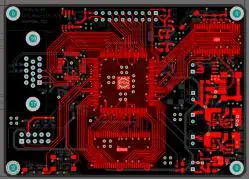
FPGA PCB Design Review: How to Start For Your Embedded System

Field-Programmable Gate Arrays (FPGAs) have revolutionized the world of embedded systems, offering unparalleled flexibility and performance. However, designing a Printed Circuit Board (PCB) for an FPGA-based system can be a complex and challenging task. This comprehensive guide will walk you through the essential steps and considerations for reviewing and starting your FPGA PCB design process, ensuring that your embedded system meets its performance requirements and reliability standards.

YouTube video

Understanding FPGA Basics

Before diving into the PCB design process, it’s crucial to have a solid understanding of FPGA fundamentals and their unique requirements.

What is an FPGA?

An FPGA is an integrated circuit designed to be configured by the customer or designer after manufacturing. Unlike Application-Specific Integrated Circuits (ASICs), FPGAs can be reprogrammed to desired application or functionality requirements after manufacturing.

Key FPGA Components

FPGAs typically consist of the following main components:

  1. Logic Blocks
  2. Programmable Interconnects
  3. I/O Blocks
  4. Memory Elements
  5. Clock Management Circuits

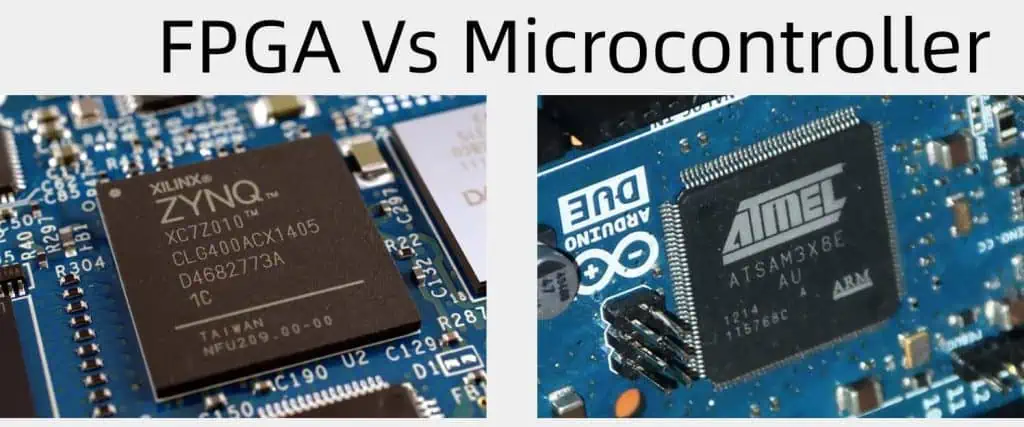
FPGA vs. Microcontroller

Microcontroller Vs FPGA

To better understand the unique aspects of FPGA design, let’s compare FPGAs to microcontrollers:

FeatureFPGAMicrocontroller
FlexibilityHighly configurable hardwareFixed hardware, software programmable
PerformanceHigh parallel processing capabilitySequential execution
Power ConsumptionGenerally higherGenerally lower
Design ComplexityHigherLower
CostHigher for low volumesLower for low volumes
Development TimeTypically longerTypically shorter

FPGA PCB Design Considerations

When starting your FPGA PCB design review, several key areas require careful consideration to ensure optimal performance and reliability.

1. Power Distribution

Proper power distribution is critical for FPGA designs due to their high power requirements and sensitivity to voltage fluctuations.

Key Considerations:

  • Multiple voltage rails
  • Low-noise power supplies
  • Decoupling capacitors
  • Power plane design
  • Voltage regulators selection

2. Signal Integrity

Maintaining signal integrity is crucial for high-speed FPGA designs to ensure reliable data transmission and minimize errors.

Key Considerations:

  • Impedance matching
  • Trace length matching
  • Differential pair routing
  • Signal termination
  • Crosstalk minimization

3. Clock Distribution

Proper clock distribution is essential for synchronous operations within the FPGA and between the FPGA and other components.

Key Considerations:

  • Clock tree design
  • Skew minimization
  • Jitter management
  • Clock domain crossing

4. Thermal Management

FPGAs can generate significant heat, making thermal management a critical aspect of PCB design.

Key Considerations:

  • Component placement for heat dissipation
  • Thermal vias
  • Heat sinks and cooling solutions
  • Thermal simulation and analysis

5. EMI/EMC Compliance

Electromagnetic Interference (EMI) and Electromagnetic Compatibility (EMC) are important considerations for FPGA designs, especially in sensitive applications.

Key Considerations:

  • Proper grounding techniques
  • Shielding
  • Filter design
  • PCB stack-up optimization

FPGA PCB Design Review Process

fpga design

A systematic review process is essential to ensure that your FPGA PCB design meets all requirements and standards. Here’s a step-by-step guide to conducting an effective design review:

1. Schematic Review

The schematic review is the first step in the design review process, focusing on the electrical connections and component selections.

Checklist:

  • Verify power distribution scheme
  • Check decoupling capacitor placement and values
  • Confirm pin assignments and connectivity
  • Review signal terminations
  • Verify component selections

2. PCB Layout Review

The PCB layout review ensures that the physical implementation of the design meets all electrical and mechanical requirements.

Checklist:

  • Verify component placement and orientation
  • Check trace widths and clearances
  • Review differential pair routing
  • Confirm power and ground plane design
  • Verify thermal management solutions

3. Signal Integrity Analysis

Conducting signal integrity analysis helps identify and resolve potential issues before fabrication.

Key Steps:

  • Perform impedance calculations
  • Conduct reflection analysis
  • Analyze crosstalk between signals
  • Verify eye diagrams for high-speed signals

4. Power Integrity Analysis

Power integrity analysis ensures that the power distribution network can meet the FPGA’s requirements.

Key Steps:

  • Perform DC voltage drop analysis
  • Conduct AC power distribution network (PDN) analysis
  • Verify decoupling capacitor effectiveness
  • Analyze power plane resonances

5. Thermal Analysis

Thermal analysis helps identify potential hotspots and verify the effectiveness of cooling solutions.

Key Steps:

  • Create thermal models of components
  • Perform steady-state thermal analysis
  • Conduct transient thermal analysis
  • Verify cooling solution effectiveness

6. EMI/EMC Pre-compliance Review

An EMI/EMC pre-compliance review can help identify potential issues before formal testing.

Key Steps:

  • Review PCB stack-up for EMI reduction
  • Analyze return current paths
  • Verify shielding effectiveness
  • Review filter designs

7. DFM and DFT Review

Design for Manufacturing (DFM) and Design for Test (DFT) reviews ensure that the PCB can be reliably manufactured and tested.

Checklist:

  • Verify adherence to manufacturing guidelines
  • Check test point placement and accessibility
  • Review panelization requirements
  • Confirm compliance with IPC standards

Best Practices for FPGA PCB Design

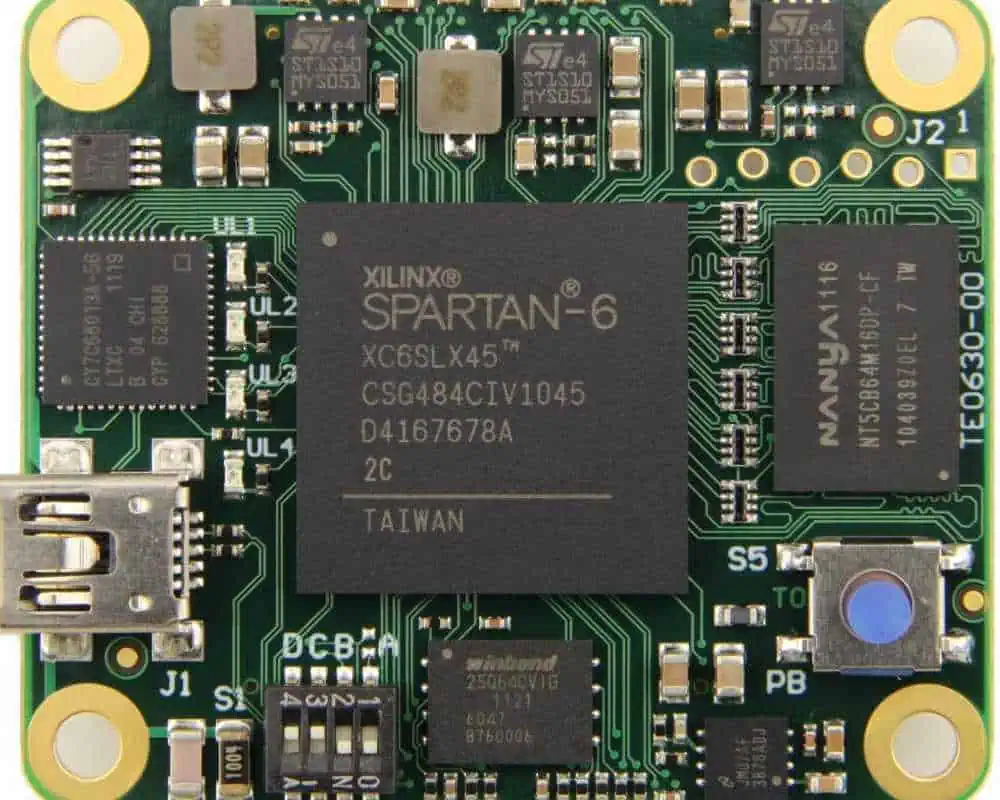
xilinx-spartan-6-fpga-tutorial

Implementing best practices in your FPGA PCB design can significantly improve performance, reliability, and manufacturability.

1. PCB Stack-up Design

Proper PCB stack-up design is crucial for signal integrity, power distribution, and EMI reduction.

Recommendations:

  • Use at least 4 layers for simple designs, 6 or more for complex designs
  • Alternate signal and plane layers
  • Keep power and ground planes adjacent
  • Consider impedance control requirements

2. Component Placement

Strategic component placement can improve signal integrity, thermal management, and overall system performance.

Guidelines:

  • Place decoupling capacitors close to power pins
  • Group related components together
  • Consider thermal requirements in placement decisions
  • Minimize trace lengths for critical signals

3. High-Speed Routing

Proper routing techniques are essential for maintaining signal integrity in high-speed FPGA designs.

Best Practices:

  • Use differential pairs for high-speed signals
  • Maintain constant impedance along signal paths
  • Avoid right-angle turns in traces
  • Use via stitching for ground plane continuity

4. Power Distribution Network (PDN) Design

A well-designed PDN is crucial for providing clean, stable power to the FPGA and other components.

Key Considerations:

  • Use wide traces or planes for power distribution
  • Implement star topology for power distribution
  • Place bulk and local decoupling capacitors strategically
  • Consider using embedded capacitance in the PCB stack-up

5. Clocking Considerations

Proper clock distribution is essential for synchronous operations and overall system performance.

Best Practices:

  • Use dedicated clock layers if possible
  • Implement proper termination for clock signals
  • Minimize clock trace lengths and match lengths where necessary
  • Consider using clock buffers for large fan-out situations

Tools and Technologies for FPGA PCB Design

Utilizing the right tools and technologies can significantly streamline the FPGA PCB design process and improve outcomes.

1. PCB Design Software

Choosing the right PCB design software is crucial for efficient FPGA PCB design.

Popular Options:

SoftwareKey Features
Altium DesignerAdvanced routing, 3D PCB visualization, FPGA support
Cadence AllegroHigh-performance auto-routing, constraint management
Mentor Graphics PADSIntegrated signal integrity analysis, FPGA pin optimization
KiCadOpen-source, multi-platform support, growing FPGA capabilities

2. Signal and Power Integrity Analysis Tools

Specialized tools for signal and power integrity analysis can help identify and resolve issues early in the design process.

Common Tools:

  • Ansys SIwave
  • Cadence Sigrity
  • Mentor HyperLynx
  • Keysight ADS

3. Thermal Analysis Software

Thermal analysis tools help optimize component placement and cooling solutions.

Popular Options:

  • Ansys Icepak
  • 6SigmaET
  • FloTHERM

4. FPGA Development Tools

FPGA-specific development tools are essential for programming and debugging FPGA designs.

Key Tools:

  • Xilinx Vivado
  • Intel Quartus Prime
  • Microsemi Libero SoC
  • Lattice Diamond

Future Trends in FPGA PCB Design

As technology continues to evolve, several trends are shaping the future of FPGA PCB design:

  1. Increasing Integration: FPGAs are incorporating more features, such as embedded processors and high-speed transceivers, impacting PCB design requirements.
  2. Advanced Packaging: New packaging technologies, like 2.5D and 3D ICs, are changing how FPGAs interact with other components on the PCB.
  3. Higher Data Rates: As data rates continue to increase, PCB designers must adapt to more stringent signal integrity requirements.
  4. AI-Assisted Design: Artificial intelligence and machine learning are being integrated into PCB design tools, potentially automating complex tasks and optimizing designs.
  5. Flexible and Rigid-Flex PCBs: The adoption of flexible and rigid-flex PCBs in FPGA designs is growing, especially in space-constrained applications.

Conclusion

FPGA PCB design review is a critical process that ensures the success of your embedded system. By carefully considering power distribution, signal integrity, thermal management, and other key factors, you can create a robust and reliable FPGA-based PCB. Adhering to best practices, utilizing appropriate tools, and staying informed about emerging trends will help you navigate the complexities of FPGA PCB design and create high-performance embedded systems.

Frequently Asked Questions (FAQ)

1. What are the main challenges in FPGA PCB design compared to traditional microcontroller-based designs?

The main challenges in FPGA PCB design include:

  • More complex power distribution due to multiple voltage rails
  • Higher-speed signal routing and integrity concerns
  • Increased thermal management requirements
  • More stringent EMI/EMC considerations due to higher clock speeds
  • Greater complexity in pin assignment and I/O management

2. How do I determine the appropriate PCB layer count for my FPGA design?

The appropriate layer count depends on several factors:

  • Complexity of the FPGA and surrounding circuitry
  • Number of I/O signals and power rails
  • Signal integrity requirements
  • Cost constraints

As a general guideline:

  • Simple designs: 4-6 layers
  • Medium complexity: 8-10 layers
  • High complexity or high-speed designs: 12+ layers

Always consider signal integrity, power distribution, and EMI requirements when determining the layer count.

3. What are some common mistakes to avoid in FPGA PCB design?

Common mistakes to avoid include:

  • Inadequate decoupling capacitor placement
  • Poor power plane design leading to voltage drops
  • Neglecting impedance control for high-speed signals
  • Insufficient thermal management
  • Ignoring EMI/EMC considerations in the early design stages
  • Improper stack-up design leading to signal integrity issues

4. How can I optimize my FPGA PCB design for better signal integrity?

To optimize for signal integrity:

  • Use proper impedance control techniques
  • Implement differential pair routing for high-speed signals
  • Minimize trace length and use appropriate termination
  • Utilize ground planes and via stitching for return current paths
  • Avoid routing high-speed signals near clock lines or other noisy signals
  • Use signal integrity analysis tools to identify and resolve issues early in the design process

5. What are the key considerations for power integrity in FPGA PCB design?

Key considerations for power integrity include:

  • Proper sizing of power planes and traces
  • Strategic placement of decoupling capacitors
  • Use of dedicated power and ground planes
  • Implementation of star topology for power distribution
  • Consideration of voltage drop across the PCB
  • Use of low-noise voltage regulators
  • Performing power integrity analysis to identify potential issues

How to Improve Insertion Loss with RO4000 LoPro Laminates

Rogers PCB

Introduction

In the world of high-frequency circuit design, minimizing signal loss is crucial for achieving optimal performance. One of the key factors that designers must consider is insertion loss, which refers to the loss of signal power that occurs when a component is inserted into a transmission line or signal path. Rogers Corporation’s RO4000 LoPro laminates have gained popularity in recent years due to their ability to significantly improve insertion loss in high-frequency applications. This article will delve into the intricacies of insertion loss, explore the unique properties of RO4000 LoPro laminates, and provide practical strategies for leveraging these materials to enhance your circuit designs.

YouTube video

Understanding Insertion Loss

What is Insertion Loss?

Insertion loss is a measure of the reduction in transmitted signal power due to the insertion of a device in a transmission line. It is typically expressed in decibels (dB) and is a critical parameter in high-frequency circuit design. The lower the insertion loss, the better the signal integrity and overall system performance.

Factors Affecting Insertion Loss

Several factors contribute to insertion loss in high-frequency circuits:

  1. Dielectric loss
  2. Conductor loss
  3. Radiation loss
  4. Surface roughness
  5. Impedance mismatches

Understanding these factors is essential for developing strategies to minimize insertion loss and improve circuit performance.

Introduction to RO4000 LoPro Laminates

What are RO4000 LoPro Laminates?

RO4000 LoPro laminates are a family of high-performance circuit materials developed by Rogers Corporation. These laminates are designed specifically for high-frequency applications where low insertion loss is critical. The “LoPro” designation refers to the low-profile copper foil used in these materials, which contributes to their superior performance characteristics.

Key Features of RO4000 LoPro Laminates

RO4000 LoPro laminates offer several advantages for high-frequency circuit design:

  1. Low dielectric constant (Dk)
  2. Low dissipation factor (Df)
  3. Tight Dk and thickness tolerances
  4. Low profile copper foil
  5. Excellent thermal stability
  6. Good dimensional stability

These features combine to make RO4000 LoPro laminates an excellent choice for applications requiring low insertion loss and high signal integrity.

Strategies for Improving Insertion Loss with RO4000 LoPro Laminates

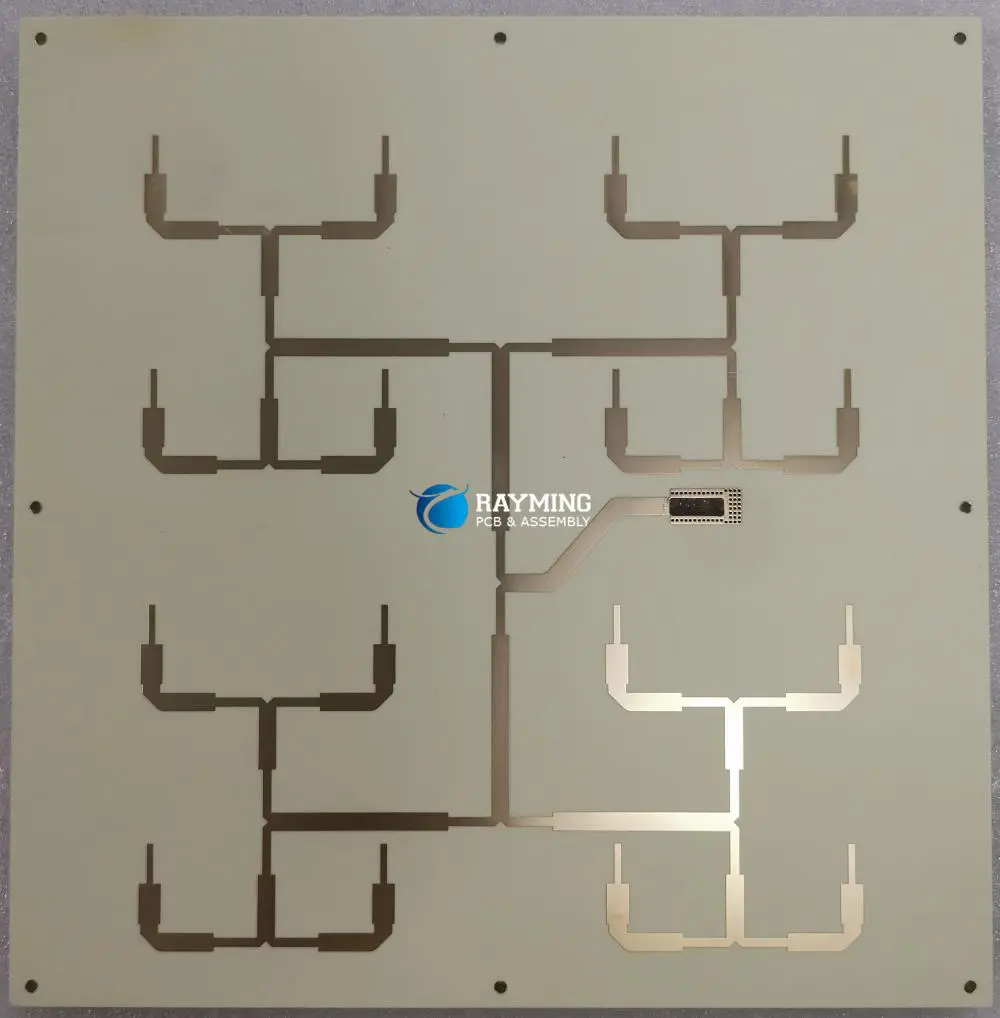
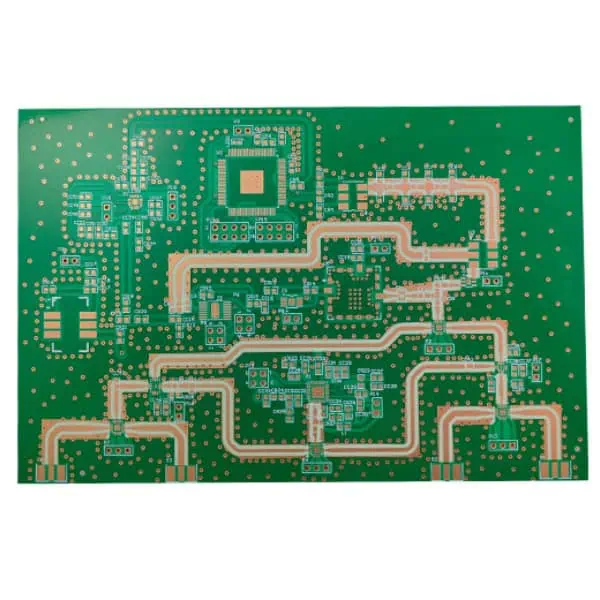
rogers-4003-pcb-board

Optimizing Dielectric Properties

One of the primary ways to improve insertion loss is by optimizing the dielectric properties of the substrate material. RO4000 LoPro laminates excel in this area due to their low dielectric constant (Dk) and low dissipation factor (Df).

Low Dielectric Constant (Dk)

The dielectric constant of a material affects the speed at which electromagnetic waves propagate through it. A lower Dk results in faster signal propagation and reduced signal delay. RO4000 LoPro laminates typically have a Dk in the range of 3.3 to 3.55 (depending on the specific grade), which is relatively low compared to many other PCB materials.

To leverage this property:

  1. Choose the appropriate RO4000 LoPro grade based on your specific Dk requirements.
  2. Design your transmission lines with the correct impedance, taking into account the low Dk of the material.
  3. Consider using thinner substrates to further reduce the effect of dielectric loss.

Low Dissipation Factor (Df)

The dissipation factor, also known as the loss tangent, is a measure of the energy lost in the dielectric material. A lower Df translates to lower dielectric losses and, consequently, lower insertion loss. RO4000 LoPro laminates boast impressively low Df values, typically ranging from 0.0025 to 0.0037 at 10 GHz.

To take advantage of the low Df:

  1. Select the RO4000 LoPro grade with the lowest Df that meets your other design requirements.
  2. Design your circuits to operate at frequencies where the material’s Df is lowest.
  3. Minimize the length of high-frequency signal paths to reduce the cumulative effect of dielectric losses.

Leveraging Low-Profile Copper Foil

One of the defining features of RO4000 LoPro laminates is their use of low-profile copper foil. This specially treated copper foil has a much smoother surface than standard electro-deposited (ED) copper, which significantly reduces conductor losses due to the skin effect at high frequencies.

Reduced Surface Roughness

Surface roughness contributes to insertion loss by increasing the effective path length that signals must travel and by causing small-scale reflections. The low-profile copper foil used in RO4000 LoPro laminates has a typical RMS (root mean square) roughness of less than 0.4 ฮผm, compared to 1.8-2.8 ฮผm for standard ED copper.

To maximize the benefits of low-profile copper:

  1. Design your transmission lines to take full advantage of the smooth copper surface.
  2. Consider using wider traces for critical high-frequency paths to further reduce conductor losses.
  3. Implement proper copper plating techniques during PCB fabrication to maintain the low surface roughness.

Skin Effect Mitigation

The skin effect causes current to flow primarily near the surface of a conductor at high frequencies, effectively increasing the resistance of the conductor. The smooth surface of low-profile copper helps mitigate this effect by reducing the “effective” surface area through which the current must flow.

To further mitigate the skin effect:

  1. Use wider traces for high-frequency signals to increase the effective conductor cross-section.
  2. Consider using copper coin technology for areas requiring enhanced thermal management or lower resistance.
  3. Implement proper stackup design to ensure optimal current distribution in multilayer designs.

Optimizing PCB Design and Layout

While the material properties of RO4000 LoPro laminates provide an excellent foundation for low insertion loss, proper PCB design and layout techniques are crucial for maximizing their benefits.

RayMing 4 Layer 1.6mm Rogers 4003 Circuit Board

RayMing 4 Layer 1.6mm Rogers 4003 Circuit Board

Original price was: $760.00.Current price is: $720.00.

Rogers 4003 is a ceramic-filled, woven glass reinforced hydrocarbon/ceramic laminate material specifically engineered for high-frequency and high-speed digital applications

Transmission Line Design

Proper transmission line design is essential for minimizing insertion loss and maintaining signal integrity. When working with RO4000 LoPro laminates:

  1. Use appropriate transmission line structures (e.g., microstrip, stripline) based on your application requirements.
  2. Carefully calculate and maintain the correct impedance throughout the signal path.
  3. Minimize discontinuities and transitions in the transmission lines.
  4. Consider using tapered line transitions to reduce reflections at impedance changes.

Minimizing Vias and Transitions

Vias and transitions between layers can introduce significant insertion loss, especially at high frequencies. To minimize their impact:

  1. Reduce the number of layer transitions for high-frequency signals.
  2. Use via stitching techniques to maintain consistent ground reference for microstrip lines.
  3. Implement backdrilling for high-speed signals to remove unused via stubs.
  4. Consider using blind and buried vias for critical signal paths.

Proper Grounding and Return Path Design

Effective grounding and return path design are crucial for minimizing insertion loss and maintaining signal integrity:

  1. Implement a solid ground plane directly adjacent to signal layers.
  2. Ensure uninterrupted return paths for all high-frequency signals.
  3. Use ground vias liberally to reduce ground inductance and improve return current flow.
  4. Consider using coplanar waveguide structures for improved ground reference.

Controlling Impedance and Minimizing Reflections

Maintaining consistent impedance throughout the signal path and minimizing reflections are critical for reducing insertion loss.

Impedance Control

RO4000 LoPro laminates offer excellent Dk and thickness tolerances, which facilitate precise impedance control. To leverage this:

  1. Work closely with your PCB fabricator to establish achievable impedance tolerances.
  2. Use field solvers to accurately calculate trace widths for target impedances.
  3. Implement proper stackup design to maintain consistent impedance across different layers.
  4. Consider using laser-direct imaging (LDI) for improved trace width control.

Minimizing Reflections

Reflections occur when there are impedance discontinuities in the signal path, contributing to insertion loss. To minimize reflections:

  1. Use smooth transitions between different transmission line structures.
  2. Implement proper termination techniques for high-frequency signals.
  3. Avoid abrupt changes in trace width or direction.
  4. Use chamfered bends for high-frequency traces to reduce reflections at corners.

Thermal Management Considerations

While RO4000 LoPro laminates offer excellent thermal stability, proper thermal management is still crucial for maintaining low insertion loss, especially in high-power applications.

Heat Dissipation Techniques

Effective heat dissipation helps maintain the stability of the dielectric properties and reduces the temperature-dependent component of insertion loss:

  1. Use thermal vias to improve heat transfer to ground planes.
  2. Consider using coin technology for areas with high power density.
  3. Implement proper component placement to optimize heat distribution.
  4. Use thermal simulation tools to identify and address potential hotspots.

Coefficient of Thermal Expansion (CTE) Matching

RO4000 LoPro laminates offer good CTE matching with copper, which helps maintain the integrity of plated through-holes and reduces stress on solder joints:

  1. Consider the CTE of other materials in your design (e.g., components, solder masks) for optimal thermal stability.
  2. Use proper layer sequencing in multilayer designs to balance thermal stresses.
  3. Implement proper curing and cooling processes during PCB fabrication.

Comparative Analysis: RO4000 LoPro vs. Standard Materials

To illustrate the benefits of RO4000 LoPro laminates, let’s compare their performance to standard FR-4 and other high-frequency materials in terms of key parameters affecting insertion loss.

MaterialDk (@ 10 GHz)Df (@ 10 GHz)Copper Foil RMS Roughness (ฮผm)Thermal Conductivity (W/m/K)
RO4003C LoPro3.38 ๅค 0.050.0027< 0.40.71
Standard FR-44.2 – 4.80.015 – 0.0251.8 – 2.80.3
PTFE-based Material2.2 – 2.50.0009 – 0.00200.5 – 1.00.25
High-speed FR-43.9 – 4.20.008 – 0.0121.5 – 2.00.4

As we can see from this comparison, RO4000 LoPro laminates offer a compelling combination of low Dk, low Df, and extremely smooth copper foil. These properties contribute significantly to reduced insertion loss compared to standard FR-4 and even some specialized high-frequency materials.

Case Studies: Successful Implementation of RO4000 LoPro Laminates

To further illustrate the practical benefits of using RO4000 LoPro laminates, let’s examine two case studies where these materials were successfully implemented to improve insertion loss in high-frequency applications.

Case Study 1: 5G Base Station Antenna Feed Network

A manufacturer of 5G base station equipment was facing challenges with signal integrity in their antenna feed networks operating at 28 GHz. They were experiencing higher than acceptable insertion loss, which was limiting the effective range and data throughput of their base stations.

Solution:

  • Switched from standard high-frequency material to RO4350B LoPro laminate
  • Redesigned the feed network to take advantage of the material’s low Dk and Df
  • Implemented careful impedance control and minimized layer transitions

Results:

  • Reduced insertion loss by 0.4 dB/inch at 28 GHz
  • Improved overall antenna efficiency by 15%
  • Increased base station coverage area by approximately 10%

Case Study 2: High-Speed Digital Backplane

A telecommunications equipment manufacturer was developing a new high-speed digital backplane for their next-generation routing platform. They needed to support data rates up to 56 Gbps NRZ (non-return-to-zero) while minimizing insertion loss to maintain signal integrity over long trace lengths.

Solution:

  • Used RO4003C LoPro laminate for critical high-speed layers
  • Implemented a hybrid stackup with RO4003C LoPro for high-speed layers and standard FR-4 for power and low-speed signal layers
  • Utilized the low-profile copper to design ultra-smooth transmission lines
  • Employed backdrilling to remove unused via stubs

Results:

  • Achieved a 30% reduction in insertion loss compared to their previous design
  • Successfully supported 56 Gbps NRZ signaling over 30-inch trace lengths
  • Improved overall system throughput by 25% while maintaining backward compatibility with existing line cards

These case studies demonstrate the tangible benefits of using RO4000 LoPro laminates in real-world high-frequency applications, showcasing their ability to significantly improve insertion loss and overall system performance.

Future Trends and Developments

As the demand for higher frequency and higher data rate applications continues to grow, we can expect further developments in laminate technology and insertion loss reduction techniques. Some potential future trends include:

  1. Advanced copper foil treatments to further reduce surface roughness
  2. Development of ultra-low-loss dielectric materials
  3. Integration of advanced materials like graphene or carbon nanotubes into PCB laminates
  4. Improved simulation and modeling tools for more accurate prediction of insertion loss
  5. Novel PCB fabrication techniques to enhance signal integrity at mmWave frequencies

Staying informed about these developments and continually refining design practices will be crucial for engineers working on high-frequency applications.

Conclusion

Improving insertion loss is a critical consideration in high-frequency circuit design, and RO4000 LoPro laminates offer a powerful tool for achieving this goal. By leveraging the low dielectric constant, low dissipation factor, and smooth copper foil of these materials, designers can significantly enhance the performance of their high-frequency circuits.

Key strategies for maximizing the benefits of RO4000 LoPro laminates include:

  1. Optimizing dielectric properties through proper material selection and design
  2. Leveraging the low-profile copper foil to minimize conductor losses
  3. Implementing careful PCB design and layout techniques
  4. Controlling impedance and minimizing reflections throughout the signal path
  5. Considering thermal management to maintain stable performance

By combining these strategies with the advanced material properties of RO4000 LoPro laminates, engineers can push the boundaries of what’s possible in high-frequency circuit design, enabling the development of next-generation communication systems, radar technology, and other cutting-edge applications.

Frequently Asked Questions (FAQ)

  1. Q: What is the main advantage of using RO4000 LoPro laminates over standard FR-4 materials? A: The main advantage of RO4000 LoPro laminates is their significantly lower insertion loss at high frequencies. This is due to their lower dielectric constant, lower dissipation factor, and the use of low-profile copper foil, which all contribute to improved signal integrity and performance in high-frequency applications.
  2. Q: How do RO4000 LoPro laminates compare to PTFE-based materials in terms of insertion loss? A: While PTFE-based materials often have lower dissipation factors, RO4000 LoPro laminates offer a good balance of low insertion loss, ease of fabrication, and cost-effectiveness. They can achieve insertion loss performance close to that of PTFE materials in many applications, while being easier to process and more dimensionally stable.
  3. Q: Can RO4000 LoPro laminates be used in hybrid stackups with FR-4 materials? A: Yes, RO4000 LoPro laminates can be used in hybrid stackups with FR-4 materials. This approach is often used to balance performance and cost, with RO4000 LoPro layers used for critical high-frequency signals and FR-4 used for power, ground, and low-speed signals.
  4. Q: What is the maximum frequency at which RO4000 LoPro laminates can be effectively used? A: RO4000 LoPro laminates can be effectively used well into the mmWave frequency range. They have been successfully employed in applications operating at frequencies up to 77 GHz and beyond. However, the specific maximum usable frequency depends on the particular design requirements and acceptable loss thresholds.
  5. Q: Are there any special considerations for PCB fabrication when using RO4000 LoPro laminates? A: While RO4000 LoPro laminates are generally compatible with standard PCB fabrication processes, there are some considerations to keep in mind. These include using proper drilling and plating techniques to maintain the integrity of the low-profile copper

How to Import Designs from Eagle to Altium Designer | RAYMING PCB

EAGLE PCB

Introduction

In the world of electronic design automation (EDA), engineers often find themselves needing to transition between different software platforms. One common scenario is migrating designs from Autodesk Eagle to Altium Designer. This comprehensive guide will walk you through the process of importing Eagle designs into Altium Designer, ensuring a smooth transition and preserving the integrity of your projects.

YouTube video

Understanding the Differences

Eagle vs. Altium Designer

Before diving into the import process, it’s crucial to understand the key differences between Eagle and Altium Designer:

FeatureEagleAltium Designer
File Format.sch, .brd.SchDoc, .PcbDoc
Library StructureSingle file (.lbr)Separate files for symbols and footprints
Design RulesLimited setExtensive and customizable
3D VisualizationBasicAdvanced
Multi-sheet SupportLimitedRobust
Version ControlBasicAdvanced

These differences highlight why a careful import process is necessary to ensure all design elements are correctly transferred and interpreted by Altium Designer.

Preparing for Import

Checking Eagle Design Compatibility

Before initiating the import process, take the following steps to ensure your Eagle design is ready:

  1. Update Eagle to the latest version
  2. Verify all libraries are available and up-to-date
  3. Run DRC (Design Rule Check) in Eagle to catch any errors
  4. Save all open files in Eagle

Setting Up Altium Designer

To prepare Altium Designer for the import:

  1. Ensure you have the latest version of Altium Designer installed
  2. Create a new project in Altium Designer
  3. Familiarize yourself with Altium’s import settings and options

Import Process

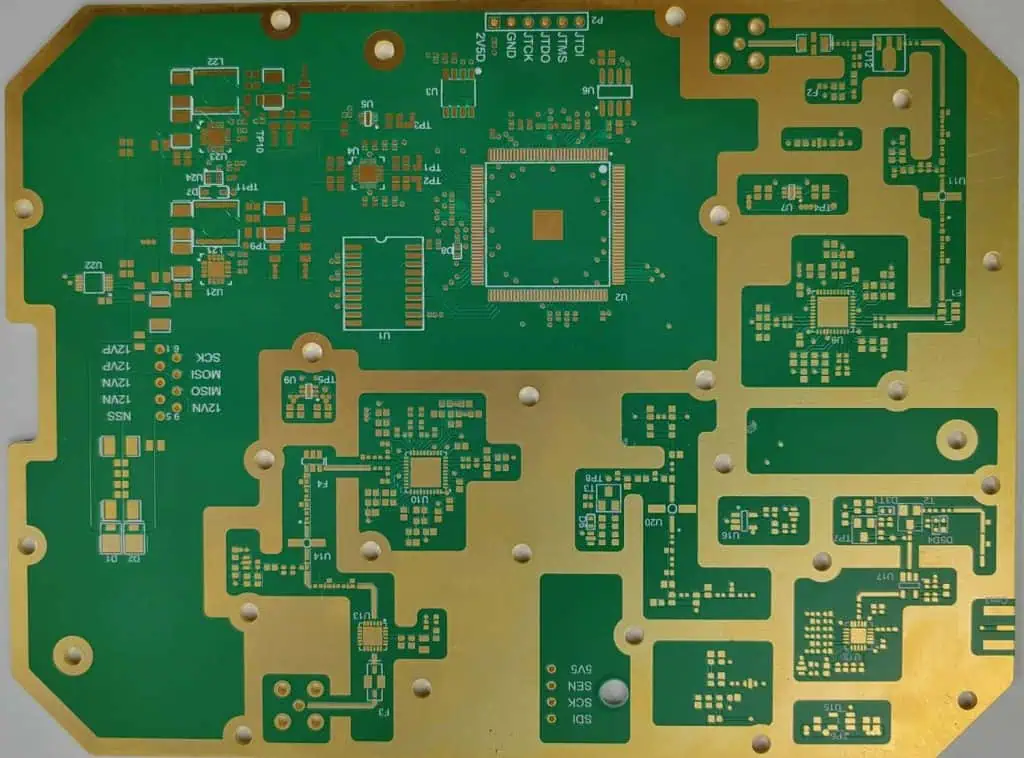
Different software have different method to generate Gerber,EAGLE

Step 1: Exporting from Eagle

While Altium Designer can directly import Eagle files, exporting to an intermediate format can sometimes yield better results. Follow these steps:

  1. Open your Eagle design
  2. Go to File > Export > XML
  3. Choose a location to save the XML file
  4. Repeat for both schematic (.sch) and board (.brd) files

Step 2: Importing into Altium Designer

Now that you have your Eagle design in XML format, follow these steps to import it into Altium Designer:

  1. Open Altium Designer
  2. Go to File > Import Wizard
  3. Select “EAGLE XML Files” as the file type
  4. Browse and select your exported XML files
  5. Follow the import wizard prompts, paying attention to mapping options

Step 3: Verifying the Imported Design

After the import process completes, it’s crucial to verify that all elements have been correctly transferred:

  1. Check all components and their attributes
  2. Verify net connections in the schematic
  3. Examine the PCB layout for any discrepancies
  4. Run DRC in Altium Designer to catch any new errors

Handling Common Issues

Library Conflicts

One of the most common issues when importing from Eagle to Altium Designer is library conflicts. Here’s how to address them:

  1. Identify missing components
  2. Create equivalent components in Altium Designer libraries
  3. Use Altium’s component search and replace feature to update the design

Net Name Discrepancies

Net names may not always transfer correctly. To resolve this:

  1. Compare net names in the original Eagle design with the imported Altium design
  2. Manually correct any mismatched net names
  3. Use Altium’s cross-probing feature to ensure schematic-PCB consistency

Layer Mapping

Eagle and Altium Designer have different layer structures. To ensure proper layer mapping:

  1. Review Altium’s layer stack manager
  2. Adjust layer names and types as necessary
  3. Verify that copper layers, silkscreen, and other special layers are correctly mapped

Optimizing the Imported Design

Applying Altium Designer Best Practices

Once your design is successfully imported, take advantage of Altium Designer’s features to optimize it:

  1. Implement hierarchical design structure for complex projects
  2. Utilize Altium’s advanced routing capabilities
  3. Apply design rules specific to your manufacturing process
  4. Use Altium’s 3D visualization to check component clearances

Cleaning Up the Design

Post-import cleanup is often necessary:

  1. Remove any unused components or nets
  2. Reorganize component designators for consistency
  3. Adjust text sizes and styles to match your preferred standards
  4. Review and update design parameters (e.g., board outline, stack-up)

Advanced Techniques

eagle 4 layer board

Scripting for Bulk Imports

For users with multiple Eagle designs to import, scripting can streamline the process:

  1. Learn Altium Designer’s scripting language (DelphiScript or Visual Basic)
  2. Create a script to automate the import process
  3. Incorporate error handling and logging in your script

Custom Library Development

To ensure long-term compatibility between Eagle and Altium Designer:

  1. Develop a standardized component library in Altium Designer
  2. Create a mapping system between Eagle and Altium components
  3. Implement a process for maintaining and updating the library

Best Practices for Future Projects

Designing with Portability in Mind

To make future transitions smoother:

  1. Use standard component packages where possible
  2. Maintain consistent naming conventions across projects
  3. Document any custom design elements thoroughly

Regular Software Updates

Staying current with both Eagle and Altium Designer can prevent compatibility issues:

  1. Subscribe to update notifications for both software packages
  2. Test the import process with sample designs after major updates
  3. Keep abreast of changes in file formats and import/export capabilities

Conclusion

Importing designs from Eagle to Altium Designer requires careful attention to detail and a thorough understanding of both platforms. By following the steps outlined in this guide, you can ensure a smooth transition and take full advantage of Altium Designer’s powerful features. Remember that the first few imports may require some trial and error, but with practice, the process will become more efficient and reliable.

Frequently Asked Questions (FAQ)

Q1: Can I import Eagle libraries directly into Altium Designer?

A: While Altium Designer can import Eagle libraries, it’s often more effective to recreate the components in Altium’s library format. This ensures better compatibility and allows you to take advantage of Altium’s advanced library features.

Q2: What should I do if some components are missing after import?

A: First, check if the components exist in your Altium libraries. If not, you may need to create them manually or find equivalent components in Altium’s extensive library system. Use Altium’s component search and replace feature to update the design with the new components.

Q3: How do I handle complex multi-sheet designs when importing from Eagle?

A: Altium Designer has robust multi-sheet support. During import, pay close attention to how sheets are mapped. You may need to manually adjust the hierarchy and connections between sheets after import. Utilize Altium’s cross-probing feature to ensure all connections are maintained.

Q4: Are there any Eagle design elements that don’t import well into Altium Designer?

A: Some Eagle-specific features, such as ULPs (User Language Programs) and certain types of custom objects, may not have direct equivalents in Altium Designer. In these cases, you may need to find alternative methods to achieve the same functionality in Altium.

Q5: How can I ensure my design rules transfer correctly from Eagle to Altium Designer?

A: Design rules often need to be set up manually in Altium Designer after import. Review Eagle’s design rules, then use Altium’s more extensive rule system to recreate and enhance these rules. Pay particular attention to clearance, routing, and manufacturing rules.

Understanding the Proper Dielectric Constant for PCB Circuit Modeling and Design | RAYMING PCB

PTFE Dielectric Constant

Printed Circuit Board (PCB) design and modeling are critical aspects of modern electronics. One of the key factors that significantly influence the performance of PCBs is the dielectric constant of the materials used in their construction. This article delves deep into the concept of dielectric constants, their importance in PCB design, and how to select the proper dielectric constant for optimal circuit performance.

What is a Dielectric Constant?

Definition and Basic Concepts

The dielectric constant, also known as relative permittivity, is a measure of a material’s ability to store electrical energy in an electric field. It is a dimensionless quantity, typically denoted by the symbol ฮตr (epsilon r). The dielectric constant is defined as the ratio of the permittivity of a substance to the permittivity of free space.

Mathematically, it can be expressed as:

ฮตr = ฮต / ฮต0

Where:

  • ฮตr is the relative permittivity (dielectric constant)
  • ฮต is the permittivity of the substance
  • ฮต0 is the permittivity of free space (approximately 8.85 ร— 10^-12 F/m)

Significance in PCB Design

In PCB design, the dielectric constant plays a crucial role in determining several important factors:

  1. Signal propagation speed
  2. Impedance control
  3. Capacitance between conductors
  4. Electromagnetic field distribution
  5. Overall circuit performance

Understanding and correctly applying the concept of dielectric constants is essential for designing high-performance PCBs, especially in high-frequency applications.

YouTube video

Dielectric Constants of Common PCB Materials

Different PCB materials have varying dielectric constants. Here’s a table showcasing some common PCB materials and their typical dielectric constant ranges:

MaterialDielectric Constant Range
FR-44.2 – 4.8
Polyimide3.2 – 3.5
PTFE2.1 – 2.5
Ceramic6.0 – 10.0
Rogers RO4350B3.48
Isola IS6203.6 – 3.9
Nelco N4000-133.7

It’s important to note that these values can vary slightly depending on the specific grade or formulation of the material, as well as factors like frequency and temperature.

Factors Affecting Dielectric Constant

fr4-dielectric-constant

Frequency Dependence

The dielectric constant of a material is not always constant across all frequencies. Many materials exhibit a phenomenon called dielectric dispersion, where the dielectric constant changes with frequency. This is particularly important in high-frequency applications.

Temperature Effects

Temperature can also influence the dielectric constant of a material. Generally, as temperature increases, the dielectric constant tends to decrease. This effect is more pronounced in some materials than others.

Moisture Absorption

Some PCB materials, particularly FR-4, can absorb moisture from the environment. This absorption can lead to changes in the dielectric constant, potentially affecting circuit performance.

Manufacturing Variations

The manufacturing process can introduce slight variations in the dielectric constant of PCB materials. These variations can be due to factors such as resin content, glass weave, and curing conditions.

Impact of Dielectric Constant on PCB Performance

Signal Propagation Speed

The dielectric constant directly affects the speed at which signals propagate through the PCB. The relationship between signal speed and dielectric constant is given by:

v = c / โˆšฮตr

Where:

  • v is the signal propagation speed
  • c is the speed of light in vacuum
  • ฮตr is the dielectric constant

A lower dielectric constant results in faster signal propagation, which can be crucial in high-speed digital designs.

Impedance Control

The characteristic impedance of traces on a PCB is influenced by the dielectric constant. For a microstrip line, the impedance can be approximated by:

Z0 = (87 / โˆš(ฮตr + 1.41)) * ln(5.98h / (0.8w + t))

Where:

  • Z0 is the characteristic impedance
  • ฮตr is the dielectric constant
  • h is the height of the trace above the ground plane
  • w is the width of the trace
  • t is the thickness of the trace

Accurate impedance control is essential for signal integrity and minimizing reflections.

Capacitance Between Conductors

The capacitance between conductors on a PCB is directly proportional to the dielectric constant. This relationship is important for both intentional capacitors and parasitic capacitances in the circuit.

Electromagnetic Field Distribution

The dielectric constant affects how electromagnetic fields are distributed within the PCB. This distribution impacts factors such as crosstalk between adjacent traces and radiation from the board.

Selecting the Proper Dielectric Constant for PCB Design

Modular PCB Design
Modular PCB Design

Considerations for High-Speed Digital Designs

For high-speed digital designs, materials with lower dielectric constants are often preferred. These materials allow for:

  1. Faster signal propagation
  2. Reduced signal distortion
  3. Lower power loss
  4. Improved signal integrity

However, they may come with trade-offs such as higher cost or more challenging manufacturing processes.

RF and Microwave Considerations

In RF and microwave applications, the stability of the dielectric constant across frequency and temperature ranges becomes crucial. Materials like PTFE-based laminates or specialized ceramic-filled materials are often used due to their stable properties at high frequencies.

Power and Thermal Management

For power electronics applications, materials with higher thermal conductivity and temperature stability may be prioritized over those with specific dielectric properties. However, the dielectric strength of the material remains an important consideration to prevent breakdown.

Cost and Manufacturability

While specialized low-loss, low-dielectric constant materials may offer superior electrical performance, they often come at a higher cost and may require more complex manufacturing processes. Designers must balance performance requirements with cost and manufacturability constraints.
Measuring and Verifying Dielectric Constants

Test Methods

Several methods exist for measuring the dielectric constant of PCB materials:

  1. Parallel Plate Capacitor Method
  2. Resonant Cavity Method
  3. Transmission Line Method
  4. Split Post Dielectric Resonator (SPDR) Method

Each method has its advantages and limitations, and the choice of method often depends on the frequency range of interest and the form of the material sample.

Importance of Accurate Measurements

Accurate measurement and verification of dielectric constants are crucial for:

  1. Ensuring design accuracy
  2. Meeting performance specifications
  3. Troubleshooting and failure analysis
  4. Quality control in manufacturing

Modeling PCBs with Proper Dielectric Constants

Electromagnetic Simulation Tools

Modern PCB design often involves the use of electromagnetic simulation tools. These tools rely on accurate material properties, including dielectric constants, to provide reliable results. Popular EM simulation tools include:

  1. ANSYS HFSS
  2. CST Microwave Studio
  3. Keysight ADS
  4. Sonnet Software

Incorporating Frequency-Dependent Effects

For designs operating over a wide frequency range, it’s important to incorporate the frequency-dependent behavior of the dielectric constant into simulations. This may involve using more complex material models that account for dielectric dispersion.

Accounting for Manufacturing Tolerances

When modeling PCBs, it’s prudent to consider the potential variations in dielectric constant due to manufacturing tolerances. This can be done through tolerance analysis or by simulating worst-case scenarios.

Advanced Topics in Dielectric Behavior

Anisotropic Dielectric Properties

Some PCB materials, particularly those with woven glass reinforcement, can exhibit anisotropic behavior, meaning the dielectric constant varies depending on the direction of the electric field. This can lead to different propagation velocities for signals traveling in different directions on the board.

Loss Tangent and Its Relationship to Dielectric Constant

The loss tangent (tan ฮด) is another important material property closely related to the dielectric constant. It represents the ratio of the imaginary part to the real part of the complex permittivity and is a measure of the material’s dielectric losses. Materials with low loss tangents are preferred for high-frequency applications to minimize signal attenuation.

Effective Dielectric Constant in Multilayer Structures

In multilayer PCB designs, the effective dielectric constant experienced by a signal can be influenced by multiple material layers. Accurate modeling of these structures may require considering the composite effect of different materials.

Future Trends in PCB Materials and Dielectric Properties

Development of Low-Loss, Low-Dk Materials

There is ongoing research and development in creating PCB materials with even lower dielectric constants and loss tangents. These materials aim to support the increasing demands of high-speed and high-frequency applications.

Integration of Novel Materials

The integration of novel materials, such as liquid crystal polymers (LCPs) or engineered substrates, may offer new possibilities for controlling and optimizing dielectric properties in PCB designs.

Enhanced Modeling and Simulation Techniques

As PCB designs become more complex and operate at higher frequencies, there is a push for more sophisticated modeling and simulation techniques that can accurately account for the nuanced behavior of dielectric materials.

Conclusion

Understanding and properly applying the concept of dielectric constants is crucial for successful PCB design and modeling, especially as electronic systems continue to push the boundaries of speed and frequency. By carefully considering the dielectric properties of PCB materials, designers can optimize signal integrity, control impedance, manage electromagnetic effects, and ultimately create high-performance circuit boards that meet the demanding requirements of modern electronics.

As the field of PCB design evolves, staying informed about advancements in materials science and electromagnetic modeling will be essential for engineers looking to leverage the full potential of dielectric properties in their designs.

Frequently Asked Questions (FAQ)

  1. Q: How does the dielectric constant affect PCB trace width calculations? A: The dielectric constant directly influences the calculation of trace widths for a given impedance. A higher dielectric constant generally requires narrower traces to achieve the same impedance compared to a material with a lower dielectric constant. This is because the higher dielectric constant increases the capacitance between the trace and the ground plane.
  2. Q: Can the dielectric constant of a PCB material change over time? A: Yes, the dielectric constant of a PCB material can change over time due to factors such as moisture absorption, thermal aging, and mechanical stress. This is why it’s important to consider the long-term stability of materials, especially in applications where consistent performance over time is critical.
  3. Q: How do I choose between FR-4 and a low-Dk material for my high-speed design? A: The choice between FR-4 and a low-Dk material depends on several factors:
    • Signal speed and frequency: Low-Dk materials perform better at high frequencies.

    • Cost: Low-Dk materials are generally more expensive than FR-4.
    • Manufacturability: FR-4 is widely used and easier to process.
    • Design requirements: If your design can meet its performance targets with FR-4, it may be the more practical choice. Consider your specific design requirements, budget constraints, and performance needs when making this decision.
  4. Q: How accurate are the dielectric constant values provided by manufacturers? A: Manufacturer-provided dielectric constant values are typically quite accurate for standard operating conditions. However, these values can vary slightly due to manufacturing tolerances and may not account for all possible operating conditions (e.g., extreme temperatures or frequencies). For critical applications, it’s advisable to verify the dielectric constant through measurement or to work closely with the manufacturer to ensure the material meets your specific requirements.
  5. Q: Is it possible to design a PCB with a mix of different dielectric materials? A: Yes, it’s possible to design PCBs using multiple dielectric materials. This approach, known as hybrid or mixed-dielectric design, can be used to optimize performance in different areas of the board. For example, a high-speed section might use a low-Dk material, while other areas use standard FR-4. However, mixed-dielectric designs can be more complex to manufacture and model accurately, so the benefits should be carefully weighed against the increased complexity and cost.

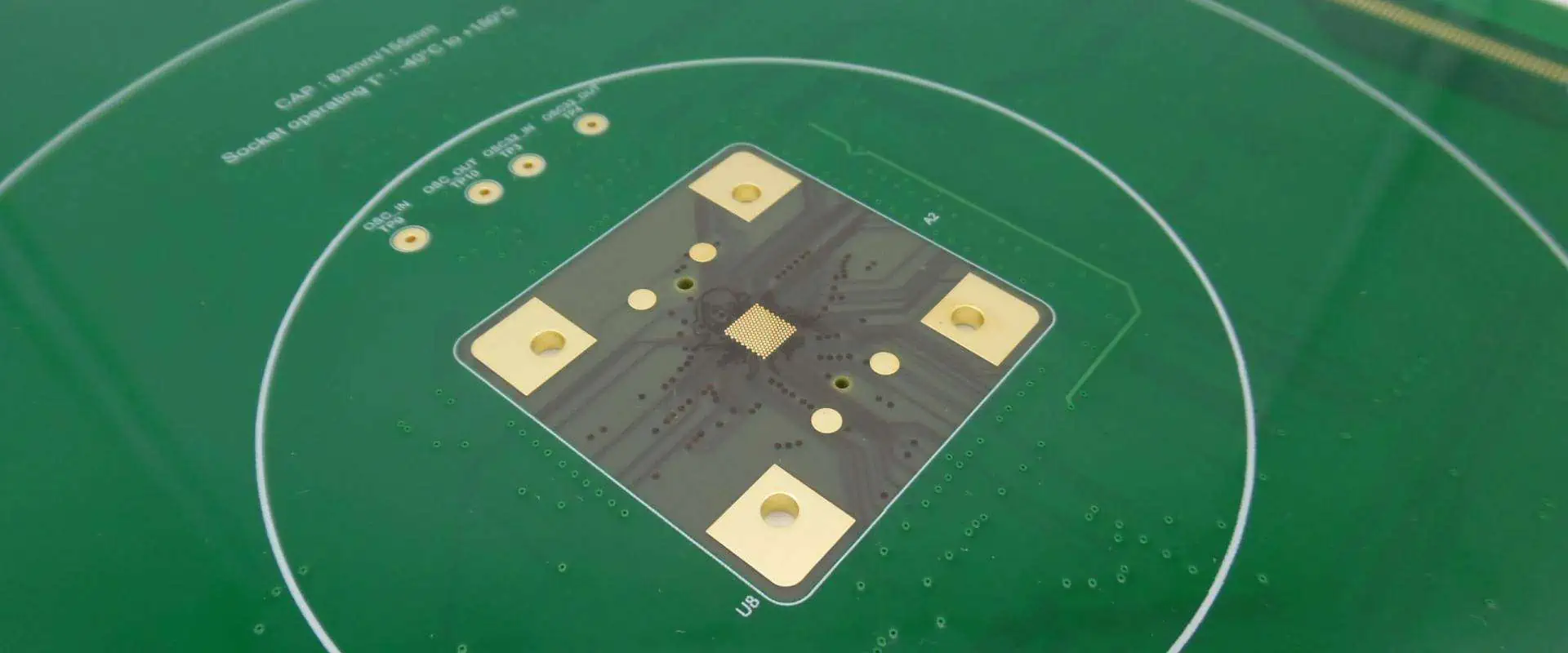
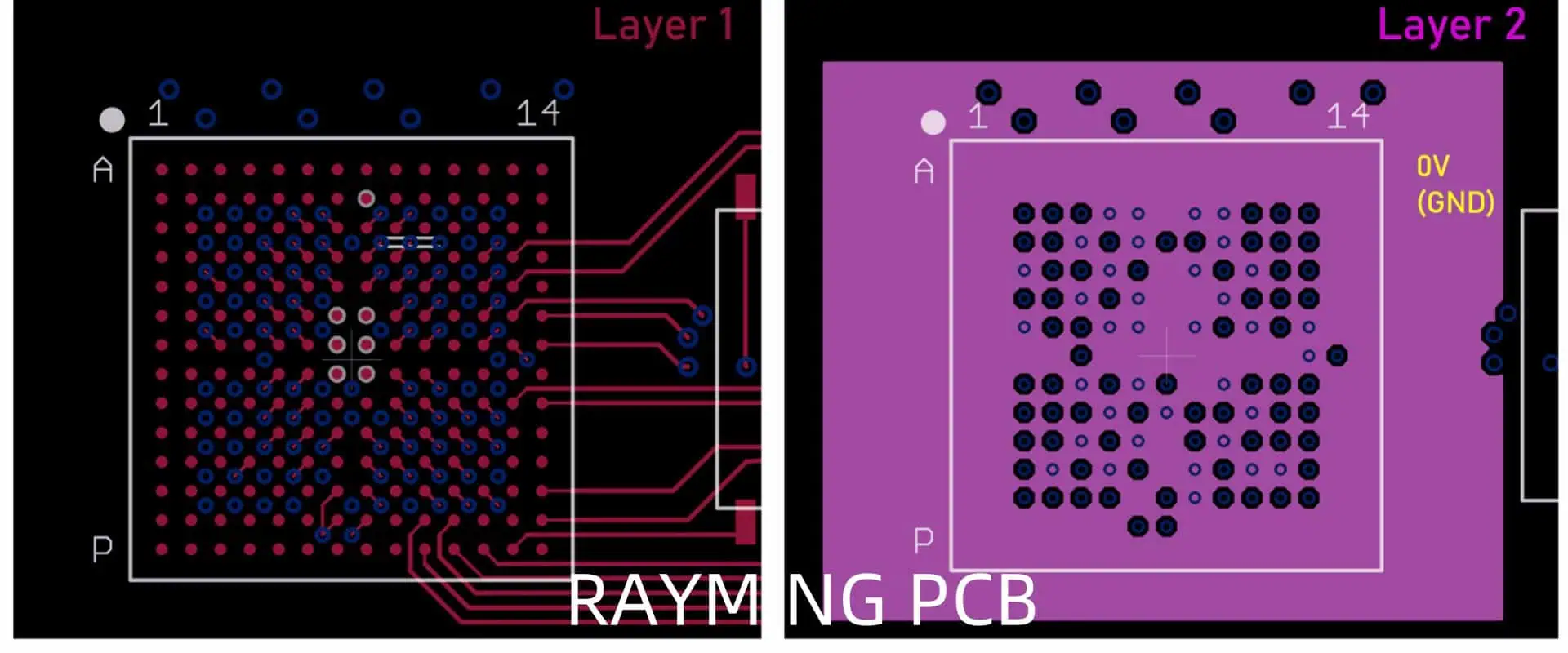
FPGA/SoC + DDR PCB Design Rules: Basic Guidelines You need to Know | RAYMING PCB

Introduction

Field-Programmable Gate Arrays (FPGAs) and System-on-Chip (SoC) devices, combined with Double Data Rate (DDR) memory, form the backbone of many high-performance computing systems. Designing printed circuit boards (PCBs) for these complex components requires a deep understanding of various design rules and best practices. This article will explore the essential guidelines for FPGA/SoC and DDR PCB design, helping engineers create reliable and high-performance systems.

Understanding FPGA/SoC and DDR Memory

FPGA and SoC Basics

FPGAs are programmable logic devices that offer flexibility and high performance for a wide range of applications. SoCs integrate multiple components, including processors, memory, and peripherals, onto a single chip. Both FPGAs and SoCs are commonly used in applications requiring high-speed data processing and complex logic implementations.

DDR Memory Overview

DDR memory is a type of synchronous dynamic random-access memory (SDRAM) that transfers data twice per clock cycle, effectively doubling the data transfer rate compared to standard SDRAM. DDR memory is widely used in conjunction with FPGAs and SoCs due to its high bandwidth and relatively low latency.

YouTube video

PCB Stack-up Considerations

multilayer pcb stackup

Layer Stack-up Design

The PCB stack-up is crucial for signal integrity and overall performance. A typical high-speed FPGA/SoC design with DDR memory often requires a multi-layer board. Here’s a recommended stack-up:

LayerPurpose
1Signal (Top)
2Ground
3Power
4Signal
5Signal
6Power
7Ground
8Signal (Bottom)

This stack-up provides good signal integrity, power distribution, and EMI performance.

Impedance Control

Maintaining consistent impedance is critical for high-speed signals. Common impedance values for FPGA/SoC and DDR designs include:

Signal TypeTypical Impedance
Single-ended50 ฮฉ
Differential100 ฮฉ

Work closely with your PCB manufacturer to achieve the desired impedance values through proper trace width and dielectric thickness calculations.

Power Distribution Network (PDN) Design

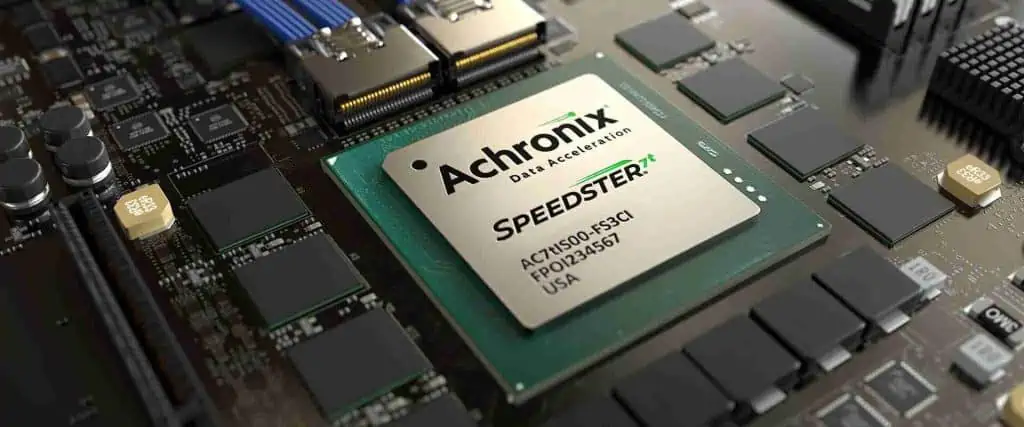
Achronix FPGA

Power Plane Design

Proper power distribution is essential for FPGA/SoC and DDR designs. Follow these guidelines:

  1. Use dedicated power planes for different voltage levels.
  2. Implement split planes to isolate noisy and sensitive circuits.
  3. Place decoupling capacitors close to power pins.

Decoupling Strategy

Effective decoupling reduces power supply noise and improves signal integrity. Implement a multi-tiered decoupling approach:

Capacitor TypeValue RangePurpose
Bulk10 ็ขŒF – 100 ็ขŒFLow-frequency noise suppression
Mid-range0.1 ็ขŒF – 1 ็ขŒFMid-frequency noise suppression
High-frequency1 nF – 10 nFHigh-frequency noise suppression

Place smaller capacitors closer to the power pins and larger ones farther away.

Signal Routing Guidelines

General Routing Rules

Follow these general routing guidelines for FPGA/SoC and DDR designs:

  1. Maintain consistent trace widths for each signal type.
  2. Use 45-degree angles instead of 90-degree corners.
  3. Avoid vias on critical high-speed signals when possible.
  4. Route sensitive signals on inner layers between ground planes.

DDR Routing Considerations

DDR routing requires special attention due to its high-speed nature:

  1. Match trace lengths within signal groups (address, data, control).
  2. Implement fly-by topology for clock and control signals.
  3. Use serpentine routing for length matching when necessary.

Length Matching Requirements

Proper length matching is crucial for DDR signals. Here’s a typical length matching tolerance table:

Signal GroupMaximum Mismatch
Data Byte Laneยฑ25 mils
Address/Controlยฑ100 mils
Clock Pairsยฑ5 mils

Clock Distribution and Management

Clock Tree Design

Proper clock distribution is essential for synchronous operation:

  1. Use a balanced clock tree structure.
  2. Minimize the number of clock layers and vias.
  3. Implement controlled impedance for clock traces.

PLL and Clock Management

Utilize the FPGA/SoC’s built-in Phase-Locked Loops (PLLs) and clock management blocks:

  1. Generate multiple clock domains as needed.
  2. Use dedicated clock routing resources within the FPGA/SoC.
  3. Implement clock gating for power savings when possible.
RAYMING 1.3mm12 Layer 1-step HDI Rigid-Flex boards

RAYMING 1.3mm12 Layer 1-step HDI Rigid-Flex boards

Original price was: $1,890.00.Current price is: $1,860.00.

Product name: 12-layer 1-step HDI rigid-flex boards Board Material๏ผšIT-958G Thickness: 1.3mm Number of layers๏ผš12 layers PCB Minimum line width/spacing: 2.5/2.5mil Finished copper thickness: inner layer 1OZ, outer layer 1OZ Acceptance standard: IPC6012 CLASS 3 level Surface technology: immersion gold Dielectric constant: 3.8 Loss Factor: 0.0057 Application: New energy

Signal Integrity Considerations

Termination Strategies

Proper termination reduces signal reflections and improves signal quality:

Termination TypeUsage
SeriesSource termination for point-to-point connections
ParallelEnd termination for multi-drop buses
DifferentialMaintains signal integrity for differential pairs

Crosstalk Mitigation

Minimize crosstalk between adjacent signals:

  1. Increase spacing between critical signals.
  2. Use guard traces or ground planes between sensitive signals.
  3. Avoid parallel runs of high-speed signals on adjacent layers.

EMI/EMC Design Considerations

EMI Reduction Techniques

Implement these techniques to reduce electromagnetic interference:

  1. Use ground planes to provide a low-impedance return path.
  2. Implement proper shielding for sensitive circuits.
  3. Place ferrite beads on power inputs to filter high-frequency noise.

EMC Compliance

Design with EMC compliance in mind:

  1. Follow regulatory guidelines for your target market (e.g., FCC, CE).
  2. Implement proper grounding and shielding techniques.
  3. Consider EMC testing early in the design process.

Thermal Management

Thermal Considerations for FPGA/SoC

Proper thermal management is crucial for FPGA/SoC devices:

  1. Implement adequate copper pour for heat dissipation.
  2. Use thermal vias under high-power components.
  3. Consider adding heat sinks or forced-air cooling for high-performance designs.

DDR Memory Thermal Management

DDR memory also requires thermal consideration:

  1. Ensure proper airflow around memory modules.
  2. Use thermal simulations to identify potential hotspots.
  3. Consider using thermally enhanced packages for high-performance applications.

Design for Manufacturing and Testing

DFM Considerations

Implement Design for Manufacturing (DFM) principles:

  1. Follow your PCB manufacturer’s design rules.
  2. Use standard drill sizes and pad dimensions.
  3. Implement proper solder mask and silkscreen clearances.

Design for Testability

Incorporate testability features in your design:

  1. Add test points for critical signals.
  2. Implement boundary scan (JTAG) for FPGA/SoC programming and testing.
  3. Consider in-circuit test (ICT) requirements during component placement.

Conclusion

Designing PCBs for FPGA/SoC devices with DDR memory requires careful consideration of numerous factors, from stack-up design to signal integrity and thermal management. By following these basic guidelines, engineers can create robust and high-performance systems that meet the demanding requirements of modern applications.

Frequently Asked Questions (FAQ)

Q1: What is the recommended minimum number of layers for an FPGA/SoC design with DDR memory?

A1: For most FPGA/SoC designs with DDR memory, a minimum of 6 layers is recommended. However, complex designs often benefit from 8 or more layers to provide adequate signal routing, power distribution, and ground planes.

Q2: How critical is impedance matching for DDR signals?

A2: Impedance matching is crucial for DDR signals. Mismatched impedances can lead to signal reflections, degrading signal integrity and potentially causing data errors. It’s essential to work closely with your PCB manufacturer to achieve the target impedance values through proper trace width and dielectric thickness calculations.

Q3: What are the key differences in PCB design considerations between FPGA and SoC devices?

A3: While many design principles are similar, SoC devices often integrate more components (e.g., processors, memory controllers) on-chip, potentially simplifying some aspects of PCB design. However, SoCs may have more complex power requirements and thermal considerations compared to standalone FPGAs.

Q4: How do I determine the appropriate decoupling capacitor values and placement for my design?

A4: Decoupling capacitor selection depends on factors such as the power supply noise characteristics, target impedance, and frequency range of interest. Start with a multi-tiered approach using bulk, mid-range, and high-frequency capacitors. Use simulation tools and follow manufacturer guidelines for specific components. Place smaller capacitors closer to power pins and larger ones farther away.

Q5: What are some common pitfalls to avoid in FPGA/SoC and DDR PCB design?

A5: Common pitfalls include:

  1. Inadequate power distribution leading to voltage drops and noise.
  2. Poor signal integrity due to improper routing or termination.
  3. Insufficient thermal management causing overheating.
  4. Neglecting EMI/EMC considerations, resulting in compliance issues.
  5. Overlooking manufacturability and testability aspects, leading to production challenges.

Avoid these issues by carefully following design guidelines, using simulation tools, and consulting with experienced designers and manufacturers when needed.

How does an EMI Receiver work? | RAYMING PCB

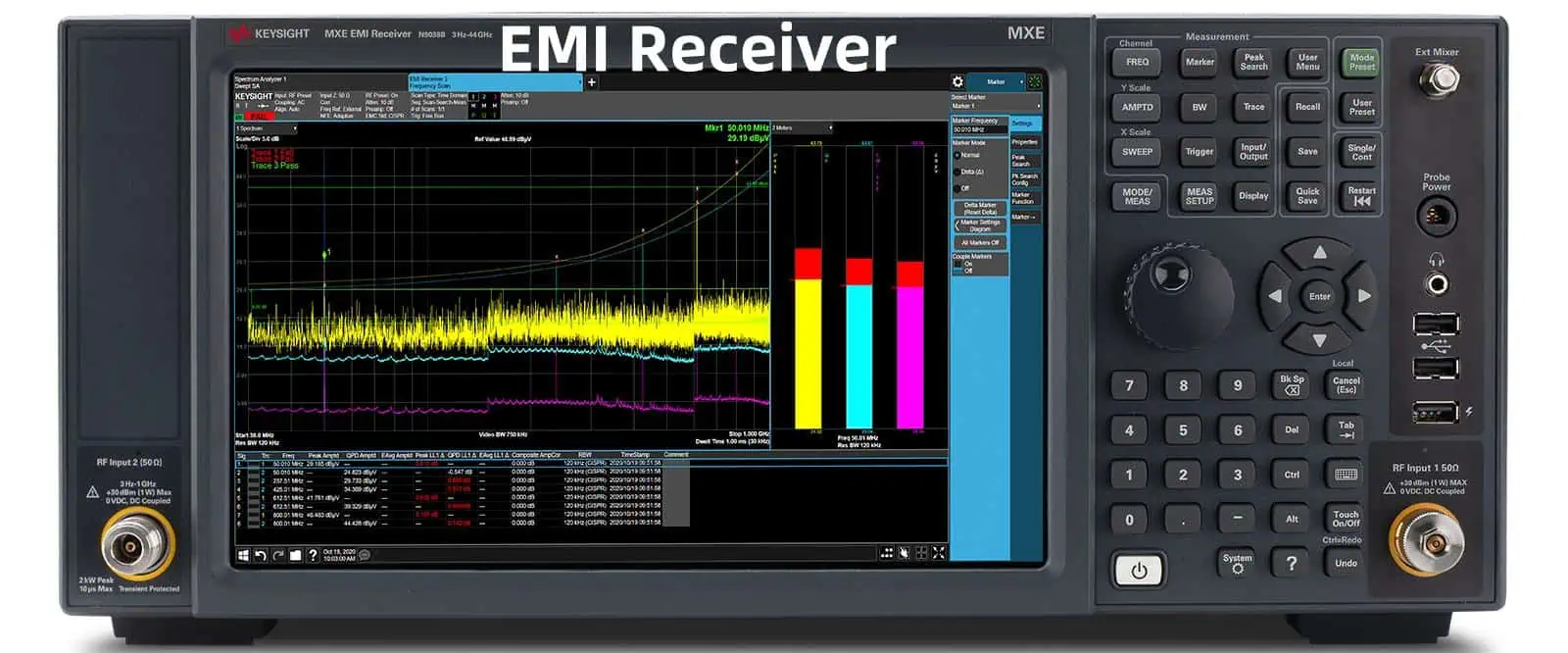
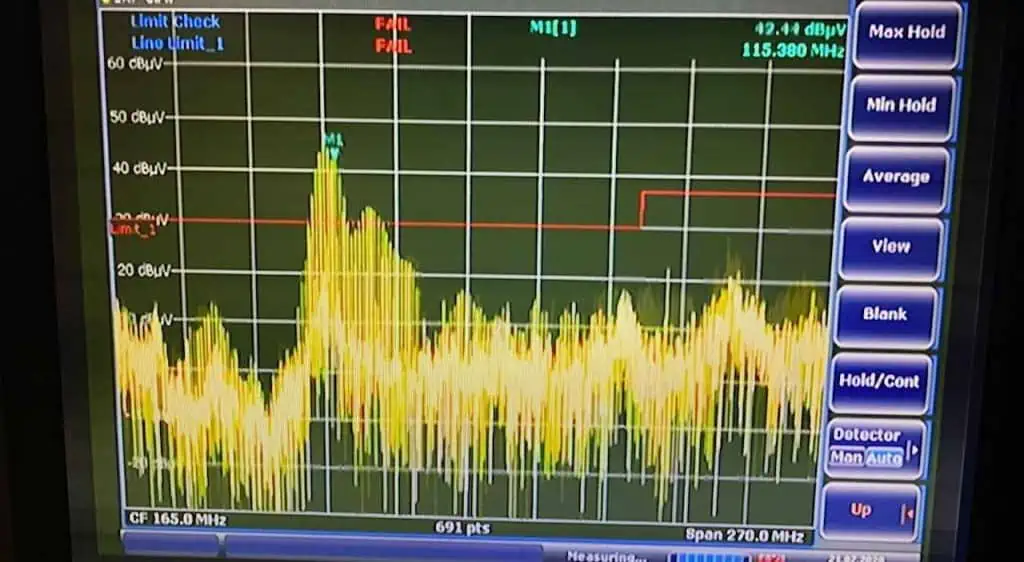
Electromagnetic Interference (EMI) is a pervasive issue in our increasingly electronic world. To combat this problem and ensure the proper functioning of electronic devices, EMI receivers play a crucial role. These sophisticated instruments are designed to detect, measure, and analyze electromagnetic emissions across a wide range of frequencies. In this article, we’ll delve deep into the workings of EMI receivers, exploring their components, principles of operation, and applications in various industries.

What is an EMI Receiver?

An EMI receiver, also known as an EMI test receiver or EMC receiver, is a specialized instrument used to measure electromagnetic emissions from electronic devices and systems. These receivers are designed to comply with international standards for electromagnetic compatibility (EMC) testing, such as those set by CISPR (Comitรฉ International Spรฉcial des Perturbations Radioรฉlectriques) and various regulatory bodies.

Key Features of EMI Receivers

  • High sensitivity to detect weak signals
  • Wide frequency range coverage
  • Precise measurement capabilities
  • Compliance with international EMC standards
  • Advanced signal processing and analysis functions
YouTube video

Components of an EMI Receiver

To understand how an EMI receiver works, it’s essential to familiarize ourselves with its key components. Each element plays a vital role in the overall functionality of the device.

RF Front-End

The RF (Radio Frequency) front-end is the first stage of signal processing in an EMI receiver. It typically consists of the following components:

  1. Antenna: Captures electromagnetic signals from the environment
  2. Preamplifier: Boosts weak signals while adding minimal noise
  3. Attenuator: Adjusts signal levels to prevent overloading
  4. Preselector: Filters out unwanted signals and reduces intermodulation

Mixer and Local Oscillator

These components work together to perform frequency conversion:

  • Mixer: Combines the input signal with a signal from the local oscillator
  • Local Oscillator: Generates a stable reference frequency

IF (Intermediate Frequency) Stage

The IF stage processes the signal after frequency conversion and includes:

  • IF Amplifier: Further amplifies the signal
  • IF Filter: Narrows the bandwidth for improved selectivity

Detector

The detector extracts the amplitude information from the IF signal. Common types include:

  • Peak detector
  • Quasi-peak detector
  • Average detector
  • RMS detector

Analog-to-Digital Converter (ADC)

The ADC converts the analog signal to digital form for further processing and analysis.

Digital Signal Processor (DSP)

The DSP performs various functions, including:

  • Signal analysis
  • Demodulation
  • Filtering
  • Measurement calculations

Display and User Interface

This component presents measurement results and allows user interaction with the receiver.

Principles of Operation

Now that we’ve examined the components, let’s explore how an EMI receiver operates to measure electromagnetic emissions.

Signal Reception and Conditioning

  1. The antenna captures electromagnetic signals from the device under test (DUT) or the environment.
  2. The RF front-end conditions the signal:
    • The preamplifier boosts weak signals
    • The attenuator adjusts signal levels to prevent overloading
    • The preselector filters out unwanted frequencies

Frequency Conversion

  1. The mixer combines the input signal with the local oscillator signal.
  2. This process shifts the input signal to a fixed intermediate frequency (IF).
  3. The IF is typically lower than the input frequency, making subsequent processing easier.

IF Processing

  1. The IF amplifier further strengthens the signal.
  2. The IF filter narrows the bandwidth, improving selectivity and reducing noise.

Detection and Measurement

  1. The detector extracts the amplitude information from the IF signal.
  2. Different detector types are used depending on the measurement requirements:
    • Peak detector: Measures the highest signal level
    • Quasi-peak detector: Weighs signals based on their repetition rate
    • Average detector: Measures the mean signal level
    • RMS detector: Measures the root mean square value of the signal

Analog-to-Digital Conversion

The ADC converts the detected signal to digital form for further processing.

Digital Signal Processing

The DSP performs various functions, including:

  1. Signal analysis and demodulation
  2. Additional filtering and noise reduction
  3. Calculation of measurement results (e.g., field strength, power spectral density)
  4. Implementation of measurement modes (e.g., frequency scan, time domain analysis)

Display and User Interaction

  1. Measurement results are presented on the display in various formats (e.g., spectrum, time domain, tabular data).
  2. The user interface allows control of receiver settings and measurement parameters.

Measurement Modes and Techniques

EMI receivers offer various measurement modes and techniques to characterize electromagnetic emissions effectively.

Frequency Domain Measurements

Frequency Scan

  1. The receiver sweeps across a defined frequency range.
  2. It measures emission levels at each frequency step.
  3. Results are typically displayed as a spectrum plot.

Spot Frequency Measurements

  1. The receiver is tuned to specific frequencies of interest.
  2. Detailed measurements are made at these frequencies.

Time Domain Measurements

Time Domain Scan

  1. The receiver captures emissions over time at a fixed frequency.
  2. This mode is useful for analyzing intermittent or time-varying emissions.

Real-Time Spectrum Analysis

  1. Advanced EMI receivers offer real-time spectrum analysis capabilities.
  2. This allows for the capture and analysis of short-duration or infrequent emissions.

Detector Types and Their Applications

Different detector types are used depending on the measurement requirements and applicable standards.

Detector TypeCharacteristicsTypical ApplicationsPeakMeasures highest signal levelQuick scans, identifying potential problem areasQuasi-peakWeighs signals based on repetition rateCISPR and FCC compliance measurementsAverageMeasures mean signal levelContinuous wave (CW) signals, some military standardsRMSMeasures root mean square valueAccurate power measurements, some automotive standards

EMI Receiver Specifications and Performance

Understanding key specifications is crucial for selecting the right EMI receiver for a particular application.

Frequency Range

The frequency range defines the span of frequencies the receiver can measure. Common ranges include:

  • 9 kHz to 30 MHz (for conducted emissions)
  • 30 MHz to 1 GHz (for radiated emissions)
  • 1 GHz to 18 GHz or higher (for microwave frequencies)

Sensitivity and Noise Floor

Sensitivity determines the receiver’s ability to detect weak signals. It is often specified as the minimum detectable signal (MDS) or displayed average noise level (DANL).

Dynamic Range

Dynamic range represents the span between the minimum detectable signal and the maximum input level without distortion.

Measurement Accuracy

Accuracy specifications indicate how close the measured values are to the true values. Factors affecting accuracy include:

  • Amplitude accuracy
  • Frequency accuracy
  • Linearity

Resolution Bandwidth (RBW)

RBW determines the receiver’s ability to distinguish between closely spaced signals. Narrower RBW improves selectivity but increases measurement time.

Measurement Speed

Measurement speed is crucial for efficient testing, especially when scanning wide frequency ranges or performing time-domain analysis.

Applications of EMI Receivers

EMI Coating

EMI receivers find applications in various industries and scenarios where electromagnetic compatibility is critical.

EMC Compliance Testing

  1. Pre-compliance testing during product development
  2. Full compliance testing for regulatory approval (e.g., FCC, CE marking)

Interference Investigation

  1. Identifying sources of electromagnetic interference
  2. Troubleshooting EMC issues in complex systems

Environmental EMI Monitoring

  1. Assessing electromagnetic pollution in urban areas
  2. Monitoring EMI levels in sensitive locations (e.g., hospitals, research facilities)

Military and Aerospace

  1. Evaluating electromagnetic emissions from military equipment
  2. Ensuring EMC compliance in aircraft and spacecraft systems

Automotive Industry

  1. Testing vehicle electronic systems for EMC
  2. Evaluating electromagnetic emissions from electric and hybrid vehicles

Telecommunications

  1. Assessing EMI from wireless communication devices
  2. Investigating interference in radio and cellular networks

Advanced Features of Modern EMI Receivers

As technology advances, EMI receivers are incorporating more sophisticated features to enhance their capabilities and ease of use.

Real-Time Spectrum Analysis

Real-time spectrum analyzers (RTSAs) can capture and analyze short-duration or infrequent emissions that might be missed by traditional swept-frequency analyzers.

Time Domain Scan

This feature allows for the analysis of emissions over time at a fixed frequency, which is particularly useful for identifying intermittent or time-varying interference.

Automated Test Sequences

Many modern EMI receivers offer automated test sequences that can:

  1. Perform pre-defined measurement routines
  2. Generate test reports automatically
  3. Compare results against specified limits

Remote Operation and Network Integration

Advanced EMI receivers often support:

  1. Remote control via Ethernet or GPIB interfaces
  2. Integration with automated test systems
  3. Cloud-based data storage and analysis

Signal Classification and Identification

Some receivers incorporate intelligent algorithms to:

  1. Classify types of emissions (e.g., broadband, narrowband, impulsive)
  2. Identify potential sources of interference

Multi-Channel Measurements

Advanced systems may offer multi-channel capabilities for:

  1. Simultaneous measurements at multiple test points
  2. Direction-finding applications

Challenges and Limitations

While EMI receivers are powerful tools, they do face some challenges and limitations:

Dynamic Range Limitations

  1. Difficulty in measuring very weak signals in the presence of strong interferers
  2. Potential for intermodulation distortion with multiple strong signals

Measurement Uncertainty

Factors contributing to measurement uncertainty include:

  1. Antenna factor accuracy
  2. Cable and connector losses
  3. Environmental conditions

Time-Varying Emissions

Capturing and analyzing emissions that vary rapidly over time can be challenging, even with advanced time-domain capabilities.

High-Frequency Measurements

As devices operate at increasingly higher frequencies, EMI receivers must evolve to measure emissions in the millimeter-wave and terahertz ranges.

Complex Modulation Schemes

Modern communication systems use complex modulation schemes that can be challenging to analyze accurately.

Future Trends in EMI Receiver Technology

The field of EMI measurement is continuously evolving. Some emerging trends include:

  1. Increased integration of real-time spectrum analysis capabilities
  2. Improved signal processing algorithms for better sensitivity and dynamic range
  3. Enhanced automation and artificial intelligence for easier operation and data interpretation
  4. Extension of frequency ranges into the millimeter-wave and terahertz regions
  5. Greater emphasis on time-domain measurement techniques

Conclusion

EMI receivers are sophisticated instruments that play a crucial role in ensuring electromagnetic compatibility in our increasingly connected world. By understanding their components, principles of operation, and applications, engineers and technicians can effectively use these tools to identify, measure, and mitigate electromagnetic interference. As technology continues to advance, EMI receivers will undoubtedly evolve to meet the challenges of measuring emissions from ever more complex electronic systems.

FAQ

Q1: What is the difference between an EMI receiver and a spectrum analyzer?

A1: While both instruments measure electromagnetic signals, EMI receivers are specifically designed for EMC testing and compliance measurements. They typically offer features like quasi-peak detection, CISPR bandwidths, and automated test routines that are not always available in general-purpose spectrum analyzers. EMI receivers also tend to have better sensitivity and dynamic range for measuring low-level emissions.

Q2: How often should an EMI receiver be calibrated?

A2: The calibration interval for an EMI receiver depends on several factors, including usage, environmental conditions, and manufacturer recommendations. Typically, annual calibration is recommended to ensure measurement accuracy. However, some organizations may require more frequent calibration for critical applications or to comply with specific quality standards.

Q3: Can an EMI receiver measure both conducted and radiated emissions?

A3: Yes, most EMI receivers can measure both conducted and radiated emissions. However, different frequency ranges and measurement setups are typically used for each type of emission. Conducted emissions are usually measured in the lower frequency range (e.g., 9 kHz to 30 MHz) using a line impedance stabilization network (LISN), while radiated emissions are measured at higher frequencies (e.g., 30 MHz to 1 GHz or higher) using antennas in an open area test site (OATS) or anechoic chamber.

Q4: What is the significance of the quasi-peak detector in EMI measurements?

A4: The quasi-peak detector is a specialized detector used in EMI measurements to weigh signals based on their repetition rate. It responds more strongly to frequent pulses and less to infrequent ones, which correlates well with the subjective effect of interference on analog communications systems. Many EMC standards, particularly those from CISPR, specify limits based on quasi-peak measurements.

Q5: How does an EMI receiver handle signals above its maximum input level?

A5: EMI receivers typically include built-in attenuators in their RF front-end to handle strong signals. When a signal exceeds the maximum input level, the receiver may automatically engage additional attenuation to protect its sensitive components. However, if the signal is extremely strong, it may still cause measurement errors or even damage to the receiver. It’s important to use appropriate external attenuators or preamplifiers when measuring very strong or very weak signals to keep them within the receiver’s optimal operating range.

Simple way to Calculate PCB Impedance, Current and Crosstalk | RAYMING PCB

impedance control pcb

In the world of Printed Circuit Board (PCB) design, understanding and controlling impedance, current, and crosstalk are crucial for ensuring optimal performance and reliability of electronic devices. This comprehensive guide will provide you with simple methods to calculate these important parameters, enabling you to create more efficient and effective PCB designs. Whether you’re a seasoned engineer or a newcomer to the field, this article will equip you with the knowledge and tools necessary to tackle these fundamental aspects of PCB design.

Understanding PCB Impedance

What is PCB Impedance?

pcb impedance control

PCB impedance refers to the opposition that a circuit presents to alternating current (AC) flow. It is a complex quantity that includes both resistance and reactance. In PCB design, controlling impedance is crucial for maintaining signal integrity, especially in high-speed digital circuits and radio frequency (RF) applications.

Why is Impedance Control Important?

Impedance control is essential for several reasons:

  1. Signal integrity: Proper impedance matching minimizes signal reflections and distortions.
  2. Power transfer: Maximum power transfer occurs when the source and load impedances are matched.
  3. EMI reduction: Controlled impedance helps reduce electromagnetic interference (EMI).
  4. High-speed performance: It’s critical for maintaining signal quality in high-speed digital circuits.

Types of Transmission Lines in PCBs

There are several types of transmission lines commonly used in PCBs:

  1. Microstrip
  2. Stripline
  3. Coplanar waveguide
  4. Differential pairs

Each type has its own impedance characteristics and calculation methods.

YouTube video

Calculating PCB Impedance

Microstrip Impedance Calculation

Microstrip is a type of transmission line where the signal trace is on the outer layer of the PCB with a ground plane beneath it. The impedance of a microstrip line can be calculated using the following formula:

Z0 = (87 / โˆš(ฮตr + 1.41)) * ln(5.98h / (0.8w + t))

Where:

  • Z0 is the characteristic impedance in ohms
  • ฮตr is the relative dielectric constant of the substrate
  • h is the height of the substrate
  • w is the width of the trace
  • t is the thickness of the trace

Stripline Impedance Calculation

Stripline is a type of transmission line where the signal trace is sandwiched between two ground planes. The impedance of a stripline can be calculated using:

Z0 = (60 / โˆšฮตr) * ln(4h / (0.67ฯ€(0.8w + t)))

Where the variables are the same as in the microstrip formula.

Impedance Calculator Table

Here’s a simple impedance calculator table for microstrip lines on FR-4 substrate (ฮตr โ‰ˆ 4.3):

Trace Width (mm)Substrate Height (mm)Trace Thickness (mm)Calculated Impedance (ๆƒŸ)
0.150.20.03567.3
0.20.20.03561.5
0.250.20.03556.8
0.30.20.03552.9
0.350.20.03549.7

Note: This table is for illustrative purposes and should not be used for actual PCB design without verification.

Understanding PCB Current

What is PCB Current?

PCB current refers to the flow of electric charge through the conductive traces and components on a printed circuit board. Understanding and managing current flow is crucial for ensuring proper functionality and reliability of electronic devices.

Types of Current in PCBs

  1. DC (Direct Current): Constant flow of electric charge in one direction.
  2. AC (Alternating Current): Electric charge that periodically reverses direction.
  3. Transient Current: Temporary surges or spikes in current flow.

Factors Affecting PCB Current

Several factors influence the current-carrying capacity of PCB traces:

  1. Trace width and thickness
  2. Copper weight
  3. Temperature rise
  4. Ambient temperature
  5. Proximity to other heat sources

Calculating PCB Current

Current Carrying Capacity

The current-carrying capacity of a PCB trace can be estimated using the IPC-2152 standard. A simplified formula derived from this standard is:

I = k * W^0.725 * T^0.44

Where:

  • I is the current in amperes
  • k is a constant (0.048 for outer layers, 0.024 for inner layers)
  • W is the width of the trace in mils
  • T is the thickness of the trace in ounces

Temperature Rise

The temperature rise of a PCB trace can be estimated using:

ฮ”T = (I / (k * W^0.725))^(1 / 0.44)

Where ฮ”T is the temperature rise in ยฐC, and other variables are as defined earlier.

PCB Current Calculator Table

Here’s a simple current calculator table for external traces with 1 oz copper thickness:

Trace Width (mils)Max Current for 10ยฐC Rise (A)Max Current for 20ยฐC Rise (A)Max Current for 30ยฐC Rise (A)
1011.51.9
201.72.63.3
302.33.54.4
402.94.35.4
503.45.16.3

Note: This table is for illustrative purposes and should not be used for actual PCB design without verification.

Understanding PCB Crosstalk

What is PCB Crosstalk?

Crosstalk in PCB design refers to the unintended electromagnetic coupling between adjacent signal traces. This coupling can lead to signal distortion and errors in data transmission, particularly in high-speed digital circuits.

Types of Crosstalk

  1. Near-end crosstalk (NEXT): Interference measured at the source end of the victim line.
  2. Far-end crosstalk (FEXT): Interference measured at the receiving end of the victim line.

Factors Affecting Crosstalk

Several factors influence the severity of crosstalk in PCBs:

  1. Trace spacing
  2. Trace length
  3. Signal rise/fall times
  4. Dielectric constant of the substrate
  5. Signal amplitude

Calculating PCB Crosstalk

Crosstalk Estimation

A simplified formula for estimating crosstalk between parallel traces is:

Vc = Vs * (Cm / (Cm + Cl))

Where:

  • Vc is the crosstalk voltage
  • Vs is the source voltage
  • Cm is the mutual capacitance between traces
  • Cl is the self-capacitance of the trace to ground

Mutual Capacitance Calculation

The mutual capacitance between two parallel traces can be estimated using:

Cm = (ฮตr * ฮต0 * l * t) / s

Where:

  • ฮตr is the relative dielectric constant of the substrate
  • ฮต0 is the permittivity of free space (8.854 x 10^-12 F/m)
  • l is the length of the parallel run
  • t is the thickness of the traces
  • s is the spacing between the traces

Crosstalk Reduction Techniques

  1. Increase trace spacing
  2. Use guard traces or ground planes
  3. Minimize parallel runs
  4. Use differential signaling
  5. Control signal rise/fall times

Crosstalk vs. Trace Spacing Table

Here’s a table illustrating the relationship between trace spacing and crosstalk for a typical PCB configuration:

Trace Spacing (mils)Estimated Crosstalk (% of source signal)
58
104.5
153
202.2
251.7
301.4

Note: This table is for illustrative purposes and actual crosstalk values may vary depending on specific PCB characteristics.

Practical Considerations for PCB Design

Impedance Matching

  1. Use impedance calculators or field solvers for accurate results
  2. Consider manufacturing tolerances when specifying trace widths
  3. Use controlled impedance PCB fabrication services for critical applications

Current Management

  1. Use wider traces for high-current paths
  2. Consider using multiple layers or copper pours for power distribution
  3. Pay attention to thermal management, especially for high-power components

Crosstalk Mitigation

  1. Separate sensitive signals from potential aggressors
  2. Use appropriate stackup design to minimize layer-to-layer coupling
  3. Implement proper termination techniques for high-speed signals

Advanced Topics

High-Speed Design Considerations

  1. Transmission line effects become significant when trace length exceeds ฮป/10
  2. Use proper termination techniques (series, parallel, or RC termination)
  3. Consider skin effect and dielectric losses at high frequencies

Signal Integrity Analysis

  1. Use time-domain reflectometry (TDR) for impedance verification
  2. Employ eye diagram analysis for high-speed digital signals
  3. Utilize S-parameter analysis for RF and microwave designs

EMC Considerations

  1. Implement proper grounding and shielding techniques
  2. Use EMI suppression components where necessary
  3. Consider regulatory requirements (e.g., FCC, CE) in your design

Conclusion

Understanding and calculating PCB impedance, current, and crosstalk are essential skills for any PCB designer. By applying the simple methods and formulas presented in this article, you can significantly improve the performance and reliability of your PCB designs. Remember that while these calculations provide good starting points, complex designs may require more advanced analysis techniques and simulation tools. Always verify your calculations and consider consulting with experts or using specialized software for critical applications.

Frequently Asked Questions (FAQ)

Q1: How accurate are the simplified formulas for impedance, current, and crosstalk calculations?

A1: The simplified formulas provided in this article offer good approximations for many common PCB design scenarios. However, they may not account for all factors that influence these parameters in real-world applications. For critical designs, it’s recommended to use more advanced calculation methods, field solvers, or simulation software to achieve higher accuracy.

Q2: What tools can I use to perform more accurate impedance, current, and crosstalk calculations?

A2: Several tools are available for more accurate calculations:

  1. Specialized PCB design software (e.g., Altium Designer, KiCad, OrCAD)
  2. Field solvers (e.g., Ansys Q3D Extractor, Keysight ADS)
  3. Online calculators (e.g., Saturn PCB Toolkit, EEWeb Calculators)
  4. SPICE simulators for circuit-level analysis

Q3: How do I determine the appropriate trace width for a given current in my PCB design?

A3: To determine the appropriate trace width:

  1. Calculate the maximum current the trace will carry
  2. Decide on an acceptable temperature rise (typically 10ยฐC to 30ยฐC)
  3. Use the IPC-2152 standard charts or the simplified formula provided in this article
  4. Consider additional factors such as copper weight and ambient temperature
  5. Add a safety margin to account for manufacturing tolerances and unexpected conditions

Q4: What are some common mistakes to avoid when dealing with impedance, current, and crosstalk in PCB design?

A4: Common mistakes to avoid include:

  1. Neglecting to account for manufacturing tolerances in impedance calculations
  2. Underestimating current requirements, especially for power distribution
  3. Ignoring the cumulative effect of multiple signal traces when calculating crosstalk
  4. Failing to consider the frequency-dependent behavior of materials and components
  5. Not verifying calculations with actual measurements or simulations for critical designs

Q5: How do PCB material properties affect impedance, current capacity, and crosstalk?

A5: PCB material properties significantly impact these parameters:

  1. Dielectric constant (ฮตr) affects impedance and signal propagation speed
  2. Dissipation factor (tan ฮด) influences signal loss, especially at high frequencies
  3. Thermal conductivity affects the current-carrying capacity of traces
  4. Copper thickness (weight) impacts both current capacity and impedance
  5. Glass transition temperature (Tg) can affect the stability of electrical properties at elevated temperatures

Always consider the specific material properties of your chosen PCB substrate when performing calculations and designing your board.

How To Design a Breakout Boardย | RAYMING PCB

Breakout boards are essential tools in electronics prototyping and development. They provide a convenient way to access and utilize the features of complex integrated circuits (ICs) or modules by breaking out their pins into more manageable, breadboard-friendly formats. Designing a breakout board requires careful consideration of various factors, from component selection to PCB layout. This comprehensive guide will walk you through the process of designing a breakout board, covering everything from initial planning to final production.

Understanding Breakout Boards

What is a Breakout Board?

A breakout board is a printed circuit board (PCB) that “breaks out” the pins or connections of an electronic component into a more accessible format. These boards are particularly useful for working with surface-mount devices (SMDs), ball grid array (BGA) packages, or other components that are not easily breadboard-compatible.

Why Use Breakout Boards?

Breakout boards offer several advantages:

  1. Ease of prototyping board
  2. Improved accessibility to complex components
  3. Protection for sensitive ICs
  4. Simplified testing and debugging
  5. Cost-effective development process

YouTube video

Planning Your Breakout Board

Identifying the Target Component

The first step in designing a breakout board is to identify the component you want to break out. This could be:

  • A microcontroller
  • A sensor
  • A communication module
  • A power management IC
  • Any other specialized component

Gathering Technical Information

Once you’ve identified the target component, gather all relevant technical information:

  1. Datasheet
  2. Application notes
  3. Reference designs
  4. Errata sheets

Defining Board Requirements

Based on the component specifications and your project needs, define the requirements for your breakout board:

  • Power supply requirements
  • Signal levels
  • Communication interfaces
  • Physical dimensions
  • Environmental considerations (temperature, humidity, etc.)

Schematic Design

Choosing Additional Components

Select any additional components required for your breakout board:

  • Voltage regulators
  • Level shifters
  • Passive components (resistors, capacitors, inductors)
  • Connectors
  • LEDs for status indication

Creating the Schematic

Using electronic design automation (EDA) software, create a schematic diagram of your breakout board:

  1. Place the main component symbol
  2. Add power supply circuitry
  3. Include necessary passive components
  4. Add connectors for external interfaces
  5. Implement any additional functionality (e.g., programming headers)

Design Considerations

When designing your schematic, keep these factors in mind:

  • Signal integrity
  • Power distribution
  • Thermal management
  • Electromagnetic compatibility (EMC)
  • Testability and debugging access

PCB Layout

Choosing PCB Parameters

Determine the physical characteristics of your PCB:

  • Board dimensions
  • Number of layers
  • Copper weight
  • Material (e.g., FR-4, Rogers)
  • Finish (e.g., HASL, ENIG)

Component Placement

Carefully place components on the PCB:

  1. Position the main IC
  2. Arrange supporting components logically
  3. Group related functions together
  4. Consider thermal requirements
  5. Ensure accessibility for probing and testing

Routing Considerations

When routing traces on your PCB, follow these guidelines:

  • Use appropriate trace widths based on current requirements
  • Maintain consistent impedance for high-speed signals
  • Minimize signal path lengths
  • Avoid right-angle turns in traces
  • Use ground planes for improved signal integrity
  • Implement proper power distribution

Design for Manufacturing (DFM)

Ensure your design is manufacturable by following DFM guidelines:

  • Adhere to minimum trace width and spacing rules
  • Maintain sufficient clearance between components
  • Use standard drill sizes
  • Include fiducial markers for assembly
  • Add silkscreen labels for component identification

Design Verification

Electrical Rule Check (ERC)

Run an ERC to identify potential electrical issues:

  • Unconnected pins
  • Power supply conflicts
  • Signal level mismatches

Design Rule Check (DRC)

Perform a DRC to catch layout violations:

  • Trace width and spacing violations
  • Clearance issues
  • Drill size errors
  • Copper pour problems

Manual Review

Carefully review your design:

  1. Check component footprints against datasheets
  2. Verify pin assignments and connections
  3. Ensure proper labeling and silkscreen information
  4. Review power and ground connections

Prototyping and Testing

Ordering PCB Prototypes

Choose a PCB manufacturer and order prototypes:

  1. Generate Gerber files from your design
  2. Select appropriate manufacturing options
  3. Order a small quantity for initial testing

Assembly

Assemble your prototype breakout boards:

  • Use proper soldering techniques
  • Follow ESD precautions
  • Inspect for solder bridges or other defects

Functional Testing

Perform comprehensive testing of your assembled breakout board:

  1. Power-on test
  2. Voltage measurements
  3. Signal integrity verification
  4. Functional testing of all features
  5. Environmental testing (if applicable)

Design Iteration and Optimization

RAYMING 10 Layer Shengyi S1141 Intelligent Medical PCB

RAYMING 10 Layer Shengyi S1141 Intelligent Medical PCB

Original price was: $990.00.Current price is: $985.00.

Product name: 10-layer intelligent medical PCB boards Board Material: S1141 Thickness: 1.2mm Layer Number๏ผš10 layers PCB Minimum line width/spacing: 4/4mil Finished product copper thickness: inner layer 1OZ, outer layer 1OZ Acceptance standard: IPC6012 CLASS 3 level Surface technology: immersion gold Dielectric constant: 4.4 Loss factor: 0.013 Application: Medical equipment

Analyzing Test Results

Review the results of your prototype testing:

  • Identify any issues or failures
  • Assess performance against requirements
  • Gather feedback from users (if applicable)

Design Refinement

Based on your analysis, refine your design:

  1. Correct any errors or oversights
  2. Optimize component placement and routing
  3. Improve thermal management if necessary
  4. Enhance labeling and documentation

Performance Optimization

Fine-tune your design for optimal performance:

  • Reduce noise and interference
  • Improve power efficiency
  • Enhance signal integrity
  • Optimize for size or cost, if needed

Documentation

Creating Design Files

Prepare comprehensive design files:

  • Schematic diagram
  • PCB layout files
  • Bill of Materials (BOM)
  • Assembly drawings
  • 3D models (if applicable)

Writing User Documentation

Develop clear and concise user documentation:

  1. Overview of the breakout board
  2. Pin descriptions and functions
  3. Electrical specifications
  4. Usage instructions
  5. Example applications or code snippets

Production and Quality Control

Scaling Up Production

When moving to larger-scale production:

  • Review and optimize your design for volume manufacturing
  • Consider panelization for efficient PCB production
  • Develop a test plan for quality assurance

Quality Control Measures

Implement quality control procedures:

  1. Incoming component inspection
  2. Automated optical inspection (AOI) during assembly
  3. In-circuit testing (ICT) or functional testing
  4. Statistical process control (SPC) for ongoing quality monitoring

Advanced Considerations

High-Speed Design Techniques

For breakout boards with high-speed signals:

  • Implement controlled impedance routing
  • Use proper termination techniques
  • Consider signal integrity simulations

RF Considerations

When designing breakout boards for RF components:

  • Use appropriate RF PCB materials
  • Implement proper grounding techniques
  • Consider shielding requirements

Thermal Management

For components with significant heat dissipation:

  • Use thermal vias to improve heat transfer
  • Consider adding heatsinks or cooling solutions
  • Perform thermal simulations if necessary

Comparison of Breakout Board Design Approaches

Aspect Simple Breakout Advanced Breakout Modular Breakout
Complexity Low High Medium
Flexibility Limited Extensive Moderate
Cost Low High Medium
Development Time Short Long Medium
Customization Minimal Extensive Moderate
Typical Applications Basic prototyping High-performance systems Versatile development
Skill Level Required Beginner Expert Intermediate

Frequently Asked Questions (FAQ)

1. What software should I use to design a breakout board?

There are several options for PCB design software, ranging from free to professional-grade tools. Popular choices include:

  • KiCad (free and open-source)
  • Eagle (free for hobbyists, paid for professional use)
  • Altium Designer (professional-grade, paid)
  • Fusion 360 Electronics (cloud-based, subscription model)

Choose a tool that fits your budget and skill level, and offers the features you need for your specific project.

2. How do I determine the appropriate trace width for my breakout board?

Trace width depends on several factors, primarily the current carrying capacity and the available space on the PCB. You can use online trace width calculators or consult PCB design guidelines to determine the appropriate width. As a general rule:

  • For signal traces, a width of 8-10 mils (0.2-0.25 mm) is often sufficient.
  • For power traces, calculate the width based on the maximum current and allowable temperature rise.
  • Always consult your PCB manufacturer’s capabilities and design rules.

3. How can I protect sensitive components on my breakout board?

To protect sensitive components:

  1. Use proper ESD protection circuits
  2. Implement reverse polarity protection for power inputs
  3. Add buffer circuits for I/O lines if necessary
  4. Consider conformal coating for environmental protection
  5. Use proper grounding techniques to minimize noise and interference

4. What are some common mistakes to avoid when designing a breakout board?

Common mistakes include:

  1. Incorrect footprints or pinouts
  2. Inadequate power distribution
  3. Ignoring signal integrity for high-speed designs
  4. Poor component placement leading to difficult assembly or testing
  5. Neglecting thermal considerations for power-hungry components

Always double-check your design against component datasheets and follow best practices for PCB design to avoid these issues.

5. How can I reduce the cost of my breakout board design?

To reduce costs:

  1. Optimize the board size to minimize material usage
  2. Use standard components instead of specialized ones where possible
  3. Consider two-layer boards instead of multi-layer designs for simpler circuits
  4. Design for standard manufacturing processes to avoid special requirements
  5. Order PCBs in larger quantities to benefit from volume discounts

Remember that cutting costs shouldn’t compromise the functionality or reliability of your breakout board. Always balance cost reduction with performance and quality requirements.

What RF Circuit Designers Need to Know About Dk | RAYMING PCB

RFT Testing

Introduction

Radio Frequency (RF) circuit design is a critical aspect of modern electronics, powering everything from smartphones to satellite communications. One of the most important parameters that RF circuit designers must understand and consider is the dielectric constant, commonly referred to as Dk. This article will delve into the intricacies of Dk, its significance in RF circuit design, and how it impacts various aspects of circuit performance.

YouTube video

Understanding Dielectric Constant (Dk)

What is Dk?

The dielectric constant, also known as relative permittivity, is a measure of a material’s ability to store electrical energy in an electric field. It is represented by the symbol ฮตr (epsilon r) and is a dimensionless quantity. Mathematically, Dk is defined as:

Dk = ฮตr = ฮต / ฮต0

Where:

  • ฮต is the permittivity of the material
  • ฮต0 is the permittivity of free space (vacuum)

Importance of Dk in RF Circuit Design

Dk plays a crucial role in RF circuit design for several reasons:

  1. Impedance control
  2. Signal propagation speed
  3. Capacitance calculation
  4. Antenna design
  5. Power loss and efficiency

Understanding and properly accounting for Dk is essential for creating high-performance RF circuits that meet design specifications and operate reliably across various frequencies and environmental conditions.

Factors Affecting Dk

Several factors can influence the dielectric constant of a material:

1. Frequency Dependence

Dk is not a constant value across all frequencies. For many materials, Dk varies with frequency, a phenomenon known as dielectric dispersion. This variation can be significant, especially at higher frequencies.

2. Temperature Effects

Temperature changes can alter the Dk of a material. Some materials exhibit a positive temperature coefficient, meaning their Dk increases with temperature, while others have a negative temperature coefficient.

3. Moisture Absorption

Many dielectric materials can absorb moisture from the environment, which can significantly impact their Dk. Water has a high dielectric constant (approximately 80 at room temperature), so even small amounts of moisture absorption can noticeably change a material’s Dk.

4. Manufacturing Variations

The manufacturing process can introduce variations in material composition and structure, leading to differences in Dk between batches or even within the same board.

5. Material Composition

The chemical composition and physical structure of a material directly influence its Dk. Additives, fillers, and reinforcements used in PCB substrates can all affect the overall Dk of the material.

RayMing 2 Layer Rogers rt duroid 5880 PCB 2.2 Dielectric Constan

RayMing 2 Layer Rogers rt duroid 5880 PCB 2.2 Dielectric Constan

Original price was: $650.00.Current price is: $625.00.

2 Layer Rogers rt duroid 5880 PCB 1.mm Thickness Dielectric Constan: 2.2 Size: 100×100 mm Rogers 5880 datasheet RT-duroid 5870 – 5880 Data Sheet What is Rogers RT/duroid 5880 ? Rogers RT/duroid 5880 is a high-performance laminate material designed for use in demanding circuit board applications, such as those found in communication systems, radar applications,…

Dk Measurement Techniques

Accurate measurement of Dk is crucial for RF circuit design. Several methods are commonly used to measure Dk:

1. Resonant Cavity Method

This method involves placing a sample of the material in a resonant cavity and measuring the shift in resonant frequency. It’s highly accurate but requires specific sample shapes and sizes.

2. Transmission Line Method

This technique uses a section of transmission line (e.g., microstrip or stripline) made from the material under test. By measuring the phase shift and attenuation, Dk can be calculated.

3. Free Space Method

This non-contact method is suitable for measuring Dk at very high frequencies. It involves transmitting electromagnetic waves through a sample and analyzing the transmitted and reflected signals.

4. Parallel Plate Capacitor Method

This method measures the capacitance of a parallel plate capacitor with and without the dielectric material present. It’s simple but less accurate at high frequencies.

MethodFrequency RangeAccuracySample Requirements
Resonant Cavity1 GHz – 20 GHzVery HighSpecific shape and size
Transmission Line100 MHz – 10 GHzHighPCB samples
Free SpaceAbove 10 GHzModerateLarge, flat samples
Parallel Plate CapacitorUp to 1 GHzModerateThin, flat samples

Impact of Dk on RF Circuit Performance

1. Impedance Control

The characteristic impedance of a transmission line is directly related to the Dk of the substrate material. For a microstrip line, the impedance (Z0) can be approximated by:

Z0 โ‰ˆ (87 / โˆš(ฮตr + 1.41)) * ln(5.98h / (0.8w + t))

Where:

  • h is the substrate thickness
  • w is the trace width
  • t is the trace thickness

As Dk increases, the impedance decreases for a given geometry. This relationship is crucial for designing matched impedance lines and maintaining signal integrity.

2. Signal Propagation Speed

The speed at which signals propagate through a transmission line is inversely proportional to the square root of Dk:

v = c / โˆšฮตr

Where:

  • v is the propagation velocity
  • c is the speed of light in vacuum

Higher Dk materials result in slower signal propagation, which can affect timing and phase relationships in RF circuits.

3. Wavelength in the Material

The wavelength of a signal in a dielectric material is shorter than in free space, and is given by:

ฮป = ฮป0 / โˆšฮตr

Where:

  • ฮป is the wavelength in the material
  • ฮป0 is the free-space wavelength

This relationship is particularly important for antenna design and distributed circuit elements.

4. Capacitance

The capacitance of a parallel plate capacitor is directly proportional to the Dk of the dielectric material:

C = ฮตr * ฮต0 * A / d

Where:

  • A is the plate area
  • d is the distance between plates

Higher Dk materials allow for smaller capacitors, which can be beneficial for miniaturization but may also lead to increased parasitic capacitances.

5. Losses and Quality Factor

While not directly related to Dk, the loss tangent (tan ฮด) of a material is often considered alongside Dk. The loss tangent represents the dielectric losses in the material and affects the quality factor (Q) of resonant circuits:

Q โ‰ˆ 1 / tan ฮด

Materials with low Dk often (but not always) have lower loss tangents, which can lead to higher Q factors and better circuit performance.

Selecting Materials for RF Circuit Design

Rogers-RO3035-pcb

Choosing the right substrate material is critical for RF circuit design. Here’s a comparison of common PCB materials used in RF applications:

MaterialTypical Dk RangeLoss TangentStabilityCost
FR-44.2 – 4.80.02 – 0.03PoorLow
Rogers RO4350B3.48 ยฑ 0.050.0037GoodModerate
Rogers RT/duroid 58802.20 ยฑ 0.020.0009ExcellentHigh
PTFE (Teflon)2.10.0003ExcellentHigh
Alumina Ceramic9.80.0001ExcellentVery High

When selecting a material, consider:

  1. Required Dk and tolerance
  2. Frequency range of operation
  3. Environmental conditions (temperature, humidity)
  4. Cost constraints
  5. Manufacturability

Design Considerations and Best Practices

To effectively manage Dk in RF circuit design:

  1. Use materials with tight Dk tolerance for critical circuits
  2. Consider Dk variation with frequency in wideband applications
  3. Account for temperature effects in designs exposed to varying temperatures
  4. Use field solvers and electromagnetic simulation tools to accurately model Dk effects
  5. Design for manufacturability, considering material availability and fabrication processes
  6. Implement proper moisture management techniques for hygroscopic materials
  7. Use test coupons or witness samples to verify Dk in production

Future Trends in Dielectric Materials for RF Applications

As RF technologies continue to advance, new materials and approaches are being developed:

  1. Low-loss, high-stability laminates for millimeter-wave and 5G applications
  2. Engineered substrates with tailored Dk profiles
  3. Integration of high-Dk and low-Dk materials in multi-layer designs
  4. Advanced ceramics and glass-ceramics for high-frequency applications
  5. Nanomaterials and metamaterials with unique dielectric properties

Conclusion

RF Hardware Engineer

Understanding and managing Dk is crucial for successful RF circuit design. By considering the factors that affect Dk, choosing appropriate materials, and implementing best practices, designers can create high-performance RF circuits that meet the demanding requirements of modern wireless systems. As technology evolves, staying informed about new materials and techniques will be essential for pushing the boundaries of RF design.

FAQ

Q1: How does Dk affect the size of RF circuits?

A1: Dk directly impacts the size of RF circuits. Higher Dk materials allow for smaller circuit elements because the wavelength of electromagnetic waves in the material is inversely proportional to the square root of Dk. This means that transmission lines, antennas, and other distributed elements can be made physically smaller while maintaining the same electrical length. However, higher Dk materials may also increase parasitic capacitances, which can be a drawback in some designs.

Q2: Can Dk change over time, and how does this affect circuit performance?

A2: Yes, Dk can change over time due to various factors such as moisture absorption, thermal aging, and mechanical stress. These changes can affect circuit performance by altering impedance matching, shifting resonant frequencies, and changing propagation delays. To mitigate these effects, designers should choose materials with good long-term stability, implement proper moisture management techniques, and consider environmental factors in their designs.

Q3: How do I account for Dk variations in my RF circuit design?

A3: To account for Dk variations:

  1. Use worst-case analysis to ensure your design works across the full range of possible Dk values.
  2. Implement tuning elements or adjustable components to compensate for Dk variations.
  3. Use electromagnetic simulation tools to model the effects of Dk variations on your specific design.
  4. Consider using materials with tighter Dk tolerances for critical circuit elements.
  5. Implement proper quality control measures during manufacturing to minimize Dk variations.

Q4: What are the trade-offs between low-Dk and high-Dk materials in RF design?

A4: The main trade-offs between low-Dk and high-Dk materials are:

Low-Dk materials:

  • Pros: Lower losses, better signal integrity, larger feature sizes (easier to manufacture)
  • Cons: Larger circuit size, potentially higher cost

High-Dk materials:

  • Pros: Smaller circuit size, potential for higher component density
  • Cons: Higher losses, increased parasitic effects, tighter manufacturing tolerances required

The choice depends on the specific requirements of your application, balancing factors such as size, performance, cost, and manufacturability.

Q5: How does Dk affect antenna design in RF circuits?

A5: Dk significantly impacts antenna design in several ways:

  1. Size: Higher Dk materials allow for smaller antennas, as the wavelength in the material is reduced.
  2. Bandwidth: The Dk of the substrate affects the antenna’s bandwidth, with lower Dk materials generally offering wider bandwidth.
  3. Efficiency: The combination of Dk and loss tangent influences antenna efficiency, with lower loss materials typically providing better efficiency.
  4. Radiation pattern: The Dk of the substrate can affect the antenna’s radiation pattern and gain.
  5. Surface wave effects: Higher Dk materials can increase surface wave effects, which may be undesirable in some antenna designs.

Antenna designers must carefully consider the Dk of substrate materials to optimize performance for their specific applications.