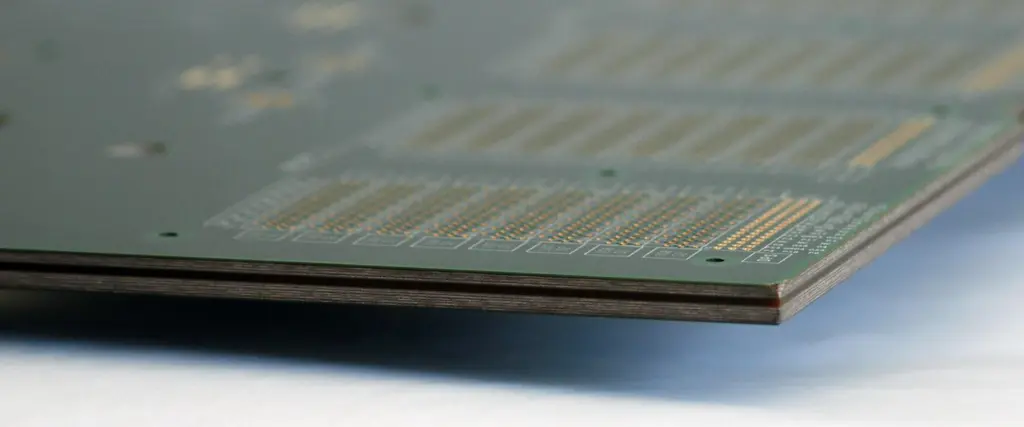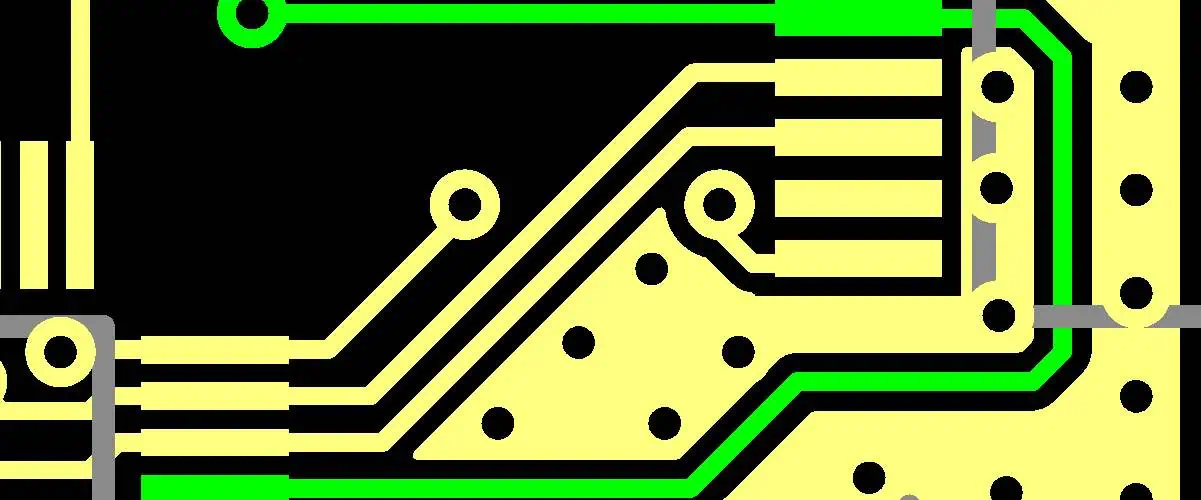
Comparing ENIG Vs. ENEPIG: What’s the Difference?

ENIG PCB

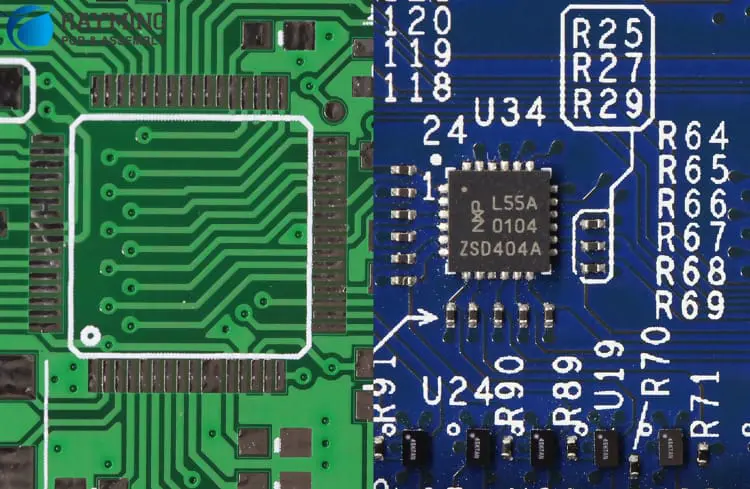
When creating PCBs, every little detail is crucial. A PCB that satisfies specifications is built using a combination of the wire locations, design, and surface finishing touches. However, discussing surface finishing invariably results in an ENIG vs. ENEPIG contrast.

Because they stop the oxidation of copper, which can reduce PCB quality, surface treatments are essential. It might be challenging to decide between the surface finishes of ENIG and ENEPIG. So, how can you make a choice if you are unaware of the potential advantages?

The contrast between ENIG and ENEPIG will be covered in this article. Also, which PCB surface finish possesses the most advantages?

What Is ENIG?
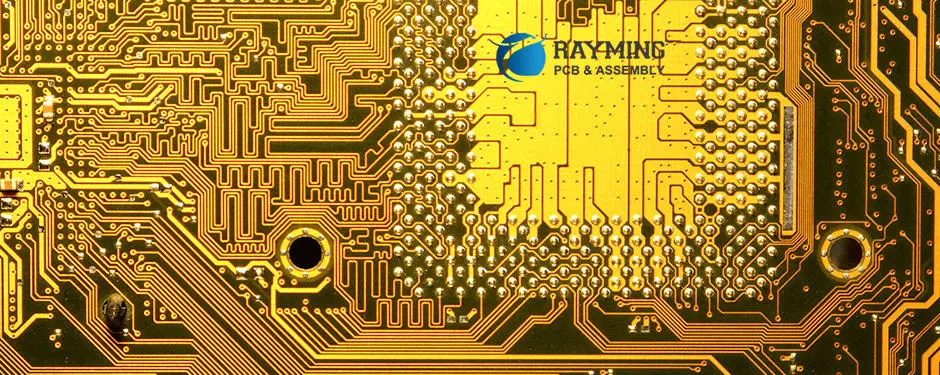
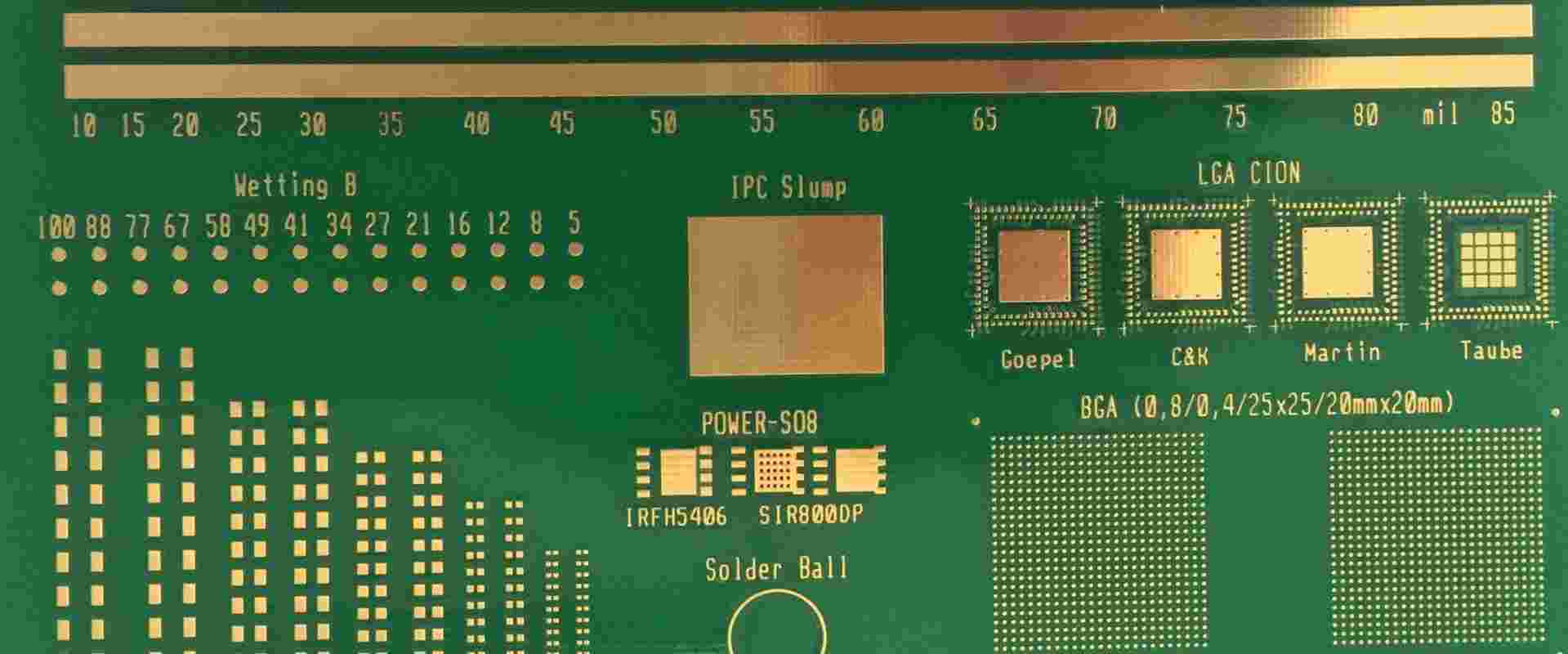
ENEPIG and ENIG
ENEPIG and ENIG

Because of its smooth, planar surface, ENIG has always been a well-liked surface finish of PCB for many years. As a result of the proliferation of fine-pitch Ball Grid Array electronics and other compact surface-mount dimensions, this is necessary for assembly. The method additionally supports several solder reflow phases with the additional advantage of extended shelf-life duration.

However, nickel corrosion has created the “Black Pad” appearance due to past production issues with particular ENIG suppliers. This, however, has been a major flaw in the ENIG finish, but it can be fixed if the right steps are followed.

The nickel deposited underneath the gold finishing corrodes and appears as a “Black Pad,” which is a dark surface. This corrosion may result in the solder pad losing connection to the electrical component pad and a component with poor solderability.

Some PCB producers may find it difficult to generate the ENIG finish. When inspecting the finished item, the gold coating process might cover the finished surface area and hide problems that result in a “Black Pad.” According to the main investigation into the cause of this issue, the nickel contamination that shifts into gold and gives the metal a black tint is most likely the reason.

Through careful observation, your Contract Manufacturer can solve such problems; if no dark bands or spikes appear near nickel borders, a black pad isn’t going to form. A well-managed nickel bath may reduce or even get rid of the flaw. Finally, having a one-year craftsmanship warranty from contract manufacturers like MacroFab gives you additional peace of mind.

Process Implicated In ENIG Surface Finish

The ENIG Circuit board surface coating or finish is a multi-step, drawn-out procedure. To obtain the desired finish, all of these procedures need to be closely watched.

ยท Copper Activation

Keeping the layer of copper active for the electroless nickel deposition depends on copper activation. This step involves cleaning the PCB. This allows for getting rid of dust and oxidation residues. Additionally, moistening the surface aids in removing any trapped gas or air within the perforations.

The producer must take the micro-etching foundation under great consideration. Sulfuric/peroxide is the finest choice. You should also keep an eye on the bath’s life expectancy and operation temperature. The remnants will disappear with a thorough rinsing. Before micro-etching, appropriate rinsing must be performed. The deposits of palladium in the catalysts may react with oxidation.

Additionally, employing a pre-dip catalyst to get rid of any oxidation residues is a good idea. The pre-dip catalyst also aids in the Circuit surface’s acidification.

ยท Electroless Nickel

The ENIG procedure’s next stage is this. Here, the producer creates nickel and sodium hypo-phosphite using nickel sulfate. This mixture acts as a reducer. Moreover, the hypophosphite disperses the required electrons to reduce nickel ions. Additionally, this reaction ought to be enhanced at a precise temperature of 175โ€“185ยฐF.

Furthermore, this facilitates the nickel layer’s deposition on the surface of copper. The nickel acts as an inhibitor or barrier to stop the copper surface from reacting with any other elements.

ยท Immersion Gold

The ENIG procedure comes to a close with this stage. Here, the production of electrons from the oxidation of nickel to the ions of nickel helps to reduce gold in a mixture. Additionally, these electrons reduce ions of gold to a coating of gold metal that protects the nickel. The gold’s thickness needs to match the specified criteria.

Benefits Of ENIG

  • An ENIG coating offers various benefits, which include the flatness of the surface for many fine-pitch Ball Grid Array electronics and different small shape factor components.
  • Excellent for connections with press-fit inserting posts and electrical testing locations in the circuit.
  • Support for edge card connectors and wire bonding.
  • Less expensive contrasting to ENEPIG coating or finishes.

Disadvantages OF ENIG

  • If the gold and nickel processes are not carefully regulated, there is a possibility for “Black Pads.”
  • The electroless gold and nickel plating’s thickness might have an impact on the PCB coating.
  • A wet factor that is relatively low

What Is ENEPIG?

FULL PCB MANUFACTURING Quote

The use of a comparable alternate surface finish, such as ENEPIG, is one straightforward fix for the possible black pad problem. The ENEPIG coating resolves this problem by placing electroless palladium over the layer of nickel. Nickel impurities cannot go from the nickel to the layer of gold because of the palladium. ENEPIG is appropriate for PCBs soldered over a system board that uses various packaging methods. It also offers a broad spectrum of applications, including those in the aerospace, military, and some other high-performance medical devices with great density and dependability.

Additionally, ENEPIG is more expensive than ENIG, but it persists as a cost-effective choice that adds tiny palladium and gold layers for increased toughness and superior solderability. The minimal contact resistance of ENEPIG shields against overheating, energy losses, and inadequate grounding.

Applying ENEPIG Surface Finish

ENEPIG comprises four layers of metal which include nickel, copper, palladium, and gold. The activation of the layer of copper with a layer of displacement initiates the process. The copper serves as an initiator or catalyst in this process.

The two components will then combine after nickel is added to the active copper. This combo will safeguard the copper sheet and stop unwelcome metal-to-metal contact.

A palladium coating is added as part of the third procedure to provide further protection. It’s interesting to note that palladium prevents nickel from deteriorating and dissolving the gold coating. Consequently, a chemical reduction of oxidation will take place during an electroless process, resulting in the formation of a thin nickel and palladium layer.

Finally, submerging the PCB in gold finishes the ENEPIG coating process. And the reason is that gold provides the highest level of security while keeping the palladium safe.

Recall that the layer of Gold will completely cover the board.

Benefits Of ENEPIG

  • Palladium lessens the quality problems of “Black Pad” that some CMs exhibit during the process of ENIG.
  • Preferred for its high solder reflow phases and excellent solderability
  • incredibly dependable in terms of wire bonding ability
  • Has dense vias and satisfies the wide standards of miniaturization and PCB thinness.

Disadvantages Of ENEPIG

  • Being more expensive than ENIG might not be feasible for many applications.
  • Decreased SMT Solder efficiency as a result of a palladium layer that is thicker.
  • more time to wet

Difference Between ENIG Vs. ENEPIG

There are variances between the two surface coatings, ENIG and ENEPIG. Whereas ENIG only employs immersion gold and nickel, ENEPIG uses palladium. In the ENEPIG, the layer of palladium provides high oxidation resistance and electrical performance. ENIG is most suited for usage in low-end electronics, nevertheless. ENIG solely employs the layer of immersion gold over the layer of the electroless nickel. ENEPIG includes a palladium layer between the layers of nickel and gold.

Additionally, the surface finish of ENIG does not produce consistent fold-wire bonding results. This could be brought on by a drop in solder joint dependability. Furthermore, ENIG needs an appropriate procedure to stop nickel corrosion. However, ENIG surface finishes frequently have issues like these.

Similarities Between ENIG Vs. ENEPIG
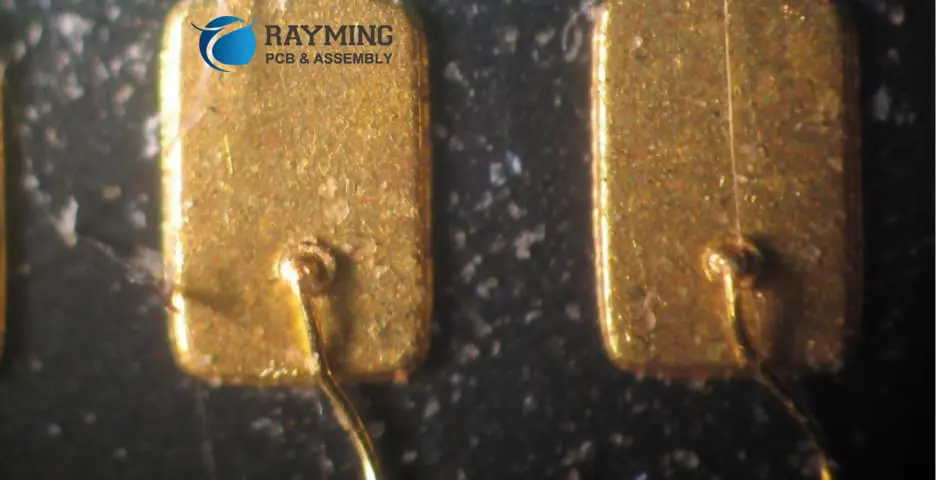
ENIG surface finishing

Despite the fact that both of these surfaces’ finishes differ. They do, however, have certain things in common. Both ENIG and ENEPIG employ immersion gold and electroless nickel. Both of these surface coatings offer a flat and straight surface. This makes it easier for manufacturers to install components on the surface of the PCB. Additionally, both ENIG and ENEPIG are lead-free. They are, therefore, a green alternative for PCB producers.

Excellent thermal diffusion and electric performance are features of ENIG and ENEPIG. The procedures for both surface coatings are not too difficult. For example, the process of both finishes includes copper activation. The first stage of their procedure is this. The surface goes through a bath of catalyst that contains sulfuric acid and palladium sulfate. This bath creates a foundation for the gold and nickel to deposit on.

The last layer of both surface coatings is immersion gold.

Aspects To Consider While Selecting ENIG Vs. ENEPIG

You have to take a few things into account when picking a surface coating for the PCB. Not every surface finish will work for the PCB needs.

ยท Application Requirement

The surface finishes you choose will depend on the requirements of your usage and application. ENIG is a great option if the application has to operate in hot conditions. This happens because the surface finish offers excellent heat resistance. It can endure very high temperatures.

ยท Cost

This consideration plays an important role. You can pick ENIG if money is a concern. The more costly alternative is ENEPIG. This happens because it includes the usage of palladium.

ยท Pad Flatness

Some Circuit Board surface finishes don’t provide smooth surfaces. This, however, does not happen in ENIG and ENEPIG. Both these surface coatings provide a level surface. ENEPIG or ENIG are excellent options if you need to install extra components on the PCB. Both of these finishes provide thin and uniform layers.

ยท Wire Bonding Capacity

ENEPIG is a great choice in this regard. When constructing a PCB, the capacity of wire bonding is crucial. Additionally, ENEPIG possesses a strong wire bonding capability.

ยท ROHS Compliance

Not all Circuit Board surface treatments adhere to the RoHS requirements. This is due to the presence of some hazardous materials in certain surface finishes. Both ENIG and ENEPIG adhere to RoHS regulations. These surface coatings are lead-free. They are, therefore, perfect for usage.

ยท Shell Life 

The Printed Circuit Board surface finish’s shelf life is crucial. Both ENIG and ENEPIG have a greater shelf life. For up to a year, these surface treatments can be stored.

Conclusion

Surface coatings made with ENIG and ENEPIG are particularly dependable. These finishes meet the requirements for PCB quality. These completed products are the best since they were produced without lead. Additionally, both of these surface treatments provide producers with a level surface. Their workings, benefits, and drawbacks have been described above. Additionally, we contrasted both of these surface coatings.

Coatings made of ENEPIG will prove more advantageous for PCBs with numerous layers. Additionally, ENEPIG is capable of meeting any extra specifications for PCB layouts using various packaging techniques.

Furthermore, ENEPIG can handle touch interfaces without creating issues and is less costly than solid gold. It’s interesting to note that ENEPIG frequently produces PCBs for the military, aerospace, and medical industries. Therefore, ENEPIG is the company to contact if you need wire bonding or push contacts.

How to Design an IoT Circuit Board: From Layout to Low-Power Optimization

Microsoft IoT PCB

Introduction

The Internet of Things (IoT) refers to a vast network of interconnected electronic devices that communicate and exchange data over the internet. While consumer-facing smart devicesโ€”remotely controlled via mobile appsโ€”are the most visible aspect of IoT, they represent just a fraction of its potential.

This comprehensive guide will walk you through the process of designing an IoT PCB, covering everything from initial layout considerations to advanced low-power optimization techniques. Whether you’re a seasoned engineer or a budding IoT enthusiast, this article will provide valuable insights into creating efficient, reliable, and cost-effective IoT circuit boards.

1. Understanding IoT PCB Requirements

What Makes an IoT PCB Different?

IoT PCBs differ from traditional PCBs in several key aspects:

  1. Connectivity: IoT PCBs must incorporate wireless communication modules.
  2. Power Efficiency: Many IoT devices operate on batteries, requiring ultra-low power designs.
  3. Size Constraints: IoT devices are often compact, necessitating miniaturized PCB designs.
  4. Environmental Durability: IoT devices may be deployed in harsh environments, requiring robust PCB designs.

Key Considerations for IoT PCB Design

When designing an IoT PCB, keep the following factors in mind:

  1. Size and Form Factor
  2. Connectivity Options
  3. Power Efficiency
  4. Durability and Reliability
  5. Cost-Effectiveness
  6. Scalability and Modularity

Typical IoT Device Examples Using Custom PCBs

  • Smart Home Sensors (e.g., temperature, humidity, motion detectors)
  • Wearable Fitness Trackers
  • Industrial IoT Monitoring Devices
  • Smart Agriculture Sensors
  • Connected Vehicle Components

2. Essential Components for an IoT PCB

Microcontrollers and Microprocessors

The brain of an IoT device, responsible for data processing and control:

  • Low-power microcontrollers (e.g., ARM Cortex-M series)
  • Application processors for more complex IoT devices

Sensors and Actuators

Interact with the physical environment:

  • Temperature and humidity sensors
  • Accelerometers and gyroscopes
  • Pressure sensors
  • Actuators (e.g., motors, relays)

Communication Modules

Enable connectivity with other devices and the internet:

  • Wi-Fi modules (e.g., ESP32)
  • Bluetooth Low Energy (BLE) chips
  • LoRa transceivers
  • Cellular modems (e.g., LTE-M, NB-IoT)

Power Sources

Provide energy for the IoT device:

  • Battery management systems
  • Solar cells and energy harvesting units
  • Power regulators and converters

Memory and Storage Options

Store data and program code:

  • Flash memory for firmware and long-term data storage
  • RAM for runtime data processing
  • EEPROM for configuration settings

Read more about:

3. Initial Steps: Planning the IoT PCB Design

Defining System Requirements

  1. Identify the core functionality of your IoT device
  2. Determine power consumption targets
  3. Specify environmental operating conditions
  4. Outline connectivity requirements

Creating a Functional Block Diagram

  1. Sketch out major system components
  2. Define interfaces between components
  3. Identify power distribution paths

Selecting the Right Components

  1. Choose components based on performance, power consumption, and cost
  2. Consider availability and long-term supply chain reliability
  3. Evaluate component packages for size and ease of assembly

Considering Scalability and Modularity

  1. Design with future upgrades in mind
  2. Use standardized interfaces where possible
  3. Consider modular designs for easier maintenance and customization

4. PCB Layout Design for IoT Applications

Best Practices for Component Placement

  1. Group related components together
  2. Place high-frequency components near the edge of the board
  3. Consider thermal management in component placement

Layer Management

  1. Determine the optimal number of layers based on complexity and cost
  2. Dedicate layers for power, ground, and signal routing
  3. Use split planes for different voltage domains

Signal Integrity and Routing Strategies

  1. Keep high-speed traces short and direct
  2. Use proper termination techniques for high-speed signals
  3. Implement differential pair routing for sensitive signals

Importance of Antenna Design and RF Considerations

  1. Place antennas away from noisy components
  2. Maintain proper clearance around antennas
  3. Consider using a separate RF ground plane

Ground Planes and EMI/EMC Mitigation

  1. Implement a solid ground plane for improved signal integrity
  2. Use stitching vias to connect ground planes on different layers
  3. Consider EMI shields for sensitive components

5. Low-Power Design Strategies for IoT PCBs

Choosing Low-Power Components

  1. Select microcontrollers with advanced power-saving modes
  2. Use low-power sensors and communication modules
  3. Implement efficient voltage regulators

Sleep Modes and Power Management Techniques

  1. Utilize microcontroller sleep modes effectively
  2. Implement wake-up timers and interrupt-driven architectures
  3. Power-gate unused components when not in use

Voltage Regulation and Efficient Power Distribution

  1. Use buck converters for higher efficiency in step-down applications
  2. Implement low-dropout regulators (LDOs) for noise-sensitive circuits
  3. Design efficient power distribution networks to minimize losses

Minimizing Leakage Currents and Optimizing PCB Traces

  1. Use high-impedance traces for sensitive analog signals
  2. Implement guard rings around high-impedance nodes
  3. Consider using higher resistance values in voltage dividers

Techniques for Energy Harvesting and Ultra-Low-Power Design

  1. Integrate solar cells or piezoelectric harvesters for energy generation
  2. Implement efficient power management ICs for energy harvesting
  3. Design for intermittent operation in ultra-low-power scenarios

6. Prototyping and Testing Your IoT PCB

Creating Prototypes with PCB Manufacturers

  1. Choose a reliable PCB manufacturer with experience in IoT boards
  2. Consider quick-turn prototyping services for faster iteration
  3. Evaluate different PCB materials based on your requirements

Design for Testability (DFT) Techniques

  1. Implement test points for critical signals
  2. Consider using boundary scan (JTAG) for complex designs
  3. Design for in-circuit testing where applicable

Hardware Debugging and Validation

  1. Use logic analyzers and oscilloscopes for signal integrity testing
  2. Perform power consumption measurements under various scenarios
  3. Validate wireless performance using spectrum analyzers

Environmental and Stress Testing

  1. Conduct temperature cycling tests
  2. Perform humidity and moisture resistance testing
  3. Evaluate mechanical stress tolerance (e.g., vibration, shock)

7. Tools and Software for IoT PCB Design

Popular PCB Design Tools

  1. Altium Designer: Professional PCB design software with advanced features
  2. KiCad: Open-source PCB design suite with a growing community
  3. Eagle PCB: User-friendly PCB design tool, popular among hobbyists

Simulation and Testing Tools

  1. LTspice: Circuit simulation software for analog and mixed-signal designs
  2. Ansys HFSS: 3D electromagnetic field simulator for RF and antenna design
  3. Matlab and Simulink: For system-level modeling and simulation

Libraries and Modules Specific to IoT PCB Projects

  1. Component libraries for popular IoT chips and modules
  2. Reference designs from semiconductor manufacturers
  3. Open-source hardware designs and templates for common IoT applications

8. Common Mistakes to Avoid When Designing an IoT PCB

Overcomplicating the Layout

  1. Keep the design as simple as possible while meeting requirements
  2. Avoid unnecessary components that increase cost and complexity
  3. Consider modular designs for easier troubleshooting and updates

Ignoring Power Management from the Start

  1. Plan power distribution early in the design process
  2. Implement proper decoupling and filtering for power supplies
  3. Consider worst-case power scenarios in your design

Poor Antenna Placement

  1. Keep antennas away from noisy digital components
  2. Maintain proper clearance around antenna elements
  3. Consider using certified RF modules for critical applications

Insufficient Thermal Management

  1. Perform thermal analysis for heat-generating components
  2. Implement proper thermal relief for high-current traces
  3. Consider adding heat sinks or thermal vias for improved heat dissipation

Lack of Proper Testing and Validation

  1. Develop a comprehensive test plan covering all aspects of the design
  2. Perform thorough testing under various environmental conditions
  3. Validate RF performance in real-world scenarios

9. Case Study: Designing a Smart Sensor Node PCB

Step-by-Step Walk-Through: Concept to Working Prototype

  1. Define system requirements for a battery-powered temperature and humidity sensor
  2. Create a block diagram incorporating a microcontroller, sensor, and LoRa transceiver
  3. Select low-power components: STM32L0 MCU, SHT31 sensor, and RFM95W LoRa module
  4. Design the schematic, focusing on power management and signal integrity
  5. Create the PCB layout, optimizing for size and antenna performance
  6. Prototype the design and perform initial testing
  7. Iterate on the design based on test results, focusing on power optimization

Key Design Decisions and Optimizations Made

  1. Implemented a buck-boost converter for efficient battery usage
  2. Utilized the MCU’s low-power modes and interrupt-driven architecture
  3. Optimized the LoRa antenna design for improved range and efficiency
  4. Implemented a modular design for easy sensor swapping in future versions

Lessons Learned and Tips for Similar Projects

  1. Start with a thorough power budget analysis to guide component selection
  2. Invest time in optimizing the antenna design for better overall performance
  3. Consider environmental factors early in the design process
  4. Perform extensive field testing to validate real-world performance

Conclusion

Designing an IoT PCB requires a holistic approach, balancing various factors such as power efficiency, connectivity, size constraints, and reliability. By following the guidelines and best practices outlined in this article, you can create efficient, reliable, and cost-effective IoT circuit boards that form the backbone of innovative IoT devices.

Remember that successful IoT PCB design is an iterative process. Don’t hesitate to prototype, test, and refine your designs based on real-world performance data. As the IoT landscape continues to evolve, staying updated with the latest components, design techniques, and industry trends will be crucial for creating cutting-edge IoT solutions.

Whether you’re working on a simple sensor node or a complex IoT gateway, the principles of thoughtful design, careful component selection, and rigorous testing will serve you well. Embrace the challenges and opportunities that IoT PCB design presents, and you’ll be well-equipped to contribute to the exciting world of connected devices and smart systems.

What are the High Power PCB Design Considerations and Applications?

High Power PCB Design

As exciting and difficult as the process of PCB design might be, it’s indeed critical to take all required measures to guarantee appropriate circuit performance, particularly when working with the high power PCB Designs.

As the electronic device sizes continue to shrink, design concerns like thermal management and power supply must be considered. This article offers some reliable principles for the designer to follow when designing a PCB for high power applications.

YouTube video

What is a High-power PCB?

There is no formal description of what makes up the high-power PCB. P=IV defines power, and the high power PCB design could be a circuit with high current or voltage elements. The query is, what is the voltage and current threshold for a printed circuit board to be called “high-power”?

Rather than imposing a tight definition on its characteristics, it is simpler to classify high-power PCBs based on issues that may develop if correct high power PCB design standards are not pursued: electrical shocks and thermal generation.

High power PCB designs in electronics typically conduct current in excess of a few amps. The high-power PCB are the electrical motor drivers that can channel about 30A of electricity inside the circuit. The same is true for the LED driver that could be powering several LEDs arranged in arrays.

High Power PCB Design Considerations

High Power board
High Power board

Trace thickness and width

In general, the longer your track, the higher its resistance as well as the heat that gets dissipated. Because the purpose is to reduce power losses, our recommendation would be to keep those traces which conduct large currents as small as possible so as to guarantee high reliability as well as endurance of a circuit. Designers can use the calculations in IPC-2221 standard and the online calculator to appropriately calculate a track’s width, knowing the highest current that can run through it.

This same trace thickness for a normal PCB is roughly 17.5 ยตm (or 1/2 oz/ft2) mainly for its internal layers then 35 ยตm (or 1 oz/ft2) mainly for the exterior layers and ground planes.

To decrease track width when using same current, high power PCBs often employ thicker copper. This decreases the amount of space taken up by the PCB traces.  

PCB Layout

Before running the very first trace on the high-power circuit, it’s indeed critical to have high-level knowledge of its layout. Also, the layout of the board should be addressed from the beginning of Circuit board development. Determining the power’s path is an important criterion that pertains to every high-power PCB.

The placement as well as amount of electricity flowing via the circuit is crucial factors in determining how much heat the Circuit board must dissipate. The following are the primary aspects that influence the PCB layout:

  • power going across the circuit
  • The ambient temperature within which the circuit board operates
  • the quantity of air movement influencing the board
  • the material utilized to manufacture the PCB
  • Density of the components populating the board

Placement of the Component

It is critical to initially determine the location on the Circuit board of the high-power components, like power transistors or voltage converters that generate a significant quantity of heat. The high power components shouldn’t be put near the board’s edges, as this produces heat buildup as well as a large increase in temperature. Fully integrated components, like microcontrollers, FPGAs, and processors, should be inserted close to the center of a circuit board to allow for homogeneous heat diffusion over the board thus, as a result, a reduction in temperature.

To prevent the production of hot spots, its power components shouldn’t ever become concentrated within a single region; instead, the linear type design is recommended.

Thermal management

In order to keep every component within acceptable temperature limits, appropriate thermal management becomes required. Never allow its junction temperature to surpass the limit specified in the datasheet of the manufacturer (usually within +125 ยฐC to +175 ยฐC for the silicon-based devices).

That heat created by every component is transported outwards via the package as well as connection pins. Manufacturers of electronic component have created increasingly thermo-compatible packaging in past years. Despite these advancements in packaging, heat dissipation gets more challenging as the integrated circuits’ size shrinks.

Solder Mask

Another method for allowing a trace carry more current is removing its solder mask out of the Circuit board. This reveals the copper material that may be reinforced with extra solders to enhance copper thickness and lower overall resistance present in the PCB’s current-carrying components. This approach allows the PCB traces handle more power and without increasing trace width.

Material selection

Electronic circuits that suit high-power applications necessitate not only efficient design strategies, but the PCB materials that can dissipate the considerable quantity of heat generated by these components. As a result, high power Circuit boards employ materials with minimal losses as well as high-thermal conductivity.

Thermal conductivity, which suggests how successfully heat travels via a material but also can be expressed in form of power watts for every meter of the material as well as per degree Kelvin, can be described as one of the major parameters that influence material selection. Copper, for example, has a thermal conductivity value of 400 W/m/K and can transfer the thermal energy extremely quickly.

Including Safety Features in a High Power PCB Design

FULL PCB MANUFACTURING Quote

A major concern regarding high power PCB designs, as with all other circuits, is its ability to function safely. There are some potential issues which are unique to boards which drive those types of high-powered loads. This same primary danger is heat.

The main danger is heat. Regardless of the quality of design as well as lay out that board, it generates more heat than the standard boards. This ought to be constantly considered when building the housing, as well as external fans/vents should be used.

Overheating is a legitimate concern in the high power PCB design. The risk of a load short-circuiting as well as drawing excessive currents from the regulator or MOSFET is also present. Detect such incidents by including suitable security features in such a design.

When placed near heat-generating components, the temperature sensors will be useful. It sends alerts whenever the Circuit board temperature surpasses a safe level. Place fuses somewhere at high current outputs to ensure short-circuit safety to guarantee that connections are immediately cut off, whenever there is a rise in current above the safe threshold.

More safety features

Short circuits constitute the following potential safety hazards. Because the board has been designed for driving high-power devices, this can source a significant amount of electrical current when shorted. This possibility must be taken into account during the stage of design. The simplest method for dealing with shorts involves having a fuse present on all the outputs as well as the input fuse.

The fuse ratings should always be less than what the wires can handle. Also, they ought to be evaluated for a lower or equal current that the board pours/traces have been designed for. Additionally, it’s a great idea to utilize drivers which have in-built short-circuit protection.

While working on the high power PCB designs, you’ll require a reliable PCB design software. If you’re working with OrCAD, you’ll discover that implementing the above techniques we mentioned is a simple process having the necessary tools at your disposal.

Techniques for Creating a High-Performance PCB Design

Layers should be doubled

One technique I’ve used with several high-powered circuits but haven’t seen much is having the double-layer copper pour as well as stitching them altogether with vias. Such a double module enables twice as much copper to become present within a single area. iFor such a board, we doubled the copper from its terminal into an input fuse onto the main power input.

Make use of copper pours

I always attempt to utilize copper pours with all the power nets, regardless of the board type I’m designing. When working with dedicated high-current designs, all high power nets ought to pour. Also, copper pours boost the copper width that fits on the board significantly.

Recognize the trace width calculators

When designing a circuit board, users must be aware of the least trace width. It’s particularly crucial when working with the high power PCB designs. I have no particular favorite calculator because they should be based on just one IPC-2221 formula. The calculator will be used on 2 major high-current nets on this board.

The initial is the major 30A supply, which runs from the power supply towards the fuse and then branches.

Make use of thermal reliefs

There will always be some disagreement when discussing thermal reliefs throughout high power PCB design. When soldering, thermals are used to prevent heat from wicking to your surrounding copper. They do a good job of it. They have the drawback of having very little copper available for current flow. Also, for the standard PCB, this is usually a small concern, and these thermal advantages far outweighs the disadvantages.

PCB High Power Applications

High Voltage PCB

Electronics are now an indispensable component of our everyday lives. We want electricity for everything, including smartphones and home appliances. The PCBs are electricity’s major factor.

It serves as the foundation for the majority of today’s electronic devices. This adaptability allows PCBs to be used in a wide range of capacities and applications. We’ve discussed some applications in more detail below:

Medical Equipment

All electronics plays an essential part in the medical industry, serving as control, diagnostic, as well as treatment systems. Also, as electronics are becoming more compact and powerful, medical applications for these devices expand, opening up a variety of fresh possibilities.

Circuit boards in the healthcare profession are highly technical in order to comply with the particular constraints of the medical equipment. Medical PCB, which is also known as the HDI PCB, seems to be specialties of high-density interconnect PCB.

Customizable base materials may additionally be manufactured from the medical PCBs, enabling PCBs to be able to flex while in use, which is useful for both exterior and internal medical devices. Also, aside from adhering to strict medical regulations, the suppliers of medical PCB must demonstrate repeatability and dependability. The following are some of the common medical Printed circuit boards:

Monitors: Health and personal care monitors include blood, heart rate, glucose, as well as monitors of blood pressure.

Chemical Equipment: Medical science employs a variety of scientific methods for studying illness as well as testing patient effects. These include photometers, electronic microscopes, as well as compressor and generator control systems, among other things.

Consumer Electronics

Computers, smartphones, and a variety of consumer goods rely on Printed circuit boards to function. As electronics became more prevalent in our everyday products, Circuit boards became an integral component of how we live. Companies are producing smaller laptops and smartphones using a variety of novel technologies that include tiny PCBs having high link volumes.

Circuit boards are utilized in a broad spectrum of consumer products, including computers and laptops. In the twentieth century, computers were used in every aspect of life. PCBs are found in laptop and desktop computers. They act as the foundation for many internal computer components. All of these components are linked directly to a motherboard; this can also be called a PCB.

Industrial Equipment

High power PCB design in our industrial sector must also be extremely powerful and robust enough to withstand harsh conditions found in the industrial installations.

PCBs throughout the industrial sector must also be high-powered as well as robust enough to withstand harsh conditions found in the industrial installations.

Conclusion

This article should have provided some insight on the proper tricks and techniques which could be used with the high-powered circuits. There are so many nuances which you wish to look in whenever you are working on the boards; they aren’t much complicated compared to the standard board designs so far the basic “rules” will be followed. The key points are to keep security in mind always, start with a very solid plan, use much copper as possible, and always check the trace width using a calculator.

What is Mentor PCB?

Mentor PCB

The most successful semiconductor, electronic, and systems firms in the world rely on Mentor PCB Graphics Corporation, which is a Siemens company, for its consulting services, products, as well as award-winning support. It is a global leader in the electronic software and hardware solutions. We help businesses create superior electronic goods more quickly and affordably.

Our cutting-edge goods and services assist engineers in overcoming design difficulties in the increasingly complicated chip and board design industries. Mentor operates as the sole EDA business including embedded software solutions and offers the widest range of best-in-class solutions in the market. EDA technology leader Mentor Graphicsยฎ offers both hardware and software design solutions to assist businesses create superior electrical devices more quickly and affordably.

The business provides cutting-edge goods and services that assist engineers in overcoming the design and manufacturing difficulties they encounter in the escalating complicated fields of PCB assembly as well as chip and board design. Mentor Graphics constitutes the sole EDA business with end-to-end solutions for design to production, and it offers the widest range of the best-in-class solutions in the market.

YouTube video

One of the leading electronics businesses worldwide today, Mentor Graphics PCB offers a variety of scalable solutions to cut the time, expense, and risk associated with product design, volume, and NPI production. This Mentor Graphics PCB is the technology and market leader in Circuit board, PCB NPI, as well as optimization solutions for shop floor.

What Mentor PCB Offers?

Functional Checking

Mentor offers its clients vital resources for tackling the increasingly complex concerns of verifying the actual functioning of the complex chip design of today.

The primary reason for design alterations that delay going to market and reduce profitability is functional faults at system level. Design teams should enhance current processes with tools which scale for varying levels of design complexity.

With innovative use models, top-tier technology, and processes, Mentor is revolutionizing verification. Its Mentor Enterprise Verification Platform increases productivity in SoC and ASIC functional verification through integrating cutting-edge verification methods into the comprehensive platform. It supports everything from the block-level simulation into the whole design emulation at the system level.

Design of Integrated PCB-FPGA System

PCB design is evolving to new complexity levels as ICs, ASICs, and FPGAs grow more intricate and PCB manufacturing technology improves to accommodate embedded components as well as high-density connection layers. Design bottlenecks are usually caused by these.

XpeditionTM Enterprise, for the creation of today’s most complex Circuit board designs; the Board Stationยฎ XE, market-standard solution suitable for the PCB design design issues of the multinational company; and PADSยฎ flow, and the top Windows-based remedy for compliant PCB design are just a few of the scalable design solution that Mentor offers to some of the largest system designing companies around the globe.

Mentor also provides solutions for certain design issues such as managing radio frequency design, verifying it, sophisticated packaging, continuous team design, integrating FPGAs onto boards, and managing design data.

Solutions for Automotive EE Design

Nowadays, a new automobile has 15% more technology in its entertainment, navigation, as well as safety systems compared to cars from a year earlier. The demand for technology solutions to handle this complexity develops as the systems for electrical wiring used by the transportation sector become more complicated.

OEMs and wire harness producers throughout the world use Mentor’s unmatched selection of cutting-edge solutions. With a data-centric  suite for different electrical systems as well as associated harness designs, the Capital tool of Mentor provides a potent design environment created especially for wire harness sector. Distributed control system development is supported by a systematic engineering approach by Mentor’s VolcanoTM product range.

Electronic Software

Mentor Embedded Softwares Division makes it possible to design embedded systems for a range of applications, such as consumer electronics, medical devices, smart energy, industrial, and automotive sectors.

With the help of commercially supported completely customisable Linux-based solutions, such as the market-dominating Sourcery CodeBench as well as Mentor Embedded products from Linux, embedded developers may build systems using the newest CPUs and microcontrollers. Also, d evelopers may benefit from Nucleusยฎ RTOS’s small-footprint as well as low-power capabilities for actual control systems.

RTL Synthesis

With today’s complicated designs, traditional techniques for hardware design which need manual RTL creation as well as debugging are excessively error-prone and time-consuming. For use in downstream synthesis as well as physical design, the Mentor Catapultยฎ as well as PowerProยฎ solutions automatically create power-optimized and fully-verified RTL.

Using this High-Level Catapult Synthesis Platform, the designers may specify functional intent at a high degree of abstraction but then produce production-quality RTL using industry-standard ANSI C++ as well as SystemC.

Throughout this RTL cycle of development, this PowerPro Low-Power RTL Platform offers a full solution for precisely measuring RTL power use, interactively exploring, and thoroughly optimizing power usage.

Applied Fluid Dynamics

For over 30 industries, the FloEFDTM EFD program offers reliable heat transfer and fluid flow modeling tools. It assists engineers in integrating analysis to cycles without interfering with the process of engineering and is included into top computer-aided mechanical design tools.

HVAC & Constructed Environment

FloVENTยฎ is particularly suited for specialized applications like clean room contaminant management as well as datacenter or warehouse temperature control. FloVENTยฎ invented the modeling of airflow in addition to temperature dispersion within and around the buildings, airplanes, trains, and vehicles. The study as well as optimization of the HVAC equipment may also be done using FloEFD.

Mentor PCB Design into Silicon

Mentor PCB Graphics
Mentor PCB Graphics

Due to increased manufacturing process unpredictability and the expanding size and design complexity that make use of the most recent nanoscale scaling, EDA tools enabling physical design as well as verification had reached their limits. This handoff between IC layout as well as manufacture has evolved with the development of novel process technologies out of a straightforward check into the multi-step processes where this layout design should be improved to guarantee efficient production. This poses several difficulties in terms of photolithography, the data quantities, manufacturing process impacts, and getting a good yield of completed chips from every wafer.

Design teams use Mentor’s Olympus-SoCTM place & route system plus Multi-Corner-Multi-Mode time analysis & DFM-aware design optimization for quick closure of the physical designs to confidently tackle these difficulties. Working with industry-leading integrated Calibreยฎ Mentor PCB Design into Silicon

Working with industry-leading integrated Calibreยฎ Mentor PCB Design into Silicon Every aspect of a design-to-silicon transition is effectively and precisely handled by the Calibre product family. With today’s SoCs, the manufacturing test, yield ramp, as well as debug concerns are addressed by the Mentor TessentTM product suite, this serves as the comprehensive silicon tests and yield analysis platform. Tessent, which is based on the bedrock of the optimal solution for every test discipline, combines them in the potent test flow in order to guarantee complete chip coverage.

The integrated, cost-effective, and user-friendly tool package called Tanner EDA is used for designing, laying out, and verifying analog/mixed signal as well as micro-electro-mechanical systems integrated circuits. Tanner tools, which are used by upwards of 25,000 designers worldwide, offer an end-to-end flow for mixed-signal, top-down, design capture as well as simulation, synthesis including physical design, DFT support, as well as place-and-route.

Software Packages from Mentor to Solve PCB Design Problems

FULL PCB MANUFACTURING Quote

Mentor’s PCB design tools are intended to be inexpensive. Using three different software packages at various pricing ranges, Mentor PCB Graphics has reimagined its tools for PCB design to target various segments of a design industry, some of which it is doing this for the initial time or first time ever.

Engineers in the small as well as mid-sized businesses and members of a solitary team working for a bigger business who are responsible for conducting the whole design, analysis, as well as manufacturing the data delivery of the PCBs may afford the standard product, known as PADS, which costs $5,000.

The three products include PADS Standard, which costs $5,000 including support and includes PCB and schematic layout with the beginning parts library, a component creation wizard, as well as archive management.

Enhanced constraint management, and the high-speed net routing and constraints, the construction and maintenance of the central library, HyperLynx-powered thermal/signal/analog simulation, in addition to the variations design pricing are all included in PADS Standard Plus.

For $18,000 plus support, users may get PADS Professional – and PADS Standard Plus, which includes Xpedition-powered technologies including simultaneous 3D/2D layout, sketch routing, placement planning, net and component explorers, production preparation, and design compare/review.

Mentor PCB Graphics is still marketing their Xpedition multi-seat enterprise-level PCB software. Via its partnership with Digi-Key, it furthermore provides entry-level Circuit board design software at a very cheap cost.

Versions of a technology found inside this Xpedition tools are included into these PADs tools. In order to enable cutting-edge high-speed topologies and design for production, this also incorporates a shared constraint management solution utilized throughout the flow.

Using power/signal integrity analysis, thermal or analogue simulation, designers may virtually prototype the system using HyperLynx product in the application.

Conclusion

One of the leading electronics businesses worldwide today, Mentor PCB Graphics offers a variety of scalable solutions. This is why users of the Mentor PCB has a lot to benefit from.

What is a Test Point PCB?

test point pcb

In a PCB with surface-mount components, a test point pcb is a short wire loop utilized for test probes. They allow the user to monitor the circuitry of the board or introduce test signals during manufacturing. Test points are available in a range of sizes, colors, and materials.

You may make access areas for the test probes using test points. For earlier PCB types with leads, many probes feature J-hooks. The J-hook can be attached to test points in PCB, and the test point’s sharp and pointed end can be used to contact a conductor present on your board. Phosphor bronze is the material used in the majority of SMT test points; however, the silver plate coating is also an option.

YouTube video

What are the Different Types of Test Point PCB?

In a circuit board, the test points are often utilized in one of two ways. The initial is an accessible location that can be easily reached by a professional using portable testing equipment. These places frequently include a soldered post for attaching the test lead to aid with this. For quick reference, the test points in PCB would be marked using the reference designator as well as typically the net’s name in silkscreen, like “GND.”

Furthermore, the other kind of test points in PCB is mainly utilized by automated test apparatus. Through-hole vias, pins, or small metal landing pads that are intended to hold the probes of the automation testing systems serve as the automation testing points on the circuit board. Three primary test platforms using the test point PCB are available. These include:

Whenever the pcb has been constructed, a test known as a “bare board” is carried out to ensure every one of the board’s nets are electrically connected.

In-circuit test

Here ICT is performed after the boards have been put together. The board gets set up on an ICT fixture that has probes for every individual net. Such fixtures typically test the board’s bottom, but they may also test a board’s top or even both sides simultaneously if necessary.

Flying probe

Similar to ICT, the test is performed using test points present on every board net after construction. This flying probe apparatus, on the other hand, employs between two and six roving probes for each test location rather than make use of stationary probes inside fixtures such as the way ICT does.

These are the many test points which will be present in a Circuit board and the purposes for which they are utilized. We’ll learn why such a testing is crucial for the production of circuit boards next.

Benefits of Including Test Points On Your PCB

PCBA ICT TEST

The following advantages will arise from include test locations in the PCB design while it is being developed:

Low profile: Test points in PCB give a substantially lower profile as compared to certain other testing probe connection options. Options like pillars and turrets might not fit inside a compact enclosure. These test points are a more flexible option because of their profile, which is comparable to those of the surface-mounted components.

Time and money savings: When identifying connection problems through test point PCB in the initial stages of design, you may save money and time later. With no early testing, the PCB may exhibit problems at the later design stages that entail more expensive assembly. Testing these sophisticated models repeatedly wastes both money and time.

Error detection made simpler: Test points streamline the entire probe testing procedure, making it simpler to find any problems. You may obtain the measurements that you want using test points in PCB without endangering your circuit board design.

How You Can Design Your PCB Having Test Points In Mind

The following considerations must be taken into account while placing test points correctly:

Board side: Most of the time, having the entire circuit board test points present on one side of your PCB speeds up testing and reduces costs.

Minimum distance of the test points: To improve the effectiveness of testing, test point PCB should be separated by at least 0.100 inches.

Test point PCB distribution: You may more easily check with several probes by dispersing test points evenly around the PCB.

Zone for the tall components: The testing procedure can be made simpler by designating a section of the PCB for the tall components. Keeping these components in a single zone will prevent them from obstructing access to test locations.

Manufacturing tolerances:  While designing the basic layout of your PCB, don’t forget to take manufacturing tolerances into account. During your testing process, the Circuit board will require space to accommodate the test points in PCB as well as probes.

7 Test Point PCB Guidelines to Enhance the Production Process

FULL PCB MANUFACTURING Quote

In a Circuit board with surface-mount components, PCB test points can be described as a short wire loop utilized for the test probes. During manufacturing, they allow the user to introduce test signals as well as monitor the circuitry of the board. The test point PCB comes in different colors, sizes, and materials.

We shall discuss the test point regulations in this post in order to enhance PCB manufacturing. You are invited to check out and study the information below if you are curious to learn more about the PCB point regulations.

7 Rules of Test Point PCB to Remember

The objective of the PCB test point

Setting the test points can be done to determine whether the circuit board’s components adhere to standards and may be soldered. For instance, using a multimeter to measure a circuit board’s resistance is the easiest way to do it. You may know the two ends.

These solder pins of components were in fact employed as the test points inside the initial periods when conventional plug-in was used on a circuit board. The residual coating of the solder paste flux is typically generated on the surface of the solder after the general electronic components are exposed to a wave soldering and SMT tin eating, as well as this film’s resistance is quite high, which frequently results in the poor contact of these probes.

What are the Types of Test Points in PCB?

These test locations on the circuit board will be utilized by three primary test systems:

  • Bare board tests: When the PCB has been created, this test is performed to ensure the board’s nets feature electrical connectivity.
  • ICT is performed after the pcb has been put together. The board would be set up on an ICT fixture that has probes for every individual nets.
  • Flying probe:  Similar to ICT, each test is performed by accessing individual test points on every net of a board after construction.

Limitations of the Test Point in PCB  

Utilizing needle beds in circuit testing has various inherent restrictions, such as:

A needle that has a small diameter can be easily fractured and damaged, and the probe’s minimal diameter has a limit.

Near some high areas, needles can’t be implanted. The high section may be damaged when the probe becomes too near to it. Also, due to the part’s height, a hole must typically be made in the test fixture’s needle bed seat in order to prevent the needle from implanting.

Since every needle must emerge from a hole and have its back end fused with a cable, the space between these needles is likewise constrained. Test points in PCB for all components that are getting harder to fit on the pcb board.

Positive aspects of the PCB test points

Low profile: Test points give a substantially lower profile as contrasted with other connection options of the test probe. Options like pillars and turrets might not fit inside a compact enclosure. The test point in PCB has a profile comparable with those of the surface-mounted components, giving them a very versatile option. Saving time and money: You may avoid wasting time and money later on by identifying connection problems via test point PCB in the initial stages of design. Without initial trials, a PCB may exhibit problems at later design stages that entail more expensive assembly.   Easy error detection

Error detection is made simpler by test points, which streamline a probe testing procedure and make it simpler to see any problems. You may obtain the measurements which you want using test points without endangering the PCB design.

Many applications of the Test Points in PCB

All test points inside the ATP and TP series lines were intended to fulfill a variety of applications, such as:

Hidden test point PCB Issues

More worse are covert issues that compromise the items’ long-term performance. Power consumption and sensor accuracy are two potential problems which could be discovered at populated Circuit board stage but might end up in the hand of the customer untested.

Utilizing test points to identify flaws early reduces costs and improves quality. Also, it provides you with something intangible; which is rest of mind. It might be easy to believe that testing procedures are reliable throughout the production phase, but adding a test fixture increases the level of assurance.

Procedure for creating circuit board test points

This test point has to be an exposed metal area on a board’s outer layer that is wired to a net in order to serve as the test point in PCB. This would make it possible for the probes to interact with it and perform the test. The CAD system’s next step would be to mark the desired places as circuit board test points.

If these test point choices meet the spacing as well as other particular criteria specified in the specifications, the design program will normally proceed and select them automatically. The Circuit board design software would be prepared to convert this data into the test point files once each contender has been marked as test points.

The Importance of Test Points in Circuit Board Manufacturing

FCT Functional Circuit Test

Automatic testing is important for validating PCB manufacturing. ICT and flying probe tests as well as bare board testing ensure that the manufactured board has good connectivity and then verifies the solder connections and the assembly of the board.

ICT as well as flying probe tests achieve that in the following ways:

In-Circuit Test

ICT can be described as a system which makes use of the test fixture created specifically for a particular PCB board design in addition to supplementary software to be employed on this test system. A probe would be utilized for every net upon that design, as well as the software and fixture were made utilizing the test point positions as well as other design data produced by CAD database.

Although evaluating every net to ensure a solid connection to its corresponding part pin is ICT’s primary role, it may additionally be utilized to evaluate the board’s functioning. Developing the hardware and software used for ICT testing are pricey and time-consuming.

These test fixtures were intricate, containing probes in thousands, and altering a fixture to ensure a revised board can indeed be highly expensive. But, once established, this in-circuit test would quickly test a huge number of circuit boards.

The advantages of speed as well as functional testing for mass manufacturing quickly outweigh the expenses and duration of ICT development.

Flying Probe Test

Although this method is similarly intended to check the accuracy of a completed circuit board, it does it very differently from ICT. Between two and six probes fly around the board to access each circuit board test point in place of the test fixture.

This flying probe system may be fitted up extremely rapidly and inexpensively without the requirement to construct an elaborate test apparatus.

The flying probe’s drawback is that it moves very slowly. While the flying probe system must move its probes to every individual test position, ICT could test every spot on the board practically immediately

Conclusion

Setting the test point PCB can be done to determine whether the circuit board’s components adhere to standards and may be soldered. Automatic testing is important for validating PCB manufacturing. ICT and flying probe tests as well as bare board testing ensure that the manufactured board has good connectivity.

Causes of PCB Delamination and How to Repair Them

PCB Delamination

There are numerous potential flaws that could result in a board getting scrapped during manufacture, and especially throughout assembly. Boards would be tested with a variety of heat excursions, toxic chemicals, quality inspections, and cleaning agents while being assembled. There’s a potential flaw in this procedure that is rarely mentioned: PCB delamination.

Delamination, or the beginning of the separation of a laminated board, may happen during assembly when conditions are ideal for the soldering and material parameters. Although no Circuit board is flawless and a limited degree of delamination may happen in some sections of the Printed circuit boards, large-scale delamination needs to be avoided. To achieve this, the materials, reflow profile, pre-bake settings, and laminate storage must be properly matched.

Circuit board fabrication is a challenging procedure that necessitates careful consideration of a number of elements. PCB delamination is among the possible flaws that could appear. Although there are techniques to prevent it, manufacturing mistakes are typically the cause of this problem. We’ll take a deep look at this flaw to discuss its causes, precautions to take, and methods for fixing it. Learn more by reading on!

What Does PCB Delamination Mean?

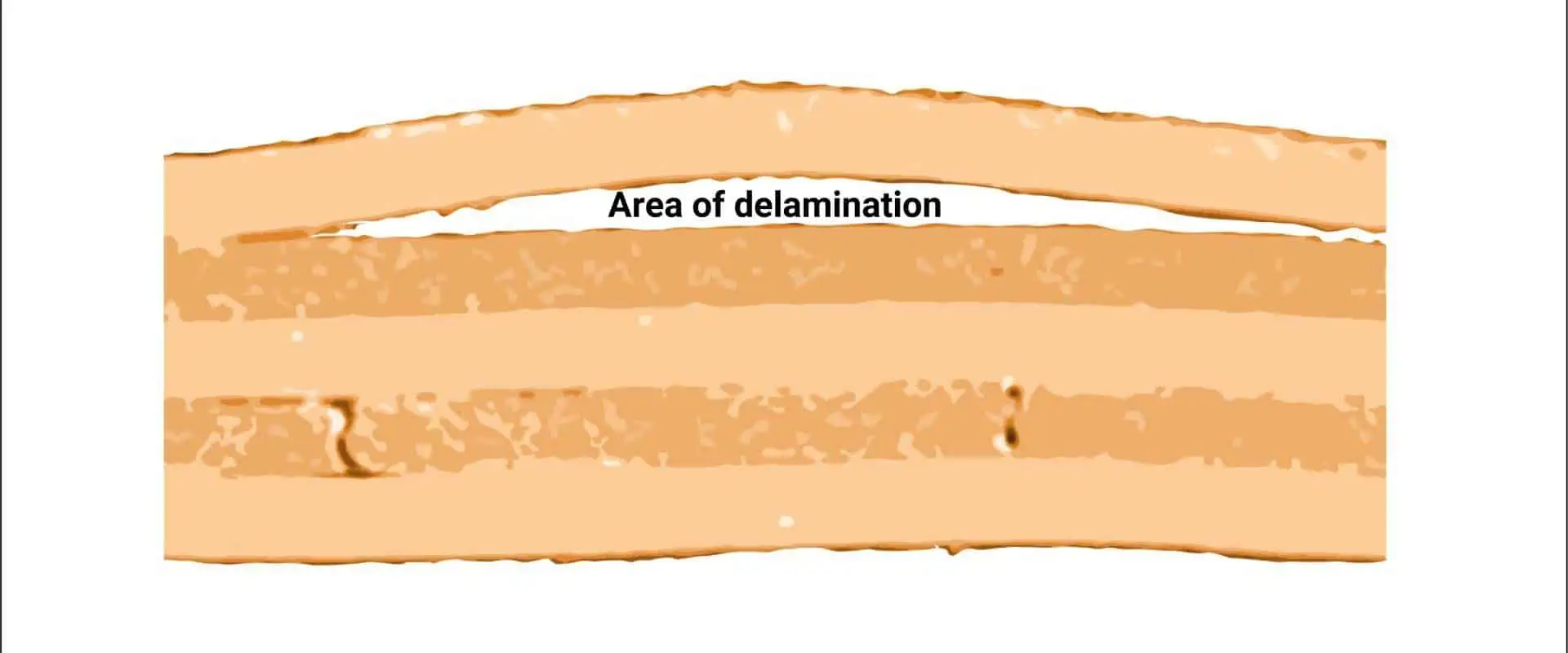
The base material layers start to separate from one another as a PCB delaminates. Whenever delamination has taken place, its solder mask may seem to have significant areas of discoloration and bubbling if observed on a constructed bare Circuit board or a completely built PCBA. Measling and blistering are two related terms for the same phenomenon – delamination.

The former results in the creation of extremely little delaminated white spots, whilst the latter is almost identical to large-scale delamination. This is an illustration of an image demonstrating PCB delamination upon that surface layer. Where another top materials layer is starting to split from its base material is the roughly round, discolored area.

YouTube video

What are the PCB Delamination Causes

Exposure to moisture and repeated heat excursions are the primary causes of delamination.

Too much moisture

The most frequent reason for delamination is moisture that has been trapped inside the base materials of the PCB. Humidity can increase in laminate materials stored improperly, and too much humidity inside the Circuit board substrate during production might result in delamination. The hygroscopic nature of Circuit board base materials makes water adsorption into the base materials (uncured) simple.

This may occur if the components are subjected to moisture during storage or if the circumstances are humid.

Delamination isn’t usually the result of too much moisture being trapped inside the board, although it will often lead to conducting anodic filamentation. The electrochemical events that result in the formation of tiny filaments in-between these conductors on the PCB include water.

As a result of this development, wires may cross, resulting in short circuits which destroys the circuit board; the water’s presence will speed up the reaction time. Via microscopic examination (often with the scan electron microscope) of the microsection and directly on its surface layer, CAF could be detected.

Thermal Excursions

The time that a Circuit board is kept at extreme temps is an additional topic to investigate. Delamination throughout assembly may result from repetitive thermal excursions to elevated temperatures, especially when the temperature for glass transition is exceeded. After the printed circuit board has been put together, the PCBA may start to delaminate when it is repeatedly subjected to thermal stress over its temperature of glass transition.

Its wave soldering and reflow profile parameters must be checked to make sure there won’t be too much stress upon the materials of a base pcb during manufacturing in order to avoid delamination. Without causing blisters or splitting on the exterior layers, heat delamination could start in the board’s internal layers. High Tg circuit board materials have to be utilized when there is going to be several soldering cycles and if the board is anticipated to experience significant thermal excursions while in use.

Additional Factors

There isn’t always a single reason why delamination occurs. Alternatively, moisture buildup may be caused by a mix of subpar production techniques, inferior materials, as well as other factors. Something as easy as utilizing FR-4 material including the incorrect Tg type could cause delamination.

What are the Differences Between Measling and PCB Delamination?

taconic laminates

Measling is an additional potential issue in addition to delamination. Because they exhibit several similar symptoms, it can be challenging to distinguish between the two diseases. They do, however, have various root causes and signify various manufacturing issues.

Similar to delamination, measling refers to problems relating to the process of lamination. White spots would form on the PCB weave’s interior if not enough resin is put to the circuit board during lamination. The “measles” are the white dots.

If the Circuit board base materials exhibit elevated blisters, this is delamination and is brought on by an accumulation of dampness. White dots, on the other hand, are measling. The shortage of resin while manufacturing, or high stress anywhere at stage in the Circuit board life cycle, seem to be the two main typical reasons.

The board’s performance is probably certainly hampered by delamination. Fortunately, this is not usually the case for measling. Measling in little amounts is widespread. Your PCB may probably continue operating normally so far the measling does not really bridge soldering eyes or conductors.

Measling will probably happen at some point over the board’s lifespan, but it usually doesn’t cause alarm. Measling, however, could also happen during manufacture, just as delamination. While measling will almost probably happen later, manufacturers must use the proper resin-application processes to assure the Circuit board is built without it.

Tests that Measure PCB Delamination

How can I tell if my Circuit board is defective? Delamination frequently starts out invisible since it takes place within. When you start to see blisters on your circuit board, the functionality has probably already been affected.

The majority of delamination prevention and testing methods take place in the manufacturing process. There are several different tests that may be used to assess PCB delamination or find any potential problems with these base materials.

Producers employ a time testing to measure how long this resin requires to detach either from copper or the reinforcement.

This board is heated to a certain temperature throughout the test, and the length of time it takes for delamination to occur is recorded.

Common temperature ranges for this test are 260ยฐ to 288ยฐ Celsius. Generally speaking, a 260ยฐ test was thought to be the more precise of both. Here, FR-4’s Tg rating also has an impact. Higher amounts of Tg in FR-4 delaminates more quickly than lower ones do.

Methods for Preventing PCB Delamination

The first step in preventing delamination is to understand its causes. Delamination prevention during PCB manufacturing seems equally crucial. Many tactics used during the process of manufacturing are part of prevention.

Dry Production Environments

The first requirement is that the manufacturer keeps the production area dry the entire time. Prior to thermal processing, any oxide layer present on the circuit board should remain dry. Otherwise, the heat will cause any moisture to become a gas, leading to delamination.

Suitable Baking

Boards must then be baked before being thermally processed. The oven’s temperature should be higher than the boiling point of water (100 C). Another crucial factor is the position inside the oven. You shouldn’t stack PCBs. Instead, they need room for movement on all sides.

Employ top-notch components

Even with proper production practices, delamination cannot be prevented with certainty. Even if a manufacturer follows all instructions precisely, layer separation may still occur in the boards. In addition to the steps taken, high-quality materials would also be required.

The board’s interior layers need oxide coating. It serves as an essential barrier of defense against environmental hazards and thermal stress.  For best protection, this oxide coating should be placed uniformly across the Printed circuit boards.

Higher quality solder materials

Excellent thermal conductivity (to ensure they can swiftly transport heat between two places) as well as reduced thermal resistance (to ensure that they won’t absorb excessive heat) are requirements for solder materials. Tin/Silver alloy makes the greatest solder since it possesses both qualities.

Improve your assembling methods

It’s crucial to avoid using too much force or pressure while assembling any electrical device because doing so could harm the board as well as make it prone to delamination.

What are the Important Steps for Delamination Repair

FULL PCB MANUFACTURING Quote

Use wipes to clean the blister’s surface. The micro drill and ball mill should be used to drill a minimum of two holes through the delamination blister. These holes ought to be placed across from one another and all the way around that blister. Also, t hey ought to be free of any circuitry or components as well. After drilling, remove any loose material by brushing.

Drilling too deeply could expose its inner circuits or planes; proceed with caution. Also, keep in mind that abrasive processes might cause static charges.

To get rid of any moisture, bake your circuit board inside the oven. Avoid letting it cool prior to actually inserting the epoxy since condensation could occur and trap moisture within once more. Be careful since some electrical components can be damaged by high heat. Take care not to turn up the heat

The epoxy should be poured inside the cartridge and then injected into a drilled hole. The heat inside the Circuit board should assist disperse the epoxy, pulling it inside the vacant area so as to fill up the space.

If such a blister cannot be filled, lightly press the board. Start at its fill hole then move to the hole of the vent slowly. Instead, you may apply vacuum to this vent hole for pulling the epoxy as well as fill any void.

Also, cure this epoxy either for one hour at a temperature of 74ยฐC or 165ยฐF) or for 24 hours at room temperature. Scrape off the excess epoxy with a knife or scraper.

How can you tell whether the PCB is harmed or whether PCB delamination takes place?

Heat

Delamination is present if your gadget feels warm to the touch or becomes too warm when being used. These copper traces present on your circuit board may become detached from its base material due to heat produced by the different electronic components. Short circuits or even fire risks may result from this.

Crackling

Another indication of PCB delamination is if the device emits cracking noises whenever you touch or move it. Little copper foil pieces that come off your board and generate a crackling sound could harm the device’s circuitry and lead to other problems.

Corrosion

Another sign that the PCB has been affected by delamination is corrosion. Delamination-induced corrosion may be the origin of spots on your device’s surface where there shouldn’t be any markings.

Why does the PCB Delaminate when being Reflow soldered?

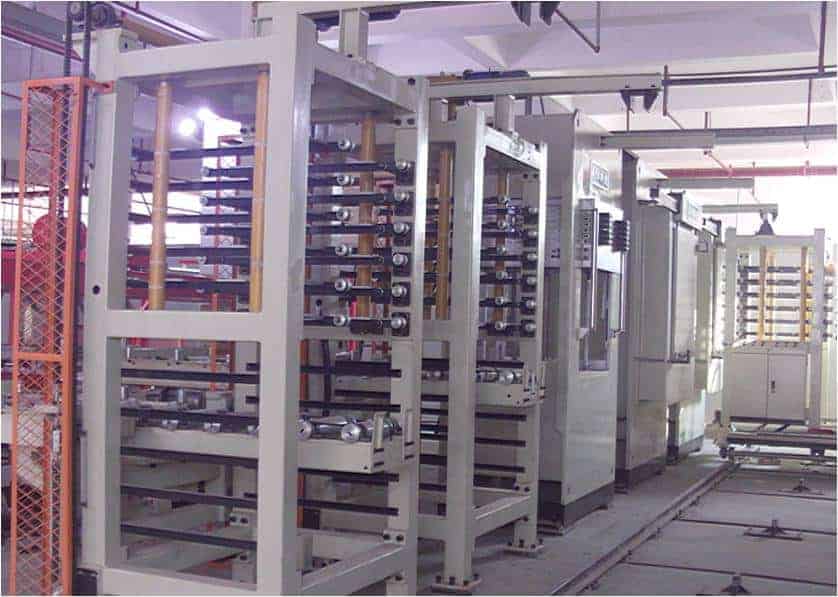
PCB Multilayer Pressing equipment

The main cause of FR4 PCB delamination during reflow soldering is moisture in the FR4 material, which has swelled and caused the separation of the internal layers.

Ensuring the right material grade is being utilized with the right specifications for the planned assembly procedure is crucial.

Although moisture may cause its FR4 layers to split, the primary source of the issue is frequently a flaw that occurred during the manufacturing process of the PCB.

Since the FR4 material is indeed “Hygroscopic” that will collect moisture from its environment, vacuum sealing is recommended after PCB fabrication. If there are questions about how the PCBs were sealed, they must be pre-baked to remove the moisture before assembly in accordance with the IPC 1601 guidelines.

Conclusion

Hope you understand what causes PCB delamination and how to prevent it. In electronics, PCB delamination can be described as a prevalent issue. It is brought on by a glue holding the PCB’s layers together, which may seriously harm your device’s performance. The good thing is the availability of solutions to stop this issue from occurring! Knowing what and how to check for it will enable you to ensure that the PCB is protected from delamination

Importance and Applications of the PCB Calculator Trace Width

PCB Claculator Trace Width

Trace width is an important consideration in every PCB design. This is why it must be calculated for when designing a printed circuit board. There are factors which determine the PCB trace width during the PCB design process. Trace width is usually calculated and determined after considering some factors.

However, to calculate PCB trace width, one needs to understand how trace width works first. This article explains how to calculate trace width.

YouTube video

What is Trace Width?

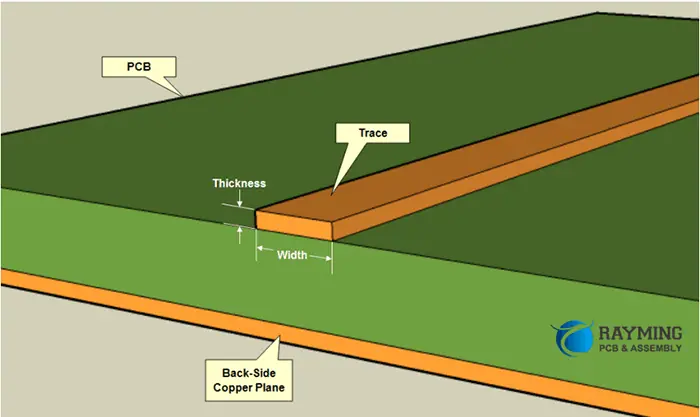
A PCB trace connects electrical signal from one junction to another. This junction can be a componentโ€™s pin, a branch off a plane or a test-point designed for probing. The PCB trace width is crucial when designing a circuit board. PCB designers need to determine an appropriate width for their circuit in order to save it from damage as a result of an increase in temperature.

Traces on a PCB have the capability to handle the greatest current load before any failure. When a higher amount of current passes through a path, heat is usually generated. However, the trace will damage the PCB laminate when the current load passes the maximum limit. This can result in a permanent damage of the circuit board.

Traces are believed to be wires that link several components without any resistance. However, this isnโ€™t a fact as all paths on a circuit feature a particular resistance, which gives a crucial consideration when determining the PCB trace width.

It is important to determine the current carrying capacity and resistance to know the appropriate width to make use of. There are several factors that determine PCB trace width. One of which is the increase of temperature applicable to a circuit board. Temperature increase indicates the traceโ€™s hotness when current passes through it. PCB trace widths are usually measured in thousands of an inch or mils.

What is a PCB Trace Width Calculator?

Diagrammatic Representation of Copper Trace

A PCB trace width calculator helps in determining a PCB conductorโ€™s width or trace. This calculator makes use of programmed formulas. Since trace width is a crucial parameter in a circuit board design, it is important to make accurate calculations. Trace width is crucial for passing currents via PCBs while maintaining trace temperature below a particular input value in order to prevent any form of overheating.

A PCB trace width calculator can help you determine different trace components like voltage drop, trace temperature, power dissipation, maximum current, and resistance. You can determine the trace width according to ampere capacity when using the trace width calculator.

Therefore, you have to determine the design specifications in the calculators like the total length of the path, the greatest current in amperage that passes through the trace, and more. After the specifications have been provided, the PCB trace width calculator will generate a calculated trace width.

Trace width calculator determines the minimum width that will match the specifications you provided. The calculated trace width will enable the flow of current without any damage to the circuit board. In reality, internal layers have more extensive trace width than external layers. This is because the internal layers generate more heat compared to the external layers.

Therefore, it is advisable to integrate the internal tracesโ€™ width for the whole circuit board to ensure safety.

How is PCB Trace Width Calculated?

The PCB trace width is usually calculated using a formula. You need to get familiar with some formulas to get started with this process.

Maximum current

To determine the maximum current, you need to use this formula. A= (T x W x 1.378 [mils/oz/ft2]).

Where A is the cross section area, [mils 2] T is the trace thickness, and [oz/ft2] W is the Trace width.

Trace temperature

The trace temperature helps you calculate the trace width. Trace temperature is determined by using this formula T TEMP = T RISE + T AMB. Three parameters help to determine trace temperature. While T TEMP refers to trace temperature, T RISE is the maximum desired temperature rise and T AMB is the ambient temperature

Resistance calculations

Trace resistance is R= ฯ * L / Aโ€™) * (1 + ฮฑ * (TTEMP โ€“ 25 ยฐC)).

Voltage drop calculation

Voltage drop describes the drop in electrical potential as it passes through a current in a circuit. You can determine voltage drop using this formula V DROP = I * R. I refer to the maximum current while R is the trace resistance.

Power dissipation calculations

When the heat produce by an electrical device causes energy loss, there is power dissipation. You can determine power loss by using this formula P LOSS = R * I2

R Refers to resistance while I is maximum current.

PCB Calculator Trace Width Applications

FULL PCB MANUFACTURING Quote

The PCB calculator trace width is crucial for PCB design process. This calculator can help you determine the tracesโ€™ minimum width while passing the required current. Also, the PCB calculator trace width will need your design parameters to determine the required width. Therefore, you will need to provide values for the rise in temperature, trace length, the trace thickness, and current to pass in amperes.

Furthermore, this calculator will offer the necessary results needed for the external trace layers and internal trace layer in the air. Also, these values are applicable to your circuit board design to confirm the functionality of the board.

Also, PCB calculator trace width helps in determining the lowest trace width for power trace and power signal applications. However, the PCB traces transmit calls that make use of small amounts of current. Therefore, you need to consider other PCB parameters to determine the width.

Types of PCB Calculator Trace Width Based on Industry Standards

There are different calculators for determining trace width. All of these calculators function according to industry standards. There are industry standards guiding their calculations. In industrial and commercial applications, the most common standards are the IPC 2152 and IPC 2221.

IPC 2221 PCB Calculator trace width

The IPC 2221 calculator integrates an equation and a single graph to determine the track current. The equation is I=kฮ”TbAc

In this equation, the value of K is 0.0048 for the visible traces while the value of K for the internal traces is 0.024. ฮ”T indicates temperature change measured in Celsius. The value of B is 0.44 and the value of C is 0.725. A in this equation indicates the cross-sectional area.

To determine the trace width with an IPC 2221 calculator, you can integrate only a range of values. The current ranges between 0 and 35 amperes, the track width ranges from 0 to 10.16mm, the copper width ranges from 0.5 to 3 oz, and the temperature rise ranges between 10oC and 100oC. The results wonโ€™t be accurate if you fail to use these values.

IPC 2152 PCB Calculator trace width

This PCB calculator trace width uses a more recent standard for its calculation. The IPC 2152 calculator is more accurate in calculating the maximum trace current capacity via an improved technical approach. The equation used by this calculator is not as simple as that of the IPC 2221 calculator. The IPC 2152 calculator must integrate a Universal chart to know the unadjusted cross-sectional area.

Therefore, this calculator makes use of various parameters to get a series of modifiers. These parameters include the PCB thermal conductivity, the distance between the copper plane and the passing tracks, and the currentโ€™s thickness passing trace.

Guidelines for Calculating PCB Trace Width

Your design specifications and the current that passes via the tracks will determine your PCB trace width. However, there is a rule of thumb to follow for the applications. 10 mm/A is the minimum trace route to apply. This is applicable for a copper thickness of 1.0 oz/ft2.

PCB trace width is more complex to calculate. Therefore, you need to understand some rules when calculating your PCB trace width. The circuit can work on a maximum current, i.e the trace thickness, the ambient temperature, and the unit of the measurement traces. These will determine the widthโ€™s input ranges.

When you input these figures into the trace width calculator, you will get some output figures. The figures you get is the trace width. You can view all the input information on the PCB datasheet or on the physical PCB. You shouldnโ€™t have any guesswork in this case. Any given PCB should contain this information.

The calculator wonโ€™t allow any calculations to be performed if you fail to input the exact measurements and numbers. You may need to use a magnifying glass to view the input information since circuit boards are usually tiny.

How to Ensure Efficient PCB Trace Width

Minimum width/Spacing

Determine the standard track width

You should determine or know the size of your standard track you will be using within the design. Your circuit will likely experience shorting if the standard track is too close or too narrow. There can be restrictions on the number of tracks in a particular area if the tracks are far apart. In this case, you may have to integrate additional planes in the circuit boards to be sure the circuit board can be routed.

Determine the circuit pad shapes

Component libraries usually feature libraries for PCB footprints and schematic for various components. However, these depend on the manufacturing process. You need to determine the manufacturing process before starting the design. Therefore, you can easily select the optimum pad sizes and then integrate it on the PCB CAD system.

Evaluate the track size for lines carrying current

PCBs have thin tracks which can carry a limited current. Therefore, you need to consider the trace size for any track that transmits power rails instead of low level signals.

Determine the dimensions of the hole and pad

It is crucial to determine the dimensions of the hole and the pad once you commence the PCB design. In most cases, the pad to hole ratio is 1:8. Sometimes, a pad that is larger than the hole can be used to measure. The PCB manufacturer can give you the required standards for their own process. As the holes and padsโ€™ size decreases, the ratio becomes very crucial.

What to Consider when Deciding PCB Trace Width and Spacing Values

PCB trace widths can impact the performance of a circuit board in several ways. There are factors to consider when deciding PCB trace width value.

Signal integrity and electrical performance

Most digital routing on PCBs already have default value for their trace widths, however, some nets need various sizes. For example, controlled impedance nets require the calculation of their trace widths according to the PCB layer stackupโ€™s consideration.

Sometimes, analog routing may need unique trace widths based on the applications of the circuitry. In some scenarios, you may reduce the default trace width in tight areas. However, you need to ensure it doesnโ€™t extend across the printed circuit board.

PCB fabrication

A PCB trace is easier to fabricate if the trace is wider. The etching process has a much better effect on long and isolated traces. Therefore, it is advisable to make the traces wider. For instance, a 20 mil trace will offer better tolerance compared to a 3 mil trace. Also, the copper weight determines the trace widths.

Power and grounding routing

Traces used for power and ground routing must be wide enough to conduct higher amounts of current. Traces can get really hot and burn through if they are very thin. Also, power traces on the PCBโ€™s internal layers should be wider to ensure heat dispersal. Power traces routed on the external layers donโ€™t need to be too wide since exposure to air can help to cool off.

Traces integrated in power supply circuitry should be kept short and wide enough to handle the current. Ensure the spacing for traces carrying greater amount of current is more.

Conclusion

A PCB trace calculator can help you determine different trace components like voltage drop, trace temperature, power dissipation, maximum current, and resistance. You can determine the trace width according to ampere capacity when using the trace width calculator. We provided information about PCB trace width calculator and we hope this information helps you in determining your PCB trace width.

A Closer Look at Flexible Substrates and Their Significance

flexible pcb circuit board

Technology today comprises complex internal components that facilitate the transmission of numerous signals among the user’s inputs & the system’s Storage. With the development of smaller & more manufacturers, advanced devices need elements that can withstand the stresses and demands of various conditions and applications.

In earlier decades, technology was constrained by inflexible internal parts that could clasp under high Degrees of tension. In environments with excessive heat and vibration, any device containing PCBs would quickly fail. Nevertheless, technology has made significant progress recently, thanks to the advent of flexible laminates.

What is Flexible Substrate?

A flexible laminate is a thin, heat-resistant material, typically composed of polymers such as polyimide & polyethylene terephthalate. In modern computing or electronic gadgets, the miniature PCBs that convey signals among the control prompts & screens are frequently fabricated using flexible substrates.

Manufacturers have progressively adopted flexible substrates for printed circuit boards because of their pliable characteristic, which facilitates their insertion into narrow and tight spaces. Additionally, PET laminate can endure the temperatures and stresses of a broad working environment while offering average frequencies with low components.

Major Uses of Flexible Substrate 

flexible-circuit-board-manufacturers

The versatility of flexible laminate materials has led to their application in numerous industries, including the industrial and medical sectors, for various technologies and uses. The Adaptability and robustness of the substance make it ideal for compact devices and challenging working environments. Here, factors such as vibration and extreme heat are commonplace. Here are the principal benefits of flexible substrates:

ยท Automobile Features

As modern vehicles rely more on technology, they increasingly adopt flexible substrates in the car industry. With the emergence of cars, automakers require methods of integrating diverse smart elements into a car structure without adding weight to vehicle design.

Flexible substrates enable automakers to equip modern vehicles with Wi-Fi connectivity, sensing capabilities, and voice commands. Additionally, due to the affordability of flexible components, automakers can add these features at reasonable prices. Furthermore, flexible laminates can withstand the diverse vibrations and tremors associated with the bumps & rough terrain found on the country’s open roads.

ยท Electronics

The current trend toward devices has led manufacturers to produce electronic and computing gadgets that are smaller than ever before. This advancement has been made Achievable by PCBs that can be inserted into small gadgets that can fit comfortably in the palm. Thin, light devices such as smartphones, tablets, miniature video recorders, and digital cameras use flexible substrate PCBs.

ยท Microwaves

Devices that create high temperatures require components that can withstand extreme heat levels while remaining flexible and durable. Consequently, flexible laminates have become essential in the functioning of ovens. Every time you heat a cup of coffee in under 60 seconds, a series of processes are facilitated by substrate PCBs. It sends a message from the button you press to start the microwave, which makes the microwave produce heat and warm up your food or drink.

ยท Industrial Applications

Machines that operate along conveyor belts in factories & processing plants experience a significant magnitude of anxiety throughout the workday. Previously, these devices depended mainly on electricity & compressed air energy since PCBs were too sensitive and cumbersome for the rigors of the industrial environment. However, due to the robustness and thermal resistance of substrates, computing technology can now be integrated into industrial machines, allowing them to carry out a wide variety.

 Of Intensive procedures.

ยท LED Lighting

Flexible substrate PCBs have addressed the concern of heat generation in LED lighting systems, which has been one of the main issues associated with this lighting technology. Despite competition from other lights, LED lighting has gained popularity due to its energy-saving and efficient features. Using flexible substrate printed circuit boards has eliminated the wastage of energy and temperature impacts on working environments.

ยท Medical Devices and Implants

Because of their miniature size and pliable characteristics, PCBs fabricated with this ultra-thin substrate have become a crucial component in modern medical devices. Flexible substrates(laminates) are now utilized in a wide range of applications, ranging from surgical instruments to electronic Embeds.

ยท Power Electronics

Flexible substrates, when Joined with thin layers(copper), find application in the power electronics industry. They are particularly important for high-power devices that require stress-resistant durability to operate at maximum capacity.

Use of Flexible Substrate in Printed Circuit Boards 

FULL PCB MANUFACTURING Quote

Multi-layered circuit boards containing integrated circuits, interfaces, and microchips can be fabricated using flexible substrates. These circuit boards have a similar appearance to modern PCBs that are simple, sleek, and unencumbered. However, the key difference is their flexibility and ability to bend significantly without compromising functionality.

Flexible substrate PCBs require a less array of elements compared to traditional PCBs. Despite its compact size, this equipment can achieve high-density functionality with just a Minimal amount of surface area. As a result, flexible substrate printed circuit boards are good for small equipment that needs high-performance capabilities for multiple functions.

The flexibility of substrates makes them an ideal choice for PCBs, as they can withstand vibrations, tremors, and high temperatures without compromising their functionality. Despite these stress factors, flexible substrate printed circuit boards maintain their high-performance capabilities. This makes them particularly useful in challenging environments such as factories and power facilities, where they can deliver average signal integrity.

Flexible substrate PCBs operate with minimal mistakes as they lack wiring components and mechanical connectors, which can introduce errors. Additionally, their assembly methods are relatively uniform, making them compatible with various devices. Flexible substrates enhance the reliability, robustness, and high-performance capabilities of PCBs, which is why modern manufacturers increasingly prefer them over rigid PCBs.

Amazing Advantages of Flexible Substrate

Bendable materials provide significant advantages to printed circuit board manufacturers & the businesses or organizations that utilize them in their Advanced computational systems. The flexibility of substrates makes the boards easier to uninstall, install, handle, and repair, reducing their overall complexity. Additionally, flexible substrate components are cost-effective and easier to manufacture than rigid PCBs. Overall, the Advantages of Flexible materials can be summed up as follows:

1. Reducing Weight and Space

Flexible substrates are easier to integrate into a wide range of Digital devices due to their reduced size and weight. They can be Set up in even the smallest computing equipment available today. The light weightiness of flexible substrates makes them ideal for motherboards for laptops & all-in-one devices. Printed circuit boards made of flexible substrates can significantly reduce space volume by up to 50% and decrease weight by 90 percent making them highly advantageous for many applications.

Flexible laminates are particularly well-suited for use in the aerospace & medical industries. In hospital equipment, the lightweight nature of flexible substrates enables the construction of more compact yet intricate devices that can be easily moved from one room to another. Similarly, the lightweight and compact characteristics of flexible substrates make them the ideal choice for devices used in air travel.

2. Easier Installation and Service

Flexible substrates can be easily installed by flexing and bending them into a printed circuit board. This flexibility greatly reduces the difficulty and labor of assembling some of the smallest boards and devices. As a result, using flexible substrates generally results in lower manufacturing costs. Additionally, maintenance and servicing devices with flexible laminate components are easier, as the material can be easily manipulated for repairs and modifications.

3. Increasing Reliability

Flexible laminates are more reliable than earlier altered markets due to their minimal interface connections. With a flexible substrate, there is less reliance on connectors, solder joints, solder, and other interface components, reducing the possibility of failure. Additionally, flexible substrates possess the strength to withstand the impacts of vibrations, heat, and shocks, making them suitable for boards used in devices designed to cope with high temperatures and turbulence. As a result, devices with Bendable bases

 are generally robust enough to withstand even the most grueling military & medical applications.

4. Managing Heat

Flexible substrates offer exceptional heat resistance and flexibility compared to other options, making them suitable for device components that face higher temperatures in humid environments. And industrial These substrates can resist temperature changes that cause other materials to expand and contract over time. Additionally, flexible substrates are largely resistant to the effects of gas, oil, acid, UV exposure, and radiation. This makes them a reliable choice for devices used in harsh environments, such as in the military and medical fields.

5. Improving Aesthetics

The transparent look of flexible substrates not only enhances the aesthetic appeal of electronic & computing devices but also makes it easier to identify the internal parts. In the past, internal parts of electronic components were often hidden behind wires & elements, making it difficult for non-experts to identify them.

With flexible laminates, the internal parts of newer components are more visible, making them less intimidating for the optimal user. In industrial settings, IT personnel and computing staff can quickly identify flexible laminate parts since wires and other through-hole elements don’t protect them.

6. Eliminating Connectors

Flexible substrates eliminate the need for interface connections in electronic and computing components. They can also accommodate most elements if they apply to rigid printed circuit board design. PCBs with flexible substrates are flat or sleek in Look

As a result, they can be easily put in slots in small devices because of the absence of Intricate interconnects

7. Reducing Assembly Costs

Flexible substrates’ thin and lightweight nature makes them easy to use in tight spaces, which reduces the overhead costs associated with manufacturing components. Additionally, using flexible components substrates can lower packaging and material costs.

Future of Flexible Substrate in Electronics Industry 

Shortly, flexible substrates witness a surge in their application across various fields, such as electronic memory. PET substrates, which offer both durability and flexibility, will likely drive further technological progress in light control, memory storage, and signal transfer within the computing and electronics industries.

Using flexible substrates in PCBs for computing equipment can significantly advance memory storage for small devices. It is possible that in the future, manufacturers could produce thumb-sized equipment with the capability to store high-quality movies & run many programs simultaneously, all through the use of voice commands. These tools could be Suitable with large screens that display high-resolution, full-color images and come equipped with integrated speakers. The control of these features is manageable remotely through voice-activated Artificial Intelligence technology. It is all possible due to the implementation of substrate-printed circuit boards.

Using PET flexible substrates drives progress in the smart car industry. With the increasing likelihood of driverless cars dominating the roads shortly, flexible printed circuit boards will play a critical role in enabling high memory capacity, advanced sensing technologies, artificial intelligence, or remote connectivity in these vehicles. Moreover, Similar technology is leveraged in airborne power vehicles. It is potentially reducing reliance on conventional transportation infrastructure such as bridges and roads.

Bendable base materials will likely be crucial in developing futuristic technologies such as robot maids and delivery drones. With a decreasing reliance on cars and expanding businesses through the Internet, clients can order food and clothing from far-off restaurants and shops through drones. These flying robots may rely on flexible circuit boards that have a large capacity, can handle stress well, and are long-lasting.

Flexible Substrates from RayPCB

More and more manufacturers are realizing the advantages of flexible laminates and are switching to them as an Element for PCBs. With flexible printed circuit boards, even the tiniest devices are furnishable with greater power and durability than The bigger versions. We offer a variety of flexible boards. Contact us today to learn how flexible substrate-printed circuit boards can help your devices perform better. We’ll be happy to share all the details with you.

Everything You Need to Know About Thermal Clad PCB

Thermal Clad PCB

The demand for higher power output in today’s electronics industry often leads to increased heat generation, which shortens the lifespan of circuits. RayPCB has tackled this issue by utilizing materials other than the standard FR4 for circuit building.

RayPCB provides thermal clad on aluminum, which functions as the thermal sink by thermal dissipation & enhancing overall circuit strength and durability. Manufacturing circuits on these substrates has been proven to reduce core temperatures and COE.

Contact us to have your printed circuit designed or built on the heat-clad substrate. This will not only provide upgraded performance but also help prevent field failure in your circuit boards.

YouTube video

Benefits of Thermal Clad PCB

ยท Thermal Conductivity

Meeting today’s high-speed PCB requirements often requires materials with low Dk and low loss properties, but these materials may not have the necessary thermal properties to optimize their performance. In the past, adding copper weight to multilayer PCBs was a common solution, but this significantly increased the cost and introduced multiple Mechanical connectors among layers that could fail over time.

Metal core boards offer a better alternative by minimizing the no. of interconnects required and providing many PTH opportunities for clients to link with the inner metal core, ensuring even heat dissipation.

ยท Thermal Stability

Designers face a major challenge when Advancing technology that involves multiple materials – ensuring they consider the unique Attributes of all materials, particularly in terms of thermal compatibility. For PCBs, the crucial variable is the CTE of each material. Matching substances with the right Z-Axis Thermal expansion coefficient values is crucial to minimize material expansion during operation, which can lead to delamination separation in metal substrate PCB.

ยท Overall PCB Rigidity

For numerous printed circuit board applications, the Capability to withstand shock or vibration is crucial for ensuring the long-term Stability of the end product. By incorporating copper, even carbon composites, and aluminum, we can significantly increase the rigidity of the PCB. These materials Enable us to create PCBs that are two -four times Harder than standard FR-4 and polyimide designs.

Major Challenges of Thermal Clad PCB

fr4 thermal conductivity

Below are some major challenges fabricators typically encounter when producing metal-core printed circuit boards. These issues have been consistently documented over many years of experience and can significantly impact the efficiency and cost-effectiveness of MCPCB production.

ยท Plated Through Holes

Preparing the hole wall is a major challenge in creating metal-core circuit boards (and any type of PCBs, for that matter). It is important to clean out all the debris from hole drilling so that a dependable and strong hole can be created.

Traditional de-smear Approaches or processes are ineffective in this situation. Therefore, it is crucial to utilize plasma etching for these boards. Additionally, it’s essential to have a Control sample on the development panel that is cross-sectioned to verify the cleanliness of the hole wall before electroless copper deposition (the only suitable Technique of depositing metal for this application) because there is no going back.

ยท Similar Thermal Expansion Properties

As previously mentioned, understanding the operating CTE temperatures is essential for the reliable function of metal-supported PCBs. However, it’s just as crucial for the manufacturer to comprehend the thermal expansion parameters when producing processes such as HASL and lamination cycles. Thieving is often deliberately incorporated into production panels to dissipate heat from the components.

ยท Extremely Tight Tolerances

Conventional PCB tolerances of +/- 0.005โ€ or +/- 10% for mechanical & electrical properties could be inapplicable to MCPCBs. When attempting to combine high-speed functionality with the metal core printed circuit board, tight tolerances of +/- 0.001โ€ may be necessary. Achieving these tight tolerances often requires precision CNC machining for routing to & through Metallic cores, especially for the Mechanical features.

ยท Heat Sink PCB

In the past, before the technology to Apply metal elements as a Printed circuit board center was available, the most economical approach was to manufacture a Detached metallic thermal sink. The finished PCB would be inscribed to the heat sink and attached using liquid adhesive or conventional pre-preg in the heating equipment under pressure and heat.

Importance of the Dielectric in Thermal Clad PCB

The dielectric material is significant in a metal-clad printed circuit board as it is the primary factor distinguishing the base materials used in their production. Additionally, the thermal Characteristics of the substrate are influenced by the dielectric layer, and it is also the fundamental layer that Specifies the Total dependability of the Finalized PCB.

Various materials are employed in the creation of dielectrics, including:

  • polymer
  • Ceramic
  • Boron Nitride
  • A combination of the materials above
  • Epoxy

Low thermal impedance is a fundamental thermal property required in a thermal substrate. For this reason, PCB manufacturers require dielectric materials with excellent thermal conductivity. To achieve Low thermal insurance, a thin layer of dielectric over the aluminum base is preferred. However, making the dielectric layer too thin is not recommended, as this can lead to a lower dielectric strength of the laminate.

Thermal Properties of Clad PCB

FULL PCB MANUFACTURING Quote

The thermal properties of a metal-clad printed circuit board are noteworthy and are below:

ยท Thermal resistance

This property determines the conductivity and thickness of a metal-clad printed circuit board. The material’s thickness or surface area can affect the thermal resistance value.

ยท Thermal impedance

Thermal impedance refers to a Material’s capability to resist heat flow, and from a printed circuit board standpoint, this value should be as low as possible. Lower thermal impedance facilitates Enhanced heat dissipation through the PCB and towards the Thermal sink.

The heat conductivity of a material directly affects the thermal impedance value. Hence, it is an intrinsic property, and its value varies with the thickness of the material.

ยท Thermal conductivity

It is the measure of a substrate’s capacity to conduct heat, and it is in W/mK. As a substance property, the heat conductivity remains constant irrespective of the material’s dimensions. For example, the heat conductivity of ten centimeters of gold is equivalent to 100m of gold.

Factors to Consider While Designing Thermal Clad PCB Boards

When designing a printed circuit board, numerous factors should be considered. It is essential to create a design suitable for the intended Intention of the end product. At the same time, the layout should also be Efficient to minimize its impact on the overall rates of the printed circuit board.

ยท Material selection

A metal-clad printed circuit board technology is on eliminating heat from the End product, which enhances its lifespan. Consequently, it is crucial to consider the specific requirements that the material must fulfill. Certain materials are better for particular applications and meet the necessary specifications.

ยท PCB size and shape

Base materials for PCBs are available in various sizes, emphasizing the significance of the design’s shape and size. Rectangular or square shapes are preferable because of the tessellation, which increases their yield.

In fabrication, square or rectangular shapes are the most commonly useful process, making them suitable for high or low-volume production. Moreover, they offer optimal yield for every creation panel, as no additional spacing is essential between PCBs.

ยท Surface finish

The choice of Surface appearance should be based on the intended application of the final product. Additionally, the surface finish used for populating the boards during assembly will play a crucial role. Each surface finish type has unique advantages and disadvantages, to determine if it satisfies the application requirements.

Conclusion

Thermal-clad printed circuit boards have gained widespread popularity across various applications, particularly with the increasing demand for LED lighting. These boards are particularly suitable for high-current applications and offer more advantages than FR4 circuits.

Exploring the Basics of X-Ray Tube Filament Circuits

filament circuit

As the source of X-ray radiation, X-ray tubes are also referred to as the X-ray device’s “engine.” The tube X-ray does, however, include other internal parts that it employs to produce X-ray radiation. The filament is arguably the most crucial of these parts since it works in conjunction with the X-ray tube’s other internal parts to generate the necessary electron beam. Knowing how the filament works may be quite useful, especially when determining how much voltage and amperage to provide the filament throughout the operation of the X-ray machine.

So let’s get started if you want to learn everything regarding the filament.

YouTube video

What Is The Filament Circuits Of An X-Ray Tube?

The filament often forms a crucial component of a cathode. It is in charge of releasing the circuit’s beams of electrons so they may focus on the target of the anode. The filament, which is simply a wires coil, serves as a controlled supply of electrons for the X-ray beams that are produced when the filament is heated. A cup-shaped nickel creation that is utilized to concentrate the beams of electrons onto the anode is also where a filament is situated. 

What Is A Filament Circuit?

The filament PCB, a subcircuit of the basic X-ray device circuit, is in charge of delivering a relatively low current to heat the filament and liberate electrons from it. Inside the tube X-ray, thermionic emission is used to liberate the electrons. The operator must use the generator’s amperage selector to turn on this circuit. This is split into two sections via a step-down generator. Additionally, the filament circuit’s amperage is controlled by the current chooser. This is also in charge of controlling the heat produced when the X-ray device is in use.

What Is Filament Circuits Current In An X-Ray Tube?

The current of the filament is the electrical voltage that excites the filament and causes it to generate electrons. The heat produced when this current travels across the filament typically reach a point where few electrons are released from the forces of electrostatic attraction holding them inside the filament. Naturally, the number of free electrons inside the filament is frequently inversely correlated with the current running through it. While not exactly the same, it is roughly comparable to the amperage that the X-ray device operator controls. 

Material of The Filament Circuits

The components of the X-ray tube, which also include filament, are built from substances that can survive the tremendous heat energy generated during X-ray processing. As a result, tungsten is used to create the filament because of its excellent temperature resistance and suitability as a filament material. However, the tube X-ray often has a cooling mechanism to lessen the impact of the temperature. Nevertheless, the filament and the X-ray tube’s lifespan may get short if the tungsten substance begins to melt when the process of cooling is insufficient for sustained heat.

Despite the fact that the filament serves as a part of the X-ray tube, it is specifically situated inside another structural part, the focusing container or cup. Without this focusing cup, there is a risk of greater electron scatter. This renders the electron projection inefficient and may overheat the filament, causing the tungsten substance to evaporate.

Maximize The Life Of The X-Ray Tube Filament Circuits

Every X-ray device must produce electrons to function, and this process causes the filament to generate heat. Tungsten emits electrons in large quantities at temperatures of about 2,000 ยฐC. 

The use of low voltages for powering the filament for as long as feasible is a useful preventative maintenance technique to extend the lifespan of the X-ray tube filament. Continuously applying a high voltage to a filament shortens its lifespan by causing the filament to thin down over time.ย 

Utilizing the chart of the manufacturer is another smart move to prolong the life of the filament. Manufacturers of X-ray tubes frequently offer graphs and charts that illustrate the ideal settings for variables, including amperage, startup time, exposure duration, and voltage needs. Through the use of these combinations of settings, you may extend the life of the filament in the X-ray tube.

Similarly, ensuring that the cooling mechanism operates at peak efficiency will lengthen the lifespan of the filament in the X-ray tube. Heat may result from a malfunctioning cooling system.

Why Filament Circuits X-Ray Machines Are Becoming Popular In Electronics Industry? 

FULL PCB MANUFACTURING Quote

Over the previous few decades, electronics production has constantly advanced, with advancements in the communication, industrial, aerospace, and military sectors making inspection much more challenging. The following are some most notable trends that have a detrimental impact on inspection:

ยท Component Placement

In order to maximize functionality and conserve space, equipment is getting more compact. Thus, many solder connections and components in electronics are being shifted to interior layers, either between Circuit layers or concealed within the finished device itself.

ยท Compact Size

The trend toward miniaturization is increasing among PCB components. PCB electronic components are anticipated to continue moving in this direction due to the requirement to make increasingly thick boards.

ยท SMT

The surface-Mount approach creates smaller packages and leads. This results in a higher PCB density along with hidden components between layers.

Traditional inspection techniques are almost completely unable to adequately discover flaws in Circuits and their electronic components. This is because of their increased density, shrinking size, and complicated arrangement. The dense quality of contemporary PCBs makes optical, ultrasonic, and thermal imaging techniques comparatively useless.

X-ray inspection, on the other hand, has the capacity to acquire precise pictures that these other techniques lack. X-ray is more advantageous for evaluating solder connections on intricate PCB assemblies since it can penetrate through PCB layers to examine interior packaging and layers. This is why the technology of X-ray is more and more useful for PCB examination.

Working of Filament Circuits X-Ray Inspection 

You must first understand the principles of X-ray inspection in order to comprehend what does an X-ray Circuit Board inspection mean? Three components serve as the basis for all X-ray examination devices:

ยท X-Ray Tube

This tube possesses the capability to produce X-Rays photons.

ยท Platform 

The sample goes through examination from a variety of angles and distances thanks to the operating platform’s ability to move it in various different directions.

ยท Detector

The detector over the sample’s other side collects and catches the X-ray photons and converts them into a visual picture or image.

X-ray photons are transmittable through an object. Depending on a material’s physical characteristics, which include atomic weight, thickness, and density, x-ray photons travel through it in different ways.

In general, heavier materials are simpler to photograph because they absorb relatively greater X-ray photons. At the same time, lighter elements tend to be more transparent. The number of photons that are together on the opposite aspect of the item depends on how each substance reacts differently, producing a picture. Typically made of heavy materials, PCB components are simple to spot on an X-ray picture.

Advantages Of Quality Filament Circuits Control And Inspection

Metal appears black in X-ray pictures of PCBs, but plastic, ceramics, and glass are translucent. This makes metallic components visible. With magnification features, this enables inspectors using X-ray equipment to check PCBs to view different metallic components on a PCB. Inspectors will be able to observe a PCB’s many characteristics. Also, see a variety of possible issues thanks to the x-ray, including:

1. Solder Bridges

The Solder bridges of PCBs are a prevalent issue. This typically happens when a solder joint gets too close or makes unwanted connections. Typically, other electronic components hide these solder issues. This makes it challenging to detect them visually, but X-rays may quickly find them.

2. Solder Voids

As an outcome of water contaminating solder paste, solder voids develop when flux or gas becomes trapped while soldering. These voids can result in physical flaws and decreased dependability. They also limit thermal conduction at a solder connection. To assure the quality of the product and the manufacturing process, it is crucial to employ X-rays often. This proves one of a few ways to detect solder vacancies.

3. Pin-Hole Fills

Circuit boards frequently have issues with through-hole connection pin-hole fill that is insufficient. These flaws are utilizing X-ray equipment, which can also be useful to calculate the quantity of fill that is missing utilizing coordinate measurements.

Conclusion

Even though the filament of an X-ray tube is a crucial component of any X-ray machine, being aware of how it functions may be quite advantageous. It not only generates the electrons needed for the X-ray device. But also makes sure that the amount of radiation required for a precise examination of the sample is created. Moreover, to make sure you optimize the life of the tube filament of the X-ray, maintenance and care best practices must be used.