What is the best PCB Prototyping Machine?

Developing new electronic products requires building multiple iterations of printed circuit board (PCB) prototypes to test and refine the design. Choosing the right PCB prototyping machine is crucial for rapidly fabricating high-quality prototypes at low costs. This guide examines the key types of PCB prototyping machines available and provides guidelines for selecting the best system based on prototyping needs.

Methods of PCB Prototyping

There are several approaches to creating PCB prototypes:

Hand Assembly

  • Manual assembly and soldering of components
  • Low volumes and iterations
  • Flexible but time consuming
  • Risk of errors and quality issues

Milling/Routing

  • CNC subtractive machining of PCB substrate
  • Flexible for design changes
  • Limited feature size and complexity
  • High equipment cost

Laser Prototyping

  • Laser ablation to selectively remove copper
  • Non-contact process preserves fine features
  • Limited line width and registration accuracy

Photochemical Etching

  • Uses photoresist and chemical etchant
  • Capable of fine features and tolerances
  • Multiple fabrication steps involved
  • Chemical handling required

Benefits of Automated Prototyping
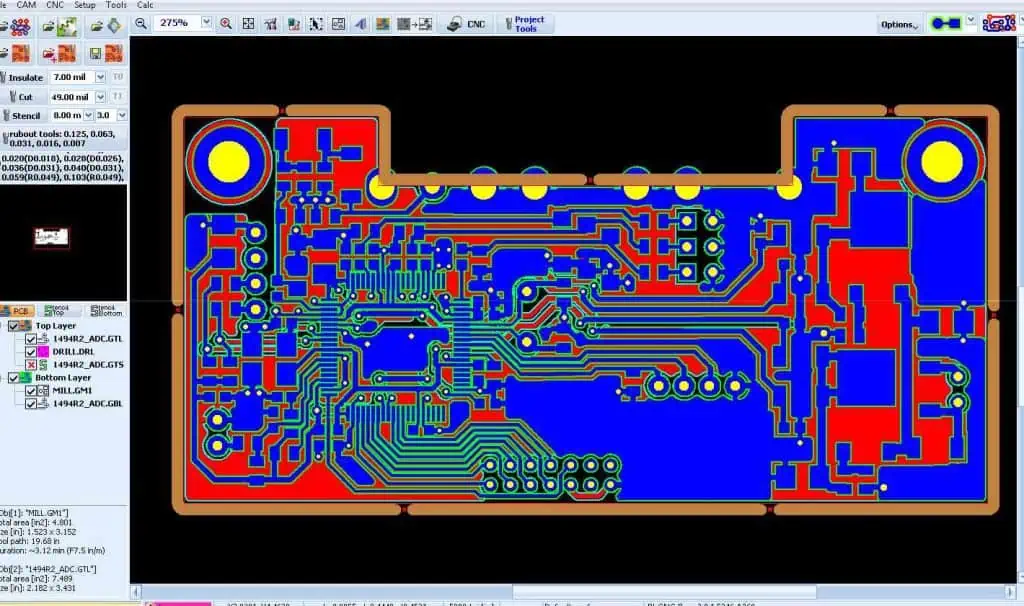
Automated PCB prototyping machines provide important advantages over manual approaches:

  • Speed – Much faster fabrication of multiple boards
  • Repeatability – Consistent quality across prototypes
  • Precision – Tight tolerances and fine features
  • Flexibility – Quick changeover between designs
  • Reliability – Reduces human errors and defects
  • Scalability – Easily scale to higher or lower volumes
  • Productivity – Frees up skilled labor for higher value tasks

For these reasons, using an automated PCB prototyping system is recommended over DIY methods for professional prototyping.

Types of PCB Prototyping Machines

Several types of automated systems have been developed for fast PCB prototyping:

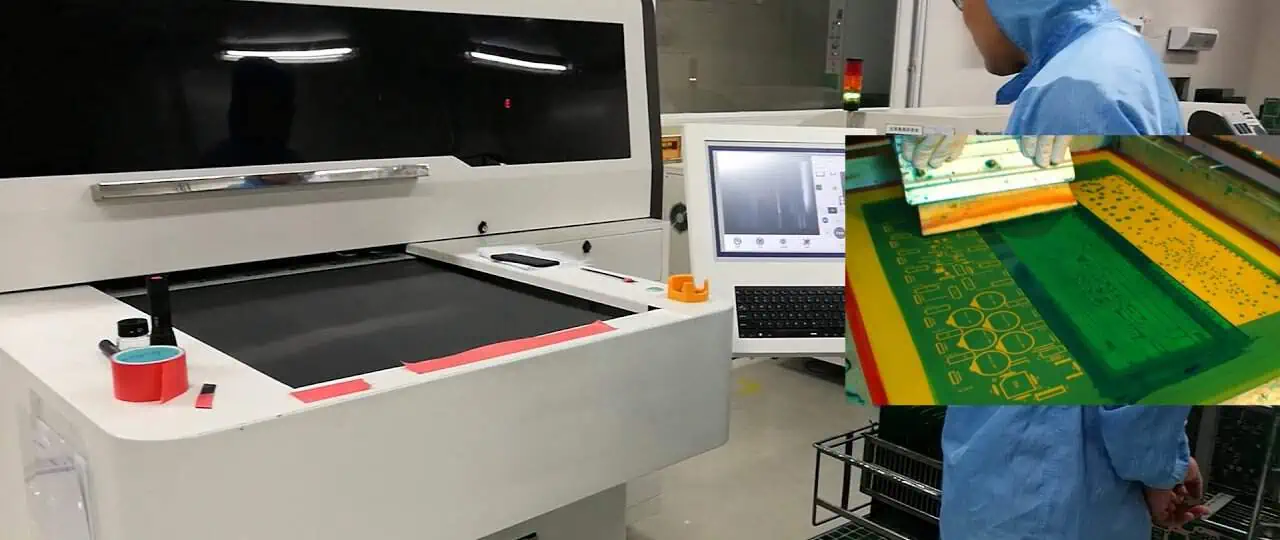
Laser Direct Imaging (LDI)

  • Uses laser to image photoresist on blank PCB panel
  • Photochemical patterning and etching follows
  • Fast imaging with no photo-tools needed
  • Limited by etching process throughput

Digital Light Processing (DLP)

  • Projector flashes UV light through mask onto PCB
  • Photoresist exposure done in minutes
  • Still requires wet etching
  • Lower cost than laser imaging

CNC Milling/Routing

  • Spinning end mill removes unwanted copper
  • Drills holes for vias and components
  • Flexible but lower precision than etching
  • Capable of limited number of layers

Inkjet Printing

  • Prints etchant-resistant ink on blank PCB
  • Subsequent etching creates conductors
  • Additive process builds up traces
  • Resolution and accuracy challenges remain

Key Machine Specifications

Important specifications to evaluate when selecting a PCB prototyping system:

  • Resolution – The minimum trace/space width that can be produced
  • Accuracy – How closely dimensions match design values
  • Repeatability – Matching quality across multiple boards
  • Throughput – Number of boards produced per hour
  • Number of Layers – Supports single, double, or multilayer boards
  • Board Size – Maximum dimensions of the PCB panel
  • Materials – Compatible board substrates and laminates
  • Line Width – Minimum/maximum trace widths supported
  • Registration – Alignment accuracy between layers
  • Solder Mask – Ability to apply solder resist coatings
  • Software – CAM tools for optimizing designs

Laser Direct Imaging Systems
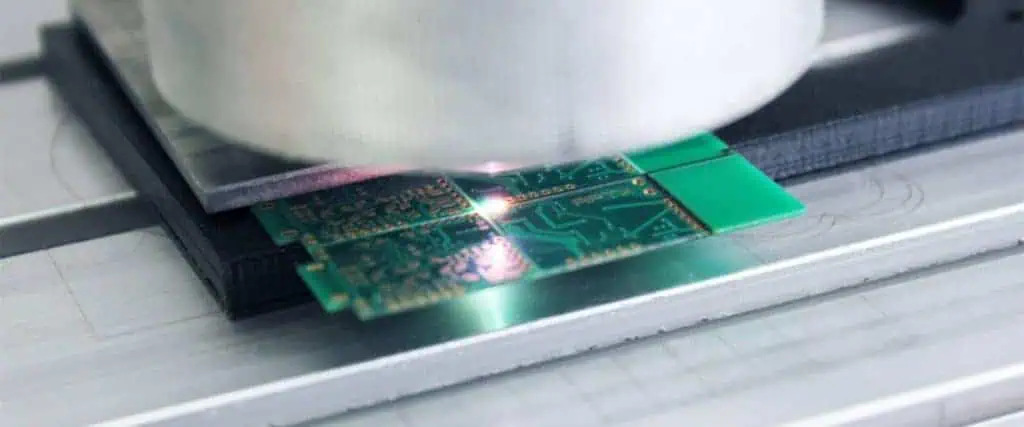
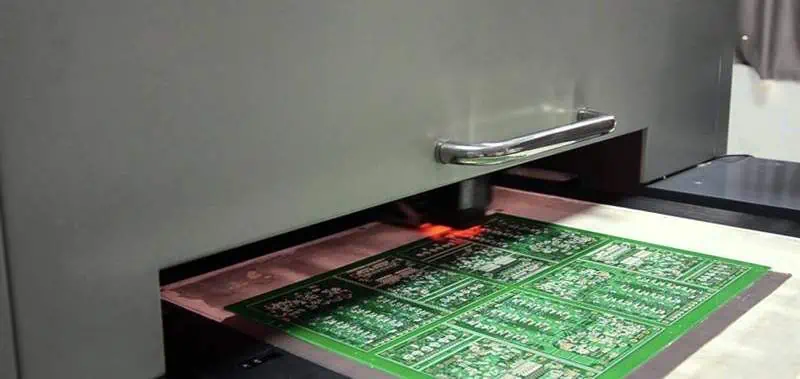
laser pcb

Laser direct imaging (LDI) uses a focused laser to expose photoresist on a copper clad laminate directly based on CAD data. This gives rapid, efficient prototypes without any masks or tooling.

How LDI Works

  1. Board panel coated with photoresist
  2. UV laser scans surface, exposing photoresist patterns
  3. Developer solution removes unexposed resist
  4. Etchant textures away unwanted copper
  5. Resist stripped, followed by final finishing

Benefits of LDI:

  • Eliminates need for physical masks
  • Digital process enables fast changeovers
  • High resolution down to 25 microns
  • Suitable for circuits down to 0201 components
  • Scales efficiently from protoypes to production

Limitations of LDI:

  • Wet chemical processing limits speed
  • Initial system cost can be high
  • Requires skilled operators
  • Etching process constrains minimum trace width

Cost Considerations:

  • $50,000 to $150,000 for small systems
  • $150,000 to $400,000 for production systems
  • Lower volumes have higher board costs
  • Lower costs at mid to high production volumes

LDI provides the best combination of flexibility, precision and scalability for PCB prototyping.

Digital Light Processing Systems

Digital Light Processing (DLP) uses an LED or arc lamp projected through a photomask to expose photoresist on PCBs with speed and accuracy.

How DLP Works:

  1. PCB panel coated with photoresist
  2. Mask with transparent and opaque areas placed over panel
  3. UV light projected through mask onto panel
  4. Light hardens resist in exposed areas
  5. Developer solution removes unexposed resist
  6. Panel etched and finished as normal

Benefits of DLP:

  • Very fast exposure time in minutes
  • High resolution with 25 micron geometries
  • Small footprint equipment
  • Lower cost than laser imaging
  • Capable of soldermask coatings

Limitations of DLP:

  • Requires physical masks for each design change
  • Mask costs and lead time
  • Chemical processing creates process bottleneck
  • Limited in number of layers

Cost Considerations:

  • $30,000 to $100,000 for equipment
  • $200 to $1000 for mask tooling per design
  • $2,000 to $5,000 per mask set tooling cost
  • Lower volumes have proportionally higher costs

DLP provides a lower cost but still flexible PCB prototyping process.

CNC Milling/Routing Systems

CNC milling uses a spinning end mill to selectively remove copper from a PCB substrate to fabricate traces based on CAD designs.

How Milling Works:

  1. PCB substrate mounted to machine bed
  2. End mill moves in X-Y over panel removing copper
  3. Z-axis controls milling depth on panel
  4. After milling, PCB undergoes finishing
  5. Components populated on finished board

Benefits of Milling:

  • Direct CAD to fabrication workflow
  • No chemical processing required
  • Capable of quick turnaround
  • Design changes easily accomodated
  • Allows thick copper PCB substrates

Limitations of Milling:

  • Lower precision and tolerances
  • Limited to simpler board designs
  • High equipment capital costs
  • Produces copper dust during milling
  • Restricted to fewer layers

Cost Considerations:

  • $100,000 to $250,000 for equipment
  • $200 to $2,000 per board depending on size
  • Economical for very low volume prototyping
  • Milling time limits throughput volume

CNC milling suits low complexity PCBs in very small quantities.

Inkjet Printing Systems

Inkjet PCB printing uses inkjet heads to selectively print etchant-resistant ink onto blank copper clad boards. Subsequent etching creates the conductive traces.

How Inkjet Printing Works:

  1. Blank PCB substrate placed in system
  2. Inkjet deposits polymeric ink on panel
  3. Ink hardens to form etchant resist
  4. Etching textures away unprinted copper
  5. Resist ink removed and PCB finished

Benefits of Inkjet Printing:

  • Direct printing from CAD data
  • No tooling or masks needed
  • Additive process with no waste
  • Small equipment footprint
  • Continually improving resolution

Limitations of Inkjet Printing:

  • Still lower resolution than etching
  • Limited number of conductive ink layers
  • Restricted to lower complexity designs
  • Conductive ink challenges remain
  • Overall process slower than traditional methods

Cost Considerations:

  • $50,000 to $150,000 for small systems
  • $2,000 to $4,000 per square foot panel
  • Only economical at very low volumes
  • Cost reduces as technology matures

Inkjet PCB printing is an emerging technology still in development.

Laser Prototyping Systems

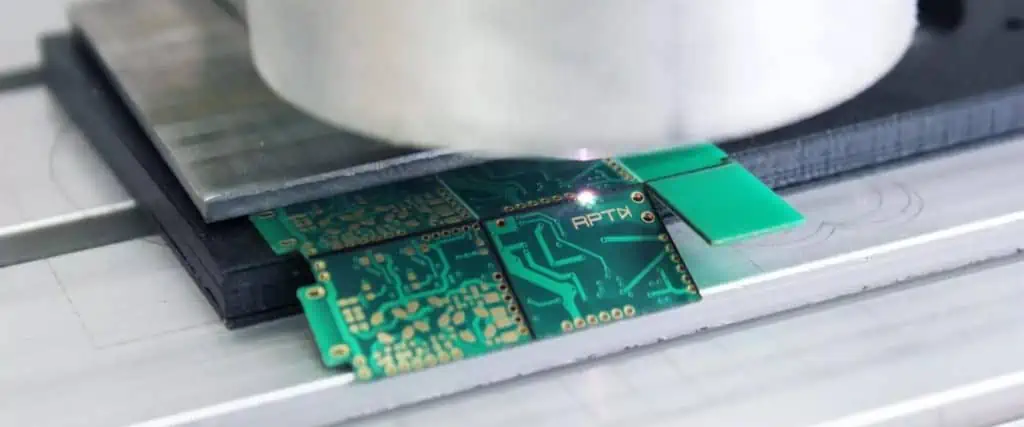
Laser prototyping uses laser ablation to directly remove copper from substrates to form circuit traces based on CAD patterns.

How Laser Prototyping Works:

  1. Blank copper clad PCB mounted in system
  2. IR laser selectively ablates unwanted copper
  3. Desired copper traces remain on PCB panel
  4. Board undergoes finishing and population
  5. Very rapid turnaround possible

Benefits of Laser Prototyping:

  • No masks, resists or chemistry needed
  • Direct non-contact copper patterning
  • Extremely fast process speed
  • High resolution down to 0.001โ€ lines

Limitations of Laser Prototyping:

  • Limited registration accuracy between layers
  • Copper smearing and debris issues
  • Restricted to simpler board designs
  • High equipment cost
  • Limited scalability

Cost Considerations:

  • $100,000 to $300,000 for equipment
  • $500 to $2,000 per board
  • Only feasible for very low volume prototyping
  • Material costs dominate overall cost

Laser prototyping suits occasional, quick-turn PCB needs.

Hybrid Prototyping Systems
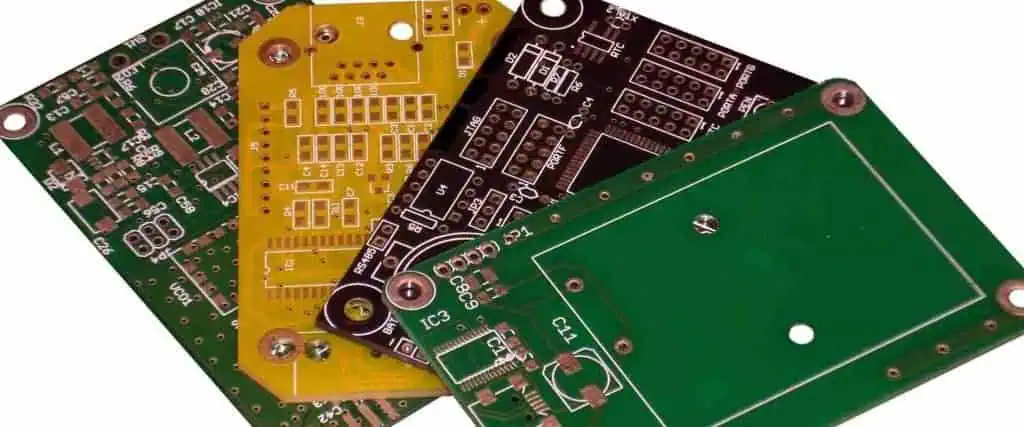
pcb prototype board

Some systems combine multiple PCB fabrication technologies into a single machine for added flexibility:

Laser Imaging + Etching

  • Laser images photoresist like LDI
  • Integrated spray etching built into system
  • Reduces handling and process steps

Milling + Laser Ablation

  • Use milling for bulk copper removal
  • Laser ablation gives fine features
  • Eliminates masks and chemistry

Inkjet Printing + Etching

  • Inkjet deposits etchant resist
  • Integrated immersion etching system
  • Lower cost digital process

Hybrid machines provide versatility for prototyping needs. But integration complexity can impact costs.

Key PCB Prototyping Machine Criteria

Consider the following aspects when selecting a PCB prototyping system:

  • Volumes – Quantity of boards and iterations needed
  • Complexity – Simple double-sided or multilayer boards?
  • Resolution – Line width and space requirements
  • Materials – Substrate types and thickness
  • Iteration Speed – How quickly design changes needed
  • Technical Expertise – Operator skill level required
  • Floor Space – Size limitation for equipment
  • Budget – Total investment and per board cost targets
  • Scalability – Ability to scale up or down production

Matching the above criteria to the system specifications will identify the optimal PCB prototyping solution.

Making the Right Prototyping Machine Choice

Follow these steps to select the best PCB prototyping equipment:

  • Define prototyping requirements – quantity, complexity, precision needed
  • Determine suitable technologies – match requirements to process capabilities
  • Evaluate vendor systems – compare specifications, features, reviews
  • Assess cost considerations – equipment cost, material cost per board
  • Validate supplier qualifications – experience, customer support
  • Get hands-on demos – test machine usability and output quality
  • Consider future applications – scalability from prototyping to production

Selecting the right system will accelerate prototyping, reduce costs, and enhance electronic product development.

Frequently Asked Questions

What are some tips for operating a PCB prototyping machine?

  • Ensure proper machine setup, calibration and maintenance
  • Follow manufacturer guidelines for photoresist coating, etching, etc.
  • Use optimized board layouts and panel utilization
  • Allow sufficient tolerances for the process capabilities
  • Employ good panel handling practices to avoid damage

How many prototype boards should be fabricated?

Plan for at least 5 copies for design validation builds. Budget needing 10 copies for engineering testing. Produce 20+ copies for field evaluations. Build excess boards to allow for potential failures.

What file formats do PCB prototyping machines accept?

Gerber and Excellon formats are standard inputs. Some systems also accept PDF, DXF, SVG, HPGL, CIF, IPC-D-356A or ODB++ files.

Can PCB assembly be automated after prototyping?

Yes, automated optical inspection, solder paste deposition, component placement and reflow soldering systems enable automated assembly and higher volume production.

How are multilayer PCBs prototyped?

Systems that utilize photolithographic etching can produce multilayer boards through sequential imaging, laminating and drilling of stacked boards. Hybrid milling machines can also create multilayer boards.

Conclusion

Selecting the optimal PCB prototyping system that matches project requirements is key for fast, affordable and effective prototype builds. Laser direct imaging provides the best combination of speed, precision and flexibility for professional needs. But digital light processing, CNC milling, inkjet printing and laser ablation systems have their own advantages that suit certain applications. By analyzing production volumes, design complexity, resolution, accuracy and budget considerations, engineers can determine the ideal system to accelerate innovation and development. Robust PCB prototyping systems empower teams to rapidly test form, fit and function to successfully deliver electronic products to market.
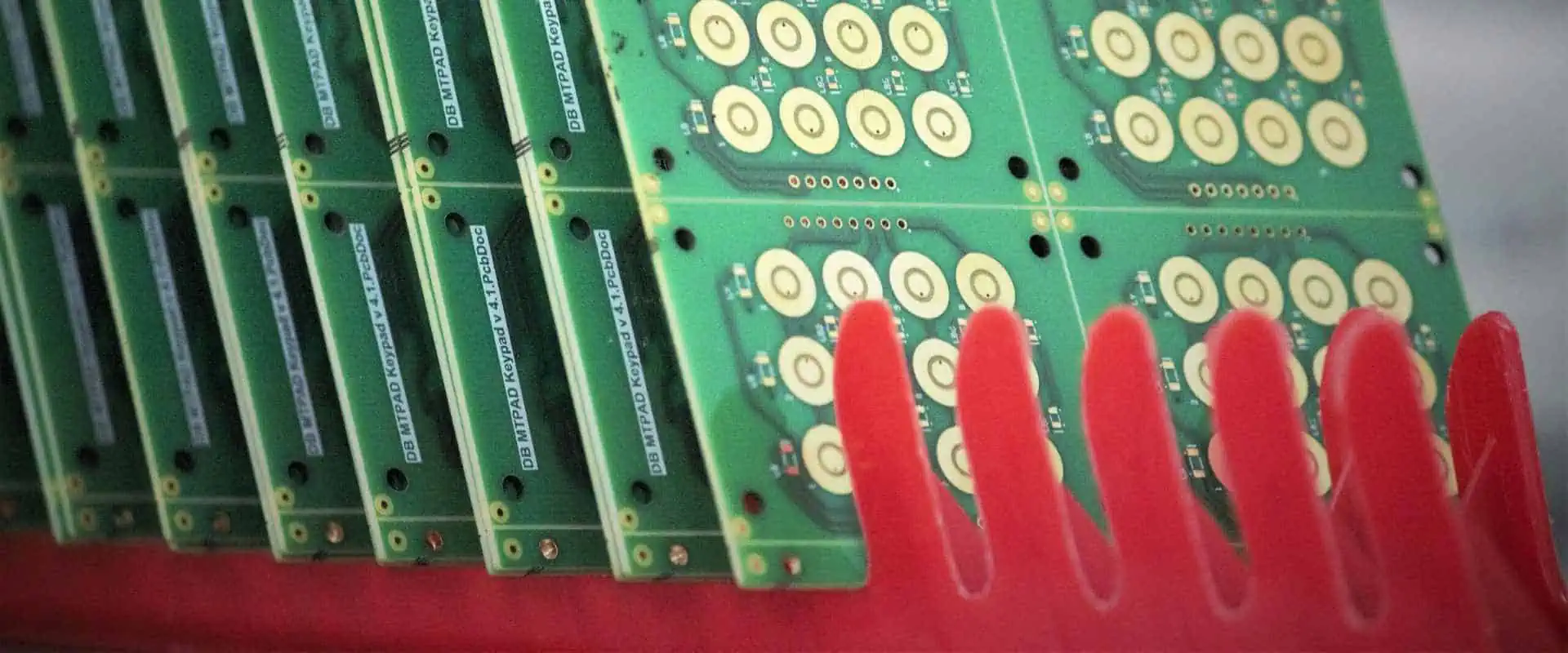
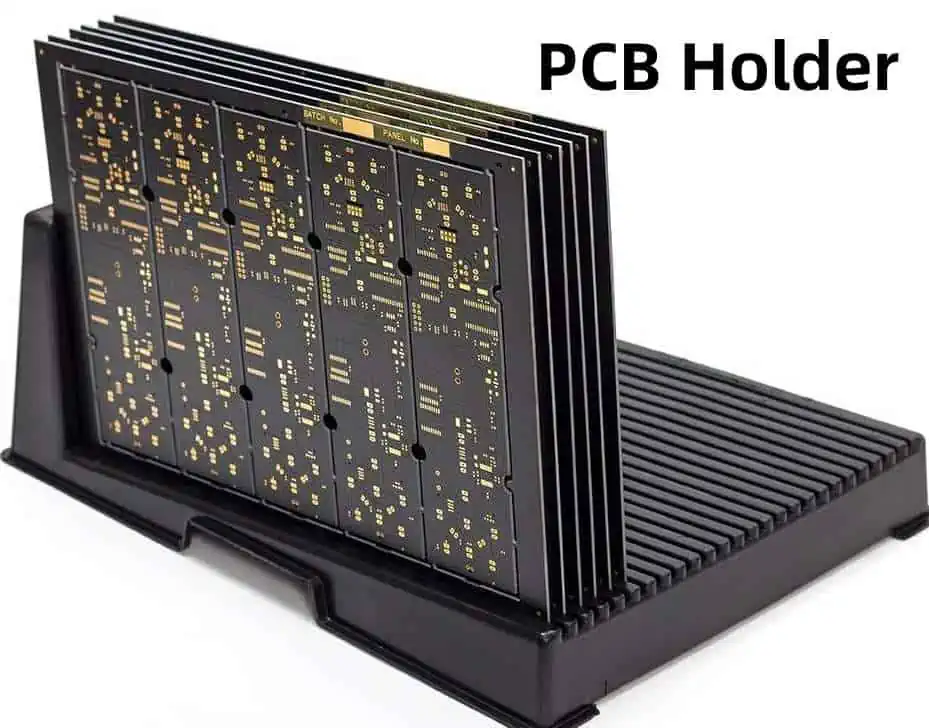
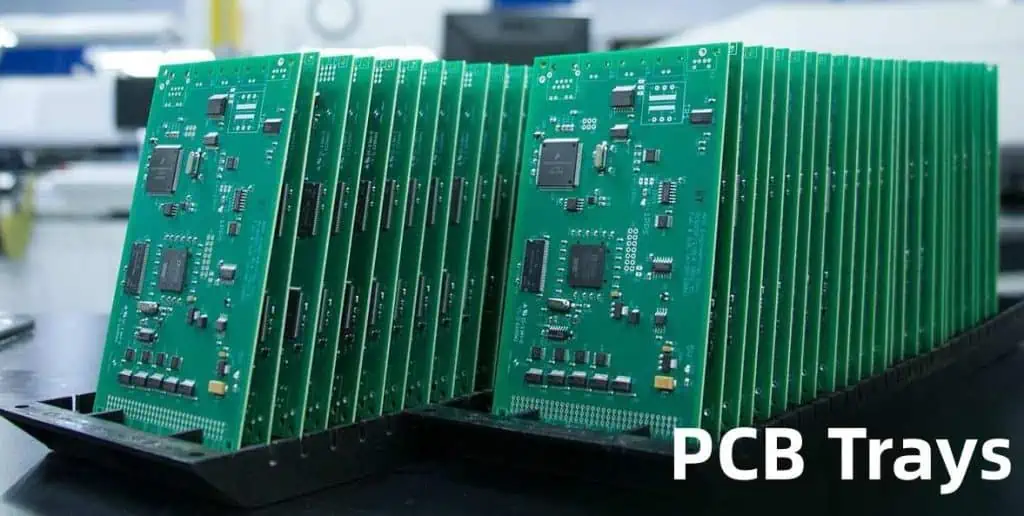
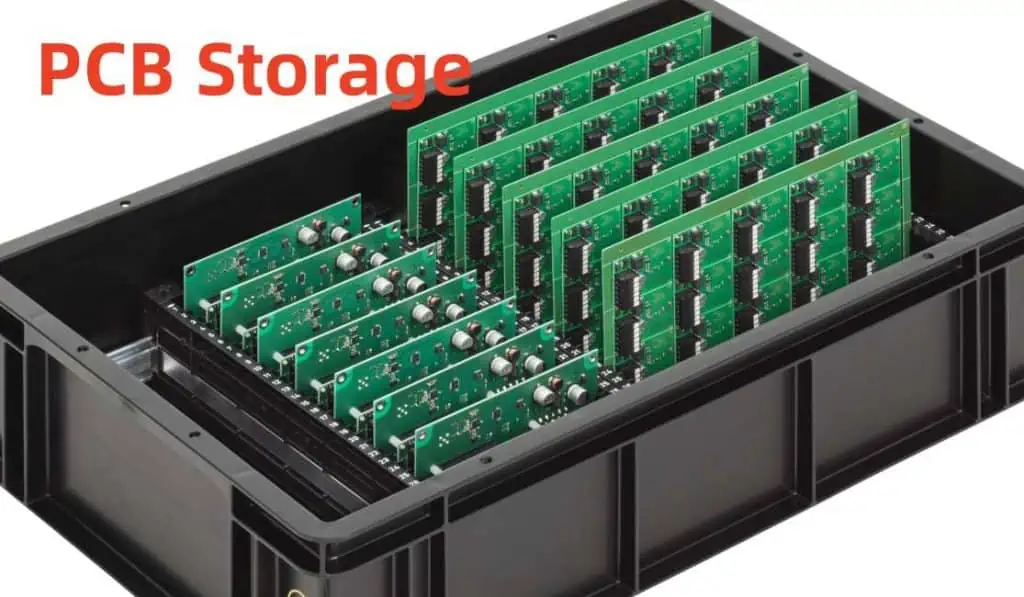
What is PCB Racks, Holders ands Trays ?

Printed circuit boards (PCBs) are delicate and sensitive electronic components that require proper handling and storage. PCB racks, holders and trays are specifically designed to organize, protect and secure PCBs during manufacturing, assembly, testing, storage and transport. Selecting the right racking and storage solutions can safeguard PCBs against physical damage as well as electrostatic discharge. This guide provides a comprehensive overview of the different types of racks, holders and trays available for PCB applications.

PCB Racks

PCB racks provide slots or open spaces to hold multiple PCBs vertically in an organized manner. They allow easy insertion and removal of boards for access.

Rack Construction

  • Made of plastic or metal
  • Provide mounting holes to attach to worktable or enclosure
  • Some models have anti-static coating or dissipative plastics

Rack Types

  • Open frame racks – basic racks with open slots to insert PCBs
  • Enclosed racks – completely enclosed with transparent door to protect boards
  • Card cage racks – for vertically mounting PCBA cards
  • Magazine racks – allow stacking of PCBs like a magazine
  • Slotted rails – rail-based structure with slots to hold PCBs

Key Benefits

  • Organized vertical storage to systematically access each board
  • Saves benchtop space compared to laying PCBs flat
  • Allows mounting multiple PCBs of same type for production
  • Protects boards from physical damage
  • Some racks provide electrostatic discharge (ESD) protection

Applications

  • PCB storage and transport
  • Programming and testing
  • PCB assembly line workflow
  • Board burn-in testing
  • Field servicing of equipment

PCB Holders

PCB holders securely retain a single PCB to protect it during handling, testing and processing. They prevent physical stress and abrasion damage.

Holder Construction

  • Made of plastic or metal
  • Have retaining clips, screws or friction rails to lock the PCB
  • Standoffs separate PCB from base

Holder Types

  • Clip-on holders – plastic holders with clip on top to retain PCB
  • Screw-down holders – metal plates compress PCB between screws
  • Sliding holders – plastic holder with sliding rails to lock PCB
  • Pogo pin holders – provides electrical test contact with pogo pins

Key Benefits

  • Protects PCB from bending and flexing stress
  • Provides secure mounting for handling and processing
  • Compatible with soldering, cleaning and testing processes
  • Allows electrical edge connector access to PCB
  • Some holders made of anti-static materials

Applications

  • PCB hand assembly
  • Soldering and de-soldering
  • Cleaning and coating
  • In-circuit testing
  • Burn-in testing
  • Programming finished boards

PCB Trays

PCB trays provide flat protective carriers to hold PCBs horizontally without bending or warping the boards. They are used for storage, transport and PCB processing.

Tray Construction

  • Made of plastic or other polymers
  • Have divider ribs to separate each PCB
  • Anti-static conductive or dissipative polymers used

Tray Types

  • Universal trays – grid of adjustable dividers to fit various PCB sizes
  • Custom trays – molded trays fitted for specific PCB outline
  • Jedec trays – standard trays for handling ICs and chips
  • Magazine trays – stackable trays like a magazine

Key Benefits

  • Protects PCB surface from scratches
  • Prevents board warpage over time
  • Organized compartmental storage
  • Trays stackable for space efficiency
  • Anti-static material prevents ESD damage

Applications

  • PCB storage in warehouses
  • Transporting PCBs between facilities
  • Buffer storage on PCB assembly lines
  • Work-in-progress storage during manufacturing
  • Protecting finished PCB assemblies

Specifications

Key specifications to consider when selecting PCB racks, holders and trays:

Material

  • Plastic – polycarbonate, acetal resin, PTFE
  • Metal – aluminum, steel, stainless steel
  • Anti-static – dissipative or conductive polymers

PCB Capacity

  • Rack slots or holder openings for different PCB sizes
  • Trays have adjustable divider configurations

ESD Protection

  • Anti-static coatings and polymers
  • Grounding features and wrist straps

Temperature Rating

  • Withstand soldering heat up to 350ยฐC
  • Meet PCB cleaning and processing temperatures

Physical Dimensions

  • Overall outer dimensions
  • Rack slot pitch and spacing
  • Holder opening dimensions
  • Tray compartments size

Selection Criteria

Consider the following factors when selecting the optimal PCB racks, holders and trays:

PCB Size and Quantity

  • Racks and trays should fit PCB footprint
  • Determine number of PCBs to be stored

Required Protection Level

  • Open racks vs. enclosed racks vs. protective trays
  • Needed during transport, storage, or processing?

Physical Conditions

  • Environmental temperature and humidity
  • Will racks/trays encounter vibration or shock?

ESD Safeguarding

  • For handling static-sensitive boards
  • Level of ESD control needed

Mounting and Access

  • How will racks be mounted? On benchtop or enclosure?
  • Easy PCB insertion/removal required?

Budget

  • Open frame racks more economical
  • Enclosed racks and custom trays cost more

Advancements in PCB Racks and Storage

Recent improvements in PCB racking, holders and trays include:

  • Ergonomic designs: Easier handling and access to boards with slide out trays, rotating racks and adjustable working heights.
  • ESD protection: Conductive polymers, dissipative coatings and grounding features built-in.
  • Modular racks: Separate vertical slotted panels can be joined to hold different PCB sizes.
  • Smart rack monitoring: RFID tags monitor PCB locations. Sensors track environmental conditions.
  • Quick-change tooling: Faster and simpler changeover when switching PCB designs.
  • Automated racking: Robotic pick-and-place systems to insert and remove PCBs from racks and trays.

Key Benefits of Using Proper Racks and Trays

Utilizing purpose-built PCB racks, holders and trays offers important benefits:

  • Protects boards from physical damage like bending, vibration, abrasion.
  • Safeguards PCBs from ESD damage during handling and storage.
  • Eliminates tangled cables and wires hanging off loose boards.
  • More organized inventory and smoother workflow.
  • Increased PCB quality with lower defect rates.
  • Saves production time compared to improvised storage methods.
  • Safer transport between production stages without board damage.
  • Ergonomic racks reduce worker fatigue and injuries.

Storing Sensitive PCB Assemblies

PCBs with sensitive components require specialized storage:

  • Moisture-sensitive boards – Use dry storage cabinets or bags with desiccant to avoid moisture absorption.
  • Photonics PCBs – Protect photonic components from light exposure with opaque antistatic foam or dark trays.
  • High voltage boards – Prevent arcing with non-conductive trays rated for required voltage separation.
  • High frequency boards – Shielding may be needed to block external RF interference.
  • High temperature boards – Use high temperature polymers or ceramics resistant to soldering heat.

Example PCB Racking Systems

Here are some examples of complete racking systems to handle PCBs through the manufacturing process:

Storage and Transport Racking

  • Trays to store populated or bare PCBs.
  • Slotted rail racks to hold boards vertically for staging.
  • Move PCBs on carts between production areas.
  • Anti-static plastic construction.

Soldering and Washing Racks

  • Frame holder secures PCB for hand soldering.
  • Transfer boards to wash racks for cleaning process.
  • Compartment trays separate different wash batches.

Testing and Programming Racks

  • Clamshell ESD-safe holder for in-circuit testing station.
  • Indexing rack inserts boards into programming fixture.
  • Rack feeds tested boards to final packout.

Frequently Asked Questions

What are some tips for using PCB racks and trays?

  • Label rack slots and trays clearly for easy identification.
  • Use marker strips to indicate empty slots needing replenishment.
  • Insert boards gently without bending or forcing.
  • Cover unused rack openings to keep out debris and dust.
  • Lock rack casters when stationary to prevent rolling.

How can I estimate the size of rack needed?

Determine number of boards and production rate. Allow space for future requirements. A 12 or 24 slot rack is typical for small volumes. Multiples of 24 slot racks are common in production.

What design files do vendors need to create custom racks?

Supply the PCB outline drawing, preferably in dxf format. Indicate required slot pitch and quantity. List special needs like ESD protection. State expected lifetime usage.

Should racks used in wave soldering have special coatings?

Yes, racks and trays in soldering processes require high temperature coatings that withstand soldering without degrading. Fluoropolymer impregnated anodized aluminum is a common choice.

How often should I audit our PCB racks and storage?

Perform regular checks of racks and trays to ensure they remain undamaged and contaminant free. This prevents them from causing defects. Replace racks showing signs of wear. Review ESD protection and grounding.

Conclusion

PCB racks, holders and trays are critical investments to protect delicate electronics boards throughout manufacturing stages. This guide reviewed key types, specs and selection criteria to choose optimal solutions that organize and safeguard PCBs during production, storage, assembly and testing. Leveraging purpose-built racks, holders and trays improves workflow, productivity and first pass yields when dealing with large volumes of PCBs. They reduce costly board damage and ESD events. With careful selection using the principles outlined here, you can implement racks and storage that increase throughput, lower costs and deliver higher quality boards.

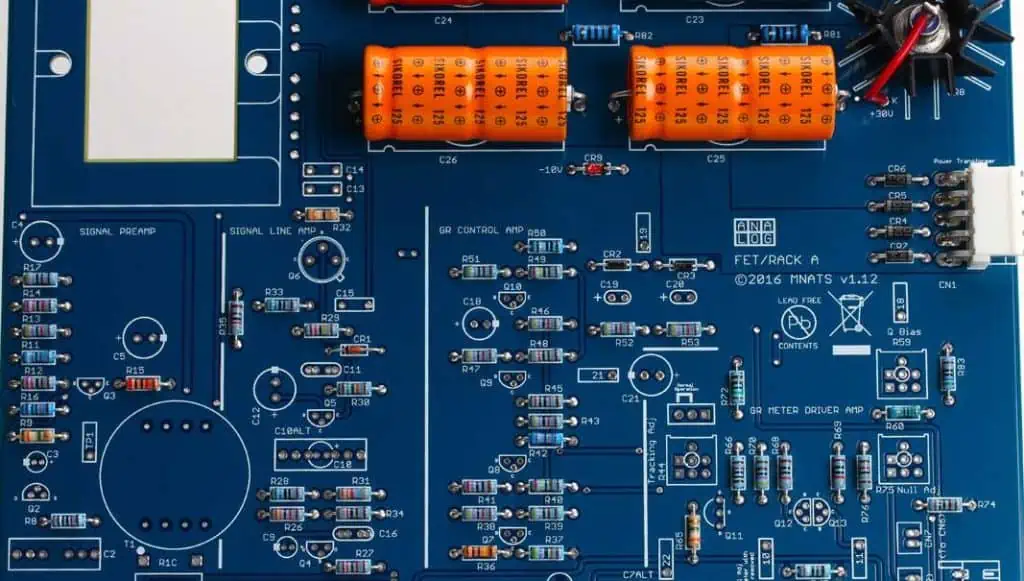
How to Choose the Right PCB Resistor ?

When designing printed circuit boards (PCBs), resistors are one of the most commonly used components. Choosing the right resistor for your PCB design is crucial, as it impacts performance, reliability and cost. With many types, sizes and specifications of resistors available, selecting the optimal one can get confusing. This comprehensive guide provides circuit designers a systematic approach to pick the right resistors for their PCBs.

Types of PCB Resistors

There are several types of resistors used on PCBs, each better suited for certain applications:

Carbon Film Resistors

  • Made of carbon film deposited on ceramic rod or cylindrical body
  • Low cost and widely used general purpose resistors
  • Resistance range: 1 ohm to 22 megohms
  • Tolerance: +/-5% to +/- 0.5%
  • Temperature coefficient: 250-1000 ppm/ยฐC
  • Power rating: 1/8 watt to 2 watts
  • Pros: Inexpensive, readily available
  • Cons: Lower precision, more noise

Metal Film Resistors

  • Made of thin metal film over ceramic body
  • Improved properties over carbon film
  • Resistance range: 1 ohm to 1 megohm
  • Tolerance: +/-1% to +/-0.01%
  • Temperature coefficient: +/-15 to +/-25 ppm/ยฐC
  • Power rating: 1/8 watt to 1 watt
  • Pros: Better stability and tolerance
  • Cons: More expensive than carbon film

Metal Oxide Film Resistors

  • Made of metal oxide film on ceramic substrate
  • Superior performance over metal film resistors
  • Resistance range: 10 ohms to 22 megohms
  • Tolerance: +/-0.5% to +/-0.01%
  • Temperature coefficient: +/-1 ppm/ยฐC to +/-25 ppm/ยฐC
  • Power rating: 1/8 watt to 1 watt
  • Pros: High stability, precision
  • Cons: More expensive

Wirewound Resistors

  • Made of metal wire wound around ceramic core
  • Very low resistance values possible
  • Resistance range: 0.1 ohm to 10 kohms
  • Tolerance: +/-5% to +/-0.02%
  • Temperature coefficient: 20-60 ppm/ยฐC
  • Power rating: 1 to 10 watts
  • Pros: Low resistance values, high power rating
  • Cons: Inductance effects at high frequencies

Thick and Thin Film Resistors

  • Screen printed resistive paste over substrate
  • Often used in hybrid circuits and thermal management
  • Resistance range: 1 ohm to 1 Mohms
  • Tolerance: +/-1% to +/-25%
  • Temperature coefficient: +/-50 to +/-2500 ppm/ยฐC
  • Power rating: 0.1 to 1 watt
  • Pros: Wide resistance range, low cost
  • Cons: Lower precision and stability

PCB Resistor Sizes

Resistors come in a variety of physical sizes. The major size standards are:

0402

  • Very small surface mount resistors
  • Length: 1 mm
  • Width: 0.5 mm
  • Used in high density boards

0603

  • Smaller SMD resistors
  • Length: 1.6 mm
  • Width: 0.8 mm
  • Good balance of size and power rating

0805

  • Most common SMD resistor size
  • Length: 2 mm
  • Width: 1.25 mm
  • Ease of handling and soldering

1206

  • Larger SMD resistors
  • Length: 3.2 mm
  • Width: 1.6 mm
  • Higher power handling capacity

Axial Lead Resistors

  • Through-hole resistors with leads
  • Diameter: 3 to 10 mm
  • Used for ease of prototyping and servicing

Chassis Mount Resistors

  • Through-hole power resistors
  • Used for high power applications
  • Mounted on heat sinks to dissipate heat

Key Parameters and Ratings

Beyond physical size, resistors have electrical parameters and power ratings that must be considered for PCB design:

Resistance Value

  • Measured in ohms (ฮฉ)
  • Wide range available from milliohms to gigaohms

Tolerance

  • Deviation from nominal resistance value
  • Usually +/-1%, +/-5% or +/-10% tolerance
  • Tighter tolerance increases cost

Temperature Coefficient

  • Indicates resistance change with temperature
  • Expressed in ppm/ยฐC (parts per million per ยฐC change)
  • Lower coefficient maintains stability over temperature

Power Rating

  • Maximum power a resistor can handle without overheating
  • Range from 1/8 watt for SMD up to hundreds of watts
  • Higher wattage resistors often need heat sinks

Voltage Rating

  • Maximum voltage that can be applied without arc over
  • 500V or greater voltage ratings common

How to Select the Right PCB Resistor

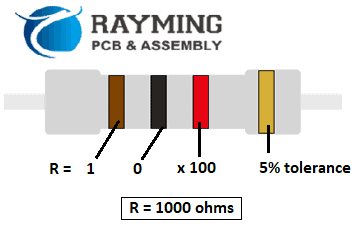
R=1Kฮฉ Resistor

Here are some tips for choosing the optimal resistor for your PCB design needs:

1. Determine Required Resistance Value

  • Select resistor resistance to achieve desired voltage drops and current limits in your circuit.

2. Identify Size Constraints

  • Consider board space – smaller SMD sizes needed for high density layouts.
  • Larger resistors can handle more power dissipation.

3. Choose Suitable Tolerance

  • Tighter tolerance increases accuracy and performance.
  • Looser tolerance reduces costs.

4. Check Temperature Coefficient

  • Lower temperature coefficient enhances stability in temperature changes.
  • Important for precision and reliability over a wide temperature range.

5. Verify Adequate Power Rating

  • Select resistor power rating sufficient for highest voltage/current expected.
  • Use larger resistors or add heat sinking if high power needed.

6. Check Voltage Rating

  • Ensure voltage rating exceeds maximum voltage including transients.
  • Higher voltage rating provides design headroom.

7. Select Appropriate Type

  • Carbon film – inexpensive general purpose use
  • Metal film/oxide – precision and stability
  • Wirewound – very low resistance values
  • Thick/thin film – wide resistance range

Real-World Example

Let’s go through a practical example of selecting the right resistor for a particular PCB design requirement:

Design Requirements

  1. Input voltage = 12V
  2. Load current = 500mA
  3. Need 5V output to load
  4. +/-10% voltage regulation acceptable
  5. Board space limited – 0603 size needed
  6. Operating temperature range -20ยฐC to +85ยฐC

Resistor Selection

  1. Target resistance value = (12V – 5V) / 0.5A = 14 ohms
  2. 14 ohm +/-10% tolerance needed – use 15 ohm +/-10% resistor
  3. 0603 chip size chosen for compact size
  4. Metal film resistor provides stability over temperature range
  5. 1/4 watt power rating suffices given calculated power dissipation
  6. Resistor voltage rating > 12V input

Selected Component:

  • 15 ohm +/-10% tolerance
  • 0603 size SMD chip
  • 1/4 watt metal film resistor
  • 50V voltage rating

This meets all the criteria – resistance value, tolerance, power rating, size, and voltage rating. Metal film provides precision and stability over the operating temperature range.

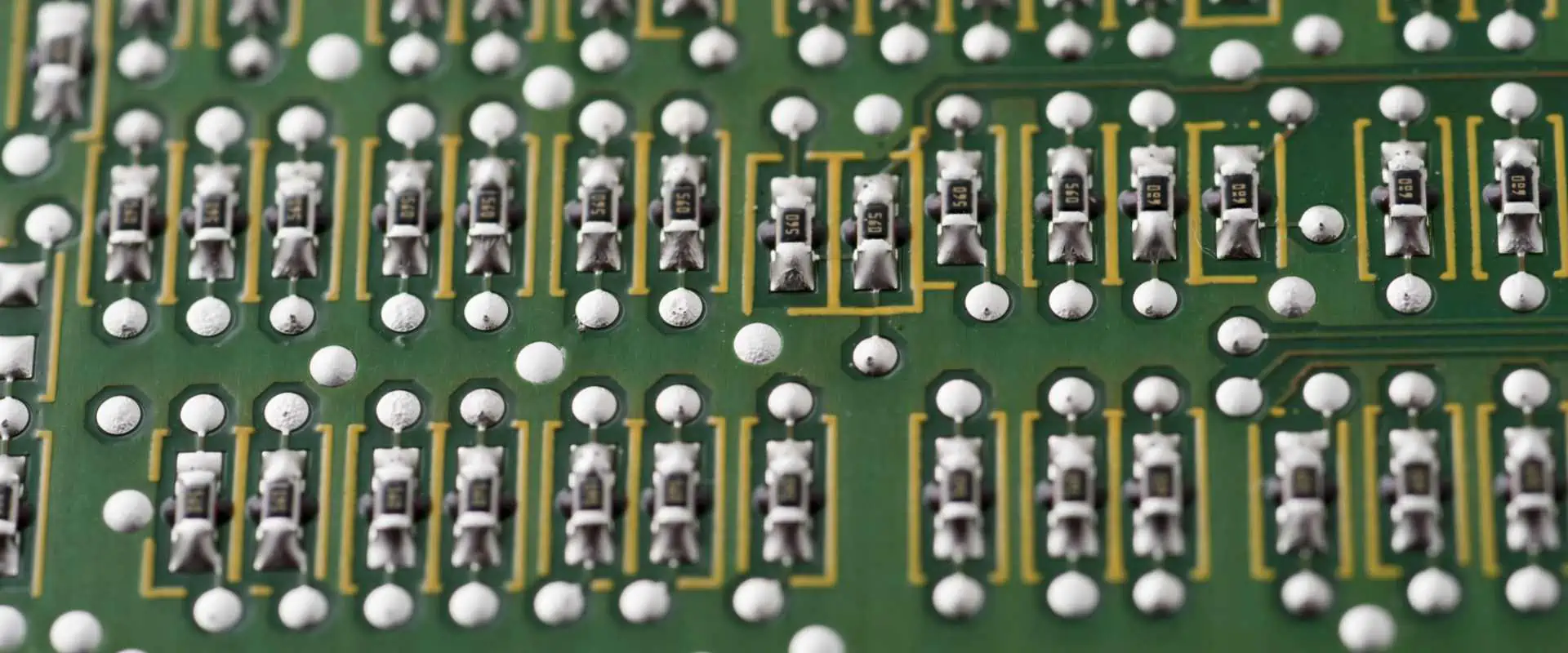
Resistor Marking Codes

Resistors
Resistors

Resistors use a compact coding system to label resistance and tolerance. Here are some common marking schemes:

3 or 4 Digit Code

  • First two digits – significant figures of resistance in ohms
  • Third digit – decimal multiplier (number of zeros to add)
  • Fourth digit – tolerance (1 = +/-1%, 5= +/-5%)

Examples:

  • 472 = 47 x 10^2 ohms = 4.7k ohms +/-5% tolerance
  • 8241 = 824 x 10^1 ohms = 82k ohms +/-1% tolerance

Letter Code

  • Letters indicate significant figure of resistance value
  • Following number indicates decimal multiplier

Examples:

  • R20 = R x 10^0 ohms = 0.22 ohms
  • C220 = C x 10^2 ohms = 22 pF

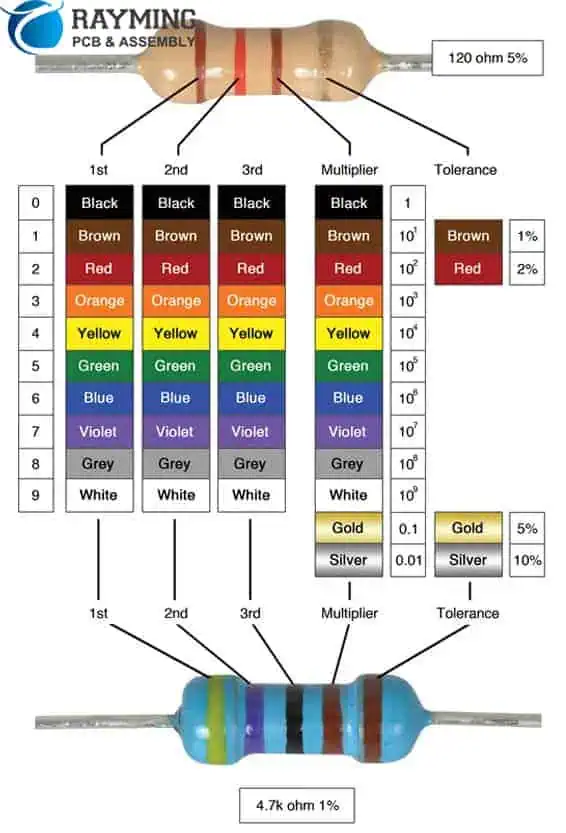
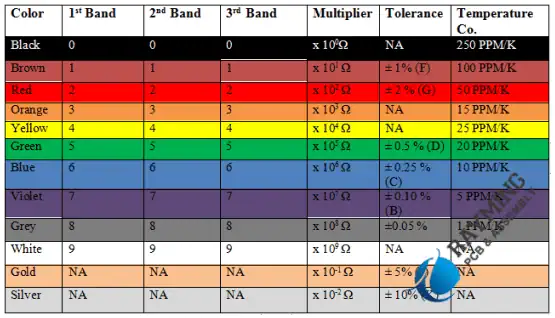
Color Bands

  • Colored stripes indicate resistance similarly to resistor color code
  • Additional stripe shows tolerance

To determine resistance from color bands:

  1. Read bands from left to right
  2. First two bands = first two digits
  3. Third band = decimal multiplier
  4. Fourth band = tolerance

Small Case Letters

For very low resistance values below 10 ohms, small case letters represent significant figures.

Examples:

  • 1r0 = 1 x 10^-1 ohms = 0.1 ohms
  • 75m0 = 75 x 10^-3 ohms = 75 milliohms

This covers the most common labeling schemes found on PCB resistors.

Frequently Asked Questions

How to Read Resistor by Color Code

Here are some common FAQs about choosing resistors for printed circuit boards:

What is the difference between SMD and through-hole resistors?

SMD (surface mount device) resistors are small, flat chips that are soldered directly onto the surface of PCBs. Through-hole resistors have axial leads that are inserted into holes on the board. SMDs save space while through-hole makes prototyping and servicing easier.

When should wirewound resistors be used?

Wirewound resistors are best for very low resistance values below 10 ohms where other types are not readily available. The wire winding can create inductance though, so avoid them at high frequencies.

How are resistor power ratings affected by operating temperature?

Power ratings are often derated or reduced at higher ambient temperatures. The hotter the environment, the lower the usable power rating. Resistor datasheets include power derating curves.

Can multiple resistors be used in parallel or series on a PCB?

Yes, parallel and series resistor combinations on a PCB can provide resistance values difficult to obtain with a single component. Paralleling provides lower resistance while series connections increase resistance.

How are precision thin film resistors different from other types?

Thin film resistors typically achieve much tighter tolerances down to +/-0.01%. They use special materials and manufacturing processes to create very uniform and stable resistance values for precision applications.

Conclusion

Selecting the optimal resistor requires considering multiple parameters – resistance value, tolerance, size, power rating, and temperature coefficient. Matching these specifications to your PCB’s requirements results in a design with the right precision, stability and reliability. Modern resistor materials, tight manufacturing tolerances, and anti-surge designs provide circuit designers an extensive palette for their board. By following the guidelines in this article, you can confidently choose the perfect resistor type for your next PCB design.

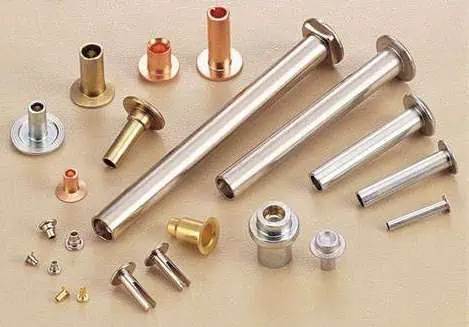
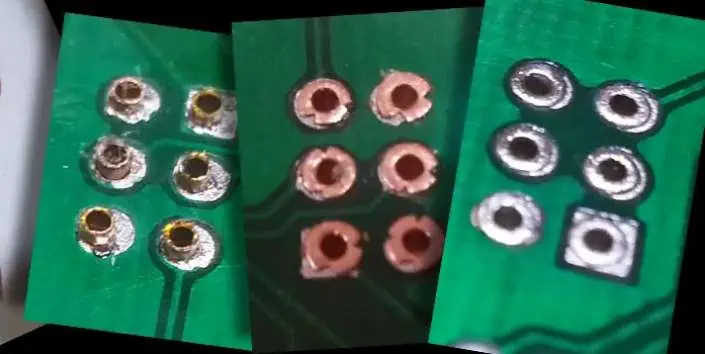
How Do You Use PCB Rivets?

Printed circuit boards (PCBs) provide the interconnect foundation of electronics. But PCBs arenโ€™t designed in isolation. They must interface with other components and assemblies to fully create products. An important part of enabling these mechanical connections is PCB rivets.

PCB rivets provide a robust method to attach a circuit board to chassis, enclosures, heat sinks and more. This article provides comprehensive guidance on PCB rivet usage including:

  • Rivet types and materials
  • Design considerations
  • Installation processes
  • Inspection techniques
  • Advantages over screws
  • Frequently asked questions

By covering key riveting concepts and best practices, readers will gain the knowledge to implement riveted connections that offer superior reliability and longevity.

Rivet Types for PCBs

There are two primary varieties of rivets used with printed circuit boards:

Blind Rivets

These are tubular rivets that get installed through a hole in the PCB and mating component. A blind rivet tool pulls a mandrel to flare out the rivet body securing the connection.

Solid/Drive Rivets

As the name implies, these are solid cylindrical rivets without a hollow body or mandrel. They use pressure and rotational force to create a flared joint.

Blind rivets offer easier installation while solid rivets have greater strength. Additionally, several head styles and flaring approaches provide further options:

Head Styles

  • Countersunk (flat) head
  • Oval head
  • Round head
  • Large flange head

Flaring Methods

  • Standard (cone) flare
  • Radial (trumpet) flare
  • Low-profile flare

Material choice also expands possibilities from aluminum and steel alloys to specialty options like monel and titanium.

Overall, blind rivets provide the simplest PCB attachment solution while solid rivets offer increased strength for demanding applications.

PCB Design Considerations

Several important design factors must be considered when planning to use PCB rivets:

Hole Size

The rivet diameter determines hole size. A clearance of at least 0.5 mm is ideal between the hole and rivet body.

Hole Pattern

Symmetric hole patterns provide uniform force distribution. Staggering holes diagonally can also improve shear strength.

Number of Holes

Higher shear and tensile loads require increased holes. A minimum of 4 holes is recommended with 1 hole per corner.

Hole Plating

Plated through-holes provide the most reliable riveted connection. This allows flaring against plated copper rather than base laminate.

Spacing from Holes

Riveting can cause board flexure so maintain sufficient spacing from nearby plated through holes.

Flange Spacing

Ensure room exists for rivet head height and flaring. Board and mating surface should have equal flange spacing.

Component Clearance

Allow clearance around rivets for installation access and to avoid impinging nearby components.

Mechanical Isolation

Isolate rivets from sensitive areas using cutouts or splits to prevent transmitted vibration.

Properly addressing these factors during layout ensures the PCB can be effectively riveted for maximum robustness and longevity.

Installation Processes

With the board designed, letโ€™s look at best practices for installation:

Hole Preparation

Prepare holes by removing burrs and clearing debris. This allows rivets to properly seat against hole walls.

Component Staging

Stage the PCB and mating component(s) together in the assembly configuration and rivet joints aligned. Clamping or fixturing helps alignment during installation.

Rivet Insertion

Insert rivets into each prepared hole. Rivet heads should seat flat against the PCB and mating component flanges.

Installation Tool Setup

Select a rivet hand tool, pneumatic tool, or hydraulic pull tool matched to the rivet size and access requirements. Adjust any controls like pressure or stroke length.

Flaring

Activate the tool to flair the rivet. For blind rivets, this pulls the mandrel to expand the body. Solid rivets use pressure and rotation to flare outward.

Mandrel Removal

For blind rivets, use flush cutters to shear off and remove the leftover mandrel flush with the rivet head.

Inspection

Visually inspect each rivet joint to ensure sufficient flaring and head seating. Repair any insufficient connections before completing assembly.

Proper tool selection, preparation, and flaring technique result in strong, reliable through-hole rivet bonds.

Inspection Methods

Inspection of rivet joints helps verify quality and strength. Some key inspection aspects:

Flaring Shape

  • Flare should reach close to hole edges without exceeding
  • Flare should have smooth, symmetric shape

Head Seating

  • Head should sit flat against flange surface
  • No gaps between flange and head

Hole Filling

  • Flare should fill at least 80% of hole area
  • Little unfilled space visible around rivet body

Board Condition

  • Check for lifted copper pads, cracks, or delamination
  • Indicates excess force or stress

Both visual inspection and tools like x-ray imaging can provide insight into internal rivet structure. Testing sample rivets to failure determines shear and tensile strength.

Advantages vs. Screws

Letโ€™s also discuss some benefits of using PCB rivets compared to screws:

Vibration Resistance

Rivets form a fixed, non-moving joint. This resists loosening over time from vibration. Screws are susceptible to backing out.
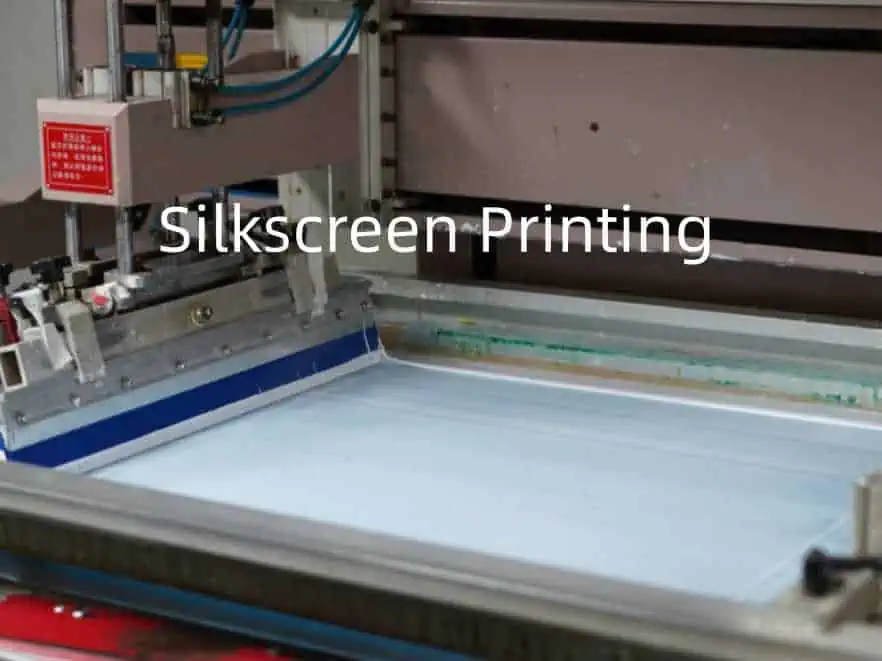
Assembly Speed Rivet installation is faster than driving screws. Large volumes of rivets can be quickly installed.

Reduced Components

Rivets donโ€™t require extra components like washers, screw threads, and nuts. The rivet body provides an all-in-one fastener.

Material Options

Rivets come in more materials than screws such as titanium. This provides flexibility for specialized applications.

Lower Profile

Rivet heads can be less protrusive than screws. Flatter profiles are possible.

Improved Appearance

For external applications, rivets offer a more finished look compared to exposed screw heads.

The permanence and tight fit of rivets makes them ideal for PCB connections under vibration and longevity requirements.

Frequently Asked Questions

Some common questions that arise around PCB rivets:

How are hole size and rivet size matched?

Generally select a rivet shank 0.1-0.3 mm smaller than the hole. The flare fills the remaining space to create a tight assembly.

What tools are needed for installation?

Blind rivets require only simple handheld or pneumatic pull tools. Solid rivets need more advanced rotary-pull tools for best connections.

What force is needed to shear rivet joints?

Well installed rivets offer over 1,000 KgF shear strength and close to 2,000 KgF of tensile strength depending on the rivet size and material.

Can repetitive assembly/disassembly damage rivet holes?

Yes, hole plating and structure can degrade with repeated rivet removal and re-work. Permanent press-fit pins may be better for field replacement needs.

How many boards can be riveted before re-tooling is needed?

On the order of 500 rivet cycles can be achieved before typical hand tools require adjustment, cleaning, or replacement of worn parts.

In summary, matching rivet type and geometry for the design needs is key for achieving robust, reliable PCB connections.

Conclusion

Riveting provides a strong, vibration-resistant means of mechanically attaching PCBs. The versatility of rivet styles and materials allows an ideal solution to be tailored for the design requirements. With careful hole layout and quality installation practices, riveted connections outperform traditional screw fastening.

While requiring some upfront planning, the long term benefits are significant. The permanence of rivets prevents loosening while their simplicity speeds assembly. Riveting improves product life, assures proper grounding, and enhances aesthetics.

So for your next design needing robust board mounting, look beyond just screws. The wide capabilities of PCB riveting make it a compelling alternative for connectors, EMI shielding, board stacking, and other attachments. With the guidelines presented here, youโ€™ll be ready to implement riveted connections that maximize reliability.

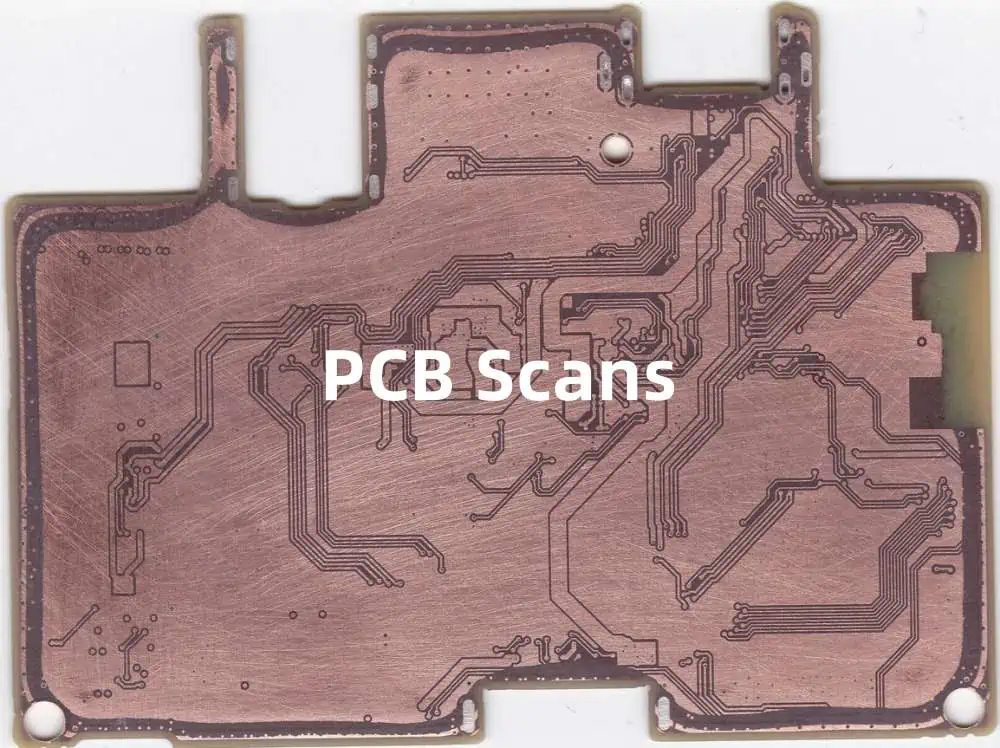
What is PCB Scans Service ?

Printed circuit boards (PCBs) are at the heart of electronics. As products become more advanced, PCBs grow more complex. This complexity makes verifying that a PCB matches the original design intent increasingly critical. PCB scans help provide that verification through detailed inspection and analysis.

PCB scans offer a comprehensive way to validate board fabrication quality. This article will explore what PCB scans services encompass including:

  • The different types of scans
  • Typical scan deliverables
  • How scan data gets analyzed
  • Use cases showing value of scans
  • Options for implementing scanning
  • Frequently asked questions

Read on to understand how utilizing scans can improve quality across the PCB development and production cycle.

Types of PCB Scans

There are a few core types of scans used to validate PCB fabrication:

Optical Scans

These use cameras and image processing software to capture highly detailed images of a PCB. The scanned images enable inspection of trace width, spacing, mask alignment, and more. 2D optical scans provide a layer-by-layer view while 3D scans can create models of the entire board.

X-Ray Scans

X-ray scanning reveals internal PCB structure. This allows verification of layer alignment, voids, and defects within the board that are invisible from the outside.

Automated Optical Inspection (AOI)

AOI systems use cameras, lighting, and software algorithms to automatically flag defects on a PCB. This provides fast pass/fail verification to complement manual optical inspection.

Electrical Testing

Testing functionality electrically through in-circuit or flying probe testing. Confirms boards operate as designed rather than just verifying physical traits.

Cross-Sectioning

Physically cutting a sample to expose internals for measurements under a microscope. Most accurate way to assess plating thickness and layer alignment.

These different scans provide complementary views into PCB quality. Optical scans deliver detailed imagery while x-ray and cross-sectioning reveal the boardโ€™s internal structure. AOI and electrical testing provide automated defect detection. Typical scan services utilize a combination of these techniques tailored to the specific board and application requirements.

Scan Deliverables

PCB scan services provide a range of detailed deliverables. These help document quality and assist further analysis. Typical deliverables include:

High Resolution Board Images

  • Layer-by-layer photos showing fine details
  • Captured under precision lighting
  • Multiple angles provide complete view

Measurement Annotations

  • Board images with measurement callouts
  • Critical attributes like trace width documented
  • Pass/fail status noted based on specified tolerances

Layer Composite Images

  • Overlays images from multiple layers
  • Used to assess alignment and stackup

3D Board Models

  • Photorealistic 3D model of assembled board
  • Enables inspection from any angle
  • Zoom into component-level detail

Automated Inspection Data

  • Results from AOI inspection
  • Log of fails and process metrics
  • Used for process control and optimization

Cross-Section Images

  • Detailed photos of board cross-section
  • Reveals plating quality and thickness
  • Assesses inner layer alignment

These deliverables provide full visibility into the as-built state of PCBs. They serve as an important quality benchmark and enable further analysis.

Scan Data Analysis

The scan deliverables provide a wealth of data to analyze fabrication quality. A few examples of how this data gets used:

Dimensional Analysis

The photorealistic board images support precise dimensional measurement of features like trace width and spacing. This verifies all aspects match the original design files.

Layer Alignment Assessment

Layer composites and cross-sections reveal alignment between layers. This includes registration between layers and inner layer skew.

Plating and Etching Analysis

Plating quality and etching characteristics can be inferred from images. For example, uneven plating or over-etching of traces.

Solder Mask Inspection

Mask dimensions relative to copper features are measured. Images reveal solder mask registration errors and insufficient openings.

Voiding and Defect Detection

X-ray scans combined with cross-sectioning uncover voids, gaps, and other defects in the PCB substrate

Process Capability Analysis

Automated inspection data allows statistical process control metrics to be calculated. This reveals fabrication consistency.

These examples demonstrate the breadth of insights possible from scan data. It provides vital feedback for continually improving manufacturing processes.

Use Cases Showing Value of Scans

Now that weโ€™ve explored the scan types and analysis performed, letโ€™s look at a few examples showing the value scans offer across the PCB production cycle:

Research & Development

During R&D, scans help accelerate prototyping by providing detailed validation of new designs and processes. Images allow quick comparison between design and fabricated board.

Pre-Production

Before full production, scans verify that fabrication processes meet specifications consistently across pilot builds. Issues can be corrected earlier.

New Supplier Qualification

When qualifying a new fabrication supplier, scans supply quantitative data about their capabilities relative to requirements.

Batch Quality Monitoring

Periodic scans during production provide ongoing process control. Scan data can detect deviations so corrections can be made before volume production.

Design Issue Diagnosis

If functional issues arise, scans provide detailed physical data to help determine the root cause. For example, whether a short is from a PCB flaw or faulty assembly.

Counterfeit Screening

For products with high counterfeit risk, scans supply physical forensic data to identify boards not produced by approved suppliers.

These examples highlight the benefits of PCB scans during prototyping, ramp-up, and volume production. The data aids issue diagnosis, process control, and quality assurance.

Options for Implementing Scanning

PCB-Copy

There are a few options available for implementing PCB scan services:

In-House Scanning

Scanning can be brought fully in-house by investing in equipment such as automated inspection, x-ray, and cross-sectioning tools. Offers full control but requires significant capital expenditure.

Outsource to Specialized Provider

Many companies offer outsourced scanning services. These providers supply the equipment, expertise, and capacity needed for on-demand scanning.

Hybrid Approach

Some capabilities like AOI can be brought in-house while specialized techniques like x-ray remain outsourced. This balances control, cost, and flexibility.

Supplier Scanning

Require PCB suppliers to provide scan data as part of fabrication services. Shifts burden to supplier but scan access may be limited.

The right implementation depends on budget, internal expertise, quantity of scans, and quality control approach. As volumes increase, bringing more capabilities in-house makes sense for full control and traceability.

Frequently Asked Questions

A few common questions arise around PCB scan services:

What does PCB scanning typically cost?

Outsourced scan costs range from $250 – $1000 depending on complexity, scan types, and deliverables. Bringing in-house requires equipment investments from tens to hundreds of thousands of dollars.

How long does it take to scan a board?

High resolution optical scans can be completed in under a day excluding time for delivery and analysis. Automated inspection offers even faster turnaround. More complex analysis like cross-sectioning takes longer.

Is scanned data proprietary?

If outsourcing, providers typically retain rights to scan techniques but board data belongs to the customer. Data privacy should be ensured.

What defect detection resolution is possible?

Inspection can reliably detect defects down to 2-5 microns. Smaller defects may be visible but cannot be consistently distinguished from normal variations.

How many boards are needed for sampling?

5-10 samples from a batch provides good insight into quality variation. Complex boards may need more. Both pilot and volume production should be evaluated.

In summary, PCB scans deliver detailed physical validation while questions of cost, time, and implementation depend on specific needs. When used appropriately, scanning adds significant quality assurance value.

Conclusion

PCB scan services provide invaluable verification of board fabrication quality. The variety of scans available equip engineers with multidimensional data to validate PCBs relative to design specifications. Photorealistic imagery combined with automated inspection and cross-section analysis ensure boards meet requirements.

Scans identify issues early when corrections are lower cost. They also provide process feedback to continually refine manufacturing. As PCB technologies advance, scanning offers the level of precision needed to achieve quality and reliability targets. While adding cost, the value realized across prototyping, pre-production, and volume manufacturing outweighs investments. By proactively using scans instead of reacting after functional failures, organizations gain higher PCB quality along with improved time-to-market and lower risk.

What is PCB Scoring: Tools, Tolerance and Guideness

Printed circuit boards (PCBs) are an integral part of most electronic devices. They provide the foundation on which components are mounted and connected. However, not all PCBs are created equal. The quality and reliability of a PCB depends greatly on the fabrication process and tolerances used.

One way to assess PCB quality is through scoring. PCB scoring involves analyzing specific attributes like track width, spacing, hole size, etc. to determine how closely the PCB matches the original design specifications. Tighter tolerances generally indicate a higher quality PCB.

This article will provide an in-depth look at PCB scoring. It covers:

  • The importance of PCB scoring
  • Common PCB attributes analyzed
  • Scoring tools and methods
  • Typical tolerances and guidance values
  • How scoring data is used
  • Frequently asked questions

Understanding PCB scoring provides vital insight into board quality. Read on to learn more about this important process.

The Importance of PCB Scoring

PCB scoring provides a quantitative way to assess the fabrication quality and consistency of printed circuit boards. It helps answer the question: How closely does my board match the original design?

Tight tolerances are critical for several reasons:

Reliability

Boards with tight tolerances are more reliable over time. Features like thin tracks and spaces see higher failure rates as tolerances widen. Tighter tolerances minimize risks like short circuits.

Assembly Yield

The assembly process is much easier when PCB tolerances are tight. Wider variances make it challenging to properly place and solder components. This lowers yields and increases rework.

Performance

Electrical performance depends on tight layout tolerances. Skews in track widths or spacings can alter impedance, crosstalk, and other parameters. This degrades signal integrity.

Interchangeability

Consistent PCB quality ensures interchangeability. If tolerances vary widely, swapping boards or components may be difficult. This can limit repair options.

Detection of Process Issues

Scoring provides vital feedback on fabrication processes. Trends in the data can reveal issues like miscalibration or tool wear. This allows for targeted process improvements.

In summary, PCB scoring provides key insights into quality and consistency. This allows fabrication issues to be identified and addressed early. Tight tolerances are essential for reliable, high-performance circuit boards.

Common PCB Attributes Analyzed

Many important PCB attributes are commonly analyzed during scoring. This includes physical features like track widths, hole sizes, spacings, and more. Here are some of the key parameters typically checked:

Track Widths

The width of copper tracks on the PCB. Good control ensures impedance tolerances are met.

Track Spacing

The space or isolation between adjacent copper tracks. Tight control prevents short circuits.

Hole Sizes

The diameter of drilled holes used for component leads and vias. This affects fit with component leads.

Annular Rings

The copper ring around a drilled hole. Sufficient width is needed for hole wall integrity.

Mask Alignment

The alignment of solder mask to copper features. Misalignment can impact soldering processes.

Copper Thickness

The deposited copper thickness after plating. Affects track conductivity and current capacity.

Registration

Alignment of layers to each other. Important for ensuring reliable interlayer connections.

Etchback

Reduction of copper thickness from etching. Can impact track resistance if excessive.

Solder Mask Cure

The degree of solder mask curing. Insufficient curing can cause masking issues.

This covers some of the most common attributes analyzed. However, other parameters like via tents, beveling, etc. may also be checked as needed. The specific attributes scored depend on the PCB design and its performance requirements.

Scoring Tools and Methods

v-cut machine
V-cut machine

Now that weโ€™ve covered which attributes require analysis, letโ€™s look at how scoring is actually performed. There are a few core methods and tools used:

Optical Measurement

This uses microscopy and image analysis software to take measurements. It offers high accuracy but can be relatively slow.

Automated Optical Inspection (AOI)

AOI systems use cameras to automatically measure PCB features. Algorithms analyze the images to check tolerances. Very fast but capital investment is high.

Electrical Testing

Certain attributes like track width can be indirectly measured electrically. Simple and fast but not as precise as optical methods.

Cross-Sectioning

Cuts a small PCB sample and uses microscopy to measure internal features like plating thickness. Very accurate but sample preparation is required.

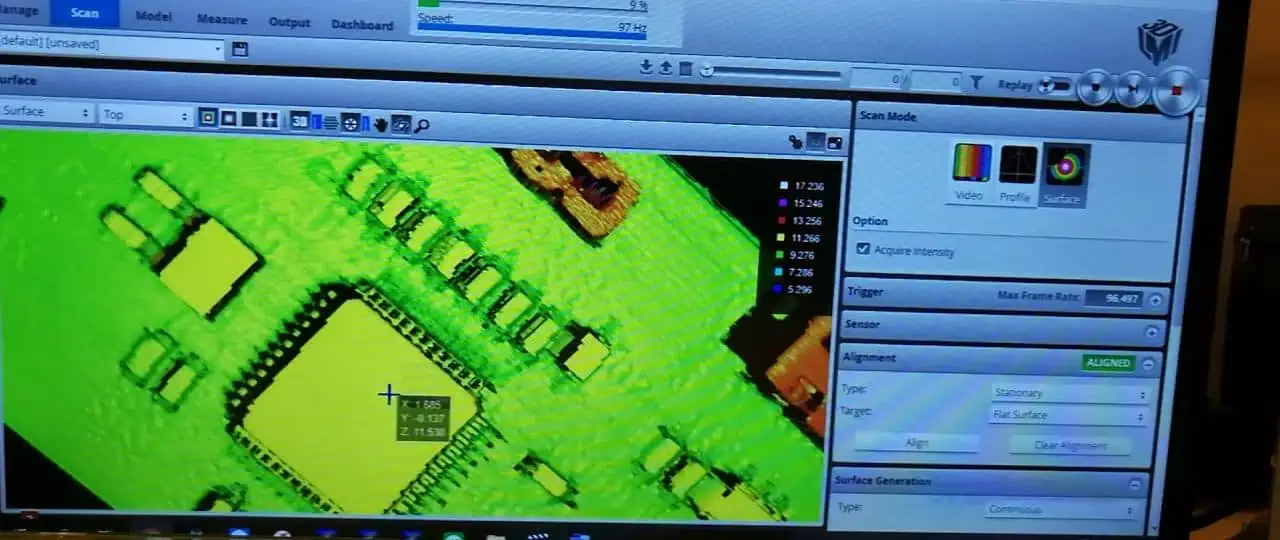
Laser/Camera Scanning

Non-contact 3D scanning generates a detailed model for inspection in CAD software. No sample prep but requires expensive equipment.

In most cases, a combination of methods is used. Optical tools provide detailed measurement capability while electrical and image processing techniques enable fast automated batch testing.

Advanced data analysis is also utilized. Statistical methods are applied to scoring results to characterize fabrication capability over many boards and builds. This allows fine-grained process control.

Typical Tolerances and Guidance Values

To interpret PCB scoring results, we need to know the target tolerances for each attribute. While specific acceptable variances depend heavily on the design, here are some typical guidance values:

FeatureTolerance
Track Widthยฑ10%
Track Spacingยฑ10%
Hole Diameterยฑ10%
Annular RingNo less than 5 mil excess ring
Mask Alignmentยฑ3 mil
Copper Thicknessยฑ10%
Registrationยฑ3 mil
EtchbackNo more than 2 mil reduction
Solder Mask Cure80% minimum cured

Anything outside the tolerance would be flagged for further investigation. However, tighter specifications are often required for high density or high frequency layouts.

Itโ€™s also important to analyze the distribution of the measurements, not just the min/max values. Tight clustering close to the nominal values indicates solid process control. High variance points to potential issues.

Benchmarking against industry standards like IPC-A-600 provides further guidance. But ultimately, tolerance settings must align with the specific needs of the design and application.

How Scoring Data is Used

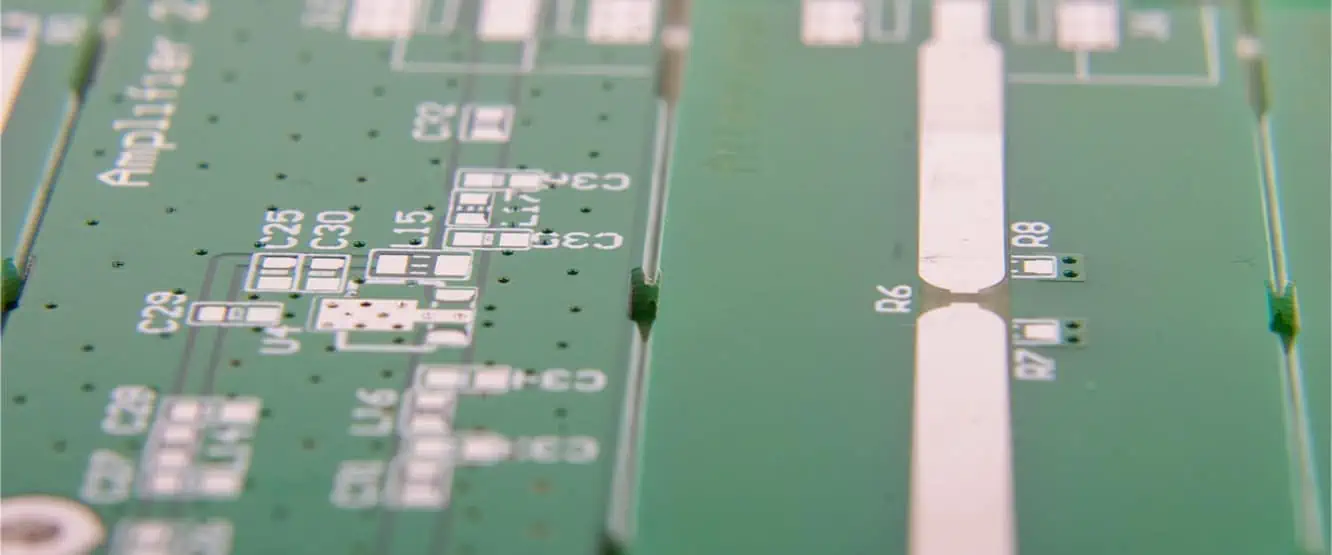
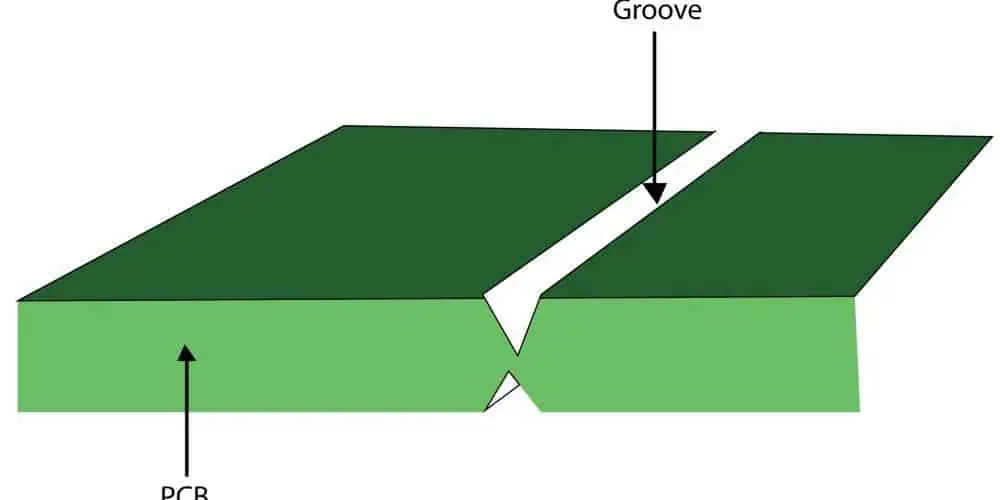
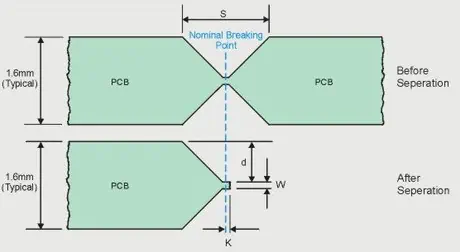
V-Groove PCB

PCB scoring provides key data to assess and control fabrication processes. There are a few primary ways the results are used:

Analyze Manufacturing Consistency

Firstly, scoring provides a clear view of manufacturing consistency. Tight, consistent results across fabrication runs indicate good process control. High variability would dictate tuning is required.

Identify Process Issues

The data can pinpoint specific problem areas needing attention. For example, track width variances may point to resolution issues with imaging processes. Scoring helps target root causes.

Qualify and Compare Suppliers

Scoring is invaluable when qualifying new suppliers or comparing vendors. It provides an objective benchmark of their capabilities based on measurable results.

Feed Back into Design Rules

The results should be fed back into design rules and stackup requirements. For example, scoring may show that a certain track spacing is prone to shorts and spacing rules should be adjusted.

Monitor Trends and Capability

Statistical techniques can track scoring trends over time to detect subtle shifts. This allows the fabrication process capability to be characterized and optimized.

In summary, scoring provides vitally important feedback. The data drives continual improvement through refined design rules, process enhancements, and objective supplier assessments.

Frequently Asked Questions

There are a few common questions that arise around PCB scoring:

Q: How many boards need to be scored to provide meaningful data?

A: Typically 5-10 boards provides a reasonable sample size. More may be needed for very high volume designs. Both pilot builds and production runs should be assessed.

Q: Does scoring increase PCB fabrication time?

A: Slightly, but the benefits far outweigh a small time penalty. Today’s automated optical tools provide very rapid scoring.

Q: Can every design parameter be realistically scored?

A: Not always – scoring focuses on features prone to high process variation or sensitivity. But parameters can be tailored to each design.

Q: Is scoring expensive?

A: The material costs are low since it requires just a few PCB samples. But advanced measurement tools do require capital investment from the manufacturer.

Q: Can scoring data be provided to customers?

A: Yes, many suppliers provide detailed scoring reports to customers to showcase quality. However, some view the data as proprietary.

In summary, PCB scoring provides vital feedback that improves quality, consistency, and reliability. While adding some time and cost, the benefits for fabrication process control are enormous. When combined with fundamental process monitoring like IPC-A-600, scoring accelerates improvements through real-time quantitative data.

Conclusion

PCB scoring offers a data-driven approach for optimizing fabrication quality and consistency. By leveraging measurement tools and statistical techniques, scoring generates actionable insights into the manufacturing process. Tight tolerances are verified, issues are identified, and improvements can be tracked.

While sampling does add cost, the system-level view provided by scoring data is invaluable. It provides fundamental feedback needed to achieve reliable, high performing PCBs that match the original design intent. With the growing complexity of todayโ€™s electronics, scoring is now an indispensable tool for staying ahead of quality issues before they derail projects and timelines.

What is a PCB Screw Terminal:Functions,Types and Install Methods

Screw terminals, also known as terminal blocks, provide a convenient method for reliably connecting wires and cables to printed circuit boards (PCBs). Screw terminals simplify field wiring by avoiding the need to solder connections. They also allow securing wires through mechanical screw pressure for robust, vibration resistant connections.

This article will provide an in-depth overview of PCB screw terminal functions, key types, design considerations, installation methods and applications to support electronics engineers in selecting and implementing the optimal screw terminals.

What is a PCB Screw Terminal?

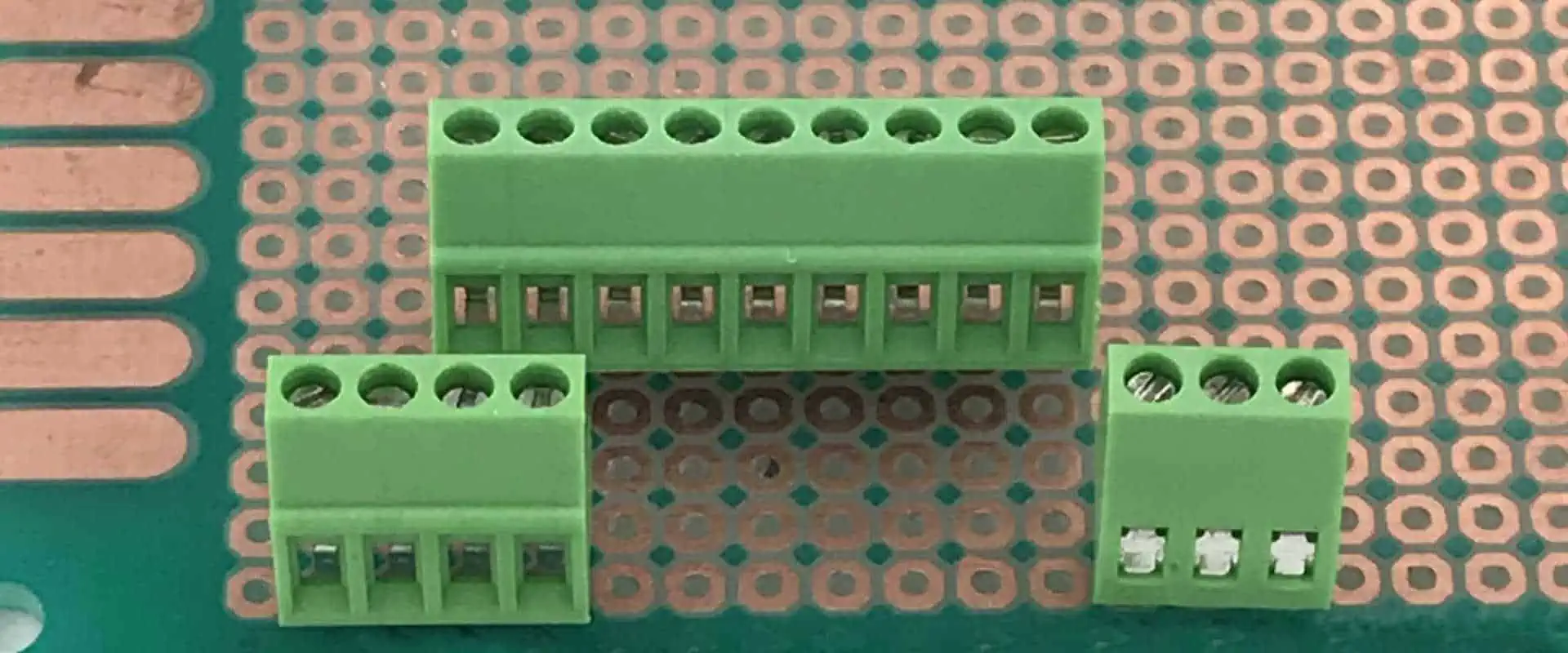
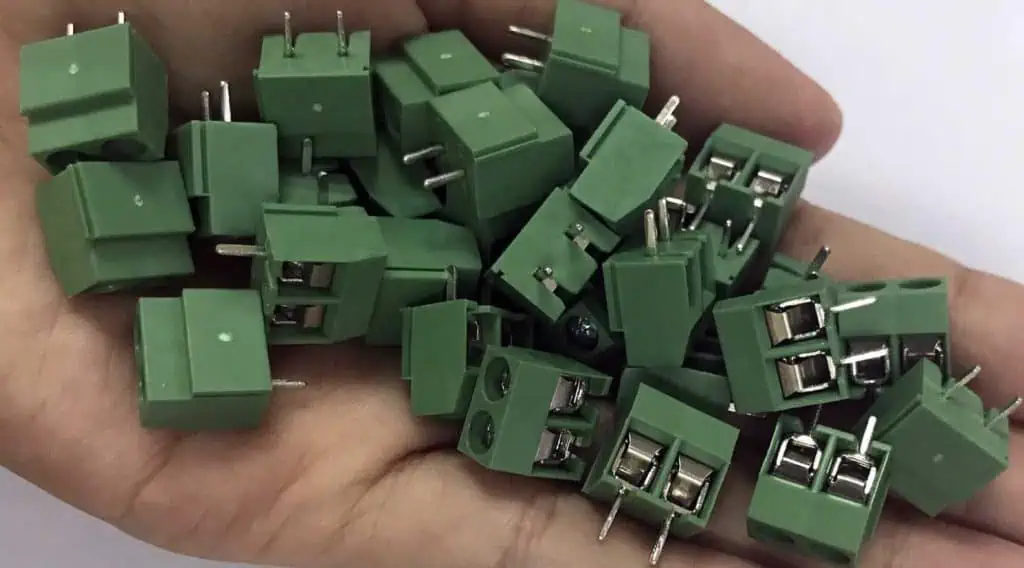
A PCB screw terminal, or terminal block, is an electro-mechanical component that connects external wires or cables to a printed circuit board using screw pressure rather than soldering. It consists of a plastic housing that contains metal alloy screw heads and contact elements.

The key components of a typical screw terminal include:

  • Housing – usually molded plastic that insulates and positions screw and contacts
  • Screw – applies mechanical clamping force to secure wire
  • Contact – metal alloy spring element that bears on wire
  • PCB pin – soldered connection to PCB

By simply stripping wire insulation, inserting into the terminal opening, and tightening the screw, a solid electrical and mechanical connection is created without soldering.

Screw terminals are available in a huge range of configurations and options to accommodate different wire gauges, voltages, currents, pitches, PCB interfaces, and termination needs.

Functions and Benefits of PCB Screw Terminals

PCB screw terminals provide several important functions and benefits:

Simplified Wiring

  • Eliminates need to solder cable terminations for faster assembly.

Secure Connections

  • Screw pressure prevents wires from loosening due to vibration or thermal cycling.

Field Wiring Capability

  • Allows user installation of wiring harnesses versus factory termination.

Serviceability

  • Individual wires can be unscrewed then re-secured for maintenance and repair.

Reconfigurability

  • Wiring changes are done by unscrewing and re-routing wires rather than desoldering.

Mixed Signals

  • Different voltage or current circuits can be grouped into sections within a common header.

PCB Interface

  • Compatible with through-hole and surface mount PCB assembly processes.

Modularity

  • Separates PCB assembly from harnessing for independent design and build.

Reliability

  • Proven robust technology rated for thousands of insertion cycles.

Screw terminals simplify electrical connections while offering flexibility for field servicing, updates, and reconfiguration.

Types of PCB Screw Terminals

There is tremendous variety in PCB screw terminal designs tailored to different applications. Here are the most common screw terminal types:

Spring Cage

The wire is secured between the screw head and a c-shaped spring metal contact element that bears directly on the conductor. Simple and low cost.

Spring Clamp

A leaf spring contact compressed by the screw provides constant pressure on the inserted wire for a gas-tight connection. No soldering required inside terminal.

Tension Clamp

A compressible clamping yoke assembly tensions and secures the wire when the screw is tightened. Allows some in-and-out wire movement.

Rising Cage

The contact rises up into the inserted wire as the screw is tightened, providing two clamping points for very secure connections.

Insulation Displacement Connector (IDC)

Sharp contact blades slice through wire insulation to make electrical contact to the inner conductor when the screw is torqued down.

PCB Header

Screw terminals are integrated into long housings with an array of contacts designed to mate with a plug-in PCB header.

High Power

Larger screw contacts, wire gauges, and housing designs suit high current connections up to 60 Amps or more.

Sealed

Rubber sealing boots, glandular wire entries, and potting allow screw terminals to be protected in harsh environments.

Low Profile

Compact screw terminal designs with reduced height above the PCB optimize space in tight equipment enclosures.

This wide selection ensures an optimal screw terminal design exists for most wiring interface needs.

Key Specifications

PCB screw terminal parameters that require careful specification include:

Pitch

Center-to-center distance between screw terminal positions, typically ranging from 3 mm to 10 mm.

Contact Material

Brass, copper alloy, or steel contacts support different current ranges and corrosion resistance.

Current Rating

Maximum current each terminal can handle without overheating. Depends on contact size and material.

Wire Gauge

Maximum and minimum conductor size that can be securely terminated, typically 22-12 AWG.

Voltage Rating

Maximum working voltage, often 300V or 600V rating.

Temperature Range

Operating and storage temperature ranges expected in the end application environment.

Screw Torque

Torque specifications for tightening screws to achieve proper clamping force without damage.

Termination Type

Solder pin, PCB header, or other PCB mounting style.

Carefully specifying these parameters ensures the selected screw terminals meet functional needs reliably.

Design Considerations for PCB Implementation

Here are some key design factors when integrating screw terminals on a PCB:

Grouping

Logically group similar voltage or current terminals together, separating types and ratings. Follow any safety spacing requirements between terminal blocks and other components.

Clearances

Leave adequate clearance around terminals for screw access during assembly and any required insulative barriers or potting.

Orientation

Position terminals for easiest access to wiring with minimal obstruction. Allow wire bending space.

PCB Footprint

Use manufacturer recommended PCB footprints and layouts. Verify surface mount pads match terminal solder pins.

Mechanical Stability

Provide structural support and strain relief for heavy wire bundles to avoid stressing solder joints. Allow some movement.

PCB Strengthening

Avoid thin necked regions of PCB underneath terminals. Add thickness for durability.

Marking

Clearly identify terminal block functions, ratings, and circuit connections on PCB silkscreen.

3D Modeling

Verify screw terminal height fits within product enclosure constraints and panel cutouts for access.

Careful mechanical and electrical design ensures reliable screw terminal PCB integration.

PCB Screw Terminal Installation and Wiring

YouTube video

Installing and connecting wires to PCB screw terminals involves these key steps:

Layout Verification

Visually check all terminals are in correct positions with proper PCB footprint prior to soldering.

Soldering

Solder terminals to PCB according to manufacturer instructions, checking for proper pin alignment and joint quality.

Structural Support

Provide any required mechanical braces or strain relief to stabilize wire bundles attached to terminals.

Wire Preparation

Strip wire insulation appropriately based on terminal size to expose conductor without nicking strands.

Wire Insertion

Fully insert each wire into the proper terminal opening. Ensure no stray strands or insulation.

Screw Tightening

Torque down screws to specified levels using calibrated electric or manual torque screwdrivers. Do not overtighten.

Inspection

Inspect each wire for proper insertion depth and screw tightness. No loose strands or debris in terminals.

Tagging

Affix wire labels to identify each connected circuit. Verify against wiring diagrams.

Proper PCB screw terminal installation and wiring is key to achieving robust, reliable performance.

Advantages Over Soldering

Screw terminals provide several advantages compared to direct PCB soldering:

No Soldering Skill Required

  • Avoid need for specialized soldering training to terminate thick wires.

Faster Assembly

  • Quickly insert and screw down wires vs. carefully soldering each.

Reduced Errors

  • Eliminate risks of cold solder joints, bridging, pin misalignment.

Serviceability

  • Individual wires can be readily accessed without desoldering.

Reusability

  • Entire terminal blocks with pre-terminated harness can be removed and re-installed.

Vibration Resistance

  • Mechanical screw force maintains reliable contact under vibration.

Mixed Signal Grouping

  • Different voltage or current circuits can share a common block.

For many applications, screw terminals simplify wiring while improving field serviceability and enhancing reliability.

Limitations of Screw Terminals

While very useful in many designs, screw terminals do have some limitations versus soldering:

Larger Size

  • Take up more PCB area than soldered pins for same number of connections.

Additional Cost

  • Screw terminals cost more than bare pins per connection point.

Limited Current

  • Low maximum amperage capacity suitable only for signals, not power.

Complex Assembly

  • Additional assembly steps of wire preparation, insertion, and torqueing.

Open Connections

  • Unlike soldering, screw joints can work loose over extreme vibration or heating.

Visual Inspection

  • Harder to quickly visually inspect each terminal’s wire for proper installation.

Applications and Examples

Some typical applications that benefit from PCB screw terminals include:

  • Connecting panel wiring in industrial control boxes
  • Sensor and actuator cables interfacing to boards
  • Board-level harnessing in automotive electronics
  • Field-installable wiring on telecom or server equipment
  • Quick connection for prototyping during development
  • Fan, motor, solenoid, and other electromechanical drives
  • Field serviceable medical or test instruments

Any application requiring removable wires or field cable installation are ideal candidates for screw terminal connections versus soldering.

Frequently Asked Questions

What is the maximum current capacity for PCB screw terminals?

A: While ratings vary, typical PCB screw terminals support 1 to 5 Amps. High current models can handle up to 60 Amps for power applications.

Is any special tool required to install screw terminals?

A: An electric or calibrated manual torque screwdriver allows setting proper torque specifications for each terminal without overtightening.

Can stranded wires be used with screw terminals?

A: Yes, stranded wire is commonly used. Ensure all strands are contained within the terminal opening. Ferrules can simplify insertion of fine stranded wires.

What is the typical pitch between PCB screw terminals?

A: 5.0 mm is a widely used pitch supporting a good density of connections. For higher density, 3.5 mm or 3.0 mm pitches are available.

How reliable are screw terminal connections versus soldering?

A: Industry standard screw terminals have been proven through extensive testing to provide very reliable gas-tight, vibration resistant connections comparable to soldering.

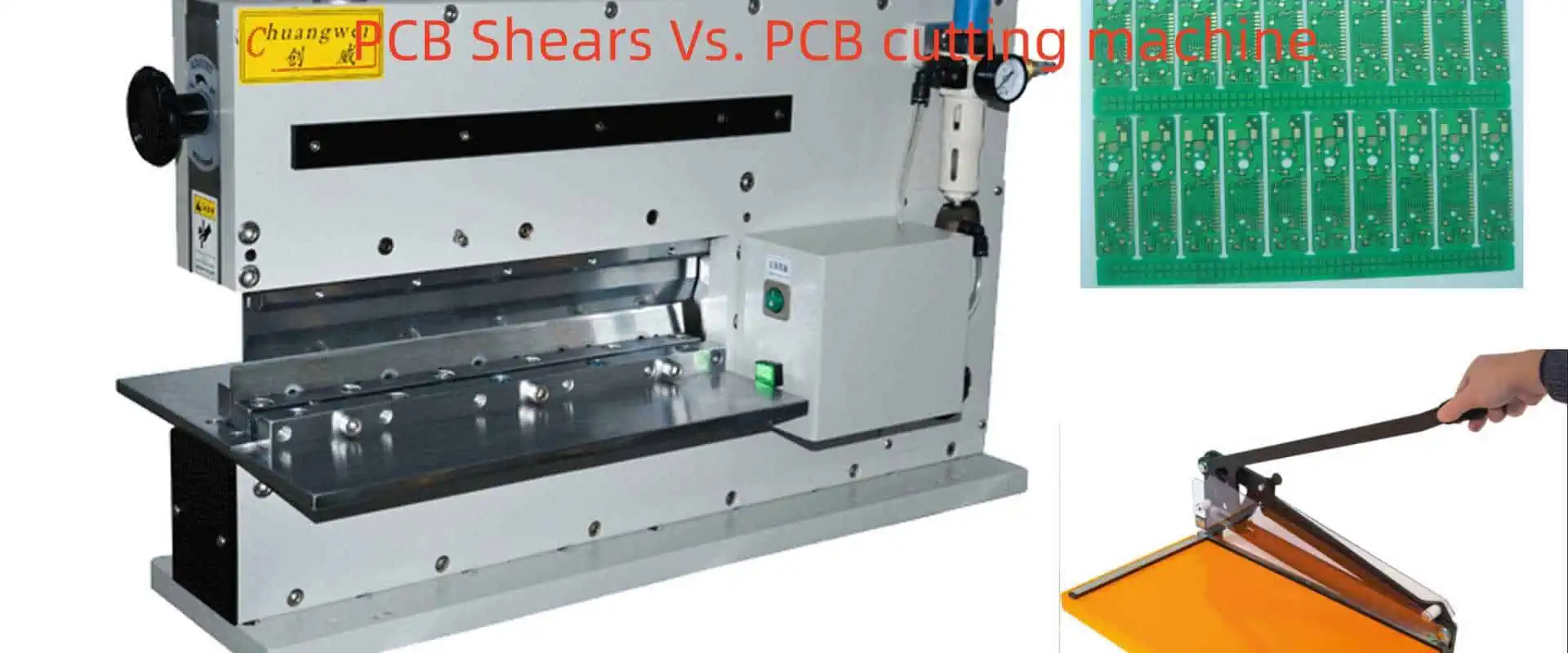
PCB Shears Vs. PCB cutting machine:How to Choose

Cutting printed circuit boards (PCBs) from larger panels is an essential step in PCB fabrication and assembly. PCB manufacturers rely on dedicated cutting tools to singulate individual boards or assembly panels from panelized arrays cost-effectively and accurately. The two main options are manual PCB shears and automated PCB cutting machines.

Selecting the right PCB cutting method requires evaluating key factors like cut quality, throughput, cost, complexity, and capabilities for the types of boards and volumes to be processed. This article provides a detailed comparison between manual PCB shears and automated cutting machines to help guide the optimal equipment choice.

Overview of PCB Shears

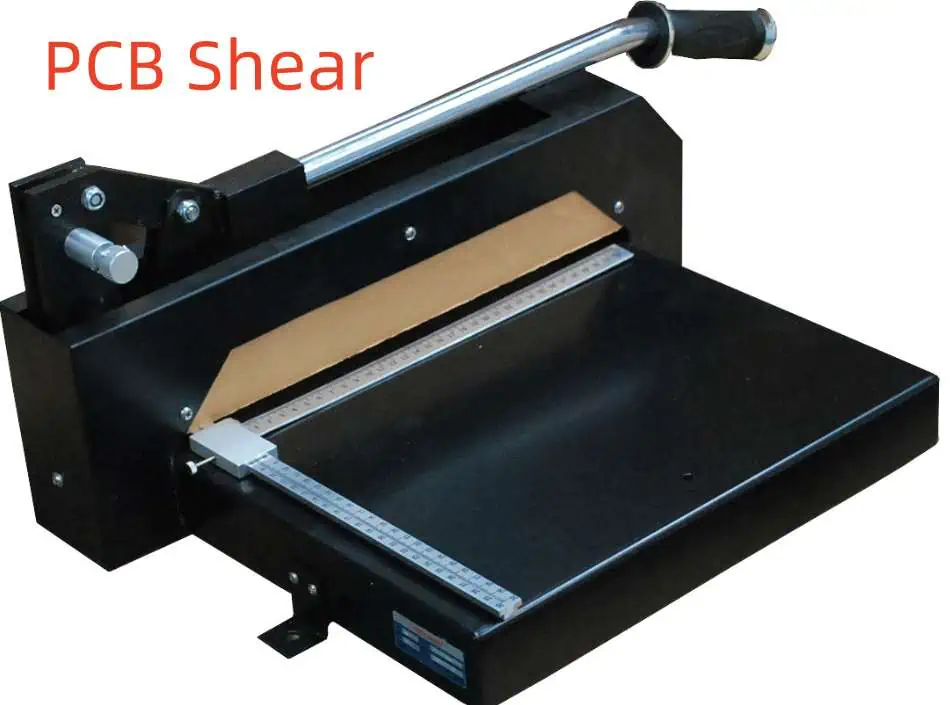
PCB shears are manually-operated tools used to cut circuit boards by applying mechanical shear force. Key features include:

  • Blade Style – Straight or slant blade options exist. Slant creates scissor-like shearing.
  • Actuation – Spring, air, electric, or hydraulic pressure closes blades.
  • Capacity – Various tool sizes cut boards up to 0.8in (20mm) thick.
  • Accuracy – Depends on operator skill. Fixtures can aid positioning.
  • Speed – Manual process limits speed versus automation.
  • Cost – Lower equipment cost in the $3k to $10k range.

PCB shears are a simple, low cost cutting option but require skilled operators for consistent quality and throughput.

PCB Shearing Process

Using PCB shears for cutting involves the following key steps:

Board Positioning

The PCB panel is positioned in the shear based on measurement marks or fixtures. Proper alignment is critical.

Clamping

Clamps hold the board securely in position during cutting to prevent shifting.

Shear Actuation

The operator manually squeezes the shear handle to close the blades through the board with precise downwards pressure.

Indexing

The board is manually indexed to the next cut location and aligned. Fixtures aid repeated positioning.

Cut Repetition

Cutting strokes are repeated according to panel layout to singulate all required boards. Deburring removes sharp edges.

Shear Cut Quality Factors

Several factors impact the cut quality and consistency using PCB shears:

  • Operator skill and training
  • Tool sharpness and precision
  • Clamping force and stability
  • Blade type (straight, slant, double)
  • Cutting stroke consistency
  • Fixtures and precision measurement
  • Deburring process

Dedicated tools like perforated or scored cut lines aid shear positioning. But ultimately the operator controls key variables influencing cut quality like pressure and alignment.

Benefits of PCB Shears

PCB shears have some compelling benefits that make them a cost-effective cutting solution:

Low Equipment Cost

  • Shears are an inexpensive cutting tool option with prices from a few thousand dollars.

Simple Operation

  • Basic manually actuated operation with no complex mechanics or programming.

Quick Setup

  • Minimal setup time to start cutting different board designs and sizes.

Small Footprint

  • Compact tabletop footprint takes minimal floorspace.

Flexibility

  • Operators can adapt on the fly to handle small volume panel variations.

Low Maintenance

  • No complex machinery to maintain. Just blade sharpening and replacement.

For low to moderate production volumes, PCB shears can offer an economical cutting solution when paired with an experienced operator.

Limitations of Manual PCB Shears

While useful in some scenarios, PCB shears have some distinct limitations:

Inconsistent Quality

  • Cut quality depends heavily on operator skill and fatigue level.

Lower Throughput

  • Manual process limits speed and volume.

Higher Labor Cost

  • Intensive labor cost for skilled operators over long shifts.

Larger Kerf

  • Shear blades produce wider cut channels versus precision machining.

Burr Management

  • Deburring adds additional manual processing step.

Limited Automation

  • Harder to integrate shears into automated material handling flows.

For cutting high volumes or complex board designs, manual shears become less viable both technically and economically.

When to Use PCB Shears

Here are typical production situations where PCB shears may be the preferred option over automated machines:

  • Low to medium volumes (<5,000 boards per week)
  • Lower complexity boards and materials
  • Frequent design changeovers
  • Lower cut quality requirements
  • Tight budget constraints
  • Minimal available floorspace

Overview of Automated PCB Cutting Machines

Automated PCB cutting utilizes computer-controlled machines to cut boards based on programmed tool paths. Common machine architectures include:

Router-Type Machines

  • Use a rotary end mill tool spinning at high RPM to cut boards.

Knife Cutters

  • Cut with an actuated vertical knife blade mounted to X-Y gantries.

Laser Cutters

  • Directed laser beam ablates material to cut complex shapes and profiles.

Waterjet Cutters

  • High pressure waterjet quickly cuts contours in boards.

Automated cutting machines offer much higher throughput, precision, consistency, and capabilities versus manual shears. But the equipment cost is also far higher.

Automated PCB Cutting Process

Here is an overview of the typical automated cutting sequence:

Tool Path Programming

The required cut pattern is defined in software based on board panel sizes, orientations, and finished board dimensions.

Board Loading

Panels are automatically loaded onto the machine bed from a conveyor or stack. Vacuum holds boards in place.

Optical Alignment

Fiducials on the panel are detected by cameras to precisely align boards for accurate cutting.

Cutting

The spinning end mill, knife blade, laser or waterjet traverses the tool paths at high speed to cut boards from the panel.

Unloading

Conveyors remove finished cut boards and scrap from the machine. Optional sorting can separate boards and scrap.

Verification

Automated or manual inspection verifies cut quality. Precision cutting minimizes need for extensive verification in high volume applications.

Technical Attributes of Automated Cutting

PCB Material cutting machine

Automated PCB cutting machines enable significant enhancements across these technical metrics:

Precision

  • Tight tolerances down to +/- 0.10mm achieved from programmed tool paths and precision stages.

Consistency

  • Automated process varies minimally across thousands of boards.

Cut Quality

  • Very smooth edge finish with minimal debris. Controlled cutting parameters optimize edge quality.

Kerf Width

  • Reduced kerf width as low as 0.15mm conserves material.

Productivity

  • Cut rates from 10 to over 100 boards per hour depending on size and complexity.

Reliability

  • Proven machine designs for continuous operation with high uptime.

Automation

  • Seamless integration into automated material flows between processes.

These technical capabilities enable cutting high complexity boards at mass production volumes.

Economic Benefits of Automated Cutting

In addition to technical advantages, automated PCB cutting machines can provide compelling economic benefits:

Labor Savings

  • Dramatically reduce labor by eliminating manual cutting steps.

Improved Yields

  • Consistent precision cutting minimizes panel waste from cut defects.

Higher Throughput

  • Cut more boards per day with faster cycle times.

Scalability

  • Easily scale to higher volumes by running machines longer or adding machines.

Reduced Costs

  • Lower cost per cut board through labor savings and efficiency gains.

Quick Changeovers

  • Switch between different board designs with minimal downtime.

For medium and higher volume production, automated cutting machines improve quality while reducing overall PCB fabrication costs.

Considerations for Automated PCB Cutting

PCB Cutter

Here are some factors to consider when implementing automated board cutting:

Equipment Costs

  • Machines ranging from $50k to over $500k with advanced software, tooling, and accessories.

Programming

  • Requires CAM programming expertise to generate machine-specific cut patterns.

Maintenance

  • Must budget for machine maintenance and occasional repairs.

Floorspace

  • Machines have larger footprint than shears and may require special facilities.

Operators

  • Still need qualified technicians to oversee machines and quality.

Changeover Time

  • Some minor changeover and programming required when switching board designs.

When to Use Automated Cutting Machines

Here are typical high volume production scenarios where automated PCB cutting machines become advantageous:

  • Cutting over 5,000 PCBs per week
  • Complex board shapes or profiling required
  • Advanced materials like flex or rigid-flex
  • Cut tolerances under 0.20mm required
  • High mix of different board designs
  • Integration into automated material handling flows
  • Continuous mass production operation

PCB Shears vs. Automated Cutting Comparison

FactorPCB ShearsAutomated Cutting Machine
Equipment Cost$3k – $10k$50k – $500k+
Cut Speed2 – 10 boards/min10 – 200+ boards/min
Cut Precision+/- 0.25mm+/- 0.10mm or better
Cut QualityGoodExcellent
ConsistencyLow-ModerateVery High
ComplexitySimple shapes onlyComplex contours and profiling
Changeover< 5 min< 15 min
LaborHigh manual laborLow semi-automated
Volume SupportLow-moderateHigh
Automation IntegrationChallengingSeamless

Hybrid Approach

For some manufacturers, a hybrid approach combining both manual shears and automated cutting provides the right balance:

  • Shears for low volume flex or rigid-flex jobs
  • Shears for prototyping and short runs
  • Machines for higher volume production
  • Shears for overflow capacity

This hybrid model allows optimizing the strengths of each technology for different needs.

Recommendations for Selecting PCB Cutting Methods

Based on key parameters and tradeoffs between PCB shears and automated cutting machines, here are some best practice recommendations:

Low Volume Cutting

For low volume PCB cutting under 5000 units per week, with less demanding quality and simple board shapes, manually operated PCB shears provide the most cost-effective solution.

High Volume Cutting

For cutting volumes over 5000 PCBs per week, tighter cut tolerances, and complex board shapes, automated cutting machines will deliver superior quality at lower overall cost.

High Mix Production

In facilities with high mix production across both low and high volume boards, a hybrid approach with both shears and cutting machines allows optimizing the cutting strategy for each job.

Technology Evaluation

Thoroughly evaluate PCB shears vs. machine cutting capabilities against current and future requirements to avoid overbuying or underbuying equipment. Involve staff in assessing impact on labor, quality, and total cost.

Conclusion

Both PCB shears and automated cutting machines have their place in PCB fabrication workflows depending on volumes, design complexity, available labor, floorspace, and budget constraints. Carefully weighing technical capabilities, productivity, and economics will lead to selecting the optimal cutting solutions. A combination of manual and automated options provides maximum manufacturing flexibility. As demands grow, adding automated precision cutting machines supports cost-effectively scaling to higher production levels while maintaining quality.

Frequently Asked Questions

Q: How are perforated or scored lines used in PCB shearing?

A: Perforated or scored lines on the panel help guide the operator during shearing by defining cut locations, improving positioning accuracy.

Q: Can PCB shears effectively cut rigid-flex boards?

A: Shears can cut simple rigid-flex boards but automated machines offer better control of cutting through multiple material zones.

Q: What safety precautions should be used with PCB shears?

A: Safety glasses, cut-resistant gloves, and finger guards should be worn. Avoid loose clothing. Maintain sharp blades.

Q: How are curved or contoured board shapes cut?

A: Automated machines with interpolation capabilities are required for profiling complex board outlines versus simple straight line shearing.

Q: How are PCB shears maintained and adjusted?

A: Follow manufacturer instructions for lubrication, blade inspection, sharpening, and calibration. Replace worn blades for best cut quality.

PCB Screen Printing Vs PCB Inkjet Printing๏ผš What’s Difference

Printed circuit boards (PCBs) serve as the foundation for electronics, providing the mechanical structure and electrical connections between components. PCB fabrication involves many steps, including printing conductive traces, solder mask, legend, and other features onto the bare boards.

Two of the most common PCB printing methods are screen printing and inkjet printing. Both techniques can accurately reproduce fine features on a PCB, but have key differences in their processes, capabilities, and applications.

This article provides a detailed comparison of PCB screen printing versus inkjet printing across various factors:

  • Basic process overview
  • Resolution and feature size
  • Accuracy and repeatability
  • Print speed
  • Substrate compatibility
  • Ink and soldermask compatibility
  • Changeover and setup
  • Volume capability
  • Equipment cost
  • Pros and cons

Understanding these key differences will help PCB designers and fabricators select the optimal printing method for their specific requirements and production environments.

PCB Screen Printing Overview

Screen printing, also known as silkscreen printing, is a long-established process for printing legends, markings, solder mask and other features on PCBs. The key characteristics of screen printing include:

Process Overview:

  • A fine mesh screen contains the desired image pattern
  • Ink is flooded onto the screen and a squeegee presses the ink through open areas
  • Ink transfers to the PCB surface, reproducing the screen image

Typical Features:

Key Components:

  • Screens with image patterns
  • Ink for the application (epoxy, solder paste)
  • Printer with squeegee assembly

Screen printing has been the traditional workhorse PCB printing process and provides a straightforward method for high volume solder mask and legend printing.

PCB Inkjet Printing Overview

Inkjet printing is a digital printing technique adapted for PCB production. Its key properties are:

Process Overview:

  • Ink droplets ejected from printhead nozzles
  • Droplets land on desired locations to form image
  • No physical contact between printer and board

Typical Features:

  • Solder mask
  • Silkscreen legends
  • Etch resist
  • Solder paste

Key Components:

  • Printheads with arrays of nozzles
  • UV-curable inks
  • Vision alignment system
  • Digital image data

Inkjet allows on-demand, non-contact digital printing well suited for rapid design iterations, prototyping, and low to moderate volumes.

Resolution and Feature Size

A key specification for any printing process is the resolution and minimum feature size that can be achieved. These determine how fine the details are that can be reproduced.

Screen Printing Resolution

  • Screens have mesh counts from 43 to 355 threads/cm
  • Higher mesh counts offer higher resolution
  • Minimum feature size Around 100ฮผm (0.1mm or 4mil)

Inkjet Printing Resolution

  • Printhead nozzles can be 12-50ฮผm diameter
  • Droplet sizes down to 5 picoliters
  • Minimum feature size 25-50ฮผm (0.025-0.05mm or 1-2mil)

Comparison

  • Inkjet capable of 2-4x higher resolution than screen printing
  • Enables finer traces, spaces, text, and soldermask details

Higher resolution inkjet printing allows PCBs to implement dense, complex designs with ultra-fine features.

Accuracy and Repeatability

Precision and consistency are vital for printing Small errors or variability will degrade performance.

Screen Printing Accuracy

  • Aligned manually or with pins
  • Registration around 50-100ฮผm
  • Screen stretching can distort image
  • Consistency relies on operator skill

Inkjet Printing Accuracy

  • Vision alignment system for 10ฮผm precision
  • Digital process avoids image distortion
  • Automated calibration and controls
  • Registration down to 15ฮผm or better

Comparison

  • Inkjet provides 5-10x tighter registration accuracy
  • Minimal human errors or screen issues
  • Improved consistency across panels and batches

Inkjet’s precision alignment and digitally-driven process offer superior accuracy and repeatability for high density PCBs requiring tight tolerances.

Print Speed

Throughput is an essential productivity and cost consideration.

Screen Printing Speed

  • Typical speed 500-1000mm/second
  • Large batches achieve high throughput
  • Flood and squeegee process limits acceleration

Inkjet Printing Speed

  • Maximum velocity up to 10m/second
  • No physical contact enables faster printing
  • Small batches feasible without speed loss

Comparison

  • Inkjet can print 5-10x faster than screen printing
  • No squeeze delays allow rapid printing
  • High acceleration further boosts speed

With its non-contact method and quick acceleration, inkjet offers significantly faster printing times ideal for rapid prototyping and small batches.

Substrate Compatibility

The ability to print on various board materials is important for supporting different applications.

Screen Printing Compatibility

  • Epoxy, polyimide, flex, metal core PCBs
  • Challenging for non-planar or warped boards
  • Surface must contact screen evenly

Inkjet Printing Compatibility

  • Compatible with all rigid and flex PCB materials
  • Conformal printing for non-planar boards
  • Tolerates warpage better than screens

Comparison

  • Inkjet compatible with more substrates
  • Flexible prints conform to warped/uneven surfaces
  • No contact reduces material restrictions

Inkjet printing places fewer limits on board materials and shapes, allowing unconventional PCBs with flexibility, 3D geometry, and other innovations.

Ink and Soldermask Compatibility

The printing process must work with necessary specialty inks and soldermasks.

Screen Printing Compatibility

  • Wide range of compatible soldermask inks
  • Limited by viscosity and particle size
  • Not suitable for UV-curable inks

Inkjet Printing Compatibility

  • Formulated UV-curable inks required
  • Lower viscosity than screen printing inks
  • Prints soldermask, legend, etch resist, and paste

Comparison

  • Inkjet requires specialized ink development
  • Enables printing fine features in soldermask
  • Compatible with a broader range of inks

With custom ink design, inkjet supports printing finer soldermasks, etch resists, and other specialty fluids.

Changeover and Setup

Fast, easy changeovers between prints allow efficient operation.

Screen Printing Changeover

  • Screens must be cleaned, coated, aligned
  • Significant setup time and labor
  • Low changeover efficiency

Inkjet Printing Changeover

  • Digital process with no screens
  • Quick purge and priming of printheads
  • Automated alignment and calibration

Comparison

  • Inkjet changeovers are near instantaneous
  • Saves time and costs for short runs
  • Enables fast design iterations

Inkjet printing eliminates Screens and provides rapid digital changeovers ideal for prototyping, low volume, or highly variable production.

Volume Capability

The practical volume capacity is a key differentiator between printing technologies.

Screen Printing Volumes

  • Highly suited for long runs >10,000 boards
  • Maximum throughput with minimal changeovers
  • Not practical for small lots

Inkjet Printing Volumes

  • Capable of variable batches from 1-1000 boards
  • Low volume prototyping to moderate production
  • Small lots without compromising speed

Comparison

  • Screen printing for high volume long runs
  • Inkjet printing for short runs and prototyping
  • Combination creates flexibility

Screen printing handles heavy production demands, while inkjet enables low volume prototyping and ramp-up leading into higher volume screen printing.

Equipment Costs

The equipment investment impacts affordability and access to the technology.

Screen Printing System Cost

  • Manual presses ~$10,000
  • Automated presses from ~$50,000
  • Screen coating/processing equipment additional

Inkjet Printing System Cost

  • Manual benchtop systems ~$20,000
  • Automated systems from ~$100,000-$250,000

Comparison

  • Inkjet systems cost 2-4X more than screen printing
  • Justifiable for changing requirements, new capabilities

While inkjet requires greater up-front investment, it can provide value through increased adaptability along with resolution and accuracy improvements.

Pros and Cons Comparison

Printing MethodProsCons
Screen Printing– Proven, well-known process <br> – Compatible with wide range of soldermasks <br> – Capable of high volume production– Lower resolution limits fine features <br> – Limited accuracy and repeatability <br> – Slow changeovers and limited flexibility
Inkjet Printing– Ultra-high resolution <br> – Excellent accuracy and precision <br> – Fast digital changeovers <br> – Low to moderate volume capable– Requires custom inks <br> – Higher equipment cost <br> – Not suited for very high volumes

Table 1. Major pros and cons of screen printing vs. inkjet printing

Both methods have complimentary strengths making them optimal for different applications and volumes.

Conclusion

14-layer-printed-circuit-board
  • Screen printing and inkjet each have unique capabilities to meet different PCB printing requirements.
  • Screen printing delivers proven performance for long runs, while inkjet enables digital flexibility.
  • Resolution, accuracy, and setup time are key differences between the processes.
  • Volume requirements, substrate compatibility, inks, and budget factor into the printing choice.
  • Many shops utilize both techniques to maximize their manufacturing agility.

With in-depth understanding of the trade-offs, PCB designers and fabricators can strategically leverage screen and inkjet printing to achieve their cost, capability, and volume objectives. Utilizing the strengths of each approach provides access to a wide range of affordable, high performance PCB printing options.

Frequently Asked Questions

Is screen printing better than inkjet for PCBs?

Neither process is universally “better” – they each excel in different applications. Screen printing is preferred for high volume production, while inkjet provides superior resolution and flexibility for prototyping and short runs.

What tolerances are achievable with PCB inkjet printing?

Typical inkjet printing registration is ยฑ15ฮผm (0.6mil) or better. Line width and spacing down to 25ฮผm (1mil) are possible. This supports much tighter tolerances than screen printing.

Can solder paste be inkjet printed?

Yes, formulations of solder paste for inkjet printing are available. This allows printing variable solder paste deposits for flexible component attach. Inkjet solder paste is lower viscosity than screen printing pastes.

What PCB volumes make sense for inkjet vs screen printing?

Inkjet printing can support 1-1000 boards economically. Above 1000 boards, screen printing becomes more cost effective due to higher throughput. Inkjet is ideal for low-mid volume production.

What ink is used in PCB inkjet printing?

PCB inkjet printing uses specialized UV-curable inks designed for the process. They contain monomers, oligomers, pigments, and photoinitiators to enable curing upon UV exposure. The inks have lower viscosity than screen printing inks.

What Is a PCB Signal Conditioner: Types,Process and Uses

A signal conditioner is an important electronic device used to convert an electrical signal to a standardized format that can be processed by other equipment. Signal conditioning optimizes the signal to ensure accurate transmission, measurement and conversion to desired output.

When designed as a printed circuit board (PCB), signal conditioners provide additional advantages of compact size, rapid prototyping and ease of manufacturing. PCB-based conditioners are ubiquitous in industrial, automotive, aerospace and consumer applications for interfacing sensors, data acquisition devices and controllers.

This article provides a detailed overview of PCB signal conditioners including:

  • Definition and working principle
  • Signal conditioning processes
  • Types of PCB signal conditioners
  • Circuit design and PCB fabrication
  • Applications and uses
  • Advantages of PCB construction
  • Design considerations and challenges

By the end of this article, you will have a comprehensive understanding of what PCB signal conditioners are, their functionality, design, manufacturing and applications across various industries.

What Is a Signal Conditioner?

A signal conditioner is an electronic device used to convert a signal from its original form to a more desirable standardized format. Key elements include:

  • Receives input signal from a source such as sensor, transducer, etc.
  • Conditions the signal using processes like amplification, filtering, conversion, isolation, etc.
  • Converts it into a standardized output signal that is compatible with other equipment
  • Transmits the conditioned output signal for further processing, display or control

Block diagram of a generic signal conditioner.

The purpose of signal conditioning is to:

  • Change the signal into a suitable voltage/current range
  • Filter out noise, interference or unwanted components
  • Amplify low-level signals to measurable magnitudes
  • Provide electrical isolation between components
  • Ensure accurate and repeatable transmission
  • Convert between analog and digital signals
  • Standardize the output format for compatibility

This processing and conversion of the raw input signal enables reliable transmission, measurement and interpretation of the signal.

Why Use a PCB Signal Conditioner?

Printed circuit boards provide the following advantages for implementing signal conditioners:

  • Compact size – PCBs allow construction of small footprint conditioners.
  • Rapid prototyping – PCB fabrication is fast and inexpensive for developing prototypes.
  • Volume manufacturing – PCB assembly can be automated for high volume production.
  • Component density – More components can be accommodated in a small PCB area.
  • Flexibility – PCBs enable design flexibility and circuit modifications.
  • Reliability – Robust performance with quality electronic components and soldering.
  • Cost-effectiveness – Low per-unit PCB costs at high production volumes.

The use of PCB technology enables creation of miniaturized, reliable and affordable signal conditioners that can be rapidly designed and manufactured.

Signal Conditioning Processes

Signal conditioners employ various techniques to convert the raw input signal into the required output form. Major processes include:

1. Amplification

  • Increases signal amplitude using electronic amplifiers.
  • Boosts weak sensor signals to measurable voltage/current levels.
  • Maintains signal-to-noise ratio (SNR).
  • Uses op-amps and instrumentation amplifiers.

2. Filtering

  • Removes unwanted signal components like noise.
  • Employ low pass, high pass, bandpass filters.
  • Prevents aliasing in analog to digital conversion.

3. Electrical Isolation

  • Provides galvanic isolation between input and output.
  • Uses optical, capacitive or magnetic isolation techniques.
  • Prevents ground loops and protects equipment from transients.

4. Analog to Digital Conversion

  • Converts analog signals to digital format.
  • Required for input to digital systems like computers.
  • Uses analog to digital converter (ADC) ICs.

5. Digital to Analog Conversion

  • Converts digital signals to analog format.
  • Needed for analog outputs like voltage/current.
  • Employs digital to analog converter (DAC) ICs.

6. Linearization and Compensation

  • Improves output signal linearity and accuracy.
  • Compensates for sensor non-linearities.
  • Uses linearization techniques like polynomial calibration.

7. Impedance Conversion

  • Matches differing impedances between source and destination.
  • Uses impedance matching networks.
  • Prevents signal reflections and errors.

8. Limiting and Protection

  • Limits output signals to specified safety levels.
  • Protects against over-voltage and transients.
  • Uses clamping diodes, fuses, suppressors.

Proper selection of signal conditioning steps converts the raw input to the standardized output needed by the application. Multiple techniques can be combined in a single conditioner PCB for complete functionality.

Types of PCB Signal Conditioners

PCB construction allows implementation of several types of signal conditioners. Major categories include:

1. Instrumentation Amplifiers

  • Amplify small differential input signals from sensors like strain gauges and thermocouples.
  • Provide high input impedance, gain stability and common-mode noise rejection.
  • Use precision low-drift op-amps with ultra-low offset voltage.
  • Available as integrated ICs optimised for amplification.

Instrumentation amplifier circuit.

2. Isolation Amplifiers

  • Amplify input signal and provide electrical isolation at the output.
  • Uses transformer, optical, GI, RF or capacitive isolation techniques.
  • Protects sensitive circuits from high voltages and noise.
  • Provides patient safety in medical devices.

Isolation amplifier with input protection.

3. Analog Filters

  • Remove unwanted interference and noise from signals.
  • Types include low-pass, high-pass, band-pass and band-stop filters.
  • Used for bandwidth limiting and anti-aliasing before ADC.
  • Constructed from resistors, capacitors and op-amps.

4. Digital Isolators

  • Isolate digital signals between input and output sides.
  • Use magnetic or optical techniques to transmit digital data across an isolation barrier.
  • Suitable for isolated serial communication in industrial systems.

Digital isolator with integrated DC-DC converter.

5. Analog Isolators

  • Isolate analog signals instead of digital data.
  • Based on giant magnetoresistance (GMR) or Hall Effect sensors.
  • Used to galvanically isolate analog voltage or current signals.

6. Surge Protectors

  • Protect against damaging voltage spikes and transients.
  • Use avalanche diode, gas discharge tube, thyristor or MOV techniques.
  • Commonly included for input protection in signal conditioners.

7. Limiters and Clamps

  • Limit output signal to specified maximum values.
  • Use diodes, zener diodes, transistors to clamp voltages.
  • Prevent damage to connected instruments from excess signal levels.

8. Analog to Digital Converters

  • Convert conditioned analog input signal into digital data.
  • Use high resolution delta-sigma converters for precise digitization.
  • Enable input to microcontrollers, data loggers, etc.

High speed analog to digital converter.

9. Digital to Analog Converters

  • Convert digital input to analog voltage or current output.
  • Generated analog output can drive sensors, valves, meters, chart recorders.
  • High resolution DACs provide precision analog signal recreation.

The right combination of the above techniques can be implemented on a PCB substrate to realize signal conditioners tailored for specific applications.

PCB Design and Manufacturing

Designing and fabricating a PCB-based signal conditioner involves the following main steps:

1. Define Signal Conditioning Requirements

  • Analyze required input and desired output signal parameters.
  • Specify conditioning tasks like amplification, filtering, isolation.
  • Determine analog/digital conversion needs.
  • Set performance metrics like accuracy, response time, temperature stability.

2. Select Electronic Components

  • Choose op-amps, specialized ICs, discrete parts meeting requirements.
  • Consider factors like gain, bandwidth, noise, offsets.
  • Evaluate part electrical characteristics, quality, cost, availability.

3. Design Circuit Schematic

  • Create circuit diagram with amplification, filtering, protection stages.
  • Simulate circuit performance in software like SPICE.
  • Refine design to meet signal specifications.

Signal conditioner circuit schematic example.

4. Layout PCB

  • Arrange components and routing for optimal performance.
  • Ensure quality power and ground distribution.
  • Design for manufacturability and testability.

PCB layout for signal conditioner.

5. Fabricate Prototype PCB

  • Generate Gerber files from PCB design software.
  • Submit to PCB manufacturer for fabrication.
  • May use prototype processes like double-sided FR4.

6. Test Prototype

  • Solder components onto fabricated PCB.
  • Verify conditioning performance meets requirements.
  • Identify any needed design improvements.

7. Manufacture Final Design

  • Produce design documentation for volume PCB manufacturing.
  • Specify PCB materials, layer count, finishes, tolerances.
  • Automated SMT assembly for production efficiency.
  • Perform quality assurance testing.

Following these steps results in an application-specific PCB-based signal conditioner solution optimized for the target requirements.

Applications of PCB Signal Conditioners

Due to their versatility, PCB signal conditioners find use across many fields:

  • Sensors – Interface sensors like load cells, thermocouples, LVDTs, strain gauges to measurement systems.
  • Medical – Process and digitize signals from ECG, EEG, blood pressure sensors. Provide electrical isolation for patient safety.
  • Automotive – Condition sensor signals related to pressure, temperature, speed, torque, etc. in engine control and diagnostics.
  • Process control – Adapt field signals from process monitoring and control loops.
  • Data acquisition – Accept high bandwidth analog signals from experiments for digitization by DAQ systems.
  • Avionics – Acquire flight data like vibration, temperature, pressure for aircraft condition monitoring.
  • Consumer – Used in devices like weighing scales, fitness trackers, thermometers to interface analog sensors.
  • Industrial – Factory automation systems use signal conditioning PCBs to adapt field device signals.
  • HVAC – Condition temperature and pressure sensor inputs for building automation and regulation.

PCB construction allows creation of application-specific and cost optimized signal conditioners.

Benefits of Using PCBs

Key advantages of implementing signal conditioners on printed circuit boards:

  • Compact – Allows construction of small footprint conditioners.
  • Customizability – Can adapt PCB design for specific application needs.
  • Reliability – Robust performance with quality electronic components.
  • Noise reduction – PCB design techniques optimize signal integrity.
  • Cost-effectiveness – Low per-unit costs for high volume production.
  • Fast development – Rapid design iteration and prototyping.
  • Easy manufacturing – Highly automated PCB assembly.
  • Scalability – Simpler to scale production compared to custom designs.
  • Integration – Can incorporate signal conditioning into sensor PCBs.
  • Standardization – Facilitates interoperability between systems.

PCB implementation enables optimization of size, performance, cost and manufacturability for signal conditioning products.

Design Considerations and Challenges

Some key design aspects and challenges for PCB signal conditioners include:

  • Achieving required accuracy and response speed for the application. Careful component selection and circuit design optimization needed.
  • Managing trade-offs between cost, size and performance specifications. Improved performance often increases cost and size.
  • For isolated designs, providing adequate creepage and clearance distances on the PCB to meet isolation voltage ratings.
  • Minimizing introduction of noise and interference through proper PCB layout and grounding techniques.
  • Heat dissipation from components requiring thermal design using heat sinks, thermal pads, and air flow.
  • Reliability factors like component derating, protection from transients, redundancy.
  • Designing for manufacturability – component placement, mounting profiles, test points, etc.
  • Meeting application-specific size constraints. Compact PCB construction allows miniaturization.
  • Conformal coatings may be needed in exposed environments for circuit protection.

A systematic PCB design process and rigorous testing of prototypes is key to overcoming these challenges.

Conclusion

Key takeaways are:

  • A signal conditioner converts the signal from the source into a standardized format compatible with receiving equipment. This enables accurate transmission and measurement.
  • Implementing conditioners as PCBs provides benefits like small size, design flexibility, ease of manufacturing and cost efficiency.
  • Key conditioning techniques include amplification, filtering, isolation, analog/digital conversion, linearization and protection.
  • PCB conditioners are designed using a process involving requirements analysis, component selection, circuit design, board layout, prototyping and testing.
  • There are diverse applications in industrial, medical, automotive, aerospace and consumer products. PCBs facilitate customization to meet application needs.
  • Benefits of PCB implementation includes size, reliability, noise reduction, rapid development, manfuacturability and cost.
  • Careful design is needed to meet accuracy, speed, isolation and environmental requirements while managing trade-offs.

In summary, PCB fabrication enables the creation of high performance yet cost-effective signal conditioning solutions tailored for the target application, making the PCB an highly effective implementation platform for signal conditioners across various industries.

Frequently Asked Questions

Q1. How is a signal conditioner different from an amplifier?

The main difference is that a signal conditioner incorporates additional functions beyond just amplification. These include filtering, electrical isolation, analog/digital conversion, linearization, protection, etc. to convert the raw signal into the desired conditioned output format. An amplifier is just one part of the signal conditioning system.

Q2. What are some common inputs and outputs of signal conditioners?

Typical inputs are directly from sensors like temperature probes, pressure transducers, load cells, etc. that output low level analog voltage or current signals. Outputs are usually standardized analog or digital signals compatible with data loggers, controllers, indicators and recording instruments. Industrial signal levels of 4-20mA, 0-5V, 0-10V are commonly produced.

Q3. What performance characteristics are important in signal conditioners?

Key parameters are accuracy, stability, response time, bandwidth, gain linearity and repeatability, noise and ripple rejection, isolation rating, and environmental withstand capability in terms of temperature, humidity and vibration. Meeting application-specific performance requirements is vital.

Q4. What are some design challenges when developing a PCB signal conditioner?

Major challenges include achieving the required signal conditioning performance within size, cost and manufacturability constraints. Important aspects are minimizing noise through optimal PCB layout, managing trade-offs between competing requirements, component selection, thermal design, and designing for high reliability.

Q5. What types of PCB materials and manufacturing processes are used for signal conditioners?

Most use standard FR-4 PCB material. High frequency designs may utilize RF/microwave substrates for controlled impedance tracks. For robustness in harsh environments, PCB coatings like solder mask, moisture barriers and conformal coatings are applied. Manufacturing is highly automated using SMT assembly for volume production.