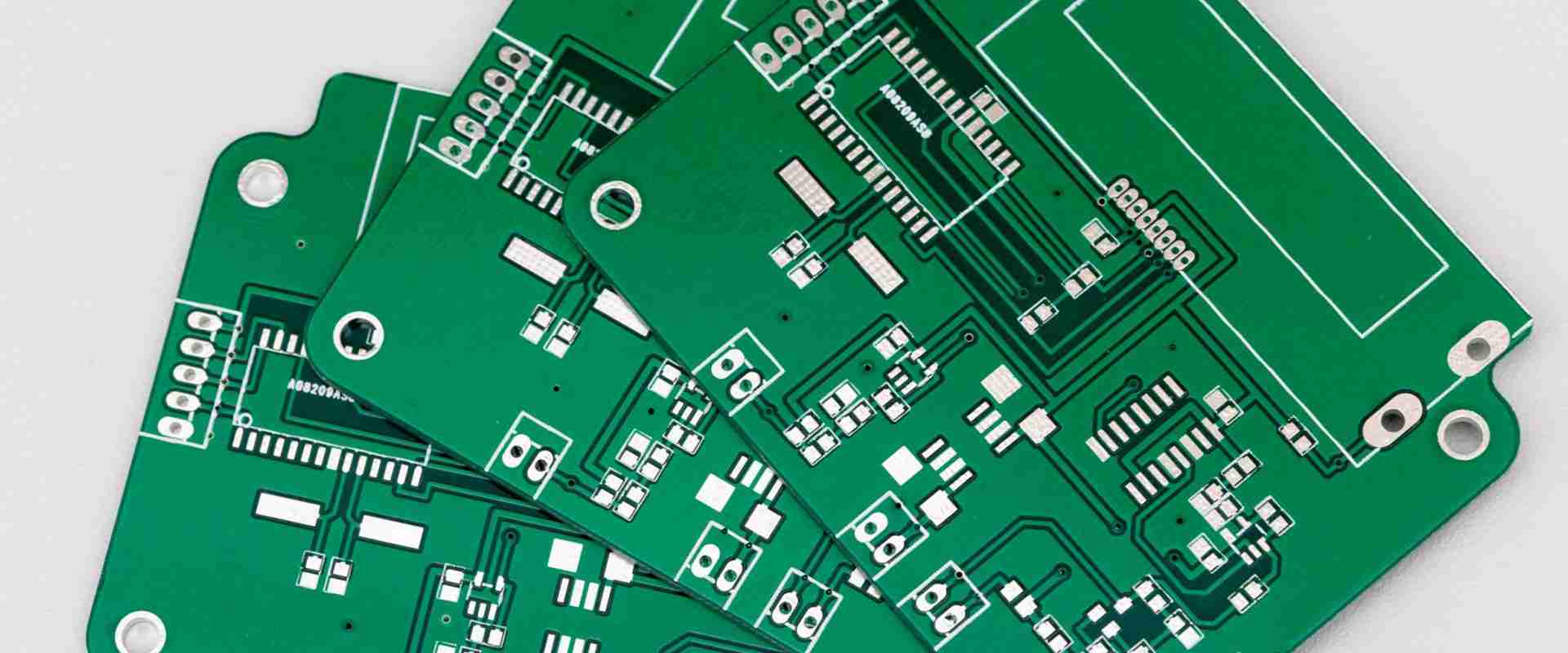
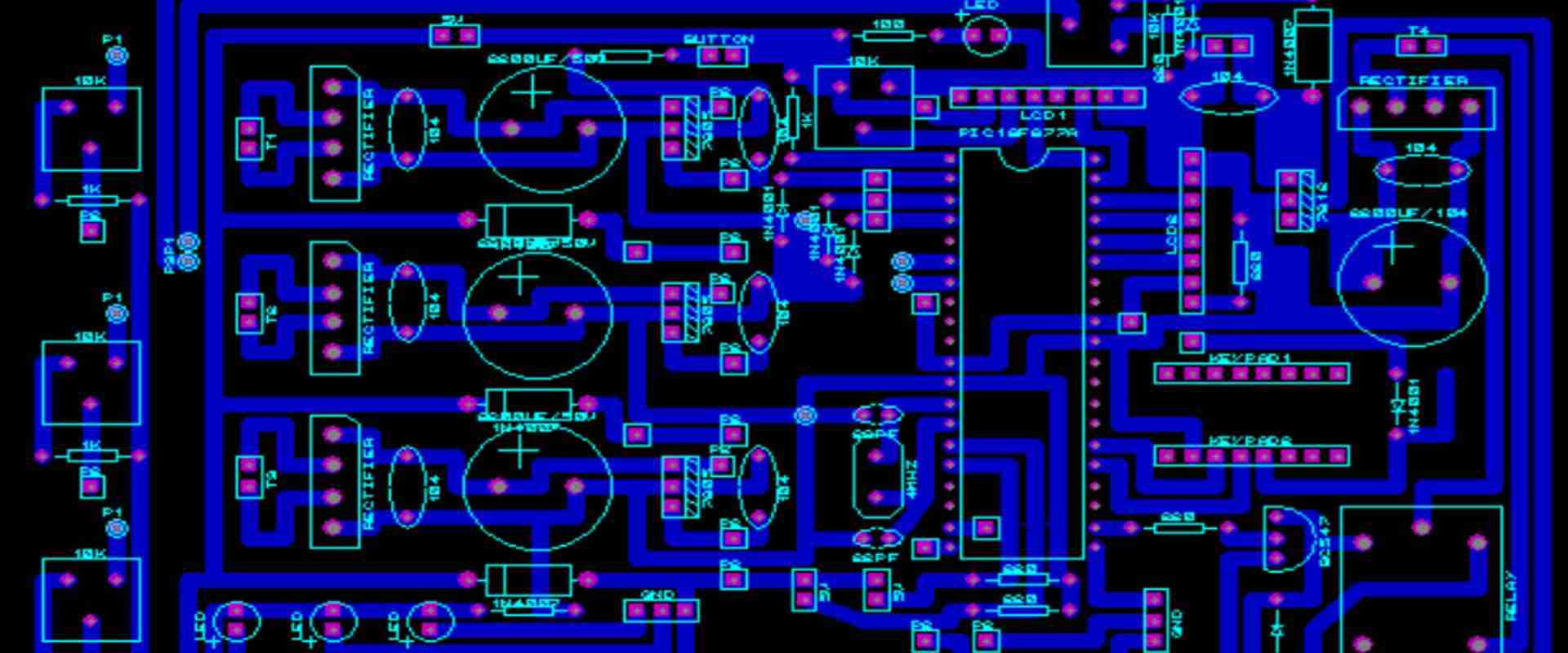
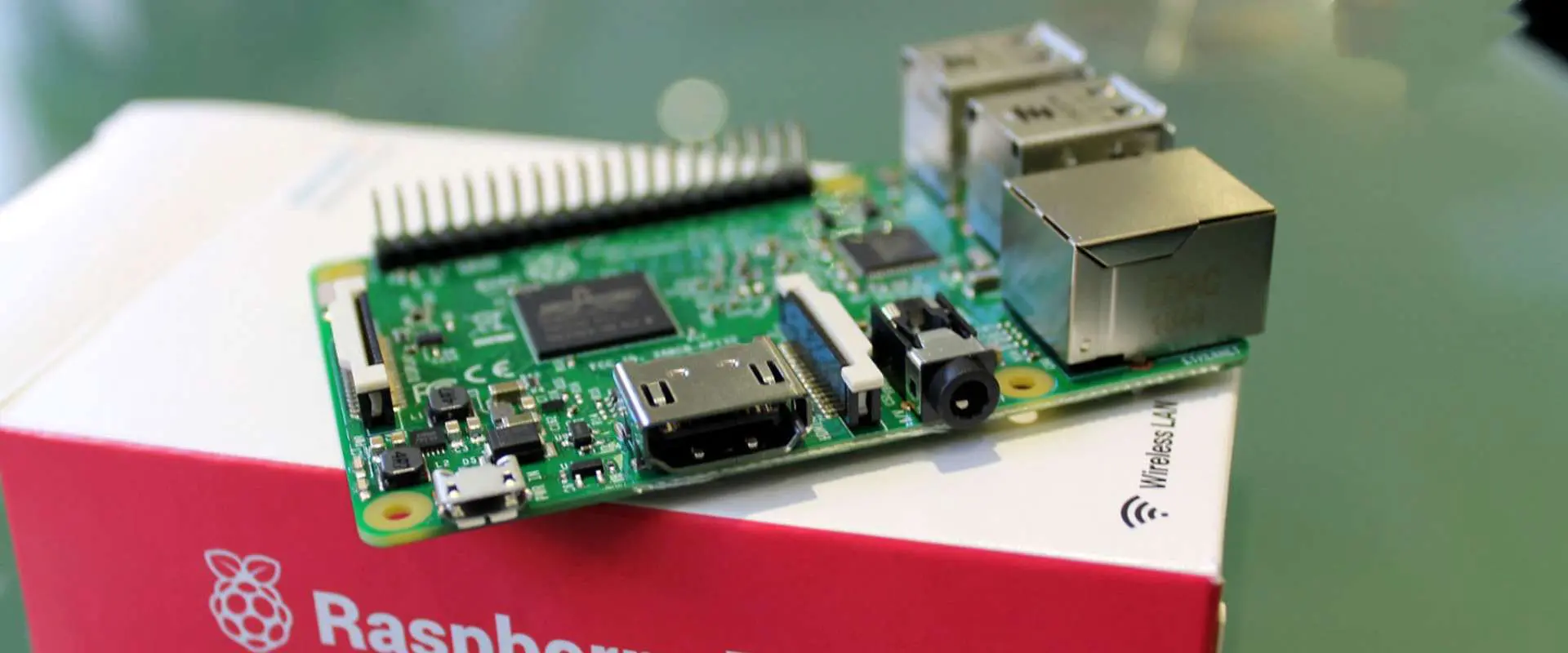
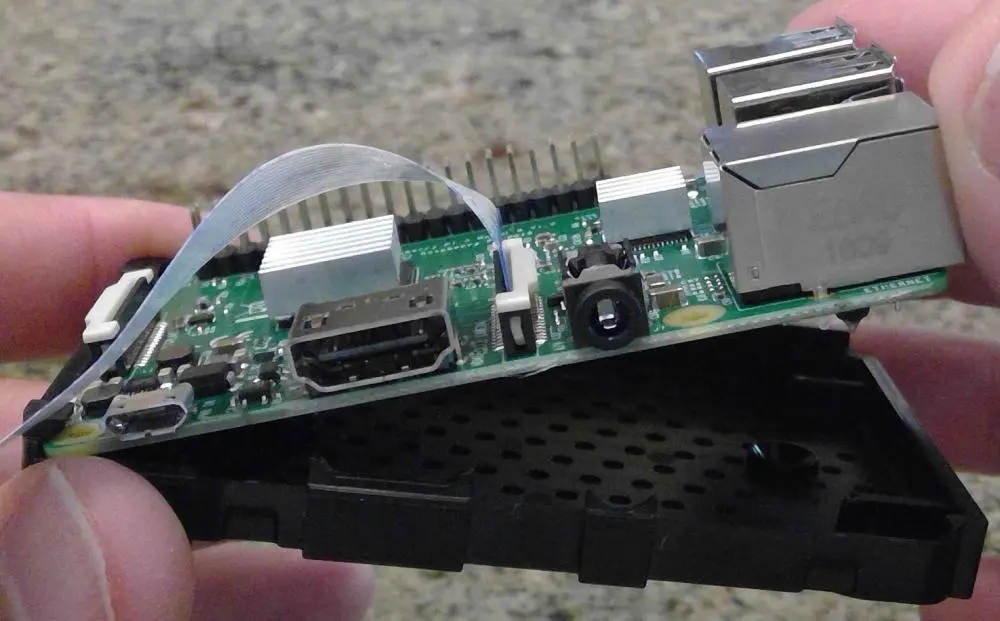
Technology keeps advancing as the world changes. So is the PCB industry. The sketching of traces and traditional methods of etching get obsolete in the PCB industry. The computer has changed a lot in the technology world. Almost all fields of technology have been impacted positively. However, computer technology makes the art of designing electronic boards that takes less space and houses some electronic components possible.
There are several software that can design a printed circuit board. CAD and Altium are a good example of such. A PCB file is very important for a PCB design. Without it, manufacturing can’t take place. A PCB file is important to design and build a satisfying board. This article discusses every important detail on a PCB file.
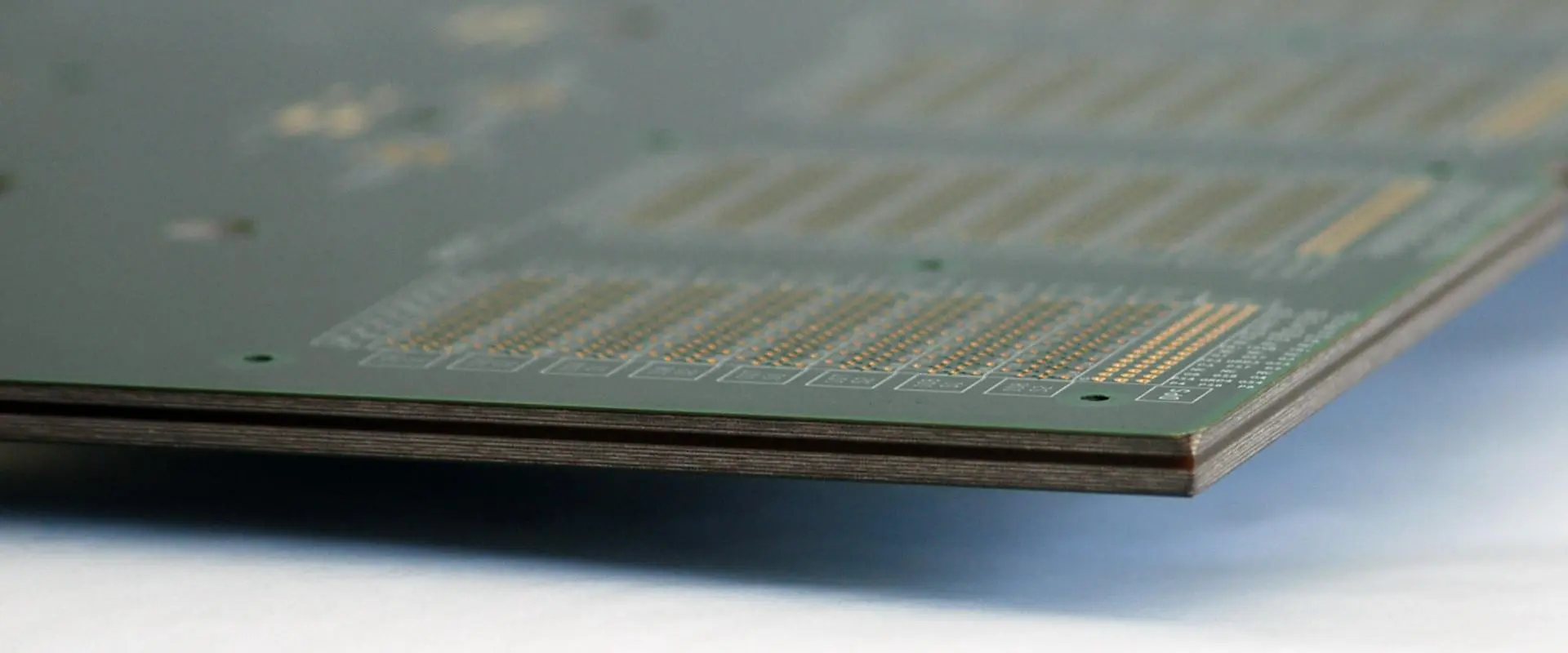
A PCB file is a document that comprises necessary information on PCB layers. Also, it contains information related to a circuit board. In this document, you can find details of bottom and top silkscreens. A PCB file features several information needed for PCB design and manufacturing. Also, these files can be in a binary format.
PCB files help to design the layouts used for printing the physical board. These files help PCB manufacturers to design these layouts. Engineers offer PCB files when placing a PCBA order. The Gerber file is one of the most accurate and common files. Also, the Eagle file and .PCBDOC are accurate files. These files are ideal for the manufacturing and testing of a circuit board.
How do you Open a .PCB file
A .PCB file is very easy to open if you follow the necessary steps. You will need a software such as Altium Designer to open a PCB file. If your file doesn’t open, long-press or right-click the file. Also, you need to launch the .PCB file on your computer. If you have the right file associations, your .PCB file will be opened.
Programs that can open and convert .PCB file
There are several programs that can open and convert your.PCB files. These programs include:
CADSTAR
This is a Windows based desktop PCB design solution by Zuken. It is easily integrated in your design environment. A .PCB file features the layout for printing the circuit board.
Altium Designer
PCB files are also known as Altium Designer cads. This is because they are primarily designed or utilized by Altium limited.
This is a computer presentation program. Also, PowerPoint can display data in an eye-catching slide. This program was initially released for Mac OS machines. However, any modern operating system supports this program. Also, the .PCB file features the application settings data.
Winboard
This is a PCB design software designed in the early 2000s. It is the first program for independent PCB design and manufacturing. However, there is limited documentation as regards how the manufacturer uses the PCB file. Winboard is a CAD.
PADS
This is PCB design software that offers a personal automated design system. Also, this system meets the user’s needs to ensure effective and fast PCB design. PADS is a popular PCB design software. Also, it comprises the layout used for printing the physical board.
PCB Artist
PCB Artist is a PCB design file created by Advanced Circuits. It is one of the most efficient PCB layout software. However, this software is different from others. Also, it is entirely free. However, it can’t output a GRB file for general purposes. PCB Artist features the layout used for printing the circuit board.
Print Shop
This is user-friendly desktop publishing software by Broderbund Software. Print Shop features thousands of photos and many desktop publishing tools. Also, it comprises pre-designed project templates. This file format is specifically classified as Page Layout.
The Benefits of PCB Files to Gerber File
Some engineers try to convert .PCB files into Gerber files. However, the majority of electronic engineers won’t convert a .PCB file into Gerber file and drilling data before submitting it to the factory. They would rather export the PCB file from the software and send it to the PCB manufacturers directly.
You may not need the Gerber file your PCB manufacturer converted. This is because PCB engineers and electronic engineers understand PCB differently. Also, if the parameter of the components in the PCB file is defined during the design, you don’t want to see them on the PCB.
The Gerber file features two formats RD-274-X and RS-274-D. The RS-274-X is the extended Gerber format that comprises D code information. Also, the RD-274-D is the basic Gerber format accompanied by a D code file.
Why is a .PCB File Needed?
A .PCB file is a document crucial for the manufacturing and design of a circuit board. A. PCB file helps to create the layout for printing a circuit board. Also, PCB manufacturing can’t be successful without a .PCB file. PCB files comprise installation of components. Also, they offer an illustration of the connected relationship of each part to design a board.
Documentation is an important part of a PCB assembly. It helps to realize a high-quality board. Also, designers need to be careful of recording the right information. The design process might be complicated. Therefore, these files are necessary for PCB manufacturing.
PCB file
This is one of the most important files a PCB manufacturer needs to build their final product. It contains information like layers, dimensions, and drill guides.
Also, known as the Bill of Materials, BOM comprises standard default information. This information includes manufacturer part number and reference silkscreen. Without a detailed BOM, manufacturing can’t occur. This file helps to evaluate the accuracy of your final product.
Gerber file
This file is as important as your PCB board. It is a set of files that creates several layers of the PCB. Every layer requires a different Gerber image file.
This functions as a secondary file you need to send to the PCB manufacturer alongside the Gerber file. The NC Drill file determines the size and position of the drill holes on the PCB.
Conclusion
The importance of the .PCB file can’t be underestimated in the PCB industry. Therefore, this article has provided the necessary information about the .PCB file.
A flame sensor, also known as a flame detector, is a sensor designed to detect and respond to the presence of a flame or fire. It serves as a critical safety and control component across many industrial and residential applications that use a flame, allowing system activation or emergency shutdown if unsafe conditions are sensed.
This article provides a comprehensive overview of flame sensor working principles, types, applications, selection factors, installation considerations, and usage in modern safety control systems.
Flame Sensor Working Principles
Flame sensors operate on different physical principles to detect the light, heat or combustion products from a flame and provide a corresponding electrical signal. Here are the main detection methods used:
Ultraviolet (UV) Flame Detection
Flames emit light in the ultraviolet spectrum which is invisible. A UV flame detector senses this UV radiation:
Sensor contains a UV sensitive photocell to convert UV into electric current
UV is focused onto the photocell using a lens and filter
Output current indicates strength of UV, signaling a flame
False triggers avoided by ignoring visible/IR
Provides fast response and high sensitivity but can be affected by arc welding and sunlight.
Infrared (IR) Flame Detection
Flames emit wideband infrared radiation. An IR flame sensor measures IR:
Contains an IR sensitive photodiode or pyroelectric cell
Optical bandpass filter passes IR radiation to the sensor
Variable electric signal indicates the IR intensity
Fast reacting and low cost but may false trigger on hot objects
Ultraviolet/Infrared (UV/IR) Dual Sensing
Combines UV and IR sensors:
Independent UV and IR sensing channels
Outputs combined through logic circuits
Triggers only when both UV and IR detected
Avoid false triggers from individual sources
More expensive but robust detection
Flame Ionization Detection
Uses two electrodes to detect ions generated by a hydrocarbon flame:
Voltage applied across two metal electrodes in the flame path
Flame combustion produces ions causing current flow
Higher current indicates greater ionization from larger flame
Very fast response to flame initiation
Prone to contamination and saturation effects.
Thermopile Infrared Sensing
Thermopile sensor measures infrared heat emitted by the flame:
Multiple thermocouple junctions convert IR into voltage
Changes in flame heat alter the output voltage
No spectral filters needed, detects all IR wavelengths
Withstands high temperatures, resistant to corrosion
Slow response time and lower range. Mainly used for fire detection.
Flame Rectification
Uses flame’s ability to conduct alternating current to detect combustion:
Sensor consists of two isolated probes in flame
AC voltage applied; current flows due to flame conduction
Higher current indicates larger flame
Quick responding and simple
Effective only for open flames and certain contaminants can affect readings.
Optimal mounting location is necessary for proper flame sensor operation:
Install in the combustion chamber for hottest view and quickest response to flame loss.
For large furnaces, install multiple sensors to monitor primary and secondary combustion zones.
Must have unobstructed line-of-sight of flame being monitored.
Mount at an angle to allow any accumulated material to drain off instead of blocking view.
Keep clean by avoiding areas with soot buildup or material condensation.
Seal housing for harsh environments but allow ventilation to prevent internal fogging.
Use fixed rigid conduit for wiring as vibration can break connections.
Follow manufacturer’s guidelines on proper wiring, grounding and separation from electrical noise sources.
Proper installation position is key for reliable flame strength monitoring and loss detection.
Integrating Flame Sensors in Control Systems
Flame sensors serve as a critical component in burner management and fire protection systems:
Burner Control
Performs pre-ignition safety checks to allow fuel flow
Monitors pilot and main flame during firing
Triggers safety shutdown sequence on flameout
Fire Detection and Suppression
Detects fires and triggers alarms, suppression systems
Closes fire dampers in ventilation systems
Shuts off fuel lines to stop fuel supply to fire
Advanced automation systems integrate array of flame detectors with analytics software for large area monitoring.
Conclusion
Flame sensing is a crucial technique for combustion safety and efficiency in critical processes across industry and infrastructure. Flame sensor selection requires matching detection mechanism with the specific flame and environment characteristics. Proper sensor integration during initial design stages along with correct mounting placement enables reliable flame condition monitoring and emergency response. With robust flame detection technology ensuring safe operating conditions, process industries can reap the benefits of combustion and fuels without the associated hazards.
Frequently Asked Questions about Flame Sensors
Here are some common questions regarding flame sensors and their usage:
Q: How does a flame sensor detect fire?
A: It uses spectral, spatial or conductive properties of flames to sense UV radiation, infrared light, heat or ionized gases and signal a flame condition.
Q: What industries commonly use flame sensors?
A: Power generation, oil and gas, chemicals, aviation, furnace manufacturing, building infrastructure rely on flame sensors.
Q: What sensors offer the highest flame detection performance?
A: Flame detectors combining both ultraviolet and infrared sensing in one housing generally provide the highest detection sensitivity and fastest response with minimal false triggers.
Q: What is the typical detection range of flame detectors?
A: Point flame detectors have a range around 3-6 meters. Line-of-sight models can monitor fires up to 60 meters away. Imaging flame detectors operate up to 45 meters.
Q: How often should flame sensors be maintained?
A: Annual inspection and cleaning is recommended. Harsh environments with soot or salt deposition may require cleaning every 3 months.
Files having its extension as a .GBR file may likely be a Gerber file. This Gerber file helps in storing the designs of printed circuit boards. The majority of programs for PCB design have the ability to export the data to any Gerber file.
However, if it is different from a Gerber file, then your own could be the GIMP Brush file. This file is useful for the editing software for GIMP. This file type holds images, which the program utilizes in painting any repeated strokes to the canvas.
The extension .gbr file also has another use. This is for the Ruleset files of the Game Boy. This can be integrated into the standard as well as super type of Game boy. It is also useful in Game Boy Color.
You can achieve this using different programs, which are mostly free. Some of these programs offering free service include Gerbv, PentaLogix ViewMate, and GraphicCode GV-Prevue. A few of these programs support the viewing and printing of the measurements. Another option for you to use in opening the Gerber file is to use the Altium Designer. However, this isn’t free
You can also view .gbr files online. Ucamco, who are the format’s makers, features the Reference Gerber Viewer, which is free. This allows you to make an online upload of the file. By doing so, you will easily view it using your browser.
The Brush files of GIMP are utilized with GIMP. This functions effectively on macOS, Windows, and Linux. Also, if the .GBR file takes the Tileset format of the Game Boy, then you can use the Game Boy Tile Designer to open the file
Converting a GBR File: What you should do
Before you convert the .gbr file, you must know the type of format that it is. This is very necessary because it will help you decide which of the converter programs you should make use of since all three formats mentioned above work and function independently of each other. What this means is that you cannot convert just any file into the .gbr file format. This can never work.
Concerning the conversion of Gerber files, there’s a possibility that some of these programs above will not just open it, but save the .gbr file into a brand new format. However, if this isn’t the case, the Gerber files can be converted using GerbViee to SVG, TIFF, DWG, PDF, DXF, as well as other formats.
Furthermore, using an online viewer like Online Gerber Viewer may work as well for saving your GBR file into the format of the PNG image.
Also, you can use FlatCAM to convert your Gerber file into G-code. Another you can try us Cenon, that’s if the other converters fail to work.
In order to save the GIMP file to the ABR so as to use it in Adobe Photoshop, then there’s a need to convert it first to PNG using a program such as XnView.
Next, open this PNG file in your Photoshop and then select what part or section of the image must be transformed to a brush. You can make this brush via Edit, then choose the Define preset menu.
The Tileset files of Game Boy can be converted into other types of file formats using the Tile Designer Program for Game Boy. It allows you to save GBR to OBJ, S, BIN, C, and Z80, via the file then export to the menu item.
What to do if you still cannot open the file
If you still cannot open the file, check that file extension again. It is possible that if none of the programs work then you are probably misreading that file extension.
Furthermore, this is significant because at times some file formats may share very similar extension letters, but that doesn’t mean that they are related in any way or you can use the same tools to open them.
GBR files for instance feature all the three similar letters for the file extension. However, they are files of the GRIB Meteorological Data which are saved in the Binary format of GRIdded.
Furthermore, they have no relationship with any of these formats of GBR file discussed here. Therefore, you cannot convert or view the programs we have already talked about.
Also, the same goes for the files of the Symbian Is Don’t, which makes use of the file extension of GDR. We can give many other examples. However, the idea will be to take a close look at the letters of the file extension and ensure that they indicate GBR. If not, you will have something completely different than what we have said in this article.
With the Gerber format, it stores 2D, binary images in a specific ASCII format. Note that not all the Gerber files make use of the file extension of the GBR.
Some include 274, 001, ART, GER, PHO, or GBX files, of which there may be others too. Also, it is possible to make your personal GIMP brush files. However, by default, some are provided during the first installation of the GIMP.
By default, these GBR files can be found in the installation directory of the program.
Frequently Asked Questions
Below are some of the questions people always ask regarding the .gbr file.
When can the GBR files for GIMP be placed?
When importing your file into the GIMP in order to save it as a brush file in GBR, see GIMP to open the file and then save it using the GBR extension. Also, you can create a brand new brush using the GIMP and then save it. Also, you can save this file in the folder “brushes” in the directory of the GIMP.
Which of the programs of the PCB layout create GBR files?
Available here are several open-source, free software programs for printed circuit boards, which can be useful in the creation of Gerber files. A few examples include FreePCB, which is specially designed for Windows, DesignSpark PCB for Linux and Windows, and Osmond PCB that works for Mac.
Conclusion
We have done our best to explain the question “what is .gbr file”. If you have any more questions, feel free to contact us.
PCB design may demand the integration of designs from several sources. It is important to ensure PCB designs are saved in the right file. If you are experiencing some problems opening your .BRD file, this article is for you. This article seeks to discuss the .BRD file and its uses. Also, we will discuss the uses of these files and how to handle them.
What is a .brd File?
A .brd file is a software created to make design templates for circuitry. It is a BorderMaker file. The Autodesk EAGLE created the .brd file. You can save .brd files in the Gerber drill data format. .BRD files are design files that comprise designs compatible with Gerber files. Also, a .BRD file comprises a PCB drawing.
EAGLE circuit board files are files saved in a BRD extension format. EAGLE PCB design software utilizes these BRD files. Also, any software that creates PCB designs is referred to as CAD software. The EAGLE software is a good example of these programs. EAGLE simply means Easily Applicable Graphical Layout Editor.
A BRD file features a PCB drawing. Several manufacturers and developers encode these BRD files in their proprietary formats. Therefore, third-party programs can’t open them. For instance, EAGLE encodes a BRD file as binary data or XML. However, KiCad saves its PCB layouts as plain text. A boardview is an example of .brd file. It is schematics of a PCB, its components, and more. Also, OpenBoardview can visualize the majority of BRD boardviews. Smart Charts Drug Development Suite use BRD as its data transfer format.
You may open your .brd file with other programs. However, this depends on the file type. The file type is always listed in the properties of the file. All you need to do is to right-click the file on your PCB. Then select “properties” and check for “Type of File.”
If you are using a MAC computer, just right-click the file, select “More Info,” then check under “Kind”.
Ask the Developer
Also, you can contact the software developer. This is another way to open a BRD file. Also, getting the developers for the programs used to open BRD files could be of help.
Make use of a Universal File Viewer
If all the above-mentioned methods don’t work for you, a universal file viewer is a reliable way to open a BRD file. The File Magic can open different types of files. However, this depends on the format. Also, some files may not work with these programs. Your .brd file will open in binary format if it isn’t compatible.
What is a File Extension?
A file extension is always at the end of a filename. It is a set of three or four characters. .brd. File extensions indicate the file type and inform Windows what programs can open it. There is always a default program to each file extension. Also, the program automatically launches anytime you double-click the file. When the program is not on your computer, you can get an error when opening the associated file.
.BRD File Viewer Websites
There are a couple of.brd file viewer websites. However, not all of these websites allow you to view .brd files for free. .BRD files comprise designs compatible with Gerber files. There are several online tools where you can view Gerbel files. This isn’t the case when it comes to .BRD files. Below are a few websites that can open .BRD files.
Altium Viewer
This is a free .BRD file viewer website. Altium viewer helps you to upload a .BRD file. However, this online tool doesn’t provide you with editing options. The .BRD file can only be uploaded and viewed in a read-only-mode. Also, you can zoom the design to have a clear view of various components. Altium viewer doesn’t require you to pay any fee or sign up.
Download the Altium viewer link and upload a .BRD file. However, this website doesn’t support .BRD files. It only allows you to open and view a .BRD file without any installation. Also, you can view the details of different components in the PCB design you are viewing.
EasyEDA
EasyEDA is another reliable free online tool that allows you to open and view .BRD files. Unlike Altium viewer, you can upload a library .BRD file on this viewer. Also, it will open the file in an editable workspace. This online tool allows you to make changes in the BRD file.
If you want to save changes, you will need to export the .BRD file in a different format like PNG, EasyEDA and others. Also, you will need to open a free account to use EasyEDA.
This is PCB design and simulation software. A PCB design created with Allegro is saved in .BRD file.
KiCad
This is an open source electronics design software. This program saves PCB layouts in .BRD files.
RPG Toolkit
RPG Toolkit designed by Christopher Matthews is an application development platform for creating 2D role-playing games. The .BRD files save boards utilized in games created with RPG Toolkit.
OpenBoardview
This open source program is specifically designed for viewing electronic circuit schematics saved in different formats. Also, it can open electronic schematics saved in different formats like ASC and GAD.
In most cases, .art files belong to Adobe’s illustrator. This .art file extension is majorly linked with images that are highly compressed and stored in the main ART format utilized in compressing images on the proxy sensors of AOL.
By making use of these ART images, it became possible for online services to raise their download speed for their images, as well as reduce the usage of bandwidth. Alphacam, which is a CAD/CAM programming and design solution, stores a project’s router tool in the .art file.
Furthermore, ArtCAM, which is a manufacturing software that is computer aided, stores models of 3D and 2D in the .art files. Also, these files may also come with specifications for engraving, printing, and cutting designs that are created using the program.
Also, the .art filename extension is linked with the design format of the embroidery, which are useful by older embroidery machines of BERNINA. These types of .art files have embroidery designs, which can be viewed using embroidery softwares like ArtLink.
Furthermore, video games, which are developed using the engine of the Build 3D games, store game data like sprites, tiles, and textures in the .art files that are compressed.
To open .art files, you will need to use appropriate software such as Illustrator. Without using the right software, you will get a message from Windows like “Windows failed to open this file” or other related alerts from Android, iPhone, or Mac.
Also, if you fail to open the .art file the right way, you can long-press or right-click the file. Next, select “Open With.” Once it opens, choose the application you will love to use. Also, you can display the .art file in your browser directly.
What is .ART file Viewer?
.ART file viewers are those programs that users can use in opening and converting .art files? Below are some of them.
Illustrator
This is by Adobe. These .art files are usually called illustrator vector images. This is because this file type is mainly used or created with the help of this software
Android Studio
This one is from Google, and it is an integrated environment, which is useful for the building of Android applications, making use of programming languages like Kotlin and Java.
Furthermore, the .art file present bin Android projects and created using Android studio has the .art representation of classes and strings, which are listed in APF files in order to accelerate the application startup. The classification of the file format is under “System.”
Alphacam
This one is by HEXAGON. It is a software that serves woodworking industries. Also, it is useful for the cutting and designing of parts that range from parts that are simply routed to the complex ones, furniture components of 5-axis, or furniture. Furthermore, the tool information of the router in any Alphacam project is usually saved in .art files. The classification of the file format is under “3D image.”
AOL
This one is by America Online. It is a software that serves as a web service and desktop client. Its desktop version is made up of media player, web client, and instant messenger. Also, the proxy server of AOL converts images to the .art files that are very compressed before it sends them to your browser. The classification of the file format is under “Raster Image.”
ArtCAM
This software was developed by Autodesk. This is a discontinued manufacturing software that is computer aided and useful for any decorative woodwork. Any model that is imported in the Relief Clipart Library of ArtCAM is stored in the .art file. The classification of the file format is under “3D Image.”
ART Director
This one is by Mirrorsoft and it is also a discontinued software for image editing mainly for any Atari computer. The .art files were used in storing the edited images with the use of Art Director. The classification of the file format is under “Raster Image.”
Artlink
This one is by BERNINA. It is a software that helps users to view and export embroidery designs. This desktop software works well with the file format of the ART embroidery, as well as other different formats. The classification of the file format is under “Data.”
Other .art file viewers include Blood, Crayola, Duke Nukem 3D, PC Tools, Online Gerber Viewer, First Publisher, and more.
Note that you can open many file extensions using multiple programs, and vice versa. However, if you have been experiencing issues with opening .art files, below are some ways for you to make it happen.
Try Downloading a Different Program
You can try to open it by making use of a different program. You can try any of the programs above and see which one works for you. Also you can download more than one of these programs, update them, and then try again.
Contact the Developer
The software developer is more knowledgeable about file extensions than any other. Therefore, if your .art file fails to open by making use of the normal programs, then you should contact the software developer to help you out.
Check the Type of File
Knowing the file type will give you some ideas on how you can open it. Majority of .art files are usually grouped under Developer files. Therefore, programs working with these Developer Files, will most likely open your .art file. If you don’t know what type of file it is, right-click it and then choose “More Info” or “Properties.”
Install any Universal File Viewer
With universal file viewers, you can open any file type. This also depends on the format. If you are finding it hard to open your .art file try to install File Magic.
Conclusion
We hope we have been able to answer the question “what is .art file viewer?” Trying to open your .art file without success may be frustrating. The more reason why you should know what an .art file viewer is, and some of them that will work for you.
Have you ever used raspberry pi before? Are you looking to buy one anytime soon? If not, then this article might give you a reason to. If you have already used this incredible device, this article will provide you with a fantastic raspberry functionality that will motivate you to keep using it. See, more than just being a device that you can use to explore computing, raspberry can also be used as a router. How, you might ask? Well, the answer to that question is provided in this fantastic article. In this article, we shall explore:
If you love tech and you also love the planet, this is an article that you would not want to miss out on. Hence follow along as we explore the raspberry pi world and let us help you turn your raspberry pi router into a router!
Raspberry pi can be defined as a credit-card-sized low-cost computer that you plug onto a TV or a computer monitor. It uses a standard mouse and keyboard to function correctly. Using raspberry pi, people of all ages, old and young, can explore computing easily and learn how to program with languages such as python and scratch. Raspberry pi can perform all functions you typically perform using a desktop, from browsing the internet to playing high-definition videos, word processing, and even playing games.
The raspberry pi can also interact with the outside world. Due to this, it has been used in so many digital marker projects, from weather stations, music machines to tweeting birdhouses. What’s more, raspberry pi can also be used as a router; well, this device does set the bar quite high! But all in all, this device is pretty efficient. Plus, it has so many advantages, from being tiny (the size of a credit card) to having multipurpose functionalities and so on.
So why use a Raspberry Pi?
Raspberry pi Router
The reasons for utilizing a raspberry vary from one person to another. However, according to research, we found that most people utilize the raspberry pi because of the following reasons:
Low-cost – the raspberry pi is considerably lower in price than most desktops. For only $45, you can have yourself a raspberry pi to utilize. However, in terms of functionality, this device outdoes itself. It is well worth the money.
Low power consumption – as mentioned earlier, the raspberry pi is pretty tiny; it hence utilizes less power compared to most desktops.
Less space utilization – the raspberry pi is pretty tiny. Hence if you have space issues, this small computer might help you out.
It runs a free, open-source OS – The raspberry pi runs on a free, open-source OS. Hence, you can make adjustments to the OS’s source code to make it better or customize it to fit your needs.
Raspberry pi community – Raspberry has a pretty solid community, one that is always there when you require assistance. Merge that with the many tutorials that exist on raspberry pi, and you have all the help you could ever need to utilize a raspberry efficiently.
Raspberry Pi Specs
The raspberry pi 3B+ has the following specs, which are a significant advancement from the raspberry pi 3B:
These incredible specs have made the raspberry pi 3B+ pretty popular in the market. However, more advancements have been made, with raspberry launching a newer model known as the raspberry pi 4.
The raspberry pi 4 is the most recent raspberry pi model in the market; hence let us look at its specs and the functionalities that it has added. The raspberry pi 400 has similar specs; thus, almost everything described below also applies to it.
Quad-core cortex CPU – A72 (ARM v8) 64-bit SoC at speeds of 1.5 GHz
Supports two monitors
Micro-HDMI connectors
Supports H.265 (that’s 4kp60 decodes) and H264(that’s 1080p30 encode and 1080p60 decode).
Raspberry pi 3 vs pi 4
Compared to raspberry pi 3, you will find that raspberry pi 4 has better specs. For starters, the raspberry pi 4 has a faster clock speed processor (1.5 GHz) than the raspberry pi 3, which has a 1.4 GHz clock speed processor. When you move on to the RAM, this is where the difference clearly comes out. The raspberry pi 4 comes with an entry-level one Gigabytes of RAM and an added two Gigabytes or four Gigabytes, depending on the model you choose. However, when it comes to variety, then the raspberry pi 3 wins. See, raspberry pi 4 only comes in one variation, the raspberry pi 4 model B. On the other hand, the raspberry 3 comes in many different variations. Here are some of the options that you get:
Raspberry pi model B+
Raspberry pi 3 model B
Every raspberry pi 3 is unique and efficient in its own way. Hence, you can still utilize them for your project; the results are undoubtedly incredible. The steps we shall provide to help you turn the raspberry pi into a router apply to both the raspberry pi 3 versions and raspberry pi 4. However, we shall be referring to the raspberry 3 versions because they are the most widely used compared to the raspberry pi 4.
Now that we have gone through what a raspberry pi is and the incredible specs that this device bears. Let us take things upper a notch by helping you turn a raspberry pi into a router; now, this will be interesting; hence follow along!
Over time, most people have utilized raspberry “in” a network. In is in quotes because it means that the raspberry is actually connected as a node rather than a Wi-Fi provider; here is how:
How to connect to my raspberry pi through my router
The easiest way to connect a raspberry pi through a router is via an Ethernet cable (LAN cable). All you have to do is plug in the Ethernet cable onto your home router, then plug in your raspberry pi using the other end of the Ethernet cable. Once you connect your raspberry pi, the network LEDs should start to flicker.
If you are utilizing a raspberry pi zero, you will require a USB Ethernet adapter.
If you are raspberry pi 3, the pi 4, or pi Zero W, it is possible to connect to the router wirelessly.
But this, sorry to say, limits the functionality of a raspberry pi as it can do much more than just being a mere node in a network. See, raspberry as router other than a node increases its efficiency and usability which is pretty advantageous.
How to use Raspberry Pi as a Router
So is it possible to use the raspberry pi as a router? Well, yes, see, the raspberry pi is capable of doing so many things, and now that you can purchase it alongside wireless capabilities pre-installed onto the board, the possibilities are limitless. The newly added functionality means that the raspberry pi can now replace an expensive router since it can now act as an access point which is technically a router. We shall have to manipulate the raspberry pi via its command line to achieve this feat. However, we will make the project super easy so you do not have to get all worked; we’ve got you. All we are doing is utilizing raspbian and going to the extend of installing a few packages that will give raspberry pi router capabilities like assigning an IP address to all devices connected to it. Hence let’s get right to it.
Installing and Updating Raspbian
Installing raspbian is pretty much straightforward; all you have to do is:
Set up an image disk
Here is how to set up an image disc on raspberry pi to log into router
Download raspbian – to download raspbian, hop onto your PC and search for “raspbian disc image.” Look for the latest version and then click on download.
Unzip the file – The raspbian disc image comes in compressed format; you hence have to unzip it.
Write the raspbian disc image to your SD card – move on to your microSD via your computer and write the resbian disc image onto it. You will require a specific program to accomplish this feat. Windows users can utilize Win32 disk imager, while Linux and Mac users can utilize Etcher. However, Mac OS comes with a pre-installed disk utility that can also perform this task.
Insert the MicroSD card onto your raspberry pi and boot up – once you have written the disc image onto your microSD card, you are all good. Now insert your Micro SD card onto your raspberry pi and boot up.
Check on upgrades and updates.
Once everything is up and running, move on to your terminal and ensure you check for upgrades and updates using the following commands:
Sudo apt-get update
Sudo apt-get upgrade
If any upgrades get prompted, remember to reboot using sudo reboot.
Using these two programs (dnsmasq and hostapd), we shall help you turn the raspberry pi into a router. To install them type the following lines onto the terminal:
Sudo apt-get insall dnsmasq
Sudo apt-get install hostapd
Both times, you will have to press y to proceed. Dnsmasq is an easy-to-use DNS and DHCP server, while hostapd is a package allowing one to make a wireless hotspot via raspberry pi. For both to work efficiently, we have to configure them. You will have to turn off the programs to execute this step. When both are off, type in:
Sudo systemctl stop hostapd
Sudo systemctl stop dnsmasq
Configuring a Static IP Address for WLAN0 Interface or platform
For the purpose of turning your raspberry into a router, we are going to utilize a standard home IP address which looks similar to 192.168.***.***. Hence, we shall assign 192.168.0.10 as the IP address for WLAN0 interface through editing the configuration files of DHCPCD. Editing using the command below:
Sudo nano /etc/dhcpcd.conf
Having reached the configuration files, type in the following commands:
Once you are done, press the ctrl+X, followed by Y, and Enter to successfully save and get off the editor.#
DHCP Server Configuration
We shall utilize dnsmasq as the DHCP server. A DHCP server distributes network configuration parameters dynamically, for example, IP addresses for services and interfaces.
To start, you have to rename the default config, then write a fresh one:
Sudo mv /etc/dnsmasq.conf / etc/dnsmasq.conf.Orig
Sudo nano /etc/dnsmasq.conf
Now type in the following lines onto the newly built configuration file:
Interface = wlan0
Dhcp – range = 192.168.0.11, 192.168.0.30, 255.255.255.0, 24h
The added lines mean we shall provide an IP address between 192.168.0.30 and 192.168.0.11 for the wlan0 interface.
Access Point Host software Configuration (hostapd)
Now it is time to mess around with the hostapd configuration file. Open it up by keying in the following line:
Sudo nano /etc/hostapd/hostapd.conf
Once you key in this line, a new file will be created. Type in the following command:
Interface = wlan0
Bridge = br0
Hw_mode = g
Channel = 7
Wmm _enabled = 0
Macaddr_acl = 0
Auth_algs = 1
Ignore_broadcast_ssid = 0
Wpa = 2
Wpa_key_mgmt = WPA-PSK
Wpa_pairwise = TKIP
Rsn_pairwise = CCMP
Ssid = NETWORK
Wpa_passphrase = PASSWORD
Where we have put “NETWORK” and “PASSWORD,” you are supposed to develop and key in your custom name. The Network name will help you identify your network, while the PASSWORD will help with authentication.
Now let us provide the configuration file’s location to the system using the following command:
Sudo nano /etc/default/hostapd
In this hostapd file, find the line that states #DAEMON_CONF=””, delete the “#” symbol and then place the configuration file path in the quotes provided; you should get a statement that reads:
The idea behind traffic forwarding is that once you connect to your raspberry pi, it will immediately forward this traffic via your LAN cable. So we shall have wlan0 forward traffic using LAN cables to your modem. To achieve this, you have to edit yet another configuration file (hang on there, we are almost done). Just type in:
Sudo nano /etc/sysctl.conf
Once you run this command, locate the following line:
#net.ipv4.ip_forward = 1
As usual, delete the “#” symbol, but leave the statement as it is this time around. It should hence read:
Net.ipv4.ip_forward = 1
Add a New iptables Rule
Next up, we shall add in IP masquerading, which will be responsible for the outbound traffic flowing on eth0 via iptables:
Once you are done, save the newly created iptables rule:
Sudo sh –c “iptables –save > /etc/iptables.ipv4.nat”
To load the boot rule, you have to edit the /etc/RC.local file by adding the following statement above the exit 0 line:
Ipstable – restore < /etc/iptables.ipv4.nat
Enable Internet Connection
At this point, your raspberry pi has already gained access point capabilities that means that other devices can connect to it. However, connected devices cannot use the internet. To enable internet access to these devices, we have to create a bridge that will efficiently pass traffic between the eth0 and wlan0 interfaces.
To create this bridge, you have to install another package:
Sudo apt-get install bridge-utils
Now add another bridge and call it “br0”:
Sudo brctl addbr br0
Next up, let us connect eth0 interface onto the newly created bridge:
Sudo brctl addif bro eth0
Lastly, we shall edit the interfaces files:
Sudo nano /etc/network/interfaces
Follow this up by adding the following commands onto the file’s end.
Auto br0
Iface br0 inet manual
Bridge_port eth0 wlan0
Reboot
Since everything is in place, let us now reboot using sudo reboot.
Once back on, you should have a working raspberry pi wifi router.
Raspberry pi VPN Router
Now that you have a raspberry pi router that you can utilize to browse the internet, cyber security becomes the next issue to handle. To ensure safe browsing, you can use a raspberry pi as a VPN router. Here is how:
Once you open this directory, it immediately downloads the following file:
Sudo unzip GF_openVPN_10142016.zip
The above command unzips the file, of course.
VPN List
Move into the newly generated directory, then type in ls to display the files in list form.
Cs GF_OpenVPN_10142016/OpenVPN256
Ls
A list of .ovpn files will be displayed. These are various VPNs that you can utilize, all listed by location. When you want to connect to a particular VPN, you are supposed to use these files.
Create Authorization File
To utilize VyprVPN, authorization is required. Hence let generate a file for authorization:
Sudo nano /etc/openvpn/auth.txt
Once you run this command, it should generate a new file. In this new file, key in two statements:
Your Username
Your Password
These credentials should not be made up; they should be the credentials that you use to log in to your VyprVPN (you are supposed to have a VyperVPN account for this to work). Now exit the file using ctrl+X, save the file (use Y), and press enter to confirm.
Where we have “FILENAME.ovpn” plug in the VPN that you wanted to utilize, once you run this command, you should get a lot of text, which, if you did everything accurately, should include the “initialization sequence completed” text signaling success.
Iptables Fun
Do not get too excited since we are not yet done. While converting your raspberry pi to a wireless router, we helped you make a few changes to the iptables. Now we have to make a couple of adjustments:
Sudo iptable –F
Sudo iptables –t nat –F
Sudo iptables –X
Once you run this command, it should clear our old stuff.
Where we have FILENAME.ovpn, insert the file name you used in step 4. And that’s it; you have a raspberry pi VPN router. Use Sudo reboot to boot up your raspberry pi, then check if everything is working properly.
How Efficient is a Raspberry Pi 3 VPN Router
The raspberry pi 3 VPN router is pretty efficient. Using this router, you get up to 250 Mbps, it is not super-fast, but it is efficient enough to handle most of your online activities. On a pi 3B+, the load is mostly high on the core that is executing OpenVPN; it hence hits about 95%. It could, however, remain stable at 85% on downloads which use up more time compared to speed tests.
What’s more, the VPN means that you get to browse the internet anonymously which is great for security purposes. Changing your VPN also means you attain privileges provided to IP addresses that fall into a specific location. That being said, using a raspberry pi 3 VPN router, you can, for example, watch American shows while in China.
Conclusion
We are in an era whereby efficient and multipurpose devices are leading the way in the tech industry. When you glimpse into the wonders that the raspberry can do, you will agree with us when we say that this device has outdone itself. Its router capabilities not only saves you money but also space. It saves the world from plastic packaging pollution while at the same time performing incredible tasks. What’s more, the VPN functionality lets you browse anonymously hence keeping your identity and your information secure. If that does not spell out INCREDIBLE, I don’t know what does. We hope that this article has been of great help to you and good luck utilizing this fantastic device.
It is no surprise that electronic parts manufacturers are the one-stop-shop for your parts needs. But there are so many choices on the market. As a result, it can be challenging to know which electronics manufacturers will serve you best.
For instance, what if you needed a replacement part for your toaster but needed it right away? Your local hardware store is more likely to stock the part. You can have it ready within the hour than an online retailer. From there, it is a matter of driving over to your local electronics parts suppliers. For electronic parts manufacturers, online retailers will also not offer the same level of service.
Most retailers will use a call centre to place the order when you buy online. This can be a helpful tool. But there is no substitute for having someone walk you through the different parts and what they can do.
Another good reason to buy from a local business is that they often have an on-site repair service. This can save you time and money in the long run, especially if your product is under warranty.
Having a business close means you will have more access to publications for electronic parts manufacturers. You will also have access to news stories about the industry. There is no easier way to keep abreast of the industry than through a local business.
Many are looking for no-hassle service and top-quality products. It is in your best interest to go with a local business rather than an online retailer. After all, they have their reputation to uphold beside yours.
We can divide the history of electronic parts manufacturing into three distinct periods.
First golden age
The first golden age of electronic parts manufacturing emerged in the 1950s. This period had significant government funding. There was also a willingness to take risks due to the need for new defence technologies.
But, government funding has declined since 1960. Manufacturers continued to enter the market with new products and services. For example, this period had the development of computer systems. They also developed their peripherals and accessories.
Second golden age
This age of electronic parts manufacturing emerged in the 1980s to 1990s. Also, this period marked the end of the Cold War. This led to continued military spending growth. In turn, it led to a desire for manufacturers to offer a wide range of goods and services.
This golden age has ended, though new technological advances continue to emerge. For example, several area manufacturers are offering e-commerce services on their websites.
Third golden age
The third golden age of electronic parts manufacturing is currently underway. This period continued developing new technologies such as smartphones and tablets. As a result, it created a new demand for electronic parts manufacturers.
Most manufacturers have begun to offer new services geared towards individual users. For example, several retailers and manufacturers offer e-commerce services on their websites.
This also includes businesses that are selling pre-wound electrical coils online. Also, companies are starting to specialize in locating hard-to-find or discontinued items.
Electronic parts manufacturers are also marketing their products via various social media sites. This can save on time and shipping costs for the consumer.
Also, several new technologies allow for faster and more accurate manufacturing processes. For example, several Chinese companies offer applications that can enlarge small objects.
What is new about this golden age?
Several things have changed in the world of electronic parts manufacturing since 2000.
For example, the number of people working in the industry has declined. This is clear when comparing data from the early 2000s with current statistics.
Some businesses have begun to experience a decline in sales. However, other factors may contribute to this problem. They include low advertising costs, strong marketing campaigns, and expanded global markets.
This helps to save on advertising costs and sales growth. Additionally, electronic parts manufacturers can also enjoy an increased focus on e-commerce. This can lead to greater sales and profits.
Other changes include increased automation, which has led to fewer jobs. This may also explain why employment positions continue to decline. In addition, the decline goes with the increase in e-commerce businesses.
Also, many corporations are taking advantage of the benefits offered by e-commerce leads. As a result, they intend to increase competition among electronic parts manufacturers.
Some electronics companies have even taken action to protect their profit margins. However, they do it in the face of this increased competition from e-commerce retailers.
Regulations of electronic components manufacturing companies
Regulations in the manufacturing and selling of electrical parts can be very complicated. This is true when considering the requirements placed on companies by various countries. Also, companies must keep up with different federal standards. They must meet them for their products to reach the consumer market.
You can ensure that it passes specific quality standards before reaching your doors.
The United States government often sets electronic manufacturing regulations. So, those who wish to sell or produce products must follow the safety requirements
Different parts of the country have different regulations. For example, certain states may have rules that apply to specific components. For example, many states recommend using only low-resistance computer cables. This is when dealing with computers and other electronic equipment.
Other states are not so picky about power cables. But they will have different regulations on fluorescent lighting systems and electronic ballasts.
There are essential things companies should do when selling their parts. First, one must make sure that they abide by specific safety standards set by the government. Also, they must get any relevant licenses before selling their products.
Electronic Manufacturing Association
The Electronic Manufacturing Association (EMA) came into being in 1984. The purpose is to promote new technologies and improve the industry. This association connects different electrical components manufacturing company through communication, education and advocacy. The goal of EMA is to ensure that manufacturing continues to remain strong in other regions of the world.
Electronic components manufacturers design and produce a variety of products. They use state-of-the-art technology to deliver products. These products focus on quality, long-lasting performance, and reliability.
Many companies offer various electrical parts. We use the electrical component manufacturers to produce or upkeep essential electronic products. Examples include medical equipment and computer systems.
Manufacturers can also supply various electronic components created for everyday items. For instance, televisions and radios.
Electronic parts manufacturers may also offer a wide range of products and services. For example, they provide information on new technologies. Then they work with retailers to ensure consumers access the best possible prices.
Manufacturers use several different hardware devices. Examples include computers, powerful lasers and tools to meet their customers’ needs. Also, they perform various quality tests on all their products. This allows them to ensure that their products meet appropriate safety standards.
Many of the products made by these companies result from new technologies. However, they also result from new manufacturing processes.
We can find electronic parts manufacturers worldwide in local areas, cities, and towns. Some of them include:
1. Intel Corporation
The Intel Corporation is a leading manufacturer of microprocessors. They also produce other vital items such as motherboards, processors, and memory chips. It is famous worldwide for its quality products. Intel has been supplying most of the world’s electronic components for more than 40 years. It is still the world’s largest semiconductor provider since its start in 1968.
Intel Corporation employs some 100,000 people in the United States. It also has a turnover of more than $43 billion.
Although Intel is a US-based company, it also has locations in other countries. These countries include Israel, Malaysia and China. Also, some of its key subsidiaries are in Canada, Brazil and the Netherlands. Furthermore, the company is currently working on significant projects in Taiwan and Vietnam.
Their main products are flash memory-based components. These have become a vital part of the world’s electronic systems.
Also, their products are helpful in many other popular systems. These systems include mobile phones, digital cameras and MP3 players. The company has also developed several different devices. For example, they help with voice-recognition software and digital photography.
Also, Intel has established various research and development centres worldwide. This helps them focus on new technologies. However, they also focus on products related to their existing line of goods.
2. Information Storage Technology (ISOTECH)
ISOTECH offers a wide range of electronic parts and components. We use them in various electronic devices and systems. The company creates many items, including capacitors, rectifiers, resistors, and integrated circuits. Their products are essential in several different ways for many industries. They include telecommunications and consumer electronics. ISOTECH has also made several contributions to the computer industry.
We can find ISOTECH in the United States and has several facilities worldwide.
The company’s main facility is in Joliet, Illinois and employs some 1200 people. The factory produces components used in televisions, personal computers and other electronic gadgets. ISOTECH also has a global presence through its subsidiaries. Its main site is in Taiwan, but it also has branches in Australia and the United Kingdom.
The manufacturers founded ISOTECH to supply semiconductor and electronic components. But, it did not start as a full-scale manufacturer and distributor. It only began to produce its products in the 1990s.
The company is currently developing new memory storage components. They include Rambus DRAM products and Static RAM. Also, ISOTECH is an industry leader in producing innovative high-frequency powers. Some of them have the Discrete Integrated Circuit.
3. Integrated Silicon Solution Inc.
Mian Quan Sheng founded Integrated Silicon Solution in 2002. It is a leading provider of electronic components for the aerospace industry. ISSI has an impressive history of growth. It has strategic moves from senior management have backed.
ISSI has two leading factories and two production bases located in China and Vietnam. These sites have over 2000 of the company’s most experienced employees. ISSI focuses on aerospace technology. It is a leading provider of high-reliability products used in military technology. They also produce products used in commercial applications.
ISSI has some very strong relationships with many of its key customers. Some include Airbus, Boeing and Lufthansa Technic.
ISSI’s main products include high-reliability integrated circuit chips. We use them to produce network and computer systems. ISSI also provides components for many other applications. Examples include medical technology and satellite communication.
The company would supply electronic components to the aerospace industry. But, ISSI has grown into one of China’s leading electronic parts suppliers of advanced circuitry.
4. Rayming PCB & Assembly
Rayming is a leading electronic manufacturing services provider. The company offers a wide range of electronic parts and components. We use them in many popular electronic products throughout the world.
Rayming has been in operation for over 15 years. It currently has six locations in China, each employing some 300 staff members. The company also has branches in Taiwan, Japan and the United States. Its main site is Rayming Industrial Area, Guangzhou City, Guangdong Province.
The manufacturers established Rayming to supply electronic parts and components. But, to boost the business growth, the company began to buy electronic companies. Its management believes that is an excellent way to build a solid supply base.
Today, Rayming PCB & Assembly is an ISO certified service provider. They have a group of excellent engineers. They help the company meet the needs of customers from across the globe.
Their main products are in demand worldwide. They include resistors, capacitors, integrated circuits, connectors and other vital items. Also, the company provides services related to new product development. In addition, they also make PCB design and final assembly of various types of electronic systems.
The company started operations in 1997. Currently, it has seven research and development facilities. You will find them in the United States, China, India, Taiwan, Korea, the United Kingdom and Israel.
Silicon Laboratories employs a team of 1300 skilled people. They dedicate themselves to producing integrated circuit chips. They can help develop new electronic products such as wireless communication devices.
Silicon Labs is also a leading provider of wireless and RF solutions for the global market. The company offers several different wireless chips. In addition, they are helpful for various other applications.
Silicon Laboratories also provide technology and support to its customers. As a result, they ensure that they can enjoy their products.
6. Samsung Semiconductor, Inc.
Samsung is a leading producer of semiconductor products. Some include discrete devices, memory products, and integrated circuits. Also, Samsung offers a wide range of different chip hardware types. As a result, we use them in many other high-tech electronic goods.
Samsung has been operating in South Korea since 1969. The company is one of the largest producers on earth. It provides a wide range of products related to micromachines and electronics. Its main products include semiconductors, LCDs, mobile phones, home appliances and memory devices.
Samsung currently has three locations. They are in South Korea and one in the United States. The company also operates several research and development facilities. You will find them in the Republic of Korea, Taiwan, China and Japan.
SSI employs around 3500 skilled people. They help the company improve its selling power and achieve tremendous success.
7. Qualcomm
Qualcomm is a leading provider of digital wireless telecommunication products. The company is in the United States. It is one of the world’s largest producers of chips for telecommunication equipment.
Today, Qualcomm has offices located in some 30 countries around the world. The company also has several sites in the United States, China, India and Europe. These sites have over 5500 skilled people. They help the company develop new technology. This, in turn, will help it achieve tremendous success.
Qualcomm’s main products include wireless communications chips and systems. We use them in various applications, such as mobile phones and portable media devices. Also, Qualcomm provides a wide range of different solutions. As a result, it helps make the world a more connected place.
8. SK Hynix Inc
This is a leading provider of semiconductors used in a wide range of different products. They include mobile phones and computer systems. Also, SK Hynix offers products used to develop various applications.
The company has an impressive history. They developed it through strategic moves made by senior management at the company.
It has offices and manufacturing facilities based in South Korea and Taiwan. Each of these locations has a workforce of around 3,000 people. They help the company improve its selling power and achieve tremendous success.
Its main products include high-density memory solutions and mobile DRAM chips. These products are helpful in many different applications.
9. Toshiba Corporation
Toshiba is among the leading electrical components suppliers. It also produces LCD screens and components for the electrical industry.
Toshiba Corporation is in Tokyo, Japan, and established in 1875. The company has operations in over 60 countries worldwide. It currently has its main offices located in Tokyo.
Toshiba has a long, proud history that dates back to the early days. It is when telecommunications first began to produce telephone equipment. As a result, the company has developed various products and services. They do so by taking advantage of the latest advances in technology.
Toshiba has a workforce of around 200,000 people. They help the company improve its selling power. This leads to achieving greater levels of success.
10. Texas Instruments Inc
TI is one of the leading providers of semiconductor products. The company also has a wide range of other electronic goods used in several applications.
The TI family of companies is one of the most diverse and significant organizations. As well as its main business activities, TI also has many side businesses. For example, they take part in research and development projects.
TI operates around 100 offices in over 38 countries. The majority of them are in the United States and Japan. Each of these locations has a workforce of over 20,000 skilled people. They help the company achieve greater levels of success.
The company’s main products are ICs and RF transceiver chips. These products can create various applications. They include mobile phones, digital cameras, and PCs.
11. Broadcom Inc.
Broadcom is one of the leading providers of semiconductor solutions. They focus most on wireless communications. They also deal with infrastructure markets. The company has a wide range of solutions. We use them in mobile telephones, wireless equipment, and set-top boxes.
Broadcom has had its offices in the United States since 1965. It has experienced rapid expansion during the past few years.
The company’s headquarters are in Irvine, California. Also, Broadcom provides a wide range of products. For example, we use them to develop WiMAX and voice processing products. Broadcom employs around 15,000 people.
Lenovo is one of the world’s leading manufacturers. They produce personal computers and mobile devices. The company has offices worldwide. It is one of the leading brands in the global technology industry.
The business started in China in 1984. It has grown from a small start-up to become a significant manufacturer. They are now present in over 70 countries worldwide.
Today, Lenovo Group has its main headquarters located in Beijing, China. The company has an impressive workforce of around 40,000 employees. They help the company achieve greater levels of success.
The company’s main products include desktop, notebook and tablet PCs, and mobile phones. The company also provides many cloud-based services to its corporate customers.
13. Micron Technology Inc.
Micron Technology is one of the leading manufacturers of semiconductors devices. They include flash memory storage and DRAM products. We use them in a wide range of different electronic products.
Micron Technology started in Idaho, United States, in 1978. It began as a joint venture between Israel’s Elbit Systems Ltd. and America’s IM Flash Technologies Inc., now known as Micron Technology Inc. They then renamed the company following a buyout by Micron Technology Inc. in May 1989. The company has an impressive workforce of around 10,000 people.
14. TE Connectivity
TE Connectivity develops a wide range of products for the global electronics industry. The company’s headquarters are in the United States. It has operational offices worldwide.
The company provides the highest quality and service to its customers. The company has a workforce of around 53,000 workers. They help the company achieve greater levels of success.
CFM is the world’s leading manufacturer of large commercial jet engines. They are essential for the business aviation industry. The company also develops a wide range of place engines. We use them in military and regional applications. Additionally, they work in maritime patrol and surveillance planes.
CFM International has its main headquarters located in Connecticut. The company has an impressive workforce of around 77,000 people.
Conclusion
Due to their size and dominance in the electronics industry, the top ten companies listed above have an enormous influence on the global market. The top listed here have revenues which account for a significant part of the total worldwide sales figures.
The technology sector continues to mature, and we are only beginning a new era. In the future, we will see many more venture capital-funded companies emerging. It will ensure plenty of room in this market for all businesses.
Automotive circuit board PCB design and wiring principles
1. Usually, the power line and ground wire should design first to ensure the electrical performance of the circuit board. Within the scope of conditions, try to improve the width of the power line and the ground wire. It is better that the ground wire is wider than the power line, the thinnest width can reach 0.05~0.07 mm, and the power line is generally 1.2~2.5 mm. For the digital circuit, a wide ground wire can be used to form a loop, then use for a ground network (the ground of the analog circuit cannot be used in this way).
2. Layout the lines with stricter requirements (such as high-frequency lines) in advance, and avoid the adjacent parallel lines between the input end and the output end to avoid reflection interference. If necessary, ground wire isolation should be added, and the lines of two adjacent layers should be perpendicular to each other, and parasitic coupling will easily occur in parallel.
3. The oscillator case is grounded, and the clock line should be as short as possible, and should not be drawn everywhere. Below the clock oscillation circuit, the special high-speed logic circuit part should increase the area of the ground, and other signal lines should not be used to make the surrounding electric field approach zero.
4. Use 45° folded line wiring as much as possible, and do not use 90° folded line to reduce the radiation of high-frequency signals; (double arcs should be used for lines with high requirements).
5. Do not form a loop on any signal line. If it is unavoidable, the loop should be as small as possible; the vias of the signal line should be as few as possible.
6. The key lines should be as short and thick as possible, and protective ground should be added on both sides. 7. When transmitting sensitive signals and noise field band signals through flat cables, they should be led out in the way of “ground wire-signal-ground wire”.
8. Reserve a test points for key signals to facilitate production and maintenance testing.
9. After the schematic layout is complete, the circuit layout should be optimized. At the same time, after the preliminary network and DRC checking correctly, fill the non-layout area with ground wire, use a large area of copper layer for ground wire, and connect the unused places on the printed board to ground as ground line. Or design a multilayer PCB board, power supply, ground wire each occupy one layer.
Following this 9 principles, I believe that your PCB design ability will be greatly improved.
There has been a recent surge of Taconic-rf35 companies popping up lately. These new companies offer a variety of benefits to their customers. For example, faster delivery and lower prices.
But how do you know which company offers you the best deal? It is essential to consider the various factors you must consider before purchasing. It helps you ensure you make the wisest decision possible. Such factors include payback period, warranty, and service contract.
The payback period indicates how much time it will take you to recover the initial cost of your equipment. This factor is essential. It determines whether your equipment will provide a return on your investment. On average, these board companies can offer you a payback period of 6 months or less.
High-frequency circuit board companies offer warranties. They also offer service contracts to protect their clients’ investments. On average, these board companies can extend the warranty to approximately two years. These companies also offer reliable service contracts. The contracts range from one to three years. It is essential to know what these conditions mean to you and match your needs to purchase a product.
You must take care when purchasing high-frequency system components. This is because of their fragile nature.
High-frequency circuit boards are a vital component for many high-frequency systems. Unfortunately, the high-frequency circuit board may spoil by over-amplification. This occurs when you overload the high-frequency components. This can result in physical damage and breakage.
There have been cases where high-frequency circuit boards have malfunctioned. This causes damages to other components on the same PCB. To avoid this, high-frequency circuit boards should consist of high-quality materials. For example, ceramic and metal. Metal is an excellent choice as it can withstand high temperatures. They can cause heat build-up, for instance, if the power supply is too hot. You should use ceramic. It can absorb vibration and stress caused by components on other PCBs.
Applications
Microphones
Due to the sensitive nature of microphones, you should place them in a location where they are not likely to spoil. It is also essential to consider the impedance of microphones. Finally, consider the power rating of input stages when choosing a microphone.
We use dynamic microphones for speech applications in high-frequency systems. On the other hand, we use condenser microphones for non-speech tasks. Therefore, we should place microphones sensitive to high frequencies on a preamplifier board. Avoid placing them on a high-frequency circuit board.
Any microphone can spoil by overloading, which causes accidental saturation. To avoid this, the power rating of the preamplifier must be greater than the power rating of the input stage.
Amplifiers and Mixers
Amplifiers and mixers are common high-frequency system components. We generally mount them on high-frequency circuit boards. Since they control most other components in the system, amplifiers and mixers must withstand up to 15 watts of power dissipation.
When choosing an amplifier, the gain of the amplifier must be greater than the input impedance of all other components on its circuit board. To avoid over-amplification, this gain should be at least 50 times higher. Therefore, it is more than the input impedance of all other components on its circuit board.
Power Supplies
Although we do not typically mount power supplies on high-frequency circuit boards, they are still essential. They generate up to 15 watts of heat. Power supplies must have an adequate cooling system. They prevent overheating and burning out.
We use voltage regulators to reduce the voltage and current of power supplies. Therefore, we should mount them outside the system’s operating temperature. It should generally be between -40 and 85 degrees Celsius. To determine whether a regulator is suitable, we should consider its maximum current. We should also consider the maximum voltage drop and thermal resistance.
Batteries are another component that we must consider in high-frequency systems. This is because they may require high-frequency circuit boards to operate correctly. In addition, batteries require a constant, uninterrupted supply of power to function. To ensure this, you should charge and discharge the batteries regularly.
One must keep batteries clean and dry because exposure to moisture may cause damage. To prevent dirt from accumulating on the battery terminals, it is wise to cover them. The best material to use is insulating them with electrically conductive strips. However, ensure that you use non-metallic. You must connect all metal parts of the battery to earth ground to not become at risk of electric shock when in use.
Two of the most common batteries are lead-acid and nickel-cadmium. We use them in high-frequency systems because they are relatively cheap. It can also handle a large amount of electrical current. This makes them ideal for use in systems with heavy power consumption. For instance, those that operate at high frequencies.
Filter Circuits
These boards can provide filter circuits. This is because of their ability to pass high frequencies. They also prevent low frequencies from reaching components on other PCBs. These circuits are relatively simple and very useful in many applications. We use filters on high-frequency systems in applications. They range from home stereos to industrial processing.
To operate effectively, filter circuits must pass high frequencies without fail. For this reason, the input impedance of a filter should be less than one megaohm. Its output impedance should be less than 500 ohms. The current limit of the amplifier is also necessary. It should not exceed the maximum current of a filter circuit that it controls. For example, suppose the filter circuit can pass ten amps of current, and the amplifier can pass two amps. In that case, the amplifier must safely control eight amps.
Preamplifier/Mixer Circuit
The preamplifier/mixer circuit is a simple filter circuit. It allows only one signal to pass through. We can use it in applications ranging from home stereo systems to industrial manufacturing processes. To ensure it is suitable for a particular use, the preamplifier/mixer circuit must meet several requirements. They include the ability to pass high frequencies without fail, turn off if there is no signal present, handle high currents and not overheat. Lastly, its input impedance should be less than one megohm.
Active Filter Circuit
The active filter circuit is another relatively simple filter. We use it in home stereos and industrial manufacturing processes. To ensure it is the correct type of filter for use in a particular situation, it must pass high frequencies without fail. This ensures you have a common mode impedance of less than one megaohm, an open-loop gain of at least 100 times, and no overheating.
Buffer Circuit
A buffer circuit is a very simple filter circuit. It allows the preamplifier/mixer to turn on and off. This is in response to signals from other components on the high-frequency circuit board. We use buffer circuits in applications where there is frequently a need to switch between signals. For example, between a source device and an amplifier or between two amplifiers when one may spoil. This allows other components that may not handle high frequencies to turn off when required.
TaconicRF-35 PCBs design increases the reliability of high-frequency systems. They provide the necessary components to reduce power dissipation. They also improve heat resistance and stability. Additionally, they extend the life of sensitive electronic equipment.
Manufacturers produce Taconic RF-35 PCBs with a combination of high-quality materials. They also use innovative CAD processes. As a result, they provide a high level of precision, efficiency, and functionality. These features enable PCB manufacturers such as RayMing PCB and Assembly to offer their customers a wide selection of options. In the process, they maintain consistent product quality.
1. Low cost
Taconic RF-35 PCBs are relatively cheap compared to other high-frequency components. This is because they consist of inexpensive and low-cost materials such as paper, plastic, and fiberglass. This makes them ideal for mass production.
2. Lightweight
We can make Taconic RF-35 PCBs lightweight by using lightweight materials. They include paper, plastic, and fiberglass. It creates the boards and a multi-layer design. A multi-layer design can also decrease the amount of material used to create a PCB. This feature is handy for producing lightweight yet sturdy PCBs for ultralight aircraft. It also works for airplanes requiring high precision control and stability.
3. Excellent peel strength
Manufacturers produce Taconic RF-35 PCBs using a combination of materials. They also use processes that ensure their peel strength is superior. We can cut them using standard cut-off saws, drilling equipment, or laser equipment. Taconic RF-35 PCBs can withstand high temperatures with low thermal conductivity. This helps prevent overheating. Without the proper electrical components, high-frequency systems will not function properly. So, they become unstable and untrustworthy.
4. Tg of over 600°F (315°C)
Taconic RF-35 PCBs can withstand high temperatures without loosening over one hour. This is because we laminate their material layers to each other by a multi-layer design. A layer of insulating material then separates this laminate. It helps create Taconic RF-35 PCBs with Tg of over 600 °F (315 °C).
5. Ultra-low moisture absorption rate
Taconic RF-35 PCBs have an ultra-low moisture absorption rate of less than 0.5% of the weight of the dry material. This means that they do not absorb moisture as easily as other PCBs. Therefore, it provides a superior ability to resist corrosion, oxidation, and microorganisms.
6. Enhanced surface smoothness
Taconic RF-35 PCBs have enhanced surface smoothness. We can see this feature in the quality and uniformity of their surfaces. We can also see the effects this quality has on their functionality. For example, smoother surfaces can improve soldering processes. It can also reduce the possibility of defects such as dewets, microcracks, or skips. Furthermore, smooth surfaces allow better performance due to increased contact between components.
Conclusion
High-frequency circuit boards are essential in many applications. They allow you to place the components on the same PCB. This is especially useful in stereo systems, where components must communicate. The features of good high-frequency circuit boards include the ability to resist heat due to power dissipation. Others include passing high frequencies without fail and turning off and on in response to signals from other components on the PCB.
Technology has come a long way, from desktop computers to smartphones. However, it is hard to imagine when computer manufacturing companies were not as important.
As the demand for computers grew, so did the number of Computer companies. So, these companies have a significant role in determining the structure of computers. Since the 1980s, computer manufacturing companies have been operating successfully globally. In addition, there are many manufacturing companies worldwide for personal computers (PCs). Still, only a little more than ten major computer manufacturing companies control 90% of the global PC market share.
How big is the global PC market?
The global PC market was worth about US$246 billion in 2013. This translates to a market share of 4.4% for PCs alone. It is also US$1.4 trillion for the combined global PC and tablet/notebook markets.
Consequently, these companies must balance their products to profit and profit margins. Moreover, the top 10 computer manufacturers are so large that they can innovate their technology and design. The following list provides more information on the major global computer manufacturing companies.
By 2023, we expect to see 5-10 more major computer manufacturers in the market. Since computers are becoming increasingly popular, computer companies are developing better laptops. This helps to gain a market share from the PC manufacturing companies. Besides that, the internet and the use of PCB devices from Rayming PCB & Assembly has allowed brands like Apple and Samsung to be very agile and efficient.
What are the driving factors for the global computer market?
computer board manufacturing
The pertinent factors that drive the global PC market include the following:
1. PC replacement cycle:
A traditional PC is a replaceable product, and one buys a new model every couple of years. The new version will be faster and add more features. Although this is a good solution for the users, manufacturers compete for bigger and better margins.
The so-called “Google Pixel” is a new model of the Chromebook, which is not very different from its previous generations. The only difference is that Google has added an extra 2 GB RAM alongside an 8 GB SSD to its latest version. This has led to the Google Pixel’s high price compared to other Chromebooks. For example, the Samsung Tab Pro I with an Intel Core i5 and 128 GB SSD costs about US$900. This has resulted in higher prices and smaller profits.
2. Technological advancements:
The latest high-end models have more features and longer battery life. But we expect them to cost more than the previous models. Moreover, new technological advancements sometimes lead to the improvement of older products. For instance, Intel’s integrated graphics, AMD’s CPU cores, or HDMI inputs change from 360p to 1080p.
The Apple MacBook Pro with Retina Display is a good example. Older models of its predecessor usually had two USB 3.0 ports, but the latest version now has four. This can affect older models that are out of production.
3. Market size:
Also, improving technology impact the market share of a computer manufacturer. This is because these things often affect prices. For example, laptops and tablets are thinner, smaller, and lighter than their predecessors.
For example, Intel’s Sandy Bridge processors cost more than the previous models and were not well received. Moreover, the demand for tablets has risen dramatically over the years.
4. Competition:
Competition between companies like Apple and Google also affects the PC market. This is because competition forces companies to produce cheaper, innovative, and desirable products. Other companies that produce smartphones and tablets also affect the market. They provide competitive pricing, changing how users interact with their devices.
5. PC and computer penetration
The global computer market consists of PCs and laptops in a very simple sense. But the real competition between companies is in the realm of laptops. This is because the penetration of computers has increased over the years. We estimate that in 2013 about half of all computers were PCs, and about half were laptops. This has increased because people work on laptops rather than on their desktops. Therefore, manufacturers need to reinvent themselves for more powerful processors for laptops.
6. Computer history in the market
The emergence of personal computers, laptops, and smartphones has changed the market drastically. For example, HP was one of the major manufacturers of desktops and laptops. However, by 2011 it only produced 12% of its revenue from desktop PCs compared to approximately 87% from laptops. In 2012, HP announced that it would close several factories in the United States and Western Europe, which would affect its sales.
7. Population growth and lifestyle changes:
The global population is growing rapidly. The number of people having a working computer has increased from about 1 billion in 2011 to 2.2 billion by 2015. Furthermore, this has led to increasing computer penetration in developing countries. These are countries like China, India and Brazil, and Russia, where consumers are also increasing. This led to a decrease in the prices of PCs and laptops. It also leads to more people buying these products.
8. Prices:
The price of today’s computers is lower than ever before, so consumers can afford them. For example, the prices have decreased compared to the number of computers per 1,000 people with the cost per $1,000 in 1990 ($800-$1200).
9. Future trends:
Some manufacturers will most likely disappear from the market. This is because they do not invest enough to stay competitive in R & D. They do not meet the minimum requirements for a new computer. However, companies like Apple, HP, and Dell will increase because they invest in R & D and marketing. In addition to that, new trends like 3D printing will be worth watching shortly.
Who are the top 10 largest computer companies in the world?
If you are on the lookout for the best computer, read the following list of the top 10 largest computer companies globally.
1. Dell
Dell
Dell is a world-class computer maker. It designs, develops, and sells computers through its retail stores and online. Michael Dell founded the company in 1984. He has since become the CEO of the company. It has expanded streamlined service to meet customer demand with more efficiency and innovation. As a result, Dell is a company trusted worldwide. It is also one of the best computer companies. Dell has earned its reputation through quality products and services, including delivery on time.
Dell has started Green Packaging and Recycling project in which it named Dell EcoStruxure. It is a program that helps the company manage its environmental heritage. The program involved the integration of new solutions in the manufacturing and supply chain. This includes a recycling process for used products of Dell.
3D printing project is another excellent example of Dell’s environmental track record. In addition, it offers customers a choice of performance products lower in carbon dioxide emissions.
It works with non-profit organizations to ensure that its products and services are sustainable.
Brand Pros and Cons
Pros:
1. The Dell computers are light and have an excellent screen to display ratio compared to the other computer companies. They are user-friendly and convenient to use.
2. Its newer models have slimmer bezels and excellent looks. It is a good substitute for the older model if you are not satisfied.
3. Dell is the only computer company that gives you 30 days to return their computers if you are unhappy with their products.
4. It has excellent and prompt customer service that responds to your queries in a very effective and helpful manner.
5. Computer users are apprehensive of carrying their chargers around with them. They feel that their battery will run out of charge in a very short time. This is not the case with Dell. Every gadget boasts decent battery life. This leaves you worry-free and confident that you can use your computer for a long even if you don’t have access to electricity all the time.
6. Dell is one of the most popular computer companies globally. It is majorly present in the United States and Europe. Therefore, people in these parts of the world prefer using Dell computers more than other brands.
7. Dell is the best option if you like carrying a light laptop around. They are light and easily fit in your bag without causing too much hassle to carry.
8. Dell has an extensive product range, including laptops, desktops, and monitors. In addition, many accessories are available for sale, such as batteries and SD cards.
9. Dell offers the latest gadgets with the best specifications and innovations. As a result, they are ahead of time compared to other devices.
Cons:
1. The prices of Dell computers don’t drop as much during sales. Therefore, you have to wait for sales to get the lowest price for your computer.
2. The company doesn’t offer goodies and additional kits with their laptops.
3. The minimalist design of the Dell does put off users who like to personalize their gadgets.
2. Apple
Apple
Apple is a company that designs, develops, and sells fun, innovative, and user-friendly computers. Steve Jobs, along with Steve Wozniak, founded the company in 1976. Apple Inc has since become the 2nd largest computer company in the world. Apple has built its reputation globally through quality products and services. It includes impeccable customer service. It is also one of the top computer companies for its innovative products.
Apple tops the segments like customer support, products, warranty, and quality of services.
Apple has been taking steps to increase the ecological impact of its products. For example, it has partnered with Greenpeace and launched GreenBox Program. This is a program to recycle used products by giving them back to Apple. They are also working on developing a green PC.
Brand Pros and Cons
Pros:
1. Great Design: Apple’s designs have improved over time, resulting in very good-looking computers.
2. Allows users to install Windows via dual boot
3. Exceptional customer support
4. MacBooks have excellent speakers
5. Retina display supports color reproduction that is unmatched by any other display.
6. Apple enjoys a global market share of around 6% in laptop devices.
7. Enviable aesthetics
8. Excellent battery life
9. Devices are high-speed and responsive
10. Baseline model offers spectacular performances
Hewlett-Packard is a leading manufacturer of innovative and powerful personal computers. HP is also one of the top computer companies. This is because of its high-quality mobile computers and low prices.
HP offers good value for money. It manufactures products that are portable, powerful, and easy to use. HP also enjoys a good market share when it comes to laptop range.
HP has been working on reducing the environmental impact of its products. For example, it has recently launched a Waste recapture project. It sends used computers to recyclers to produce new computer parts.
Customer support options place HP at the forefront of computer companies. They assist users through phone, chat, email, and remote assistance. In addition, HP has a well-structured support center that caters to customers’ needs from all over the world.
HP laptops come with some of the industry’s best and most reliable hardware components. In addition, their online support center is well organized for troubleshooting issues.
Brand Pros and Cons
Pros:
HP has a range of laptops among the slimmest out there. The design of these laptops is very stylish and makes them look way more elegant than the ones from other companies.
HP has some top-notch gadgets with AMOLED displays. These are some of the best displays available in the market and mean that your gadget will have excellent picture quality.
HP’s laptops are the most sold in 19 countries, including China, Japan, Korea, and the US.
The company offers a comprehensive device warranty of up to 3 years on their premium products. This means you are safe as a customer if there is any manufacturing defect in your device.
It has a well-structured and competent customer support system. This means you can get help from the HP support center whenever you face any issues with your HP device.
The company offers laptops for every price bracket. This means you can have the best value for your money and enjoy features from some of the top-notch devices.
Cons:
The company has had inconsistent battery support in some laptops. While their premium ones offer excellent battery backup, they have less appeal in the entry-level segment.
HP laptops are not completely upgradeable. You can’t remove them altogether to access the internal components. Furthermore, they are not upgradeable as they often come with bloatware that is difficult to uninstall.
HP uses solid-state drives in most of its laptop range.
HP laptops have had issues regarding their hardware durability. The company has had issues with many of its devices in the past. Though it has improved a lot, it still lacks in this area.
The current iteration of HP laptops offers a one-dimensional design. Apple design inspires the basic chassis and overall aesthetic. It is quite similar to most of the other laptops in the market.
The keyboard that comes with HP’s laptops is not very comfortable. In addition, it requires getting used to for a long time, even if you type for long hours.
Established in 1984, Lenovo is a company that offers excellent value for money. The company is an international and registered multinational corporation. Chinese entrepreneur Liu Chuanzhi heads it.
Lenovo is an IT company named the world’s largest PC vendor in 2014. The company sells a range of personal computers through its various brands across the globe.
Lenovo produces a series of laptops with premium features and designs. As a result, the company holds a good market share for its high-quality, innovative, powerful, and affordable products.
Lenovo has been at the forefront of cost-cutting measures, due to which it has become one of the most affordable laptop brands in the market. This makes them popular among buyers as well as businesses.
Lenovo also offers a wide range of products for every budget and has held its place in the market.
Lenovo laptops are well-built and have excellent hardware specifications. Some of the top components in the industry power them. Also, they can offer exceptional performance.
Lenovo offers a wide range of devices for every price bracket, which is quite rare in today’s tech industry.
Lenovo laptops focus on innovation and use some of the world’s best components in the industry. As a result, Lenovo has innovated in almost every aspect of computing, such as mobile devices, printers, and even televisions.
Lenovo manufactures laptops with a high level of precision. They also offer incredible performance levels.
Pros:
A well-connected network of accessible service centers
Prompt customer support system
Wide-range of laptops in terms of design and form factors
Global market share of almost 25 percent
Lenovo offers a device for every price segment
Flaunts extremely durable hardware components
Cons:
Questionable graphics support even on mid-range gadgets
Acer is a Taiwanese multinational hardware and electronics corporation. It specializes in information technology products. The company is on the list of best laptop brands.
Most of their products are budget-friendly. Even their high-end models are approachable to most people. Moreover, they provide all kinds of gadgets. These gadgets include tablets, smartphones, accessories, desktops, and laptops at affordable prices.
The company has a staff strength of almost 7,000 employees, and its annual revenues are around $5 billion. In addition, they have more than 160 service centers around the globe.
Acer has an impressive collection of laptops. They also have a remarkable price bracket. Their laptop models include Aspire and Predator series, which are some of the market’s best portable laptops. In addition, they have a diverse range of models for all kinds of users. They include gamers, writers, graphic designers, and business people.
Besides the widest-possible range of gadgets, Acer also comes up with some of the most innovative devices. Moreover, the company has many gadgets like laptops, smartphones, and tablets.
In short, Acer is among the best laptop brands that deliver in all categories, including technical specifications and quality.
6. Asus
Asus is a Taiwanese multinational computer hardware and electronics company. It is best known for its laptops. The company has a market share of 15%, and it is at number six on our list of best laptop brands.
Asus has a huge range of budget-friendly gadgets that offer impressive features. They include powerful processors, hardcore graphics, long-lasting batteries, and durable design. Moreover, almost all its gadgets are the best in their respective price brackets.
The ASUS Zenbook 13 and 15 are the latest creations of this company, and they’re the best functioning laptops. Their ROG gaming series are also a big hit among gamers. Some of their notebooks include SSDs, backlit keyboards, and spill-resistant designs.
They also offer powerful gaming laptops with their latest ROG series.
The company also has a wide range of accessories that can improve the performance of your gadgets, like notebooks and smartphones.
They also have a range of cheap tablets at affordable prices and are quite powerful.
Asus has proven time and time again to be among the best Windows laptop brands on the planet.
Microsoft is among the oldest brands in the world. They are on our list of best Windows laptop brands for making powerful devices for ages.
Microsoft has a market share of 10 percent. The company’s headquarters is in Redmond, Washington. They have more than 95,000 employees worldwide working for them. Their annual revenues are almost $87 billion.
Microsoft has many gadgets, including numerous laptops, smartphones, and accessories like backlit keyboards.
Microsoft offers decent customer support services. They also have a 30-day money-back policy. So users can return their gadgets within 30 days if they aren’t satisfied with the product. Their laptops are also very durable. They come with impressive specifications like powerful processors, long-lasting batteries, and durable design.
The Surface Pro 4 and Surface Book 2 come with solid specifications. These include the latest Intel CPUs, hard disks, and Windows 10.
Another plus point of this laptop brand is that they have some of the best-backlit keyboards available for purchase.
8. Samsung
Samsung has always been one of the best laptop brands. They are number eight on our top 10 best Windows laptops brands.
Almost all their gadgets are the best in their respective price brackets. Samsung has a great business model covering almost all kinds of people who want to buy their products, from students to retirees. The Korean brand has introduced the first folding laptop named the Samsung Galaxy Fold.
They offer a great range of accessories that can improve the performance of your gadgets like notebooks and smartphones. Their accessories include cases, coolers, mice, and keyboards. Samsung also has a great collection of budget-friendly tablets that are quite powerful.
Their range includes high-end devices like Chromebook Pro/Plus. In addition, it offers an excellent display and keyboard for a moderate price tag.
9. Toshiba
Toshiba is a multinational electronics company. It manufactures laptops, home appliances, and electronic devices. The Japanese brand has a market share of 10 percent, and it is number nine on our list of best laptop brands.
They have some of the most durable notebooks with powerful specifications at price-friendly rates. They also have a wide range of software and accessories, including backlit keyboards, soundbars, cases, and sleeves.
The company has achieved immense fame by offering budget-friendly gadgets. They have tough designs and powerful specifications. In addition, they produce some of the best laptops with outstanding performance.
They have an excellent reputation for producing long-lasting batteries for their devices. In addition, most of their devices come with fast-charge technology that can get your device charged within 3 hours.
The American multinational IT company. It has a substantial market share is number ten on our list of best laptop brands. They have an impressive range of gadgets: laptops, smartphones, tablets, and accessories like backlit keyboards.
The company has gained immense financial fame by producing innovative products. Some include the IBM ThinkPad and the IBM Lotus SmartSystems. In addition to this, they also offer some of the best software and accessories, including mice, keyboards, and cases.
In conclusion, the best Windows laptop brands vary, and each one of them has its qualities. So, you might want to choose one based on your budget, taste, and preferences.