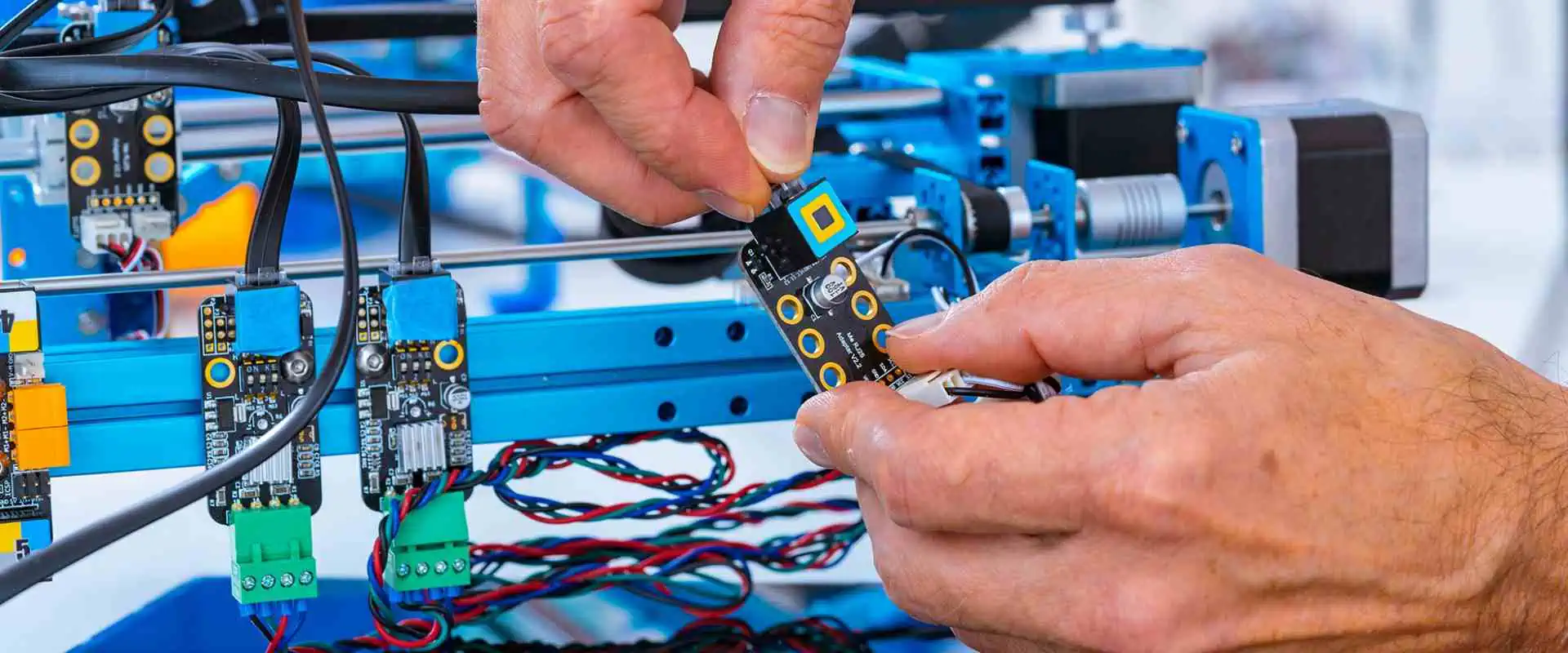
How Electronic Product Development Will Revolutionize Business

Electronic Product Development

The growth of electronic products has long transformed business, and this tendency will remain. In this article, we’ll look at how the growth of electronic products is altering the business landscape, what advantages it brings, and how businesses may adjust to keep up.

What is Electronic Product Development?

Designing and producing new electronic products is known as electronic product development. Some phases involve concept development, product design, prototyping, testing, and production. Electronic product development aims to create new, useful, and high-quality goods that satisfy consumer needs.

Who are the electronic product development Ecosystem Players?

Electronic Product design

The ecosystem for developing electrical devices includes various participants, including businesses, people, and groups that contribute to the process. The following are some of the major actors in the ecosystem for developing electronic products:

Designers: Designers are in charge of developing the product’s visual and user interface design, as well as its overall layout, usability, and physical look.

Engineers: Engineers are in charge of designing and creating the technical parts of the product, such as the hardware and software.

Manufacturers: Manufacturers are in charge of mass-producing the product. This entails locating components, assembling the product, and controlling manufacturing.

Suppliers: Suppliers offer the parts and supplies required to create and develop the product.

Software developers: Software developers are responsible for designing, developing, and testing the product’s software components.

Testing and quality assurance experts: Experts in testing and quality assurance put the product through testing to ensure it complies with technical requirements and quality standards.

Regulators and certification organizations: Regulators and certification organizations ensure the product conforms to all applicable rules and specifications. This involves ensuring the product complies with ethical and environmental standards and is safe.

Consultants and advisers: Consultants and advisors offer professional advice and support throughout the product development process. This could include guidance on market trends, technological problems, and legal requirements.

Consumers and end users: These groups offer opinions and insights that can help develop a product. These suggestions may help to enhance the product’s usability, design, and user experience.

To launch a successful product, all players must work effectively together. Close communication and collaboration among the participants can ensure that the product satisfies the demands and expectations of the market. In addition, each participant adds specific skills and knowledge to the product development process.

7 Stages of the Electronic Product Development Process

FULL PCB MANUFACTURING Quote

From ideation to commercialization, developing an electrical device often goes through multiple stages. The following seven stages of the creation of electrical products are generally acknowledged. However, particular businesses and industries may use somewhat different titles for each stage:

Concept creation: Creating the electrical product’s concept is the initial step. This includes determining the goal, target audience, and distinctive qualities of the product. In addition, brainstorming sessions, market research, and prototyping may take place at this stage.

Feasibility analysis: The second step examines the concept to ascertain its viability. Factors like technical capability, cost, time-to-market, and competition will determine the idea is good.

Design and prototyping: The third phase entails the product’s design and the production of prototypes. This includes drafting schematics, deciding which parts to use, and building a real prototype that we can evaluate for performance and usefulness.

Testing and validation: The fourth step entails testing the product’s functionality and performance. This involves testing for technological problems, legal compliance, and customer feedback.

Manufacturing preparation: Preparing for mass production is the fifth stage of the manufacturing process. This includes picking a producer, locating components, and developing assembly guidelines. At this point, we devise production procedures and quality control mechanisms.

Production and launch: The sixth stage consists of both. This comprises putting the product together, finishing the testing, and wrapping it. In addition, to promote the product, marketing, and advertising initiatives are also launched at this time.

Post-launch monitoring:ย The last step entails tracking the product’s performance after its release. This entails getting client feedback, keeping an eye on product quality, and handling any problems that may come up. Based on client feedback, the product may receive updates and changes.

How is Electronic Product Development Revolutionizing Business?

Electronic Product Testing

Globalization

The growth of electronic products is also facilitating commercial operations on a worldwide scale. The internet, cloud computing, and mobile devices are examples of electronic items that have allowed businesses to connect with clients around the globe. In addition, electronic items can organize activities across several sites and manage supply chains.

Increased Innovation

The development of electronic products is encouraging more innovation. Businesses that invest in developing electronic items can produce new goods that adapt to changing consumer demands. Additionally, new business models that were previously impractical, like subscription services, can be developed using electronic devices. Also, the utilization of electronic items may result in the development of new markets and industries.

Improved Customer Experience

The growth of electronic products is also enhancing the client experience. Smartphones, tablets, and other electronic devices are essential to people’s daily lives. As a result, they serve as a means of entertainment, communication, and other activities. As a result, businesses that invest in creating electronic products may offer their customers better, more practical, and more customized experiences.

Cost Reduction

Costs are reducing as a result of the development of electronic products. Various consumers may now purchase electronic products because of their decreasing cost. In addition, electronic items are helpful in manufacturing and other sectors, which lowers labor expenses and results in cost savings for companies. Also, using electronic items reduces waste and other inefficiencies, which can lead to additional cost savings.

Increased Efficiency

The development of electronic products is driving efficiency gains across a range of industries. Electrical items are growing more advanced, and they can complete difficult tasks faster. This is especially clear in the manufacturing sector, where automation takes over. Robots, sensors, and automated devices replace human labor in the workplace, resulting in faster and more precise manufacturing processes.

How Businesses Can Adapt to Electronic Product Development
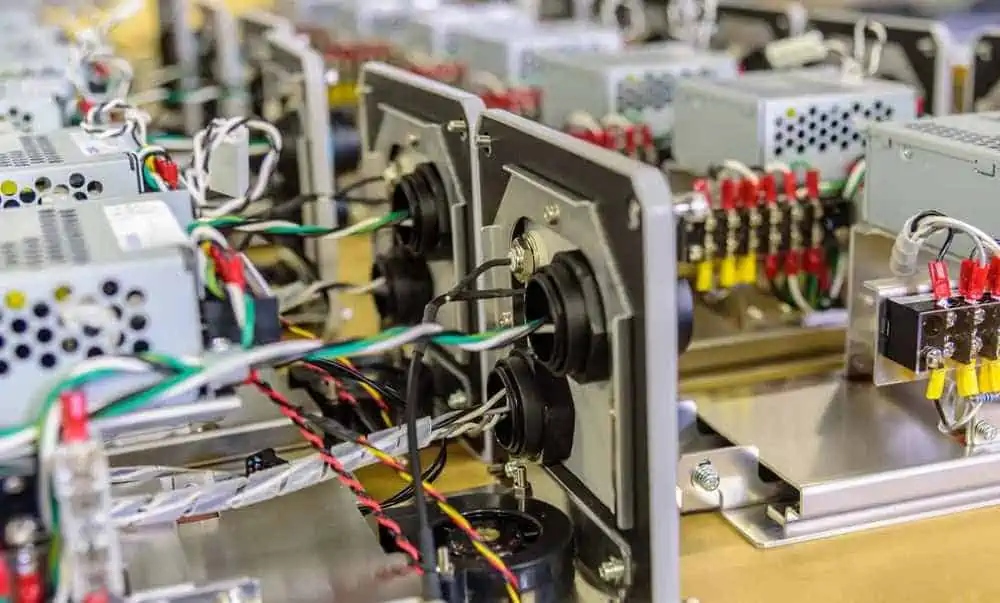
Box Build ASSEMBLY

Electronic product development is quickly redefining the commercial landscape by enabling businesses to build cutting-edge products that satisfy consumers’ shifting needs. Businesses must, however, adjust to the shifting environment of electronic product creation if they want to stay ahead of the curve. We will look at how firms can adjust to the development of electronic products.

Manage Risks

Businesses must be willing to manage the risks associated with developing electronic products. Developing a risk management plan that identifies potential risks and provides solutions for reducing those risks is necessary to achieve this.

Companies should set up transparent risk management communication standards and ensure that all stakeholders know their roles in risk management. If a serious problem materializes, this entails creating a crisis communication plan. Moreover, the strategy should include a distinct line of command, appointed spokespeople, and pre-approved messaging.

Risk management is crucial for a corporation to be successful during the creation of electrical products. Businesses can reduce potential risks and guarantee the success of their electronic product development initiatives. They do so by conducting a thorough risk assessment, creating a risk management plan, thoroughly testing the product, adhering to industry standards and best practices, and maintaining communication and transparency.

Adapt to Changing Technologies

Businesses must be ready to adapt to shifting technology because electronic product creation is evolving quickly. This entails keeping up with the most recent developments in electrical product production and investing in new technologies as they become available.

By making research and development investments, businesses may stay abreast of the most recent developments in the production of electrical products. This entails staying current with the most recent developments in technology and market trends. In addition, to stay current with the most recent advancements, businesses can also collaborate with industry specialists.

Also, businesses must be ready to make investments in emerging technology. Investigating cutting-edge technology like artificial intelligence, machine learning, and the Internet of Things is one way to do this. By investing in new technologies, businesses can develop cutting-edge products that cater to evolving consumer needs.

Invest in Talent

Businesses must invest in talent to succeed in developing electrical products. This necessitates the employment of qualified experts who can design, develop, and test electrical products. Continual training is also necessary to keep staff members abreast of emerging trends and technologies.

Businesses can invest in talent by cultivating a culture of learning and development. This entails giving workers the opportunity for continual training and growth. In addition, to keep up with the most recent developments in the production of electrical products, companies should also urge their staff to attend industry conferences and events.

Also, businesses should employ qualified experts with electronic product development knowledge. This entails employing engineers, software developers, and product designers with the knowledge and expertise to produce cutting-edge goods.

Focus on Customer Needs

While creating electronic products, businesses must put the client’s demands first. This entails understanding how consumer requirements evolve and making products that address those needs. In addition, companies must be ready to modify their goods and services as consumers’ needs evolve.

Businesses must keep up with the most recent developments in electronic product creation to stay ahead. To comprehend the shifting needs of consumers and produce products that address those needs, businesses need to spend on research and development. Also, businesses can use consumer input to enhance their goods and services.

Also, businesses should concentrate on developing items that are simple to use and available to various clients. Companies should aim to build intuitive and simple products. This entails spending money on user research and testing to ensure that products are user-friendly.

Embrace Innovation

Businesses must embrace innovation if they want to adapt to the development of electronic products. Exploring fresh concepts, taking calculated risks, and developing novel goods are all examples of innovation. To develop outstanding cutting-edge, businesses must be ready to experiment with new technologies and methodologies.

Companies can stimulate innovation by developing an organizational culture that values experimentation and creativity. This fosters an atmosphere where workers are motivated to collaborate and share their thoughts. Businesses can also form innovation teams to develop fresh goods and services.

Businesses can also work with other firms and organizations to develop or enhance new products. Sharing knowledge and resources can speed up product development and save costs for collaborating businesses. In addition, companies can expand their reach and explore new markets by working with other companies.

Summary

Developing new electronic devices, from initial concept and design to final manufacture and launch, is called electronic product development. It involves several steps: creativity, feasibility analysis, design and prototype, testing and validation, manufacturing planning, production, launch, and post-launch monitoring. To produce and improve the product design, test its functionality and performance, and ensure it complies with technical requirements and quality standards, it incorporates various technologies and tools, including CAD, simulation software, and testing equipment. Effective electrical product creation involves technical expertise, market insight, and successful stakeholder collaboration.

Best Desoldering Guns for 2025: Reviews of Top Models (YIHUA, Engineer, and More)

desoldering gun

In the world of PCB repair and modification, a reliable desoldering gun is as crucial as a high-quality PCB soldering iron. As we look ahead to 2025, the market is filled with innovative desoldering tools designed to make your work easier and more efficient. In this comprehensive guide, we’ll review the top desoldering guns available, with a special focus on models from YIHUA, Engineer, and other leading brands. Whether you’re a professional technician or a DIY enthusiast, this article will help you choose the best desoldering gun to complement your PCB soldering iron setup.

Why a Good Desoldering Gun Matters

Before we dive into the reviews, let’s understand why investing in a quality desoldering gun is crucial for anyone working with PCBs.

The Role of Desoldering in PCB Work

  1. Component Removal: Essential for replacing faulty parts
  2. PCB Rework: Allows for circuit modifications and upgrades
  3. Salvaging Components: Helps in recovering parts from old boards
  4. Correcting Mistakes: Enables easy removal of incorrectly placed components

Desoldering Gun vs. PCB Soldering Iron

While a PCB soldering iron is used for making connections, a desoldering gun is specialized for removing solder. Here’s how they complement each other:

  • PCB Soldering Iron: Applies solder to create connections
  • Desoldering Gun: Removes solder to break connections
  • Combined Use: Both tools are essential for comprehensive PCB work
YouTube video

Top Desoldering Guns for 2025

Now, let’s explore the best desoldering guns available for 2025, categorized by brand and type.

YIHUA Desoldering Guns

YIHUA has established itself as a reliable brand in the soldering and desoldering world. Here are their top models for 2025:

1. YIHUA 8786D-I 2-in-1 Soldering Station

Features:

  • Integrated soldering iron and desoldering gun
  • Digital temperature control
  • ESD safe design

Pros:

  • Versatile 2-in-1 design
  • Precise temperature control
  • Suitable for professional use

Cons:

  • Higher price point
  • May be overkill for casual users

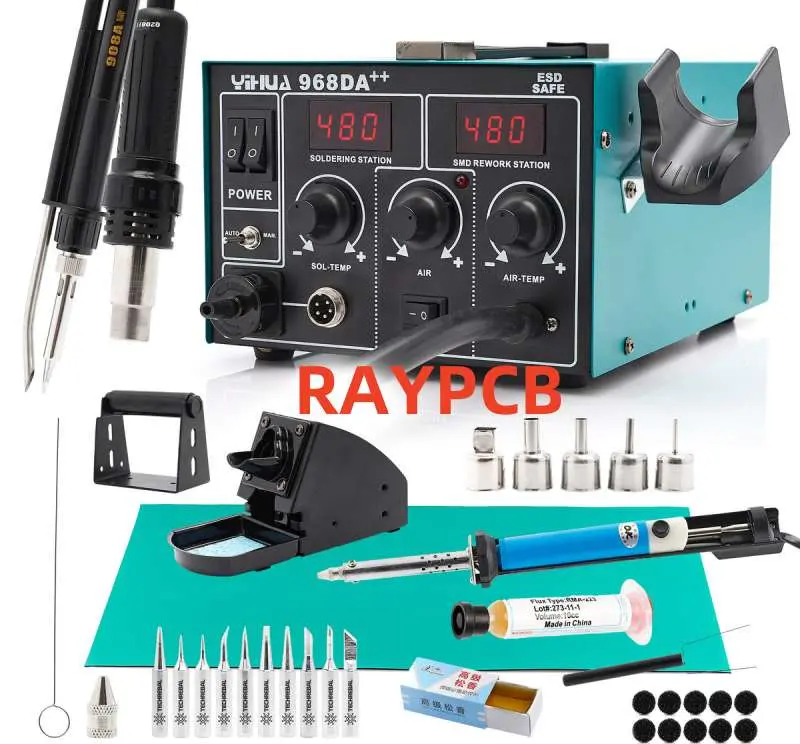
2. YIHUA 968DA+ SMD Rework Station

Features:

  • Hot air gun and desoldering gun in one unit
  • LCD display for easy monitoring
  • Wide temperature range

Pros:

  • Ideal for SMD work
  • Comprehensive tool for various desoldering needs
  • User-friendly interface

Cons:

  • Bulky setup
  • Steep learning curve for beginners

Engineer Desoldering Tools

Engineer, a Japanese brand known for quality, offers some excellent desoldering options:

1. Engineer SS-02 Solder Sucker

Features:

  • Manual desoldering pump
  • Durable aluminum body
  • Self-cleaning mechanism

Pros:

  • Highly portable
  • No power required
  • Excellent for quick, small jobs

Cons:

  • Requires more skill than electric options
  • Not suitable for large-scale desoldering tasks

2. Engineer SS-04 Desoldering Gun

Features:

  • Electric desoldering gun
  • Ceramic heating element
  • Easy-to-clean nozzle

Pros:

  • Efficient for repetitive desoldering tasks
  • Comfortable grip for extended use
  • Quick heat-up time

Cons:

  • More expensive than manual options
  • Requires power outlet

Other Top Brands and Models

1. Hakko FR-301 Portable Desoldering Tool

Features:

  • Handheld, cordless operation
  • High vacuum pressure
  • Ceramic heating element

Pros:

  • Extremely portable
  • Powerful suction for efficient desoldering
  • Suitable for professional use

Cons:

  • High price point
  • Battery life may be limited for extended use

2. Aoyue 474A++ Digital Desoldering Station

Features:

  • Digital temperature control
  • Integrated soldering iron holder
  • Auto-sleep function

Pros:

  • Precise temperature adjustments
  • Energy-efficient design
  • Good value for money

Cons:

  • Less portable than some alternatives
  • May have a learning curve for temperature settings

Read more about:

Choosing the Right Desoldering Gun

When selecting a desoldering gun to pair with your PCB soldering iron, consider these factors:

1. Type of Work

  • Through-hole Components: Basic desoldering pump may suffice
  • Surface Mount Devices (SMD): Consider a hot air station or specialized SMD tools
  • Mixed Projects: Look for versatile, multi-function stations

2. Frequency of Use

  • Occasional Use: Manual tools or entry-level electric models
  • Regular Use: Invest in a durable, high-quality electric desoldering gun
  • Professional Use: Consider advanced stations with multiple functions

3. Power and Temperature Control

  • Adjustable Temperature: Essential for working with different components
  • Power Rating: Higher wattage for faster heat-up and better heat retention
  • Temperature Stability: Look for models with good temperature regulation

4. Ergonomics and Ease of Use

  • Weight and Balance: Important for comfort during extended use
  • Grip Design: Should feel comfortable and secure in your hand
  • Cord Lengthย (for electric models): Ensure sufficient reach for your workspace

5. Maintenance and Durability

  • Cleaning Ease: Look for models with easily replaceable filters and tips
  • Build Quality: Durable materials for longevity
  • Availability of Spare Parts: Ensures long-term usability

6. Budget Considerations

  • Entry-Level:ย 20โˆ’20โˆ’50 for basic manual tools
  • Mid-Range:ย 50โˆ’50โˆ’150 for good quality electric desoldering guns
  • Professional Grade:ย 150โˆ’150โˆ’500+ for advanced desoldering stations

Tips for Effective Desoldering

To get the most out of your desoldering gun and PCB soldering iron, follow these tips:

  1. Prepare Your Workspace: Ensure good lighting and ventilation
  2. Use Flux: Apply flux to improve heat transfer and solder flow
  3. Proper Temperature: Set the right temperature for your specific solder type
  4. Clean Your Tools: Regularly clean the tip of your desoldering gun and PCB soldering iron
  5. Practice on Scrap Boards: Hone your skills before working on valuable PCBs
  6. Combine Techniques: Use your PCB soldering iron to add fresh solder before desoldering for better results

Safety Considerations

Safety is paramount when working with desoldering guns and PCB soldering irons. Keep these points in mind:

  1. Wear Safety Glasses: Protect your eyes from solder splatter
  2. Use a Fume Extractor: Avoid inhaling harmful solder fumes
  3. Handle with Care: Desoldering guns and PCB soldering irons can cause severe burns
  4. Proper Storage: Store tools in a safe place, away from flammable materials
  5. Electrical Safety: Ensure your tools are properly grounded and cords are in good condition
  6. First Aid: Keep a first aid kit nearby for minor burns or injuries

Maintaining Your Desoldering Gun and PCB Soldering Iron

Proper maintenance ensures the longevity and effectiveness of your tools:

  1. Regular Cleaning: Clean tips after each use
  2. Replace Consumables: Change filters and nozzles as needed
  3. Check for Damage: Regularly inspect cords and housing for wear
  4. Calibration: Periodically check and calibrate temperature settings
  5. Storage: Store in a cool, dry place to prevent oxidation

Future Trends in Desoldering Technology

As we look towards 2025 and beyond, several trends are shaping the future of desoldering technology:

  1. IoT Integration: Smart desoldering guns with mobile app connectivity
  2. Improved Energy Efficiency: More powerful tools with lower power consumption
  3. Advanced Materials: New tip materials for better heat transfer and longevity
  4. Ergonomic Designs: Lighter, more comfortable tools for extended use
  5. Multi-function Tools: Increased integration of soldering, desoldering, and hot air functions

Conclusion: Choosing the Best Desoldering Gun for Your Needs

Selecting the right desoldering gun is crucial for efficient PCB work, complementing your PCB soldering iron setup perfectly. Whether you opt for a YIHUA model, an Engineer tool, or another brand, consider your specific needs, budget, and the type of projects you typically handle.

Remember, the best desoldering gun for you is one that fits your work style, meets your technical requirements, and falls within your budget. By investing in a quality desoldering tool and mastering its use alongside your PCB soldering iron, you’ll be well-equipped to tackle any PCB repair or modification project that comes your way in 2025 and beyond.

Stay safe, keep practicing, and enjoy the satisfaction of clean, professional-quality PCB work with your new desoldering gun!

What Are 10k Resistors and Their Advantages?

Resistor color

Resistors play a passive but important role in the circuits. You cannot complete a circuit without resistors. May it appear unimportant to you, but it enables the designer to design circuits according to their requirements. Resistors not only divide the current but also help to manage the voltage. Several resistors are viable in the market. You can choose according to your needs. A 10k resistor is one of the most demanded resistors. Let’s dig deeper to know more about the 10k resistors. What are its uses, and how is it different from the rest of all resistors?

 What Is A 10k Resistor?

ย A 10k resistor is a passive resistor but is a great help in controlling the flow of electric current in the circuit. It is called a 10k ohm resistor due to the resistance of 10,000 Ohms. Its recognition is easy with the help of its color band.

Color Band of 10k Resistor

THT Resistor
THT Resistor

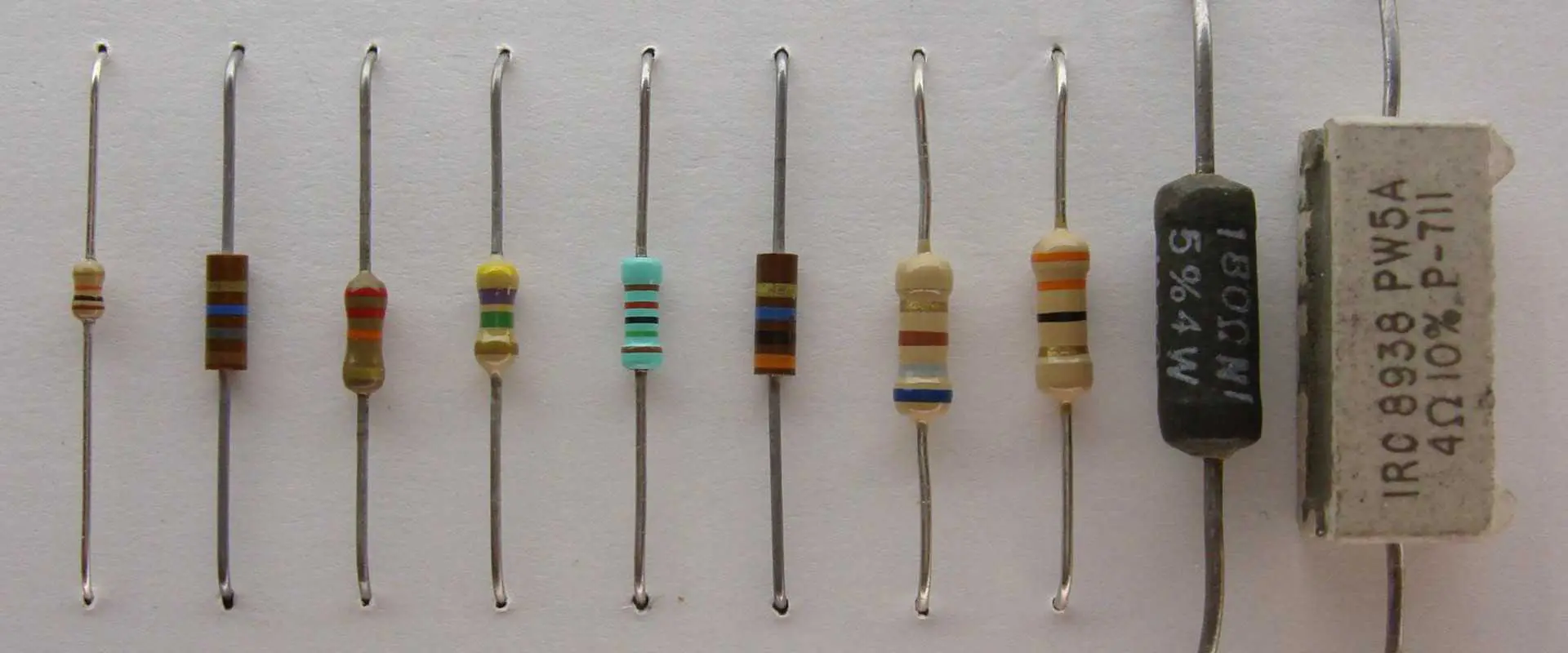
 The color band indicates the resistance of a specific resistor. Resistor color codes can be formed with three, four, and five color bands. Each band has its own number to form a resistance number. 

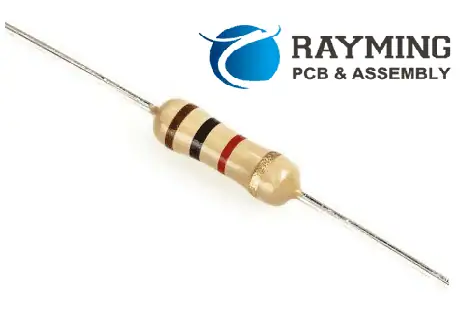
A 10k ohm resistor has 4 color bands: brown, black, orange, and gold for 5% tolerance, respectively.

The first two bands signify the digits while the third one is the multiplier while fourth are tolerance. This is true in the case of four bands 10k resistors. If there is a fifth band, then the fifth band shows tolerance. Every color band has a specific value. You can easily get these values from Google. If you are buying a 10k resistor, then you can find all the necessary information in the package. For many people, these codes are confusing, but they are so simple. Once you learn the codes and values then, calculating the resistance eyes is easy.

If your four-band 10k resistor has brown, black, orange, and gold stripes. Then the brown strip has 1 value, the brown strip has 10 values, and the orange strip has 1000.  Fourth is ยฑ5%. That’s why it is 1ร—10ร—1000=10kยฑ5% ohm.

Uses Of 10k Resistor

 10k resistor has many uses, but the following are some popular uses of a 10k resistor

1. Voltage Divider Circuits

Voltage divider circuits are one of the basic circuits in electronics. They help to divide large voltage into small and constructible voltage. That’s why 10k resistors are suitable for the voltage dividers. Sometimes high power voltage or current can disturb all circuit functions. As a result, your device may not perform well.  This 10k resistor has a small and compact design. That’s why it is suitable to use in circuit protection devices. 

2. Breadboards And Perf Boards,

ย Breadboards are also known as plug blocks. That’s why it is helpful in setting up temporary circuits. Perfboards, aka strip board, is useful in prototyping electronic crust.

 Both boards serve as a base for different PCBs. Ten k ohm resorts go well in such boards. 10k resistors have a slim appearance, that’s why they occupy less space. This resistor fits snugly into a breadboard with very little movement, so you should have few to no issues using them in your next project! 

3. As A Current Limiters

ย Certain parts of circuits require little current flow from properly functioning. At such times resistors play an important role. 10k ohm resistors go well for current limiters. In a circuit where you want to limit the current flow, this resistor will work wonders. It limits the current flow, and only desired voltage passes through it. As a result, their circuits work like a pro.

 Some Frequently Asked Questions.

FULL PCB MANUFACTURING Quote

ยท Are 10k Resistors And 1 K Resistors Both the Same?

10k resistors and 1 k resistors both are not the same. Many people confuse resistors and consider every resistor the same. A 10k resistor has more resistance value as compared to 1 k. Both serve differently in different devices.

 How to recognize 10k resistor

 It is easy to recognize a 10k resistor. It has a sleek and smart appearance. It has four color bands: brown, black, orange, and gold for a five percent tolerance. 

That’s why it is easy to identify the resistor with the help of color bands. The third orange band is a multiplier. If a 10k resistor is a five-band resistor, then its 5th band is made of gold. If you are new to the resistor world, then you may ask an experienced person.

ยท From Where Can I Get 10k Resistors?

There are several online and physical stores selling these resistors in bulk. You can also find them on eBay and Amazon. They provide cash on delivery facilities. That’s why you don’t need to worry. Always choose a reliable vendor for electronic parts purchase. 

ยท How To Put A 10k Resistor In The Circuit?

It is simple to put it in circuit. You can put 10k resistors both in series and paler in the circuit. Designers and engineers put it in the circuit according to their requirements. In this way, they get the desired results. 

ยท Can I Combine Two Or More Two 10k Resistors to Get More Resistance?

Yes, you can do it. It is the most common way to get the resistance of your desire. Combining resistors in a specific way produces a different equivalent resistance. For instance: by combining two tank resistors and arranging them in series, you can obtain an effective resistance of 20K. This is quite a practical way because it is not feasible to manufacture resistors for each possible resistance. That’s why you don’t find the resistor of every possible value.

Conclusion

10k ohm resistor is extremely helpful in designing some specific circuits. It serves the purpose best. It has a sleek and slim design, that’s why it is easily adjustable in complex and compact circuits. Color code is helpful in identifying the 10k resistor. It is also crucial to buy all electronic components, including 10k resistors, from a reliable vendor. As a result, you can work with ease.

How Does a Relay Work

What is a Relay

Relays are used in many applications, such as test equipment, automotive, industrial, and home automation. This article will examine what a relay is, how it works, and some of its uses.

What is a Relay?

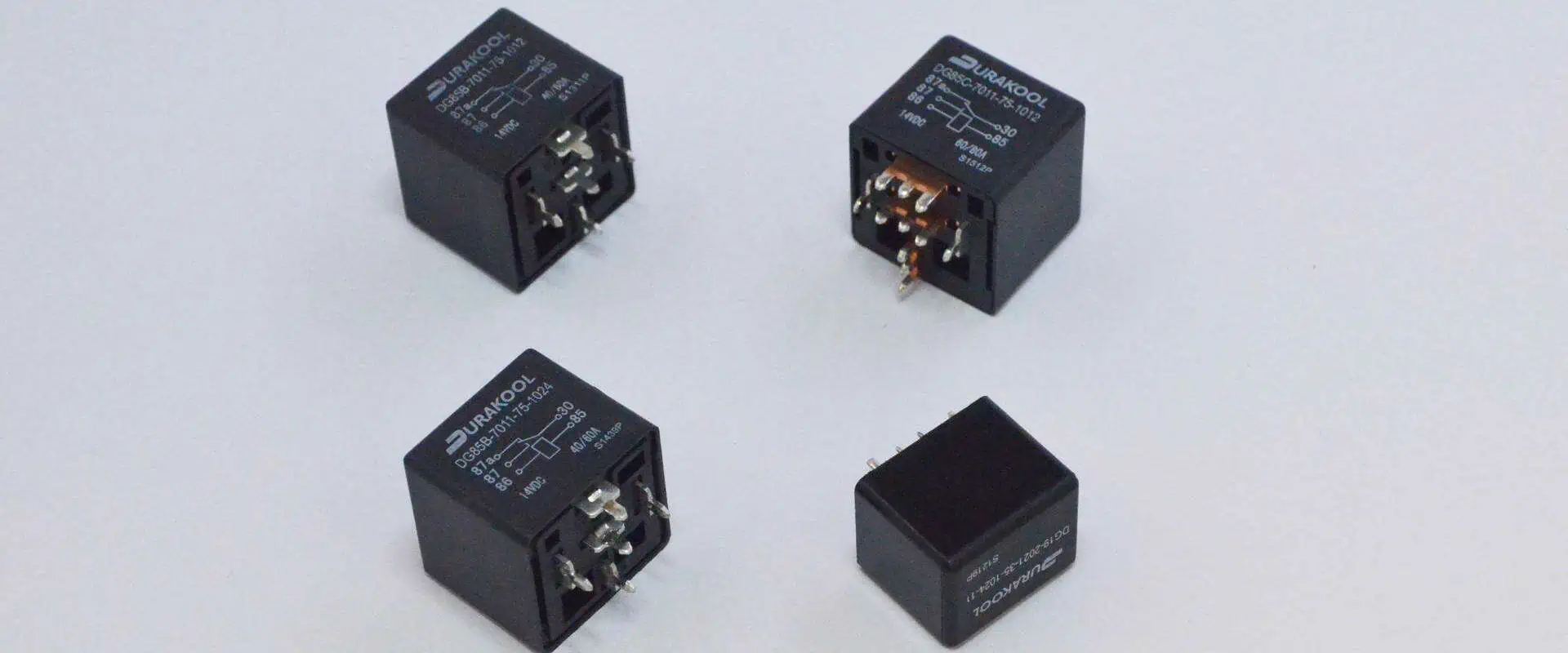
A relay is an electromagnetic switch that controls an electromagnet to join or disconnect two circuits using an electrical signal. Relays function without any need for manual intervention, unlike manual switches.

By employing an electrical signal to drive an electromagnet, a relay functions as an electromechanical switch that connects or disconnects two circuits. Unlike manual switches, relays work without the need for any manual input.

Each electrically powered relay consists of

  1. Mechanically movable contact
  2. Electromagnet
  3. Switching points
  4. Spring
Relay
Relay

A copper coil twisted around a metal core creates an electromagnetic in an electromechanical relay. The coil’s two ends are linked to the relay’s two DC supply pins.

To connect large ampere loads, two additional links, referred to as due to diversity, are often present, along with a single contact to connect the switching points. 

The contacts are designated as commonly used (COM), typically open (NO), and typically closed (NC) connections.

Relays can accommodate all AC and DC circuits; however, with AC relays, there is a risk of ongoing circuit disruption since the relay demagnetizes at every present zero state.

To solve this problem, unique mechanisms that sustain constant magnetic, such as circuit design layouts or shaded coil mechanisms, are incorporated into the design of AC relays.

How does a Relay Work?

  • Through electromagnetic induction, the relay functions. 
  • The electromagnet produces a magnetic field whenever electricity is applied. 
  • A switch is used to deliver DC to a load in a relay, as shown in the image above.
  • The iron core and copper coil of a relay act as an electromagnet.
  • The energizing of the relay is the process of applying a DC to the coil, which attracts the contact, as shown in the image. 
  • This de-energizing of the relays is when the contact returns to its initial position after the supply is shut off.

Some relays operate reversely, with their contacts initially being closed and then opening when power is applied.

 Solid-state relays, on the other hand, feature a device that senses the input voltage and employs opto-coupling to activate the output.

Types of Relay Contact 

Relays act as switches, as was previously mentioned, and are classified to use the “poles and thrown” terminology according to the number of connections and circuits they switch.

We must first appreciate the poles and throws of a relay switch to understand the categorization of relay contacts.

ยท Poles & Throws

Each switch on a relay is known as a pole, and it can regulate one or more circuits. The throws of a relay show how many circuits it connects, categorized according to their throws and poles, which include

ยท Single Throw

A single pole, single throws (SPST) relay has only one output and controls one circuit. Applications that need the On or OFF state make use of it.

ยท Double Throw

A one-pole double throw (SPDT) relay, commonly known as a changeover relay, links one input circuit to one of 2 output circuits. 

Even though SPDT has two output places, depending on the design and application requirements, it may include more than two throws.

ยท Double pole and single throw

A dual pole single throws (DPST) relay connects two endpoints of a single path simultaneously and has two poles or a single throw. For instance, it can connect the load’s phase and neutral terminals simultaneously.

ยท Double pole and double throw

The double pole, double throw (DPDT) relay consists of two poles, each with two throws, for a total of 4 throws. It is frequently employed in motors direction control for period or polarity reversal.

These relays execute the switching motion between contacts whenever the coil is energized.

Types of Relays

FULL PCB MANUFACTURING Quote

Relays can be categorized according to their use, structure, functioning, etc. Here are a few prevalent kinds of relays.

  • Latching
  • Electromagnetic
  • Non-Latching
  • Electronic
  • Reed
  • High-Voltage
  • Time delay
  • Small Signal
  • Multi-Dimensional
  • Thermal
  • Distance
  • Differential
  • Automotive
  • Frequency
  • Rotary
  • Polarized
  • Sequence
  • Moving Coil
  • Safety
  • Buchholz
  • Supervision
  • Ground Fault

Please see our comprehensive guide on the Classes of Relays for more information on the many forms of relays.

Applications of Relay 

Relays protect the electrical system and lessen the risk of overcurrents or overvoltages harming connected equipment. They are used to safeguard the linked equipment.

They are used to regulate the lower voltage signal that powers the high-voltage power circuit in power amplifiers and some types of modems.

These relays are used in applications like car starter solenoids to control extensive current connections with a lower power signal. In electricity transmission and distribution networks, they can also find and isolate issues. Relays typically find use in the following contexts:

  • Lighting control systems
  • Telecommunication
  • Industrial process controllers
  • Traffic control
  • Motor drives control
  • Protection systems of electrical power system
  • Computer interfaces
  • Automotive
  • Home appliances

Importance of Relay

Relays are adaptable parts that work well in both simple and complex systems. They can be used in place of other switch types or to meet specific specifications like amperage restrictions.

Switching the Level of Current

Relays are frequently employed when an application transitions from high to lower current or simultaneously inside the same circuit. For instance, HVAC temperature sensors need more amperage than their cabling can supply. To increase the current from a small one to a larger one, relays amplify it.

Complex Applications

A single fact in the circuit is not the only place relays can change a single input into a single output. In some applications, they can turn on several circuits, allowing a single input to start various effects. Relays can also be used in conjunction with each other to execute Boolean logic operations that may be less expensive than using other components. 

Furthermore, specific relays are more advanced than other electronic components. For instance, time-delay relays let systems operate for a predetermined amount or start after a predetermined amount of time. This gives rise to more advanced design alternatives for electronic systems.

Benefits of Relay 

Even though a relay is not technically necessary for an application, using one can still be helpful. High-amperage cabling and switches may require less money and room if relays are used. 

Relays in electronic devices allow manufacturers to pack more functionality into an amount of area while using thinner, lighter housing.

How to Identify a Wrong Relay?

relay-circuit-board

Although they are often reliable, relays can malfunction like other mechanical parts. However, using a multimeter to find a lousy relay is not too difficult. 

To find a bad relay, find the wires where the connections enter and leave the relay. Then, using a multimeter, examine the voltage of each of those points.

1. Check to see whether there is voltage in which the relay is connected. If there’s no voltage, look for flaws in the fuse or switch. 

2. To verify a solid ground relation on the opposite side of the relay, use the multimeter’s continuity function if there are volts at the connection point.

3. Examine the voltages where the relay attaches to a battery or another power source if Steps 1 and 2 are unsuccessful in identifying the issue’s root cause. When there’s no voltage at this location, a fuse and circuit breaker may be faulty. 

4. To confirm that the relay or the component is connected correctly, use the multimeter’s continuity function. It might be necessary to replace your relay if the connection is present and the previous stages did not indicate a different problem.

Conclusion

We looked at the definition and operation of a typical electromechanical relay in this overview of relays. We also introduced a few different relay types and gave examples of how they might be used in various situations. In addition, we covered severe testing techniques.

Top 8 Applications of Industrial IoT Devices

Smart Manufacturing IoT

Industrial IoT refers to the integration of intelligent sensors & actuators into industrial and manufacturing processes. It is also commonly called the industrial internet/Industry 4.0. IIoT has utilized real-time analytics and the power of advanced machines to leverage the data generated by traditional “dumb machines” in industrial settings for many years. IIoT is based on the idea that intelligent applications are not only capable of capturing & analyzing data in real-time more efficiently than humans, but they also excel in communicating vital information(data) that can be leveraged to make faster and more accurate business decisions.

IIoT is built on the concept that connected sensors & actuators can enhance industrial processes by capturing and analyzing real-time data. This allows companies to quickly detect inefficiencies and issues, ultimately saving time and money and improving business intelligence. Manufacturing is a sector that stands to benefit significantly from IIoT, with potential applications in quality control, sustainable & environmentally-friendly practices, supply chain efficiency, and overall supply chain traceability. IIoT plays a vital role in various industrial processes, including PdM, improved field service, asset tracking, and energy management.

Top 8 Applications of Industrial IoT Devices

1. ABB

ABB, a leading company in power & robotics, has adopted predictive maintenance using sensors to monitor the maintenance needs of its robots across five continents & trigger repairs before parts break. The company has also developed collaborative robotics, such as the YuMi model, which accepts input through Ethernet & industrial protocols such as Profibus & DeviceNet. These efforts demonstrate ABB’s embrace of IoT and its potential for enhancing industrial processes.

2. Airbus

Airbus has launched a digital manufacturing initiative known as the Factory of the Future to streamline operations and boost production capacity for commercial jetliners. With millions of components & tens of thousands of assembly steps, assembling a jetliner is a highly complex process where mistakes can have serious consequences. By using advanced digital technologies, Airbus is aiming to optimize its manufacturing processes and enhance its capabilities to meet the growing demands of the aviation industry. Airbus has implemented a digital manufacturing program called Factory of the Future to improve efficiency and increase production capacity in the assembly of commercial jetliners. This initiative integrates sensors into shop floor tools and machines and provides workers with wearable technology, including industrial smart glasses, to enhance workplace safety and reduce errors. The use of wearables in the cabin-seat marking procedure has led to a 500% increase in productivity while almost eliminating errors.

3. Amazon

Although not commonly referred to as an Industrial Internet of Things company, the online retail giant is undoubtedly a pioneer in warehousing & logistics, as highlighted by MIT Technology Review. 

Amazon is exploring the boundaries of automation & collaboration between humans and machines. Although the company’s proposal to employ drones for deliveries has garnered significant media coverage, it also relies on Wi-Fi-linked Kiva robots to operate its fulfillment warehouses in large numbers. Amazon purchased the Kiva technology for 775 million dollars in 2012 with the fundamental concept that it’s more efficient for robots to locate product shelves and transport them to employees rather than having workers manually search for products on the shelves. According to Dave Clark, a senior vice president at Amazon, the robots assisted the company in reducing its operating budgets by 20 percent in 2014

4. Boeing

FULL PCB MANUFACTURING Quote

William Boeing, a trailblazer in aviation, once humorously remarked that one should not dismiss any innovative idea with the lime, “It can’t be able to done.” The multinational aviation corporation established in his name still adheres to this principle. The company is currently striving to achieve its long-term objective of making its service offerings more significant than its products and becoming the best information provider in the aviation industry. Boeing has already achieved noteworthy progress in revolutionizing its business. Through its subsidiary, Tapestry Solutions, the company has vigorously implemented IoT( Internet of Things) technology to enhance efficiency across its factories & supply chains. Additionally, the company is gradually augmenting the number of connected sensors integrated into its aircraft

5. Bosch

Bosch initiated the Industrial Internet Consortium’s initial trial, the Track & Trace program, in 2015. The program’s primary motivation is to minimize the time workers spend searching for tools. Bosch incorporated sensors into its tools, beginning with the cordless nut runner, to monitor them. As tracking technology advances and improves accuracy, Bosch intends to employ the system to direct assembly operations.

6. Caterpillar

Caterpillar, a heavy machinery manufacturer, has been a trailblazer in IoT initiatives for a long time. The company, now frequently referred to as “Cat,” has recently showcased the outcomes of its investments in IoT technology. For instance, it utilizes IoT and augmented reality (AR) apps to give machine operators a quick overview of fuel levels and the need to replace air filters. The company can guide you on replacing an expired filter through an AR app. Additionally, their marine intelligence division is recognized for its innovative approach. In a recent article, Forbes detailed how the company leveraged sensor-driven analytics to reduce costs associated with boats & shipping vessels significantly.

7. Fanuc

Fanuc, a robotics manufacturer, is committed to minimizing operational interruptions in industrial settings. By leveraging sensors integrated into its robots and harnessing cloud-based analytics, companies can anticipate potential failures of components, like robotic systems/ process equipment, before they occur. Fanuc has taken a more proactive approach to predictive maintenance than most companies. Although predictive maintenance is not new, Fanuc has embraced it with greater intensity. As a result of their efforts, General Motors recognized the ZDT system with the Supplier of the Year Award last year.

8. Gehring

Gehring Technologies, a company that produces metal honing machines and has been in business for 91 years, quickly adopted IIoT (Industrial Internet of Things) technology. Currently, the company provides its customers with real-time data on the operation of Gehring’s machines before they make a purchase. Gehring achieves this through the implementation of digital technology, which enables the transmission of real-time data from the new machine to a client, ensuring that it satisfies the customer’s demands for accuracy and effectiveness. The company also utilizes cloud-based real-time monitoring to enhance its manufacturing productivity by observing its interconnected manufacturing systems, visualizing data, and analyzing machine tool data in the cloud. This approach helps Gehring minimize downtime and improve operational efficiency.

Top Things to Know about PCB Board Thickness Tolerance

1.0mm PCB thickness

In the starting pages of the Institute for printed circuits (IPC) standard for PCB, a reference table (1-2) is provided, which is referred to as Default Requirements. While reading these guidelines, one may consider them questionable. There isn’t sufficient information from a manufacturing point of view, but enough information is there to quote.

Probably there would have been some set standard for manufacturing guidelines to build these circuit boards with all the available information to meet the process. 

But Is that sufficient? Let’s dive into this article to get some awareness about important points that you should know. 

Understanding PCB Board Thickness Tolerance

The definite Tg rating (transition of glass) for PCB laminate materials is usually rated as FR4, 170Tg, and 180Tg, respectively. When brands list the material as basic Tg and do not provide specific information, they allow the production of stock in common material. An In-depth review is needed when a stack-up of specific dielectrics is provided. Stating the exact PCB thickness is crucial in the production and selection of the material that is being used. 

If the tolerance of the required product is less than 10%, it will push the quote to engineering review and delay the process. Take an example of a 6-layer PCB that will require 0.014″ cores to be used and meet the thickness of 0.062″. This can be achieved, but the remaining building material will be left in assumptions and falls within the thickness of +/-0.0062″ in total. Thickness of the completed parts will be 0.056″ – 0.068″, and there can also be a variation between these values. It’s not possible to meet the exact value, and tolerance is always required.ย 

Standard PCB Board Thickness Tolerance

The standard base thickness of MCL is 0.062″ or 1/16″, which has a 10% tolerance. This thickness of PCB is very common and considered to be the industry standard because 1/16″ was the size of Bakelite sheets that were manufactured back in the days of PCB fabrication. Although this thickness is considered very common, many other thicknesses are also seen in PCB manufacturing. Other than 0.062″ boards, there are also 0.031″ and 0.093″ boards that are used commonly, and they meet the needs of more firm and multi-layer boards. These thicknesses of boards are considered to be the most common, although they can have other thicknesses as well, which can be within or outside of this range. 

Factors That Impact PCB Board Thickness Tolerance

On the one hand, it is very crucial to know the industry standard thicknesses, but on the other hand, there are many other factors that are important to consider for a custom board. There are two main groups of factors that can impact the thickness of PCB; Manufacturing factors and Design factors. Depending on these manufacturing factors and designs, your board may need to have a non-standard thickness. Letโ€™s further explore these factors in detail and guide you on how to choose a suitable PCB thickness for your next project. 

Design Factors That Impact PCB Board Thickness Tolerance

Design factors are taken into consideration when the PCB is in the designing phase. Instead of practical considerations, these factors rely on the purpose and functionality of the board, although manufacturing factors are equally important. The most crucial design factors which impact the thickness of PCB are as follows:

1. Size, Weight, & Flexibility

Thinner boards are comparatively much lighter and a bit more flexible than thicker ones, but they are brittle and can break more easily. Flex PCBs should be thin to gain their flexibility, but other applications that don’t require to be flexible can benefit from thicker boards for their structural integrity. Although thicker boards are rugged, they are heavier and consume more space in a device. These features are problematic for devices that have limited space capacity and lightweight apps. These factors are identified when PCB is in the final application, and these factors should be checked and defined before designing PCB. 

2. Copper Thickness

The thickness of the copper layer plays an important role in overall PCB thickness because it determines the amount of current that passes through the PCB. The standard thickness of copper is usually around 1.4-2.8 mils (1-2 oz), but this thickness can be adjusted accordingly for the specific requirements of each board. If copper is thicker, the boardโ€™s thickness will also increase, and so will the price because of the material that is needed and processing challenges.

3. Board Materials

The choice of materials used for the production of PCB can affect its lifetime and operations. It can also have an impact on the thickness of the board. A simple board fabrication consists of the laminate, substrate, silkscreen, and solder mask.

The most important ones are the laminate and the substrate because they have a great impact on the overall thickness and structure of the board. Laminates consist of thermoset resin and either cloth layers or paper. On the other hand, the substrate consists of epoxy resin and paper, ceramic or glass weave depending upon the required dielectric constant.ย 

4. The Number of PCB Layers

FULL PCB MANUFACTURING Quote

Undoubtedly, the thickness of the board is influenced by the number of layers of PCB. The standard threshold of PCBs thickness falls between 2-6 layers but not more than eight layers. Manufacturers may use thinner layers of PCB to meet the standard thickness, but it is totally impractical as the layers increase in number.

If the design needs extra layers, then allow the increase in thickness of the PCB. If your design doesnโ€™t need those multiple layers and requires to meet certain parameters of thickness, then reduce the number of layers. 

5. Signal Types

There is a vast range of signal types that PCBs carry, which helps in identifying the materials that are required for the board and can also affect the thickness of the board. For example, if there is a board carrying high-power signals, it will require wider traces and thicker copper, which significantly makes it thicker than the boards that are operating with low-power signals. However, high-density boards having complex signals use thin traces, lasers, and thin high-performance materials, which makes them thinner than other types of boards.

Conclusion

Concluding this article on a note that using the right size, base material, number of layers, types of signals, and thickness tolerances for the plated and non-plated features plays a crucial role in determining the impact on PCB thickness. There’s always a need for PCB tolerances to make sure that the products are being properly used and processed. 

A guide to the Use of PCB Assembly Cost Calculator in Electronics

through-hole assembly process

Finding out how much a PCB assembly will cost is among the most difficult and time-consuming jobs for beginners. In addition to being a substantial contribution to an electrical gadget, PCB assemblies have advanced to the point where they need to be assembled by skilled hands.

In light of this, manufacturers absolutely cannot neglect the PCB assembly cost as another important factor. In addition to allowing manufacturers to estimate their overall costs, this cost also persuades them to constantly have all available tools at their disposal in order to minimize costs as far as possible. Even so, the overall cost or expenditure of PCB assembly would aid manufacturers in determining the optimal pricing for the finished product.

There are various factors that determine the overall cost of PCB. This article gives you a detailed insight into those factors.

PCB Assembly Cost Calculator | RayPCB Engineering Tools

PCB Assembly Cost Calculator

RayPCB Engineering Tools
Basic Info
Components
Services
BOM Upload
Board Specifications
mm
ร—
mm
Assembly Type
Lead Time
SMT Components
Through-Hole Components

Turnkey: We procure components based on your BOM. Consigned: You ship components to us.

Special Packages
Testing & Inspection
Additional Services
Quality Standards
Upload Bill of Materials
Click to upload or drag and drop
CSV, XLS, XLSX (Max 10MB)

Required BOM columns: Designator, Quantity, Manufacturer Part Number, Description, Package/Footprint

Gerber Files
Upload Gerber/PCB Files
ZIP, RAR (Max 50MB)
Additional Notes

Cost Estimate

10
Boards
235
Components
100
cmยฒ
Quote Completeness 65%
SMT Assembly $85.00
THT Assembly $25.00
Component Cost $120.00
Testing & Services $35.00
Stencil & Setup $50.00
ESTIMATED TOTAL
$360.00
Unit Price: $36.00/board
Estimated Lead Time 7-10 days

Cost Saving Tips

  • Increase quantity for better unit price
  • Use standard packages when possible
  • Consolidate unique part numbers
  • Choose economy lead time
  • Panel multiple designs together

PCB Assembly Cost Calculator for Transferring Data 

small-batch-pcb-assembly

Do you worry about how much PCB assembly will cost? Do you want to be informed of any unanticipated costs? You must first locate a reputable PCB assembly company if you want to learn everything there is to know about this pricing procedure.

Don’t let the abundance of choices you have overwhelmed you. Instead, the list makes your selection extremely difficult because it would be challenging to determine which company is a reputable one and why you should hire them. The general guideline is to contact a few short-listed PCB specialists and seek a price for printed circuit board manufacture based on the information supplied, taking into account the SMT technique utilized and the availability of money.

Make sure you make a list of all things that need to be analyzed by the selected manufacturer. Some of those are

  1. Centroid Data
  2. Assembly files
  3. Amount of layers of circuits
  4. BOM
  5. Gerber Files
  6. Uniqueness

PCB Assembly Cost Calculator

The PCB cost calculator starts working the moment the manufacturer begins information analysis. The professionals will enter the necessary data and wait for the calculator to provide a response. The amount so acquired is dependent on a number of important factors that may need to be changed if the actual cost turns out to be higher than anticipated.

To make modifications simple, once the calculator offers a number, it is essential to understand the price before assembly, particularly the cost of the material.

ยท Material Cost Before Assembly

The manufacturing business begins by obtaining bids for the electronic components and PCB bare boards, along with estimates for designing and PCB assembly charges to be added to the purchase amount. Because of capacitance disk loading, Surface-Mounted Technique chip, and resistance, the resulting must replace around 5% of the destroyed material. But the prices are offered with modifying SMT line, stencil, and processing file for lesser PCBA quantities.

ยท Solder Joint Cost

As every solder junction on a circuit board is unique and requires a separate processing procedure, SMT and DIP after welding are other important factors to take into account when estimating the cost of PCB assembly. A single solder pad is typically considered as one point, whereas the length of an IC solder junction is measured in feet. After 1206 SMD accuracy, with the exception of CD54 inductance, which is recorded to 12 points rather than the other solder pads’ 24 points, each solder pad is given two points.

The price ranges between 0.03 CNY and 0.008 CNY depending on the kind and other variables after accounting for every solder joint. The test time of the PCBA board, which covers packing logistics, the price of three proofing paint, and special packaging materials, is the next assessing factor. Moreover, the term FOB which is related to transactions, is also required to be added to the cost calculator of PCB assembly.

PCB Assembly Cost Calculator to Determine The Order Quantity

FULL PCB MANUFACTURING Quote

Order volume has a major impact on a commodity’s price, which is among the main fundamental principles of economics. A bigger order quantity typically results in lower product pricing.

The assembly of printed circuit boards is also subject to this guideline. For instance, paying $3.025 per unit for ten pieces of a standard 50mm ร— 50mm 2 layers order will cost you $30.25. You will pay $30.15 if you alter your order to 30 units at a price of $1.005 per item. You’ll save a ton of money on manufacturing as a result. For businesses searching for affordable SMT, it’s the ideal solution. As a result, a pick-and-place robot will be able to put the electronic components on the Assembly of PCB with ease.

PCB Assembly Cost Calculator for Single-Sided Or Double-Sided

The total cost of a PCB assembly is significantly influenced by the number of panels in the assembly. Every time there is a layer count rise, the price of a PCB typically goes up. In simple words, the price of the PCB increases each time a layer is added to the circuit board.

A double-sided PCB of 50 by 50 mm from several manufacturers costs about $16. It requires online information on purchasing customized PCBs.  

Conclusion

Engineers base their estimate of the cost of PCB assembly on a variety of factors. This occurs because the cost of producing electrical equipment is a very important consideration. The good thing is that you may make effective preparations for a PCB assembly job by making an accurate guess as to how much it will cost. All you have to do is carefully analyze a number of important variables that have an impact on PCB assembly costs.

Your company’s profitability can increase if you can reduce the cost of PCB assembly. Working with the proper PCB manufacturer is a clever method to keep prices low.

Choose the Top-Notch Quality Flight Controller PCB

drone PCB

Manufacturing a drone from scratch all by you is quite rewarding to work. However, choosing a flight controller can be challenging when you don’t even know the materials. Apart from other components that are used to create a flight controller for the drone, PCBs are an essential part.

Without a PCB, a flight controller of the drone is useless as it wouldnโ€™t operate as it needs to. A drone flight controller without the best PCB in it only reduces the overall functionality of the drone. 

This article gives you a detailed insight into why PCB is important in the flight controllers of a drone and what factors you should consider when looking for the right printed circuit for the flight controller of the drone.

1. Production Budget of Flight Controller PCB

Drone flight regulators or controllers are not cheap as one can imagine easily. If you do a little market research, then you might know that the flight controller of drones is quite expensive. But the price of the flight controllers is very high when selecting the best one. However, when you look for a flight controller of a drone in the market, see whether the materials used in it are cheaper and affordable or not, especially the PCB. 

If you have a specific budget, then make sure that the flight controller you choose for the drone must fit into that budget. You, yourself, don’t want to overstep your budget. To ensure the affordability of drones, it is essential to know whether the PCB used in them is affordable or not. And the PCB is actually the heart of the drone flight controller.

Choose flight controllers of drones that contain an affordable PCB. Well, it is also a notable thing that PCB does not come cheaper. They also come in expensive sizes, forms, and shapes. But affordability matters a lot in choosing the right flight controller for the drone, especially PCBs that need to function the drone properly.ย 

2. Trends of Flight Controller PCB

Popularity matters a lot to many people. If we look around, everyone is trying hard to be popular. This is the same scenario that goes for choosing the flight controller for the drone. However, this is not as easy. The best flight controller of a drone depends upon the popularity of the material used in it, especially the quality and material used in PCB. 

People literally see popularity as a good thing. They like to associate popularity with bigger things. Therefore, when choosing the right flight controller for the drone, it is an ideal choice to work with the popular PCB. Popular PCBs mean that the flight controller you choose works perfectly well as you desire.

Popularity also depicts the quality of products. If the product has the best quality, then this increases its certainty and makes it popular among people. However, it is essential to look at whether the flight controller of the drone is made with popular products or not. Choose people who have more interest. 

3. Specific Frame Size Of Flight Controller PCB

The flight controllers of the drone must have adequate size. This literally depicts that the PCB that powers the flight controller should have an ideal size. It’s quite hard and challenging to operate a drone that is too big in size.

The flight controller of a drone consists of various components. A PCB is among those several components. However, when you choose a flight controller, make sure that the PCB is ideal. Do not choose a flight controller that consists of a large PCB. Having a large PCB in the flight controller of a drone literally means it would be hard to operate the controller.

Again, make sure that the PCB used in the flight controller shouldn’t too small. Tiny or mini-size PCB means that it might reduce the overall functionality of the flight controller. Other than being small, there are a few things that might not operate well with a small PCB

Therefore, do not go for either too large or too small PCB in the flight controller of the drone. Choose the one with an adequate size that will not affect the functionality and performance of the drone flight controller.

4. Easy to Maintain Flight Controller PCB

When choosing a flight controller, reparability is one of the important factors that matter the most as you donโ€™t want to have a flight controller for the drone that would be hard to repair when damaged. In more simple words, do not select a flight controller whose PCB is hard to repair.

As you know, PCB is the heart of electronic devices. Same flight controllers also depend upon the PCBs used on them. Without it, or in case of damage, the flight controller can not function adequately. Therefore, make sure that the PCB must be repairable before choosing the drone flight controller.

The flight controller of drones is more at risk of damage. All the components used in it are prone to damage, but PCB is one of them. Therefore, while choosing the right flight controller, ensure that the PCB can be repaired easily. Moreover, one important thing to note is that not all PCBs can be fixed. That is why it is crucial to choose a flight controller whose PCB is safe and can be repaired in case of damage.

5. Materials for Flight Controller PCB

FULL PCB MANUFACTURING Quote

It is essential to look at which type of material is used in the PCB of the flight controller you choose, as PCB is the core of the drone flight regulators. When you are on your research tour to find the best flight regulator, make sure of the quality and usage of materials used in the PCB.

If you donโ€™t pay attention to the material of the PCB in the flight controller, it will end up in the non-functionality of the drone controller. Therefore, to be safe, ensure the high quality of PCB material while selecting the flight controller of the drone. The high quality and adequate choice of material ensure the functionality of the PCB, which ensures the high performance of the drone controller properly. 

6. Experience of Manufacturers 

Experience also matters a lot in the manufacturing of components used in the drone controller. Make sure that the PCB used in the drone controller comes from an experienced manufacturer. An experienced manufacturer ensures the quality and functionality of the product and reduces the risk of damage.

It is important to know that the PCBs used in drone flight regulators all come from well-experienced and skilled manufacturers. Experienced and skilled manufacturers have been working in the field of PCB for years, and they know the market trends well. Therefore, it is important to choose a flight controller with a PCB that comes from an experienced supplier. 

Experienced manufacturers see the market values, trends, and usage; there, they go beyond their limits to provide unified and consistent customer service with quality products.

7. Weight of Flight Controller PCB

Flying a bulky drone can be quite frustrating and hard. The weight of the drone matters the most as the PCB is one of the essential components of the drone controller, among other electronic components. 

Therefore ensure that the PCB used in the drone controller must have an ideal weight. As the weight of the PCB directly affects the weight of the overall drone controller. And you might not like to fly a drone that is too bulky and hard to carry. 

PCBs come in a variety of sizes, shapes, and forms. Some PCBs come with lightweight, while some come with heavyweight. However, if you want an inconvenience-free drone flight without concern about the weight, then make sure the PCB must be lightweight. This ensures that it is easy to carry anywhere. 

Conclusion

There are several versions of flight controllers for drones available in the market. Unfortunately, they are not all the best options. Some are not the best in proper functioning. The biggest reason for that is the PCB in them.

Without an adequate PCB in the flight controller of the drone, it wouldnโ€™t work. If you are looking for the best flight controller for your drone and donโ€™t know which factors to look for. Then ensure that the quality, material, size, and weight of the PCB are ideal. If it goes well, you will automatically find an ideal flight controller for your drone. 

FR4 Thickness Guide: Standard PCB, Core, Prepreg & Copper Thickness Explained

Isola FR406N PCB

Understanding the intricacies of FR4 thickness is crucial for designers, engineers, and manufacturers alike. This comprehensive guide delves into the various aspects of FR4 thickness, exploring standard PCB thicknesses, core and prepreg materials, and copper thickness. By the end of this article, you’ll have a solid grasp of these concepts and their importance in PCB design and manufacturing.

What is FR4 and Why is Thickness Important?

Understanding FR4 Material

FR4, short for Flame Retardant 4, is a composite material widely used in the production of PCBs. It consists of woven fiberglass cloth impregnated with an epoxy resin binder. The “4” in FR4 indicates that it meets the UL94V-0 standard for flame retardancy, making it an excellent choice for various electronic applications.

The Significance of FR4 Thickness

FR4 thickness plays a crucial role in determining the overall performance, durability, and functionality of a PCB. It affects several key aspects:

  1. Electrical properties
  2. Mechanical strength
  3. Thermal management
  4. Signal integrity
  5. Impedance control

Understanding and selecting the appropriate FR4 thickness is essential for ensuring optimal PCB performance across different applications.

Standard PCB Thicknesses

fr4-3mm-PCB

Common FR4 PCB Thicknesses

PCBs come in a variety of standard thicknesses to suit different applications. The most common FR4 PCB thicknesses include:

  1. 0.4 mm (15.7 mils)
  2. 0.8 mm (31.5 mils)
  3. 1.0 mm (39.4 mils)
  4. 1.2 mm (47.2 mils)
  5. 1.6 mm (63 mils)
  6. 2.0 mm (78.7 mils)
  7. 2.4 mm (94.5 mils)

Factors Influencing PCB Thickness Selection

When choosing the appropriate PCB thickness, several factors come into play:

  1. Application requirements
  2. Component height and weight
  3. Mechanical stress tolerance
  4. Thermal considerations
  5. Cost constraints
  6. Manufacturing capabilities

It’s essential to balance these factors to select the optimal FR4 thickness for your specific PCB design.

Read more about:

Core Thickness in FR4 PCBs

What is PCB Core?

The core is the central layer of an FR4 PCB, providing structural stability and insulation between conductive layers. It consists of a solid piece of FR4 material with copper foil bonded to both sides.

Standard Core Thicknesses

Common core thicknesses in FR4 PCBs include:

  1. 0.2 mm (7.9 mils)
  2. 0.25 mm (9.8 mils)
  3. 0.3 mm (11.8 mils)
  4. 0.4 mm (15.7 mils)
  5. 0.5 mm (19.7 mils)
  6. 0.6 mm (23.6 mils)
  7. 0.8 mm (31.5 mils)

Impact of Core Thickness on PCB Performance

The thickness of the core affects several aspects of PCB performance:

  1. Mechanical strength and rigidity
  2. Electrical insulation properties
  3. Thermal management capabilities
  4. Overall PCB thickness and stackup design

Selecting the appropriate core thickness is crucial for achieving the desired balance between these factors in your PCB design.

Prepreg Thickness in FR4 PCBs

Understanding Prepreg Material

Prepreg, short for pre-impregnated, is a type of FR4 material used to bond multiple layers of a PCB together. It consists of partially cured epoxy resin and fiberglass cloth, which becomes fully cured during the PCB manufacturing process.

Common Prepreg Thicknesses

Standard prepreg thicknesses in FR4 PCBs include:

  1. 0.064 mm (2.5 mils)
  2. 0.076 mm (3.0 mils)
  3. 0.1 mm (3.9 mils)
  4. 0.15 mm (5.9 mils)
  5. 0.2 mm (7.9 mils)

Role of Prepreg in PCB Stackup Design

Prepreg layers serve several important functions in PCB design:

  1. Bonding multiple layers together
  2. Providing insulation between conductive layers
  3. Controlling overall PCB thickness
  4. Influencing impedance characteristics
  5. Enhancing mechanical strength

Careful selection and arrangement of prepreg layers are essential for achieving the desired PCB stackup and performance characteristics.

Copper Thickness in FR4 PCBs

Understanding Copper Weight and Thickness

Copper thickness in PCBs is often expressed in terms of weight, measured in ounces per square foot. Common copper weights and their corresponding thicknesses include:

  1. 0.5 oz (17.5 ฮผm)
  2. 1 oz (35 ฮผm)
  3. 2 oz (70 ฮผm)
  4. 3 oz (105 ฮผm)
  5. 4 oz (140 ฮผm)

Importance of Copper Thickness

The thickness of copper layers in an FR4 PCB affects several critical aspects:

  1. Current-carrying capacity
  2. Heat dissipation
  3. Signal integrity
  4. Impedance control
  5. Manufacturing complexity and cost

Selecting the appropriate copper thickness is crucial for achieving the desired electrical performance and reliability in your PCB design.

Calculating Total FR4 PCB Thickness

Components of PCB Thickness

The total thickness of an FR4 PCB is determined by the combination of:

  1. Core thickness
  2. Prepreg thickness
  3. Copper thickness
  4. Number of layers

Step-by-Step Calculation Process

To calculate the total thickness of an FR4 PCB:

  1. Determine the number and thickness of core layers
  2. Add the thickness of all prepreg layers
  3. Include the thickness of copper layers on both external and internal layers
  4. Sum up all components to get the total PCB thickness

Understanding this calculation process is essential for accurate PCB stackup design and ensuring compatibility with mechanical constraints.

FR4 Thickness Considerations for Different PCB Types

Fr4 Laminate
Fr4 Laminate

Single-Layer PCBs

Single-layer PCBs typically use thinner FR4 substrates, ranging from 0.4 mm to 1.6 mm. Key considerations include:

  1. Mechanical strength requirements
  2. Component height and weight
  3. Cost-effectiveness for simple designs

Double-Sided PCBs

Double-sided PCBs often use FR4 thicknesses between 0.8 mm and 1.6 mm. Important factors to consider are:

  1. Plated through-hole requirements
  2. Balancing copper thickness on both sides
  3. Impedance control for high-speed designs

Multilayer PCBs

Multilayer PCBs can have varying total thicknesses depending on the number of layers and design requirements. Considerations include:

  1. Core and prepreg layer arrangement
  2. Impedance matching between layers
  3. Overall PCB thickness constraints
  4. Thermal management in high-density designs

Impact of FR4 Thickness on PCB Manufacturing

Manufacturing Processes Affected by FR4 Thickness

FR4 thickness influences several aspects of PCB manufacturing:

  1. Drilling and via formation
  2. Etching and plating processes
  3. Lamination and pressing
  4. Cutting and routing

Challenges with Extreme Thicknesses

Working with very thin or very thick FR4 PCBs presents unique challenges:

  1. Thin PCBs (< 0.4 mm):
    • Increased risk of warping and damage during handling
    • Difficulties in maintaining consistent thickness
    • Challenges in drilling small vias
  2. Thick PCBs (> 2.4 mm):
    • Increased drilling time and tool wear
    • Difficulties in achieving uniform plating in high aspect ratio vias
    • Challenges in maintaining consistent impedance control

Understanding these challenges is crucial for designing PCBs that are both manufacturable and cost-effective.

FR4 Thickness and Signal Integrity

How FR4 Thickness Affects Signal Integrity

The thickness of FR4 material in a PCB influences signal integrity in several ways:

  1. Dielectric constant variations
  2. Signal propagation delays
  3. Crosstalk between adjacent traces
  4. Impedance control

Optimizing FR4 Thickness for High-Speed Designs

For high-speed PCB designs, consider the following strategies:

  1. Use thinner dielectric layers to reduce signal propagation delays
  2. Implement controlled impedance traces
  3. Utilize proper stackup design to minimize crosstalk
  4. Consider alternative materials for critical high-speed sections

Balancing FR4 thickness with other design parameters is essential for achieving optimal signal integrity in high-speed PCBs.

FR4 Thickness and Thermal Management

Relationship Between FR4 Thickness and Heat Dissipation

FR4 thickness plays a role in PCB thermal management:

  1. Thicker FR4 layers provide better insulation but can impede heat dissipation
  2. Thinner FR4 layers may allow for better heat transfer but offer less electrical insulation

Strategies for Thermal Management in FR4 PCBs

To optimize thermal performance in FR4 PCBs:

  1. Use thicker copper layers for improved heat spreading
  2. Implement thermal vias to enhance heat transfer between layers
  3. Consider embedded heat sinks or metal core PCBs for high-power applications
  4. Optimize component placement and PCB layout for efficient heat dissipation

Balancing FR4 thickness with thermal management strategies is crucial for ensuring reliable PCB performance in high-power applications.

Conclusion

Understanding FR4 thickness and its impact on PCB design and performance is essential for creating high-quality, reliable electronic products. By considering factors such as standard PCB thicknesses, core and prepreg materials, copper thickness, and their interplay with signal integrity and thermal management, designers can make informed decisions to optimize their PCB designs.

As technology continues to advance, the demands on PCB performance will only increase. Staying informed about FR4 thickness considerations and best practices will help you navigate the complexities of modern PCB design and manufacturing, ensuring that your products meet the highest standards of quality and reliability.

The Differences Between Hot Swappable PCB and Solder PCB

hot swappable PCB

A PCB (Printed Circuit Board) that supports hot swapping enables quick removal and replacement of electronic components without shutting down or turning off the machine. As a result, users can quickly replace broken or obsolete parts without affecting the system’s functionality. Hot-swappable PCBs are frequently ideal in fields that need high availability and uptime, like data centers, servers, and industrial control systems. They offer a practical and effective method for maintenance and upgrades without generating downtime, increasing productivity, and lowering costs.

Hot swap Vs. solder PCB

Modern electronics come from printed circuit boards (PCBs), the framework for mounting and connecting electrical components. PCBs come in various forms, with hot-swap and soldered PCBs being two of the most popular. We shall examine the ten primary distinctions between hot-swappable and soldered PCB.

Replacement of Components:

The main distinction between hot-swap and soldered PCBs is the ease with which electrical components can be removed and replaced with hot-swap PCBs without the requirement for desoldering. On the other hand, with soldered PCBs, the components must first be desoldered to be removed and replaced.

Flexibility:

Comparatively speaking, soldered PCBs are less flexible than hot-swappable PCBs. Soldered PCBs need the system to be powered down and cooled before replacing components. However, hot-swap PCBs allow users to change or upgrade components immediately without disrupting the system’s operation.

Cost:

Because they are more flexible and complicated, hot-swap PCBs are typically more expensive than soldered PCBs. In addition, connectors and the hot-swap mechanism require extra parts, which might raise the PCB’s overall cost.

Power Consumption:

hot swappable keyboard

Hot-swap PCBs can consume more energy than soldered PCBs since they need more power to run the connectors and hot-swap mechanism.

Complexity:

Hot-swap PCBs are more complicated than soldered PCBs because they need extra parts for connectors and the hot-swap mechanism. As a result, Hot-swap PCBs may be more challenging to design and produce due to their complexity.

Size:

Due to the additional components needed for the connectors and hot-swap mechanism, hot-swap PCBs are often bigger than soldered PCBs.

Maintenance:

Compared to PCBs that are soldered, hot-swap PCBs require less maintenance. Users can quickly swap out components with hot-swap PCBs without affecting the system’s functionality, reducing maintenance downtime. Contrarily, desoldering components from soldered Boards necessitates additional maintenance and can be time-consuming.

Durability:

Due to the extra parts needed for the connectors and hot-swap mechanism, soldered PCBs are often more durable than hot-swap PCBs. Moreover, soldered PCBs provide a more reliable connection between the components and the PCB, which can lessen the risk of damage and increase the system’s overall toughness.

Customization:

Due to the additional parts needed for the hot-swap mechanism and connectors, hot-swap PCBs can be customized more than soldered PCBs. More customization possibilities may be possible with this added flexibility, which may benefit particular systems or applications.

Application:

Hot-swap PCBs are frequently helpful in sectors including data centers, servers, and industrial control systems that demand high availability and uptime. In addition, electronics that are more geared at consumers, such as laptops and cell phones, frequently use soldered PCBs.

How do I know if my PCB is hot-swappable?

FULL PCB MANUFACTURING Quote

There are a few things to check to know if a PCB is hot-swappable. Indicators that a PCB is hot-swappable include the following:

Connectors:

On the PCB, look for connectors that are necessary for hot-swapping. These connectors can simplify component removal and replacementโ€”desoldering is not usually necessary.

Labels:

Certain PCBs may contain a label indicating they are hot-swappable or a symbol indicating it is on the PCB. Check for signs that the PCB is ideal for hot-swapping, such as labels or symbols.

User Guide:

See the user guide or product specifications to determine whether the PCB is intended for hot-swapping. Instructions on swapping components without shutting down the system might be in the manual.

System Design:

The PCB is likewise ideal for hot-swapping if the system is hot-swappable. Again, verify whether the system is essential for hot-swapping by consulting the system documentation or contacting the manufacturer.

Industry Standard:

The PCB is more likely to be hot-swappable for usage in sectors that need high availability and uptime, such as data centers, servers, and industrial control systems. Verify if the PCB complies with industry standards, such as the ATCA (Advanced Telecom Computing Architecture) or PICMG (PCI Industrial Computer Manufacturers Group), frequently supporting hot-swapping.

Examples of hot-swappable devices

hot swappable pcb

Devices that can be swapped or removed from a system without shutting it down or interfering with service are known as hot-swappable. These devices are crucial for high-availability systems and applications where downtime is not an option. Hot-swappable gadget examples include the following:

Hard Drives:

Servers and storage systems frequently use hot-swappable hard drives. We can change these drives instantly, making upgrades and maintenance simple without affecting the system’s functionality.

Power Sources

Hot-swappable power supplies are utilized in data centers and other crucial equipment to ensure high availability and redundancy. Both power supplies can seamlessly take over if one fails.

Cooling Fans:

Servers and other high-performance systems employ hot-swappable cooling fans to regulate the temperature and avoid overheating. Without turning the system off, we can change these fans changed immediately.

Network Interface Cards (NICs):

Hot-swappable NICs are necessary for servers and network appliances to offer redundancy and guarantee ongoing network connectivity. If a NIC malfunctions, we can change it without affecting service.

Memory Modules:

Servers and other systems employ hot-swappable memory modules to simplify upgrades and maintenance. In addition, these modules are interchangeable on-the-fly, making it simple to scale the memory capacity.

Input/Output (I/O) Modules:

Network switches and routers use hot-swappable I/O modules to simplify upgrades and maintenance. The network traffic can continue to run while these modules are changed.

Controllers for RAID:

Storage systems use hot-swappable RAID controllers to add redundancy and guarantee high availability. In addition, we can switch these controllers out instantly without affecting how the system works.

Fan systems:

Servers and other high-performance systems employ hot-swappable system fans to regulate the temperature and avoid overheating. Without turning the system off, we can change these fans changed immediately.

Power Distribution Units (PDUs):

Data centers and critical systems employ hot-swappable PDUs to ensure high availability and redundancy. If one PDU malfunctions, the other can take over immediately.

Blade Servers:

Data centers and other high-performance systems use hot-swappable blade servers to simplify upgrades and maintenance. In addition, we can easily replace these servers without affecting the system’s functionality.

Summary

In conclusion, hot swappable PCBs provide more flexibility, but at a cost and with more energy use. They also take up more room and are more complicated, but they are easier to maintain and have more customizing choices. PCBs with solders are less flexible and have fewer customization choices, but they are more cost-effective, robust, and power-efficient. The application and system requirements will determine whether hot-swap or soldered PCBs are best.

Hot-swappable devices are crucial for high-availability systems and applications where downtime is not an option. These tools simplify upgrading and maintaining systems without affecting how they work, assuring continued availability and dependability. Numerous hot-swappable device types are available to satisfy the requirements of various systems and applications, ranging from hard drives to blade servers.

You should speak with the manufacturer or a licensed engineer if you are still unsure whether your PCB can be hot-swapped. They can offer additional instruction and support to help identify whether the PCB is hot-swappable and how to properly change components without harming the system.