Difference Between Coplanar Waveguide, Stripline, Microstrip, & Other Planar Transmission Lines In PCB

Planar transmission lines are widely used in high-frequency and microwave circuits due to their ability to transmit electromagnetic signals efficiently. These transmission lines come in various forms, each with its own unique characteristics and applications. In this comprehensive article, we will explore the differences between coplanar waveguide, microstrip, stripline, and other planar transmission lines.
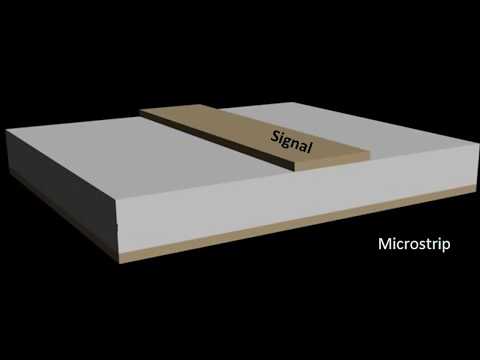
YouTube video

Introduction to Planar Transmission Lines

Planar transmission lines are a type of transmission line where the conductors are printed or etched on a dielectric substrate, typically a printed circuit board (PCB). These transmission lines are designed to guide and confine the electromagnetic waves within the dielectric medium, allowing for efficient signal propagation at high frequencies.

The choice of planar transmission line depends on various factors, such as frequency range, impedance requirements, fabrication constraints, and circuit complexity. Each type of planar transmission line offers unique advantages and trade-offs in terms of performance, manufacturability, and cost.

Coplanar Waveguide (CPW)
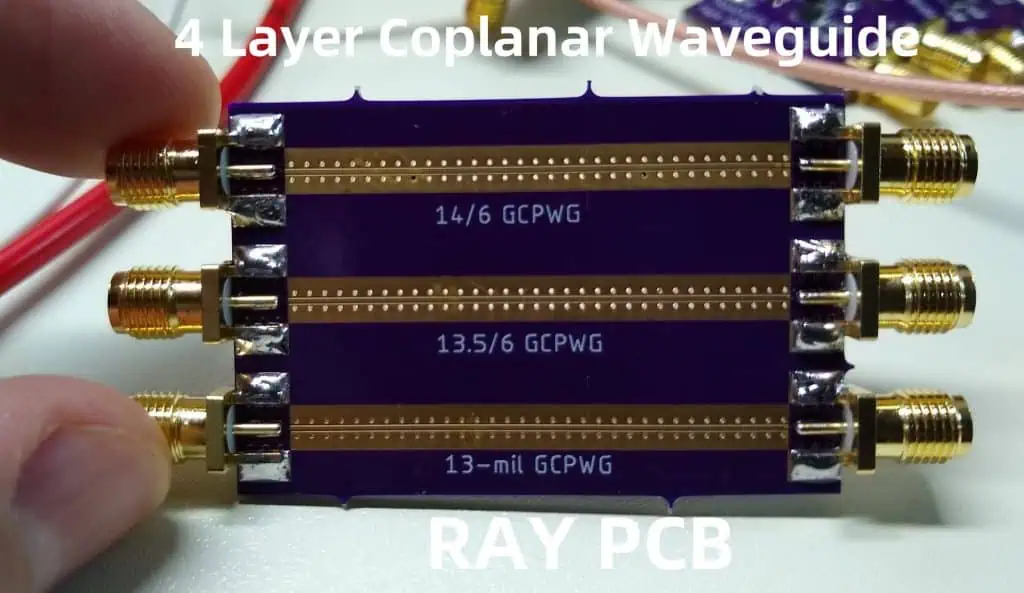
Structure and Characteristics

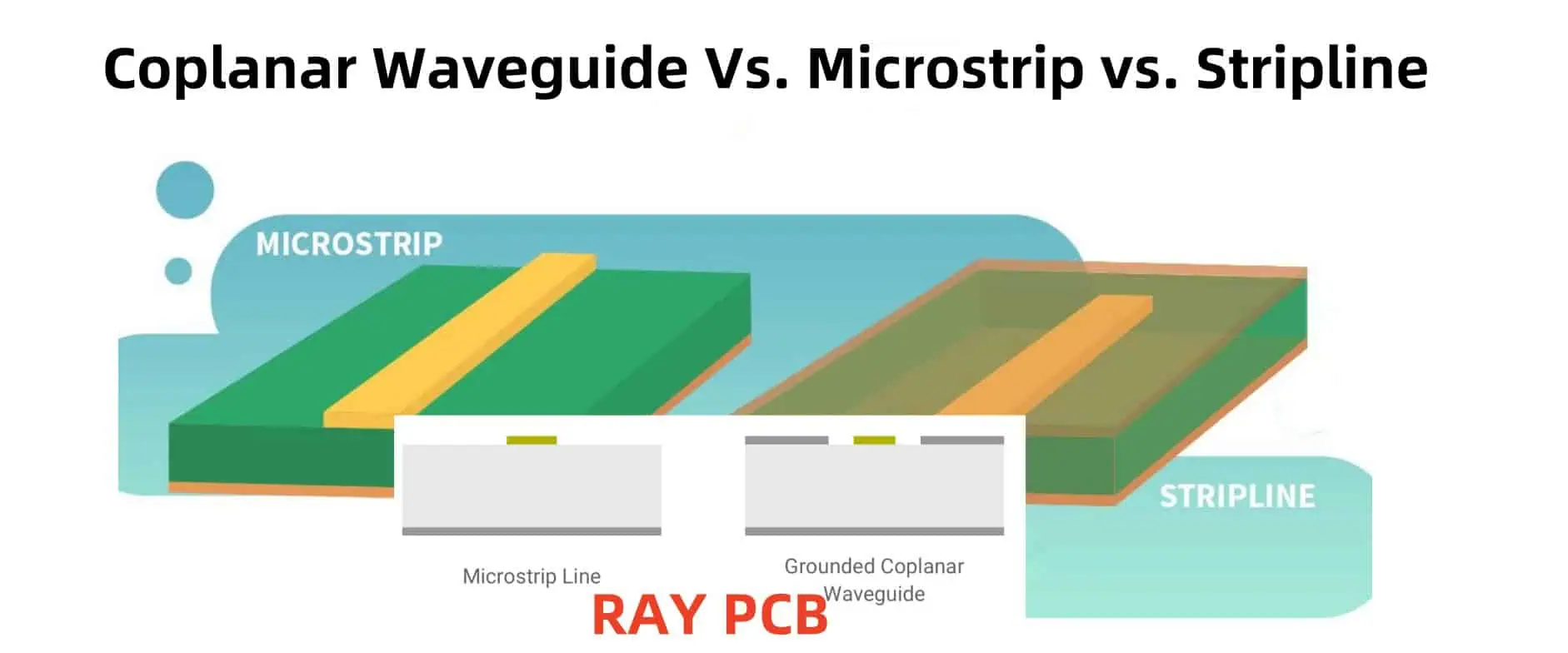
The coplanar waveguide (CPW) is a type of planar transmission line where the signal conductor and ground planes are on the same plane, separated by a dielectric material. The signal conductor is sandwiched between two ground planes, forming a coplanar structure.

Key features of a coplanar waveguide include:

  • Simple and cost-effective fabrication process
  • Suitable for both shielded and unshielded applications
  • Excellent high-frequency performance
  • Easy integration with active and passive components
  • Relatively low dispersion and radiation losses

Applications

Coplanar waveguides are widely used in various high-frequency and microwave applications, such as:

  • Monolithic Microwave Integrated Circuits (MMICs)
  • Millimeter-wave and terahertz circuits
  • Broadband and ultra-wideband circuits
  • Antenna feed networks
  • Interconnects and transitions in hybrid circuits

Microstrip
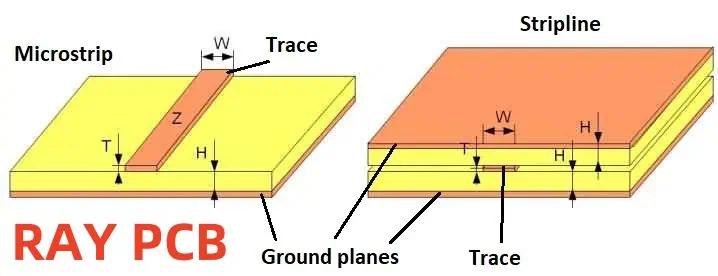
Structure and Characteristics

The microstrip is one of the most common and widely used planar transmission lines. It consists of a single conductor strip separated from a ground plane by a dielectric substrate.

Key features of a microstrip transmission line include:

  • Easy fabrication and integration with other components
  • Low cost and compact size
  • Suitable for both analog and digital circuits
  • Relatively high losses at higher frequencies
  • Potential for radiation and crosstalk issues

Applications

Microstrip transmission lines are extensively used in various applications, such as:

  • Radio Frequency (RF) and microwave circuits
  • Antennas and antenna arrays
  • Filters and couplers
  • Mixers and amplifiers
  • Printed Circuit Board (PCB) interconnects

Stripline
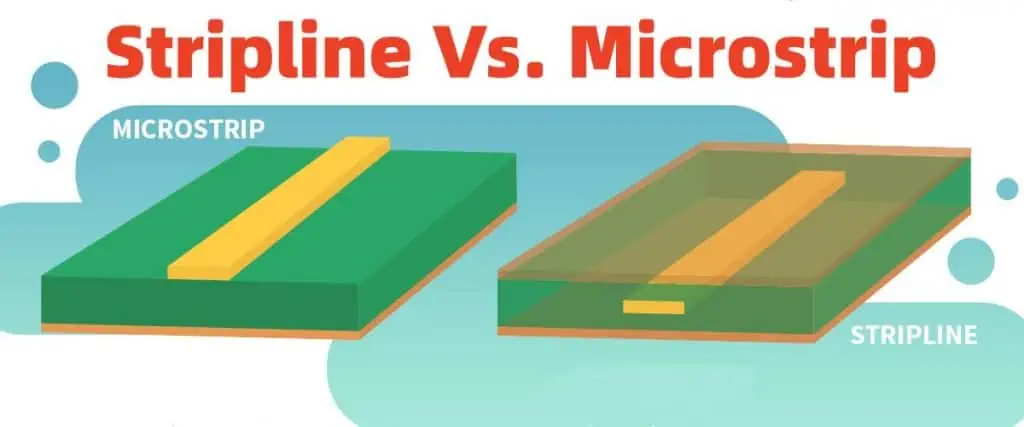
Stripline Vs. Microstrip

Structure and Characteristics

The stripline is a planar transmission line where the signal conductor is sandwiched between two ground planes, separated by dielectric layers. This configuration provides better shielding and reduces radiation losses compared to microstrip lines.

Key features of a stripline transmission line include:

  • Excellent shielding and low radiation losses
  • Low dispersion and crosstalk
  • Suitable for high-frequency and high-speed applications
  • More complex fabrication process compared to microstrip

Applications

Stripline transmission lines are commonly used in:

  • High-speed digital circuits
  • Microwave and millimeter-wave components
  • Interconnects in multi-layer PCBs
  • High-performance analog and mixed-signal circuits

Other Planar Transmission Lines

In addition to the coplanar waveguide, microstrip, and stripline, there are several other types of planar transmission lines, each with its own unique characteristics and applications. Here are a few examples:

  1. Slotline: A slotline is a planar transmission line where the signal is transmitted through a narrow slot etched in the ground plane. It is useful for various millimeter-wave and terahertz applications.
  2. Suspended Stripline: A suspended stripline is a variation of the stripline where the signal conductor is suspended in an air or foam dielectric, resulting in lower losses and higher performance at millimeter-wave frequencies.
  3. Inverted Microstrip: An inverted microstrip is a variation of the microstrip where the signal conductor is on the bottom layer, and the ground plane is on the top layer. This configuration is useful for integrating active components and shielding.
  4. Grounded Coplanar Waveguide (GCPW): A grounded coplanar waveguide is a variation of the CPW where a ground plane is added on the bottom layer, providing better shielding and reduced radiation losses.
  5. Coupled Planar Transmission Lines: Coupled planar transmission lines consist of two or more signal conductors in close proximity, allowing for coupling between the lines. These are used in couplers, filters, and other microwave components.

Comparison of Planar Transmission Lines

To better understand the differences between these planar transmission lines, let’s compare their key characteristics in a tabular format:

Transmission LineFabrication ComplexityShieldingRadiation LossesDispersionCrosstalkTypical Applications
Coplanar Waveguide (CPW)SimpleModerateModerateLowModerateMMICs, millimeter-wave circuits, broadband circuits
MicrostripSimplePoorModerate to HighModerateHighRF and microwave circuits, antennas, PCB interconnects
StriplineModerateExcellentLowLowLowHigh-speed digital circuits, microwave components, multi-layer PCBs
SlotlineSimpleModerateModerateLowModerateMillimeter-wave and terahertz circuits
Suspended StriplineComplexExcellentVery LowVery LowVery LowMillimeter-wave and terahertz circuits
Inverted MicrostripSimpleModerateModerateModerateModerateIntegration with active components, shielding
Grounded Coplanar Waveguide (GCPW)ModerateGoodLowLowLowShielded circuits, low radiation applications
Coupled Planar Transmission LinesModerate to ComplexModerate to GoodModerateModerateModerateCouplers, filters, microwave components

Frequently Asked Questions (FAQs)

  1. What is the main advantage of using a coplanar waveguide over a microstrip transmission line? The main advantage of using a coplanar waveguide is its simple and cost-effective fabrication process. Additionally, CPWs are suitable for both shielded and unshielded applications and offer excellent high-frequency performance.
  2. When should I choose a stripline over a microstrip transmission line? Stripline transmission lines should be chosen when you require better shielding, lower radiation losses, and lower dispersion compared to microstrip lines. They are particularly suitable for high-frequency and high-speed applications, as well as multi-layer PCB interconnects.
  3. What are the trade-offs when using a suspended stripline? While suspended striplines offer very low losses and excellent performance at millimeter-wave frequencies, they are more complex and expensive to fabricate compared to other planar transmission lines. Additionally, their open structure may make them more susceptible to environmental effects and mechanical stress.
  4. Can planar transmission lines be used for high-power applications? Most planar transmission lines are primarily designed for low to moderate power applications. For high-power applications, special considerations need to be taken into account, such as using larger conductor widths, thicker substrates, and additional cooling mechanisms to dissipate heat.
  5. How do I choose the appropriate planar transmission line for my application? Choosing the appropriate planar transmission line involves considering several factors, including the frequency range, power levels, circuit complexity, fabrication constraints, and performance requirements. It is often beneficial to consult with experienced RF and microwave engineers or refer to design guidelines and best practices for your specific application.

By understanding the differences between coplanar waveguides, microstrip, stripline, and other planar transmission lines, you can make informed decisions and select the most suitable option for your high-frequency and microwave circuit designs.
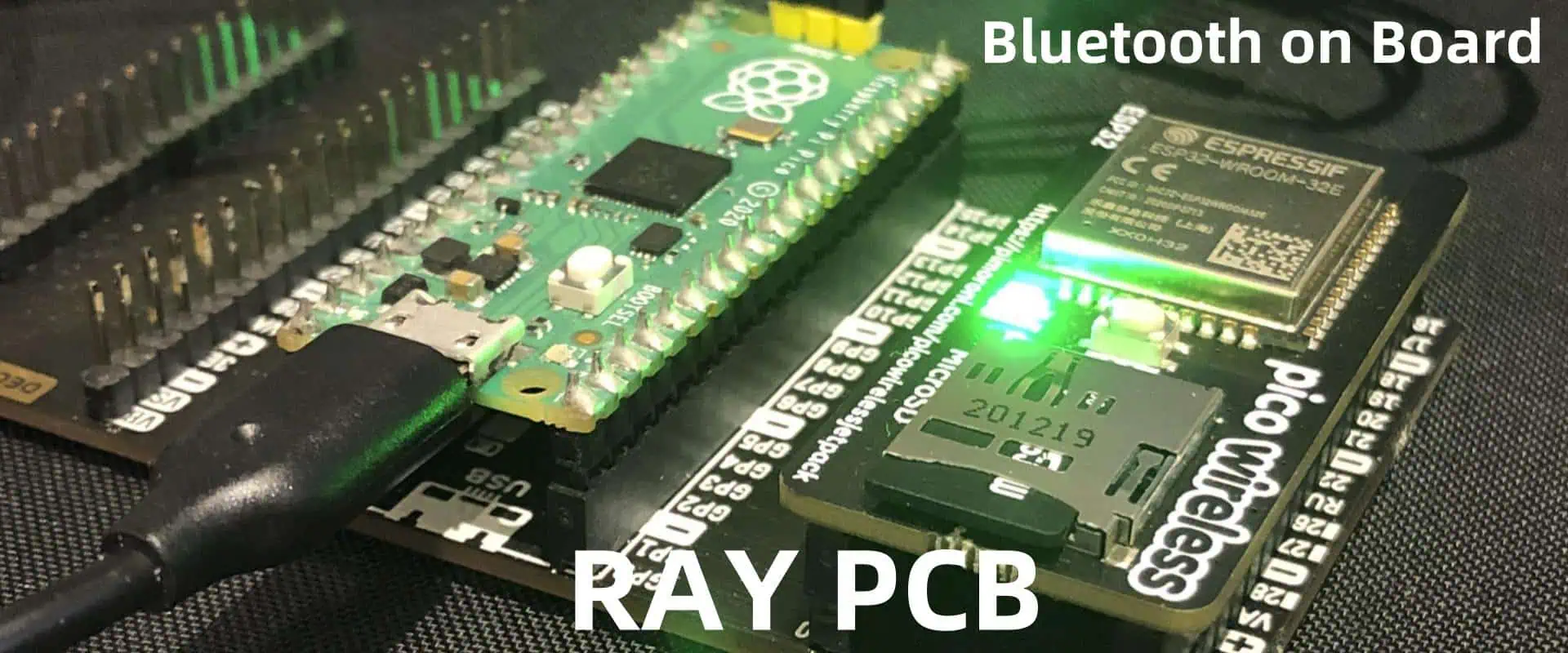
How to use Bluetooth on your Board (Practical Example)

In today’s world, wireless communication has become an integral part of our lives, and Bluetooth technology is one of the most widely used standards for short-range wireless communication. Whether you’re a hobbyist, a developer, or an engineer, understanding how to use Bluetooth on your board can open up a world of possibilities, from creating smart home devices to developing wearable technology.

This comprehensive guide will walk you through the process of setting up and using Bluetooth on your board, providing practical examples and code snippets to help you get started. We’ll cover everything from understanding the basics of Bluetooth technology to implementing real-world applications.

YouTube video

Understanding Bluetooth Technology

Before we dive into the practical aspects of using Bluetooth on your board, let’s briefly discuss what Bluetooth technology is and how it works.

What is Bluetooth?

Bluetooth is a wireless technology standard that enables short-range communication between devices. It operates in the 2.4 GHz radio frequency (RF) band and uses frequency-hopping spread spectrum (FHSS) technology to reduce interference and provide secure data transmission.

Bluetooth Versions and Specifications

Over the years, Bluetooth has evolved through several versions, each introducing new features and improvements. Here’s a brief overview of the most recent versions:

VersionRelease YearKey Features
Bluetooth 5.22020Higher data transfer rates, improved security, and better energy efficiency
Bluetooth 5.12019Improved location services and better support for IoT devices
Bluetooth 5.02016Increased range, higher data transfer rates, and improved energy efficiency
Bluetooth 4.22014Better privacy, higher data transfer rates, and improved power consumption

The latest versions of Bluetooth offer better performance, security, and energy efficiency, making them well-suited for a wide range of applications, from low-power IoT devices to high-speed data transfers.

Setting up Bluetooth on Your Board

Before you can start using Bluetooth on your board, you’ll need to set it up properly. The setup process may vary depending on the specific board you’re using, but here are some general steps to follow:

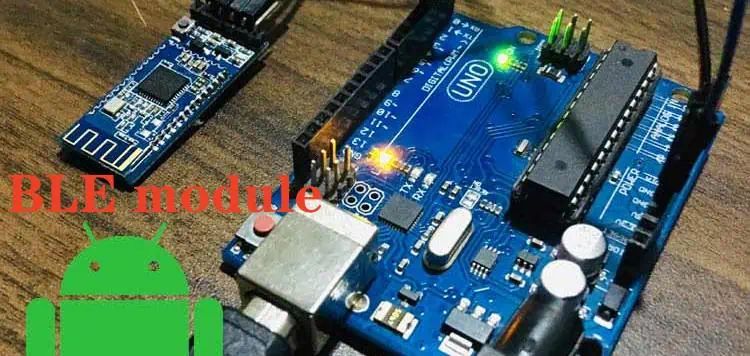
  1. Choose a Bluetooth Module: Select a Bluetooth module that is compatible with your board. Popular options include the HC-05, HC-06, and HM-10 modules, which are widely available and relatively inexpensive.
  2. Connect the Module: Connect the Bluetooth module to your board according to the pinout and wiring instructions provided by the manufacturer.
  3. Install Libraries and Dependencies: Depending on your board and the programming language you’re using, you may need to install specific libraries or dependencies to enable Bluetooth communication. For example, if you’re using an Arduino board with the Arduino IDE, you’ll need to install the SoftwareSerial or AltSoftSerial library.
  4. Configure the Bluetooth Module: Most Bluetooth modules require some initial configuration, such as setting the baud rate, pairing mode, and device name. You can typically do this using a serial terminal or a dedicated configuration tool provided by the manufacturer.

Once you’ve completed these steps, your board should be ready to communicate with other Bluetooth-enabled devices.

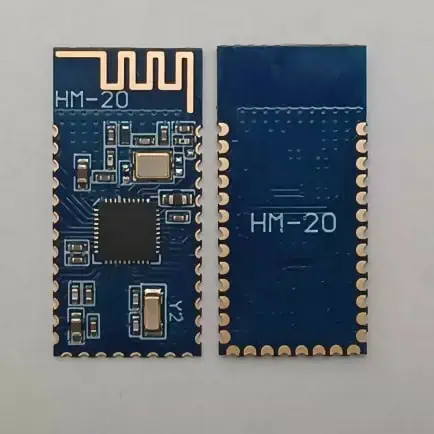
RayMing PCB HM-20 cc2340 BLE5.3 Bluetooth Module Transmission Compatible with Multi-point Links

RayMing PCB HM-20 cc2340 BLE5.3 Bluetooth Module Transmission Compatible with Multi-point Links

Original price was: $4.50.Current price is: $4.20.

Master-Slave Integration Remote Control Firmware Upgrade Command Rich

Category:
Tags:

Practical Examples

Now that you have a basic understanding of Bluetooth technology and have set up your board, let’s dive into some practical examples of how to use Bluetooth on your board.

Example 1: Bluetooth Serial Communication

One of the most common use cases for Bluetooth on a board is to establish serial communication between two devices. This can be useful for various applications, such as wirelessly transmitting sensor data, controlling devices remotely, or exchanging messages between devices.

Here’s an example of how you can establish a Bluetooth serial connection between an Arduino board and a computer using the SoftwareSerial library:

arduinoCopy code// Include the SoftwareSerial library
#include <SoftwareSerial.h>

// Define the Bluetooth module pins
#define RX_PIN 2
#define TX_PIN 3

// Create a SoftwareSerial object
SoftwareSerial bluetooth(RX_PIN, TX_PIN);

void setup() {
  // Initialize the serial communication
  Serial.begin(9600);
  bluetooth.begin(9600);

  // Print a message to indicate the start of the program
  Serial.println("Bluetooth Serial Communication Example");
}

void loop() {
  // Check if data is available from the Bluetooth module
  if (bluetooth.available()) {
    // Read the incoming data and print it to the serial monitor
    char data = bluetooth.read();
    Serial.print(data);
  }

  // Check if data is available from the serial monitor
  if (Serial.available()) {
    // Read the incoming data and send it to the Bluetooth module
    char data = Serial.read();
    bluetooth.print(data);
  }
}

In this example, we create a SoftwareSerial object to communicate with the Bluetooth module. The setup() function initializes the serial communication with the computer and the Bluetooth module at a baud rate of 9600. The loop() function continuously checks for incoming data from both the Bluetooth module and the serial monitor, and echoes the received data back to the other side.

To test this example, you can open the serial monitor in the Arduino IDE and send messages to the board. Any messages sent from the serial monitor will be transmitted to the Bluetooth module, and vice versa.

bluetooth low-energy technology

Example 2: Bluetooth Remote Control

Another practical application of Bluetooth on your board is to create a remote control system. This can be useful for controlling various devices, such as robots, home automation systems, or even multimedia players.

Here’s an example of how you can create a simple Bluetooth remote control system using an Arduino board and a mobile app:

arduinoCopy code// Include the SoftwareSerial library
#include <SoftwareSerial.h>

// Define the Bluetooth module pins
#define RX_PIN 2
#define TX_PIN 3

// Define the LED pin
#define LED_PIN 13

// Create a SoftwareSerial object
SoftwareSerial bluetooth(RX_PIN, TX_PIN);

void setup() {
  // Initialize the serial communication
  Serial.begin(9600);
  bluetooth.begin(9600);

  // Set the LED pin as an output
  pinMode(LED_PIN, OUTPUT);

  // Print a message to indicate the start of the program
  Serial.println("Bluetooth Remote Control Example");
}

void loop() {
  // Check if data is available from the Bluetooth module
  if (bluetooth.available()) {
    // Read the incoming data
    char data = bluetooth.read();

    // Check if the received data is '1' or '0'
    if (data == '1') {
      // Turn on the LED
      digitalWrite(LED_PIN, HIGH);
      Serial.println("LED ON");
    } else if (data == '0') {
      // Turn off the LED
      digitalWrite(LED_PIN, LOW);
      Serial.println("LED OFF");
    }
  }
}

In this example, we use the same setup as in the previous example, but we add an LED to the board to demonstrate the remote control functionality. The loop() function checks for incoming data from the Bluetooth module, and if the received data is ‘1’, it turns the LED on, and if the received data is ‘0’, it turns the LED off.

To control the LED remotely, you can use a Bluetooth-enabled mobile app that can send the ‘1’ and ‘0’ characters to the board. There are various mobile apps available for different platforms (e.g., Android, iOS) that can be used for this purpose.

Example 3: Bluetooth Data Logging

Another practical application of Bluetooth on your board is to create a data logging system. This can be useful for collecting and storing sensor data, environmental data, or any other type of data that needs to be transmitted wirelessly.

Here’s an example of how you can create a simple Bluetooth data logging system using an Arduino board:

arduinoCopy code// Include the SoftwareSerial library
#include <SoftwareSerial.h>

// Define the Bluetooth module pins
#define RX_PIN 2
#define TX_PIN 3

// Define the sensor pin
#define SENSOR_PIN A0

// Create a SoftwareSerial object
SoftwareSerial bluetooth(RX_PIN, TX_PIN);

void setup() {
  // Initialize the serial communication
  Serial.begin(9600);
  bluetooth.begin(9600);

  // Print a message to indicate the start of the program
  Serial.println("Bluetooth Data Logging Example");
}

void loop() {
  // Read the sensor value
  int sensorValue = analogRead(SENSOR_PIN);

A Power Supply Filter with On-board Voltage Socket for 12V 10A

In modern electronics, power supplies play a crucial role in ensuring the smooth operation of various devices. However, power supplies can be susceptible to electrical noise and voltage fluctuations, which can adversely affect the performance and lifespan of the connected components. To address this issue, power supply filters are employed to clean and stabilize the output voltage, providing a clean and reliable power source for sensitive electronic circuits.

This article explores the design and implementation of a power supply filter with an on-board voltage socket, specifically designed for a 12V 10A power supply. We’ll delve into the principles behind power supply filtering, the components involved, and the step-by-step process of building this practical solution.

YouTube video

Understanding Power Supply Filtering

Power supply filters are essential components that help mitigate the effects of electrical noise and voltage fluctuations. These filters are designed to remove unwanted high-frequency noise and ripple currents from the output of a power supply, ensuring a clean and stable voltage supply for electronic devices.

Electrical noise can originate from various sources, such as electromagnetic interference (EMI), switching transients, and ground loops. This noise can cause issues like signal degradation, data corruption, and premature component failure. By incorporating a power supply filter into the design, these unwanted signals are effectively filtered out, resulting in a clean and stable power supply for sensitive electronic circuits.

Components and Design

power pcb

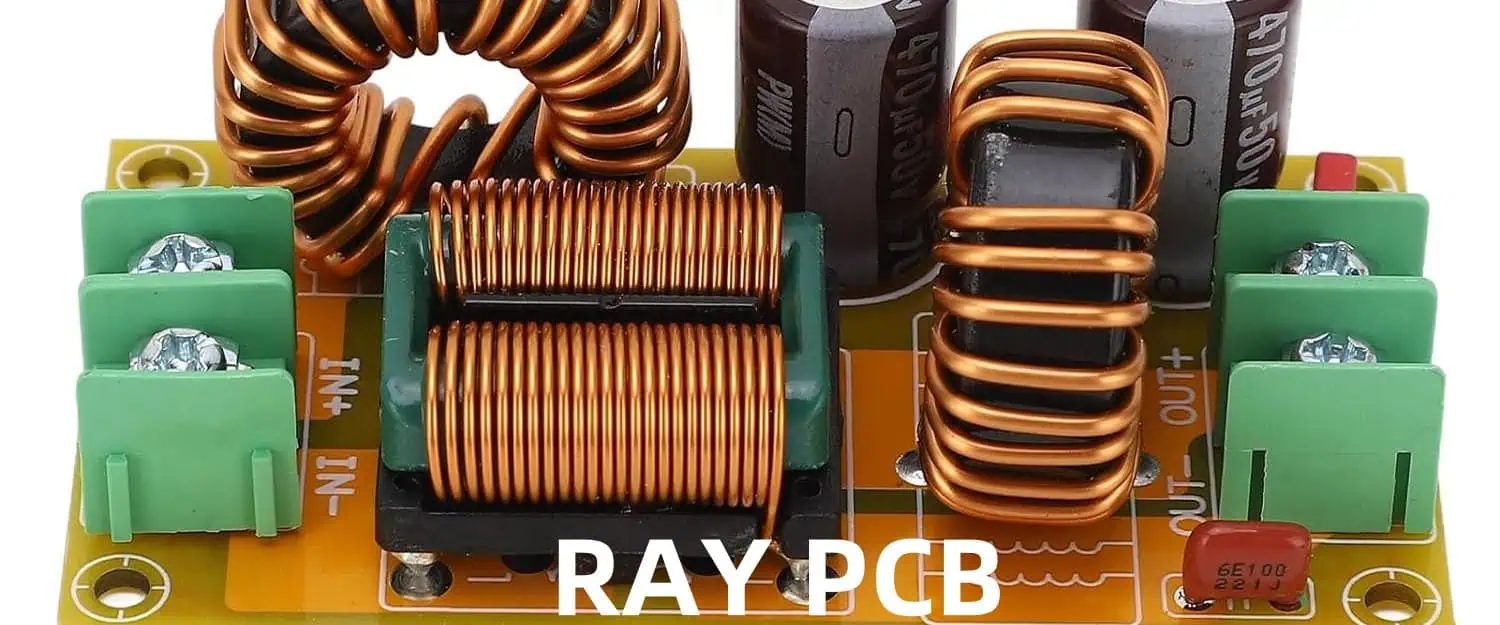
The power supply filter with an on-board voltage socket for 12V 10A consists of several key components working together to achieve effective filtering and voltage regulation. Let’s explore each component and its role in the overall design.

Input Capacitor

The input capacitor is typically a large electrolytic capacitor connected across the input terminals of the filter circuit. Its primary function is to smooth out any high-frequency noise present in the incoming power supply. The capacitor acts as a temporary energy storage device, providing a low-impedance path for high-frequency signals to bypass the rest of the circuit.

Inductor

The inductor, also known as a choke, is an essential component in power supply filters. It is designed to block high-frequency noise while allowing the desired DC voltage to pass through. The inductor, in combination with the capacitors, forms a low-pass filter that effectively removes unwanted high-frequency components from the power supply output.

Output Capacitor

The output capacitor is typically a smaller electrolytic or ceramic capacitor placed in parallel with the load. Its purpose is to further smooth the output voltage and provide a low-impedance path for any remaining high-frequency noise. This capacitor helps to ensure a stable and clean power supply for the connected electronic devices.

Voltage Regulator (Optional)

Depending on the specific requirements of the application, a voltage regulator may be incorporated into the design. A voltage regulator is an electronic circuit that maintains a constant output voltage, regardless of fluctuations in the input voltage or load conditions. This component can provide additional stability and protection for sensitive electronic circuits.

On-board Voltage Socket

The on-board voltage socket is a convenient feature that allows easy access to the filtered and regulated power supply output. This socket can be used to power external devices or circuits that require a clean and stable 12V power source. The inclusion of an on-board voltage socket eliminates the need for additional wiring or connections, making the power supply filter more compact and user-friendly.

Design Considerations

When designing a power supply filter with an on-board voltage socket, several factors must be taken into consideration to ensure optimal performance and reliability:

  1. Input Voltage Range: Determine the expected input voltage range for the power supply to select appropriate components and ensure proper operation.
  2. Load Current: The filter components must be rated to handle the maximum load current of 10A in this case. Oversizing the components can provide an additional safety margin and improve overall efficiency.
  3. Ripple and Noise Specifications: Establish the acceptable levels of ripple voltage and noise for the specific application. This will guide the selection of filter component values and configurations.
  4. Heat Dissipation: Ensure proper heat dissipation measures are in place, especially for the inductor and any voltage regulators used in the design. Adequate heat sinking or forced air cooling may be necessary for high-power applications.
  5. Layout and Grounding: Proper layout and grounding techniques are crucial for minimizing electromagnetic interference (EMI) and ensuring stable operation. Careful consideration should be given to component placement, trace routing, and grounding strategies.
  6. Safety and Compliance: Adherence to relevant safety standards and regulations is essential, particularly when dealing with high-voltage and high-current applications. Proper insulation, fusing, and over-current protection mechanisms should be implemented.

Implementation and Testing

The implementation of the power supply filter with an on-board voltage socket involves the following steps:

  1. Component Selection: Choose the appropriate components based on the design considerations mentioned above. This includes selecting the input and output capacitors, inductor, and any additional components like voltage regulators or protection circuits.
  2. Circuit Layout and Assembly: Carefully lay out the components on a printed circuit board (PCB) or a prototyping board, following best practices for component placement, trace routing, and grounding. Assemble the components according to the schematic and ensure proper soldering techniques.
  3. Testing and Verification: Once the assembly is complete, conduct thorough testing to verify the performance of the power supply filter. Measure the input and output voltages, ripple voltage, and noise levels under various load conditions. Ensure that the filter meets the desired specifications and provides a clean and stable power supply output.
  4. Integration and Final Assembly: If the testing is successful, integrate the power supply filter into the final enclosure or assembly, ensuring proper mechanical and electrical connections. Implement any additional safety features or protection mechanisms as required.
  5. Documentation and Maintenance: Document the design, assembly process, and testing procedures for future reference. Establish a maintenance schedule to ensure the continued proper operation of the power supply filter over time.

Example Data and Tables

To illustrate the performance and characteristics of the power supply filter, let’s consider the following example data:

Input Voltage and Load Current

Input Voltage (V)Load Current (A)
120
122.5
125
127.5
1210

Output Voltage and Ripple Voltage

Input Voltage (V)Load Current (A)Output Voltage (V)Ripple Voltage (mV)
12012.0510
122.512.0315
12512.0120
127.511.9925
121011.9730

The table above shows the output voltage and ripple voltage measurements for various input voltages and load currents. As the load current increases, there is a slight drop in the output voltage and an increase in the ripple voltage, which is expected due to the increased load on the power supply filter.

Frequently Asked Questions (FAQ)

  1. Q: What is the purpose of a power supply filter? A: A power supply filter is designed to remove unwanted high-frequency noise and ripple currents from the output of a power supply, ensuring a clean and stable voltage supply for electronic devices.
  2. Q: Why is an on-board voltage socket useful in this design? A: The on-board voltage socket provides a convenient way to access the filtered and regulated power supply output, eliminating the need for additional wiring or connections. It allows easy connection of external devices or circuits that require a clean and stable 12V power source.
  3. Q: How does the inductor contribute to the filtering process? A: The inductor, or choke, is an essential component in power supply filters. It is designed to block high-frequency noise while allowing the desired DC voltage to pass through. The inductor, in combination with the capacitors, forms a low-pass filter that effectively removes unwanted high-frequency components from the power supply output.
  4. Q: What factors should be considered when selecting the components for the power supply filter? A: Several factors should be considered, including the input voltage range, load current, ripple and noise specifications, heat dissipation requirements, layout and grounding techniques, and safety and compliance standards. Proper component selection and sizing are crucial for optimal performance and reliability.
  5. Q: How can I ensure the proper operation and maintenance of the power supply filter? A: Thorough testing and verification should be conducted during the implementation phase to ensure the filter meets the desired specifications.

ESP32 + PCB Antenna Hardware Design Tutorial

The ESP32 is a powerful and versatile microcontroller from Espressif Systems, widely used in various Internet of Things (IoT) applications. One of its standout features is the integrated Wi-Fi and Bluetooth wireless connectivity, which allows devices to communicate wirelessly with other systems or the internet. While the ESP32 module comes with an on-board chip antenna, many applications require a custom PCB antenna design to optimize performance, range, and form factor. In this tutorial, we will explore the hardware design process for integrating a PCB antenna with the ESP32, covering essential concepts, design considerations, and best practices.

YouTube video

Understanding PCB Antennas

What is a PCB Antenna?

A PCB antenna is a radiating element etched or printed onto the PCB substrate itself, eliminating the need for a separate, external antenna component. These antennas are commonly used in compact and integrated electronic devices, where space and cost constraints make traditional wire or ceramic antennas less desirable.

Advantages of PCB Antennas

  • Space-saving: PCB antennas are integrated into the PCB design, reducing the overall footprint and enabling compact form factors.
  • Cost-effective: The antenna is part of the PCB manufacturing process, eliminating the need for separate antenna components and associated assembly costs.
  • Robust and durable: PCB antennas are less susceptible to physical damage compared to protruding wire or ceramic antennas.
  • Design flexibility: Various antenna types, such as microstrip patches, inverted-F antennas (IFA), and planar inverted-F antennas (PIFA), can be implemented on PCBs, allowing for optimized performance and form factor.

ESP32 PCB Antenna Design Considerations

Antenna Type Selection

Different antenna types offer varying performance characteristics, radiation patterns, and form factors. For the ESP32, commonly used PCB antenna types include:

  • Microstrip Patch Antenna: A compact and low-profile antenna suitable for applications requiring omnidirectional radiation patterns.
  • Inverted-F Antenna (IFA): A space-efficient antenna with good radiation characteristics and suitable for compact designs.
  • Planar Inverted-F Antenna (PIFA): A low-profile antenna with good bandwidth and radiation performance, often used in portable devices.

The choice of antenna type depends on factors such as desired radiation pattern, frequency range, size constraints, and overall system requirements.

Antenna Placement and Grounding

Proper antenna placement and grounding are crucial for optimal performance. The antenna should be positioned at a reasonable distance from other components, particularly those that generate electromagnetic interference (EMI), such as switching regulators, digital circuits, or high-speed buses.

Adequate grounding is essential for PCB antennas, as it provides a reference plane for the radiating element and ensures stable operation. A well-designed ground plane or ground pour on the PCB can significantly improve antenna performance and radiation efficiency.

Clearance and Keepout Areas

To ensure optimal antenna performance and avoid interference, it is essential to maintain clearance and keepout areas around the antenna. These areas should be free from conductive traces, components, or other obstructions that could affect the antenna’s radiation pattern or impedance matching.

The exact clearance and keepout dimensions depend on the antenna type, frequency, and PCB stack-up, and should be determined through careful simulation and testing.

Impedance Matching

Impedance matching is a critical aspect of antenna design, as it ensures maximum power transfer between the antenna and the RF front-end. The ESP32 typically operates at an impedance of 50 ohms, and the PCB antenna must be designed to match this impedance for optimal performance.

Impedance matching can be achieved through careful antenna design, incorporating matching networks or tuning components, such as inductors or capacitors. Simulation tools and optimization techniques are often employed to achieve the desired impedance matching.

RF Layout Considerations

The layout of the RF section on the PCB plays a crucial role in ensuring robust and reliable wireless performance. Here are some key considerations:

  • Grounding and decoupling: Proper grounding and decoupling of the RF section, including the ESP32 module and associated components, is essential for minimizing noise and ensuring stable operation.
  • Trace routing: RF traces should be kept as short as possible, with minimal bends or vias, to reduce signal losses and reflections.
  • Component placement: Position the ESP32 module and RF components in close proximity to minimize trace lengths and reduce the risk of interference.
  • Shielding and isolation: Implement shielding or isolation techniques, if necessary, to protect the RF section from external interference or coupling with other circuits on the PCB.

ESP32 PCB Antenna Design Flow

ESP32 PCB Board
ESP32 PCB Board

The design process for integrating a PCB antenna with the ESP32 typically follows these steps:

  1. Define requirements: Clearly define the system requirements, such as frequency range, desired radiation pattern, size constraints, and performance targets.
  2. Select antenna type: Based on the requirements, choose an appropriate antenna type (e.g., microstrip patch, IFA, PIFA) that best suits the application.
  3. Design and simulate: Use electromagnetic simulation tools to design and optimize the antenna, considering factors like impedance matching, radiation patterns, and gain.
  4. Integrate into PCB layout: Incorporate the optimized antenna design into the PCB layout, ensuring proper placement, grounding, and clearance areas.
  5. Prototype pcba and test: Fabricate PCB prototypes and conduct thorough testing, including impedance measurements, radiation pattern characterization, and real-world performance evaluation.
  6. Iterate and optimize: Based on the test results, iteratively refine the design and optimize the antenna and RF layout for optimal performance.
  7. Finalize and manufacture: Once the design meets the requirements, finalize the PCB layout and proceed with manufacturing.

Design Example: Microstrip Patch Antenna for ESP32

To illustrate the design process, let’s consider an example of a microstrip patch antenna integrated with the ESP32 for a compact IoT device operating in the 2.4 GHz ISM band.

Antenna Design

The microstrip patch antenna is designed using electromagnetic simulation software, considering factors like substrate material, patch dimensions, and feed point location. The goal is to achieve a resonant frequency around 2.4 GHz, with good impedance matching and radiation characteristics.

The simulated design might yield the following parameters:

  • Substrate material: FR-4 (ฮตr = 4.4, h = 1.6 mm)
  • Patch dimensions: 28.5 mm ร— 35 mm
  • Feed point location: (12 mm, 16.5 mm) from the patch center
  • Simulated resonant frequency: 2.45 GHz
  • Simulated impedance: 50 ohms (at 2.45 GHz)
  • Simulated gain: 6.2 dBi

PCB Layout Integration

The optimized microstrip patch antenna design is integrated into the PCB layout, considering the following aspects:

  • Placement: The antenna is positioned on the top layer, away from noise-generating components and digital circuitry.
  • Grounding: A solid ground plane is provided on the bottom layer, acting as the reference for the antenna.
  • Clearance: A keepout area of at least 5 mm is maintained around the antenna to ensure optimal radiation performance.
  • Routing: The RF trace connecting the ESP32 to the antenna feed point is kept as short as possible, with minimal bends or vias.

Performance Evaluation

After fabricating the PCB, thorough testing and evaluation are conducted to verify the antenna’s performance:

  • Impedance measurement: The input impedance is measured using a vector network analyzer (VNA) or impedance analyzer, confirming the desired 50-ohm impedance matching at the operating frequency.
  • Radiation pattern characterization: The radiation pattern is measured in an anechoic chamber or using a near-field scanner, verifying the desired omnidirectional or directional characteristics.
  • Range and throughput testing: Real-world range and throughput tests are performed to assess the overall wireless performance of the ESP32 device with the integrated PCB antenna.

Based on the test results, further design iterations or optimizations may be required to meet the desired performance targets.

Comparison Table: PCB Antenna Types for ESP32

To help select the appropriate antenna type, here’s a comparison table highlighting the key characteristics of common PCB antenna types for the ESP32:

Antenna Type Size Radiation Pattern Gain Bandwidth Typical Applications
Microstrip Patch Moderate Broadside, quasi-omnidirectional Moderate Narrow IoT devices, wireless sensors
Inverted-F Antenna (IFA) Compact Omnidirectional Moderate ย  ย 

Benefits of High Dk Materials

Rogers RO4360

In the ever-evolving world of electronics, printed circuit boards (PCBs) serve as the backbone of countless devices and systems. As technology advances, the demand for smaller, faster, and more efficient electronic components continues to rise. One critical factor that plays a pivotal role in meeting these demands is the dielectric constant (Dk) of the PCB materials used. High Dk PCB materials have emerged as a game-changer, offering numerous benefits that are reshaping the design and performance of modern electronic circuits. In this article, we will delve into the advantages of high Dk PCB materials and explore how they are revolutionizing the electronics industry.

YouTube video

What is the Dielectric Constant (Dk)?

Before delving into the benefits of high Dk PCB materials, it is essential to understand the concept of the dielectric constant. The dielectric constant, also known as the relative permittivity, is a measure of a material’s ability to store electrical energy in the form of an electrostatic field. It is a dimensionless value that represents the ratio of the permittivity of a given material to the permittivity of a vacuum.

In the context of PCBs, the dielectric constant of the insulating material between the copper traces and planes plays a crucial role in signal propagation and electrical performance. Materials with higher dielectric constants have a greater ability to store electrical energy, which can significantly impact the behavior of electrical signals and the overall performance of the circuit.

Benefits of High Dk PCB Materials

1. Reduced Signal Propagation Delay

One of the most significant benefits of high Dk PCB materials is their ability to reduce signal propagation delay. Signal propagation delay is the time it takes for an electrical signal to travel through a conductor or transmission line. In high-speed and high-frequency applications, minimizing signal propagation delay is crucial to ensure accurate signal timing and prevent signal degradation.

High Dk PCB materials exhibit a lower propagation velocity for electrical signals compared to low Dk materials. This reduced propagation velocity effectively shortens the electrical length of the traces, resulting in lower signal propagation delays. By minimizing signal propagation delays, high Dk PCB materials enable faster signal transmission, making them ideal for applications that demand high data rates and low latency, such as telecommunication systems, high-speed computing, and advanced networking technologies.

2. Reduced Trace Lengths and Improved Routing Density

Another significant advantage of high Dk PCB materials is their ability to reduce trace lengths and improve routing density. In PCB design, trace lengths play a crucial role in signal integrity and electromagnetic interference (EMI) management. Longer traces are more susceptible to signal reflections, crosstalk, and other signal integrity issues, which can degrade overall circuit performance.

High Dk PCB materials allow for shorter trace lengths due to their lower propagation velocity. By reducing the electrical length of the traces, designers can achieve more compact and dense routing patterns, enabling the integration of more components and functionality into a smaller physical space. This benefit is particularly valuable in applications where space constraints are critical, such as portable electronics, wearable devices, and compact electronic systems.

3. Improved Power Integrity

Power integrity is a critical aspect of PCB design, as it directly impacts the overall performance and reliability of electronic circuits. High Dk PCB materials can contribute to improved power integrity by reducing the effective loop inductance of power distribution networks.

Power distribution networks in PCBs consist of power planes and the associated decoupling capacitors. The loop inductance of these networks can cause voltage fluctuations and noise, potentially leading to signal integrity issues and power supply instability. High Dk PCB materials, with their ability to store more electrical energy, can reduce the effective loop inductance, resulting in better power integrity and more stable power delivery to the components.

4. Reduced Electromagnetic Interference (EMI)

Electromagnetic interference (EMI) is a significant concern in electronic device design, as it can cause signal degradation, performance issues, and potential regulatory compliance problems. High Dk PCB materials offer an effective solution for mitigating EMI issues.

The high dielectric constant of these materials helps to contain and confine electromagnetic fields within the PCB substrate, reducing the radiation of electromagnetic waves into the surrounding environment. This containment of electromagnetic fields minimizes the potential for interference with other electronic devices or systems in the vicinity, making high Dk PCB materials an attractive choice for applications where EMI suppression is critical, such as medical devices, aerospace electronics, and sensitive communication systems.

5. Improved Thermal Management

In high-power and high-density electronic designs, thermal management is a crucial aspect that directly impacts reliability, performance, and lifespan. High Dk PCB materials can contribute to improved thermal management by dissipating heat more effectively.

Materials with higher dielectric constants generally exhibit better thermal conductivity properties, allowing for more efficient heat transfer from the components to the PCB substrate and eventually to the surrounding environment or cooling system. This improved thermal dissipation capability helps prevent excessive heat buildup, reducing the risk of component failure, thermal-induced signal integrity issues, and performance degradation.

Comparison of PCB Materials

To better understand the benefits of high Dk PCB materials, let’s compare them with some commonly used low Dk materials:

MaterialDielectric Constant (Dk)Key AdvantagesTypical Applications
FR-44.0 – 4.7Low cost, widely availableGeneral-purpose PCBs
Polyimide3.5 – 4.0High temperature resistance, flexibleFlexible circuits, aerospace
Rogers RO4003C3.38Low loss, stable electrical propertiesRF and microwave circuits
Taconic TLY-5A5Low signal loss, high frequency stabilityAntennas, high-speed digital
Isola IS6806.8High Dk, low loss, excellent thermal conductivityHigh-speed digital, high-power

As evident from the table, materials like Isola IS680 and Taconic TLY-5A, with their higher dielectric constants, offer distinct advantages for applications demanding high-speed signal transmission, compact routing, and improved thermal management.

Frequently Asked Questions (FAQ)

  1. What are the potential drawbacks of using high Dk PCB materials? While high Dk PCB materials offer numerous benefits, there are some potential drawbacks to consider. These materials generally have higher costs compared to low Dk alternatives, and they may require specialized manufacturing processes and design considerations. Additionally, high Dk materials can exhibit increased sensitivity to moisture and temperature variations, which may impact their electrical performance and reliability in certain environments.
  2. Can high Dk PCB materials be used in all types of electronic circuits? High Dk PCB materials are particularly beneficial for high-speed digital circuits, RF and microwave applications, and compact designs where signal integrity, routing density, and thermal management are critical factors. However, for some applications with lower frequency requirements or less stringent performance demands, low Dk materials may suffice and provide a more cost-effective solution.
  3. How do I choose the right Dk value for my PCB design? Selecting the appropriate Dk value for a PCB design requires careful consideration of various factors, including the operating frequency, signal integrity requirements, power dissipation, and physical size constraints. Generally, higher Dk values are preferred for high-speed and high-frequency applications, while lower Dk materials may be suitable for lower-frequency or less demanding applications. Consulting with PCB material experts and leveraging simulation tools can aid in making an informed decision.
  4. Can high Dk PCB materials be combined with other materials in a multilayer PCB design? Yes, it is possible to combine high Dk PCB materials with other materials in a multilayer PCB design. This approach can leverage the benefits of different materials for specific layers or regions of the PCB. For example, high Dk materials can be used for critical signal layers, while low Dk materials can be employed for power and ground planes or less demanding signal layers.
  5. How do high Dk PCB materials impact the manufacturing process? The use of high Dk PCB materials may require adjustments to the manufacturing process. These materials often have different coefficients of thermal expansion (CTE) compared to traditional low Dk materials, which can affect the lamination and plating processes. Additionally, specialized drilling and routing techniques may be necessary to accommodate the unique properties of high Dk materials. Close collaboration with PCB manufacturers is recommended to ensure proper handling and processing of these advanced materials.

Microchip PIC vs Atmel AVR: What is the difference

In the vast realm of microcontrollers, two prominent families have emerged as industry leaders: Microchip’s PIC (Peripheral Interface Controller) and Atmel’s AVR (Advanced Virtual RISC). These two architectures have garnered significant acclaim and widespread adoption in various applications ranging from consumer electronics to industrial automation and beyond. While they share the common goal of providing efficient and versatile embedded solutions, there are distinct differences that set them apart. In this comprehensive article, we will delve into the nitty-gritty details, exploring the architectural nuances, performance characteristics, development environments, and application scenarios that differentiate these two microcontroller families.

YouTube video

Architectural Overview

PIC Microcontrollers

Microchip’s PIC microcontrollers are based on the Harvard architecture, which employs separate memory spaces for program instructions and data. This design choice enhances the efficiency of memory access and allows for concurrent instruction fetching and data operations. PIC microcontrollers typically feature a modified Harvard architecture, known as a Harvard-based pipeline, which further optimizes performance by incorporating additional memory spaces and pipelining techniques.

PIC microcontrollers utilize a RISC (Reduced Instruction Set Computer) architecture, which means they have a relatively small and highly optimized set of instructions. This simplicity translates into faster execution times and reduced power consumption, making PIC microcontrollers well-suited for applications where low power and real-time responsiveness are critical.

AVR Microcontrollers

In contrast, Atmel’s AVR microcontrollers follow a modified Harvard architecture, which combines certain aspects of the Harvard and von Neumann architectures. While program memory and data memory are separate, the AVR architecture allows for data transfers between these memory spaces, providing a level of flexibility not found in traditional Harvard architectures.

AVR microcontrollers also employ a RISC architecture, but with a more extensive instruction set compared to PIC microcontrollers. This larger instruction set offers greater flexibility and versatility, enabling more complex operations to be performed within a single instruction cycle. However, it may come at the cost of slightly higher power consumption and code density compared to PIC microcontrollers.

Performance Characteristics

Microcontrollers

Speed and Efficiency

PIC microcontrollers are renowned for their exceptional speed and efficiency. Their streamlined architecture and optimized instruction set enable them to execute instructions rapidly, making them well-suited for time-critical applications and real-time systems. Additionally, PIC microcontrollers often boast lower power consumption, making them an attractive choice for battery-powered or energy-constrained devices.

AVR microcontrollers, while not as lightning-fast as their PIC counterparts, still offer impressive performance capabilities. Their more extensive instruction set allows for more complex operations to be executed in fewer cycles, potentially compensating for their slightly slower clock speeds. AVR microcontrollers strike a balance between performance and versatility, providing ample computational power for a wide range of applications.

Memory and Peripherals

Both PIC and AVR microcontrollers offer a wide range of memory configurations and peripheral support. However, there are some notable differences in terms of memory organization and peripheral availability.

PIC microcontrollers typically have a more segmented memory structure, with separate spaces for program memory, data memory, and various special function registers (SFRs). This segmentation can simplify memory management but may also introduce complexities in certain scenarios.

AVR microcontrollers, on the other hand, employ a more unified memory model, with program memory and data memory residing in a single linear address space. This architecture simplifies memory access and can facilitate more efficient data manipulation and code execution.

In terms of peripherals, both families offer a comprehensive set of integrated peripherals, including timers, counters, analog-to-digital converters (ADCs), communication interfaces (UART, SPI, I2C), and more. However, the specific peripheral offerings and configurations may vary across different microcontroller models and families from each manufacturer.

Development Environments

PIC Development Tools

Microchip provides a robust development ecosystem for PIC microcontrollers, including the MPLAB X Integrated Development Environment (IDE) and a range of programming tools and debuggers. The MPLAB X IDE supports multiple programming languages, including assembly, C, and C++, and offers a wide array of features such as code editing, project management, and integrated debugging.

Additionally, Microchip offers various compilers and assemblers for PIC microcontrollers, including the XC compilers for C and C++, and the MPASM assembler for assembly language programming. These tools are designed to optimize code generation and facilitate efficient development for PIC microcontrollers.

AVR Development Tools

Atmel’s AVR microcontrollers are supported by a vibrant open-source community, as well as proprietary tools from Atmel (now part of Microchip). The most widely used development environment for AVR microcontrollers is the open-source Arduino IDE, which provides a user-friendly and accessible platform for programming and prototyping.

For more advanced development, Atmel offers the Atmel Studio IDE, which supports a wide range of programming languages, including C, C++, and assembly. Atmel Studio also integrates with various debugging tools and programmers, facilitating efficient debugging and programming of AVR microcontrollers.

Additionally, there are several open-source compilers and toolchains available for AVR microcontrollers, such as avr-gcc (GNU Compiler Collection for AVR) and avr-libc (C Library for AVR microcontrollers), which provide a robust and flexible development environment.

Application Scenarios

PIC-microcontroller-programming

PIC Applications

PIC microcontrollers have found widespread adoption in a diverse range of applications due to their low power consumption, high performance, and cost-effectiveness. Some common application areas for PIC microcontrollers include:

  • Automotive electronics: Engine control units, sensors, and various automotive subsystems
  • Consumer electronics: Remote controls, home automation systems, and household appliances
  • Industrial automation: Process control, robotics, and factory automation systems
  • Medical devices: Patient monitoring equipment, diagnostic tools, and medical instrumentation
  • Embedded systems: Internet of Things (IoT) devices, wearables, and sensor networks

AVR Applications

AVR microcontrollers are equally versatile and have been widely used in various domains, leveraging their performance, flexibility, and extensive peripheral support. Common application areas for AVR microcontrollers include:

  • Robotics and automation: Motor control, sensor integration, and robotic systems
  • Audio and multimedia: Digital signal processing, audio codecs, and multimedia devices
  • Embedded systems: IoT devices, smart home systems, and industrial control systems
  • Educational and hobbyist projects: Arduino-based projects, robotics kits, and DIY electronics
  • Aerospace and defense: Avionics systems, unmanned aerial vehicles (UAVs), and military electronics

Comparison Table

To summarize the key differences between PIC and AVR microcontrollers, here’s a comparison table:

FeaturePIC MicrocontrollersAVR Microcontrollers
ArchitectureHarvard architecture (modified Harvard-based pipeline)Modified Harvard architecture
Instruction SetRISC with relatively small instruction setRISC with more extensive instruction set
Speed and EfficiencyGenerally faster and more efficientGood performance, slightly slower than PICs
Memory OrganizationSegmented memory spacesUnified linear memory model
Power ConsumptionLower power consumptionSlightly higher power consumption
Development ToolsMPLAB X IDE, XC compilers, MPASM assemblerAtmel Studio IDE, Arduino IDE, avr-gcc, avr-libc
Open-Source SupportLimited open-source supportExtensive open-source support and community
Common ApplicationsAutomotive, consumer electronics, industrial automation, medical devices, IoTRobot

Frequently Asked Questions (FAQ)

  1. Which microcontroller family is more suitable for low-power applications? Generally, PIC microcontrollers are considered more suitable for low-power applications due to their optimized architecture and lower power consumption. However, both families offer low-power modes and techniques for power management, and the specific power requirements of an application should be carefully evaluated.
  2. Is it easier to develop firmware for PIC or AVR microcontrollers? Both PIC and AVR microcontrollers have well-established development tools and ecosystems. However, the open-source nature of AVR toolchains and the widespread adoption of platforms like Arduino may make firmware development more accessible for beginners and hobbyists. For professional and commercial applications, both platforms offer robust development environments and support.
  3. Can PIC and AVR microcontrollers be used interchangeably in a project? While PIC and AVR microcontrollers share some similarities, they are not directly interchangeable due to their different architectures, instruction sets

Electronics Thermal Heatsink Design Guide & Considerations

In the world of electronics, thermal management plays a crucial role in ensuring the reliable and efficient operation of electronic devices. As components generate heat during operation, proper dissipation of this heat is essential to prevent overheating, which can lead to performance degradation, premature failure, or even safety hazards. One of the most effective methods for heat dissipation is the use of heatsinks. This comprehensive guide will delve into the intricacies of heatsink design, covering various considerations and best practices to help you develop effective thermal management solutions.

YouTube video

Understanding Heatsinks

A heatsink is a passive heat exchanger device designed to absorb heat from a heat-generating component and dissipate it into the surrounding environment. Heatsinks are typically made of materials with high thermal conductivity, such as aluminum or copper, which facilitates efficient heat transfer.

The primary function of a heatsink is to increase the surface area available for heat dissipation. By providing a larger surface area, the heatsink enhances convection and radiation, allowing more heat to be transferred from the component to the surrounding air or cooling fluid.

Heatsink Design Considerations

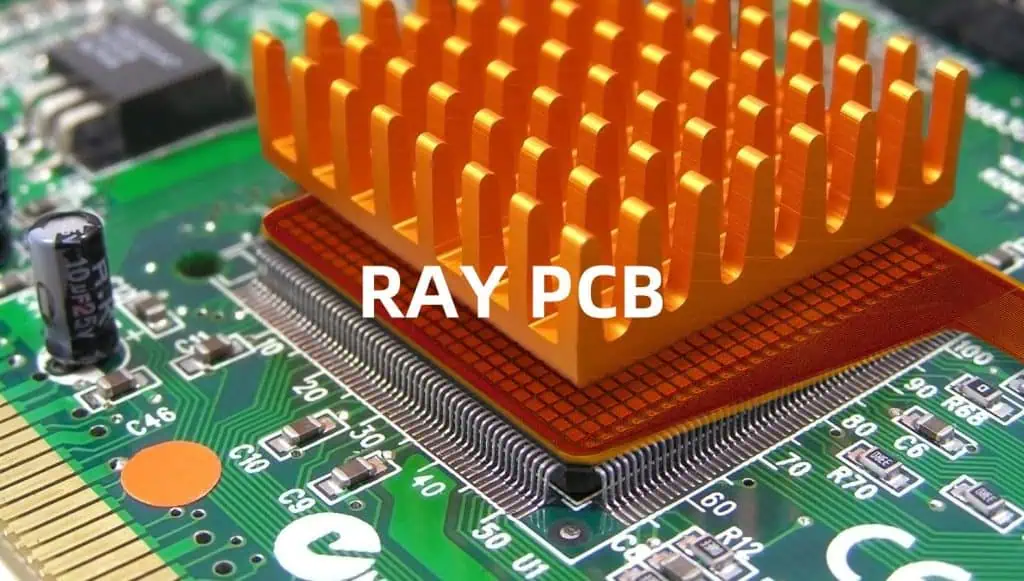
A heatsink on a graphics chip

Designing an effective heatsink involves several key considerations, including thermal performance, airflow, size constraints, and material selection. Let’s explore each of these factors in detail.

Thermal Performance

The primary objective of a heatsink is to effectively dissipate heat from the heat-generating component. To achieve this, the heatsink design must consider the following thermal performance aspects:

  1. Heat Transfer Path: The heat transfer path from the component to the heatsink should be as short and direct as possible to minimize thermal resistance. This often involves the use of thermal interface materials (TIMs) or thermal pads to ensure efficient heat transfer between the component and the heatsink.
  2. Heatsink Material: The material used for the heatsink plays a crucial role in its thermal performance. Materials with high thermal conductivity, such as aluminum or copper, are preferred as they facilitate efficient heat transfer from the component to the heatsink fins.
  3. Fin Design: The shape, size, and spacing of the heatsink fins significantly impact its thermal performance. Fin designs should maximize surface area for heat dissipation while considering factors such as airflow and manufacturing constraints.
  4. Thermal Resistance: The overall thermal resistance of the heatsink assembly, including the component, TIM, and heatsink, should be minimized to ensure effective heat transfer and dissipation.

Airflow Considerations

Proper airflow over the heatsink is essential for effective heat dissipation. The following factors should be considered when designing for airflow:

  1. Fin Orientation: The orientation of the heatsink fins relative to the airflow direction can significantly impact heat dissipation. Fins should be aligned perpendicular to the airflow direction to maximize convective heat transfer.
  2. Fin Spacing: The spacing between fins should be optimized to balance surface area for heat dissipation and airflow resistance. Narrower fin spacing can increase surface area but may also impede airflow, leading to increased pressure drop and reduced cooling efficiency.
  3. Airflow Source: The source of airflow should be carefully considered, whether it’s provided by fans, natural convection, or a combination of both. Adequate airflow must be ensured to achieve the desired cooling performance.
  4. Pressure Drop: The heatsink design should minimize pressure drop across the fins to reduce the load on the airflow source and improve overall system efficiency.

Size and Form Factor Constraints

In many electronic devices, space is at a premium, and heatsink design must consider size and form factor constraints. The following factors should be evaluated:

  1. Component Placement: The location and orientation of the heat-generating component(s) within the enclosure should be considered when designing the heatsink. Compact or irregular spaces may require custom heatsink solutions.
  2. Enclosure Dimensions: The dimensions of the enclosure or chassis can limit the maximum size and shape of the heatsink. Careful consideration should be given to ensure proper fit and clearance for airflow.
  3. Weight Constraints: In certain applications, such as mobile or portable devices, the weight of the heatsink may be a critical factor. Lightweight materials like aluminum alloys or advanced composite materials may be preferred in such cases.
  4. Aesthetics and Ergonomics: Depending on the application, the heatsink design may need to consider aesthetic and ergonomic factors, such as smooth surfaces or rounded edges, to enhance user experience and product appeal.

Material Selection

The choice of material for the heatsink can have a significant impact on its thermal performance, cost, and weight. The following factors should be considered when selecting the heatsink material:

  1. Thermal Conductivity: Materials with high thermal conductivity, such as copper or aluminum, are preferred for efficient heat transfer. However, copper is generally more expensive and denser than aluminum.
  2. Cost: The material cost and manufacturing processes should be considered to ensure cost-effective heatsink production, especially for high-volume applications.
  3. Corrosion Resistance: Depending on the operating environment, corrosion resistance may be a crucial factor in material selection. Certain materials or coatings may be required to prevent corrosion and ensure long-term reliability.
  4. Weight: In weight-sensitive applications, lightweight materials like aluminum alloys or advanced composite materials may be preferred over denser materials like copper.
  5. Machinability and Manufacturability: The ease of machining, forming, or casting the heatsink material should be considered, as it can impact manufacturing costs and lead times.

Heatsink Design Optimization and Simulation

To optimize heatsink design and ensure effective thermal performance, computer-aided design (CAD) and simulation tools can be employed. These tools allow for virtual prototyping and analysis, reducing the need for costly physical prototypes assembly pcb and iterative design cycles.

Computational Fluid Dynamics (CFD) simulations can provide valuable insights into airflow patterns, pressure drop, and heat transfer characteristics, enabling designers to refine the heatsink geometry and fin configurations for optimal performance.

Additionally, thermal simulation tools can be used to model the heat transfer from the component to the heatsink and predict temperature distributions, helping to identify potential hotspots and optimize the overall thermal management solution.

Heatsink Testing and Verification

Once the heatsink design is finalized, it is crucial to conduct thorough testing and verification to ensure that it meets the specified thermal requirements. This can involve a combination of physical testing and simulation methods:

  1. Thermal Chamber Testing: Placing the heatsink assembly in a controlled thermal chamber and subjecting it to various operating conditions can provide valuable data on thermal performance and temperature distributions.
  2. Wind Tunnel Testing: Wind tunnel testing can be used to evaluate the heatsink’s performance under different airflow conditions, simulating real-world scenarios.
  3. Accelerated Life Testing: Subjecting the heatsink assembly to accelerated life testing conditions, such as elevated temperatures or thermal cycling, can help assess long-term reliability and identify potential failure modes.
  4. Simulation Validation: Comparing physical test results with simulation predictions can help validate the accuracy of the simulation models and refine them for future design iterations.

Comparison Table

To facilitate the comparison of different heatsink materials and their properties, the following table provides an overview of some commonly used materials:

Material Thermal Conductivity (W/mยทK) Density (g/cmยณ) Cost Corrosion Resistance Machinability
Copper 400 8.9 High Moderate Good
Aluminum 200 2.7 Low Good Excellent
Aluminum Alloys (e.g., 6061) 160-200 2.7 Low Good Excellent
Carbon Composites 200-600 1.5-2.0 High Excellent Moderate
Diamond 2000 3.5 Very High Excellent Poor

Please note that the values provided in this table are approximate and may vary depending on the specific grade or alloy of the material.

FAQs

  1. What is the difference between a heatsink and a heat spreader? A heatsink is designed to dissipate heat from a component into the surrounding environment, typically through convection and radiation. On the other hand, a heat spreader is a thermally conductive component that helps distribute heat more evenly across a surface, facilitating better heat transfer to the heatsink or other cooling mechanisms.
  2. Can a heatsink be used without airflow? While heatsinks can dissipate heat through natural convection and radiation, the lack of forced airflow

Measuring the current loop of a PFC

Power Factor Correction (PFC) is a crucial component in modern power supply designs, ensuring efficient and clean power delivery. One of the key aspects of PFC design is understanding and measuring the current loop, which plays a vital role in the overall performance and reliability of the system. In this comprehensive article, we will delve into the intricacies of measuring the current loop of a PFC, exploring various techniques and considerations.

YouTube video

Understanding the PFC Current Loop

Before diving into the measurement techniques, it’s essential to understand the PFC current loop and its significance. The PFC current loop consists of the input rectifier, the PFC choke (or inductor), the PFC switch (typically a MOSFET), and the associated circuitry. This loop carries the high-frequency switching currents, which can reach substantial levels, especially in higher-power applications.

The current loop is critical for several reasons:

  1. EMI (Electromagnetic Interference): The high-frequency switching currents in the PFC current loop can generate electromagnetic interference, which can affect the operation of nearby electronic devices or even the power supply itself. Proper management and measurement of the current loop are essential for EMI mitigation.
  2. Power Losses: The current loop carries substantial currents, which can lead to significant power losses due to resistive heating and stray inductances. Measuring the current loop helps identify and minimize these losses, improving overall efficiency.
  3. Reliability: High currents and associated losses can cause thermal stress on components, potentially leading to premature failure or reduced lifespan. Accurate measurement of the current loop aids in thermal management and ensures reliable operation.
  4. Compliance: Many regulatory bodies impose strict guidelines and standards regarding EMI and power quality. Measuring the current loop is crucial for ensuring compliance with these regulations.

Measurement Techniques

There are several techniques available for measuring the current loop of a PFC. Each method has its advantages and drawbacks, and the choice depends on factors such as accuracy requirements, cost, and ease of implementation.

1. Current Probe

One of the most common and straightforward methods for measuring the current loop is using a current probe. Current probes are non-invasive devices that clamp around the current-carrying conductor and measure the magnetic field generated by the flowing current.

Current probes come in various types, including:

  • AC Current Probes: These probes are designed to measure alternating currents and are suitable for high-frequency applications like PFC current loops.
  • DC Current Probes: While primarily intended for measuring DC currents, some DC current probes can also handle high-frequency AC signals, making them suitable for PFC current loop measurements.
  • Current Transformer (CT): Current transformers are similar to current probes but are designed for higher currents and often used in power distribution systems. They can also be used for PFC current loop measurements, although their frequency response may be limited.

When using current probes, it’s essential to consider factors such as frequency response, bandwidth, and accuracy specifications to ensure reliable measurements.

2. Resistive Shunt

Another widely used technique for measuring the current loop is the resistive shunt method. In this approach, a low-value, high-precision resistor is inserted in series with the current path being measured. The voltage drop across this shunt resistor is proportional to the current flowing through it, allowing for current calculation based on Ohm’s law.

Resistive shunts offer several advantages:

  • High accuracy: With careful selection and calibration, resistive shunts can provide highly accurate current measurements.
  • Wide bandwidth: Properly designed shunts can handle a wide range of frequencies, making them suitable for PFC current loop measurements.
  • Cost-effective: Resistive shunts are generally less expensive than other measurement techniques, especially for low-to-medium current ranges.

However, resistive shunts also have some drawbacks:

  • Voltage drop: The shunt resistor introduces a voltage drop in the current path, which may not be desirable in some applications.
  • Power dissipation: The shunt resistor dissipates power, which can lead to heating and potential thermal management issues, especially at higher currents.
  • Invasive: Inserting a shunt resistor requires breaking the current path, which may not be feasible or desirable in some designs.

3. Current Sensing Amplifiers

Current sensing amplifiers, also known as current shunt amplifiers or current shunt monitors, combine the principles of the resistive shunt method with amplification and signal conditioning circuitry. These devices incorporate a precision resistor and amplifier in a single package, providing an amplified and isolated voltage output proportional to the measured current.

Current sensing amplifiers offer several advantages:

  • Isolation: The amplifier circuit provides galvanic isolation between the current path and the measurement circuitry, enhancing safety and reducing noise.
  • Low voltage drop: The amplifier allows the use of a lower-value shunt resistor, reducing the voltage drop in the current path.
  • Integrated solution: Many current sensing amplifiers are available as integrated circuits, simplifying design and reducing board space requirements.

However, current sensing amplifiers also have some limitations:

  • Cost: While integrated solutions offer cost savings compared to discrete designs, current sensing amplifiers can be more expensive than simple resistive shunts.
  • Bandwidth limitations: Some current sensing amplifiers may have limited bandwidth, which could impact their performance in high-frequency PFC current loop measurements.

4. Rogowski Coil

The Rogowski coil is a unique current measurement technique that relies on the principle of mutual inductance. It consists of a toroidal coil of wire, typically wrapped around the current-carrying conductor without making an electrical connection.

When current flows through the conductor, it induces a voltage in the Rogowski coil proportional to the rate of change of the current (di/dt). This induced voltage can be integrated to obtain the current waveform.

Rogowski coils offer several advantages:

  • Non-invasive: Since the Rogowski coil does not make electrical contact with the current path, it is a non-invasive measurement technique.
  • Wide bandwidth: Rogowski coils can provide accurate measurements over a wide range of frequencies, making them suitable for PFC current loop measurements.
  • Flexibility: Rogowski coils can be easily wrapped around conductors of various sizes and shapes, providing flexibility in measurement setups.

However, Rogowski coils also have some limitations:

  • Integration circuit complexity: The induced voltage from the Rogowski coil needs to be integrated to obtain the current waveform, requiring additional circuitry or digital signal processing.
  • Position sensitivity: The accuracy of Rogowski coil measurements can be affected by the positioning and orientation of the coil around the conductor.
  • Cost: High-quality Rogowski coils and associated integration circuitry can be relatively expensive compared to other measurement techniques.

5. Hall Effect Sensors

Hall effect sensors are another non-invasive method for measuring currents. These sensors rely on the Hall effect principle, where a voltage is generated across a conductive material (typically a semiconductor) when it is exposed to a magnetic field perpendicular to the current flow.

In the context of PFC current loop measurements, Hall effect sensors can be placed near the current-carrying conductor, allowing for non-invasive current measurement based on the magnetic field generated by the flowing current.

Hall effect sensors offer several advantages:

  • Non-invasive: Like Rogowski coils, Hall effect sensors do not require direct electrical contact with the current path, making them non-invasive.
  • Galvanic isolation: Hall effect sensors provide inherent galvanic isolation between the measurement circuitry and the current path, enhancing safety and reducing noise.
  • Wide bandwidth: Many Hall effect sensors can operate over a wide range of frequencies, making them suitable for PFC current loop measurements.

However, Hall effect sensors also have some drawbacks:

  • Sensitivity to external fields: Hall effect sensors can be susceptible to interference from external magnetic fields, which can affect measurement accuracy.
  • Linearity and offset errors: Hall effect sensors may exhibit non-linearities and offset errors, which require careful calibration and compensation.
  • Temperature sensitivity: The performance of Hall effect sensors can be affected by temperature variations, requiring temperature compensation or stable operating conditions.

Considerations and Best Practices

When measuring the current loop of a PFC, there are several important considerations and best practices to keep in mind:

  1. Bandwidth and Frequency Response: Ensure that the chosen measurement technique has sufficient bandwidth and frequency response to accurately capture the high-frequency switching currents present in the PFC current loop.
  2. Probe Positioning: For current probes, Rogowski coils, and Hall effect sensors, proper positioning and orientation around the current-carrying conductor are crucial for accurate measurements. Follow the manufacturer’s guidelines and best practices.
  3. Ground Loops and Noise: Proper grounding and shielding practices are essential to minimize the impact of ground loops and external noise sources on current loop measurements.

What BMS Chipset Do I Need During Battery Management System Design?

When designing a Battery Management System (BMS), one of the critical components is the BMS chipset. The BMS chipset is responsible for monitoring and protecting the battery pack, ensuring safe and efficient operation. Choosing the right BMS chipset is crucial as it plays a vital role in enhancing the performance, safety, and lifespan of the battery system.

In this article, we will delve into the factors to consider when selecting a BMS chipset and explore some popular options available in the market. We’ll also discuss the key features and specifications that differentiate these chipsets, enabling you to make an informed decision for your specific application.

YouTube video

Factors to Consider When Selecting a BMS Chipset

Battery Chemistry

The first and foremost factor to consider when choosing a BMS chipset is the battery chemistry. Different battery chemistries, such as Lithium-ion (Li-ion), Lithium Polymer (LiPo), Lead-acid, or Nickel-Metal Hydride (NiMH), have varying characteristics and requirements. It’s essential to select a BMS chipset that is designed and optimized for the specific battery chemistry you plan to use.

Number of Series-Connected Cells

Another crucial consideration is the number of series-connected cells in your battery pack. BMS chipsets have a maximum voltage rating, which determines the maximum number of cells they can support in series. Exceeding this limit can lead to damage or improper operation of the BMS. Make sure to choose a chipset that can accommodate the total voltage of your battery pack.

Battery Capacity and Current Requirements

The capacity and current requirements of your battery pack also play a role in selecting the appropriate BMS chipset. Some chipsets are designed for high-capacity applications, while others are better suited for low-capacity or high-current scenarios. Consider the maximum continuous discharge current and the peak current your application demands, and choose a chipset that can handle these requirements.

Protection Features

BMS chipsets offer various protection features to safeguard the battery pack from potential hazards. Common protection features include:

  • Overcurrent protection
  • Overcharge protection
  • Overdischarge protection
  • Short-circuit protection
  • Cell balancing
  • Temperature monitoring

Evaluate your application’s specific requirements and prioritize the protection features accordingly when selecting a BMS chipset.

Communication Interfaces

Modern BMS chipsets often offer communication interfaces such as IยฒC, SPI, UART, or CAN Bus, allowing them to communicate with external devices or systems. Consider the communication requirements of your application and ensure that the chosen BMS chipset supports the necessary interface(s).

Package and Footprint

Depending on the physical constraints of your design, the package and footprint of the BMS chipset may be a consideration. Some chipsets come in compact packages suitable for space-constrained applications, while others may require more board space.

Cost and Availability

Finally, cost and availability are practical factors to consider. While some BMS chipsets offer advanced features and capabilities, they may come at a higher price point. Evaluate your budget and ensure that the selected chipset strikes a balance between features and cost. Additionally, consider the availability and lead times of the chipset to avoid potential supply chain issues.

Popular BMS Chipset Options

Several manufacturers offer BMS chipsets with varying features and capabilities. Here are some popular options to consider:

Texas Instruments

Texas Instruments (TI) offers a range of BMS chipsets, including the bq76PL536A, bq76PL537A, and bq76PL538A series. These chipsets support various battery chemistries, offer cell balancing, and provide protection features such as overcurrent, overcharge, and overdischarge protection. They also offer communication interfaces like IยฒC and UART.

Maxim Integrated

Maxim Integrated’s popular BMS chipsets include the MAX17201, MAX17205, and MAX17215 series. These chipsets support multiple battery chemistries, offer cell balancing, and provide various protection features. They also support communication interfaces like IยฒC and CAN Bus.

Analog Devices

Analog Devices offers the LTC6811 and LTC6813 BMS chipsets, which are designed for high-voltage and high-capacity applications. These chipsets support cell balancing, offer comprehensive protection features, and provide communication interfaces like IยฒC and SPI.

NXP Semiconductors

NXP Semiconductors offers the MC33772 and MC33775 BMS chipsets, which are suitable for various battery chemistries and provide protection features like overcurrent, overcharge, and overdischarge protection. They also offer cell balancing and communication interfaces like SPI and CAN Bus.

Renesas Electronics

Renesas Electronics offers the R5F51216 and R5F51217 BMS chipsets, which support multiple battery chemistries, provide cell balancing, and offer protection features like overcurrent, overcharge, and overdischarge protection. They also support communication interfaces like SPI and CAN Bus.

STMicroelectronics

STMicroelectronics offers the STNRGBF01 and STNRGBF02 BMS chipsets, which are designed for high-voltage and high-capacity applications. These chipsets support cell balancing, offer comprehensive protection features, and provide communication interfaces like IยฒC and SPI.

Comparison Table

To help you compare the features of different BMS chipsets, we’ve compiled a table summarizing some key specifications:

ChipsetManufacturerBattery ChemistryMax. Series CellsProtection Features
bq76PL536ATexas InstrumentsLi-ion, LiFePO416Yes
MAX17201Maxim IntegratedLi-ion, LiFePO414Yes
LTC6811Analog DevicesLi-ion, LiFePO412Yes
MC33772NXP SemiconductorsLi-ion, LiFePO416Yes
R5F51216Renesas ElectronicsLi-ion, LiFePO416Yes
STNRGBF01STMicroelectronicsLi-ion, LiFePO415Yes

Please note that this table provides a general overview, and it’s essential to consult the manufacturer’s datasheets for detailed specifications and features of each BMS chipset.

FAQs

Bms board
Bms board
  1. What is the difference between a BMS chipset and a BMS module? A BMS chipset is an integrated circuit (IC) that contains the core functionality of a Battery Management System. On the other hand, a BMS module typically combines a BMS chipset with additional components, such as voltage and current sensing circuits, communication interfaces, and sometimes even a microcontroller or firmware.
  2. Can I use the same BMS chipset for different battery chemistries? No, it’s generally not recommended to use the same BMS chipset for different battery chemistries as they have varying characteristics and requirements. Most BMS chipsets are optimized for specific battery chemistries, and using an incompatible chipset can lead to improper operation or even safety hazards.
  3. How do I determine the maximum number of series-connected cells my BMS chipset can support? The maximum number of series-connected cells is typically specified in the BMS chipset’s datasheet. It’s important to stay within this limit to ensure proper operation and prevent damage to the chipset or the battery pack.
  4. What is cell balancing, and why is it important? Cell balancing is a process that ensures all the cells in a battery pack have equal state-of-charge (SOC) and voltage levels. It’s important because imbalances in cell voltages can lead to reduced capacity, decreased performance, and potentially hazardous conditions. Most modern BMS chipsets include cell balancing functionality.
  5. Can I use a BMS chipset without additional circuitry? While some BMS chipsets can operate with minimal external components, most require additional circuitry for voltage and current sensing, communication interfaces, and power supply. It’s essential to consult the chipset’s datasheet and design guidelines to ensure proper integration and functionality.

In conclusion, selecting the right BMS chipset is a critical step in designing a reliable and safe Battery Management System. By considering factors such as battery chemistry, cell count, capacity requirements, protection features, communication interfaces, and cost, you can make an informe

Mini 6-Layer Mixed-Signal Hardware Design Walkthrough

In the realm of electronics design, mixed-signal systems that combine analog and digital components present unique challenges. Ensuring proper signal integrity, minimizing noise, and adhering to design rules become paramount. This walkthrough will guide you through the process of creating a compact 6-layer mixed-signal PCB, addressing various aspects of the design, from schematic capture to layout considerations.

YouTube video

Understanding the Design Requirements

Before diving into the nitty-gritty details, let’s establish the design requirements for our mini 6-layer mixed-signal hardware:

  • Functionality: The board will feature both analog and digital components, including an analog-to-digital converter (ADC), a microcontroller unit (MCU), and various peripheral devices.
  • Form Factor: The PCB dimensions should not exceed 50 mm x 50 mm, making it a compact and space-constrained design.
  • Layer Stack: The 6-layer stackup will consist of:
    • Top Layer: Signal and Component Layer
    • Inner Layer 1: Ground Plane
    • Inner Layer 2: Power Plane
    • Inner Layer 3: Power Plane
    • Inner Layer 4: Ground Plane
    • Bottom Layer: Signal and Component Layer
  • Power Requirements: The board will require multiple power domains, including 3.3V for digital components, ยฑ5V for analog components, and additional voltage levels as needed.
  • Signal Integrity: Ensuring proper signal integrity for high-speed digital signals and sensitive analog signals is crucial.
  • Thermal Management: Adequate heat dissipation provisions should be made for components with higher power consumption.

Schematic Capture and Component Selection

6-layer-pcb-manufacturer

The first step in the design process is to capture the schematic and carefully select the components. Here are some key considerations:

Schematic Capture

  1. Partition the Design: Divide the schematic into functional blocks, such as the analog front-end, digital core, power supply, and interface sections. This modular approach aids in organization and simplifies debugging.
  2. Power Distribution: Plan the power distribution network early on, ensuring proper decoupling and filtering for each power domain.
  3. Signal Routing: Identify high-speed digital signals and sensitive analog signals, and plan their routing strategies accordingly.
  4. Component Placement: While capturing the schematic, consider the approximate placement of components to minimize trace lengths and reduce potential noise coupling.

Component Selection

  1. Package Types: Prioritize surface-mount components, as they offer better high-frequency performance and require less board space compared to through-hole components.
  2. Power Dissipation: Carefully evaluate the power dissipation of components, especially those handling higher currents or operating at higher frequencies.
  3. Signal Integrity: Choose components with appropriate signal integrity specifications, such as low output impedance for driving high-speed signals or low noise for analog components.
  4. Pinout Optimization: Whenever possible, select components with pinouts that facilitate efficient routing and minimize signal crossovers.

PCB Layout Considerations

With the schematic captured and components selected, the next step is to translate the design into a physical PCB layout. Here are some crucial layout considerations:

Stack-up and Plane Design

  1. Ground and Power Planes: The 6-layer stackup allows for dedicated ground and power planes, which are essential for mixed-signal designs. Ensure proper plane partitioning and avoid any splits or apertures in the planes.
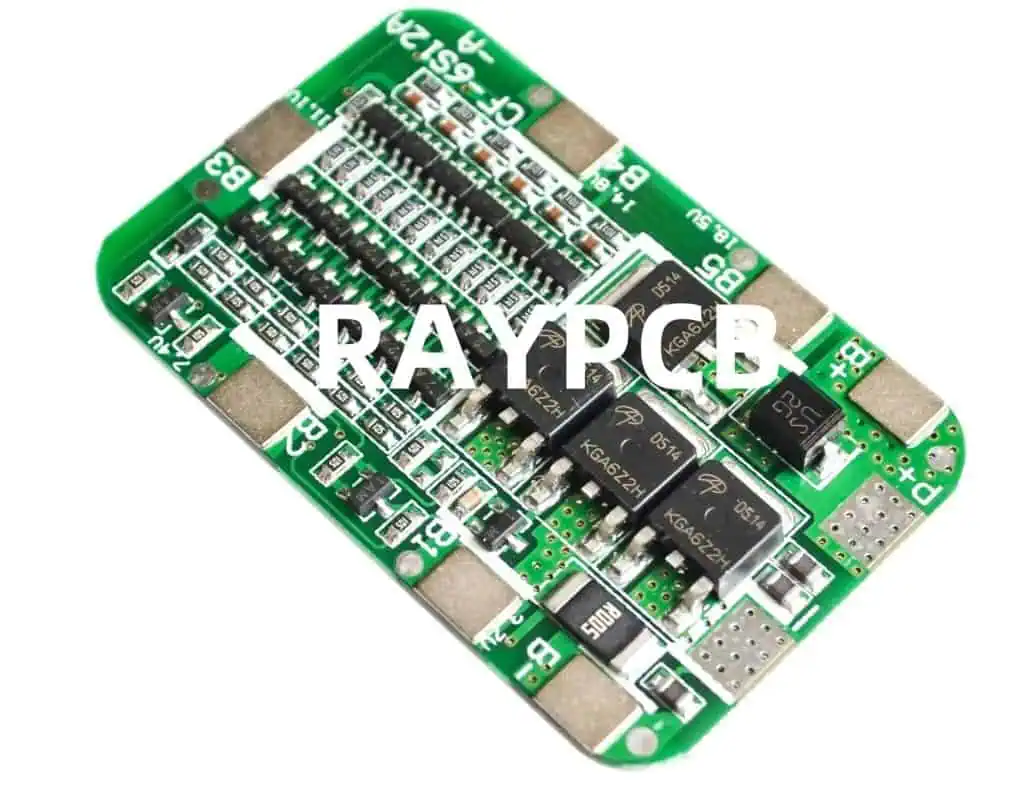
  2. Decoupling Capacitors: Strategically place decoupling capacitors near the respective power pins of components, ensuring a low-impedance path for high-frequency noise.
  3. Plane Clearance: Maintain adequate clearance between the power and ground planes to avoid potential shorts or manufacturing issues.

Signal Routing

  1. Analog and Digital Separation: Physically separate analog and digital sections on the board to minimize noise coupling and interference.
  2. Controlled Impedance Routing: For high-speed digital signals, implement controlled impedance routing techniques, such as microstrip or stripline, to maintain signal integrity.
  3. Analog Signal Routing: Route analog signals with care, avoiding high-voltage or high-current paths, and minimizing the potential for noise coupling.
  4. Ground Loops: Ensure that ground paths do not form loops, as these can act as antennas and introduce noise into the system.
  5. Length Matching: For differential or high-speed signals, match the trace lengths to maintain signal integrity and timing requirements.

Thermal Management

  1. Heat Dissipation: Provide adequate copper areas or thermal vias for components with higher power dissipation to facilitate heat transfer to the PCB planes.
  2. Thermal Relief: Implement thermal reliefs around vias or pads of high-power components to prevent solder joint cracking due to thermal stress.
  3. Airflow Considerations: If necessary, plan for adequate airflow or heat sinking provisions for components with significant heat dissipation.

Layout Design Rules

  1. Clearance and Spacing: Adhere to the recommended clearance and spacing rules for your manufacturing process, ensuring reliable signal integrity and preventing potential shorts or manufacturing issues.
  2. Trace Width and Spacing: Ensure that trace widths and spacing are appropriate for the desired impedance, current carrying capacity, and voltage levels.
  3. Via Design: Implement appropriate via sizing, tenting, and backdrilling practices, especially for high-speed or high-current signals.
  4. Testability: Incorporate test points, probing pads, or other provisions for testing and debugging purposes.

Manufacturing and Assembly Considerations

Once the layout is complete, it’s important to consider the manufacturing and assembly aspects of the design:

  1. Fabrication Data Preparation: Generate comprehensive fabrication data, including Gerber files, drill files, and any additional documentation required by the PCB manufacturer.
  2. Design for Manufacturability (DFM): Review and adhere to the manufacturer’s design rules and recommendations to ensure a successful fabrication process.
  3. Component Availability: Confirm the availability and lead times of the selected components to avoid delays or potential redesigns.
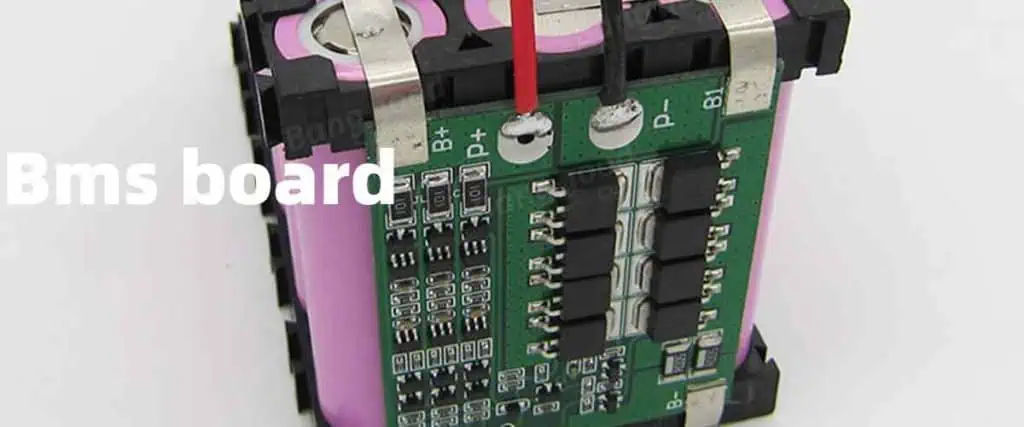
  4. Assembly Process: Consult with the assembly house regarding their capabilities, component placement requirements, and any specific guidelines for mixed-signal designs.
  5. Testing and Debugging: Develop a comprehensive testing and debugging strategy, including provisions for in-circuit testing, boundary scan, or other relevant techniques.

Frequently Asked Questions (FAQ)

  1. Q: Why is a 6-layer stackup preferred for mixed-signal designs? A: A 6-layer stackup provides dedicated ground and power planes, which are crucial for mixed-signal designs. These planes help minimize noise coupling between analog and digital signals, improve power distribution, and enhance signal integrity.
  2. Q: How can I minimize noise coupling between analog and digital sections? A: Physically separating the analog and digital sections on the board is the most effective way to minimize noise coupling. Additionally, implementing proper grounding and decoupling techniques, as well as careful signal routing, can further reduce noise coupling.
  3. Q: What are the benefits of using controlled impedance routing for high-speed signals? A: Controlled impedance routing techniques, such as microstrip or stripline, help maintain signal integrity for high-speed digital signals by minimizing reflections and ensuring proper signal propagation. This is essential for reliable data transmission and minimizing signal degradation.
  4. Q: How can I ensure proper heat dissipation for high-power components? A: Implement adequate copper areas or thermal vias around high-power components to facilitate heat transfer to the PCB planes. Additionally, consider thermal reliefs around vias or pads to prevent solder joint cracking due to thermal stress. In some cases, dedicated heat sinks or airflow provisions may be necessary.
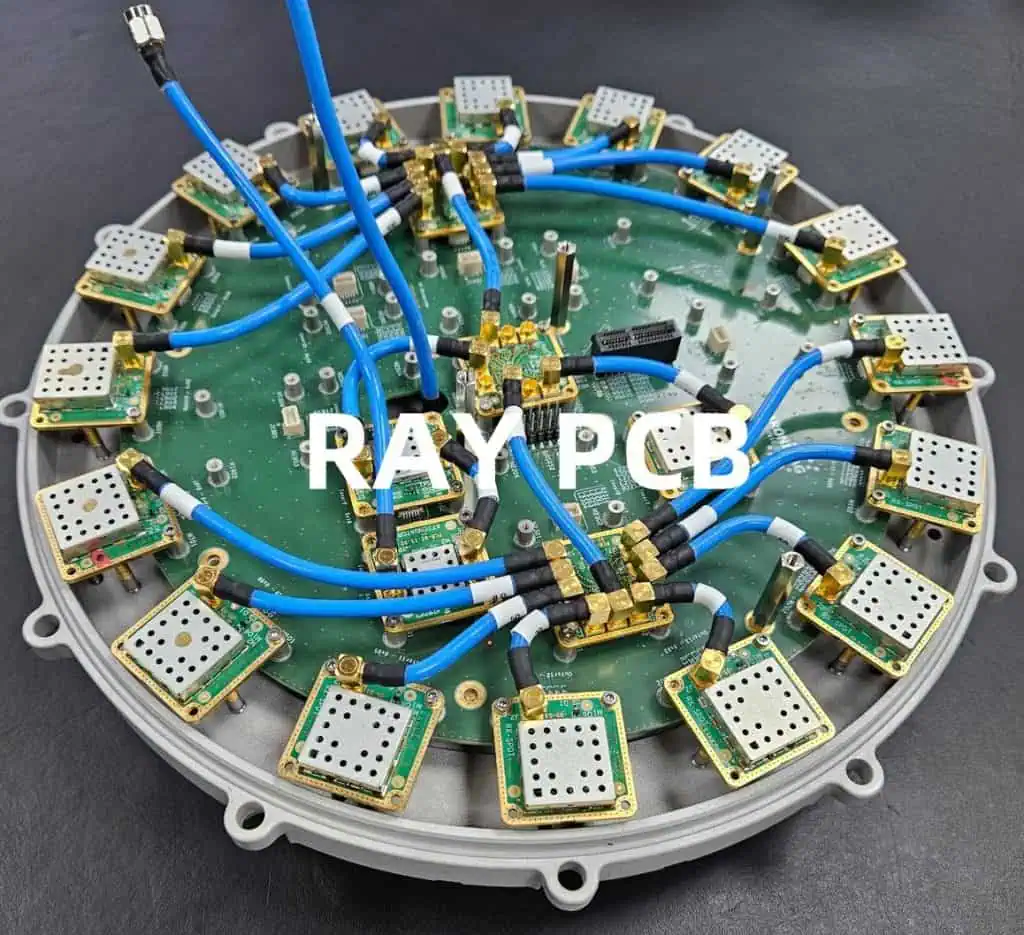
  5. Q: Why is it important to adhere to design rules and manufacturing guidelines? A: Adhering to design rules and manufacturing guidelines ensures reliable signal integrity, prevents potential shorts or manufacturing issues, and increases the overall yield and quality of the PCB fabrication and assembly process.

By following the guidelines and best practices outlined in this walkthrough, you can create a compact and robust 6-layer mixed-signal PCB design, addressing the unique challenges of combining analog and digital components within a space-constrained form factor.