Building an ESP32 LoRaWAN Node Using Arduino IDE

The Internet of Things (IoT) has revolutionized how we collect and transmit data from remote locations, but traditional Wi-Fi and cellular connections often fall short in terms of range and power consumption. LoRaWAN (Long Range Wide Area Network) technology addresses these limitations by providing long-range, low-power wireless communication perfect for IoT applications. When combined with the versatile ESP32 microcontroller, you can create powerful sensor nodes capable of transmitting data over several kilometers while maintaining excellent battery life.

This comprehensive guide will walk you through building a complete ESP32 LoRaWAN node using the familiar Arduino IDE environment, covering everything from hardware selection to network deployment.

YouTube video

Understanding LoRaWAN Technology

LoRaWAN operates in unlicensed ISM bands and uses a star-of-stars topology where end devices communicate with gateways, which then forward data to network servers. The technology offers three device classes: Class A (lowest power, bidirectional), Class B (scheduled downlinks), and Class C (continuously listening, highest power consumption). For most sensor applications, Class A provides the optimal balance of functionality and power efficiency.

The protocol supports adaptive data rate (ADR), which automatically optimizes transmission parameters based on network conditions, and provides built-in security through AES encryption at multiple layers. LoRaWAN networks can support thousands of devices per gateway, making them ideal for smart city deployments, agricultural monitoring, and industrial IoT applications.

Hardware Requirements and Selection

Building a robust ESP32 LoRaWAN node requires careful component selection. The ESP32 serves as your main microcontroller, offering built-in Wi-Fi and Bluetooth capabilities alongside GPIO pins for sensor interfacing. Choose an ESP32 development board with sufficient flash memory (at least 4MB) and adequate GPIO pins for your specific application requirements.

For LoRa communication, you’ll need a compatible radio module. The Semtech SX1276/SX1278 chips are widely supported and offer excellent performance in the 868MHz (Europe) or 915MHz (North America) bands. Popular options include the RFM95W module or integrated boards like the Heltec WiFi LoRa 32, which combines the ESP32 and LoRa radio on a single PCB.

An appropriate antenna is crucial for achieving maximum range. A simple wire antenna cut to quarter-wavelength (approximately 8.2cm for 868MHz or 7.8cm for 915MHz) works for testing, but consider a proper external antenna for production deployments. Spring antennas or small PCB antennas offer good performance in compact form factors.

Power management components are essential for battery-operated nodes. A low-dropout voltage regulator ensures stable 3.3V supply, while a battery monitoring circuit helps track remaining capacity. Consider adding a solar charging circuit for remote installations requiring long-term autonomous operation.

Setting Up the Arduino IDE Environment

Begin by installing the latest version of Arduino IDE and adding ESP32 board support. Navigate to File > Preferences and add the Espressif board manager URL: https://dl.espressif.com/dl/package_esp32_index.json. Then open Tools > Board > Boards Manager, search for “ESP32,” and install the ESP32 board package.

Next, install the required libraries for LoRaWAN communication. The MCCI LoRaWAN LMIC library provides comprehensive LoRaWAN stack implementation optimized for Arduino environments. Install it through Library Manager by searching for “MCCI LoRaWAN LMIC library.” This library handles all protocol complexities, including message encryption, frequency hopping, and duty cycle management.

You’ll also need supporting libraries depending on your sensors and requirements. Common additions include the Adafruit Sensor library for standardized sensor interfaces, ArduinoJson for data formatting, and specific libraries for sensors like BME280 (temperature, humidity, pressure) or GPS modules.

Configure your board settings in Arduino IDE by selecting your specific ESP32 variant under Tools > Board. Set the upload speed to 921600 for faster programming, and ensure the correct COM port is selected. If using a board with integrated LoRa radio, verify the pin definitions match your hardware configuration.

Wiring and Circuit Design
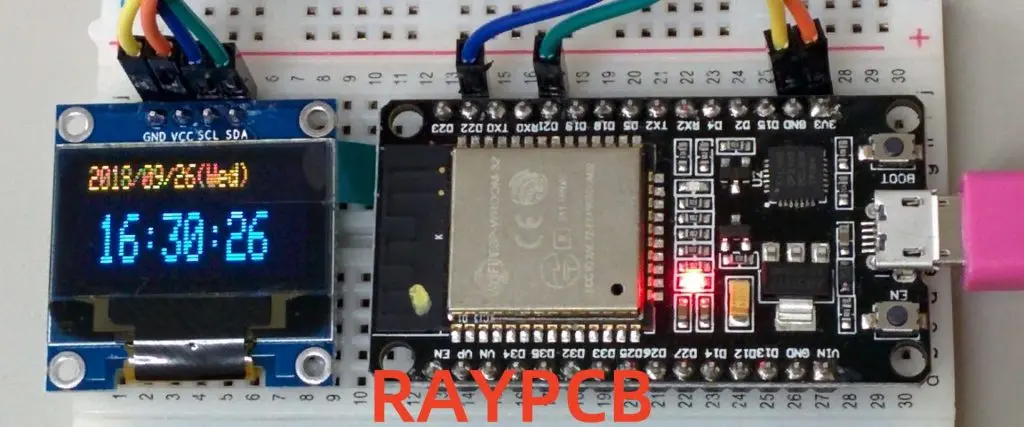
Proper wiring ensures reliable communication between the ESP32 and LoRa module. If using separate modules, connect the SX1276/1278 radio to the ESP32 via SPI interface. Typical connections include: SCK to GPIO5, MISO to GPIO19, MOSI to GPIO27, NSS (chip select) to GPIO18, DIO0 to GPIO26, DIO1 to GPIO33, and RST to GPIO14. Verify these pin assignments match your specific hardware configuration.

Power connections require careful attention to avoid noise and ensure stable operation. Connect both modules to a clean 3.3V supply with appropriate decoupling capacitors (100nF ceramic and 10ยตF electrolytic) placed close to power pins. Include a common ground connection and consider adding ferrite beads on power lines to reduce EMI.

For battery-powered applications, implement proper power management circuits. A voltage divider allows monitoring battery voltage through an analog input, while a MOSFET switch can control power to sensors and peripherals, enabling deep sleep functionality for maximum battery life.

Antenna placement significantly impacts performance. Keep the antenna away from other components and metal objects, use proper ground plane design, and ensure good impedance matching. Consider adding ESD protection components if the antenna is externally accessible.

Programming the Basic LoRaWAN Node

Start with a minimal working example that establishes LoRaWAN connectivity. Configure the LMIC library with your region-specific parameters, including frequency plan, duty cycle restrictions, and maximum transmission power. Initialize the radio with proper pin definitions and configure the device keys for Over-The-Air Activation (OTAA).

Your main loop should handle sensor readings, data formatting, and transmission scheduling. Implement proper timing to respect duty cycle limitations and avoid overwhelming the network. A typical structure includes sensor reading functions, data packaging routines, and transmission state management.

Here’s a basic framework for the main program structure:

cpp

#include <lmic.h>
#include <hal/hal.h>
#include <SPI.h>

// Pin mapping for ESP32
const lmic_pinmap lmic_pins = {
    .nss = 18,
    .rxtx = LMIC_UNUSED_PIN,
    .rst = 14,
    .dio = {26, 33, 32},
};

void setup() {
    Serial.begin(115200);
    SPI.begin();
    
    // Initialize LoRaWAN
    os_init();
    LMIC_reset();
    LMIC_setClockError(MAX_CLOCK_ERROR * 1 / 100);
    
    // Start OTAA join procedure
    LMIC_startJoining();
}

void loop() {
    os_runloop_once();
    
    // Handle sensor readings and transmission
    if (shouldTransmit()) {
        readSensors();
        formatData();
        scheduleTransmission();
    }
    
    // Implement power saving
    enterSleep();
}

Implement robust error handling for network join failures, transmission errors, and sensor malfunctions. Add debugging output to monitor join status, signal strength, and transmission confirmations during development.

Network Integration and Device Provisioning

Before your device can communicate, it must be registered with a LoRaWAN network server. For development and testing, The Things Network (TTN) provides free community network access. Create an account, register your application, and add your device with the appropriate keys.

Configure your device for OTAA, which provides better security than Activation By Personalization (ABP). Generate unique DevEUI, AppEUI, and AppKey values for each device. The DevEUI should be globally unique (many modules include a pre-programmed EUI), while AppEUI identifies your application and AppKey provides encryption.

Set up payload decoders on the network server to convert your binary data into human-readable formats. Create a decoder function that matches your data structure, enabling proper visualization and integration with external platforms. Consider using standardized payload formats like Cayenne LPP for simplified integration.

Configure downlink handling if your application requires remote control or configuration updates. Implement proper message parsing and response mechanisms while considering the limited downlink opportunities in Class A devices.

Advanced Features and Optimization

Implement adaptive data rate (ADR) functionality to optimize transmission parameters automatically. ADR adjusts spreading factor and transmission power based on network feedback, improving overall network efficiency and extending device battery life.

Add comprehensive sensor integration with proper calibration and error handling. Implement sensor fusion for applications requiring multiple measurements, and consider adding local data processing to reduce transmission frequency and payload size.

Develop robust power management strategies for battery-operated deployments. Implement deep sleep modes between transmissions, disable unnecessary peripherals, and use wake-up timers or external interrupts for event-driven operation. Monitor battery voltage and implement low-battery warnings or emergency shutdown procedures.

Consider implementing data compression and intelligent sampling strategies to maximize information density while minimizing airtime usage. Use techniques like delta encoding for slowly changing values or implement local thresholds to transmit only significant changes.

Troubleshooting and Best Practices

Common issues include join failures, typically caused by incorrect keys, frequency configuration, or poor radio reception. Verify all parameters match your network server configuration and ensure adequate antenna performance. Use debug output to monitor join attempts and response timing.

Range issues often stem from antenna problems, interference, or inappropriate transmission parameters. Test with line-of-sight conditions first, then gradually introduce obstacles while monitoring signal strength and packet success rates.

Power consumption higher than expected usually indicates improper sleep implementation or sensors remaining active during idle periods. Use current measurement tools to identify power-hungry components and verify sleep mode operation.

Implement proper firmware update mechanisms for deployed devices, considering the challenges of remote access and limited downlink capacity. Design your update process to handle interrupted transfers and provide rollback capabilities.

Conclusion and Future Development

Building an ESP32 LoRaWAN node opens possibilities for countless IoT applications, from environmental monitoring to asset tracking. The combination of ESP32’s processing power and LoRaWAN’s long-range capabilities creates a powerful platform for distributed sensing networks.

Future enhancements might include edge computing capabilities, machine learning inference for local data processing, or integration with other wireless protocols for hybrid connectivity solutions. As LoRaWAN networks continue expanding globally, your ESP32 nodes can participate in increasingly sophisticated IoT ecosystems.

The foundation you’ve built provides a starting point for more complex applications. Consider exploring advanced features like multicast communications, Class B scheduling, or custom payload encryption for specialized security requirements. With proper design and implementation, your ESP32 LoRaWAN nodes can operate reliably for years, providing valuable data for decision-making and automation systems.

Remember that successful IoT deployments require careful planning of network coverage, device management, and data integration. Start with small pilot projects to validate your approach before scaling to larger deployments, and always consider the long-term maintenance and support requirements of your IoT infrastructure.


FPGA-Based DSP: Timing-Driven FIR Filter Design Strategies

FT600 and FT601 fpga board

Introduction

Field-Programmable Gate Arrays (FPGAs) have emerged as the preferred platform for high-performance digital signal processing (DSP) applications, offering a unique combination of flexibility, parallelism, and performance that traditional processors cannot match. Among the most fundamental DSP operations implemented on FPGAs, Finite Impulse Response (FIR) filters represent a critical building block that demands careful attention to timing optimization. As data rates continue to increase and latency requirements become more stringent, timing-driven design strategies have become essential for achieving optimal performance in FPGA-based FIR filter implementations.

The challenge of timing optimization in FPGA-based FIR filters extends beyond simple clock frequency considerations. Modern applications require designers to balance multiple competing objectives: maximizing throughput, minimizing latency, reducing resource utilization, and maintaining numerical accuracy. This multifaceted optimization problem necessitates sophisticated design strategies that leverage both architectural insights and implementation techniques specific to FPGA platforms.

YouTube video

FIR Filter Fundamentals and FPGA Implementation Challenges

FIR filters perform convolution operations between input samples and a set of predetermined coefficients, producing output samples according to the equation:

y[n] = ฮฃ(k=0 to N-1) h[k] ร— x[n-k]

Where y[n] is the output sample, h[k] represents the filter coefficients, x[n-k] are the delayed input samples, and N is the filter length. While conceptually straightforward, implementing this operation efficiently on FPGAs presents several timing-related challenges.

The primary timing bottleneck in FIR filter implementations arises from the accumulation path, where partial products must be summed sequentially. In a naive implementation, the critical path would span multiple adder stages, limiting the achievable clock frequency. Additionally, the multiplication operations between input samples and coefficients can introduce significant propagation delays, particularly when using embedded multiplier blocks that may not be optimally placed relative to other logic elements.

FPGA-specific considerations further complicate timing optimization. Unlike ASICs, FPGAs have heterogeneous resources including dedicated DSP blocks, block RAMs, and configurable logic blocks, each with distinct timing characteristics. The routing architecture, while flexible, introduces variable delays that depend on the physical placement of logic elements. These factors necessitate design strategies that account for both algorithmic efficiency and platform-specific implementation details.

Architectural Design Strategies for Timing Optimization

Pipelining Techniques

Pipelining represents the most fundamental strategy for improving timing performance in FPGA-based FIR filters. By inserting registers at appropriate points in the datapath, designers can break long combinational paths into shorter segments, enabling higher clock frequencies. However, effective pipelining requires careful analysis of the computation structure to identify optimal pipeline boundaries.

Deep pipelining strategies involve inserting registers within individual multiply-accumulate operations, creating fine-grained pipeline stages. This approach is particularly effective for high-order filters where the accumulation chain would otherwise dominate the critical path. The trade-off is increased latency and register utilization, which must be balanced against the timing benefits.

Retiming techniques can further optimize pipelined implementations by redistributing registers to achieve better timing balance across pipeline stages. Modern synthesis tools provide automated retiming capabilities, but manual intervention is often necessary to achieve optimal results, particularly when dealing with complex filter structures or resource constraints.

Parallel Processing Architectures

Parallel processing offers another powerful approach to timing optimization, particularly for applications with high throughput requirements. The most common parallel architectures for FIR filters include:

Transposed Direct Form: This architecture parallelizes the multiply-accumulate operations by implementing them as separate multiply-add chains. Each coefficient multiplication occurs in parallel, with the results combined through a tree of adders. This approach eliminates the sequential accumulation bottleneck but requires additional multiplier resources.

Polyphase Decomposition: For decimation or interpolation filters, polyphase decomposition allows the filter to be partitioned into multiple parallel sub-filters operating at reduced sample rates. This technique not only improves timing by reducing the effective computation rate but also enables efficient resource utilization through time-multiplexing.

Systolic Array Implementations: Systolic arrays provide a highly regular architecture suitable for FPGA implementation. These structures feature short, identical connections between processing elements, enabling predictable timing characteristics and efficient routing utilization.

Coefficient Optimization Strategies

The choice and representation of filter coefficients significantly impact timing performance. Several optimization strategies can be employed:

Canonical Signed Digit (CSD) Representation: CSD encoding minimizes the number of non-zero digits in coefficient representation, reducing the complexity of multiplier implementations. This technique is particularly beneficial when implementing multipliers using shift-and-add structures rather than dedicated DSP blocks.

Coefficient Symmetry Exploitation: Many FIR filters exhibit symmetric or anti-symmetric coefficient patterns. Exploiting this symmetry can reduce the number of required multiplications by approximately half, with minimal timing overhead for the additional summation operations.

Dynamic Range Optimization: Analyzing the dynamic range requirements of intermediate computations allows for word-length optimization that can improve timing by reducing multiplier and adder complexities while maintaining acceptable numerical performance.

Implementation-Level Timing Optimization

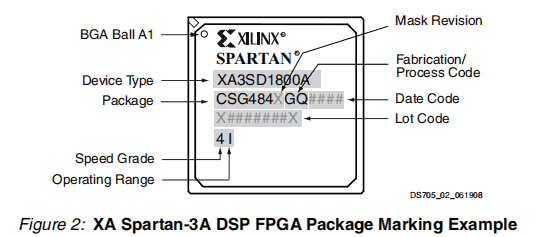
XA Spartan-3a DSP FPGA Package Marking Example_XA3SD1800A-4CSG484Q

Resource Mapping and Allocation

Effective utilization of FPGA resources is crucial for achieving optimal timing performance. Modern FPGAs provide dedicated DSP blocks optimized for multiply-accumulate operations, offering superior timing characteristics compared to equivalent implementations using general-purpose logic. However, these resources are limited and must be allocated judiciously.

The mapping of filter operations to DSP blocks requires consideration of the specific architecture of the target FPGA. For example, modern Xilinx UltraScale+ devices provide DSP48E2 blocks capable of performing complex multiply-accumulate operations with built-in pre-adders and post-adders. Utilizing these features effectively can eliminate additional logic requirements and improve overall timing.

Block RAM utilization for coefficient storage and delay line implementation also impacts timing performance. The timing characteristics of block RAMs depend on their configuration and access patterns. Optimizing these parameters while considering the overall system timing requirements is essential for achieving optimal performance.

Floorplanning and Placement Optimization

Physical placement of logic elements significantly affects timing performance in FPGA implementations. The routing delays between components can vary substantially based on their relative positions on the device. Strategic floorplanning can minimize these delays and improve timing predictability.

Clustering related logic elements in proximity reduces routing delays and improves timing closure. For FIR filter implementations, this typically involves grouping multiply-accumulate operations and their associated control logic within local regions of the FPGA. Advanced placement constraints can guide synthesis and place-and-route tools to achieve better results.

Regional clock buffering strategies can also impact timing performance, particularly in large filter implementations that span significant portions of the FPGA fabric. Careful consideration of clock distribution and skew management ensures reliable operation at high frequencies.

Advanced Timing Closure Techniques

When standard optimization techniques are insufficient to meet timing requirements, advanced closure strategies may be necessary:

Multi-Cycle Path Constraints: Some signal paths in FIR filter implementations may not require single-cycle timing, particularly in control or configuration paths. Identifying and constraining these paths appropriately prevents them from limiting overall performance.

False Path Analysis: Complex filter implementations may contain logic paths that are never exercised during normal operation. Identifying and constraining these false paths eliminates unnecessary timing restrictions.

Clock Domain Crossing Optimization: Multi-rate filter implementations often require careful management of clock domain crossings. Proper synchronization techniques and timing constraints ensure reliable data transfer while minimizing impact on overall performance.

Case Studies and Performance Analysis

fpga design

Practical implementation of timing-driven FIR filter design strategies demonstrates their effectiveness across various application scenarios. Consider a 128-tap FIR filter targeting a Xilinx UltraScale+ FPGA with a 500 MHz operating frequency requirement.

A baseline direct-form implementation typically achieves approximately 200 MHz due to the long accumulation chain. Applying deep pipelining with 8 pipeline stages improves performance to 350 MHz but increases latency to 8 clock cycles. Further optimization through transposed direct-form architecture with coefficient optimization achieves the target 500 MHz frequency while reducing latency to 3 cycles.

Resource utilization analysis reveals trade-offs between timing performance and implementation efficiency. The optimized implementation requires 64 DSP blocks compared to 128 in the baseline, demonstrating the effectiveness of architectural optimization in achieving better resource efficiency alongside improved timing.

Power consumption analysis shows that timing-optimized implementations often consume less power despite higher operating frequencies, due to reduced logic depth and improved resource utilization efficiency.

Future Directions and Emerging Techniques

Emerging FPGA architectures continue to evolve, offering new opportunities for timing optimization. AI-enhanced design tools are beginning to provide automated optimization capabilities that can identify non-obvious timing improvement opportunities. Machine learning approaches to placement optimization show promise for achieving better timing closure with reduced manual intervention.

Adaptive filter implementations that can modify their characteristics in real-time present new timing challenges and opportunities. These systems require careful consideration of reconfiguration timing and the impact of dynamic parameter changes on overall system timing.

Conclusion

Timing-driven FIR filter design for FPGAs requires a comprehensive approach that spans algorithmic optimization, architectural design, and implementation-level techniques. Success depends on understanding the interplay between filter requirements, FPGA resource characteristics, and timing constraints. As FPGA capabilities continue to advance and application requirements become more demanding, these design strategies will remain essential for achieving optimal performance in high-speed DSP applications.

The evolution toward more sophisticated timing optimization techniques, combined with improved design tools and methodologies, promises to further enhance the capabilities of FPGA-based DSP systems. Designers who master these timing-driven strategies will be well-positioned to leverage the full potential of FPGA platforms for next-generation signal processing applications.

How to Connect Your Arduino Yun to a QNAP NAS Using QIoT Suite Lite

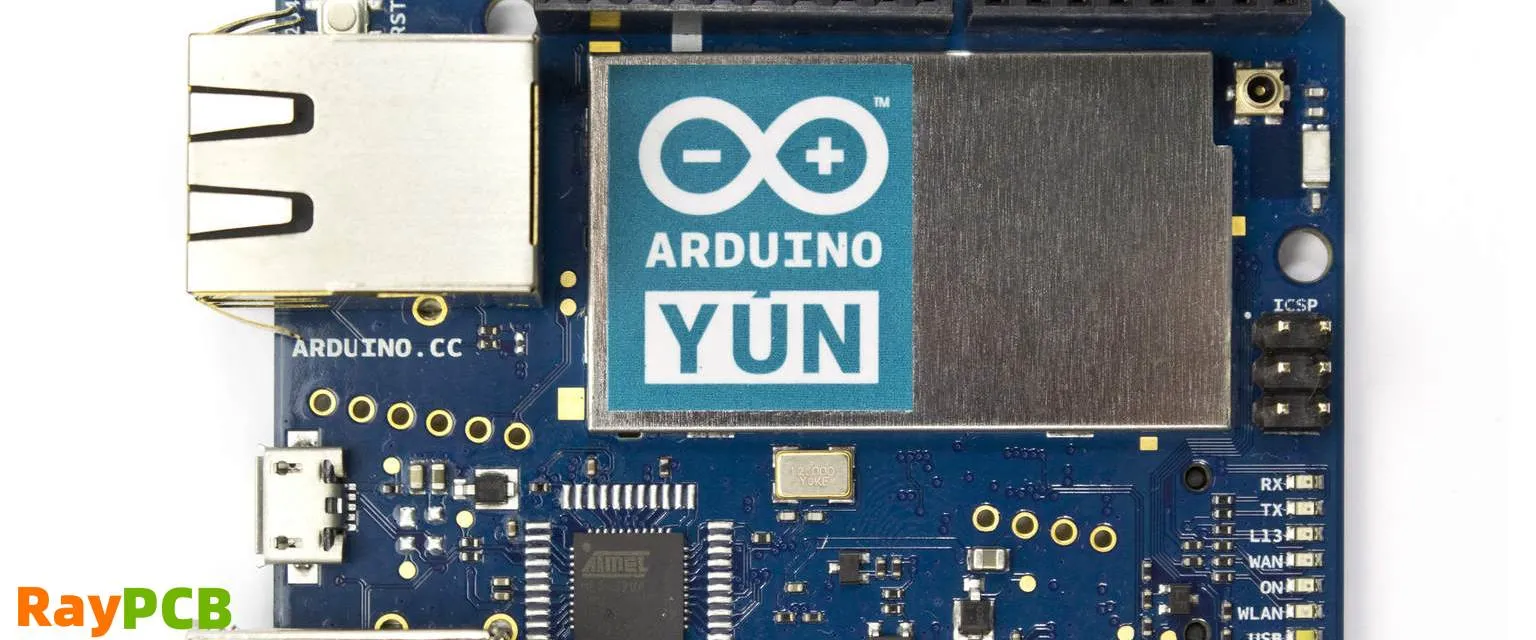
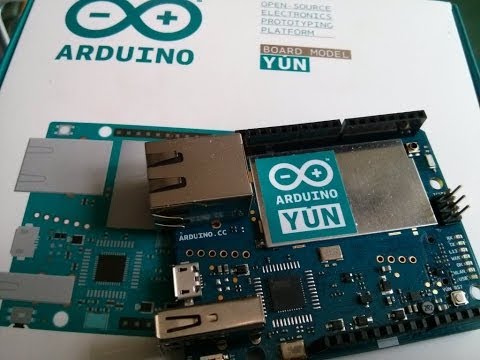
The Internet of Things (IoT) has revolutionized how we collect, process, and analyze data from connected devices. For makers and developers working with Arduino platforms, integrating sensor data with robust storage and analytics solutions can significantly enhance project capabilities. The Arduino Yun, with its unique combination of microcontroller and Linux-based system, paired with QNAP’s QIoT Suite Lite, creates a powerful IoT ecosystem that enables seamless data collection, storage, and visualization.

YouTube video

Understanding the Components

The Arduino Yun represents a significant evolution in the Arduino family, featuring both an ATmega32u4 microcontroller and an Atheros AR9331 processor running OpenWrt Linux. This dual-processor architecture allows the device to handle sensor interfacing on the microcontroller side while managing network communications and data processing through the Linux environment. The built-in WiFi and Ethernet connectivity make it ideal for IoT applications requiring reliable network communication.

QNAP’s QIoT Suite Lite transforms compatible QNAP NAS devices into comprehensive IoT platforms. This software suite provides MQTT broker functionality, data visualization through dashboards, rule engine capabilities, and robust data storage options. The integration eliminates the need for separate cloud services while maintaining complete control over your data infrastructure.

Prerequisites and Setup Requirements

Before beginning the integration process, ensure you have the necessary hardware and software components. You’ll need an Arduino Yun with the latest firmware, a compatible QNAP NAS device running QTS 4.3.0 or later, and stable network connectivity for both devices. The QNAP NAS should have QIoT Suite Lite installed and configured, which can be downloaded from the QNAP App Center.

Network configuration plays a crucial role in successful integration. Both the Arduino Yun and QNAP NAS should be connected to the same local network, whether through WiFi or Ethernet connections. Document the IP addresses of both devices, as these will be essential for establishing communication protocols.

Installing and Configuring QIoT Suite Lite

Begin by accessing your QNAP NAS through the web interface and navigate to the App Center. Search for QIoT Suite Lite and install the application. Once installed, launch QIoT Suite Lite and complete the initial configuration wizard. This process includes setting up the MQTT broker, which serves as the communication hub between your Arduino Yun and the NAS.

During MQTT broker configuration, you’ll establish connection parameters including port numbers, authentication credentials, and security settings. The default MQTT port is 1883, but you can modify this based on your network requirements. Create dedicated user accounts for your Arduino devices to maintain security and enable proper access control.

Configure the data storage settings within QIoT Suite Lite to determine how sensor data will be stored and retained. The suite supports various storage options, including time-series databases optimized for IoT data patterns. Set appropriate retention policies based on your project requirements and available storage capacity.

Preparing the Arduino Yun

The Arduino Yun requires specific libraries and configurations to communicate effectively with QIoT Suite Lite. Install the necessary MQTT libraries through the Arduino IDE Library Manager, including PubSubClient for MQTT communication and Bridge library for Arduino-Linux communication.

Configure the network settings on your Arduino Yun to ensure reliable connectivity. This involves setting up WiFi credentials or Ethernet configuration depending on your preferred connection method. Test the network connectivity using simple ping commands or web requests to verify proper communication.

Develop a basic sketch that initializes the MQTT connection and establishes communication with the QIoT Suite Lite broker. The sketch should include connection retry logic to handle temporary network interruptions and maintain reliable data transmission.

Establishing MQTT Communication

MQTT (Message Queuing Telemetry Transport) serves as the primary communication protocol between the Arduino Yun and QIoT Suite Lite. This lightweight, publish-subscribe protocol is ideal for IoT applications due to its efficiency and reliability in low-bandwidth environments.

Create MQTT topics that organize your sensor data logically. Use hierarchical topic structures such as “home/sensors/temperature” or “greenhouse/humidity/sensor1” to enable easy data filtering and routing. Consistent topic naming conventions facilitate dashboard creation and data analysis within QIoT Suite Lite.

Implement proper error handling and connection management in your Arduino code. Include functions to detect connection failures, attempt reconnections, and buffer data during temporary outages. This ensures data integrity and minimizes information loss during network disruptions.

Sensor Integration and Data Collection

With the communication framework established, integrate various sensors with your Arduino Yun to collect meaningful environmental data. Common sensors include temperature and humidity sensors (DHT22), light sensors (LDR), motion detectors (PIR), and air quality sensors. Each sensor requires appropriate libraries and calibration procedures to ensure accurate readings.

Structure your sensor data in JSON format for transmission to QIoT Suite Lite. This standardized format enables easy parsing and processing within the NAS environment. Include timestamps, sensor identifiers, and measurement units to provide context for the collected data.

Implement sampling strategies that balance data frequency with network efficiency. High-frequency sampling may overwhelm network resources, while low-frequency sampling might miss critical events. Consider implementing adaptive sampling rates based on data variability or threshold-triggered reporting for optimal performance.

Creating Dashboards and Visualizations

QIoT Suite Lite provides powerful dashboard creation tools that transform raw sensor data into meaningful visualizations. Access the dashboard builder through the web interface and create custom widgets displaying real-time and historical data from your Arduino Yun sensors.

Configure various chart types including line graphs for temperature trends, gauge displays for current readings, and alert indicators for threshold violations. Customize time ranges, data aggregation methods, and visual styling to create professional-looking dashboards suitable for monitoring and analysis.

Implement automated alerting systems that notify administrators when sensor readings exceed predetermined thresholds. Configure email notifications, SMS alerts, or webhook integrations to ensure prompt response to critical conditions.

Advanced Features and Automation

Leverage QIoT Suite Lite’s rule engine to create automated responses based on sensor data patterns. Develop rules that trigger actions when specific conditions are met, such as activating ventilation systems when temperature exceeds limits or sending alerts during security breaches.

Implement data analytics functions that identify trends, anomalies, and correlations within your sensor data. Use built-in statistical functions or export data to external analytics platforms for advanced processing and machine learning applications.

Configure data backup and synchronization features to protect against data loss and enable remote access to historical information. Set up automated backup schedules and configure cloud synchronization if required for off-site data protection.

Troubleshooting and Optimization

Common connectivity issues include network configuration problems, MQTT authentication failures, and firewall restrictions. Develop systematic troubleshooting procedures that verify network connectivity, test MQTT connections independently, and validate authentication credentials.

Monitor system performance metrics including network bandwidth utilization, storage consumption, and processing loads. Optimize data transmission frequencies and compression settings to maintain efficient operation while preserving data quality.

Implement logging and monitoring systems that track system health and identify potential issues before they impact data collection. Use QIoT Suite Lite’s built-in monitoring tools alongside custom logging solutions for comprehensive system oversight.

Security Considerations and Best Practices

Implement robust security measures to protect your IoT infrastructure from unauthorized access and data breaches. Use strong authentication credentials, enable SSL/TLS encryption for MQTT communications, and regularly update firmware on all connected devices.

Configure network segmentation to isolate IoT devices from critical network infrastructure. Implement firewall rules that restrict unnecessary network access while maintaining required communication paths between the Arduino Yun and QNAP NAS.
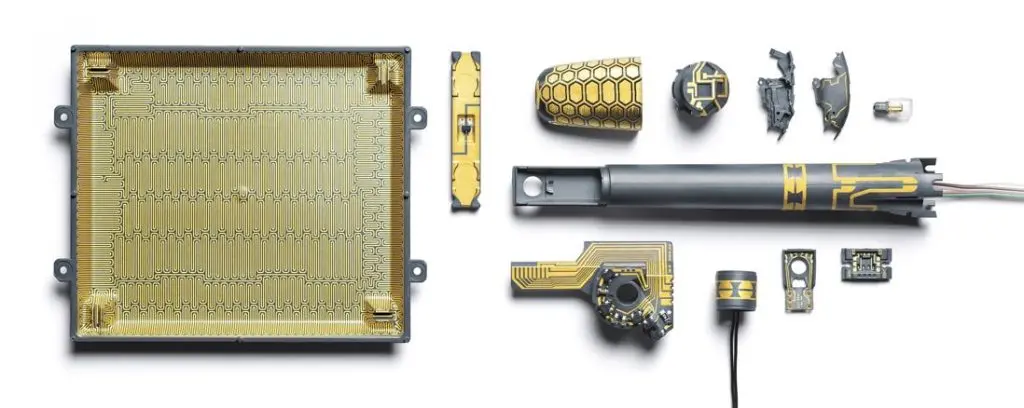
Establish regular maintenance schedules that include security updates, credential rotation, and system health checks. Document all configuration changes and maintain backup copies of critical settings to enable rapid recovery from system failures.

The integration of Arduino Yun with QNAP’s QIoT Suite Lite creates a powerful, self-contained IoT platform that enables sophisticated sensor data collection, storage, and analysis. This combination provides the flexibility of Arduino development with the robustness of enterprise-grade storage and analytics capabilities, making it ideal for both educational projects and professional IoT deployments.

Millimeter Wave Radar: Advancing Precision Sensing in the 30-300 GHz Spectrum

Introduction: The Revolution of High-Frequency Sensing

In the rapidly evolving landscape of sensor technology, Millimeter Wave Radar has emerged as a transformative force, redefining precision sensing across multiple industries. Operating in the frequency range of 30โ€“300 GHz with a wavelength of 1โ€“10 mm, millimeter wave radar is characterized by its small size, lightweight, high spatial resolution, and strong ability to penetrate fog, smoke, and dust. This advanced sensing technology has become indispensable for applications ranging from automotive safety systems to industrial automation, medical diagnostics, and beyond.

The significance of millimeter wave radar extends far beyond its technical specifications. The millimeter wave radar market size was USD 10.2 billion in 2024 and is anticipated to reach a valuation of USD 202.9 billion by the end of 2037, rising at a CAGR of 26.1%, demonstrating the technology’s unprecedented growth trajectory and market confidence.

YouTube video

Understanding Millimeter Wave Radar Technology

Fundamental Principles and Operation

Millimeter wave (mmWave) radar utilizes frequency bands, such as 24 GHz, 60 GHz, and 77โ€“79 GHz, to transmit and receive signals, delivering high-resolution measurements of distance, velocity, and angle. The technology operates on the principle of radio detection and ranging (radar), where electromagnetic waves are transmitted toward targets and analyzed upon reflection.

The core components of a millimeter wave radar system include a transmitting antenna, receiving antenna, and sophisticated signal processing units. The mmWave radar system includes a transmitting antenna, a receiving antenna, and a signal processing system to determine an object’s dynamic information, such as range, velocity, and angle of arrival (AoA). The system transmits millimeter wave signals into space, which reflect off objects and return to the receiving antenna. These echo signals are then processed to extract critical information about target objects.

Key Technical Advantages

The shorter wavelengths of millimeter wave radar provide several distinct advantages over conventional radar systems. The short 1โ€“10 mm wavelengths enable fine spatial detail for detecting small objects and movements, allowing for unprecedented precision in object detection and classification.

Superior Resolution Capabilities: Millimeter wavelengths are well suited to the detection of certain types of targets that present a maximum radar cross-section (RCS), especially cables: electrical cables, cable car lines, etc. Centimeter-wave radars are only able to detect cables when reflection is specular, while millimeter-wave radars can detect them over a very wide angle.

Environmental Resilience: Millimeter wave radar performs consistently in challenging conditions such as darkness, smoke, dust, or fog, where optical sensors often fail. This reliability makes it invaluable for applications requiring consistent performance across diverse environmental conditions.

Privacy Protection: mmWave radar detects motion, presence, or respiration without capturing imagesโ€”making it ideal for privacy-sensitive environments. This non-invasive characteristic has opened new applications in healthcare, smart buildings, and personal monitoring systems.

Frequency Bands and Spectrum Utilization

24 GHz Band Applications

The 24 GHz frequency band serves as an entry-level option for many millimeter wave radar applications. While offering good performance for basic sensing tasks, this band has certain limitations in resolution and bandwidth compared to higher frequency alternatives. However, it remains popular for cost-sensitive applications and regions with specific regulatory requirements.

60 GHz Band: The Sweet Spot for Short-Range Applications

The 60 GHz mm radar has a benefit of up to 7 GHz, especially for short-range applications, to provide better resolution. This frequency band has gained significant traction in industrial applications, smart home devices, and consumer electronics.

The 60GHz millimeter wave radar chip market was valued at 146 million in 2024 and is projected to reach US$ 714 million by 2032, at a CAGR of 25.7%. The rapid growth reflects increasing adoption across multiple sectors, particularly in automotive safety systems and IoT applications.

77-81 GHz Band: The Automotive Standard

The 77-81 GHz frequency band has become the gold standard for automotive applications. 77 GHz millimeter wave radar picked up 24GHz gradually from the market, becoming mainstream in the automotive field. This band offers an optimal balance of resolution, range, and regulatory approval across global markets.

79 GHz: Next-Generation Performance

The 79 GHz frequency band represents the latest advancement in automotive radar technology, offering even higher resolution and range capabilities compared to the 77 GHz band. This frequency band is particularly beneficial for applications that require ultra-high resolution, such as high-speed autonomous driving and complex traffic scenarios.

300 GHz and Beyond: Pushing the Boundaries

Research and development efforts continue to explore higher frequency bands, with 300 GHz radar systems providing bandwidth of more than 40 GHz leading to a range resolution of a few millimeters. These ultra-high frequency systems represent the cutting edge of millimeter wave radar technology, offering unprecedented precision for specialized applications.

Applications Across Industries

Automotive Sector: The Primary Driver

The automotive industry represents the largest and most rapidly growing market for millimeter wave radar technology. The global vehicle millimeter wave radar market was valued at USD 13,810 million in 2024 and is projected to grow from USD 16,420 million in 2025 to USD 48,730 million by 2032, exhibiting a CAGR of 19.7%.

Advanced Driver Assistance Systems (ADAS): Millimeter wave radar serves as the backbone of modern ADAS implementations. The global ADAS market penetration is expected to reach over 40% in new vehicle shipments by 2025, creating substantial growth opportunities for millimeter wave radar components. These systems provide critical safety features including adaptive cruise control, collision avoidance, blind spot detection, and automated emergency braking.

Autonomous Driving Technology: As the automotive industry progresses toward full autonomy, millimeter wave radar plays an increasingly vital role. High-level intelligent driving systems represented by urban NOA are facing more complex driving environments and roads, posing higher capability requirements for the perception system, requiring it to provide a longer detection range, a wider detection angle, and a higher accuracy.

4D Imaging Radar: The latest advancement in automotive radar technology introduces the concept of 4D imaging. Compared with 3D radar, 4D radar (distance, speed, horizontal azimuth, vertical height) provides point cloud functions by increasing the number of transmitting and receiving channels. This technology enables more detailed environmental mapping and improved object classification.

Industrial Automation and Manufacturing

Industrial automation represents one of the fastest-growing segments for 60GHz millimeter wave radar chips, with annual growth rates exceeding 28%. These chips enable precise object detection, level measurement, and vibration monitoring in harsh industrial environments where optical sensors often fail.

The technology’s ability to operate reliably in challenging industrial conditions makes it ideal for quality control systems, automated assembly lines, and process monitoring applications. The mmWave Technology based Industrial RoMs (AoPCB) come with SDK 3.05, along with object detection and counting sample applications.

Healthcare and Medical Applications

The healthcare sector has embraced millimeter wave radar for its non-contact monitoring capabilities. In February 2024, Infineon, FINGGAL LINK, and NEXTY Electronics announced a collaboration to develop an elderly safety monitoring system using 60 GHz millimeter-wave radar. This system enables non-contact monitoring of crucial health metrics like presence, respiration, heart rate, sleep patterns, and urinary incontinence, even through clothing.

Defense and Security Applications

Millimeter wave radar is used in short-range fire-control radar in tanks and aircraft, and automated guns (CIWS) on naval ships to shoot down incoming missiles. The small wavelength of millimeter waves allows them to track the stream of outgoing bullets as well as the target, allowing the computer fire control system to change the aim to bring them together.

The defense sector continues to invest heavily in millimeter wave radar technology. In October 2024, the U.S. Department of Defense awarded Raytheon Technologies a contract aimed at developing advanced millimeter wave radar systems with potential use in enhancing surveillance and reconnaissance operations.

Smart Cities and Infrastructure

Smart city infrastructure projects are incorporating vehicle-to-infrastructure (V2I) communication systems that utilize millimeter wave technology for traffic management and collision prevention. These applications demonstrate the technology’s versatility beyond traditional sensing applications.

Market Dynamics and Growth Drivers

Regulatory Mandates and Safety Standards

Government regulations worldwide are driving millimeter wave radar adoption. Government mandates like the NHTSA’s requirement for automatic emergency braking (AEB) in all light-duty vehicles by 2025 are pushing OEMs to integrate 77 GHz radar systems for superior resolution and range.

Europe leads in regulatory-driven adoption of millimeter wave radar, with EU General Safety Regulation (GSR) mandating features like intelligent speed assistance and lane-keeping systems. These regulatory frameworks create a stable foundation for market growth and technology investment.

Technological Advancements and Integration

Recent developments in chipset integration have reduced form factors while increasing accuracy, with some industrial-grade chips now achieving sub-millimeter measurement precision โ€“ a key requirement for quality control systems in precision manufacturing.

Regional Market Leadership

Asia-Pacific leads in market growth due to expanding automotive production in China and Japan, while Europe maintains technological leadership. China mandating radar-based safety features in 60% of new vehicles by 2025 as part of its Intelligent Connected Vehicle (ICV) development strategy demonstrates the region’s commitment to advanced automotive safety technologies.

Leading Industry Players and Competitive Landscape

Market Leaders

Bosch dominates the market with approximately 22% revenue share in 2024, leveraging its comprehensive ADAS solutions and strong OEM relationships across Europe and Asia. Other major players include Continental, Denso, Valeo, and Aptiv, each contributing unique technologies and solutions to the market.

Emerging Technology Companies

The market also features numerous emerging companies focusing on specialized applications and breakthrough technologies. From January to July 2024, domestic radar suppliers have begun to enter the supply chain systems of more OEMs in the fields of front radars (including 4D radar) and corner radars (including 4D radar), scrambling for bigger market share.

Strategic Partnerships and Collaborations

Key players like Infineon, Texas Instruments, and NXP are partnering with automotive OEMs and electronics firms to accelerate sensor commercialization. These partnerships are crucial for developing next-generation technologies and expanding market reach.

Technical Challenges and Solutions

Signal Processing Advancements

Signal processing advancements, including constant false alarm rate detection, multiple-inputโ€“multiple-output systems, and machine learning-based techniques, are explored for their roles in improving radar performance. These developments address fundamental challenges in target detection, false alarm reduction, and system reliability.

Manufacturing and Cost Optimization

Challenges such as complex manufacturing processes and regulatory constraints in certain regions may temper growth. However, ongoing improvements in semiconductor manufacturing and economies of scale continue to drive down costs while improving performance.

Miniaturization and Power Efficiency

Our latest mmWave sensors are designed from the ground up with low-power architecture to help you bring powerful radar sensing into applications that require lower power consumption in automotive, industrial, and consumer electronics applications. This focus on power efficiency enables new applications in battery-powered and portable devices.

Future Trends and Innovations

Integration with Artificial Intelligence

Our artificial intelligence-enabled, multi-functional radar sensors can replace multiple sensor technologies in a vehicle to reduce both cost and complexity of the system. The integration of AI and machine learning capabilities represents a significant advancement in millimeter wave radar technology.

Advanced Packaging Technologies

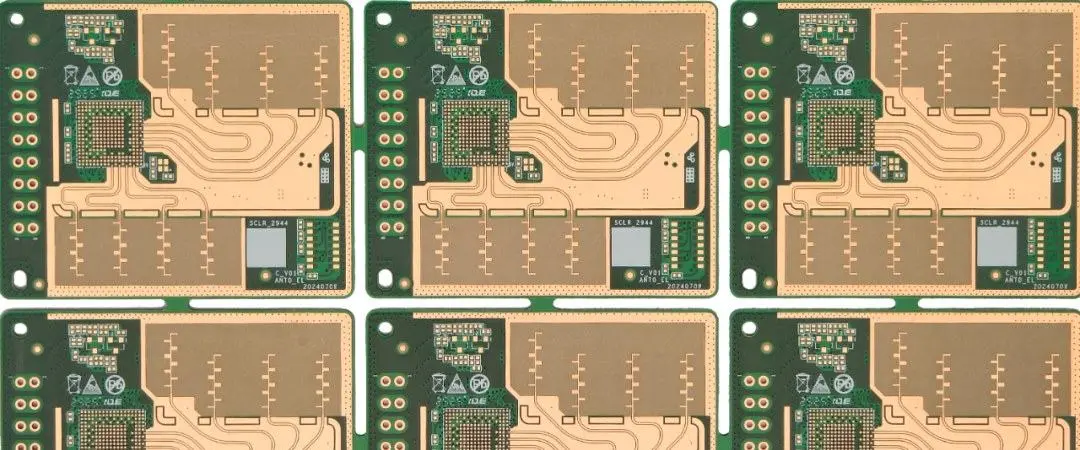
The antenna packaging technology is evolving from AoB to AiP (Antenna in Package), to reduce antenna feeder loss. A few companies such as Calterah have launched ROP (Radiator-on-Package) technology, which uses solder balls to connect RF signals, has higher channel isolation, and offers a longer detection range.

5G and Communication Integration

The ongoing rollout of 5G infrastructure is driving substantial investment in millimeter wave technologies, as network operators require semiconductor solutions capable of operating in the 24GHz to 100GHz range. This convergence of sensing and communication technologies opens new possibilities for integrated systems.

Emerging Applications

Automotive Applications Expansion: Growing adoption of 77 GHz and 79 GHz mmWave radar sensors in advanced driver assistance systems (ADAS) and autonomous vehicles. Consumer Electronics Integration: Companies are developing mmWave radar chips for gesture recognition, smart home automation, and human-computer interaction. Healthcare Innovation: Radar semiconductor sensors are being used in contactless monitoring of vital signs.

Technical Performance Characteristics

Resolution and Accuracy

High-range resolution is achieved by the radar, with examples showing range resolution capabilities down to 0.3 meters with bandwidth of 500 MHz at 94 GHz carrier frequency. These precision capabilities enable applications requiring millimeter-level accuracy.

Range and Detection Capabilities

With an output power of around 5 mW over the complete bandwidth, the system is mainly designed for short range applications up to several hundreds of meters. While some applications focus on short-range precision, others leverage millimeter wave radar for longer-range detection in automotive and aerospace applications.

Environmental Performance

In the range of millimeter wavelengths, the atmosphere offers several windows in which attenuation is not too high and where radar can operate. Understanding these atmospheric windows is crucial for optimizing system performance across different environmental conditions.

Implementation Considerations

System Integration

Complex signal processing runs within the mmWave RADAR Modules and only the processed Point Cloud RADAR data (Object’s ID, Range, Angle and Velocity) is given out over serial/CAN interfaces. This approach simplifies system integration while maintaining high performance.

Interface Standards

The millimeter wave radar modules support flexible industrial interfaces like USB, CAN, UART and SPI and can be powered via USB or Header. These standardized interfaces ensure compatibility with existing systems and facilitate rapid deployment.

Development Tools and Resources

Use our mmWave software development kit (SDK) and our mmWave studio to simplify your software development process. Comprehensive development ecosystems accelerate product development and reduce time-to-market for new applications.

Global Market Outlook and Regional Analysis

North American Market

The North American Vehicle Millimeter Wave Radar market is experiencing robust growth, driven by stringent safety regulations and accelerated ADAS adoption in the U.S. and Canada. The region benefits from strong R&D investments and established automotive manufacturing infrastructure.

European Market Leadership

Europe leads in regulatory-driven adoption of millimeter wave radar, with EU General Safety Regulation (GSR) mandating features like intelligent speed assistance and lane-keeping systems since recent regulatory implementations. The region’s focus on automotive safety and environmental regulations continues to drive market growth.

Asia-Pacific Growth

North America is expected to dominate the Millimeter Wave Radar Market over the forecast period, owing to the presence of major automotive and industrial automation companies in the region, while Asia-Pacific leads in market growth due to expanding automotive production in China and Japan. This regional dynamic reflects both established market leadership and emerging growth opportunities.

Investment and Development Trends

Corporate Investments

In March 2024, Avant Technology announced an investment of USD 100 million in an AI-centric data center in India to further consolidate its local data processing and millimeter wave radar capabilities. This facility is expected to be fully operational by 2025. Such investments demonstrate the industry’s commitment to expanding capabilities and market reach.

Research and Development Initiatives

An example of this can be seen in the collaboration of Keysight Technologies in March 2021 to establish a millimeter wave radar lab in Suzhou, China. This move promotes the development of technologies for autonomous driving and the better integration of mmWave radars into smart mobility solutions.

Challenges and Limitations

Technical Challenges

However, this absorption is maximum at a few specific absorption lines, mainly those of oxygen at 60 GHz and water vapor at 24 GHz and 184 GHz. At frequencies in the “windows” between these absorption peaks, millimeter waves have much less atmospheric attenuation and greater range. Understanding and working within these atmospheric limitations is crucial for optimal system design.

Regulatory and Standardization

The global nature of millimeter wave radar applications requires careful attention to regulatory requirements across different regions. Frequency allocation, power limits, and safety standards vary by country and application, necessitating careful system design and certification processes.

Cost and Manufacturing Complexity

While costs continue to decrease with improved manufacturing processes and economies of scale, the sophisticated technology still requires significant investment in design, testing, and production capabilities.

Future Outlook: The Next Decade of Millimeter Wave Radar

Market Growth Projections

The Millimeter Wave Radar Market is projected to grow from USD 3.63 billion in 2024 to USD 15.85 billion by 2034, at a CAGR of 15.89%. This substantial growth reflects the technology’s expanding role across multiple industries and applications.

Technological Evolution

The future trends in the Millimeter Wave Radar Market include the development of higher-resolution and longer-range millimeter wave radar sensors, the integration of millimeter wave radar technology with other sensor technologies, and the increasing use of millimeter wave radar technology in new applications such as healthcare and robotics.

Industry Transformation

The continued advancement of millimeter wave radar technology promises to transform industries beyond automotive and industrial applications. From smart cities to healthcare, from consumer electronics to space exploration, the precision sensing capabilities of millimeter wave radar will enable new applications and business models.

Conclusion: Shaping the Future of Precision Sensing

Millimeter Wave Radar technology represents a fundamental shift in precision sensing capabilities, operating in the 30-300 GHz spectrum to deliver unprecedented accuracy, reliability, and versatility. From its foundational role in automotive safety systems to its expanding applications in healthcare, industrial automation, and smart infrastructure, millimeter wave radar continues to push the boundaries of what’s possible in sensor technology.

The remarkable market growth projections, with valuations expected to reach hundreds of billions of dollars within the next decade, reflect not just market confidence but the genuine transformation this technology brings to diverse industries. As regulatory frameworks support adoption, manufacturing processes improve efficiency, and technological innovations expand capabilities, millimeter wave radar is positioned to become an essential component of our increasingly connected and automated world.

The journey from basic radar principles to today’s sophisticated millimeter wave systems demonstrates the power of continuous innovation and cross-industry collaboration. Looking ahead, the integration of artificial intelligence, advanced packaging technologies, and new frequency bands will further expand the potential applications and performance capabilities of this remarkable sensing technology.

As we advance toward an era of autonomous systems, smart cities, and precision healthcare, Millimeter Wave Radar stands as a cornerstone technology, enabling the precise sensing capabilities that will define the next generation of intelligent systems. The 30-300 GHz spectrum represents not just a range of frequencies, but a gateway to new possibilities in precision sensing and environmental understanding.

DIY Colorful LED Matrix with Raspberry Pi or Arduino

Creating a vibrant LED matrix display is one of the most rewarding electronics projects for beginners and experienced makers alike. Whether you choose Arduino or Raspberry Pi as your controller, building a colorful LED matrix opens up endless possibilities for creative displays, from scrolling text and animations to interactive games and ambient lighting. This comprehensive guide will walk you through everything you need to know to build your own stunning LED matrix display.

YouTube video

Understanding LED Matrices

An LED matrix is essentially a grid of light-emitting diodes arranged in rows and columns, allowing you to control individual pixels to create patterns, text, images, and animations. The most popular choices for DIY projects are WS2812B (NeoPixel) strips formed into matrices or dedicated LED matrix modules like the MAX7219-controlled panels.

The beauty of LED matrices lies in their addressability โ€“ each LED can be controlled independently for color and brightness. This pixel-level control enables you to create sophisticated visual effects with relatively simple programming. RGB LEDs add the color dimension, allowing you to display millions of different hues by mixing red, green, and blue components.

Choosing Your Platform: Arduino vs Raspberry Pi

Both Arduino and Raspberry Pi excel at controlling LED matrices, but each offers distinct advantages. Arduino microcontrollers provide real-time performance with predictable timing, making them ideal for smooth animations and precise color control. They’re also more power-efficient and cost-effective for dedicated display projects. Popular choices include the Arduino Uno, Nano, or ESP32 for WiFi connectivity.

Raspberry Pi computers offer more processing power and built-in networking capabilities, making them perfect for complex displays that need internet connectivity, multimedia playback, or advanced graphics processing. The Raspberry Pi can handle larger matrices and more sophisticated visual effects, while also running full applications like web servers or media players alongside your LED display.

Essential Components and Materials

For an Arduino-based matrix, you’ll need an Arduino board, a WS2812B LED strip (60 LEDs per meter works well), a 5V power supply capable of delivering sufficient current (approximately 60mA per LED at full brightness), jumper wires, and a breadboard or custom PCB. A 8×8 or 16×16 matrix makes an excellent starting size. You’ll also want a 470-ohm resistor for the data line and a 1000ยตF capacitor for power smoothing.

Raspberry Pi setups require similar components but benefit from the Pi’s built-in features. You’ll need a Raspberry Pi (3B+ or 4 recommended), microSD card, the same LED strips or matrix modules, appropriate power supply, and GPIO jumper wires. The Pi’s USB ports can power smaller matrices directly, though larger displays require external power supplies.

For both platforms, consider adding a push button or rotary encoder for user interaction, a real-time clock module for time-based displays, or sensors like temperature/humidity modules to create reactive displays that respond to environmental conditions.

Building Your Arduino LED Matrix

Start by planning your matrix layout. For a simple 8×8 matrix using WS2812B strips, cut your strip into 8 segments of 8 LEDs each. Arrange these strips in a serpentine pattern โ€“ the first row left-to-right, second row right-to-left, and so on. This creates a continuous data path while maintaining the logical matrix structure.

Solder the strips together carefully, connecting the data output of each row to the data input of the next. Create a sturdy backing using wood, acrylic, or 3D-printed frame to hold everything in place. Ensure proper spacing between LEDs for even light distribution and consider adding a diffusion layer using translucent plastic or fabric.

Wire the data input to Arduino pin 6, connect the power rails to your 5V supply, and establish a common ground between the Arduino and power supply. Install the 470-ohm resistor between the Arduino pin and the first LED’s data input to prevent signal integrity issues. Add the smoothing capacitor across the power rails near the LED strip.

Programming your Arduino requires the FastLED or Adafruit NeoPixel library. Here’s a basic framework that creates a simple animation:

cpp

#include <FastLED.h>
#define LED_PIN 6
#define NUM_LEDS 64
#define MATRIX_WIDTH 8
#define MATRIX_HEIGHT 8

CRGB leds[NUM_LEDS];

void setup() {
  FastLED.addLeds<WS2812B, LED_PIN, GRB>(leds, NUM_LEDS);
  FastLED.setBrightness(50);
}

void loop() {
  rainbowWave();
  FastLED.show();
  delay(50);
}

Implementing Raspberry Pi Control

The Raspberry Pi approach offers more flexibility with Python programming and built-in networking. Install the rpi_ws281x library, which provides excellent hardware-accelerated control of WS2812B strips. The wiring is similar to Arduino โ€“ connect your LED strip’s data line to GPIO 18 (pin 12), power to 5V, and establish common ground.

Python programming on the Pi allows for more complex effects and easier integration with web interfaces or external data sources. You can create displays that show weather information, social media feeds, or real-time data from APIs. The Pi’s processing power also enables more sophisticated graphics and smoother animations.

Here’s a Python foundation for your Pi-based matrix:

python

import time
from rpi_ws281x import PixelStrip, Color

LED_COUNT = 64
LED_PIN = 18
LED_FREQ_HZ = 800000
LED_DMA = 10
LED_BRIGHTNESS = 50

strip = PixelStrip(LED_COUNT, LED_PIN, LED_FREQ_HZ, LED_DMA, False, LED_BRIGHTNESS)
strip.begin()

def colorWipe(color, wait_ms=50):
    for i in range(strip.numPixels()):
        strip.setPixelColor(i, color)
        strip.show()
        time.sleep(wait_ms / 1000.0)

Advanced Programming Techniques

Both platforms support sophisticated visual effects through mathematical functions and algorithmic patterns. Implement functions to convert between matrix coordinates (x, y) and linear LED indices, accounting for your serpentine wiring pattern. This enables natural 2D graphics programming where you can draw shapes, text, and images intuitively.

Create reusable functions for common patterns like scrolling text, particle effects, and geometric animations. Consider implementing a frame buffer system that lets you draw an entire frame before displaying it, preventing visual artifacts during complex updates. For text display, create or import bitmap fonts that fit your matrix resolution.

Color management becomes crucial for professional-looking displays. Implement gamma correction to ensure linear brightness perception, and consider color temperature adjustment for different viewing environments. HSV color space often works better than RGB for creating smooth color transitions and animations.

Power Management and Safety

Power consumption is a critical consideration for LED matrices. Each LED can draw up to 60mA at full white brightness, so a 64-LED matrix might need nearly 4 amperes. Always calculate your power requirements and use appropriately rated supplies with safety margins. Implement software brightness limiting to prevent exceeding your power supply’s capabilities.

For portable projects, consider battery operation with power management features like automatic sleep modes and brightness adjustment based on ambient light. USB power banks work well for smaller matrices, while larger displays might need dedicated battery solutions with proper charging circuits.

Ensure all connections are secure and insulated to prevent short circuits. Use proper gauge wire for power distribution, and consider adding fuses or current-limiting circuits for additional safety. Heat dissipation becomes important for high-brightness operation or larger matrices.

Expanding Your Project

Once you have a basic matrix working, numerous enhancement opportunities await. Add touch sensors to create interactive displays that respond to user input. Integrate WiFi connectivity for internet-based information displays or remote control capabilities. Sound reactive displays using microphone modules create spectacular music visualizers.

Consider multiplexing techniques to drive larger matrices more efficiently, or chain multiple smaller matrices together for bigger displays. Real-time clock modules enable time-based displays, while environmental sensors create responsive ambient lighting that adapts to room conditions.

For advanced users, explore specialized LED driver chips like the MAX7219 for traditional matrix displays, or investigate newer technologies like addressable LED panels that provide higher pixel densities. FPGA-based controllers can drive extremely large displays with professional-grade performance.

Troubleshooting Common Issues

Signal integrity problems often manifest as incorrect colors or flickering, usually caused by inadequate power supply, loose connections, or interference. Ensure your data line connections are solid, use appropriate resistors, and keep data wires away from power lines to minimize noise.

Power-related issues typically show as LEDs dimming unexpectedly or displaying incorrect colors, especially at the end of long strips. This indicates voltage drop along the power distribution. Solution involves adding power injection points throughout your matrix or using thicker gauge wire for power distribution.

Timing issues in Arduino projects might cause erratic behavior, particularly when mixing LED control with other functions. Use non-blocking programming techniques and avoid delay() functions in main loops. For Raspberry Pi projects, ensure you’re running your LED control code with appropriate priority to maintain consistent timing.

Conclusion

Building a colorful LED matrix represents an perfect intersection of electronics, programming, and creative expression. Whether you choose Arduino for its real-time performance and simplicity, or Raspberry Pi for its processing power and connectivity, you’ll gain valuable experience in digital electronics, embedded programming, and project engineering.

Start with a simple 8×8 matrix to learn the fundamentals, then expand your projects as your skills and ambitions grow. The techniques you learn building LED matrices apply to countless other electronics projects, from wearable technology to large-scale installations. Most importantly, have fun experimenting with colors, patterns, and animations โ€“ the creative possibilities are truly limitless.

How to Build a GPS Tracker with Cellular Communication and Flutter App

Building a GPS tracker with cellular communication capabilities and a companion Flutter mobile app is an exciting project that combines hardware engineering, embedded programming, and mobile app development. This comprehensive guide will walk you through the entire process, from selecting components to deploying your finished tracking system.

YouTube video

Project Overview and Requirements

A GPS tracker with cellular communication consists of three main components: the hardware device that captures location data, the cellular communication system that transmits this data, and the mobile application that displays and manages the tracking information. The device needs to be power-efficient, weather-resistant, and capable of maintaining reliable communication in various environments.

The core functionality includes real-time location tracking, geofencing capabilities, historical route storage, battery monitoring, and remote configuration options. The system should provide accurate positioning data, send alerts for specific events, and maintain a user-friendly interface for monitoring tracked assets or individuals.

Hardware Components and Architecture

The foundation of your GPS tracker requires several key components working in harmony. The microcontroller serves as the brain of the device, with popular choices including the ESP32 for its built-in WiFi capabilities, Arduino-compatible boards for ease of programming, or specialized IoT development boards that integrate multiple communication protocols.

For GPS functionality, modules like the NEO-8M or NEO-6M from u-blox provide reliable positioning data with good accuracy and reasonable power consumption. These modules communicate via UART and can achieve cold start times under 30 seconds while maintaining hot start capabilities in under one second.

Cellular communication requires a GSM/GPRS module such as the SIM800L, SIM7600, or more advanced LTE modules like the SIM7000 series. These modules handle the data transmission to your backend servers and support various cellular standards depending on your regional requirements and data needs.

Power management is crucial for portable tracking devices. Include a lithium-ion battery with appropriate capacity for your use case, a charging circuit for easy maintenance, and consider solar panels for extended outdoor deployments. Implement sleep modes and efficient power management to maximize battery life between charges.

Additional components include a robust enclosure rated for your intended environment, LED indicators for status feedback, optional buzzers for audio alerts, and mounting hardware appropriate for your tracking application.

Firmware Development and GPS Integration

The firmware development process begins with setting up your development environment and initializing the core systems. Start by configuring the GPS module to receive NMEA sentences, which contain standardized location data including latitude, longitude, altitude, speed, and timestamp information.

Implement a GPS parsing library or create your own parser to extract meaningful data from NMEA sentences. Focus on GGA (Global Positioning System Fix Data) and RMC (Recommended Minimum) sentences, which provide the essential positioning information needed for tracking applications.

Create a location data structure that stores coordinates, timestamps, accuracy measurements, and satellite count. Implement validation logic to ensure GPS fixes are reliable before transmitting data, including checks for minimum satellite count and position accuracy thresholds.

Develop a state machine that manages different operational modes: initialization, GPS acquisition, data transmission, sleep mode, and error handling. This approach ensures reliable operation and efficient power management throughout the device lifecycle.

Cellular Communication Implementation

Establishing cellular communication requires configuring your GSM/GPRS module with the appropriate APN settings for your cellular provider. Implement AT command sequences to initialize the module, establish network connectivity, and manage data transmission sessions.

Design a robust communication protocol that handles network interruptions gracefully. Implement retry mechanisms, data queuing for offline periods, and connection monitoring to ensure reliable data delivery. Consider using MQTT for efficient bidirectional communication, allowing both data transmission and remote configuration capabilities.

Create data packets that include essential tracking information: device ID, timestamp, GPS coordinates, battery level, and any sensor data. Optimize packet size to minimize cellular data usage while maintaining necessary information density.

Implement security measures including data encryption, device authentication, and secure communication protocols. Use TLS/SSL for data transmission and consider implementing device certificates for enhanced security in commercial deployments.

Backend Infrastructure and API Development

The backend infrastructure serves as the central hub for receiving, processing, and storing tracking data from your devices. Design a scalable architecture using cloud services like AWS, Google Cloud Platform, or Azure to handle multiple devices and users efficiently.

Develop RESTful APIs that handle device registration, location data ingestion, user authentication, and data retrieval. Implement endpoints for real-time tracking, historical data queries, geofence management, and device configuration updates.

Choose an appropriate database solution for storing location data. Time-series databases like InfluxDB excel at handling GPS tracking data, while traditional SQL databases can manage user accounts and device relationships. Consider implementing data retention policies to manage storage costs and comply with privacy regulations.

Implement real-time notification systems using WebSockets or Server-Sent Events to provide instant updates to connected mobile applications. This enables live tracking capabilities and immediate alert delivery for geofence violations or emergency situations.

Flutter Mobile Application Development

Flutter provides an excellent framework for creating cross-platform mobile applications that work seamlessly on both iOS and Android devices. Begin by setting up your Flutter development environment and creating a new project with the necessary dependencies for mapping, HTTP communication, and local storage.

Design an intuitive user interface that displays maps, device lists, and tracking information clearly. Implement a main dashboard showing device status, battery levels, and last known positions. Create detailed views for individual devices with historical tracking data and route visualization.

Integrate mapping functionality using packages like Google Maps for Flutter or open-source alternatives like Flutter Map with OpenStreetMap data. Implement features for displaying current device locations, drawing historical routes, and managing geofences with visual boundary indicators.

Develop real-time tracking capabilities by establishing WebSocket connections to your backend services. Implement efficient state management using providers or bloc patterns to handle live location updates and maintain responsive user interfaces.

Create user account management features including registration, authentication, device association, and profile management. Implement secure token-based authentication and consider biometric authentication options for enhanced security.

Advanced Features and Optimization

Enhance your tracking system with advanced features that provide additional value to users. Implement geofencing capabilities that trigger alerts when devices enter or exit predefined areas. Create customizable notification systems that support SMS, email, and push notifications for various tracking events.

Develop offline mapping capabilities for areas with limited internet connectivity. Cache map tiles locally and implement data synchronization when connectivity is restored. This ensures continuous functionality even in remote locations.

Optimize power consumption through intelligent tracking algorithms that adjust GPS sampling rates based on movement patterns. Implement accelerometer-based motion detection to trigger active tracking only when movement is detected, significantly extending battery life during stationary periods.

Create comprehensive analytics dashboards that provide insights into tracking patterns, device usage statistics, and system performance metrics. These analytics help users understand tracking data better and identify optimization opportunities.

Testing and Deployment Strategies

Thorough testing is essential for reliable GPS tracking systems. Conduct extensive field testing in various environments including urban areas with tall buildings, rural locations, and indoor spaces to evaluate GPS performance and cellular connectivity reliability.

Implement automated testing procedures for both firmware and mobile applications. Create unit tests for GPS parsing functions, communication protocols, and API endpoints. Develop integration tests that verify end-to-end functionality from device to mobile application.

Test power consumption extensively under different operational scenarios. Measure battery life during active tracking, sleep modes, and various cellular signal conditions to provide accurate battery life estimates to users.

Consider implementing over-the-air update capabilities for firmware updates and remote configuration changes. This enables bug fixes and feature updates without physical access to deployed devices, significantly reducing maintenance overhead.

Plan your deployment strategy considering regulatory requirements for GPS tracking devices in your target markets. Ensure compliance with privacy laws and consider implementing features that support legal requirements for tracking consent and data management.

Conclusion

Building a comprehensive GPS tracker with cellular communication and Flutter app integration requires careful planning, attention to detail, and thorough testing. The combination of reliable hardware, efficient firmware, robust backend infrastructure, and intuitive mobile applications creates a powerful tracking solution suitable for various applications from personal asset tracking to commercial fleet management.

Success in this project depends on understanding the interconnections between all system components and optimizing each element for reliability, efficiency, and user experience. With proper implementation, your GPS tracking system will provide accurate, real-time location data while maintaining the flexibility and scalability needed for long-term success.

Programming STM32L4 Microcontrollers with Linux, GNU Make, and OpenOCD

The STM32L4 series from STMicroelectronics represents a powerful family of ultra-low-power ARM Cortex-M4 microcontrollers designed for energy-efficient applications. While many developers rely on proprietary IDEs like STM32CubeIDE, developing STM32L4 applications on Linux using open-source tools offers greater flexibility, deeper understanding of the build process, and integration with existing Unix-based workflows. This comprehensive guide explores how to set up and use GNU Make and OpenOCD for STM32L4 development on Linux systems.

YouTube video

Understanding the STM32L4 Architecture

The STM32L4 family features ARM Cortex-M4F cores running at up to 80MHz, with integrated floating-point units and digital signal processing capabilities. These microcontrollers include various memory configurations, typically ranging from 128KB to 2MB of flash memory and 96KB to 640KB of SRAM. The L4 series excels in low-power applications, offering multiple power modes including sleep, stop, and standby modes that can reduce current consumption to mere nanoamps.

Key features include advanced peripherals such as USB OTG, CAN-FD, multiple UART/USART interfaces, SPI, I2C, ADCs with up to 16-bit resolution, and sophisticated timer systems. The microcontrollers support multiple clock sources and feature an internal MSI oscillator that can be dynamically adjusted from 100kHz to 48MHz, making them ideal for battery-powered applications.

Setting Up the Linux Development Environment

Developing for STM32L4 on Linux requires several essential tools. The GNU ARM Embedded Toolchain provides the cross-compiler, linker, and debugging tools necessary for ARM Cortex-M development. Most Linux distributions offer these tools through package managers, though downloading the latest version from ARM’s official releases often provides better optimization and newer features.

bash

# Install essential development tools on Ubuntu/Debian
sudo apt update
sudo apt install gcc-arm-none-eabi gdb-multiarch openocd make git

# Verify installation
arm-none-eabi-gcc --version
openocd --version

The toolchain includes arm-none-eabi-gcc for compilation, arm-none-eabi-ld for linking, arm-none-eabi-objcopy for binary format conversion, and arm-none-eabi-gdb for debugging. These tools understand ARM architecture specifics and generate optimized code for Cortex-M processors.

Additionally, installing STM32CubeMX (available as a Linux package) provides access to STMicroelectronics’ hardware abstraction layer (HAL) libraries, device configuration tools, and reference examples, though it’s not strictly necessary for bare-metal development.

GNU Make for STM32L4 Projects

GNU Make serves as the build system orchestrating the compilation process. A well-structured Makefile for STM32L4 development must handle cross-compilation, linking with appropriate memory layouts, and generating firmware binaries in the correct format.

A typical STM32L4 Makefile begins by defining the target microcontroller and toolchain:

makefile

# Target configuration
TARGET = stm32l476rg
MCU = cortex-m4
FLOAT_ABI = hard
FPU = fpv4-sp-d16

# Toolchain
CC = arm-none-eabi-gcc
LD = arm-none-eabi-ld
OBJCOPY = arm-none-eabi-objcopy
SIZE = arm-none-eabi-size

# Compiler flags
CFLAGS = -mcpu=$(MCU) -mthumb -mfloat-abi=$(FLOAT_ABI) -mfpu=$(FPU)
CFLAGS += -DSTM32L476xx -DUSE_HAL_DRIVER
CFLAGS += -Wall -Wextra -Og -g -ffunction-sections -fdata-sections

The memory layout requires careful attention, as STM32L4 devices have specific memory regions for flash, SRAM, and peripheral addresses. A linker script (typically with a .ld extension) defines these memory regions and section placements:

ld

MEMORY
{
  FLASH (rx) : ORIGIN = 0x08000000, LENGTH = 1024K
  RAM (rwx)  : ORIGIN = 0x20000000, LENGTH = 96K
  RAM2 (rwx) : ORIGIN = 0x10000000, LENGTH = 32K
}

The Makefile should include rules for compiling source files, linking objects, and generating binary outputs:

makefile

# Build rules
%.o: %.c
	$(CC) $(CFLAGS) $(INCLUDES) -c $< -o $@

$(TARGET).elf: $(OBJECTS)
	$(CC) $(CFLAGS) $(LDFLAGS) $^ -o $@

$(TARGET).bin: $(TARGET).elf
	$(OBJCOPY) -O binary $< $@

$(TARGET).hex: $(TARGET).elf
	$(OBJCOPY) -O ihex $< $@

Dependency tracking ensures that changes to header files trigger recompilation of affected source files. Modern Makefiles use automatic dependency generation:

makefile

DEPS = $(OBJECTS:.o=.d)
-include $(DEPS)

%.o: %.c
	$(CC) $(CFLAGS) $(INCLUDES) -MMD -MP -c $< -o $@

OpenOCD Configuration and Usage

OpenOCD (Open On-Chip Debugger) provides the crucial link between development tools and STM32L4 hardware. It supports various debug probes including ST-Link, J-Link, and Black Magic Probe, communicating with the target microcontroller through SWD or JTAG interfaces.

Configuration files tell OpenOCD about the specific hardware setup. For STM32L4 development with an ST-Link programmer, a typical configuration might look like:

tcl

# OpenOCD configuration for STM32L4
source [find interface/stlink.cfg]
source [find target/stm32l4x.cfg]

# Enable semihosting for printf debugging
arm semihosting enable

# Reset configuration
reset_config srst_only

OpenOCD runs as a server, typically listening on port 4444 for telnet connections and port 3333 for GDB connections. Starting OpenOCD with the appropriate configuration enables communication with the target:

bash

# Start OpenOCD with STM32L4 configuration
openocd -f interface/stlink.cfg -f target/stm32l4x.cfg

# In another terminal, connect via telnet
telnet localhost 4444

Common OpenOCD commands include flashing firmware, reading memory, setting breakpoints, and controlling execution:

tcl

# Flash programming
program firmware.elf verify reset

# Memory operations
mdw 0x20000000 16    # Read 16 words from RAM
mww 0x20000000 0x12345678    # Write word to RAM

# Execution control
reset halt
step
resume

Integrating Debugging with GDB

The GNU Debugger (GDB) provides sophisticated debugging capabilities when connected to OpenOCD. The gdb-multiarch package supports multiple architectures including ARM. A typical debugging session begins by connecting GDB to OpenOCD’s GDB server:

bash

# Start debugging session
gdb-multiarch firmware.elf
(gdb) target extended-remote localhost:3333
(gdb) monitor reset halt
(gdb) load
(gdb) break main
(gdb) continue

GDB supports all standard debugging operations: setting breakpoints, examining variables, stepping through code, and analyzing stack traces. For STM32L4 debugging, peripheral registers can be examined directly:

gdb

# Examine GPIO registers
x/4wx 0x48000000    # GPIOA base address
info registers
backtrace
print variable_name

Advanced debugging features include watchpoints for memory locations, conditional breakpoints, and automatic variable display. The Text User Interface (TUI) mode provides a more visual debugging experience:

bash

gdb-multiarch -tui firmware.elf

Project Structure and Best Practices

A well-organized STM32L4 project structure facilitates maintainability and collaboration. A recommended directory layout separates source code, headers, libraries, and build artifacts:

project/
โ”œโ”€โ”€ src/           # Application source files
โ”œโ”€โ”€ inc/           # Application headers
โ”œโ”€โ”€ lib/           # Libraries (HAL, CMSIS)
โ”œโ”€โ”€ build/         # Compiled objects and binaries
โ”œโ”€โ”€ scripts/       # Build and utility scripts
โ”œโ”€โ”€ docs/          # Documentation
โ”œโ”€โ”€ Makefile       # Build configuration
โ””โ”€โ”€ openocd.cfg    # Debug configuration

Version control considerations include ignoring build artifacts while preserving source code and configuration files. A typical .gitignore for STM32L4 projects excludes:

gitignore

build/
*.o
*.elf
*.bin
*.hex
*.map
*.d
.vscode/
*.swp

Code organization should separate hardware abstraction layers from application logic. Using consistent naming conventions, proper header guards, and modular design principles creates maintainable embedded systems.

Advanced Makefile Techniques

Sophisticated STM32L4 Makefiles can automate many development tasks beyond basic compilation. Conditional compilation based on build configurations allows single codebases to target multiple hardware variants:

makefile

# Configuration-specific settings
ifeq ($(CONFIG), DEBUG)
    CFLAGS += -DDEBUG -O0
else ifeq ($(CONFIG), RELEASE)
    CFLAGS += -DNDEBUG -Os
endif

# Multiple target support
ifeq ($(BOARD), NUCLEO_L476RG)
    CFLAGS += -DNUCLEO_L476RG
    LDSCRIPT = stm32l476rg_flash.ld
endif

Automated testing integration can verify builds across multiple configurations:

makefile

.PHONY: test-all
test-all:
	$(MAKE) clean CONFIG=DEBUG
	$(MAKE) all CONFIG=DEBUG
	$(MAKE) clean CONFIG=RELEASE
	$(MAKE) all CONFIG=RELEASE

Optimization and Performance Considerations

STM32L4 development requires careful attention to optimization, particularly for low-power applications. Compiler optimization levels significantly impact both code size and execution speed. The -Os flag optimizes for size, crucial for microcontrollers with limited flash memory, while -O2 optimizes for speed.

Link-time optimization (-flto) can further reduce code size by enabling cross-module optimizations. However, it may complicate debugging, so it’s typically reserved for release builds.

Power consumption optimization involves both software and hardware considerations. Using STM32L4’s low-power modes requires proper clock configuration and peripheral management:

// Example low-power configuration
HAL_PWREx_EnableUltraLowPowerMode();
HAL_PWREx_EnableFastWakeup();
__HAL_RCC_WAKEUPSTOP_CLK_CONFIG(RCC_STOP_WAKEUPCLOCK_MSI);

Troubleshooting Common Issues

STM32L4 development on Linux can present several challenges. Connection issues with debug probes often stem from USB permissions or driver problems. Adding users to the dialout group and installing appropriate udev rules typically resolves these issues:

bash

# Add user to dialout group
sudo usermod -a -G dialout $USER

# Install ST-Link udev rules
sudo cp 49-stlinkv2.rules /etc/udev/rules.d/
sudo udevadm control --reload-rules

Memory-related errors during linking often indicate incorrect linker scripts or memory region definitions. Examining the generated map file helps identify memory usage and potential conflicts.

Build failures frequently result from missing dependencies, incorrect toolchain versions, or path issues. Maintaining consistent development environments across team members prevents many such problems.

Conclusion

Programming STM32L4 microcontrollers on Linux using GNU Make and OpenOCD provides a powerful, flexible development environment that integrates well with modern software development practices. While the initial setup requires more effort than proprietary IDEs, the resulting workflow offers superior automation capabilities, version control integration, and deeper understanding of the embedded development process.

This approach scales well from simple applications to complex, multi-developer projects. The open-source toolchain ensures long-term viability and eliminates vendor lock-in concerns. As embedded systems become increasingly sophisticated, mastering these fundamental tools provides a solid foundation for professional embedded development.

The combination of Linux’s robust development environment, GNU Make’s flexible build system, and OpenOCD’s comprehensive debugging capabilities creates an ideal platform for STM32L4 development that can adapt to changing project requirements and integrate seamlessly with modern DevOps practices.

Wireless LED Control: Building a Bluetooth Arduino LED Control Pad with Processing

In the realm of embedded systems and interactive computing, the ability to control hardware wirelessly opens up countless possibilities for creative projects and practical applications. One of the most accessible and rewarding projects for both beginners and experienced makers is creating a Bluetooth-enabled LED control system using Arduino and Processing. This comprehensive tutorial will guide you through building a sophisticated wireless LED control pad that combines the power of Arduino’s hardware interface with Processing’s intuitive graphical programming environment.

YouTube video

Understanding the Technology Stack

The foundation of this project rests on three key technologies working in harmony. Arduino serves as the hardware controller, managing the LED outputs and handling Bluetooth communication through an HC-05 module. Processing acts as the user interface, providing an elegant control panel that communicates wirelessly with the Arduino. The HC-05 Bluetooth module bridges these two environments, enabling seamless serial communication over a wireless connection.

The beauty of this setup lies in its versatility. While we’ll focus on LED control in this tutorial, the same principles can be extended to control motors, servos, displays, or virtually any hardware component. The Processing interface can be customized to match specific project requirements, making this a valuable foundation for more complex automation systems.

Hardware Requirements and Setup

To build this project, you’ll need several key components. The Arduino Uno serves as the central controller, though other Arduino variants will work equally well. The HC-05 Bluetooth module handles wireless communication, connecting to the Arduino through digital pins 10 and 11 for RX and TX respectively. You’ll also need LEDs with appropriate current-limiting resistors, jumper wires, and a breadboard for prototyping.

The HC-05 module deserves special attention as it’s the heart of the wireless functionality. This versatile Bluetooth module operates on the Serial Port Protocol (SPP), making it compatible with standard serial communication functions. Unlike some Bluetooth modules that can only operate as slaves, the HC-05 can function as both master and slave, opening possibilities for Arduino-to-Arduino communication in future projects.

When wiring the system, the connection setup is straightforward: HC-05 TX connects to Arduino Pin 10, HC-05 RX connects to Arduino Pin 11, VCC connects to 5V, and GND connects to ground. The LEDs connect to digital output pins through current-limiting resistors to prevent damage. A typical 220-ohm to 1k-ohm resistor works well for standard 5mm LEDs.

Arduino Programming Fundamentals

The Arduino code forms the backbone of the hardware control system. The program utilizes the SoftwareSerial library to establish communication with the HC-05 module while preserving the main serial port for debugging and programming. This approach allows you to upload code without disconnecting the Bluetooth module, streamlining the development process.

The Arduino continuously monitors for incoming Bluetooth data, converting received strings into integer action codes that trigger specific LED behaviors. This command parsing system is both simple and expandable. For example, sending “1” might turn on an LED, while “2” turns it off. More complex commands could control LED brightness through PWM or create blinking patterns.

The code structure follows Arduino’s standard setup() and loop() pattern. In setup(), the program initializes serial communication at 9600 baud and configures LED pins as outputs. The loop() function continuously checks for available Bluetooth data, processes commands, and updates LED states accordingly. Error handling ensures the system responds gracefully to unexpected input.

One crucial aspect of the Arduino implementation is the use of SoftwareSerial instead of the hardware serial port. This choice prevents conflicts during code uploads and allows simultaneous Bluetooth communication and serial monitoring for debugging. The 9600 baud rate provides reliable communication while being compatible with most Bluetooth terminal applications.

Processing Interface Development

Processing transforms the user experience by providing an intuitive graphical interface for LED control. Unlike command-line interfaces or mobile apps, Processing allows complete customization of the control panel appearance and functionality. The Processing code imports the serial and ControlP5 libraries to handle Bluetooth communication and create interactive GUI elements.

The ControlP5 library deserves special mention as it provides professional-looking interface elements with minimal coding effort. Buttons, sliders, toggles, and other controls can be easily added and customized. The library handles mouse events, visual feedback, and state management automatically, allowing developers to focus on functionality rather than low-level interface programming.

Serial communication in Processing mirrors Arduino’s approach but from the computer side. The program identifies the correct COM port for the paired HC-05 module and establishes communication at 115200 baud. This higher baud rate compared to typical Arduino projects enables more responsive communication, though the HC-05 module may need reconfiguration to support this speed.

The Processing sketch creates a window containing buttons for various LED control functions. When users click buttons, the program sends corresponding command strings over the Bluetooth connection. The interface can include real-time feedback, showing current LED states or connection status. Advanced implementations might include color pickers for RGB LEDs or sliders for brightness control.

Bluetooth Configuration and Pairing

Successful Bluetooth communication requires proper module configuration and device pairing. The HC-05 module ships with default settings that work for basic applications, but optimizing these settings improves performance and reliability. After pairing the HC-05 with your computer, two COM ports appear in Windows Device Manager under “Ports (COM & LPT)” as “Standard Serial over Bluetooth link”.

The pairing process varies slightly between operating systems but follows similar principles. On Windows, accessing Bluetooth settings and adding a new device initiates the discovery process. The HC-05 typically appears as “HC-05” or a similar identifier. The default pairing PIN is usually “1234” or “0000,” depending on the specific module variant.

Understanding the dual COM port nature of Bluetooth communication is crucial for troubleshooting connection issues. One port handles incoming data while the other manages outgoing data. Processing must connect to the outgoing COM port, usually marked as “dev” in the device manager, to successfully send commands to the Arduino.

For projects requiring custom module settings, AT command mode provides access to advanced configuration options. This mode allows changing the device name, baud rate, PIN code, and other parameters. However, most projects work perfectly with default settings, making AT commands optional for basic implementations.

Advanced Features and Customization

The basic LED control system serves as a foundation for numerous enhancements and customizations. RGB LED support transforms simple on/off control into full-color lighting systems. By implementing PWM control on Arduino and color picker interfaces in Processing, users can select any color from the spectrum and see immediate results.

Pattern generation adds another dimension to LED control. Arduino can store and execute complex blinking patterns, light chases, or synchronized displays across multiple LEDs. Processing interfaces can include pattern editors, allowing users to create custom sequences and upload them wirelessly to the Arduino for execution.

Multi-Arduino support extends the system’s capabilities dramatically. Since the HC-05 can operate in master mode, one Arduino can coordinate multiple slave units, creating distributed lighting systems or synchronized device networks. This approach enables large-scale installations while maintaining centralized control through Processing.

Real-time monitoring capabilities transform the one-way control system into a two-way communication channel. Arduino can send sensor readings, system status, or diagnostic information back to Processing for display. This feedback mechanism enables responsive interfaces that adapt to changing conditions or provide system health monitoring.

Troubleshooting and Optimization

Common issues in Bluetooth Arduino projects typically involve communication failures, pairing problems, or code upload difficulties. Connection issues often stem from incorrect COM port selection in Processing or Arduino code upload conflicts when Bluetooth modules remain connected. A standard troubleshooting step involves disconnecting TX and RX pins during code uploads, then reconnecting them afterward.

Baud rate mismatches between Arduino and Processing cause garbled communication or complete communication failure. Ensuring both sides use identical baud rates resolves most data transmission issues. Some HC-05 modules require AT commands to change from the default 9600 baud to higher speeds.

Range and interference problems affect wireless performance in environments with multiple Bluetooth devices or Wi-Fi networks. The HC-05’s typical 10-meter range works well for most applications, but obstacles and interference can reduce effective range. Positioning the module away from metal objects and other electronic devices often improves performance.

Power supply issues manifest as erratic behavior or communication dropouts. The HC-05 module requires stable 3.3V to 5V power with adequate current capacity. When powering multiple LEDs or other components, ensure the Arduino’s built-in regulator can handle the total current draw, or consider external power supplies for high-current applications.

Future Possibilities and Project Extensions

The Bluetooth Arduino LED control system opens doors to countless exciting possibilities. Home automation represents one of the most practical extensions, where the LED control principles apply to lighting systems, appliances, or security devices. The Processing interface can expand to include scheduling, remote monitoring, and integration with other smart home platforms.

Educational applications benefit from the visual and interactive nature of LED control systems. Students can learn programming concepts, electronics principles, and wireless communication through hands-on experimentation. The immediate visual feedback makes abstract concepts tangible and engaging.

Professional applications might include stage lighting control, architectural installations, or prototype development for IoT devices. The combination of Arduino’s reliability, Processing’s interface capabilities, and Bluetooth’s ubiquity creates a powerful platform for both permanent installations and temporary displays.

Conclusion

Building a Bluetooth Arduino LED control pad with Processing demonstrates the power of combining different technologies to create intuitive, wireless control systems. This project teaches fundamental concepts in embedded programming, wireless communication, and user interface design while producing a practical tool with numerous applications.

The skills developed through this project transfer directly to more complex endeavors in home automation, robotics, and IoT development. As you experiment with different LED patterns, interface designs, and system expansions, you’ll develop the expertise needed to tackle increasingly sophisticated wireless control challenges.

Whether you’re a student learning the basics of electronics and programming or an experienced developer exploring new interface possibilities, this Bluetooth LED control system provides a solid foundation for understanding wireless hardware communication and interactive system design.

How to Connect Raspberry Pi to CAN Bus

The Controller Area Network (CAN) bus is a robust vehicle bus standard designed to allow microcontrollers and devices to communicate with each other’s applications without a host computer. Originally developed by Bosch for automotive applications, CAN bus has expanded into industrial automation, medical equipment, and IoT projects. Connecting a Raspberry Pi to a CAN bus opens up exciting possibilities for automotive diagnostics, industrial monitoring, and embedded system development.

YouTube video

Understanding CAN Bus Fundamentals

CAN bus operates on a differential signaling system using two wires: CAN High (CANH) and CAN Low (CANL). The protocol uses a twisted pair cable that provides excellent noise immunity and allows for reliable communication over distances up to 1 kilometer at lower speeds or shorter distances at higher speeds. The bus operates at various speeds, commonly 125 kbps, 250 kbps, 500 kbps, and 1 Mbps.

The protocol follows a multi-master architecture where any node can initiate communication, and message priority is determined by the identifier field. CAN frames contain an identifier, control field, data field (0-8 bytes), CRC field, and acknowledgment field. The bus uses non-destructive arbitration, meaning higher priority messages automatically take precedence without data loss.

Required Hardware Components

To connect a Raspberry Pi to CAN bus, you’ll need several key components. The most critical is a CAN transceiver module, which converts the digital signals from the Raspberry Pi into the differential CAN bus signals. Popular options include the MCP2515 with TJA1050 transceiver, which connects via SPI, or more advanced solutions like the Waveshare RS485/CAN HAT.

You’ll also need appropriate cabling – typically 120-ohm twisted pair cable for automotive applications, though standard Cat5 cable can work for prototyping. Termination resistors (120 ohms) are essential at both ends of the bus to prevent signal reflections. A breadboard or PCB for connections, jumper wires, and potentially level shifters if interfacing with 12V automotive systems complete the hardware requirements.

Software Setup and Configuration

Begin by enabling SPI on your Raspberry Pi using sudo raspi-config and selecting “Interfacing Options” then “SPI.” Update your system with sudo apt update && sudo apt upgrade to ensure you have the latest packages.

Install the necessary CAN utilities with sudo apt install can-utils. These tools provide command-line interfaces for CAN network configuration and debugging. The kernel modules for CAN support are typically included in modern Raspberry Pi OS distributions, but you may need to load them manually using sudo modprobe can and sudo modprobe can-raw.

For MCP2515-based modules, add the following lines to /boot/config.txt:

dtparam=spi=on
dtoverlay=mcp2515-can0,oscillator=8000000,interrupt=25
dtoverlay=spi-bcm2835-overlay

The oscillator frequency should match your module’s crystal frequency, commonly 8MHz or 16MHz. The interrupt pin typically connects to GPIO25 but verify this matches your wiring.

Physical Connections and Wiring

Proper wiring is crucial for reliable CAN bus operation. For MCP2515 modules, connect VCC to 3.3V or 5V depending on your module, GND to ground, CS to SPI CE0 (GPIO8), SI to SPI MOSI (GPIO10), SO to SPI MISO (GPIO9), and SCK to SPI SCLK (GPIO11). The interrupt pin typically connects to GPIO25.

The CAN connections involve CANH and CANL wires forming the differential pair. These connect to your CAN network, which must be properly terminated with 120-ohm resistors at each end. In automotive applications, you’ll typically find these connections at the OBD-II port, where pins 6 and 14 correspond to CANH and CANL respectively.

Pay careful attention to power supply requirements. Automotive environments operate at 12V, while Raspberry Pi uses 3.3V logic. Ensure your CAN transceiver module handles this voltage translation, or use appropriate level shifters and voltage regulators.

Network Configuration

Once hardware is connected, configure the CAN network interface. First, set the bitrate matching your CAN network. Common automotive networks use 500kbps for high-speed CAN or 125kbps for low-speed networks. Use the command:

bash

sudo ip link set can0 up type can bitrate 500000

Verify the interface is active with ip link show can0. You should see the interface in the UP state. For automatic configuration on boot, add these commands to /etc/rc.local or create a systemd service.

Configure error handling and restart policies using sudo ip link set can0 type can restart-ms 100 to automatically restart the interface after bus-off conditions. This is particularly important in automotive environments where temporary faults are common.

Testing and Verification

Test your connection using the included CAN utilities. Use candump can0 to monitor all traffic on the bus, which will display incoming messages in real-time. To send test messages, use cansend can0 123#DEADBEEF where 123 is the CAN ID and DEADBEEF is the data payload in hexadecimal.

For more advanced testing, cangen can0 generates random CAN traffic for load testing, while canstat can0 provides statistics about bus utilization and error rates. These tools help verify that your connection is working correctly and the bus is operating within normal parameters.

Programming with Python

Python provides excellent libraries for CAN bus communication. Install the python-can library using pip3 install python-can. This library supports multiple CAN interfaces and provides a consistent API for CAN communication.

A basic example for receiving messages:

python

import can

bus = can.interface.Bus(channel='can0', bustype='socketcan')

while True:
    message = bus.recv()
    print(f"ID: {message.arbitration_id:x}, Data: {message.data.hex()}")

For sending messages:

python

import can

bus = can.interface.Bus(channel='can0', bustype='socketcan')
message = can.Message(arbitration_id=0x123, data=[0xDE, 0xAD, 0xBE, 0xEF])
bus.send(message)

Troubleshooting Common Issues

Several issues commonly arise when connecting Raspberry Pi to CAN bus. If the interface fails to come up, verify SPI is enabled and the correct device tree overlay is loaded. Check physical connections, ensuring proper power supply and that the CAN transceiver has appropriate voltage levels.

Bus timing issues often manifest as high error rates or inability to communicate. Verify the bitrate matches the network, and ensure proper termination resistors are installed. Oscilloscope measurement of CANH and CANL signals can reveal timing or electrical issues.

If messages aren’t received, check that the bus isn’t in error-passive or bus-off state using ip -details link show can0. Reset the interface with sudo ip link set can0 down followed by sudo ip link set can0 up type can bitrate 500000.

Advanced Applications and Use Cases

Once basic connectivity is established, numerous advanced applications become possible. Automotive diagnostics using OBD-II protocols allow reading engine parameters, fault codes, and emissions data. Industrial automation applications can monitor PLCs, sensors, and actuators on factory floors.

Building CAN gateways enables protocol translation between CAN and Ethernet, WiFi, or cellular networks, enabling remote monitoring and control. Data logging applications can capture and analyze CAN traffic for system optimization or fault analysis.

Security Considerations

CAN bus networks lack built-in security features, making proper security implementation crucial. Implement message filtering to process only expected message IDs and validate message content before acting on received data. Consider implementing encryption or authentication layers for sensitive applications.

Network segmentation using CAN bridges or gateways can isolate critical systems from less secure networks. Regular security audits and monitoring for unusual traffic patterns help detect potential intrusions or system compromises.

Conclusion

Connecting Raspberry Pi to CAN bus opens doors to automotive diagnostics, industrial automation, and IoT applications. Success requires understanding CAN fundamentals, proper hardware selection, correct wiring practices, and appropriate software configuration. With careful attention to these details, you can build robust systems that reliably communicate on CAN networks, whether for hobbyist projects, professional development, or commercial applications. The combination of Raspberry Pi’s computing power and CAN bus’s reliability creates a powerful platform for embedded system development.

From Smartphones to Robotics: How 3D-MID Is Powering Next-Gen Devices

The electronics industry is experiencing a revolutionary transformation, driven by the demand for smaller, more efficient, and increasingly complex devices. At the heart of this evolution lies 3D-MID (Molded Interconnect Device) technology, also known as 3D Circuits, which is reshaping how we design and manufacture everything from smartphones to advanced robotics systems. This innovative approach to circuit integration is not just changing the gameโ€”it’s redefining the entire playing field.

YouTube video

Understanding 3D-MID Technology: The Foundation of Modern Electronics

3D-MID technology represents a paradigm shift from traditional flat circuit boards to three-dimensional electronic structures. Unlike conventional PCBs (Printed Circuit Boards) that are typically flat and require separate mechanical housings, 3D-MID combines the circuit carrier and mechanical structure into a single, integrated component. This revolutionary approach creates 3D circuits that can be molded into virtually any shape, enabling unprecedented design flexibility and functionality.

The technology works by creating a plastic substrate using injection molding, followed by selective metallization to create conductive pathways. These pathways form the electrical connections necessary for component mounting and signal transmission. The result is a single component that serves both as the mechanical structure and the electrical circuit, eliminating the need for separate housing and interconnection components.

The 3D-MID Manufacturing Process: Precision Meets Innovation

The creation of 3D circuits involves several sophisticated manufacturing steps that showcase the technology’s precision and versatility. The process begins with injection molding using thermoplastic materials that have been specially formulated for electronic applications. These materials must possess excellent electrical properties, dimensional stability, and the ability to withstand the subsequent metallization processes.

During the molding phase, specific areas of the plastic substrate are designed to become conductive pathways. This is achieved through various techniques, including laser direct structuring (LDS), two-shot molding, or masking and etching processes. The LDS method, in particular, has gained significant traction due to its precision and efficiency. It involves adding a metal-plastic additive to the base material, which is then activated by laser treatment to create selective metallization areas.

Following the structural formation, the metallization process creates the actual 3D circuits. This typically involves electroless plating, where copper and other metals are deposited onto the activated areas. The result is a robust, reliable electrical pathway that can handle the demanding requirements of modern electronic devices.

Revolutionizing Smartphone Design with 3D-MID

The smartphone industry has been one of the earliest and most enthusiastic adopters of 3D-MID technology. As consumers demand thinner, lighter, and more feature-rich devices, traditional manufacturing approaches have reached their limits. 3D circuits provide the solution by enabling radical miniaturization while maintaining or even improving functionality.

In modern smartphones, 3D-MID components serve multiple critical functions. Antenna systems represent one of the most significant applications, where the technology enables the integration of multiple antennasโ€”including Wi-Fi, Bluetooth, cellular, and NFCโ€”into compact, three-dimensional structures. These 3D circuits can be shaped to fit perfectly within the available space while optimizing signal performance and reducing interference between different communication systems.

Camera modules in smartphones also benefit tremendously from 3D-MID technology. The complex mechanical and electrical requirements of modern camera systems, including autofocus mechanisms, image stabilization, and multiple lens configurations, can be integrated into single 3D circuit components. This integration not only saves space but also improves reliability by reducing the number of interconnections and potential failure points.

Furthermore, sensor integration has been revolutionized by 3D-MID technology. Accelerometers, gyroscopes, magnetometers, and other sensors can be mounted directly onto 3D circuits that are specifically shaped to optimize their performance and position within the device. This level of integration was simply impossible with traditional flat PCB designs.

Robotics: Where 3D-MID Technology Truly Shines

The robotics industry represents perhaps the most exciting frontier for 3D-MID applications. Robots require complex electronic systems that must fit within articulated joints, curved surfaces, and confined spacesโ€”requirements that are perfectly suited to 3D circuits technology.

In robotic arms and manipulators, 3D-MID components enable the integration of sensors, actuators, and control electronics directly into the mechanical structure. This integration eliminates bulky cable harnesses and separate control boxes, resulting in more agile, responsive, and reliable robotic systems. The ability to create 3D circuits that conform to the exact shape of robotic joints and linkages opens up entirely new possibilities for robot design.

Humanoid robots particularly benefit from 3D-MID technology. The complex curves and contours of human-like forms can be perfectly matched with 3D circuits that provide the necessary electronic functionality while maintaining the desired aesthetic and ergonomic properties. Sensors for touch, pressure, temperature, and position can be seamlessly integrated into the robot’s “skin,” creating more natural and intuitive human-robot interactions.

Autonomous vehicles and drones represent another significant application area for 3D circuits. These systems require numerous sensors, communication devices, and control electronics that must be integrated into aerodynamic and space-constrained designs. 3D-MID technology enables the creation of conformal electronic systems that can be embedded directly into vehicle bodies and wing structures.

Advantages of 3D-MID Over Traditional Electronics Manufacturing

The transition to 3D-MID technology offers numerous compelling advantages over traditional electronics manufacturing approaches. Space efficiency stands as perhaps the most significant benefit, with 3D circuits typically requiring 60-80% less volume than equivalent flat PCB implementations. This dramatic space savings enables entirely new product categories and form factors that were previously impossible.

Weight reduction is another crucial advantage, particularly important in aerospace, automotive, and mobile applications. By eliminating separate mechanical housings and reducing the need for interconnection hardware, 3D-MID components can achieve weight savings of 40-70% compared to traditional designs.

Reliability improvements are equally impressive. 3D circuits reduce the number of solder joints, connectors, and cable assembliesโ€”all potential failure points in electronic systems. The integrated nature of 3D-MID technology creates more robust systems that can better withstand vibration, thermal cycling, and mechanical stress.

Cost considerations also favor 3D-MID technology, particularly in high-volume applications. While the initial tooling costs may be higher, the elimination of assembly steps, reduced material usage, and improved yields often result in lower overall manufacturing costs. Additionally, the reduced testing and quality control requirements for integrated 3D circuits contribute to further cost savings.

Emerging Applications and Future Possibilities

The potential applications for 3D-MID technology continue to expand as engineers and designers recognize the possibilities offered by 3D circuits. The medical device industry is embracing this technology for implantable devices, wearable health monitors, and surgical instruments where space constraints and biocompatibility are critical factors.

Automotive applications are rapidly growing, with 3D circuits being integrated into everything from advanced driver assistance systems to electric vehicle charging infrastructure. The ability to create conformal electronic systems that can be embedded directly into vehicle structures opens up new possibilities for sensor integration and system optimization.

The Internet of Things (IoT) represents another significant growth area for 3D-MID technology. The requirements for small, efficient, and cost-effective connected devices align perfectly with the capabilities of 3D circuits. Smart home devices, industrial sensors, and environmental monitoring systems all benefit from the integration possibilities offered by this technology.

Challenges and Considerations in 3D-MID Implementation

Despite its numerous advantages, 3D-MID technology does present certain challenges that must be carefully considered during implementation. Design complexity is significantly higher than traditional PCB design, requiring specialized software tools and expertise in three-dimensional circuit layout. Engineers must consider not only electrical performance but also mechanical stress, thermal management, and manufacturing constraints in three dimensions.

Material selection becomes more critical with 3D circuits, as the plastic substrate must provide both mechanical strength and electrical performance. The thermal expansion characteristics, chemical compatibility, and long-term stability of the materials directly impact the reliability and performance of the final product.

Manufacturing tolerances are also more challenging to achieve with 3D-MID technology. The three-dimensional nature of the components requires precise control over multiple geometric parameters, and the metallization process must provide consistent electrical properties across complex surfaces.

The Future of 3D-MID Technology

Looking ahead, 3D-MID technology is poised for continued growth and innovation. Advances in materials science are enabling higher performance substrates with improved electrical and mechanical properties. New metallization techniques are providing better adhesion, conductivity, and reliability for 3D circuits.

The integration of active components directly into 3D-MID structures represents an exciting frontier. Research into conductive polymers, printed electronics, and embedded semiconductors could enable 3D circuits that incorporate not just passive interconnections but active electronic functions as well.

Machine learning and artificial intelligence are also being applied to 3D-MID design optimization, enabling automated design tools that can optimize both electrical and mechanical performance simultaneously. These advances will make 3D circuits more accessible to a broader range of engineers and applications.

Conclusion: The 3D-MID Revolution

3D-MID technology represents more than just an incremental improvement in electronics manufacturingโ€”it’s a fundamental shift that enables entirely new approaches to product design and functionality. From the smartphones in our pockets to the robots that will shape our future, 3D circuits are becoming the backbone of next-generation devices.

As the technology continues to mature and costs decrease, we can expect to see 3D-MID applications proliferate across virtually every industry that relies on electronic systems. The ability to create truly three-dimensional electronic structures that integrate mechanical and electrical functions will continue to drive innovation and enable products that were previously impossible to imagine.

The future belongs to 3D circuits, and that future is arriving faster than ever before. Organizations that embrace 3D-MID technology today will be best positioned to lead tomorrow’s technological revolution.