What is PIR motion sensor?

PIR Motion Sensors

Introduction

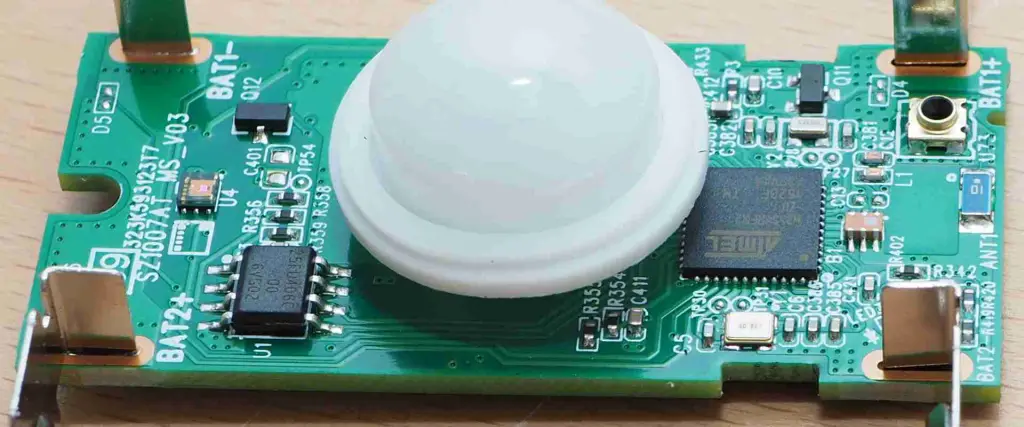
A PIR (passive infrared) motion sensor is an electronic device that measures infrared light radiating from objects in its field of view to detect motion. PIR sensors are used extensively in security systems, automation, and a variety of consumer applications to sense occupancy and trigger lights, cameras, alarms and other responses. This comprehensive guide covers the working principle of PIR sensors, characteristics, interfacing circuits, and usage in various applications.

How PIR Motion Sensors Work

PIR sensors can detect motion up to 20 feet away. They are often used in security systems and automatic lighting systems. Here is an overview of how they work:

Detecting Infrared Radiation

All objects emit some low level of infrared radiation that is invisible to the human eye but can be detected by electronic devices designed for such a purpose. The term passive in PIR sensor signifies that they do not generate or radiate any energy for detection purposes. They solely work based on detecting infrared radiation emitted by occupants in the surroundings.

The human body emits infrared radiation with a wavelength between 9 and 10 micrometers known as black body radiation. Even in complete darkness, this irradiation persists.

Sensing Method

PIR sensors contain a pyroelectric sensor which can detect levels of infrared radiation. It contains a crystalline material that generates an electric charge when exposed to infrared radiation. The changes in the amount of infrared striking the element change the voltages generated, which are measured by an internal circuit.

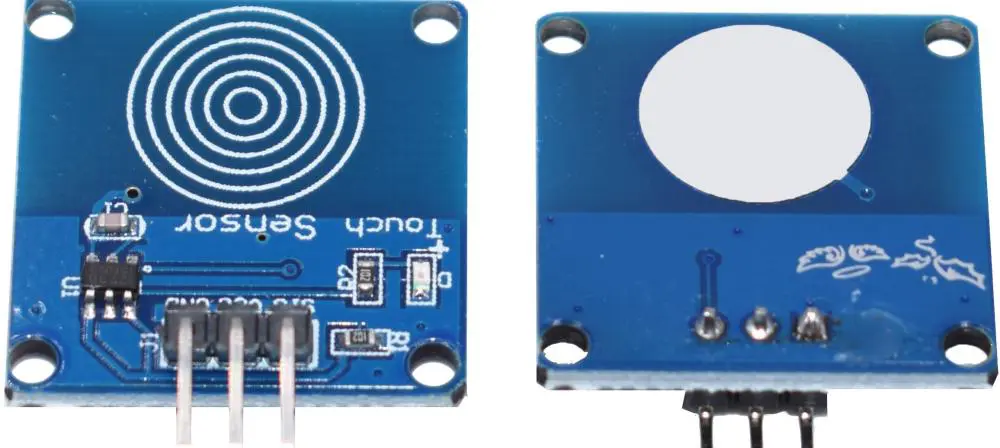
The PIR sensor has three terminals – VCC, OUT and GND. When motion is detected, a HIGH output voltage signal is generated at OUT.

Detection Pattern

The PIR sensor has a 3-terminal IR sensing element connected to a simple signal conditioning circuit. This circuit generates a binary HIGH or LOW output when motion is detected.

PIR sensors have a wide angle range for motion detection. However, they also respond to rapid temperature changes in the field of view unrelated to motion, which can false trigger the output. To avoid this, PIR sensors use special detection methods:

  • Differential detection – Two IR sensors configured in a differential signal detection mode. Motion is detected when both sensors see a signal. Temperature shifts seen by both sensors cancel out.
  • Dual element sensor – Contains two sensing elements connected in opposite polarity. Output will be LOW when both elements see same IR level. Motion causes opposite signals as the internal shade moves back and forth over the elements when heated by a moving occupant.
  • Fresnel lens – Specially designed lens condenses distant infrared signals while filtering constant background IR sources to further improve sensitivity to human motion.

These techniques allow the PIR sensor to react only to heat and motion inconsistencies caused by human bodies while ignoring ambient temperature variations.

PIR Sensor Characteristics

Key characteristics that define the performance and usage of PIR sensors:

  • Detection range – Distance within which motion can be detected, usually 10 to 20 feet. Extended by optics.
  • Field of View (FOV) – Total volumetric angle within which motion is detected. Different lenses provide a variety of detection patterns.
  • Detection zones – Adjustable mirrors allow subdividing the FOV into discrete zones for directional sensing.
  • Sensitivity – Determines smallest detectable movement. Related to signal strength and amplification factors.
  • Time delay – Minimum time between activations to prevent multiple triggers due to the same motion. From 5 sec to 5 min.
  • Warm-up time – 15 sec to 1 min required for sensor to stabilize before active operation.
  • Operating voltage – Typically wide supply range of 5-20V DC. Low standby current consumption.
  • Output – Digital, analog, variable pulse width modulated options for direct interfacing.
  • Operating temperature – Industrially hardened versions work from -40ยฐC to 85ยฐC.
  • Immunity – Designed to avoid triggering due to ambient temperature shifts, indoor lighting, and EMI/RFI noise.

How to Use PIR Sensors

PIR motion sensors are easy to use. Here is a typical circuit diagram for connecting a PIR sensor:

The sensor simply connects between positive voltage and ground. A resistor limits current through the output pin which switches HIGH when motion is detected. The OUT pin can directly drive a microcontroller input or a transistor stage for toggling an external load.

A warm-up time of at least 60 seconds on power up is recommended before active motion detection for proper operation. The sensor lens should have an unobstructed view of the monitored region. Mounting height depends on the detection range – 8 to 15 feet is common.

Sensitivity can be adjusted via a potentiometer on most PIR sensors. Higher sensitivity could increase false triggers under certain conditions.

Many PIR sensors feature adjustable time delays from 5 to 300+ seconds to prevent repeated triggering of the output due to the same motion event. This helps reduce false alarms.

Interfacing PIR Sensors with Microcontrollers

PIR sensors can directly interface with microcontroller I/O pins for motion activated control. Here is an example Arduino sketch for a basic motion detector:

const byte pirPin = 3; // PIR connected to pin 3 void setup(){ pinMode(pirPin, INPUT); // Set pin as input Serial.begin(9600); // Start serial monitor } void loop(){ byte state = digitalRead(pirPin); // Read PIR sensor if (state == HIGH) { // If motion detected Serial.println("Motion detected!"); } else { Serial.println("No motion"); } delay(500); // Small delay }

The code continually checks the PIR sensor output. If motion is detected, it prints “Motion detected!” on the serial monitor. Else, it prints “No motion”. A short delay is added to avoid repeated prints.

More advanced algorithms can be implemented to detect motion only during certain times, keep a motion log, activate alarms or cameras, and conserve power using sleep modes.

Applications of PIR Motion Sensors

PIR sensors have numerous applications in home, commercial, and industrial automation systems. Some examples include:

  • Security systems – Motion activated security cameras, alarms, security lighting.
  • Home automation – Smart lighting, HVAC control, occupancy monitoring.
  • Automatic doors and gates – Open when someone approaches.
  • Traffic counters – Monitor vehicle or people traffic patterns.
  • Object detection – Detect vehicles at parking gates. Presence detection in factories.
  • Motion triggered games – Interactive displays and exhibits.
  • Energy saving – Turn on/off lights, AC based on occupancy.

Choosing a PIR Motion Sensor

With a wide range of PIR motion sensors available, here are some tips for selection:

  • For long range detection up to 20 feet, choose sensors with extended detection lenses. Consider the field of view shape.
  • Sensors with lower current draw are better for battery powered systems. Duty cycle operation helps conserve power.
  • Select adjustable time delay and sensitivity options for avoiding false triggering if needed.
  • Rugged industrial grade sensors will have higher ingress protection (IP), vibration tolerance and wide temperature operation.
  • Optical filters, dual element sensors reduce interference from ambient light and temperature changes.
  • Analog or PWM output versions allow measuring signal strength instead of just on/off control.
  • Versions with daylight blocking and pet immunity features are suitable for home use.
  • Easy mounting provisions, wiring terminals, adjustment controls should be considered for easy installation.
  • Units approved for the region, rated for safety, with manufacturer warranty give peace of mind.

Interfacing Considerations for PIR Sensors

Some tips for reliable PIR sensor interfacing:

  • Make sure the sensor has unobstructed line-of-sight to monitored region. Avoid installing behind partition walls.
  • Glass doors/windows can block infrared – install on an adjacent wall. Areas with heavy glass/metal should be avoided.
  • Mounting height between 8-15 ft is typical. Higher to cover larger areas.
  • Avoid wiring in parallel with power cables which may couple noise. Twisted pair cables are better.
  • Add filtering capacitors on voltage lines for power supply decoupling if long cables are used.
  • Ensure supply voltage is within rated range including drops due to long wiring runs.
  • For outdoor use, mount inside weatherproof housings with IR transparent window. Avoid direct rain/sun on sensor.
  • Heaters, AC ducts can cause false triggers – keep away from direct drafts and heat sources.

With good positioning and wiring practices, stable PIR sensor operation can be obtained.

Advanced PIR Sensor Circuits

While PIR sensors can directly interface to logic circuits, some additional circuitry can improve functionality:

Amplification – Adding an amplifier boosts the sensor output signal enabling longer range or smaller motion detection.

Latching – A flip flop circuit latches the output HIGH on motion detect, holding devices on until reset manually.

Timing control – Timers set triggered device on-time duration, or enforce mandatory OFF intervals.

Shut-off timer – Automatically turns the system OFF after being triggered for a set duration. Saves energy.

Creep zone detection – Detects motion very close to the sensor using a secondary IR sensing element. Improves security.

Multiple sensors – Connecting multiple PIR units provides expanded coverage with configurable trigger logic.

Wireless interface – Output drives a radio transmitter to enable monitoring remote, hard to wire locations.

PIR Sensor Module Options

PIR Motion Sensors

For easier prototyping, self-contained PIR sensor modules are available with built-in circuitry and standard interfaces:

  • 3-pin analog modules – Potentiometer sensitivity adjustment. Analog voltage output proportional to detected IR signal level.
  • 3-pin digital modules – Directly interfaces to digital I/O pins. May feature time delay and sensitivity configuration.
  • PWM output modules – Generate pulse width modulated signal proportional to detected motion.
  • I2C/SPI modules – Digital communication over I2C or SPI interfaces. Allow microcontroller configuration of module parameters.
  • Relay modules – Inbuilt electromechanical relays that close on motion detect for switching higher loads.
  • Microwave hybrids – Combine PIR and microwave radar sensors on a single board for fewer false triggers.

These modules simplify prototyping and final product integration using PIR technology.

Conclusion

PIR motion sensors provide an inexpensive yet effective way to detect motion for security, automation and other useful applications. Their ability to detect occupancy without physical contact allows flexibility in system design and installation. Incorporating additional circuit elements can further enhance PIR sensor capabilities. With a good understanding of working principles and characteristics, reliable motion sensing can be added to projects with PIR technology.

Frequently Asked Questions about PIR Motion Sensors

Some common questions about PIR motion sensors:

Q: How does a PIR motion sensor detect movement?

A: It uses a pyroelectric sensor to detect levels of infrared radiation. Moving occupants emit changing IR radiation which the sensor detects as motion.

Q: What is the typical detection range of a PIR sensor?

A: Most PIR sensors have a detection range of 10-15 feet. Larger range units and special optics can extend this to 20-25 feet.

Q: How wide is the field of view of a PIR?

A: Basic sensors have 100-120ยฐ FOV. Lens options like curtains and long range optics provide narrower, longer FOVs.

Q: Can PIR sensors see through glass or walls?

A: No, obstacles fully or partially block the infrared waves from reaching the sensor, preventing motion detection.

Q: How fast can a PIR sensor respond to motion?

A: Commonly between 50 to 500 milliseconds. Faster responding sensors are available using special circuitry.

WHAT IS Taconic TSM-DS3 PCB

Taconic TSM-DS3 PCB

The Taconic TSM-DS3 PCB is a structural steel member that mounts horizontally atop another structural steel member. It has 2×4 and 2×6 sides and top plates made from N/A material. The two x-braces mounted also connect two structures on the bottom of the frame. In addition to its unique design for industrial buildings, we commonly use this product in residential and commercial applications in places like warehouses or garages. The Taconic TSM-DS3, Taconic TSM-DS3 PCB is mainly used to support heavy equipment or machinery moving through a building.

History

The Taconic DS3 has been a popular DAC/amp from its inception in the late 1980s. We use it on some of the most acclaimed recordings and albums. Dr. Dieter Doepfer designed the device. He is still heavily involved with the company today as their flagship DAC/amp designer for more than 30 years. Commercial use of the DS3 has been widespread. We can find the DS3 in the highest quality of recording studios and many audiophiles.

The prototype AC-DC board, which probably dates to sometime in 1992, had a modified version which re-routed the fold-over portion of the PCB to allow for DC operation. This DS3 PCB board did not go into production, and instead, the new design of the DS3 PCB board replaced it. It had a third switch for DC operation. We could switch this new version of the DS3 PCB board from 120VAC to 240VAC. Manufacturers redesigned the AC-DC board again sometime in the fall of 1993 to include TSM (Thermal Self-Monitoring) and an extra modulation output. The third AC-DC board design included the newly redesigned DC power connector, which allowed for a more stable output voltage.

The current Taconic DS3 PCB board has a โ€œDS3, Dieter Doepferโ€ mark. We presume that Dieter Doepfer designed it with some help from others. The DS3 PCB board is a low noise, high-performance device. However, there have been several issues regarding repairability over the years and the high cost of parts. This article describes some of the issues and solutions to repair the Taconic DS3 PCB board as reliable as possible. The PCB is also marked: โ€œ120/220VAC, 3W/4W/6W.โ€ The DS3 PCB remains unchanged with only minor cosmetic changes and improvements throughout its production years.

Issues with the Taconic DS3 PCB board

The Taconic DS3 is a well-built and sturdy device. Taconic has had minor problems with the DS3 in the past. It was around the power supply and the DS3 PCB board. The DS3 remains a sought-after device with good performance and a reasonable price.

The DS3 PCB board is an all-discrete, class-A circuit with low noise discrete components. It has a very clean design that can be easily modified or supplemented. The PCB layout is simple and easy to work with. We break the board into two halves by a square cut-out. A metal structure connects the two halves, with holes on either side for fastening. One glue pad at the connector/power connector area to help keep things in place during assembly. We can see the main ground point on the bottom layer.

The DS3 PCB board takes power from a standard Molex-type AC power plug via a double-side terminal strip (DS1). The plug has two rows of pins on the bottom with a single row of pins at the top. The pins have approximately 2.5mm space in the outer rows and about 5mm in the inner row. Producers make the power connection through a large pin (nearly 10mm long). We use a generous amount of solder around the power connector to strengthen it and at other places where we will solder the boards to it.

Modification to the DS3 PCB

The design of the TSM-DS1/TSM-DS2 PCB boards is in a way that it can replace the DS3 PCB board and use it in its place. We need a few modifications to make this happen, including some bypass caps and voltage regulators. We must also mount it differently (it canโ€™t use all the fastening holes). The most significant change is to make sure that we connect the ground at the power connector to 1.1 volts instead of 0.9 volts.

The TSM-DS3 PCB has many connections that we can access once installed in a stompbox. There are hundreds of places to solder onto the PCB. The photo shows some of the connections that are easily accessible once installed in a stompbox. Some photos show other possible places connected (but not necessarily used) when installed in a stompbox or sound card.

The Taconic DS3 has several issues with its power supply and PCB board. The main issue is with the power connector. The power supply essentially comes from two small transformers. They are somewhat efficient and have minimal noise. However, one of the transformers often fails.

The producers made two changes to the DS3 PCB board to address this problem:

Manufacturers made changes to the transformer connections better to distribute load among both transformers for better efficiency. They connected the center tap of the transformer connections to the main ground point on the PCB board. This helps to minimize noise and allows for better current flow through both transformers.

Another change made to the DS3 PCB boards was connecting AC power. The original design had a fold-over portion at one end of the PCB where we solder two tabs to each other. It allowed normal operation at 120VAC or 220VAC (see photo). The original design of the DS3 PCB board allowed the possibility of using power at 120V or 240V. However, we only use this in the AC version of the DS3. The original design did not allow output to DC.

Purpose:

Manufacturers such as RayMing PCB and Assembly design this product in industrial buildings and warehouses to support heavy equipment or machinery while moving them through the building. The floor frame is typically placed directly under the supporting structure. Floor systems used in industrial buildings typically mount directly to the subfloor without a support frame.

We also use this product in commercial applications in places like offices. The floor frame is typically placed directly under the supporting structure. A concrete slab is often poured over the structural steel system to create a sturdy, stable floor that is safe for workers and foot traffic. In commercial buildings like offices, we can also use this product in place of wood framing.

Design:

The design of this product begins with the concept of being a structural member. The primary purpose of any supporting structure is to support its container in an upright position. You can dot this by distributing the weight evenly. Manufacturers design this product to be a horizontal bearing frame placed on another horizontal bearing frame. It supports the underneath structure and holds it upright during assembly, installation or lifting.

The structural members used to make this product are from structural steel. This structural steel is S235 per ASTM A53/A53M Series. They weld the material together to create a single frame member. Manufacturers design the frame side cross-sections to form a box shape open on two sides and have two horizontal bearing surfaces. The outside dimensions of the frame members are 2 โ€œx4โ€, 2 โ€œx6โ€, and .75โ€. It is dependent on the height of the product. The inside dimensions are 1.875 โ€œx3.25โ€ and 1.5 โ€œx2.625โ€. The box shapes make it possible for this product to be helpful with other products as an erector set to create an entire building frame. One makes the sides from N/A material. We make the top and bottom plates from 1/2โ€ material.

The primary load-bearing members are the x-braces, which connect the two frames at the corners. We can install the x-braces from underneath or from above. Installation is dependent on its location about other products and whether it will be visible when installed. We also construct these braces from structural steel.

Common practice in design

It is common to use this product with another bearing member as a set to form an erector set or foundation system. We can place the two products together in a series to support heavy equipment or machinery. The use of the product as an erector set allows the placing together of its components. It also allows for support in a controlled arrangement for the buildingโ€™s frame. Another common use of this product is to transfer its components to build a complete assembly.

This product works well in conjunction with other products. One can form the support structure into a complete building system. Another application of this product is a horizontal bearing member. It allows for independent structural members underneath it. The applied load from the structure below is dependent on the strength of these independent members. We can support each independent member independently or together under this floor frame with an x-brace. The x-brace, however, can also be independently supported.

Structural Specifications:

This product works as a horizontal bearing frame to support heavy equipment or machinery. We can also use it in industrial buildings and warehouses where we must move large equipment. We take different elevations along the way. The floor frame provides this movement by supporting the weight of locomotives, forklifts, and heavy machinery. We can also use this product in commercial applications in places like offices. The floor frame is typically placed directly under the supporting structure. A concrete slab is often poured over the structural steel system to create a sturdy, stable floor that is safe for workers and foot traffic. In commercial buildings like offices, we can also use this product in place of wood framing.

Conclusion

The Taconic DS3 is a very fine-sounding device with good features. It has been around for some time and is still available new, or used. In terms of its specifications, itโ€™s one of the few solid-state amps that still utilize vacuum tubes. This is because of its low distortion and stable output voltage. Itโ€™s unknown exactly how many DS3s we have been producing over the years, but it must be worth quite a bit considering its price and good performance.

Digital Circuit Design,Working principles, Types, Applications, Examples

digital circuit

Introduction

Digital circuits are the fundamental building blocks of all electronic devices and systems around us. From smartphones, computers, TVs, automobiles to industrial automation systems – all employ digital circuits extensively for processing and controlling digital signals. This article provides a comprehensive introduction to digital circuit design concepts including working principles, common logic families, major types and applications with example circuits.

How Digital Circuits Work

Digital circuits operate on discrete signal values representing binary 1s and 0s, in contrast to analog circuits handling continuously variable signals. The basic working principle involves:

  • Representing information as binary digits (bits)
  • Using logic gates like AND, OR, NOT to process the bits
  • Combining gates into complex circuits to perform functions
  • Using binary arithmetic for mathematical operations

Digital signals have only two definite levels – high/low, on/off, true/false – corresponding to logic 1 and 0. Circuits detect and regenerate these logic levels reliably allowing complex processing using simple Boolean logic.

Digital circuits use electronic switching between saturated states to implement logic functions. Transistor or diode switches change between cutoff and saturation rapidly to recreate sharp digital transitions. Positive feedback ensures unambiguous operation.

Digital Circuit Advantages

Key advantages of digital circuits that have made digital systems ubiquitous:

  • Discrete states – Easier to distinguish between a limited set of states compared to analog
  • Noise immunity – Regeneration of digital levels provides noise margin up to ยฑ30%
  • Scalability – Large systems can be integrated by combining smaller logic blocks
  • Flexibility – Reprogramming digital systems allows multiple functions from the same hardware
  • Reliability – Digital error detection and correction improves reliability

Logic Gates

Logic gates are elementary building blocks of digital circuits that perform basic Boolean logic operations on one or more input signals to produce a single output.

Common single-bit logic gates and their operation tables are:

NOT Gate

Inverts the input signal. Output is HIGH if input is LOW and vice versa.

InputOutput
01
10

AND Gate

Output is HIGH only when all inputs are HIGH, else output is LOW. Performs logical conjunction.

Input 1Input 2Output
000
010
100
111

OR Gate

Output is HIGH if any input is HIGH, else LOW. Performs logical disjunction.

Input 1Input 2Output
000
011
101
111

XOR Gate

Output is HIGH if inputs are different, LOW if they are the same. Performs exclusive disjunction.

Input 1Input 2Output
000
011
101
110

NAND Gate

AND gate with inverted output. Output is LOW only if all inputs are HIGH.

NOR Gate

OR gate with inverted output. Output is HIGH only if all inputs are LOW.

These basic gates are combined in complex ways to implement all digital logic functions.

Logic Families

Logic gates are constructed using different transistor-level circuit families based on factors like speed, power, cost, and integration scale. Popular logic families include:

Transistor-Transistor Logic (TTL)

Uses bipolar junction transistors (BJT). Provides high speed, high current drive and good noise immunity. 5V standard TTL is the most common.

Complementary Metal Oxide Semiconductor (CMOS)

Uses complementary n-type and p-type MOSFET pairs. Very low power consumption but higher propagation delay. 3.3V or 5V supply. Can integrate high density circuits.

Emitter Coupled Logic (ECL)

Uses BJTs with constant current source biasing. Provides very high speed but consumes more power. Ideal for high performance circuits.

N-type Metal Oxide Semiconductor Logic (NMOS)

Uses n-channel MOSFETs. Simple construction but higher power loss. Used in early microprocessors.

Gallium Arsenide (GaAs) Logic

Uses GaAs field effect transistors. Very high speed suitable for microwave operations up to 12 GHz. Used in high frequency ICs.

Classification of Digital Circuits

digital hardware design

Digital circuits can be classified based on their logical function as follows:

Combinational Circuits

Consist of logic gates where the output is determined solely by the present combination of inputs. Do not use memory or feedback. Example: decoders, multiplexers, parity checkers.

Sequential Circuits

Use memory elements in addition to logic gates. Output depends on present inputs as well as past inputs. Examples: flip flops, counters, shift registers.

Based on construction, they are classified as:

Fixed-Function Circuits

Consist of standard logic gates designed to provide specific function. Less flexible but simple to design. Example: an adder constructed from gates.

Programmable Logic Devices (PLD)

Consist of AND-OR gate arrays that can be interconnected by the designer. Provides flexibility and customizability.

Application-Specific Integrated Circuits (ASIC)

Custom ICs optimized for a specific task like a microprocessor. Highest performance but expensive.

Major Types of Digital Circuits

Some major types of digital circuits used extensively in most digital systems are:

Multiplexers and Demultiplexers

  • Multiplexer (MUX): Takes multiple inputs and selects one to forward to output based on a control input.
  • Demultiplexer (DEMUX): Routes single input to one of many outputs based on control.
  • Allows efficient sharing of transmission lines and interfaces.

Decoders and Encoders

  • Decoder: Converts binary encoded inputs to associated outputs. Enable parallel control lines using fewer selection lines.
  • Encoder: Converts multiple input lines into encoded binary outputs. Reduces number of transmission lines.
  • Commonly used in memory addressing and 7-segment displays.

Flip Flops

Bistable multivibrators that store one bit of data. Widely used in registers, counters, memory. Types include SR, D, JK, and T flip flops.

Shift Registers

Consist of flip flops connected together enabling moving stored data serially. Used for converters, buffers, delay lines.

Counters

Consist of flip flops configured as frequency dividers or sequence generators. Used in timers, digital clocks, frequency meters.

Adders

Used to perform binary addition and subtraction. Half and full adders are the basic building blocks for arithmetic logic units in CPUs.

Comparators

Compares two binary values or magnitudes and determines their relation like equal, greater than, less than. Essential in analog-to-digital converters.

Schmitt Trigger

Provides input noise filtering and waveform shaping using positive feedback. Converts slowly changing signals into sharp transitions.

Digital Circuit Applications

Digital circuits serve as the basis for implementing a wide variety of useful applications and electronic systems.

Computers and Processors

Microprocessors, microcontrollers, RAM, peripherals are built using digital circuit blocks including registers, ALUs, clock circuits.

Programmable Logic Controllers

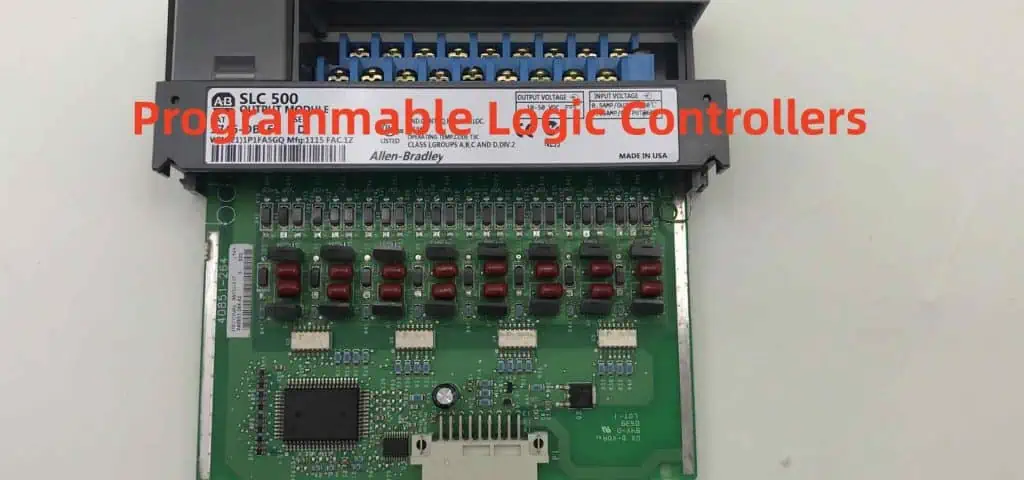
PLCs use integrated digital circuits to provide robust automated control for industrial processes like assembly lines.

Calculators

Perform mathematical operations electronically using arithmetic logic units, display drivers, memory chips.

Digital Displays

Seven segment, dot matrix LED/LCD displays are interfaced using decoder, driver and controller circuits.

Wireless Communications

Digital data modulation, encoding, sequencing is performed in radios and cellphones using logic circuits.

Automotive Systems

Digital circuits drive engine control modules, airbag controls, infotainment systems, GPS units in modern vehicles.

Home Appliances

Washing machines, air conditioners, smart TVs use microcontrollers and logic circuits for programmed operation.

Traffic Light Controllers

Timing circuits like oscillators, counters and flip flops help sequence traffic signals.

IoT Smart Devices

Internet connected devices use logic circuits for local processing and telemetry control.

Medical Electronics

Monitoring equipment, implantable devices rely on precise timing and control circuits.

Space Systems

Digital circuits provide computation, sequencing and control for spacecraft onboard systems with low weight and power needs.

Military Systems

Guidance systems in missiles, rockets and torpedoes employ radiation-hardened digital circuits for accurate control.

Examples of Common Digital Circuits

Half Adder

Adds two single bit binary numbers A and B. Uses XOR gate for sum and AND gate for carry out.

RS Latch

Simple flip flop made of two cross-coupled NOR gates to store one bit. R=1 resets output Q=0, S=1 sets Q=1.

Binary Counter

Counts pulses using JK flip flops connected in toggle mode. Output increments on each clock edge.

2 to 4 Line Decoder

Converts 2-bit input to 1-of-4 output lines to select devices. Enable controls overall operation.

DAC – R2R Ladder

Uses resistor ladder network to convert digital input to analog voltage output proportional to code.

Schmitt Trigger Inverter

Provides hysteresis for clean switching of noisy input using positive feedback via resistor Rf.

Conclusion

Digital circuits offer advantages of noise immunity, scalability and flexibility for implementing logic, arithmetic, sequencing and control functions in electronic systems. Combinatorial and sequential logic circuits built from standard gates and flip flop provide building blocks for designing complex digital systems. Continued progress in IC fabrication allows packing billion-transistor ultra-high density circuits enabling today’s digital products and infrastructure.

Frequently Asked Questions (FAQs) about Digital Circuits

Here are some common questions about digital circuits:

Q: What is the difference between analog and digital circuits?

A: Analog circuits operate on continuous signals with infinite values. Digital circuits operate on discrete ON/OFF signal values of 0 and 1.

Q: What are the basic building blocks of digital circuits?

A: Logic gates like AND, OR, NOT that implement fundamental Boolean logic are the basic building blocks of digital circuits.

Q: What are the advantages of digital circuits over analog circuits?

A: Key advantages are noise immunity, easier scalability, flexibility through programming and higher reliability using error correction.

Q: What are combinational and sequential logic circuits?

A: Combinational circuits provide output based only on current inputs. Sequential circuits use memory elements where output depends on past inputs too.

Q: What are the different logic families used in digital circuits?

A: Popular transistor-level logic families are TTL, CMOS, ECL, NMOS, GaAs logic. Each optimizes factors like speed, power, density, and cost.

How Digital Circuit Works

Have you ever wondered what happens when you flip a switch and turn on a light? How does that electrical signal travel from the wall to the bulb, and what makes it work? What do you achieve when you flip a switch?

You donโ€™t need to wonder any longer! The circuit is an interactive computational tool. It helps you explore how to translate analog electrical signals into digital signals and back again. Start by exploring the circuit shown below. We connect the source, or power source (a battery), to a circuit by a light bulb or bulb socket. Then turn the switch on to see what happens.

A circuit is in many ways similar to the electrical circuits you use every day. The difference is that the electricity flows in an electrical circuit in a continuous loop. In contrast, the electricity flows with a series of switches and electronic components in an analog circuit.

An analog electrical signal is a voltage (like static electricity) that you can turn on and off. Thatโ€™s why you sometimes hear about something being โ€˜on/offโ€™ or โ€˜high/low.โ€™ In your home, there are switches on at least some of your lights.

What is a digital circuit?

digital circuit simulator

A digital circuit is an electrical circuit that uses binary logic to process binary data. The term โ€˜digital circuitโ€™ is usually used interchangeably with โ€˜digital logic circuit.โ€™

A digital circuit processes binary data composed of two discrete values. We represent them by the numbers 1 and 0. Binary data is the language of computers and other digital devices. Examples include calculators, mobile phones, and cars diagnostics computers.

Digital circuits are the basis for all modern computing. You will find them on LCD screens and lights on different devices. These devices include automobiles, cellular phones, and appliances.

The digital circuit is in every digital device. These electronic devices use binary logic circuits that process digital data. Popular examples include digital switches and counters in all computer applications.

The blue circuit consists of the switch, the light bulb, the capacitor, and the resistor. The red circuit consists of two wires. We connect the switch to one wire using an electronic component called a โ€˜toggle switch.

How does Digital Circuit work?

There are two common types of digital circuits: combinational logic and sequential logic.

Digital circuits consist of logic gates that use binary signals for their inputs. These are the red and blue wires found in the circuit. The output of a logic gate is either 0 or 1. It corresponds to a voltageโ€™s absence or presence (a โ€˜lowโ€™ signal or a โ€˜highโ€™ signal). If a wire carries a โ€˜lowโ€™ signal, you may connect it to the ground without changing the circuitโ€™s operation. All inputs are either high or low signals.

The CPU occupies a central role in modern computers and other digital devices. The (CPU) performs calculations based on the binary data that it receives. One type of CPU is the modern microprocessor. It contains millions of transistors that Rayming PCB & Assembly to process trillions of binary bits in parallel.

Transistors help build logic gates that act as switches to turn signals on and off in digital circuits. They act as a transistor in an amplifier that we can either turn โ€˜offโ€™ or โ€˜on.

The digital gates are physical chunks of semiconductor silicon that act as electronic switches. The โ€˜onโ€™ state is binary 1, and its โ€˜off state is binary 0.

Each switch in each circuit in a computer can be either on or off. Likewise, each transistor in an integrated circuit can be either on or off. They are both on, but one is lower than the other. This binary data move conductive wires, the transmission medium for binary instructions.

Types of Logic Circuits

We connect the logic gates in the circuit using a combination of wires and transistors to form a logic gate. Then, the output of one logic gate connects to the input of another logic gate, producing a chain reaction.

This chain reaction is a series of โ€˜onโ€™ and โ€˜offโ€™ signals. These signals travel from one end of the circuit, lighting up the light bulb. Of course, the details will vary from one type of digital circuit to another. But all digital circuits use variations on this basic principle.

They obey logic rules similar to math, such as the โ€˜ANDโ€™ and โ€˜ORโ€™ logic rules. However, the input is only considered true in digital logic if all inputs are true. In this case, we consider the output true only if both 2 and 3 are true. This is because both A and B had to be on simultaneously for this to happen.

1. Combinational Digital Logic Circuit

Combinational circuits are the most common type of digital circuit. They can perform simple arithmetic and logical operations. Such operations include addition, subtraction, multiplication, and division. They depend on logic gates such as NAND gate, NOR gate, NOT gate, AND gate, an OR gate.

Combinational digital logic circuits can perform repetitive tasks without any external clock signal. Instead, the circuit itself provides the clock by resetting its state after a set period.

Computers are examples of combinational digital logic circuits, as are the following objects:

  • Digital clocks, alarm clocks, and timers (with an interval timer)
  • Light dimmers
  • Electronic thermometers
  • Automatic doors and windows controllers

2. Sequential Digital Logic Circuits

Sequential circuits are digital logic circuits. They change state after a timed period in response to a triggering event. For example, they respond to triggers such as the flip of a switch or the rising or falling edge of a clock signal.

Sequential digital logic circuits include memory (storage) elements. Good examples include flip-flops, latches, and registers. They are essential in modern computers. This is because they store information while performing tasks in other system parts. As a result, the deviceโ€™s output does not depend on the input values but rather the deviceโ€™s current state.

Sequential circuits consist of digital logic gates and memory devices. They can perform repetitive tasks at timed intervals, such as an alarm clock or television that turns on at a specific time.

Computers are also helpful for sequential digital logic circuits, for example:

  • Televisions
  • Cash registers
  • Digital clock
  • Alarm clocks
  • Telephone handsets

Digital clock machines use sequential digital logic circuits to store the time and set the time.

3. Circuits with Clock-Driven Components

Digital logic circuits can also synchronize with the clock that controls their operation. This produces digital pulses at regular intervals, just like an analog clock.

Digital circuits that respond to a regular pulse are periodic or synchronous.

Circuits can run together or parallel and synchronize their behavior with the same clock pulses. But, first, we connect all clock lines and attach them to a common output line or wire.

We often clock together two or more digital circuits that use the same clock signal.

When a common clock signal clocks a circuit, we call it a synchronous circuit. In this book, we will only discuss synchronous digital logic circuits.

An example of an asynchronous digital logic circuit is an asynchronous RAM. It consists of flip-flops connected in parallel. This enables the system to read and write all of them simultaneously.

4. Circuits with Event-Driven Components

Instead of a clock, circuits can react to an external or internal signal or event. We refer to these event-driven digital logic circuits. An event-driven circuit responds only when the triggering condition is present. It ignores all other input signals during that time.

Difference Between Analog Circuit and Digital Circuit

Digital circuit design

Both circuits serve a vital role in electronics and are an integral part of electronics. In addition, both circuits help process information in digital hardware. It uses binary numbers instead of analog hardware that uses continuous values.

Digital circuit processing is faster than analog circuits. However, digital circuits require more power. Therefore, Digital circuits have their merit and demerits. They are widely helpful in different fields of electronics.

Circuits are a building block for any electronic device or system. So, the study of circuits is very significant for a person who will make electronic systems.

Analog Circuit

An analog circuit is a circuit in which the information moves through varying physical quantities. These quantities include electric charge, current, magnetic flux, etc.

The word analog comes from the Greek word analogos (ฮฑฮฝ ฮปฮฟฯ‚), meaning โ€œproportionate,โ€ โ€œcorresponding to.โ€

Analog circuits help control physical processes such as amplifying a signal or filtering noise out of power lines. In addition, the analog circuit efficiently handles processes where large amounts of data need processing, and other signals change over time.

Analog circuits are helpful in process control, temperature sensors, and video systems.

Analog circuits are always helpful in varying the value of a variable (voltage or current) applied to the points in the circuit. The continuous variation of voltage (or current) makes it look at a continuous function.

Digital Circuit

A digital circuit is an integrated circuit (IC) used in computers to store data. We can consider it a mini-computer. A computer system needs a storage unit, which acts as a storage and processing power medium. This storage unit could be in the form of a magnetic disc, optical disc, or paper tape.

The problem with these previous methods is that they are mechanical. Therefore, they can also fail due to mechanical factors such as heat, shock, etc.

Digital circuits overcome this problem by using electrical switches to store the data. The transistors control these switches, which store or release electrical power.

The binary data is not stored directly in a digital circuit. Instead, we convert it into a series of ones and zeros, called bits (short for โ€œbinary digitsโ€). Combining these bits allows you to write numbers on a computer the same way you write letters on paper.

Digital circuits have some advantages over analog circuits.

Features

1. O/P Quality

Analog-to-digital converter (ADC) is the first conversion stage from an analog signal to a digital signal. An analog-to-digital converter requires extensive calibration for sufficient precision and accuracy. An ADC acts as a standard simulator and tests various systems. They work best in measurement instrumentation, medical devices, etc.

Digital circuits are more helpful due to their ease of use and precision in data handling.

2. Efficiency of a Circuit

Analog circuits in use depend on rheostat (an indirect variable) & potentiometer (direct variable). A variable resistor or potentiometer helps adjust the output of an analog circuit. Digital circuits do not need a variable resistor or potentiometer. They control electrical signals directly. Due to their nature, digital circuits are more efficient. They need less power than analog circuits.

3. Precision and Reproducibility

Digital circuits are more precise and reproducible than analog circuits.

When we convert analog signals to digital form, we capture the imperfection in the original signal by sampling. However, Digital signals do not capture this imperfection as in the original signal. Therefore, digital signals are helpful in highly accurate measurements and industrial control applications. For example, level sensing with a level transmitter is very accurate.

Main Differences

โ€ข Analog circuits process information continuously, while digital circuits process information in steps.

โ€ข Analog circuits use continuous signals instead of digital. It uses โ€œonโ€ and โ€œoffโ€ signals.

โ€ข Analog circuit is always used by varying the value of a variable (voltage or current) applied to the points in the circuit. The continuous voltage variation appears to be looking at a continuous function. While in digital circuit processing, a binary number helps represent a number between 0 and 1.

โ€ข 2-state Digital circuits do not have the problem of function approximation and noise.

Channel

A channel is a component that allows you to connect signals to your circuit.

There are two types of channels in digital circuits: input and output. Digital buses are essential for the connection to other electronic devices. Therefore, your circuitโ€™s input and output channels can connect to other electronic devices. We use CMOS logic levels & serial communication to achieve this.

Mixing Analogue and Digital

We can conduct the digital and analog worlds together through an analog-to-digital converter. One can convert a digital signal into an analog binary code. The ADC converts the analog signal into a digital signal. We can then process these signals further by a digital circuit.

Ground Noise:

Ground noise is also known as a ground loop. It is a type of noise that occurs in mains supply and ground wires. Nearby appliances and electric motors can cause this noise. A ground loop can cause random digital output values on the circuit. It is similar to the โ€œcrosstalkโ€ problem.

Once we make the circuit, it is essential to ensure no ground loops. It is usually impossible to remove the ground loop entirely. Therefore, it ensures no components in the line path of any power supply wires can help solve this problem. Itโ€™s usually essential to install a separate ground wire for each power supply wire. Placing the ground wire away from the power supply wires and components such as switches and relays is the best practice.

One signal goes from the A input (microcontroller) to the digital bus. Then, other devices connected to that bus receive this signal. Finally, this signal then goes back to the A input of the microcontroller for processing and storage.

Filtering:

We filter out the noise caused by all connected devices (i.e., mains supply). In addition, filters help to exclude noise in the output signal. There are different kinds of filters depending on their application. But all filters will have low pass (LP), high pass (HP), and bandpass (BP) characteristics.

It is important to note that filters can affect the characteristics of the circuit. Therefore, we must choose them in this regard. It is best to select a filter that can provide a large bandwidth with a low attenuation rate.

Single-Board Systems:

Single-board systems are the simplest type. They have all the components attached to a single circuit board. This means that all of the components connect. To achieve this, you must isolate the board itself. You will achieve isolation using copper planes, plastic planes, or both. It is important to note that isolation must be good enough. It helps to avoid short circuits occurring between grounds on the board.

Multichip Systems:

Multichip systems are more complicated than single-board systems. This is because they have more than one circuit board. For the boards to communicate (i.e., send/receive signals), they need a physical connection. You must make this connection using a copper plane and connecting both boards. For example, a ribbon cable could transmit the signal from one board to the other. However, using a copper plane is not ideal for multiple boards. This is because of the added difficulty in routing these planes between the components.

Multichip systems are commonly helpful in large-scale projects. They allow you to separate your system into different sections. In addition, it makes maintenance and service easier.

Single-board systems require less hardware and are good for smaller-scale projects.

Multi-Board Systems:

These systems have multiple circuit boards and use cables to connect them. The advantage of this is that you can tailor each system to a specific application. In addition, they use a bus (a common connection) to connect all of the boards. We can use the bus for control and signal transfer between devices.

Analog-to-Digital Conversion (ADC)

The conversion of analog, continuous signals to discrete data is Analogue-to-Digital Conversion. We do this using an ADC (analog to digital convertor). The ADC takes the analog signal and converts it into a digital code. The greatest advantage of an ADC is the more accurate has lower noise. It also has a higher resolution than digital data can be.

Digital-to-Analogue Conversion (DAC)

The conversion of discrete binary data into continuous analog signals is Analogue-to-Digital Conversion. We do this using a DAC. The DAC takes the digital data into a continuous analog signal. The great advantage of a DAC is that you can make changes to data.

ADC Vs. DAC

An ADC converts a continuous analog or digital variable (resolution) signal to digital number series. On the other hand, a DAC converts digital number series into a continuous analog signal.

The output amplitude & frequency of an ADC relates to the input analog value or digital code. That of a DAC relates to the value of the digital code.

CMOS Vs. TTL

The CMOS vs. TTL is an internal signal level of a digital circuit. CMOS stands for Complimentary Metal Oxide Semiconductor. It is an alternative to the basic standard and older TTL (Transistor-Transistor Logic). A CMOS device can use a smaller power supply voltage and longer integration time. The output voltage for a CMOS device is higher than that for a TTL device. A TTL device uses a low power supply voltage and has shorter integration times than CMOS devices. A TTL device can be essential for applications that need a short response time.

Integrated Circuits (IC)

An integrated circuit is a small electronic component that can perform several functions. An IC enables you to design and develop digital circuits using one component. This is instead of using several individual components. The small size makes it suitable for use in large systems.

Programmable Logic Devices (PLD)

A programmable logic device (PLD) is a device that sometimes we call an programmable array. It is a microprocessor-like circuit. It allows precise control of multiple functions through programming. PLDs are often helpful with microprocessors as system controllers. Therefore, E often uses the terms programmable and logic. We use it when referring to PLDs and microprocessors. However, the specific implementation of a programmable logic device is different. There are several differences compared to that of a microprocessor in many ways.

Conclusion

The use of digital electronics has revolutionized our modern way of life. Computer systems are everywhere. They are a necessity in almost every single industry. The digital interface has made communication and control easier. Digital circuits are helpful in many ways to control simple devices. We can even use it to solve complex tasks. Digital electronics is a vast field. It is always expanding and evolving. The characteristics of digital circuits make it very easy to convert analog signals into discrete data. These conversion techniques are essential in many applications. The most common is to convert analog signals into digital data using an ADC or DAC.

Furthermore, we can convert this data back into an analog signal using a DAC or ADC. However, before converting the analog signal back into a digital signal, you need to configure the components of the circuit. It is best to select a filter that can provide a large bandwidth with a low attenuation rate.

Top 3 Semiconductor Manufacturers in Taiwan

semiconductor manufacturer

Microchips are essential for evolving industries. Theyโ€™re at the heart of the devices we use in our homes and on our desktops, smartphones, and more. There are relatively few countries that make the kind of microchips. They end up inside your phone or computer. It means if you want a new device especially made in the USA, you will probably have to custom build it.

However, there has been a shortage of semiconductor manufacturers in the US over the past decade. Itโ€™s a trend that has left the country open to a new wave of competition, including Taiwan

Taiwanese manufacturers have their eyes set on replacing their US counterparts. They intend to be leaders in microchip production. From Appleโ€™s iPhone to the Wii, Taiwan has been the go-to place for microchips. So much so that if you have a calculator in todayโ€™s world, chances are it comes from Taiwan.

This fact helps explain why so many Taiwanese companies have found success in the US. They are succeeding from a moneymaking point of view. Taiwan has long been one of the worldโ€™s leaders in cutting-edge technology.

Semiconductor industry scale

semiconductor shortage

Taiwan is the worldโ€™s second-largest producer of microchips. It has been a staple in the semiconductor industry. The country is one of the top three producers of semiconductors. It still dates back to the seventies when it was a side project for Chinese scientists.

The industry has grown since then. In fact, Taiwan has become one of the top three producers in the entire world.

Taiwan produces an impressive 33% of the worldโ€™s semiconductors. Further, it has saturated microchip production. Now, the industry is now starting to look for alternatives to China for their supply chains. The US is a major producer of many semiconductor materials used in microchips. However, they do not manufacture all these devices in America.

Semiconductors are too important to remain to Chinese manufacturers. So, Taiwan has started to make new strides to take over the industry.

History

The industry started in the 70s during the military dictatorship era in Taiwan. This was when a famous scientist named Morris Chang decided to launch his company. He called it Silicon Spice. This was a surprise for many people and for years after. No one could predict that he would become the most successful man in this market.

Thus, as you can imagine, the company kick-started a new market that no one could predict at the time.

This was a major breakthrough. Soon enough, other companies were set up to compete with Silicon Spice. The interesting fact is that even today, many of the electronic devices around us use these microchips. This tale of extraordinary success and experimental determination has changed Taiwan forever.

The US government has been trying over the years to bring more manufacturers into their country again. But the process has been slow.

Instead, many large companies like Apple and Intel are focusing on the region. That is creating a huge market opportunity for startups. Small to medium-sized businesses are looking to take advantage of this still-new market.

However, Taiwanese semiconductor manufacturers have a plan that is different from the expected.

A new vision

Taiwan has high status as a producer of semiconductor products. So, the companyโ€™s primary focus is not on the manufacturing aspect of it. Instead, they are hoping to capitalize on the demand for computer chips. We use these microchips in many devices and parts of our everyday lives. They include smartphones, computers, and tablets.

In fact, during the past few years, this has become a major source of business in Taiwan. It has changed the landscape of computer chip production worldwide.

The country has been turning away from the microelectronics industry. It focuses on manufacturing chips. Instead, Taiwanese semiconductor manufacturers are focusing on design and testing. This is where they are starting to make a huge impact. They are turning towards computer chips. They are designing them for use in smartphones and other devices.

This is also where the new opportunity lies for startups in the region, especially in Taiwan.

The key to success

Taiwanese semiconductor manufacturers are looking to take advantage of the current market trends. And so far, they are succeeding.

For instance, they have been able to capitalize on the fact that Appleโ€™s iPhone is becoming one of the most popular products in the world today. The company has seen a huge demand for these devices in recent years. This demand is likely to continue growing over time.

The new trend in Taiwan is to produce computer chips for use in these smartphones. It is becoming a more lucrative line of business for the electronics industry in general. For example, a company called Huawei. It has recently started producing chips used in Apple products like the iPhone and iPad. Itโ€™s the first Taiwanese firm to start supplying chips to this part of Appleโ€™s production.

This trend was evident at CES several years ago when companies had booths. They set them up to secure contracts with major smartphone manufacturers. They include Samsung, HTC, and even Nokia. The plan is to diversify and create new opportunities for Taiwanese semiconductor companies.

Companies like MediaTek are also developing chips computers. They use it to produce a wide range of other smartphones and products. This trend has even moved towards Taiwanโ€™s startup industry as well.

The future

Taiwan semiconductor  startups have a huge opportunity in front of them to take advantage of this new market. The goal is to create more demand for computer chips to improve their design and performance. If they are able to do so, the demand will likely continue to grow over time.

This would bring more business opportunities for Taiwanโ€™s startup industry. The semiconductor industry is still considered an early-stage technology. This makes it a perfect target for startups looking for innovative ideas. As you can see, the semiconductor market is currently undergoing a major shift in Taiwan. The investors and companies are taking advantage of.

Taiwanese semiconductor companies have the opportunity to capitalize on this new market. They can create huge demand for computer chips. They are looking for startups, investors, and businesses to do that. Businesses like MediaTek have already seen staggering success in this area. And they want more of it!

It is still early to tell how much of an effect Taiwanโ€™s startup industry will have on the growing semiconductor market. However, it is clear that startups are having a significant impact on major companies in the industry, like Rayming PCB & Assembly.

Top Semiconductor Companies in Taiwan

The leading semiconductor companies in Taiwan are MediaTek, UMC, and TSMC. These companies represent the best of Taiwanโ€™s semiconductor sector. They have been able to compete with the best semiconductor firms around the world.

1. Taiwan Semiconductor Manufacturing Company

Taiwan Semiconductor Manufacturing Company

TSMC started operating in 1988. It was a joint venture between UMC and the Government of Taiwan. Since then, TSMC has been one of the top semiconductor manufacturing companies in the world. Most of UMCโ€™s management team acquired shares in TSMC. It became a part of TSMC, thus refraining the possibility of UMC selling out to another company. This would have caused disputes within TSMCโ€™s management.

UMS currently holds an approximately 15% stake. TICT and industry investors hold approximately 85%.

The company has ten fabrication plants in Taiwan. It recently finished construction on a plant in Austin, Texas. The Austin, Texas plant will produce 16 nm chips. TSMC increased its revenue from $12.77 billion USD to $14.39 billion USD in 2017. We expect it to grow at a rate of 10โ€“15% annually for the next three years. 

Taiwan semiconductor manufacturing co ltd is also expected to open up a new fabrication facility in China sometime within the next two years.

Products and Services

TSMC made several firsts in the semiconductor industry, such as their first 10 nm chip and 20 nm chip. It is also the only company that is producing Appleโ€™s A10 chip for iPhone 7. TSMC has also developed a technology called multi-patterning. It allows TSMC to create many chips using one wafer.

2. United Microelectronics Corporation

United Microelectronics Corporation (UMC) started operations in 1980 by the Government of Taiwan. UMC is the top semiconductor manufacturing company in the world. UMC currently holds approximately 10% stake, while industrial investors hold approximately 90%. In 2015, UMC announced it would establish a chip base in Hsinchu Science Park, Taiwan. The plans for this new R & D center are to develop new technologies. They will also develop products for Chinese mobile devices and high-end computers. UMC also spent $1.5 billion dollars to establish a new semiconductor fabrication plant in Guangdong Province.

Products and Services

UMC has several notable achievements within the semiconductor industry. It was the first company to develop 0.18-micron technology. It is currently developing 5 nm chips. UMCโ€™s 5 nm technology allows them to produce 5,000 wafers at one time using only one wafer. UMC also made major breakthroughs with its 3D NAND technology. It is helping it create 3D NAND flash chips that we can read and write. UMC is also developing 5G technology which will allow mass production of chips. They should be capable of read and write.

UMC has been developing wireless communication technologies for over 20 years. It is currently the world leader in making wireless chips used in smartphones. UMC is also developing a series of new IoT algorithms which will be more efficient and effective.

3. MediaTek

mediatek

MediaTek started operations in 1997. Seven Taiwanese engineers who were experts in the semiconductor industry started it. MediaTek currently holds approximately 12% stake, while institutional investors hold approximately 82%. It is the largest semiconductor company in Taiwan.

MediaTek is recently the largest supplier of chips for Appleโ€™s iPhone 7. MediaTek is a subsidiary of the publicly listed company reported to be worth $22.5 billion USD.

Products and Services

They have several notable achievements within the semiconductor industry. MediaTek is the world leader in making processors for mobile communication devices. MediaTek has also developed a lot of unique chips. We use them in mobile devices such as smartphones, tablets, and cameras.

MediaTek chips are helpful in Chinese smartphones such as Samsungโ€™s Galaxy S8 and Note 8. MediaTek chips are also used by Nintendo Switch. It is currently the top-selling home console in Japan.

MediaTek is also involved with the development of 5G technology. It has several plans for this technology. They include the creation of chips that we can use in self-driving cars.

Competitive Situations and Trends

Taiwan is the most competitive market in the EMEA region. It has been experiencing an economic boom in recent years, where Taiwanโ€™s GDP has grown to 4%.

Overall, Taiwan is becoming a great place for startups. This is because of their high contribution to job opportunities, earnings, and competitiveness.

Moreover, Taiwanese startups are also ranked third for startup ecosystems in Asia region. It provides cheap labor as well as support from government initiatives and incubators.

1. Continued Investment in Intellectual Property

Taiwan is a high-priced production base. So, it has been attractive for Taiwanese startup companies. They can develop their core technology and patents internationally. We expect this trend to continue. Taiwanโ€™s investment will increase in R&D and development not only within the country. It will also increase with startups that have offices and operations outside of Taiwan.

2. A Strong Reliance on Distributors

Mobile phones are becoming a major part of Taiwanese society. So, it is important for Taiwanese startup companies to have strong distribution platforms. This will help them reach as many customers as possible.

3. Taiwan Fabless Companies Continue to Vary in Business Strength

In the past five years, there has been a growing number of Taiwanese fabless companies. These companies have become a great source of revenue and profits in Taiwan. This trend will continue in the future. It provides more opportunities for the development of mobile processors and chipsets. This will be a huge opportunity for Taiwanโ€™s startup companies.

4. Mergers and Acquisitions

One of the major options for Taiwanese startups to become successful. It will achieve this through mergers and acquisitions. Taiwanโ€™s semiconductor industry is growing. So, there will be more and more companies that will need to merge to better compete with other companies. This will be a great opportunity for Taiwanese startups. They can pick up a business with the capabilities needed to create the best product possible.

5. The Top Three Taiwanese Fabless Firms Continue to Lead

MediaTek, TSMC, and UMC are the top three largest fabless semiconductor companies. We expect these companies to continue to lead the industry R&D in Taiwan.

6. Taiwanโ€™s Startup Ecosystem Continues to Grow Strongly

The Taiwan startup ecosystem continues to grow at a fast pace. This is because of the following reasons:

– There is a great supply chain for chips in Taiwan. They include top semiconductor manufacturers such as MediaTek, AUO, and SK Hynix

– A wide range of supporting services from incubators and accelerators from the government and private sector.

7. Increasing Global Market Penetration

Taiwanese startups are having a hard time penetrating the global market. This is due to the fact that Taiwanese startups have not been able to develop a strong brand name for their products.

Anyhow, Taiwanโ€™s semiconductor industry will continue to grow in the future. It will continue to be attractive for Taiwanese startups. There are many diverse opportunities in Taiwanโ€™s semiconductor industry. This means that Taiwanese startups have a lot to choose from in innovative ideas.

8. Strong Reliance on the Chinese Market

China is a large market for Taiwanโ€™s semiconductor industry. So, there is a strong dependence on the Chinese market. The majority of Taiwanese semiconductor companies have one-third of their revenue from the Chinese market. So, it is essential for Taiwanโ€™s startup companies to develop products that are very well received in China, as most of their revenue will come from China.

9. Wireless Applications Continue to Dominate revenue

Last year, wireless applications dominated the revenue of Taiwanese semiconductor companies. We estimate that wireless applications will continue to account for a majority of the companiesโ€™ revenue. Therefore, Taiwanโ€™s startup companies should focus on wireless applications.

Sustainability

Sustainability is a top priority for many semiconductor companies. The electronics industry has grown at an alarming rate. There are almost no regulations on the manufacturing of these devices. There are many types of e-waste. They include toxic e-waste, Silicon Tetrachloride (SiCl4), flame retardant (BFR), and lead-free solder. Silicon Tetrachloride is a toxic chemical that we use in the production of semiconductors. It is a greenhouse gas that is the most harmful. Silicon Tetrachloride can damage brain cells, especially in children. The chemical is not biodegradable and does not break down to a safe level.

Company involvement

TSMC has a goal to recycle 95% of e-waste. They have also set up a system for the safe disposal of over 28 kg of data center chip packaging waste per month. UMC has a goal to recycle 95% of e-waste by 2020. It is also working on making its chip manufacturing processes more sustainable.

Over 1,000 employees in MediaTekโ€™s factories are responsible for the re-use of these scraps. MediaTek also believes that it is important to recycle e-waste. It has teamed up with a recycling project called โ€œe-Man.โ€

UMC also has plans in place to recycle e-waste. For example, it collects old computer and mobile phone parts from households in Taiwan. It is also working on reducing pollution and wasting materials used in chip manufacturing. UMC has several plans to cut down on the use of toxic materials in the manufacturing of chips.

To sum it all up, semiconductor companies want to be led by a greener world as well as be a leader in creating innovative new technologies. These companies want to help provide better products and services for their customers. They will also ensure that they are safe and easy to work with. These companies want to be leaders while being leaders in sustainability.

Geopolitics

Geopolitical influence on the semiconductor industry. The Chinese competition with the US over the semiconductor industry was The Great Chip Wars.

The EU does not want to get involved in this competition with the Chinese. It has many rules against doing business with China. Many European companies have found themselves damaged by Chinese competition.

There are two main countries where semiconductor production takes place. The US and Taiwan (also known as China). It is doing a lot of work to help Taiwanese chip producers survive the Chinese competition. The US is also helping them by funding research and development programs.

Both the US and Taiwan are currently protecting their semiconductor industries. Taiwan has a lot of restrictions within its borders. It prevents Chinese competition from taking over the Taiwanese chip producers.

The US is also protecting its semiconductor industry. They do so by not allowing foreign companies to export chips to the US. This is unless they use them for US military purposes. It makes it very difficult for Chinese chip producers to sell chips on the US market.

There are also many political movements taking place in Asia.

Regulation

The chip makers handle the regulation of the semiconductors industry. The control lies with the chip-makers over the manufacturing of chips. Also, they control the end-users of these chips. The United States Department of Commerce handles the regulation of silicon. It places limits on chip price and how much semiconductor companies can control. The US also requires that all chip manufacturers sign an agreement that includes a minimum order size.

The government has been regulating the semiconductor industry since the late 1950s. They regulated the industry because it was monopolistic and lacked competition. The governmentโ€™s role was to intervene to prevent monopolistic control.

The government involves itself in the regulation of semiconductors. The government monitors not only companies but also individuals. The US does a lot of research on semiconductors and how they could affect peopleโ€™s health.

Cybersecurity

Cybersecurity risk has been on the rise in the semiconductor industry. Also, it has been increasing over the past decade. The cybersecurity risks are high. This is because many semiconductor manufacturers use their own proprietary hardware and software. Additionally, previous security breaches have led to the theft of IP and trade secrets. It has increased the risk of future cyberattacks.

In the IC era, the semiconductor industry was at its peak in terms of revenues. Growth rates were actually declining over time. This is because sales of traditional computing products began to decline in the early 2000s. In the past two years, revenue growth has stabilized and is forecast to remain constant through 2025. This stabilization is a result of improvements in both prices and volumes.ย  We expect the semiconductor industry to continue growing. It is due to strong long-term trends in global demand.

Taiwanโ€™s semiconductor industry is falling victim to Chinese competition. They have stiff competition with the US over the production of chips. The Chinese competition has caused Taiwan to lose its best chip producers, causing a loss in jobs. In fact, the number of Taiwanese jobs in the semiconductor industry has decreased by 30% in four years. As a result, many companies like UMC are looking for other countries like Vietnam to set up new factories.

Conclusion

Semiconductors are being used in a lot of everyday items. We also use them in many other industries like auto manufacturing and aerospace.

Some semiconductors help make computer chips and other parts that help computers function. In Taiwan, China, and Japan, the demand for semiconductors is high. China and Japan have many more semiconductor factories than Taiwan. So, if they continue to grow, the demand for semiconductors will likely not be so high in Taiwan.

GPS PCBย Design Guidelines and its Importance in Todays Age

GPS PCB

The age of long GPS navigators has lapsed, thanks to rapid technological advances in the area of electronics. As a result, you cannot rely on the large GPS navigators to assist with direction like your grandfathers did years back. Instead, it has become simpler to incorporate GPS capabilities into your printed circuit board. Therefore, getting a consumer electronic device with a GPS PCB antenna has never proved more straightforward.  

However, if you lack the RF design or GPS experience, you can toil when designing an integrated GPS PCB product. So how can you go about it? We will delve into that in a bit but first, let us delve into what a GPS PCB entails.

GPS PCB: What It Entails

gps tracker device

A GPS circuit board entails a small printed circuit board equipped with a GPS module like most circuit boards. The GPS module can encompass a GNSS antenna, a ceramic patch, a GPS patch antenna, etc. As a GPS PCB designer, you must consider both the GPS antenna aspects and the printed circuit board aspects you desire. Your intended application area also plays a crucial role. However, one of the critical aspects of a GPS entails its antenna. It defines the type of GPS PCBs to a large extent.

Active and Passive GPS Antenna

You will probably find GPS PCB antennas as either two types, passive or active antennas. The difference between the two encompasses an active antenna with an LNA (low-noise amplifier) while a passive antenna lacks one. An active antenna sits on its board and connects to your PCB (printed circuit board) through a coax cable.

You will find some receivers coming prepackaged with one of either type antenna types. Additionally, it can also possess a passive matching network that matches a 50 Ohms impedance pattern of radiation output. However, an active antenna possesses a performance advantage because its LAN maintains the noise level in the output signal. Such noise often results in a higher sensitivity.

Passive antennas on printed circuit boards also need to deploy an LNA, though the signal quality degrades as the signal travels to the LNA from the receiver. Any extra noise limits its general sensitivity since an LNA by design needs to reduce the output signal’s noise. Further, whenever you choose to deploy a receiver needing an external LNA, the signal trace that runs to the LNA has to be shielded from crosstalk or external EMI the best you can.

GPS Antenna in Your Printed Circuit Board Design

It is prudent to know that utilizing or incorporating a GPS antenna in your printed circuit board transitions it into a regime of mixed signals. Every noise introduced at the input antenna from crosstalk or EMI degrades the signal quality. It can also wholly block the antenna signal besides making it susceptible to ground plane noise, especially when not adequately isolated from surrounding components.

Other components located on your printed circuit board need proper isolation; otherwise, the GPS receiver and antenna can degrade the signal in such components. You will realize that the receiver can prove the worst noise culprit in most instances, primarily when the receiver possesses an internal antenna. Additionally, the crosstalk or EMI between other components and the receiver underscores the importance of including proper shielding.

You have to include filtering so that you can extract the GPS signal. One of the primary ways of achieving this entails placing a SAW (surface acoustic wave) filter between the receiver input and the LNA. A SAW filter allows for the filtering or sifting of high frequencies, mostly above 1 GHz. It gets found in GPS-based applications. It is unheard of to extract a GPS frequency from surrounding noise in the signal minus a SAW filter.

Grounding, Shielding, and Routing

The output signal from a GPS receiver/antenna often proves below the noise floor with around 30 dB. As such, acceptable minor noise in some applications could easily block signals from the GPS receiver. It would help to have a proper grounding, shielding, and routing for the GPS-enabled device’s proper function.

In most instances, diving your primary printed circuit board into functional blocks implies also providing each with its ground plane. After that, the ground planes need to get routed back to the primary ground lead (mostly in star topology) to avert ground loops. However, the enormous requirements when it comes to size for a ground plane that surrounds a GPS receiver make it difficult, primarily in mobile gadgets or devices.      

However, if you shield your receiver, any external LNA, and its matching network within a shielding can, connecting the digital ground planes and RF becomes possible. All you need to do entails isolating the GPS receiver besides matching the network to its RF ground plane. You then connect it to the digital ground plane on one point. The ideal place to ground the data lines and clock should be the RF ground plane.

Antenna traces that run to the receiver carry analog signals and get placed far from the digital components and traces. If possible, you can route the antenna traces within a shielded enclave. It is possible to bury the antenna traces within an internal printed circuit board layer besides placing the matching circuit’s ground planes on either side. The embedded antenna needs to get positioned outside the shield. However, try to shield the battery and other electronics from the antenna.    

Impedance Matching Design

As an RF or high-frequency designer, you understand that impedance and attenuation matching proves crucial in contributing to the degradation of the signal. Often, higher carrier frequency signals possess longer trace results and more significant attenuation, especially in low overall sensitivity. Therefore, always go for a shorter trace between your external LNA and your passive receiver/antenna. It helps in keeping the sensitivity high.

It would help to avoid vias when running antenna traces carrying the RF signals. Such vias enhance the trace’s impedance by creating an inductive discontinuity. Such a discontinuity adds an approximate impedance of 10 Ohms to your trace (for GPS RF frequencies). Further, vias having a larger diameter adds a more significant impedance. For instance, if your antenna/ receiver already has a passive impedance of 50 Ohms, it becomes prudent to compensate for the vias appearing in the trace.

Before contacting us at RayMing PCB and Assembly for your GPS tracker PCB fabrication or assembly, you can always use layout software such as Altium Designer to incorporate a GPS antenna into your PCB design. The software has an comprehensive range of tools to make your PCB layout flourish. For instance, you can use smart design rule checking, simulation and analysis tools, and auto-interactive routing potential to ensure a flawless design. Such a design then becomes simpler to transition into the prototyping and production phases.

Design Factors to Consider in Choosing a GPS Module

GPS TRACKER PCB

GPS chipsets and modules have become integral for industrial and consumer devices in the current dispensation. Such demand has increased the emphasis of GPS to every PCB engineer or designer. After all, the onus falls on them to incorporate the GPS subsystem into the printed circuit board designs.

However, not every printed circuit board designer or engineer has experience with GPS PCB design. Therefore, it becomes helpful to consider the following design rules to successfully integrate the GPS receiver into the PCB design.

Considerations

You have to pick a GPS module or chipset as the first step. Additionally, it would help to consider other factors before choosing a GPS solution and before embarking on the design process.

Can you pay for a GPS simulator when it comes to testing and fabrication?

The costs of GPS simulators can prove prohibitive based on the type. For instance, single-channel simulators go for around $10,000 to $15,000. You, therefore, need to account for such a cost in your PCB product. If you cannot, a GPS module proves a better idea for your GPS PCB system. However, you will still have to design the 50-ฮฉ RF traces or tracks despite the module coming qualified and pretested. Therefore, the BOM cost for this alternative will prove steeper.

While the temptation to use a GPS repeater or do away with the antenna can cross your mind owing to the associated costs, either option tends to result in poor-test coverage. You, therefore, stand a better chance of designing a better-quality GPS PCB for production tests by using a GPS simulator.

Is the goal of the GPS antenna passive or active?

You have learned of the benefit of using an active antenna. One standout aspect entails the built-in LNA (low-noise amplifier) that connects to your printed circuit board via a coax cable. On the other hand, a passive antenna lacks an LNA in their antenna element and thus have to get mounted onto the printed circuit board.

A passive antenna design proves more complex than prone to noise coupling (on the antenna ground plane) when not appropriately isolated from other components that produce noise on the printed circuit board. You can also face challenges with testing passive antenna designs because a GPS simulator, re-radiating antenna, and an FR chamber typically require a setup and a calibration for proper function (consistent testing results).

What antenna element type do you want?

Antenna element types come in all manner of shades and can prove linear, patch, chip, etc. You have to determine what you need before the design phase kicks in. for instance, the typical patch antenna within the range of 15-25mm, coupled with a 40-mm ground plane, provides the best performance, especially in mobile equipment. However, it may prove too large for your specific application, which then forces you to go for tinier antenna topologies like a chip or linear antennas.

It is critical to remember when deciding between patch and chip antennas. A patch antenna can give you the best signal to its size. It arises because a patch antenna receives signals on either side of the patch. On the other hand, a linear GPS (dipole or chip) will only get signals along a single axis. It thus results in linear antennas proving less sensitive by about a half (3 dB) than patch antennas. Most linear antennas have about 25% sensitivity to a patch antenna.

A few of the latest folded-F and chip designs show promise in the area of sensitivity. First, however, it always becomes essential to assess your GPS sensitivity requirements. Here, you can use your top evaluation kit or a module manufacturer utilizing diverse antenna topologies in determining your best fit.      

However, if you do not prefer designing an antenna, you can opt for a patch antenna or an active chip from RayMing PCB and Assembly. Such a unit gives you a tested module besides allowing you, as the designer, to implement a GPS simulator via a U.FL connector.

What Follows Next After Deciding on a GPS Chipset?

Once you have settled on a GPS chipset of your choice besides the antenna topology, the next step entails some research before getting dirty with the actual design process. First, it helps if you understand some basics of GPS signals and their signal strength, for starters. When it comes to signals, the maximum GPS transmission comes to 160 dB or 130 dBm. Such a full signal strength translates to 20 dB below the RF noise floor of the receiver/antenna.

Spectrum analyzers, besides other standard RF equipment, cannot detect this signal. In most cases, the GPS antenna or receiver (its RF front-end) fails to have a traceable, capturable, and probe-capable analog signal. You can, therefore, only detect the GPS signal’s presence by correlating with the GPS receiver. It all implies that all the GPS performance and testing metrics have to involve the GPS receiver-generated signal data, which acts as a pivotal aspect of the test procedure.

Getting Started with the Design

In most cases, you will potentially want to copy the reference GPS PCB design you have come across your GPS chipset company or vendor. However, understanding that the GPS signal ranks lower than the noise floor can come a long way. You must take and run away with a concept if you want to become successful in your design process.

When considering a GPS receiver, a simple design that passes as “quiet” on the EMC (electromagnetic compatibility) test might not prove so quiet. Plenty of digital noise around the globe makes it difficult, and thus the first step would entail isolation. While it may not offer much reprieve as far as a noise-free design gets concerned, it should provide a decent start on trying to achieve it.

When it comes to the ground plane, isolating the GPS RF in front of the receiver section becomes necessary. You then connect it to its RF ground plane that connects the digital section at one point. It also represents the preferred section to connect the data lines and the clock. What’s more, you also have to regulate the flow of current out and into the GPS section.

Normally, in-line resistors located in the data paths and clock can regulate the current flow. It minimizes the rapid current spikes common with a change of signal state. In your design considerations, you also have to remember that the ground connection acts as the return path for transferable energy within the signal path.

Additionally, tracking the power supply into the GPS section becomes necessary, especially on the single traces. It becomes crucial because placing the ground and power planes on top of each other generates a plate capacitor, whereas the printed circuit board material acts as the dielectric.

How do you deal with the noise?

Any noise generated on the power plane needs to get coupled into the ground plane, having noisy results. It is also prudent to approach the rest of the digital section the same way because some of the noise can permeate to the GPS RF section, primarily through the SPGC (single-point ground connection)

Strip Line, Trace Impedance, and Via Control

You have to run the RF, ground-return, and digital traces once you finish placing the components and have isolated and defined your ground planes. Further, you have to get your impedance set at 50 ฮฉ. It, therefore, implies that the need for an impedance-controlled printed circuit board becomes unnecessary.

If your printed circuit board manufacturer gives you the freedom to set the plane-to-plane spacing, then you can regulate it yourself. If you get an FR4-based printed circuit board material, you will probably get the trace width as a function of the spacing of the layers.

You can always calculate the trace width, though this often proves complex to most upcoming PCB designers. However, with plenty of the online tools available nowadays, you can always calculate it online. However, one of the fundamental values you will still have to calculate entails the PCB permeability value, as you need this for the trace width calculation. In most instances, a value in the range of 4.3 โ€“ 4.7 works, though an FR4 trace width value of 4.5 works as well in a few cases. However, always consult with your printed circuit board manufacturer to verify this before proceeding to the next stage.

The trace thickness generally falls between 35 ยตm (for copper measuring 1-oz) and 17 ยตm for copper weighing 0.5-oz. The 0.5 oz copper typically applies to the inner layers. You also have to consider the impact of the vias on the traceโ€™s impedance. For instance, at GPS frequencies, ever via doubles up as tiny inductor. As a result, each via will add approximately 10 ฮฉ of trace impedance. The number of traces used in this case has a multiplier effect on the impedance mismatch.

How to Resolve the Design Issues

Always keep the RF traces on the uppermost or top PCB layer. The RF grounds that do not connect to the top layer’s ground return path need additional (multiple) vias. You have to keep in mind that reducing inductance implies increasing the number of inductors in parallel. Therefore, the power grounds like the decouplers (decoupling caps) must get implemented with individual vias. However, decoupling components needs proximity to the component, especially those with a direct connection.

It also takes 0.9 inches, trace length, to develop an FR4-based antenna element (0.25-wave) at GPS frequencies. You also have to place components in an end-to-end fashion besides avoiding track-stubs.

Crucial Components of a GPS PCB Receiver

GPS PCB Receiver

LNA, which represents the initial stage of the GPS receiver, requires a low-noise power supply for it to function correctly. The best way to guarantee minimal noise entails providing the RF with its LDO or low-dropout regulator. Most of the available LDOs possessing the noise rejection feature range from 50 โ€“ 70 dB. Further, it comes affordable as it will only cost you thirty cents when in large volumes. It also becomes necessary for you to incorporate a cap and inductor (noise regulation) between the RF supply and the LNA if not featured in your design reference. It safeguards the LNA from voltage-controlled oscillator (VCO) noise within the RF.

Additionally, SAW filters have also become important in a lot of environments. All you need to do here entails following the matching components guide from your reference design. You can also ask for matching details where you get your SAW filter. However, remember to safeguard the ground connections through the SAW filter body.

It is important to remember the TCXO requirement for TTFF (fast time-to-first-fix) and contains an original tolerance minimum of 2.5 ppm. But for GPS application or operations, the oscillators have to prove ultra-stable within the one-Hz time domain. However, the TCXO needs protection from quickly changing thermal transients (a shield). You can always search for and work with a professional GPS TCXO solutions provider. Remember, a general-purpose TCXO cannot suffice in this scenario.      

You also have to place heat-producing components outside the shield. Such components include power transistors, voltage regulators, etc. Similarly, place the components that produce noise like high-speed oscillators, switching regulators, and quickly switching circuits outside the shield as well.

A Common Misnomer

It so happens that most UHF RF and VHF shielding connect all the points of the shield can to the printed circuit board’s ground plane. It, therefore, can prove a mistake with GPS frequencies as its signal’s open-air wavelengths prove shorter than the UHF. Furthermore, based on the shield can’s size, current can flow through it, making it resonate near the GPS frequencies. Consequently, it interferes or causes de-tuning of the GPS-RF.

You can avoid this occurrence by creating a shielding ring that links to the shield can and connects to the RF ground via an inductor. It is the inductors that will filter EMI-induced current flow.  

Final Thoughts

GPS PCBs have become essential elements in the sea, air, and land navigation. Understanding its design and importance in the contemporary world helps make your design better and improve it in the process. Hopefully, throughout this piece, you have answered some of the nagging questions about GPS PCB design.

Taconic RF-10 PCB electronic specifications

Taconic RF-10 PCB

The Taconic RF-10 is a circuit board that we can use with any computer for electronics design, like the MakerBot or 3D printer. It is an upgrade from the previous Taconic RF-9 released in 2014 and has had many improvements since then. This will show a picture of the Taconic RF-10 PCB board before and after printing. Additionally, it will show how we can use it as a 3D printer in place of the MakerBot.

Description

The Taconic RF-10 PCB is a PCB (printed circuit board) controller for their RF-10 control surface. This surface has a unique design to work with the computer. It allows a user to create interactive artworks and animations. With the characteristics of this hardware, such as its USB connectivity, it is the perfect tool for personal expression. The following article will go through various aspects of using Taconicโ€™s RF-10 PCB controller.

Taconic launched the Taconic RF-10 PCB in 1996. Its design is best when you use it in conjunction with the Apple Macintosh 8600/180 and 9600 series. But we can also use it with other computers via its USB connection. The RF-10 PCB is a joystick controller that allows users to manipulate shapes on the computer screen by positioning a cursor over them. Two large knobs with lights are part of the components to control the intensity of color values. This hardware also has an โ€œAutoTrigโ€ feature that allows users to automate specific actions, such as adding a shape to the screen. We can program this automation feature using the built-in software.

The RF-10 PCBโ€™s design uses a six-pin cable connector that outputs analog signals. RayMing PCB and Assembly recommend people to use special Macintosh video cables. These cables are pin-to-pin compatible with the RF-10 PCBโ€™s cable connector. For example, Apple part number 922-9041. We can find these cables on eBay, electronics supply stores, and other sources. When we connect the RF-10 PCB to a Macintosh 8600/180 computer or 9600 series, the โ€œAutoTrigโ€ feature will not work, especially if we switch off the Mac or put it into standby mode. We can also use the RF-10 PCBโ€™s cable connector as a pass-through to allow scanners to plug directly into the Macintosh.

Specifications

The Taconic RF-10 PCB works best with any computer compatible with Windows 10, 8, or 7 and Mac OS X Mountain Lion or Yosemite. It also requires an internet connection to install software or use the program. You can run the connection by an Ethernet cable, 2.5 USB cable, or a Wifi network. The Taconic RF-10 PCB has many features, such as tools for etching and soldering, a 3D printer, and a programmer for Arduino and Raspberry Pi projects.

How it works

We can easily turn the Taconic RF-10 PCB into a 3D printer. One can do this by adding a plastic extruder that moves in the X and Y direction and, with an object at the end, can get melted into filament. We melt the filament into different colors to use for printing. There is much open-source software you can use with the Taconic RF-10 PCB to design models for 3D printing. First, you have to make or download STL files and then open them with Slic3r, which will create G-code for the printer. G-code is the file type that moves in X and Y directions with an object at the end that melts into filament and makes the object get printed.

Benefits

You have many benefits when taking the Taconic RF-10 PCB and printing with it. You do not have to connect the 3D printer to a computer or go through any software to design as there is no software needed for this.

After the 3D printer finishes printing all the layers, it will be very sturdy and easily moved around for easy printing. The plastic extruder is easy to place on any machine that can move it back and forth from X and Y directions.

Excellent price/performance ratio:

The Taconic RF-10 PCB is around $20 for the board and free shipping. There are free software downloads that are also free to use on any Windows or Mac computer. A 3D printer can cost around $2000-$5000 depending on the size and quality. The 3D print quality is much better than the price.

Low X, Y, Z expansion:

The 3D printer does not need a computer or any software to operate, so it does not take up much space to store.

Excellent adhesion to smooth coppers:

You do not need to glue the 3D printer to the surface. One can easily replace the plastic extrude anywhere, and it will stick to any smooth surface.

High thermal conductivity for enhanced thermal management:

The plastic extruder heats molten plastic into different colors for printing. This makes the material make a better bond with the 3D printer.

Low 0.0025 loss tangent @ 10 GHz:

The plastic extruder has a wavelength of around 150 to 200 nm. It is around 0.25% loss tangent at 10 GHz. This is an acceptable percentage to print with and not too difficult to work with.

Tight DK tolerance (10.2 +/-0.3):

The Taconic RF-10 PCB has a tolerance for the dielectric constant of around 10.2 at +21 to -71 degrees Celsius. It is a fairly high-temperature range. A tight loss tangent and good thermal conductivity make it easy to work with and less likely to fail on the 3D printer.

Excellent dimensional stability:

With a temperature around 10.2 +/-0.3 and high thermal conductivity, if you cool down the object from high temperatures to a lower temperature, it will be easier to move on the 3D printer without becoming brittle or breaking apart. Excellent moisture resistance for high-pressure wash applications: You can wash the 3D printer with any water and still work correctly afterward. You do not need to dry it off before use, and it can still print correctly.

High DK for RF circuit size reduction:

The dielectric constant around 10.2 makes it easy to work with, especially radio frequency circuits. You can use it with a radio frequency circuit board with a low ESR and low loss tangent.

Low-temperature coefficient:

The Taconic RF-10 PCB has a temperature coefficient of 0.0039%/C at +30 to -30 degrees Celsius, which is acceptable for working with RF designs.

Applications

The Taconic RF-10 PCB can be helpful for electronics design and a 3D printer, whose original purpose was when Stratasys released it in 2014. It uses a 3D printer that moves back and forth with thin layers of material extruding from the nozzle. This creates any shape or form depending on the design.

Military and Aerospace Electronics

Taconic RF-10 PCB has many applications. One example of this is satellite components. We can use the Taconic RF-10 PCB with a printed circuit board to design the satellite components attached to the antenna. Suppose you take another 3D printer that uses a metal extruder and print it on separate layers. In that case, you can join these two layers together with soldering material to make the final product. Then you can use the Taconic RF-10 PCB to design the satellite components you will print on the composite material. Then you can print all your thermal management, EMC, and RF designs on these components.

Microstrip Patch Antennas

Another example of an application is using the Taconic RF-10 PCB with a 3D printer to create microstrip patch antennas. Microstrip patch antennas can be helpful in any electronics design. You can use the Taconic RF-10 PCB as either an input or output device for any radio frequency circuit board that needs designing with a microstrip antenna for wireless communication.

Satellite Components

Satellite components consist of metal, and many components help make the satellite functional. Many different printed circuit boards are helpful inside of a satellite. These boards have components that use the Taconic RF-10 PCB to conduct their circuitry. These components include transistors, resistors, capacitors, diodes, and many more. The metal also acts as shielding to prevent the satellite from getting damaged by radiation from the sun. The satellite also needs to transmit the data back to Earth which the command center controls. Antennas are helpfully attached to the Taconic RF-10 PCB printed circuit boards to transmit the data back.

Solar Power Systems

Solar power systems consist of many different parts, and they can be quite large in scale. There are a lot of electronics involved in a solar power system that we can print on the Taconic RF-10 PCB. This will allow you to print many different components onto one substrate, such as a single printed circuit board with all of its components.

The first component needed in any solar panel system is the first part of the sunray spectrum, which is around 0.5โ€“5 ฮผm wavelength light. We achieve this by using optical fiber from solar glass to a solar panel. The second component is the polycrystalline silicon cell. The polycrystalline silicon cell converts the sunlight into electricity. Solar panels have many different optical fibers attached to glass solar cells on circuit boards that use Taconic RF-10 PCB. According to the USGS, a very small amount of silicon is also helpful in the cells. It costs around $15 per kilogram.

Aircraft Collision Avoidance Systems

Aircraft collision avoidance systems consist of many components, such as radar and LIDAR, which use radars and lasers to detect targets and avoid collisions. A Taconic RF-10 PCB can design the circuits for these components.

Conclusion

The Taconic RF-10 PCB can help upgrade your MakerBot or 3D printer by adding a plastic extruder to it. We can easily add the plastic extruder by screwing a threaded rod into the end of the board and melting it. The Taconic RF-10 PCB has many features that make your 3D printer more powerful and easier to print objects.

Working principles of a touch sensor

touch screen sensor

IoT projects with Arduino boards are increasing in popularity. Most of these projects will need a sensor to detect a touch input or movement. Then, they do something with that input or trigger an event.

The human body has five senses: sight, hearing, touch, taste, and smell. Every visitor of the Internet will have heard of them. Machines also need to have the sense to be able to perform tasks.

Most of these sense elements are similar in a touch sensor. How does the human body perceive touch? What happens because of touch โ€“ and how is this perceived?

Skin receptors are nerve endings in the dermis, the middle skin layer. Some of these receptors perceive touch and pressure and others temperature.

The detection of touch by the human body is unique for each finger. This is because each finger touches differently and has different receptors. The receptors need different stimulation to perceive a specific object โ€“ so-called multi-modal perception.

Touch sensors depend on these principles:

touch sensor board

Principle 1: Tingling feeling

The human body has receptors that detect skin texture and touch pressure. When a finger contacts the surface (e.g., tabletop), the dermis on the finger pushes against the air layer. This pressure difference causes a small amount of electrical energy to move through nerves to the brain. The brain sees this as a tingling sensation.

Touch sensors use this principle:

When a finger touches a surface, the sensor detects this physical change. Then, it sends an output signal to control or monitor, depending on what action we desire.

Principle 2: Pressure

Most of the human body’s touch sensors react when applying pressure to the skin. In addition, the human body has some mechanical touch receptors.

Touch sensors use this principle:

A finger on a surface causes the sensor to activate and move inwards. It lets the finger touch it or resist its movement. If a finger touches hard enough, it can break through a surface (e.g., paper).

Principle 3: Temperature

Heat activates many receptors in the skin. It senses this with a technology called thermal sensing. It works like pressure sensors. But instead of pressure, there is heat. So the skin receptors can detect the temperature on a hot surface triggered by heat.

Touch sensors use this principle:

The body senses touch when it encounters a specific temperature. Then it changes its state of motion. Using a thermal sensor, the human body can detect heat on a surface.

Principle 4: Light

Light controls the distance of human body hair. That’s why a person gets goosebumps when touched by cold air or water. In addition, human skin has specific receptors that detect light. These are sensors for touch pressure and temperature. They send their signals to the brain through nerves in the same way as a tingling sensation in principle 1.

Touch sensors use this principle:

There is a sensing of the distance between two surfaces and changes when touched.

Principle 5: Hearing

Some skin receptors are sensitive to sound vibrations, but they detect touch. Also, the human body nerve endings react to pressure vibrations and temperature.

Touch sensors use this principle:

To sense touch, the human body converts sound vibrations into electrical signals. It then sends these to the brain through nerves.

Even if the human body’s senses don’t work as you think, it’s still possible for us to know how our fingers move. This happens even with technology that doesn’t perceive touch. For example, a phone can tell you which direction your finger is moving.

Touch sensors can detect many different types of touch using these principles.

What is a touch sensor?

This device detects whether a finger is touching or moving over it. It converts the touch of the skin into an electrical signal and sends this to a control board (e.g., Arduino). And that board then triggers an event or action, such as turning on/off an LED or sending data to the Cloud for storage. 

When you touch a sensor, a small amount of electrical energy passes through a metal strip and touches your skin. This small amount of current causes your skin to signal to your brain. It then interprets it as a tingling sensation. This tingling sensation is one of the five senses listed above and is often known as “pressure.”

We can make a touch sensor’s body from wood or plastic. Para-board sheets or plastic films can help create these bodies. We connect the sensors with wires, which go through various holes on both sides of the board.

How does a touch sensor work? 

Touch Sensors consist of a sensor and an actuator.

The ttp223 touch sensor is an electrically resistant material within the touch sensor that touches your skin. It converts that touch into an electrical signal. A metal film on the other side covers the resistance area, creating a touchpad. When we apply pressure to this pad, the electrical resistance indicates pressure. Next, we connect the metal film to digital pins (e.g., “2” in Arduino). Finally, we call the signal that the computer receives an analog output.

The actuator is the circuit that converts the signal into electric pulses. This can be a motor connected to a battery, which rotates when low input (e.g., “1”). The actuator can also be a light-emitting diode (LED), which turns on when there’s no input (e.g., “3”). Next, we connect the LED. Then we can use this to control devices such as an LED connected to a microcontroller. They include Arduino or PICAXE.

Using several joints and connectors makes it possible for sensors to create many different shapes. For example, we can bend a sensor with six joints into a “Z” shape. It allows you to touch different forms from both sides easily. Likewise, we can make a similar sensor into a square-shaped pad. They work with touch screen devices.

We create this sensor using a thick caulk gun to fill the joints with glue. The glue then hardens into a solid piece of plastic, and the joints are full of gold powder. We call this 3D printing. It is faster and more precise than traditional plastic manufacturing techniques.

A simpler method is to bond several joints together. It creates many sensors in different sizes and shapes.

Touch sensor applications

touch sensors arduino

There are many different applications for touch sensors.

1. Touch sensor in robotics

There are many ways for touch sensors to work in robotics. For example, we make some with different joints to change into different shapes and sizes. In addition, these sensors often work as obstacle detectors. This allows the robot to avoid colliding with walls or furniture.

2. Touch sensor in home appliances

We can use touch sensors to control different devices at home. For example, you can turn on a TV or change the volume using a sensor made of plastic film and elastic bands. This sensor can easily slide on your hand and uses light pressure to change states (e.g., brightness).

3. Smartphones

Some touch sensors consist of a single strip of temperature-sensitive paper. They sell for about $2. With this sensor, you can easily touch and see the temperature in your hand.

4. Touch surfaces for electronic devices

Touch surfaces for electronic devices have become very popular. They offer many methods of controlling the device hands-free. Devices can include game consoles like Xbox 360 Kinect and mobile phones.

5. Automotive technology

Specialty touch sensors are helpful in the latest innovations. They include gesture control, proximity, and haptic feedback. With the new technology, touch sensors can access information. They also operate electronic devices and even control a vehicle.

An Arduino touch sensor is just a pressure sensor. So, when you press on a keyboard, a pressure sensor converts your touch into an electrical signal. Then, it sends it to the computer or smartphone you’re using.

6. Touch sensor faucet in kitchens

We can install touch sensors to control certain water features. For example, touch sensors are on faucets or bathroom taps to turn on or off water flow by touching a sensor.

7. Touch sensor paint

Touch sensor paint is a kind of paint that can change its color when touched with something cold or hot. You can use this paint on walls, furniture, or accent pieces in your room.

8. Industrial applications

Industrial touch sensors are essential in factories and workshops to control different machines. For example, we can place sensors on equipment to turn it on or off when working with it.

Types of touch sensor

Touch sensors are special pressure sensors that can read both air and contact pressure.

Touch sensors are simple but very effective. They don’t need special hardware or sensors. They only need a metal film on one side and a touchpad on the other side. This is an easy and cheap solution that anyone can make.

Touch sensors are very popular in electronics. Most of these sensors use a thin plate of metal as the touchpad. They also use an elastic band to connect the two sides of the sensor. We use these sensors in projects requiring only a few resources. They include toys, household appliances, and remote control devices.

There’s a wide range of applications for touch sensors. It makes it possible to use them in almost any product or system.

1. Capacitive touch sensor

A cap touch sensor works by detecting the change in capacitance between the two sides of the sensor when there’s pressure on one side. The pressure causes a slight change in the electrical charge between two metal electrodes on each sensor side. So capacitive touch sensor measures touch depending on the amount of change in capacitance.

How do capacitive touch sensors work

a) We use two metal plates on each side of the sensor. These two plates connect to a microcontroller with a wire.

b) When the user touches one side of the sensor, there’s a slight change in conductance between the user and the sensor. It causes a difference in the electrical field.

c) A microcontroller picks up the change in capacitance and converts it into an input signal.

d) The output gives information on touch, pressure, and touch location.

Capacitive touch sensor applications

a. We can use capacitive touch sensors in many different touch applications. For example, we use it in touchpads and buttons where a switch activates when the finger touches the pad. This touchpad allows a person to use their finger instead of a stylus to control. You can also write on an electronic device such as a smartphone or computer.

b. We can also use a capacitive touch sensor to create a multi-touch surface. More than one person can use the device simultaneously. It will recognize every touch separately.

c. We can use a capacitive touch sensor in capacitive styluses. They detect the position of a finger or stylus when touching a conductive surface.

d. We also use capacitive touch sensors in capacitive proximity sensors. They tell if a certain object is in contact or near another object or surface.

Advantages of a capacitive touch sensor

a) Capacitive touch sensors are very simple.

b) Capacitive touch sensor is a very low-cost solution. As a result, we can use them in various applications and products.

c) Capacitive touch sensors need no extra hardware or power source to function.

d) Capacitive touch sensor doesn’t need extra material to work properly. Instead, it requires two metal plates and other materials. They include the rubber band, plastic film, paper, or conductive paint.

Disadvantages of a capacitive touch sensor

a) Capacitive touch sensor doesn’t have any memory. Therefore, we cannot use them to recognize pressure.

b) Capacitive touch sensors don’t have any unique sensing ability.

c) Capacitive touch sensor needs low voltage (4V or less). This high voltage is necessary because the microcontroller consumes the most current. After all, it’s very small and power-hungry.

2. Resistive touch sensor

A resistive touch sensor is a pressure sensor. It uses conductive rubber, silicone, or metal to create a touch-sensitive surface. When there’s pressure applied on one side of the surface, a change in resistance will occur between the two sides of the surface. We can measure and use the difference in resistance to track the pressure and position of the touch.

How do resistive touch sensors work

a) We place a conductive rubber sheet or metal electrode layers on each side of the pad or sheet. The rubber or metal layer connects to a microcontroller with a wire.

b) When we apply pressure on one side of the rubber sheet, the change in resistance will occur between the two sides of the sheet or electrode.

c) A microcontroller picks up and converts the change in resistance into an input signal.

d) The output gives information on touch, pressure, and touch location.

Types of resistive touch sensor applications

a. We use resistive touch sensors in any product where there’s a need to detect pressure. It uses this information to control or notify the user. For example, we can use it in capacitive touchpads where a switch will activate when the finger is touching the pad.

b. Resistive touch sensors are helpful in digital signage and RFID tags.

c. Resistive touch sensors are also used in smartwatches when the touch screen covers parts of the body that a user would typically cover.

Disadvantages of resistive touch sensor

a) Resistive touch sensor is not able to track movement accurately. However, we can detect or measure pressure even if the user is not touching the surface. So it’s useful only in several situations requiring accurate pressure and location detection.

b) Resistive touch sensor requires high-voltage (for example, 15V or more). This high voltage is necessary because the microcontroller consumes the most current. After all, it’s very small and power-hungry.

c) Resistive touch sensor needs a constant electrical power source to function correctly. Therefore, we cannot use it with batteries like other touch sensors.

d) Resistive touch sensors can damage easily. The rubber or conductive silicone layers will start to wear out if it’s overused. This will cause a significant drop in performance.

Difference between the resistive and capacitive touch sensor

Unlike capacitive touch sensors,

1. Resistive touch sensors don’t need special materials. They also do not need specific conductivity to work correctly. This means that we can use every material as a resistive touch surface.

2. Resistive touch sensor doesn’t need a power source to function. Instead, resistive touch sensors use the user’s body as a power source.

3. We can use resistive touch sensors in any product requiring a pressure-sensitive surface.

4. We can use resistive touch sensors in smartwatches to make the screen’s cover of rubber or conductive silicone.

5. Resistive touch sensors cannot track movement accurately. However, we can detect and measure pressure even if the user is not touching the surface. So it’s useful only in several situations requiring accurate pressure and location detection.

6. Resistive touch sensor requires high voltage (for example, 15V or more). This high voltage is necessary because the microcontroller consumes the most current. After all, it’s very small and power-hungry.

7. Resistive touch sensor needs a constant electrical power source to function correctly. Therefore, we cannot use it with batteries like other touch sensors. 

Infrared touch sensor

An infrared touch sensor is also called an IR touch sensor or an IR proximity sensor. It is a pressure-sensitive surface. It uses infrared light to detect objects’ presence, location, and movement. This sensor allows users to interact with physical objects without touching them.

IR Touch Sensor features

a) Infrared light can pass through thin layers to work in very thin objects.

b) Infrared touch sensors follow the human body’s infrared waves that follow nerves and muscles.

c) Infrared touch sensor does not need a power source to operate. Users can place their hands close to it to get desired results.

d) Human eyes do not easily detect infrared light. So, it’s helpful in controlled environments where users need to wear special glasses.

e) The infrared light from the sensor can detect objects at 30cm (11 inches).

Infrared touch sensor disadvantages

a) Infrared light is not visible to human eyes. So, it’s inconvenient to use in public places like airports and hospitals.

b) Infrared light cannot detect motion, but it can detect pressure and proximity. So it’s useful only if there’s an object with pressure-sensitive buttons. Examples include a TV remote control or gaming controller.

c) Infrared touch sensors are not able to track movement accurately.

d) Infrared sensor doesn’t detect objects with good accuracy. Users have to move their hands closer to the infrared touch sensor. Then their hands will activate the button or knob when they are in the range.

e) There are no pairs of infrared touch sensors designed to work together. So it isn’t easy to pair them together and get the desired results.

It’s impossible to use infrared touch sensors in smartwatches that need IR signals to work correctly.

 Difference between the infrared and capacitive touch sensor

a) Capacitive touch sensor follows a human body’s electric waves to detect objects accurately. Unlike infrared, capacitive sensors can detect pressure, movement, and location.

b) Infrared light cannot detect electrically conductive objects. But capacitive sensors can detect conductive objects.

c) These sensors donโ€™t require a power source to operate. But capacitive sensors require a power source to function correctly.

d) Infrared sensors don’t detect objects accurately. Instead, they follow the user’s nerves and muscles. Capacitive sensors use electric charges to detect objects with good accuracy.

e) Capacitive touch sensors cannot track movement accurately. Likewise, infrared touch sensors can’t track movement accurately.

Surface acoustic wave (SAW) touch sensor

A surface acoustic wave touch sensor, also called a SAW touch sensor or SAW proximity sensor, is a pressure-sensitive surface. It uses vibrations in sound waves to detect objects’ presence, location, and movement.

These proximity sensors are common because they require special materials. These materials include aluminum oxide or silicon nitride to work correctly. However, they are not suitable for mass production. They are hard to manufacture and expensive. Nevertheless, these proximity sensors are helpful in the aerospace industry and scientific research.

SAW Touch Sensor features

a) SAW touch sensors have high sensitivity to detect movement with good accuracy. For example, a surface acoustic wave touch sensor can detect the movement of a fly’s wing if the fly is touching the surface.

b) Different kinds of SAW touch sensors with different response times: 1ms and 50ms. Compared with the capacitive touch sensor, 50ms SAW touch sensors could detect movement and pressure better.

c) SAW touch sensors require high-voltage (for example, 15V or more). This high voltage is necessary because the microcontroller consumes the most current. After all, it’s very small and power-hungry.

d) SAW touch sensors are not able to track movement accurately.

e) SAW touch sensors could not detect objects with good accuracy. Users have to move their hands closer to the SAW touch sensor. Then their hands will activate the button or knob when they are in the range.

f) It’s impossible to use surface acoustic wave touch sensors in smartwatches that need IR signals to work correctly.

Advantages

a) SAW touch sensors are not easily damaged or destroyed. In addition, they are environmentally resistant because they consist of tough materials.

b) SAW touch sensors have a wide range of use in different environments like in aircraft, car dashboards, factory production lines, and labs.

c) SAW touch sensors could detect objects with high accuracy.

Disadvantages

a) Surface acoustic wave touch sensor is not using low-level signals. So it cannot detect small signs as accelerometer and proximity sensors do.

b) SAW touch sensors cannot detect non-conductive objects or objects with low conductivity.

c) Surface acoustic wave touch sensor requires high voltage to work correctly. Therefore, it’s not suitable for Bluetooth, NFC, and wireless devices. They require low power.

d) SAW touch sensors are not able to track movement accurately.

e) It’s impossible to use surface acoustic wave touch sensors in smartwatches that need IR signals to work correctly.

How Do Touch Sensors Work With Arduino?

Introduction

Touch sensors are devices that detect touch or contact by a finger, stylus or other object. They allow interacting with electronic systems in an intuitive, tactile way. With the Arduino platform, various types of touch sensors can be easily interfaced to create projects with touch input.

This article provides an overview of popular touch sensor technologies and how they can be wired up and programmed with Arduino to detect touch input in DIY projects.

Types of Touch Sensors

Some common types of touch sensors that can be used with Arduino are:

Resistive Touch Sensors

Consist of two thin conductive layers separated by an air gap. When pressure is applied, the layers touch conducting current that’s detected. Simple construction but prone to damage.

Capacitive Touch Sensors

Detects touch based on capacitance change of a copper pad when a finger comes close. No direct contact needed. More sensitive and durable than resistive types.

Piezoelectric Touch Sensors

Uses crystals that generate voltage when mechanically stressed. Detects touch pressure and force. Highly responsive with solid state construction.

Strain Gauge Touch Sensors

A strain gauge arrangement attached to a springy surface detects bending from touch pressure. Capable of highly sensitive force measurement.

Optical Touch Sensors

Use IR LED beams and detectors to detect touch position. Offers zero-force detection. Used in devices with glass interfaces.

Interfacing Resistive Touch Sensors

Resistive touch sensors consist of a thin metallic coating on the bottom and a flexible coating on top, separated by an air gap. When pressed, the two layers contact closing a circuit.

To wire a resistive touch sensor:

  • Connect one layer to +5V
  • Connect second layer to an input pin through a resistor
  • Touch makes layers contact, current flows through the resistor
  • Input pin reads a HIGH
  • No touch gives a LOW reading

The resistor determines sensitivity. Lower values make it more sensitive to light touches. 10k to 1M ohm is common.

Here is Arduino code to detect touch input:

const int touchPin = 3; // Touch connected to pin 3 void setup() { Serial.begin(9600); // Start serial monitor pinMode(touchPin, INPUT); // Configure pin as input } void loop() { int touchState = digitalRead(touchPin); // Read touch sensor if(touchState == HIGH) { Serial.println("Touched!"); } else { Serial.println("No touch"); } delay(100); // Small delay }

When touched, “Touched!” is printed on the serial monitor. Otherwise “No touch” is displayed. The reading is taken every 100 milliseconds.

Interfacing Capacitive Touch Sensors

Capacitive touch sensing uses human body capacitance to detect touch. An Arduino capacitive sensing library makes it easy to interface sensors.

The capacitiveSensor library provides:

  • capacitiveSensor() – Constructor to specify send and receive pins
  • capacitiveSensorRaw() – Gives raw sensor reading
  • capacitiveSensor() – Adjusted reading from 0 (no touch) to high values (touch)

A threshold on the reading differentiates between touch and no touch.

Sample code:

#include <CapacitiveSensor.h> int sensorPin = 4; // Sensor on pin 4 int threshold = 1000; // Threshold for touch detection CapacitiveSensor sensor = CapacitiveSensor(2, sensorPin); void setup() { Serial.begin(9600); } void loop() { long measurement = sensor.capacitiveSensorRaw(30); if(measurement > threshold) { Serial.println("Touched!"); } else { Serial.println("No touch"); } delay(50); }

The threshold value needs tuning for reliable touch detection. Higher values make it less sensitive.

Interfacing Piezoelectric Touch Sensors

Piezoelectric crystals generate a voltage when mechanically deformed by touch pressure.

To interface:

  • Connect one terminal directly to an analog input
  • Add a resistor from second terminal to ground
  • Apply input smoothing with capacitor

Arduino code:

const int sensorPin = A0; // Sensor on analog pin A0 void setup() { Serial.begin(9600); } void loop() { int sensorValue = analogRead(sensorPin); if(sensorValue > threshold) { Serial.println("Touched"); } else { Serial.println("No touch"); } delay(50); }

The analog reading ranges from no touch to full pressure touch. Setting a threshold performs touch detection.

Interfacing Optical Touch Sensors

Optical sensors use LEDs and phototransistors to detect finger interruption.

To connect:

  • LED connected to digital OUTPUT pin
  • Phototransistor to INPUT pin
  • Finger blocks LED light reaching phototransistor
  • Input pin reads LOW on touch

Arduino code:

const int ledPin = 13; const int sensorPin = 7; void setup() { pinMode(ledPin, OUTPUT); pinMode(sensorPin, INPUT); digitalWrite(ledPin, HIGH); //Turn on LED } void loop() { int touchState = digitalRead(sensorPin); if(touchState == LOW) { Serial.println("TOUCH!"); } else { Serial.println("No touch"); } delay(200); }

When light is blocked by touch, “TOUCH!” is printed indicating detection.

Advanced Touch Sensing with Arduino

More advanced techniques can be implemented in code for improved touch sensing:

Noise filtering – Add averaging of readings over a time period to reduce noise.

Hysteresis – Use two different thresholds during touch detected and no touch states to avoid jitter.

Auto-calibration – Automatically determine touch threshold by sampling no-touch readings on startup.

Multi-touch – Use multiple sensors to determine touch location and number of concurrent touches.

Gesture recognition – Detect common gestures like tap, swipe, pinch etc. based on touch patterns.

Machine learning – Collect training data to build ML models that classify touch inputs.

Applications of Touch Sensing with Arduino

Arduino-based touch sensing opens up many possibilities for innovative projects and products:

  • Interactive interfaces – Touch screens, displays, tablets, panels etc.
  • Smart home controls – Touch based lighting, appliance control panels.
  • Wearable/Fashion tech – Interactive clothing with touch sensors.
  • Musical instruments – Touch sensitive piano, guitar and other music systems.
  • Toys & Educational kits – Enabling interactive play through touch.
  • Industrial controls – Replace mechanical buttons with robust capacitive touch interfaces.
  • Assistive technology – Enabling and simplifying input for special needs users.

Conclusion

Various touch sensing principles can provide interactive input to Arduino projects. With capacitive touch capability inbuilt into new Arduino boards, it’s easier than ever to experiment with touch interfaces. Advanced software techniques improve touch detection reliability and allow multi-touch functionality. Touch sensing opens up Arduino for creating innovative, tangible interfaces between the physical and digital world.

Frequently Asked Questions

Here are some common questions about using touch sensors with Arduino:

Q: Which touch sensor is easiest to use with Arduino?

A: Capacitive touch sensors are easiest as they require minimal components and work without physical contact. Many new Arduino boards have capacitive sensing built-in.

Q: How do you connect a resistive touch screen to Arduino?

A: Connect top layer to power, bottom layer to an input pin through a resistor. When pressed, the layers contact closing the circuit, which Arduino detects as a HIGH.

Q: Can Arduino support multi-touch sensing?

A: Yes, by using multiple touch sensors and advanced software techniques like interpolation, Arduino can detect multiple concurrent touches.

Q: What materials can be used as capacitive touch sensors?

A: Any conductive material like copper tape, aluminum foil, stainless steel can act as a capacitive sensor when connected to Arduino. Even food items like bananas work!

Q: How sensitive is an Arduino capacitive touch sensor?

A: It can detect touch through 2-3 mm of plastic or glass as human body acts as the second capacitor plate. So it is quite sensitive.

What is a barometer sensor?

barometer sensor

Introduction to Barometer Sensors

A barometer sensor is an instrument that measures atmospheric pressure, which is the weight per unit area of the vertical column of air above a point on the earth. The barometric pressure at any given location varies continuously due to weather changes and altitude. Barometer sensors allow detection and measurement of these pressure variations.

Barometer sensors are one of the most widely used pressure sensors with applications across weather forecasting, altimeters, scientific research, aerospace systems, industrial processes, medical devices and more. This article provides an in-depth overview of barometer sensor technology, working principles, design considerations and applications.

Working Principle of Barometer Sensors

A barometer sensor works by detecting the force exerted by the atmosphere on a surface due to the weight of the overlying air column. This force gets translated into an electrical signal via different transduction mechanisms.

The main types of barometer sensors based on working principle are:

Aneroid Barometers

These use a flexible metal box called the aneroid cell. As atmospheric pressure changes, the cell expands and contracts which is linked mechanically to a needle that moves over a graduated scale. The most common designs are:

  • Bellows: Consists of corrugated metal disks riveted together to form a pleated, flexible enclosure.
  • Diaphragm: Uses a flattened capsule with a flexible, thin metal diaphragm.
  • Bourdon tube: Has an oval cross-section bent tube that tends to straighten out when pressurized.

While mechanically robust, friction limits measurement resolution and accuracy. Electronic transducers can be added to give digital output.

Manometer Barometers

Uses a U-shaped glass tube partially filled with liquid like mercury or coloured water. Atmospheric pressure pushes the liquid up the tube creating a height difference. The liquid’s height indicates the pressure and is read manually on a scale or automatically using float/optical sensors.

Provides high accuracy but requires careful levelling and temperature compensation. Mostly used for scientific applications due to mercury toxicity.

Capacitive Barometers

Uses a pressure sensitive diaphragm as one of the plates of a capacitor. Applied pressure deflects the diaphragm changing the capacitance, which is measured electronically and converted into a pressure reading.

MEMS barometers use micro-machined silicon diaphragms enabling miniaturized sensors with good sensitivity and low-power operation. Widely used in portable and wearable devices.

Piezoresistive Barometers

Employs a thin silicon diaphragm with piezoresistors implanted on its surface. Applied pressure strains the diaphragm causing the resistors to change values based on the piezoresistive effect. This change is detected electronically as a pressure variation.

MEMS piezoresistive sensors offer better temperature stability than capacitive types. Used for precision measurements.

Other Types

Some other less common types are potentiometric barometers using wound wire potentiometers, and thermal conductivity based Pirani gauges used primarily for vacuum pressure sensing.

Key Components of a Barometer Sensor

While barometer sensor designs can vary based on the sensing principle, they consist of some common components:

  • Pressure sensing element: Detects applied pressure via diaphragm, tube, aneroid cell etc. Choice depends on required performance and environment.
  • Transduction mechanism: Converts physical pressure signal into measurable electrical signal, such as capacitive change, piezoresistor change or mechanical linkage.
  • Signal conditioning circuit: Amplifies small electrical signal to usable voltage levels and applies temperature compensation as needed. Can include functions like linearization, filtering etc.
  • Output interface: Provides output in standard formats like analog voltage, digital interface protocols (SPI, I2C) etc. for interfacing with display, processor or data logger.
  • Calibration data: Sensor-specific data like sensitivity, offsets, temperature coefficients for software compensation. Stored on-chip or provided separately.
  • Packaging: Protects sensor from environment and allows pressure access via ports. Hermetic sealing used for robustness in harsh environments.
  • External components: Additional components like filters, regulators, RF protection can be added as per interface requirements.

Design Considerations for Barometer Sensors

Key parameters that influence barometer sensor selection and use:

Pressure range: Typical sensors measure 300 to 1200 mbar absolute pressure. Range limits depend on sensing element design. Wider ranges needed for altitude changes.

Resolution: Finer pressure differences that can be discriminated. Influences measurement accuracy. Sub-millibar resolution common.

Accuracy: Deviation of indicated pressure from true value including linearity, hysteresis and repeatability errors. Below 1% to 0.01% of full scale typical.

Response time: Time to sense a pressure change. Affected by sensor mechanical design. From less than 1 ms to few seconds.

Environment: Operating temperatures, humidity, vibration, shock etc. Influences choice of sensing element and packaging.

Power: Supply voltage levels, power consumption and modes (active, standby etc). Below 5V and few mW common for portable designs.

Output: Analog, digital (I2C, SPI etc) or frequency output. Digital preferred for electronic integration, analog for simple interfaces.

Size: MEMS sensors allow mm-scale sizes. Bigger sizes provide ruggedness for harsh environments.

Cost: MEMS sensors starting below $1 for consumer devices. High accuracy versions can be $100s.

Common Applications of Barometer Sensors

Weather Monitoring

  • Meteorology applications like forecasting, storm tracking using barometric pressure changes as an indicator of weather patterns.
  • Professional weather stations as well as consumer weather instruments.
  • Can detect altitude changes to predict fronts and atmospheric disturbances.

Altimeters

  • Used in aircraft, drones, rockets etc to determine altitude and vertical speed by measuring pressure changes during ascent/descent.
  • Skydivers use compact wrist altimeters. Hikers use barometric altimeters to measure elevation gain.
  • Radar altimeters complement barometric sensors in aircraft for low altitudes.

Personal Health

  • Smartwatches and fitness bands use MEMS sensors to provide elevation and climb data.
  • Diagnosing conditions like pulmonary edema which cause abnormal pressure changes.
  • Monitoring blood pressure trends.

Navigation Systems

  • Aircraft, missiles use corrected barometric readings for vertical positioning when GPS lacking.
  • Underwater depth gauges and groundwater/soil vapour analysis.

Industrial Processes

  • Vacuum, pressure and gas flow measurements in industrial production and research.
  • Leak testing, batch/fermentation monitoring, HVAC balancing etc.

Others

  • Atmospheric pressure correction of flow meters like mass flow meters.
  • Ground vehicles to gauge torque, engine vacuum.
  • Pressure-based water level sensors.
  • Vibration/acceleration compensation in inertial sensors.

Modern MEMS Barometer Technology

Microelectromechanical systems (MEMS) fabrication has enabled mass production of miniaturized, low cost, low power and highly reliable barometers. Modern MEMS barometers offer:

  • Chip-level monolithic integration of sensing element (capacitive/piezoresistive diaphragm) and analog/digital interface electronics for sensing and calibration.
  • Small adhesive-mountable packages (as small as 1.5 x 1.5 mm) ideal for wearables and mobile devices. Metal cans for robustness.
  • Analog (ratiometric, voltage) or digital (I2C/SPI) interfaces. Use of I2C allows networking multiple sensors.
  • Resolution down to 0.01 mbar with accuracy of 1 mbar. Ultra-fine & stable capacitive sensing elements.
  • Low power consumption, as low as 3 ฮผA quiescent current. Allow always-on background operation.
  • Inbuilt temperature compensation for drift-free operation over wide -40 to 85ยฐC industrial range.
  • Low-cost mass production, high integration and miniaturization ideal for consumer device integration.

Leading MEMS barometer product vendors include Bosch, NXP, STMicro, Infineon, TE Connectivity, Murata etc. Advanced functionality, form factors and cost advantage driving adoption across applications.

Conclusion

Barometer sensors are compact, low-cost devices that provide simple and accurate atmospheric pressure measurements. A variety of sensing principles and technologies exist, with MEMS being the most modern. From weather forecasting to fitness bands, barometer sensors find diverse applications through their ability to detect small pressure changes. Advances in MEMS are enabling next-generation barometers with higher accuracy and reliability for challenging industrial uses.

Frequently Asked Questions (FAQs) about Barometer Sensors

Here are some common questions about barometer sensors:

Q: How does a barometer sensor work?

A: It measures atmospheric pressure by detecting the force exerted by the air on a surface like a diaphragm or cell. This physical displacement is converted to an electrical signal via capacitive, piezoresistive or mechanical coupling.

Q: What are the different types of barometers?

A: Common types are aneroid, manometer, capacitive MEMS, piezoresistive MEMS barometers. Older designs used liquid column manometers, bourdon tubes or bellows.

Q: What is the typical measurement range?

A: Most barometers measure a range of 300 – 1200 mbar absolute pressure. Wider range sensors are available for altitude variations.

Q: How accurate are barometer sensors?

A: Basic sensors have 1% FS accuracy. High end sensors reach up to 0.01% FS accuracy. MEMS sensors commonly offer 1 mbar accuracy.

Q: What pressure units can barometer sensors measure?

A: They primarily measure in millibars or hectopascals (hPa). readings in psi, atmosphere, Torr, inches of mercury are also possible.

How to identify a suitable barometer sensor

People have had to adjust their home barometer sensors. This is to ensure accuracy with design changes over the years. The design of the sensor entails the type of mercury used. Mercury tends to evaporate and change in volume while using. Since we lose mercury over time, someone needs to recalibrate their home barometer. They do this by adding more liquid once a week or so on average.

Todayโ€™s compact sensors, such as our Barometric Pressure Gauge, are more accurate and easier to use. Also, they have a small footprint. It makes them the perfect choice for measuring barometric pressure inside your home. You can also use it in the garage, RV, boat, or even on a sailboat.

Since we seal their components, the sensor reading from the unit is more accurate. It will not change over time concerning air pressure.

Atmospheric pressure decreases with altitude or low pressure at higher altitudes. So, people who live higher than 3000 feet in elevation may want to take their current barometric pressure level when they travel.

These sensors are accurate and small enough to fit into a pocket or handbag.

They are available in various styles and colors. So we can use them in any place to check the barometric pressure. Also, they come with a handy carrying pouch to carry them without damaging them when not in use.

What is a barometer sensor?

We can use this device to measure the atmospheric pressure we live in. The measurement of the atmospheric pressure is quite specific. This device can ensure that you get accurate information about its status. So, the sensors are essential for home users. They use it to paint a more accurate weather picture of their surroundings.

For example, a person may have a barometer sensor installed in their home by the door or at another location. It helps them keep track of different meteorological conditions in their area. The sensor gives them unique information on the temperature and other weather conditions.

To know about this device, it is essential to understand the basics of a barometer. A barometer is a device that measures atmospheric pressure. The barometer used in our homes works on gas, i.e., air pressure. The atmospheric pressure inside our homes can change from one room to another within seconds. Therefore, it makes it essential for us to measure the pressure accurately.

The standard device used to measure atmospheric pressure is the barometer. The nature of this device is similar to an altimeter used in aircraft.

 How a barometric pressure sensor works in the older days

OLYMPUS DIGITAL CAMERA

The least expensive home barometer used in the older days depended on a simple liquid column and a sensitive scale. This design is still used today in some models.

The liquid we use depends on the type of barometer. Salt solution and water were the most typical liquids to use as it was easy to find.

The more sophisticated designs use mercury, which is more specific and easier to handle. It also provides accuracy when measuring changes in atmospheric pressure.

Mercury Barometer

The mercury-based barometerโ€™s design depends on a column of mercury. The atmospheric pressure displaces the surface level of mercury in a closed container as it increases or decreases. We use this movement to provide information on its status.

The container that held the mercury was a glass material. It is less likely to react with others used in its construction. The container was full of a nonreactive substance, such as wood chips or asbestos fibers.

It works through balancing a column of mercury. Then, the atmospheric pressure forces the liquid up. This movement provides information on its status.

The variations in the atmospheric pressure affect the surface level of micro-bubbles that dissolve in the liquid. As a result, the mercury column tends to remain level until it reaches a certain point. We have reached an equilibrium between the atmospheric pressure and the mercury column. The mercury column changes in shape as the atmospheric pressure changes. We use this change to provide information on its status.

More people than the other designs use the mercury-based barometer. This is because we can deploy it in a smaller space with better accuracy. However, we use a lot of specific chemicals to maintain this design. As a result, some people are likely to have health problems due to its use.

The water-based barometer used in the older days was also more complicated.

Aneroid Barometer

The design of the aneroid barometer depends on a mechanical-based gauge. It is small and attached to a spring. The gauge moves in response to changes in atmospheric pressure. They are then translated by the spring as information on its status. The height at which we measure the gauge moves by a scale located on its side.

The sensitivity of this design makes it easier to measure low-pressure conditions. This means that it can accurately predict weather patterns.

This design is more accurate in measuring atmospheric pressure than other designs. As a result, it can accurately predict weather conditions. So, it was commonly used in the old days by people who were more interested in the weather.

How an aneroid Barometer

1. It consists of hollow metal or plastic tube held by a metal rod attached to its other end.

2. We place it inside a plastic case that contains the dial and pointer.

3. A weight can balance the open end of the tube, and we connect this weight to a spring used to drive the pointer along.

We can make this design from metal. These are in sizes that can range from 0-10 kg for small homes to 1-20 kilograms for large homes.

The measurement of atmospheric pressure is possible only when we do not seal the barometer location. Sealing off the environment where we find the sensor would mean no changes in atmospheric pressure for it to react to. It results in an inaccurate reading.

This means that we must place the sensor outside an indoor area. It helps it to respond to changes in atmospheric pressure. It is usually positioned on a wall or near a window to receive adequate lighting from outdoors.

MEMS Barometric Pressure Sensor

This type of sensor is also known as an accelerometer. The MEMS works by measuring changes in atmospheric pressure. They provide information on its status.

We place the MEMS sensor, which includes a tiny weight, at the end of a microscopic cantilever beam. The atmospheric pressure causes the beam to change its shape. We use this movement to provide information on its status.

The construction materials for the MEMS barometric sensor have improved over time. As a result, they now provide more accurate results.

The sense of pressure that the sensor receives is proportional to atmospheric pressure. This means that the sensor can predict weather patterns. Hundreds of thousands of individuals have used it in recent times.

This design has improved from traditional designs. It can be more accurate than accurate compared to other designs. This means that the readings it produces are more detailed. It is more precise when compared with those produced by different sensors.

How MEMS Barometric Pressure Sensor works

1. Composed of an integrated circuit, MEMS provides information on its status.

2. Composed of an array of microelectromechanical sensors, these provide information on its status.

3. The sensor also uses a microcontroller to sense atmospheric pressure. It sends it to the display unit. You will see it as a gauge connected to the display unit.

We can also use this sensor in conjunction with other gadgets. They include cell phones and laptops. Of course, this depends on the characteristics and functions of these gadgets.

It is available in digital and analog versions, which differ in the signal they produce.

How modern barometric pressure sensors work

This is the most popular design among people who need to manage the atmospheric pressure in their homes. However, it is different from the older designs. It also depends on a microchip used to provide information on its status.

The microchip, which also houses a battery, works by measuring changes in atmospheric pressure. The microchip reacts to these changes and provides information on its status. We measure the audible sounds produced by this sensor by an oscilloscope. Also, we measure them for use by the microchip to determine the atmospheric pressure.

It does not use any liquid or chemicals and is easier to maintain than the older models. As a result, more people than other devices also use it.

The design depends on using a sensor capable of measuring atmospheric pressure. The sensor can depend on a barometer tube or a catalytic bead design. You may also attach them to an electronic circuit board. The newer models can provide higher accuracy than the older models. This is because they generate more accurate information on their status.

How to read barometric sensor readings

National weather agencies provide the readings from barometric pressure charts and maps. They are always available at local weather offices. These agencies will provide the most detailed information on the current weather conditions. It helps you have a better idea of your prospects. These agencies also provide detailed and precise information about extreme weather conditions. They will also give you their future probabilities.

The readings from barometric pressure sensors depend on the choice of the display unit. This means that you have to ensure that the display unit is compatible with the sensor before using it.

We can read these directly from the display unit when reading digital readings. The readings should be in numbers. It will change depending on the atmospheric pressure.

We will display the reading in millibars or hectopascals (which mean the same thing). Various individuals then use this to make accurate predictions about weather conditions.

It provides the reading in either number or percent. This will depend on the type of weather you are trying to predict. The display unit will also provide the degree of accuracy that individuals need.

There is a lot of controversy about barometric pressure sensors. One of these controversies is their inaccuracies and biases. However, individuals have learned more about them through the articles.

This type of sensor is improving to make it more accurate. This means that there is no controversy about its inaccuracies and biases. These sensors are usually very accurate. The only issue with them is their use in forecasting weather changes.

Hundreds of thousands of individuals can use this design. Furthermore, it has been improving in capacities for many years. This means that you should not consider these sensors unreliable or inaccurate.

Barometric Pressure Sensor Applications

The applications for barometric pressure sensors include weather forecasting. They can provide information on weather changes. But, this depends on the accuracy of the readings they can provide. These sensors are also used in homes to measure atmospheric pressures. They inform users about the state of their homes.

We do not use this design as much as in years past. However, it has already improved upon traditional designs. For example, they provide accurate readings about atmospheric pressures and weather changes.

1. Weather forecast and predictions

The ability of the sensor to predict weather changes makes it suitable for use in forecasting weather conditions. Businesses also use these sensors to provide their customers with weather reports. They offer essential reports to their future choices. These reports usually come in real-time. Many people can access them daily, depending on local conditions.

These reports also help people make better decisions about their plans. Many people have used these reports in recent years and have proven very accurate. The sensors used in these predictions provide information. They provide information on atmospheric pressure and changes in weather patterns. They are the two most important factors for weather forecasting. We usually mount these devices on top of structures that can reach thousands of feet into the air. They provide their readings at a height where we can see atmospheric pressure changes.

2. Smartphone applications

The smartphone applications used by individuals are also beneficial. These applications include weather apps. They can provide information about upcoming changes in weather patterns. This is useful to individuals who want to look at the incoming changes before planning their future events. Employers also use these devices to provide their workers with the best possible forecast of their future work plans.

It gives them a better chance of avoiding workplace accidents and difficulties. These applications will also provide information on accurate weather forecasts. They are instrumental in preventing workplace accidents. This type of application is quite helpful to the general public. They can use it to make themselves more aware of the changes going on around them without going outside. This kind of information is precious for individuals who are too busy to leave their homes but still want to make accurate plans for their future.

3. Car Engines

We can also use the car engines to read the level of atmospheric pressure. It provides helpful information regarding the changes in atmospheric pressure. Drivers can then use this information to ensure that their vehicle is ready for the changes before driving. Drivers can also use this information to prevent damages to their vehicles or accidents that could lead to injuries.

This type of application is quite helpful to drivers. It lets them make sure that their vehicles are working correctly before leaving their homes or workplaces.

Factors to consider when choosing a suitable barometric pressure sensor

Several factors to consider when selecting the best barometric pressure sensor include:

Pressure Precision:

The pressure precision of the barometric pressure sensor should be around a few percent. So it is the margin that you would like to leave between the acceptable and the unacceptable range of reading.

Accuracy:

This factor is also essential when selecting a barometric pressure sensor. It assures that it provides reliable readings which are accurate and not biased in any way.

Readings:

The readings of the sensors should be in numbers or percent. But it depends on how accurate you need your readings to be for specific uses.

Pressure and Temperature Range:

This is also essential when selecting a suitable barometric pressure sensor. The readings you need should be available at various pressures and temperatures. However, this depends on your specific needs.

The range of pressures you need should be within the acceptable range provided by the sensor. It helps your equipment work correctly without causing any problems with your equipment.

Power consumption:

The power consumption of the sensors is also essential. It will determine how long they will last daily. If the sensor consumes too much power, it will not last for a very long time, and you may need to replace it more often.

In cases where batteries are not available, you can use energy from an AC voltage source. This will power the sensors when we place them appropriately within your periodical weather concerns system.

Size of sensor:

The size of the sensor will depend on the type of equipment or device we will use. Therefore, you should consider the space you need to put the sensor in before buying one.

The mounting options available for these sensors should be helpful when we need to use them. In addition, they should be beneficial in various locations that may not have enough space.

Price:

The price of the barometric pressure sensor is also an essential factor to consider. It will determine how much you will spend on the device when you buy it. Cost-effective options are available for all customers. They include people who do not want to spend too much money. However, you should make sure that you buy the one within your budget. You do not incur any losses due to high maintenance or replacement costs.

Limitations of Barometer Sensor

Barometer sensors are helpful in many situations, but they can also have limitations. For example, the sensor will only provide the pressure of the air in the surrounding environment. It will not provide any other information about the surrounding air temperature. Some barometric pressure sensors are better at providing this information than others, depending on how we use them.

If the air temperature is below freezing, then the readings provided by the sensor will be inaccurate. You will have to determine this by making your observations.

Suppose you use a barometric pressure sensor to track your home or workplace air pressure changes. In that case, it is beneficial to show you any changes that may affect your security. The available pressure sensors provide accurate readings about the change in air pressure. This will give you the information you need to ensure that your buildings, vehicles, or other equipment are working correctly.

When working with barometric pressure sensors, there are also certain limitations to consider. For example, barometric sensors are sensitive to interference from electromagnetic frequencies. This is because of the changes in electromagnetic fields. Therefore, it results in false readings if they interfere with the measured values. Also, any sensor movement will likely affect the measurements that it is providing.

Examples of Barometer Sensor for you

1. Grove โ€“ Barometer Sensor (BMP280)

The Grove barometer sensor is the most used barometric pressure sensor. Many people all over the world use it. This device is available in various forms and sizes to use in many ways. In addition, the known devices can be either open or sealed. It means we can place them either inside or outside to provide accurate readings. Either way, this product provides accurate readings. They depend on a sensitive measuring mechanism. This gives you precise information about atmospheric pressure changes.

2. Grove โ€“ BME280 Temperature Humidity Barometer

This type of device is a state-of-the-art sensor equipped with a high level of technology. It makes it very easy for you to get accurate readings. Depending on your needs, we can use this product in different ways. They provide either temperature and humidity readings or barometric pressure. We can also use this device as a sensor in various other applications. It is not limited to providing accurate atmospheric pressure readings.

3. Grove โ€“ High Precision Barometric Pressure Sensor (DPS310)

If you are looking for a quality barometer to use in your weather forecast system, then this product is one of the most suitable options to consider. This device has a clear display so that you can easily read the data on its screen. In addition, the readings it provides are accurate. It means that you will never have to worry about incorrect readings.

This type of device is ideal for individuals who want to measure atmospheric pressure on the go. It does not need much time to build or set up.

Conclusion

Despite the popularity of these sensors, you should always ensure that you buy the best barometer. Buy a barometer that can match your needs. This will ensure that you get accurate and reliable readings. It then ensures that your weather forecast system is functioning correctly when needed.

Top 10 Consumer Electronics Companies in the World

Top 10 Consumer Electronics Companies

The world of Consumer Electronics is booming. It seems like new companies are joining the race for the best gadgets on the market every day. And you know what? It is working out well for them.

If todayโ€™s society is becoming more digital, why would anyone not need a digital device? But unfortunately, the answer is they donโ€™t.

One big issues that consumers face is the availability of so many different products. Most of them are from companies like Sony, Samsung, and Apple. There is also a wide variety of features and options for each product offered to stores. For example, smartphones can hold up to a million songs in their built-in memory. Also, tablets have the capability of running many applications at once. It can be challenging for consumers to know which one they should get. Again, there are many different options.

The History of Consumer Electronics Companies

The history of consumer electronics companies is both a long and complicated one. Several big firms in the industry have made their mark in different decades and years.

These firms have become significant players in the global consumer electronics industry. We attribute this to their unique innovations and influential nature.

Some of these firms have become a household name. Others are lesser-known companies that have provided a unique service for other companies.

Each of these firms has played an essential role in shaping the industry as we know it today. They allow consumers worldwide to access high-quality electronics at affordable prices.

Some of the major firms in the industry today include Sony Corporation, Apple, and Dell. All three of these companies have risen to prominence over time. However, Sony Corporation has led the way with existence since 1946 in the US.

These companies have innovated at a rapid pace over time. This allows them to emerge as industry leaders with sought-after brands worldwide.

More than 100 million devices powered by Sony products are in use throughout the world today. While Apple and Dell also have many products in high demand.

Sony Corporation has introduced several revolutionary innovations in its 63 years of existence. As a result, apple and Dell have become leading manufacturers and distributors of electronics today.

Top 10 Consumer Electronics Companies in the World

apple phone

What makes a company successful in consumer electronics? The answer may seem obvious, but itโ€™s not always as simple as you might think. It takes more than one type of skill to build a successful consumer electronics company. They are no doubt skilled in Software Development and Technology. But what about their Marketing and Operation? These are crucial components to have a well-functioning business.

The following is a list of the top 10 companies in consumer electronics. It will be interesting to see how they rank next year and where they will be five years from now.

1) Apple

iphone 13 pro

Without a doubt, Apple is dominating the market for Consumer Electronics. Their products are innovative, stylish, and attract consumers. But you should note that their success is not a recent phenomenon. Apple has been making computers since 1977. Their first computer was the Apple 1. It was a hobbyist product sold to computer hobbyists who built their computers. But then something changed. In 1984 Apple released the Macintosh. It was the first successful mass-produced computer with a graphical user interface.

The Mac was innovative and offered user-friendliness and ease of use. It had been lacking these features in other personal computers at the time. Apple advertised their new Mac with the memorable 1984 Super Bowl commercial. The commercial was successful in that it introduced the Mac to the public. It generated enough interest in people to want to try out this new computer. As a result, the Mac became successful. This caused Appleโ€™s sales to grow from $775 million in 1983 to $3.19 billion in four years.

Apple has reinvented itself many times. It adapted its products to fit market demands and consumer needs. As a result, their products are always ahead of their time with innovative designs. This keeps consumers looking for more from them. Moreover, apple is showing no signs of slowing down.

2) Microsoft Corporation

Microsoft Corporation is one of the big names in Consumer Electronics. They have already made a name for themselves in operating systems and software. But they are also branching into other fields to stay competitive. Their most well-known and successful product is Windows. It is an operating system that functions on a computer with software designed to work with them. Even though they designed their Operating System more for their personal computers. Further, they were so successful that they embraced all other kinds of computers. This allowed them to expand their market.

They remained more focused on their computer market until 1997. This was when they researched the possibility of making a game console. As a result, they developed and released the successful Xbox 360 in 2005. After that, Microsoft took on a new range of products. This includes a learning device for children called Kinect and the Microsoft Surface.

Microsoft is continuing to expand into other industries. For example, they are expanding into various fields of Consumer Electronics. They are also branching out into other areas to serve their customers better. As a result, the equipment they create becomes more advanced. This is because they provide innovation across the board.

3) Samsung Electronics

Samsung Electronics

Samsung Electronics is the largest electronics company in South Korea. It has been producing several successful products. Examples include home appliances, mobile phones, computers, and televisions. Their success lies within their ability to innovate. For example, Samsung is one of the top three TV manufacturers globally. It has proven successful in manufacturing and research, and development.

They focused on creating pleasing products and on creating friendly products. Samsung Electronics hire top designers to develop amazing-looking devices. These devices grab consumersโ€™ attention. Their unique designs and wow factor make them stand out from their competitors. This emphasizes electronics than design.

Their success is their ability to maintain a good relationship with their customers. As a result, they started the Samsung 5 Year Warranty program. It extended the warranty period on its products to five years. This is longer than any other electrical device manufacturer has offered. This decision depended on creating a better relationship between them and their customers. As a result, it increased sales and market share.

Samsung Electronics has also proven to be very successful in marketing its products. They do it in areas where other electronics companies have struggled. Also, they made the bold move of entering Western markets to expand their business. This is an accomplishment that most international companies cannot achieve.

4. Intel Corporation

The Intel Corporation comes out as multinational semiconductor chip maker in America. Santa Clara in California is their headquarters. It is among the largest semiconductor chip manufacturers in the world and highest valued when it comes to revenue. Additionally, Intel makes network interface controllers (NICs), motherboard chipsets, integrated circuits (ICs), and flash memory. But it is Intel flash memory subsidiary. The companyโ€™s name originated from the fact that it has intelligence inside. Its design between the IEEE logo and the numeral 5 looks like a smiley face.

Intel is moving into Consumer Electronics through their Intel Smart Connect product. This product enables laptops and netbooks to connect with household devices. It provides mobile devices with the ability to attach themselves to a computer using a USB cable. This allows one computer to do all the necessary computing. The key feature of this product is that it will do so through any wired or wireless connection.

Intel has also continued its aggressive marketing plan. They intend to increase their market share in Consumer Electronics. In 2012, Intel released an advertising campaign dubbed Innovation That Matters. It focused on using technology to improve lives and neglected technology misuse.

5. Huawei

Huawei

The success of Huawei in this division relies on its ability to keep ahead of the competition. They use cutting-edge new technologies. For example, it allows consumers to have wireless access throughout their homes or offices. They also create products that will last, if possible, to keep consumers coming back for more. Also, they are partnering with other companies to provide their Operating systems.

Their main goal is to push wireless technology forward by developing products. This will enable consumers to have wireless access throughout their homes or offices. As a result, Huawei has managed to branch out into the corporate market. It provides innovative products for businesses that want to connect.

6. Sony Corporation

Sony Corporation is a Japanese multinational conglomerate corporation based in Japan. It is one of the leading manufacturers of electronics, gaming, and services. Sony has also created innovative products that consumers want to buy. Sony started as a small business. They had a few people working together. With time, they became one of the largest consumer electronics companies. This is because they were able to create innovative products. They kept up with the latest market trends and kept consumers coming back for more.

Sony has made its way into the industry by partnering with other companies. With the partnership, they make PlayStation 3 games for them. This is a big step taken by a company that has never been in the gaming industry. They have also developed their line of TVs, DVD recorders, and DVD players sold worldwide. This shows success for Sony in its ability to expand into different markets.

Sonyโ€™s most recent innovations include the PS Move, PS Eye, and PS Vita. Their PlayStation Move game controller released on September 19, 2010. It has captured usersโ€™ attention across the globe. This allows users to control games through motion sensors rather than buttons. In addition, it makes their movements more realistic in games.

7. IBM

IBM made its way into the electronic business market by developing hardware. They also sell hardware and software products that consumers worldwide use. Their primary focus is to provide better technologies for business users worldwide. IBM is a technology pioneer who developed the first commercial computer. The IBM PC became one of the most successful computer models in history. IBM made it into the Consumer Electronics market by improving their customer relationships. They also provide innovation and new products that will appeal to consumers.

##

IBM has also made its way into several other sectors. Examples include retail, healthcare, education, and government. They do this by providing innovative technologies that benefit these industries. One of their most recent innovations includes IBM Watson. IBM Research tried to solve human problems through natural language processing. They have also developed a supercomputer to beat chess champion Garry Kasparov. Also, IBM has succeeded by providing innovative technologies using cutting edge technology.

8. Sony Ericsson

Sony Ericssonโ€™s primary focus is to provide consumers with electronic products. They aim to keep up with the latest technological advances. So, they have managed to branch out into other markets such as gaming and mobile phones. Here, their experience in electronics production will benefit them in the future. For example, they have pushed the boundaries of mobile phone technology. They were among the first companies to provide 3G phones. They also produce some of the most popular gaming cell phones available today.

Sony Ericsson is branching out into different markets such as automotive and industrial. Their primary focus has remained the same for many years. They intend to provide innovative products that will benefit users around the globe. Sony Ericsson is using its leadership position to get into new markets.

9. Panasonic

Panasonic has been developing innovative technologies for a century. As a result, they are one of the most innovative companies globally. This is because they have pushed the boundaries of technology. Also, Panasonic focused on providing innovative products to consumers around the globe. As a result, they have developed various products that people can use in their homes and offices.

Panasonic has also created several different industries with its innovations. They make critical contributions to the energy industry and automotive industry. Panasonicโ€™s most recent innovation is television screens based on organic light-emitting diodes. They have become trendy in consumer electronics that are out in both large and small TVs. Panasonic has been able to keep up with the latest market trends. As a result, they provide products that consumers want to buy.

10. HTC Corporation

This innovative company has taken on the challenge of research and development. They produce innovative products to meet specific consumer needs. As a result, they have made their way into the consumer electronics market. They create unique products that will appeal to an array of consumers. Their success is because they are adopting technology currently used by customers. As a result, there is a huge demand for better quality products at lower prices.

HTC is manufacturing and innovative products. They include smartphones, media players, and tablets for use with mobile broadband networks. This keeps their customers happy with their experience using HTC products.

HTC has also established a position by partnering with Google. They intend to provide mobile devices based on Googleโ€™s Android operating system. Their partnership with Google has allowed them to remain at the top of the market.

Themes disrupting the consumer electronics industry

consumer electronics industry

This industry is quite an interesting one. With a lot going on and new technologies coming, getting lost in the latest advancements is easy.

The consumer electronics industry is in a constant state of evolution and revolution. Devoid any new ideas, the industry would be dull without all these improvements. The most notable trend over the past few years is the rapid growth of smart appliances. We can attribute this to the increasing connectedness of homes. Unfortunately, this leaves us with more stuff than we know what to do with.

3D Printing

Another trend boosting the consumer electronics industry is 3D printing. It is a process of making physical objects by printing thin cross-sections in layers. As a result, one can now print almost any shape they desire, including toys and chocolate!

As these printers become more affordable, they will assist in mass production. Examples include automobile manufacturing and jewelry. As a result, they will revolutionize the world of manufacturing as we know it. This gives consumers more choice over products that before could be handmade.

Geopolitics

The importance of these economic factors has been evident in the past few years. For example, the US economy is one of the strongest around. But its growth rate has recently been much slower than what it used to be at the turn of the century. This has prompted companies alike to search for fresh opportunities in other markets. For example, they are exploring China and India. This is because these countries have experienced economic growth over time.

Conversational platforms

Consumers are becoming more involved in social media. Companies like Facebook and Twitter have emerged. They provide them with better communication ways. They can now even provide positive feedback about products and services. This will encourage future sales. Also, Apple has recently released Siri as a voice interface for its popular iPhone 4S. This allows users to speak with the device using natural language commands. Before, it was only available on search engines such as Google.

Artificial intelligence

It provides solutions to many tasks that robots cannot perform. As a result, this technology is a significant trend. It is a vital tool in medical and defense contexts.

A simple example is a robot designed for the home. We can program it to clean floors and empty waste bins on its own. Similar solutions are coming to manufacturing environments and airport security checkpoints. The robotic solutions could detect if an object left unattended is dangerous or not.

Internet of things

The Internet of things or the Internet of Everything is a concept developed in recent years. It works through cloud computing and mobile devices. Consumers can now use their smartphones to control household appliances. This technology also allows them to connect on social networks. It provides an opportunity for brands to gain more insights from their customers.

Consumerism and new markets

Consumerism is a term used to describe a pattern of buying behavior. Here, individuals tend to buy more goods and services than they need. As a result, marketers are increasing the number of products they sell to consumers. In addition, they are targeting those more comfortable with technology, such as the Baby Boomers. As these consumers continue to age, their buying habits are also likely to change over time. This encourages new companies to enter the industry to serve them better.

Virtual & Augmented reality

Marketers are using both technologies to provide more exciting promotional campaigns for brands. Such include 3D and 4D experiences for moviegoers.

For example, it is already possible to order food and products delivered through an AR app. The experience has the same feeling as seeing a real house. Although the image is not real, one can hear and see characters acting around you.

Augmented reality and virtual reality are part of the main display market. For instance, they attract consumers outside stores. They also use it for advertising at specific locations within them.

Ecosystems

The most common ecosystems in the consumer electronics industry are mobile phones. Here, each component forms an important role. For example, the phoneโ€™s operating system is the interface. It enables people to use the device by using touchscreens or virtual keyboards. Other ecosystems include home automation products. They have such as smart TVs and other devices that connect offline. In addition, they use different communication networks such as Wi-Fi, Bluetooth, or RFID.

Automated home

An automated home uses machines to perform tasks around the house. Enterprises have used it to reduce costs. But they maintain the same quality control over their products or services.

These systems are  helpful in video surveillance and security areas. They can detect problems. They also provide solutions by engaging with users.

Internet TV

This TV service allows users to browse different channels and watch videos online. It is an alternative to traditional television viewing. This usually offers bars of information divided into different categories.

The main advantages of Internet TV over traditional media are:

  • Presence of hundreds or even thousands of channels that we can view at any time
  • Possibility to search through keywords to specific subjects to find new shows

Robotics

Robotics is a branch of technology related to the design and manufacturing of robots. They are programmable machines that we can use for various tasks.

As before mentioned, we also use robotics in businesses. They perform tasks usually done by humans, reducing costs by cutting employment numbers.

The consumer electronics industry has recently embraced robotics. They use domestic robots such as Roomba, a vacuum cleaner developed. These are devices designed for people who do not have time to clean their homes themselves. Also, these robots have become popular in adjacent marketplaces. For example, the US and China, where we see benefits in time, labor, and cost savings.

Conclusion

The consumer electronics market is a growing industry. It continues to grow by leaps and bounds. As a result, more and more people demand high-quality technology products.

This is an industry that has seen the emergence of many firms over time. Many of them are becoming household names worldwide due to their superior products.

The consumer electronics industry has a long and complex history. Many influential forces have shaped over the years. But these firms and individuals are among the pioneers. They have contributed much to shaping the world as we know it today.

The success of these firms is because they have innovated at a rapid pace over time. This allows them to emerge as leaders with sought-after brands around the world.

Also, these companies have made valuable contributions to their respective industries. This is because they have been around for a long time.

How to identify and select good Arduino distance sensors

Arduino distance sensor

Nowadays, we use measurement systems in our everyday life. They consist of objects that detect physical distances. Motor vehicles like cars, buses, and trucks have these devices. They include radars and cameras.

We use distance sensors as objects in our surroundings in various applications. For example, we use them in the medical field. They measure the distance to an organ or a part of the human body. They are also helpful for industrial purposes like inspection and quality control.

What is a distance sensor?

It is an electronic component that measures the distance from a physical object. The most common such sensors are photocells, light-level, and capacitance. Others include photo-resistive sensors and inductive and ultrasonic metal sensing elements. Still, there are also other types of these sensors.

Arduino can detect the distance of objects, light level, and tilt in your house. The sensors are suitable for use with Arduino.

Photocells

A photocell is an electronic sensor that converts the intensity of light falling on it into a voltage. For this type of sensor to work, you must shine a light through the lens at a specific angle. Therefore, its output is high when bright light falls on it and 0V when a dark object (such as your hand) blocks the light.

The photocells used with Arduino are of two types: digital and analog. The digital photocell outputs 5V if the light is on. Otherwise, it outputs 0V. Analog photocells output a value proportional to the intensity of light falling on them. So, you will have to use an ADC chip to read their value.

Digital photocells are very cheap, but they donโ€™t respond well to changes in light. However, they are helpful when you want to measure different lighting levels.

Light level sensors

These sensors are also known as phototransistors. They can detect the amount of light falling on them. The output of these sensors is proportional to the intensity of light falling on them. So you can use it to find out if your home is lit or not. You can use it with or without an ADC chip.

Capacitance sensors

They can measure the distance between two objects. For example, they can measure the height of a wall or the distance between the floor and your hand.

Conductive capacitive sensors

These sensors are widely helpful in robotics. Their principle of operation depends on measuring the distance between objects. The closer the object, the more electricity it conducts.

Capacitive sensors are very accurate, and you can use them to measure small movements. They are also relatively cheap. The most common type of capacitive sensor is the โ€œalligator clip.โ€

Digital capacitive sensors

These sensors can detect the distance between two objects (your hand and the floor). We can use them to play games or even create security systems in your home because they work on a principle like proximity detectors.

Photo-resistive resistors

Photo-resistive resistors are very sensitive devices that measure objectsโ€™ distance. They measure the resistance offered by an object to light. They work in the same way as a photocell, with the only difference being that they donโ€™t respond to light at all. 

There are two types of photo-resistive resistors: surface and printed. The surface ones are only suitable for industrial applications. However, you can use the printed ones in your home.

To use the surface photo-resistive resistors with Arduino, you will need to use an ADC chip.

The printed photo-resistive resistors can be more accurate than a digital camera because they donโ€™t rely on analog circuits. They also have a better range.

How to identify a good Arduino distance sensor

Photocells, light-level sensors, capacitance sensors are not suitable for use with Arduino. They require a power source to operate.

Another group of distance sensors does not require a power source. They are helpful in robotics, and we call them digital distance sensors. All of them have an internal analog-digital converter (ADC). The ADC is a device that performs the analog-to-digital conversion. We connect it to two analog inputs, where the difference between them represents the digital value of the value that it produces. In simple cases, after reading an analog input, we can use the ADC for digital input to decide what action to take concerning the object that detected it.

There are many different types of digital distance sensors available from RayMing PCB & Assembly. They differ in their accuracy, maximum range, and price. Also, they function differently from one another. Therefore, it is essential to select the appropriate one for your application.

We can classify the digital distance sensors into two main groups: active and passive.

Active sensors measure distances with infrared or visible light beams, which they emit themselves. We use them for measurement with up to 100 meters of distance, and their price is about $10 or more. They also consume a lot of power (you will need a 9V battery for each sensor). You will need an additional Arduino library to read the signal from these sensors.

We only use active sensors in robotics applications. The light beams can cause problems detecting objects in your house or workshop. For example, mirrors and other shiny objects could reflect the beams.

Difference between an analog and a digital type of distance sensors

Arduino distance sensor Design

Analog types of sensors work by measuring the amount of light that falls on them. They have a resistive layer (photo-resistive). It produces a variable voltage proportional to the intensity of light falling on it. We perform the analog-digital conversion using an ADC chip.

In contrast, digital sensors have no resistive layer. Instead, they measure the time required for a pulse to go from one point to another. They use circuitry that generates square pulses of very high voltage for a short time. It also measures the time between two such pulses using an ADC chip.

In simple terms, the active digital sensor is a small light source that sends out a light pulse. It also measures the time taken for the reflection of this pulse to come back. A passive digital sensor measures the time required for an external light source to reach it.

How to select an appropriate type of Arduino distance sensor for your application

When you are selecting a distance sensor for a robot, you need to consider several things:

Visibility:

You will need a distance sensor that can detect objects, not in the range of visible light. For example, you can use opaque windows, doors, and mirrors. But you donโ€™t want to use an infrared sensor. It could start working when someone enters the room. Also, it could even cause damage to the personโ€™s retina.

Accuracy:

Suppose you need to track the distance of something moving, e.g., a car or a robot. You need an accurate sensor because its target could be moving at different speeds. Therefore, the sensor cannot measure each time that the distance changes. Instead, select an analog type of sensor (for example, photocell). You will have to recalibrate it each time the target moves further ahead or backward. But this method is unreliable.

Range:

You also need to consider the sensor range if you buy one for your robot. For example, you will need to make sure that it can detect your target object at 100 meters.

Easy installation:

Suppose it is easy to install and configure the distance sensor in your application. This will be easier for the users who need to operate the robot.

Price:

The price of the sensor is also important. If you are keen on a particular type of sensor, Google it and compare the prices.

You should know that many other distance sensors arenโ€™t suitable for use with Arduino. For example, proximity sensors, radar sensors, and ultrasonic sensors.

Types of sensors that we can use with an AVR microcontroller like Arduino

There are many different types of sensors that we can use with Arduino. They are active and passive digital distance sensors, like those discussed above. There are also analog and digital magnetic, infrared and ultrasonic distance sensors.

The sensor you need to choose depends on the application you want it to perform.

1. Ultrasonic Sensor

An ultrasonic sensor is a sensor that generates high-frequency sound waves and uses them to determine the distance of objects. It is the most popular type of sensor among hobbyists because it is inexpensive to use and works reliably.

How Does An Ultrasonic Sensor Work?

Ultrasonic sensors work on the concept that all objects have a specific, characteristic frequency. For example, walking on water creates waves that are very different from those created by throwing a rock into the same water. The ultrasonic sensor looks at the two different waves, compares them, and determines their distance.

An ultrasonic sensor measures distance with a few tones sent out by the sensor. They then detect how long it takes for the sound wave to return. The time depends on the distance of an object from the sensor. Each wave travels at a speed proportional to its wavelength, i.e., it is proportional to its length. Thus, the time required for each wave to return is proportional to its distance from the sensor.

It is important to note that an ultrasonic sensor measures the time for each wave to return. The same applies to all sensors based on distance. For example, infrared sensors measure an objectโ€™s time from reaching a certain point to returning.

Ultrasonic sensors generate another tone and detect its frequency when they find an object in their field of view.

Key applications of Ultrasonic Sensors

The main application of an ultrasonic sensor is in robotics. We can use it for a wide range of applications:

a. Distance Measurement:

The most common application of ultrasonic sensors is measuring distance, especially in robotics. For example, they can count the number of people entering a door or calculate how a car moves. They can also measure the volume of liquid or the number of bugs or animals contained in a container.

b. Robotic Sensors:

We can use Ultrasonic sensors as the basis for many different robotic sensors. For example, an ultrasonic sensor can measure the distance from a tank, function as a knock sensor, or create a virtual wall.

c. Smart cars:

There are ultrasonic sensors onboard a smart car to detect distance in the form of vibration. They can look out for objects that block the carโ€™s path or obstacles surrounding it.

d. Unmanned Aerial Vehicles (UAV) / Drones:

UAVs are more commonly known as unmanned aerial vehicles (UAVs) or drones. We can use them for various applications like aerial photography and rescue operations. Infrared and ultrasonic sensors are the most common sensors on UAVs.

Ultrasonic sensors are becoming increasingly popular in robotics. We can use them to sense distance without the need for sight. They work even when it is dark outside or when a material blocks their view (for example, an opaque wall).

Advantages of Ultrasonic Sensors

1. Multiple interface options for pairing with a microcontroller

Since we can wire ultrasonic sensors directly onto a microcontrollerโ€™s pins, you can connect them to the I/O lines of an AVR. You can use either the built-in interface of the chip or you can use one of the many open-source libraries. They enable you to interface with distance sensors Arduino in UART and SPI serial formats.

2. Tend to consume lower current/power

As they work on the principle of distance measurement, ultrasonic sensors run very little. Thus, they tend to consume lower current and power than other sensors. The lower power consumption makes it possible for the ultrasonic sensor to work in numerous applications.

3. Works well in dim places

Ultrasonic sensors work well even in low-light conditions. For example, they can keep track of a door in a house that doesnโ€™t have proper lighting in its surroundings. Thus, ultrasonic sensors are ideal for applications that require operations even when it is dark or where there is a lot of smoke or dust.

4. Not affected by object color and transparency

Ultrasonic sensors are not affected by the color and transparency of objects. As a result, they can detect distance from water and liquids and an opaque material like a wall.

Disadvantages of Ultrasonic Sensors

1. Limited detection range

Ultrasonic sensors are not suitable for applications that need a long detection range. They have limited capabilities. For example, we cannot detect objects beyond 16 ft away.

2. Low resolution and slow refresh rate

The resolution of an ultrasonic sensor is very low. As a result, it is impossible to detect very small objects like insects or particles.

3. Unable to measure the distance of objects that have extreme textures

Ultrasonic sensors cannot detect the distance of objects that have an extreme texture. For example, it is impossible to determine a brick wallโ€™s distance with a high-pitched brick texture.

2. Infrared Distance Sensors

Infrared distance sensors are also popular among hobbyists. They can sense distance and temperature.

How Does An Infrared Distance Sensor Work?


high accuracy
ย distance sensor

An infrared distance sensor is a light emitter and a light detector. It sends out invisible lightwave signals and detects the wavelength reflected. This process is similar to how sound travels. The infrared sensors work on a wide range of wavelengths. It is unlike ultrasonic sensors, which use tone-based sensing.

A common setup of an infrared sensor involves two LEDs and one phototransistor. A fixed distance separates the two LEDs on the sensor. The first LED is the transmitter, i.e., it emits invisible light, and the second LED is the receiver or detector. It reflects the light received from the transmitter.

We can best explain the way that infrared sensors work as follows:

1. It generates Infrared waves from the transmitter LED and travels towards the receiver LED.

2. The Receiver LED hits the infrared waves, which bounce back and hit another phototransistor.

3. The second phototransistor generates an electrical signal. The signal corresponds to the amount of reflected light by the receiver LED.

4. We connected the second phototransistor to the receiver LED and switched. It turns on when the sensor receives light.

5. The 4th line of the sensorโ€™s circuit is a 0-5V analog signal. Depending on the type of sensor you are using, you can rad the signal using the VCC and GND pins of the microcontroller.

6. The voltage of this signal helps control the transmit LED or readout distance measurements using another method.

Applications of Infrared Distance sensors:

a. Monitoring and control applications: Infrared distance sensors can control automatic doors and machinery. They are suitable for home automation applications. They monitor household appliances such as air conditioners, fans, water heaters, etc.

Extensive use of infrared sensors in security systems is also common.

b. Security systems: Infrared distance sensors can detect a moving object and signal to an alarm or motion detection system.

c. Distance measurement: They can measure the Arduino distance between two sensors and the temperature of an object. Infrared sensors can help determine the position of a moving object.

d. TVs, computers, laptops: We use them in TVs and computers to track the position of remote controls. They also play a role in detecting a personโ€™s finger movement on laptopsโ€™ touchpads or keyboards to help navigate the cursor.

What Are The Advantages Of Infrared Distance Sensors

1. Small form factor

Infrared distance sensors are small and compact, making them ideal for use in robotics. We can also use them in toys like toy helicopters to determine the position of an object or two blocks.

2. Applicable for daytime and nighttime usages

We can use infrared distance sensors in the daytime and nighttime usages. They can control toys and other applications involving light, sound, or touch.

3. Secured communication through a line of sight

Since infrared distance sensors work through light, they are secure. Therefore, we can use them to communicate over a distance. This is unlike ultrasonic sensors, which can hack into a system.

4. Can measure the distance of objects that have complex surfaces

Infrared distance sensors can detect the distance of objects that have complex surfaces. This is because infrared waves can easily pass through certain materials like water, glass, and wood. The ultrasonic sensors are not as capable in this respect. We cannot use them to detect the distance of these materials.

Disadvantages Of Infrared Distance Sensors:

1. Limited range of measurement

Infrared distance sensors have a limited range of measurement. They canโ€™t measure the distance from an object far away.

2. Affected by environmental conditions and hard objects

The infrared distance sensors are non-destructive. Environmental conditions and hard objects can affect them. These sensors will not work well in places with smoke or dust.

3. Laser Distance Sensors: LIDAR

LIDAR, an acronym for LIGHT DEPTH ARRAYS, stands for light detection and ranging. Essentially, it entails sending out a series of radiant waves and measuring the time these waves have to come back to the emitter. The speed at which the waves travel depends on their wavelength. We can consider this wavelength a ray reflected off an object for detection by the LIDAR system.

How Do Laser Distance Sensors Operate?

Laser distance sensors work on the principle of triangulation. As per this principle, if we know three points or three angles, we can arrive at another point using trigonometry rules. The three points are the emitter, the receiver, and the object or area of interest. The method of triangulation used by Arduino short distance laser sensors involves sending out a laser beam. It sends them in different directions at different angles. Then, it waits for the sensor to measure back its position using a device known as a pair of mirrors. This device acts as a light meter. Afterward, it is possible to calculate the distance between these three points.

Where Do Laser Distance Sensors Work?

Laser distance sensors work in many areas like:

a. Environmental Monitoring

We can use laser distance sensors to monitor the condition of the environment. They can also monitor pollution levels, especially in polluted cities like Delhi.

b. Distance Measurement

We can use laser distance sensors to measure the distance between a point and an object. For example, a car manufacturer can use this technology to perform quality control of its vehicles. In this case, we can measure the distance between two parts of the car using lasers.

c. Machine Control and Safety

We can use laser distance sensors to control machines and machinery. It can also measure the distance between two objects. This case sends a laser beam at a particular angle. We measure the return signal using a pair of mirrors. This information allows it to calculate the distance between the emitter and receiver objects.

d. Robotics Imaging & Environmental Detection

Laser distance sensors can monitor machinery or machinery. It then identifies objects in the environment like animals or people. For example, they can improve the safety of robots by tracking their positions.

Advantages of Laser distance sensors

Laser distance sensors have some advantages like:

a. Applicable for usage in the day and night

Laser distance sensors can measure the distance accurately, even day and night. They can control machinery and machinery.

b. Small wavelengths as compared to sonar and radar

Laser distance sensors have a small wavelength. They are effective in water, air, and even minerals.

c. Fast update rate

Laser distance sensors can measure the distance between two objects. It has a high and fast update rate. They are suitable for fast-moving objects.

d. Ability to measure 3D structures

Laser distance sensors can measure the distance between two objects from different angles. It can also measure 3D structures. For example, they can measure the distance of an object from three to four different angles. This means that they can determine the shape of an object by using these measurements.

d. High measurement range and accuracy

Laser distance sensors can measure the distance between two objects from a high range. They have a high degree of accuracy in measuring the distance between an object and a point. It is ideal in determining what distance do Arduino sensors start seeing signal degradation.

Disadvantages of Laser distance sensors

a. Higher cost of operation

Laser distance sensors are more expensive than other sensors in the market. They are also more expensive to maintain and throw out errors when their components get old.

b. Harmful to the naked eye

The laser beams from laser distance sensors can harm the eyeโ€™s indirect exposure. The eyes have to blink or close shut if exposed to these beams.

4. LED Time-Of-Flight Distance Sensors

Time-of-flight sensors are available in the form of an LED. They measure the time taken for the light to return to its emitter. This method involves sending out a long-wavelength pulsed laser at a known distance. It then measures the time taken for this light to come back. The speed at which this light travel depends on its wavelength. Devices that use Time-of-flight sensors are time-of-flight sensors or TOF sensors. These sensors are helpful in imaging, machine control, robotics, and environmental monitoring.

When Do We Use Time-Of-Flight Sensors?

Time-of-flight sensors are helpful for many purposes like:

a. Drones

A drone is a small unmanned aircraft that can create aerial images. A Time-of-Flight sensor can send a laser beam and measure back the time taken for this beam to come back. We refer to this type of sensor as a Time-of-flight sensor or TOF sensor. It can also work in machine control and robotics.

b. People counting in large areas

Time-of-flight sensors can count the number of people in a particular area. They operate on the same principle as surveillance cameras. They send out a laser beam reflected after hitting an object. The sensor then measures back the time taken for this beam to return to its initial position. Then it calculates the length of this distance using trigonometry.

c. Robotics

Time-of-flight sensors can track the presence of people in a particular area. They can also help robots identify objects like animals or people. It can then help them avoid crashing into these objects.

d. Machine vision

Time-of-flight sensors can identify the lines of a machine. For example, they can detect cracks on a machine, which makes it unsafe for use.

e. Environmental monitoring

Time-of-flight sensors can measure the distance between two points. They can also monitor the pollution level in places like polluted cities like Delhi.

f. Industrial applications

Time-of-flight sensors can work in industrial applications like hazardous material sensors. It can detect the presence of toxic gases or dust in air streams. They are also used in agricultural applications like crops or soil moisture to track their levels. Finally, they can measure the distance between two objects.

Benefits of Time-of-Flight Sensors

Time-of-flight sensors can measure the distance between two objects from a high range like 0.2meter to 50 meters. They also have a high degree of accuracy in measuring the distance between an object and a point. Their resolution is good. They can effectively differentiate between one object and another. They use different frequencies to operate them.

Disadvantages of Time-of-Flight Sensors

Time-of-flight sensors cost more than other sensors in the market. They fail to work when used in places with no line of sight. It makes them unsuitable for certain applications like tracking objects in the water.

Conclusion

Arduino distance sensors have been a part of many remote home automation systems. But they are also helpful in various other applications. If you have found this article helpful, share it with your friends to let them know about it.

Connecting Arduino to distance sensors is very simple, like connecting Arduino to the other components. Arduino libraries also include different distance sensors. They include ultrasonic, u-blox, and Opto distance sensors. So these sensors are suitable for communicating with other devices using Bluetooth and Wi-Fi.