
With advancements in technology and an ever-increasing demand for excellent performance, designs incorporating high-speed signals are becoming increasingly prevalent. Altium Designer 16 recognizes the growing necessity for robust support of high-speed design and introduces several significant enhancements for the definition & routing of high-frequency signals.
Altium Designer offers an extended Signal, known as an xSignal, that allows designers to define a signal path containing multiple nets & series components. High-speed design rules can be applied to target this signal. In the latest version of the software, the pin or package delay, which contributes to signal delay, is now factored into the overall length of the xSignal. Additionally, the intelligent xSignals wizard has been updated to include heuristics for creating xSignals by the DDR3 or DDR4 specification, with plans to support other interface kinds in the future. Further improvements have been made to differential pair skew adjustment, enabling more rapid and precise length matching between and within pairs.
Solving the Design Challenges
These challenges can be met with Altium’s PCB design technologies.
· Create Boards of any Shape or groove PCB.
Altium Designer provides flexibility in board design, allowing for boards of various shapes and types, such as rigid, rigid-flex / pure flex. A rigid-flex design can accommodate many layer stack-ups, with the option to create additional coverlays. Components integrated on the internal routing layer, maximizing the use of space.
With support for up to thirty-two signal layers and sixteen plane layers, the board can be customized to meet specific requirements. To make things more flexible, you can divide plane layers into as many parts as you want. You can also create smaller areas within those divided parts if you need to.
Altium Designer offers 32 mechanical construction layers that can be repurposed for specialized manufacturing layers, such as defining glue dots.
Additionally, the board’s shape can be created externally and loaded into the printed circuit board editor using file formats such as DWG, DXF, or STEP. It allows for precise customization of the board shape, enabling designers to meet specific project requirements.
· A Flexible Workspace with groove PCB and Polar Grids
The designer has the flexibility to choose between metric/imperial units and work with either cartesian/polar grids. Additionally, it is possible to overlay many snap grids, which can be limited to objects or components only. The board size can vary significantly, ranging from minuscule to as large as 100×100 inches. Furthermore, design objects can be created as small as 0.001mil.
In addition to the grid alignment system, there is a helpful hotspot snap feature that can override the snap-to-grid and attract the cursor to the hotspot of an object when it’s within a user-defined range. This tool makes it easier to work with objects that aren’t lined up perfectly, like connecting wires to the pins of a part that’s measured in inches on a board that’s measured in millimeters.
In addition, the program allows you to customize where objects will snap, and it also provides guides to help you align objects in a specific direction. All of these features are valuable tools for achieving precise object placement.
How to Make groove PCB in Altium penalization?

As the electronics industry continues to evolve, many products within this sector have established complex upstream & downstream support enterprises. This industrial chain is naturally formed in a specific environment, which includes mature product design, manufacturing, design, packaging, assembly testing, and wholesale channels. As a result, the link between design & manufacturing is crucial, and the two are interdependent.
The processing of PCB boards is a crucial component of electronic product development and manufacturing, from design completion to production. Most of the plain circuit boards that PCBs work on are put together using machines that place electronic components on them.
As electronic products evolve towards smaller and lighter designs, a new problem arises. PCB manufacturing is well-suited for creating small boards, but when it comes to prototype PCB assembly, placement machines become a challenge. It is especially true for electronic components just some centimeters square in size, as the small area makes it challenging to assemble the product on the placement machine. It can create significant issues, particularly in the manufacturing line.
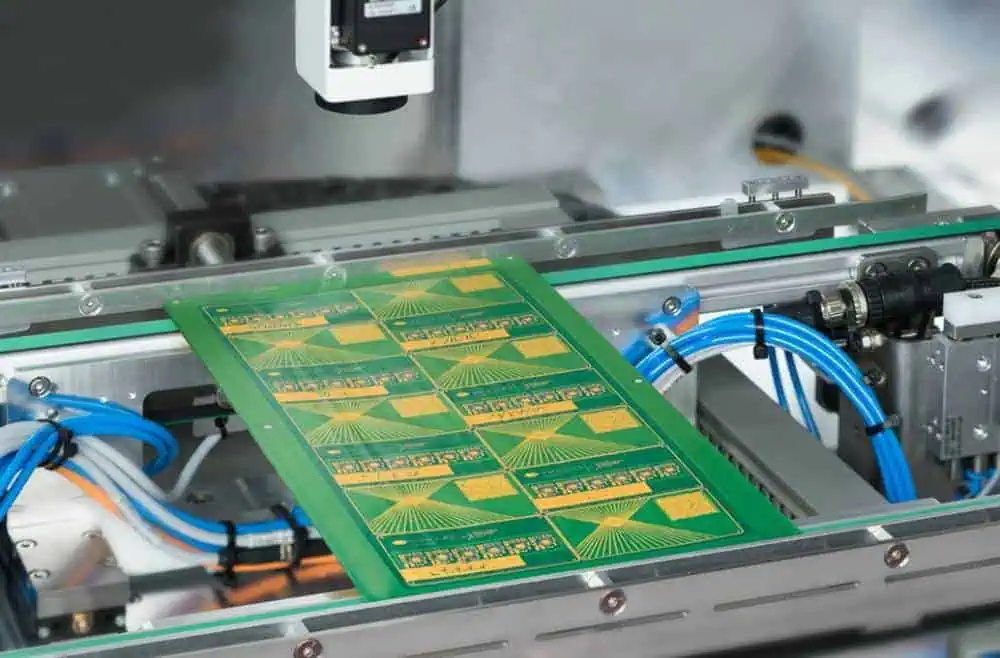
To address this issue, it becomes necessary to create a small printed circuit board that can be assembled in an area that meets the assembler’s needs or utilize a panelization method easier for SMT assembly, such as using a yin & yang board. Typically, manufacturing board factories offer panelization services. Still, by utilizing the Electronic design automation (EDA) software in the design process, designers can more clearly convey their intentions and reap several benefits, including:
- Enables creation in the desired orientation.
- The panelized layout is linked to the source circuit board, and any changes made to the source board are automatically reflected in the panelized circuit board.
- Allows for the combination of multiple different boards.
- Supports the use of yin & yang boards.
How to put different Circuit Boards together?

To combine different PCBs, select a printed circuit board file and arrange it in an array. Then, choose another printed circuit board file and arrange it similarly.
It is important to note that when combining different PCBs, the no. of layers & thickness settings of each PCB must be identical to ensure successful processing.
To make a yin & yang board, utilize the panel function to arrange a set of boards, then arrange another set of boards in the same way. Once this is done, choose the mirror function. It is important to note that the yin & yang boards should have identical layer thicknesses to be successfully combined and processed.
In addition to Altium Panelize, we can also provide a guide for penalizing PCBs using EasyEDA, Eagle, and KiCad software. If interested, we can allocate time to create a detailed guide for each program.
What is V Groove PCB?
V-groove printed circuit boards result from the splitting process of PCBs, which involves cutting the boards and leaving some material to hold them together. In the final stages of production, the V-groove printed circuit boards are profiled and separated from the production panel, either by routing / V-cut scoring. When manufacturing V-groove printed circuit boards, specific rules must be followed to ensure proper production.
Rules for manufacturing groove PCB
- Make sure that the board has a spacing of 0mm.
- Keep the spacing between the outline & V-scoring line at 0.35mm.
- The V-scoring line must be straight and either horizontal or vertical.
- The V-groove printed circuit boards should have a minimum size of 75 x 75 mm and a size of 450 x 1245 mm.
Panelization Methods
Various methods exist for penalizing breakaway tab printed circuit boards, each with advantages and disadvantages. The design of the board and the panel itself typically play a significant role in determining the most suitable method for panelization. It is essential to consider these factors when deciding which approach to use.
- Components: The placement of components on a PCB is just as critical as the choice of components themselves, particularly for sensitive connectors & components that can significantly impact the optimal panelization & breakout method.
- Design: When determining the optimal panelization method, the board’s layout is the most crucial factor. The clearance between the edge of the board and its components may render some methods less suitable than others.
- Materials: The materials used in mouse-bites printed circuit boards can affect the choice of the best panelization method. Certain materials are prone to splintering during the procedure of breakaway, which limits the suitable methods. The Breadth of the circuit board is also a critical factor. Thin boards are more likely to break during assembly, while thick boards may pose challenges during the breakaway process.

