
Hey there! I’m a 15-year-old PCB designer, and yeah, I know that sounds kind of wild, but designing circuit boards has been my obsession for the past couple of years. When I first started, I jumped straight into designing without really planning things out, and let me tell you – that was a huge mistake. I’ve learned the hard way that proper planning can save you tons of time, money, and frustration. So, let me share the five most critical things you need to consider before you even open your PCB design software.

1. Understanding Your Circuit Requirements and Specifications
Okay, so this might sound super obvious, but you’d be surprised how many people (including past me) skip this step. Before you start placing components and routing traces, you need to have a crystal-clear understanding of what your circuit actually needs to do.
When I designed my first Arduino-based weather station, I thought I had everything figured out. Spoiler alert: I didn’t. I forgot to consider the power requirements properly, and my battery drained way faster than expected. That’s when I learned that planning starts with asking the right questions.
What you need to figure out:
First, determine your power requirements. How much current will your circuit draw? What voltage do you need? Will it run on batteries or a wall adapter? These questions matter because they affect everything from trace width to component selection. I made a spreadsheet now where I list every component and its power consumption – it’s a game-changer.
Second, think about the signals you’re working with. Are you dealing with high-speed digital signals, analog signals, or a mix of both? This is crucial because high-speed signals need special attention to avoid interference and signal integrity issues. When I built my first radio receiver circuit, I didn’t separate my analog and digital grounds properly, and the noise was insane. Learning about proper grounding took my designs from “kind of works” to “actually reliable.”
Third, consider the operating environment. Is your PCB going to be in a hot environment? Will it be exposed to moisture? These factors determine what materials you should use and whether you need conformal coating. My robot project taught me this lesson when moisture got into the board during a rainy day test run – not fun.
2. Component Selection and Availability
This is probably where I’ve made the most mistakes, and honestly, it’s still something I’m learning to get better at. Choosing the right components is like picking the right ingredients for a recipe – you can’t make a great dish with ingredients you can’t find or afford.
The availability trap:
Here’s something I wish someone had told me earlier: just because a component exists doesn’t mean you can actually get it. I once designed an entire board around this super cool microcontroller I found online, only to discover it was out of stock everywhere and wouldn’t be available for six months. That was painful.
Now, before I commit to any component, I check at least three different suppliers (like Mouser, Digikey, and LCSC) to see if it’s actually in stock and what the lead times are. I also look for multiple sources – if only one company makes the part you need, that’s a red flag. Trust me, having backup options for critical components can save your project.
Package selection matters more than you think:
When I started, I always picked the smallest packages because they looked cool and professional. SMD components smaller than 0603 seemed so high-tech! But here’s the reality: if you’re hand-soldering (which I am, at least for prototypes), going too small makes your life miserable. I now stick to 0805 or 1206 packages for passives when I’m prototyping. Yes, it makes the board slightly bigger, but I can actually solder it without a microscope.
Also, think about whether you’ll need to replace components later. Through-hole parts are way easier to swap out than surface-mount ones. For critical components that might fail or that you’re experimenting with, through-hole can be your friend.
Cost considerations:
As a teenager working on projects with birthday money and the occasional odd job, budget is real for me. I learned to use parametric searches on supplier websites to find components that meet my specs at the best price. Sometimes a slightly different capacitor value or resistor tolerance can save you significant money when you’re ordering in bulk.
3. PCB Layout Considerations: Layers, Size, and Traces
This is where the magic happens, but also where things can go really wrong if you don’t plan ahead. The physical layout of your PCB isn’t just about making components fit – it’s about making them work together properly.
How many layers do you actually need?
My first few boards were all two-layer designs because I thought more layers meant it was too complicated for me. Wrong mindset! The number of layers you need depends on your circuit complexity, signal integrity requirements, and power distribution needs.
For simple projects like LED controllers or basic Arduino shields, two layers work great. But when I started working with higher-speed circuits and needed proper power and ground planes, I discovered that four-layer boards aren’t as scary or expensive as I thought. The manufacturers I use charge like $5-10 extra for four layers, which is totally worth it for the improved performance and easier routing.
Ground and power planes are your friends. They reduce noise, provide better current distribution, and make routing so much easier. Once I started using dedicated power planes, my circuits became way more stable.
Size matters (but maybe not how you think):
I used to try to make my boards as small as physically possible because it seemed more impressive. But here’s what I learned: unless you have a specific size requirement (like fitting in an enclosure), giving yourself a bit of extra space makes everything easier.
Extra space means:
- Easier hand soldering
- Room for test points (which you definitely want)
- Space for mounting holes
- Better thermal management
- Easier troubleshooting
Now I design for functionality first and only optimize for size if I actually need to. My boards might be 20% bigger than they could be, but they’re 100% easier to work with.
Trace width and spacing:
This is pure physics, and you can’t cheat it. The amount of current a trace can carry depends on its width and the copper thickness. I use an online trace width calculator for every power trace now. After I had a trace literally burn up on one of my first boards (scary!), I learned to always oversize power traces.
For signal traces, keep them as short as possible, especially for high-speed signals. I learned about impedance-controlled routing the hard way when my USB project wouldn’t work reliably. Differential pairs like USB need to be routed together with matched lengths – the design software can help with this, but you need to plan for it from the start.
4. Manufacturing Capabilities and Constraints
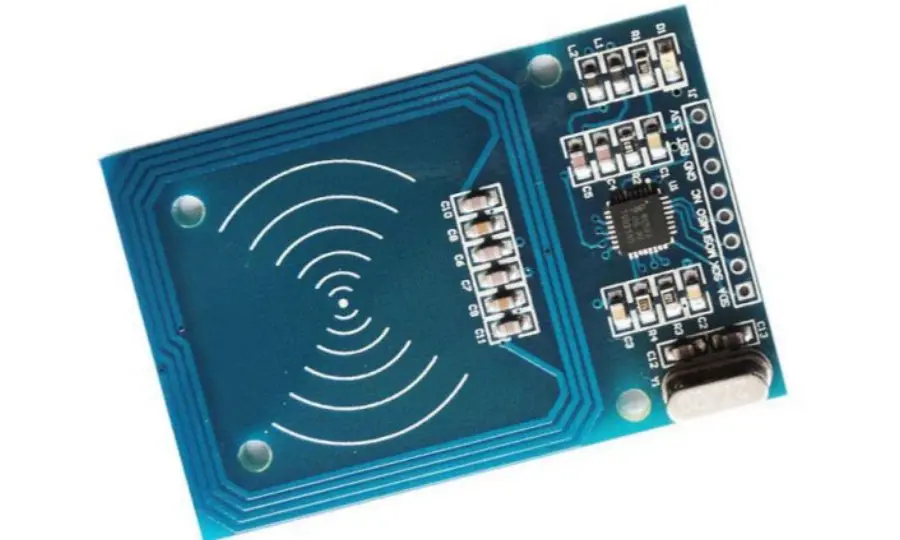
Here’s something nobody tells beginners: not every design you create can actually be manufactured, at least not affordably. Different PCB manufacturers have different capabilities, and understanding these limitations before you design can save you from costly redesigns.
Know your manufacturer’s rules:
Every PCB fab house has design rules – minimum trace width, minimum spacing, minimum drill size, etc. Most affordable manufacturers can handle 6mil traces and spaces, but if you go smaller, the price jumps up fast. I always download the design rules from my intended manufacturer and load them into my PCB software before I start routing.
When I designed my first board, I used 4mil traces in some places because the software let me. Then I got a quote that was three times what I expected because those tiny traces required a more expensive manufacturing process. Now I design to standard capabilities (6mil minimum) unless I absolutely need smaller features.
Surface finish and special features:
You’ve got options like HASL, ENIG, or immersion silver for surface finish. For my projects, I usually use HASL (Hot Air Solder Leveling) because it’s the cheapest and works fine for hand soldering. But if you’re doing fine-pitch SMD work or want better shelf life, ENIG is worth considering – it just costs more.
Some other things to think about:
- Do you need a soldermask color other than green? (It costs extra, but red and black look cool)
- Silkscreen on both sides? (Usually free, but plan for it)
- Edge plating or castellated holes? (Cool but specialty)
- Controlled impedance? (Need to specify this upfront)
Panel vs. single board:
Most manufacturers have a minimum order quantity, usually 5-10 boards. But here’s a trick I learned: if you have multiple small designs, you can panelize them together into one order. I’ve put two or three different projects on one panel and just snap them apart when they arrive. This saves money when you’re experimenting with multiple ideas.
5. Testing and Prototyping Planning
This is the part that nobody really talks about but is super important. Your first board probably won’t work perfectly – that’s just reality. Planning for testing and debugging from the beginning makes your life so much easier.
Build in test points:
I add test points everywhere now – at least one for every important signal, power rail, and ground connection. These are just small pads or through-holes where you can easily connect an oscilloscope probe or multimeter. They cost basically nothing to add but save hours of debugging time.
On my first boards, I didn’t include test points and ended up trying to probe tiny SMD pads with my oscilloscope. It was frustrating and I damaged a few components in the process.
Leave room for modifications:
Sometimes you need to cut a trace or add a wire to fix a design issue. If your board is packed super tight, this becomes really difficult. I now leave some strategic space near critical circuits where I can make modifications if needed. Also, I sometimes add 0-ohm resistors in series with important connections – they act as easy-to-remove jumpers if you need to isolate parts of the circuit.
Think about power-up sequencing:
How will you first power up your board? I learned to add a current-limited power supply connection or at least fuse protection. The first time you power up a new board is nerve-wracking. You don’t want a short circuit to instantly destroy everything.
Now I have a whole testing procedure: visual inspection first, then power rails testing with no ICs installed, then gradually bringing up different sections of the circuit. Planning for this testing process during design means including things like:
- LED indicators for power rails
- Jumpers to isolate sections
- Easy access to programming headers
- Proper connector placement for test equipment
Documentation during design:
I can’t stress this enough – document as you design! Take notes about why you made certain decisions. When you come back to debug your board three weeks later, you’ll forget all the little details. I use comments in my schematic and maintain a simple design journal. It sounds tedious, but future-you will be grateful.
Wrapping It Up
Look, PCB design is complex, and you’re going to make mistakes – I still do! But if you take the time to properly plan before you start designing, you’ll avoid the most painful errors. Think through your requirements, choose components wisely, understand layout principles, know your manufacturer’s capabilities, and plan for testing.
The most important advice I can give you is to start simple. My first successful board was just an LED blinker, but I learned more from properly designing that simple circuit than from all my failed ambitious projects. Each board you design teaches you something new.
Don’t be afraid to ask for help in online forums or show your designs to more experienced people for feedback. The PCB design community is generally awesome and helpful. And remember, every expert designer was once a beginner who didn’t know anything. We all started somewhere.
Now go plan your design properly, and may all your boards work on the first try! (They probably won’t, but that’s part of the fun.)
FAQs
Q1: What’s the best free PCB design software for beginners?
A: I started with KiCad, and I still use it for all my projects. It’s completely free, open-source, and super powerful. The learning curve is a bit steep at first, but there are tons of YouTube tutorials. EasyEDA is another great option, especially if you want something web-based that integrates directly with JLCPCB manufacturing. Fusion 360 also has PCB design capabilities and is free for students and hobbyists. My recommendation? Start with KiCad – it’s what professionals use, so you’re learning real skills.
Q2: How much does it cost to manufacture a custom PCB?
A: For hobby projects, it’s super affordable now! I regularly use JLCPCB and PCBWay, and they offer deals like 5 boards for $2 (plus shipping, which is usually around $5-20 depending on speed). For a basic two-layer board around 10cm x 10cm, you’re looking at $10-30 total including shipping. Four-layer boards cost a bit more, maybe $20-50 for small quantities. The turnaround time is usually 2-5 days for fabrication, plus shipping time. If you’re in a rush, you can pay extra for faster manufacturing and expedited shipping, but for learning projects, the cheap slow option works great.
Q3: Do I need expensive equipment to assemble PCBs at home?
A: Not really! I started with just a basic soldering iron (a $20-30 temperature-controlled iron is fine), solder, flux, and some tweezers. For SMD components, a hot air station helps but isn’t required for larger parts. I’ve successfully soldered 0805 components with just a regular iron. A decent multimeter is essential (I use a $30 one), and eventually, you might want an oscilloscope (you can get USB oscilloscopes for under $100). A magnifying glass or jeweler’s loupe helps a lot too. You can start with under $100 in tools and upgrade as you go. I’ve been gradually building my toolkit over time, and you don’t need everything at once.
Q4: How do I learn to read and create schematics?
A: Start by studying schematics of projects similar to what you want to build. Arduino has tons of open-source hardware with available schematics – download a few and try to understand how they work. Read datasheets for components you’re interested in; they usually include example circuits. YouTube channels like “Phil’s Lab” and “Robert Feranec” have great tutorials. Also, try to reverse-engineer simple circuits – grab an old electronic device, trace out its circuit, and draw the schematic. This helped me understand real-world design choices. Practice is key – start by modifying existing designs before creating your own from scratch.
Q5: What should I do if my first PCB doesn’t work?
A: Don’t panic – this is completely normal! First, do a visual inspection for obvious problems like solder bridges, cold joints, or reversed components. Then systematically check power rails with a multimeter – make sure you have the right voltages everywhere before powering up ICs. Use an oscilloscope to check if signals are present where they should be. Check your schematic against your board layout to make sure there are no errors. Test each section of the circuit independently if possible. Take pictures and post them on forums like r/PrintedCircuitBoard or the EEVblog forum – people are usually happy to help spot issues. Keep a lab notebook of what you’ve tested and what you’ve found. Most importantly, learn from the failure – every broken board teaches you something valuable for the next design!

