
Multilayer PCBs, consisting of insulating and copper coatings, are ubiquitous in modern electronic & electrical devices. Effective design planning is crucial to optimize signal transmission and enhance electrical performance. If the substrate is inadequately designed, or the materials used are unsuitable, the PCB’s performance may be compromised, leading to increased emissions, crosstalk, and vulnerability to external interference.
A well-designed printed circuit board can decrease electromagnetic noise and improve signal quality. It can also offer low inductance energy. It’s better to prevent external noise from happening during the design phase rather than trying to get rid of it later. A proper layout of multilayer printed circuit boards can make them ten times more resistant to RF( Radio Frequency) fields than double-sided ones.
Multilayer PCBs are costlier and more challenging to fix than simple double-sided printed circuit boards. Nevertheless, they provide better shielding and signal routing, and there are more layout options. Multilayer PCBs allow for denser power and signal routing than single or double-sided PCBs. This enables components to be packed closer, resulting in a compact layout.
What is a Multilayer PCB Press?

A Multilayer printed circuit board has more than two layers, containing a minimum of 3 conductive coatings made of copper. When you look at it, the top and bottom layers look like a double-sided printed circuit board, but there are more layers in between. These layers are linked together by holes coated with copper, and there can be as many as 40 layers. The parts are put on the upper & lower layers, and the inside layers are used to direct signals.
Multilayer PCBs have become prevalent in modern electrical appliances due to their ability to adapt more electronic elements. They come in 4-12 layers and are widely used in various applications, including smart devices, which require 4-8 layers, while smartphones can use up to 12 coatings. During the manufacturing process of multilayer PCBs, designers tend to select an even no of layers instead of an odd one. This is because adding an odd number of layers can increase the complexity of the circuit and lead to more significant manufacturing expenses.
To improve how well electronic devices can work together without causing interference (EMI), it’s suggested that in a basic four-layer design, the signal layers should be positioned near the power & ground planes and separated by a thick insulating layer. When a signal trace is positioned close to the ground plane in a circuit board, the impedance of the aircraft decreases. This can reduce the number of unwanted signals emitted from cables attached to the PCB. Additionally, the tight trace-to-plane coupling reduces crosstalk between pathways.
With an increase in the number of coatings to twelve, layer count circuit boards necessitate thin dielectrics, resulting in tighter coupling between layers. Such panels are commonly utilized in high-speed electrical technology to achieve enhanced EMI performance & signal integrity. Multilayer PCBs can have as many layers as needed, but the more layers there are, the thicker the board needs to be to fit the required materials.
How do Multilayer PCB Press work?

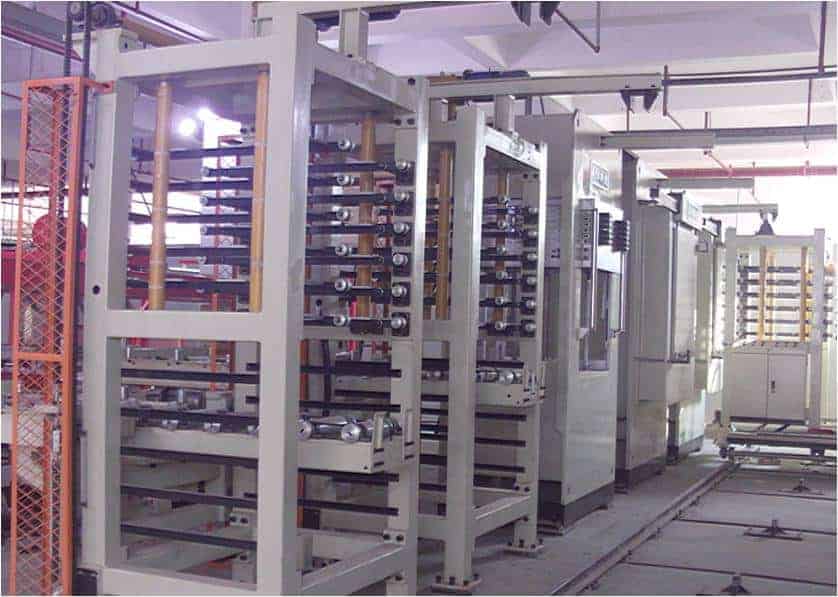
To make a multilayer PCB, the first step is to use software, such as Eagle or Proteus Altium, to design a board layout. After creation, the inner coating core & laminate are made with the desired thickness, along with dry film resist, copper foil, & UV light. After designing the board layout, the next step is lamination, which involves combining the inner coating core, copper foil sheets, and prepreg sheets. This process requires applying pressure, heating & vacuum utilizing a heated hydraulic press, ensuring no air is trapped between the layers. When the resin from the prepregs hardens, it sticks the sheets, foil, and core together to make a multilayer printed circuit board.
When designing a multilayer PCB, the designer must allocate one layer for a ground plane & another for a power plane. In digital-only printed circuit boards, the whole power layer can be given for this purpose, and if there is additional space on the top & bottom layers, they can be utilized for routing power rail paths. Usually, the power layers are in the center of the circuit board, and the ground plane is nearer to the top coating( layer). Once the power is taken care of on the inside layers, the remaining area is utilized for creating paths for signal tracks. Imagine a six-layer arrangement for a PCB. Out of these, four layers will be used for making paths for signals, and two layers will be used only for power.
A multilayer printed circuit board contains two planes that serve as references and a signal that helps electrical signals travel through all the stacked layers created for routing. Connecting the stitching to the aircraft adjacent to the password reduces the space available for the call to pass through. These printed circuit boards offer several via options to enhance routing density, including blind, standard & buried vias.
What is a Multilayer PCB Press Via?
Simply put, vias are tiny PCB holes connecting different layers electrically. They enable electrical connections between two or more layers on the PCB. Vias are distinct from PTHs, which have larger dimensions and are utilized for connecting through-hole elements on the board electrically. To create an electrical attachment between the different coatings of a PCB, the via hole is coated with copper within the insulating material. The circuit board may require vias that go through all the layers or just the outermost ones, depending on what it is being used for. As previously mentioned, there are three kinds of vias: standard, blind & buried.
Advantages of Multilayer PCB Press
While the design procedure for multilayer printed circuit boards is intricate and needs domain experience, their advantages make them extensively used in advanced electronic appliances & electrical appliances. The following are some of the benefits of multilayer PCBs.
- Multilayer PCBs leverage advanced design rules and evolving manufacturing procedures to decrease the board’s size while preserving functionality. This reduced form factor makes multilayer PCBs ideal for smartphones, electronic gadgets, and other compact devices, meeting the increasing demand for Smart wearables.
- Multilayer PCBs are produced using advanced manufacturing techniques to achieve lighter weight, making them suitable for wearable electronic devices. Eliminating the need for multiple connectors to link separate double-sided printed circuits in a multilayered layout is one of the primary reasons for reducing weight.
- The design & manufacturing process of multilayer PCBs entails a significant amount of effort to produce high-quality, multifunctional boards in a compact form factor. Unlike single-layer boards, multilayer PCBs offer several functionalities that are not feasible due to the constraints of a single coating, making them ideal for use in smartphones and other advanced devices.
- Multilayer PCBs are built to endure more weight and withstand the heat & pressure utilized to fuse the coatings, enhancing their durability and flexibility for long-term use. They can also be easily modified to suit various applications, eliminating the need for a complete redesign
- Multilayer printed circuit boards are made to operate using a single connection point rather than the multiple connection points required for numerous single-layer printed circuit boards.

