
In the world of printed circuit board (PCB) manufacturing, precise communication between designers and fabricators is crucial. One of the most important tools for this communication is the Gerber file format. Among the various versions of Gerber, RS-274D, also known as Standard Gerber with separate aperture tables, has played a significant role in the industry. This article delves into the details of RS-274D, its structure, importance, and how it compares to other versions of the Gerber format.
Understanding Gerber Files
What are Gerber Files?
Gerber files are the standard format used in the PCB industry to describe the board layers for manufacturing. Named after the Gerber Systems Corporation (now part of Ucamco), these files contain the necessary information for PCB fabrication, including copper traces, solder mask, silkscreen, and drill data.
Evolution of Gerber Formats
The Gerber format has evolved over the years to meet the changing needs of the PCB industry:
- RS-274: The original Gerber format
- RS-274D: Standard Gerber with separate aperture tables
- RS-274X: Extended Gerber, which includes embedded aperture definitions
- X2: The latest version with additional metadata
RS-274D: An In-depth Look
Definition and Structure
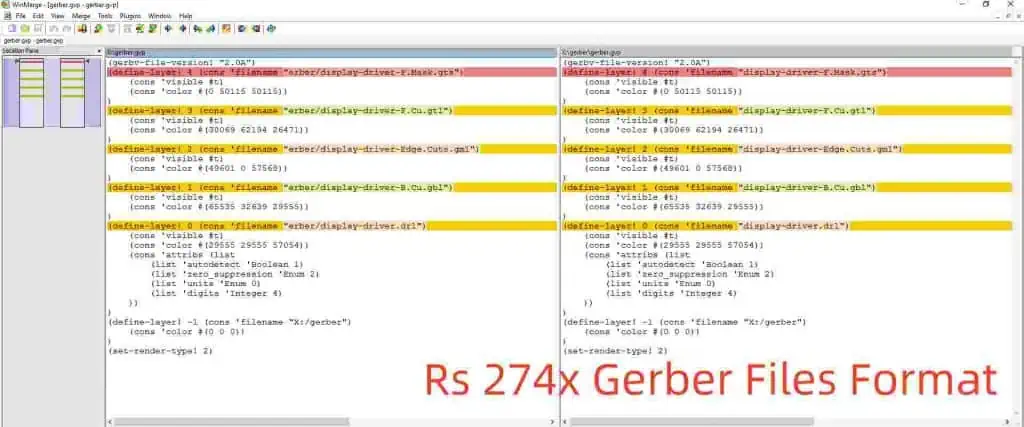
RS-274D, or Standard Gerber, is a vector format used to describe PCB artwork layers. It consists of two main components:
- The Gerber file itself (.gbr extension)
- A separate aperture table file (.apt extension)
Key Features of RS-274D
- Vector-based description of PCB layers
- Separate aperture definitions
- Support for basic shapes (circle, rectangle, obround)
- Use of G-codes and D-codes for commands
Aperture Tables in RS-274D
Aperture tables are a crucial component of RS-274D. They define the shapes and sizes of the “tools” used to draw the PCB features. Typically stored in a separate file, these tables include:
- Aperture number
- Aperture shape (circle, rectangle, obround)
- Aperture size
Structure of RS-274D Files
File Format
RS-274D files are ASCII text files containing a series of commands and coordinates. The basic structure includes:
- Header
- Body (drawing commands)
- Footer
Common Commands in RS-274D
CommandDescriptionG01Linear interpolationG02Clockwise circular interpolationG03Counterclockwise circular interpolationD01Light on (draw)D02Light off (move)D03FlashM02End of file
Coordinate System
RS-274D uses a Cartesian coordinate system with the origin typically at the lower-left corner of the board. Coordinates are usually expressed in inches or millimeters, with a specified number of decimal places for precision.
Advantages of RS-274D
1. Simplicity
The RS-274D format is relatively simple and easy to understand, making it accessible for both software developers and PCB designers.
2. Widespread Support
Due to its long history in the industry, RS-274D is supported by a wide range of PCB design software and manufacturing equipment.
3. Compact File Size
Compared to some newer formats, RS-274D files can be quite compact, especially for simpler designs.
4. Separation of Aperture Definitions
The separate aperture table allows for easy modification of apertures without changing the main Gerber file.
Limitations of RS-274D
1. Lack of Embedded Apertures
Unlike newer formats like RS-274X, RS-274D requires separate aperture files, which can lead to file management issues.
2. Limited Shape Support
RS-274D only supports basic shapes (circle, rectangle, obround), which can be limiting for complex designs.
3. No Built-in Polarity Information
Polarity (positive or negative) must be inferred from the layer type, which can lead to misinterpretations.
4. Lack of Metadata
RS-274D does not include metadata about the PCB design, such as layer stack information or board dimensions.
RS-274D vs. Other Gerber Formats
To better understand the place of RS-274D in the PCB industry, let’s compare it to other Gerber formats:
| Feature | RS-274D | RS-274X | Gerber X2 |
| Aperture Definition | Separate file | Embedded | Embedded |
| Shape Support | Basic | Advanced | Advanced |
| Polarity Information | Inferred | Explicit | Explicit |
| Metadata | None | Limited | Extensive |
| File Size | Compact | Larger | Larger |
| Industry Support | Widespread | Very common | Growing |
Best Practices for Using RS-274D
1. File Naming Conventions
Adopt clear and consistent naming conventions for both Gerber files and aperture tables to avoid confusion.
2. Layer Stack Documentation
Since RS-274D lacks built-in layer information, provide a separate document detailing the layer stack.
3. Aperture Table Management
Keep aperture tables organized and up-to-date. Consider using standardized aperture numbers across projects.
4. Verification and Validation
Always verify RS-274D files using appropriate Gerber viewers before sending them to manufacturers.
5. Communication with Manufacturers
Clearly communicate all necessary information to PCB manufacturers, including drill files, board dimensions, and special requirements.
Converting RS-274D to Newer Formats
As the industry moves towards newer Gerber formats, converting RS-274D files may become necessary. Here are some considerations:
1. Software Tools
Many PCB design software packages offer built-in conversion tools from RS-274D to RS-274X or Gerber X2.
2. Aperture Table Integration
When converting to RS-274X, ensure that aperture definitions are correctly integrated into the new file.
3. Polarity and Layer Information
Add explicit polarity and layer information when converting to newer formats.
4. Verification After Conversion
Always verify the converted files to ensure no data loss or misinterpretation occurred during the conversion process.
The Future of RS-274D

While RS-274D has been a stalwart in the PCB industry for many years, its usage is gradually declining in favor of more advanced formats. However, its legacy continues to influence modern PCB data exchange standards.
Continued Support
Many PCB manufacturers still accept RS-274D files, ensuring its relevance in the near future.
Migration to Newer Standards
The industry is gradually moving towards RS-274X and Gerber X2, which offer more robust features and embedded information.
Integration with Other Formats
As the PCB industry evolves, we may see better integration between Gerber formats and other data exchange standards like IPC-2581 and ODB++.
Conclusion
RS-274D, or Standard Gerber with separate aperture tables, has been a cornerstone of PCB manufacturing for decades. Its simplicity, widespread support, and compact file size have made it a popular choice for designers and manufacturers alike. However, as the complexity of PCB designs increases and the industry demands more comprehensive data exchange, newer formats like RS-274X and Gerber X2 are gaining prominence.
Understanding RS-274D remains important for PCB professionals, both for working with legacy designs and for appreciating the evolution of PCB data exchange formats. As the industry continues to evolve, designers and manufacturers must stay informed about the latest developments in Gerber formats and other PCB data exchange standards to ensure efficient and accurate communication throughout the PCB manufacturing process.
Frequently Asked Questions (FAQ)
- Q: Can I still use RS-274D for modern PCB designs? A: Yes, RS-274D is still accepted by many PCB manufacturers. However, for complex designs or when more detailed information is required, newer formats like RS-274X or Gerber X2 are recommended. Always check with your PCB manufacturer for their preferred file format.
- Q: How do I create aperture tables for RS-274D files? A: Aperture tables are typically generated automatically by PCB design software when you export your design as RS-274D Gerber files. The exact process may vary depending on your software. If you need to create or modify aperture tables manually, you can use a text editor to define aperture numbers, shapes, and sizes according to the RS-274D specification.
- Q: What are the main differences between RS-274D and RS-274X? A: The main differences are:
- RS-274D uses separate aperture table files, while RS-274X embeds aperture definitions in the Gerber file.
- RS-274X supports more advanced shapes and allows for explicit polarity information.
- RS-274X includes some metadata about the layer, which is not present in RS-274D.
- Q: Are there any tools to validate RS-274D files? A: Yes, there are several Gerber viewers and validation tools available, both free and commercial. Some popular options include:
- GerbView (part of KiCad)
- ViewMate (by PentaLogix)
- CAM350 (by DownStream Technologies) Always use a viewer to check your Gerber files before sending them to a manufacturer.
- Q: How do I ensure compatibility when using RS-274D with modern PCB manufacturing processes? A: To ensure compatibility:
- Communicate clearly with your PCB manufacturer about your use of RS-274D.
- Provide comprehensive documentation, including layer stack information and any special requirements.
- Use standard aperture shapes and sizes when possible.
- Consider converting to a newer format like RS-274X if your manufacturer prefers it.
- Always verify your files using a Gerber viewer before submission.

